XHTML	
  1.0	
  	
  
Extensible	
  HyperText	
  Markup	
  Language	
  

               Jussi	
  Pohjolainen	
  
   Tampere	
  University	
  of	
  Applied	
  Sciences	
  
What	
  is	
  XHTML?	
  
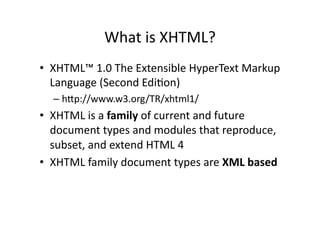
•  XHTML™	
  1.0	
  The	
  Extensible	
  HyperText	
  Markup	
  
   Language	
  (Second	
  EdiKon)	
  
   –  hMp://www.w3.org/TR/xhtml1/	
  
•  XHTML	
  is	
  a	
  family	
  of	
  current	
  and	
  future	
  
   document	
  types	
  and	
  modules	
  that	
  reproduce,	
  
   subset,	
  and	
  extend	
  HTML	
  4	
  	
  
•  XHTML	
  family	
  document	
  types	
  are	
  XML	
  based	
  
Rules	
  
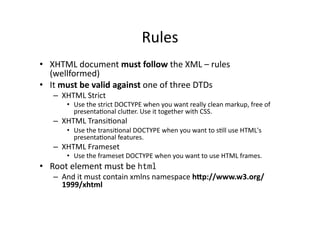
•  XHTML	
  document	
  must	
  follow	
  the	
  XML	
  –	
  rules	
  
   (wellformed)	
  
•  It	
  must	
  be	
  valid	
  against	
  one	
  of	
  three	
  DTDs	
  
     –  XHTML	
  Strict	
  
          •  Use	
  the	
  strict	
  DOCTYPE	
  when	
  you	
  want	
  really	
  clean	
  markup,	
  free	
  of	
  
             presentaKonal	
  cluMer.	
  Use	
  it	
  together	
  with	
  CSS.	
  
     –  XHTML	
  TransiKonal	
  
          •  Use	
  the	
  transiKonal	
  DOCTYPE	
  when	
  you	
  want	
  to	
  sKll	
  use	
  HTML's	
  
             presentaKonal	
  features.	
  
     –  XHTML	
  Frameset	
  
          •  Use	
  the	
  frameset	
  DOCTYPE	
  when	
  you	
  want	
  to	
  use	
  HTML	
  frames.	
  	
  
•  Root	
  element	
  must	
  be	
  html
     –  And	
  it	
  must	
  contain	
  xmlns	
  namespace	
  h7p://www.w3.org/
        1999/xhtml	
  
XHTML	
  Example	
  
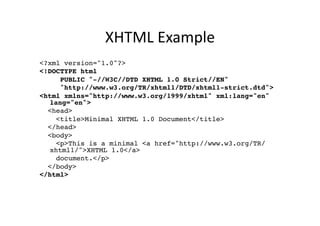
<?xml version="1.0"?>!
<!DOCTYPE html !
     PUBLIC "-//W3C//DTD XHTML 1.0 Strict//EN"!
     "http://www.w3.org/TR/xhtml1/DTD/xhtml1-strict.dtd">!
<html xmlns="http://www.w3.org/1999/xhtml" xml:lang="en"
  lang="en">!
  <head>!
    <title>Minimal XHTML 1.0 Document</title>!
  </head>!
  <body>!
    <p>This is a minimal <a href="http://www.w3.org/TR/
  xhtml1/">XHTML 1.0</a> !
    document.</p>!
  </body>!
</html>!
The	
  DTDs	
  
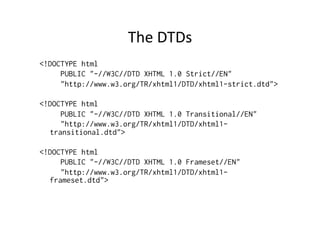
<!DOCTYPE html
     PUBLIC "-//W3C//DTD XHTML 1.0 Strict//EN"
     "http://www.w3.org/TR/xhtml1/DTD/xhtml1-strict.dtd">

<!DOCTYPE html
     PUBLIC "-//W3C//DTD XHTML 1.0 Transitional//EN"
     "http://www.w3.org/TR/xhtml1/DTD/xhtml1-
  transitional.dtd">

<!DOCTYPE html
     PUBLIC "-//W3C//DTD XHTML 1.0 Frameset//EN"
     "http://www.w3.org/TR/xhtml1/DTD/xhtml1-
  frameset.dtd">
Mandatory	
  XHTML	
  Elements	
  
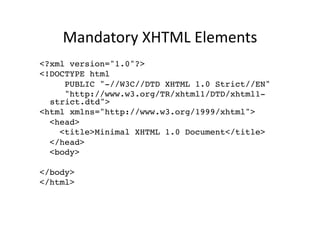
<?xml version="1.0"?>!
<!DOCTYPE html !
     PUBLIC "-//W3C//DTD XHTML 1.0 Strict//EN"!
     "http://www.w3.org/TR/xhtml1/DTD/xhtml1-
  strict.dtd">!
<html xmlns="http://www.w3.org/1999/xhtml">!
  <head>!
    <title>Minimal XHTML 1.0 Document</title>!
  </head>!
  <body>!

</body>!
</html>!
Syntax:	
  Elements	
  
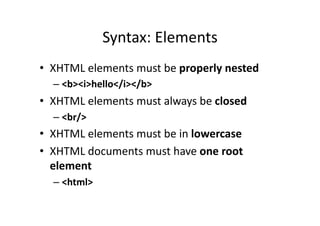
•  XHTML	
  elements	
  must	
  be	
  properly	
  nested	
  
   –  <b><i>hello</i></b>	
  
•  XHTML	
  elements	
  must	
  always	
  be	
  closed	
  
   –  <br/>	
  
•  XHTML	
  elements	
  must	
  be	
  in	
  lowercase	
  
•  XHTML	
  documents	
  must	
  have	
  one	
  root	
  
   element	
  
   –  <html>	
  
Syntax:	
  AMributes	
  
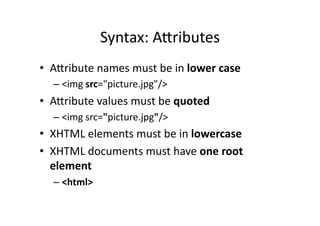
•  AMribute	
  names	
  must	
  be	
  in	
  lower	
  case	
  
    –  <img	
  src="picture.jpg"/>	
  
•  AMribute	
  values	
  must	
  be	
  quoted	
  
    –  <img	
  src="picture.jpg"/>	
  
•  XHTML	
  elements	
  must	
  be	
  in	
  lowercase	
  
•  XHTML	
  documents	
  must	
  have	
  one	
  root	
  
   element	
  
    –  <html>	
  
head -­‐	
  element	
  
•  One	
  mandatory	
  –	
  element:	
  Ktle	
  
    –  Very	
  important:	
  search	
  engines,	
  bookmarking	
  
•  Meta-­‐informaKon 	
  	
  
    –  hMp://www.w3schools.com/tags/tag_meta.asp	
  
•  Linking	
  to	
  other	
  files	
  (CSS)	
  
head	
  –	
  element,	
  example	
  
<?xml version="1.0"?>!
<!DOCTYPE html !
     PUBLIC "-//W3C//DTD XHTML 1.0 Strict//EN"!
     "http://www.w3.org/TR/xhtml1/DTD/xhtml1-strict.dtd">!
<html xmlns="http://www.w3.org/1999/xhtml">!
  <head>!
    <title>Minimal XHTML 1.0 Document</title>!
    <meta name="description" content="Simple XHTML example" />!
    <meta name="keywords" content="XHTML" />!
    <meta name="author" content="Jussi Pohjolainen" />!
  </head>!
  <body>!

  </body>!
</html>!
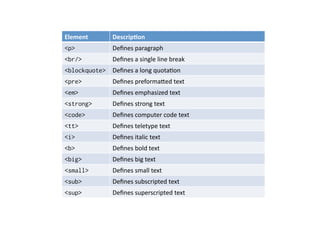
Element	
      DescripHon	
  
<p>            Defines	
  paragraph	
  
<br/>          Defines	
  a	
  single	
  line	
  break	
  
<blockquote>   Defines	
  a	
  long	
  quotaKon	
  
<pre>          Defines	
  preformaMed	
  text	
  
<em>           Defines	
  emphasized	
  text	
  	
  
<strong>       Defines	
  strong	
  text	
  
<code>         Defines	
  computer	
  code	
  text	
  
<tt>           Defines	
  teletype	
  text	
  
<i>            Defines	
  italic	
  text	
  
<b>            Defines	
  bold	
  text	
  
<big>          Defines	
  big	
  text	
  
<small>        Defines	
  small	
  text	
  
<sub>          Defines	
  subscripted	
  text	
  
<sup>          Defines	
  superscripted	
  text	
  
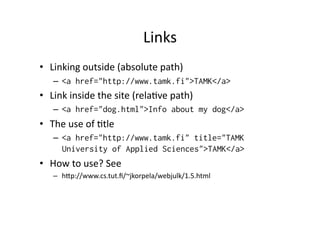
Links	
  
•  Linking	
  outside	
  (absolute	
  path)	
  
     –  <a href="http://www.tamk.fi">TAMK</a>
•  Link	
  inside	
  the	
  site	
  (relaKve	
  path)	
  
     –  <a href="dog.html">Info about my dog</a>
•  The	
  use	
  of	
  Ktle	
  
     –  <a href="http://www.tamk.fi" title="TAMK
        University of Applied Sciences">TAMK</a>
•  How	
  to	
  use?	
  See	
  
     –  hMp://www.cs.tut.fi/~jkorpela/webjulk/1.5.html	
  
Images	
  
•  Linking	
  to	
  a	
  image	
  
    –  <a href="face.jpg">My Face</a>
•  Adding	
  an	
  image	
  to	
  the	
  page	
  
    –  <img src="face.jpg" alt="Picture of me" />
•  Image	
  as	
  a	
  link	
  
    <a href="http://www.tamk.fi">
       <img src="tamk.jpg" alt="TAMK Logo" />
    </a>
•  Use	
  PNGs,	
  JPEGs	
  or	
  GIFs	
  
Lists	
  
•  <ul>	
  –	
  Unordered	
  list	
  
•  <ol>	
  –	
  Ordered	
  list	
  
•  <dl>	
  –	
  DefiniKon	
  list	
  
    –  <dt>	
  –	
  Ktle	
  
    –  <dd> -­‐	
  descripKon	
  
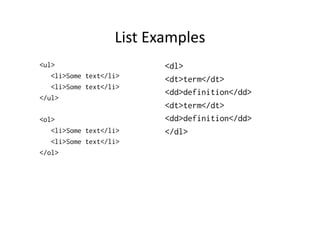
List	
  Examples	
  
<ul>                         <dl>
   <li>Some text</li>        <dt>term</dt>
   <li>Some text</li>
                             <dd>definition</dd>
</ul>
                             <dt>term</dt>
<ol>                         <dd>definition</dd>
   <li>Some text</li>        </dl>
   <li>Some text</li>
</ol>
In	
  Browser	
  
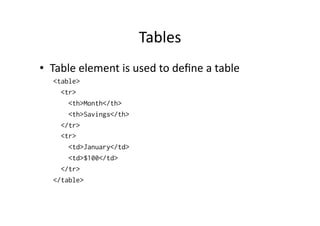
Tables	
  
•  Table	
  element	
  is	
  used	
  to	
  define	
  a	
  table	
  
    <table>
      <tr>
        <th>Month</th>
        <th>Savings</th>
      </tr>
      <tr>
        <td>January</td>
        <td>$100</td>
      </tr>
    </table>
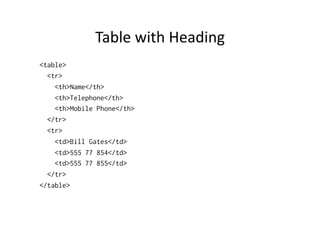
Table	
  with	
  Heading	
  
<table>
  <tr>
    <th>Name</th>
    <th>Telephone</th>
    <th>Mobile Phone</th>
  </tr>
  <tr>
    <td>Bill Gates</td>
    <td>555 77 854</td>
    <td>555 77 855</td>
  </tr>
</table>
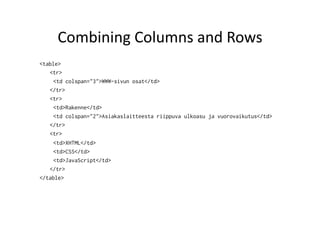
Combining	
  Columns	
  and	
  Rows	
  
<table>
   <tr>
     <td colspan="3">WWW-sivun osat</td>
   </tr>
   <tr>
     <td>Rakenne</td>
     <td colspan="2">Asiakaslaitteesta riippuva ulkoasu ja vuorovaikutus</td>
   </tr>
   <tr>
     <td>XHTML</td>
     <td>CSS</td>
     <td>JavaScript</td>
   </tr>
</table>

XHTML

  • 1.
    XHTML  1.0     Extensible  HyperText  Markup  Language   Jussi  Pohjolainen   Tampere  University  of  Applied  Sciences  
  • 2.
    What  is  XHTML?   •  XHTML™  1.0  The  Extensible  HyperText  Markup   Language  (Second  EdiKon)   –  hMp://www.w3.org/TR/xhtml1/   •  XHTML  is  a  family  of  current  and  future   document  types  and  modules  that  reproduce,   subset,  and  extend  HTML  4     •  XHTML  family  document  types  are  XML  based  
  • 3.
    Rules   •  XHTML  document  must  follow  the  XML  –  rules   (wellformed)   •  It  must  be  valid  against  one  of  three  DTDs   –  XHTML  Strict   •  Use  the  strict  DOCTYPE  when  you  want  really  clean  markup,  free  of   presentaKonal  cluMer.  Use  it  together  with  CSS.   –  XHTML  TransiKonal   •  Use  the  transiKonal  DOCTYPE  when  you  want  to  sKll  use  HTML's   presentaKonal  features.   –  XHTML  Frameset   •  Use  the  frameset  DOCTYPE  when  you  want  to  use  HTML  frames.     •  Root  element  must  be  html –  And  it  must  contain  xmlns  namespace  h7p://www.w3.org/ 1999/xhtml  
  • 4.
    XHTML  Example   <?xmlversion="1.0"?>! <!DOCTYPE html ! PUBLIC "-//W3C//DTD XHTML 1.0 Strict//EN"! "http://www.w3.org/TR/xhtml1/DTD/xhtml1-strict.dtd">! <html xmlns="http://www.w3.org/1999/xhtml" xml:lang="en" lang="en">! <head>! <title>Minimal XHTML 1.0 Document</title>! </head>! <body>! <p>This is a minimal <a href="http://www.w3.org/TR/ xhtml1/">XHTML 1.0</a> ! document.</p>! </body>! </html>!
  • 5.
    The  DTDs   <!DOCTYPEhtml PUBLIC "-//W3C//DTD XHTML 1.0 Strict//EN" "http://www.w3.org/TR/xhtml1/DTD/xhtml1-strict.dtd"> <!DOCTYPE html PUBLIC "-//W3C//DTD XHTML 1.0 Transitional//EN" "http://www.w3.org/TR/xhtml1/DTD/xhtml1- transitional.dtd"> <!DOCTYPE html PUBLIC "-//W3C//DTD XHTML 1.0 Frameset//EN" "http://www.w3.org/TR/xhtml1/DTD/xhtml1- frameset.dtd">
  • 6.
    Mandatory  XHTML  Elements   <?xml version="1.0"?>! <!DOCTYPE html ! PUBLIC "-//W3C//DTD XHTML 1.0 Strict//EN"! "http://www.w3.org/TR/xhtml1/DTD/xhtml1- strict.dtd">! <html xmlns="http://www.w3.org/1999/xhtml">! <head>! <title>Minimal XHTML 1.0 Document</title>! </head>! <body>! </body>! </html>!
  • 7.
    Syntax:  Elements   • XHTML  elements  must  be  properly  nested   –  <b><i>hello</i></b>   •  XHTML  elements  must  always  be  closed   –  <br/>   •  XHTML  elements  must  be  in  lowercase   •  XHTML  documents  must  have  one  root   element   –  <html>  
  • 8.
    Syntax:  AMributes   • AMribute  names  must  be  in  lower  case   –  <img  src="picture.jpg"/>   •  AMribute  values  must  be  quoted   –  <img  src="picture.jpg"/>   •  XHTML  elements  must  be  in  lowercase   •  XHTML  documents  must  have  one  root   element   –  <html>  
  • 9.
    head -­‐  element   •  One  mandatory  –  element:  Ktle   –  Very  important:  search  engines,  bookmarking   •  Meta-­‐informaKon     –  hMp://www.w3schools.com/tags/tag_meta.asp   •  Linking  to  other  files  (CSS)  
  • 10.
    head  –  element,  example   <?xml version="1.0"?>! <!DOCTYPE html ! PUBLIC "-//W3C//DTD XHTML 1.0 Strict//EN"! "http://www.w3.org/TR/xhtml1/DTD/xhtml1-strict.dtd">! <html xmlns="http://www.w3.org/1999/xhtml">! <head>! <title>Minimal XHTML 1.0 Document</title>! <meta name="description" content="Simple XHTML example" />! <meta name="keywords" content="XHTML" />! <meta name="author" content="Jussi Pohjolainen" />! </head>! <body>! </body>! </html>!
  • 11.
    Element   DescripHon   <p> Defines  paragraph   <br/> Defines  a  single  line  break   <blockquote> Defines  a  long  quotaKon   <pre> Defines  preformaMed  text   <em> Defines  emphasized  text     <strong> Defines  strong  text   <code> Defines  computer  code  text   <tt> Defines  teletype  text   <i> Defines  italic  text   <b> Defines  bold  text   <big> Defines  big  text   <small> Defines  small  text   <sub> Defines  subscripted  text   <sup> Defines  superscripted  text  
  • 12.
    Links   •  Linking  outside  (absolute  path)   –  <a href="http://www.tamk.fi">TAMK</a> •  Link  inside  the  site  (relaKve  path)   –  <a href="dog.html">Info about my dog</a> •  The  use  of  Ktle   –  <a href="http://www.tamk.fi" title="TAMK University of Applied Sciences">TAMK</a> •  How  to  use?  See   –  hMp://www.cs.tut.fi/~jkorpela/webjulk/1.5.html  
  • 13.
    Images   •  Linking  to  a  image   –  <a href="face.jpg">My Face</a> •  Adding  an  image  to  the  page   –  <img src="face.jpg" alt="Picture of me" /> •  Image  as  a  link   <a href="http://www.tamk.fi"> <img src="tamk.jpg" alt="TAMK Logo" /> </a> •  Use  PNGs,  JPEGs  or  GIFs  
  • 14.
    Lists   •  <ul>  –  Unordered  list   •  <ol>  –  Ordered  list   •  <dl>  –  DefiniKon  list   –  <dt>  –  Ktle   –  <dd> -­‐  descripKon  
  • 15.
    List  Examples   <ul> <dl> <li>Some text</li> <dt>term</dt> <li>Some text</li> <dd>definition</dd> </ul> <dt>term</dt> <ol> <dd>definition</dd> <li>Some text</li> </dl> <li>Some text</li> </ol>
  • 16.
  • 17.
    Tables   •  Table  element  is  used  to  define  a  table   <table>   <tr>     <th>Month</th>     <th>Savings</th>   </tr>   <tr>     <td>January</td>     <td>$100</td>   </tr> </table>
  • 18.
    Table  with  Heading   <table> <tr> <th>Name</th> <th>Telephone</th> <th>Mobile Phone</th> </tr> <tr> <td>Bill Gates</td> <td>555 77 854</td> <td>555 77 855</td> </tr> </table>
  • 19.
    Combining  Columns  and  Rows   <table> <tr> <td colspan="3">WWW-sivun osat</td> </tr> <tr> <td>Rakenne</td> <td colspan="2">Asiakaslaitteesta riippuva ulkoasu ja vuorovaikutus</td> </tr> <tr> <td>XHTML</td> <td>CSS</td> <td>JavaScript</td> </tr> </table>

Editor's Notes

  • #17 http://css.maxdesign.com.au/listamatic/