
CSS – Cascading Style Sheet
CSS - Float
Call US: +91-9915337448 Email Us: info@webtechlearning.com
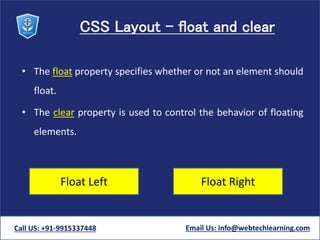
CSS Layout - float and clear
• The float property specifies whether or not an element should
float.
• The clear property is used to control the behavior of floating
elements.
Float Left Float Right
Call US: +91-9915337448 Email Us: info@webtechlearning.com
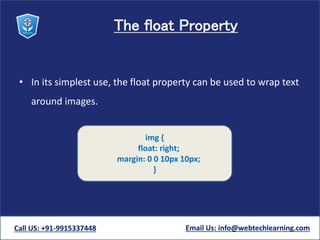
The float Property
• In its simplest use, the float property can be used to wrap text
around images.
Call US: +91-9915337448 Email Us: info@webtechlearning.com
img {
float: right;
margin: 0 0 10px 10px;
}
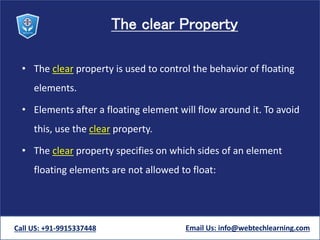
The clear Property
• The clear property is used to control the behavior of floating
elements.
• Elements after a floating element will flow around it. To avoid
this, use the clear property.
• The clear property specifies on which sides of an element
floating elements are not allowed to float:
Call US: +91-9915337448 Email Us: info@webtechlearning.com
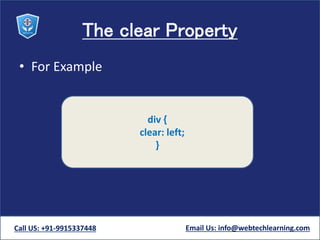
The clear Property
• For Example
Call US: +91-9915337448 Email Us: info@webtechlearning.com
div {
clear: left;
}
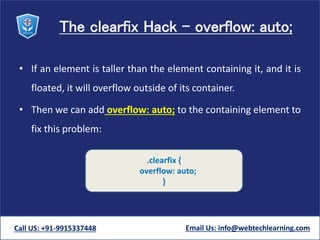
The clearfix Hack - overflow: auto;
• If an element is taller than the element containing it, and it is
floated, it will overflow outside of its container.
• Then we can add overflow: auto; to the containing element to
fix this problem:
Call US: +91-9915337448 Email Us: info@webtechlearning.com
.clearfix {
overflow: auto;
}
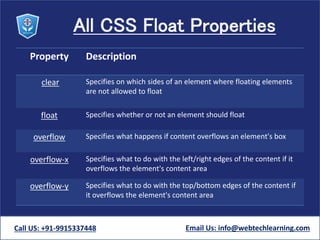
All CSS Float Properties
Property Description
clear Specifies on which sides of an element where floating elements
are not allowed to float
float Specifies whether or not an element should float
overflow Specifies what happens if content overflows an element's box
overflow-x Specifies what to do with the left/right edges of the content if it
overflows the element's content area
overflow-y Specifies what to do with the top/bottom edges of the content if
it overflows the element's content area
Call US: +91-9915337448 Email Us: info@webtechlearning.com
Css floats

Css floats

  • 1.
    CSS – CascadingStyle Sheet CSS - Float Call US: +91-9915337448 Email Us: info@webtechlearning.com
  • 2.
    CSS Layout -float and clear • The float property specifies whether or not an element should float. • The clear property is used to control the behavior of floating elements. Float Left Float Right Call US: +91-9915337448 Email Us: info@webtechlearning.com
  • 3.
    The float Property •In its simplest use, the float property can be used to wrap text around images. Call US: +91-9915337448 Email Us: info@webtechlearning.com img { float: right; margin: 0 0 10px 10px; }
  • 4.
    The clear Property •The clear property is used to control the behavior of floating elements. • Elements after a floating element will flow around it. To avoid this, use the clear property. • The clear property specifies on which sides of an element floating elements are not allowed to float: Call US: +91-9915337448 Email Us: info@webtechlearning.com
  • 5.
    The clear Property •For Example Call US: +91-9915337448 Email Us: info@webtechlearning.com div { clear: left; }
  • 6.
    The clearfix Hack- overflow: auto; • If an element is taller than the element containing it, and it is floated, it will overflow outside of its container. • Then we can add overflow: auto; to the containing element to fix this problem: Call US: +91-9915337448 Email Us: info@webtechlearning.com .clearfix { overflow: auto; }
  • 7.
    All CSS FloatProperties Property Description clear Specifies on which sides of an element where floating elements are not allowed to float float Specifies whether or not an element should float overflow Specifies what happens if content overflows an element's box overflow-x Specifies what to do with the left/right edges of the content if it overflows the element's content area overflow-y Specifies what to do with the top/bottom edges of the content if it overflows the element's content area Call US: +91-9915337448 Email Us: info@webtechlearning.com