Accessibility
(Session 1)
1
Yongjie Chen
UX Designer (Background in HCI)
Email: yjgracechen@gmail.com
2
The Approach-User Centred Design
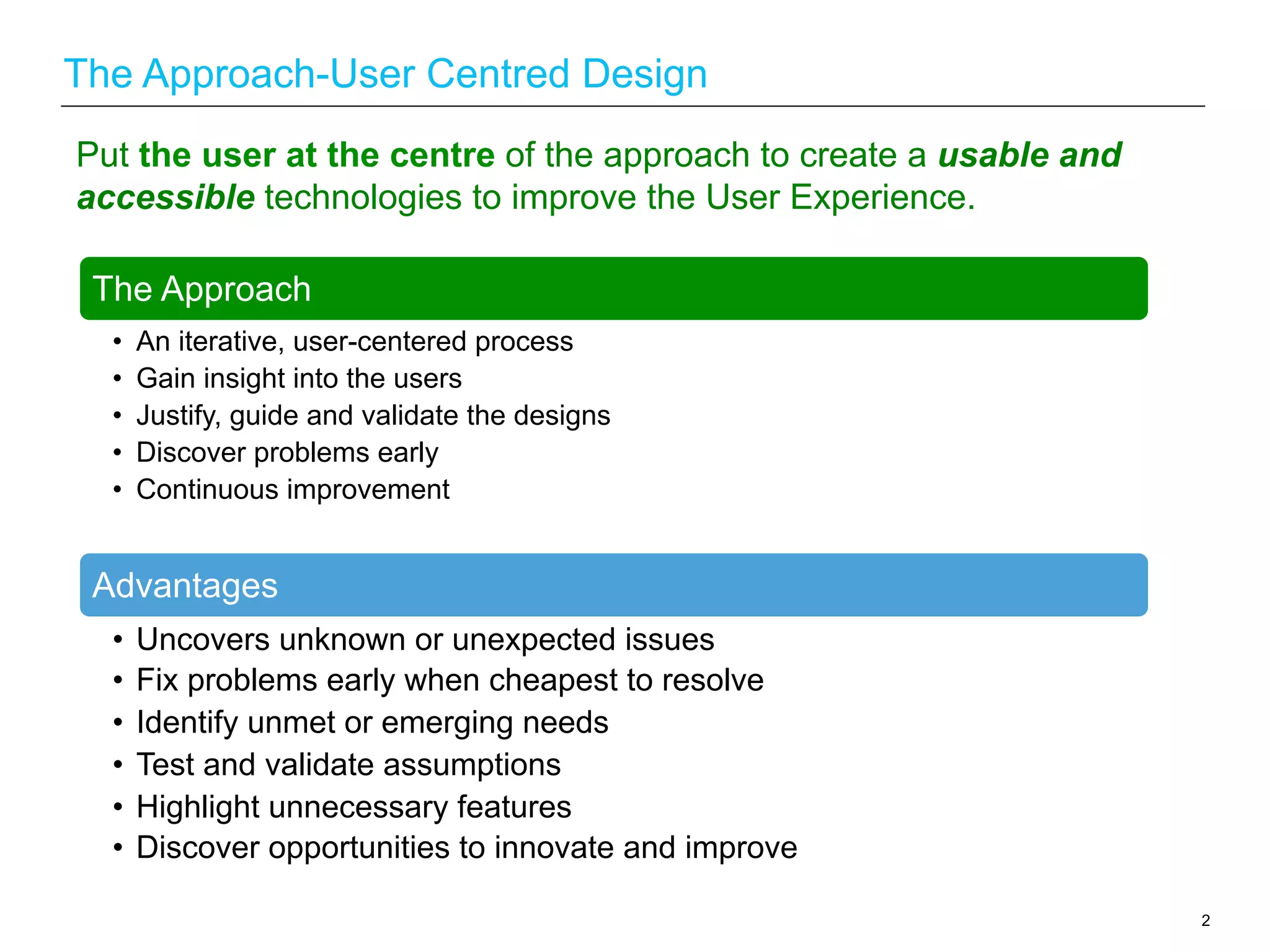
Put the user at the centre of the approach to create a usable and
accessible technologies to improve the User Experience.
The Approach
•  An iterative, user-centered process
•  Gain insight into the users
•  Justify, guide and validate the designs
•  Discover problems early
•  Continuous improvement
Advantages
•  Uncovers unknown or unexpected issues
•  Fix problems early when cheapest to resolve
•  Identify unmet or emerging needs
•  Test and validate assumptions
•  Highlight unnecessary features
•  Discover opportunities to innovate and improve
3
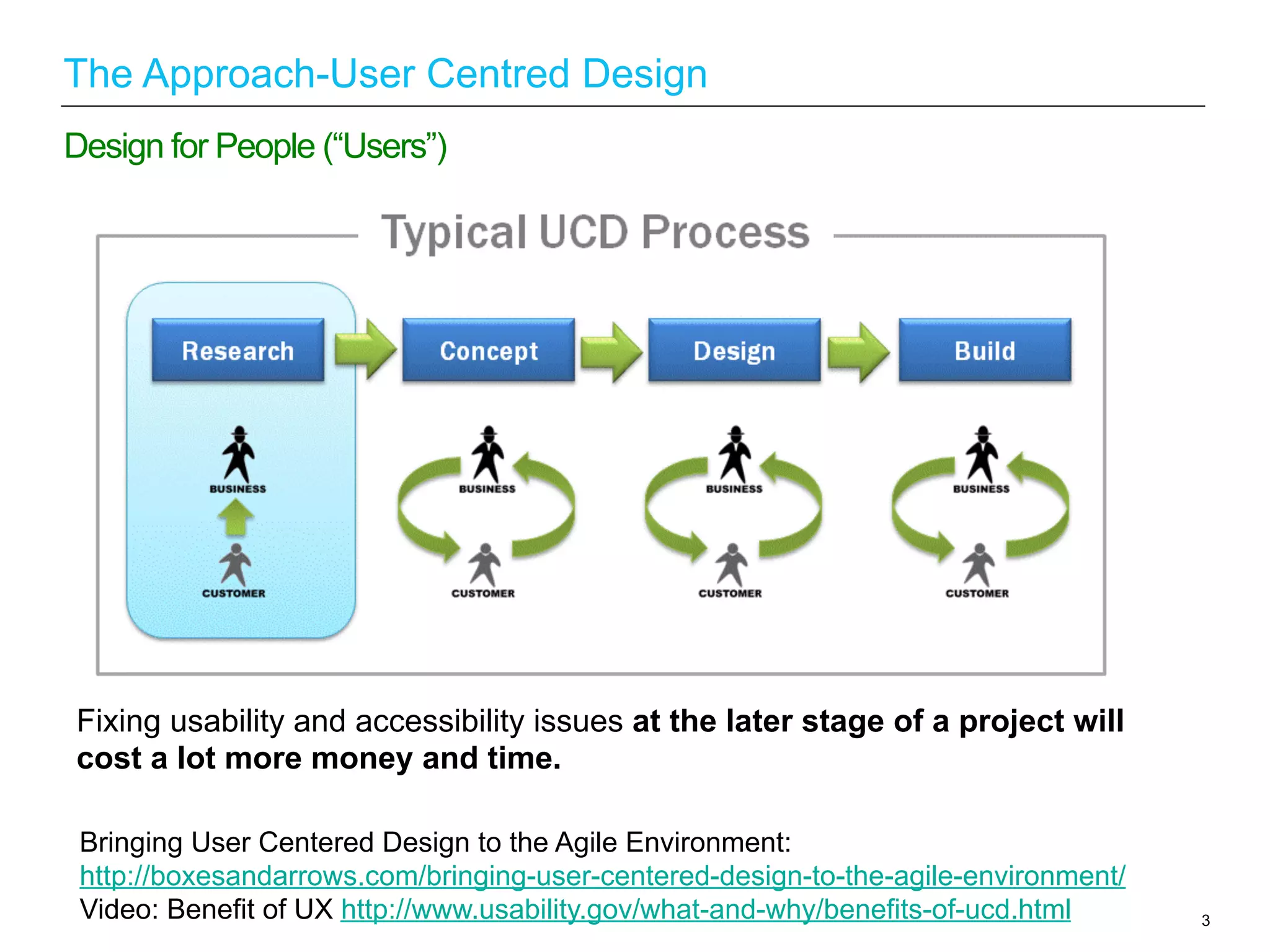
Design for People (“Users”)
The Approach-User Centred Design
Fixing usability and accessibility issues at the later stage of a project will
cost a lot more money and time.
Bringing User Centered Design to the Agile Environment:
http://boxesandarrows.com/bringing-user-centered-design-to-the-agile-environment/
Video: Benefit of UX http://www.usability.gov/what-and-why/benefits-of-ucd.html
4
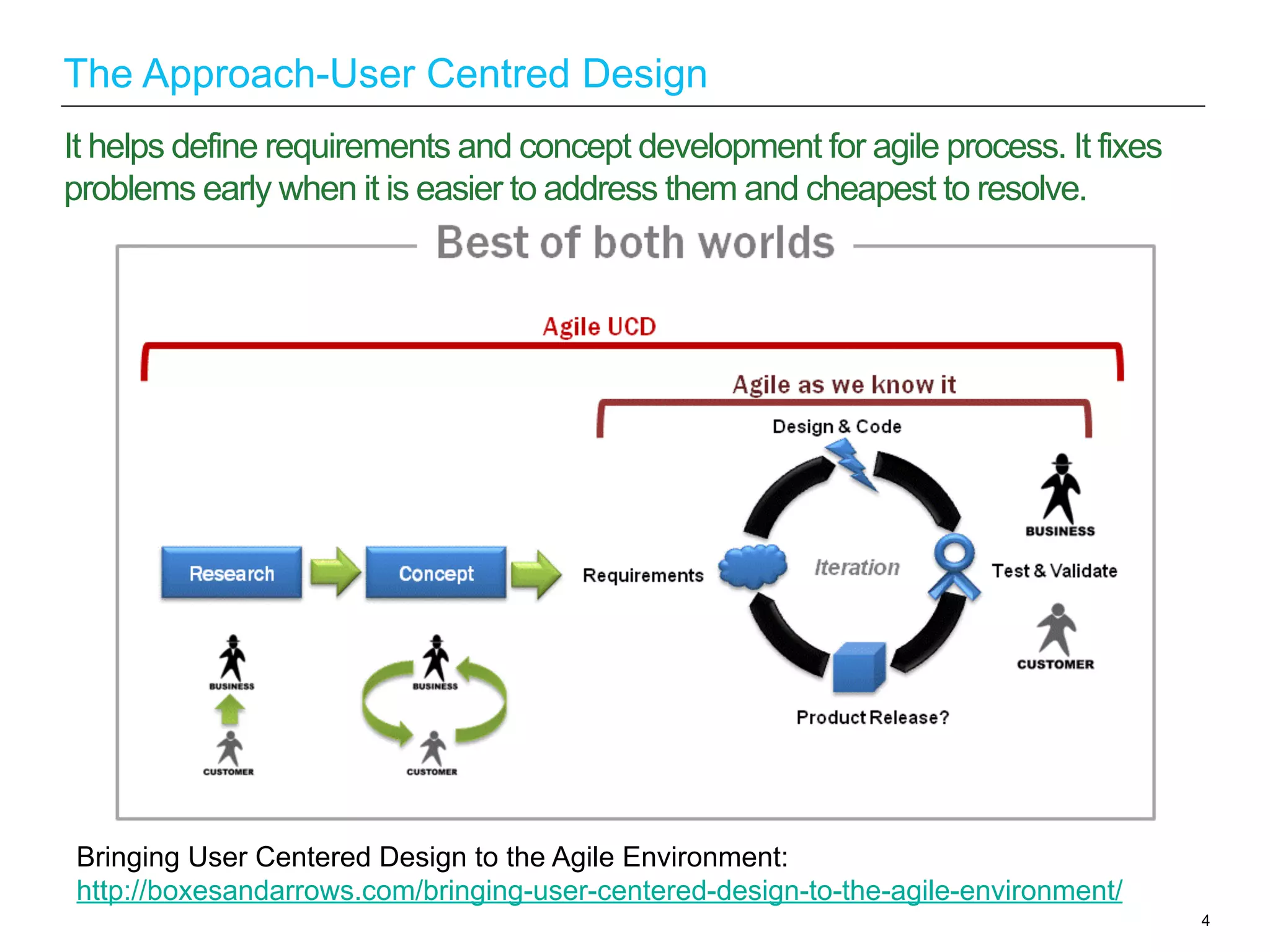
It helps define requirements and concept development for agile process. It fixes
problems early when it is easier to address them and cheapest to resolve.
The Approach-User Centred Design
Bringing User Centered Design to the Agile Environment:
http://boxesandarrows.com/bringing-user-centered-design-to-the-agile-environment/
1.  Ensure your code is accessible from the start - Run website through W3C
validators or through other validation tools.
2.  Automatic checks to identify the easy problems - Test website with some
automatic check tools.
3.  Manual checks to identify the more difficult problems - Use a browser
toolbar.
4.  Using assistive technology - Test the websites with different assistive
technologies such as screen reader, screen magnifier etc..
5.  Test it with actual users - Test website with a range of disabled users.
5
Build accessibility into every stage of the delivery process
How to Test Web Pages for Accessibility:
http://www.lancaster.ac.uk/fss/resources/access/testing.htm
6
What is Accessibility?
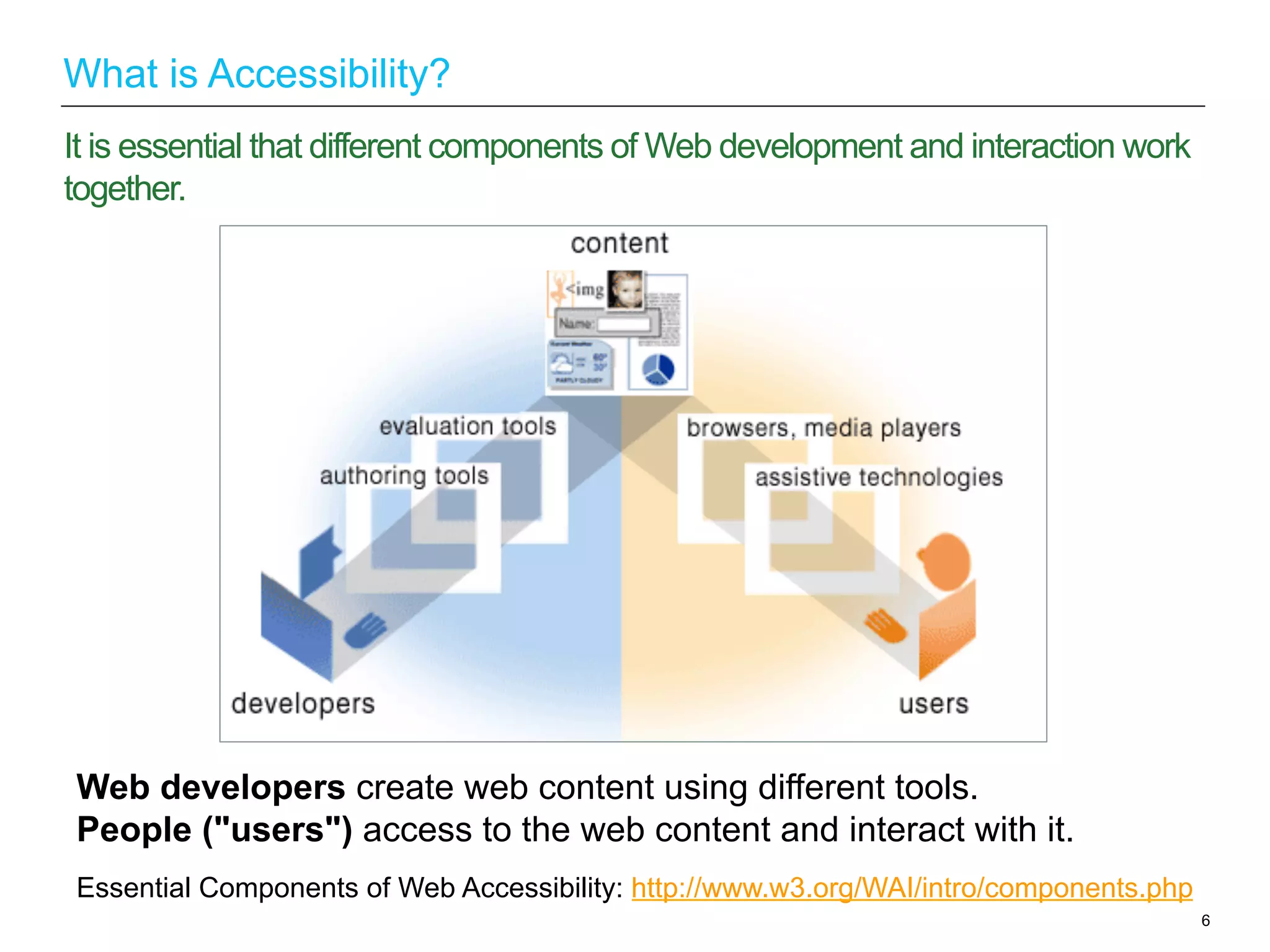
Web developers create web content using different tools.
People ("users") access to the web content and interact with it.
It is essential that different components of Web development and interaction work
together.
Essential Components of Web Accessibility: http://www.w3.org/WAI/intro/components.php
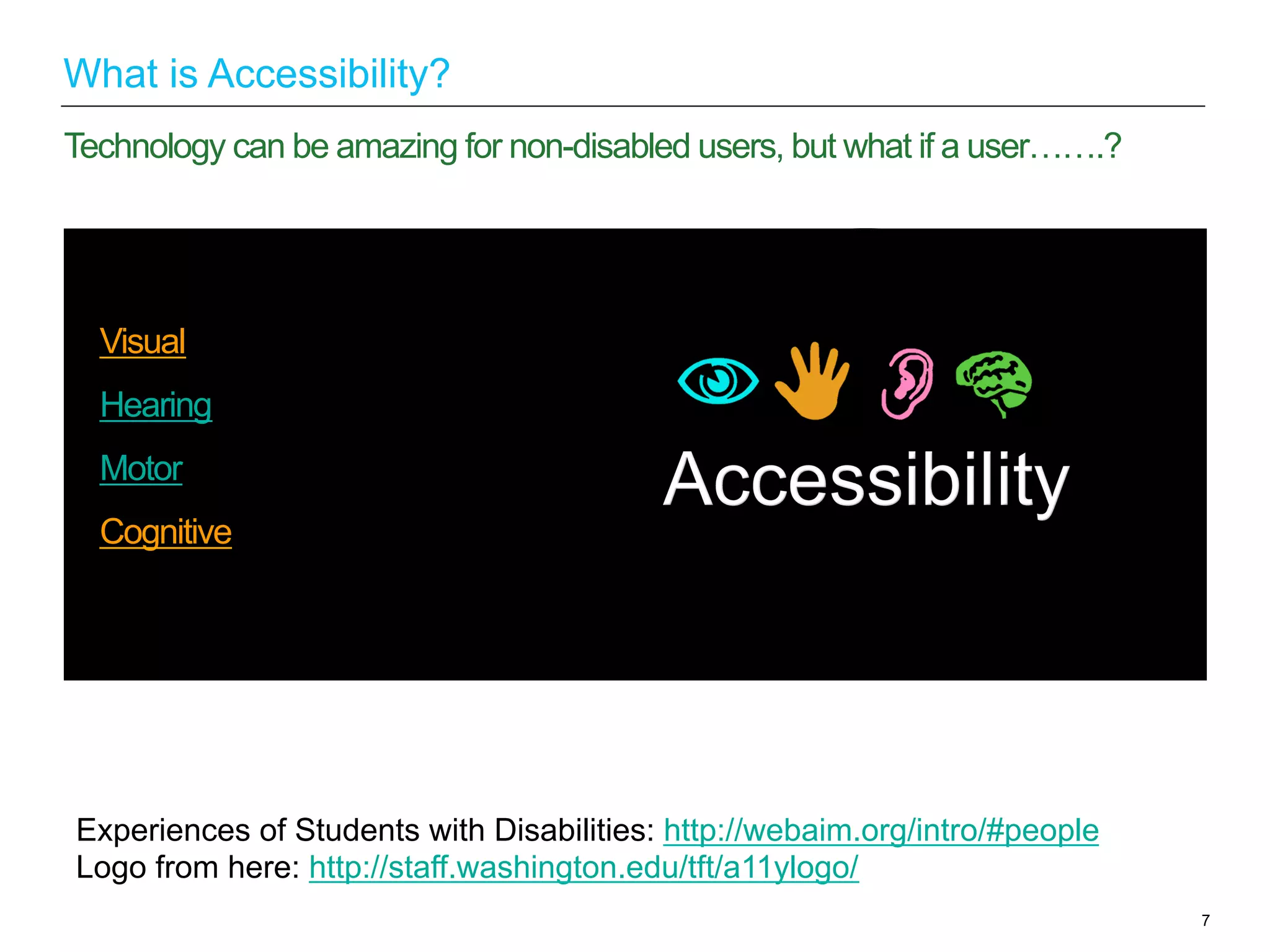
Visual
Hearing
Motor
Cognitive
7
Technology can be amazing for non-disabled users, but what if a user…….?
What is Accessibility?
Experiences of Students with Disabilities: http://webaim.org/intro/#people
Logo from here: http://staff.washington.edu/tft/a11ylogo/
“Accessibility is the word used to
describe whether a product (for example,
a website, mobile site, digital TV interface
or application) can be used by people of
all abilities and disabilities.” - BBC
“Web accessibility means that people
with disabilities can perceive,
understand, navigate, and interact with
the Web” – W3C
8
Definition
What is Accessibility?
United Kingdom
9
The Laws
Why Accessibility?
Equality Act 2010: http://www.legislation.gov.uk/ukpga/2010/15/contents
Policies Relating to Web Accessibility: http://www.w3.org/WAI/Policy/#UK
•  Special Educational Needs and
DisabilityAct 2001.
•  The EqualityAct 2010 (replacing the
“Disability DiscriminationAct 1995) legally
protects people from discrimination in the
workplace and in wider society.
If the website does not meet certain guidelines/standards, then the company/
organization could be sued for discrimination.
Example: Computer-based exam discriminated against blind candidate:
10
The Laws
Why Accessibility?
Project Management Institute discriminated
against a blind systems manager when it
failed to make its computer-based exam
accessible to Sam Latif. On 19th October
2006, PMI was ordered to pay
compensation of £3,000 for injury to her
feelings.
Computer-based exam discriminated against blind candidate:
http://www.out-law.com/page-7692
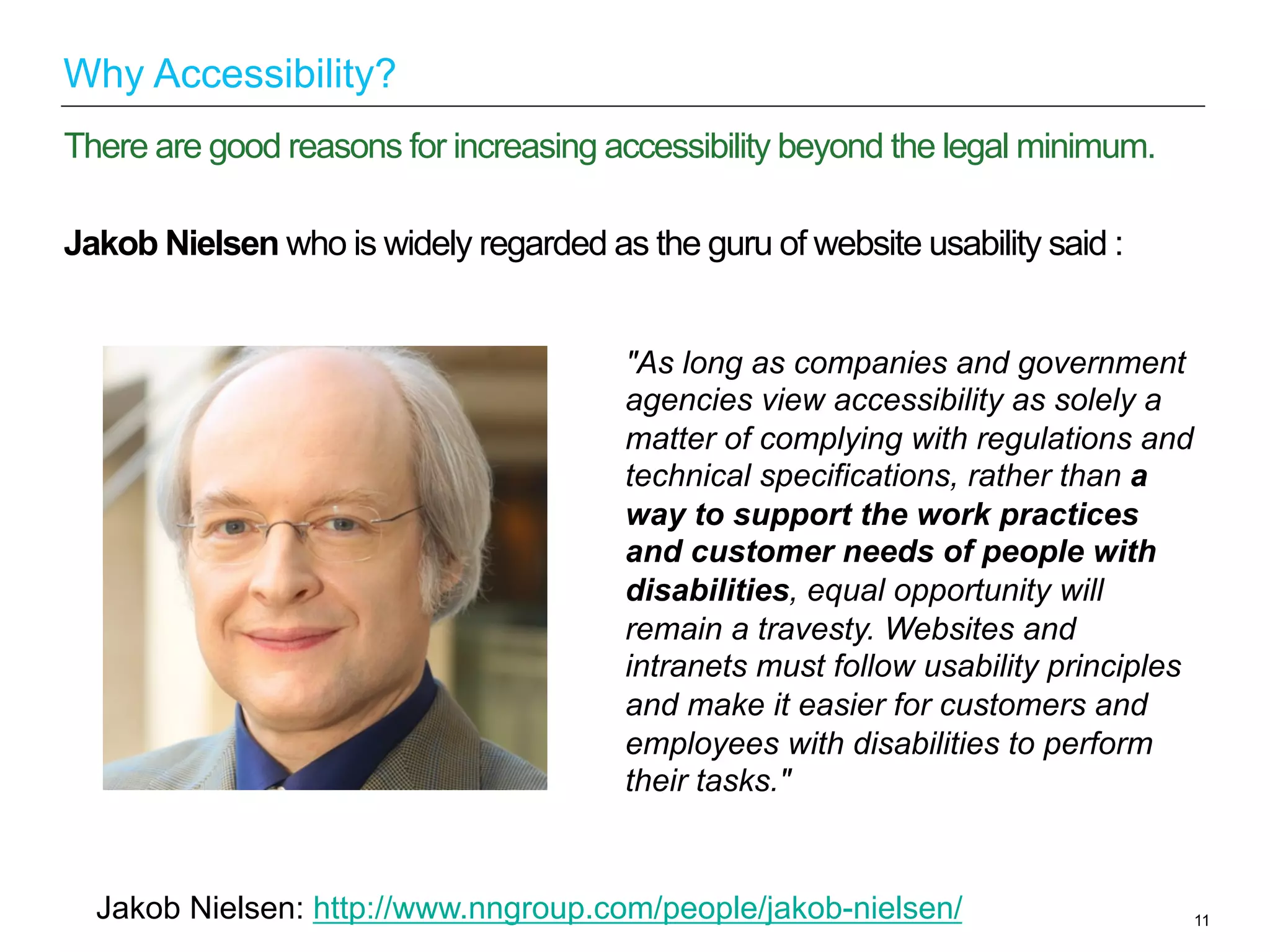
Jakob Nielsen who is widely regarded as the guru of website usability said :
11
There are good reasons for increasing accessibility beyond the legal minimum.
Why Accessibility?
"As long as companies and government
agencies view accessibility as solely a
matter of complying with regulations and
technical specifications, rather than a
way to support the work practices
and customer needs of people with
disabilities, equal opportunity will
remain a travesty. Websites and
intranets must follow usability principles
and make it easier for customers and
employees with disabilities to perform
their tasks."
Jakob Nielsen: http://www.nngroup.com/people/jakob-nielsen/
Worldwide:
More than a billion people in the world experience disability (WHO).
UK:
5.3 million Disabled men and 5.9 million Disabled women in the UK. (Disability in
the UK 2012, DWPFamily Resources Survey 2010/11). Almost 1 in 5 people in the UK have
a disability.
Disability Statistics:http://www.mph-uk.com/pages/mph-group-disability-statistics.html
12
Accessible Web provides equal access and equal opportunity to people with
disabilities.
Why Accessibility?
For example:
13
Accessible Web will not just benefits disabled people but also benefits people
without disabilities.
Why Accessibility?
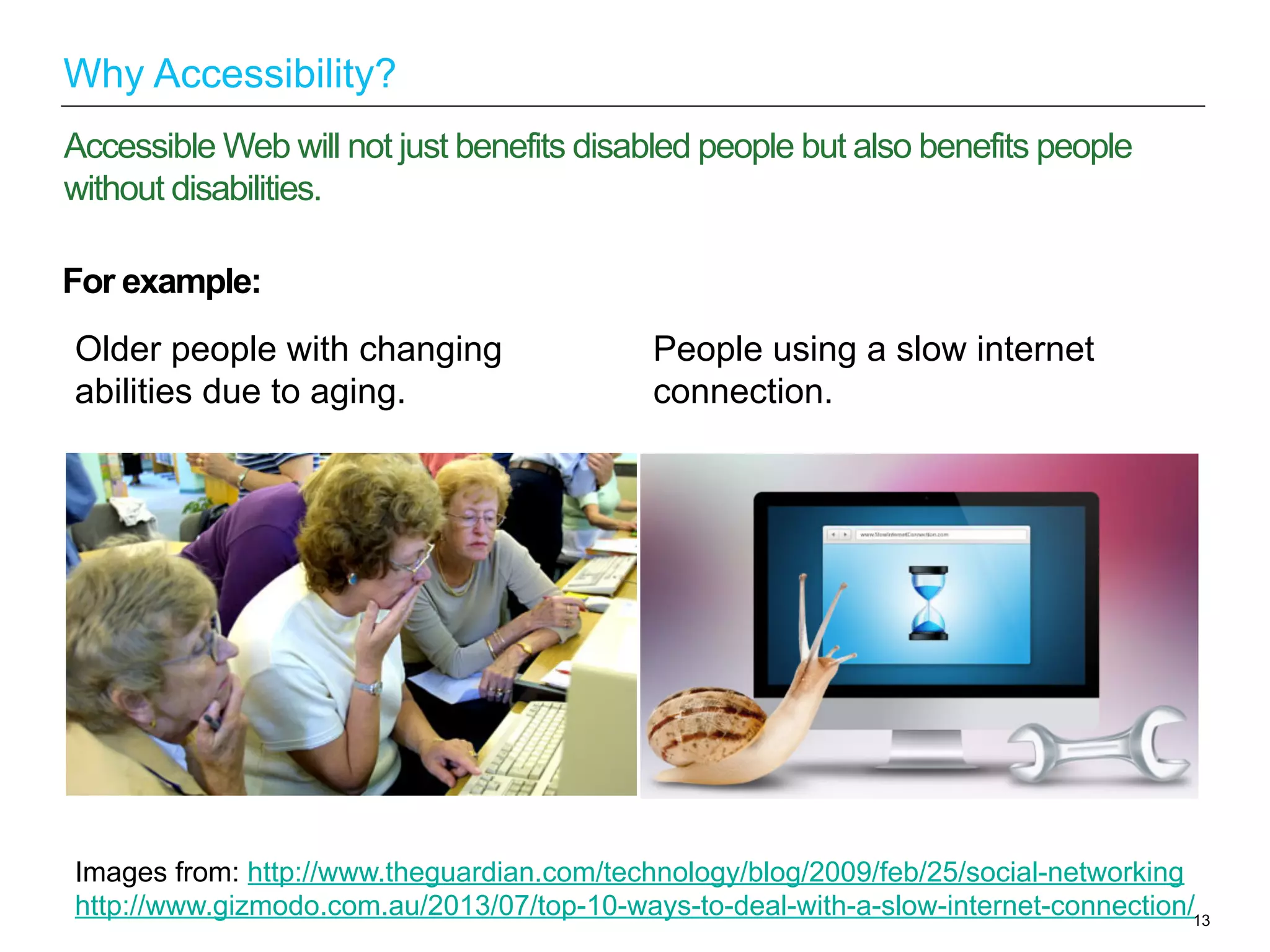
Older people with changing
abilities due to aging.
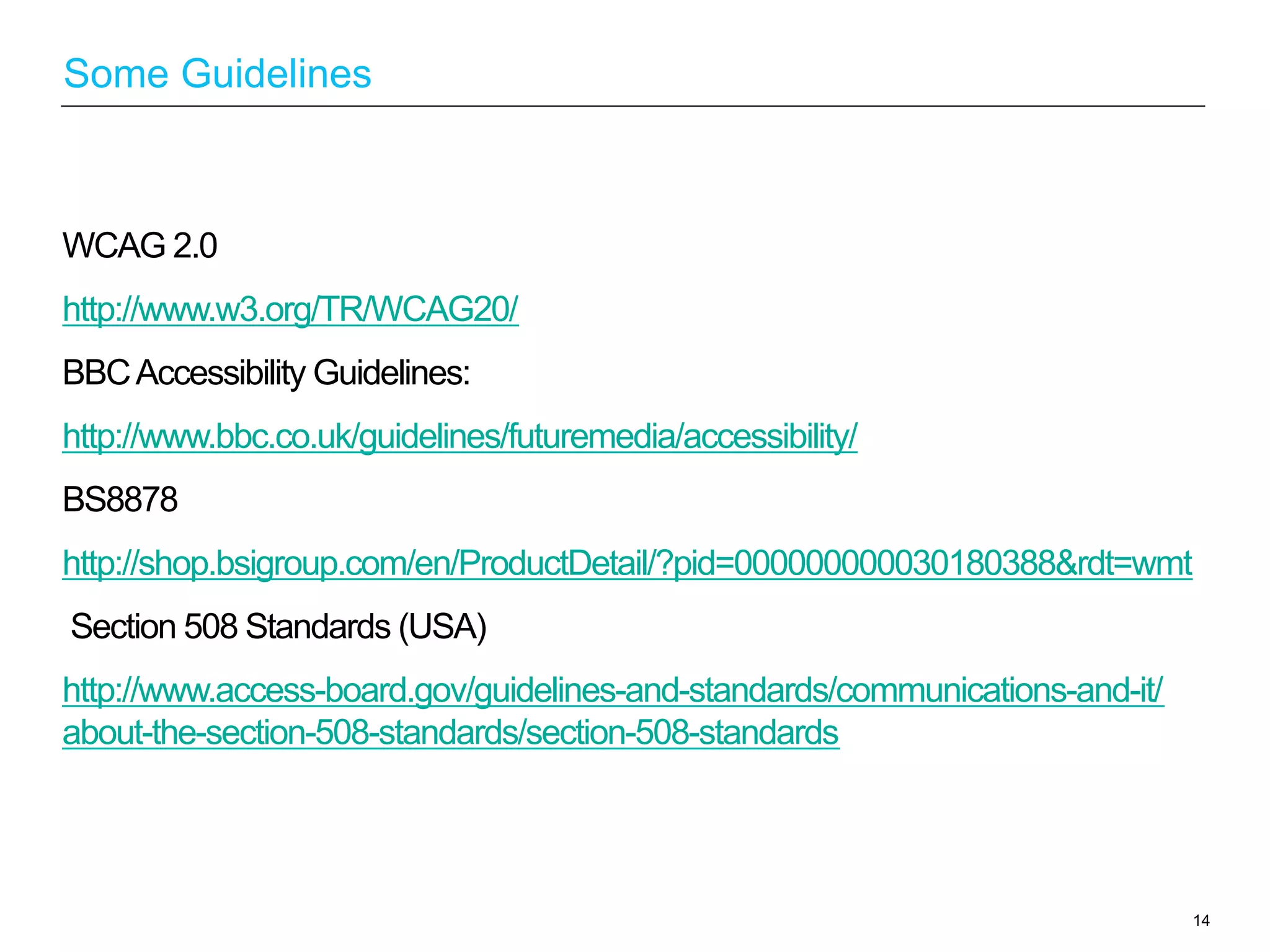
People using a slow internet
connection.
Images from: http://www.theguardian.com/technology/blog/2009/feb/25/social-networking
http://www.gizmodo.com.au/2013/07/top-10-ways-to-deal-with-a-slow-internet-connection/
WCAG 2.0
http://www.w3.org/TR/WCAG20/
BBCAccessibility Guidelines:
http://www.bbc.co.uk/guidelines/futuremedia/accessibility/
BS8878
http://shop.bsigroup.com/en/ProductDetail/?pid=000000000030180388&rdt=wmt
Section 508 Standards (USA)
http://www.access-board.gov/guidelines-and-standards/communications-and-it/
about-the-section-508-standards/section-508-standards
14
Some Guidelines
W3C (World Wide Web Consortium): the Web’s governing body
Created WCAG (Web ContentAccessibility Guidelines)
•  WCAG aims to help developers understand what should be done to make
accessible website.
•  There are 2 versions, WCAG 2.0 is the latest version (4 principles and 12
guidelines).
•  There are 3 level of Conformance:A,AA,AAA(WCAG).AAis the level required
by the majority of companies and public bodies.
•  It is a good indicator of what standard the courts would reasonably
expect businesses to follow to ensure that their websites are accessible.
WCAG 2.0: http://www.w3.org/TR/WCAG20/
15
WCAG
Perceivable
•  Provide text alternatives for non-text content.
•  Provide captions and other alternatives for multimedia.
•  Create content that can be presented in different ways, including by assistive
technologies, without losing meaning.
•  Make it easier for users to see and hear content.
Operable
•  Make all functionality available from a keyboard.
•  Give users enough time to read and use content.
•  Do not use content that causes seizures.
•  Help users navigate and find content.
16
Principles (POUR)
WCAG 2.0
WCAG 2 at a Glance: http://www.w3.org/WAI/WCAG20/glance/
Understandable
Make text readable and understandable.
Make content appear and operate in predictable ways.
Help users avoid and correct mistakes.
Robust
Maximize compatibility with current and future user tools.
17
Principles
WCAG 2.0
18
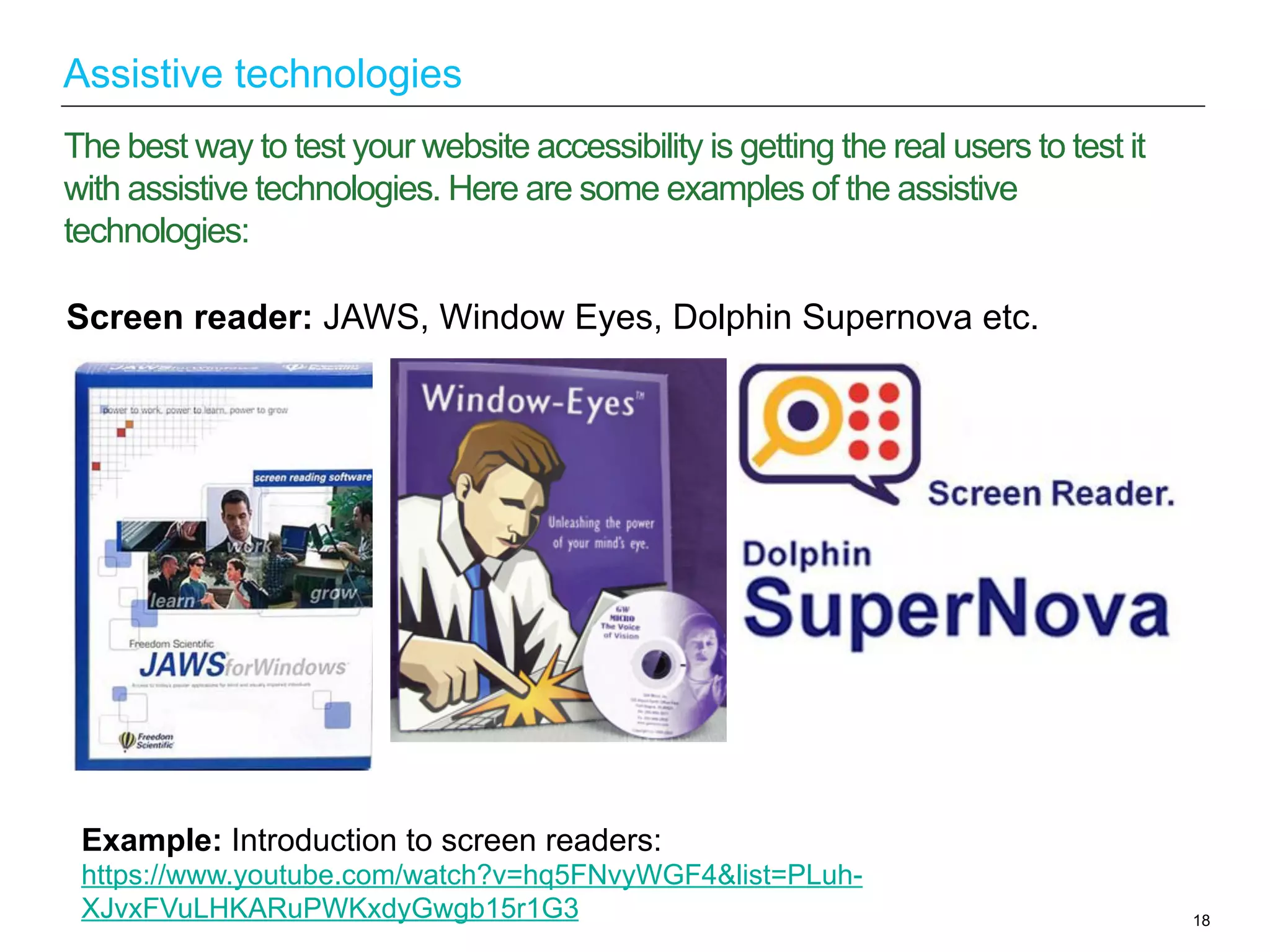
The best way to test your website accessibility is getting the real users to test it
with assistive technologies. Here are some examples of the assistive
technologies:
Assistive technologies
Example: Introduction to screen readers:
https://www.youtube.com/watch?v=hq5FNvyWGF4&list=PLuh-
XJvxFVuLHKARuPWKxdyGwgb15r1G3
Screen reader: JAWS, Window Eyes, Dolphin Supernova etc.
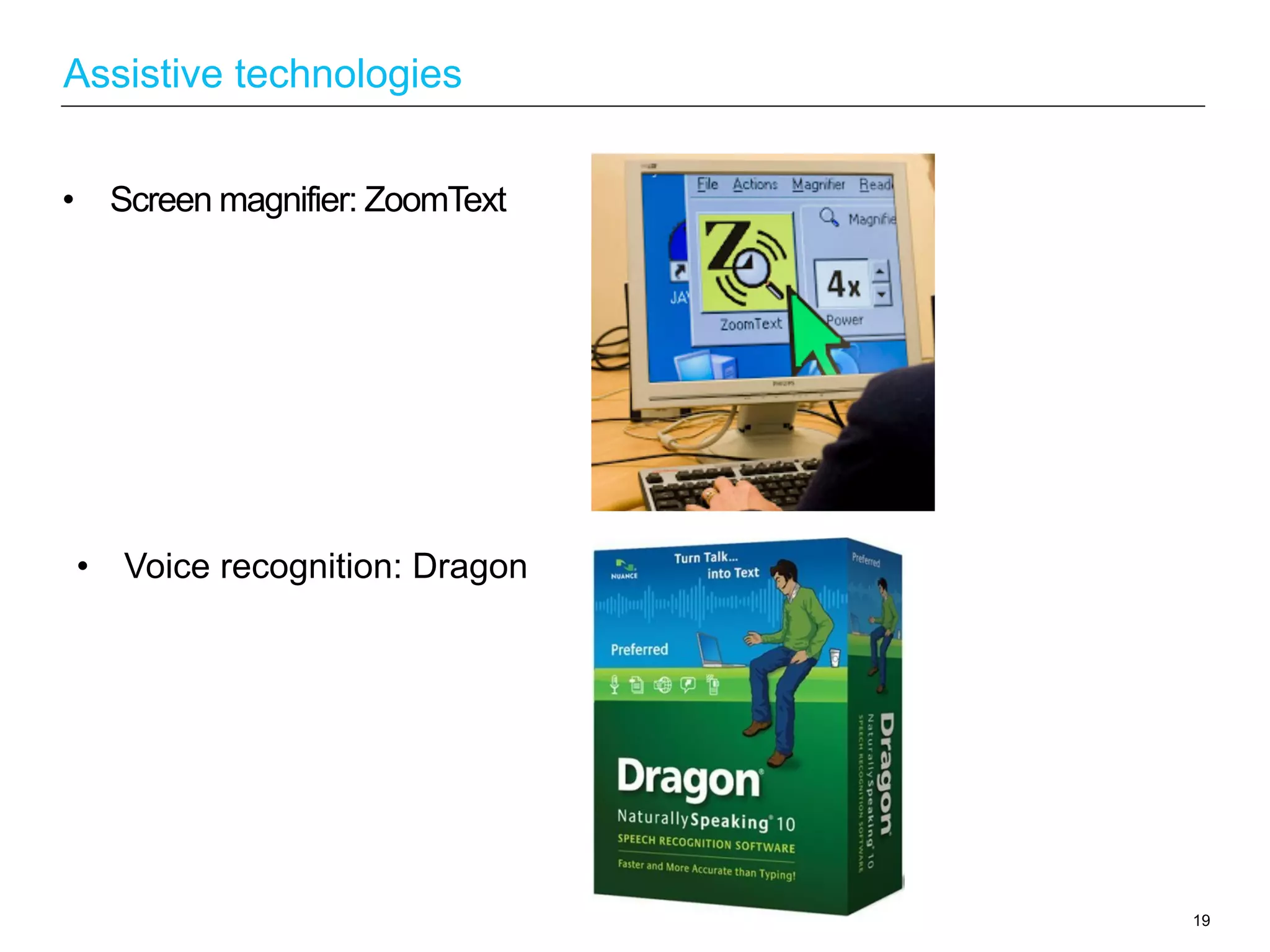
•  Screen magnifier: ZoomText
19
Assistive technologies
•  Voice recognition: Dragon
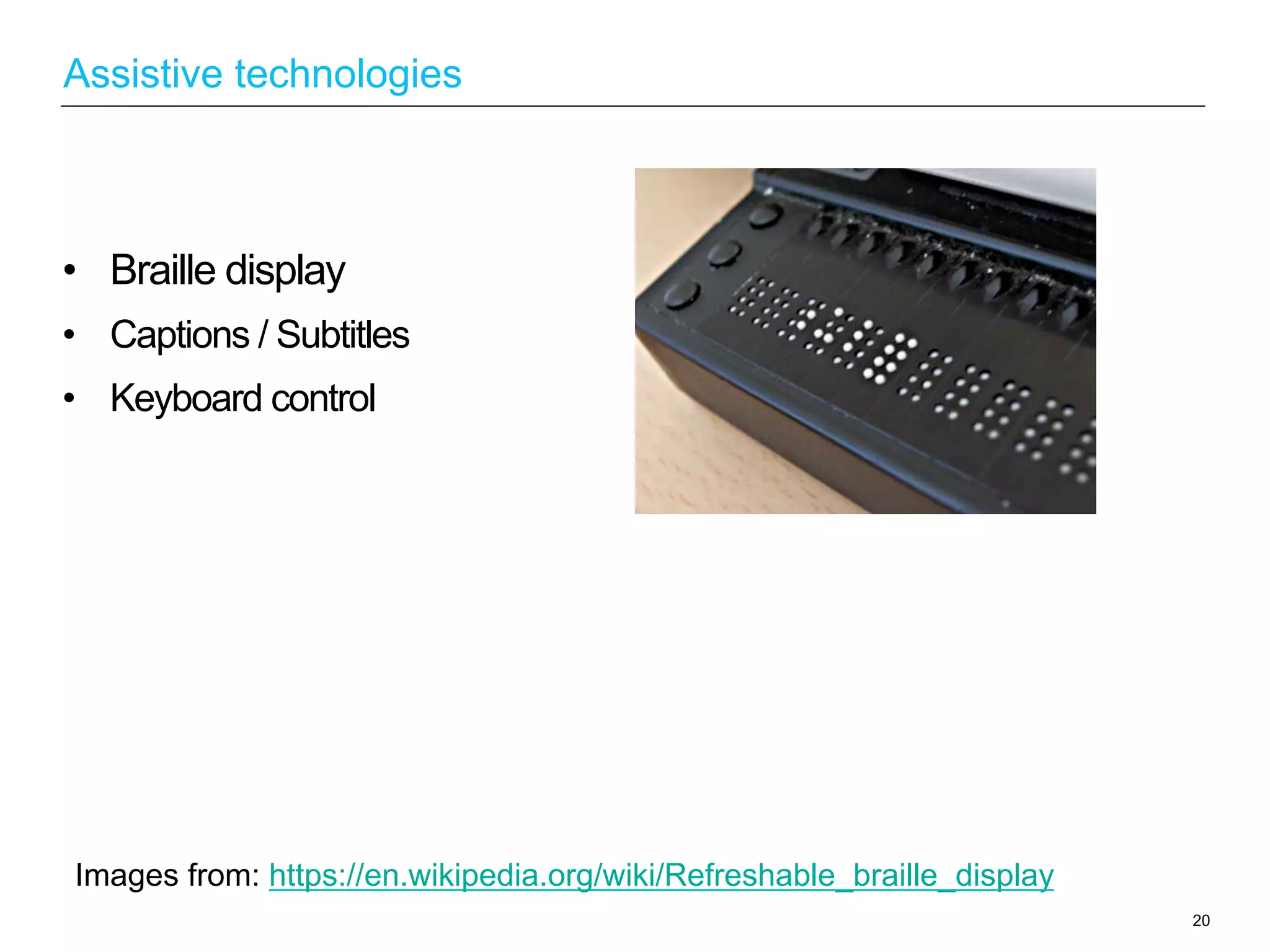
•  Braille display
•  Captions / Subtitles
•  Keyboard control
20
Assistive technologies
Images from: https://en.wikipedia.org/wiki/Refreshable_braille_display

Accessibility Part 1

  • 1.
    Accessibility (Session 1) 1 Yongjie Chen UXDesigner (Background in HCI) Email: yjgracechen@gmail.com
  • 2.
    2 The Approach-User CentredDesign Put the user at the centre of the approach to create a usable and accessible technologies to improve the User Experience. The Approach •  An iterative, user-centered process •  Gain insight into the users •  Justify, guide and validate the designs •  Discover problems early •  Continuous improvement Advantages •  Uncovers unknown or unexpected issues •  Fix problems early when cheapest to resolve •  Identify unmet or emerging needs •  Test and validate assumptions •  Highlight unnecessary features •  Discover opportunities to innovate and improve
  • 3.
    3 Design for People(“Users”) The Approach-User Centred Design Fixing usability and accessibility issues at the later stage of a project will cost a lot more money and time. Bringing User Centered Design to the Agile Environment: http://boxesandarrows.com/bringing-user-centered-design-to-the-agile-environment/ Video: Benefit of UX http://www.usability.gov/what-and-why/benefits-of-ucd.html
  • 4.
    4 It helps definerequirements and concept development for agile process. It fixes problems early when it is easier to address them and cheapest to resolve. The Approach-User Centred Design Bringing User Centered Design to the Agile Environment: http://boxesandarrows.com/bringing-user-centered-design-to-the-agile-environment/
  • 5.
    1.  Ensure yourcode is accessible from the start - Run website through W3C validators or through other validation tools. 2.  Automatic checks to identify the easy problems - Test website with some automatic check tools. 3.  Manual checks to identify the more difficult problems - Use a browser toolbar. 4.  Using assistive technology - Test the websites with different assistive technologies such as screen reader, screen magnifier etc.. 5.  Test it with actual users - Test website with a range of disabled users. 5 Build accessibility into every stage of the delivery process How to Test Web Pages for Accessibility: http://www.lancaster.ac.uk/fss/resources/access/testing.htm
  • 6.
    6 What is Accessibility? Webdevelopers create web content using different tools. People ("users") access to the web content and interact with it. It is essential that different components of Web development and interaction work together. Essential Components of Web Accessibility: http://www.w3.org/WAI/intro/components.php
  • 7.
    Visual Hearing Motor Cognitive 7 Technology can beamazing for non-disabled users, but what if a user…….? What is Accessibility? Experiences of Students with Disabilities: http://webaim.org/intro/#people Logo from here: http://staff.washington.edu/tft/a11ylogo/
  • 8.
    “Accessibility is theword used to describe whether a product (for example, a website, mobile site, digital TV interface or application) can be used by people of all abilities and disabilities.” - BBC “Web accessibility means that people with disabilities can perceive, understand, navigate, and interact with the Web” – W3C 8 Definition What is Accessibility?
  • 9.
    United Kingdom 9 The Laws WhyAccessibility? Equality Act 2010: http://www.legislation.gov.uk/ukpga/2010/15/contents Policies Relating to Web Accessibility: http://www.w3.org/WAI/Policy/#UK •  Special Educational Needs and DisabilityAct 2001. •  The EqualityAct 2010 (replacing the “Disability DiscriminationAct 1995) legally protects people from discrimination in the workplace and in wider society.
  • 10.
    If the websitedoes not meet certain guidelines/standards, then the company/ organization could be sued for discrimination. Example: Computer-based exam discriminated against blind candidate: 10 The Laws Why Accessibility? Project Management Institute discriminated against a blind systems manager when it failed to make its computer-based exam accessible to Sam Latif. On 19th October 2006, PMI was ordered to pay compensation of £3,000 for injury to her feelings. Computer-based exam discriminated against blind candidate: http://www.out-law.com/page-7692
  • 11.
    Jakob Nielsen whois widely regarded as the guru of website usability said : 11 There are good reasons for increasing accessibility beyond the legal minimum. Why Accessibility? "As long as companies and government agencies view accessibility as solely a matter of complying with regulations and technical specifications, rather than a way to support the work practices and customer needs of people with disabilities, equal opportunity will remain a travesty. Websites and intranets must follow usability principles and make it easier for customers and employees with disabilities to perform their tasks." Jakob Nielsen: http://www.nngroup.com/people/jakob-nielsen/
  • 12.
    Worldwide: More than abillion people in the world experience disability (WHO). UK: 5.3 million Disabled men and 5.9 million Disabled women in the UK. (Disability in the UK 2012, DWPFamily Resources Survey 2010/11). Almost 1 in 5 people in the UK have a disability. Disability Statistics:http://www.mph-uk.com/pages/mph-group-disability-statistics.html 12 Accessible Web provides equal access and equal opportunity to people with disabilities. Why Accessibility?
  • 13.
    For example: 13 Accessible Webwill not just benefits disabled people but also benefits people without disabilities. Why Accessibility? Older people with changing abilities due to aging. People using a slow internet connection. Images from: http://www.theguardian.com/technology/blog/2009/feb/25/social-networking http://www.gizmodo.com.au/2013/07/top-10-ways-to-deal-with-a-slow-internet-connection/
  • 14.
    WCAG 2.0 http://www.w3.org/TR/WCAG20/ BBCAccessibility Guidelines: http://www.bbc.co.uk/guidelines/futuremedia/accessibility/ BS8878 http://shop.bsigroup.com/en/ProductDetail/?pid=000000000030180388&rdt=wmt Section508 Standards (USA) http://www.access-board.gov/guidelines-and-standards/communications-and-it/ about-the-section-508-standards/section-508-standards 14 Some Guidelines
  • 15.
    W3C (World WideWeb Consortium): the Web’s governing body Created WCAG (Web ContentAccessibility Guidelines) •  WCAG aims to help developers understand what should be done to make accessible website. •  There are 2 versions, WCAG 2.0 is the latest version (4 principles and 12 guidelines). •  There are 3 level of Conformance:A,AA,AAA(WCAG).AAis the level required by the majority of companies and public bodies. •  It is a good indicator of what standard the courts would reasonably expect businesses to follow to ensure that their websites are accessible. WCAG 2.0: http://www.w3.org/TR/WCAG20/ 15 WCAG
  • 16.
    Perceivable •  Provide textalternatives for non-text content. •  Provide captions and other alternatives for multimedia. •  Create content that can be presented in different ways, including by assistive technologies, without losing meaning. •  Make it easier for users to see and hear content. Operable •  Make all functionality available from a keyboard. •  Give users enough time to read and use content. •  Do not use content that causes seizures. •  Help users navigate and find content. 16 Principles (POUR) WCAG 2.0 WCAG 2 at a Glance: http://www.w3.org/WAI/WCAG20/glance/
  • 17.
    Understandable Make text readableand understandable. Make content appear and operate in predictable ways. Help users avoid and correct mistakes. Robust Maximize compatibility with current and future user tools. 17 Principles WCAG 2.0
  • 18.
    18 The best wayto test your website accessibility is getting the real users to test it with assistive technologies. Here are some examples of the assistive technologies: Assistive technologies Example: Introduction to screen readers: https://www.youtube.com/watch?v=hq5FNvyWGF4&list=PLuh- XJvxFVuLHKARuPWKxdyGwgb15r1G3 Screen reader: JAWS, Window Eyes, Dolphin Supernova etc.
  • 19.
    •  Screen magnifier:ZoomText 19 Assistive technologies •  Voice recognition: Dragon
  • 20.
    •  Braille display • Captions / Subtitles •  Keyboard control 20 Assistive technologies Images from: https://en.wikipedia.org/wiki/Refreshable_braille_display