International Accessibility Standards for the web, mobile browsing devices, and emerging technologies  International Seminar on Usability and Accessibility for the Web UDEM, Monterrey, MX July 26  &  27, 2007 Sharron Rush Knowbility.org
Let’s talk about… Concepts, understanding IT accessibility How people with disabilities use the web User profiles Evolving standards and how to use and suport them How standards support emerging technologies Your questions, practical applications
What is accessibility?
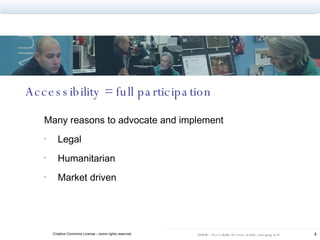
Accessibility = full participation Many reasons to advocate and implement Legal Humanitarian Market driven
“ Accessible” People with disabilities can perform the same functions .. can receive the same information .. can participate as consumers and producers
Based on concepts of Universal Design Architectural design movement  Accommodations became integral part of original building design.  Functional, aesthetic, and economic benefits beyond disabilities Movement spread to commercial products, landscape design, transportation, other areas Focus is access to public space for all - accessibility
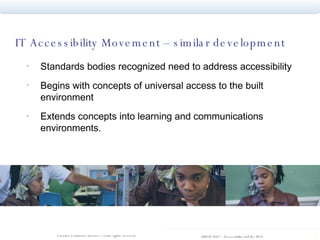
IT Accessibility Movement – similar development  Standards bodies recognized need to address accessibility Begins with concepts of universal access to the built environment  Extends concepts into learning and communications environments.
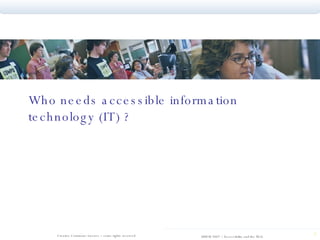
Who needs accessible information technology (IT) ?
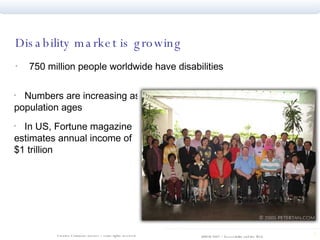
Disability market is growing 750 million people worldwide have disabilities Numbers are increasing as population ages In US, Fortune magazine estimates annual income of $1 trillion
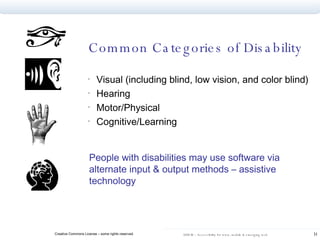
Common Categories of Disability Visual (including blind, low vision, and color blind) Hearing Motor/Physical Cognitive/Learning People with disabilities may use software via alternate input & output methods – assistive technology
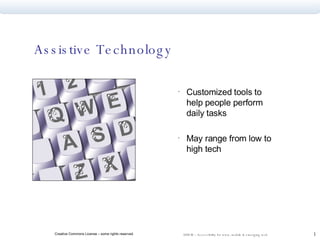
Assistive Technology Customized tools to help people perform daily tasks May range from low to high tech
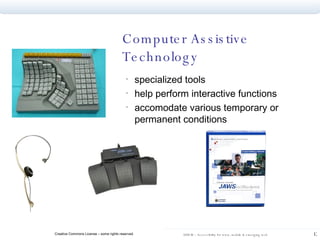
Computer Assistive Technology specialized tools help perform interactive functions accomodate various temporary or permanent conditions
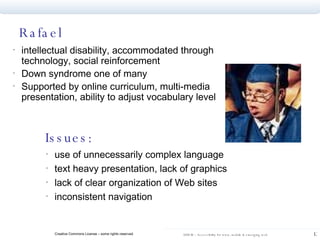
Rafael intellectual disability, accommodated through technology, social reinforcement Down syndrome one of many  Supported by online curriculum, multi-media presentation, ability to adjust vocabulary level  Issues: use of unnecessarily complex language text heavy presentation, lack of graphics lack of clear organization of Web sites inconsistent navigation
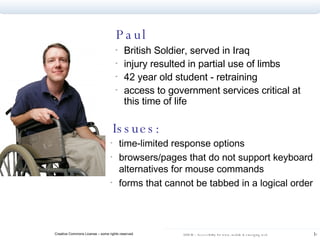
Paul British Soldier, served in Iraq  injury resulted in partial use of limbs 42 year old student - retraining access to government services critical at this time of life Issues: time-limited response options  browsers/pages that do not support keyboard alternatives for mouse commands  forms that cannot be tabbed in a logical order
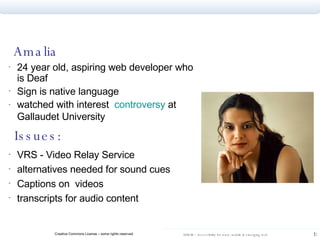
Amalia 24 year old, aspiring web developer who is Deaf Sign is native language watched with interest  controversy  at Gallaudet University   Issues: VRS - Video Relay Service alternatives needed for sound cues  Captions on  videos  transcripts for audio content
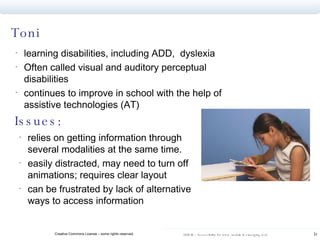
Toni learning disabilities, including ADD,  dyslexia Often called visual and auditory perceptual disabilities continues to improve in school with the help of assistive technologies (AT) Issues: relies on getting information through several modalities at the same time.  easily distracted, may need to turn off animations; requires clear layout can be frustrated by lack of alternative ways to access information
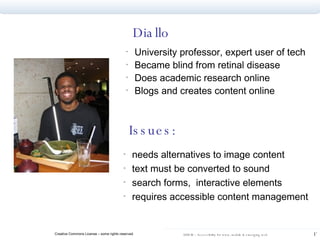
Diallo University professor, expert user of tech Became blind from retinal disease Does academic research online Blogs and creates content online Issues: needs alternatives to image content text must be converted to sound search forms,  interactive elements requires accessible content management
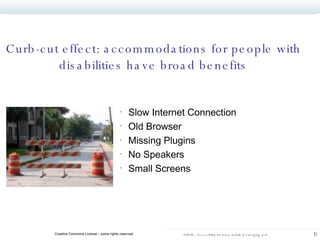
Slow Internet Connection  Old Browser  Missing Plugins  No Speakers  Small Screens  Curb-cut effect: accommodations for people with disabilities have broad benefits
Accessibility Law and Standards Global adoption of legal mandates for accessibility Established standards – and those in development Validating to standards
Legal environment 1998 – 2002  Lawsuits in throughout the world – including Olympics in Australia, government services in Canada,  commercial services in US. Most settled out of court, few clear legal precedents established, but raised awareness of need for accessibility Many countries adopted WCAG, Web Content Accessibility Guidelines, issued by W3C  US wrote Section 508 of Rehab Act, based on WCAG, meant to be more “measurable”
World Wide Web Consortium  Standards body for the web – includes WAI, the Web Accessibility Initiative Operates consensually, globally…and sometimes too slowly to keep up with pace of technology change Issued first standards of web accessibility – the Web Content Accessibility Guidelines (WCAG) – in May,1999
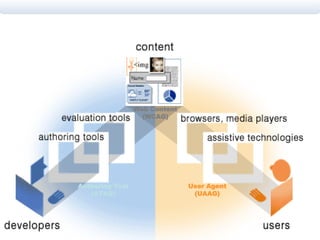
Global Accessibility Standards maintained by W3C WCAG, the Web Content Accessibility Guidelines  ATAG, the Authoring Tool Accessibility Guidelines provide vendors with standards for interoperability UAAG, the User Agent Accessibility Guidelines for browsers and assistive technologies ARIA, the Accessible Rich Internet Application research for emerging technologies  www.w3.org/WAI
Role of Standards Shared understanding of requirements among: Consumers Authoring Toolmakers Developers Maker of browsers and AT devices “How to” Techniques and testing criteria for content creators
User Agent (UAAG) Authoring Tool (ATAG) Web Content (WCAG)
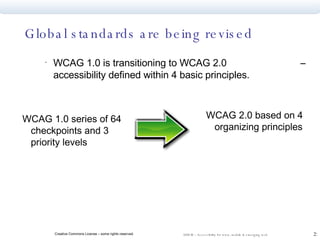
Global standards are being revised WCAG 1.0 is transitioning to WCAG 2.0  – accessibility defined within 4 basic principles. WCAG 1.0 series of 64 checkpoints and 3 priority levels WCAG 2.0 based on 4 organizing principles
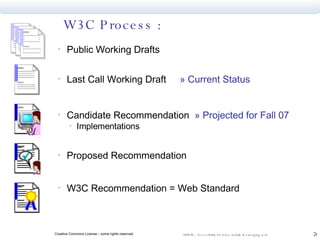
W3C Process : Public Working Drafts Last Call Working Draft  » Current Status Candidate Recommendation  » Projected for Fall 07 Implementations Proposed Recommendation W3C Recommendation = Web Standard
WCAG in transition… New Guidelines provide common definition, benchmarks Anticipate changing technologies Provide extensive supporting information Glossary Techniques Can drill down to “Understanding Guideline X.X.X” documentation Techniques are adaptable, flexible for developing technologies…and testable.
WCAG 2.0 Technology neutral - flexible to anticipate change  Adaptable –  Quick Reference  tool generates checklist specific to individual project Measurable – Guidelines written to be testable
More testable..example  WCAG 1.0 Checkpoint 2.2 Ensure that foreground and background color combinations provide sufficient contrast when viewed by someone having color deficits… WCAG 2.0  Success Criteria 1.4.3 Text (and images of text) have a contrast ratio of at least 5:1
What about the development community…? What is the developer’s role in the creation of standards? What does the development community want from standards bodies? What are the barriers to wide acceptance and implementation of standards? What obligations do the vendors/toolmakers have? Video comments from web design experts, vendor representative
WCAG 2.0 addresses these concerns… Important disclaimer: The following slides are ONLY MY OWN personal summation and interpretation of the direction of WCAG 2.0 Refer to the W3C pages for OFFICIAL techniques and recommendations documents
WCAG 2.0  &  the Manifesto  Excellent time to use WCAG 2.0 as standard to implement the Manifesto Manifesto commits to W3C standards WCAG 2.0 incorporate thinking about most current technologies and practices Changes in document are a possibility and consideration, but are likely to be minor Mexican example will be profound
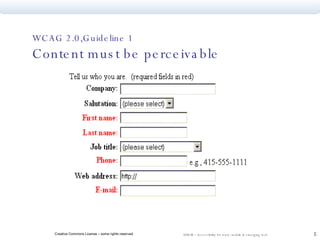
WCAG 2.0,Guideline 1  Content must be perceivable
Provide alternatives to non-text content and… know what NOT to do
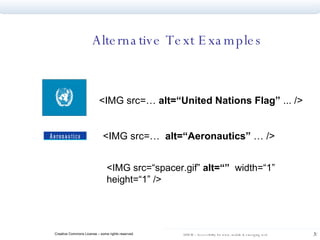
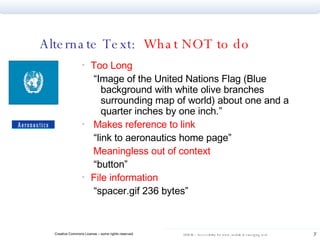
Alternative Text Examples <IMG src=…  alt=“United Nations Flag”  ... /> <IMG src=…  alt=“Aeronautics”  … /> <IMG src=“spacer.gif”  alt=“”   width=“1” height=“1” />
Alternate Text Guidelines Active (linked) images MUST valid alt attribute.  Each INPUT of  TYPE=“IMAGE” must have alt-text specifying the purpose of the button Each AREA of an image MAP must have a valid alt attribute Non-active images that do not convey information must have alt=“”
Alternate Text:  What NOT to do Too Long “ Image of the United Nations Flag (Blue background with white olive branches surrounding map of world) about one and a quarter inches by one inch.” Makes reference to link “ link to aeronautics home page” Meaningless out of context “ button” File information “ spacer.gif 236 bytes”
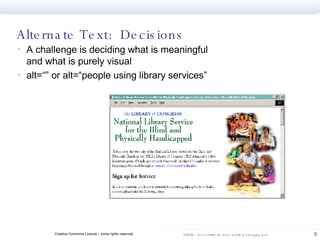
Alternate Text:  Decisions A challenge is deciding what is meaningful and what is purely visual alt=“” or alt=“people using library services”
Long Descriptions Sometimes short alt text is not enough an HTML attribute “longdesc” is available…keep in mind that may not be the best solution longdesc points to a URL that has a “long description” of the image
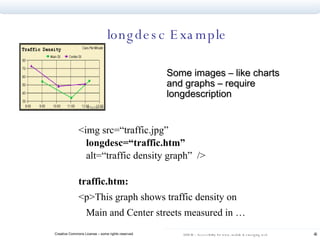
longdesc Example Some images  –  like charts and graphs – require longdescription <img src=“traffic.jpg” longdesc=“traffic.htm” alt=“traffic density graph”  /> traffic.htm: <p>This graph shows traffic density on Main and Center streets measured in …
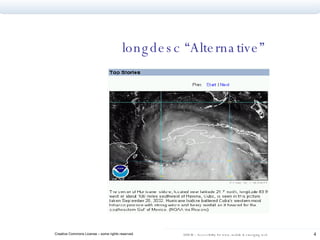
longdesc “Alternative”
Multimedia Strategy Include a text transcript for informational audio file.  Provide captions for the audio content of a multimedia presentation.  Provide synchronized audio descriptions of significant video information in multimedia presentations.
Multimedia Solutions MAGPie - free software that helps you caption  http://ncam.wgbh.org/webaccess/magpie   Sample video with captions and audio descriptions: NCAM Rich Media Project  NCAM recently released a free captioning tool for Flash
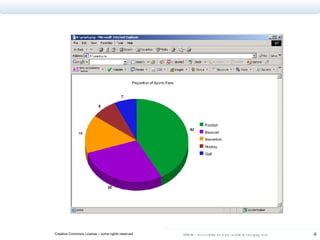
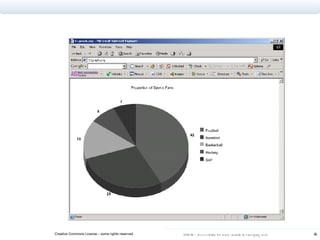
Conveying information through color What is the issue? What is the alternative?
 
 
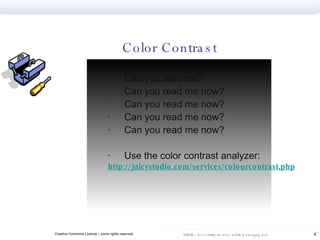
Can you read me? Can you read me now? Can you read me now? Can you read me now? Can you read me now? Use the color contrast analyzer: http://juicystudio.com/services/colourcontrast.php Color Contrast
Provide alternatives Alt text for active images, “” for inactive images Onscreen summary or long description  for complex images Captions for audio content No color dependencies, sufficient contrast When you have non-text Provide text equivalents. Text repurposes
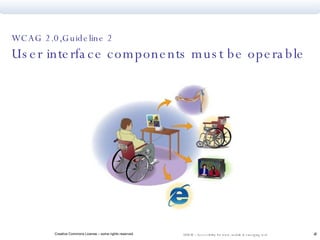
WCAG 2.0,Guideline 2  User interface components must be operable
Provide keyboard access to all functions Provide users time to read and use content Avoid content known to cause seizures Facilitate navigation Put user in control
Keyboard Access Form fields Submit buttons Navigation elements (Javascripted menus?) Media controls
NOT   onchange  in select box menus NOT   just  onMouseOver  and  onMouseOut  (requires mouse) - Also include  onFocus ,  onBlur  <noscript>...</noscript>  rarely needed for more on scripting please research: unobtrusive javascript graceful degradation progressive enhancement Scripting and Interactivity
Exercise –  Read this important information Perhaps a re-engineering of your current world view will re-energize your online nomenclature to enable a new holistic interactive enterprise internet communication solution.
Exercise –  Read this important information Upscaling the resurgent networking exchange solutions, achieving a breakaway systemic electronic data interchange system synchronization, thereby exploiting technical environments for mission critical broad based capacity constrained systems.
Exercise –  Read this important information Fundamentally transforming well designed actionable information whose semantic content is virtually null.
Exercise –  Read this important information To more fully clarify the current exchange, a few aggregate issues will require addressing to facilitate this distributed communication venue.
Exercise –  Read this important information In integrating non-aligned structures into existing legacy systems, a holistic gateway blueprint is a backward compatible packaging tangible of immeasurable strategic value in right-sizing conceptual frameworks when thinking outside the box.
Timed Response: Options? Do not set time limit on the user response. Notify user if a process is about to time-out Provide prompt to receive additional time
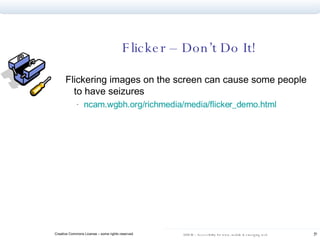
Flicker – Don’t Do It! Flickering images on the screen can cause some people to have seizures ncam.wgbh.org/richmedia/media/flicker_demo.html
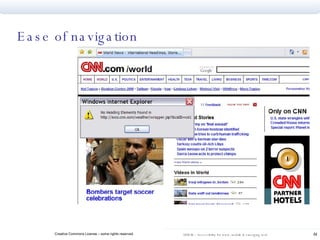
Ease of navigation
What about “Skip Navigation?” It’s a hack, adds code IE bug breaks it...useless in IE Recommend using h1, h2, h3 tags to provide more useful structure
Operable Interface Keyboard can access all functions Allow timed response to be extended, controlled Avoid content flashing in bandwidth causing seizures Ease of navigation  Assist the users; Allow the user control Of access and search
WCAG 2.0,Guideline 3  Content and user interface must be understandable
Facilitate understanding of content,  function Plain language  Predictable  Quality link text Form Labels  Table mark-up
Plain language Identify the default human language of the web site. Identify changes in presentation  language Use least complex language for subject and audience
pop-up windows  user control of changes consistent navigation Predictability
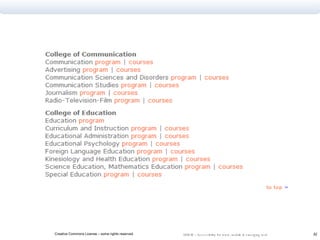
Quality Link Text Makes sense out of context, in a list of links Informs users of target Links to same place should have same text; links to different pages should not have same text. Avoid duplicate adjacent links
 
Accessible Forms Create labels for form elements using the <label> element Group related form elements using the <fieldset> element Find detail on accessible forms on WebAim  http://www.webaim.org/techniques/forms/
Data Tables Data is meaningful in tabular form by the visual association of row and column headings at the intersection points in a data cell Tables can be easily marked up to provide the same type of functionality to screen reader users.
Create accessible data tables Use the summary attribute and/or CAPTION element.  Place column headings in the first row and place row headings in the first column. Use the TH element for all heading cells. Use the scope attribute to indicate whether heading labels a column or a row e.g., scope=“row”. For complex tables: Assign an id to each heading cell and string of id’s as the header attribute for each data cell to say which are heading cells for that data cell.
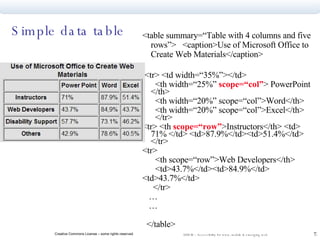
Simple data table <table summary=“Table with 4 columns and five rows”>  <caption>Use of Microsoft Office to Create Web Materials</caption> <tr> <td width=“35%”></td> <th width=“25%”  scope=“col” > PowerPoint </th> <th width=“20%” scope=“col”>Word</th> <th width=“20%” scope=“col”>Excel</th>  </tr> <tr> <th  scope=“row” >Instructors</th> <td> 71% </td> <td>87.9%</td><td>51.4%</td>  </tr> <tr> <th scope=“row”>Web Developers</th> <td>43.7%</td><td>84.9%</td> <td>43.7%</td> </tr> … … </table>
Clarity, consistency, support Language programmatically identified Simple language Links make sense out of context Identify acronyms, abbreviations, nonstandard usage Consistent, predictable navigation Alternative vocabulary (optional) Illustrate content Making it simple and clear Users will return
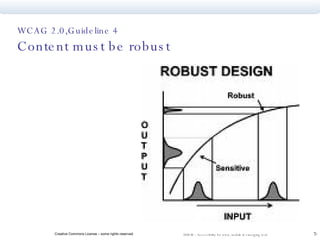
WCAG 2.0,Guideline 4  Content must be robust
Maximize compatibility  Older browsers Mobile devices Emerging technology Make name, role, value available to AT  Transform gracefully People still use old browsers Use new, support old
Careful consideration and testing of how to use CSS Cascading Style Sheets Javascript Various browsers Mobile browsing devices Various assistive technologies Share what you learn… help anticipate emerging technologies
Accessible Rich Internet Applications Suite  (WAI-ARIA) Make more advanced features of dynamic content and rich Internet applications accessible Primary focus is providing information about user interface controls to AT (assistive technology) Menus, tree controls Role and state Status: collaborative implementation, development of shared best practices
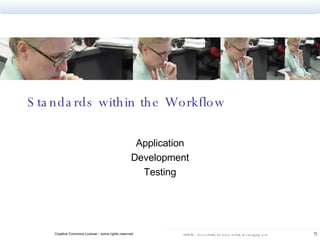
Standards within the Workflow Application Development Testing
Set policy – explicitly Many examples to emulate, language can be simple: European Union IBM Canadadian and Japanese governments, others UT Austin – policy development was 10 year process MD Anderson Cancer Center, adopted UT guidelines and in process of implementing across the enterprise In 2006, Chevron adopted,implemented accessibility policy  California State University’s ATI initiative  Local leadership is critical for success
Important Steps Key leadership and exemplary practices from project and department heads Stated commitment from executive management Orientation to best practice for new staff Advocacy to reinforce needs and benefits Training Integration into document development, Q A, and work flow
Automated Tools Toolbars available for IE and Firefox One page checkers from Watchfire, Cynthia Says, others Jim Thatcher’s Accessibility Favelets Evaluation of free accessibility checkers on WebAIM  www.webaim.org/techniques/articles/freetools /
Test with your browser Turn off images Navigate with keyboard only – no mouse Turn off speakers Change font size, window size Turn off CSS Turn off Javascript Set to Greyscale A Practical Testing Plan – Step 1
Run online Accessibility reports on representative pages, using more than one tool. Toolbars available for IE and Firefox One page checkers from Watchfire, Cynthia Says, others Jim Thatcher’s Accessibility Favelets Evaluation of free accessibility checkers on WebAIM  www.webaim.org/techniques/articles/freetools / A Practical Testing Plan, Step 2
Listen to your pages – especially forms, headers, tables – with JAWS or other screenreader.  Some free screen readers include:  Thunder  http://www.screenreader.net/   Fire Vox  http://www.firevox.clcworld.net/   A Practical Testing Plan – Step 3
Include users with disabilities in all test groups Usability exchange in UK  http://www.usabilityexchange.com/   AccessWorks at Knowbility.org  http://www.knowbility.org   A Practical Testing Plan – Step 4
Next Steps What accessibility actions do you plan to take next? How can you support the Manifesto? What resources do you need now? What further questions do you have?
Muchas Gracias Por su apoyo a la accesibilidad Y por permitirme estar aqui. Y por su paciencia con mis limitaciones de lenguaje.

Udem 2007 Accessibility Standards

  • 1.
    International Accessibility Standardsfor the web, mobile browsing devices, and emerging technologies International Seminar on Usability and Accessibility for the Web UDEM, Monterrey, MX July 26 & 27, 2007 Sharron Rush Knowbility.org
  • 2.
    Let’s talk about…Concepts, understanding IT accessibility How people with disabilities use the web User profiles Evolving standards and how to use and suport them How standards support emerging technologies Your questions, practical applications
  • 3.
  • 4.
    Accessibility = fullparticipation Many reasons to advocate and implement Legal Humanitarian Market driven
  • 5.
    “ Accessible” Peoplewith disabilities can perform the same functions .. can receive the same information .. can participate as consumers and producers
  • 6.
    Based on conceptsof Universal Design Architectural design movement Accommodations became integral part of original building design. Functional, aesthetic, and economic benefits beyond disabilities Movement spread to commercial products, landscape design, transportation, other areas Focus is access to public space for all - accessibility
  • 7.
    IT Accessibility Movement– similar development Standards bodies recognized need to address accessibility Begins with concepts of universal access to the built environment Extends concepts into learning and communications environments.
  • 8.
    Who needs accessibleinformation technology (IT) ?
  • 9.
    Disability market isgrowing 750 million people worldwide have disabilities Numbers are increasing as population ages In US, Fortune magazine estimates annual income of $1 trillion
  • 10.
    Common Categories ofDisability Visual (including blind, low vision, and color blind) Hearing Motor/Physical Cognitive/Learning People with disabilities may use software via alternate input & output methods – assistive technology
  • 11.
    Assistive Technology Customizedtools to help people perform daily tasks May range from low to high tech
  • 12.
    Computer Assistive Technologyspecialized tools help perform interactive functions accomodate various temporary or permanent conditions
  • 13.
    Rafael intellectual disability,accommodated through technology, social reinforcement Down syndrome one of many Supported by online curriculum, multi-media presentation, ability to adjust vocabulary level Issues: use of unnecessarily complex language text heavy presentation, lack of graphics lack of clear organization of Web sites inconsistent navigation
  • 14.
    Paul British Soldier,served in Iraq injury resulted in partial use of limbs 42 year old student - retraining access to government services critical at this time of life Issues: time-limited response options browsers/pages that do not support keyboard alternatives for mouse commands forms that cannot be tabbed in a logical order
  • 15.
    Amalia 24 yearold, aspiring web developer who is Deaf Sign is native language watched with interest controversy at Gallaudet University Issues: VRS - Video Relay Service alternatives needed for sound cues Captions on videos transcripts for audio content
  • 16.
    Toni learning disabilities,including ADD, dyslexia Often called visual and auditory perceptual disabilities continues to improve in school with the help of assistive technologies (AT) Issues: relies on getting information through several modalities at the same time. easily distracted, may need to turn off animations; requires clear layout can be frustrated by lack of alternative ways to access information
  • 17.
    Diallo University professor,expert user of tech Became blind from retinal disease Does academic research online Blogs and creates content online Issues: needs alternatives to image content text must be converted to sound search forms, interactive elements requires accessible content management
  • 18.
    Slow Internet Connection Old Browser Missing Plugins No Speakers Small Screens Curb-cut effect: accommodations for people with disabilities have broad benefits
  • 19.
    Accessibility Law andStandards Global adoption of legal mandates for accessibility Established standards – and those in development Validating to standards
  • 20.
    Legal environment 1998– 2002 Lawsuits in throughout the world – including Olympics in Australia, government services in Canada, commercial services in US. Most settled out of court, few clear legal precedents established, but raised awareness of need for accessibility Many countries adopted WCAG, Web Content Accessibility Guidelines, issued by W3C US wrote Section 508 of Rehab Act, based on WCAG, meant to be more “measurable”
  • 21.
    World Wide WebConsortium Standards body for the web – includes WAI, the Web Accessibility Initiative Operates consensually, globally…and sometimes too slowly to keep up with pace of technology change Issued first standards of web accessibility – the Web Content Accessibility Guidelines (WCAG) – in May,1999
  • 22.
    Global Accessibility Standardsmaintained by W3C WCAG, the Web Content Accessibility Guidelines ATAG, the Authoring Tool Accessibility Guidelines provide vendors with standards for interoperability UAAG, the User Agent Accessibility Guidelines for browsers and assistive technologies ARIA, the Accessible Rich Internet Application research for emerging technologies www.w3.org/WAI
  • 23.
    Role of StandardsShared understanding of requirements among: Consumers Authoring Toolmakers Developers Maker of browsers and AT devices “How to” Techniques and testing criteria for content creators
  • 24.
    User Agent (UAAG)Authoring Tool (ATAG) Web Content (WCAG)
  • 25.
    Global standards arebeing revised WCAG 1.0 is transitioning to WCAG 2.0 – accessibility defined within 4 basic principles. WCAG 1.0 series of 64 checkpoints and 3 priority levels WCAG 2.0 based on 4 organizing principles
  • 26.
    W3C Process :Public Working Drafts Last Call Working Draft » Current Status Candidate Recommendation » Projected for Fall 07 Implementations Proposed Recommendation W3C Recommendation = Web Standard
  • 27.
    WCAG in transition…New Guidelines provide common definition, benchmarks Anticipate changing technologies Provide extensive supporting information Glossary Techniques Can drill down to “Understanding Guideline X.X.X” documentation Techniques are adaptable, flexible for developing technologies…and testable.
  • 28.
    WCAG 2.0 Technologyneutral - flexible to anticipate change Adaptable – Quick Reference tool generates checklist specific to individual project Measurable – Guidelines written to be testable
  • 29.
    More testable..example WCAG 1.0 Checkpoint 2.2 Ensure that foreground and background color combinations provide sufficient contrast when viewed by someone having color deficits… WCAG 2.0 Success Criteria 1.4.3 Text (and images of text) have a contrast ratio of at least 5:1
  • 30.
    What about thedevelopment community…? What is the developer’s role in the creation of standards? What does the development community want from standards bodies? What are the barriers to wide acceptance and implementation of standards? What obligations do the vendors/toolmakers have? Video comments from web design experts, vendor representative
  • 31.
    WCAG 2.0 addressesthese concerns… Important disclaimer: The following slides are ONLY MY OWN personal summation and interpretation of the direction of WCAG 2.0 Refer to the W3C pages for OFFICIAL techniques and recommendations documents
  • 32.
    WCAG 2.0 & the Manifesto Excellent time to use WCAG 2.0 as standard to implement the Manifesto Manifesto commits to W3C standards WCAG 2.0 incorporate thinking about most current technologies and practices Changes in document are a possibility and consideration, but are likely to be minor Mexican example will be profound
  • 33.
    WCAG 2.0,Guideline 1 Content must be perceivable
  • 34.
    Provide alternatives tonon-text content and… know what NOT to do
  • 35.
    Alternative Text Examples<IMG src=… alt=“United Nations Flag” ... /> <IMG src=… alt=“Aeronautics” … /> <IMG src=“spacer.gif” alt=“” width=“1” height=“1” />
  • 36.
    Alternate Text GuidelinesActive (linked) images MUST valid alt attribute. Each INPUT of TYPE=“IMAGE” must have alt-text specifying the purpose of the button Each AREA of an image MAP must have a valid alt attribute Non-active images that do not convey information must have alt=“”
  • 37.
    Alternate Text: What NOT to do Too Long “ Image of the United Nations Flag (Blue background with white olive branches surrounding map of world) about one and a quarter inches by one inch.” Makes reference to link “ link to aeronautics home page” Meaningless out of context “ button” File information “ spacer.gif 236 bytes”
  • 38.
    Alternate Text: Decisions A challenge is deciding what is meaningful and what is purely visual alt=“” or alt=“people using library services”
  • 39.
    Long Descriptions Sometimesshort alt text is not enough an HTML attribute “longdesc” is available…keep in mind that may not be the best solution longdesc points to a URL that has a “long description” of the image
  • 40.
    longdesc Example Someimages – like charts and graphs – require longdescription <img src=“traffic.jpg” longdesc=“traffic.htm” alt=“traffic density graph” /> traffic.htm: <p>This graph shows traffic density on Main and Center streets measured in …
  • 41.
  • 42.
    Multimedia Strategy Includea text transcript for informational audio file. Provide captions for the audio content of a multimedia presentation. Provide synchronized audio descriptions of significant video information in multimedia presentations.
  • 43.
    Multimedia Solutions MAGPie- free software that helps you caption http://ncam.wgbh.org/webaccess/magpie Sample video with captions and audio descriptions: NCAM Rich Media Project NCAM recently released a free captioning tool for Flash
  • 44.
    Conveying information throughcolor What is the issue? What is the alternative?
  • 45.
  • 46.
  • 47.
    Can you readme? Can you read me now? Can you read me now? Can you read me now? Can you read me now? Use the color contrast analyzer: http://juicystudio.com/services/colourcontrast.php Color Contrast
  • 48.
    Provide alternatives Alttext for active images, “” for inactive images Onscreen summary or long description for complex images Captions for audio content No color dependencies, sufficient contrast When you have non-text Provide text equivalents. Text repurposes
  • 49.
    WCAG 2.0,Guideline 2 User interface components must be operable
  • 50.
    Provide keyboard accessto all functions Provide users time to read and use content Avoid content known to cause seizures Facilitate navigation Put user in control
  • 51.
    Keyboard Access Formfields Submit buttons Navigation elements (Javascripted menus?) Media controls
  • 52.
    NOT onchange in select box menus NOT just onMouseOver and onMouseOut (requires mouse) - Also include onFocus , onBlur <noscript>...</noscript> rarely needed for more on scripting please research: unobtrusive javascript graceful degradation progressive enhancement Scripting and Interactivity
  • 53.
    Exercise – Read this important information Perhaps a re-engineering of your current world view will re-energize your online nomenclature to enable a new holistic interactive enterprise internet communication solution.
  • 54.
    Exercise – Read this important information Upscaling the resurgent networking exchange solutions, achieving a breakaway systemic electronic data interchange system synchronization, thereby exploiting technical environments for mission critical broad based capacity constrained systems.
  • 55.
    Exercise – Read this important information Fundamentally transforming well designed actionable information whose semantic content is virtually null.
  • 56.
    Exercise – Read this important information To more fully clarify the current exchange, a few aggregate issues will require addressing to facilitate this distributed communication venue.
  • 57.
    Exercise – Read this important information In integrating non-aligned structures into existing legacy systems, a holistic gateway blueprint is a backward compatible packaging tangible of immeasurable strategic value in right-sizing conceptual frameworks when thinking outside the box.
  • 58.
    Timed Response: Options?Do not set time limit on the user response. Notify user if a process is about to time-out Provide prompt to receive additional time
  • 59.
    Flicker – Don’tDo It! Flickering images on the screen can cause some people to have seizures ncam.wgbh.org/richmedia/media/flicker_demo.html
  • 60.
  • 61.
    What about “SkipNavigation?” It’s a hack, adds code IE bug breaks it...useless in IE Recommend using h1, h2, h3 tags to provide more useful structure
  • 62.
    Operable Interface Keyboardcan access all functions Allow timed response to be extended, controlled Avoid content flashing in bandwidth causing seizures Ease of navigation Assist the users; Allow the user control Of access and search
  • 63.
    WCAG 2.0,Guideline 3 Content and user interface must be understandable
  • 64.
    Facilitate understanding ofcontent, function Plain language Predictable Quality link text Form Labels Table mark-up
  • 65.
    Plain language Identifythe default human language of the web site. Identify changes in presentation language Use least complex language for subject and audience
  • 66.
    pop-up windows user control of changes consistent navigation Predictability
  • 67.
    Quality Link TextMakes sense out of context, in a list of links Informs users of target Links to same place should have same text; links to different pages should not have same text. Avoid duplicate adjacent links
  • 68.
  • 69.
    Accessible Forms Createlabels for form elements using the <label> element Group related form elements using the <fieldset> element Find detail on accessible forms on WebAim http://www.webaim.org/techniques/forms/
  • 70.
    Data Tables Datais meaningful in tabular form by the visual association of row and column headings at the intersection points in a data cell Tables can be easily marked up to provide the same type of functionality to screen reader users.
  • 71.
    Create accessible datatables Use the summary attribute and/or CAPTION element. Place column headings in the first row and place row headings in the first column. Use the TH element for all heading cells. Use the scope attribute to indicate whether heading labels a column or a row e.g., scope=“row”. For complex tables: Assign an id to each heading cell and string of id’s as the header attribute for each data cell to say which are heading cells for that data cell.
  • 72.
    Simple data table<table summary=“Table with 4 columns and five rows”> <caption>Use of Microsoft Office to Create Web Materials</caption> <tr> <td width=“35%”></td> <th width=“25%” scope=“col” > PowerPoint </th> <th width=“20%” scope=“col”>Word</th> <th width=“20%” scope=“col”>Excel</th> </tr> <tr> <th scope=“row” >Instructors</th> <td> 71% </td> <td>87.9%</td><td>51.4%</td> </tr> <tr> <th scope=“row”>Web Developers</th> <td>43.7%</td><td>84.9%</td> <td>43.7%</td> </tr> … … </table>
  • 73.
    Clarity, consistency, supportLanguage programmatically identified Simple language Links make sense out of context Identify acronyms, abbreviations, nonstandard usage Consistent, predictable navigation Alternative vocabulary (optional) Illustrate content Making it simple and clear Users will return
  • 74.
    WCAG 2.0,Guideline 4 Content must be robust
  • 75.
    Maximize compatibility Older browsers Mobile devices Emerging technology Make name, role, value available to AT Transform gracefully People still use old browsers Use new, support old
  • 76.
    Careful consideration andtesting of how to use CSS Cascading Style Sheets Javascript Various browsers Mobile browsing devices Various assistive technologies Share what you learn… help anticipate emerging technologies
  • 77.
    Accessible Rich InternetApplications Suite (WAI-ARIA) Make more advanced features of dynamic content and rich Internet applications accessible Primary focus is providing information about user interface controls to AT (assistive technology) Menus, tree controls Role and state Status: collaborative implementation, development of shared best practices
  • 78.
    Standards within theWorkflow Application Development Testing
  • 79.
    Set policy –explicitly Many examples to emulate, language can be simple: European Union IBM Canadadian and Japanese governments, others UT Austin – policy development was 10 year process MD Anderson Cancer Center, adopted UT guidelines and in process of implementing across the enterprise In 2006, Chevron adopted,implemented accessibility policy California State University’s ATI initiative Local leadership is critical for success
  • 80.
    Important Steps Keyleadership and exemplary practices from project and department heads Stated commitment from executive management Orientation to best practice for new staff Advocacy to reinforce needs and benefits Training Integration into document development, Q A, and work flow
  • 81.
    Automated Tools Toolbarsavailable for IE and Firefox One page checkers from Watchfire, Cynthia Says, others Jim Thatcher’s Accessibility Favelets Evaluation of free accessibility checkers on WebAIM www.webaim.org/techniques/articles/freetools /
  • 82.
    Test with yourbrowser Turn off images Navigate with keyboard only – no mouse Turn off speakers Change font size, window size Turn off CSS Turn off Javascript Set to Greyscale A Practical Testing Plan – Step 1
  • 83.
    Run online Accessibilityreports on representative pages, using more than one tool. Toolbars available for IE and Firefox One page checkers from Watchfire, Cynthia Says, others Jim Thatcher’s Accessibility Favelets Evaluation of free accessibility checkers on WebAIM www.webaim.org/techniques/articles/freetools / A Practical Testing Plan, Step 2
  • 84.
    Listen to yourpages – especially forms, headers, tables – with JAWS or other screenreader. Some free screen readers include: Thunder http://www.screenreader.net/ Fire Vox http://www.firevox.clcworld.net/ A Practical Testing Plan – Step 3
  • 85.
    Include users withdisabilities in all test groups Usability exchange in UK http://www.usabilityexchange.com/ AccessWorks at Knowbility.org http://www.knowbility.org A Practical Testing Plan – Step 4
  • 86.
    Next Steps Whataccessibility actions do you plan to take next? How can you support the Manifesto? What resources do you need now? What further questions do you have?
  • 87.
    Muchas Gracias Porsu apoyo a la accesibilidad Y por permitirme estar aqui. Y por su paciencia con mis limitaciones de lenguaje.