Corporate Web Accessibility Implementation Strategies  Sarah J. Swierenga ,  Director Usability & Accessibility Center Usability and Accessibility for the Web International Seminar  University of Monterrey, Mexico July 27-28, 2007
Session Objectives We will cover: Overview of accessibility challenges High-level accessibility evaluation of a website Overview of user-centered design process Detailed description of an accessibility process Development of a strategy (outline) for implementing a compliance program
What is Accessibility? Wikipedia : Accessibility is a general term used to describe the degree to which a system is usable by as many people as possible. W3C (World Wide Web Consortium) : Web accessibility means that people with disabilities can use the Web Bottom line : Enhancing web sites to ensure that the content is understandable and navigable for all users.
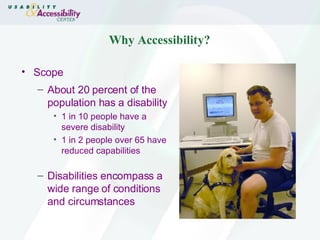
Why Accessibility? Scope About 20 percent of the population has a disability 1 in 10 people have a severe disability 1 in 2 people over 65 have reduced capabilities Disabilities encompass a wide range of conditions and circumstances
Types of Disabilities Visual Hearing Physical impairments Cognitive impairments
Designing for Blindness Web content is read by screen readers (like JAWS) and blind persons navigate with the keyboard Benefit from keyboard shortcuts, organized content, contextual clues Example : www.webaim.org/media/video/kyle/kyle.asx
Designing for Low Vision Use stylesheets, browser settings or screen enlarging software (like ZoomText) Benefit from sites that support text enlargement (CSS) , window resizing (%) and image magnification (SVG) Example :  http:// www.afb.org /
Designing for Deafness Need text for all audio-based information  Benefit from sites that provide text of audio, transcripts Example : www.webaim.org/media/video/curtis/curtis.asx
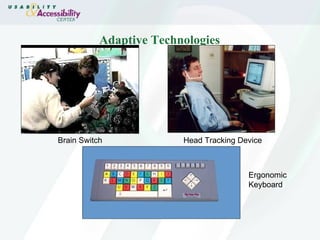
Designing for Dexterity Need varying assistance including special keyboards, brain switches, mouth sticks, joysticks and rollerballs ( http:// www.synapseadaptive.com / ) Benefit from large clickable area and pre-loaded fields Example : www.webaim.org/media/video/gordon/gordon.asx
Adaptive Technologies Brain Switch Head Tracking Device Ergonomic Keyboard
Designing for Cognition Need support for comprehension Benefit from logical, uncluttered sites, navigation cues, alternative presentations of content, simple terminology, consistency Additional information : http:// www.webaim.org/articles/cognitive/cognitive_too_little /
Simulating Cognitive Issues Dyslexia :   http://www.ubaccess.com/artsimulator.html Cognitive Overload :   http://www.webaim.org/simulations/distractability-sim.html Other Dyslexia Simulations : National Bureau for Students with Disabilities  ( http:// www.skill.org.uk/info/demos/dyslexia.asp )
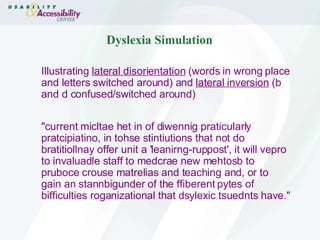
Dyslexia Simulation Illustrating  lateral disorientation  (words in wrong place and letters switched around) and  lateral inversion  (b and d confused/switched around) "current micltae het in of diwennig praticularly pratcipiatino, in tohse stintiutions that not do bratitiollnay offer unit a 'leanirng-ruppost', it will vepro to invaluadle staff to medcrae new mehtosb to pruboce crouse matrelias and teaching and, or to gain an stannbigunder of the ffiberent pytes of bifficulties roganizational that dsylexic tsuednts have."
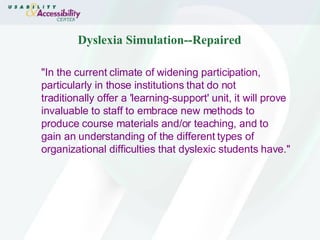
Dyslexia Simulation--Repaired "In the current climate of widening participation, particularly in those institutions that do not traditionally offer a 'learning-support' unit, it will prove invaluable to staff to embrace new methods to produce course materials and/or teaching, and to gain an understanding of the different types of organizational difficulties that dyslexic students have."
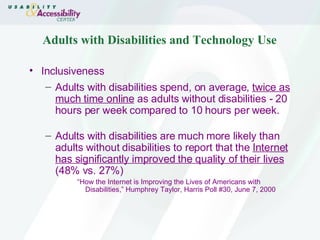
Adults with Disabilities and Technology Use Inclusiveness Adults with disabilities spend, on average,  twice as much time online  as adults without disabilities - 20 hours per week compared to 10 hours per week. Adults with disabilities are much more likely than adults without disabilities to report that the  Internet has significantly improved the quality of their lives  (48% vs. 27%) “ How the Internet is Improving the Lives of Americans with Disabilities,” Humphrey Taylor, Harris Poll #30, June 7, 2000
Accessibility Legislation Legal U.S. : Americans with Disabilities Act (1990), Section 508 (revised 1998) Australia : Disability Discrimination Act (1992) Ireland : Disability Act of 2005 United Kingdom : Disability Discrimination Act (1995) Italy : Provisions to support the access to information technologies for the disabled (January 2004)
Accessibility Legislation U.S. - The Americans with Disabilities Act (ADA) The ADA is civil rights law passed in 1990 prohibits discrimination against people with disabilities.  The DOJ has also issued a policy on Title II of the ADA that requires State and local websites to be accessible.   http://www.usdoj.gov/crt/ada/statute.html
Accessibility Legislation U.S. - Section 508 of the Rehabilitation Act Requires that Federal agencies provide access to electronic and information technology (EIT) that is compliant. Agencies must also purchase the most accessible EIT available commercially. The law became effective June 21, 2001. http://www.access-board.gov/sec508/508standards.htm
Accessibility Legislation Australia -  Disability Discrimination Act (1992) Makes it unlawful to discriminate against persons on the grounds of their disability by having a website which they cannot access. Based on W3C/WCAG
Accessibility Legislation United Kingdom – Disability Discrimination Act (1995) Makes it unlawful for a service provider to treat people with disabilities less favorably for a reason related to their disability. Disability Rights Commission publishes a Code of Practice, detailing the provisions of the Disability Discrimination Act.
Accessibility Legislation Ireland – Disability Act of 1995 Promotes equal participation of people with disabilities in society, including employment. Part VI establishes a Centre for Excellence in Universal Design, including electronic systems, education and training courses, and promotion of public awareness
Accessibility Legislation Italy –  Provisions to support the access to information technologies for the disabled (January 2004) The Republic acknowledges and protects everyone's right to access to all the sources of information and to their pertinent services, including those which make use of information technology and data transmission instruments.
Accessibility Lawsuits National Federation for the Blind (NFB) vs. Amazon settlement (2007) Sexton and NFB vs. Target lawsuit (2007) State of New York (Ramada.com & Priceline.com, 2004)   Maguire vs. Sydney Olympic Committee settlement (2000) NFB vs. Connecticut Attorney General’s Office (IRS forms) settlement (2000) California Council for the Blind vs. Bank of America & Wells Fargo ATM settlements in Florida and California (2000) NFB vs.  AOL settlement (1999)
Accessibility Benefits Accessible sites are better sites Transform to PDAs, cell phones, other devices Tend to have logical navigation, organized content, clearer labels, dependable functionality, structured tables and forms Makes site available to larger audience
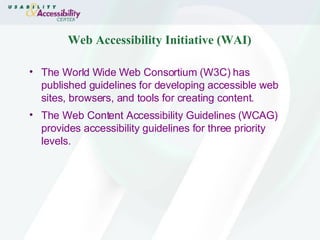
Web Accessibility Initiative (WAI) The World Wide Web Consortium (W3C) has published guidelines for developing accessible web sites, browsers, and tools for creating content.  The Web Content Accessibility Guidelines (WCAG) provides accessibility guidelines for three priority levels.
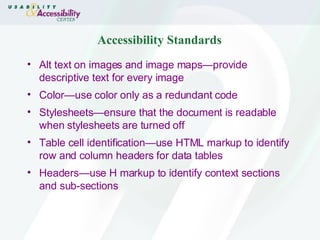
Accessibility Standards Alt text on images and image maps—provide descriptive text for every image  Color—use color only as a redundant code Stylesheets—ensure that the document is readable when stylesheets are turned off Table cell identification—use HTML markup to identify row and column headers for data tables Headers—use H markup to identify context sections and sub-sections
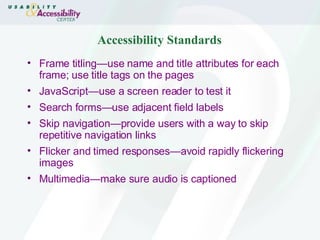
Accessibility Standards Frame titling—use name and title attributes for each frame; use title tags on the pages  JavaScript—use a screen reader to test it Search forms—use adjacent field labels  Skip navigation—provide users with a way to skip repetitive navigation links Flicker and timed responses—avoid rapidly flickering images Multimedia—make sure audio is captioned
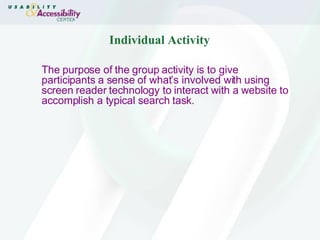
Individual Activity The purpose of the group activity is to give participants a sense of what’s involved with using screen reader technology to interact with a website to accomplish a typical search task.
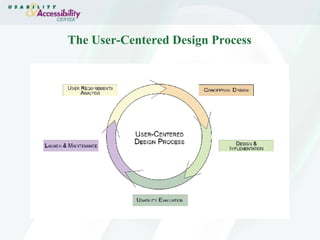
The User-Centered Design Process
User Requirements Analysis  Work with product team to decide on goals for the Web site from the perspective of the user and the business.  Determine the user needs and usability requirements.  Conduct expert evaluation (heuristic evaluation) of existing product user interface.  Conduct an accessibility compliance review.  Perform a competitive analysis.  Perform user interviews and surveys.
Conceptual Design, Prototypes, and Evaluation Sketch out a high-level site design and information architecture  Rapidly create visual representations (mockups) or interactive representations (prototypes) of the site.  Think of known issues and how accessibility relates  Evaluate usability through focus groups, user tests, and walkthroughs.  Use the evaluation results to create more mockups or improve the prototypes.  Repeat this process (design iteration) until the design and usability goals are met
Design and Implementation Revise user interface information architecture based on concept evaluation. Create the user interface using standards-compliant code.  Remember to code for accessibility.
Usability & Accessibility Evaluation Conduct the usability evaluation on the final design.  Conduct an accessibility compliance evaluation based on Web Content Accessibility Guidelines (WCAG) and your country’s standards. Use the evaluation results to improve the product.  Repeat this process (production iteration) until the business goals are met.
Launch and Maintenance Document everything! Continue to collect feedback from users/customers to improve the product in future releases.
Preparation for Accessibility Initiative Gather information about accessibility issues and resources. Identify products that will be affected. Identify organizations that will need to be involved. Identify funding sources. Identify resources for a core team.
Usability Specialist’s Role Advocate for accessibility because it’s part of good a user-centered design process. Usability practitioners understand research methodologies and have testing experience. They can also evaluate and test websites for accessibility. Organizationally, they are usually situated well for cross-functional efforts.
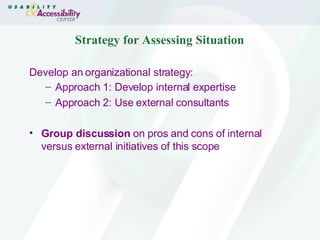
Strategy for Assessing Situation Develop an organizational strategy: Approach 1: Develop internal expertise Approach 2: Use external consultants Group discussion  on pros and cons of internal versus external initiatives of this scope
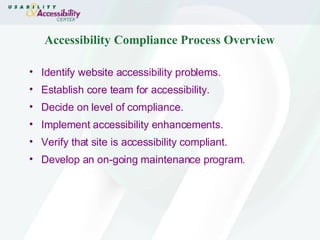
Accessibility Compliance Process Overview Identify website accessibility problems. Establish core team for accessibility. Decide on level of compliance. Implement accessibility enhancements. Verify that site is accessibility compliant. Develop an on-going maintenance program.
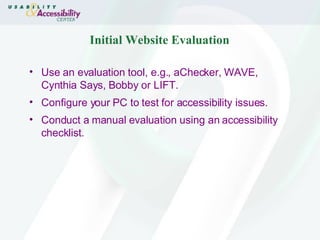
Initial Website Evaluation Use an evaluation tool, e.g., aChecker, WAVE, Cynthia Says, Bobby or LIFT. Configure your PC to test for accessibility issues.  Conduct a manual evaluation using an accessibility checklist.
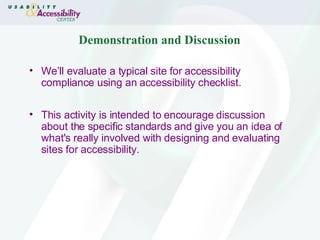
Demonstration and Discussion We’ll evaluate a typical site for accessibility compliance using an accessibility checklist.  This activity is intended to encourage discussion about the specific standards and give you an idea of what's really involved with designing and evaluating sites for accessibility.
Establish Core Team The most effective core team for accessibility would include: Project and product managers Human Factors and usability specialists Web designers Visual and/or multimedia designers Software engineer/Technical lead Technical communications specialist Business and marketing representatives
Level of Compliance The core team, working with project teams and business area groups, needs to decide on the level of compliance that is feasible. Establish a strategy for on-going compliance maintenance program.
Implement the Enhancements Provide technical recommendations for resolving issues that are uncovered. Work with developers to implement accessibility enhancements.
Verification Process Use an evaluation tool and manual checking to ensure that the accessibility modifications were implemented correctly. The core team should also finalize the on-going accessibility compliance maintenance program strategy.
Documentation Publish a formal accessibility compliance process. Provide accessibility compliance documentation for each product, including Customer Service information. Publish an accessibility compliance statement for your customers.
Group Activity What are some other ways of setting up a compliance effort in different kinds of organizations?   Develop a strategy (outline) for implementing an accessibility compliance program in your organization.  This group activity will give participants a better idea of what is really involved with developing a compliance initiative.
Summary Web designers/developers, product/project managers, and usability specialists can play a vital role in promoting the importance of accessible web design. Enhancing web sites for accessibility results in more usable products. Accessible designs benefits  all  customers.
Thank You Thanks for your attention. I hope you found this tutorial useful. Contact Info:  Sarah Swierenga, Ph.D., C.P.E. Michigan State University, Usability & Accessibility Center, East Lansing, Michigan, USA [email_address] 517-353-8977

Corporate Web Accessibility Implementation Strategies

  • 1.
    Corporate Web AccessibilityImplementation Strategies Sarah J. Swierenga , Director Usability & Accessibility Center Usability and Accessibility for the Web International Seminar University of Monterrey, Mexico July 27-28, 2007
  • 2.
    Session Objectives Wewill cover: Overview of accessibility challenges High-level accessibility evaluation of a website Overview of user-centered design process Detailed description of an accessibility process Development of a strategy (outline) for implementing a compliance program
  • 3.
    What is Accessibility?Wikipedia : Accessibility is a general term used to describe the degree to which a system is usable by as many people as possible. W3C (World Wide Web Consortium) : Web accessibility means that people with disabilities can use the Web Bottom line : Enhancing web sites to ensure that the content is understandable and navigable for all users.
  • 4.
    Why Accessibility? ScopeAbout 20 percent of the population has a disability 1 in 10 people have a severe disability 1 in 2 people over 65 have reduced capabilities Disabilities encompass a wide range of conditions and circumstances
  • 5.
    Types of DisabilitiesVisual Hearing Physical impairments Cognitive impairments
  • 6.
    Designing for BlindnessWeb content is read by screen readers (like JAWS) and blind persons navigate with the keyboard Benefit from keyboard shortcuts, organized content, contextual clues Example : www.webaim.org/media/video/kyle/kyle.asx
  • 7.
    Designing for LowVision Use stylesheets, browser settings or screen enlarging software (like ZoomText) Benefit from sites that support text enlargement (CSS) , window resizing (%) and image magnification (SVG) Example : http:// www.afb.org /
  • 8.
    Designing for DeafnessNeed text for all audio-based information Benefit from sites that provide text of audio, transcripts Example : www.webaim.org/media/video/curtis/curtis.asx
  • 9.
    Designing for DexterityNeed varying assistance including special keyboards, brain switches, mouth sticks, joysticks and rollerballs ( http:// www.synapseadaptive.com / ) Benefit from large clickable area and pre-loaded fields Example : www.webaim.org/media/video/gordon/gordon.asx
  • 10.
    Adaptive Technologies BrainSwitch Head Tracking Device Ergonomic Keyboard
  • 11.
    Designing for CognitionNeed support for comprehension Benefit from logical, uncluttered sites, navigation cues, alternative presentations of content, simple terminology, consistency Additional information : http:// www.webaim.org/articles/cognitive/cognitive_too_little /
  • 12.
    Simulating Cognitive IssuesDyslexia : http://www.ubaccess.com/artsimulator.html Cognitive Overload : http://www.webaim.org/simulations/distractability-sim.html Other Dyslexia Simulations : National Bureau for Students with Disabilities ( http:// www.skill.org.uk/info/demos/dyslexia.asp )
  • 13.
    Dyslexia Simulation Illustrating lateral disorientation (words in wrong place and letters switched around) and lateral inversion (b and d confused/switched around) "current micltae het in of diwennig praticularly pratcipiatino, in tohse stintiutions that not do bratitiollnay offer unit a 'leanirng-ruppost', it will vepro to invaluadle staff to medcrae new mehtosb to pruboce crouse matrelias and teaching and, or to gain an stannbigunder of the ffiberent pytes of bifficulties roganizational that dsylexic tsuednts have."
  • 14.
    Dyslexia Simulation--Repaired "Inthe current climate of widening participation, particularly in those institutions that do not traditionally offer a 'learning-support' unit, it will prove invaluable to staff to embrace new methods to produce course materials and/or teaching, and to gain an understanding of the different types of organizational difficulties that dyslexic students have."
  • 15.
    Adults with Disabilitiesand Technology Use Inclusiveness Adults with disabilities spend, on average, twice as much time online as adults without disabilities - 20 hours per week compared to 10 hours per week. Adults with disabilities are much more likely than adults without disabilities to report that the Internet has significantly improved the quality of their lives (48% vs. 27%) “ How the Internet is Improving the Lives of Americans with Disabilities,” Humphrey Taylor, Harris Poll #30, June 7, 2000
  • 16.
    Accessibility Legislation LegalU.S. : Americans with Disabilities Act (1990), Section 508 (revised 1998) Australia : Disability Discrimination Act (1992) Ireland : Disability Act of 2005 United Kingdom : Disability Discrimination Act (1995) Italy : Provisions to support the access to information technologies for the disabled (January 2004)
  • 17.
    Accessibility Legislation U.S.- The Americans with Disabilities Act (ADA) The ADA is civil rights law passed in 1990 prohibits discrimination against people with disabilities. The DOJ has also issued a policy on Title II of the ADA that requires State and local websites to be accessible. http://www.usdoj.gov/crt/ada/statute.html
  • 18.
    Accessibility Legislation U.S.- Section 508 of the Rehabilitation Act Requires that Federal agencies provide access to electronic and information technology (EIT) that is compliant. Agencies must also purchase the most accessible EIT available commercially. The law became effective June 21, 2001. http://www.access-board.gov/sec508/508standards.htm
  • 19.
    Accessibility Legislation Australia- Disability Discrimination Act (1992) Makes it unlawful to discriminate against persons on the grounds of their disability by having a website which they cannot access. Based on W3C/WCAG
  • 20.
    Accessibility Legislation UnitedKingdom – Disability Discrimination Act (1995) Makes it unlawful for a service provider to treat people with disabilities less favorably for a reason related to their disability. Disability Rights Commission publishes a Code of Practice, detailing the provisions of the Disability Discrimination Act.
  • 21.
    Accessibility Legislation Ireland– Disability Act of 1995 Promotes equal participation of people with disabilities in society, including employment. Part VI establishes a Centre for Excellence in Universal Design, including electronic systems, education and training courses, and promotion of public awareness
  • 22.
    Accessibility Legislation Italy– Provisions to support the access to information technologies for the disabled (January 2004) The Republic acknowledges and protects everyone's right to access to all the sources of information and to their pertinent services, including those which make use of information technology and data transmission instruments.
  • 23.
    Accessibility Lawsuits NationalFederation for the Blind (NFB) vs. Amazon settlement (2007) Sexton and NFB vs. Target lawsuit (2007) State of New York (Ramada.com & Priceline.com, 2004) Maguire vs. Sydney Olympic Committee settlement (2000) NFB vs. Connecticut Attorney General’s Office (IRS forms) settlement (2000) California Council for the Blind vs. Bank of America & Wells Fargo ATM settlements in Florida and California (2000) NFB vs. AOL settlement (1999)
  • 24.
    Accessibility Benefits Accessiblesites are better sites Transform to PDAs, cell phones, other devices Tend to have logical navigation, organized content, clearer labels, dependable functionality, structured tables and forms Makes site available to larger audience
  • 25.
    Web Accessibility Initiative(WAI) The World Wide Web Consortium (W3C) has published guidelines for developing accessible web sites, browsers, and tools for creating content. The Web Content Accessibility Guidelines (WCAG) provides accessibility guidelines for three priority levels.
  • 26.
    Accessibility Standards Alttext on images and image maps—provide descriptive text for every image Color—use color only as a redundant code Stylesheets—ensure that the document is readable when stylesheets are turned off Table cell identification—use HTML markup to identify row and column headers for data tables Headers—use H markup to identify context sections and sub-sections
  • 27.
    Accessibility Standards Frametitling—use name and title attributes for each frame; use title tags on the pages JavaScript—use a screen reader to test it Search forms—use adjacent field labels Skip navigation—provide users with a way to skip repetitive navigation links Flicker and timed responses—avoid rapidly flickering images Multimedia—make sure audio is captioned
  • 28.
    Individual Activity Thepurpose of the group activity is to give participants a sense of what’s involved with using screen reader technology to interact with a website to accomplish a typical search task.
  • 29.
  • 30.
    User Requirements Analysis Work with product team to decide on goals for the Web site from the perspective of the user and the business. Determine the user needs and usability requirements. Conduct expert evaluation (heuristic evaluation) of existing product user interface. Conduct an accessibility compliance review. Perform a competitive analysis. Perform user interviews and surveys.
  • 31.
    Conceptual Design, Prototypes,and Evaluation Sketch out a high-level site design and information architecture Rapidly create visual representations (mockups) or interactive representations (prototypes) of the site. Think of known issues and how accessibility relates Evaluate usability through focus groups, user tests, and walkthroughs. Use the evaluation results to create more mockups or improve the prototypes. Repeat this process (design iteration) until the design and usability goals are met
  • 32.
    Design and ImplementationRevise user interface information architecture based on concept evaluation. Create the user interface using standards-compliant code. Remember to code for accessibility.
  • 33.
    Usability & AccessibilityEvaluation Conduct the usability evaluation on the final design. Conduct an accessibility compliance evaluation based on Web Content Accessibility Guidelines (WCAG) and your country’s standards. Use the evaluation results to improve the product. Repeat this process (production iteration) until the business goals are met.
  • 34.
    Launch and MaintenanceDocument everything! Continue to collect feedback from users/customers to improve the product in future releases.
  • 35.
    Preparation for AccessibilityInitiative Gather information about accessibility issues and resources. Identify products that will be affected. Identify organizations that will need to be involved. Identify funding sources. Identify resources for a core team.
  • 36.
    Usability Specialist’s RoleAdvocate for accessibility because it’s part of good a user-centered design process. Usability practitioners understand research methodologies and have testing experience. They can also evaluate and test websites for accessibility. Organizationally, they are usually situated well for cross-functional efforts.
  • 37.
    Strategy for AssessingSituation Develop an organizational strategy: Approach 1: Develop internal expertise Approach 2: Use external consultants Group discussion on pros and cons of internal versus external initiatives of this scope
  • 38.
    Accessibility Compliance ProcessOverview Identify website accessibility problems. Establish core team for accessibility. Decide on level of compliance. Implement accessibility enhancements. Verify that site is accessibility compliant. Develop an on-going maintenance program.
  • 39.
    Initial Website EvaluationUse an evaluation tool, e.g., aChecker, WAVE, Cynthia Says, Bobby or LIFT. Configure your PC to test for accessibility issues. Conduct a manual evaluation using an accessibility checklist.
  • 40.
    Demonstration and DiscussionWe’ll evaluate a typical site for accessibility compliance using an accessibility checklist. This activity is intended to encourage discussion about the specific standards and give you an idea of what's really involved with designing and evaluating sites for accessibility.
  • 41.
    Establish Core TeamThe most effective core team for accessibility would include: Project and product managers Human Factors and usability specialists Web designers Visual and/or multimedia designers Software engineer/Technical lead Technical communications specialist Business and marketing representatives
  • 42.
    Level of ComplianceThe core team, working with project teams and business area groups, needs to decide on the level of compliance that is feasible. Establish a strategy for on-going compliance maintenance program.
  • 43.
    Implement the EnhancementsProvide technical recommendations for resolving issues that are uncovered. Work with developers to implement accessibility enhancements.
  • 44.
    Verification Process Usean evaluation tool and manual checking to ensure that the accessibility modifications were implemented correctly. The core team should also finalize the on-going accessibility compliance maintenance program strategy.
  • 45.
    Documentation Publish aformal accessibility compliance process. Provide accessibility compliance documentation for each product, including Customer Service information. Publish an accessibility compliance statement for your customers.
  • 46.
    Group Activity Whatare some other ways of setting up a compliance effort in different kinds of organizations? Develop a strategy (outline) for implementing an accessibility compliance program in your organization. This group activity will give participants a better idea of what is really involved with developing a compliance initiative.
  • 47.
    Summary Web designers/developers,product/project managers, and usability specialists can play a vital role in promoting the importance of accessible web design. Enhancing web sites for accessibility results in more usable products. Accessible designs benefits all customers.
  • 48.
    Thank You Thanksfor your attention. I hope you found this tutorial useful. Contact Info: Sarah Swierenga, Ph.D., C.P.E. Michigan State University, Usability & Accessibility Center, East Lansing, Michigan, USA [email_address] 517-353-8977