White balance
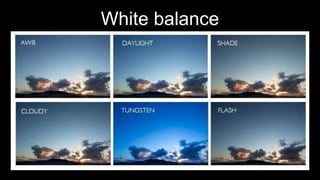
White balance is the process of
removing unrealistic colours, so that the
object seems as it would in person in
your photo or video. White balance on
some cameras have to take the colour
temperature of a light source into
account.
White balance will help film colours under
different lighting conditions accurately
resulting in high quality photos or footage.
The colour temperature of a light source will
be taken into account in some cameras, the
colour temperature of a light source refers to
the warmth of coolness of white light.
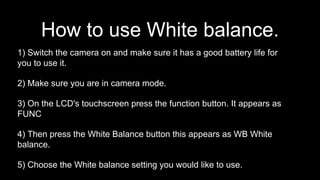
1) Switch the camera on and make sure it has a good battery life for
you to use it.
2) Make sure you are in camera mode.
3) On the LCD's touchscreen press the function button. It appears as
FUNC
4) Then press the White Balance button this appears as WB White
balance.
5) Choose the White balance setting you would like to use.
How to use White balance.
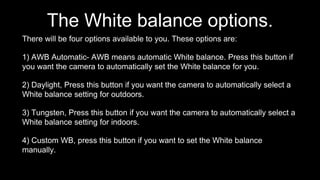
The White balance options.
There will be four options available to you. These options are:
1) AWB Automatic- AWB means automatic White balance. Press this button if
you want the camera to automatically set the White balance for you.
2) Daylight, Press this button if you want the camera to automatically select a
White balance setting for outdoors.
3) Tungsten, Press this button if you want the camera to automatically select a
White balance setting for indoors.
4) Custom WB, press this button if you want to set the White balance
manually.
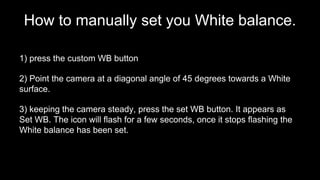
How to manually set you White balance.
1) press the custom WB button
2) Point the camera at a diagonal angle of 45 degrees towards a White
surface.
3) keeping the camera steady, press the set WB button. It appears as
Set WB. The icon will flash for a few seconds, once it stops flashing the
White balance has been set.

White balance

  • 1.
  • 2.
    White balance isthe process of removing unrealistic colours, so that the object seems as it would in person in your photo or video. White balance on some cameras have to take the colour temperature of a light source into account.
  • 3.
    White balance willhelp film colours under different lighting conditions accurately resulting in high quality photos or footage. The colour temperature of a light source will be taken into account in some cameras, the colour temperature of a light source refers to the warmth of coolness of white light.
  • 4.
    1) Switch thecamera on and make sure it has a good battery life for you to use it. 2) Make sure you are in camera mode. 3) On the LCD's touchscreen press the function button. It appears as FUNC 4) Then press the White Balance button this appears as WB White balance. 5) Choose the White balance setting you would like to use. How to use White balance.
  • 5.
    The White balanceoptions. There will be four options available to you. These options are: 1) AWB Automatic- AWB means automatic White balance. Press this button if you want the camera to automatically set the White balance for you. 2) Daylight, Press this button if you want the camera to automatically select a White balance setting for outdoors. 3) Tungsten, Press this button if you want the camera to automatically select a White balance setting for indoors. 4) Custom WB, press this button if you want to set the White balance manually.
  • 6.
    How to manuallyset you White balance. 1) press the custom WB button 2) Point the camera at a diagonal angle of 45 degrees towards a White surface. 3) keeping the camera steady, press the set WB button. It appears as Set WB. The icon will flash for a few seconds, once it stops flashing the White balance has been set.