What’s a Better Value:
Salesforce or HubSpot?
October 8, 2019
Housekeeping
• 35-minute presentation with Q&A at the end
• Type questions into the "question box" to
submit them throughout the presentation
• We'll send a copy of the deck and recording
of the webinar in follow-up emails after the
event
#LearningWithBrainSell
Presenters
Sonja Fridell
President
Kevin Cook
Executive Vice President
#LearningWithBrainSell
Agenda
 State of CRM
 Key Areas to Determine Value
 Salesforce or HubSpot
 Live Q&A
#LearningWithBrainSell
About BrainSell
• Founded in 1994
• A growth enablement company
• We help companies thrive by solving their
business challenges with guidance and
technology.
• Specialize in ERP, CRM, Business
Intelligence, Customer Service and
Marketing Automation technologies
#LearningWithBrainSell
Poll: Do you currently
use CRM software at
your organization?
Poll: Are you planning
to implement a new
CRM platform in the
next 6 months?
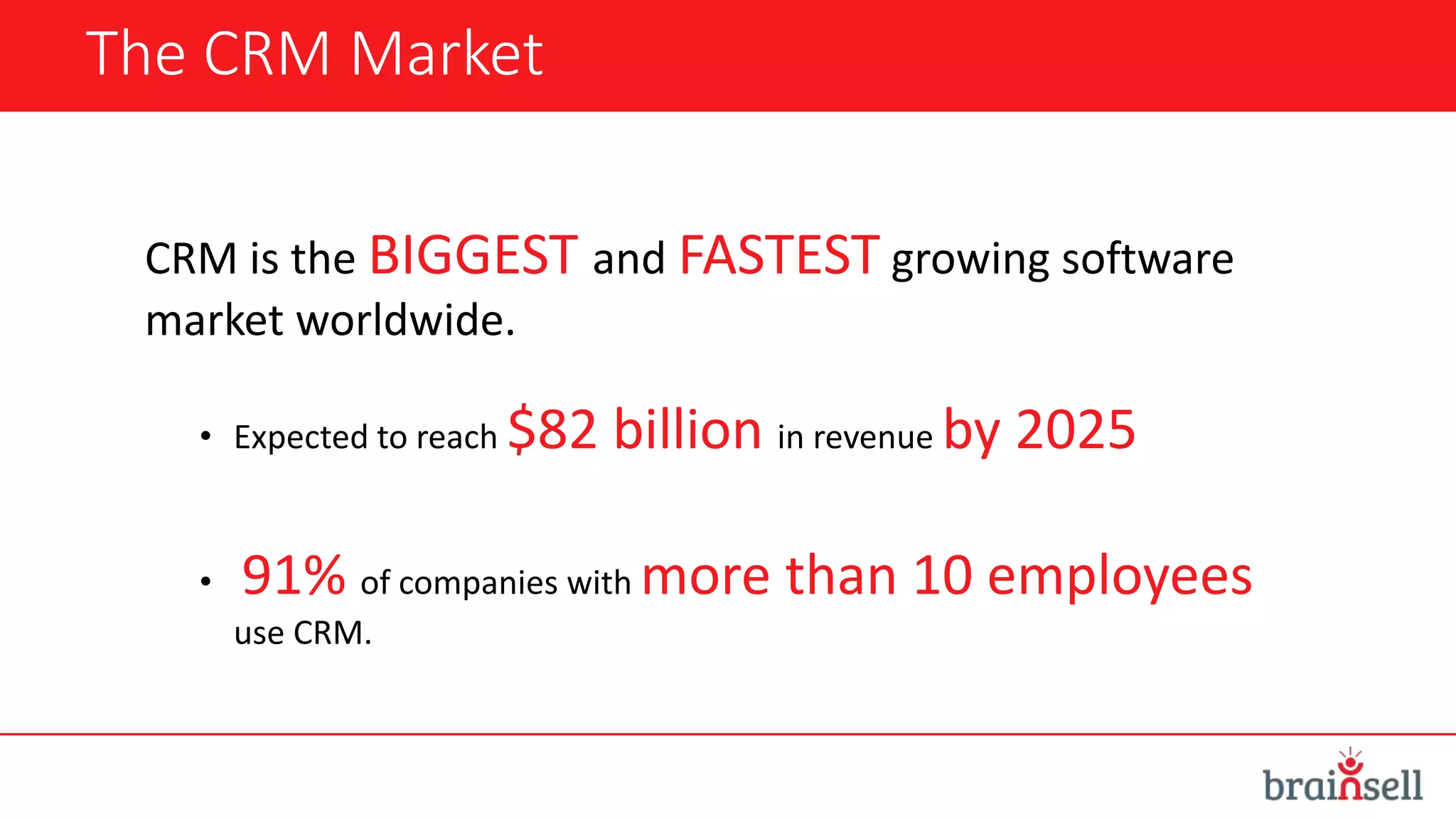
The CRM Market
CRM is the BIGGEST and FASTEST growing software
market worldwide.
• Expected to reach $82 billion in revenue by 2025
• 91% of companies with more than 10 employees
use CRM.
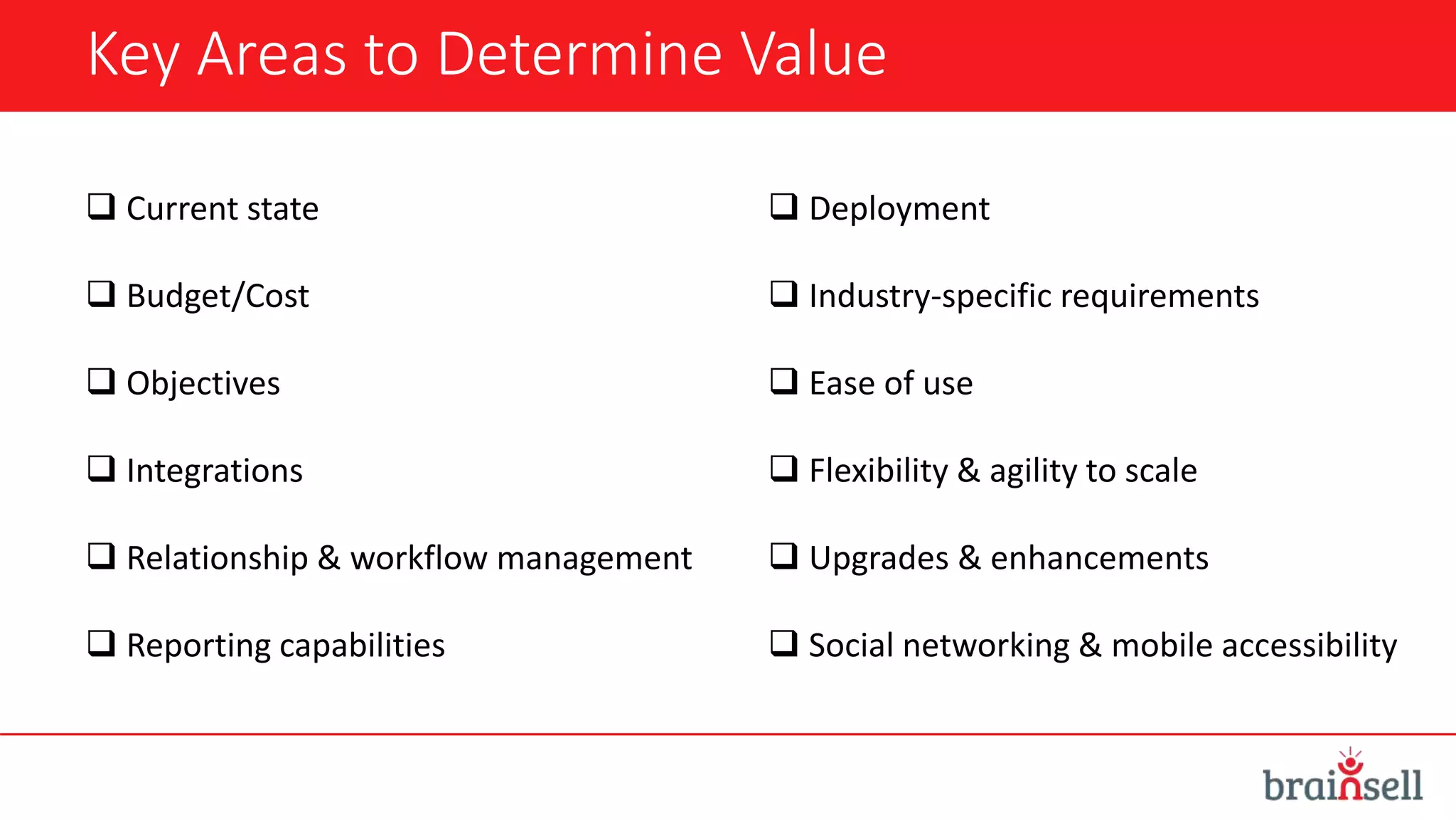
Key Areas to Determine Value
 Current state
 Budget/Cost
 Objectives
 Integrations
 Relationship & workflow management
 Reporting capabilities
 Deployment
 Industry-specific requirements
 Ease of use
 Flexibility & agility to scale
 Upgrades & enhancements
 Social networking & mobile accessibility
Two CRM Options
Vs.
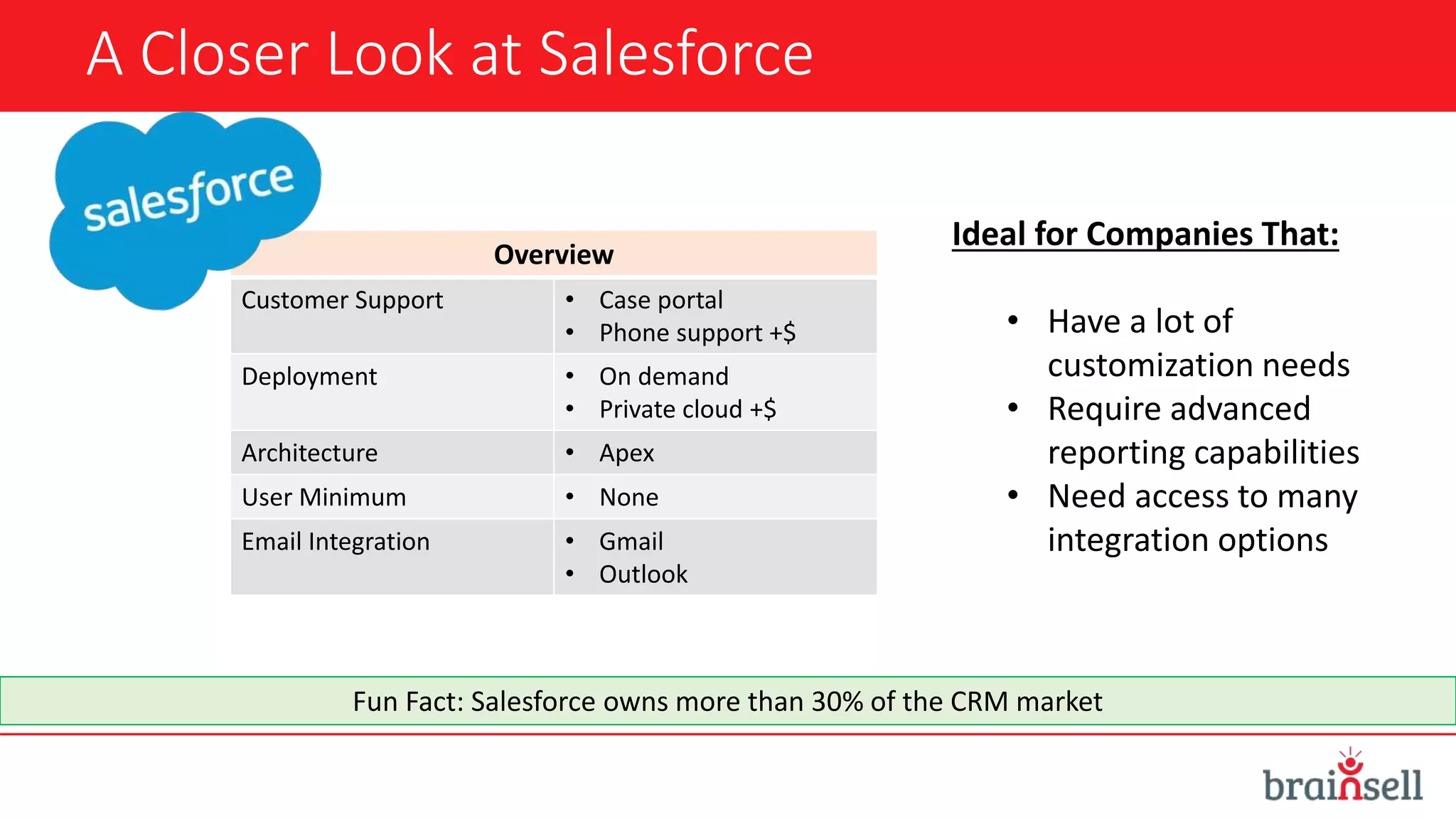
A Closer Look at Salesforce
Overview
Customer Support • Case portal
• Phone support +$
Deployment • On demand
• Private cloud +$
Architecture • Apex
User Minimum • None
Email Integration • Gmail
• Outlook
Ideal for Companies That:
• Have a lot of
customization needs
• Require advanced
reporting capabilities
• Need access to many
integration options
Fun Fact: Salesforce owns more than 30% of the CRM market
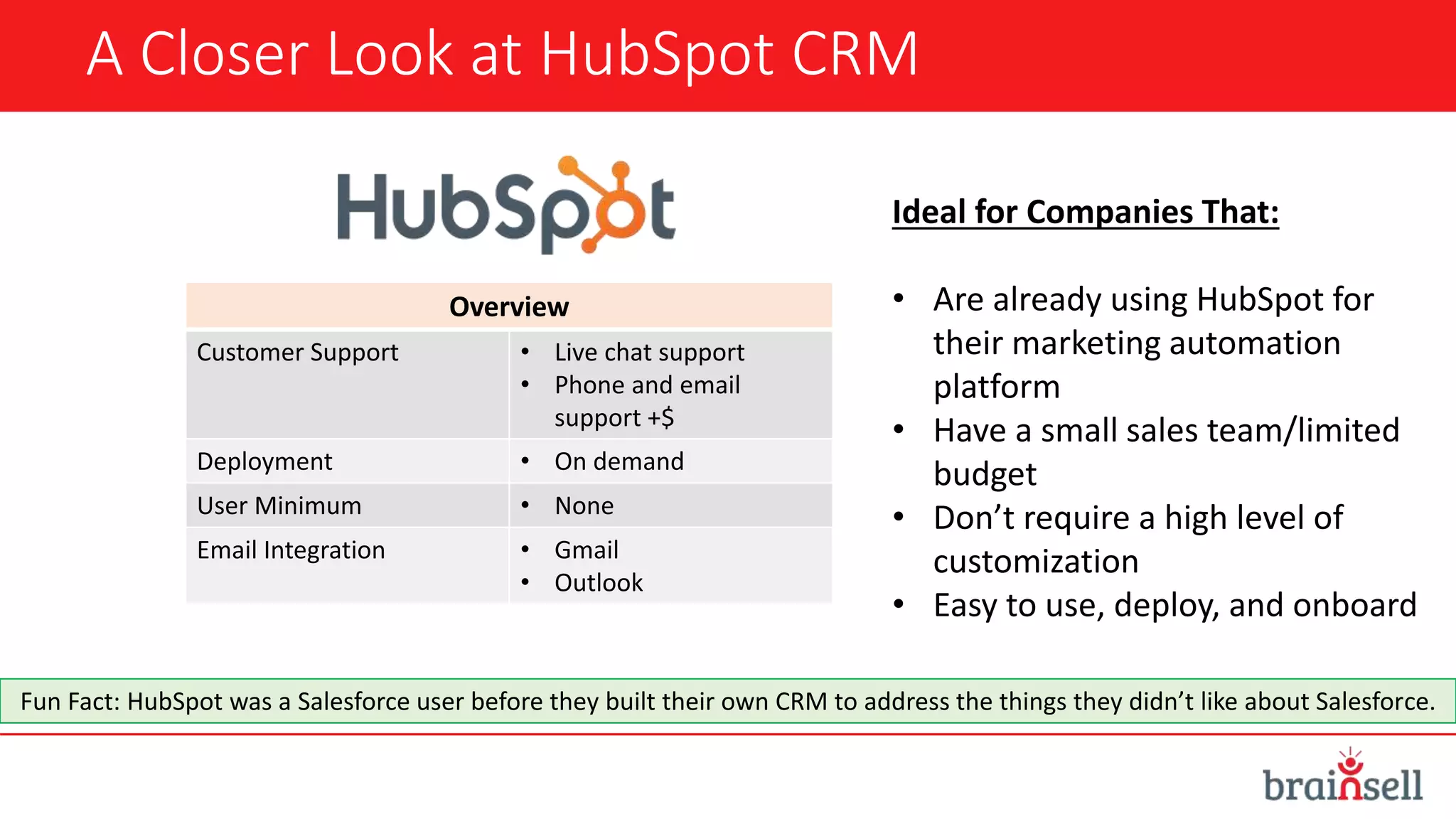
A Closer Look at HubSpot CRM
Overview
Customer Support • Live chat support
• Phone and email
support +$
Deployment • On demand
User Minimum • None
Email Integration • Gmail
• Outlook
Ideal for Companies That:
• Are already using HubSpot for
their marketing automation
platform
• Have a small sales team/limited
budget
• Don’t require a high level of
customization
• Easy to use, deploy, and onboard
Fun Fact: HubSpot was a Salesforce user before they built their own CRM to address the things they didn’t like about Salesforce.
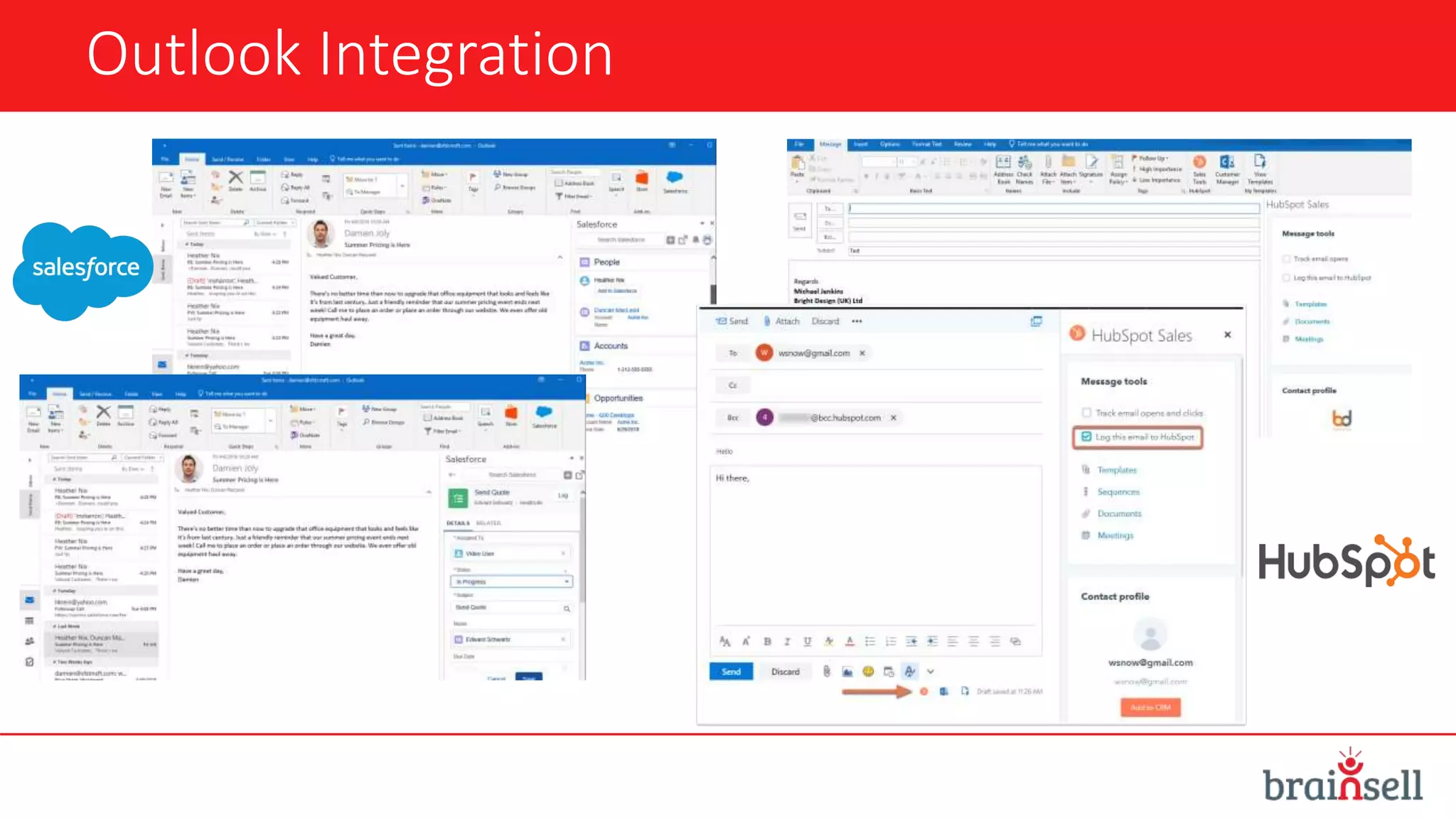
Outlook Integration
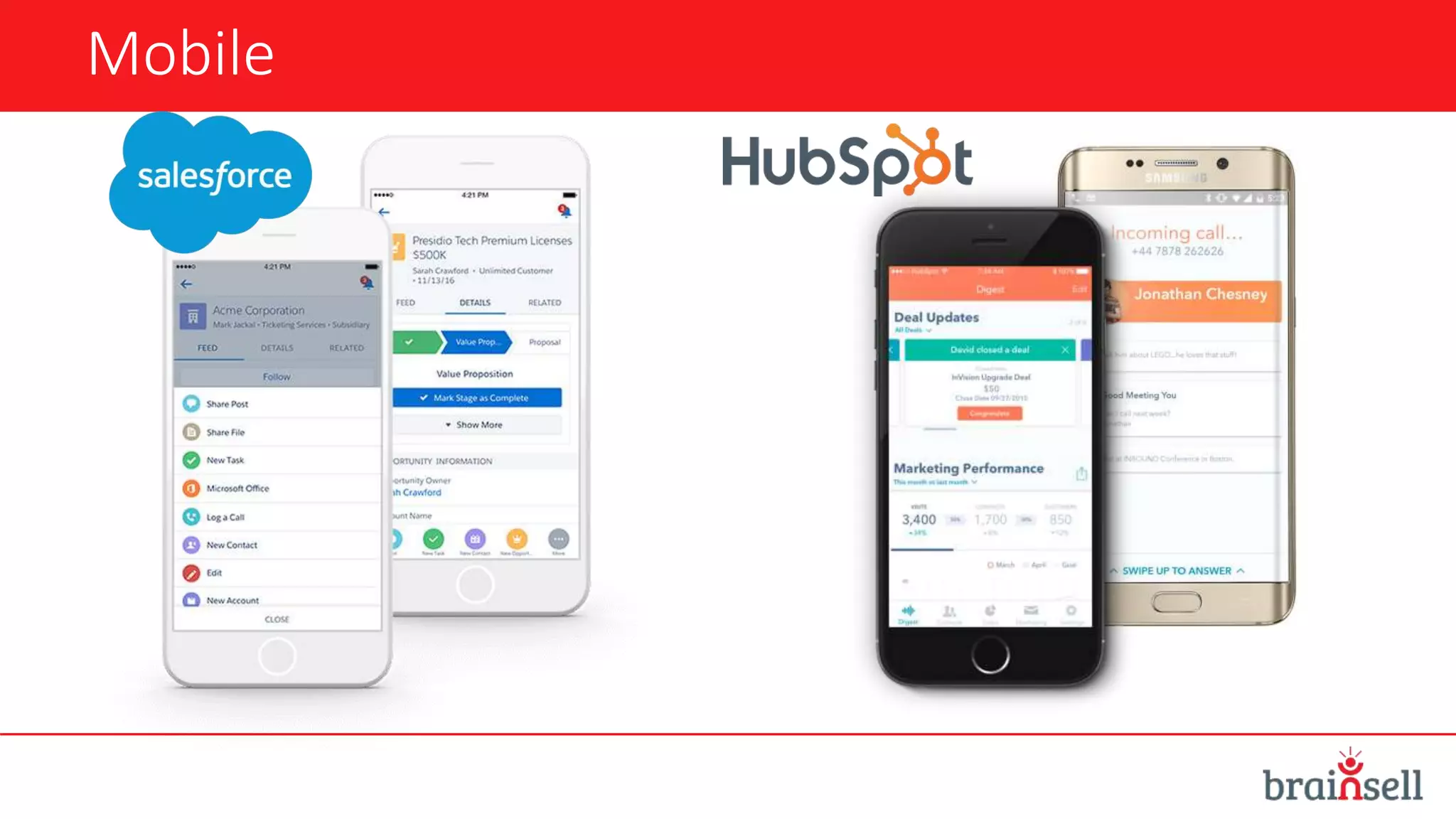
Mobile
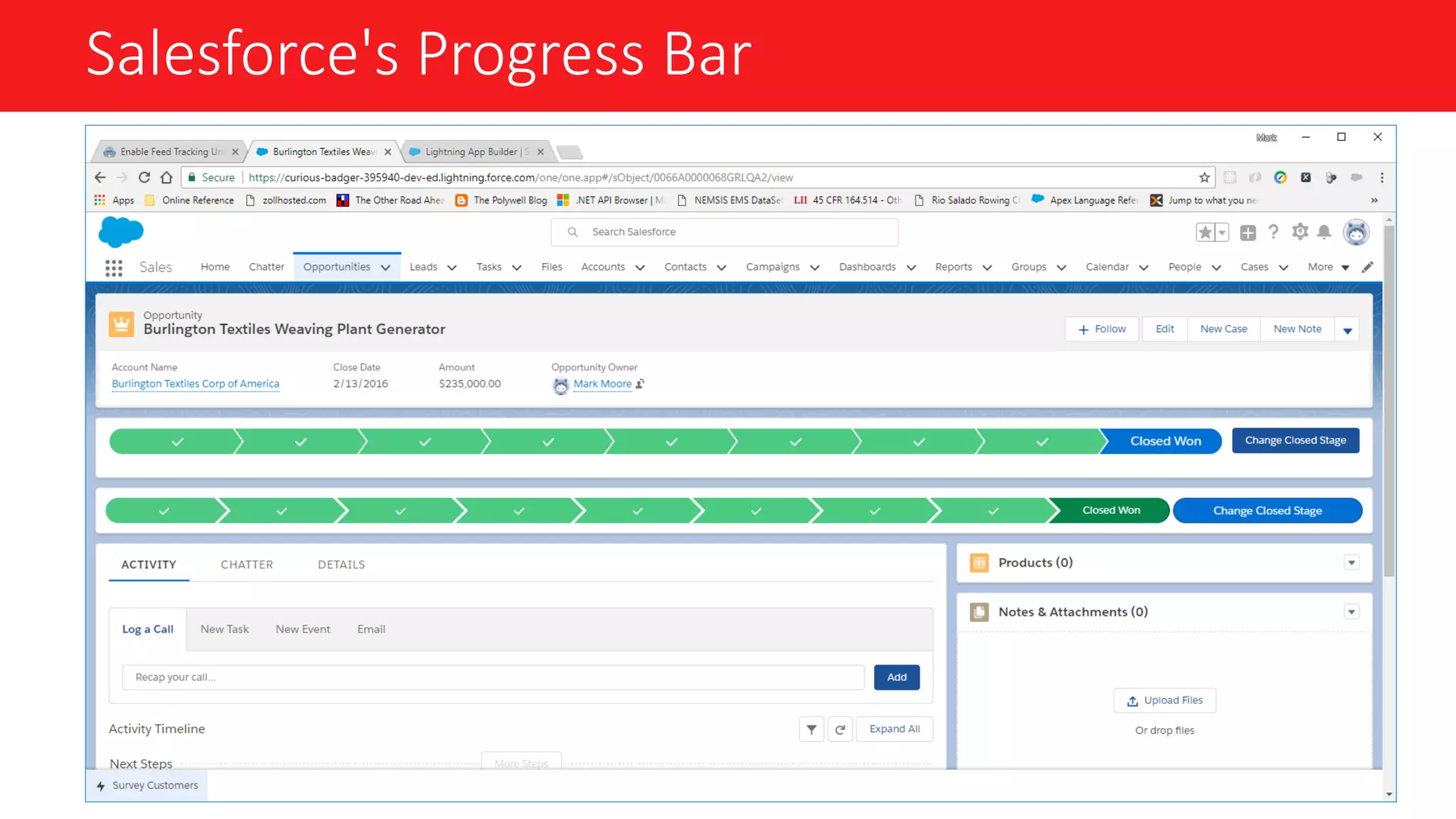
Salesforce's Progress Bar
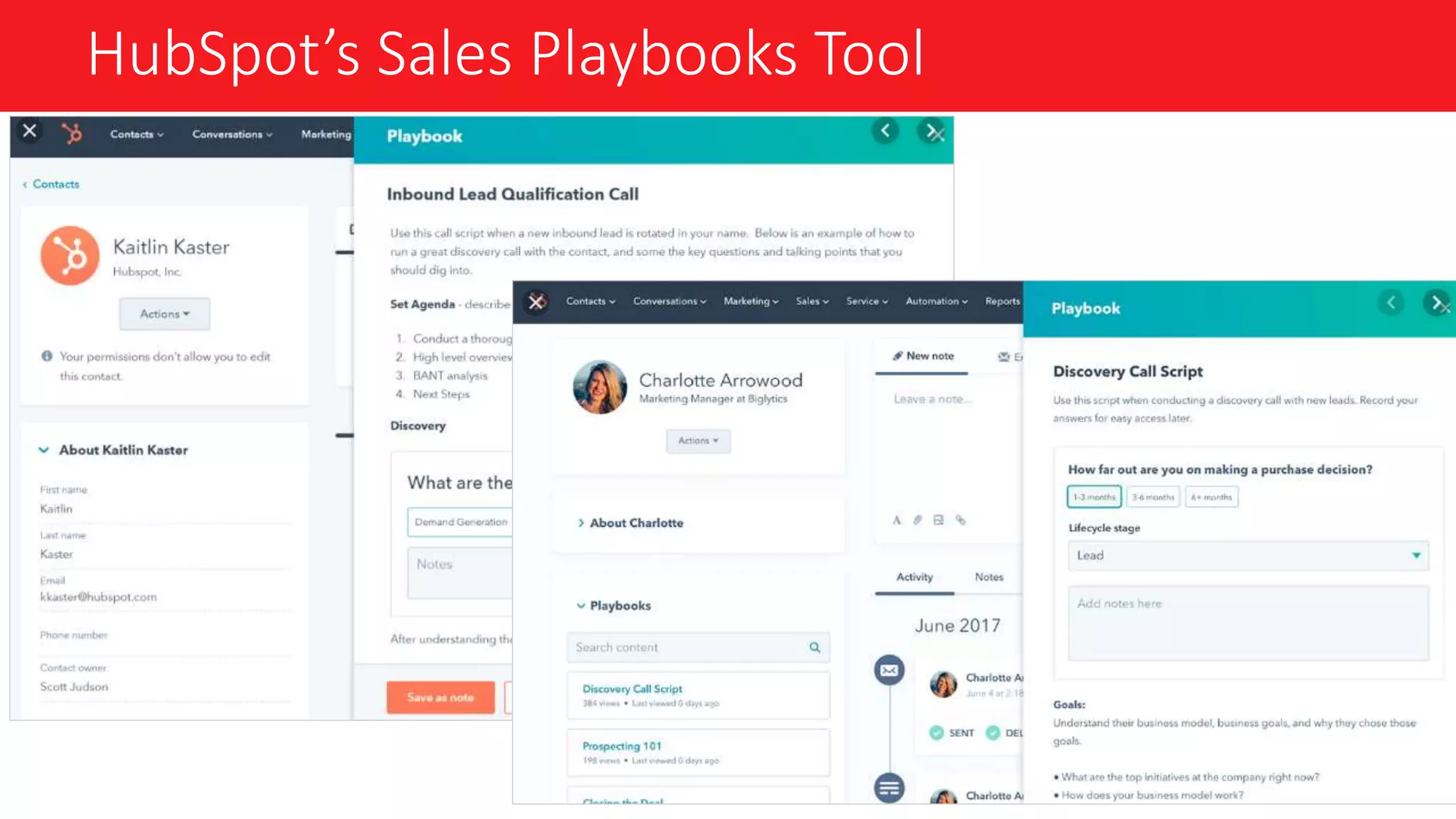
HubSpot’s Sales Playbooks Tool
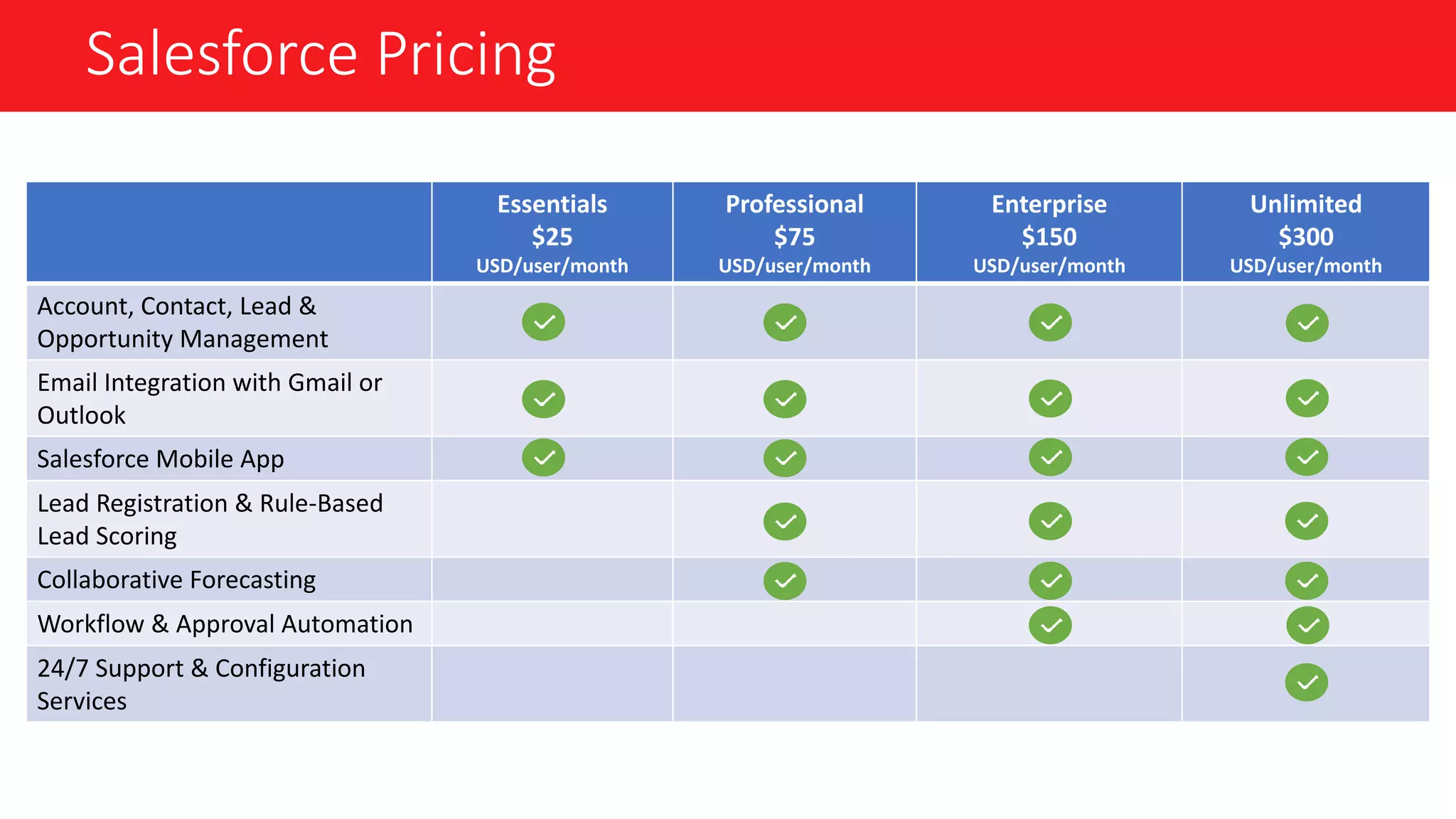
Salesforce Pricing
Essentials
$25
USD/user/month
Professional
$75
USD/user/month
Enterprise
$150
USD/user/month
Unlimited
$300
USD/user/month
Account, Contact, Lead &
Opportunity Management
Email Integration with Gmail or
Outlook
Salesforce Mobile App
Lead Registration & Rule-Based
Lead Scoring
Collaborative Forecasting
Workflow & Approval Automation
24/7 Support & Configuration
Services
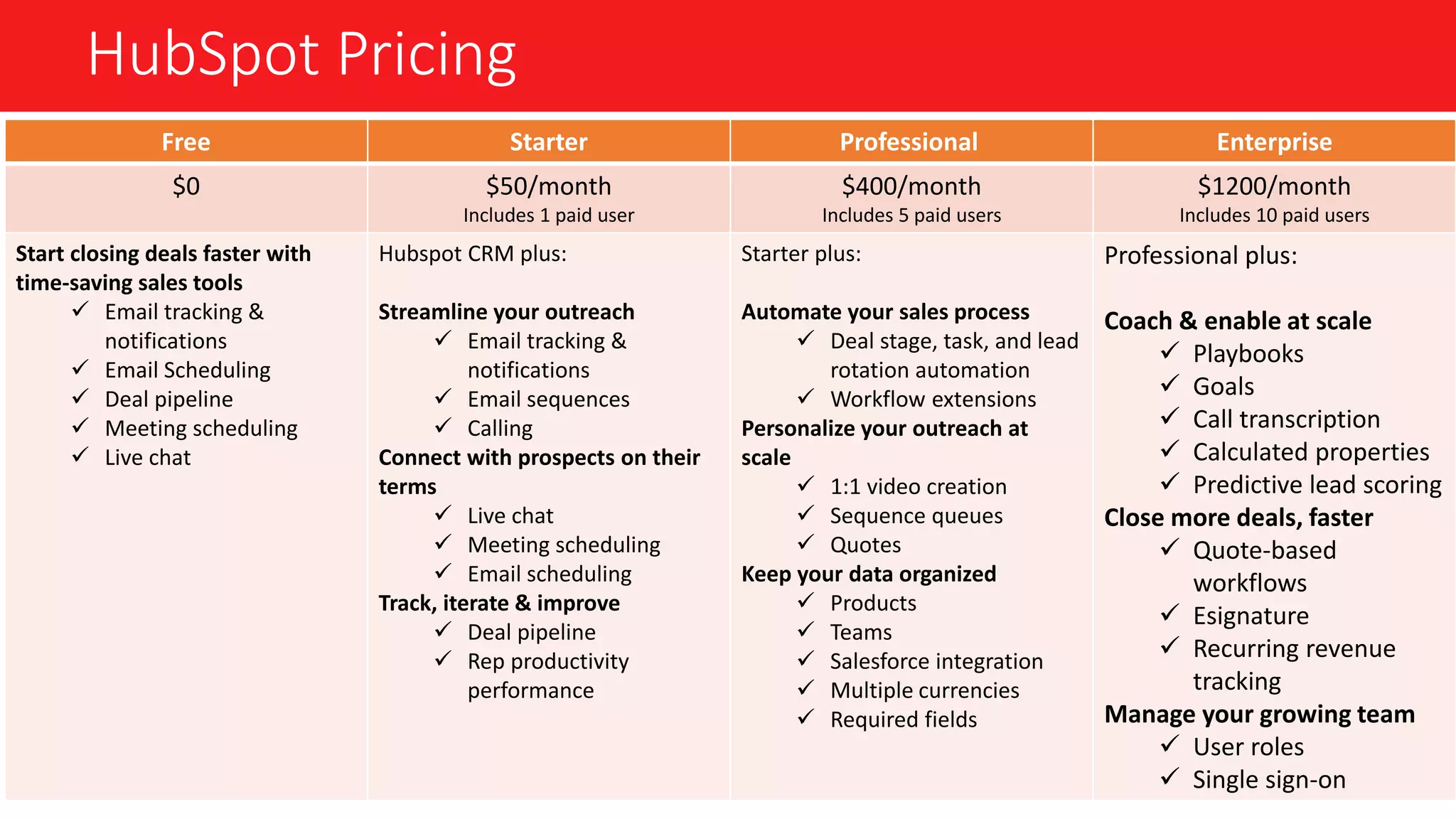
HubSpot Pricing
Free Starter Professional Enterprise
$0 $50/month
Includes 1 paid user
$400/month
Includes 5 paid users
$1200/month
Includes 10 paid users
Start closing deals faster with
time-saving sales tools
 Email tracking &
notifications
 Email Scheduling
 Deal pipeline
 Meeting scheduling
 Live chat
Hubspot CRM plus:
Streamline your outreach
 Email tracking &
notifications
 Email sequences
 Calling
Connect with prospects on their
terms
 Live chat
 Meeting scheduling
 Email scheduling
Track, iterate & improve
 Deal pipeline
 Rep productivity
performance
Starter plus:
Automate your sales process
 Deal stage, task, and lead
rotation automation
 Workflow extensions
Personalize your outreach at
scale
 1:1 video creation
 Sequence queues
 Quotes
Keep your data organized
 Products
 Teams
 Salesforce integration
 Multiple currencies
 Required fields
Professional plus:
Coach & enable at scale
 Playbooks
 Goals
 Call transcription
 Calculated properties
 Predictive lead scoring
Close more deals, faster
 Quote-based
workflows
 Esignature
 Recurring revenue
tracking
Manage your growing team
 User roles
 Single sign-on
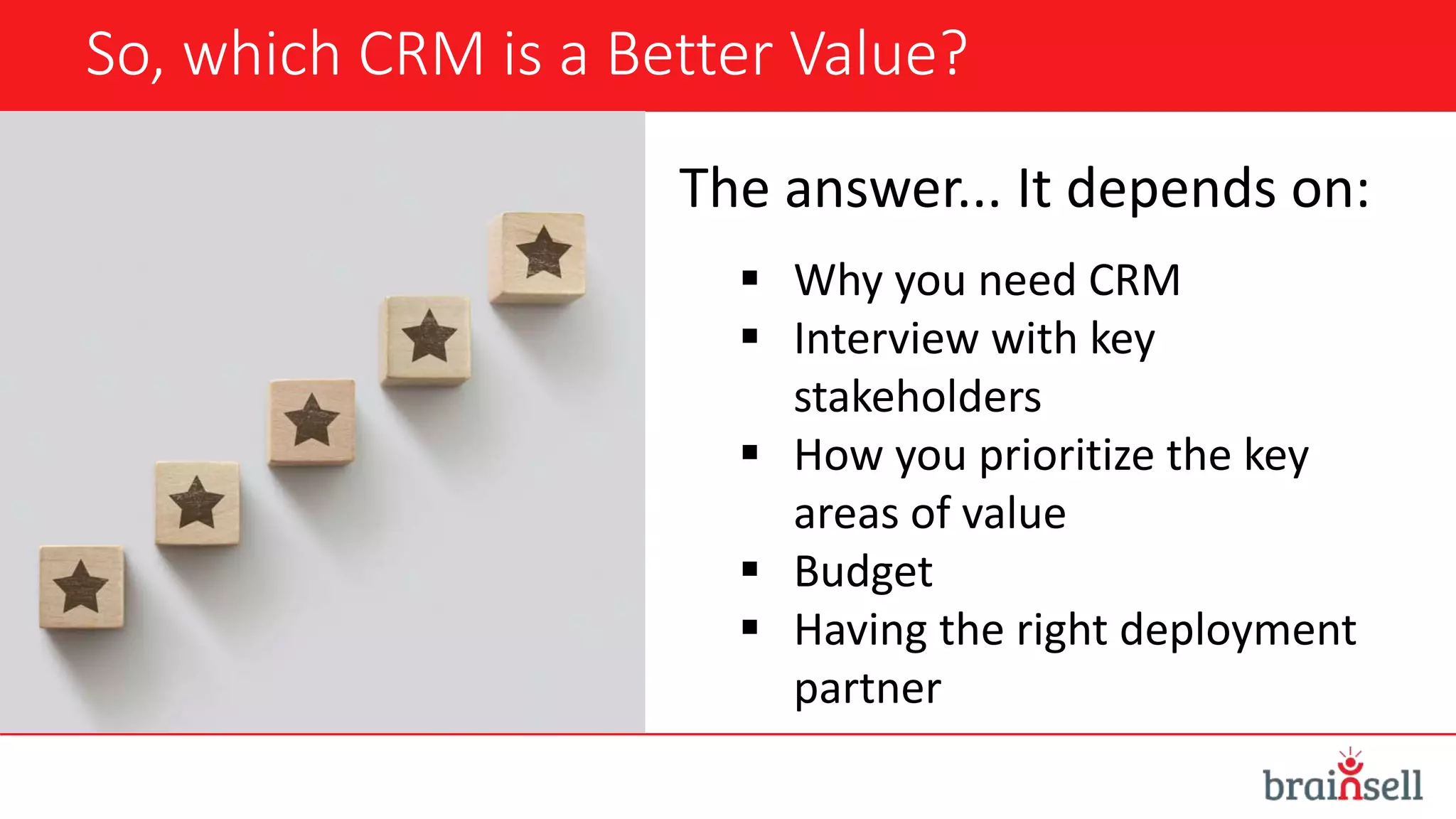
So, which CRM is a Better Value?
The answer... It depends on:
 Why you need CRM
 Interview with key
stakeholders
 How you prioritize the key
areas of value
 Budget
 Having the right deployment
partner
Q&A
#LearningWithBrainSell
Thank You For Attending!
Schedule a complimentary 1:1
CRM value assessment:
sales@brainsell.net
(866) 356-2654
www.brainsell.net
Follow us on Twitter: @BrainSell
#LearningWithBrainSell

What's a Better Value: Salesforce vs. HubSpot

  • 1.
    What’s a BetterValue: Salesforce or HubSpot? October 8, 2019
  • 2.
    Housekeeping • 35-minute presentationwith Q&A at the end • Type questions into the "question box" to submit them throughout the presentation • We'll send a copy of the deck and recording of the webinar in follow-up emails after the event #LearningWithBrainSell
  • 3.
    Presenters Sonja Fridell President Kevin Cook ExecutiveVice President #LearningWithBrainSell
  • 4.
    Agenda  State ofCRM  Key Areas to Determine Value  Salesforce or HubSpot  Live Q&A #LearningWithBrainSell
  • 5.
    About BrainSell • Foundedin 1994 • A growth enablement company • We help companies thrive by solving their business challenges with guidance and technology. • Specialize in ERP, CRM, Business Intelligence, Customer Service and Marketing Automation technologies #LearningWithBrainSell
  • 6.
    Poll: Do youcurrently use CRM software at your organization?
  • 7.
    Poll: Are youplanning to implement a new CRM platform in the next 6 months?
  • 8.
    The CRM Market CRMis the BIGGEST and FASTEST growing software market worldwide. • Expected to reach $82 billion in revenue by 2025 • 91% of companies with more than 10 employees use CRM.
  • 9.
    Key Areas toDetermine Value  Current state  Budget/Cost  Objectives  Integrations  Relationship & workflow management  Reporting capabilities  Deployment  Industry-specific requirements  Ease of use  Flexibility & agility to scale  Upgrades & enhancements  Social networking & mobile accessibility
  • 10.
  • 11.
    A Closer Lookat Salesforce Overview Customer Support • Case portal • Phone support +$ Deployment • On demand • Private cloud +$ Architecture • Apex User Minimum • None Email Integration • Gmail • Outlook Ideal for Companies That: • Have a lot of customization needs • Require advanced reporting capabilities • Need access to many integration options Fun Fact: Salesforce owns more than 30% of the CRM market
  • 12.
    A Closer Lookat HubSpot CRM Overview Customer Support • Live chat support • Phone and email support +$ Deployment • On demand User Minimum • None Email Integration • Gmail • Outlook Ideal for Companies That: • Are already using HubSpot for their marketing automation platform • Have a small sales team/limited budget • Don’t require a high level of customization • Easy to use, deploy, and onboard Fun Fact: HubSpot was a Salesforce user before they built their own CRM to address the things they didn’t like about Salesforce.
  • 13.
  • 14.
  • 15.
  • 16.
  • 17.
    Salesforce Pricing Essentials $25 USD/user/month Professional $75 USD/user/month Enterprise $150 USD/user/month Unlimited $300 USD/user/month Account, Contact,Lead & Opportunity Management Email Integration with Gmail or Outlook Salesforce Mobile App Lead Registration & Rule-Based Lead Scoring Collaborative Forecasting Workflow & Approval Automation 24/7 Support & Configuration Services
  • 18.
    HubSpot Pricing Free StarterProfessional Enterprise $0 $50/month Includes 1 paid user $400/month Includes 5 paid users $1200/month Includes 10 paid users Start closing deals faster with time-saving sales tools  Email tracking & notifications  Email Scheduling  Deal pipeline  Meeting scheduling  Live chat Hubspot CRM plus: Streamline your outreach  Email tracking & notifications  Email sequences  Calling Connect with prospects on their terms  Live chat  Meeting scheduling  Email scheduling Track, iterate & improve  Deal pipeline  Rep productivity performance Starter plus: Automate your sales process  Deal stage, task, and lead rotation automation  Workflow extensions Personalize your outreach at scale  1:1 video creation  Sequence queues  Quotes Keep your data organized  Products  Teams  Salesforce integration  Multiple currencies  Required fields Professional plus: Coach & enable at scale  Playbooks  Goals  Call transcription  Calculated properties  Predictive lead scoring Close more deals, faster  Quote-based workflows  Esignature  Recurring revenue tracking Manage your growing team  User roles  Single sign-on
  • 19.
    So, which CRMis a Better Value? The answer... It depends on:  Why you need CRM  Interview with key stakeholders  How you prioritize the key areas of value  Budget  Having the right deployment partner
  • 20.
  • 21.
    Thank You ForAttending! Schedule a complimentary 1:1 CRM value assessment: sales@brainsell.net (866) 356-2654 www.brainsell.net Follow us on Twitter: @BrainSell #LearningWithBrainSell

Editor's Notes

  • #2 Sarah to give welcome. Hello and welcome, everyone! Happy Tuesday! Thank you for joining us for today’s webinar. My name is Sarah Reed and I’m the Director of Marketing at BrainSell. Today we will be exploring how to determine the value of different CRM platforms. And while cost is one area there are a number of other factors for consideration and prioritization to help you make the right choice for your company.  
  • #3 Sarah to walk through housekeeping But before we dive in, let’s take care of some housekeeping. If you have any questions during the presentation, please type them into the question box in your control panel. I’ll bring them up during the discussion and we’ll also save some time for questions at the end. Additionally this session is being recorded and we will share it with you via email. You can expect to see it in your inbox likely tomorrow morning.
  • #4 Now I'm going to turn it over to my colleagues Sonja and Kevin to introduce themselves and kick things off!
  • #5 Kevin
  • #6 Kevin
  • #7 Sarah will launch the poll Sonja, before we really dive in – I thought this would be a good opportunity to get to better understand of who are audience is today in order to better tailor the discussion. So folks, if you wouldn’t mind sharing if you are currently using CRM in your organization via the poll now, that would be fabulous.
  • #8 Sarah will launch the poll And...one more question... Okay, Sonja take it away!
  • #9 Sonja to speak to this slide CRM market is huge - $82B by 2025 (Grand View Research Inc) - it's at the heart of every growing business If you’re not already using CRM, you should be considering it because the odds are your competitors have already adopted it – in fact more than 90% of companies with more than 11 employees use CRM is some form (CRM Magazine) And the ROI is big – According to Nucleus Research, every $1 spent on CRM implementation returns as much as $8.71 in sales revenue. But with so many options, it can be hard to determine which platform is right for your business. Think about this -- There are more than 380 CRM systems listed on G2 crowd but only 19% are rated above 3 stars. 
  • #10 Kevin to speak to this slide Most CRM systems have similar feature sets, but that doesn’t mean that any CRM system will be right for you, and it certainly doesn’t mean that all CRM systems are the same.  It is up to you to prioritize which areas are the most valuable to you and evaluate your CRM options based on that.  Do not just prioritize these on your own – involve key stakeholders and users to identify your list.  Know the current state of your business Establish a budget Identify what you want to achieve with a new CRM system – what are your objectives What other platforms do you need it to integrate with What types of relationships and workflows are you trying to manage What kind of reporting capabilities do you need Deployment – cloud vs. On-prem Any industry-specific requirements needed Ease of use Flexibility and agility to scale with your business How upgrades and enhancements handled Social networking and mobile accessibility 
  • #11 Sonja – HubSpot Kevin – Salesforce Not a true apples to apple comparison. While there are simalarities between these two – there are a lot of differences
  • #12 Kevin to speak to Salesforce
  • #13 Sonja to speak to HUbSpot One resounding takeaway from HubSpot’s experience using Salesforce is that the CRM was really built for the development community. Salesforce is an incredibly powerful tool that can do and report on a massive amount of customized data points. However, the sophistication of the system makes it really hard to do little and administrative tasks. HubSpot, like many companies, had to hire consultants and full-time developers to manage the system and make the smallest of changes, like updating pipelines.  While Pardot is now part of their sales  cloud. It is seen as a sales enablement tool. Marketers now need paid for logins to simply access marketing tools. Hubspot, you can have as many marketers as you need access these tools with their own permissions at no added cost, among other value adds. A good analogy we like to use is Salesforce is a lot like Android. You can really customize each and every piece to your liking - if you know how. HubSpot is more like Apple. It has an intuitive UI that makes it easy for you to just get what you need to get done, done. 
  • #14 Sonja – HubSpot Kevin – Salesforce
  • #15 Sonja – HubSpot Kevin – Salesforce
  • #16 Kevin to speak to this slide
  • #17 Sonja to speak to this slide Sales enablement content – Arm your sales team with competitive battlecards, templates call scripts, positioning guides, and more
  • #18  Kevin – Salesforce
  • #19 Sonja – HubSpot On November 1st, the base price of Sales Hub Professional will increase to $500/month to make room for even more great features.
  • #20 Sonja to Bring it all back together.
  • #21 Sonja and Kevin  How easy is it to customize each of these platforms? How difficult is it to implement Hubspot vs. Salesforce? Will I need outside help?
  • #22 Sarah to wrap it up