Salesforce Release Management
Best Practices and Tools for Deployment Efficiency
Matthew Roark, EMC2 Isilon Storage Division, Principal Application Developer
@lordwyrmsbane
Deb Weller, EMC2 Isilon Storage Division, IT Development Manager
@debdub
2

Salesforce @ EMC Isilon
Deb Weller
IT Development Manager
@debdub
2

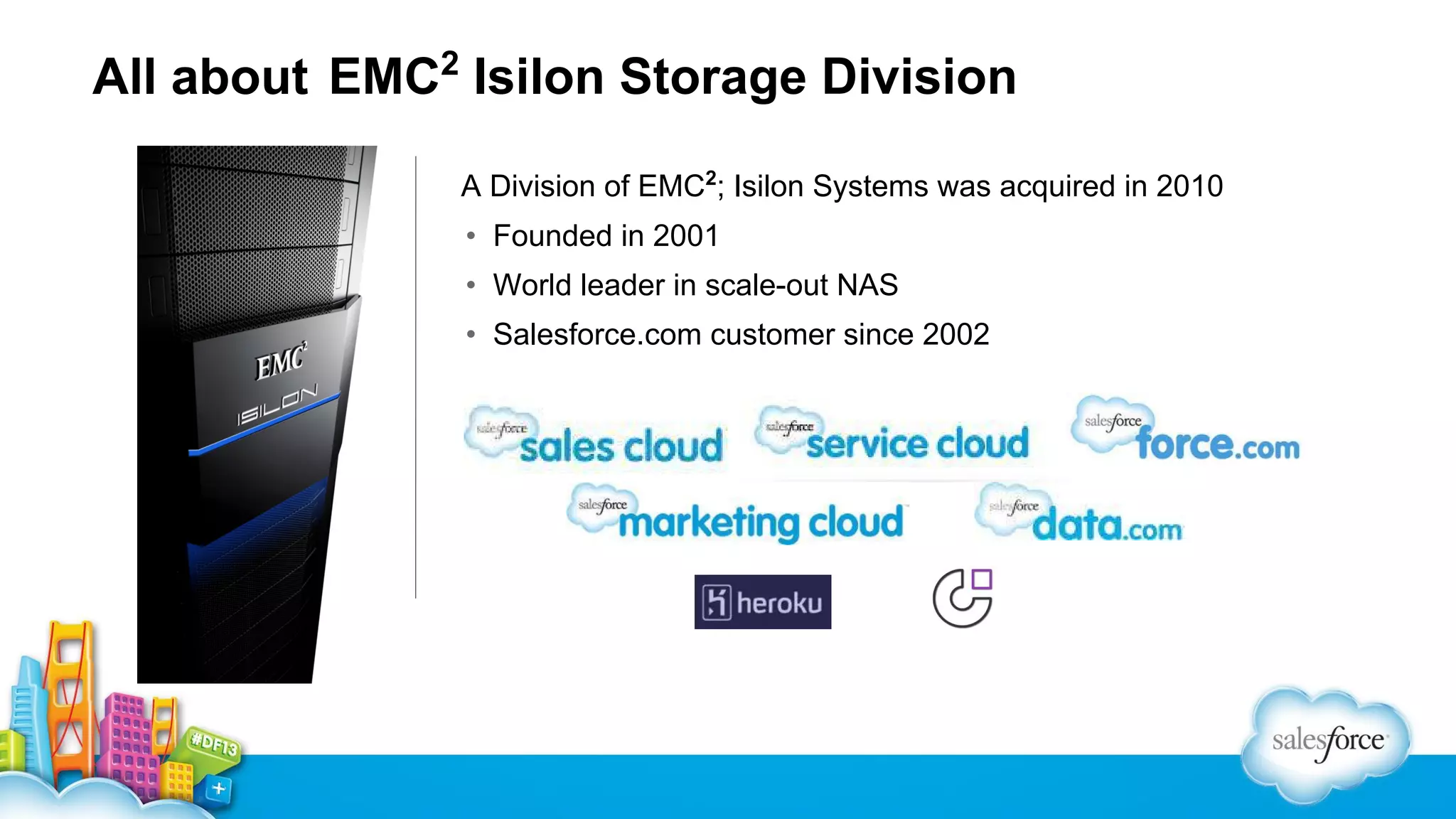
All about EMC Isilon Storage Division
A Division of EMC2; Isilon Systems was acquired in 2010
• Founded in 2001
• World leader in scale-out NAS
• Salesforce.com customer since 2002
•
Salesforce.com history at EMC2 Isilon
▪ Salesforce was implemented in 2002
• System was owned and managed by the Sales team
• Usage grew across other teams (Marketing, Customer Support, Partners)
• Custom code implemented piecemeal by a variety of consultants

▪ IT inherited the “organically grown” instance in 2006
• Most users were systems admins
• Competing groups in the company had conflicting needs and interests
• No formal change or release management in place
First steps…
▪ Limit the number of system administrators
▪ Start tracking your changes in a systematic way
▪ Get your stakeholders to help prioritize projects
▪ No staff? Harness the power of admins in other departments
▪ Leverage native Salesforce tools for release management
• Sandboxes
• Cloud Deploy / Change Sets
Beyond Release Management
Matthew Roark
Principal Application Developer
@lordwyrmsbane
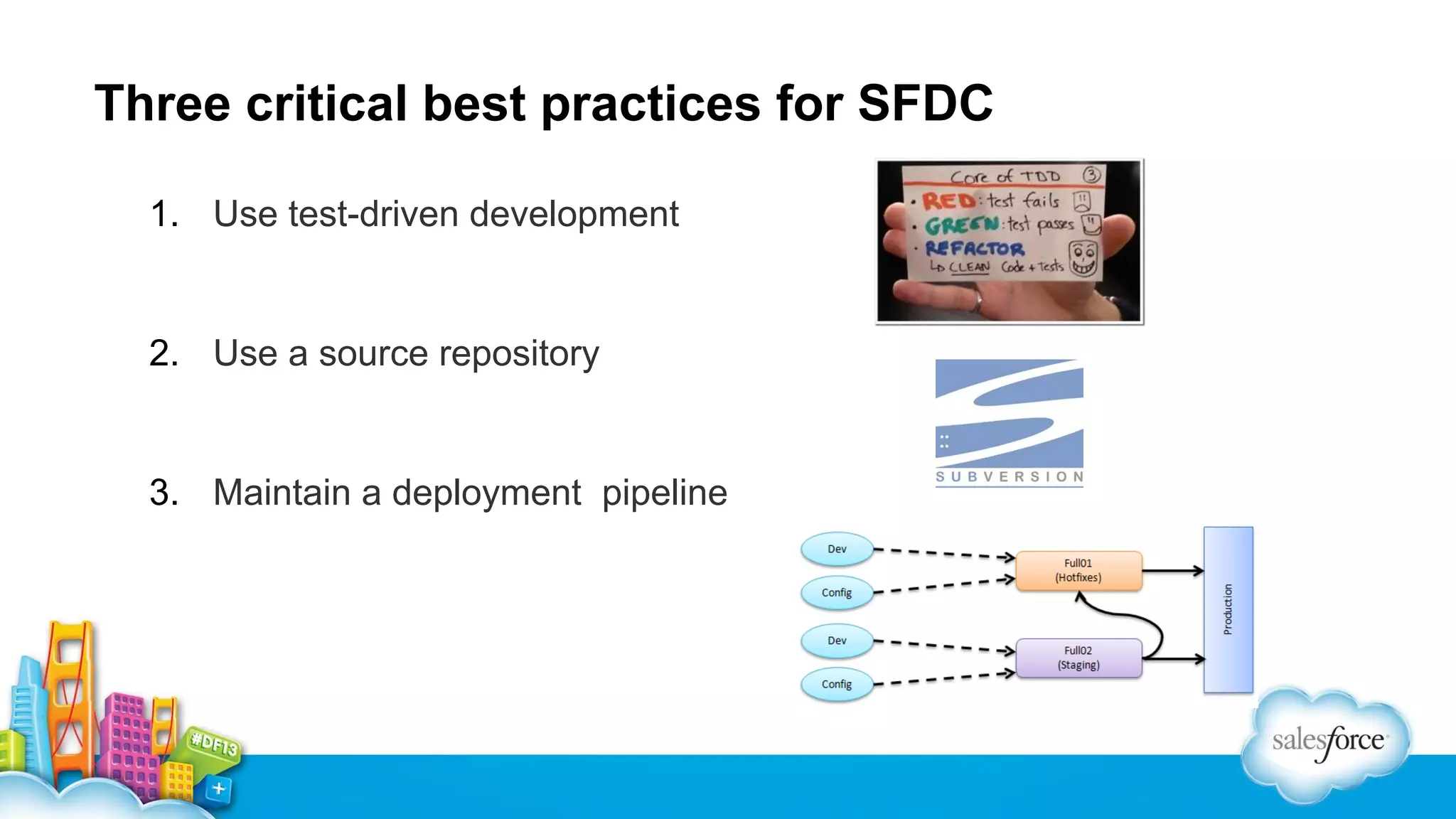
Three critical best practices for SFDC
1. Use test-driven development

2. Use a source repository

3. Maintain a deployment pipeline
One Step Beyond…
Release engineering!
• Identifiable
•

Identify all of the source, environment, and other components in a particular release

• Reproducible
•

Integrate source, data, and deployment externals of a software system for better operational stability

• Accountable
•

Provide audit and accountability for software deployments

• Agile
•

Continuous integration! Iterative development! Distributed teams! Nirvana!
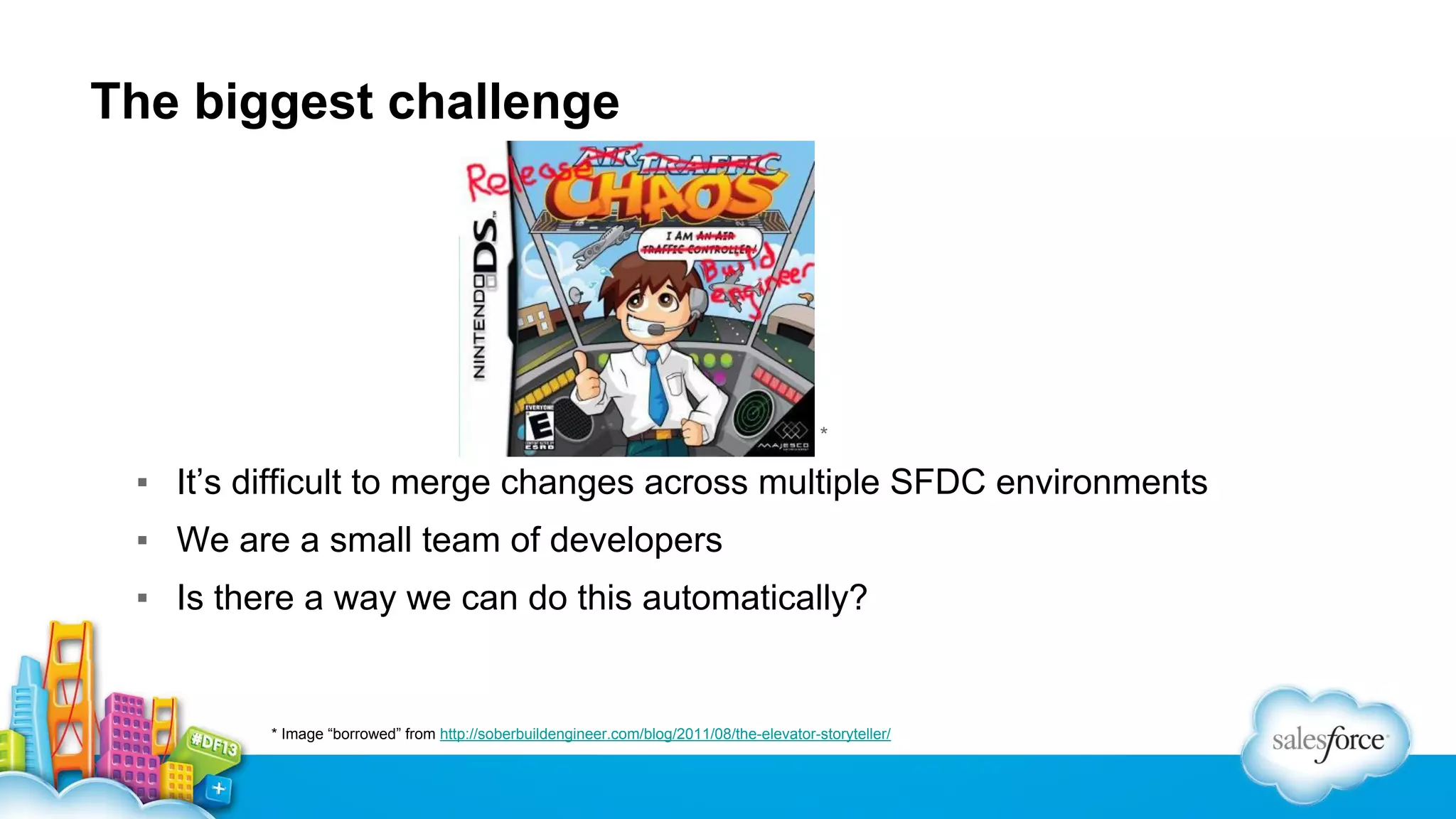
The biggest challenge

▪

*

▪ It’s difficult to merge changes across multiple SFDC environments
▪ We are a small team of developers
▪ Is there a way we can do this automatically?

* Image “borrowed” from http://soberbuildengineer.com/blog/2011/08/the-elevator-storyteller/
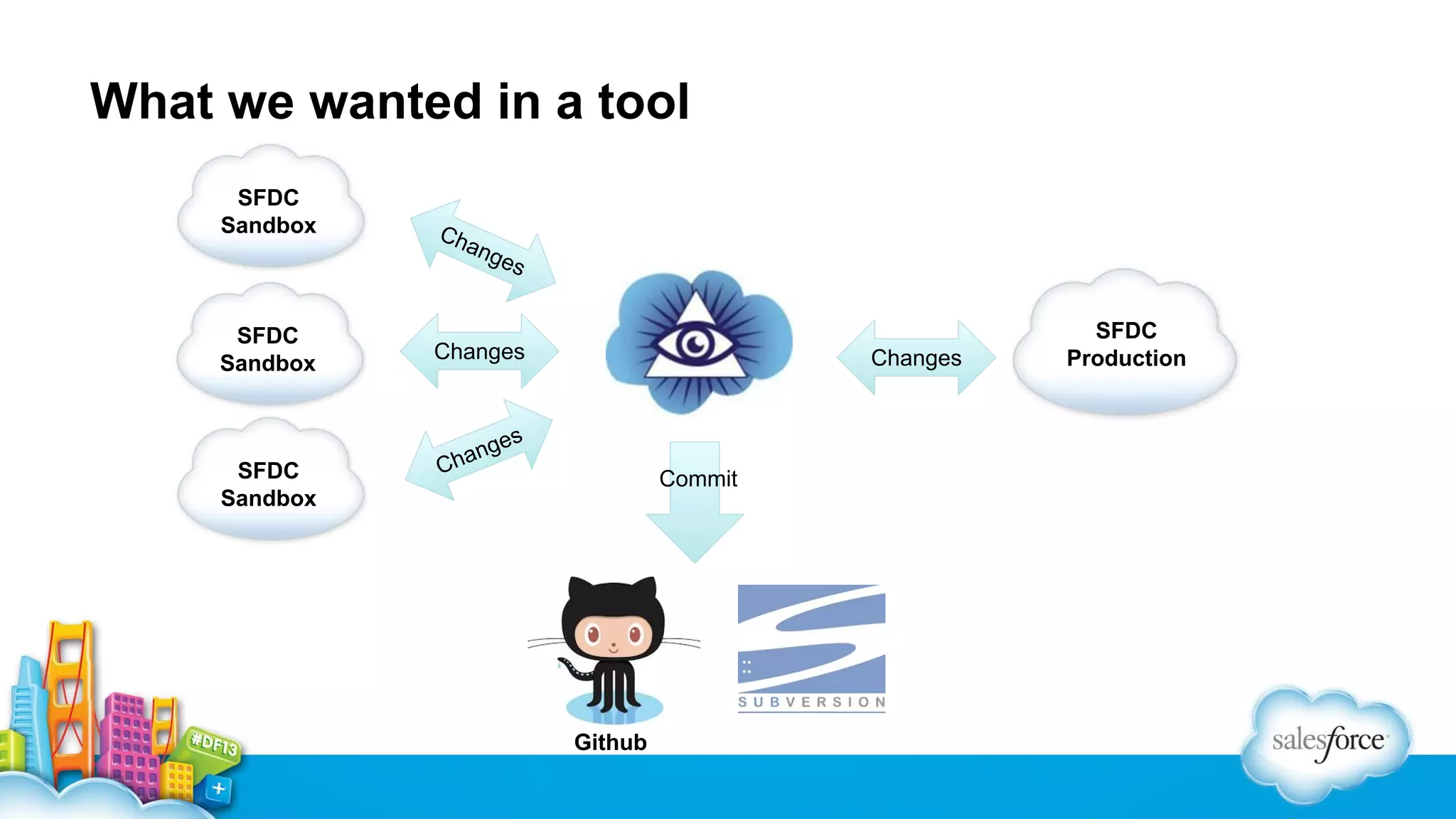
What we wanted in a tool
SFDC
Sandbox

SFDC
Sandbox

SFDC
Sandbox

Ch

ang
es

Changes

Changes

s
nge
ha

C

Commit

Github

SFDC
Production
Introducing SfOpticon
Matthew Roark
Principal Application Developer
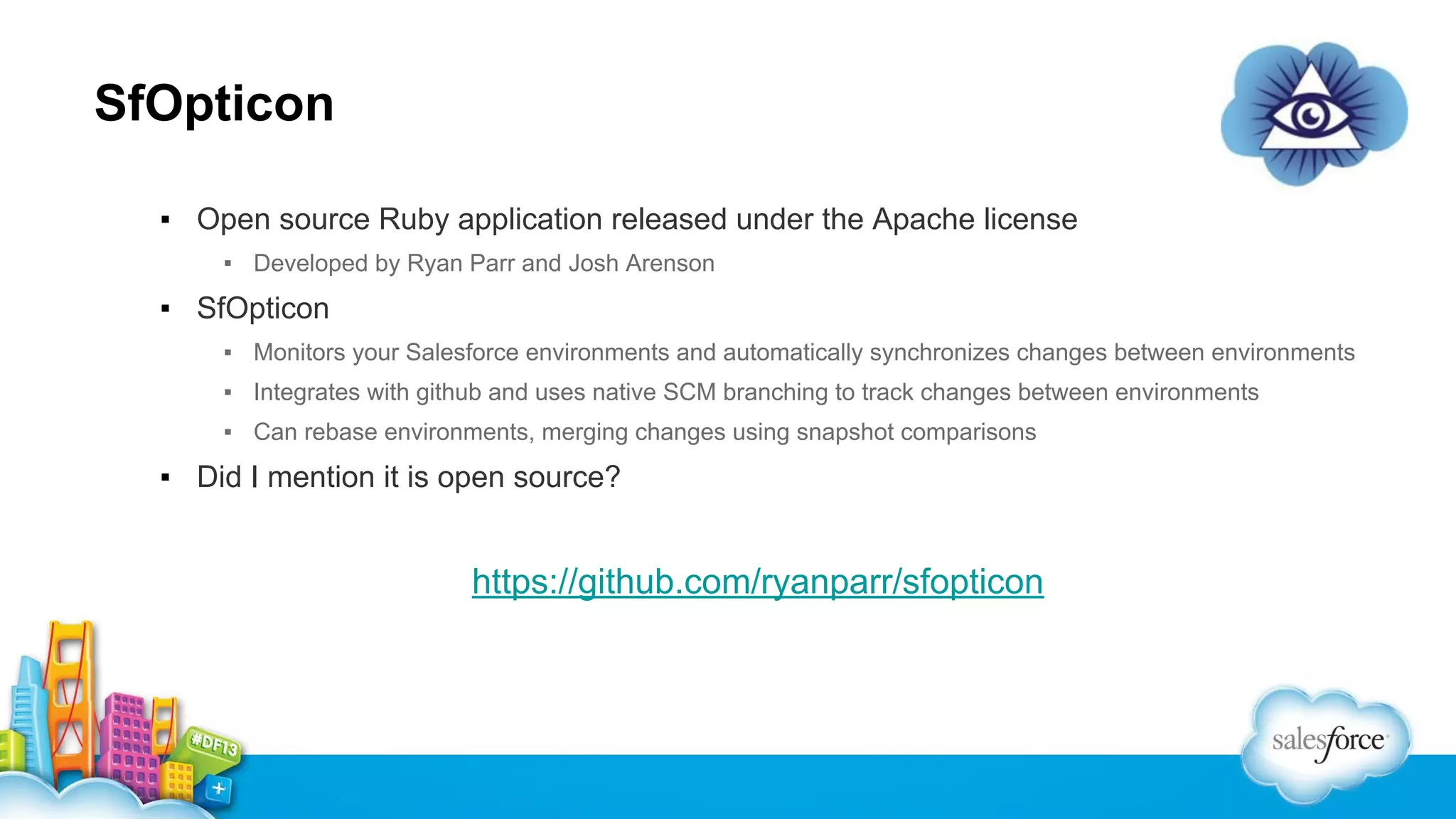
SfOpticon
▪ Open source Ruby application released under the Apache license
▪ Developed by Ryan Parr and Josh Arenson

▪ SfOpticon
▪ Monitors your Salesforce environments and automatically synchronizes changes between environments
▪ Integrates with github and uses native SCM branching to track changes between environments
▪ Can rebase environments, merging changes using snapshot comparisons

▪ Did I mention it is open source?

https://github.com/ryanparr/sfopticon
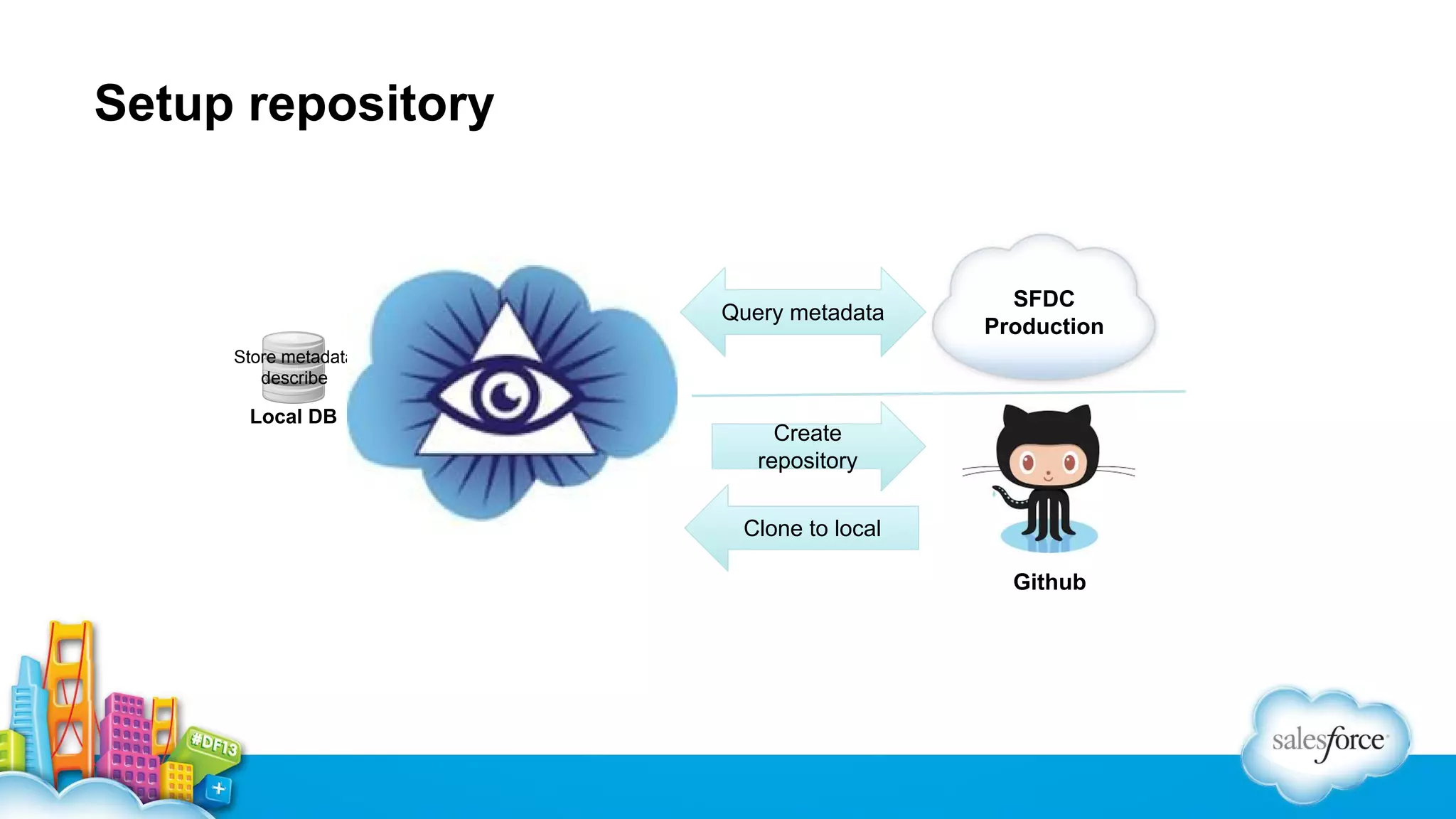
Setup repository

Query metadata

SFDC
Production

Store metadata
describe

Local DB

Create
repository
Clone to local
Github
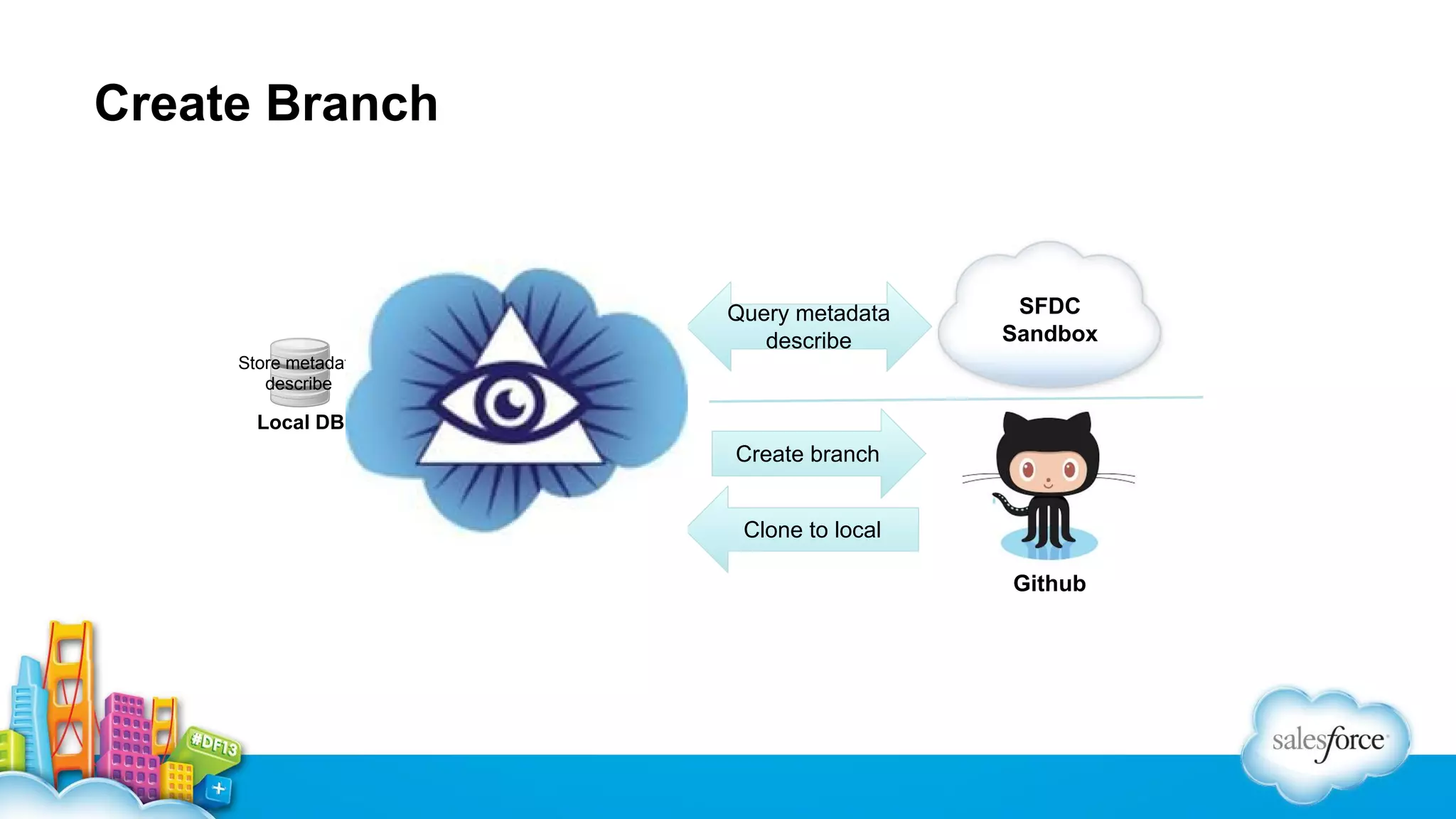
Create Branch

Query metadata
describe

SFDC
Sandbox

Store metadata
describe

Local DB

Create branch
Clone to local
Github
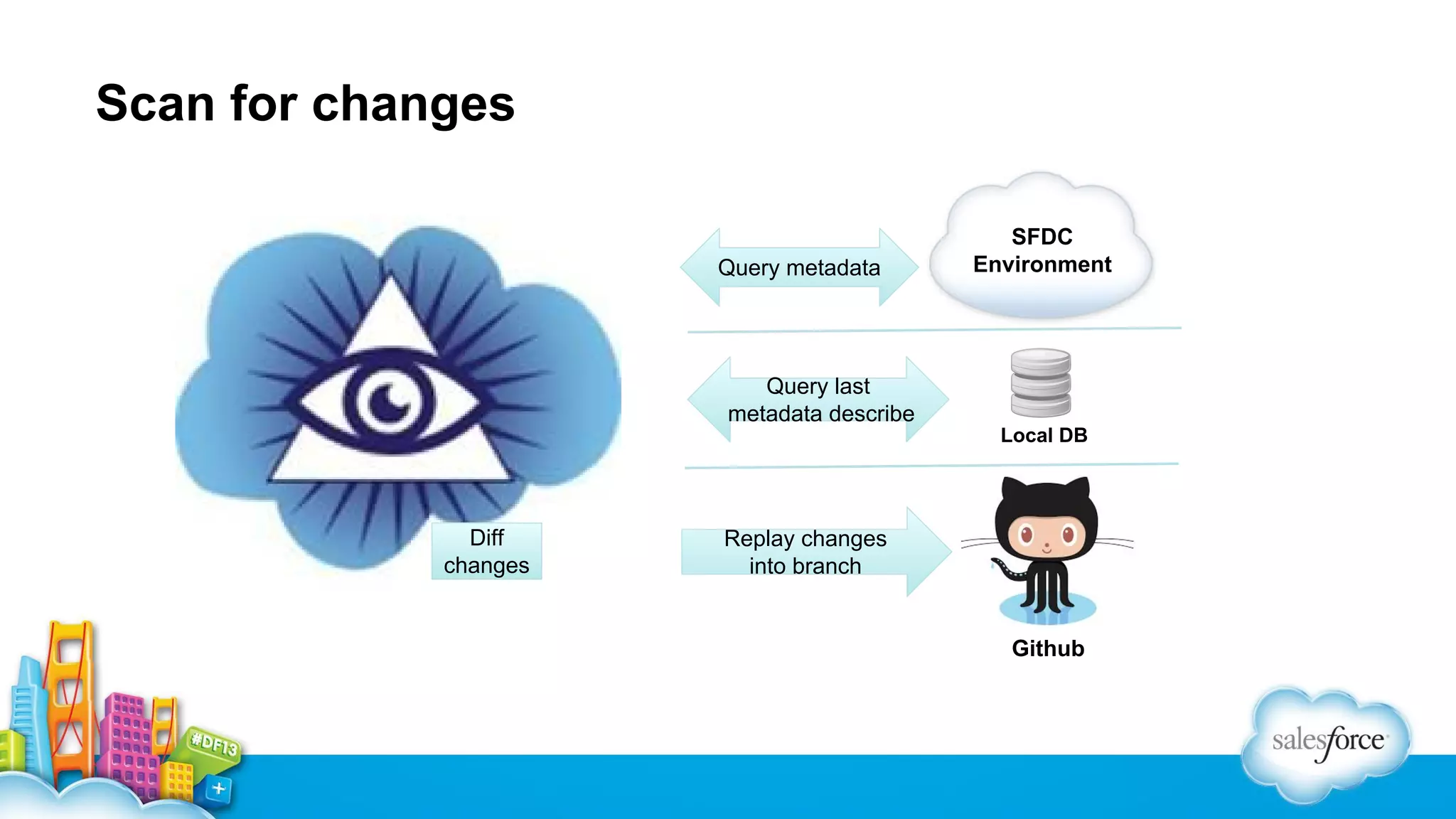
Scan for changes

Query metadata

SFDC
Environment

Query last
metadata describe
Local DB

Diff
changes

Replay changes
into branch

Github
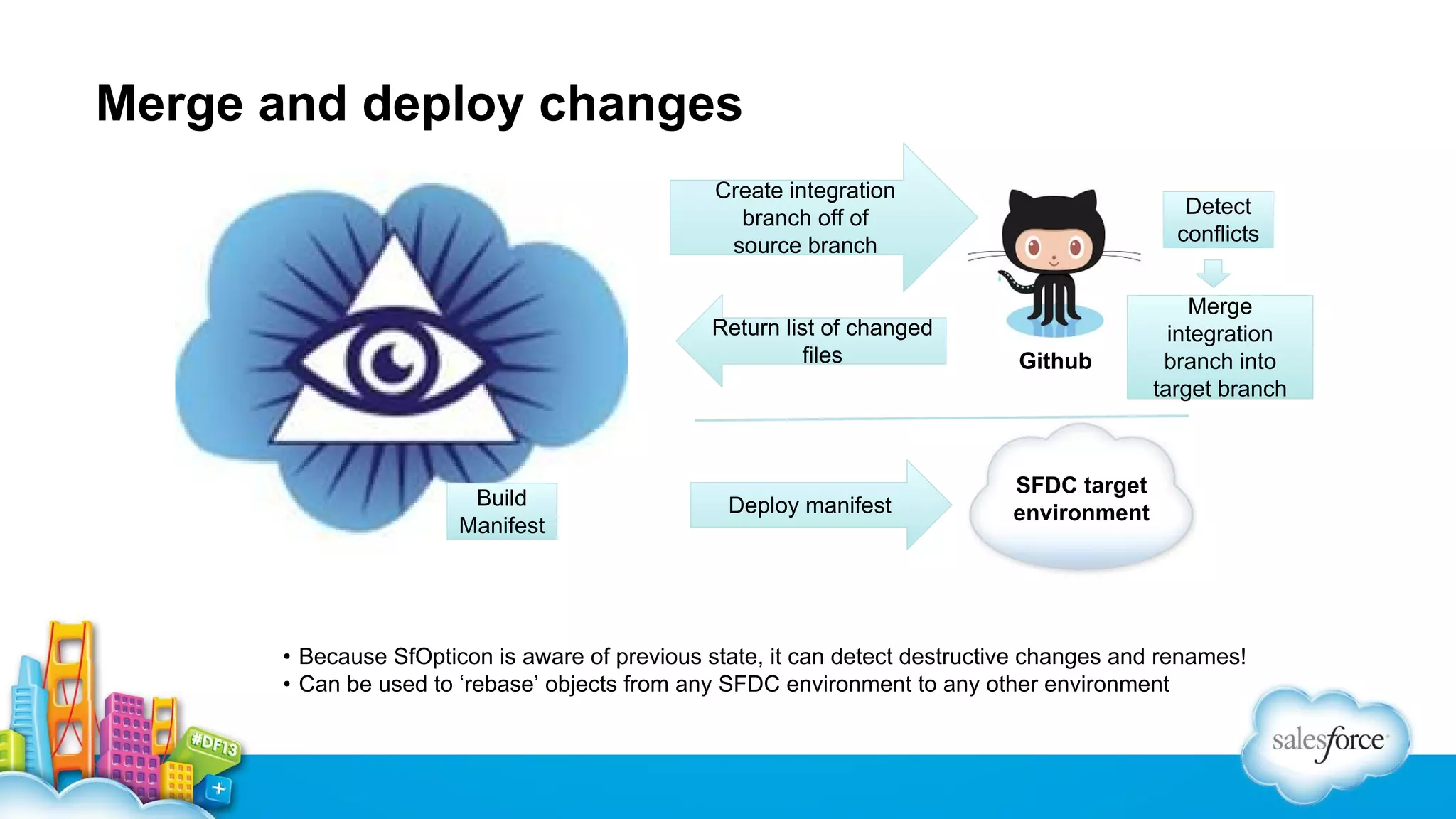
Merge and deploy changes
Create integration
branch off of
source branch

Return list of changed
files

Build
Manifest

Deploy manifest

Detect
conflicts

Github

Merge
integration
branch into
target branch

SFDC target
environment

• Because SfOpticon is aware of previous state, it can detect destructive changes and renames!
• Can be used to ‘rebase’ objects from any SFDC environment to any other environment
Demo
• Requirements for installing SfOpticon
• Creating a new production environment
• Branching a config environment
• Demonstration of SfOpticon change detection
• Demonstration of merging and deploying changes with SfOpticon
SfOpticon: future enhancements
• Certify additional metadata types
• Currently only supports ApexPages, ApexTriggers, ApexClasses, ApexComponents

• Integration with additional source control adapters
• E.g. subversion, local git, others?

• Update SfOpticon to allow for Heroku deployment
• Web- based interface in addition to command line
To get there, we need your help!
▪ SfOpticon is available on github
▪ https://github.com/ryanparr/sfopticon
▪ Open source under the Apache license
▪ Please download, use, and contribute to the project!
▪ Help us make this the next ‘must have’ tool for the Salesforce.com platform!
Ryan Parr

Deb Weller

Matthew Roark

Sr. Application Developer

IT Development Manager
@debdub

Principal Application
Developer
@lordwyrmsbane

Josh Arenson
Salesforce Release Management - Best Practices and Tools for Deployment

Salesforce Release Management - Best Practices and Tools for Deployment

  • 1.
    Salesforce Release Management BestPractices and Tools for Deployment Efficiency Matthew Roark, EMC2 Isilon Storage Division, Principal Application Developer @lordwyrmsbane Deb Weller, EMC2 Isilon Storage Division, IT Development Manager @debdub
  • 2.
    2 Salesforce @ EMCIsilon Deb Weller IT Development Manager @debdub
  • 3.
    2 All about EMCIsilon Storage Division A Division of EMC2; Isilon Systems was acquired in 2010 • Founded in 2001 • World leader in scale-out NAS • Salesforce.com customer since 2002 •
  • 4.
    Salesforce.com history atEMC2 Isilon ▪ Salesforce was implemented in 2002 • System was owned and managed by the Sales team • Usage grew across other teams (Marketing, Customer Support, Partners) • Custom code implemented piecemeal by a variety of consultants ▪ IT inherited the “organically grown” instance in 2006 • Most users were systems admins • Competing groups in the company had conflicting needs and interests • No formal change or release management in place
  • 5.
    First steps… ▪ Limitthe number of system administrators ▪ Start tracking your changes in a systematic way ▪ Get your stakeholders to help prioritize projects ▪ No staff? Harness the power of admins in other departments ▪ Leverage native Salesforce tools for release management • Sandboxes • Cloud Deploy / Change Sets
  • 6.
    Beyond Release Management MatthewRoark Principal Application Developer @lordwyrmsbane
  • 7.
    Three critical bestpractices for SFDC 1. Use test-driven development 2. Use a source repository 3. Maintain a deployment pipeline
  • 8.
    One Step Beyond… Releaseengineering! • Identifiable • Identify all of the source, environment, and other components in a particular release • Reproducible • Integrate source, data, and deployment externals of a software system for better operational stability • Accountable • Provide audit and accountability for software deployments • Agile • Continuous integration! Iterative development! Distributed teams! Nirvana!
  • 9.
    The biggest challenge ▪ * ▪It’s difficult to merge changes across multiple SFDC environments ▪ We are a small team of developers ▪ Is there a way we can do this automatically? * Image “borrowed” from http://soberbuildengineer.com/blog/2011/08/the-elevator-storyteller/
  • 10.
    What we wantedin a tool SFDC Sandbox SFDC Sandbox SFDC Sandbox Ch ang es Changes Changes s nge ha C Commit Github SFDC Production
  • 11.
  • 12.
    SfOpticon ▪ Open sourceRuby application released under the Apache license ▪ Developed by Ryan Parr and Josh Arenson ▪ SfOpticon ▪ Monitors your Salesforce environments and automatically synchronizes changes between environments ▪ Integrates with github and uses native SCM branching to track changes between environments ▪ Can rebase environments, merging changes using snapshot comparisons ▪ Did I mention it is open source? https://github.com/ryanparr/sfopticon
  • 13.
    Setup repository Query metadata SFDC Production Storemetadata describe Local DB Create repository Clone to local Github
  • 14.
    Create Branch Query metadata describe SFDC Sandbox Storemetadata describe Local DB Create branch Clone to local Github
  • 15.
    Scan for changes Querymetadata SFDC Environment Query last metadata describe Local DB Diff changes Replay changes into branch Github
  • 16.
    Merge and deploychanges Create integration branch off of source branch Return list of changed files Build Manifest Deploy manifest Detect conflicts Github Merge integration branch into target branch SFDC target environment • Because SfOpticon is aware of previous state, it can detect destructive changes and renames! • Can be used to ‘rebase’ objects from any SFDC environment to any other environment
  • 17.
    Demo • Requirements forinstalling SfOpticon • Creating a new production environment • Branching a config environment • Demonstration of SfOpticon change detection • Demonstration of merging and deploying changes with SfOpticon
  • 18.
    SfOpticon: future enhancements •Certify additional metadata types • Currently only supports ApexPages, ApexTriggers, ApexClasses, ApexComponents • Integration with additional source control adapters • E.g. subversion, local git, others? • Update SfOpticon to allow for Heroku deployment • Web- based interface in addition to command line
  • 19.
    To get there,we need your help! ▪ SfOpticon is available on github ▪ https://github.com/ryanparr/sfopticon ▪ Open source under the Apache license ▪ Please download, use, and contribute to the project! ▪ Help us make this the next ‘must have’ tool for the Salesforce.com platform!
  • 20.
    Ryan Parr Deb Weller MatthewRoark Sr. Application Developer IT Development Manager @debdub Principal Application Developer @lordwyrmsbane Josh Arenson