MANAGEMENT INFORMATION SYSTEMS


               Week Seven
     Telecommunications and Networks
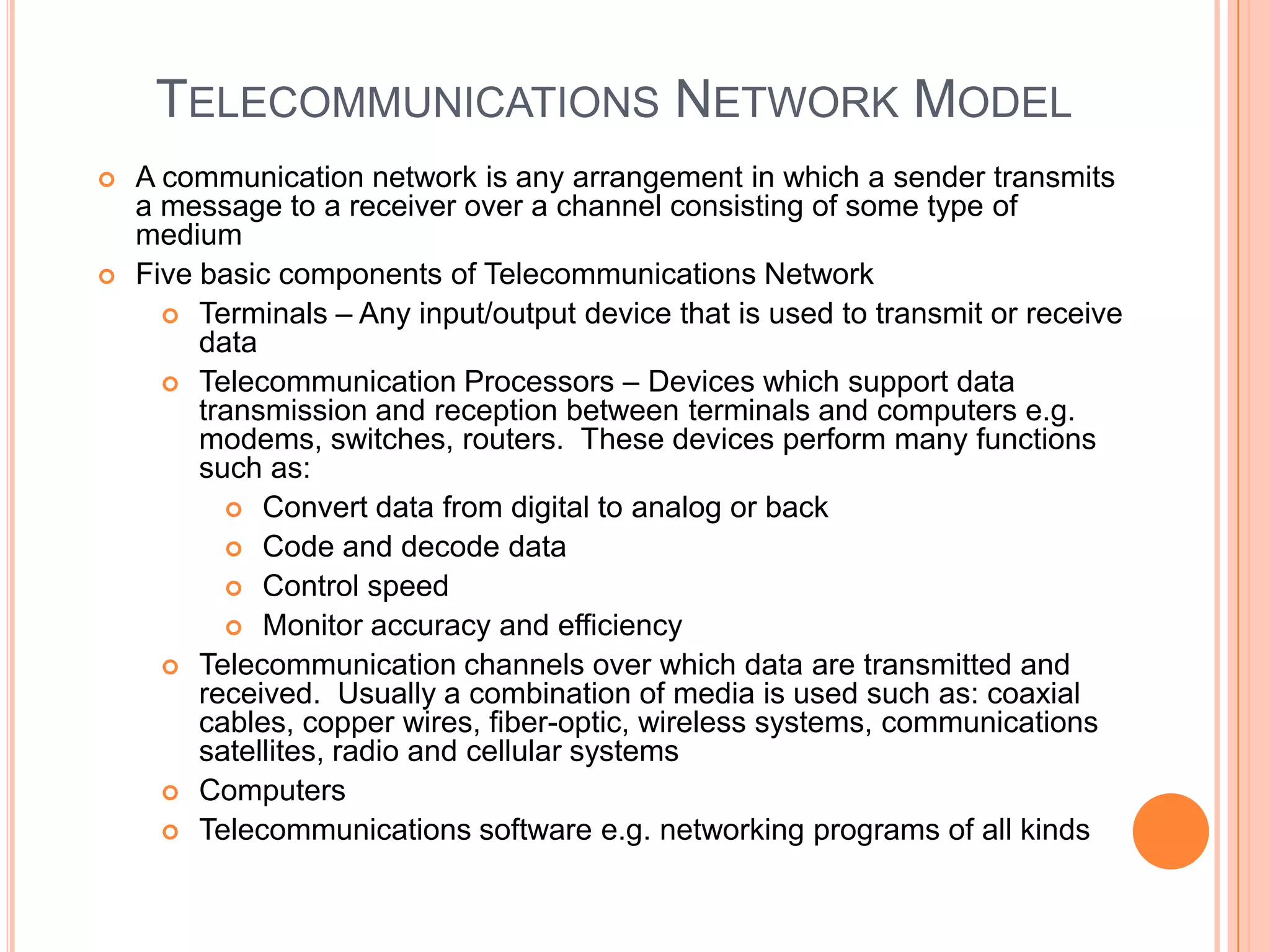
TELECOMMUNICATIONS NETWORK MODEL
   A communication network is any arrangement in which a sender transmits
    a message to a receiver over a channel consisting of some type of
    medium
   Five basic components of Telecommunications Network
       Terminals – Any input/output device that is used to transmit or receive
         data
       Telecommunication Processors – Devices which support data
         transmission and reception between terminals and computers e.g.
         modems, switches, routers. These devices perform many functions
         such as:
            Convert data from digital to analog or back
            Code and decode data
            Control speed
            Monitor accuracy and efficiency
       Telecommunication channels over which data are transmitted and
         received. Usually a combination of media is used such as: coaxial
         cables, copper wires, fiber-optic, wireless systems, communications
         satellites, radio and cellular systems
       Computers
       Telecommunications software e.g. networking programs of all kinds
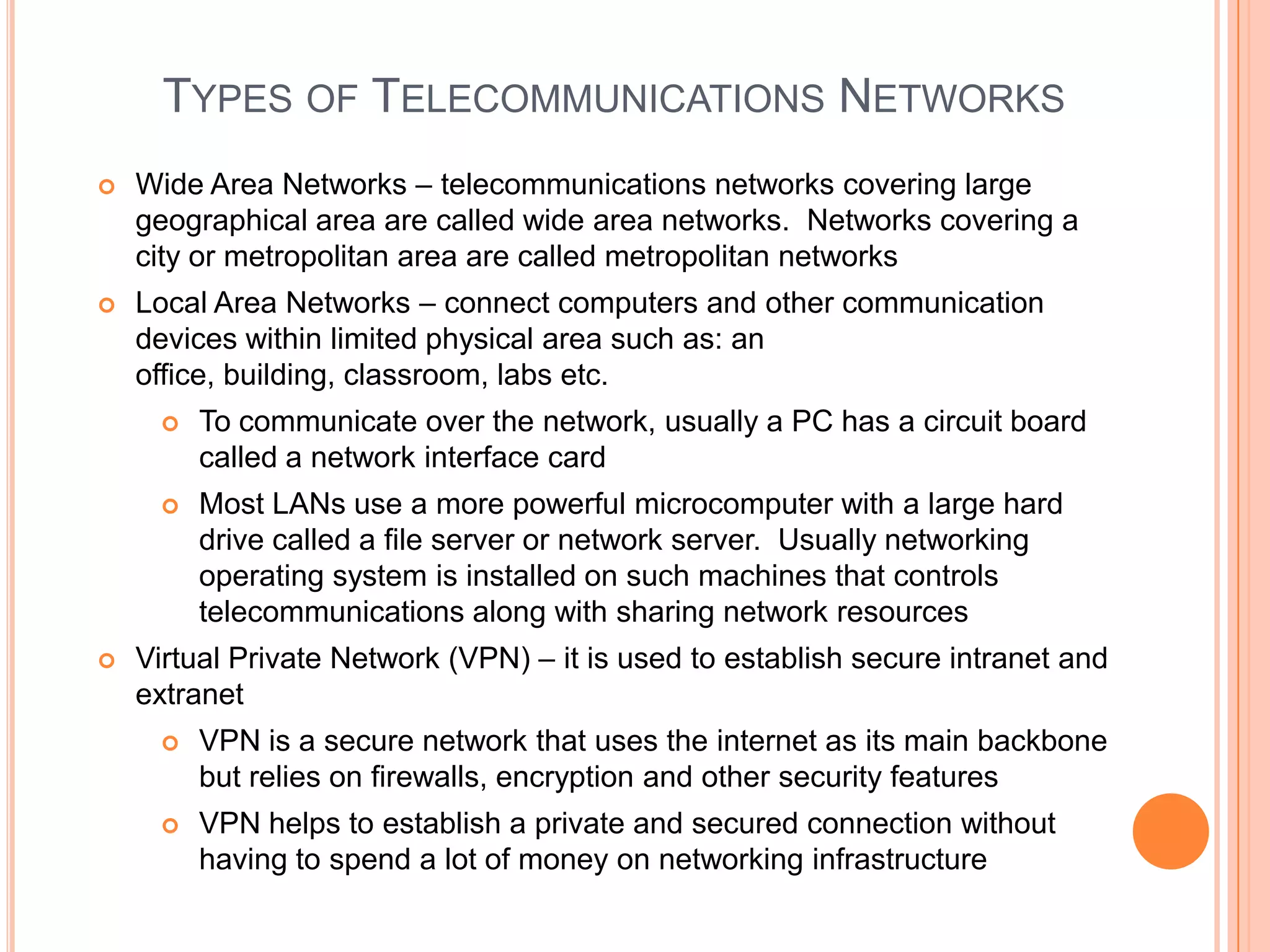
TYPES OF TELECOMMUNICATIONS NETWORKS
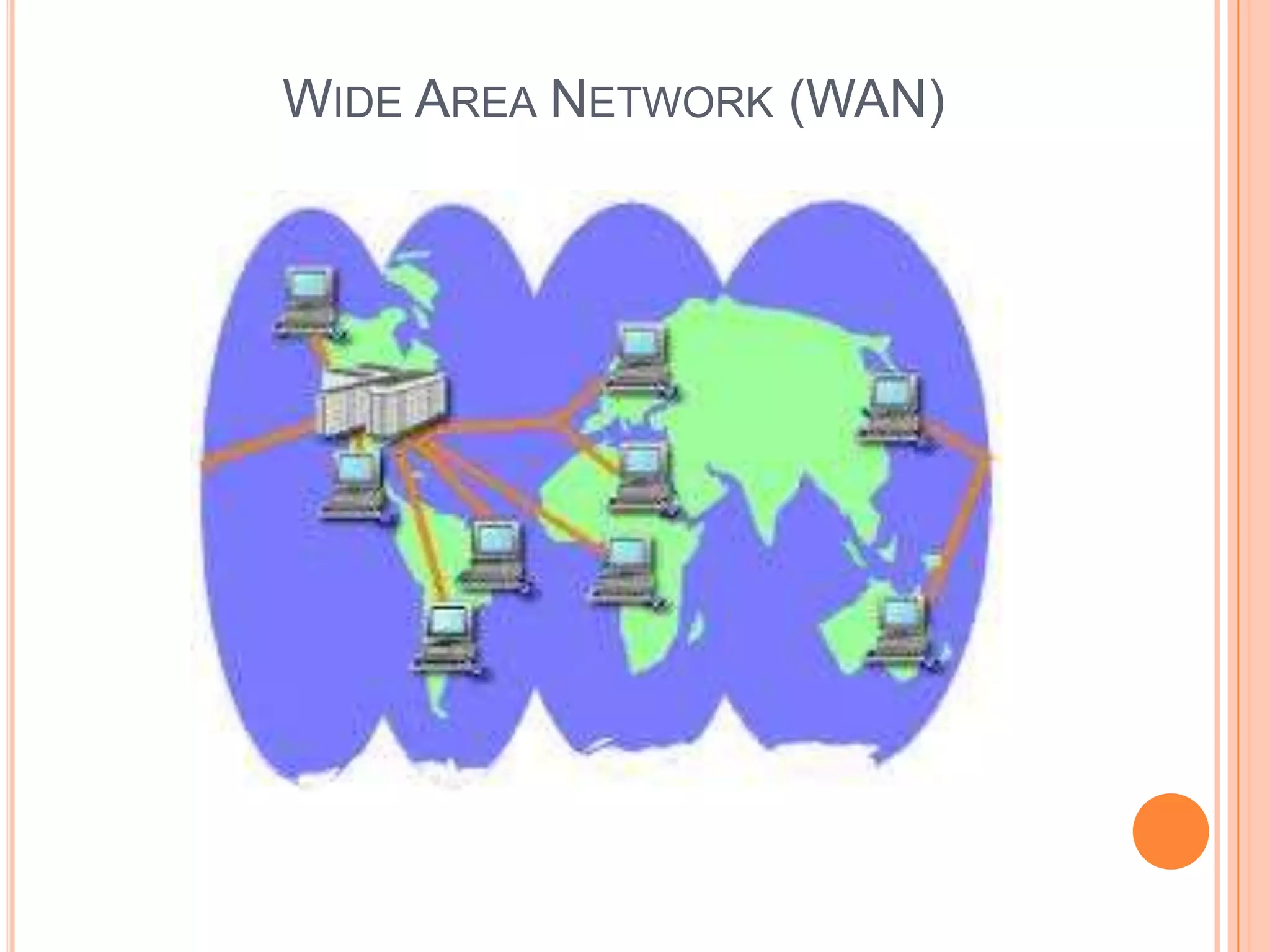
   Wide Area Networks – telecommunications networks covering large
    geographical area are called wide area networks. Networks covering a
    city or metropolitan area are called metropolitan networks
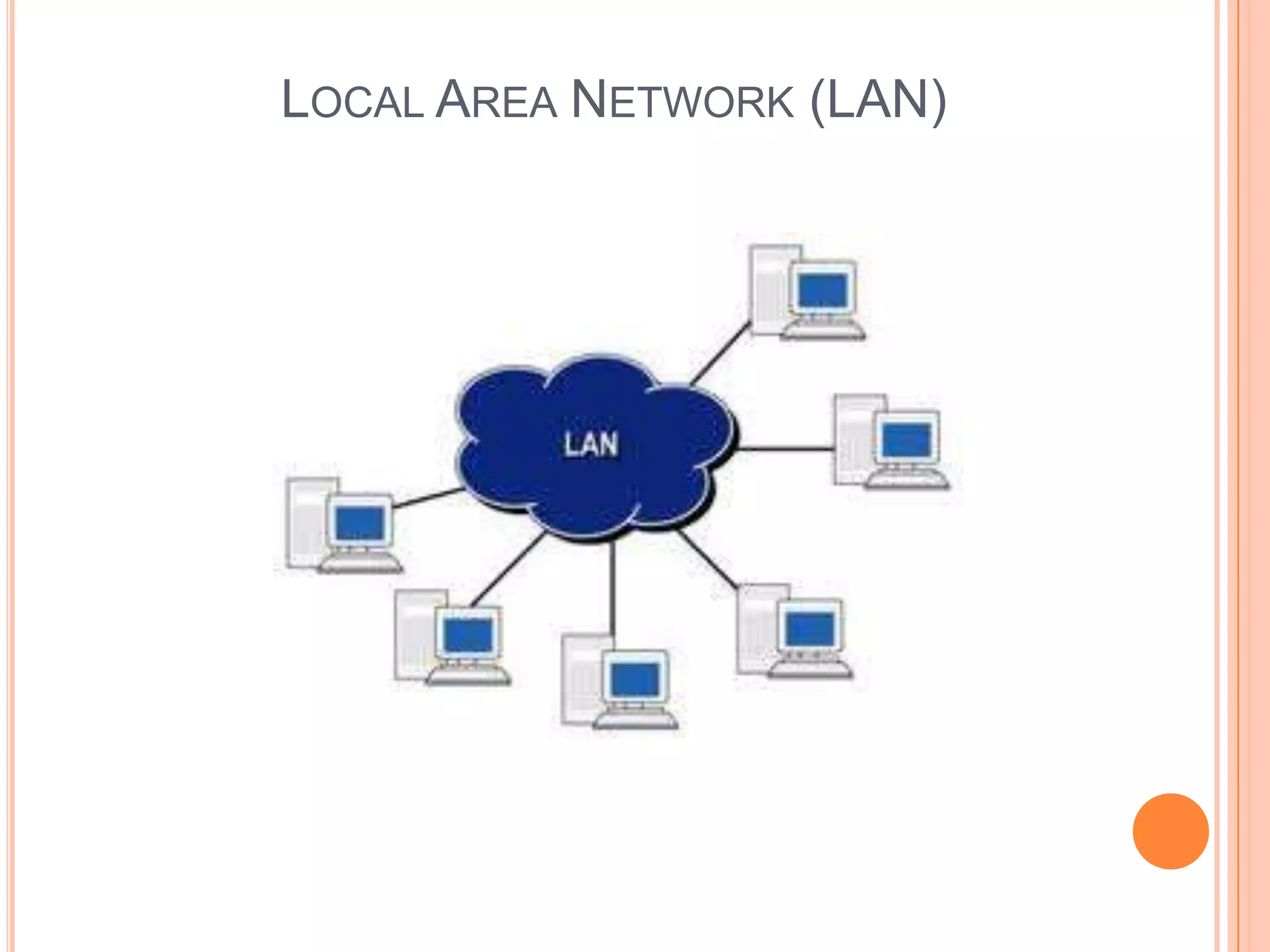
   Local Area Networks – connect computers and other communication
    devices within limited physical area such as: an
    office, building, classroom, labs etc.
        To communicate over the network, usually a PC has a circuit board
         called a network interface card
        Most LANs use a more powerful microcomputer with a large hard
         drive called a file server or network server. Usually networking
         operating system is installed on such machines that controls
         telecommunications along with sharing network resources
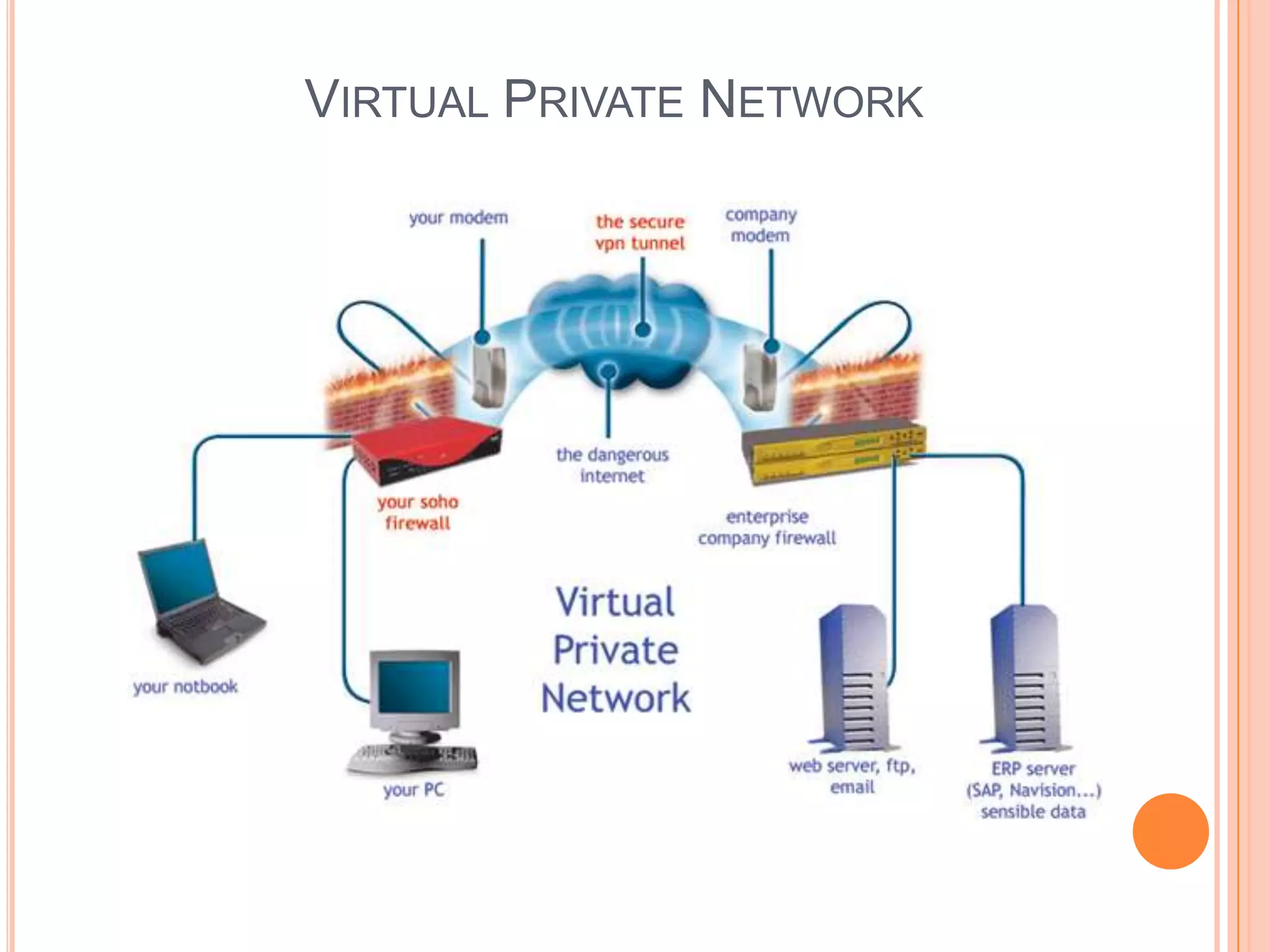
   Virtual Private Network (VPN) – it is used to establish secure intranet and
    extranet
        VPN is a secure network that uses the internet as its main backbone
         but relies on firewalls, encryption and other security features
        VPN helps to establish a private and secured connection without
         having to spend a lot of money on networking infrastructure
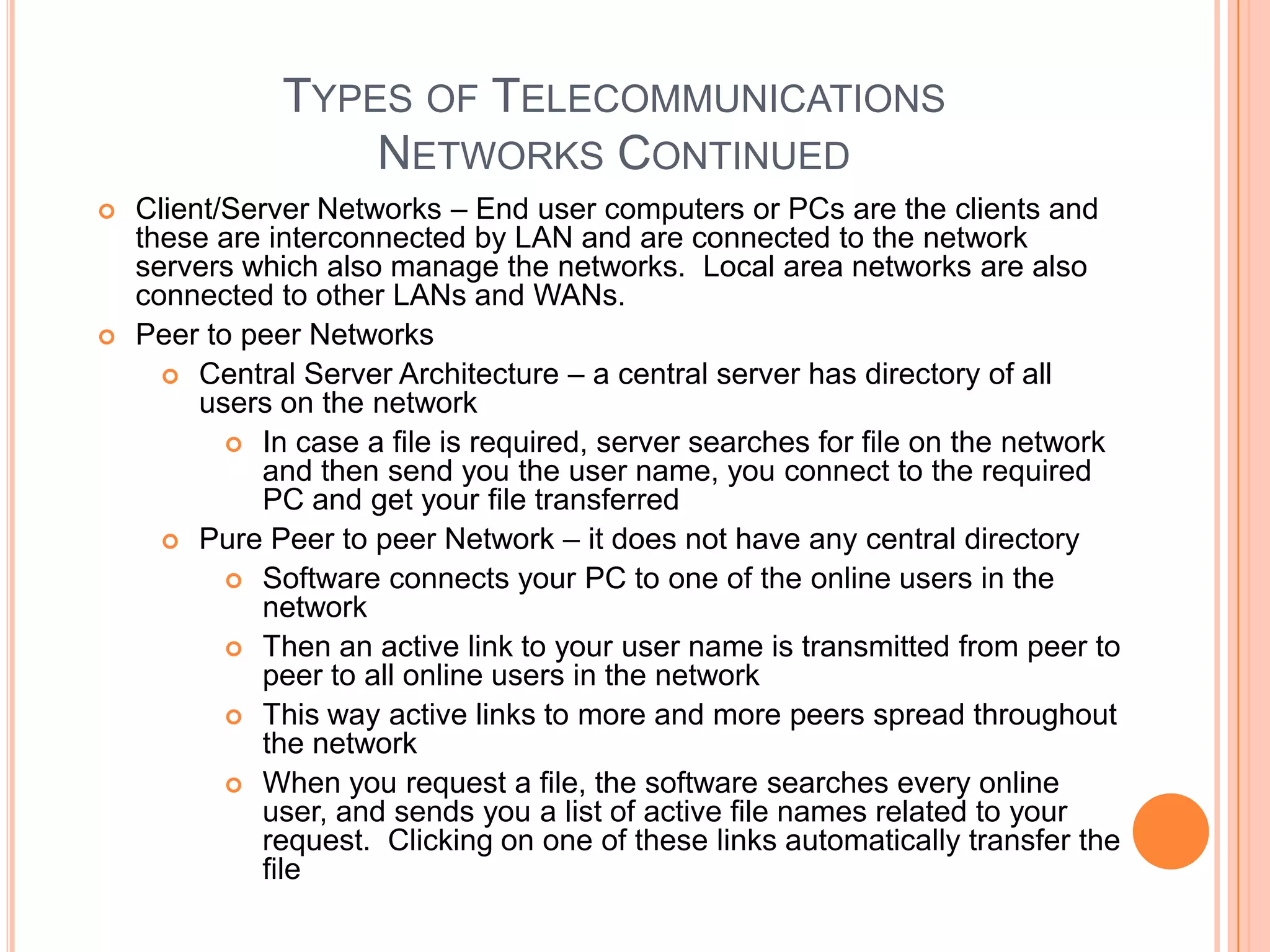
TYPES OF TELECOMMUNICATIONS
                   NETWORKS CONTINUED
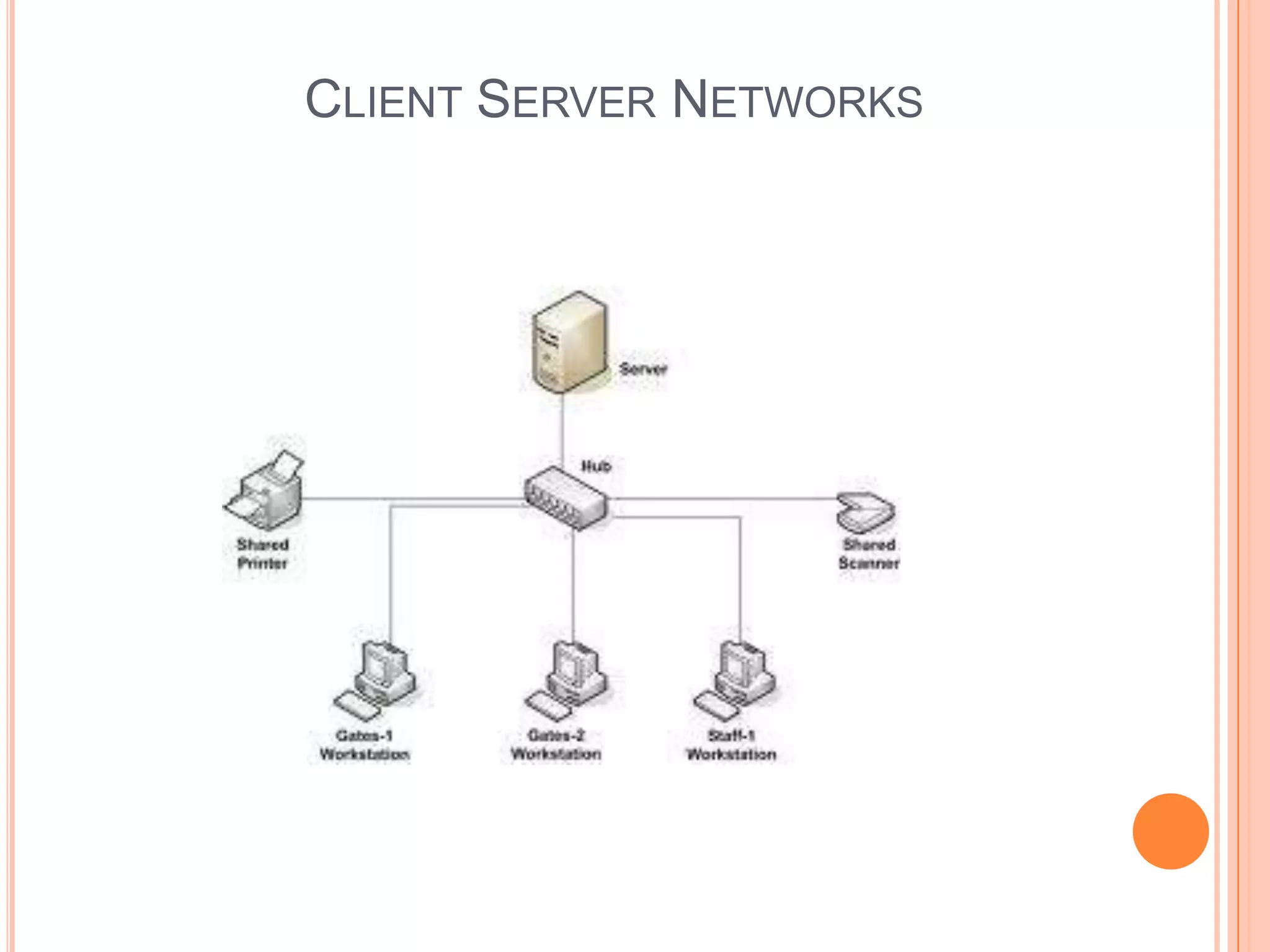
   Client/Server Networks – End user computers or PCs are the clients and
    these are interconnected by LAN and are connected to the network
    servers which also manage the networks. Local area networks are also
    connected to other LANs and WANs.
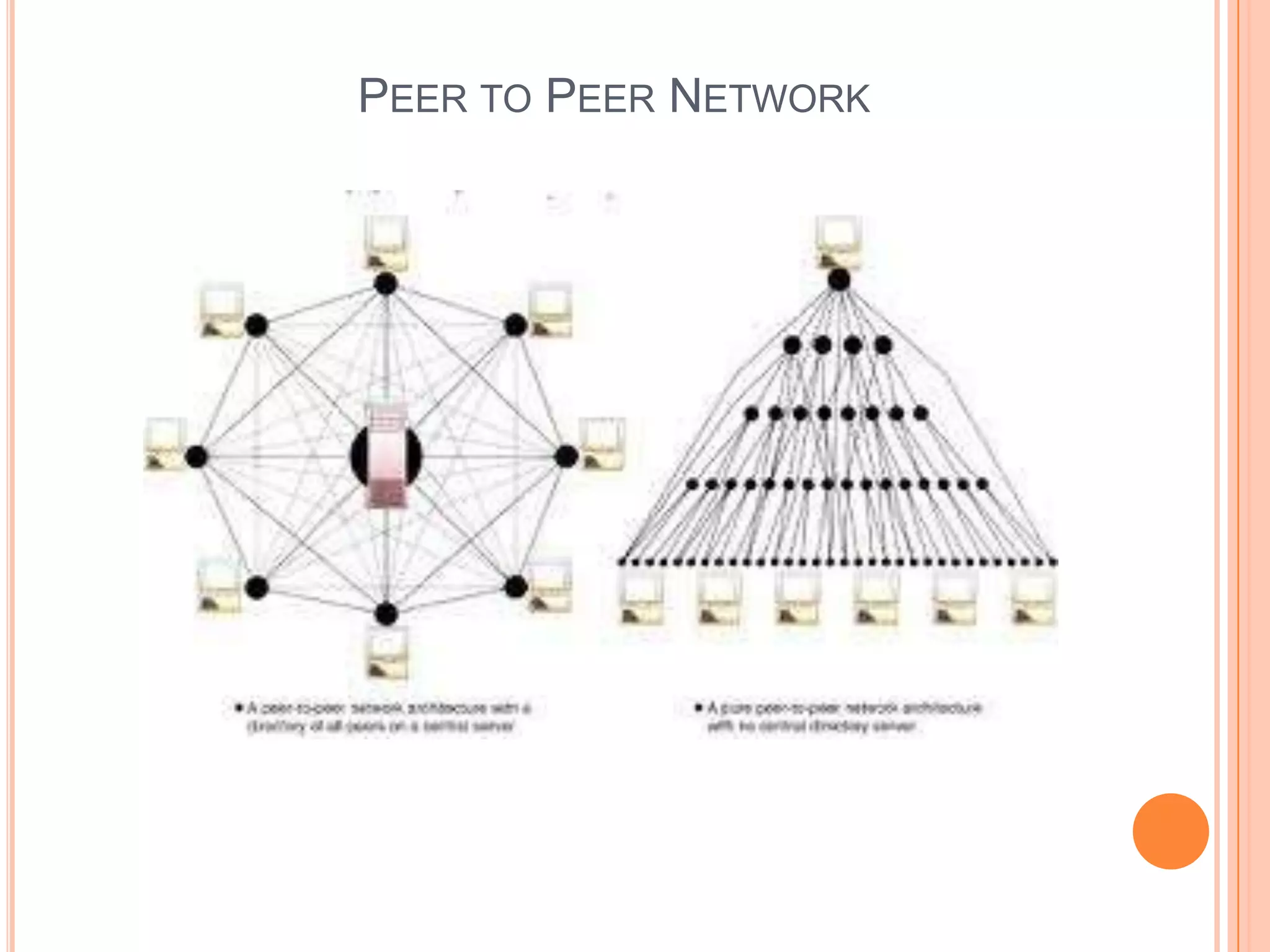
   Peer to peer Networks
       Central Server Architecture – a central server has directory of all
         users on the network
            In case a file is required, server searches for file on the network
              and then send you the user name, you connect to the required
              PC and get your file transferred
       Pure Peer to peer Network – it does not have any central directory
            Software connects your PC to one of the online users in the
              network
            Then an active link to your user name is transmitted from peer to
              peer to all online users in the network
            This way active links to more and more peers spread throughout
              the network
            When you request a file, the software searches every online
              user, and sends you a list of active file names related to your
              request. Clicking on one of these links automatically transfer the
              file
WIDE AREA NETWORK (WAN)
LOCAL AREA NETWORK (LAN)
VIRTUAL PRIVATE NETWORK
CLIENT SERVER NETWORKS
PEER TO PEER NETWORK
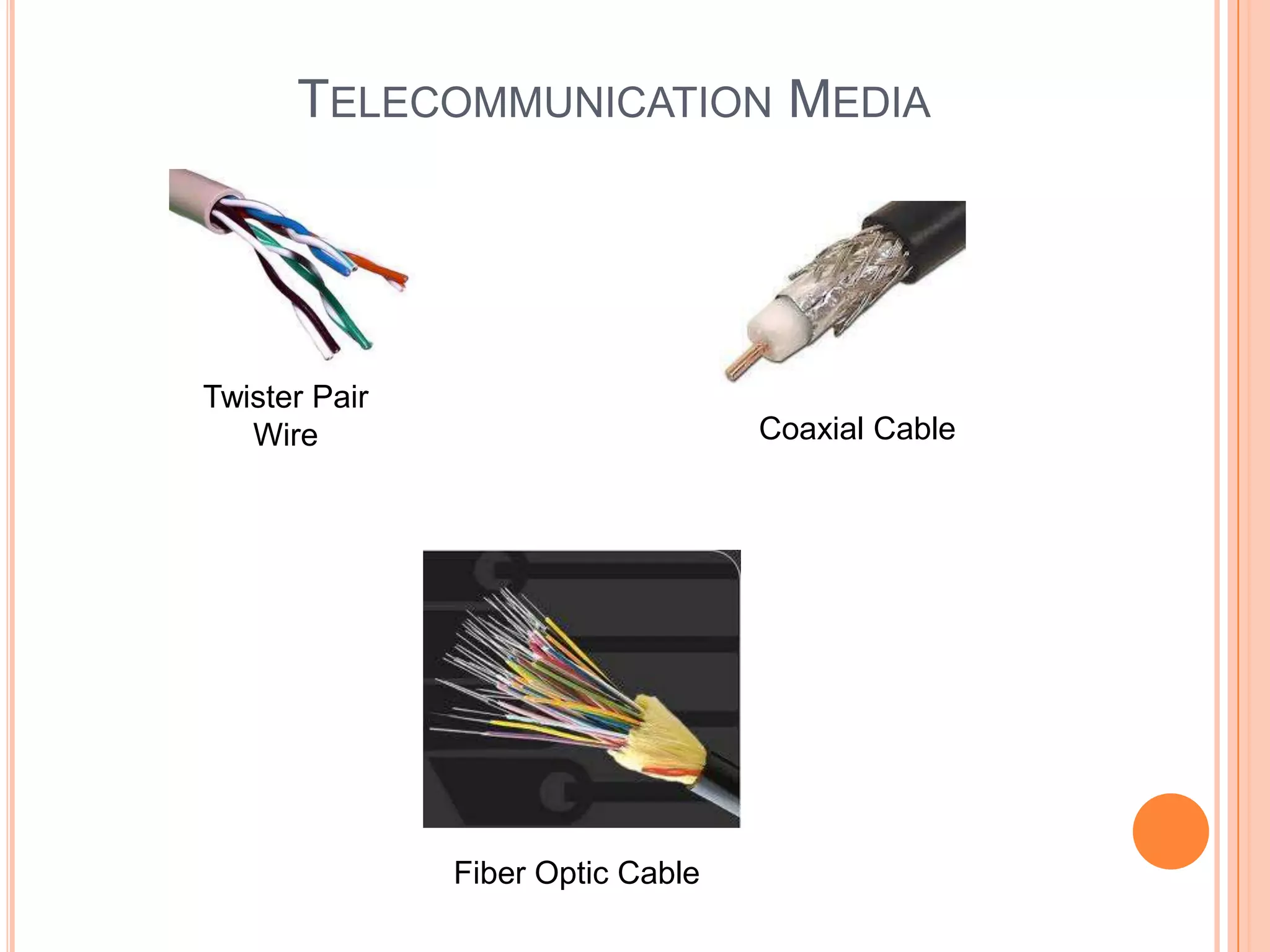
TELECOMMUNICATIONS MEDIA
   Wired Technologies
      Twisted-Pair Wire – Copper wires twisted into pairs and are used for
        both voice and data transmission
           Transmission speeds can range from 2 million bits to 100 million
             bits per second
      Coaxial Cable – copper or aluminum wire wrapped with spacers to
        insulate and protect. This minimizes interferences and distortion of
        signals
           Speed varies between 200 million bits to 500 million bits per
             second
      Fiber Optics – cables consist of one or more hair-thin filaments of
        glass fiber wrapped in a protective jacket. These cables conduct
        pulses of visible light elements (photons) generated by lasers at a
        transmission speeds of as high as trillions of bits per second
           A half inch fiber optic cable can carry more than 500000
             channels as compared to 5000 of coaxial cables
           These cables are not affected by or generate electromagnetic
             radiation allowing multiple fibers to be placed in the same cable
           Has less data error rate
TELECOMMUNICATION MEDIA


Twister Pair
   Wire                            Coaxial Cable


               Fiber Optic Cable
TELECOMMUNICATIONS MEDIA CONTINUED
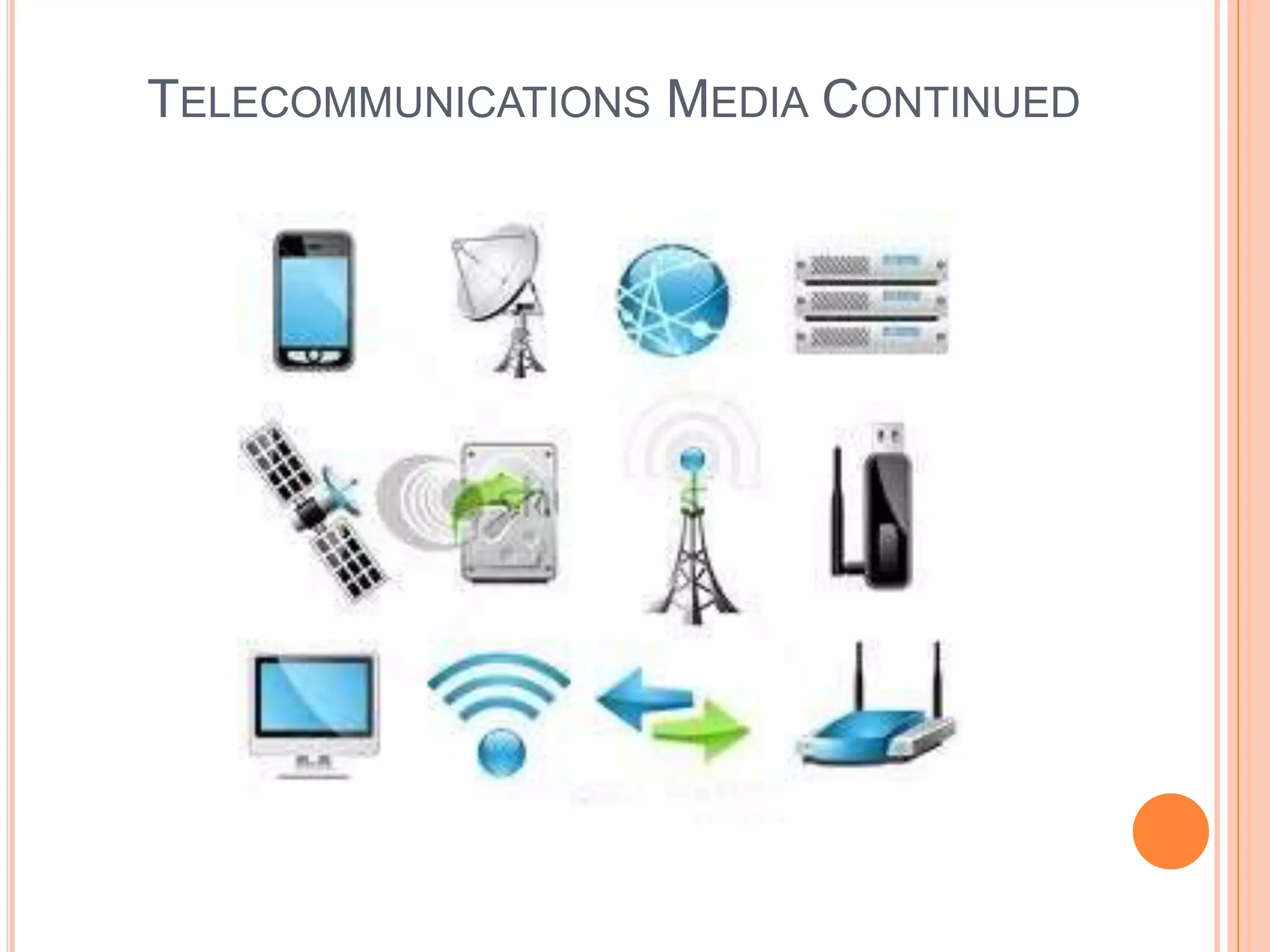
   Wireless Technologies - rely on radio waves, microwaves, infrared to
    transmit digital communications without wires
       Terrestrial Microwave – involves earthbound microwave systems that
         transmit high speed radio signals in a line-of-sight path between relay
         stations spaced approximately 30 miles
            Antennas are placed on top of buildings, hills, towers etc.

       Communications Satellites – Use microwave radio as
         telecommunication medium
            High earth orbit(about 22,000 miles above the equator)
               communication satellites
            These satellites communicate with stations on earth through dish
               antennas
            Such stations were used only for voice and video transmissions,
               however large volume of data is also being transmitted now
       Cellular and PCS Systems – use several radio communication
         technologies
            Large area gets divided into small geographical areas, each has
               its own lower power transmitters
TELECOMMUNICATIONS MEDIA CONTINUED
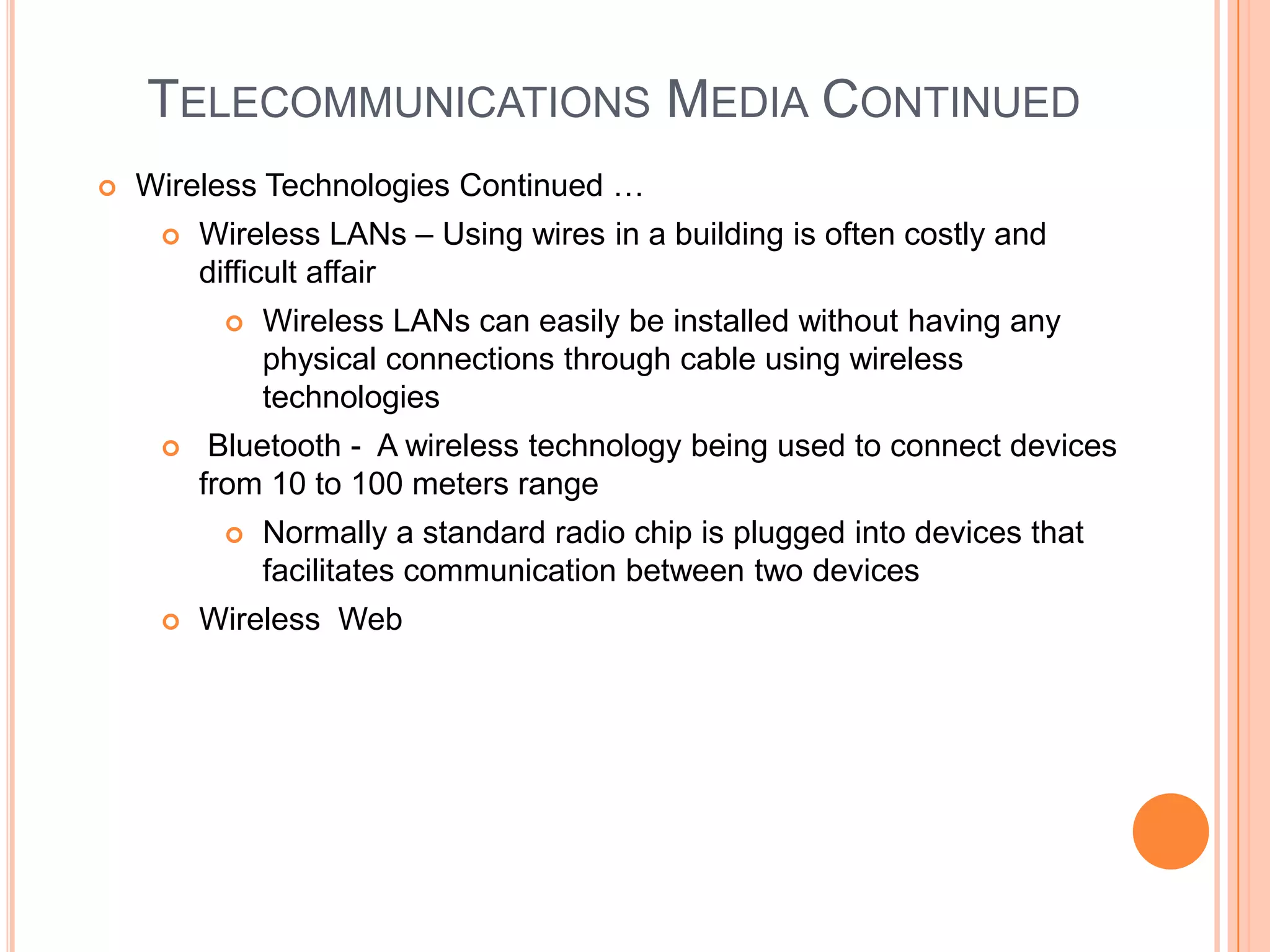
   Wireless Technologies Continued …
        Wireless LANs – Using wires in a building is often costly and
         difficult affair
             Wireless LANs can easily be installed without having any
              physical connections through cable using wireless
              technologies
         Bluetooth - A wireless technology being used to connect devices
         from 10 to 100 meters range
             Normally a standard radio chip is plugged into devices that
              facilitates communication between two devices
        Wireless Web
TELECOMMUNICATIONS MEDIA CONTINUED
TELECOMMUNICATIONS PROCESSORS
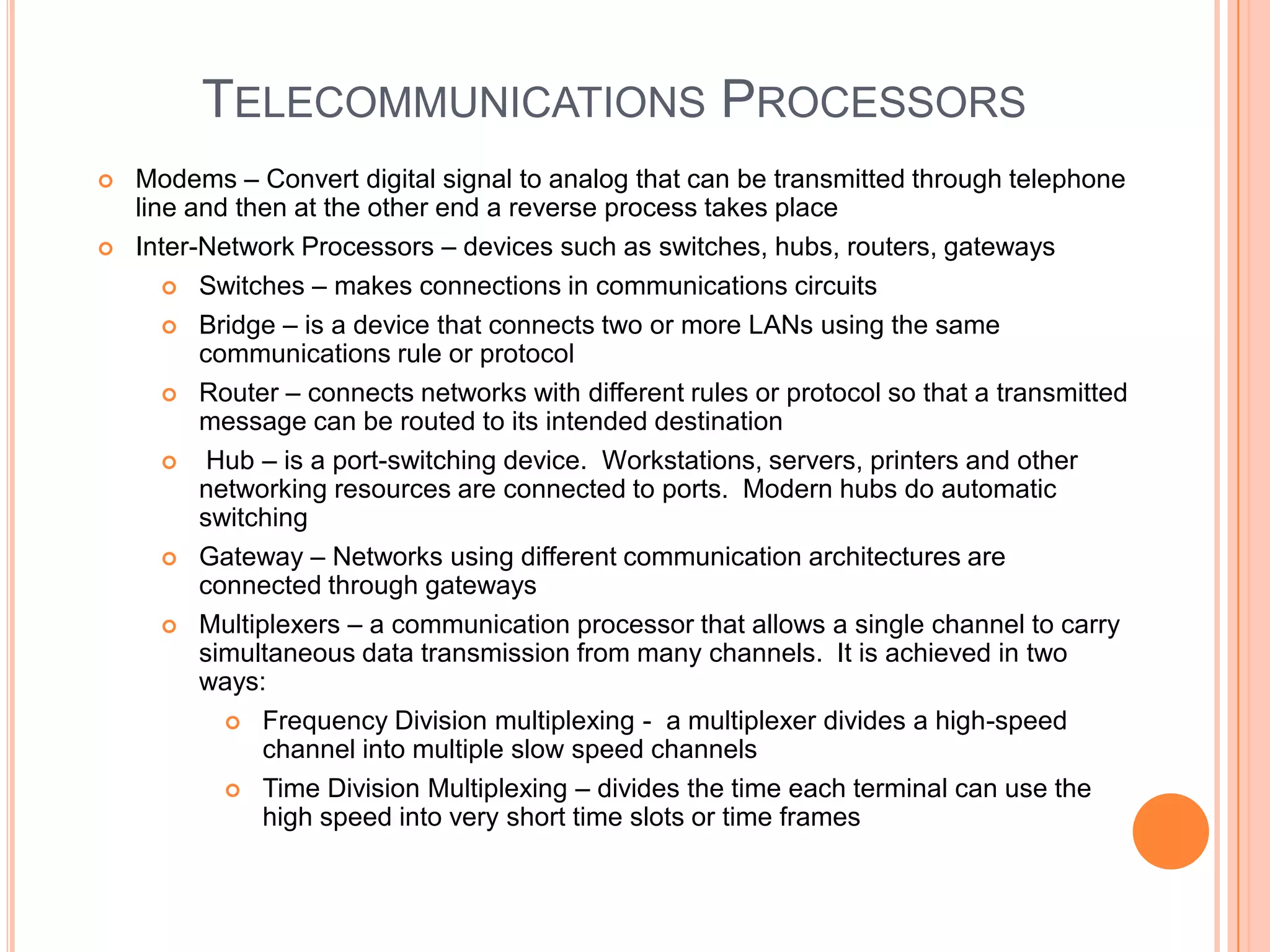
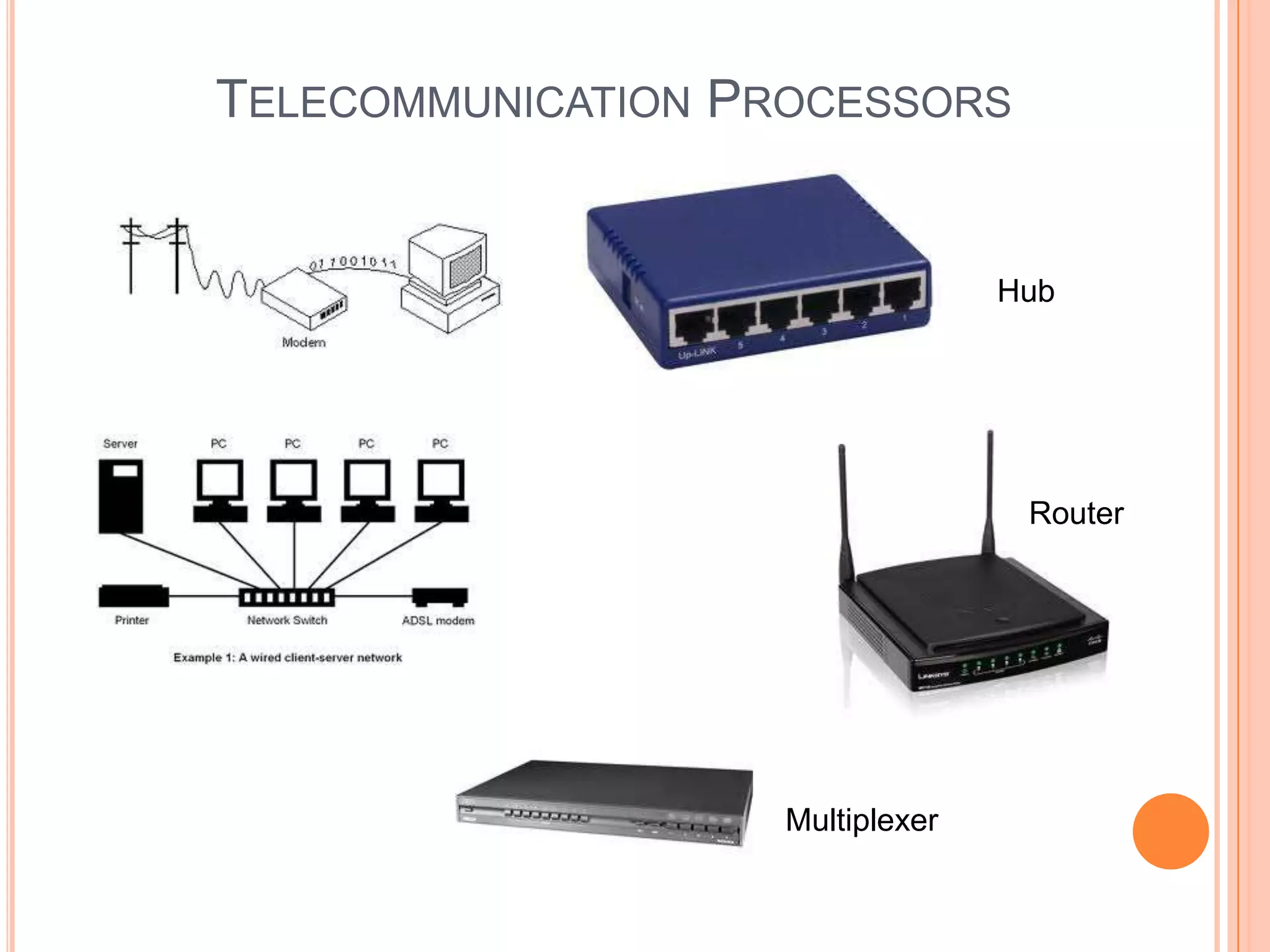
   Modems – Convert digital signal to analog that can be transmitted through telephone
    line and then at the other end a reverse process takes place
   Inter-Network Processors – devices such as switches, hubs, routers, gateways
        Switches – makes connections in communications circuits

        Bridge – is a device that connects two or more LANs using the same
          communications rule or protocol
        Router – connects networks with different rules or protocol so that a transmitted
          message can be routed to its intended destination
          Hub – is a port-switching device. Workstations, servers, printers and other
          networking resources are connected to ports. Modern hubs do automatic
          switching
        Gateway – Networks using different communication architectures are
          connected through gateways
        Multiplexers – a communication processor that allows a single channel to carry
          simultaneous data transmission from many channels. It is achieved in two
          ways:
             Frequency Division multiplexing - a multiplexer divides a high-speed
               channel into multiple slow speed channels
             Time Division Multiplexing – divides the time each terminal can use the
               high speed into very short time slots or time frames
TELECOMMUNICATION PROCESSORS


                                  Hub


                                   Router


                    Multiplexer
TELECOMMUNICATION SOFTWARE
   Programs built to manage telecommunication activities fall under the
    umbrella of telecommunication software
   Activities managed by these packages are:
        Traffic Management – Manage resources and network traffic to
         avoid congestion and optimize telecommunication services for
         users
        Security – must provide:
             Authentication
             Encryption
             Firewall
             Auditing functions
             Enforce security policies
             And any other networking defenses
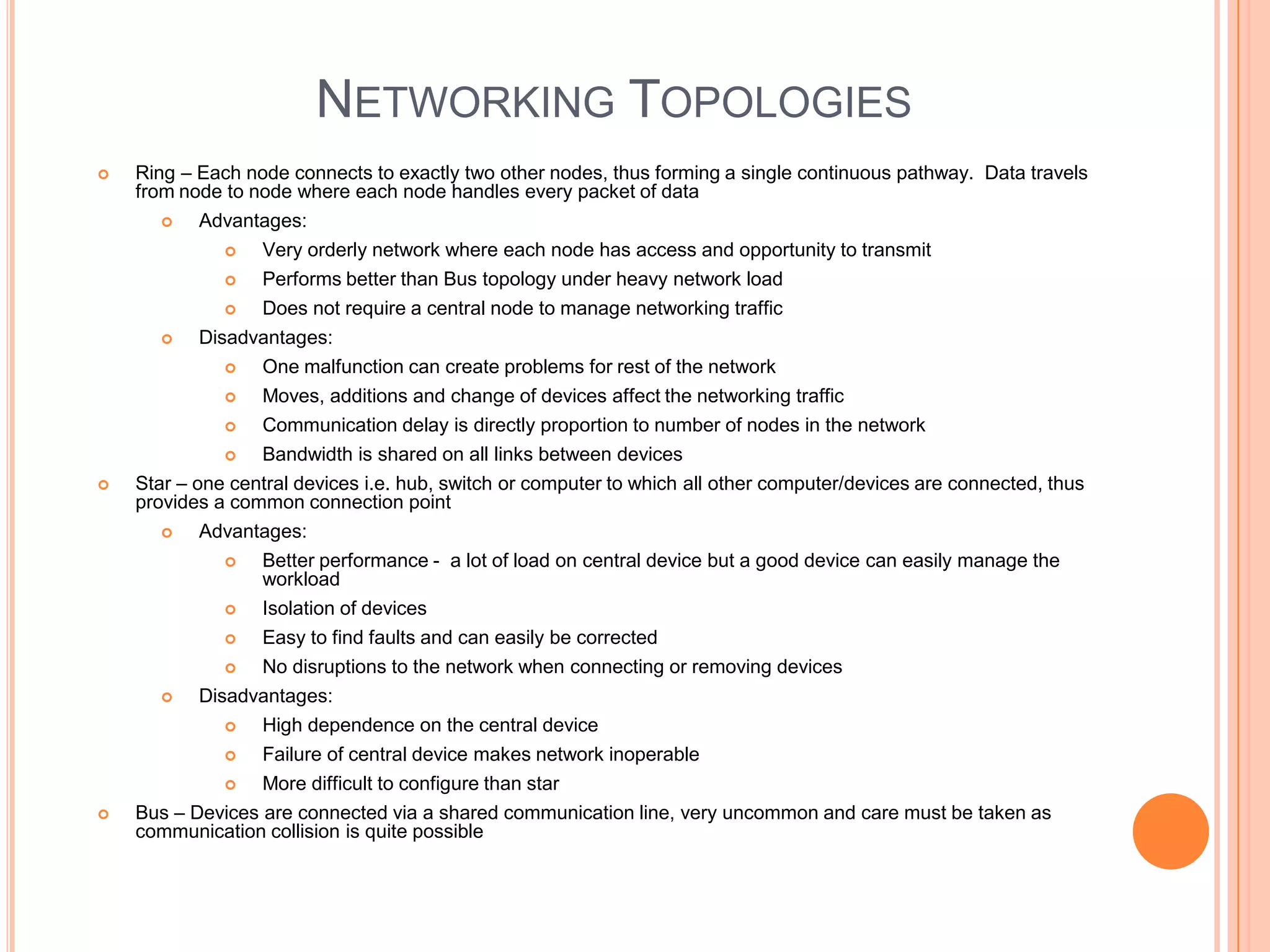
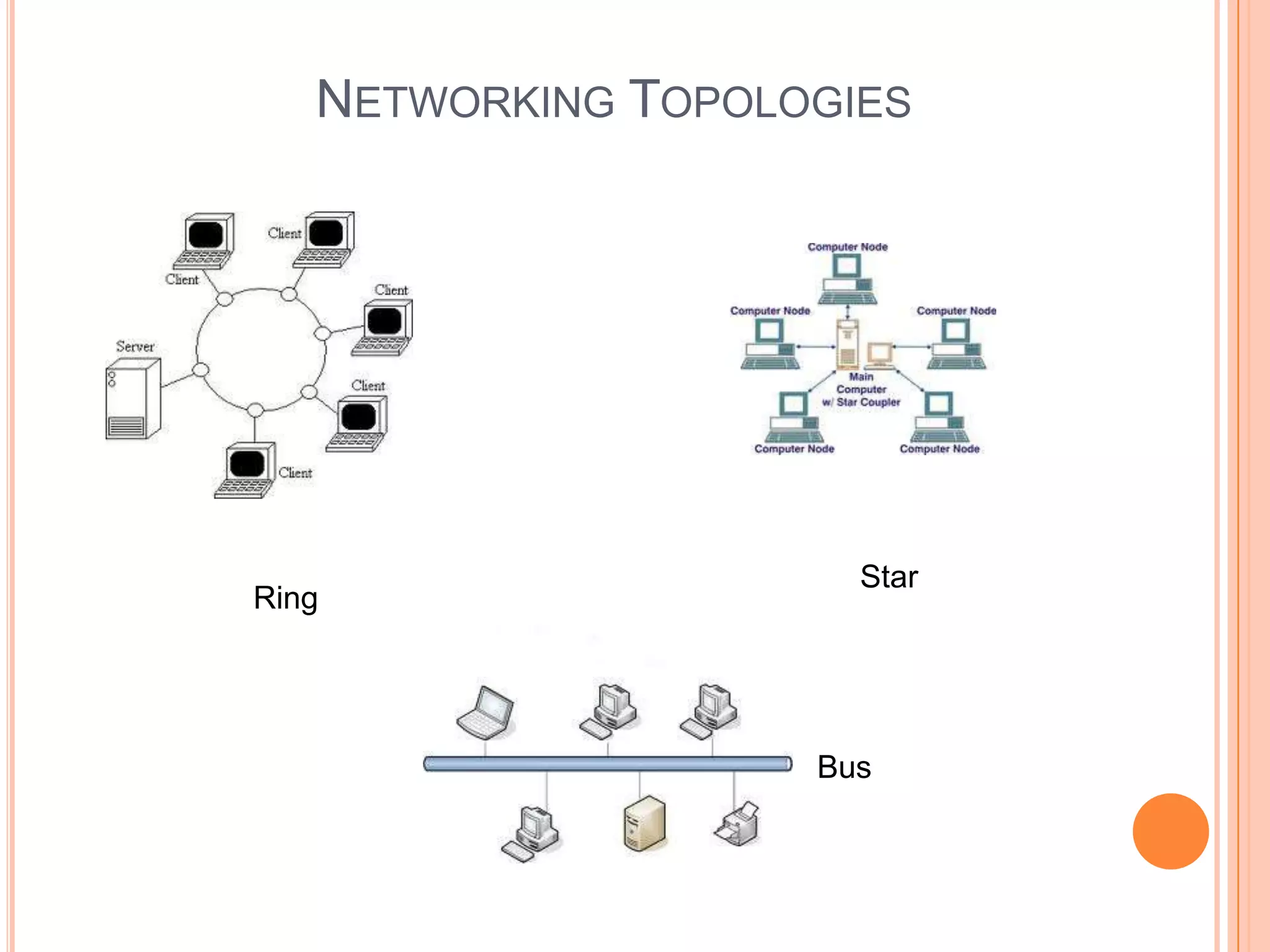
NETWORKING TOPOLOGIES
   Ring – Each node connects to exactly two other nodes, thus forming a single continuous pathway. Data travels
    from node to node where each node handles every packet of data
          Advantages:
                 Very orderly network where each node has access and opportunity to transmit
                 Performs better than Bus topology under heavy network load
                 Does not require a central node to manage networking traffic
           Disadvantages:
                 One malfunction can create problems for rest of the network
                 Moves, additions and change of devices affect the networking traffic
                 Communication delay is directly proportion to number of nodes in the network
                 Bandwidth is shared on all links between devices
   Star – one central devices i.e. hub, switch or computer to which all other computer/devices are connected, thus
    provides a common connection point
          Advantages:
                 Better performance - a lot of load on central device but a good device can easily manage the
                  workload
                 Isolation of devices
                Easy to find faults and can easily be corrected
                No disruptions to the network when connecting or removing devices
          Disadvantages:
                High dependence on the central device
                 Failure of central device makes network inoperable
                 More difficult to configure than star
   Bus – Devices are connected via a shared communication line, very uncommon and care must be taken as
    communication collision is quite possible
NETWORKING TOPOLOGIES


                      Star
Ring


                    Bus
NETWORK PROTOCOLS
   Until quite recently, standards were lacking for interfaces among
    hardware, software and communication channels. This resulted in:
        Increased costs
        Reduced efficiency
        Less effectiveness
   Protocols – Standard set of rules and procedures for the control of
    communications in a network
        Protocols might be limited to one type of equipment or one
         manufacturer's equipment
        One of the goals of communication standardization is to increase
         compatibility among different protocols e.g.:
             Physical characteristics of terminals, computers, modems
              and other communication lines
             Handshaking i.e. the process of exchanging predetermined
              signals and characters to establish a communication session
NETWORK ARCHITECTURE
   The goal of architecture is to promote: open, simple, flexible and efficient
    communication environment by the use of standard protocols, software and
    hardware interfaces
   Open Systems Interconnection (OSI) is a standard description or “reference model”
    that explains how messages should be transmitted between any two points
   There are seven layers to OSI:
       The physical Layer – Provide the hardware means of sending and receiving
          data on a carrier
       The data link layer – Supports error-free organization and transmission of data
          in a network
       The network layer – It handles the routing of data i.e. sending it to the intended
          destination. Does routing and forwarding
       The transport layer – It manages end-to-end control i.e. (determining if all
          packets have been arrived) and error checking. It ensures complete data
          transfer
       The session layer – It sets up, coordinates and terminates conversations,
          exchanges and dialogues between applications at each end i.e. it deals with
          connections and sessions
       The presentation layer – it usually is part of an operating system and converts
          incoming and outgoing data from one format to another i.e. a text stream into a
          pop-up window
       Application layer – Communication partners are identified, quality of service is
          identified, user authentication and privacy
THE INTERNET TCP/IP
   Transmission Control Protocol/Internet protocol
        The addressing, routing, transport protocols, objective is to ensure
         that a user gets to the right website or e-mail reaches the
         intended recipient
        TCP/IP can be related to a mailing system where TCP regulates
         the postal system, various processes and protocols to move the
         mail and IP refers to finding ZIP code and house number
        IP was first standardized in Sep 1981 and was developed on 32
         bit internet address value
        The first part of an internet address identifies a number where a
         host resides and the second part identifies a particular host
        Valid addresses can be between 0.0.0.0 to 255.255.255.255, the
         combination gives us around 4.3 billion addresses
        Internet2 increases IP addresses from 32 to 128 bits
CHAPTER 7


e-Business Systems
INTRODUCTION
   What is e-business ?


        The use of internet, other networks and information technologies
        to support e-commerce, enterprise communication, collaboration,
        web-enabled business processes both within networked
        enterprise and within its customers and business partners
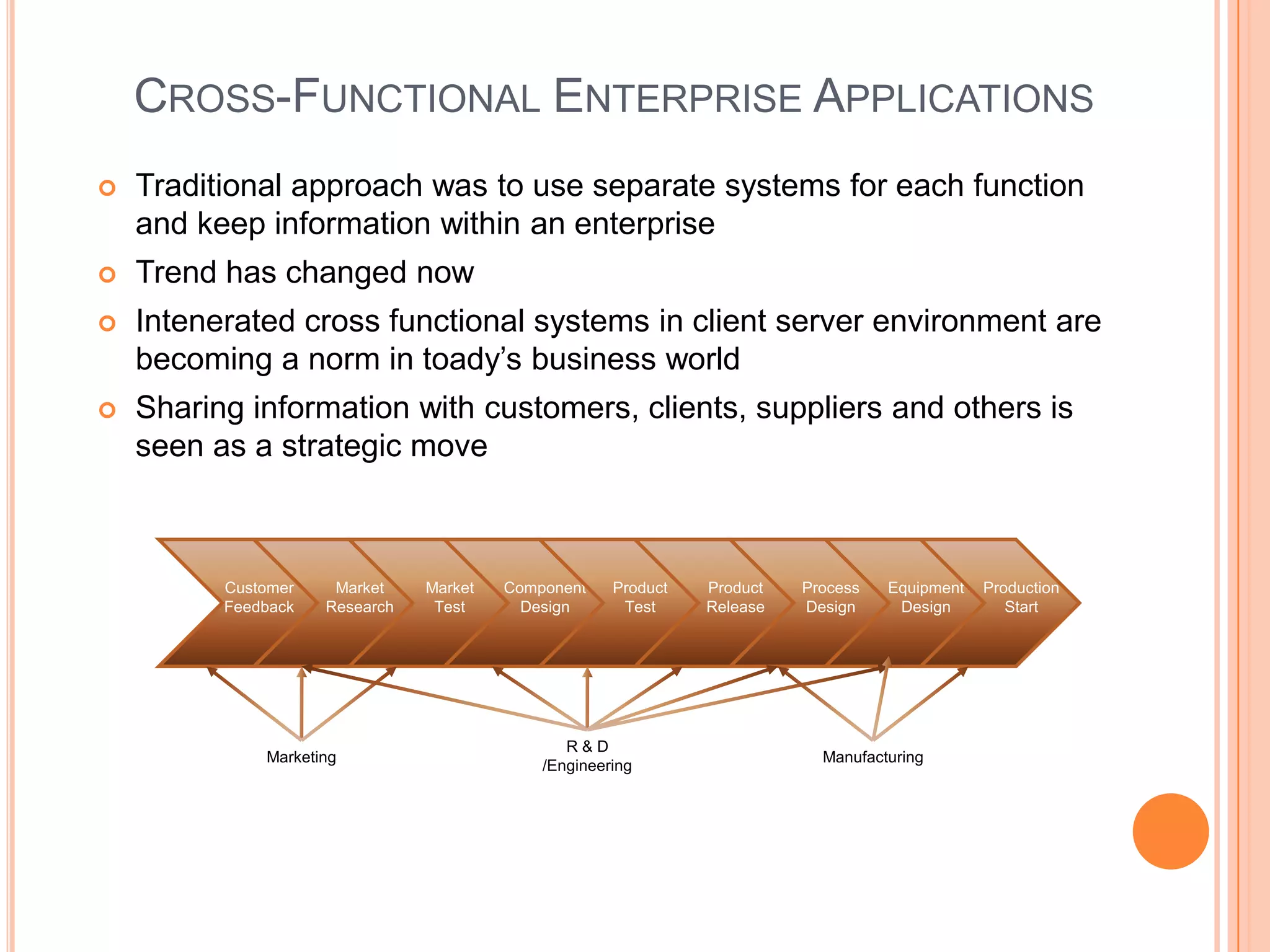
CROSS-FUNCTIONAL ENTERPRISE APPLICATIONS
   Traditional approach was to use separate systems for each function
    and keep information within an enterprise
   Trend has changed now
   Intenerated cross functional systems in client server environment are
    becoming a norm in toady’s business world
   Sharing information with customers, clients, suppliers and others is
    seen as a strategic move


          Customer    Market    Market   Component    Product   Product   Process   Equipment   Production
          Feedback   Research    Test      Design      Test     Release   Design     Design        Start


                                                R&D
              Marketing                                                     Manufacturing
                                             /Engineering
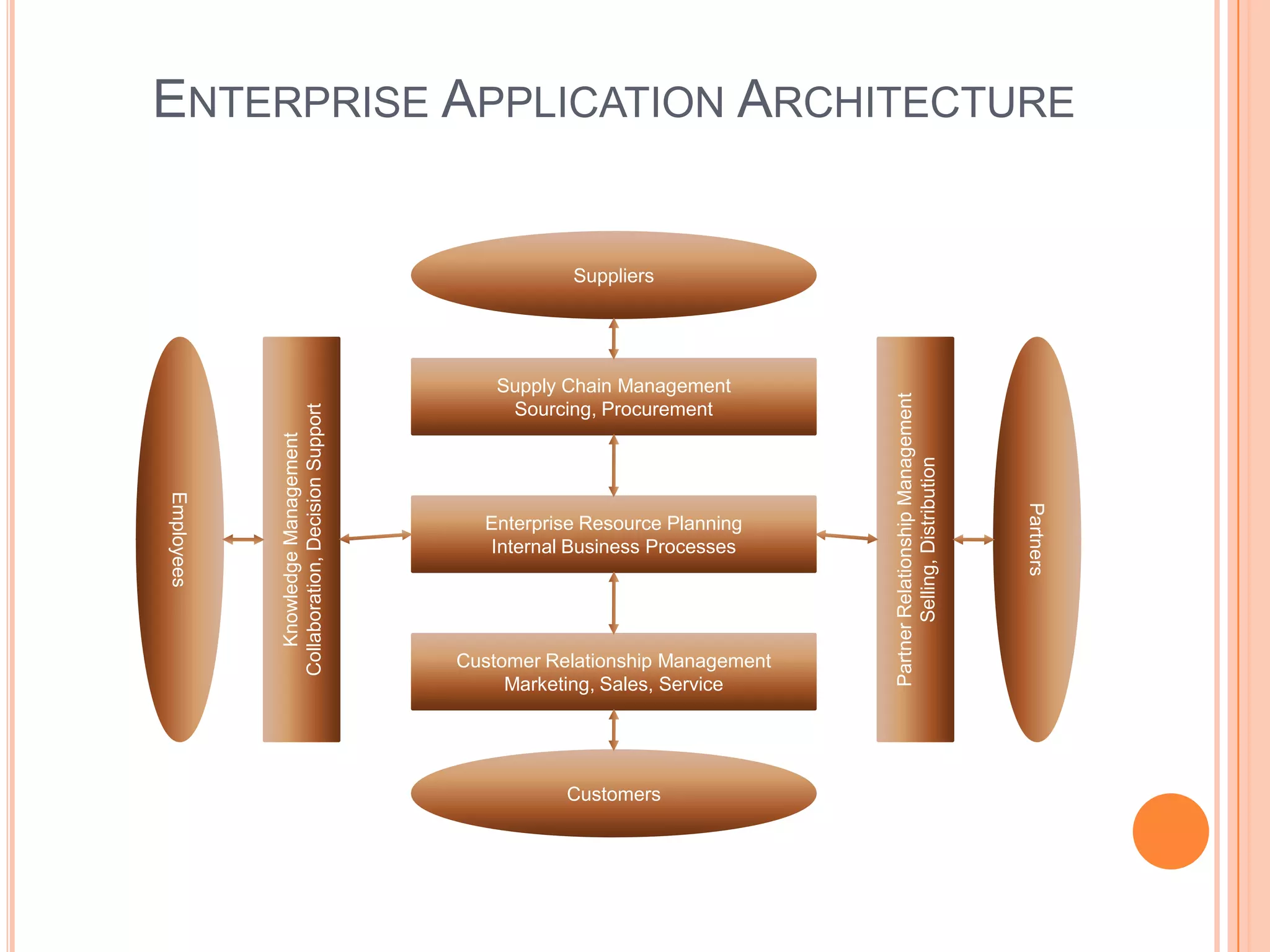
ENTERPRISE APPLICATION ARCHITECTURE


                                                         Suppliers


                                                  Supply Chain Management


                                                                                 Partner Relationship Management
                                                   Sourcing, Procurement
            Collaboration, Decision Support
               Knowledge Management


                                                                                        Selling, Distribution
Employees


                                                                                                                   Partners
                                                Enterprise Resource Planning
                                                Internal Business Processes


                                              Customer Relationship Management
                                                   Marketing, Sales, Service


                                                         Customers
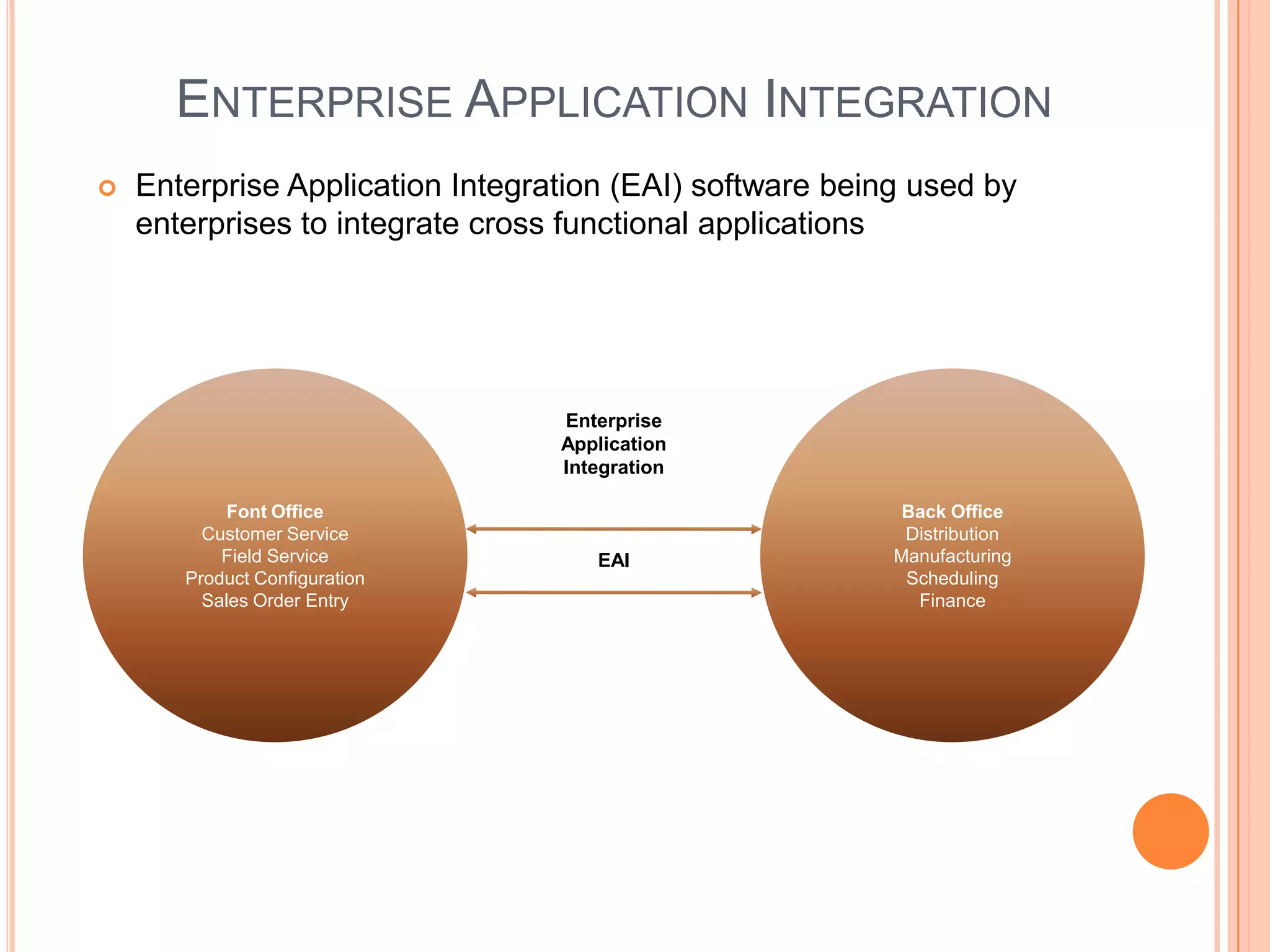
ENTERPRISE APPLICATION INTEGRATION
   Enterprise Application Integration (EAI) software being used by
    enterprises to integrate cross functional applications


                                  Enterprise
                                  Application
                                  Integration

            Font Office                                    Back Office
         Customer Service                                  Distribution
           Field Service             EAI                  Manufacturing
       Product Configuration                               Scheduling
         Sales Order Entry                                  Finance
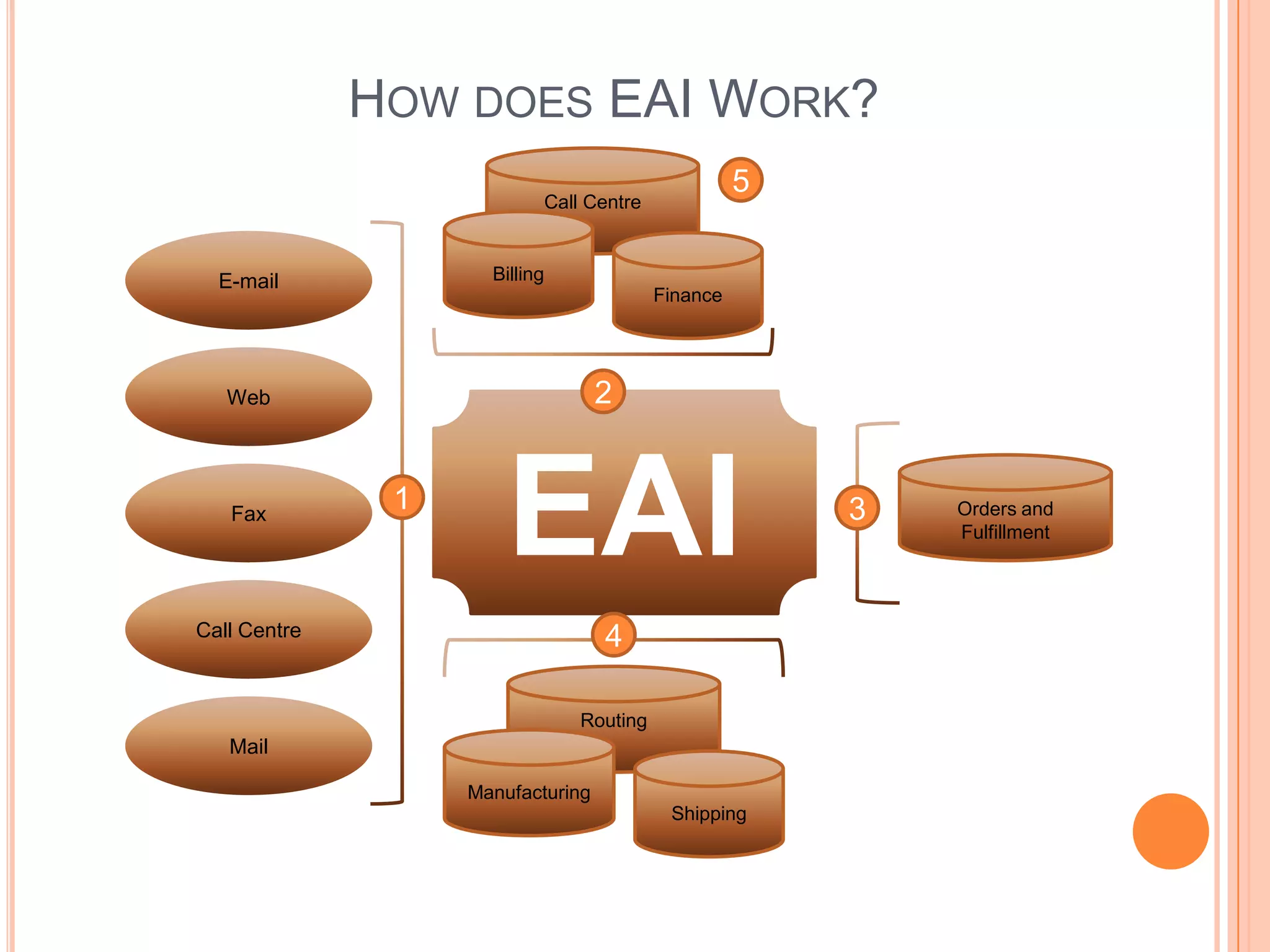
HOW DOES EAI WORK?
                                                   5
                           Call Centre


  E-mail             Billing
                                         Finance


   Web                             2


   Fax
               1
                       EAI                             3   Orders and
                                                           Fulfillment


Call Centre                        4

                               Routing
   Mail

                   Manufacturing
                                          Shipping
TRANSACTION PROCESSING SYSTEMS
   Transaction Processing Systems (TPS) are cross-functional information
    systems that process data resulting from occurrence of business
    transactions
   Transactions are events that occur as part of doing business, such as:
    sales, purchases, deposits, withdraws, refunds and payments
   Online transaction Processing systems play a strategic role in e-commerce
   Transaction Processing Cycle
        Data Entry – capturing business data
        Transaction Processing:
            Batch Processing – data are accumulated to be processed at a
              later stage
            Real Time Processing – data is processed immediately
   Database Maintenance – databases need to be updated as and when
    required
   Document and report generation – such as: purchase
    orders, paychecks, sales receipts, invoices, credit notes, delivery notes
    etc.
   Inquiry Processing – number of inquiries such as stock levels, sales
    figures, pricing information etc. are required to be processed by
    transaction processing systems
ENTERPRISE COLLABORATION SYSTEMS
   ECS (Enterprise Collaboration Systems) are cross functional systems
    that enhance communication, coordination, and collaboration among
    the members of business teams and work groups
        Communicate – share information with each other
        Coordinate – organize individual work efforts and use of resources
        Collaborate – work together cooperatively on joint projects and
         assignments
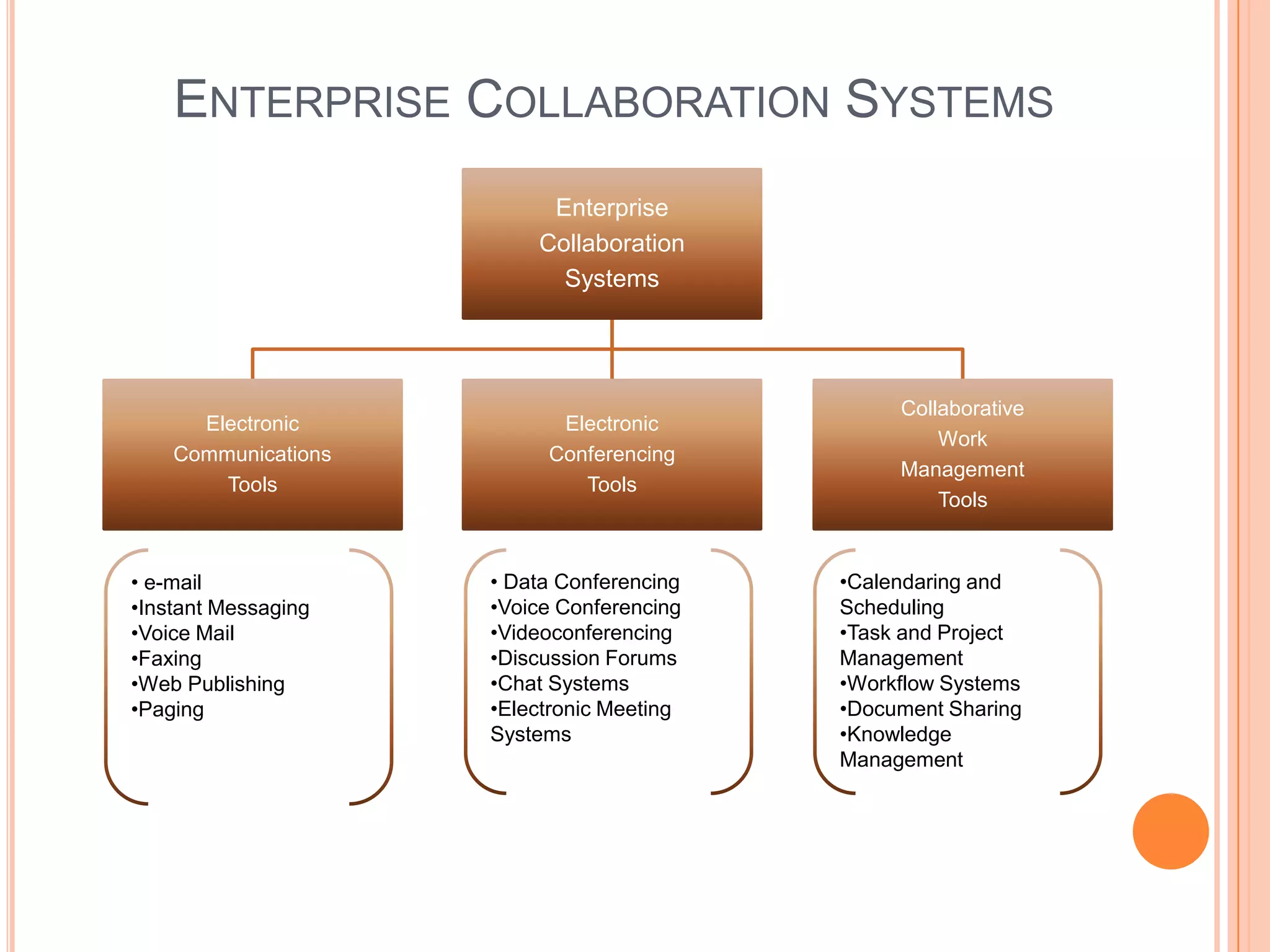
ENTERPRISE COLLABORATION SYSTEMS
                          Enterprise
                         Collaboration
                           Systems


                                                Collaborative
      Electronic           Electronic
                                                    Work
    Communications        Conferencing
                                                Management
        Tools                Tools
                                                    Tools


• e-mail             • Data Conferencing   •Calendaring and
•Instant Messaging   •Voice Conferencing   Scheduling
•Voice Mail          •Videoconferencing    •Task and Project
•Faxing              •Discussion Forums    Management
•Web Publishing      •Chat Systems         •Workflow Systems
•Paging              •Electronic Meeting   •Document Sharing
                     Systems               •Knowledge
                                           Management
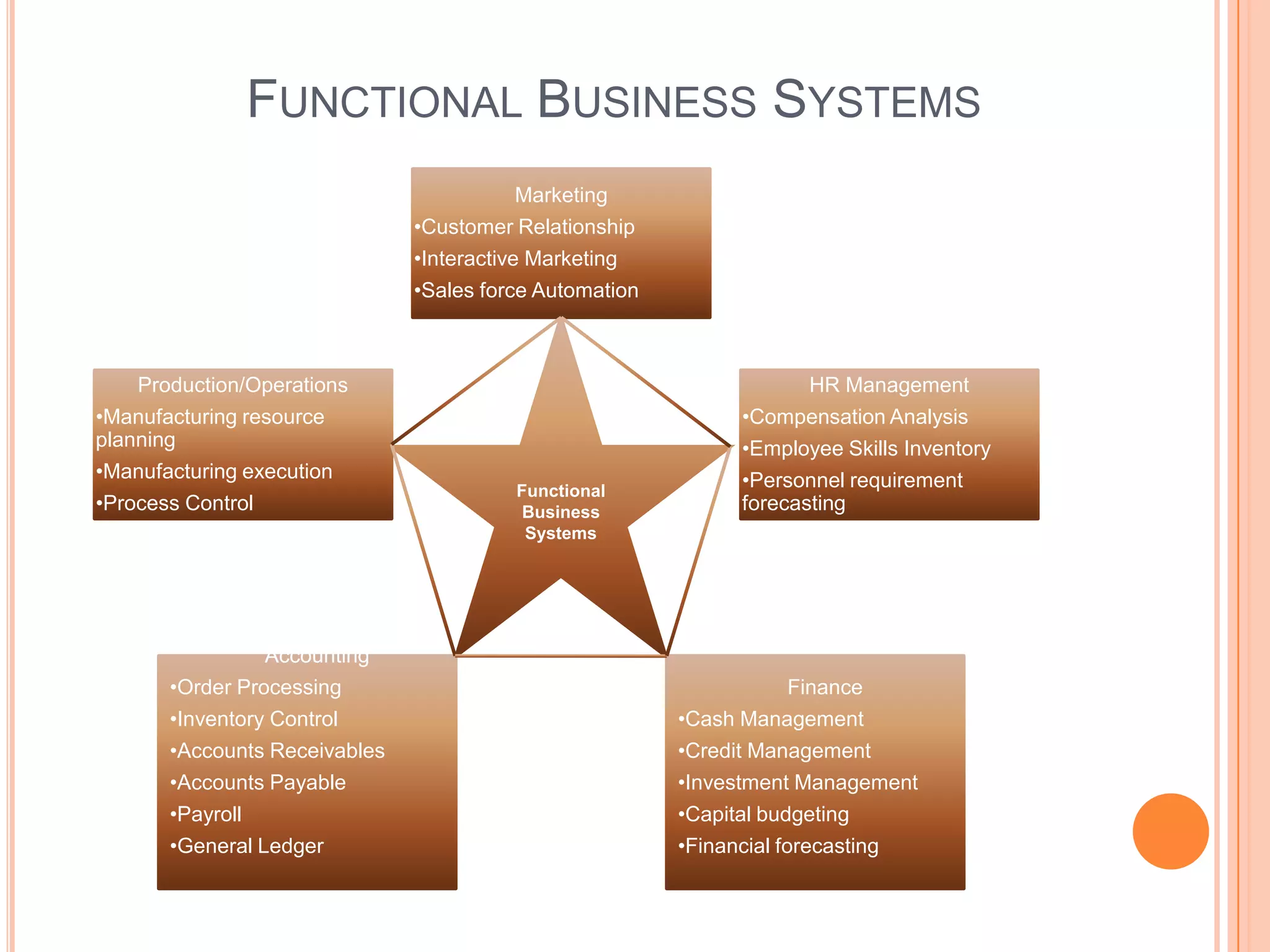
FUNCTIONAL BUSINESS SYSTEMS
                                           Marketing
                               •Customer Relationship
                               •Interactive Marketing
                               •Sales force Automation


    Production/Operations                                            HR Management
•Manufacturing resource                                       •Compensation Analysis
planning                                                      •Employee Skills Inventory
•Manufacturing execution                                      •Personnel requirement
                                         Functional
•Process Control                          Business            forecasting
                                          Systems


                 Accounting
       •Order Processing                                           Finance
       •Inventory Control                                •Cash Management
       •Accounts Receivables                             •Credit Management
       •Accounts Payable                                 •Investment Management
       •Payroll                                          •Capital budgeting
       •General Ledger                                   •Financial forecasting
MARKETING SYSTEMS
   Marketing is concerned with: Planning, Promotion, Sale of existing
    products, Development of new products, Development of new markets
   Marketing is an essential part of e-business and any organization
       Interactive Marketing – Customer focused marketing process that is
        based on using internet, extranet, internet to establish two way
        communication between customers or potential customers
           Customers are encouraged to engage interactively to develop
             new products, delivery and service issues
       Targeted Marketing is involved in developing advertising and
        promotion strategies to strengthen company’s e-commerce activities
           Community – Customization of web advertising messages and
             promotion methods to appeal people in specific communities
           Content – Advertising material can be placed in a variety of web
             sites. The target audience for these adds can vary
           Context – Advertising can be aimed to specific web pages where
             context to products/services is relevant
           Demographic/Psychographic - Web advertising can be aimed
             only at specific type or classes of people
           Online behavior – Advertising and promotion effort can be
             tailored to each visit to a web site. This is achieved through a
             variety of tracking techniques such as “web cookies”
SALES FORCE AUTOMATION
   Many companies are equipping their sales force with: notebook
    computers, handheld devices, web browsers, and sales contact
    management software
        This trend:
             Makes the sales team more productive
             Speeds up the capture and analysis of sales data
             It allows marketing and sales management to improve
              delivery of information and support they provide to their sales
              team
             It provides strategic advantage to companies
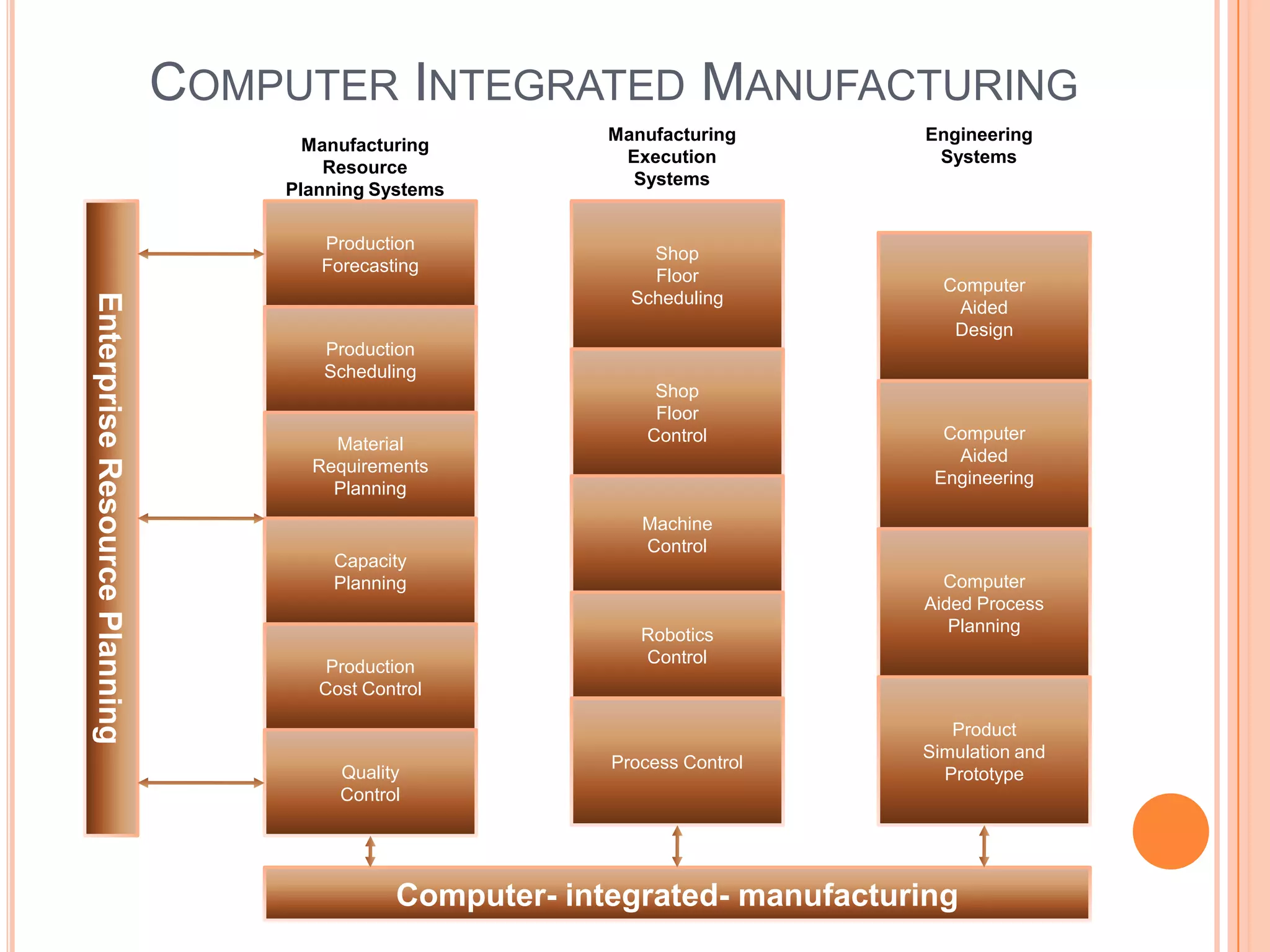
MANUFACTURING SYSTEMS
   Manufacturing Information Systems support the production/operations that
    include all activities
   Computer Integrated Manufacturing – an overall concept that emphasizes
    that the objectives of computer based systems in manufacturing must be
    to:
       Simplify (reengineer) – production processes, product designs, and
          factory organization as a vital foundation to automation and
          integration
       Automate production processes and the business functions with
          computers, machines and robots
       Integrate all production and support processes using computer
          networks, cross-functional business software, and all other
          information technologies
       Computer-aided manufacturing systems – are those that automate
          the production process
       Manufacturing execution systems – are performance monitoring
          information systems for factory floor operations such as: production
          process, materials, equipment, inventories, scheduling, control,
          machine control etc.
       Process Control systems – use of computers to control on going
          physical processes.
       Machine control is the use of computers to control actions of
          machines
COMPUTER INTEGRATED MANUFACTURING
                                                           Manufacturing      Engineering
                                     Manufacturing
                                                            Execution          Systems
                                       Resource
                                                             Systems
                                   Planning Systems

                                      Production
                                                               Shop
                                      Forecasting
                                                               Floor
                                                                                Computer
                                                             Scheduling
Enterprise Resource Planning


                                                                                 Aided
                                                                                 Design
                                      Production
                                      Scheduling
                                                                Shop
                                                                Floor
                                                               Control          Computer
                                       Material
                                                                                 Aided
                                     Requirements
                                                                               Engineering
                                       Planning
                                                              Machine
                                                              Control
                                       Capacity
                                       Planning                                 Computer
                                                                              Aided Process
                                                              Robotics           Planning
                                                              Control
                                       Production
                                      Cost Control

                                                                                 Product
                                                                              Simulation and
                                                           Process Control
                                        Quality                                 Prototype
                                        Control


                                              Computer- integrated- manufacturing
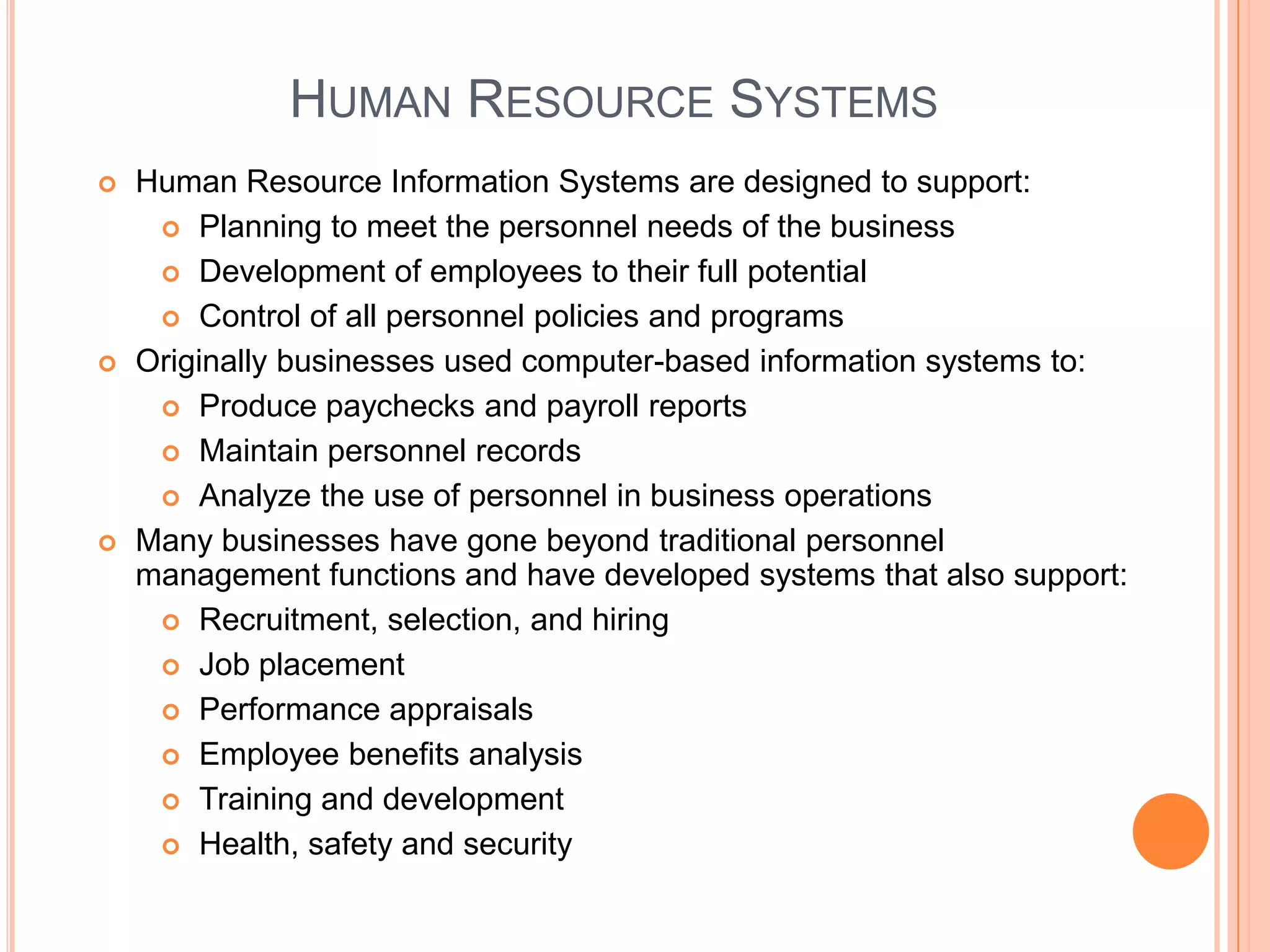
HUMAN RESOURCE SYSTEMS
   Human Resource Information Systems are designed to support:
      Planning to meet the personnel needs of the business

      Development of employees to their full potential

      Control of all personnel policies and programs

   Originally businesses used computer-based information systems to:
      Produce paychecks and payroll reports

      Maintain personnel records

      Analyze the use of personnel in business operations

   Many businesses have gone beyond traditional personnel
    management functions and have developed systems that also support:
      Recruitment, selection, and hiring

      Job placement

      Performance appraisals

      Employee benefits analysis

      Training and development

      Health, safety and security
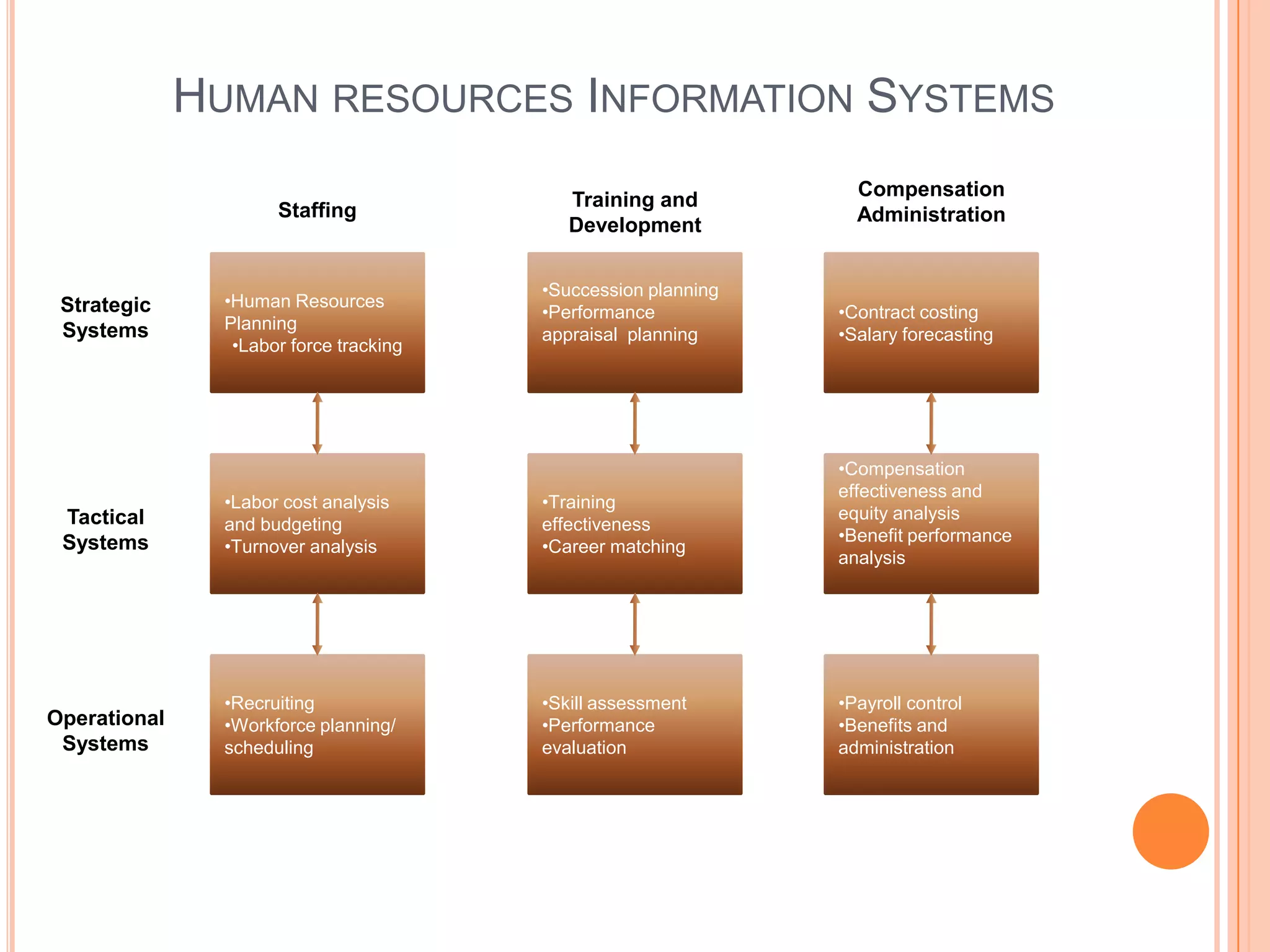
HUMAN RESOURCES INFORMATION SYSTEMS
                                                                  Compensation
                                            Training and
                      Staffing                                    Administration
                                            Development


                                         •Succession planning
 Strategic      •Human Resources
                                         •Performance           •Contract costing
 Systems        Planning
                                         appraisal planning     •Salary forecasting
                 •Labor force tracking


                                                                •Compensation
                                                                effectiveness and
                •Labor cost analysis     •Training
 Tactical                                                       equity analysis
                and budgeting            effectiveness
 Systems                                                        •Benefit performance
                •Turnover analysis       •Career matching
                                                                analysis


                •Recruiting              •Skill assessment      •Payroll control
Operational     •Workforce planning/     •Performance           •Benefits and
 Systems        scheduling               evaluation             administration
ACCOUNTING SYSTEMS
   Typically accounting systems include transaction processing systems
    such as:
        Order processing – Captures and process customer orders and
         produce data for inventory control and accounts receivables
        Inventory control – Process data reflecting changes in inventory
         and provides shipping and reorder information
        Accounts receivables – Records amounts owed by customers and
         produces customer invoices, monthly statements, and credit
         management reports
        Accounts payables – Records purchases from, amounts owed to,
         and payments to suppliers, and produces cash management
         reports
        Payroll – Records employee work and compensation data and
         produces paychecks, and other payroll documents and reports
        General ledger – Consolidates data from other accounting
         systems and produces the periodic financial statements and
         reports of the business
ACCOUNTING SYSTEMS CONTINUED
   Online Accounting Systems
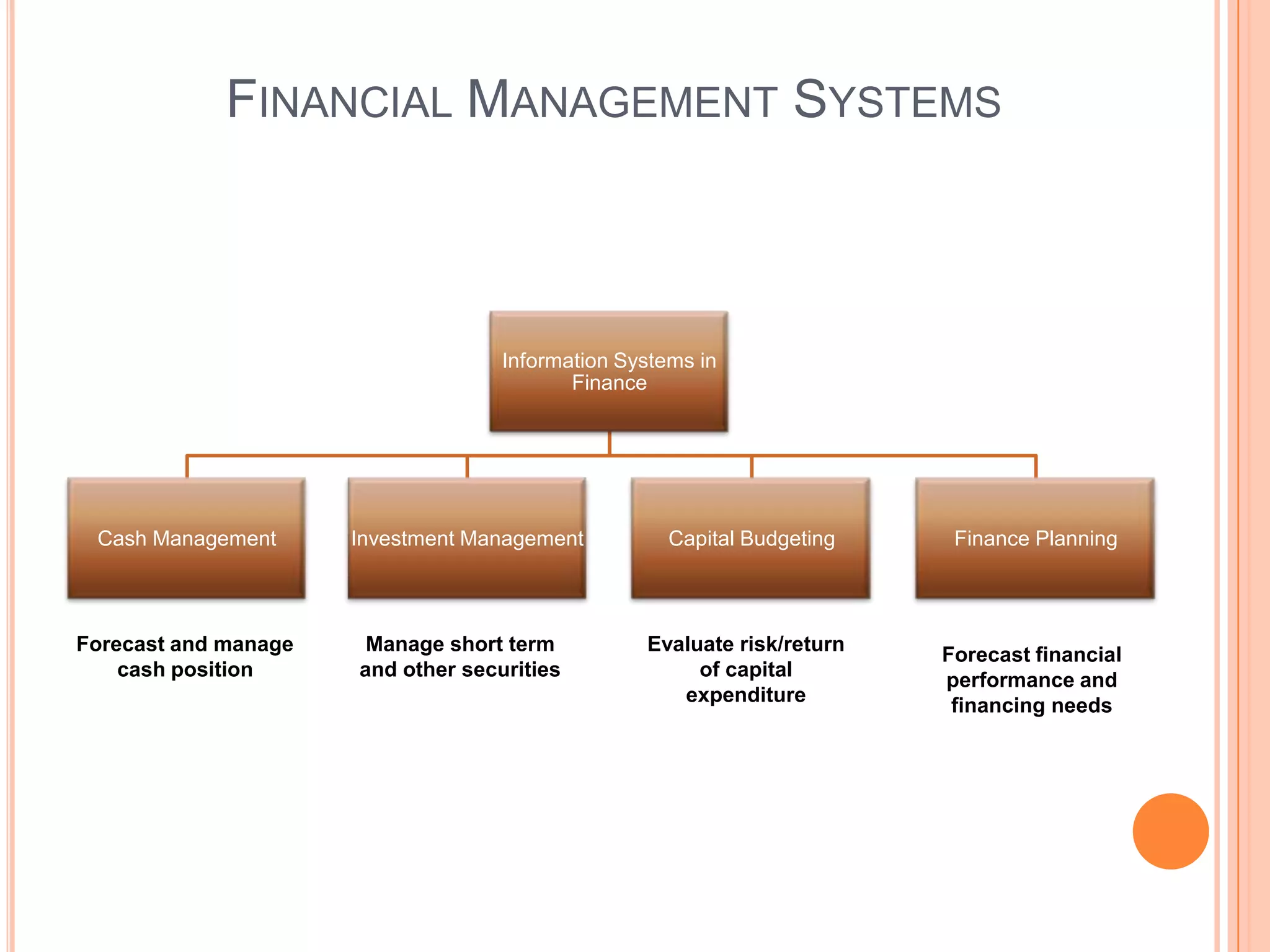
   Financial Management Systems – Such systems support business
    managers and professionals in:
        Financing a business
        Allocation and control of financial resources
   Financial analysts make heavy use of tools like spread sheets to
    analyze data generated by corporate information systems
   Business’s present and future financial health can be evaluated by
    analyzing current data and future realistic forecasts
   Examples:
        Capital budgeting – the process of evaluating the profitability and
         financial impact of proposed financial expenditure
        Investments can be evaluated using various return on investment
         techniques
        Financial planning i.e. how cash flow and other financial
         resources are going to be managed
FINANCIAL MANAGEMENT SYSTEMS


                                    Information Systems in
                                           Finance


 Cash Management      Investment Management          Capital Budgeting    Finance Planning


Forecast and manage    Manage short term          Evaluate risk/return   Forecast financial
    cash position     and other securities             of capital        performance and
                                                     expenditure          financing needs

Week seven

  • 1.
    MANAGEMENT INFORMATION SYSTEMS Week Seven Telecommunications and Networks
  • 2.
    TELECOMMUNICATIONS NETWORK MODEL  A communication network is any arrangement in which a sender transmits a message to a receiver over a channel consisting of some type of medium  Five basic components of Telecommunications Network  Terminals – Any input/output device that is used to transmit or receive data  Telecommunication Processors – Devices which support data transmission and reception between terminals and computers e.g. modems, switches, routers. These devices perform many functions such as:  Convert data from digital to analog or back  Code and decode data  Control speed  Monitor accuracy and efficiency  Telecommunication channels over which data are transmitted and received. Usually a combination of media is used such as: coaxial cables, copper wires, fiber-optic, wireless systems, communications satellites, radio and cellular systems  Computers  Telecommunications software e.g. networking programs of all kinds
  • 3.
    TYPES OF TELECOMMUNICATIONSNETWORKS  Wide Area Networks – telecommunications networks covering large geographical area are called wide area networks. Networks covering a city or metropolitan area are called metropolitan networks  Local Area Networks – connect computers and other communication devices within limited physical area such as: an office, building, classroom, labs etc.  To communicate over the network, usually a PC has a circuit board called a network interface card  Most LANs use a more powerful microcomputer with a large hard drive called a file server or network server. Usually networking operating system is installed on such machines that controls telecommunications along with sharing network resources  Virtual Private Network (VPN) – it is used to establish secure intranet and extranet  VPN is a secure network that uses the internet as its main backbone but relies on firewalls, encryption and other security features  VPN helps to establish a private and secured connection without having to spend a lot of money on networking infrastructure
  • 4.
    TYPES OF TELECOMMUNICATIONS NETWORKS CONTINUED  Client/Server Networks – End user computers or PCs are the clients and these are interconnected by LAN and are connected to the network servers which also manage the networks. Local area networks are also connected to other LANs and WANs.  Peer to peer Networks  Central Server Architecture – a central server has directory of all users on the network  In case a file is required, server searches for file on the network and then send you the user name, you connect to the required PC and get your file transferred  Pure Peer to peer Network – it does not have any central directory  Software connects your PC to one of the online users in the network  Then an active link to your user name is transmitted from peer to peer to all online users in the network  This way active links to more and more peers spread throughout the network  When you request a file, the software searches every online user, and sends you a list of active file names related to your request. Clicking on one of these links automatically transfer the file
  • 5.
  • 6.
  • 7.
  • 8.
  • 9.
    PEER TO PEERNETWORK
  • 10.
    TELECOMMUNICATIONS MEDIA  Wired Technologies  Twisted-Pair Wire – Copper wires twisted into pairs and are used for both voice and data transmission  Transmission speeds can range from 2 million bits to 100 million bits per second  Coaxial Cable – copper or aluminum wire wrapped with spacers to insulate and protect. This minimizes interferences and distortion of signals  Speed varies between 200 million bits to 500 million bits per second  Fiber Optics – cables consist of one or more hair-thin filaments of glass fiber wrapped in a protective jacket. These cables conduct pulses of visible light elements (photons) generated by lasers at a transmission speeds of as high as trillions of bits per second  A half inch fiber optic cable can carry more than 500000 channels as compared to 5000 of coaxial cables  These cables are not affected by or generate electromagnetic radiation allowing multiple fibers to be placed in the same cable  Has less data error rate
  • 11.
    TELECOMMUNICATION MEDIA Twister Pair Wire Coaxial Cable Fiber Optic Cable
  • 12.
    TELECOMMUNICATIONS MEDIA CONTINUED  Wireless Technologies - rely on radio waves, microwaves, infrared to transmit digital communications without wires  Terrestrial Microwave – involves earthbound microwave systems that transmit high speed radio signals in a line-of-sight path between relay stations spaced approximately 30 miles  Antennas are placed on top of buildings, hills, towers etc.  Communications Satellites – Use microwave radio as telecommunication medium  High earth orbit(about 22,000 miles above the equator) communication satellites  These satellites communicate with stations on earth through dish antennas  Such stations were used only for voice and video transmissions, however large volume of data is also being transmitted now  Cellular and PCS Systems – use several radio communication technologies  Large area gets divided into small geographical areas, each has its own lower power transmitters
  • 13.
    TELECOMMUNICATIONS MEDIA CONTINUED  Wireless Technologies Continued …  Wireless LANs – Using wires in a building is often costly and difficult affair  Wireless LANs can easily be installed without having any physical connections through cable using wireless technologies  Bluetooth - A wireless technology being used to connect devices from 10 to 100 meters range  Normally a standard radio chip is plugged into devices that facilitates communication between two devices  Wireless Web
  • 14.
  • 15.
    TELECOMMUNICATIONS PROCESSORS  Modems – Convert digital signal to analog that can be transmitted through telephone line and then at the other end a reverse process takes place  Inter-Network Processors – devices such as switches, hubs, routers, gateways  Switches – makes connections in communications circuits  Bridge – is a device that connects two or more LANs using the same communications rule or protocol  Router – connects networks with different rules or protocol so that a transmitted message can be routed to its intended destination  Hub – is a port-switching device. Workstations, servers, printers and other networking resources are connected to ports. Modern hubs do automatic switching  Gateway – Networks using different communication architectures are connected through gateways  Multiplexers – a communication processor that allows a single channel to carry simultaneous data transmission from many channels. It is achieved in two ways:  Frequency Division multiplexing - a multiplexer divides a high-speed channel into multiple slow speed channels  Time Division Multiplexing – divides the time each terminal can use the high speed into very short time slots or time frames
  • 16.
    TELECOMMUNICATION PROCESSORS Hub Router Multiplexer
  • 17.
    TELECOMMUNICATION SOFTWARE  Programs built to manage telecommunication activities fall under the umbrella of telecommunication software  Activities managed by these packages are:  Traffic Management – Manage resources and network traffic to avoid congestion and optimize telecommunication services for users  Security – must provide:  Authentication  Encryption  Firewall  Auditing functions  Enforce security policies  And any other networking defenses
  • 18.
    NETWORKING TOPOLOGIES  Ring – Each node connects to exactly two other nodes, thus forming a single continuous pathway. Data travels from node to node where each node handles every packet of data  Advantages:  Very orderly network where each node has access and opportunity to transmit  Performs better than Bus topology under heavy network load  Does not require a central node to manage networking traffic  Disadvantages:  One malfunction can create problems for rest of the network  Moves, additions and change of devices affect the networking traffic  Communication delay is directly proportion to number of nodes in the network  Bandwidth is shared on all links between devices  Star – one central devices i.e. hub, switch or computer to which all other computer/devices are connected, thus provides a common connection point  Advantages:  Better performance - a lot of load on central device but a good device can easily manage the workload  Isolation of devices  Easy to find faults and can easily be corrected  No disruptions to the network when connecting or removing devices  Disadvantages:  High dependence on the central device  Failure of central device makes network inoperable  More difficult to configure than star  Bus – Devices are connected via a shared communication line, very uncommon and care must be taken as communication collision is quite possible
  • 19.
  • 20.
    NETWORK PROTOCOLS  Until quite recently, standards were lacking for interfaces among hardware, software and communication channels. This resulted in:  Increased costs  Reduced efficiency  Less effectiveness  Protocols – Standard set of rules and procedures for the control of communications in a network  Protocols might be limited to one type of equipment or one manufacturer's equipment  One of the goals of communication standardization is to increase compatibility among different protocols e.g.:  Physical characteristics of terminals, computers, modems and other communication lines  Handshaking i.e. the process of exchanging predetermined signals and characters to establish a communication session
  • 21.
    NETWORK ARCHITECTURE  The goal of architecture is to promote: open, simple, flexible and efficient communication environment by the use of standard protocols, software and hardware interfaces  Open Systems Interconnection (OSI) is a standard description or “reference model” that explains how messages should be transmitted between any two points  There are seven layers to OSI:  The physical Layer – Provide the hardware means of sending and receiving data on a carrier  The data link layer – Supports error-free organization and transmission of data in a network  The network layer – It handles the routing of data i.e. sending it to the intended destination. Does routing and forwarding  The transport layer – It manages end-to-end control i.e. (determining if all packets have been arrived) and error checking. It ensures complete data transfer  The session layer – It sets up, coordinates and terminates conversations, exchanges and dialogues between applications at each end i.e. it deals with connections and sessions  The presentation layer – it usually is part of an operating system and converts incoming and outgoing data from one format to another i.e. a text stream into a pop-up window  Application layer – Communication partners are identified, quality of service is identified, user authentication and privacy
  • 22.
    THE INTERNET TCP/IP  Transmission Control Protocol/Internet protocol  The addressing, routing, transport protocols, objective is to ensure that a user gets to the right website or e-mail reaches the intended recipient  TCP/IP can be related to a mailing system where TCP regulates the postal system, various processes and protocols to move the mail and IP refers to finding ZIP code and house number  IP was first standardized in Sep 1981 and was developed on 32 bit internet address value  The first part of an internet address identifies a number where a host resides and the second part identifies a particular host  Valid addresses can be between 0.0.0.0 to 255.255.255.255, the combination gives us around 4.3 billion addresses  Internet2 increases IP addresses from 32 to 128 bits
  • 23.
  • 24.
    INTRODUCTION  What is e-business ? The use of internet, other networks and information technologies to support e-commerce, enterprise communication, collaboration, web-enabled business processes both within networked enterprise and within its customers and business partners
  • 25.
    CROSS-FUNCTIONAL ENTERPRISE APPLICATIONS  Traditional approach was to use separate systems for each function and keep information within an enterprise  Trend has changed now  Intenerated cross functional systems in client server environment are becoming a norm in toady’s business world  Sharing information with customers, clients, suppliers and others is seen as a strategic move Customer Market Market Component Product Product Process Equipment Production Feedback Research Test Design Test Release Design Design Start R&D Marketing Manufacturing /Engineering
  • 26.
    ENTERPRISE APPLICATION ARCHITECTURE Suppliers Supply Chain Management Partner Relationship Management Sourcing, Procurement Collaboration, Decision Support Knowledge Management Selling, Distribution Employees Partners Enterprise Resource Planning Internal Business Processes Customer Relationship Management Marketing, Sales, Service Customers
  • 27.
    ENTERPRISE APPLICATION INTEGRATION  Enterprise Application Integration (EAI) software being used by enterprises to integrate cross functional applications Enterprise Application Integration Font Office Back Office Customer Service Distribution Field Service EAI Manufacturing Product Configuration Scheduling Sales Order Entry Finance
  • 28.
    HOW DOES EAIWORK? 5 Call Centre E-mail Billing Finance Web 2 Fax 1 EAI 3 Orders and Fulfillment Call Centre 4 Routing Mail Manufacturing Shipping
  • 29.
    TRANSACTION PROCESSING SYSTEMS  Transaction Processing Systems (TPS) are cross-functional information systems that process data resulting from occurrence of business transactions  Transactions are events that occur as part of doing business, such as: sales, purchases, deposits, withdraws, refunds and payments  Online transaction Processing systems play a strategic role in e-commerce  Transaction Processing Cycle  Data Entry – capturing business data  Transaction Processing:  Batch Processing – data are accumulated to be processed at a later stage  Real Time Processing – data is processed immediately  Database Maintenance – databases need to be updated as and when required  Document and report generation – such as: purchase orders, paychecks, sales receipts, invoices, credit notes, delivery notes etc.  Inquiry Processing – number of inquiries such as stock levels, sales figures, pricing information etc. are required to be processed by transaction processing systems
  • 30.
    ENTERPRISE COLLABORATION SYSTEMS  ECS (Enterprise Collaboration Systems) are cross functional systems that enhance communication, coordination, and collaboration among the members of business teams and work groups  Communicate – share information with each other  Coordinate – organize individual work efforts and use of resources  Collaborate – work together cooperatively on joint projects and assignments
  • 31.
    ENTERPRISE COLLABORATION SYSTEMS Enterprise Collaboration Systems Collaborative Electronic Electronic Work Communications Conferencing Management Tools Tools Tools • e-mail • Data Conferencing •Calendaring and •Instant Messaging •Voice Conferencing Scheduling •Voice Mail •Videoconferencing •Task and Project •Faxing •Discussion Forums Management •Web Publishing •Chat Systems •Workflow Systems •Paging •Electronic Meeting •Document Sharing Systems •Knowledge Management
  • 32.
    FUNCTIONAL BUSINESS SYSTEMS Marketing •Customer Relationship •Interactive Marketing •Sales force Automation Production/Operations HR Management •Manufacturing resource •Compensation Analysis planning •Employee Skills Inventory •Manufacturing execution •Personnel requirement Functional •Process Control Business forecasting Systems Accounting •Order Processing Finance •Inventory Control •Cash Management •Accounts Receivables •Credit Management •Accounts Payable •Investment Management •Payroll •Capital budgeting •General Ledger •Financial forecasting
  • 33.
    MARKETING SYSTEMS  Marketing is concerned with: Planning, Promotion, Sale of existing products, Development of new products, Development of new markets  Marketing is an essential part of e-business and any organization  Interactive Marketing – Customer focused marketing process that is based on using internet, extranet, internet to establish two way communication between customers or potential customers  Customers are encouraged to engage interactively to develop new products, delivery and service issues  Targeted Marketing is involved in developing advertising and promotion strategies to strengthen company’s e-commerce activities  Community – Customization of web advertising messages and promotion methods to appeal people in specific communities  Content – Advertising material can be placed in a variety of web sites. The target audience for these adds can vary  Context – Advertising can be aimed to specific web pages where context to products/services is relevant  Demographic/Psychographic - Web advertising can be aimed only at specific type or classes of people  Online behavior – Advertising and promotion effort can be tailored to each visit to a web site. This is achieved through a variety of tracking techniques such as “web cookies”
  • 34.
    SALES FORCE AUTOMATION  Many companies are equipping their sales force with: notebook computers, handheld devices, web browsers, and sales contact management software  This trend:  Makes the sales team more productive  Speeds up the capture and analysis of sales data  It allows marketing and sales management to improve delivery of information and support they provide to their sales team  It provides strategic advantage to companies
  • 35.
    MANUFACTURING SYSTEMS  Manufacturing Information Systems support the production/operations that include all activities  Computer Integrated Manufacturing – an overall concept that emphasizes that the objectives of computer based systems in manufacturing must be to:  Simplify (reengineer) – production processes, product designs, and factory organization as a vital foundation to automation and integration  Automate production processes and the business functions with computers, machines and robots  Integrate all production and support processes using computer networks, cross-functional business software, and all other information technologies  Computer-aided manufacturing systems – are those that automate the production process  Manufacturing execution systems – are performance monitoring information systems for factory floor operations such as: production process, materials, equipment, inventories, scheduling, control, machine control etc.  Process Control systems – use of computers to control on going physical processes.  Machine control is the use of computers to control actions of machines
  • 36.
    COMPUTER INTEGRATED MANUFACTURING Manufacturing Engineering Manufacturing Execution Systems Resource Systems Planning Systems Production Shop Forecasting Floor Computer Scheduling Enterprise Resource Planning Aided Design Production Scheduling Shop Floor Control Computer Material Aided Requirements Engineering Planning Machine Control Capacity Planning Computer Aided Process Robotics Planning Control Production Cost Control Product Simulation and Process Control Quality Prototype Control Computer- integrated- manufacturing
  • 37.
    HUMAN RESOURCE SYSTEMS  Human Resource Information Systems are designed to support:  Planning to meet the personnel needs of the business  Development of employees to their full potential  Control of all personnel policies and programs  Originally businesses used computer-based information systems to:  Produce paychecks and payroll reports  Maintain personnel records  Analyze the use of personnel in business operations  Many businesses have gone beyond traditional personnel management functions and have developed systems that also support:  Recruitment, selection, and hiring  Job placement  Performance appraisals  Employee benefits analysis  Training and development  Health, safety and security
  • 38.
    HUMAN RESOURCES INFORMATIONSYSTEMS Compensation Training and Staffing Administration Development •Succession planning Strategic •Human Resources •Performance •Contract costing Systems Planning appraisal planning •Salary forecasting •Labor force tracking •Compensation effectiveness and •Labor cost analysis •Training Tactical equity analysis and budgeting effectiveness Systems •Benefit performance •Turnover analysis •Career matching analysis •Recruiting •Skill assessment •Payroll control Operational •Workforce planning/ •Performance •Benefits and Systems scheduling evaluation administration
  • 39.
    ACCOUNTING SYSTEMS  Typically accounting systems include transaction processing systems such as:  Order processing – Captures and process customer orders and produce data for inventory control and accounts receivables  Inventory control – Process data reflecting changes in inventory and provides shipping and reorder information  Accounts receivables – Records amounts owed by customers and produces customer invoices, monthly statements, and credit management reports  Accounts payables – Records purchases from, amounts owed to, and payments to suppliers, and produces cash management reports  Payroll – Records employee work and compensation data and produces paychecks, and other payroll documents and reports  General ledger – Consolidates data from other accounting systems and produces the periodic financial statements and reports of the business
  • 40.
    ACCOUNTING SYSTEMS CONTINUED  Online Accounting Systems  Financial Management Systems – Such systems support business managers and professionals in:  Financing a business  Allocation and control of financial resources  Financial analysts make heavy use of tools like spread sheets to analyze data generated by corporate information systems  Business’s present and future financial health can be evaluated by analyzing current data and future realistic forecasts  Examples:  Capital budgeting – the process of evaluating the profitability and financial impact of proposed financial expenditure  Investments can be evaluated using various return on investment techniques  Financial planning i.e. how cash flow and other financial resources are going to be managed
  • 41.
    FINANCIAL MANAGEMENT SYSTEMS Information Systems in Finance Cash Management Investment Management Capital Budgeting Finance Planning Forecast and manage Manage short term Evaluate risk/return Forecast financial cash position and other securities of capital performance and expenditure financing needs