Unit 1 : Nature And Scope of Management
PROGRAMME
INFORMATION TECHNOLOGY
COURSE
COMPUTER NETWORKS
TABLE OF CONTENTS
▪Unit -1: INTRODUCTION TO COMPUTER NETWORKS
▪Unit -2: NETWORK MODELS
▪Unit -3: TYPES OF NETWORKS
▪Unit -4: WIRELESS LANS
▪Unit -5: DATA LINK LAYER
▪Unit -6: NETWORK LAYER
▪Unit -7: TRANSPORT LAYER
▪Unit -8: APPLICATION LAYER
▪Unit -9: ROUTING IN THE INTERNET
UNIT -10: NETWORK MANAGEMENT AND SERVICES
UNIT 1
Introduction to Computer
Networks
LEARNING OBJECTIVES
LEARNING OBJECTIVES
•Explore the fundamentals of computer networks
•Learn about the benefits and limitations of computer networks
•Explore types of networks and network topologies
•Learn about IPv4 and IPV6
Lecture Outline
• Introduction
• Convergence of computing with communications
• Network basics
• Need for networking
• Advantages of networking
• Disadvantages of networking
• Basic components of networks
• Network topologies
• Types of networks
• Packet switching and circuit switching
• Asynchronous transfer mode
• Protocols
• Hardware and software of networks
• Networking cables
• Router and switch
• Role of the server in networking
• Internet protocol versions
• Internet protocol version (ipv)
• Summary
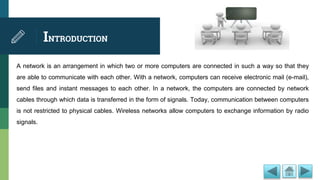
INTRODUCTION
A network is an arrangement in which two or more computers are connected in such a way so that they
are able to communicate with each other. With a network, computers can receive electronic mail (e-mail),
send files and instant messages to each other. In a network, the computers are connected by network
cables through which data is transferred in the form of signals. Today, communication between computers
is not restricted to physical cables. Wireless networks allow computers to exchange information by radio
signals.
Convergence of Computing
with Communications
Seventy-five years after the invention of the telephone, an experiment was made in USA to send
written messages over the telephone through a digital computer in 1940. Dr. George Stibitz, who
carried out the experiment, used telegraph lines to send data from Darmouth College to Bell
Telephone Laboratories in New York City. This started the era of converging technologies,
something that has continued to this day.
It was only when computers became commercially available in the 1960s that the technology of
electronic long distance communication developed. New switching techniques allowed telephone
networks to span the globe, and these networks could carry data at speeds that were adequate for
computers.
Network Basics
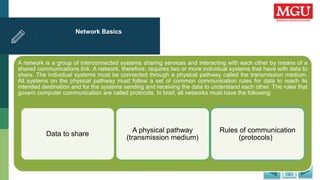
A network is a group of interconnected systems sharing services and interacting with each other by means of a
shared communications link. A network, therefore, requires two or more individual systems that have with data to
share. The individual systems must be connected through a physical pathway called the transmission medium.
All systems on the physical pathway must follow a set of common communication rules for data to reach its
intended destination and for the systems sending and receiving the data to understand each other. The rules that
govern computer communication are called protocols. In brief, all networks must have the following:
Data to share
A physical pathway
(transmission medium)
Rules of communication
(protocols)
Need for Networking
Today, computers have become an important part of our lives. Around the world, hundreds and thousands of
computers exchange information with each other through different media such as cables, microwaves towers, and
satellites. Information that would have otherwise taken days to reach us can now be read or heard in minutes. Tasks
that took weeks to complete can now be done in hours. All this is possible due to networking. Today, computer
networks are not merely a circuitry of cables and computers; they had become backbones of human society.
Advantages of Networking
You can share files, resources, and programs on networks. You can also access your
work from any computer connected to the network and easily exchange information
with other users. The following are the some advantages of computer networks:
• Sharing of files
• Sharing of resources
• Sharing of programs and backups
• Enhanced Communication
• Ease of Connectivity
• Improved price/performance ratios
• Improved person-to-person communication
• Connectivity and communication
Entertainment
Disadvantages of
Networking
Rapid advances in the technology of both the computer and networking fields has led to concerns related
to data security and privacy, and increased incidents of hacking and accessing of unauthorized data. The
laws controlling privacy and network infrastructure are yet to keep pace with these developments. Apart
from these, there are several other issues related to networking that are of concern. Some of the major
disadvantages of computer networking are:
•Lack of data security and privacy
•Costly and complex wiring
•Complicated and expensive network software
Crashing of the server
Basic Components of
Networks
The components of a network include protocol software (network), user interface software (File Transfer
Protocol (FTP), Telecommunication Network (Telnet), operating system software, and network hardware,
such as Network Interface Cards (NICs), patch cables, and cross connect blocks. Some components of
computer network are:
•Media
•Processors
•Software
•Channels
•Topology
•Architechure
Network Topologies
A network topology is the geometric arrangement of nodes and cable links in a Local Area Network (LAN).
Topology defines how nodes are connected to one another. A node is an active device connected to the network,
such as a computer or printer. It can also be networking equipment such as a hub, switch, or router.
The three most often used topologies are bus, ring, and star. Users can use a combination of topologies
according to their requirement.
Different network topologies offer different advantages and disadvantages in terms of cost, complexity, and
robustness.
Types of Networks
Networks can be characterized on the basis of their geographical reach,
data transmission speed, and magnitude in terms of the number of
computers interconnected. There are, in general, four categories of
networks, which are explained as follows:
• LAN: Covers relatively small area, such as school or office buildings, airports, etc., and
shares a single common communication line.
• Metropolitan Area Network (MAN): Covers a larger area than LAN and connects two
or more LANs together, often for use by a single organization that has many branches in
a city.
• WAN: Extends up to national boundaries and often uses leased lines or switched
networks for communication.
Packet Switching and Circuit
Switching
Computer network protocols, in general, employ the following two techniques to deliver data across a local
or long distance connection:
• Packet switching: Generally, the WAN protocols, including Transmission Control
Protocol/Internet Protocol (TCP/IP), X.25, and Frame Relay, are based on packet
switching technologies. In packet switching, the bandwidth is allocated dynamically
according to the requirement. The data is transmitted in the form of packets that have the
destination address; the packets are then transmitted individually and can even follow
different routes to their destination.
Circuit switching: On the other hand, in circuit switching, the route through which the data will travel is
determined before sending the data, and the route remains dedicated till the transfer is completed and
session is terminated.
Asynchronous Transfer Mode
Asynchronous Transfer Mode (ATM) is a switching technique that transfers data in the form of cells of equal size and can be
used both for LAN and WAN. It is designed to permit extremely high-speed (of the order of gigabits) data switching. To
achieve such high transfer speeds, an ATM network employs special-purpose hardware and software methods such as high-
speed switches, optical fibers, and fixed-size frames called cells. ATM is a connection-oriented model and the route through
which cells will pass is predefined. It has the properties of both packet-switched and circuit-switched networks.
Protocols
By protocol, we mean a standard set of rules, regulations, and conventions agreed upon by two
computers across a network in order to be able to communicate with each other. In computing, a
protocol allows the setting up of a connection, communication, and transferring of data between two
computing endpoints or computers. A protocol may simply be defined as the set of rules, regulations,
and conventions that govern the semantics, syntax, or even the synchronization of communication
between the two computers that are to be communicated in a network. It specifies what is
communicated and how.
Hardware and Software of
Networks
To establish a network, you need various hardware and software. The hardware
includes the network interface card(NIC), networking cables, such as the coaxial
cable, twisted pair cable, or optic-fiber cable, and network devices, such as hub,
switches, bridges, and repeaters. The software includes the protocols as well as the
network operating system.
Networking Cables
Networking cables are the transmission media through which data flows from a source to the
destination. The data is transmitted through these cables in the form of signals. These signals, which
represent data, are propagated from one device to another through the transmission media. The
various types of networking cables are:
•The twisted pair cable
•The coaxial cable
•The fiber-optical cable
Router and Switch
A router can connect various LANs, various WANs, and also connect LANs and WANs together. A router
connects autonomous LANs or WANs to create an internetwork, while a repeater or a bridge connects
segments of a LAN. A router is an intelligent device because it understands the network topology and
routes the packets forward based on several aspects to determine the best path. The routers use
sophisticated software and protocols to select the path and process millions of packets per second.
A network switch is a device that can connect two network segments together. Switches can connect
various LANs and WANs together. Depending on the operation, a switch can be classified as a layer 2
switch or a layer 3 switch. Switches can forward frames simultaneously between all pairs of its ports.
Role of the Server in
Networking
In a server-based network environment, resources are located on a central server or group of servers. A
server is a computer that is specifically designated to provide services to the other computers on the
network. A network client is a computer that accesses the resources available on the server. The server-
based network model is efficient for all but the smallest networks because hardware resources can be
concentrated on a relatively few highly-utilized network servers; client computers can be designed with
minimal hardware configurations. A basic network client machine, for instance, might have a 486 processor
and 8-16 megabytes of RAM. A typical server might have 32 megabytes of RAM (or more) and many
gigabytes of file storage capacity.
Internet Protocol Versions
The various categories of server are as follows:
The File Server: A file server is a server that stores files on the network for users. This form of data service requires a large bandwidth
and can slow a network down considerably when there are many users.
The Database Server: In database servers, clients pass Structured Query Language (SQL) requests as messages to the server and the
results of the query are returned over the network.
The Print Server: A print server manages access to network printing resources, thereby enabling several client machines to use the
same printer.
The Application Server: An application server is a server that actually runs an application for the client. Server might search through a
large database to provide a requested record for a client. This server might be part of a client/server application, in which both the client
and the server perform some of the processing.
Internet Protocol Version
(IPV)
Internet protocol (IP) became the official protocol of the Internet in 1983. On the Internet, every resource must
have a unique identification called IP address. There have been six versions of the IP since it came into force.
Two most popular version of IPV are discussed as follows:
IPV4: IP Version 4 (IPv4) is the bulwark of the TCP/IP architecture. Most of the work on the Internet is currently
being done using IPv4, therefore it is the most commonly used version of IP. However, with the exponential
growth of the Internet, IPv4, as estimated, would not be able to handle the Internet traffic. The main problem with
IPv4 is that the Internet address has only 32 bits, so only 232 unique addresses are possible.
IPV6: It uses 128-bit address and can handle a much larger number of addresses/users as compared to IPv4.
IPv6 is designed to support network security features such as authentication, data integrity, and confidentiality,
which is not in IPv4. In addition, it can handle real-time data (for example, audio/video) as well as traffic
congestion more efficiently than IPv4, the current version.
SUMMARY
•Explored the fundamentals of computer networks
•Learned about the benefits and limitations of computer networks
•Explored types of networks and network topologies
•Learned about IPv4 and IPV6
UNIT 2
Network Models
LEARNING OBJECTIVES
LEARNING OBJECTIVES
•
•Differentiate between peer-to-peer, client server, and hybrid
networks
•Understand two-tier and three-tier architectures
•Know about OSI model and TCP/IP model
Lecture Outline
• Introduction
• Peer-to-Peer Network
• The Client/Server Network
• The Hybrid Network
• The Client/Server Architecture
• Two and Three-Tier Architectures
• Reference Models
• OSI Model
• TCP/IP Model
• IP Address
• Domain Name System (DNS)
• SUMMARY
INTRODUCTION
•A network model is a computer network architecture that demonstrates whether a computer acts as a
server that provides services to the other computers on the networks or as a client that receives services
from the server. It may demonstrate that a computer also acts as a client as well as a server.
•A network generally falls within one of the following three categories:
•The Peer-to-peer network
•The client/server network
•The hybrid network
Peer-to-Peer Network
A peer-to-peer network is a group of user-oriented computers that basically operate as
equals. Each computer is called a peer. Peers share resources, such as files and
printers; however, no specialized servers exist. Each peer is responsible for its own
security, and, in a sense, each peer is both a client (because it requests services from
the other peers) and a server (because it offers services to the other peers). Small
networks usually fewer than 10 machines may work well in this type of network.
The Client/Server Network
.
A client/server network refers to a network model where two or more computers interact in such a way that one provides services to the
other. This model allows users to access information, resources, and services located anywhere within the network. Users are very
interested in the client/server network because it allows them to be more responsive, as well as to effectively utilize all computing
resources within their network. As the term implies, client/server networking has two basic components:
Client: The client requests a service to be performed. This service might be to run an application, query a data base, print a document,
or even perform a backup or recovery procedure.
Server: It is the resource that handles the client’s request. Today, networks may have file servers, database servers, application servers,
and communication servers.
The Hybrid Network
A hybrid network refers to a combination of two or more networks, as described earlier in
the unit. This can include several star LANs that are connected by a bus or a ring, or a bus
that connects several ring networks, each on a different floor of a large building. Many
network environments are a combination of server-based and peer-to-peer networking
models. For example, an organization may concurrently use Novell’s server-based
network operating system, NetWare, and Microsoft’s peer-to-peer operating system,
Windows for Workgroups. New desktop operating systems, such as Microsoft Windows
XP/Vista integrate easily into any of the given network models.
The Client/Server
Architecture
The client/server architecture is a network architecture in which communication takes place between a
client and a server on a network. This architecture describes the relationship between the two systems,
client and server. The client provides the user interaction facility. It sends requests for a service to the
server. The server contains the database and has a high data storage capacity. It sends a response to the
client based on the request. For example, suppose a use wants to check his bank account. For this, the
user sends a request from the client computer to the server in the bank (bank computer). The server
retrieves the user’s request and send it back to the client computer.
There are two types of client/server architecture:
•Two-tier architecture
•Three-tier architecture
Two and Three-Tier
Architectures
The two-tier architecture describes a client/server system where the client requests services and the server
responds to the service. In this architecture, there are only two levels, client and server. The server directly
responds to the client. The two-tier architecture is easy to set up and maintain and has a simple structure.
The main drawback of this architecture is the high volume of network traffic.
The three-tier architecture contains an additional server, called the application server, between the client
and database server. Therefore, the application server is divided into three levels: client, application server,
and database server. The application server reduces the work of the database server, thereby making
application processing efficient. In three-tier architecture, the database server is no longer directly
connected with the client. It is only connected with the application server. This reduces the load of the
database server. Three-tier architecture is more secure because the client does not have direct access to
the database.
Reference Models
There are two types of reference models in vogue, which are as follows:
• The seven-layered Open System Interconnection (OSI) model: The OSI reference model emerged as a first
step toward international standardization of the protocols used in the various layers by the ISO. The model is
called the ISO OSI reference model as it deals with connecting open systems, that is to say, systems open for
communication with other systems. . The OSI model comprises seven layers, which are application,
presentation, session, transport, network, data link, and physical layer.
The four-layered TCP/IP model: Over the past decade, network designers have largely
united around a common protocol stack based on TCP/IP. Today, IP has been globally
accepted as the protocol of choice for internetworking. The four layers of TCP/IP model
are: network interface, internet, transport, and application layer.
OSI Model
A brief account of the seven layers of OSI model is as follows:
• Physical Layer: Transmits and receives bits over a physical communication channel (such as
Ethernet). It provides procedure to initiate, maintain, and terminate the physical connection that
transmits bits between data-linked systems
• Data Link Layer: Provides reliable data delivery across the physical network by detecting and
correcting errors that may appear in the physical layer.
• Network Layer: Manages network connections. It takes care of data packet routing between source
and destination computers, which are on different networks as well as network congestion.
• Transport Layer: Provides transparent data transfer between hosts and reliable service of data packet
delivery to upper layers.
• Session Layer: Manages the process-to-process dialogue (communication) sessions between the
hosts.
• Presentation Layer: Concerns mainly with data manipulation rather than communications functions.
• Application Layer: Provides a set of services that acts as the interface between the user application
(such as file transfer, remote terminal access, or e-mail) and the communications protocol stack.
TCP/IP Model
A brief account of the four layers of TCP/IP model is as follows:
Network Interface Layer: is used to provide a relationship between a device and a physical medium. This layer comprises of
the layout of pins, voltages, cable specifications, hubs, repeaters etc.
Internet Layer: The Internet layer corresponds to Layer 3 (network layer) on the OSI model. It defines datagrams and
handles their routing from one machine to another. The IP used in the Internet layer is considered to be the building block of
the Internet.
Transport Layer: End-to-end data delivery from one application program to another is provided by the transport layer and
thus flow of information is regulated.
Application Layer: The application layer comprises services and protocols that help the applications running over the
network.
IP Address
IP address is the logical address used to communicate with people,
computers, and devices and gather information. IP address is used to
send and receive information from one host to another through a
physical medium such as, cable on the network. An IP address is a
unique 32 bit logically assigned binary number of four octets, which is
represented in decimal notation, designated to a particular device.
Hosts and routers (a device used to determine the destination of a
data packet) used in the TCP/IP protocol suite are identified by the IP
address. The IP address is also divided into classes and each class
has its specific range. The IP address consists of two parts, which are
as follows:
•Network ID: Identifies the network to which the host is connected.
Network ID is the same for all the hosts on a particular network.
Host ID: Identifies the host on the network. Host ID is different for
different hosts on the network.
Domain Name System
(DNS)
DNS is a facility provided by the TCP/IP that allows you to remember only the name of a site instead of the large
and lengthy IP address. It is a client/server based architecture that functions at the Application Layer. Nowadays,
the use of Internet services is widespread. The name of a site you type in the address bar is converted into an IP
address. Suppose, the DNS utility was not available and you wanted to search for information on any topic from
Google. In that case, you had to type 216.239.51.10 instead of typing www.google.com.
SUMMARY
•Learned about peer-to-peer, client server, and hybrid networks
•Explored two-tier and three-tier architectures
•Came to know about OSI model and TCP/IP model
UNIT 3
Types of Networks
LEARNING OBJECTIVES
LEARNING OBJECTIVES
•
•Explore LAN, WAN, and MAN
•Learn about other types of network
Lecture Outline
• Introduction
• Types Of Networks
• Local Area Network
• Wide Area Network
• Metropolitan Area Network
• Other Types of Network
• SUMMARY
INTRODUCTION
A computer network is a set of inter-connected devices that share related information in any form, such as
text, numbers, images, audio, or video. Some devices, such as printers, are interconnected by a
communication link, such as a cable. These devices communicate through a network system that consists of
hardware (physical components) and software (programs). In other words, any computer connected to the
network is said to be on the network. The technical term used for a computer on the network is called a
node. Computer networking has become a necessity nowadays. It is convenient in situations where you
need to share different resources, files, or applications for flawless communication between computers
Networking can be as simple as connecting two computers or as complicated as connecting multiple
computers and devices. Networking also enhances connectivity and person-to-person communication by
sharing files and resources.
Types Of Networks
There are many types of Networks that are classified on the bases of various
characteristics, which are used to connect computers on the network. The effectiveness of
a computer network is measured by four characteristics: Delivery, Accuracy, Timeliness,
and Jitter (variation). The different types of networks available are: LAN, WAN, and MAN.
Local Area Network
LAN is a privately owned network of an organization. It is used to connect a computer with other hardware,
such as a printer, at home or in an office. The range of LAN is restricted to a few kilometers only. This type
of network is useful when you want to connect two different departments in a building. There are different
technologies (such as Ethernet and Token Ring), each with its own advantages and disadvantages. The
data transfer rate for LAN technologies is up to 10 Gbit/s. High transmission rates are possible in LAN
because of the short distances between the various computer networks. This makes LAN a high-speed,
fault-tolerant data network. LAN enables shared access to devices and applications, file exchange between
connected users, and communication between users via electronic mail and other applications.
Wide Area Network
WAN is a type of network used to cover a wide geographical area or region. WANs can be interconnected
with LANs. WAN links different metropolitans, countries and national boundaries, thereby enabling easy
communication. A WAN may be located entirely within a state or country, or it may be interconnected around
the world. Several protocols (X.25, TCP/IP, Frame Relay) are available for WAN. The transfer rate of these
protocols is around 1 Mbit/s or less and they often use public telephone networks or leased transmission
lines. The following are the characteristics of WAN:
•WAN exists in an unlimited geographical area
•WAN is more susceptible to errors due to the distances involved
•WAN interconnects multiple LANs
•WAN is more sophisticated and complex than LANs
•WAN technology is expensive
Metropolitan Area Network
MAN is a bigger version of LAN and its technology is also similar to LAN. It provides a network coverage
between LAN and WAN. In other words, MAN covers an area that is larger than the area covered by LAN
but smaller than the area covered by WAN. MAN generally connects two or more LANs or Campus Area
Networks (CANs). It usually acts as a backbone, connecting several LANs owned by an organization, as
well as hire Internet services to users. MANs contain several protocols (such as FDDI and DQDB), which
have their own topology and may have a higher data transfer rate. MAN typically uses wireless infrastructure
or optical fiber connections to link its sites. It is generally owned by a group or combination of users or by a
single network provider providing the service to the users. It adopts technologies from both LAN and WAN.
Protocols such as Asynchronous Transfer Mode (ATM), Fiber Distributed Data Interface (FDDI), Distributed
Queue Dual Bus (DQDB) and Switched Multi-megabit Data Service (SMDS) are used in MAN. In short, you
can say that MAN acts as a high speed network that allows sharing of regional resources.
Other Types of Network
Apart from the three main types of network namely, LAN, WAN, and MAN, there are other types of networks
also available. These include the following:
• Personal Area Network (PAN): Provides communication between a person’s digital devices such as
fax machines, telephones, PDA’s.
• Campus Area Network (CAN): Refers to the network spans within a limited geographical area such as
a campus or a military base.
• Global Area Network (GAN): Provides support for mobile applications across number of wireless
LANs, such as satellite coverage areas.
• Value Added Network (VAN): Refers to a type of network where a communication channel is hired by
a company to facilitate Electronic Data Interchange (EDI) or provide other network services.
Virtual Private Network (VPN): Provides links between various nodes with the help of open connections or
virtual circuits.
Wireless/Mobile Networks: Refers to the transmission media such as infra-red light, radio channels,
microwave radio cellular telephone systems and satellite relays.
SUMMARY
•Explored LAN, WAN, and MAN
•Learned about other types of network
UNIT 4
Wireless LANs
LEARNING OBJECTIVES
LEARNING OBJECTIVES
•Know about various wireless networking hardware
•Understand wireless technologies
•Know about different wireless networking standards
Lecture Outline
• Introduction
• Wireless Networking
• Hardware Requirements for a Wireless Network
• Software Requirements for A Wireless Network
• Wireless Networks
• Wireless Technologies
• Wireless Networking Standards
• Wireless Network Security
• SUMMARY
INTRODUCTION
A wireless network represents the latest networking technology. Wireless networks use either radio waves
or beams of infrared light to communicate with each other instead of using a set of wires running from one
node to other on a network. As a result, wireless networking:
•Helps to get rid of cabling and as a consequence provides mobility
•Allows us to overcome geographical boundaries
•Provides a convenient and reliable option for accessing broadband services
The Institute of Electrical and Electric Appliances (IEEE), an organization that defines industry-wide
standards in the fields of electronics and computing, has set guidelines or standards for wireless
networking, commonly called the Wireless Fidelity (WI-FI) standard.
Wireless Networking
Wireless networking allows you to connect different computers on a network by using standard
network protocols and without cables. For the distribution of data, the wireless network standard
(such as WI-FI) uses cellular radio signals or links to provide network connectivity to PCs and
laptops through a transmitter/receiver unit ( transceiver), generally known as an access point (AP)
or wireless access point (WAP). AP or WAP transmits and receives signals to and from wireless
network adapters. The availability, speed, and security of a wireless network are three vital factors
that affect how the network sends and receives signals.
Hardware Requirements for a
Wireless Network
Wireless networking capabilities of one form or another are built into many modern computing devices.
Infrared transceiver ports have been made standardized in computers. Wireless Ethernet and Bluetooth
capabilities are increasingly becoming popular as integrated components, or can easily be added by
using Peripheral Component Interconnect (PCI) or Personal Computer Memory Card International
Association (PCMCIA) add-on cards. You can also add wireless network capabilities by using a wireless
access point, a wireless extension point, a wireless bridge, or a Universal Serial Bus (USB) wireless
adapter.
Software Requirements for A
Wireless Network
For a Wireless Adapter to work properly, two types of software are required, a driver and a
configuration utility. Wireless devices use the same networking protocol as those used by
their wired counterparts, and operate on the Carrier Sense Multiple Access/ Collision
Avoidance (CSMA/CA) networking scheme. CSMA is a standard to define certain protocols
that detect the collision of data packets on a network. CA defines the Collision Advance
scheme. Wireless nodes listen in on the wireless medium to check if another node is
currently broadcasting data. If it is, the broadcasting node waits for some time before
sending the data to the intended node. This is done to avoid data collision on the network.
Wireless Networks
•The simplest wireless network consists of two or more PCs communicating with each other directly without
cables or other intermediary hardware. There are two types of wireless networks:
•Peer to Peer (P2P) or Ad-hoc wireless network: It is also known as an Ad-hoc or computer to computer
network. In this type of network, each wireless station (devices with radio network cards, such as a portable
computer or personal digital assistant) is directly connected to the other rather than through wireless
access points.
•Access Point or Infrastructure wireless network: An AP wireless network is also referred to an
infrastructure wireless LAN. In access point wireless networks, wireless stations connect to wireless access
points. These access points function as bridges between the wireless stations and the existing network
distribution system (network bone).
Wireless Technologies
•Wireless technologies are used for transmission of data through infrared signals and radio waves. This type of technology is
independent of data cables and wires. There are number of wireless technologies. Some popular wireless technologies are as
follows:
•Bluetooth technology: Bluetooth is a wireless technology that creates small wireless networks, called personal area
networks (PANs) between PCs and peripheral devices, such as keyboard and mouse. Bluetooth is the base for future IEEE
standards for wireless PANs. The Bluetooth specification allows for the transfer of data at rates from 723 Kbps to 1 Mbps, in a
short range (the maximum range is 10 meters).
•Infrared wireless technology: Infrared refers to light waves of a lower frequency than those that the human eye can receive
and interpret. Infrared wireless technology is defined as technology in which transmission of data is through infrared (IR)
radiation.
•Radio waves: The wavelength used in radio waves is longer than those of visible light. Radio waves are types of
electromagnetic radiations and invisible form. The range of the frequency of radio waves can be from as small as 10 KHz to as
large as 1 GHz.
Wireless Networking
Standards
Wireless networking standards are defined to maintain consistency in the usage of the same
standards throughout the world. These standards are accepted worldwide and required as
well, since numerous network technologies are present nowadays. Some wireless
networking standards defined are IEEE 802.11, 802.16, Bluetooth, and Home Radio
Frequency (HomeRF). These wireless networking standards secure the transmission of data
as well. These standards are defined by the IEEE.
Wireless Network Security
Security options for wireless networks based on WEP include authentication and encryption services.
Security services are used to protect wireless networks from unauthorized access, such as eavesdropping.
With automatic wireless network configuration, you can specify that a network key be used to encrypt your
data as it is transmitted over the network. The wireless network adapter in your computer might support the
WPA security protocol. WPA provides stronger encryption than WEP. With WPA, the network keys on
networked computers and devices automatically change and are authenticated regularly to provide greater
security than WEP. Wireless networks use methods, including SSID, MAC Filtering, WEP, and WPA to
secure access to the network as well as secure the data being transferred.
SUMMARY
•Learned about various wireless networking hardware
•Explored wireless technologies
•Learned about wireless networking standards
UNIT 5
Data Link Layer
LEARNING OBJECTIVES
LEARNING OBJECTIVES
•Understand the functioning of Data Link Layer
•Know about Media Access Control Protocol
Lecture Outline
• Introduction
• Data Link Layer
• Types of Links
• Services Offered by Data Link Layer
• Point to Point (PPP) and Link-Control Protocol (LCP)
• Media Access CONTROL (MAC) Protocol
• SUMMARY
INTRODUCTION
Data link layer is next to the physical layer in the OSI model; whereas, in TCP/IP suite it is known as
network interface layer. Data Link Layer is essential part of your network infrastructure. In the lab, your
computer is attached to hub/switch by UTP wire. This wire is called link for your computer. Now this hub or
switch is attached to router of you college. This router is attached to lease line of service provider by Hybrid
Fiber-Cable(HFC).When packet is reaching to your computer in Lab, it is traveling different links. The
routing of pakets in the data link layer is handled by link layer protocols.
Data Link Layer
In TCP/IP suite, data link layer is known as Network Interface Layer. The Network
Interface Layer of TCP/IP suite is divided in to two sub layers, that is, Logical Link
Control (LLC) sub layer and Media Access Control (MAC) sub layer. The logical link
control sub layer moves the packets between the Network Layer interfaces of two
computers (hosts) located on the same network. The transmission of packets on the
network can be controlled either by software device driver of the network card or the
firmware and specialized chipsets. These hardware and software accomplish data link
layer function of adding a header to the packet and encapsulate it in the data part of the
frame and prepare it for transmitting over a physical medium. On the other hand, Media
Access Control (MAC) sub layer handles the task of translating the Network layer
address (IP address) to Data Link Layer address (MAC address).
Types of Links
Two common types of links are point to point channels and broadcast links. These links are discussed as
follows:
Point to point channels: In this channels, data is moving from one node to other node using point to
point link. Whenever you are using switch as interconnecting device for networking. In the switch based
networking, every machine is getting 10 mbps throughput because there is direct link forwarding from node
1 to node 3. Here switch is providing a link network.
Broadcast Link: In this link many hosts are connected to common communication channels. As many
machines are sharing common medium, we need Medium Access Control (MAC) protocol to share
common link. We have to avoid collision of packet on the communication link. Hub based network is
broadcast link. That’s why bandwidth is divided among nodes. It is not point-to-point link.
Services Offered by Data Link
Layer
Network layer send data from source node to destination node. In this traffic multiple links are possible.
Link layer sends packet on single node to adjacent-node. Every link layer is able to take action on frames.
These actions are re-transmission, error detection, random access and flow control. There are major six
protocols, which are as follows:
•Ethernet(802.3)
•802.11 wireless LANS
•Token Ring (802.5)
•Point to Point Protocols (PPP)
•Frame Relay
•ATM (Asynchronous Transfer Mode)
Point to Point (PPP) and
Link-Control Protocol (LCP)
When you are dialling your modem to get the Internet from home, you are using point to point
protocol (PPP). This protocol is available on serial link, ISDN telephone link, SONET/SDH link, an
X.25 link.
When link becomes active we have to initialise, maintenance, error reporting and shutdown of a PPP
link is done by PPP’s link-control Protocol (LCP). LCP configure link and do handshaking operation.
These operations happen when your modem is creating “hissing” sound of communication
Media Access CONTROL
(MAC) Protocol
Ethernet MAC is recognized by 802.3 number. It is using Carrier Sense Multiple Access and Collision Detection
(CSMA/CD) algorithm to share cable among computer nodes. This means Ethernet card will sense(read) the cable
first then if cable is Idle then only it will start transmitting 1 bit of packet. It is available in the following two types:
•100 mbps network card(Fast Ethernet)
1 Gbps network card(Gigabit Ethernet)
SUMMARY
•Explored the functioning of Data Link Layer
•Learned about Media Access Control Protocol
UNIT 6
Network Layer
LEARNING OBJECTIVES
LEARNING OBJECTIVES
•Understand the protocols associated with the Network Layer
•Classify IP addresses in to different classes
Lecture Outline
• Introduction
• Network layer protocols
• IP addressing using classful addresses
• IP addressing using classless addresses
• Delivering, forwarding, and routing of IP packets
• Address resolution protocol(arp)
• Address resolution cache
• Internet control message protocol
• Summary
INTRODUCTION
A communication system provides universal communication service and allows any host computer to
communicate with any other host computer. To make the communication system universal, a globally
accepted method of identifying each computer in a communication system is needed. Generally, people
assign names to the objects they want to remember. However, computers work efficiently with identifiers or
addresses that are assigned to each and every node to identify it in the network. According to the IP
addressing scheme, every physical network is allocated a distinct network address and each host on a
network has the network address as a prefix of the individual host address. The routing becomes efficient
by separating the IP address into two parts, that is, network address and host address. Now, the routing
table has to keep only the network address of the destination network (in which the destination host
resides) for routing the datagrams.
Network Layer Protocols
The protocol stack defines a layered network model where each layer entity is clearly separated from the
other layer entity. Consider the case in which a physical layer component (such as Network Interface Card
(NIC)) of a machine does not know how to reach the physical layer component of another machine using
the IP address of remote machine. A protocol known as ARP is used to map the IP address (logical
address) of the remote machine to the physical address of the machine. In ARP, a source machine
broadcasts the IP address of the destination machine in the local network. Then the destination machine,
after receiving the broadcast, responds back with a unicast message containing its physical address.
Another protocol known as RARP is used by a host computer (mostly a dumb terminal) to map its physical
address with its IP address in the local network. The host computer sends a limited broadcast to the server,
requesting for its IP address by providing the physical address.
IP Addressing Using Classful
Addresses
The IP address is a pair of identifiers (netid, hostid), where netid stands for a network identifier (that helps in uniquely identifying a
network) and hostid stands for a host identifier (that helps in uniquely identifying a host on that network). The division into prefix and
suffix is not uniform across the entire Internet and according to the original addressing scheme called classful addressing.
IP addresses are classified into five set of classes in the classful addressing scheme. The separation between the prefix (netid) and
suffix (hostid) can be identified only by the three or four higher order bits. Addresses from Class A are assigned to the networks that
have more than 216 hosts. In Class A IP addresses, the netid consists of the preceding 7 bits and hostid contains the succeeding 24 bits
of the IP address. Addresses from Class B are given to the set of intermediate size networks that has hosts between 28 and 216. In
Class B IP addresses, the preceding 14 bits denote netid and the succeeding 16 bits denote hostid. Similarly, IP addresses from Class
C are allocated to the set of networks that has less than 28 hosts. In Class C IP addresses, the preceding 21 bits denote the netid and
the succeeding 8 bits denote the hostid. The key point behind defining IP address in such a manner is to extract the hostid or netid
parts quickly.
IP Addressing using Classless
Addresses
In classless addresses, the IP address is considered as a 32 bit stream of 0s and 1s, where the limit
between the host and network portions can lie between bit 0 and bit 31. Let’s explore what leads to the
creation of classless addressing. In the original IP address scheme, designers visualized the common
prefix as defining the network portion of an internet address and the remainder as a host portion.
The classful IP addressing scheme was designed to take care of all possibilities; however, it failed on one
account as its designers were unable to predict growth in the Internet. Most of the networks in the Internet
were small size networks that resulted in the following three consequences:
•A lot of administrative overhead is required just to manage and control network addresses
•Large size routing tables are needed
The address space will be consumed quickly
Delivering, Forwarding, and
Routing of IP Packets
.
The protocol that defines the unreliable and connectionless delivery mechanism is known as the
Internet Protocol (IP). IP offers the following three important definitions:
• IP is the basic unit of data transfer across a TCP/IP Internet.
• The IP software performs the routing function, that is, it chooses a path over which the data will be sent.
• In addition to the precise, formal specification of data formats and routing, IP embodies a set of rules that forms the idea
of unreliable packet delivery.
From the viewpoint of the users, an Internet is a single virtual network that interconnects all hosts
and through which communication is possible while the underlying architecture is both hidden and
irrelevant. From another viewpoint, an Internet is an abstraction of physical networks because at
the lowest level, it provides the same functionality, that is, accepts packets and delivers them.
Address Resolution
Protocol(ARP)
The mapping of internet address to physical address is called address resolution.
There are two techniques employed to solve the ARP based on the two types of
physical addresses:
• Static mapping: Denotes mapping for small, easily configurable physical addresses. A table is created that
maps a logical address with a physical address and is stored at each node on the network.
Dynamic mapping: Denotes mapping for large, fixed physical addresses such as
Ethernet.
Address Resolution Cache
.
When a host or a router has a large number of IP datagrams to be sent to the same host or
router, it may seem impractical that a source has to send a broadcast message to all the
nodes every time an IP datagram is to be sent to the destination. Broadcasting is very
expensive as every node on the network has to receive and process the broadcast
message. A solution to the aforementioned problem is the address resolution cache table.
When a node receives the subsequent physical address for an IP datagram, the address is
saved in the address resolution cache table to deliver the succeeding IP datagrams that
are destined to the same node.
Internet Control Message
Protocol
In the connectionless system, we have described so far that each router operates independently, that is, routing or
delivering datagrams that arrive without coordinating with the original sender. The system works well if all
machines operate correctly and mutually agree on routes. Unfortunately, no large communication system works
correctly all the time. Sometimes, messages are undelivered due to hardware failure such as malfunction of
communication lines and/or processors. Moreover, IP software also sometimes fails to deliver the datagrams when
the destination machine is disconnected from the network or when the TTL counter expires. The important point of
difference between having a single network implemented with dedicated hardware and an internet implemented
with software is that in case of the former, the designer can add special hardware to inform attached hosts when
problems arise. On the other hand, in an internet, which has no such hardware mechanism, a sender cannot make
out whether a delivery failure resulted from a local malfunction or a remote one; therefore, debugging becomes
extremely tedious.
SUMMARY
•Learned the protocols associated with the network layer
•Explored IP addresses in to different classes
UNIT 7
Transport Layer
LEARNING OBJECTIVES
LEARNING OBJECTIVES
•Understand the process handled by transport layer
•Know about TCP and UDP
•Get familiar with ports and sockets
Lecture Outline
• Introduction
• Transport Layer Protocols
• Transmission Control Protocol
• Socket Programming
• Client and Server Communication
• Identification of Hosts and Service Ports
• Sockets and Socket-Based Communication
• SUMMARY
INTRODUCTION
The transport layer uses port to identify a process on a machine to which the data is to be delivered. Port is
specified by a number at which a particular application runs. There may be multiple processes in a
machine, and the port number makes it possible to identify a process among the various processes in the
machine. Port provides the identification to an application among multiple applications executing on the
host machine. There are two most important protocols present in the transport layer of the TCP/IP suite,
namely, UDP and TCP. Both these protocols work with the IP found in the network layer of the TCP/IP
suite to provide reliable and ordered transfer of data over a network. IP provides connectionless and
unreliable transfer of datagrams, which are a unit of data transferred, from one machine to another machine
over a network. By connectionless, we mean that the previous datagram delivered using UDP is not related
to the next datagram sent.
Transport Layer Protocols
The two important protocols associated with transport layer are TCP and UDP. . UDP provides
unreliable and connectionless transfer of datagrams from a process in a machine to a specific
process in another machine over a network. UDP is particularly used in applications that require
efficiency over fast networks, without having the need for reliability and order of transfer of data.
UDP is preferred when there is need of multicast distribution of information from news or trading
system.
TCP allows reliable, ordered, and connection-oriented transfer of a stream of bytes over a
network. TCP provides techniques to detect and correct errors in the transferred stream of bytes.
Therefore, when there is requirement of a reliable and ordered transfer of data over a network,
TCP is used. TCP guides a sender to retransmit lost or damaged segments over a network.
Transmission Control
Protocol
.
TCP transfers a stream of bytes (messages) received
from processes as group of bytes called segments.
Each segment consists of two parts: a header, which
contains information related to transmission of a
segment, followed by data.
The protocol specifies the format of a segment and
acknowledgement that two machines interchange for
reliable segment transfer. It also defines the
procedures a machine uses to ensure that the data
reaches the destination correctly. It defines the
method that TCP uses to identify a process on a
given machine for avoiding errors such as lost or
duplicated packets.
Socket Programming
ports are the numbers used by the TCP and UDP to identify a process in a machine to which the data is to be sent to a
receiver over a network. A port is a 16-bit number, whose value ranges from 0 to 65535, which identifies an end point for
communication (a process) in a receiver as per the version 4 of TCP. Socket address is a combination of an IP address and
a port that uniquely identifies a network connection to a process. Internet Corporation for Assigned
Names and Numbers (ICANN) is a standard organization that has classified the ports (0 to 65535) into the groups:
Ports assigned to servers (well-known ports): Refer to the ports starting from the port no. 0 to the port no. 1023. These
ports may not be assigned randomly and hence known as well-known ports.
Ports assigned to clients: Refer to the short-lived ports that are assigned to the clients.
Client and Server
Communication
At the basic foundation level, an application making two devices to communicate over a network requires
a server, a client, and a media for communication.
The programs that run on client machines make requests to a program (often referred to as server
program), which runs on a server machine. To send a request from a program on the client machine to a
program on the server machine over a network, certain services are used that are provided by UDP, TCP,
and IP in the TCP/IP suite.
The UDP protocol sends independent packets of data, called datagrams, from one machine to another,
but does not provide guarantee about the arrival of datagrams at a receiver over a network. Clock server
and Ping are two examples of applications that use the TCP/IP suite.
Identification of Hosts and
Service Ports
Every machine connected to the Internet consists of a unique, 4-byte IP address, represented in dotted
decimal notation (comprising four decimal numbers separated by a dot). The IP address is used to
identify a machine among multiple machines connected to the Internet. An example of IP address is
128.250.25.158, where each decimal number separated by a dot is an unsigned value between 0 and
255. However, this representation is not user friendly since it does not convey any meaning and is
difficult to remember. Therefore, the IP address is mapped to a Uniform Resource Locator (URL), such
as www.yahoo.comand www.google.com, which is user friendly and easier to remember. The Internet
supports domain name servers that translate URL to IP address.
Sockets and Socket-Based
Communication
Socket is an interface between an application process and the transport layer. Using a socket, an
application process may deliver/receive messages to/from another application process in the same or
different host over a network.
An application program that runs on a server machine or a server program contains a socket that is
bound to a particular port. The socket serves as an endpoint in a two-way communication between
processes executing on the client and server machines over a network. Being bounded to a port number,
a socket helps the TCP layer to identify the application to which the data is intended to be sent.
SUMMARY
•Explored the process handled by transport layer
•Came to know about TCP and UDP
• Learned about ports and sockets
UNIT 8
Application Layer
LEARNING OBJECTIVES
LEARNING OBJECTIVES
•Understand how the client-server concept can be used for
bootstrapping
•Know about Application Layer Protocols
•Get familiar with the concept of E-mail
Lecture Outline
• Introduction
• Bootstrap protocol (bootp)
• Dynamic host configuration protocol
• Telnet protocol
• Accommodating heterogeneity
• File transfer and access using ftp
• Trivial file transfer protocol
• Electronic mail
• Tcp/ip standards for e-mail
• Post office protocol (pop)
• Internet message access protocol (imap)
• Summary
INTRODUCTION
Application layer is the layer where all the applications that use the network are found. Many protocols are
defined in this layer and we will cover most of the standard protocols in this section. The purpose of the
layers below the application layer is to provide reliable transport of data, but they do not do real work for the
users. However, even in the application layer, there is a need for support protocols to allow the various
applications to function.
Bootstrap Protocol (BOOTP)
•The client/server protocol, that is, BOOTP, is used to configure a diskless computer or a computer that has been booted
for the first time. The various features of BOOTP are described as follows:
•Limited broadcast: It has been aforementioned that BOOTP uses UDP to carry messages and UDP messages are
encapsulated in the IP datagrams for delivery. through a limited broadcast address (an IP address consisting of all 1s, that
is, 255.255.255.255). IP software can accept and broadcast datagrams indicating the limited broadcast address even
before the software discovers its local IP address information.
•Checksums: BOOTP holds the client responsible for reliable communication. As pointed out in the preceding text, UDP
uses IP for delivery of messages so that the messages can be delayed, lost, duplicated, or delivered out of order.
•Timeouts and retransmission: BOOTP uses the concept of timeouts and retransmission so as to take care of datagram
loss. When the client transmits a request, it triggers a timer. If no reply arrives prior to the timer expiry, the client has to
retransmit the request. In case of a power failure, all the computers on a network will reboot instantaneously and crowd the
BOOTP server(s) with requests.
Dynamic Host Configuration
Protocol
A new protocol known as the Dynamic Host Configuration Protocol (DHCP) has been designed for
managing automatic address assignment. DHCP extends BOOTP in two ways. First of all, it allows a
computer to acquire all the configuration information it requires in a single message. For instance, a DHCP
message can contain a subnet mask additionally to an IP address. Second, DHCP helps to obtain an IP
address quickly and dynamically. The following three types of address allocation are allowed by DHCP in
general:
•Manual configuration: Allows a user to configure a particular address for a particular computer manually, similar to the BOOTP
scheme where the manager is allowed to configure it
•Automatic configuration: Allocates a permanent IP address to the computer when it first connects to the network
Dynamic configuration: Permits complete dynamic configuration whereupon a server leases an IP
address automatically to a computer for a finite time period, which is subject to change
TELNET Protocol
•TELNET is an abbreviation for TErminaL NETwork, which is a standard mechanism provided by TCP/IP to establish a
connection between a local machine and a remote system in such a manner that the local machine seems to be a terminal at
the remote system. TELNET is used when a user wants to access an application stored on a remote machine. TELNET client
software generally permits the user to specify the remote system by giving either its domain name or IP address. TELNET
offers three basic and main services, which are as follow:
•Network Virtual Terminal (NVT): Defines an NVT that supplies a standard interface to remote systems. Client programs
just have to use this standard interface without understanding the details of all possible remote systems.
•Negotiation: Provides a mechanism whereby the client and server can negotiate some extra options apart from default
options.
•Symmetric connection: Treats both ends of the connection equal and symmetric. To take a simple example, TELNET does
not require client input to come from a keyboard. It also does not require the client to display output on a screen.
Accommodating
Heterogeneity
.
TELNET has to deal with heterogeneous systems because different computers may have different
operating systems that may use a special combination of characters as tokens. Hence, before we connect
to any remote machine, we first have to know its type. To take a simple example, the following different
systems generally require line of text to be terminated by different characters:
•Some systems require lines of text to be terminated by the ASCII carriage control character (CR)
•Others require the ASCII linefeed (LF) character
Still others require the two-character sequence of CR-LF
File Transfer and Access
using FTP
•Most of the data exchange in the Internet is because of file transfer. Designers have explored a variety of
ways to remote access; each one is optimal for a particular set of goals. Some of the remote access
strategies are as follows:
•Remote file access: In some designs, remote file access is used to lower overall cost. Such architectures
support a single, centralized file server that provides secondary storage for a set of inexpensive computers
with no local disk storage.
•Remote storage: In this case, data is archived using remote storage with users having conventional
computers with local storage facilities.
•Sharing data: The capability to share data across multiple programs, multiple users, or multiple sites is
given the main emphasis in these designs. To take a simple example, an organization might like to have a
single online database of outstanding orders shared by all its working groups.
Trivial File Transfer Protocol
TFTP is a file transfer application implemented over the Internet UDP layer. TFTP is a disk-
to-disk data transfer, and its intended function is to read/write a file to/from a server. TFTP
can only read/write a file to/from a server, and therefore is primarily used to transfer files
among personal computers. TFTP allows the user to send and receive files, but does not
provide any password protection (or user authentication) or directory capability. TFTP was
designed to be small enough to reside in the ROM, and is widely used in conjunction with
BOOTP to download operating code and configure data required to boot a diskless
workstation or thin client.
Electronic Mail
E-mail is an application through which a user using computer can send or
receive messages over the Internet. Nowadays, apart from messages, a
user can also send pictures and videos as attachments with a message. E-
mail has become so popular because of its meticulously designed protocols
that make it secure and reliable. To send an e-mail communication between
two computers is direct and the protocol insists that the message is not
deleted till it is copied on the receiver’s system. SMTP provides a store-and-
forward service for e-mail messages. A mail is sent from the local mail
application (e.g., a Netscape mail client) to a Simple Mail Transfer Protocol
(SMTP) server application running on a mail server (e.g., Microsoft
Exchange mail server).
TCP/IP Standards for E-Mail
The goal of the TCP/IP protocol is to provide interoperability across the widest possible range of
computer networks and systems. To extend the interoperability of e-mail, TCP/IP divides its mail
standards into the following two sets:
Message format: Specifies the format for mail messages. The standard specifies that the headers
contain readable text, which is divided into lines that consist of a keyword followed by a colon succeeded
by a value. Some keywords are required, others are optional, and the rest are not interpreted.
E-mail exchange: Specifies the details of e-mail exchange between two computers.
Post Office Protocol (POP)
In Version 3 of POP, a user calls upon a POP3 client that creates a TCP connection to a POP3 server on the mailbox
computer. The complete procedure is as follows:
The user first logs in with a username and password to authenticate the session.
Once the authentication is completed, the user sends a command to get back a copy of one or more messages and to delete
the messages from the permanent mailbox. Such messages are saved as text files.
It is worth pointing out that the computer with the permanent mailbox must run two servers – an SMTP server and a POP3
server.
It is also worth mentioning that to ensure correct operation, the two servers must coordinate the use of the mailbox so that if a
message arrives through SMTP while a user is extracting messages through POP3, the mailbox must be left in a legitimate
state.
Internet Message Access
Protocol (IMAP)
IMAP is also a standard protocol for e-mail retrieval and serves as a means of transferring e-
mails from a mail server. Version 4 of IMAP is an alternative to POP3 that uses the same
general scheme and structure. Comparison of POP3 and IMAP4 is as follows:
• Similar to POP3, IMAP4 defines an abstraction known as a mailbox with mailboxes located on the same computer as a
server.
• In addition, similar to POP3, a user runs an IMAP4 client that contacts the server to download the messages.
• Unlike POP3, which basically assumes that the user will clear out the mailbox on every contact and work offline after that,
IMAP assumes that all the e-mail will remain on the server indefinitely in multiple mailboxes.
• IMAP4 also provides additional functionality for message retrieval and processing.
When a user runs a client using IMAP4, the client stay connected all the time till the user
interface is active and the message content is downloaded as per demand.
SUMMARY
•Learned how the client-server concept can be used for bootstrapping
•Learned about Application Layer Protocols
•Explored the concept of E-mail
UNIT 9
Routing in the Internet
LEARNING OBJECTIVES
LEARNING OBJECTIVES
•
•Introduce Intra and Inter-Domain Routing
•Learn about Unicast Routing Protocols
•Explore Multicast Routing Protocols
Lecture Outline
• Introduction
• Intra-domain and inter-domain routings
• Other routing protocols
• Unicast routing protocols
• Static and dynamic routing
• Routing information protocol (rip)
• Multicast routing protocols
• Distance vector multicast routing protocol
• Alternative protocols
• Mospf protocol
• Post office protocol (pop)
• Internet message access protocol (imap)
• Summary
INTRODUCTION
The Internet is defined as a collection of interconnected computer networks working on a Transmission
Control Protocol/Internet Protocol (TCP/IP). It provides a medium for information exchange between two
network devices (such as laptops and mobiles) situated at two distant locations. This information is sent or
received by the network devices in the form of packet (or datagram), which passes through various routers.
The routers use a technique called routing for transmitting information across the Internet from a source to
a destination. A group of networks and routers that are controlled by a single administrative authority is
called an autonomous system.
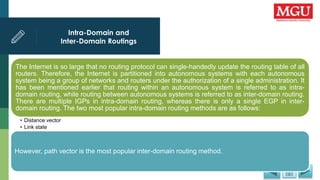
Intra-Domain and
Inter-Domain Routings
The Internet is so large that no routing protocol can single-handedly update the routing table of all
routers. Therefore, the Internet is partitioned into autonomous systems with each autonomous
system being a group of networks and routers under the authorization of a single administration. It
has been mentioned earlier that routing within an autonomous system is referred to as intra-
domain routing, while routing between autonomous systems is referred to as inter-domain routing.
There are multiple IGPs in intra-domain routing, whereas there is only a single EGP in inter-
domain routing. The two most popular intra-domain routing methods are as follows:
• Distance vector
• Link state
However, path vector is the most popular inter-domain routing method.
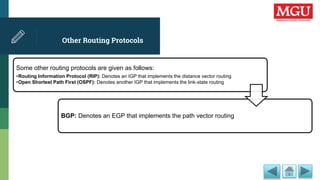
Other Routing Protocols
Some other routing protocols are given as follows:
•Routing Information Protocol (RIP): Denotes an IGP that implements the distance vector routing
•Open Shortest Path First (OSPF): Denotes another IGP that implements the link-state routing
BGP: Denotes an EGP that implements the path vector routing
Unicast Routing Protocols
Unicasting refers to a one-to-one mapping in which one router contacts only one router at a time. Unicast
routing deals with the finding of the shortest path to the destination by the router when it receives a packet
from a source to propagate. For finding the shortest path, the router refers to its routing table for finding
the route to the destination. The routes are updated in the routing table either statically or dynamically.
Static and Dynamic Routing
A routing can be either static or dynamic, depending on the factors such as user requirement and network complexity. In static
routing, the information is entered manually in the route table; on the other hand, in case of dynamic routing, there are systems
that can discover and share information automatically and then make its entry in the route table. Nowadays, the Internet is
dependent on these dynamic routing protocols because the routing tables need to be updated as soon as there is a change in the
Internet. Sometimes, static routing is preferred over dynamic routing because as dynamic routing is more automatic, we have less
control over it. On the other hand, we have better control over the routing behavior of any system that is based on static routing.
Routing Information Protocol
(RIP)
One of the most extensively used IGPs is RIP, which was initially introduced at the University of
California, Berkley, to provide routing for the local network. RIP is an implementation of distance
vector routing in which a router finds the route with minimum distance between any two nodes
known as the least cost route. RIP treats all networks as equal and the cost to travel the distance
between two consecutive nodes is the same, that is, a single hop count.
Multicast Routing Protocols
Multicasting implies one-to-group mapping as compared to broadcasting, which
implies one-to-all mapping. Thus, in multicasting, a router may contact a group of
other routers at a time. A good example of multicasting would be video
conferencing session. Broadcasting is a special case of 006Dulticasting when the
group becomes large enough to comprise all mapping.
Distance Vector Multicast
Routing Protocol
One of the first multicast routing protocols known as DVMRP is still being used in the global
Internet. The protocol allows multicast routers to pass group membership and routing
information among them. DVMRP is based on the RIP protocol, but it has been upgraded for
multicast routing. It uses source-based tree approach, where each router needs to have one
shortest path tree (or forwarding tree) for each (group, source) pair. When a router receives
a multicast packet with a destination address, it needs to send a copy of the packet to the
attached network. Interestingly, DVMRP defines an extended form of Internet Group
Management Protocol (IGMP) used for communication between a pair of multicast routers.
It specifies additional IGMP message types that allow the routers to declare membership in
a multicast group, leave a multicast group, and interrogate other routers. The extensions
also provide messages that carry routing information, inclusive of cost metrics.
Alternative Protocols
Although DVMRP has been used in Multicast Backbone (MBONE) (a popular network) for many years, as
the Internet grew, the IETF became aware of its limitations. DVMRP also uses a small value of infinity
similar to RIP. More important, the amount of information DVMRP keeps is overwhelming; in addition to the
entries for each active (group, source) pair, it must also store entries for previously active groups so that it
knows where to send a graft message when a host joins a group that was pruned. Finally, DVMRP uses a
broadcast-and-prune paradigm that generates traffic on all networks until the membership information can
be transmitted. Paradoxically, DVMRP also uses a distance vector algorithm to transmit the membership
information, which makes the transmission slow.
MOSPF Protocol
MOSPF is an extension of the OSPF and uses multicast link-state routing to create source-
based tree. Each router has a routing table that represents as many shortest path trees as
there are groups. The advantage of MOSPF is that it is demand-driven, which means that
the shortest path trees will be created when needed. When a router receives a packet with
a multicast destination address pairs, it calculates the shortest path tree for that group. The
result can be saved for future use by the same (source, group) pair. As a result, MOSPF
sends less data traffic, but sends more routing information than the data-driven protocols.
Although the paradigm of MOSPF works well within an area, it cannot scale to an arbitrary
Internet. Thus, MOSPF defines inter-area multicast routing in a slightly distinct way.
Post Office Protocol (POP)
.
In Version 3 of POP, a user calls upon a POP3 client that creates a TCP connection to a
POP3 server on the mailbox computer. The complete procedure is as follows:
• The user first logs in with a username and password to authenticate the session.
• Once the authentication is completed, the user sends a command to get back a copy of one or more messages
and to delete the messages from the permanent mailbox. Such messages are saved as text files.
• It is worth pointing out that the computer with the permanent mailbox must run two servers – an SMTP server
and a POP3 server.
It is also worth mentioning that to ensure correct operation, the two servers must
coordinate the use of the mailbox so that if a message arrives through SMTP while a
user is extracting messages through POP3, the mailbox must be left in a legitimate
state.
Internet Message Access
Protocol (IMAP)
.
IMAP is also a standard protocol for e-mail retrieval and serves as a means of transferring e-
mails from a mail server. Version 4 of IMAP is an alternative to POP3 that uses the same
general scheme and structure. Comparison of POP3 and IMAP4 is as follows:
• Similar to POP3, IMAP4 defines an abstraction known as a mailbox with mailboxes located on the same computer as a
server.
• In addition, similar to POP3, a user runs an IMAP4 client that contacts the server to download the messages.
• Unlike POP3, which basically assumes that the user will clear out the mailbox on every contact and work offline after
that, IMAP assumes that all the e-mail will remain on the server indefinitely in multiple mailboxes.
• IMAP4 also provides additional functionality for message retrieval and processing.
When a user runs a client using IMAP4, the client stay connected all the time till the user
interface is active and the message content is downloaded as per demand.
SUMMARY
.•Learned Intra and Inter-Domain Routing
•Learned about Unicast Routing Protocols
•Explored Multicast Routing Protocols
UNIT 10
Network Management and
Services
LEARNING OBJECTIVES
LEARNING OBJECTIVES
•Introduce Network Management
•Learn about the Standard Network Management Protocol - A
Framework
Lecture Outline
• Introduction
• Network management
• Evolution of network management
• Exploring the level of management protocols
• Network management architecture
• Network management model
• Smnp-a framework
• Smi and mib
• Snmp – a protocol
• Summary
INTRODUCTION
Network management is a domain of computer networking that configures and monitors a network to offer
better performance, least downtime, and better security to the client. Network management system
consists of network management software that improves the performance of the network. The commonly
known network management systems are Simple Network Management Protocol (SNMP) and Common
Management Information Protocol (CMIP). SNMP is used in Transmission Control Protocol/Internet
Protocol (TCP/IP) suite, while CMIP is used in Open Systems Interconnection (OSI) model.
Network Management
Network management means controlling routing and data traffic, debugging problems,
controlling network equipment, and finding computers that violate protocol standards. In this
section, we will consider about the ideas behind TCP/IP network management software and
describe a network management protocol called SNMP. Although most of the sophisticated
network equipments are provided with control utility by the manufacturer, as the network
increases in size, it is bounded to have some problems that may arise due to standalone
reasons or incompatibility. Therefore, it is better to discard these individual control utilities
and use an integrated network management system that can manage almost all devices in
a network.
Evolution of Network
Management
In the early 1980s, the application of TCP/IP suite started commercially for deploying networks. Day
by day, new network technologies and products were evolved and added to the existing network. As
a result, the existing network is expanded as well as the data traffic in the network is increased. By
the mid 1980s, it was realized by the network service providers that there must be an administrative
unit that could manage the network and provide interoperability among the network devices (which
were manufactured by the different companies around the world). The issues and problems related
to the network affect network operation management and strategic network growth planning.
Exploring the Level of
Management Protocols
Some of the Wide Area Networks (WANs) incorporate management protocols within their link-level protocols for efficient control.
In the case of malfunctioning of the packet switch, network administrator can direct the nearest packet switch to send a special control
packet to the faulty switch. This special control packet causes the faulty switch to defer its normal operation and reply to the query of the
network administrator. Then the network administrator tries to solve the problem through the following ways:
•Restart the switch
•Check and test the communication interfaces
•Examine or change routes
•Ask the switch to identify and correct the issue itself
Once the issue with the faulty switch has been resolved, the network administrator can direct the switch to resume its normal operation.
Network Management
Architecture
Network management architecture follows a basic structure to define relationships between the network
management components such as manager and agent. Managed devices, such as routers, run server
software that helps them to alert the manager when they identify problems, such as when any of the user-
defined values are exceeded. If any alert is received by the manager, it executes the following actions:
•Operator notification
•Event logging
•System shutdown
Automatic attempts at system repair
Network Management
Model
The International Organization for Standardization (ISO) has proposed a network
management model that includes some functions for network standardization. The overall
purpose of this model is to suggest practical suggestions on each functional area to
enhance the efficiency of current management tools and technologies. Moreover, the model
presents design principles for future implementation of network management tools and
technologies.
SMNP-A Framework
In an internetwork based on TCP/IP suite, the management of devices is done through
Standard Network Management Protocol (SNMP). It is a simple protocol for managing,
inspecting, or altering network equipment remotely by an administrator. Since its inception,
this protocol has been advanced or upgraded three times. Hence, the version in use now is
known as SNMPv3, and the two previous versions are SNMPv1 and SNMPv2. The
changes in version three have not been major and the framework is still the same.
In addition to stipulating details, such as the message format and the use of transport
protocols, the SNMP standard describes the set of operations and the meaning of each
operation. We will see later that the SNMP uses a minimal set of commands and only a
few operations provide all functionalities.
SMI and MIB
SNMP uses two other protocols, namely, SMI (Structure of Management
Information) and MIB (Managed Information Base), for dividing the network
management problem. Both the protocols have some very specific roles, and
different standards have been laid for each of them to globally define their set
of functions. The first protocol SMI defines the rules regarding communication
of information across the administrator’s host and local agent. It specifies the
format and description of the communication between server and client. The
second protocol MIB deals with the data being managed by the management
device. Furthermore, this protocol also stipulates which data items a
managed device must keep as well as the name of each data item and the
syntax used to convey the name.
SNMP – A Protocol
SNMP uses two other protocols, namely, SMI (Structure of Management
Information) and MIB (Managed Information Base), for dividing the network
management problem. Both the protocols have some very specific roles, and
different standards have been laid for each of them to globally define their set
of functions. The first protocol SMI defines the rules regarding communication
of information across the administrator’s host and local agent. It specifies the
format and description of the communication between server and client. The
second protocol MIB deals with the data being managed by the management
device. Furthermore, this protocol also stipulates which data items a managed
device must keep as well as the name of each data item and the syntax used
to convey the name.
SUMMARY
•Overviewed Network Management
•Learned about the Standard Network Management Protocol - A Framework

ITP-22 -COMPUTER NETWORK.pptx

  • 1.
    Unit 1 :Nature And Scope of Management PROGRAMME INFORMATION TECHNOLOGY COURSE COMPUTER NETWORKS
  • 2.
    TABLE OF CONTENTS ▪Unit-1: INTRODUCTION TO COMPUTER NETWORKS ▪Unit -2: NETWORK MODELS ▪Unit -3: TYPES OF NETWORKS ▪Unit -4: WIRELESS LANS ▪Unit -5: DATA LINK LAYER ▪Unit -6: NETWORK LAYER ▪Unit -7: TRANSPORT LAYER ▪Unit -8: APPLICATION LAYER ▪Unit -9: ROUTING IN THE INTERNET UNIT -10: NETWORK MANAGEMENT AND SERVICES
  • 3.
    UNIT 1 Introduction toComputer Networks
  • 4.
    LEARNING OBJECTIVES LEARNING OBJECTIVES •Explorethe fundamentals of computer networks •Learn about the benefits and limitations of computer networks •Explore types of networks and network topologies •Learn about IPv4 and IPV6
  • 5.
    Lecture Outline • Introduction •Convergence of computing with communications • Network basics • Need for networking • Advantages of networking • Disadvantages of networking • Basic components of networks • Network topologies • Types of networks • Packet switching and circuit switching • Asynchronous transfer mode • Protocols • Hardware and software of networks • Networking cables • Router and switch • Role of the server in networking • Internet protocol versions • Internet protocol version (ipv) • Summary
  • 6.
    INTRODUCTION A network isan arrangement in which two or more computers are connected in such a way so that they are able to communicate with each other. With a network, computers can receive electronic mail (e-mail), send files and instant messages to each other. In a network, the computers are connected by network cables through which data is transferred in the form of signals. Today, communication between computers is not restricted to physical cables. Wireless networks allow computers to exchange information by radio signals.
  • 7.
    Convergence of Computing withCommunications Seventy-five years after the invention of the telephone, an experiment was made in USA to send written messages over the telephone through a digital computer in 1940. Dr. George Stibitz, who carried out the experiment, used telegraph lines to send data from Darmouth College to Bell Telephone Laboratories in New York City. This started the era of converging technologies, something that has continued to this day. It was only when computers became commercially available in the 1960s that the technology of electronic long distance communication developed. New switching techniques allowed telephone networks to span the globe, and these networks could carry data at speeds that were adequate for computers.
  • 8.
    Network Basics A networkis a group of interconnected systems sharing services and interacting with each other by means of a shared communications link. A network, therefore, requires two or more individual systems that have with data to share. The individual systems must be connected through a physical pathway called the transmission medium. All systems on the physical pathway must follow a set of common communication rules for data to reach its intended destination and for the systems sending and receiving the data to understand each other. The rules that govern computer communication are called protocols. In brief, all networks must have the following: Data to share A physical pathway (transmission medium) Rules of communication (protocols)
  • 9.
    Need for Networking Today,computers have become an important part of our lives. Around the world, hundreds and thousands of computers exchange information with each other through different media such as cables, microwaves towers, and satellites. Information that would have otherwise taken days to reach us can now be read or heard in minutes. Tasks that took weeks to complete can now be done in hours. All this is possible due to networking. Today, computer networks are not merely a circuitry of cables and computers; they had become backbones of human society.
  • 10.
    Advantages of Networking Youcan share files, resources, and programs on networks. You can also access your work from any computer connected to the network and easily exchange information with other users. The following are the some advantages of computer networks: • Sharing of files • Sharing of resources • Sharing of programs and backups • Enhanced Communication • Ease of Connectivity • Improved price/performance ratios • Improved person-to-person communication • Connectivity and communication Entertainment
  • 11.
    Disadvantages of Networking Rapid advancesin the technology of both the computer and networking fields has led to concerns related to data security and privacy, and increased incidents of hacking and accessing of unauthorized data. The laws controlling privacy and network infrastructure are yet to keep pace with these developments. Apart from these, there are several other issues related to networking that are of concern. Some of the major disadvantages of computer networking are: •Lack of data security and privacy •Costly and complex wiring •Complicated and expensive network software Crashing of the server
  • 12.
    Basic Components of Networks Thecomponents of a network include protocol software (network), user interface software (File Transfer Protocol (FTP), Telecommunication Network (Telnet), operating system software, and network hardware, such as Network Interface Cards (NICs), patch cables, and cross connect blocks. Some components of computer network are: •Media •Processors •Software •Channels •Topology •Architechure
  • 13.
    Network Topologies A networktopology is the geometric arrangement of nodes and cable links in a Local Area Network (LAN). Topology defines how nodes are connected to one another. A node is an active device connected to the network, such as a computer or printer. It can also be networking equipment such as a hub, switch, or router. The three most often used topologies are bus, ring, and star. Users can use a combination of topologies according to their requirement. Different network topologies offer different advantages and disadvantages in terms of cost, complexity, and robustness.
  • 14.
    Types of Networks Networkscan be characterized on the basis of their geographical reach, data transmission speed, and magnitude in terms of the number of computers interconnected. There are, in general, four categories of networks, which are explained as follows: • LAN: Covers relatively small area, such as school or office buildings, airports, etc., and shares a single common communication line. • Metropolitan Area Network (MAN): Covers a larger area than LAN and connects two or more LANs together, often for use by a single organization that has many branches in a city. • WAN: Extends up to national boundaries and often uses leased lines or switched networks for communication.
  • 15.
    Packet Switching andCircuit Switching Computer network protocols, in general, employ the following two techniques to deliver data across a local or long distance connection: • Packet switching: Generally, the WAN protocols, including Transmission Control Protocol/Internet Protocol (TCP/IP), X.25, and Frame Relay, are based on packet switching technologies. In packet switching, the bandwidth is allocated dynamically according to the requirement. The data is transmitted in the form of packets that have the destination address; the packets are then transmitted individually and can even follow different routes to their destination. Circuit switching: On the other hand, in circuit switching, the route through which the data will travel is determined before sending the data, and the route remains dedicated till the transfer is completed and session is terminated.
  • 16.
    Asynchronous Transfer Mode AsynchronousTransfer Mode (ATM) is a switching technique that transfers data in the form of cells of equal size and can be used both for LAN and WAN. It is designed to permit extremely high-speed (of the order of gigabits) data switching. To achieve such high transfer speeds, an ATM network employs special-purpose hardware and software methods such as high- speed switches, optical fibers, and fixed-size frames called cells. ATM is a connection-oriented model and the route through which cells will pass is predefined. It has the properties of both packet-switched and circuit-switched networks.
  • 17.
    Protocols By protocol, wemean a standard set of rules, regulations, and conventions agreed upon by two computers across a network in order to be able to communicate with each other. In computing, a protocol allows the setting up of a connection, communication, and transferring of data between two computing endpoints or computers. A protocol may simply be defined as the set of rules, regulations, and conventions that govern the semantics, syntax, or even the synchronization of communication between the two computers that are to be communicated in a network. It specifies what is communicated and how.
  • 18.
    Hardware and Softwareof Networks To establish a network, you need various hardware and software. The hardware includes the network interface card(NIC), networking cables, such as the coaxial cable, twisted pair cable, or optic-fiber cable, and network devices, such as hub, switches, bridges, and repeaters. The software includes the protocols as well as the network operating system.
  • 19.
    Networking Cables Networking cablesare the transmission media through which data flows from a source to the destination. The data is transmitted through these cables in the form of signals. These signals, which represent data, are propagated from one device to another through the transmission media. The various types of networking cables are: •The twisted pair cable •The coaxial cable •The fiber-optical cable
  • 20.
    Router and Switch Arouter can connect various LANs, various WANs, and also connect LANs and WANs together. A router connects autonomous LANs or WANs to create an internetwork, while a repeater or a bridge connects segments of a LAN. A router is an intelligent device because it understands the network topology and routes the packets forward based on several aspects to determine the best path. The routers use sophisticated software and protocols to select the path and process millions of packets per second. A network switch is a device that can connect two network segments together. Switches can connect various LANs and WANs together. Depending on the operation, a switch can be classified as a layer 2 switch or a layer 3 switch. Switches can forward frames simultaneously between all pairs of its ports.
  • 21.
    Role of theServer in Networking In a server-based network environment, resources are located on a central server or group of servers. A server is a computer that is specifically designated to provide services to the other computers on the network. A network client is a computer that accesses the resources available on the server. The server- based network model is efficient for all but the smallest networks because hardware resources can be concentrated on a relatively few highly-utilized network servers; client computers can be designed with minimal hardware configurations. A basic network client machine, for instance, might have a 486 processor and 8-16 megabytes of RAM. A typical server might have 32 megabytes of RAM (or more) and many gigabytes of file storage capacity.
  • 22.
    Internet Protocol Versions Thevarious categories of server are as follows: The File Server: A file server is a server that stores files on the network for users. This form of data service requires a large bandwidth and can slow a network down considerably when there are many users. The Database Server: In database servers, clients pass Structured Query Language (SQL) requests as messages to the server and the results of the query are returned over the network. The Print Server: A print server manages access to network printing resources, thereby enabling several client machines to use the same printer. The Application Server: An application server is a server that actually runs an application for the client. Server might search through a large database to provide a requested record for a client. This server might be part of a client/server application, in which both the client and the server perform some of the processing.
  • 23.
    Internet Protocol Version (IPV) Internetprotocol (IP) became the official protocol of the Internet in 1983. On the Internet, every resource must have a unique identification called IP address. There have been six versions of the IP since it came into force. Two most popular version of IPV are discussed as follows: IPV4: IP Version 4 (IPv4) is the bulwark of the TCP/IP architecture. Most of the work on the Internet is currently being done using IPv4, therefore it is the most commonly used version of IP. However, with the exponential growth of the Internet, IPv4, as estimated, would not be able to handle the Internet traffic. The main problem with IPv4 is that the Internet address has only 32 bits, so only 232 unique addresses are possible. IPV6: It uses 128-bit address and can handle a much larger number of addresses/users as compared to IPv4. IPv6 is designed to support network security features such as authentication, data integrity, and confidentiality, which is not in IPv4. In addition, it can handle real-time data (for example, audio/video) as well as traffic congestion more efficiently than IPv4, the current version.
  • 24.
    SUMMARY •Explored the fundamentalsof computer networks •Learned about the benefits and limitations of computer networks •Explored types of networks and network topologies •Learned about IPv4 and IPV6
  • 25.
  • 26.
    LEARNING OBJECTIVES LEARNING OBJECTIVES • •Differentiatebetween peer-to-peer, client server, and hybrid networks •Understand two-tier and three-tier architectures •Know about OSI model and TCP/IP model
  • 27.
    Lecture Outline • Introduction •Peer-to-Peer Network • The Client/Server Network • The Hybrid Network • The Client/Server Architecture • Two and Three-Tier Architectures • Reference Models • OSI Model • TCP/IP Model • IP Address • Domain Name System (DNS) • SUMMARY
  • 28.
    INTRODUCTION •A network modelis a computer network architecture that demonstrates whether a computer acts as a server that provides services to the other computers on the networks or as a client that receives services from the server. It may demonstrate that a computer also acts as a client as well as a server. •A network generally falls within one of the following three categories: •The Peer-to-peer network •The client/server network •The hybrid network
  • 29.
    Peer-to-Peer Network A peer-to-peernetwork is a group of user-oriented computers that basically operate as equals. Each computer is called a peer. Peers share resources, such as files and printers; however, no specialized servers exist. Each peer is responsible for its own security, and, in a sense, each peer is both a client (because it requests services from the other peers) and a server (because it offers services to the other peers). Small networks usually fewer than 10 machines may work well in this type of network.
  • 30.
    The Client/Server Network . Aclient/server network refers to a network model where two or more computers interact in such a way that one provides services to the other. This model allows users to access information, resources, and services located anywhere within the network. Users are very interested in the client/server network because it allows them to be more responsive, as well as to effectively utilize all computing resources within their network. As the term implies, client/server networking has two basic components: Client: The client requests a service to be performed. This service might be to run an application, query a data base, print a document, or even perform a backup or recovery procedure. Server: It is the resource that handles the client’s request. Today, networks may have file servers, database servers, application servers, and communication servers.
  • 31.
    The Hybrid Network Ahybrid network refers to a combination of two or more networks, as described earlier in the unit. This can include several star LANs that are connected by a bus or a ring, or a bus that connects several ring networks, each on a different floor of a large building. Many network environments are a combination of server-based and peer-to-peer networking models. For example, an organization may concurrently use Novell’s server-based network operating system, NetWare, and Microsoft’s peer-to-peer operating system, Windows for Workgroups. New desktop operating systems, such as Microsoft Windows XP/Vista integrate easily into any of the given network models.
  • 32.
    The Client/Server Architecture The client/serverarchitecture is a network architecture in which communication takes place between a client and a server on a network. This architecture describes the relationship between the two systems, client and server. The client provides the user interaction facility. It sends requests for a service to the server. The server contains the database and has a high data storage capacity. It sends a response to the client based on the request. For example, suppose a use wants to check his bank account. For this, the user sends a request from the client computer to the server in the bank (bank computer). The server retrieves the user’s request and send it back to the client computer. There are two types of client/server architecture: •Two-tier architecture •Three-tier architecture
  • 33.
    Two and Three-Tier Architectures Thetwo-tier architecture describes a client/server system where the client requests services and the server responds to the service. In this architecture, there are only two levels, client and server. The server directly responds to the client. The two-tier architecture is easy to set up and maintain and has a simple structure. The main drawback of this architecture is the high volume of network traffic. The three-tier architecture contains an additional server, called the application server, between the client and database server. Therefore, the application server is divided into three levels: client, application server, and database server. The application server reduces the work of the database server, thereby making application processing efficient. In three-tier architecture, the database server is no longer directly connected with the client. It is only connected with the application server. This reduces the load of the database server. Three-tier architecture is more secure because the client does not have direct access to the database.
  • 34.
    Reference Models There aretwo types of reference models in vogue, which are as follows: • The seven-layered Open System Interconnection (OSI) model: The OSI reference model emerged as a first step toward international standardization of the protocols used in the various layers by the ISO. The model is called the ISO OSI reference model as it deals with connecting open systems, that is to say, systems open for communication with other systems. . The OSI model comprises seven layers, which are application, presentation, session, transport, network, data link, and physical layer. The four-layered TCP/IP model: Over the past decade, network designers have largely united around a common protocol stack based on TCP/IP. Today, IP has been globally accepted as the protocol of choice for internetworking. The four layers of TCP/IP model are: network interface, internet, transport, and application layer.
  • 35.
    OSI Model A briefaccount of the seven layers of OSI model is as follows: • Physical Layer: Transmits and receives bits over a physical communication channel (such as Ethernet). It provides procedure to initiate, maintain, and terminate the physical connection that transmits bits between data-linked systems • Data Link Layer: Provides reliable data delivery across the physical network by detecting and correcting errors that may appear in the physical layer. • Network Layer: Manages network connections. It takes care of data packet routing between source and destination computers, which are on different networks as well as network congestion. • Transport Layer: Provides transparent data transfer between hosts and reliable service of data packet delivery to upper layers. • Session Layer: Manages the process-to-process dialogue (communication) sessions between the hosts. • Presentation Layer: Concerns mainly with data manipulation rather than communications functions. • Application Layer: Provides a set of services that acts as the interface between the user application (such as file transfer, remote terminal access, or e-mail) and the communications protocol stack.
  • 36.
    TCP/IP Model A briefaccount of the four layers of TCP/IP model is as follows: Network Interface Layer: is used to provide a relationship between a device and a physical medium. This layer comprises of the layout of pins, voltages, cable specifications, hubs, repeaters etc. Internet Layer: The Internet layer corresponds to Layer 3 (network layer) on the OSI model. It defines datagrams and handles their routing from one machine to another. The IP used in the Internet layer is considered to be the building block of the Internet. Transport Layer: End-to-end data delivery from one application program to another is provided by the transport layer and thus flow of information is regulated. Application Layer: The application layer comprises services and protocols that help the applications running over the network.
  • 37.
    IP Address IP addressis the logical address used to communicate with people, computers, and devices and gather information. IP address is used to send and receive information from one host to another through a physical medium such as, cable on the network. An IP address is a unique 32 bit logically assigned binary number of four octets, which is represented in decimal notation, designated to a particular device. Hosts and routers (a device used to determine the destination of a data packet) used in the TCP/IP protocol suite are identified by the IP address. The IP address is also divided into classes and each class has its specific range. The IP address consists of two parts, which are as follows: •Network ID: Identifies the network to which the host is connected. Network ID is the same for all the hosts on a particular network. Host ID: Identifies the host on the network. Host ID is different for different hosts on the network.
  • 38.
    Domain Name System (DNS) DNSis a facility provided by the TCP/IP that allows you to remember only the name of a site instead of the large and lengthy IP address. It is a client/server based architecture that functions at the Application Layer. Nowadays, the use of Internet services is widespread. The name of a site you type in the address bar is converted into an IP address. Suppose, the DNS utility was not available and you wanted to search for information on any topic from Google. In that case, you had to type 216.239.51.10 instead of typing www.google.com.
  • 39.
    SUMMARY •Learned about peer-to-peer,client server, and hybrid networks •Explored two-tier and three-tier architectures •Came to know about OSI model and TCP/IP model
  • 40.
  • 41.
    LEARNING OBJECTIVES LEARNING OBJECTIVES • •ExploreLAN, WAN, and MAN •Learn about other types of network
  • 42.
    Lecture Outline • Introduction •Types Of Networks • Local Area Network • Wide Area Network • Metropolitan Area Network • Other Types of Network • SUMMARY
  • 43.
    INTRODUCTION A computer networkis a set of inter-connected devices that share related information in any form, such as text, numbers, images, audio, or video. Some devices, such as printers, are interconnected by a communication link, such as a cable. These devices communicate through a network system that consists of hardware (physical components) and software (programs). In other words, any computer connected to the network is said to be on the network. The technical term used for a computer on the network is called a node. Computer networking has become a necessity nowadays. It is convenient in situations where you need to share different resources, files, or applications for flawless communication between computers Networking can be as simple as connecting two computers or as complicated as connecting multiple computers and devices. Networking also enhances connectivity and person-to-person communication by sharing files and resources.
  • 44.
    Types Of Networks Thereare many types of Networks that are classified on the bases of various characteristics, which are used to connect computers on the network. The effectiveness of a computer network is measured by four characteristics: Delivery, Accuracy, Timeliness, and Jitter (variation). The different types of networks available are: LAN, WAN, and MAN.
  • 45.
    Local Area Network LANis a privately owned network of an organization. It is used to connect a computer with other hardware, such as a printer, at home or in an office. The range of LAN is restricted to a few kilometers only. This type of network is useful when you want to connect two different departments in a building. There are different technologies (such as Ethernet and Token Ring), each with its own advantages and disadvantages. The data transfer rate for LAN technologies is up to 10 Gbit/s. High transmission rates are possible in LAN because of the short distances between the various computer networks. This makes LAN a high-speed, fault-tolerant data network. LAN enables shared access to devices and applications, file exchange between connected users, and communication between users via electronic mail and other applications.
  • 46.
    Wide Area Network WANis a type of network used to cover a wide geographical area or region. WANs can be interconnected with LANs. WAN links different metropolitans, countries and national boundaries, thereby enabling easy communication. A WAN may be located entirely within a state or country, or it may be interconnected around the world. Several protocols (X.25, TCP/IP, Frame Relay) are available for WAN. The transfer rate of these protocols is around 1 Mbit/s or less and they often use public telephone networks or leased transmission lines. The following are the characteristics of WAN: •WAN exists in an unlimited geographical area •WAN is more susceptible to errors due to the distances involved •WAN interconnects multiple LANs •WAN is more sophisticated and complex than LANs •WAN technology is expensive
  • 47.
    Metropolitan Area Network MANis a bigger version of LAN and its technology is also similar to LAN. It provides a network coverage between LAN and WAN. In other words, MAN covers an area that is larger than the area covered by LAN but smaller than the area covered by WAN. MAN generally connects two or more LANs or Campus Area Networks (CANs). It usually acts as a backbone, connecting several LANs owned by an organization, as well as hire Internet services to users. MANs contain several protocols (such as FDDI and DQDB), which have their own topology and may have a higher data transfer rate. MAN typically uses wireless infrastructure or optical fiber connections to link its sites. It is generally owned by a group or combination of users or by a single network provider providing the service to the users. It adopts technologies from both LAN and WAN. Protocols such as Asynchronous Transfer Mode (ATM), Fiber Distributed Data Interface (FDDI), Distributed Queue Dual Bus (DQDB) and Switched Multi-megabit Data Service (SMDS) are used in MAN. In short, you can say that MAN acts as a high speed network that allows sharing of regional resources.
  • 48.
    Other Types ofNetwork Apart from the three main types of network namely, LAN, WAN, and MAN, there are other types of networks also available. These include the following: • Personal Area Network (PAN): Provides communication between a person’s digital devices such as fax machines, telephones, PDA’s. • Campus Area Network (CAN): Refers to the network spans within a limited geographical area such as a campus or a military base. • Global Area Network (GAN): Provides support for mobile applications across number of wireless LANs, such as satellite coverage areas. • Value Added Network (VAN): Refers to a type of network where a communication channel is hired by a company to facilitate Electronic Data Interchange (EDI) or provide other network services. Virtual Private Network (VPN): Provides links between various nodes with the help of open connections or virtual circuits. Wireless/Mobile Networks: Refers to the transmission media such as infra-red light, radio channels, microwave radio cellular telephone systems and satellite relays.
  • 49.
    SUMMARY •Explored LAN, WAN,and MAN •Learned about other types of network
  • 50.
  • 51.
    LEARNING OBJECTIVES LEARNING OBJECTIVES •Knowabout various wireless networking hardware •Understand wireless technologies •Know about different wireless networking standards
  • 52.
    Lecture Outline • Introduction •Wireless Networking • Hardware Requirements for a Wireless Network • Software Requirements for A Wireless Network • Wireless Networks • Wireless Technologies • Wireless Networking Standards • Wireless Network Security • SUMMARY
  • 53.
    INTRODUCTION A wireless networkrepresents the latest networking technology. Wireless networks use either radio waves or beams of infrared light to communicate with each other instead of using a set of wires running from one node to other on a network. As a result, wireless networking: •Helps to get rid of cabling and as a consequence provides mobility •Allows us to overcome geographical boundaries •Provides a convenient and reliable option for accessing broadband services The Institute of Electrical and Electric Appliances (IEEE), an organization that defines industry-wide standards in the fields of electronics and computing, has set guidelines or standards for wireless networking, commonly called the Wireless Fidelity (WI-FI) standard.
  • 54.
    Wireless Networking Wireless networkingallows you to connect different computers on a network by using standard network protocols and without cables. For the distribution of data, the wireless network standard (such as WI-FI) uses cellular radio signals or links to provide network connectivity to PCs and laptops through a transmitter/receiver unit ( transceiver), generally known as an access point (AP) or wireless access point (WAP). AP or WAP transmits and receives signals to and from wireless network adapters. The availability, speed, and security of a wireless network are three vital factors that affect how the network sends and receives signals.
  • 55.
    Hardware Requirements fora Wireless Network Wireless networking capabilities of one form or another are built into many modern computing devices. Infrared transceiver ports have been made standardized in computers. Wireless Ethernet and Bluetooth capabilities are increasingly becoming popular as integrated components, or can easily be added by using Peripheral Component Interconnect (PCI) or Personal Computer Memory Card International Association (PCMCIA) add-on cards. You can also add wireless network capabilities by using a wireless access point, a wireless extension point, a wireless bridge, or a Universal Serial Bus (USB) wireless adapter.
  • 56.
    Software Requirements forA Wireless Network For a Wireless Adapter to work properly, two types of software are required, a driver and a configuration utility. Wireless devices use the same networking protocol as those used by their wired counterparts, and operate on the Carrier Sense Multiple Access/ Collision Avoidance (CSMA/CA) networking scheme. CSMA is a standard to define certain protocols that detect the collision of data packets on a network. CA defines the Collision Advance scheme. Wireless nodes listen in on the wireless medium to check if another node is currently broadcasting data. If it is, the broadcasting node waits for some time before sending the data to the intended node. This is done to avoid data collision on the network.
  • 57.
    Wireless Networks •The simplestwireless network consists of two or more PCs communicating with each other directly without cables or other intermediary hardware. There are two types of wireless networks: •Peer to Peer (P2P) or Ad-hoc wireless network: It is also known as an Ad-hoc or computer to computer network. In this type of network, each wireless station (devices with radio network cards, such as a portable computer or personal digital assistant) is directly connected to the other rather than through wireless access points. •Access Point or Infrastructure wireless network: An AP wireless network is also referred to an infrastructure wireless LAN. In access point wireless networks, wireless stations connect to wireless access points. These access points function as bridges between the wireless stations and the existing network distribution system (network bone).
  • 58.
    Wireless Technologies •Wireless technologiesare used for transmission of data through infrared signals and radio waves. This type of technology is independent of data cables and wires. There are number of wireless technologies. Some popular wireless technologies are as follows: •Bluetooth technology: Bluetooth is a wireless technology that creates small wireless networks, called personal area networks (PANs) between PCs and peripheral devices, such as keyboard and mouse. Bluetooth is the base for future IEEE standards for wireless PANs. The Bluetooth specification allows for the transfer of data at rates from 723 Kbps to 1 Mbps, in a short range (the maximum range is 10 meters). •Infrared wireless technology: Infrared refers to light waves of a lower frequency than those that the human eye can receive and interpret. Infrared wireless technology is defined as technology in which transmission of data is through infrared (IR) radiation. •Radio waves: The wavelength used in radio waves is longer than those of visible light. Radio waves are types of electromagnetic radiations and invisible form. The range of the frequency of radio waves can be from as small as 10 KHz to as large as 1 GHz.
  • 59.
    Wireless Networking Standards Wireless networkingstandards are defined to maintain consistency in the usage of the same standards throughout the world. These standards are accepted worldwide and required as well, since numerous network technologies are present nowadays. Some wireless networking standards defined are IEEE 802.11, 802.16, Bluetooth, and Home Radio Frequency (HomeRF). These wireless networking standards secure the transmission of data as well. These standards are defined by the IEEE.
  • 60.
    Wireless Network Security Securityoptions for wireless networks based on WEP include authentication and encryption services. Security services are used to protect wireless networks from unauthorized access, such as eavesdropping. With automatic wireless network configuration, you can specify that a network key be used to encrypt your data as it is transmitted over the network. The wireless network adapter in your computer might support the WPA security protocol. WPA provides stronger encryption than WEP. With WPA, the network keys on networked computers and devices automatically change and are authenticated regularly to provide greater security than WEP. Wireless networks use methods, including SSID, MAC Filtering, WEP, and WPA to secure access to the network as well as secure the data being transferred.
  • 61.
    SUMMARY •Learned about variouswireless networking hardware •Explored wireless technologies •Learned about wireless networking standards
  • 62.
  • 63.
    LEARNING OBJECTIVES LEARNING OBJECTIVES •Understandthe functioning of Data Link Layer •Know about Media Access Control Protocol
  • 64.
    Lecture Outline • Introduction •Data Link Layer • Types of Links • Services Offered by Data Link Layer • Point to Point (PPP) and Link-Control Protocol (LCP) • Media Access CONTROL (MAC) Protocol • SUMMARY
  • 65.
    INTRODUCTION Data link layeris next to the physical layer in the OSI model; whereas, in TCP/IP suite it is known as network interface layer. Data Link Layer is essential part of your network infrastructure. In the lab, your computer is attached to hub/switch by UTP wire. This wire is called link for your computer. Now this hub or switch is attached to router of you college. This router is attached to lease line of service provider by Hybrid Fiber-Cable(HFC).When packet is reaching to your computer in Lab, it is traveling different links. The routing of pakets in the data link layer is handled by link layer protocols.
  • 66.
    Data Link Layer InTCP/IP suite, data link layer is known as Network Interface Layer. The Network Interface Layer of TCP/IP suite is divided in to two sub layers, that is, Logical Link Control (LLC) sub layer and Media Access Control (MAC) sub layer. The logical link control sub layer moves the packets between the Network Layer interfaces of two computers (hosts) located on the same network. The transmission of packets on the network can be controlled either by software device driver of the network card or the firmware and specialized chipsets. These hardware and software accomplish data link layer function of adding a header to the packet and encapsulate it in the data part of the frame and prepare it for transmitting over a physical medium. On the other hand, Media Access Control (MAC) sub layer handles the task of translating the Network layer address (IP address) to Data Link Layer address (MAC address).
  • 67.
    Types of Links Twocommon types of links are point to point channels and broadcast links. These links are discussed as follows: Point to point channels: In this channels, data is moving from one node to other node using point to point link. Whenever you are using switch as interconnecting device for networking. In the switch based networking, every machine is getting 10 mbps throughput because there is direct link forwarding from node 1 to node 3. Here switch is providing a link network. Broadcast Link: In this link many hosts are connected to common communication channels. As many machines are sharing common medium, we need Medium Access Control (MAC) protocol to share common link. We have to avoid collision of packet on the communication link. Hub based network is broadcast link. That’s why bandwidth is divided among nodes. It is not point-to-point link.
  • 68.
    Services Offered byData Link Layer Network layer send data from source node to destination node. In this traffic multiple links are possible. Link layer sends packet on single node to adjacent-node. Every link layer is able to take action on frames. These actions are re-transmission, error detection, random access and flow control. There are major six protocols, which are as follows: •Ethernet(802.3) •802.11 wireless LANS •Token Ring (802.5) •Point to Point Protocols (PPP) •Frame Relay •ATM (Asynchronous Transfer Mode)
  • 69.
    Point to Point(PPP) and Link-Control Protocol (LCP) When you are dialling your modem to get the Internet from home, you are using point to point protocol (PPP). This protocol is available on serial link, ISDN telephone link, SONET/SDH link, an X.25 link. When link becomes active we have to initialise, maintenance, error reporting and shutdown of a PPP link is done by PPP’s link-control Protocol (LCP). LCP configure link and do handshaking operation. These operations happen when your modem is creating “hissing” sound of communication
  • 70.
    Media Access CONTROL (MAC)Protocol Ethernet MAC is recognized by 802.3 number. It is using Carrier Sense Multiple Access and Collision Detection (CSMA/CD) algorithm to share cable among computer nodes. This means Ethernet card will sense(read) the cable first then if cable is Idle then only it will start transmitting 1 bit of packet. It is available in the following two types: •100 mbps network card(Fast Ethernet) 1 Gbps network card(Gigabit Ethernet)
  • 71.
    SUMMARY •Explored the functioningof Data Link Layer •Learned about Media Access Control Protocol
  • 72.
  • 73.
    LEARNING OBJECTIVES LEARNING OBJECTIVES •Understandthe protocols associated with the Network Layer •Classify IP addresses in to different classes
  • 74.
    Lecture Outline • Introduction •Network layer protocols • IP addressing using classful addresses • IP addressing using classless addresses • Delivering, forwarding, and routing of IP packets • Address resolution protocol(arp) • Address resolution cache • Internet control message protocol • Summary
  • 75.
    INTRODUCTION A communication systemprovides universal communication service and allows any host computer to communicate with any other host computer. To make the communication system universal, a globally accepted method of identifying each computer in a communication system is needed. Generally, people assign names to the objects they want to remember. However, computers work efficiently with identifiers or addresses that are assigned to each and every node to identify it in the network. According to the IP addressing scheme, every physical network is allocated a distinct network address and each host on a network has the network address as a prefix of the individual host address. The routing becomes efficient by separating the IP address into two parts, that is, network address and host address. Now, the routing table has to keep only the network address of the destination network (in which the destination host resides) for routing the datagrams.
  • 76.
    Network Layer Protocols Theprotocol stack defines a layered network model where each layer entity is clearly separated from the other layer entity. Consider the case in which a physical layer component (such as Network Interface Card (NIC)) of a machine does not know how to reach the physical layer component of another machine using the IP address of remote machine. A protocol known as ARP is used to map the IP address (logical address) of the remote machine to the physical address of the machine. In ARP, a source machine broadcasts the IP address of the destination machine in the local network. Then the destination machine, after receiving the broadcast, responds back with a unicast message containing its physical address. Another protocol known as RARP is used by a host computer (mostly a dumb terminal) to map its physical address with its IP address in the local network. The host computer sends a limited broadcast to the server, requesting for its IP address by providing the physical address.
  • 77.
    IP Addressing UsingClassful Addresses The IP address is a pair of identifiers (netid, hostid), where netid stands for a network identifier (that helps in uniquely identifying a network) and hostid stands for a host identifier (that helps in uniquely identifying a host on that network). The division into prefix and suffix is not uniform across the entire Internet and according to the original addressing scheme called classful addressing. IP addresses are classified into five set of classes in the classful addressing scheme. The separation between the prefix (netid) and suffix (hostid) can be identified only by the three or four higher order bits. Addresses from Class A are assigned to the networks that have more than 216 hosts. In Class A IP addresses, the netid consists of the preceding 7 bits and hostid contains the succeeding 24 bits of the IP address. Addresses from Class B are given to the set of intermediate size networks that has hosts between 28 and 216. In Class B IP addresses, the preceding 14 bits denote netid and the succeeding 16 bits denote hostid. Similarly, IP addresses from Class C are allocated to the set of networks that has less than 28 hosts. In Class C IP addresses, the preceding 21 bits denote the netid and the succeeding 8 bits denote the hostid. The key point behind defining IP address in such a manner is to extract the hostid or netid parts quickly.
  • 78.
    IP Addressing usingClassless Addresses In classless addresses, the IP address is considered as a 32 bit stream of 0s and 1s, where the limit between the host and network portions can lie between bit 0 and bit 31. Let’s explore what leads to the creation of classless addressing. In the original IP address scheme, designers visualized the common prefix as defining the network portion of an internet address and the remainder as a host portion. The classful IP addressing scheme was designed to take care of all possibilities; however, it failed on one account as its designers were unable to predict growth in the Internet. Most of the networks in the Internet were small size networks that resulted in the following three consequences: •A lot of administrative overhead is required just to manage and control network addresses •Large size routing tables are needed The address space will be consumed quickly
  • 79.
    Delivering, Forwarding, and Routingof IP Packets . The protocol that defines the unreliable and connectionless delivery mechanism is known as the Internet Protocol (IP). IP offers the following three important definitions: • IP is the basic unit of data transfer across a TCP/IP Internet. • The IP software performs the routing function, that is, it chooses a path over which the data will be sent. • In addition to the precise, formal specification of data formats and routing, IP embodies a set of rules that forms the idea of unreliable packet delivery. From the viewpoint of the users, an Internet is a single virtual network that interconnects all hosts and through which communication is possible while the underlying architecture is both hidden and irrelevant. From another viewpoint, an Internet is an abstraction of physical networks because at the lowest level, it provides the same functionality, that is, accepts packets and delivers them.
  • 80.
    Address Resolution Protocol(ARP) The mappingof internet address to physical address is called address resolution. There are two techniques employed to solve the ARP based on the two types of physical addresses: • Static mapping: Denotes mapping for small, easily configurable physical addresses. A table is created that maps a logical address with a physical address and is stored at each node on the network. Dynamic mapping: Denotes mapping for large, fixed physical addresses such as Ethernet.
  • 81.
    Address Resolution Cache . Whena host or a router has a large number of IP datagrams to be sent to the same host or router, it may seem impractical that a source has to send a broadcast message to all the nodes every time an IP datagram is to be sent to the destination. Broadcasting is very expensive as every node on the network has to receive and process the broadcast message. A solution to the aforementioned problem is the address resolution cache table. When a node receives the subsequent physical address for an IP datagram, the address is saved in the address resolution cache table to deliver the succeeding IP datagrams that are destined to the same node.
  • 82.
    Internet Control Message Protocol Inthe connectionless system, we have described so far that each router operates independently, that is, routing or delivering datagrams that arrive without coordinating with the original sender. The system works well if all machines operate correctly and mutually agree on routes. Unfortunately, no large communication system works correctly all the time. Sometimes, messages are undelivered due to hardware failure such as malfunction of communication lines and/or processors. Moreover, IP software also sometimes fails to deliver the datagrams when the destination machine is disconnected from the network or when the TTL counter expires. The important point of difference between having a single network implemented with dedicated hardware and an internet implemented with software is that in case of the former, the designer can add special hardware to inform attached hosts when problems arise. On the other hand, in an internet, which has no such hardware mechanism, a sender cannot make out whether a delivery failure resulted from a local malfunction or a remote one; therefore, debugging becomes extremely tedious.
  • 83.
    SUMMARY •Learned the protocolsassociated with the network layer •Explored IP addresses in to different classes
  • 84.
  • 85.
    LEARNING OBJECTIVES LEARNING OBJECTIVES •Understandthe process handled by transport layer •Know about TCP and UDP •Get familiar with ports and sockets
  • 86.
    Lecture Outline • Introduction •Transport Layer Protocols • Transmission Control Protocol • Socket Programming • Client and Server Communication • Identification of Hosts and Service Ports • Sockets and Socket-Based Communication • SUMMARY
  • 87.
    INTRODUCTION The transport layeruses port to identify a process on a machine to which the data is to be delivered. Port is specified by a number at which a particular application runs. There may be multiple processes in a machine, and the port number makes it possible to identify a process among the various processes in the machine. Port provides the identification to an application among multiple applications executing on the host machine. There are two most important protocols present in the transport layer of the TCP/IP suite, namely, UDP and TCP. Both these protocols work with the IP found in the network layer of the TCP/IP suite to provide reliable and ordered transfer of data over a network. IP provides connectionless and unreliable transfer of datagrams, which are a unit of data transferred, from one machine to another machine over a network. By connectionless, we mean that the previous datagram delivered using UDP is not related to the next datagram sent.
  • 88.
    Transport Layer Protocols Thetwo important protocols associated with transport layer are TCP and UDP. . UDP provides unreliable and connectionless transfer of datagrams from a process in a machine to a specific process in another machine over a network. UDP is particularly used in applications that require efficiency over fast networks, without having the need for reliability and order of transfer of data. UDP is preferred when there is need of multicast distribution of information from news or trading system. TCP allows reliable, ordered, and connection-oriented transfer of a stream of bytes over a network. TCP provides techniques to detect and correct errors in the transferred stream of bytes. Therefore, when there is requirement of a reliable and ordered transfer of data over a network, TCP is used. TCP guides a sender to retransmit lost or damaged segments over a network.
  • 89.
    Transmission Control Protocol . TCP transfersa stream of bytes (messages) received from processes as group of bytes called segments. Each segment consists of two parts: a header, which contains information related to transmission of a segment, followed by data. The protocol specifies the format of a segment and acknowledgement that two machines interchange for reliable segment transfer. It also defines the procedures a machine uses to ensure that the data reaches the destination correctly. It defines the method that TCP uses to identify a process on a given machine for avoiding errors such as lost or duplicated packets.
  • 90.
    Socket Programming ports arethe numbers used by the TCP and UDP to identify a process in a machine to which the data is to be sent to a receiver over a network. A port is a 16-bit number, whose value ranges from 0 to 65535, which identifies an end point for communication (a process) in a receiver as per the version 4 of TCP. Socket address is a combination of an IP address and a port that uniquely identifies a network connection to a process. Internet Corporation for Assigned Names and Numbers (ICANN) is a standard organization that has classified the ports (0 to 65535) into the groups: Ports assigned to servers (well-known ports): Refer to the ports starting from the port no. 0 to the port no. 1023. These ports may not be assigned randomly and hence known as well-known ports. Ports assigned to clients: Refer to the short-lived ports that are assigned to the clients.
  • 91.
    Client and Server Communication Atthe basic foundation level, an application making two devices to communicate over a network requires a server, a client, and a media for communication. The programs that run on client machines make requests to a program (often referred to as server program), which runs on a server machine. To send a request from a program on the client machine to a program on the server machine over a network, certain services are used that are provided by UDP, TCP, and IP in the TCP/IP suite. The UDP protocol sends independent packets of data, called datagrams, from one machine to another, but does not provide guarantee about the arrival of datagrams at a receiver over a network. Clock server and Ping are two examples of applications that use the TCP/IP suite.
  • 92.
    Identification of Hostsand Service Ports Every machine connected to the Internet consists of a unique, 4-byte IP address, represented in dotted decimal notation (comprising four decimal numbers separated by a dot). The IP address is used to identify a machine among multiple machines connected to the Internet. An example of IP address is 128.250.25.158, where each decimal number separated by a dot is an unsigned value between 0 and 255. However, this representation is not user friendly since it does not convey any meaning and is difficult to remember. Therefore, the IP address is mapped to a Uniform Resource Locator (URL), such as www.yahoo.comand www.google.com, which is user friendly and easier to remember. The Internet supports domain name servers that translate URL to IP address.
  • 93.
    Sockets and Socket-Based Communication Socketis an interface between an application process and the transport layer. Using a socket, an application process may deliver/receive messages to/from another application process in the same or different host over a network. An application program that runs on a server machine or a server program contains a socket that is bound to a particular port. The socket serves as an endpoint in a two-way communication between processes executing on the client and server machines over a network. Being bounded to a port number, a socket helps the TCP layer to identify the application to which the data is intended to be sent.
  • 94.
    SUMMARY •Explored the processhandled by transport layer •Came to know about TCP and UDP • Learned about ports and sockets
  • 95.
  • 96.
    LEARNING OBJECTIVES LEARNING OBJECTIVES •Understandhow the client-server concept can be used for bootstrapping •Know about Application Layer Protocols •Get familiar with the concept of E-mail
  • 97.
    Lecture Outline • Introduction •Bootstrap protocol (bootp) • Dynamic host configuration protocol • Telnet protocol • Accommodating heterogeneity • File transfer and access using ftp • Trivial file transfer protocol • Electronic mail • Tcp/ip standards for e-mail • Post office protocol (pop) • Internet message access protocol (imap) • Summary
  • 98.
    INTRODUCTION Application layer isthe layer where all the applications that use the network are found. Many protocols are defined in this layer and we will cover most of the standard protocols in this section. The purpose of the layers below the application layer is to provide reliable transport of data, but they do not do real work for the users. However, even in the application layer, there is a need for support protocols to allow the various applications to function.
  • 99.
    Bootstrap Protocol (BOOTP) •Theclient/server protocol, that is, BOOTP, is used to configure a diskless computer or a computer that has been booted for the first time. The various features of BOOTP are described as follows: •Limited broadcast: It has been aforementioned that BOOTP uses UDP to carry messages and UDP messages are encapsulated in the IP datagrams for delivery. through a limited broadcast address (an IP address consisting of all 1s, that is, 255.255.255.255). IP software can accept and broadcast datagrams indicating the limited broadcast address even before the software discovers its local IP address information. •Checksums: BOOTP holds the client responsible for reliable communication. As pointed out in the preceding text, UDP uses IP for delivery of messages so that the messages can be delayed, lost, duplicated, or delivered out of order. •Timeouts and retransmission: BOOTP uses the concept of timeouts and retransmission so as to take care of datagram loss. When the client transmits a request, it triggers a timer. If no reply arrives prior to the timer expiry, the client has to retransmit the request. In case of a power failure, all the computers on a network will reboot instantaneously and crowd the BOOTP server(s) with requests.
  • 100.
    Dynamic Host Configuration Protocol Anew protocol known as the Dynamic Host Configuration Protocol (DHCP) has been designed for managing automatic address assignment. DHCP extends BOOTP in two ways. First of all, it allows a computer to acquire all the configuration information it requires in a single message. For instance, a DHCP message can contain a subnet mask additionally to an IP address. Second, DHCP helps to obtain an IP address quickly and dynamically. The following three types of address allocation are allowed by DHCP in general: •Manual configuration: Allows a user to configure a particular address for a particular computer manually, similar to the BOOTP scheme where the manager is allowed to configure it •Automatic configuration: Allocates a permanent IP address to the computer when it first connects to the network Dynamic configuration: Permits complete dynamic configuration whereupon a server leases an IP address automatically to a computer for a finite time period, which is subject to change
  • 101.
    TELNET Protocol •TELNET isan abbreviation for TErminaL NETwork, which is a standard mechanism provided by TCP/IP to establish a connection between a local machine and a remote system in such a manner that the local machine seems to be a terminal at the remote system. TELNET is used when a user wants to access an application stored on a remote machine. TELNET client software generally permits the user to specify the remote system by giving either its domain name or IP address. TELNET offers three basic and main services, which are as follow: •Network Virtual Terminal (NVT): Defines an NVT that supplies a standard interface to remote systems. Client programs just have to use this standard interface without understanding the details of all possible remote systems. •Negotiation: Provides a mechanism whereby the client and server can negotiate some extra options apart from default options. •Symmetric connection: Treats both ends of the connection equal and symmetric. To take a simple example, TELNET does not require client input to come from a keyboard. It also does not require the client to display output on a screen.
  • 102.
    Accommodating Heterogeneity . TELNET has todeal with heterogeneous systems because different computers may have different operating systems that may use a special combination of characters as tokens. Hence, before we connect to any remote machine, we first have to know its type. To take a simple example, the following different systems generally require line of text to be terminated by different characters: •Some systems require lines of text to be terminated by the ASCII carriage control character (CR) •Others require the ASCII linefeed (LF) character Still others require the two-character sequence of CR-LF
  • 103.
    File Transfer andAccess using FTP •Most of the data exchange in the Internet is because of file transfer. Designers have explored a variety of ways to remote access; each one is optimal for a particular set of goals. Some of the remote access strategies are as follows: •Remote file access: In some designs, remote file access is used to lower overall cost. Such architectures support a single, centralized file server that provides secondary storage for a set of inexpensive computers with no local disk storage. •Remote storage: In this case, data is archived using remote storage with users having conventional computers with local storage facilities. •Sharing data: The capability to share data across multiple programs, multiple users, or multiple sites is given the main emphasis in these designs. To take a simple example, an organization might like to have a single online database of outstanding orders shared by all its working groups.
  • 104.
    Trivial File TransferProtocol TFTP is a file transfer application implemented over the Internet UDP layer. TFTP is a disk- to-disk data transfer, and its intended function is to read/write a file to/from a server. TFTP can only read/write a file to/from a server, and therefore is primarily used to transfer files among personal computers. TFTP allows the user to send and receive files, but does not provide any password protection (or user authentication) or directory capability. TFTP was designed to be small enough to reside in the ROM, and is widely used in conjunction with BOOTP to download operating code and configure data required to boot a diskless workstation or thin client.
  • 105.
    Electronic Mail E-mail isan application through which a user using computer can send or receive messages over the Internet. Nowadays, apart from messages, a user can also send pictures and videos as attachments with a message. E- mail has become so popular because of its meticulously designed protocols that make it secure and reliable. To send an e-mail communication between two computers is direct and the protocol insists that the message is not deleted till it is copied on the receiver’s system. SMTP provides a store-and- forward service for e-mail messages. A mail is sent from the local mail application (e.g., a Netscape mail client) to a Simple Mail Transfer Protocol (SMTP) server application running on a mail server (e.g., Microsoft Exchange mail server).
  • 106.
    TCP/IP Standards forE-Mail The goal of the TCP/IP protocol is to provide interoperability across the widest possible range of computer networks and systems. To extend the interoperability of e-mail, TCP/IP divides its mail standards into the following two sets: Message format: Specifies the format for mail messages. The standard specifies that the headers contain readable text, which is divided into lines that consist of a keyword followed by a colon succeeded by a value. Some keywords are required, others are optional, and the rest are not interpreted. E-mail exchange: Specifies the details of e-mail exchange between two computers.
  • 107.
    Post Office Protocol(POP) In Version 3 of POP, a user calls upon a POP3 client that creates a TCP connection to a POP3 server on the mailbox computer. The complete procedure is as follows: The user first logs in with a username and password to authenticate the session. Once the authentication is completed, the user sends a command to get back a copy of one or more messages and to delete the messages from the permanent mailbox. Such messages are saved as text files. It is worth pointing out that the computer with the permanent mailbox must run two servers – an SMTP server and a POP3 server. It is also worth mentioning that to ensure correct operation, the two servers must coordinate the use of the mailbox so that if a message arrives through SMTP while a user is extracting messages through POP3, the mailbox must be left in a legitimate state.
  • 108.
    Internet Message Access Protocol(IMAP) IMAP is also a standard protocol for e-mail retrieval and serves as a means of transferring e- mails from a mail server. Version 4 of IMAP is an alternative to POP3 that uses the same general scheme and structure. Comparison of POP3 and IMAP4 is as follows: • Similar to POP3, IMAP4 defines an abstraction known as a mailbox with mailboxes located on the same computer as a server. • In addition, similar to POP3, a user runs an IMAP4 client that contacts the server to download the messages. • Unlike POP3, which basically assumes that the user will clear out the mailbox on every contact and work offline after that, IMAP assumes that all the e-mail will remain on the server indefinitely in multiple mailboxes. • IMAP4 also provides additional functionality for message retrieval and processing. When a user runs a client using IMAP4, the client stay connected all the time till the user interface is active and the message content is downloaded as per demand.
  • 109.
    SUMMARY •Learned how theclient-server concept can be used for bootstrapping •Learned about Application Layer Protocols •Explored the concept of E-mail
  • 110.
    UNIT 9 Routing inthe Internet
  • 111.
    LEARNING OBJECTIVES LEARNING OBJECTIVES • •IntroduceIntra and Inter-Domain Routing •Learn about Unicast Routing Protocols •Explore Multicast Routing Protocols
  • 112.
    Lecture Outline • Introduction •Intra-domain and inter-domain routings • Other routing protocols • Unicast routing protocols • Static and dynamic routing • Routing information protocol (rip) • Multicast routing protocols • Distance vector multicast routing protocol • Alternative protocols • Mospf protocol • Post office protocol (pop) • Internet message access protocol (imap) • Summary
  • 113.
    INTRODUCTION The Internet isdefined as a collection of interconnected computer networks working on a Transmission Control Protocol/Internet Protocol (TCP/IP). It provides a medium for information exchange between two network devices (such as laptops and mobiles) situated at two distant locations. This information is sent or received by the network devices in the form of packet (or datagram), which passes through various routers. The routers use a technique called routing for transmitting information across the Internet from a source to a destination. A group of networks and routers that are controlled by a single administrative authority is called an autonomous system.
  • 114.
    Intra-Domain and Inter-Domain Routings TheInternet is so large that no routing protocol can single-handedly update the routing table of all routers. Therefore, the Internet is partitioned into autonomous systems with each autonomous system being a group of networks and routers under the authorization of a single administration. It has been mentioned earlier that routing within an autonomous system is referred to as intra- domain routing, while routing between autonomous systems is referred to as inter-domain routing. There are multiple IGPs in intra-domain routing, whereas there is only a single EGP in inter- domain routing. The two most popular intra-domain routing methods are as follows: • Distance vector • Link state However, path vector is the most popular inter-domain routing method.
  • 115.
    Other Routing Protocols Someother routing protocols are given as follows: •Routing Information Protocol (RIP): Denotes an IGP that implements the distance vector routing •Open Shortest Path First (OSPF): Denotes another IGP that implements the link-state routing BGP: Denotes an EGP that implements the path vector routing
  • 116.
    Unicast Routing Protocols Unicastingrefers to a one-to-one mapping in which one router contacts only one router at a time. Unicast routing deals with the finding of the shortest path to the destination by the router when it receives a packet from a source to propagate. For finding the shortest path, the router refers to its routing table for finding the route to the destination. The routes are updated in the routing table either statically or dynamically.
  • 117.
    Static and DynamicRouting A routing can be either static or dynamic, depending on the factors such as user requirement and network complexity. In static routing, the information is entered manually in the route table; on the other hand, in case of dynamic routing, there are systems that can discover and share information automatically and then make its entry in the route table. Nowadays, the Internet is dependent on these dynamic routing protocols because the routing tables need to be updated as soon as there is a change in the Internet. Sometimes, static routing is preferred over dynamic routing because as dynamic routing is more automatic, we have less control over it. On the other hand, we have better control over the routing behavior of any system that is based on static routing.
  • 118.
    Routing Information Protocol (RIP) Oneof the most extensively used IGPs is RIP, which was initially introduced at the University of California, Berkley, to provide routing for the local network. RIP is an implementation of distance vector routing in which a router finds the route with minimum distance between any two nodes known as the least cost route. RIP treats all networks as equal and the cost to travel the distance between two consecutive nodes is the same, that is, a single hop count.
  • 119.
    Multicast Routing Protocols Multicastingimplies one-to-group mapping as compared to broadcasting, which implies one-to-all mapping. Thus, in multicasting, a router may contact a group of other routers at a time. A good example of multicasting would be video conferencing session. Broadcasting is a special case of 006Dulticasting when the group becomes large enough to comprise all mapping.
  • 120.
    Distance Vector Multicast RoutingProtocol One of the first multicast routing protocols known as DVMRP is still being used in the global Internet. The protocol allows multicast routers to pass group membership and routing information among them. DVMRP is based on the RIP protocol, but it has been upgraded for multicast routing. It uses source-based tree approach, where each router needs to have one shortest path tree (or forwarding tree) for each (group, source) pair. When a router receives a multicast packet with a destination address, it needs to send a copy of the packet to the attached network. Interestingly, DVMRP defines an extended form of Internet Group Management Protocol (IGMP) used for communication between a pair of multicast routers. It specifies additional IGMP message types that allow the routers to declare membership in a multicast group, leave a multicast group, and interrogate other routers. The extensions also provide messages that carry routing information, inclusive of cost metrics.
  • 121.
    Alternative Protocols Although DVMRPhas been used in Multicast Backbone (MBONE) (a popular network) for many years, as the Internet grew, the IETF became aware of its limitations. DVMRP also uses a small value of infinity similar to RIP. More important, the amount of information DVMRP keeps is overwhelming; in addition to the entries for each active (group, source) pair, it must also store entries for previously active groups so that it knows where to send a graft message when a host joins a group that was pruned. Finally, DVMRP uses a broadcast-and-prune paradigm that generates traffic on all networks until the membership information can be transmitted. Paradoxically, DVMRP also uses a distance vector algorithm to transmit the membership information, which makes the transmission slow.
  • 122.
    MOSPF Protocol MOSPF isan extension of the OSPF and uses multicast link-state routing to create source- based tree. Each router has a routing table that represents as many shortest path trees as there are groups. The advantage of MOSPF is that it is demand-driven, which means that the shortest path trees will be created when needed. When a router receives a packet with a multicast destination address pairs, it calculates the shortest path tree for that group. The result can be saved for future use by the same (source, group) pair. As a result, MOSPF sends less data traffic, but sends more routing information than the data-driven protocols. Although the paradigm of MOSPF works well within an area, it cannot scale to an arbitrary Internet. Thus, MOSPF defines inter-area multicast routing in a slightly distinct way.
  • 123.
    Post Office Protocol(POP) . In Version 3 of POP, a user calls upon a POP3 client that creates a TCP connection to a POP3 server on the mailbox computer. The complete procedure is as follows: • The user first logs in with a username and password to authenticate the session. • Once the authentication is completed, the user sends a command to get back a copy of one or more messages and to delete the messages from the permanent mailbox. Such messages are saved as text files. • It is worth pointing out that the computer with the permanent mailbox must run two servers – an SMTP server and a POP3 server. It is also worth mentioning that to ensure correct operation, the two servers must coordinate the use of the mailbox so that if a message arrives through SMTP while a user is extracting messages through POP3, the mailbox must be left in a legitimate state.
  • 124.
    Internet Message Access Protocol(IMAP) . IMAP is also a standard protocol for e-mail retrieval and serves as a means of transferring e- mails from a mail server. Version 4 of IMAP is an alternative to POP3 that uses the same general scheme and structure. Comparison of POP3 and IMAP4 is as follows: • Similar to POP3, IMAP4 defines an abstraction known as a mailbox with mailboxes located on the same computer as a server. • In addition, similar to POP3, a user runs an IMAP4 client that contacts the server to download the messages. • Unlike POP3, which basically assumes that the user will clear out the mailbox on every contact and work offline after that, IMAP assumes that all the e-mail will remain on the server indefinitely in multiple mailboxes. • IMAP4 also provides additional functionality for message retrieval and processing. When a user runs a client using IMAP4, the client stay connected all the time till the user interface is active and the message content is downloaded as per demand.
  • 125.
    SUMMARY .•Learned Intra andInter-Domain Routing •Learned about Unicast Routing Protocols •Explored Multicast Routing Protocols
  • 126.
  • 127.
    LEARNING OBJECTIVES LEARNING OBJECTIVES •IntroduceNetwork Management •Learn about the Standard Network Management Protocol - A Framework
  • 128.
    Lecture Outline • Introduction •Network management • Evolution of network management • Exploring the level of management protocols • Network management architecture • Network management model • Smnp-a framework • Smi and mib • Snmp – a protocol • Summary
  • 129.
    INTRODUCTION Network management isa domain of computer networking that configures and monitors a network to offer better performance, least downtime, and better security to the client. Network management system consists of network management software that improves the performance of the network. The commonly known network management systems are Simple Network Management Protocol (SNMP) and Common Management Information Protocol (CMIP). SNMP is used in Transmission Control Protocol/Internet Protocol (TCP/IP) suite, while CMIP is used in Open Systems Interconnection (OSI) model.
  • 130.
    Network Management Network managementmeans controlling routing and data traffic, debugging problems, controlling network equipment, and finding computers that violate protocol standards. In this section, we will consider about the ideas behind TCP/IP network management software and describe a network management protocol called SNMP. Although most of the sophisticated network equipments are provided with control utility by the manufacturer, as the network increases in size, it is bounded to have some problems that may arise due to standalone reasons or incompatibility. Therefore, it is better to discard these individual control utilities and use an integrated network management system that can manage almost all devices in a network.
  • 131.
    Evolution of Network Management Inthe early 1980s, the application of TCP/IP suite started commercially for deploying networks. Day by day, new network technologies and products were evolved and added to the existing network. As a result, the existing network is expanded as well as the data traffic in the network is increased. By the mid 1980s, it was realized by the network service providers that there must be an administrative unit that could manage the network and provide interoperability among the network devices (which were manufactured by the different companies around the world). The issues and problems related to the network affect network operation management and strategic network growth planning.
  • 132.
    Exploring the Levelof Management Protocols Some of the Wide Area Networks (WANs) incorporate management protocols within their link-level protocols for efficient control. In the case of malfunctioning of the packet switch, network administrator can direct the nearest packet switch to send a special control packet to the faulty switch. This special control packet causes the faulty switch to defer its normal operation and reply to the query of the network administrator. Then the network administrator tries to solve the problem through the following ways: •Restart the switch •Check and test the communication interfaces •Examine or change routes •Ask the switch to identify and correct the issue itself Once the issue with the faulty switch has been resolved, the network administrator can direct the switch to resume its normal operation.
  • 133.
    Network Management Architecture Network managementarchitecture follows a basic structure to define relationships between the network management components such as manager and agent. Managed devices, such as routers, run server software that helps them to alert the manager when they identify problems, such as when any of the user- defined values are exceeded. If any alert is received by the manager, it executes the following actions: •Operator notification •Event logging •System shutdown Automatic attempts at system repair
  • 134.
    Network Management Model The InternationalOrganization for Standardization (ISO) has proposed a network management model that includes some functions for network standardization. The overall purpose of this model is to suggest practical suggestions on each functional area to enhance the efficiency of current management tools and technologies. Moreover, the model presents design principles for future implementation of network management tools and technologies.
  • 135.
    SMNP-A Framework In aninternetwork based on TCP/IP suite, the management of devices is done through Standard Network Management Protocol (SNMP). It is a simple protocol for managing, inspecting, or altering network equipment remotely by an administrator. Since its inception, this protocol has been advanced or upgraded three times. Hence, the version in use now is known as SNMPv3, and the two previous versions are SNMPv1 and SNMPv2. The changes in version three have not been major and the framework is still the same. In addition to stipulating details, such as the message format and the use of transport protocols, the SNMP standard describes the set of operations and the meaning of each operation. We will see later that the SNMP uses a minimal set of commands and only a few operations provide all functionalities.
  • 136.
    SMI and MIB SNMPuses two other protocols, namely, SMI (Structure of Management Information) and MIB (Managed Information Base), for dividing the network management problem. Both the protocols have some very specific roles, and different standards have been laid for each of them to globally define their set of functions. The first protocol SMI defines the rules regarding communication of information across the administrator’s host and local agent. It specifies the format and description of the communication between server and client. The second protocol MIB deals with the data being managed by the management device. Furthermore, this protocol also stipulates which data items a managed device must keep as well as the name of each data item and the syntax used to convey the name.
  • 137.
    SNMP – AProtocol SNMP uses two other protocols, namely, SMI (Structure of Management Information) and MIB (Managed Information Base), for dividing the network management problem. Both the protocols have some very specific roles, and different standards have been laid for each of them to globally define their set of functions. The first protocol SMI defines the rules regarding communication of information across the administrator’s host and local agent. It specifies the format and description of the communication between server and client. The second protocol MIB deals with the data being managed by the management device. Furthermore, this protocol also stipulates which data items a managed device must keep as well as the name of each data item and the syntax used to convey the name.
  • 138.
    SUMMARY •Overviewed Network Management •Learnedabout the Standard Network Management Protocol - A Framework