COMPUTER
NETWORKS
( C B S E C L A S S X I I )
B Y : A M I T M I S H R A
S J B S V M M AT H U R A
EVOLUTION OF NETWORKING
• ARPANET: A computer network developed by the Advanced Research Project Agency in the
1960s and 1970s as a means of communication between research laboratories and universities.
• Later,ARPANET became the basis for Internet.
• The Internet: It is network of different networks operating worldwide.
• It allows the different computers to exchange Information with each other.
• It uses the TCP/IP protocol suit for this purpose.
• Email, audio-video conferencing, file transfer, instant messaging, financial services, social
networking, games etc. are some services supported by the Internet.
• The Interspace: it is a client/server software program that allows multiple users to
communicate online with real-time audio, video and text chat in dynamic 3D environments.
• Interspace provides the most advanced form of communication available on the Internet today.
• SwitchingTechniques: In large networks, there may be more than one paths for
transmitting data from sender to receiver. Selecting a path from the available options is called
switching.
• There are two popular switching techniques – circuit switching and packet switching .
• Circuit Switching: A dedicated path is established first between the sender and receiver.
Then data transfer takes place on that same path. It is preferred for its reliability .
• It is used in Public telephone networks for voice communication.
• Packet Switching: The entire message is divided into smaller pieces, called packets.These
packets are sent individually over the network.All packets are having source and destination
address.
• They may follow the different routes.
• It is used when speed is more important than reliability.
DATA COMMUNICATION
TERMINOLOGIES
• Channel: It is a path through which a message can be transmitted. It can be a guided (wired)
or unguided (wireless) channel. It can be best referred as transmission media.
• Bandwidth: It is the volume of information that can be sent over a connection in a measured
amount of time.
• It is expressed in Hz (Hertz), KHz (Kilo Hz), MHz (Mega Hz)
• DataTransfer Rate: Amount of data which can be moved from one place to another over a
specific link in a given time amount.
• It is measured in:
bps: bits per second - Bps: Bytes per second
Kbps: Kilobits per second - KBps: Kilobytes per second
Mbps: Megabits per second - MBps: Megabytes per second
Gbps: Gigabits per second - GBps: GigaBytes per second
Tbps:Terabits per second - TBps:Terabytes per second
Wired (guided) Medium:
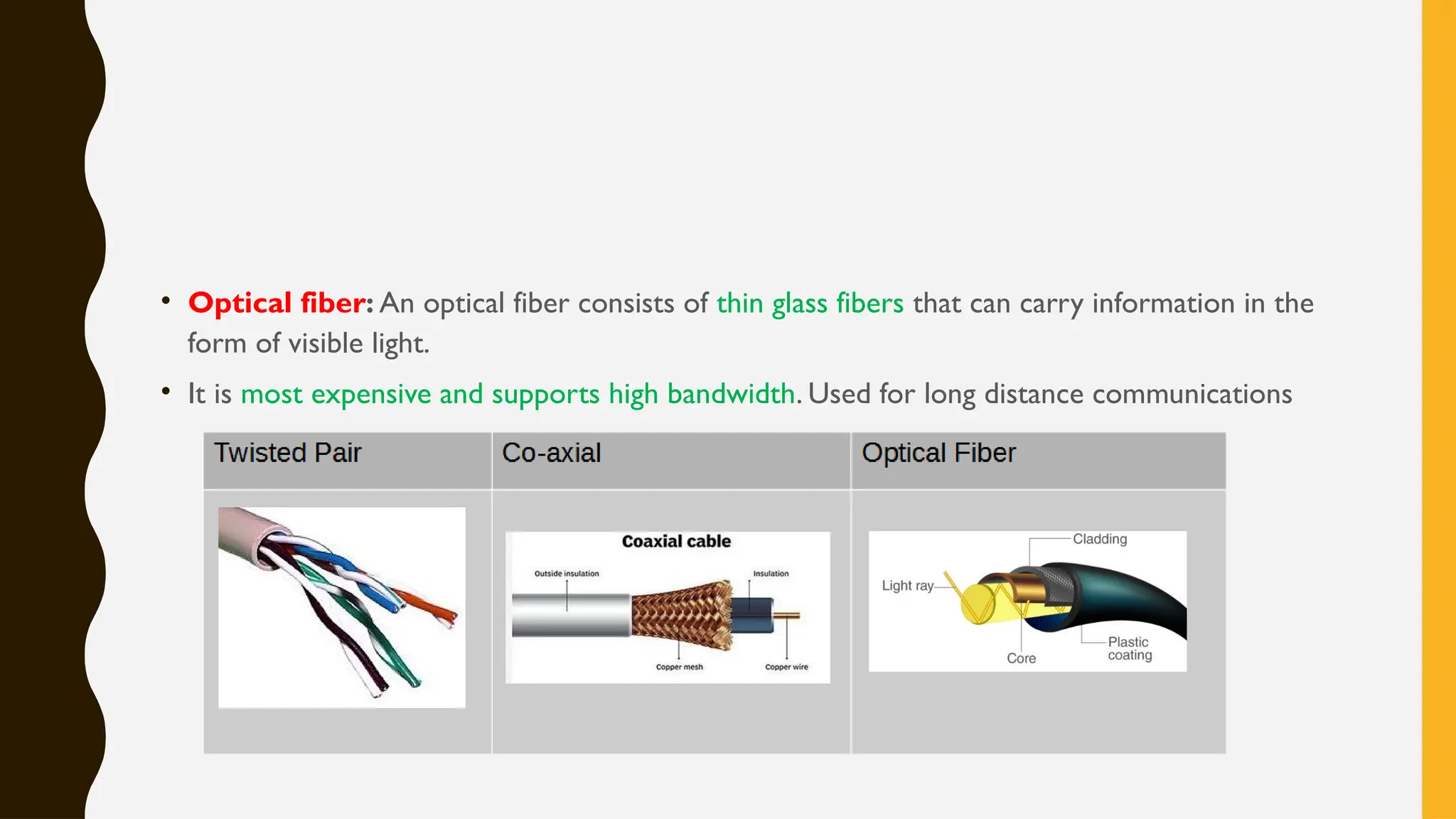
• Twisted pair cable: It consists of two identical 1 mm thick copper wires insulated and
twisted together.The twisted pair cables are twisted in order to reduce cross talk and
electromagnetic induction.
• It is least expensive and supports low bandwidth.
• Co-axial: It consists of a solid wire core surrounded by one or more foil or braided wire
shields, each separated from the other by some kind of plastic insulator. It is mostly used in the
cable wires.
• It is expensive and supports moderate bandwidth. Used to cover a metropolitan area.
• Optical fiber: An optical fiber consists of thin glass fibers that can carry information in the
form of visible light.
• It is most expensive and supports high bandwidth. Used for long distance communications
Wireless (Unguided) Medium:
• Infrared: It is used for short range communication ranging from a few centimeters to several meters.
• This requires a line of sight for communication. It can’t penetrate a solid object. It is inexpensive mode
of communication.
• It is used in TV remotes,Wireless Mouse etc.
• Radio Waves: Used for long range communication. It can penetrate solid objects and travel in all
directions, hence line of sight is not required.
• It is economical way of communications (compared to installing cables).
• Its uses includes AM/ FM broadcasts, cordless phone etc.
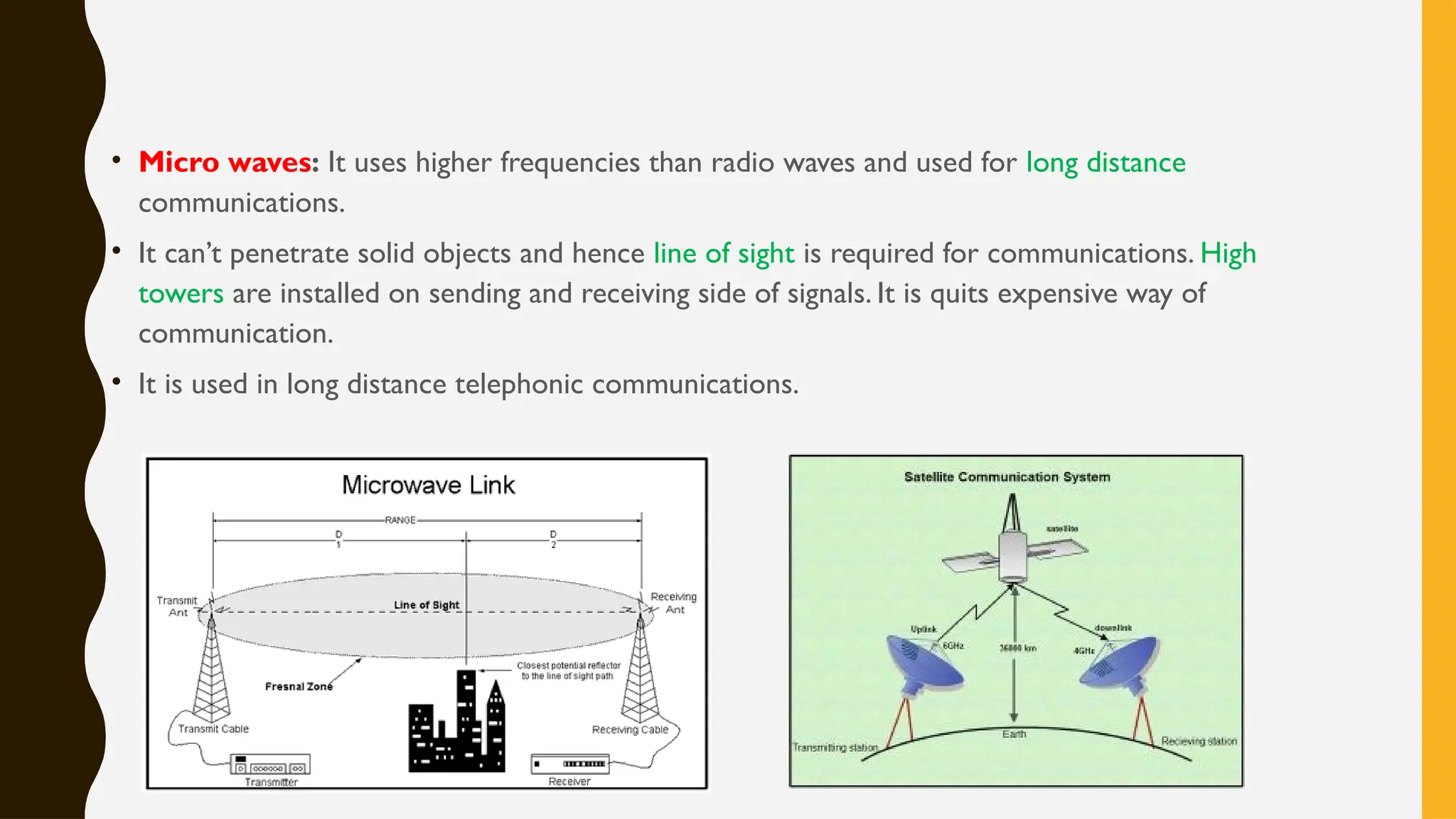
• Micro waves: It uses higher frequencies than radio waves and used for long distance
communications.
• It can’t penetrate solid objects and hence line of sight is required for communications. High
towers are installed on sending and receiving side of signals. It is quits expensive way of
communication.
• It is used in long distance telephonic communications.
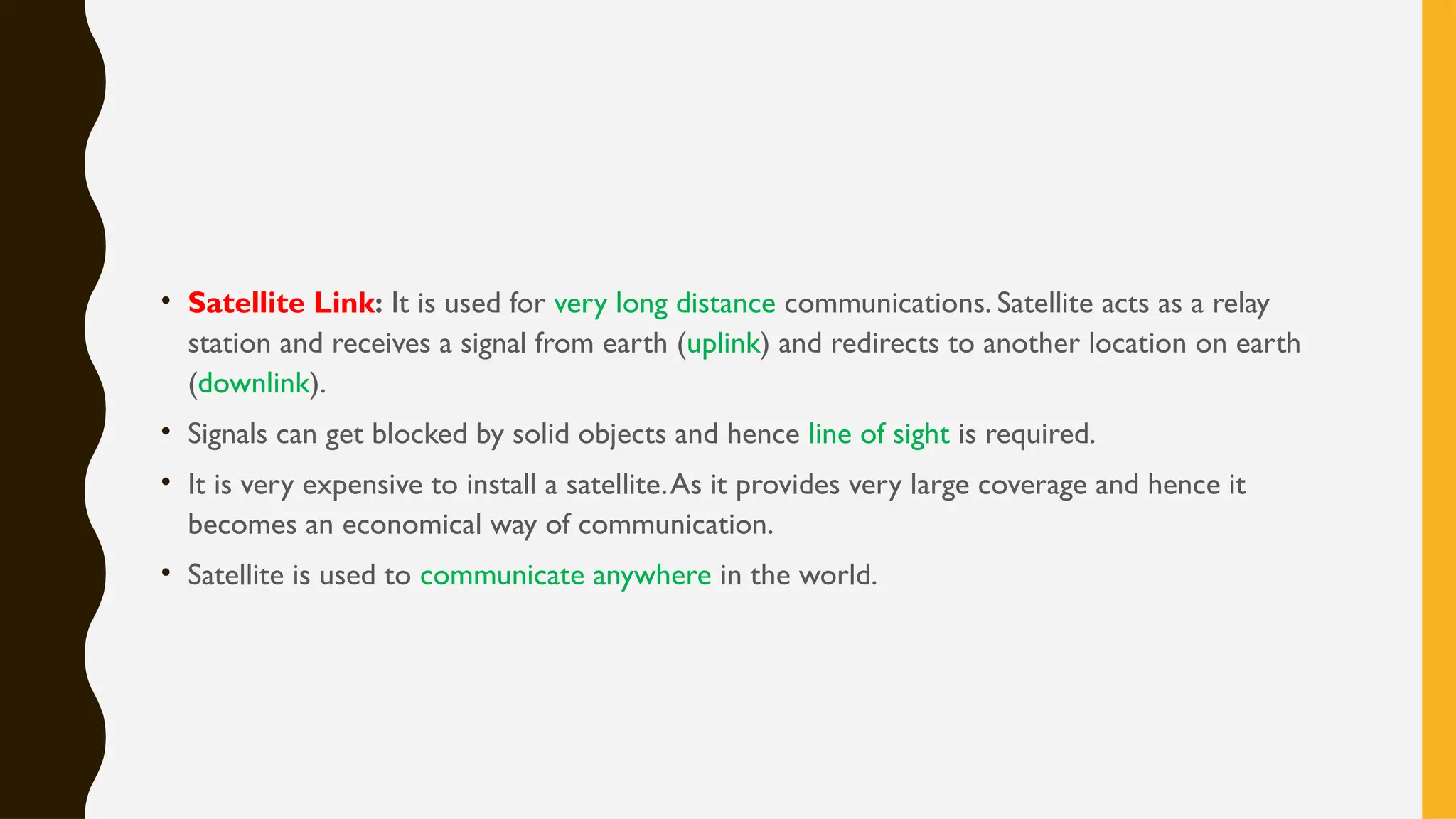
• Satellite Link: It is used for very long distance communications. Satellite acts as a relay
station and receives a signal from earth (uplink) and redirects to another location on earth
(downlink).
• Signals can get blocked by solid objects and hence line of sight is required.
• It is very expensive to install a satellite.As it provides very large coverage and hence it
becomes an economical way of communication.
• Satellite is used to communicate anywhere in the world.
NETWORK DEVICES
• Modem: it is a short form for MOdulator-DEModulator.
• It is a hardware, used to convert signals from one format to another so that it can be sent over
given transmission media.
• It modulates the digital signal into analog so that it can be shared over a telephone line.At the
receiving end it demodulates the signal and reproduces the original format.
• It can also amplify the signal so that it can travel longer distance.
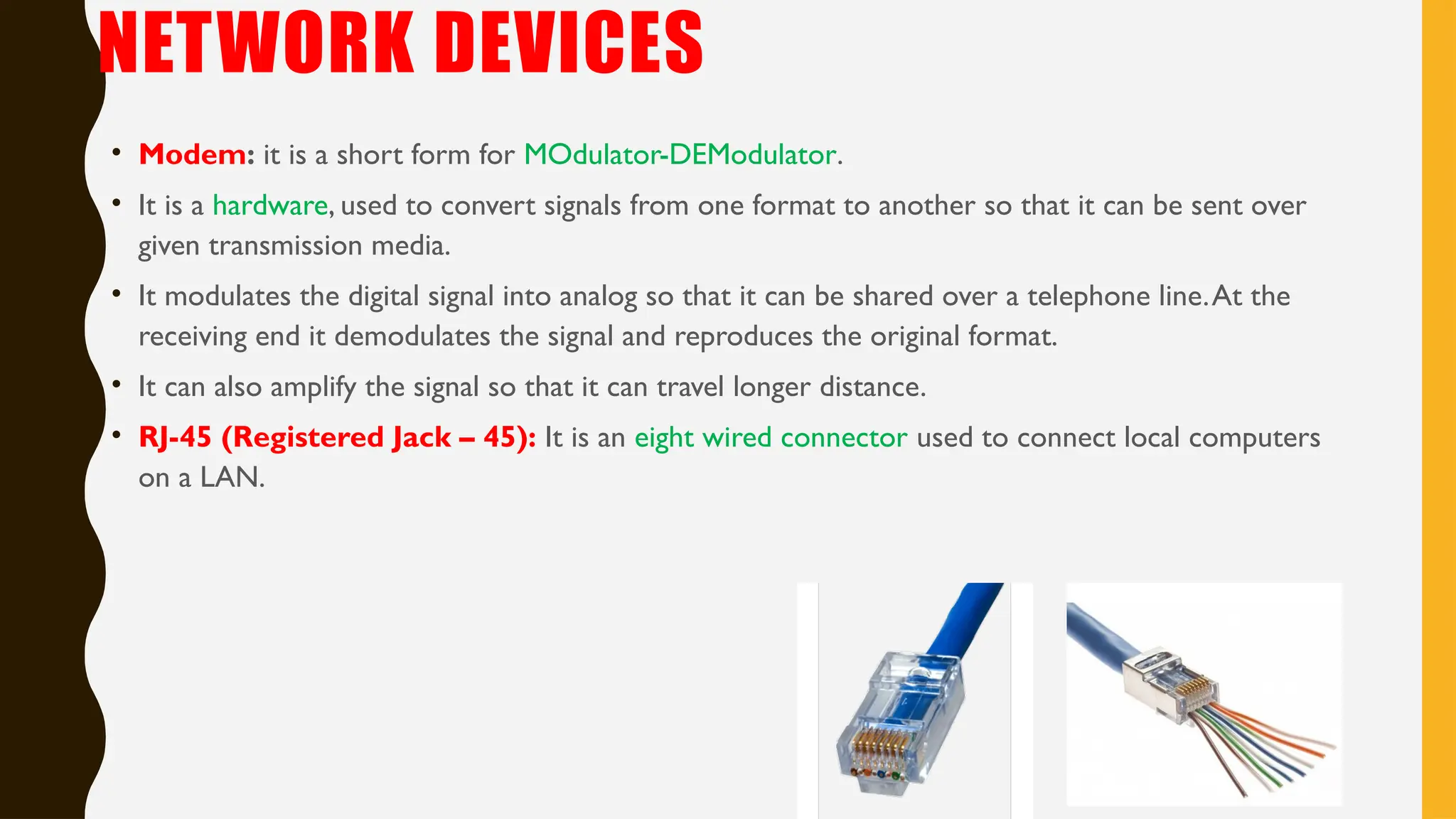
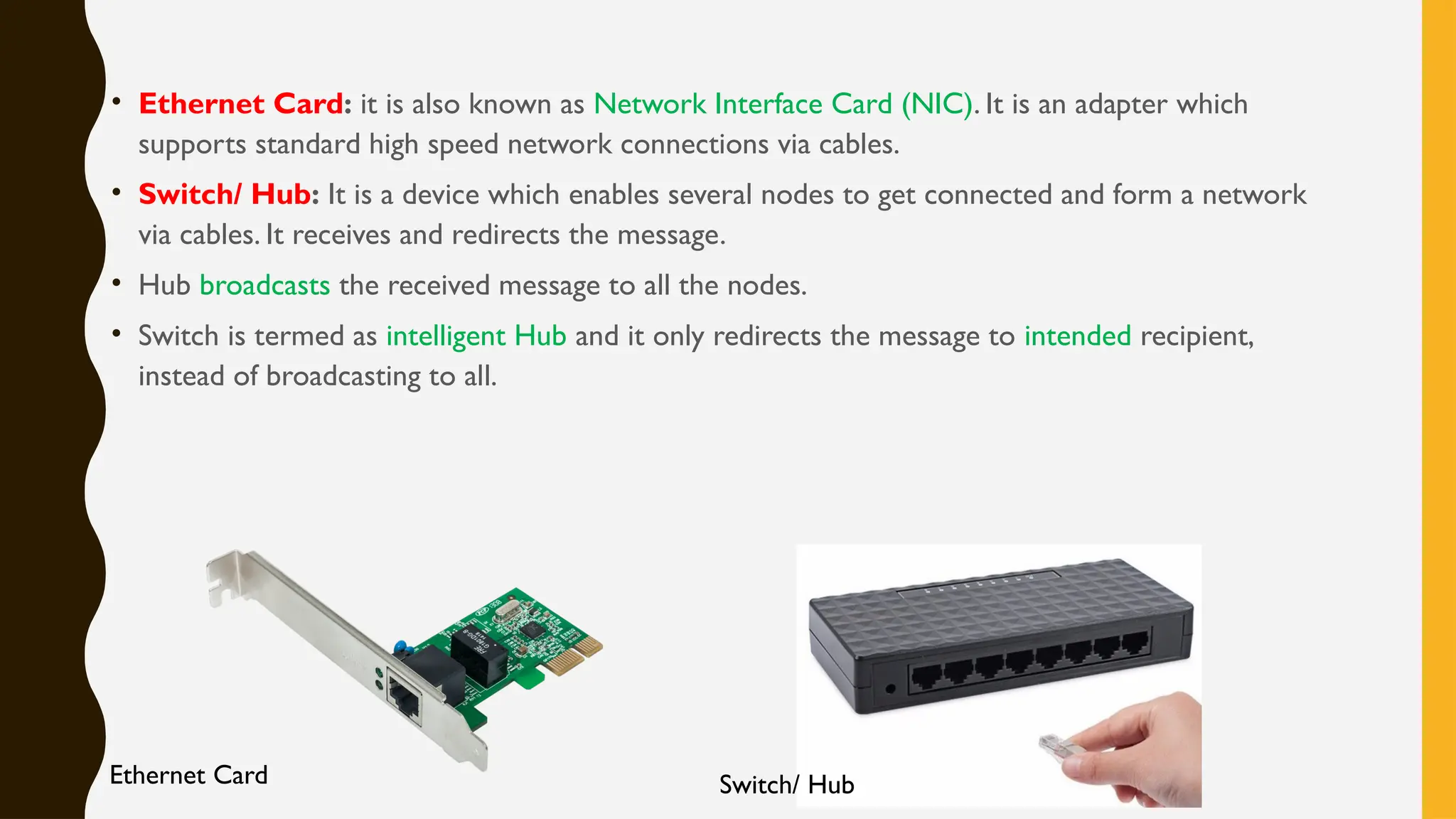
• RJ-45 (Registered Jack – 45): It is an eight wired connector used to connect local computers
on a LAN.
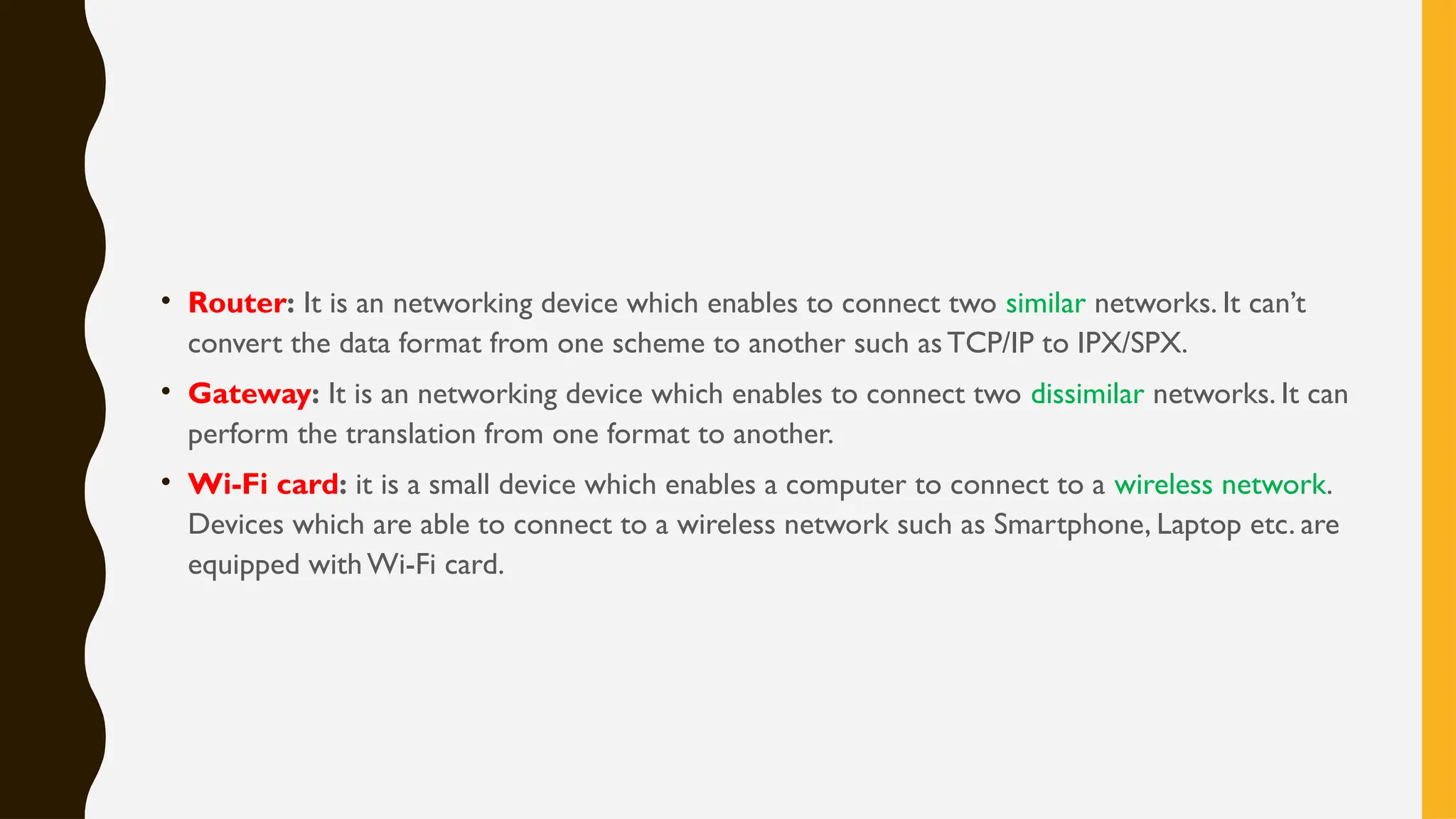
• Ethernet Card: it is also known as Network Interface Card (NIC). It is an adapter which
supports standard high speed network connections via cables.
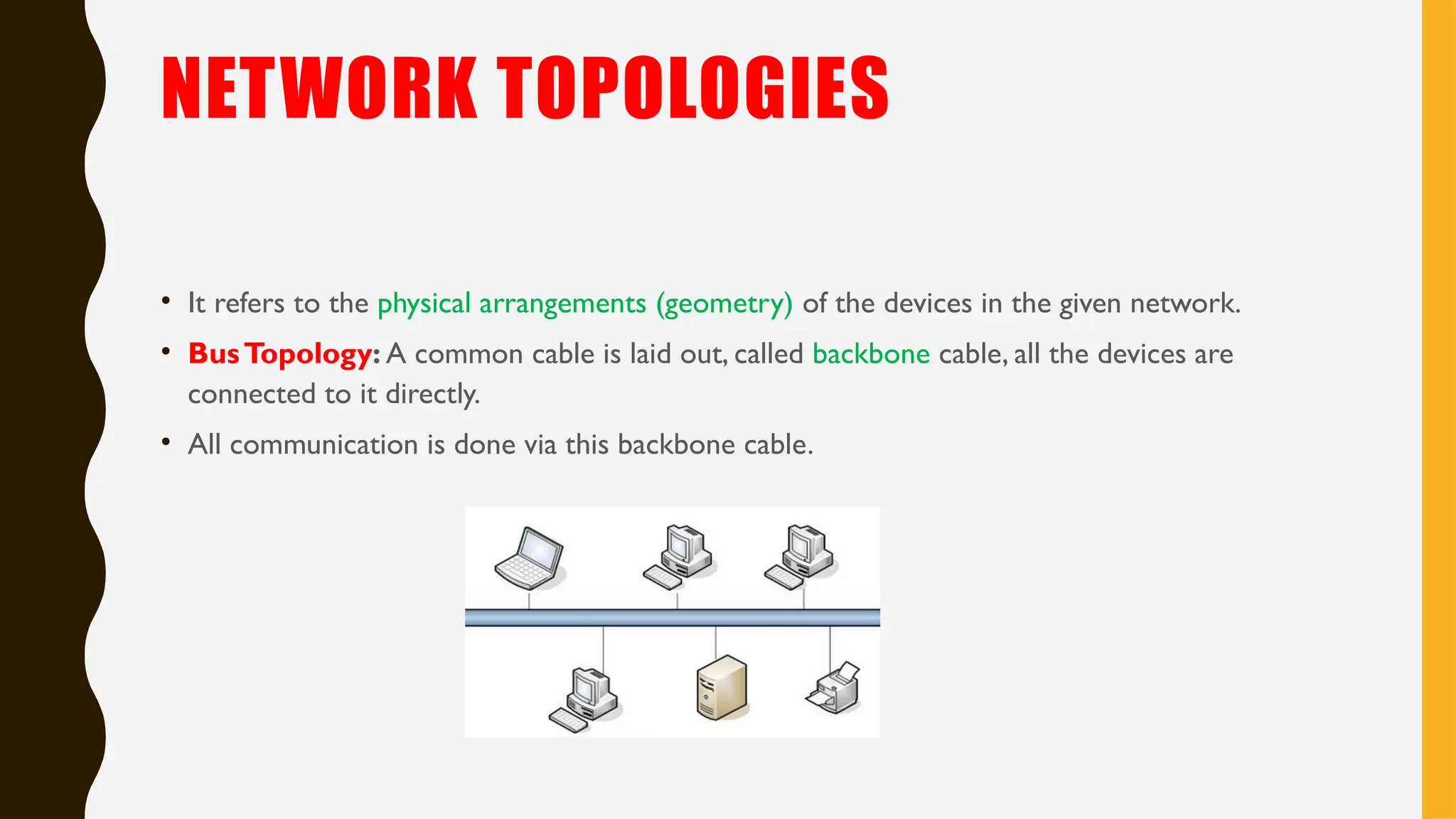
• Switch/ Hub: It is a device which enables several nodes to get connected and form a network
via cables. It receives and redirects the message.
• Hub broadcasts the received message to all the nodes.
• Switch is termed as intelligent Hub and it only redirects the message to intended recipient,
instead of broadcasting to all.
Ethernet Card Switch/ Hub
• Router: It is an networking device which enables to connect two similar networks. It can’t
convert the data format from one scheme to another such asTCP/IP to IPX/SPX.
• Gateway: It is an networking device which enables to connect two dissimilar networks. It can
perform the translation from one format to another.
• Wi-Fi card: it is a small device which enables a computer to connect to a wireless network.
Devices which are able to connect to a wireless network such as Smartphone, Laptop etc. are
equipped with Wi-Fi card.
NETWORK TOPOLOGIES
• It refers to the physical arrangements (geometry) of the devices in the given network.
• BusTopology: A common cable is laid out, called backbone cable, all the devices are
connected to it directly.
• All communication is done via this backbone cable.
• Its based on linear architecture, hence easy to install and requires less cable length.
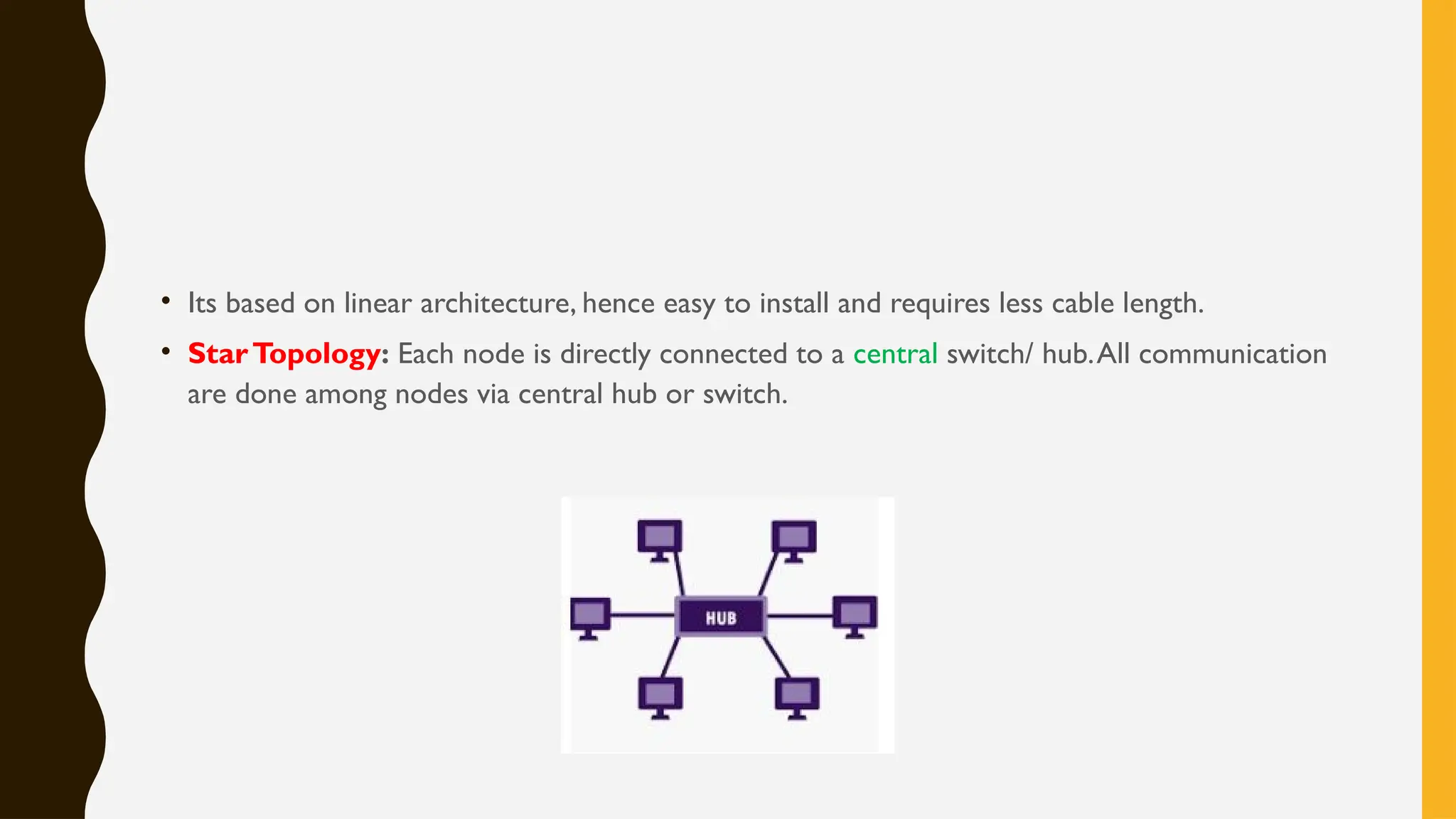
• StarTopology: Each node is directly connected to a central switch/ hub.All communication
are done among nodes via central hub or switch.
• It is easy to install and expand.
• It requires more cable than bus and hence costlier.
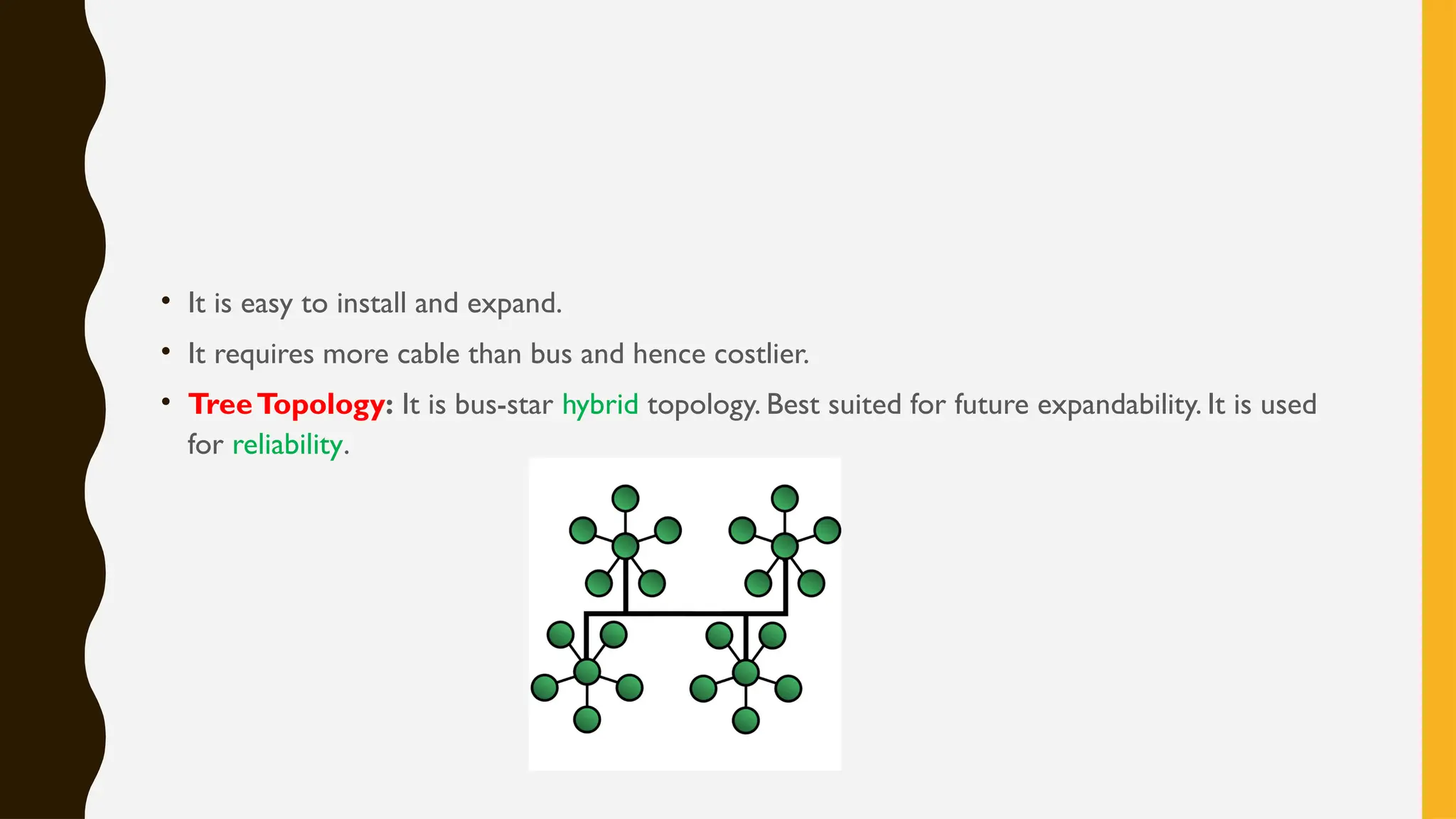
• TreeTopology: It is bus-star hybrid topology. Best suited for future expandability. It is used
for reliability.
• PAN (Personal Area Network): it is spread in the proximity to an individual. Bluetooth or
USB cable network can be used.
• Examples can be a wireless headphone or mp3 player.
• LAN (Local Area Network): It can cover a room, building or a campus.
• Co-axial cable, radio links etc. can be used.
• Examples can be a network of school campus.
• MAN (Metropolitan Area Network): It can cover up to a city.
• It is generally formed by interconnecting a number of LANs spread over a city.
• Examples can be a network of schools, bank branches or government offices.
• WAN (Wide area Network): it can spread over continents and can cover many countries.
It is a network of other smaller networks including LAN, MAN etc.
• Examples can be ATM networks, international offices etc.
NETWORK PROTOCOL
• It is a set of rules which is followed by devices for communication purpose. In other words we
can say it is a set of rules which facilitates the communication.
• TCP/IP: It stands for Transmission Control Protocol / Internet Protocol. It is a protocol
which supports the communication over Internet.
• It is a suit of two protocols:
• TCP divides the large message into smaller units called packets.
• Each packets are independent of each other and contains both the sender and receiver
address.
• IP does the routing of these packets. It sends these packets over Internet by best possible way.
• At the receivers endTCP reassembles these packets into original message.
• Re-transmission is done for lost or corrupted packet.
• FTP (FileTransfer Protocol): It is used in a client-server model to enable the transmission
of files.
• It intends to facilitate the file transmission in reliable and efficient way.
• PPP (Point to Point Protocol): It supports the direct connection between two nodes.
• It can be a cellular link, radio link or fiber optic link.
• HTTP (HypertextTransfer Protocol): It is a client-server based request-response
protocol. It allows users to access the web files such as HTML files.
• It supports the transmission of HTML files over web.
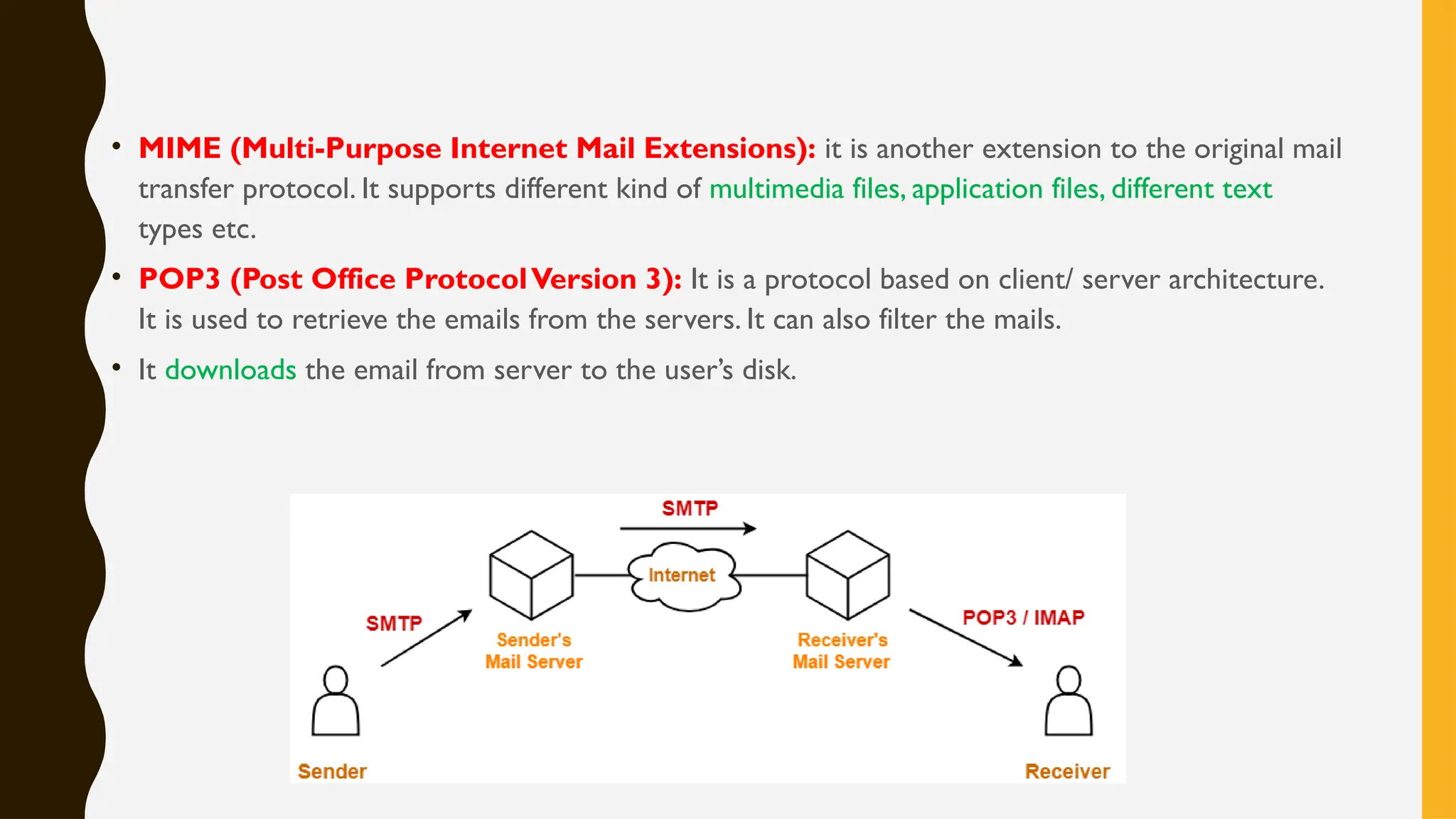
• SMTP (Simple MailTransfer protocol): It is used to send email messages. It is used while
sending from server to server as well as from client to server.
• These messages can then be retrieved using IMAP or POP.
• ESMTP (Extended Simple MailTransfer protocol): It supports graphics, audio, video
and text in different languages over the original SMTP.
• MIME (Multi-Purpose Internet Mail Extensions): it is another extension to the original mail
transfer protocol. It supports different kind of multimedia files, application files, different text
types etc.
• POP3 (Post Office ProtocolVersion 3): It is a protocol based on client/ server architecture.
It is used to retrieve the emails from the servers. It can also filter the mails.
• It downloads the email from server to the user’s disk.
• Remote login protocol (Telnet): This protocol helps a user (Telnet Client) to log in at a
remote computer (Telnet Server) and function as if he/she were connected directly to that
computer.
• It allows you to connect to remote computers (called remote hosts) over aTCP/IP network
(such as the Internet).
• GSM (Global System for Mobile communication): It is a digital mobile telephony
system also called as second generation (2G) standard in mobile communication.
• It supports wireless services like General Packet Radio Service (GPRS) and Enhanced Data
Rates for GSM Evolution (EDGE).
• GPRS (General Packet Radio Service): It is packet oriented mobile data service based on
GSM technology.
• User is charged based on volume of data transferred.
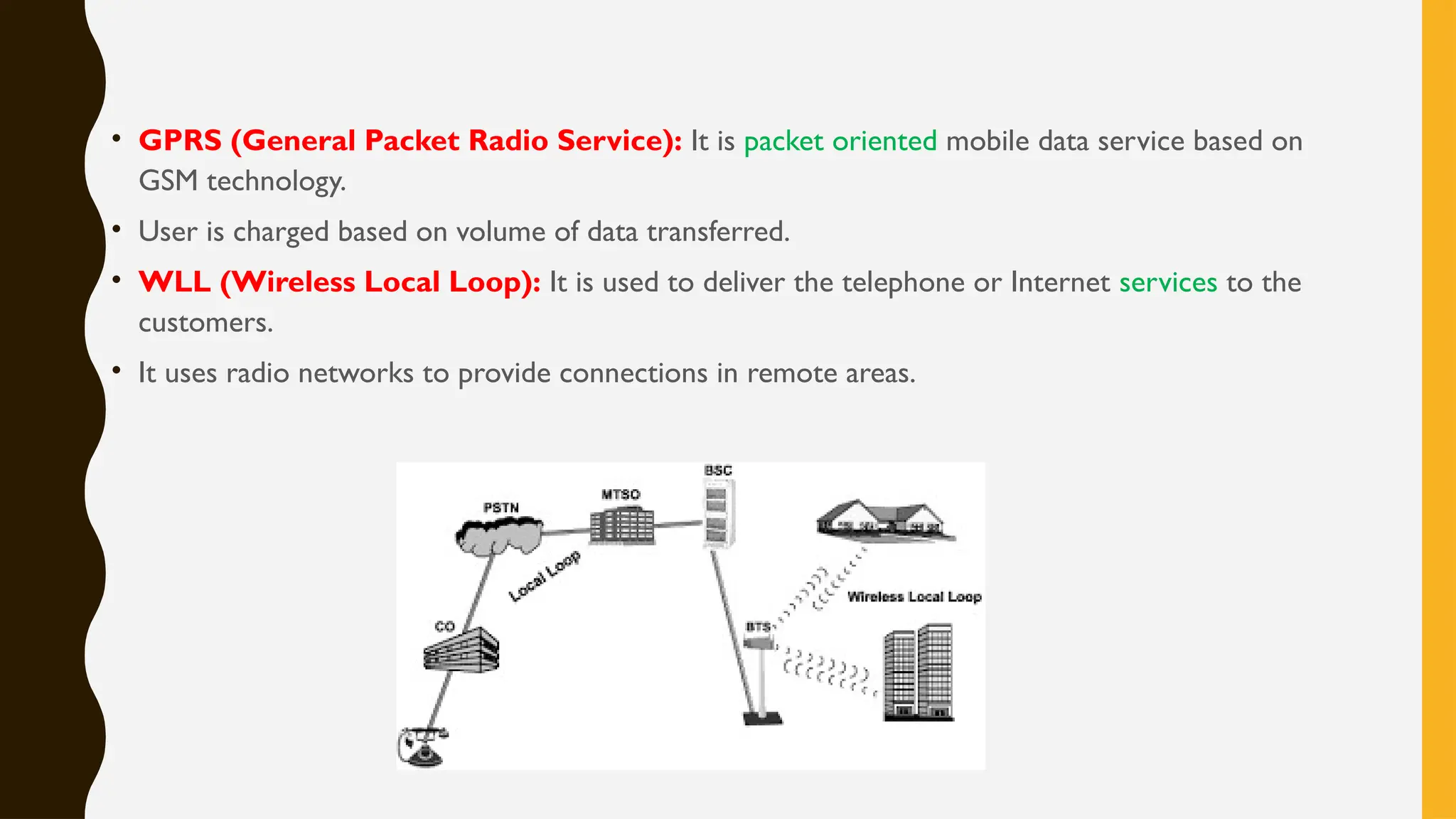
• WLL (Wireless Local Loop): It is used to deliver the telephone or Internet services to the
customers.
• It uses radio networks to provide connections in remote areas.
MOBILE TELECOMMUNICATION
TECHNOLOGIES
• 1G technology was used in the first mobile phones. IT was based on analog radio signals. IT
was introduced in 1980s.
• 2G technology was introduced in 1992. It used a digital format and introduced text
messaging. 2G also introduced data services for mobiles, starting with SMS.
• 3G technology has introduced more efficient ways of carrying data, making it possible to
have faster web-services, live chat, fast downloading, video conferencing etc. over mobile
phones.
• 4G technology 4G provides internet access, high quality streaming video and "anytime,
anywhere" voice and data transmission at a much faster speed
• Mobile processors: It is found in cellphones, laptops and other mobile devices.
• It runs on lower voltage to minimize the heat and has more sleep mode capability.
• Qualcomm Snapdragon, NvidiaTegra 2, Samsung Hummingbird are some popular mobile
processors.
• Chatting: A real time informal communication over any network is called Chatting.A
software called Chat Program is required.
• AOL Instant Messenger, Campfire, Internet Messenger, MSN Messenger are some common
examples.
• VoIP (Voice over Internet Protocol): is a group of technologies for the delivery of voice
communications and multimedia sessions over Internet.
• The terms Internet telephony, broadband telephony, and broadband phone service specifically
refer to the provisioning of communications services (voice, fax, SMS, voice-messaging) over
the public Internet.
• Wi-Fi (Wireless Fidelity): is a brand, originally licensed by theWi-Fi Alliance to describe
the underlying technology of wireless local area networks (WLAN) that uses radio waves to
provide wireless high-speed Internet and network connections.
• WiMAX (Worldwide Interoperability for Microwave Access): is a wireless industry
coalition dedicated to the advancement of broadband wireless access (BWA) networks.
• WiMAX systems are expected to deliver broadband access services to residential and
enterprise customers in an economical way.
THANK YOU

computer network lesson class 12 CN Part 1.pptx

  • 1.
    COMPUTER NETWORKS ( C BS E C L A S S X I I ) B Y : A M I T M I S H R A S J B S V M M AT H U R A
  • 2.
    EVOLUTION OF NETWORKING •ARPANET: A computer network developed by the Advanced Research Project Agency in the 1960s and 1970s as a means of communication between research laboratories and universities. • Later,ARPANET became the basis for Internet. • The Internet: It is network of different networks operating worldwide. • It allows the different computers to exchange Information with each other. • It uses the TCP/IP protocol suit for this purpose.
  • 3.
    • Email, audio-videoconferencing, file transfer, instant messaging, financial services, social networking, games etc. are some services supported by the Internet. • The Interspace: it is a client/server software program that allows multiple users to communicate online with real-time audio, video and text chat in dynamic 3D environments. • Interspace provides the most advanced form of communication available on the Internet today.
  • 4.
    • SwitchingTechniques: Inlarge networks, there may be more than one paths for transmitting data from sender to receiver. Selecting a path from the available options is called switching. • There are two popular switching techniques – circuit switching and packet switching . • Circuit Switching: A dedicated path is established first between the sender and receiver. Then data transfer takes place on that same path. It is preferred for its reliability .
  • 5.
    • It isused in Public telephone networks for voice communication. • Packet Switching: The entire message is divided into smaller pieces, called packets.These packets are sent individually over the network.All packets are having source and destination address. • They may follow the different routes. • It is used when speed is more important than reliability.
  • 6.
    DATA COMMUNICATION TERMINOLOGIES • Channel:It is a path through which a message can be transmitted. It can be a guided (wired) or unguided (wireless) channel. It can be best referred as transmission media. • Bandwidth: It is the volume of information that can be sent over a connection in a measured amount of time. • It is expressed in Hz (Hertz), KHz (Kilo Hz), MHz (Mega Hz)
  • 7.
    • DataTransfer Rate:Amount of data which can be moved from one place to another over a specific link in a given time amount. • It is measured in: bps: bits per second - Bps: Bytes per second Kbps: Kilobits per second - KBps: Kilobytes per second Mbps: Megabits per second - MBps: Megabytes per second Gbps: Gigabits per second - GBps: GigaBytes per second Tbps:Terabits per second - TBps:Terabytes per second
  • 8.
    Wired (guided) Medium: •Twisted pair cable: It consists of two identical 1 mm thick copper wires insulated and twisted together.The twisted pair cables are twisted in order to reduce cross talk and electromagnetic induction. • It is least expensive and supports low bandwidth. • Co-axial: It consists of a solid wire core surrounded by one or more foil or braided wire shields, each separated from the other by some kind of plastic insulator. It is mostly used in the cable wires. • It is expensive and supports moderate bandwidth. Used to cover a metropolitan area.
  • 9.
    • Optical fiber:An optical fiber consists of thin glass fibers that can carry information in the form of visible light. • It is most expensive and supports high bandwidth. Used for long distance communications
  • 10.
    Wireless (Unguided) Medium: •Infrared: It is used for short range communication ranging from a few centimeters to several meters. • This requires a line of sight for communication. It can’t penetrate a solid object. It is inexpensive mode of communication. • It is used in TV remotes,Wireless Mouse etc. • Radio Waves: Used for long range communication. It can penetrate solid objects and travel in all directions, hence line of sight is not required. • It is economical way of communications (compared to installing cables). • Its uses includes AM/ FM broadcasts, cordless phone etc.
  • 11.
    • Micro waves:It uses higher frequencies than radio waves and used for long distance communications. • It can’t penetrate solid objects and hence line of sight is required for communications. High towers are installed on sending and receiving side of signals. It is quits expensive way of communication. • It is used in long distance telephonic communications.
  • 12.
    • Satellite Link:It is used for very long distance communications. Satellite acts as a relay station and receives a signal from earth (uplink) and redirects to another location on earth (downlink). • Signals can get blocked by solid objects and hence line of sight is required. • It is very expensive to install a satellite.As it provides very large coverage and hence it becomes an economical way of communication. • Satellite is used to communicate anywhere in the world.
  • 13.
    NETWORK DEVICES • Modem:it is a short form for MOdulator-DEModulator. • It is a hardware, used to convert signals from one format to another so that it can be sent over given transmission media. • It modulates the digital signal into analog so that it can be shared over a telephone line.At the receiving end it demodulates the signal and reproduces the original format. • It can also amplify the signal so that it can travel longer distance. • RJ-45 (Registered Jack – 45): It is an eight wired connector used to connect local computers on a LAN.
  • 14.
    • Ethernet Card:it is also known as Network Interface Card (NIC). It is an adapter which supports standard high speed network connections via cables. • Switch/ Hub: It is a device which enables several nodes to get connected and form a network via cables. It receives and redirects the message. • Hub broadcasts the received message to all the nodes. • Switch is termed as intelligent Hub and it only redirects the message to intended recipient, instead of broadcasting to all. Ethernet Card Switch/ Hub
  • 15.
    • Router: Itis an networking device which enables to connect two similar networks. It can’t convert the data format from one scheme to another such asTCP/IP to IPX/SPX. • Gateway: It is an networking device which enables to connect two dissimilar networks. It can perform the translation from one format to another. • Wi-Fi card: it is a small device which enables a computer to connect to a wireless network. Devices which are able to connect to a wireless network such as Smartphone, Laptop etc. are equipped with Wi-Fi card.
  • 16.
    NETWORK TOPOLOGIES • Itrefers to the physical arrangements (geometry) of the devices in the given network. • BusTopology: A common cable is laid out, called backbone cable, all the devices are connected to it directly. • All communication is done via this backbone cable.
  • 17.
    • Its basedon linear architecture, hence easy to install and requires less cable length. • StarTopology: Each node is directly connected to a central switch/ hub.All communication are done among nodes via central hub or switch.
  • 18.
    • It iseasy to install and expand. • It requires more cable than bus and hence costlier. • TreeTopology: It is bus-star hybrid topology. Best suited for future expandability. It is used for reliability.
  • 19.
    • PAN (PersonalArea Network): it is spread in the proximity to an individual. Bluetooth or USB cable network can be used. • Examples can be a wireless headphone or mp3 player. • LAN (Local Area Network): It can cover a room, building or a campus. • Co-axial cable, radio links etc. can be used. • Examples can be a network of school campus.
  • 20.
    • MAN (MetropolitanArea Network): It can cover up to a city. • It is generally formed by interconnecting a number of LANs spread over a city. • Examples can be a network of schools, bank branches or government offices. • WAN (Wide area Network): it can spread over continents and can cover many countries. It is a network of other smaller networks including LAN, MAN etc. • Examples can be ATM networks, international offices etc.
  • 21.
    NETWORK PROTOCOL • Itis a set of rules which is followed by devices for communication purpose. In other words we can say it is a set of rules which facilitates the communication. • TCP/IP: It stands for Transmission Control Protocol / Internet Protocol. It is a protocol which supports the communication over Internet. • It is a suit of two protocols: • TCP divides the large message into smaller units called packets. • Each packets are independent of each other and contains both the sender and receiver address.
  • 22.
    • IP doesthe routing of these packets. It sends these packets over Internet by best possible way. • At the receivers endTCP reassembles these packets into original message. • Re-transmission is done for lost or corrupted packet. • FTP (FileTransfer Protocol): It is used in a client-server model to enable the transmission of files. • It intends to facilitate the file transmission in reliable and efficient way. • PPP (Point to Point Protocol): It supports the direct connection between two nodes. • It can be a cellular link, radio link or fiber optic link.
  • 23.
    • HTTP (HypertextTransferProtocol): It is a client-server based request-response protocol. It allows users to access the web files such as HTML files. • It supports the transmission of HTML files over web. • SMTP (Simple MailTransfer protocol): It is used to send email messages. It is used while sending from server to server as well as from client to server. • These messages can then be retrieved using IMAP or POP. • ESMTP (Extended Simple MailTransfer protocol): It supports graphics, audio, video and text in different languages over the original SMTP.
  • 24.
    • MIME (Multi-PurposeInternet Mail Extensions): it is another extension to the original mail transfer protocol. It supports different kind of multimedia files, application files, different text types etc. • POP3 (Post Office ProtocolVersion 3): It is a protocol based on client/ server architecture. It is used to retrieve the emails from the servers. It can also filter the mails. • It downloads the email from server to the user’s disk.
  • 25.
    • Remote loginprotocol (Telnet): This protocol helps a user (Telnet Client) to log in at a remote computer (Telnet Server) and function as if he/she were connected directly to that computer. • It allows you to connect to remote computers (called remote hosts) over aTCP/IP network (such as the Internet). • GSM (Global System for Mobile communication): It is a digital mobile telephony system also called as second generation (2G) standard in mobile communication. • It supports wireless services like General Packet Radio Service (GPRS) and Enhanced Data Rates for GSM Evolution (EDGE).
  • 26.
    • GPRS (GeneralPacket Radio Service): It is packet oriented mobile data service based on GSM technology. • User is charged based on volume of data transferred. • WLL (Wireless Local Loop): It is used to deliver the telephone or Internet services to the customers. • It uses radio networks to provide connections in remote areas.
  • 27.
    MOBILE TELECOMMUNICATION TECHNOLOGIES • 1Gtechnology was used in the first mobile phones. IT was based on analog radio signals. IT was introduced in 1980s. • 2G technology was introduced in 1992. It used a digital format and introduced text messaging. 2G also introduced data services for mobiles, starting with SMS. • 3G technology has introduced more efficient ways of carrying data, making it possible to have faster web-services, live chat, fast downloading, video conferencing etc. over mobile phones.
  • 28.
    • 4G technology4G provides internet access, high quality streaming video and "anytime, anywhere" voice and data transmission at a much faster speed
  • 29.
    • Mobile processors:It is found in cellphones, laptops and other mobile devices. • It runs on lower voltage to minimize the heat and has more sleep mode capability. • Qualcomm Snapdragon, NvidiaTegra 2, Samsung Hummingbird are some popular mobile processors. • Chatting: A real time informal communication over any network is called Chatting.A software called Chat Program is required. • AOL Instant Messenger, Campfire, Internet Messenger, MSN Messenger are some common examples.
  • 30.
    • VoIP (Voiceover Internet Protocol): is a group of technologies for the delivery of voice communications and multimedia sessions over Internet. • The terms Internet telephony, broadband telephony, and broadband phone service specifically refer to the provisioning of communications services (voice, fax, SMS, voice-messaging) over the public Internet.
  • 31.
    • Wi-Fi (WirelessFidelity): is a brand, originally licensed by theWi-Fi Alliance to describe the underlying technology of wireless local area networks (WLAN) that uses radio waves to provide wireless high-speed Internet and network connections. • WiMAX (Worldwide Interoperability for Microwave Access): is a wireless industry coalition dedicated to the advancement of broadband wireless access (BWA) networks. • WiMAX systems are expected to deliver broadband access services to residential and enterprise customers in an economical way.
  • 32.