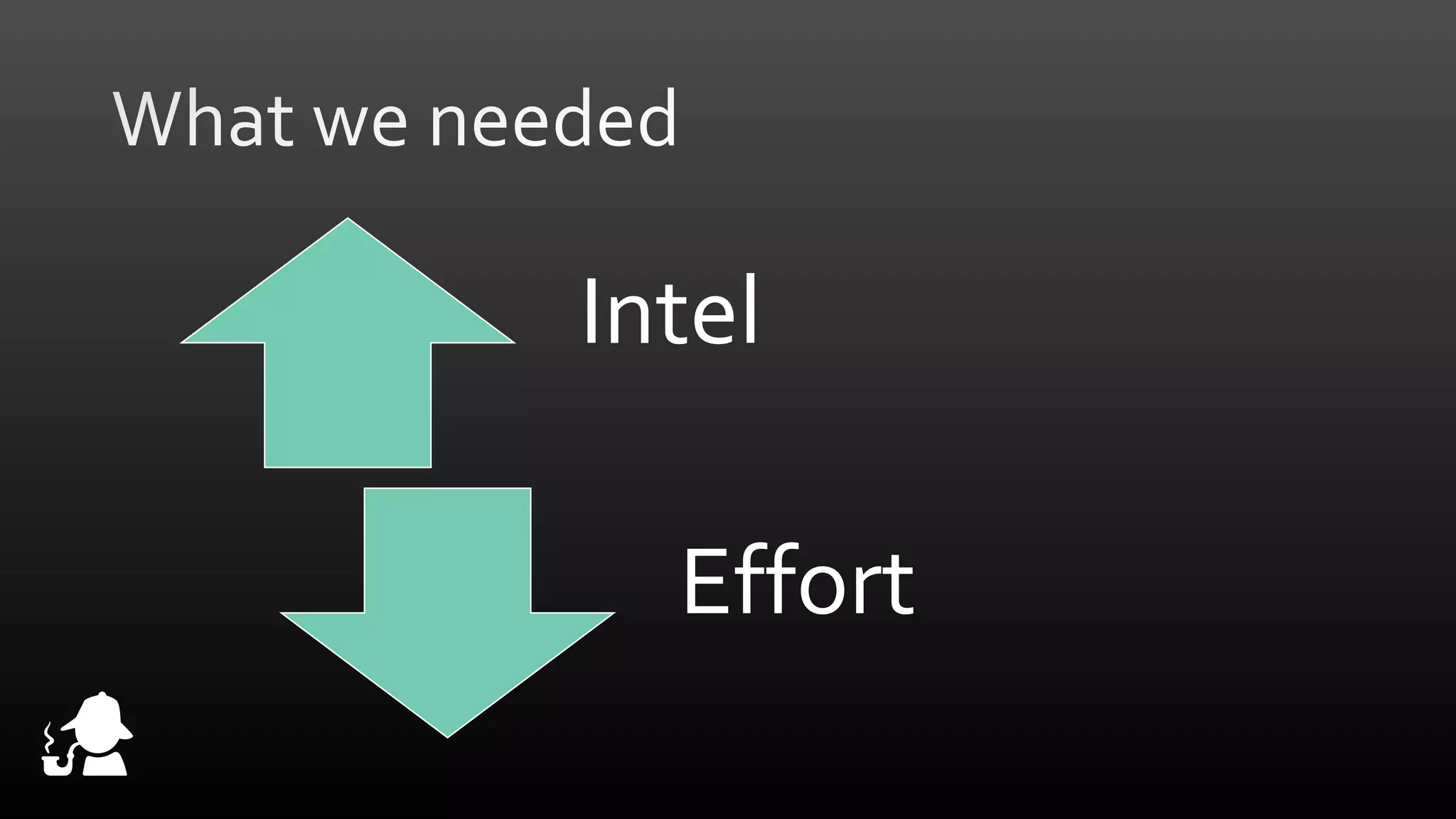
Intel
Effort
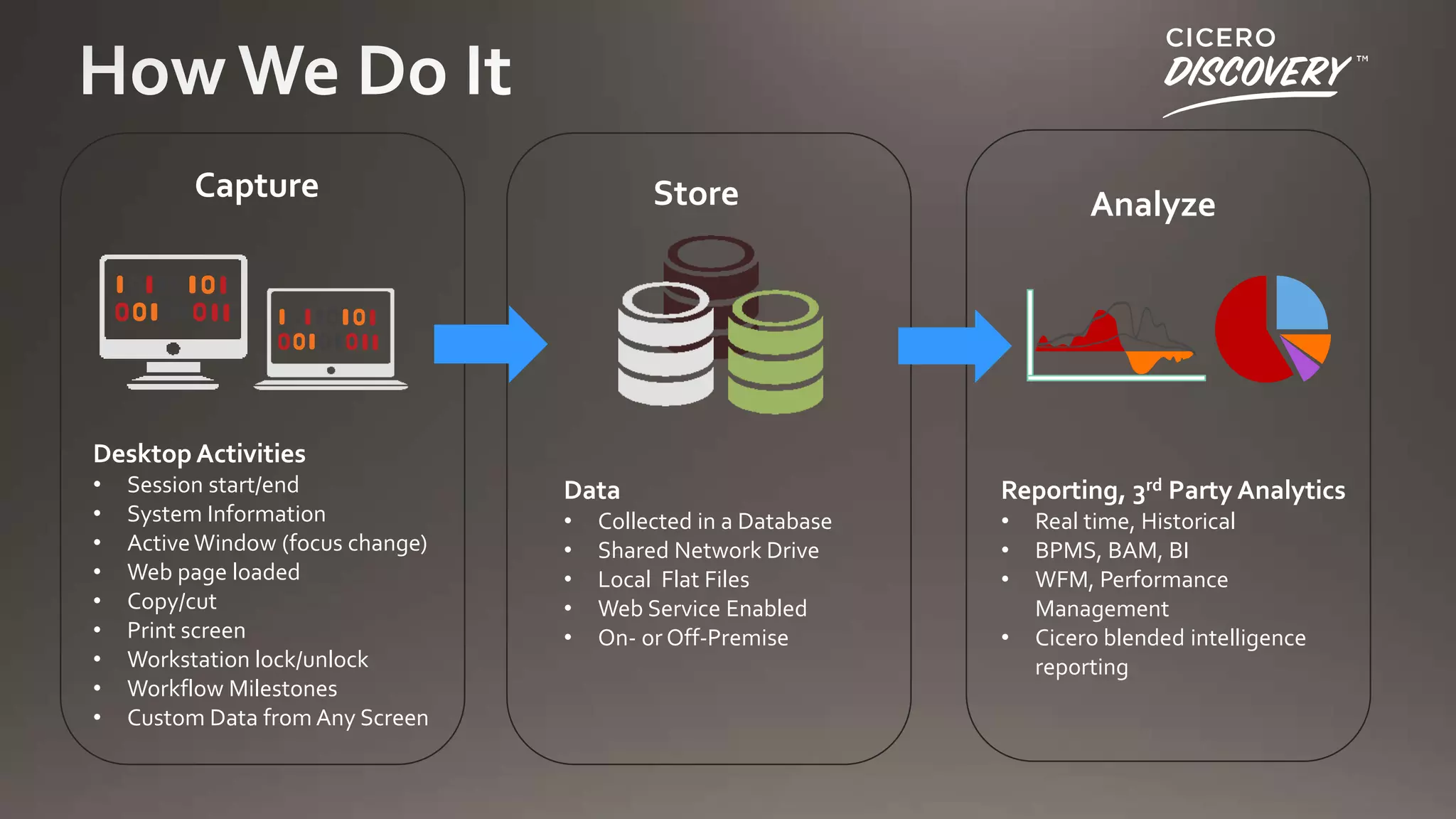
Capture

Store

Analyze

Desktop Activities
•
•
•
•
•
•
•
•
•

Session start/end
System Information
Active Window (focus change)
Web page loaded
Copy/cut
Print screen
Workstation lock/unlock
Workflow Milestones
Custom Data from Any Screen

Data

Reporting, 3rd Party Analytics

•
•
•
•
•

•
•
•

Collected in a Database
Shared Network Drive
Local Flat Files
Web Service Enabled
On- or Off-Premise

•

Real time, Historical
BPMS, BAM, BI
WFM, Performance
Management
Cicero blended intelligence
reporting
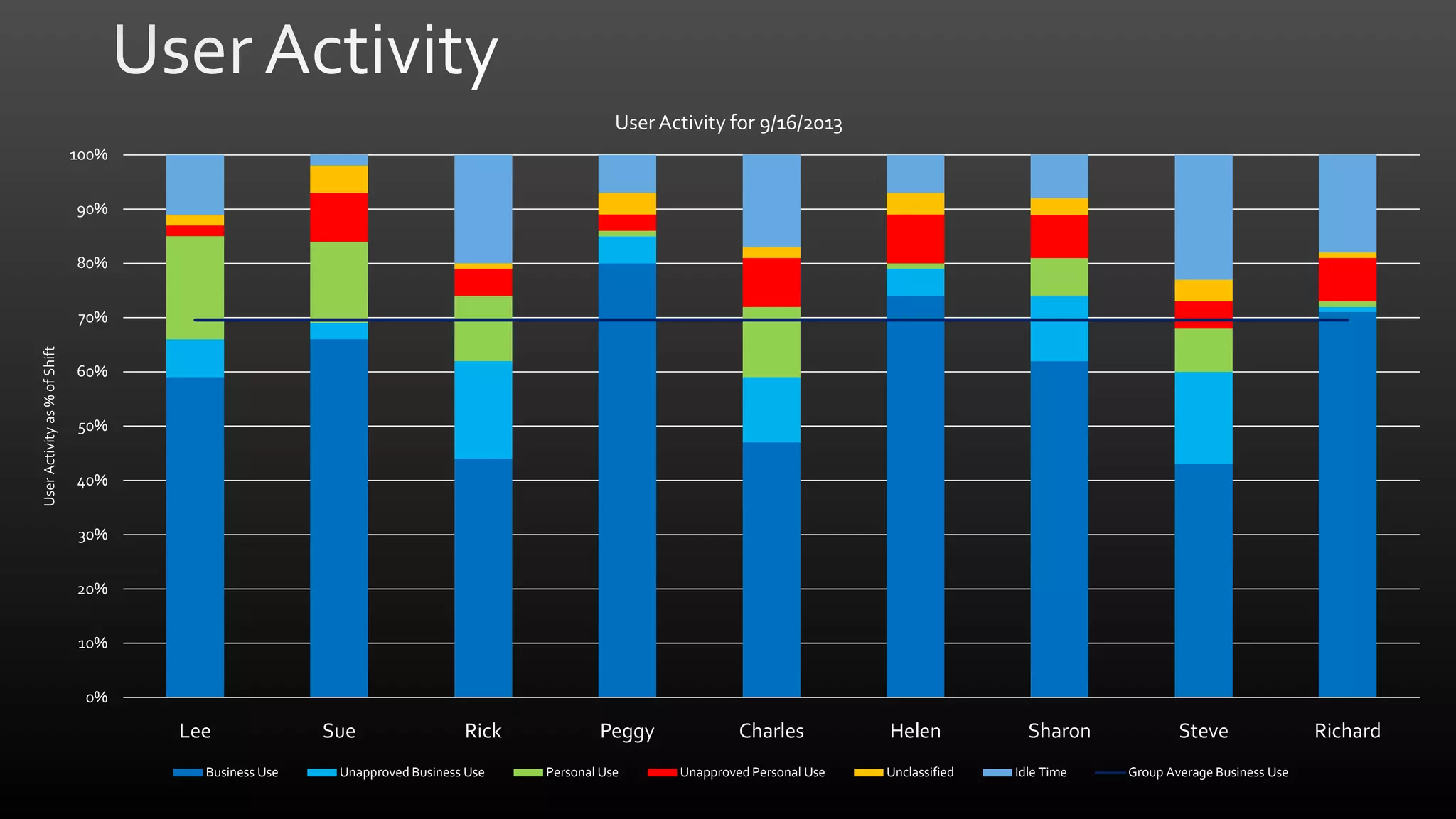
User Activity for 9/16/2013
100%
90%
80%

User Activity as % of Shift

70%
60%
50%
40%
30%
20%
10%
0%

Lee
Business Use

Sue

Rick

Unapproved Business Use

Peggy
Personal Use

Charles
Unapproved Personal Use

Helen
Unclassified

Sharon
Idle Time

Steve
Group Average Business Use

Richard
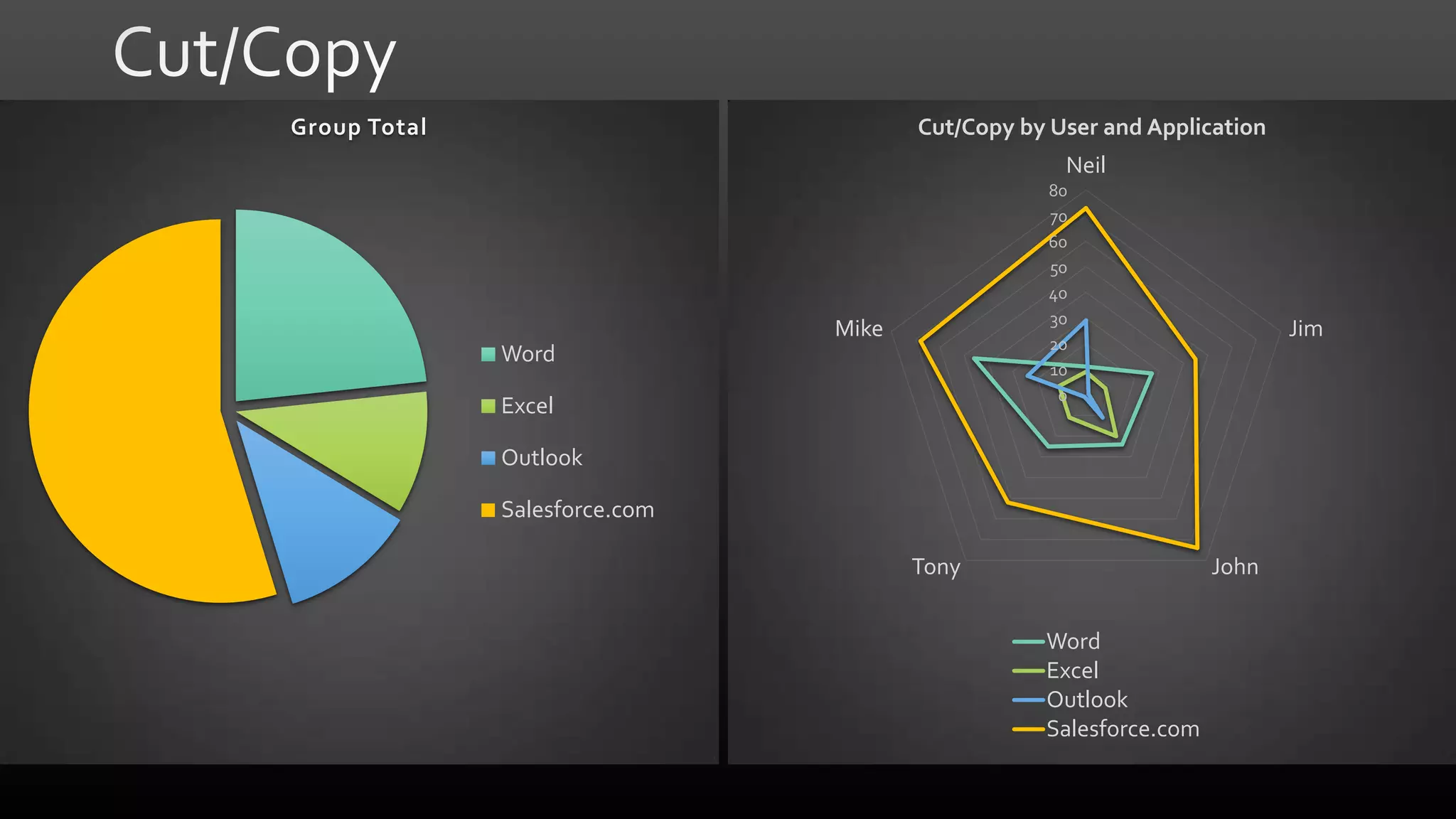
Group Total

Cut/Copy by User and Application
Neil
80
70
60
50
40
30
20
10
0

Mike

Word
Excel

Jim

Outlook
Salesforce.com
Tony

John
Word
Excel
Outlook
Salesforce.com
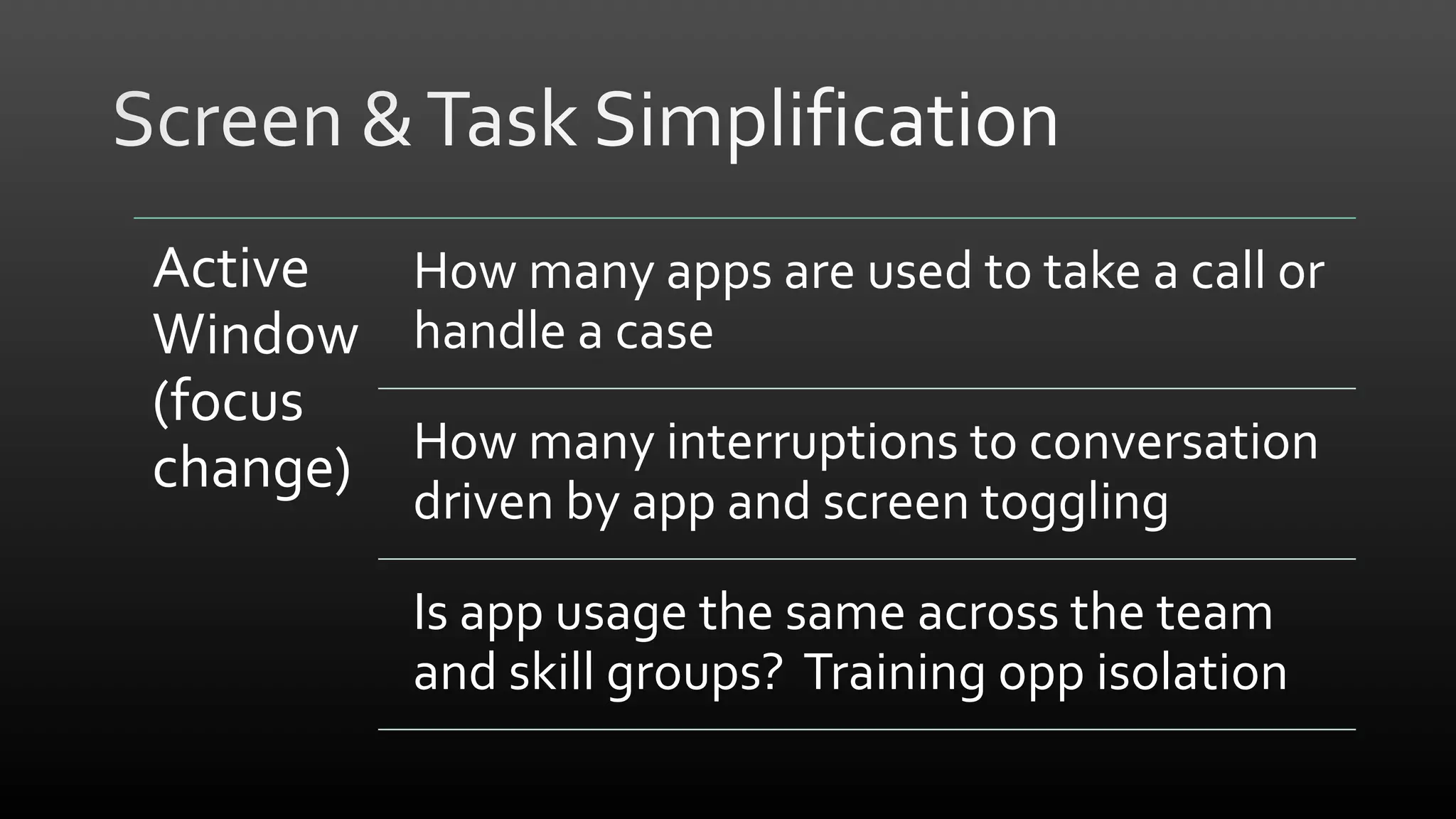
Active
How many apps are used to take a call or
Window handle a case
(focus
How many interruptions to conversation
change)
driven by app and screen toggling

Is app usage the same across the team
and skill groups? Training opp isolation
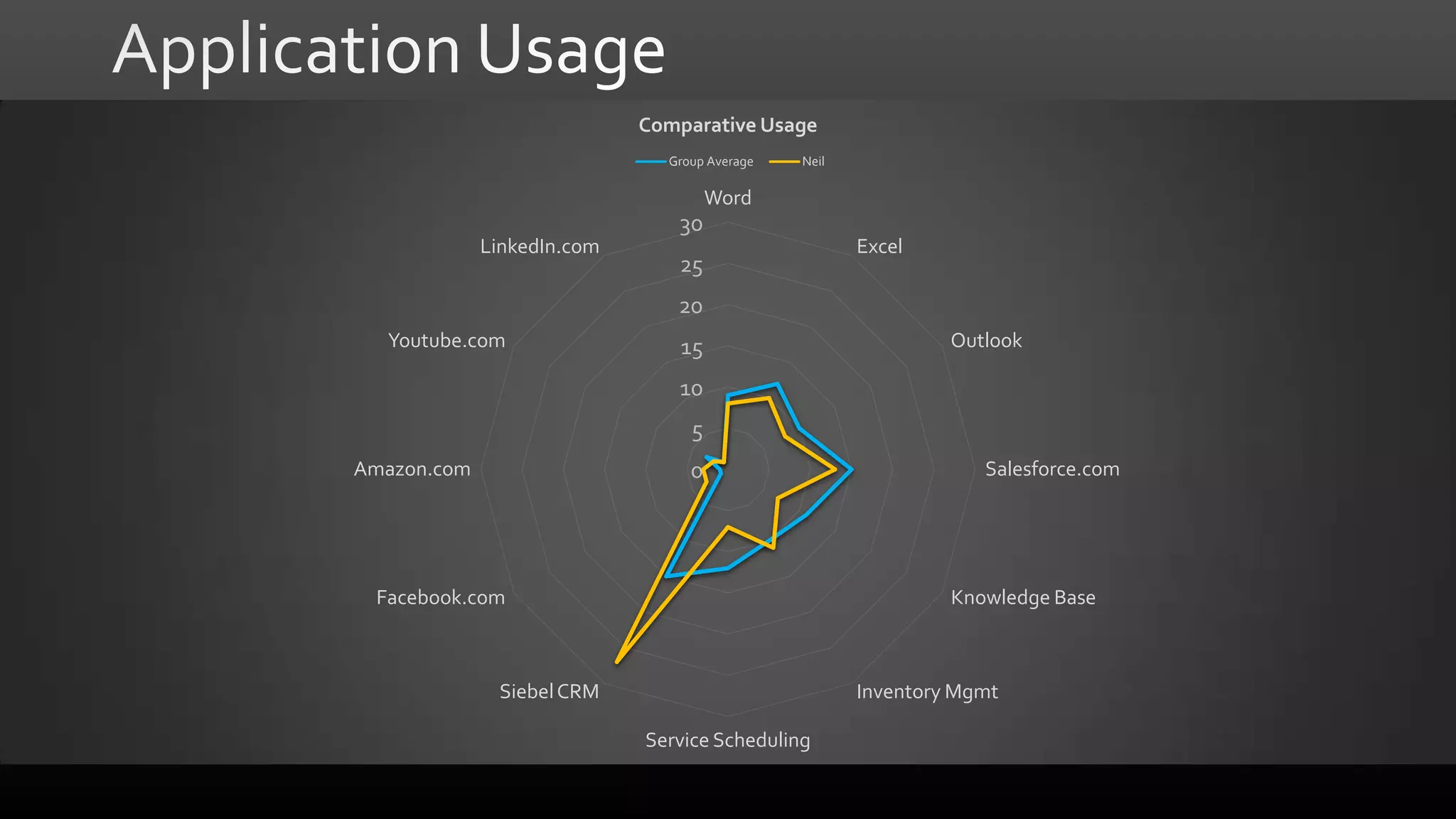
Comparative Usage
Group Average

Neil

Word

30
LinkedIn.com

25

Excel

20
Youtube.com

15

Outlook

10
5
Amazon.com

0

Facebook.com

Salesforce.com

Knowledge Base

Siebel CRM

Inventory Mgmt

Service Scheduling
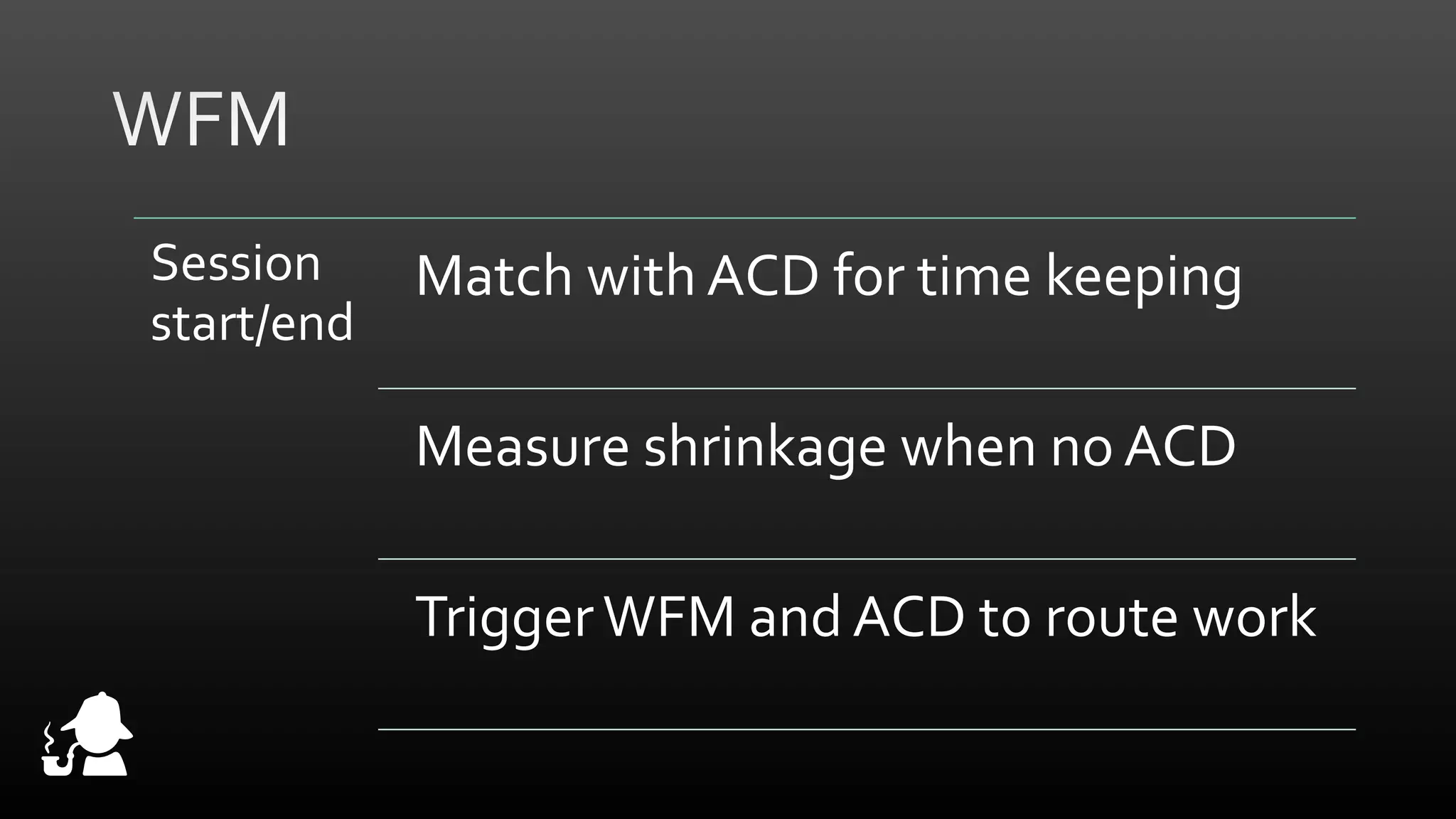
Session
start/end

Match with ACD for time keeping

Measure shrinkage when no ACD
Trigger WFM and ACD to route work
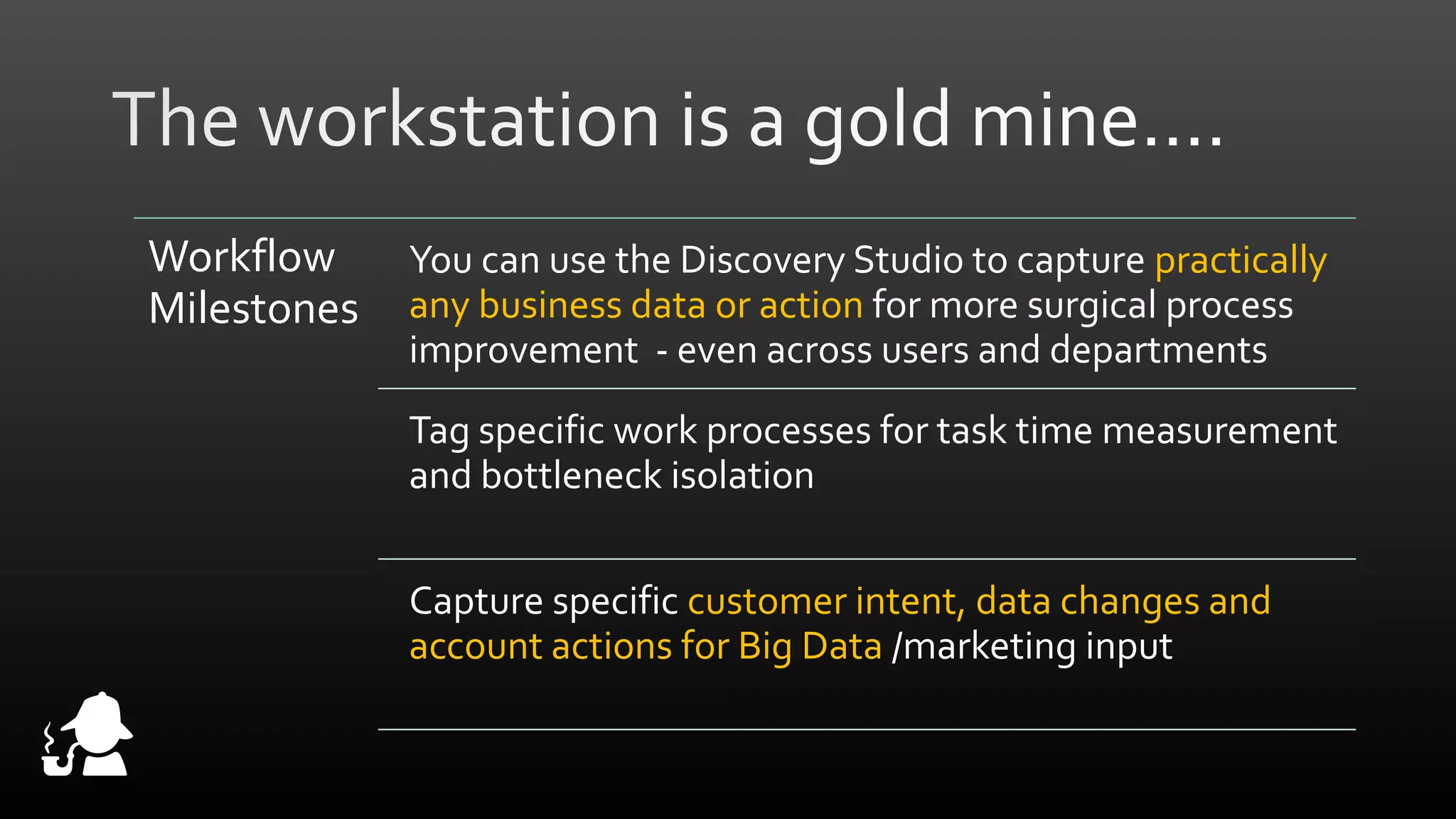
Workflow
Milestones

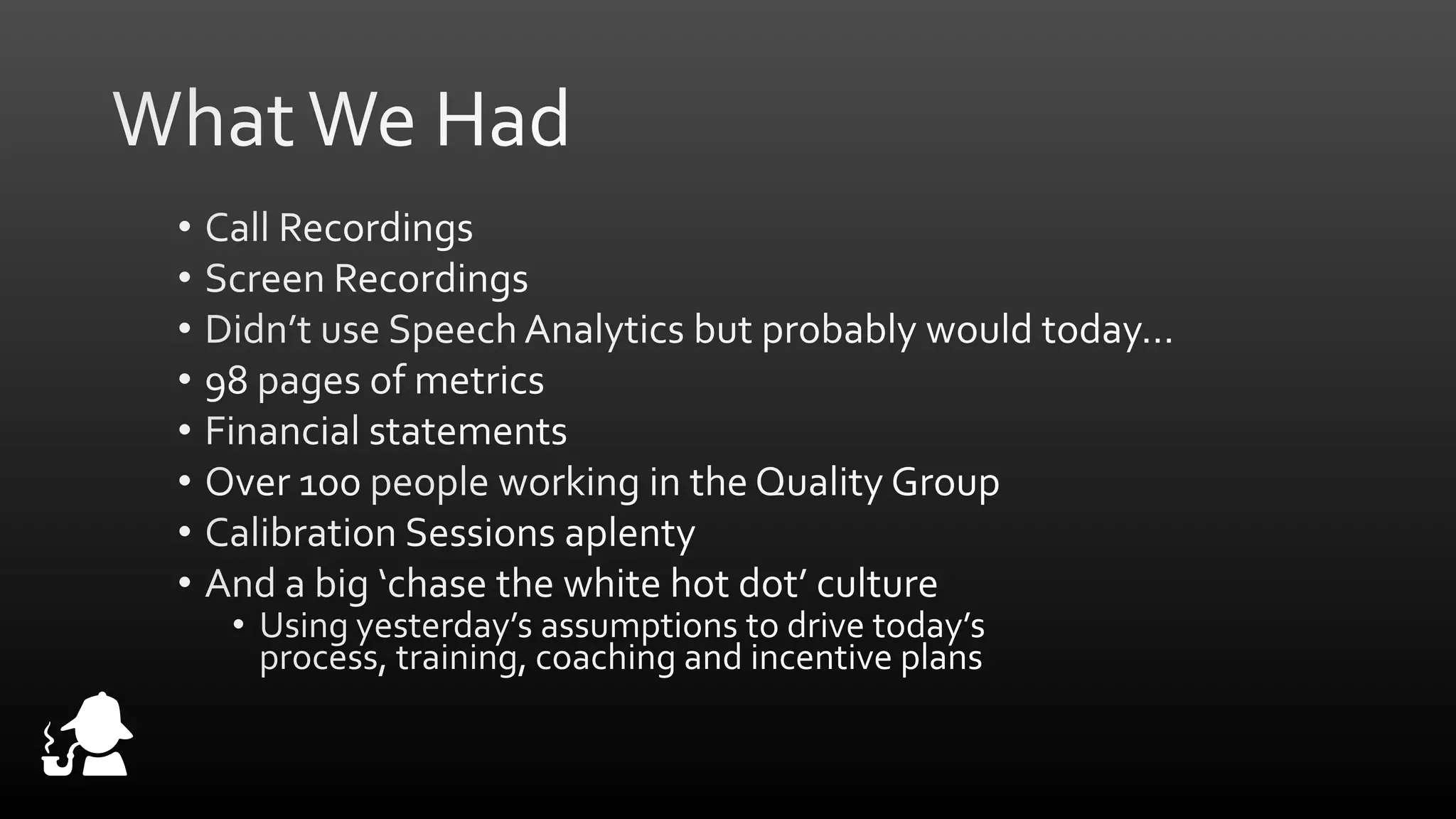
You can use the Discovery Studio to capture practically
any business data or action for more surgical process
improvement - even across users and departments
Tag specific work processes for task time measurement
and bottleneck isolation
Capture specific customer intent, data changes and
account actions for Big Data /marketing input
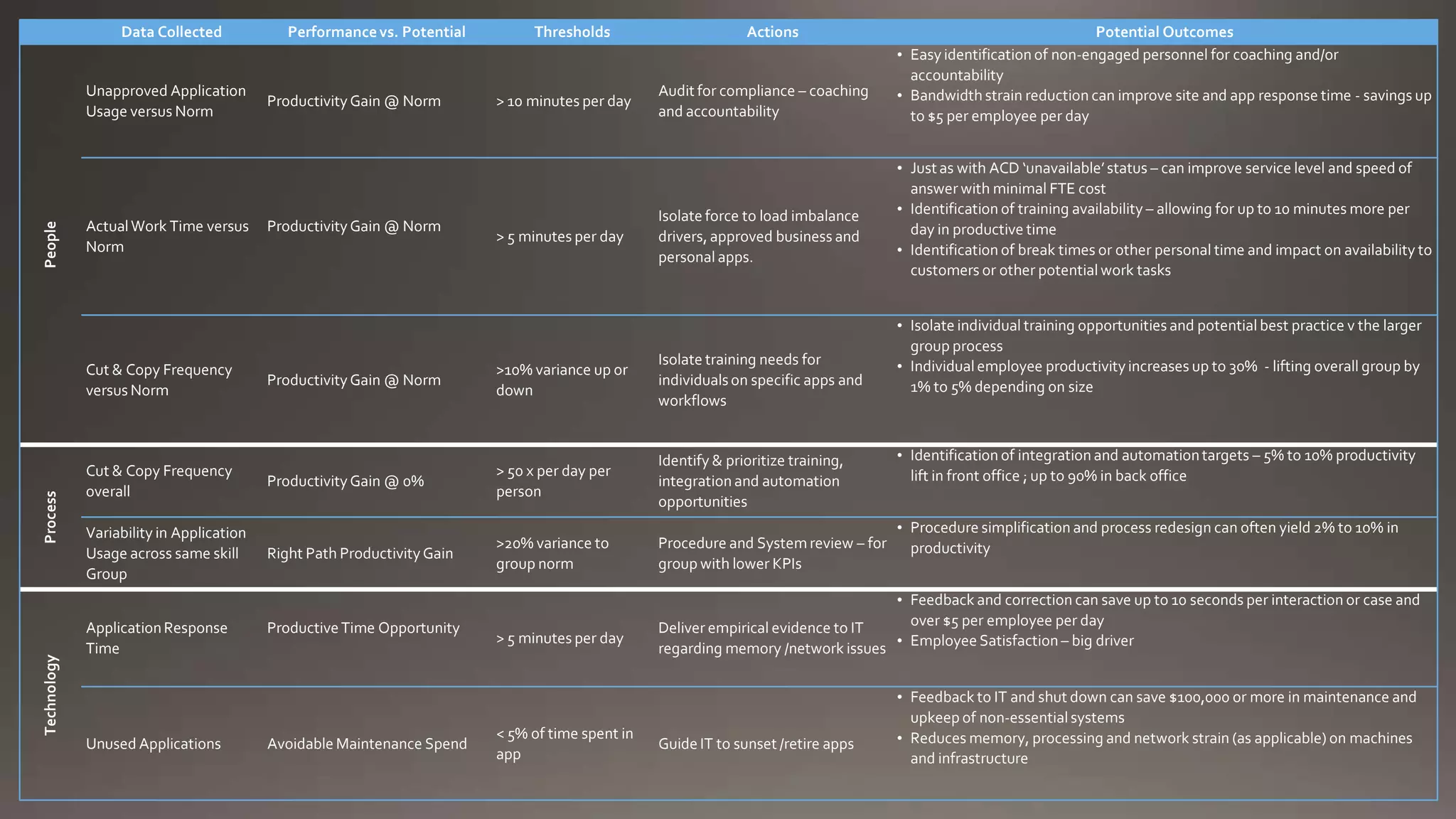
Data Collected

People

Unapproved Application
Usage versus Norm

Actual Work Time versus
Norm

Technology

Process

Cut & Copy Frequency
versus Norm

Cut & Copy Frequency
overall
Variability in Application
Usage across same skill
Group
Application Response
Time

Unused Applications

Performance vs. Potential

Productivity Gain @ Norm

Productivity Gain @ Norm

Thresholds

> 10 minutes per day

> 5 minutes per day

Actions

Audit for compliance – coaching
and accountability

Isolate force to load imbalance
drivers, approved business and
personal apps.

Productivity Gain @ Norm

>10% variance up or
down

Isolate training needs for
individuals on specific apps and
workflows

Productivity Gain @ 0%

> 50 x per day per
person

Identify & prioritize training,
integration and automation
opportunities

Right Path Productivity Gain

>20% variance to
group norm

Procedure and System review – for
group with lower KPIs

Productive Time Opportunity

Avoidable Maintenance Spend

> 5 minutes per day

< 5% of time spent in
app

Potential Outcomes
• Easy identification of non-engaged personnel for coaching and/or
accountability
• Bandwidth strain reduction can improve site and app response time - savings up
to $5 per employee per day
• Just as with ACD ‘unavailable’ status – can improve service level and speed of
answer with minimal FTE cost
• Identification of training availability – allowing for up to 10 minutes more per
day in productive time
• Identification of break times or other personal time and impact on availability to
customers or other potential work tasks
• Isolate individual training opportunities and potential best practice v the larger
group process
• Individual employee productivity increases up to 30% - lifting overall group by
1% to 5% depending on size

• Identification of integration and automation targets – 5% to 10% productivity
lift in front office ; up to 90% in back office
• Procedure simplification and process redesign can often yield 2% to 10% in
productivity

• Feedback and correction can save up to 10 seconds per interaction or case and
over $5 per employee per day
Deliver empirical evidence to IT
• Employee Satisfaction – big driver
regarding memory /network issues

Guide IT to sunset /retire apps

• Feedback to IT and shut down can save $100,000 or more in maintenance and
upkeep of non-essential systems
• Reduces memory, processing and network strain (as applicable) on machines
and infrastructure
www.ciceroinc.com

20 Minutes on Desktop Analytics: Objective QA in Contact Centers & Back Office

  • 4.
  • 9.
    Capture Store Analyze Desktop Activities • • • • • • • • • Session start/end SystemInformation Active Window (focus change) Web page loaded Copy/cut Print screen Workstation lock/unlock Workflow Milestones Custom Data from Any Screen Data Reporting, 3rd Party Analytics • • • • • • • • Collected in a Database Shared Network Drive Local Flat Files Web Service Enabled On- or Off-Premise • Real time, Historical BPMS, BAM, BI WFM, Performance Management Cicero blended intelligence reporting
  • 12.
    User Activity for9/16/2013 100% 90% 80% User Activity as % of Shift 70% 60% 50% 40% 30% 20% 10% 0% Lee Business Use Sue Rick Unapproved Business Use Peggy Personal Use Charles Unapproved Personal Use Helen Unclassified Sharon Idle Time Steve Group Average Business Use Richard
  • 13.
    Group Total Cut/Copy byUser and Application Neil 80 70 60 50 40 30 20 10 0 Mike Word Excel Jim Outlook Salesforce.com Tony John Word Excel Outlook Salesforce.com
  • 14.
    Active How many appsare used to take a call or Window handle a case (focus How many interruptions to conversation change) driven by app and screen toggling Is app usage the same across the team and skill groups? Training opp isolation
  • 16.
  • 18.
    Session start/end Match with ACDfor time keeping Measure shrinkage when no ACD Trigger WFM and ACD to route work
  • 19.
    Workflow Milestones You can usethe Discovery Studio to capture practically any business data or action for more surgical process improvement - even across users and departments Tag specific work processes for task time measurement and bottleneck isolation Capture specific customer intent, data changes and account actions for Big Data /marketing input
  • 20.
    Data Collected People Unapproved Application Usageversus Norm Actual Work Time versus Norm Technology Process Cut & Copy Frequency versus Norm Cut & Copy Frequency overall Variability in Application Usage across same skill Group Application Response Time Unused Applications Performance vs. Potential Productivity Gain @ Norm Productivity Gain @ Norm Thresholds > 10 minutes per day > 5 minutes per day Actions Audit for compliance – coaching and accountability Isolate force to load imbalance drivers, approved business and personal apps. Productivity Gain @ Norm >10% variance up or down Isolate training needs for individuals on specific apps and workflows Productivity Gain @ 0% > 50 x per day per person Identify & prioritize training, integration and automation opportunities Right Path Productivity Gain >20% variance to group norm Procedure and System review – for group with lower KPIs Productive Time Opportunity Avoidable Maintenance Spend > 5 minutes per day < 5% of time spent in app Potential Outcomes • Easy identification of non-engaged personnel for coaching and/or accountability • Bandwidth strain reduction can improve site and app response time - savings up to $5 per employee per day • Just as with ACD ‘unavailable’ status – can improve service level and speed of answer with minimal FTE cost • Identification of training availability – allowing for up to 10 minutes more per day in productive time • Identification of break times or other personal time and impact on availability to customers or other potential work tasks • Isolate individual training opportunities and potential best practice v the larger group process • Individual employee productivity increases up to 30% - lifting overall group by 1% to 5% depending on size • Identification of integration and automation targets – 5% to 10% productivity lift in front office ; up to 90% in back office • Procedure simplification and process redesign can often yield 2% to 10% in productivity • Feedback and correction can save up to 10 seconds per interaction or case and over $5 per employee per day Deliver empirical evidence to IT • Employee Satisfaction – big driver regarding memory /network issues Guide IT to sunset /retire apps • Feedback to IT and shut down can save $100,000 or more in maintenance and upkeep of non-essential systems • Reduces memory, processing and network strain (as applicable) on machines and infrastructure
  • 22.