Desktop ManagementUsing Microsoft SCCMJerry Bishop, CIOOriginally Presented March 21, 2011SunGard Higher Education Summit
This presentations supports telling the story of how one college reworked its desktop imaging and management strategy around Microsoft’s System Center Configuration Manager (SCCM) and related products to increase user satisfaction and dramatically reduce support demand and support costs.Additional information about the changes, tools and strategy can be found in The Higher Ed CIO blog.About
Snippet of the Imagining Sequence
Gains Using SCCM  Imaging with SCCMBefore ~2 hrsNow <45 minImmediate Payoff1550 hrs saved deploying 1000 PCs1240 hrs saved reimaging 800 PCs400 hrs saved encrypting laptops30% reduction in help desk calls
TakeawaysWhat is SCCM?What is SCCM capable of?What can SCCM do for me?
An Imaging PrimerBefore we start…
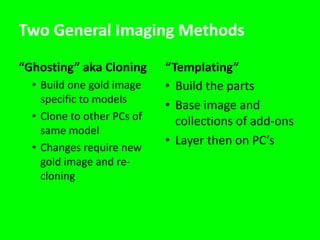
Two General Imaging Methods“Ghosting” aka CloningBuild one gold image specific to models
Clone to other PCs of same model
Changes require new gold image and re-cloning“Templating”Build the partsBase image and collections of add-onsLayer then on PC’s
Customer Satisfaction was in the TankThe Problem…
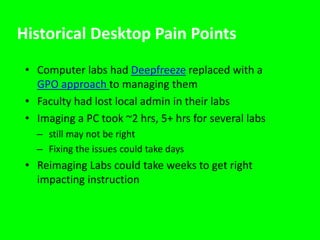
Historical Desktop Pain PointsComputer labs had Deepfreeze replaced with a GPO approach to managing themFaculty had lost local admin in their labsImaging a PC took ~2 hrs, 5+ hrs for several labsstill may not be rightFixing the issues could take daysReimaging Labs could take weeks to get right impacting instruction
The Challenge Image any device (PC, laptop, tablet, Netbook, or server) from bare metal without errors Required OutcomesImprove user experienceShorten time to image Support scaleEliminate complexityReduce support demand & costDeliver self-service application installsIt must be “Gute-Proof”
3 Factors Driving the StrategyIT Staffing ModelComplexity of Desktop ImagingGeography of College District
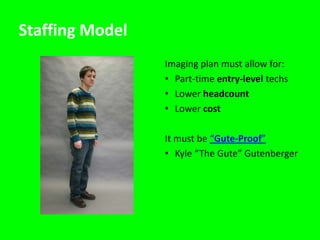
Staffing ModelImaging plan must allow for: Part-time entry-level techsLower headcountLower costIt must be “Gute-Proof”Kyle “The Gute” Gutenberger
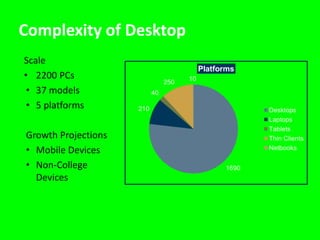
Complexity of DesktopScale2200 PCs37 models5 platformsGrowth ProjectionsMobile DevicesNon-College Devices
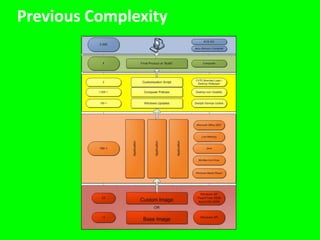
Previous Complexity
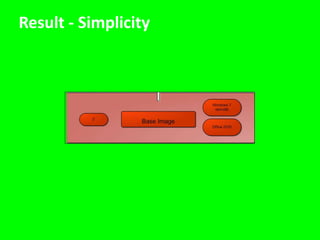
Result - Simplicity
Geography of College’s District12 Campus Locations (Rural Western Wisconsin)120 miles East-West and 70 miles North-South10 Counties, 5500 square milesRhode Island – 1214 square milesDelaware – 2026 square milesConnecticut – 5506 square milesDispatching tech to the farthest remote campuses2 hrs 15 min round trip (not counting stops)$126 direct costs (mileage and windshield time)
What can SCCM do for me…Error free imaging
System Center Configuration ManagerSCCM 2007 is a major upgrade of SMS functionality that provides features forOS DeploymentInternet-based client managementWSUS integration for software update managementService windows/collection variables
What is SCCM capable of?Configuration ManagementPatch managementSoftware distributionOperating system deploymentHardware and software inventoryPower Management
The solutionPXE Boot, SCCM Task Sequence, App-V
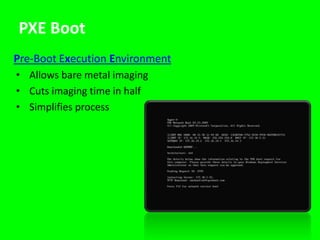
PXE BootPre-Boot Execution EnvironmentAllows bare metal imagingCuts imaging time in halfSimplifies process
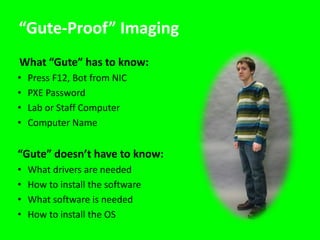
“Gute-Proof” ImagingWhat “Gute” has to know:Press F12, Bot from NICPXE PasswordLab or Staff ComputerComputer Name“Gute” doesn’t have to know:What drivers are neededHow to install the softwareWhat software is neededHow to install the OS
PXE Boot Sequence - Again
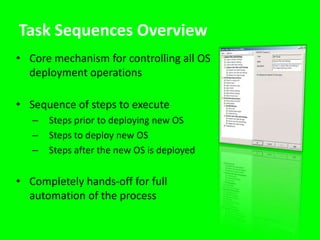
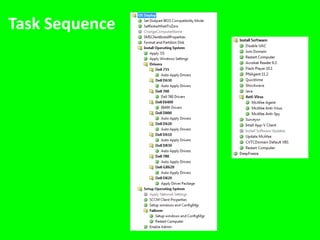
Task Sequences OverviewCore mechanism for controlling all OS deployment operationsSequence of steps to executeSteps prior to deploying new OSSteps to deploy new OSSteps after the new OS is deployedCompletely hands-off for full automation of the process
Task Sequence
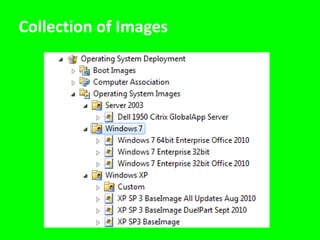
Collection of Images
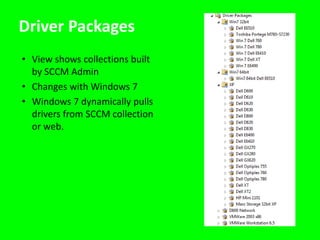
Driver PackagesView shows collections built by SCCM AdminChanges with Windows 7Windows 7 dynamically pulls drivers from SCCM collection or web.
Application Virtualization - App-VMicrosoft Application Virtualization (App-V)Allows less testing when packaging applicationsApp-V packages can be applied to other OS’s with little or no changeThere is no “Install” or “Uninstall” so OS doesn’t get changedPackaging can be easier with some apps
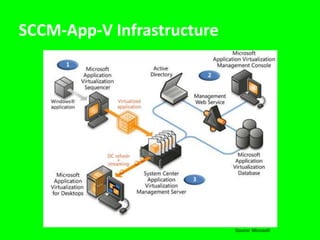
SCCM-App-V InfrastructureSource: Microsoft
Ongoing maintenancePatch Management, Application Deployment
Maintenance ProcessLabs: automated nightly maintenance sequenceWake on LAN InitiatesDeepfreeze ThawsMcAfee Updates Reapply DATsAll software and updates get installed at that timeStaff: automated real-time updatesMonthly update cycle for patches and changes3-tier model: test group, power users, all users5-days to apply then updates are forced
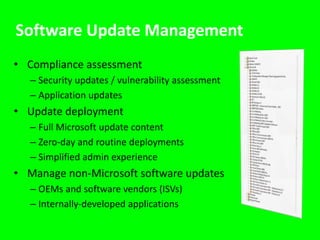
Software Update Management Compliance assessmentSecurity updates / vulnerability assessmentApplication updatesUpdate deploymentFull Microsoft update contentZero-day and routine deploymentsSimplified admin experienceManage non-Microsoft software updatesOEMs and software vendors (ISVs)Internally-developed applications
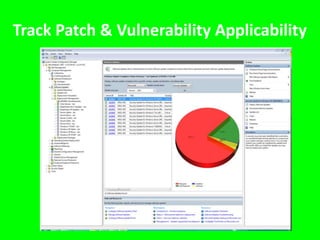
Track Patch & Vulnerability Applicability
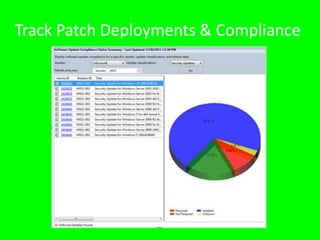
Track Patch Deployments & Compliance
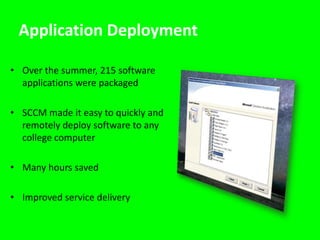
Application DeploymentOver the summer, 215 software applications were packagedSCCM made it easy to quickly and remotely deploy software to any college computerMany hours savedImproved service delivery
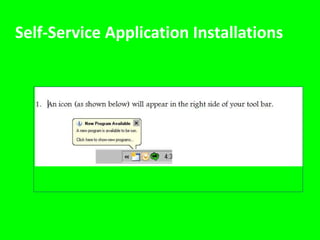
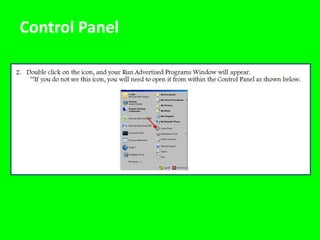
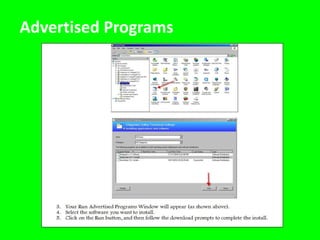
Self-Service Application Installations
Control Panel
Advertised Programs
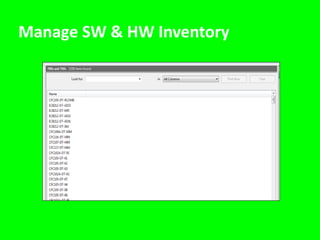
Manage SW & HW Inventory
Current and near term changesEVOLVING STRATEGY…
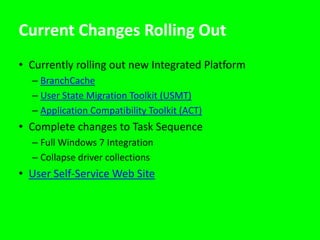
Current Changes Rolling OutCurrently rolling out new Integrated PlatformBranchCacheUser State Migration Toolkit (USMT)Application Compatibility Toolkit (ACT)Complete changes to Task SequenceFull Windows 7 IntegrationCollapse driver collectionsUser Self-Service Web Site
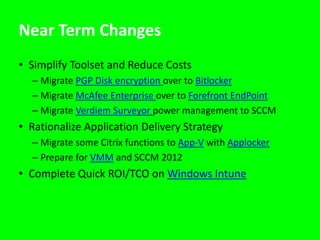
Near Term Changes Simplify Toolset and Reduce CostsMigrate PGP Disk encryption over to BitlockerMigrate McAfee Enterprise over to Forefront EndPointMigrate Verdiem Surveyor power management to SCCMRationalize Application Delivery StrategyMigrate some Citrix functions to App-V with ApplockerPrepare for VMM and SCCM 2012Complete Quick ROI/TCO on Windows Intune

Desktop Management Using Microsoft SCCM

  • 1.
    Desktop ManagementUsing MicrosoftSCCMJerry Bishop, CIOOriginally Presented March 21, 2011SunGard Higher Education Summit
  • 2.
    This presentations supportstelling the story of how one college reworked its desktop imaging and management strategy around Microsoft’s System Center Configuration Manager (SCCM) and related products to increase user satisfaction and dramatically reduce support demand and support costs.Additional information about the changes, tools and strategy can be found in The Higher Ed CIO blog.About
  • 3.
    Snippet of theImagining Sequence
  • 4.
    Gains Using SCCM Imaging with SCCMBefore ~2 hrsNow <45 minImmediate Payoff1550 hrs saved deploying 1000 PCs1240 hrs saved reimaging 800 PCs400 hrs saved encrypting laptops30% reduction in help desk calls
  • 5.
    TakeawaysWhat is SCCM?Whatis SCCM capable of?What can SCCM do for me?
  • 6.
  • 7.
    Two General ImagingMethods“Ghosting” aka CloningBuild one gold image specific to models
  • 8.
    Clone to otherPCs of same model
  • 9.
    Changes require newgold image and re-cloning“Templating”Build the partsBase image and collections of add-onsLayer then on PC’s
  • 10.
    Customer Satisfaction wasin the TankThe Problem…
  • 11.
    Historical Desktop PainPointsComputer labs had Deepfreeze replaced with a GPO approach to managing themFaculty had lost local admin in their labsImaging a PC took ~2 hrs, 5+ hrs for several labsstill may not be rightFixing the issues could take daysReimaging Labs could take weeks to get right impacting instruction
  • 12.
    The Challenge Imageany device (PC, laptop, tablet, Netbook, or server) from bare metal without errors Required OutcomesImprove user experienceShorten time to image Support scaleEliminate complexityReduce support demand & costDeliver self-service application installsIt must be “Gute-Proof”
  • 13.
    3 Factors Drivingthe StrategyIT Staffing ModelComplexity of Desktop ImagingGeography of College District
  • 14.
    Staffing ModelImaging planmust allow for: Part-time entry-level techsLower headcountLower costIt must be “Gute-Proof”Kyle “The Gute” Gutenberger
  • 15.
    Complexity of DesktopScale2200PCs37 models5 platformsGrowth ProjectionsMobile DevicesNon-College Devices
  • 16.
  • 17.
  • 18.
    Geography of College’sDistrict12 Campus Locations (Rural Western Wisconsin)120 miles East-West and 70 miles North-South10 Counties, 5500 square milesRhode Island – 1214 square milesDelaware – 2026 square milesConnecticut – 5506 square milesDispatching tech to the farthest remote campuses2 hrs 15 min round trip (not counting stops)$126 direct costs (mileage and windshield time)
  • 19.
    What can SCCMdo for me…Error free imaging
  • 20.
    System Center ConfigurationManagerSCCM 2007 is a major upgrade of SMS functionality that provides features forOS DeploymentInternet-based client managementWSUS integration for software update managementService windows/collection variables
  • 21.
    What is SCCMcapable of?Configuration ManagementPatch managementSoftware distributionOperating system deploymentHardware and software inventoryPower Management
  • 22.
    The solutionPXE Boot,SCCM Task Sequence, App-V
  • 23.
    PXE BootPre-Boot ExecutionEnvironmentAllows bare metal imagingCuts imaging time in halfSimplifies process
  • 24.
    “Gute-Proof” ImagingWhat “Gute”has to know:Press F12, Bot from NICPXE PasswordLab or Staff ComputerComputer Name“Gute” doesn’t have to know:What drivers are neededHow to install the softwareWhat software is neededHow to install the OS
  • 25.
  • 26.
    Task Sequences OverviewCoremechanism for controlling all OS deployment operationsSequence of steps to executeSteps prior to deploying new OSSteps to deploy new OSSteps after the new OS is deployedCompletely hands-off for full automation of the process
  • 27.
  • 28.
  • 29.
    Driver PackagesView showscollections built by SCCM AdminChanges with Windows 7Windows 7 dynamically pulls drivers from SCCM collection or web.
  • 30.
    Application Virtualization -App-VMicrosoft Application Virtualization (App-V)Allows less testing when packaging applicationsApp-V packages can be applied to other OS’s with little or no changeThere is no “Install” or “Uninstall” so OS doesn’t get changedPackaging can be easier with some apps
  • 31.
  • 32.
  • 33.
    Maintenance ProcessLabs: automatednightly maintenance sequenceWake on LAN InitiatesDeepfreeze ThawsMcAfee Updates Reapply DATsAll software and updates get installed at that timeStaff: automated real-time updatesMonthly update cycle for patches and changes3-tier model: test group, power users, all users5-days to apply then updates are forced
  • 34.
    Software Update ManagementCompliance assessmentSecurity updates / vulnerability assessmentApplication updatesUpdate deploymentFull Microsoft update contentZero-day and routine deploymentsSimplified admin experienceManage non-Microsoft software updatesOEMs and software vendors (ISVs)Internally-developed applications
  • 35.
    Track Patch &Vulnerability Applicability
  • 36.
  • 37.
    Application DeploymentOver thesummer, 215 software applications were packagedSCCM made it easy to quickly and remotely deploy software to any college computerMany hours savedImproved service delivery
  • 38.
  • 39.
  • 40.
  • 41.
    Manage SW &HW Inventory
  • 42.
    Current and nearterm changesEVOLVING STRATEGY…
  • 43.
    Current Changes RollingOutCurrently rolling out new Integrated PlatformBranchCacheUser State Migration Toolkit (USMT)Application Compatibility Toolkit (ACT)Complete changes to Task SequenceFull Windows 7 IntegrationCollapse driver collectionsUser Self-Service Web Site
  • 44.
    Near Term ChangesSimplify Toolset and Reduce CostsMigrate PGP Disk encryption over to BitlockerMigrate McAfee Enterprise over to Forefront EndPointMigrate Verdiem Surveyor power management to SCCMRationalize Application Delivery StrategyMigrate some Citrix functions to App-V with ApplockerPrepare for VMM and SCCM 2012Complete Quick ROI/TCO on Windows Intune
  • 45.
  • 46.
    Thank You!Jerry Bishop,The Higher Ed CIO Blog

Editor's Notes

  • #3 Error-free imaging allowed us to save time and money.
  • #4 We had a problem and we needed to solve it. The same problem many of you may be struggling with. The management of our desktop was a mess. Customer satisfaction was in the tank. We had more devices and more people to support. Due to budget cuts and high turnover, we had fewer desktop technicians, many with very little experience. We needed a way to simplify our imaging process. We chose to implement (rather re-implement, or correctly implement) SCCM (Microsoft’s System Center Configuration Manager) as our desktop management solution. It not only simplified our imaging process, it helped us in many other areas as well.What do I hope you take away from today’s presentation? If you are where we were a year ago, know there is a solution out there. We had a problem and we knew it. We made a commitment to solve it and we did. Are we special…NO…well, Jerry is, but I’m not. Our commitment was to deliver error free imaging. We were able to do that using SCCM.
  • #5 Let me tell you how it was.
  • #6 WHY?IT could not deliver consistent repeatable results when touching the desktopUsed Ghost, tried Altirus, moved everything to Citrix, used SCCM as ghost
  • #7 The statement at the top of this slide was our initial goal using SCCM – to provide error free imaging. It allowed us to save time and money.
  • #8 Our inventory was a nightmare. 5 different platforms, 37 different models.
  • #9 This was our old way of imaging. It was complex and prone to errors.
  • #10 This is our imaging process now. Out of the box, plug it in, PXE boot, name it, OU, collections, advertise software.
  • #11 Round trip to-from River falls3 hours of windshield time and 130 miles3 hours of labor * $20 = $60130 miles @ .51 = $66Total trip cost = $126
  • #13 A systems management solution by Microsoft for managing large groups of Windows-based computer systems. Configuration Manager provides remote control, patch management, software distribution, operating system deployment, network access protection, and hardware and software inventory.
  • #14 Boot computers using a network interface independently of data storage devices (i.e. disks) or installed operating systems.
  • #16 This is the task sequence Kren built.
  • #17 Allows applications to be deployed in real-time to any client from a virtual application server. It removes the need for local installation of applications.
  • #19 This is the Software Update module of SCCM.  The updates are separated into test groups.  Each test group for servers are done one day a month controlled by a maintenance window.  Each test group for desktop are done each week after Patch Tuesday.  The graph Compliant percentage of each separate update.
  • #20 Your CIO wants to know how many Dell 780’s and 760’s we have…piece of cake…
  • #21 v.Next is the new version of SCCM
  • #22 v.Next is the new version of SCCM