
The webinar will begin shortly.
You will hear silence until the webinar begins.
Audio is provided through your computer speakers only.
If you are unable to hear the audio through your computer speakers, simply click on the “request phone” button
on the top right hand side of your screen for teleconference information.
Technical Support Problems for this Webinar:
Email: webinars@iofm.com
The Three Levels of AP Automation
Learn Which Option Is Best For You
Presented by: Bill Whalen, Account Manager at RJS Software
• About RJS Software
• Business challenges
• The three levels of AP automation
• Implementation methodology
• Q&A
Agenda
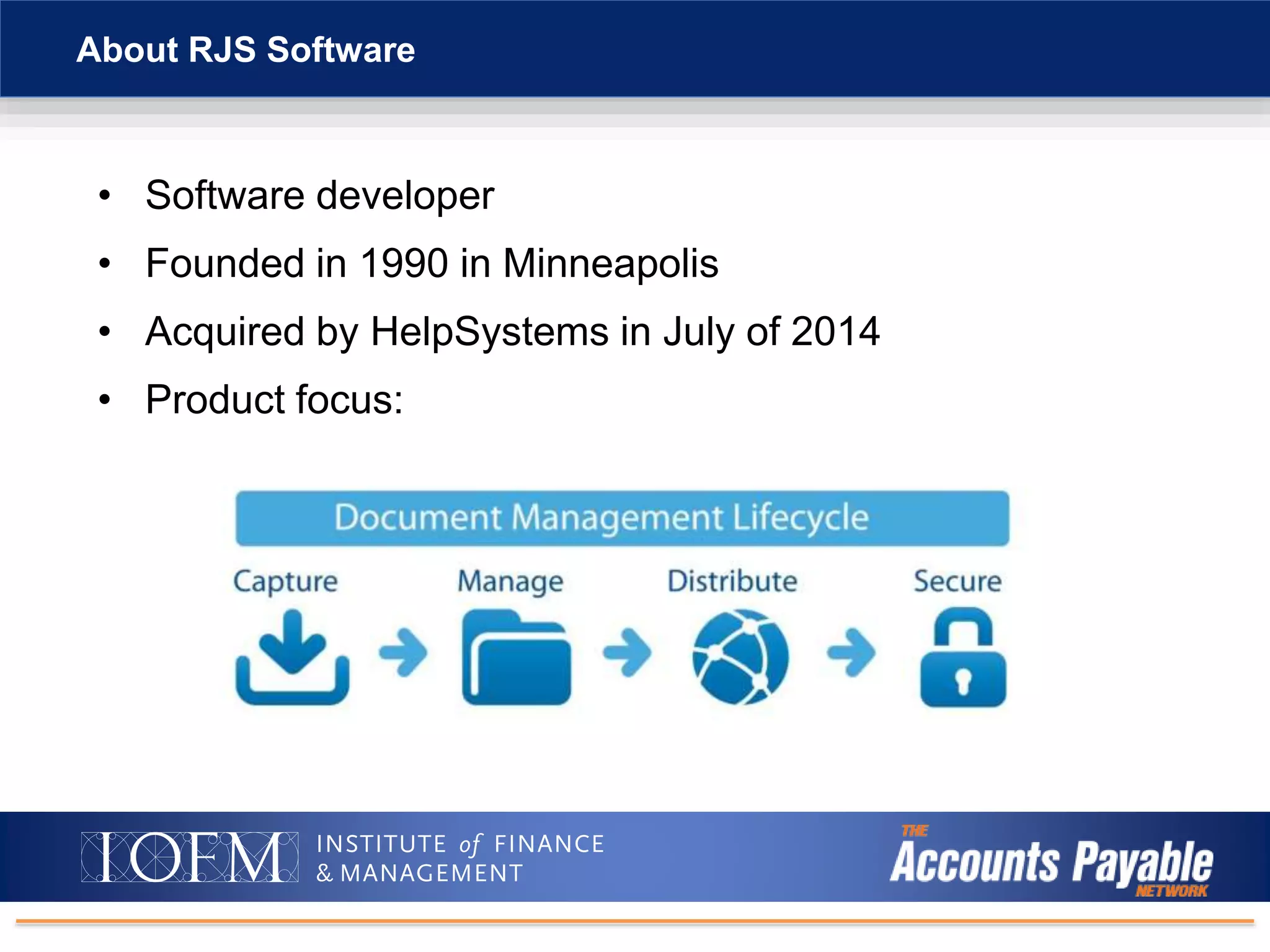
• Software developer
• Founded in 1990 in Minneapolis
• Acquired by HelpSystems in July of 2014
• Product focus:
About RJS Software
Paper-intensive, inefficient business processes
• Need automated workflow functionality for AP and other processes
• Gain new levels of efficiency without adding staff
• Eliminate paper processing and reallocate staff to value-added work
• Solve issue of processing and distributing paperwork across departments
and locations
• Streamline audit preparation and response time
• Fully utilize and extend existing IT investments across the company
Business Challenges
ERP and other business systems are not user-friendly
• Paper forms and paper documents require data that has to be re-keyed
into business systems
• Manual data entry is prone to error
• Slows down workflow and decision making
• Difficult to process paperwork across multiple offices and between
remote workers
• Reduces employee productivity
• Negatively impacts customer service
Business Challenges
IT department doesn’t or can’t modify ERP screens
• Document imaging not integrated to ERP
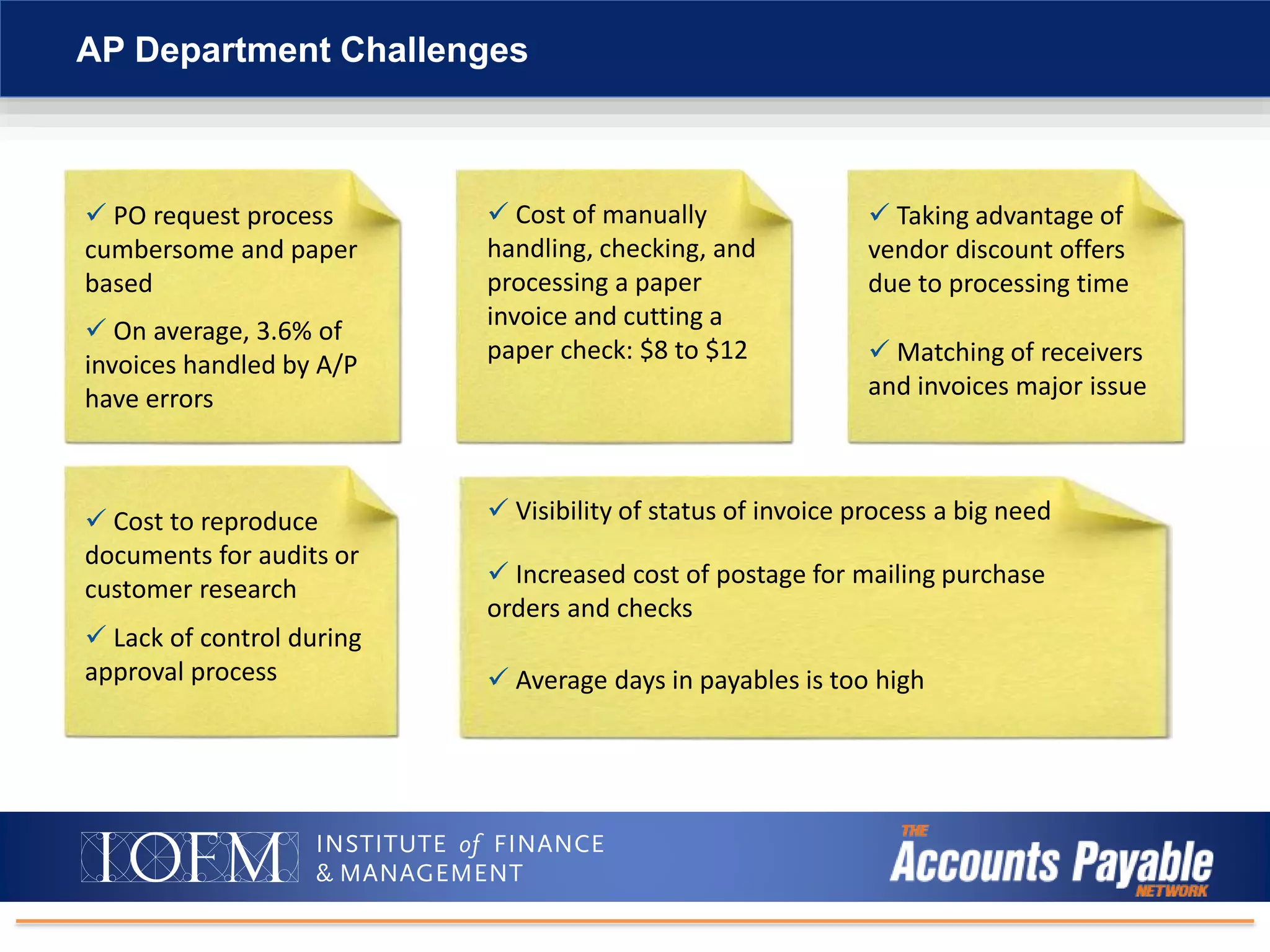
AP Department Challenges
 PO request process
cumbersome and paper
based
 On average, 3.6% of
invoices handled by A/P
have errors
 Cost of manually
handling, checking, and
processing a paper
invoice and cutting a
paper check: $8 to $12
 Taking advantage of
vendor discount offers
due to processing time
 Matching of receivers
and invoices major issue
 Cost to reproduce
documents for audits or
customer research
 Lack of control during
approval process
 Visibility of status of invoice process a big need
 Increased cost of postage for mailing purchase
orders and checks
 Average days in payables is too high
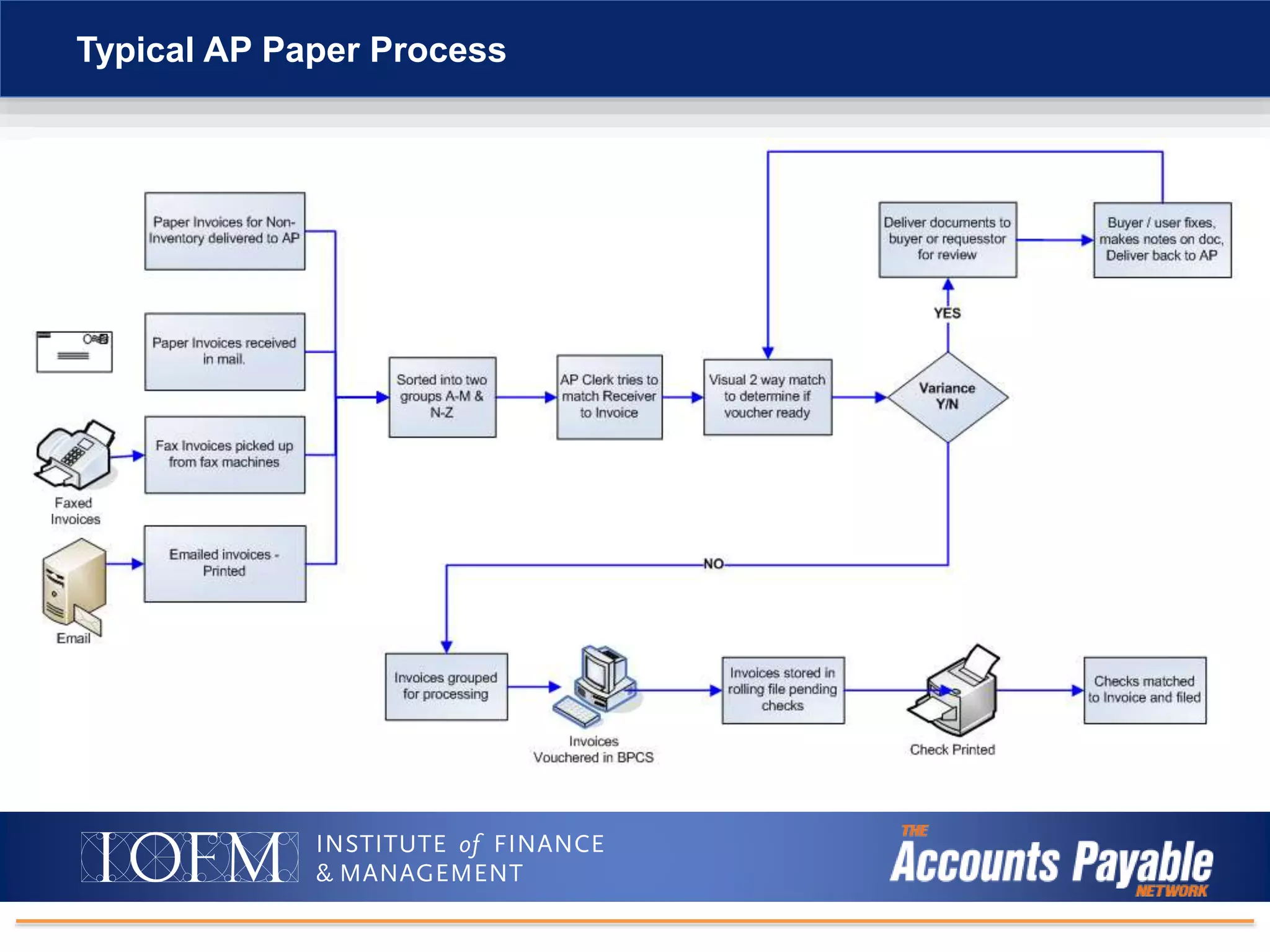
Typical AP Paper Process
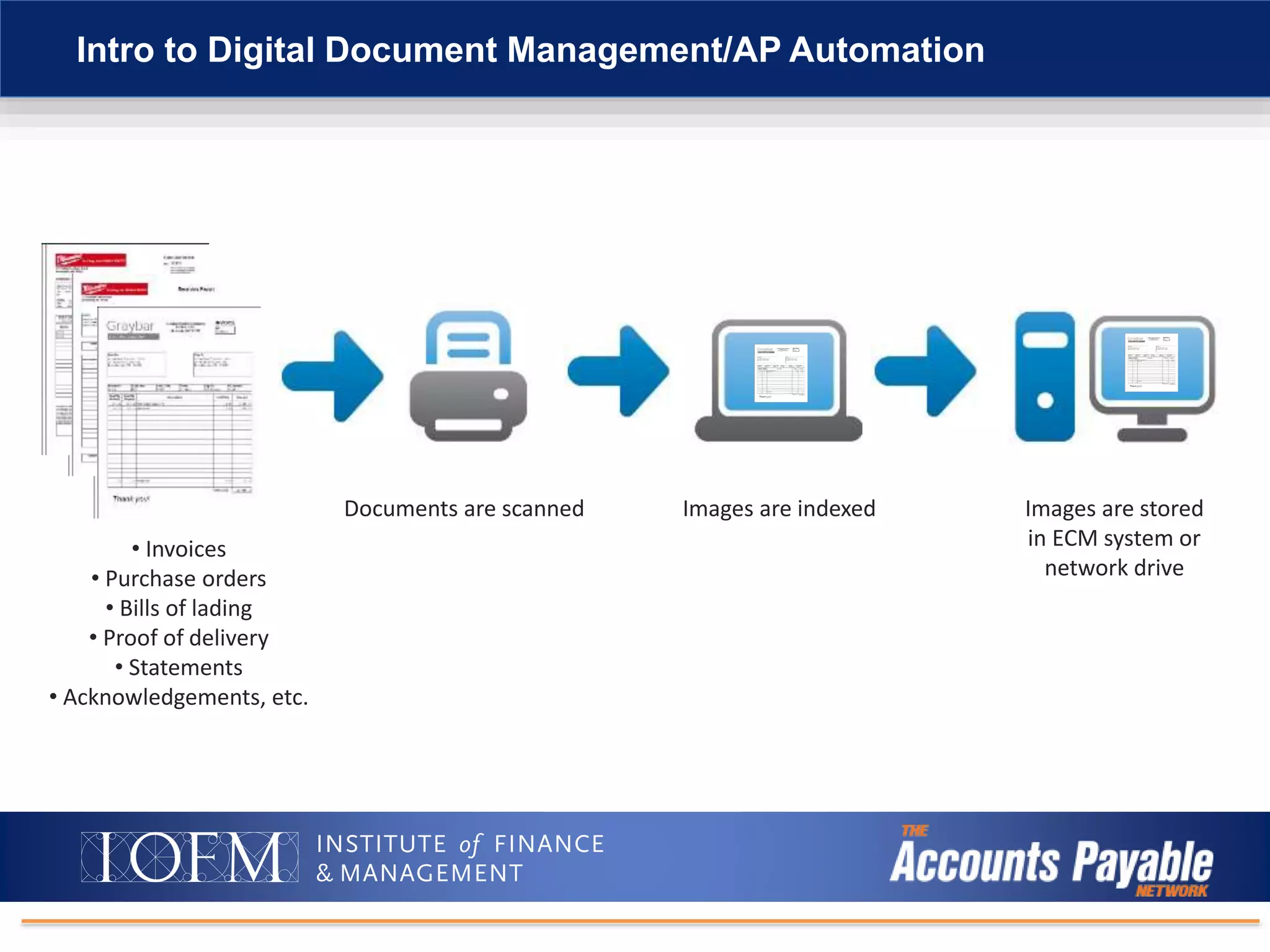
Intro to Digital Document Management/AP Automation
• Invoices
• Purchase orders
• Bills of lading
• Proof of delivery
• Statements
• Acknowledgements, etc.
Documents are scanned Images are indexed Images are stored
in ECM system or
network drive
Intro to Digital Document Management/AP Automation
Three Levels of
Invoice Automation
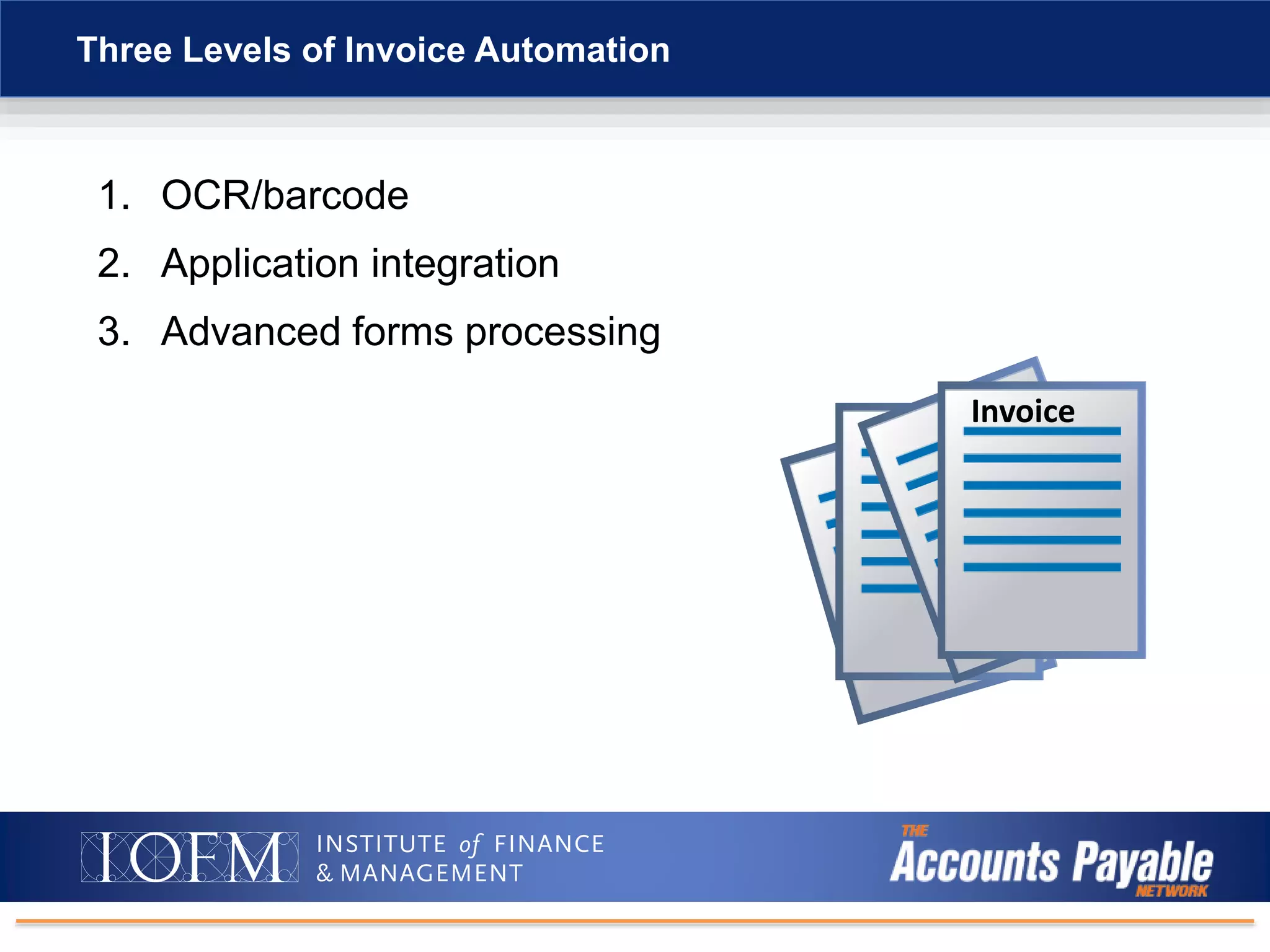
1. OCR/barcode
2. Application integration
3. Advanced forms processing
Three Levels of Invoice Automation
Invoice
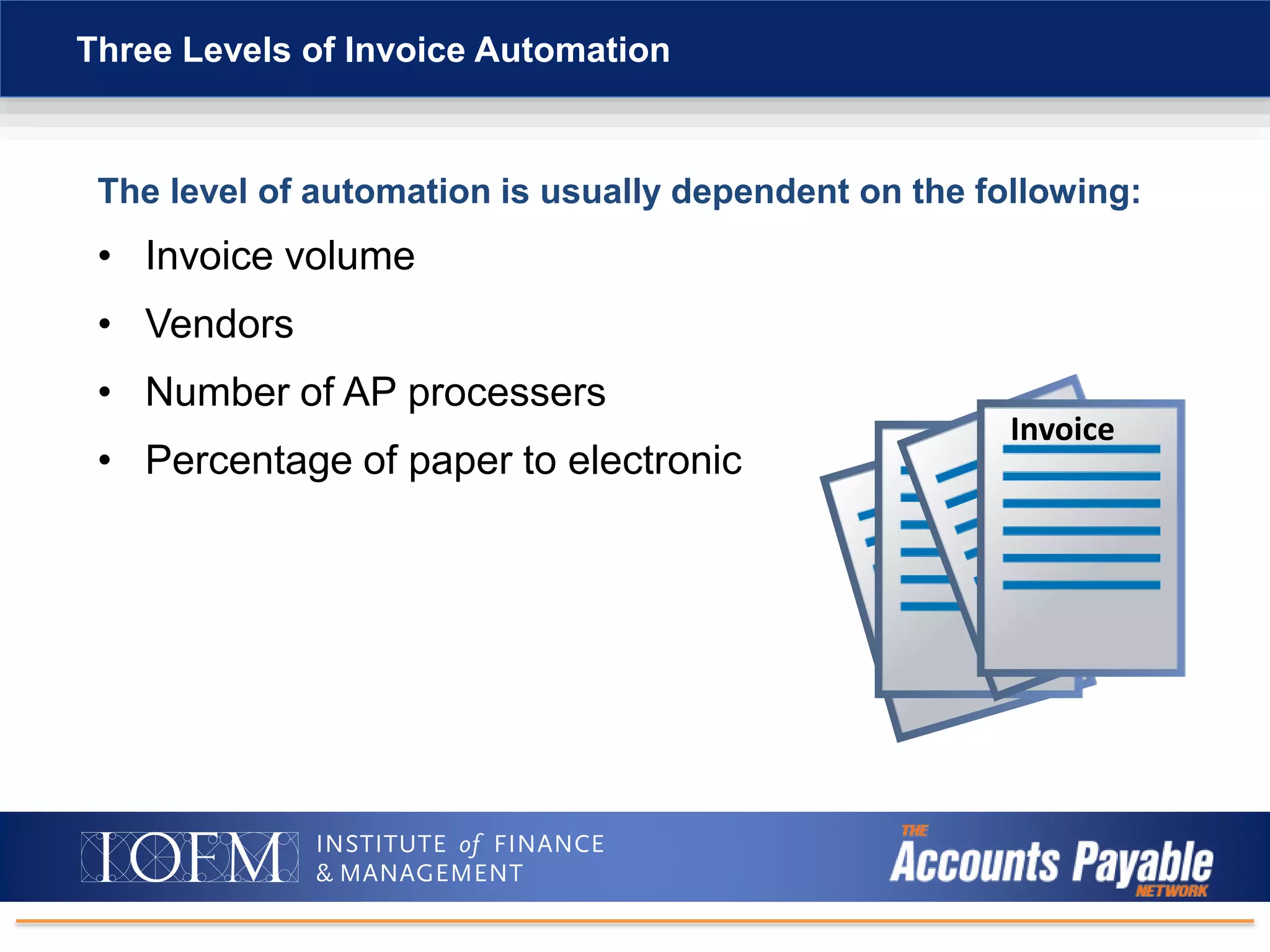
The level of automation is usually dependent on the following:
• Invoice volume
• Vendors
• Number of AP processers
• Percentage of paper to electronic
Three Levels of Invoice Automation
Invoice
Intro to Digital Document Management/AP Automation
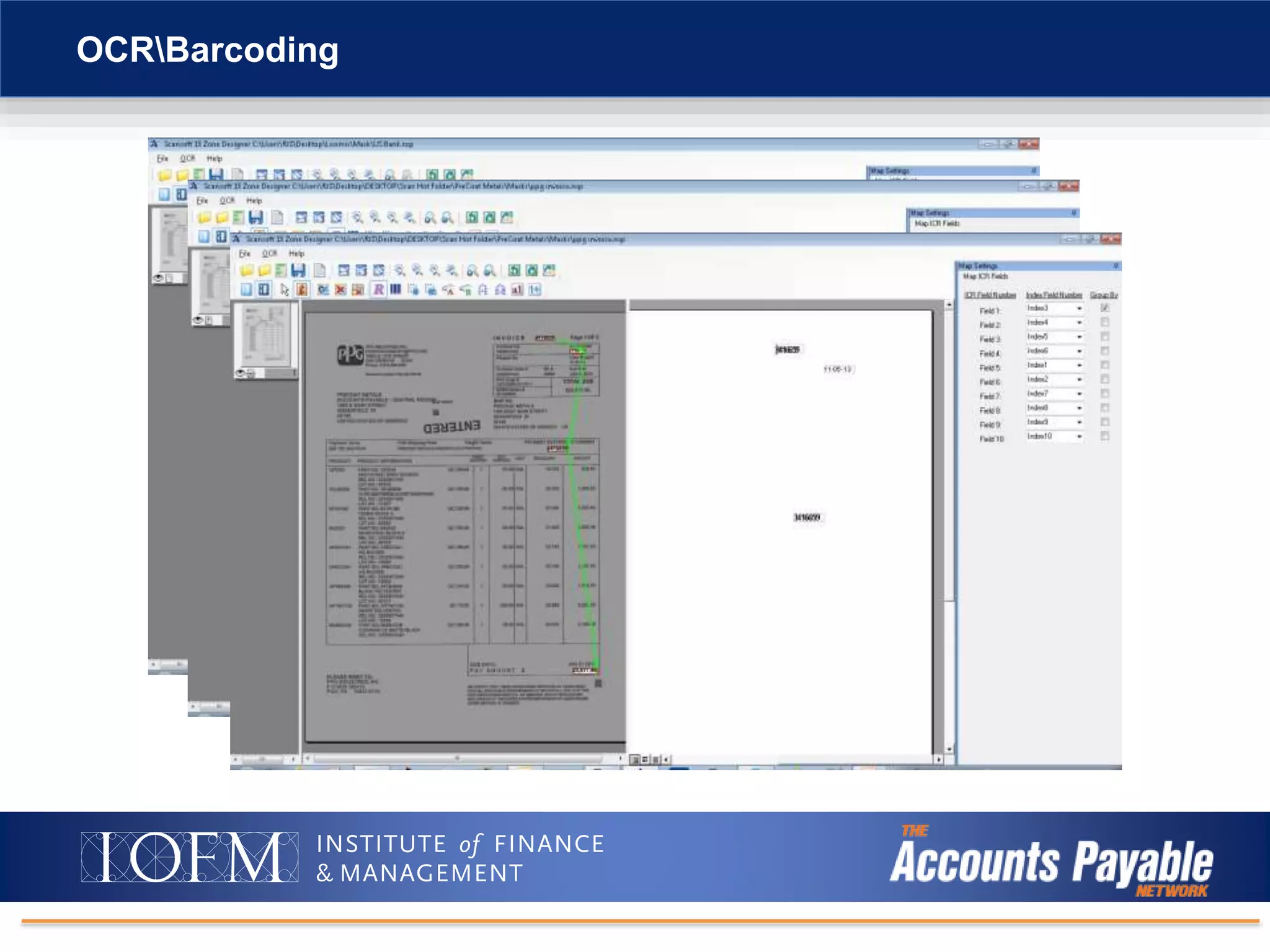
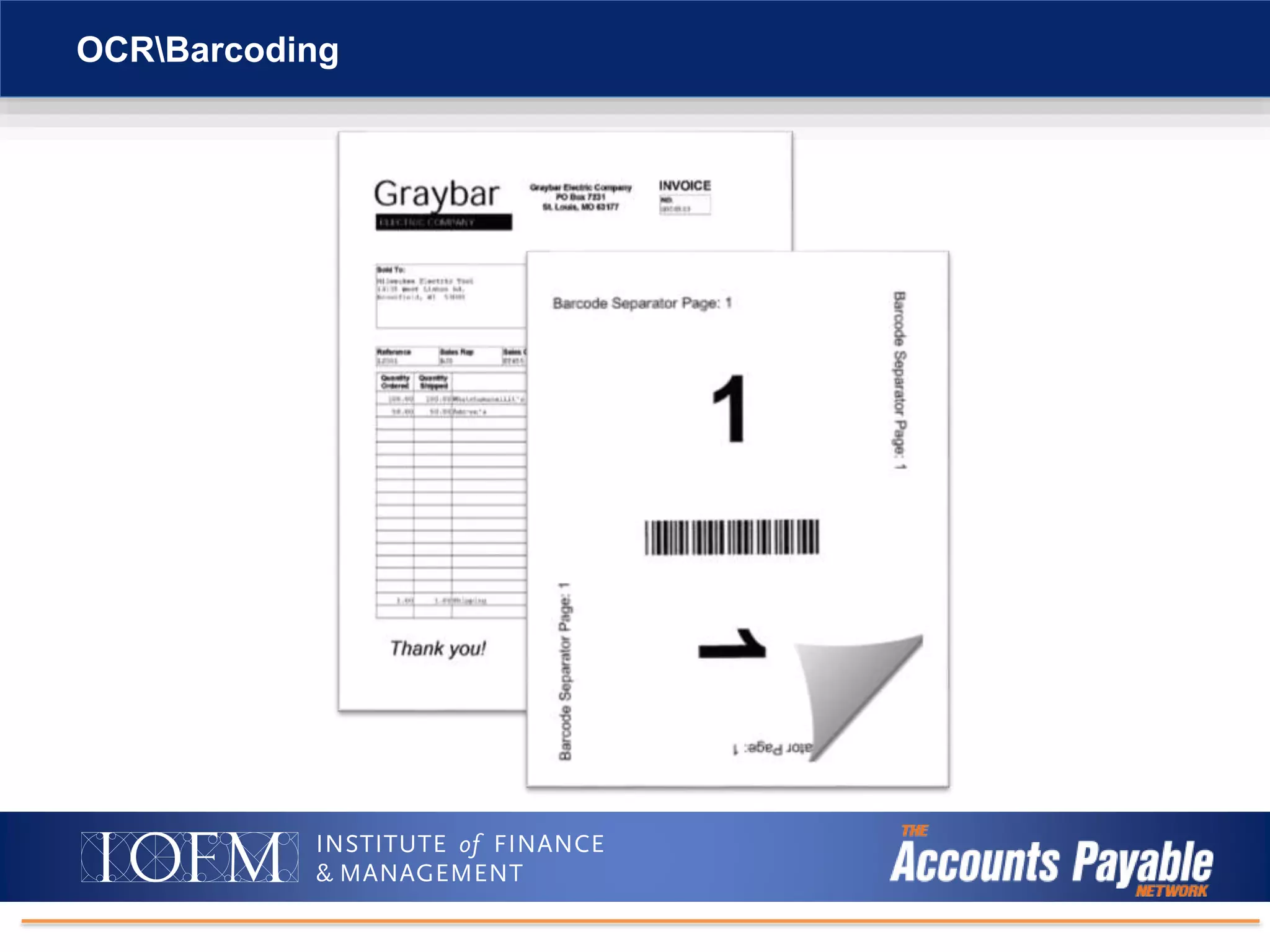
OCRBarcoding
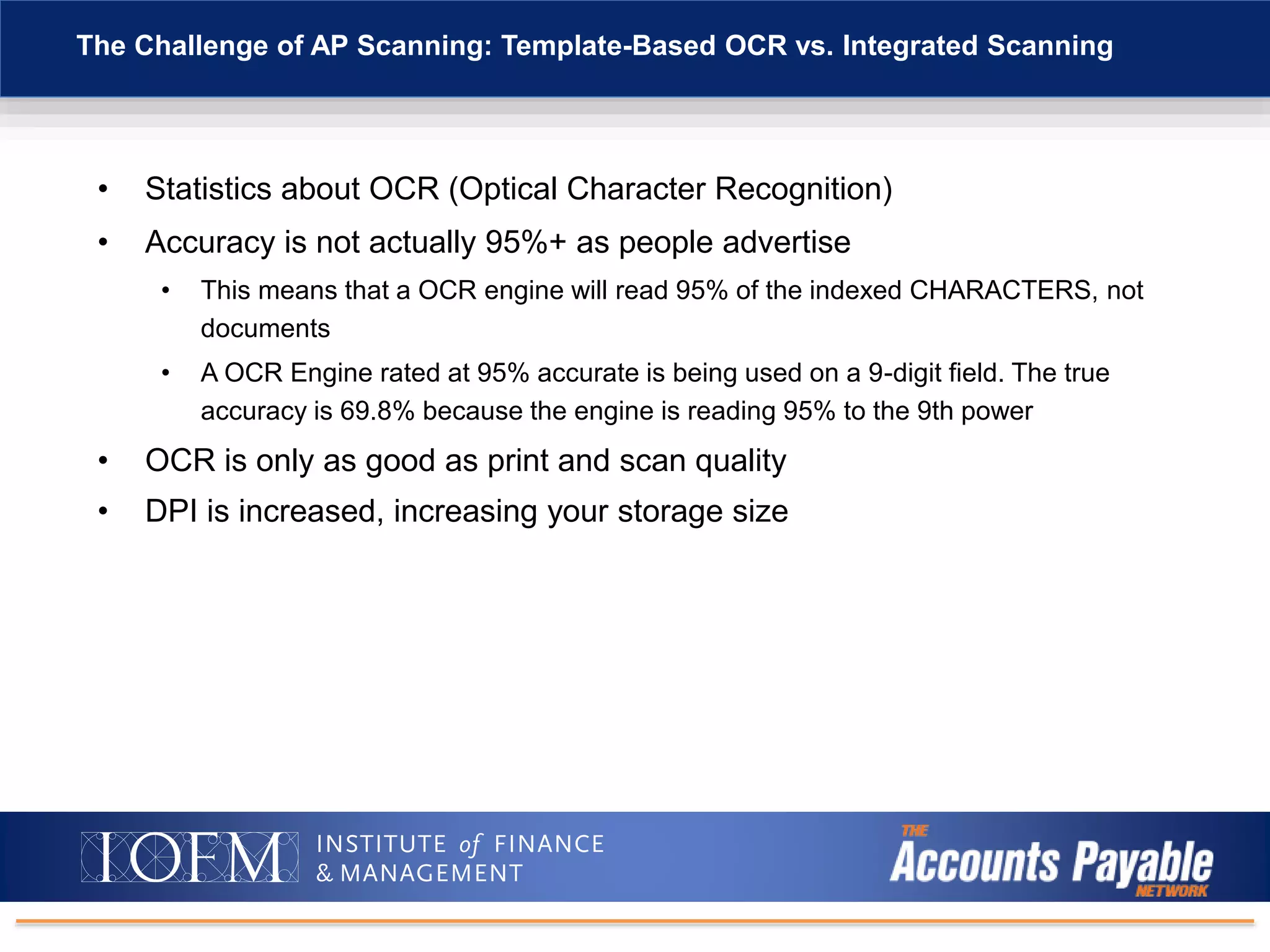
• Statistics about OCR (Optical Character Recognition)
• Accuracy is not actually 95%+ as people advertise
• This means that a OCR engine will read 95% of the indexed CHARACTERS, not
documents
• A OCR Engine rated at 95% accurate is being used on a 9-digit field. The true
accuracy is 69.8% because the engine is reading 95% to the 9th power
• OCR is only as good as print and scan quality
• DPI is increased, increasing your storage size
The Challenge of AP Scanning: Template-Based OCR vs. Integrated Scanning
Intro to Digital Document Management/AP Automation
OCRBarcoding
OCRBarcoding
Intro to Digital Document Management/AP Automation
Application Integration
1. Windows application processing
2. iSeries (green screen) processing
Application Integration
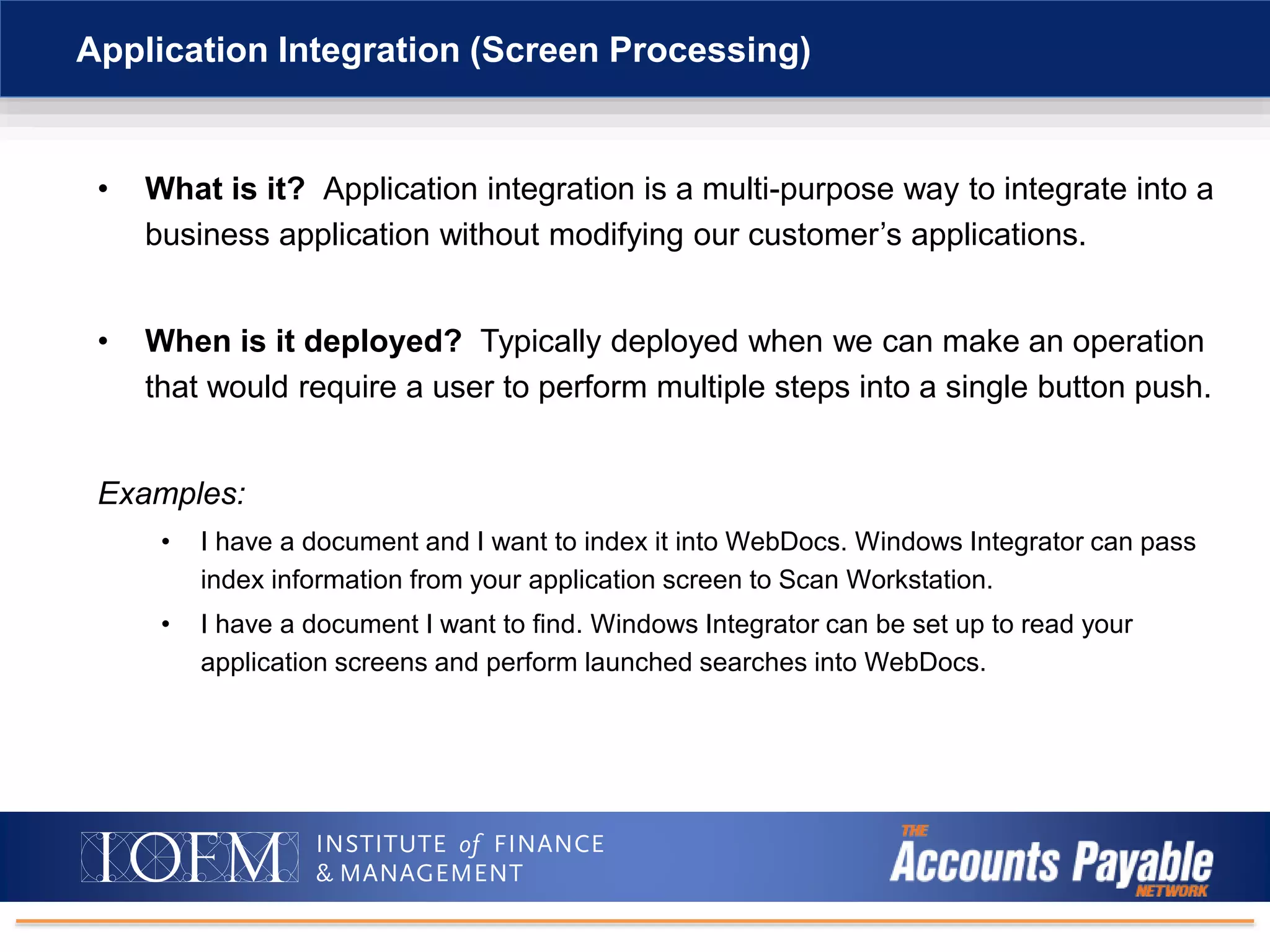
• What is it? Application integration is a multi-purpose way to integrate into a
business application without modifying our customer’s applications.
• When is it deployed? Typically deployed when we can make an operation
that would require a user to perform multiple steps into a single button push.
Examples:
• I have a document and I want to index it into WebDocs. Windows Integrator can pass
index information from your application screen to Scan Workstation.
• I have a document I want to find. Windows Integrator can be set up to read your
application screens and perform launched searches into WebDocs.
Application Integration (Screen Processing)
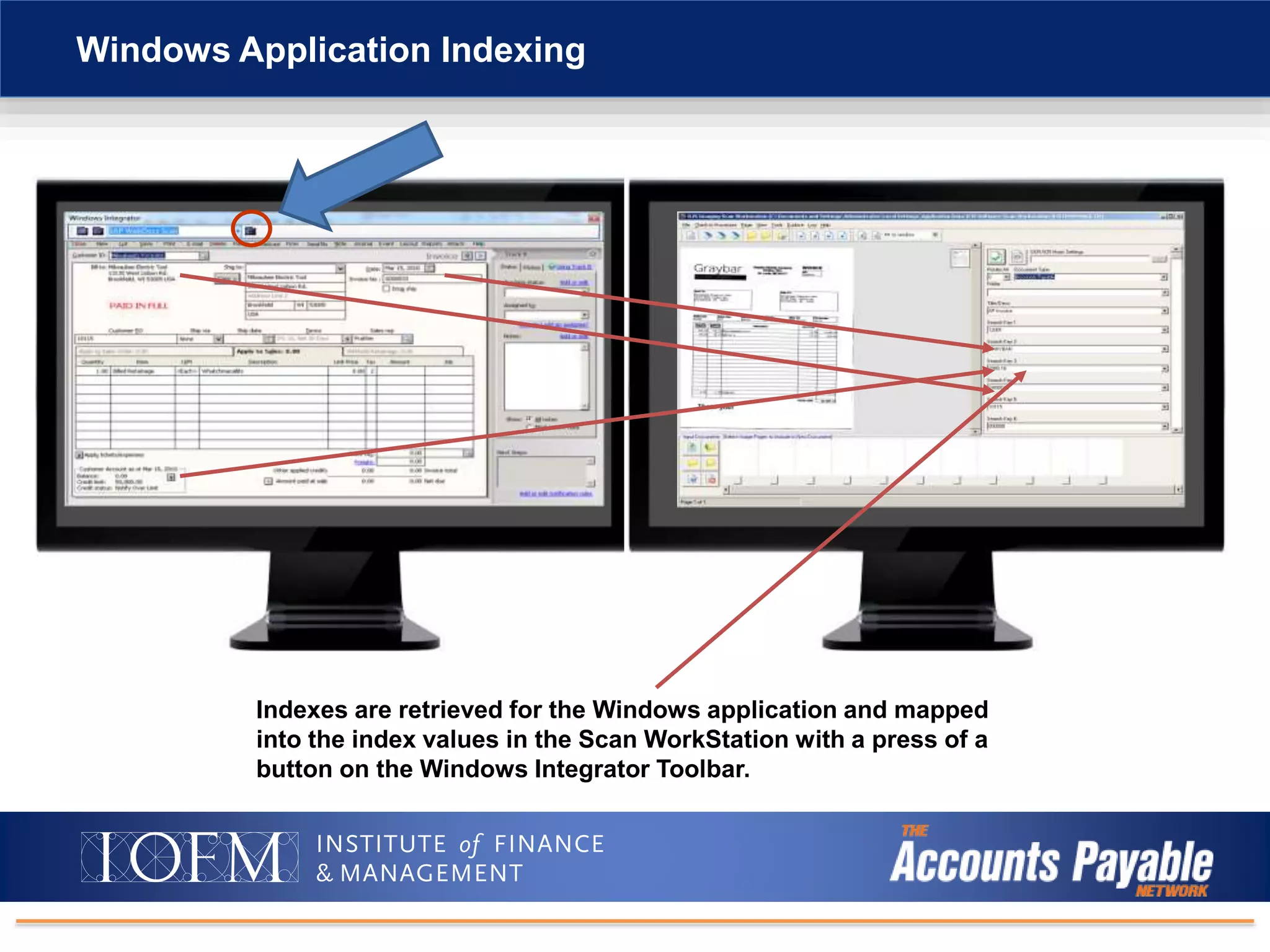
Windows Application Indexing
Indexes are retrieved for the Windows application and mapped
into the index values in the Scan WorkStation with a press of a
button on the Windows Integrator Toolbar.
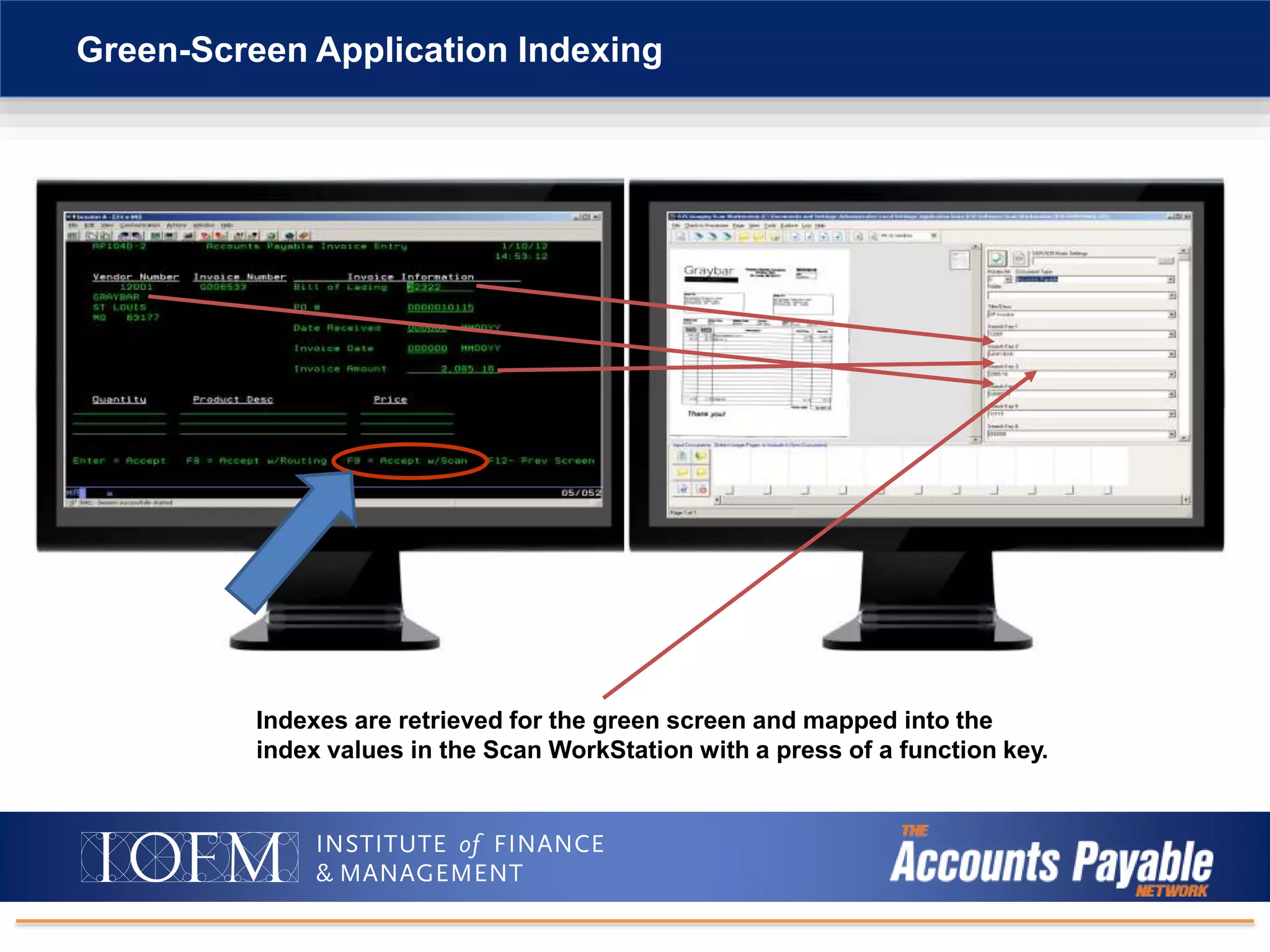
Green-Screen Application Indexing
Indexes are retrieved for the green screen and mapped into the
index values in the Scan WorkStation with a press of a function key.
Intro to Digital Document Management/AP Automation
Advanced
Forms Processing
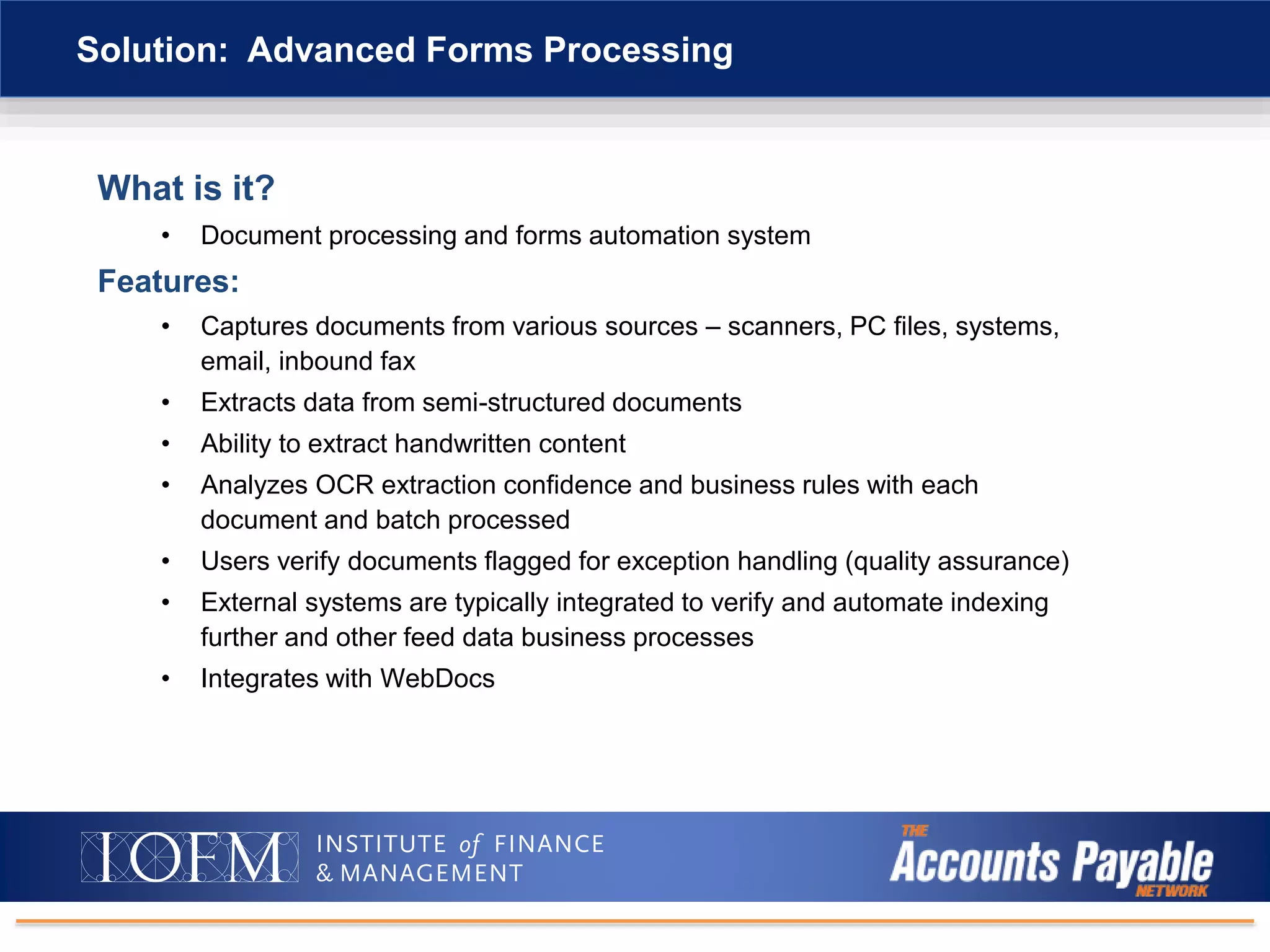
What is it?
• Document processing and forms automation system
Features:
• Captures documents from various sources – scanners, PC files, systems,
email, inbound fax
• Extracts data from semi-structured documents
• Ability to extract handwritten content
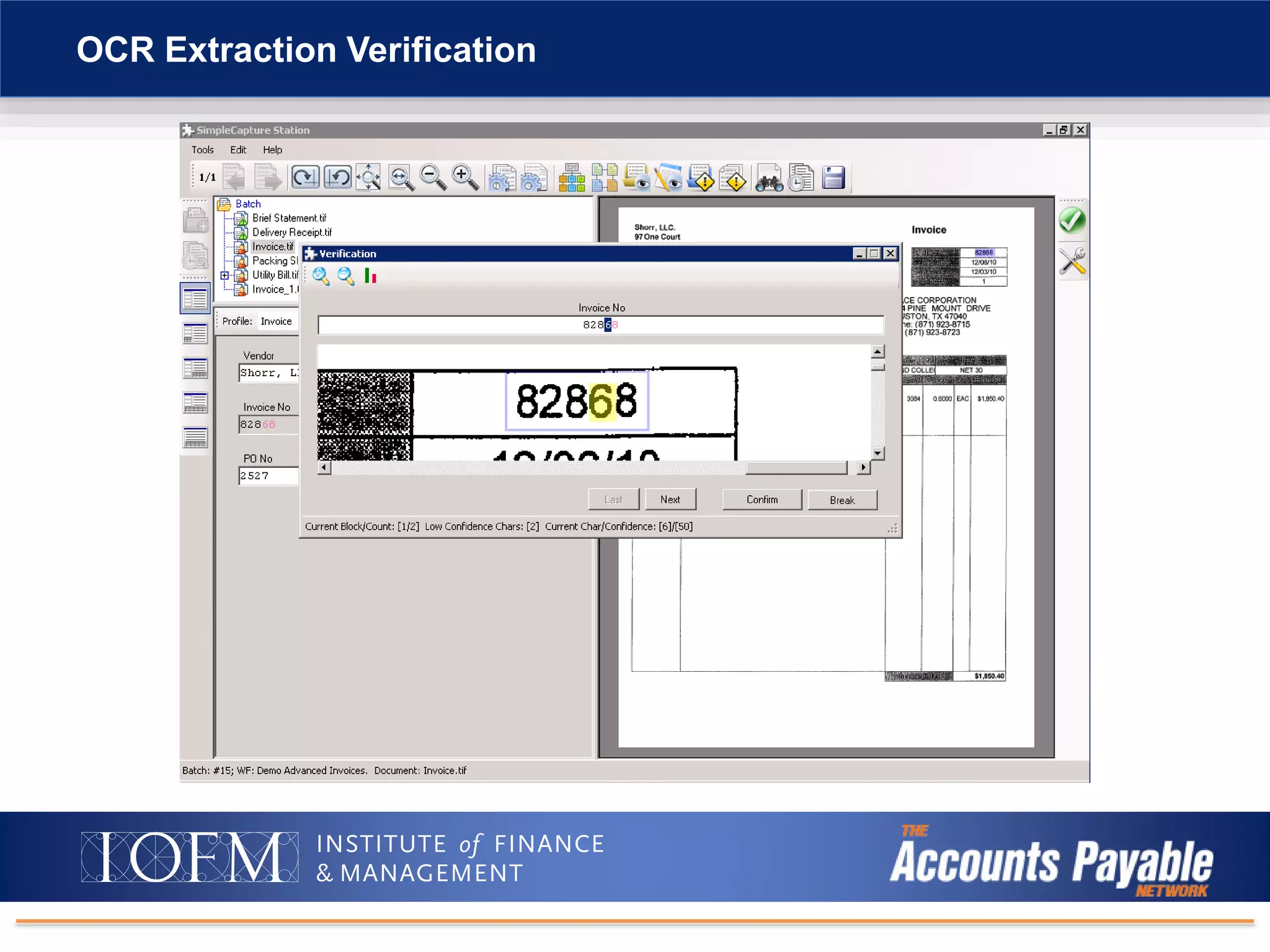
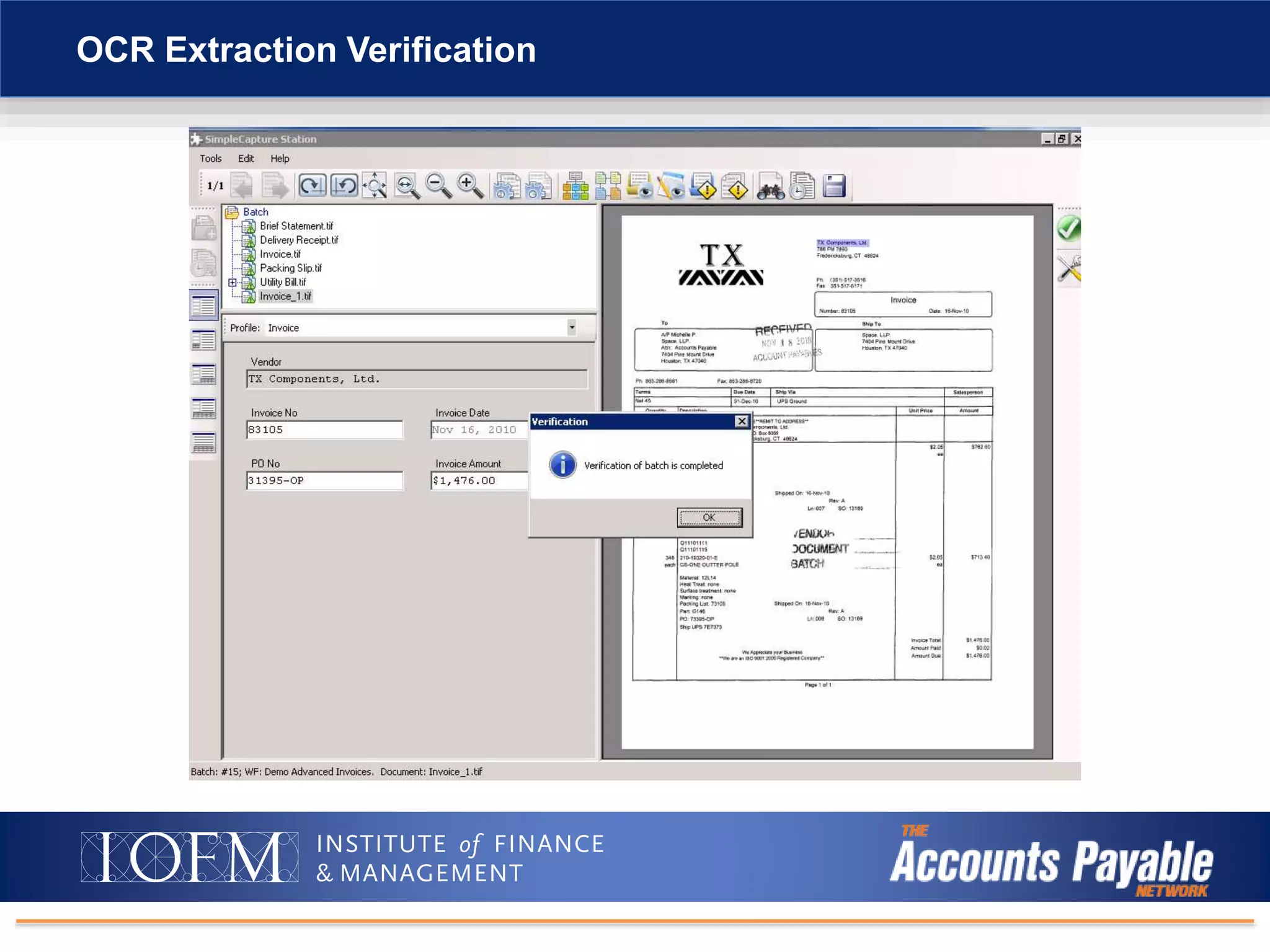
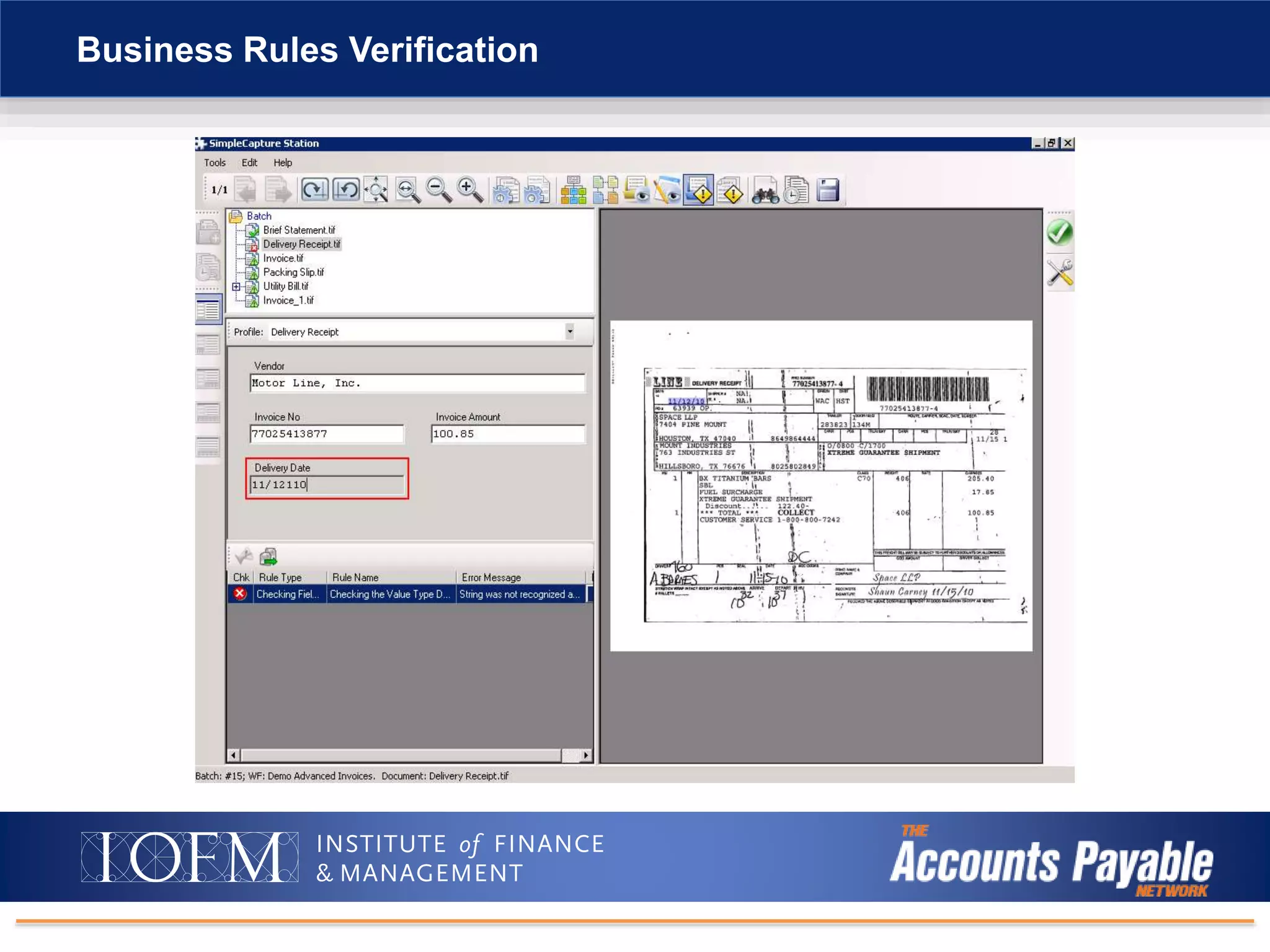
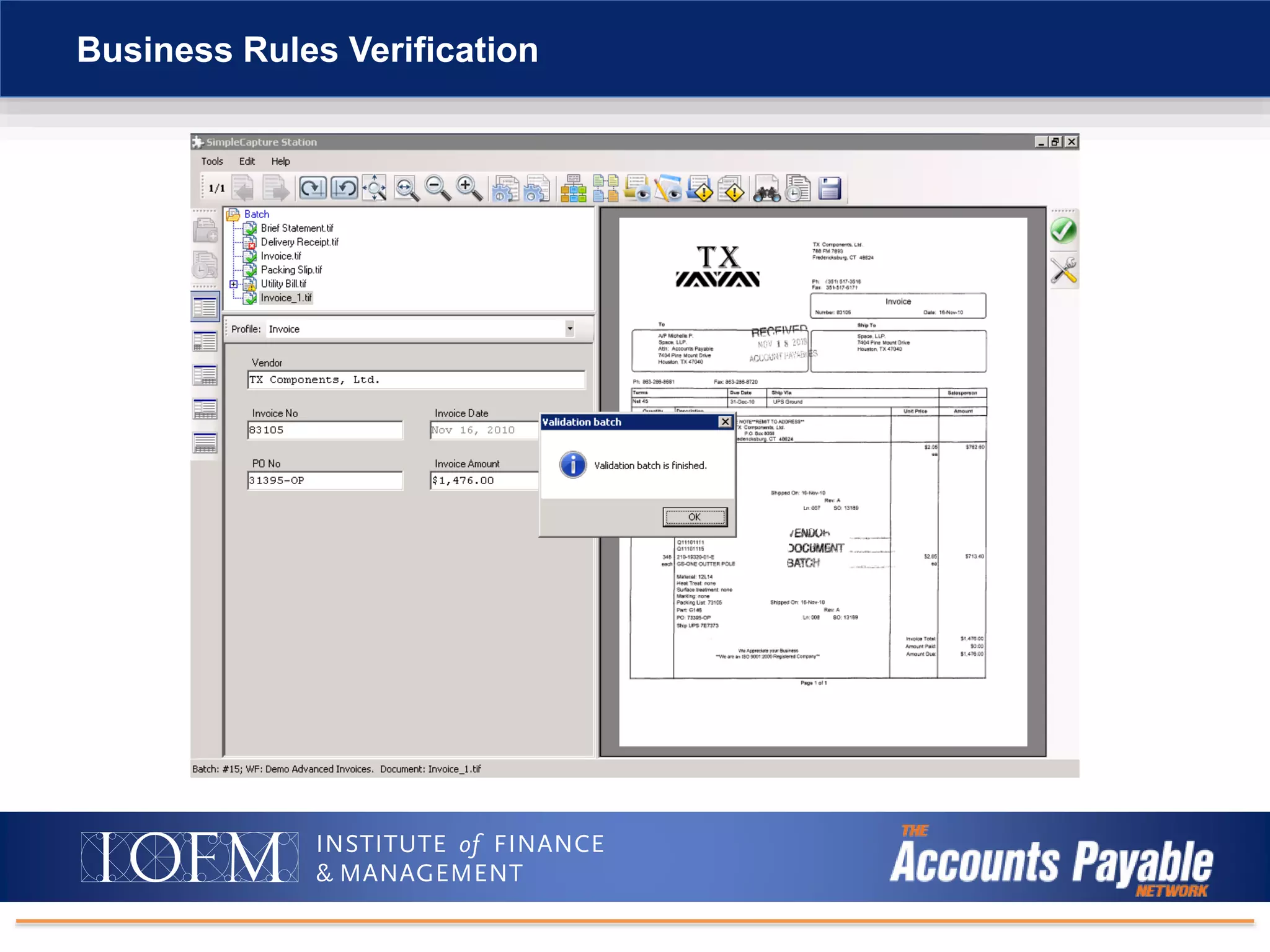
• Analyzes OCR extraction confidence and business rules with each
document and batch processed
• Users verify documents flagged for exception handling (quality assurance)
• External systems are typically integrated to verify and automate indexing
further and other feed data business processes
• Integrates with WebDocs
Solution: Advanced Forms Processing
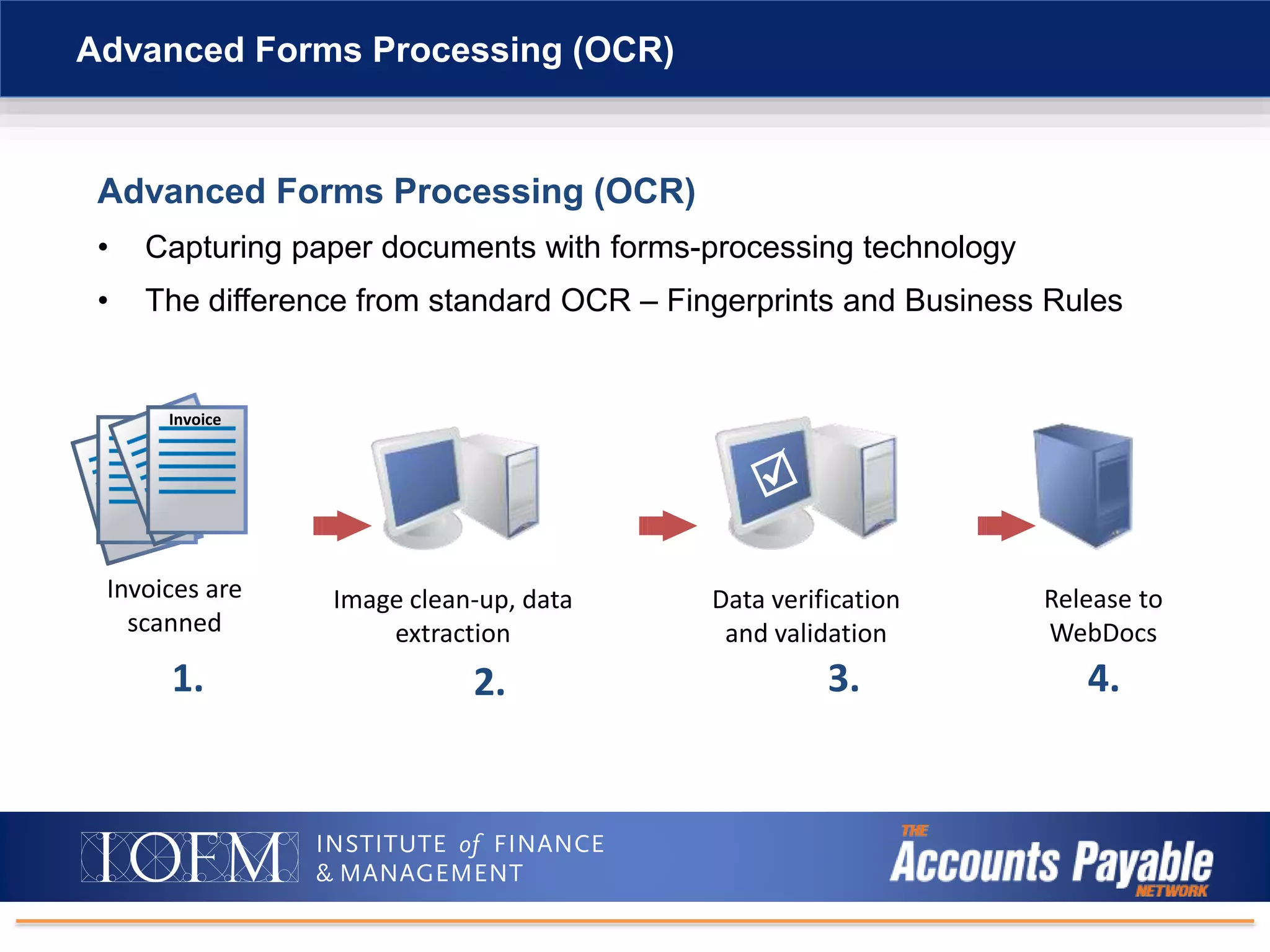
Advanced Forms Processing (OCR)
• Capturing paper documents with forms-processing technology
• The difference from standard OCR – Fingerprints and Business Rules
Advanced Forms Processing (OCR)
Invoices are
scanned
Data verification
and validation
Release to
WebDocs
Image clean-up, data
extraction
Invoice
1. 2. 3. 4.
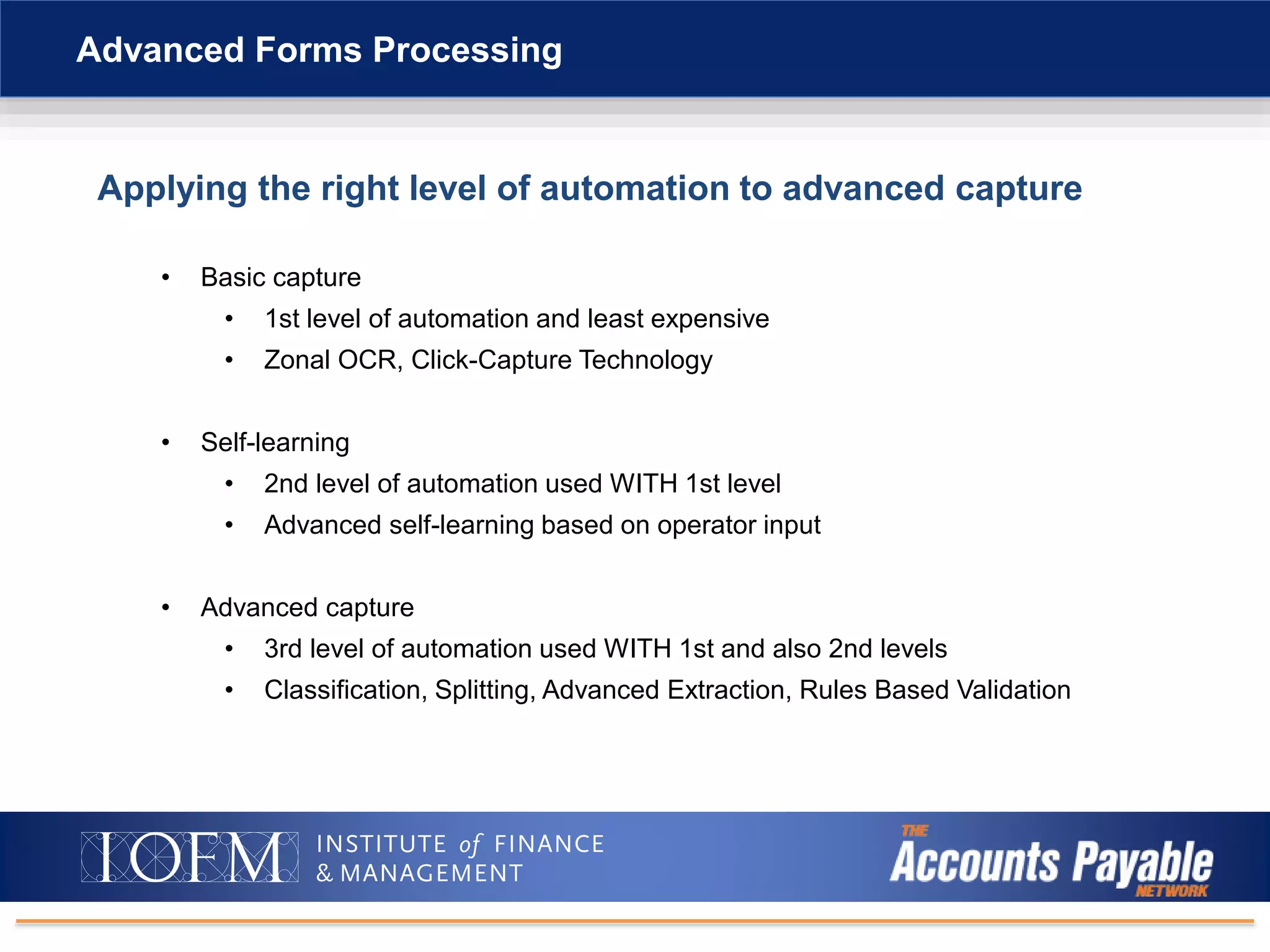
Applying the right level of automation to advanced capture
• Basic capture
• 1st level of automation and least expensive
• Zonal OCR, Click-Capture Technology
• Self-learning
• 2nd level of automation used WITH 1st level
• Advanced self-learning based on operator input
• Advanced capture
• 3rd level of automation used WITH 1st and also 2nd levels
• Classification, Splitting, Advanced Extraction, Rules Based Validation
Advanced Forms Processing
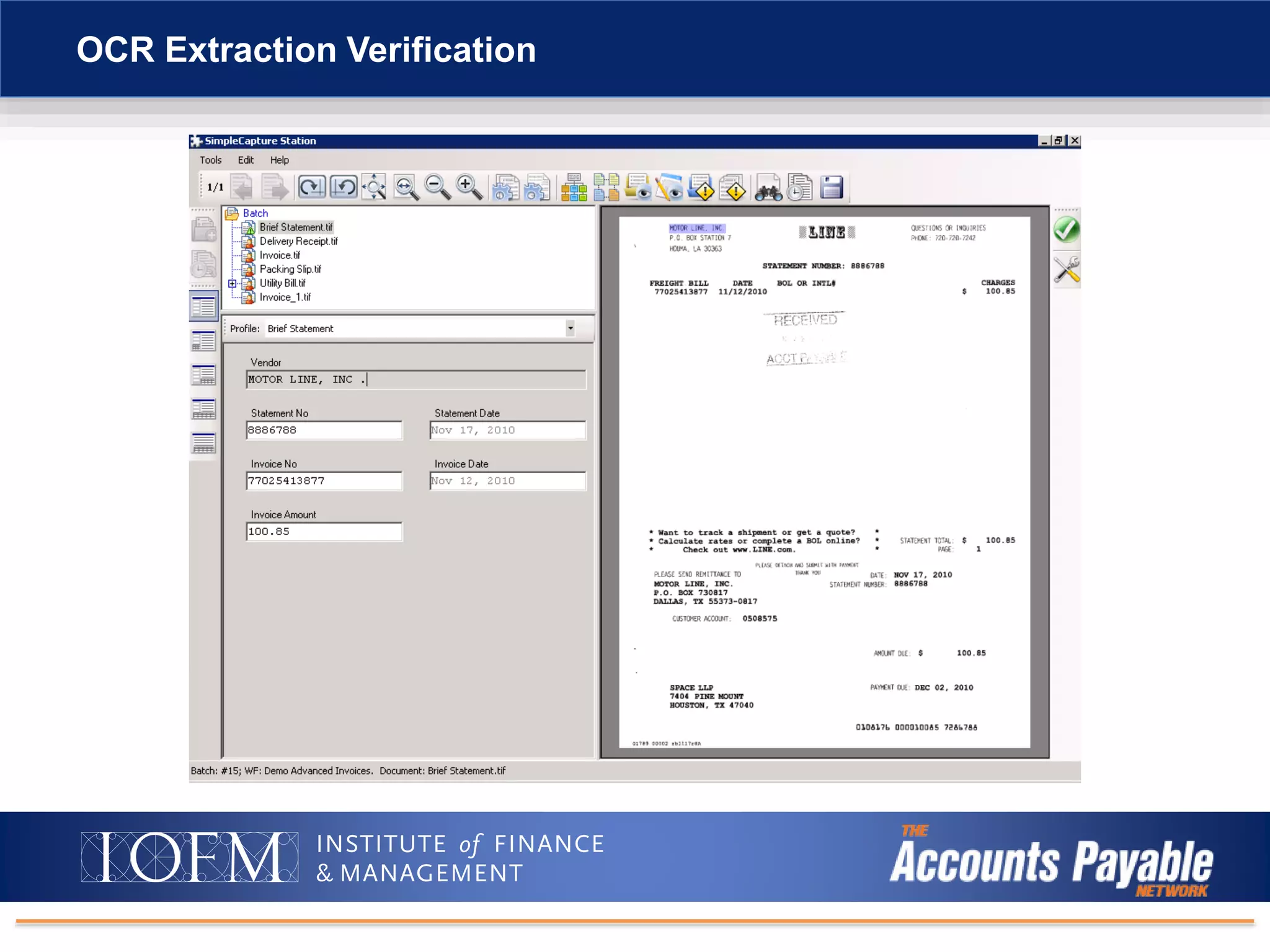
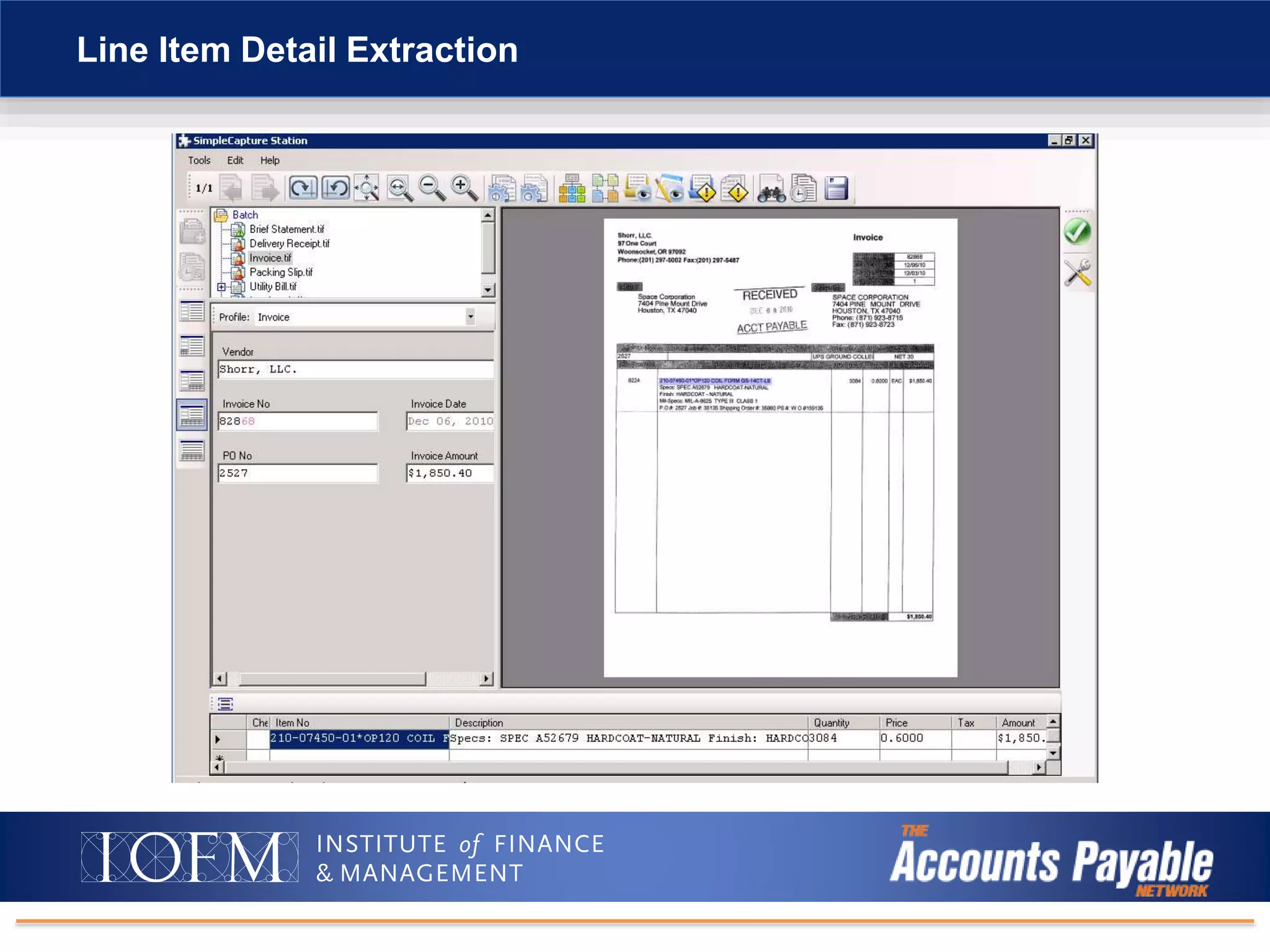
OCR Extraction Verification
Business Rules Verification
Line Item Detail Extraction
Automated: end-to-end solution
• PO request process with audit trail
• Auto capture info: Extract information from invoice form
without keying
• Automated matching of documents: Match PO, receivers,
invoices, and even checks
• Workflow for exceptions
Reducing the paper shuffle
• Less paper and storage: Copies kept in multiple locations
can be eliminated. This reduces cost for storage and
personnel while mitigating risk. Users will also be able to
email, fax, view or print without creating multiple copies in
multiple locations.
Advanced AP Automation Benefits
Processing efficiency
• Your ERP is the core: Your keystrokes within your ERP system feed
the document management database. This standardizes data entry,
eliminates redundant data entry, and allows for easy retrieval of data and
documents from system.
• Immediate access: Get direct access to documents from ERP or other
systems from anywhere, anytime.
• No printing: Electronic documents digitally move through processes
and are instantly available from authorized users’ desktops.
Quicker resolution
• Manage reviews and approvals: Automated workflow will allow users
to electronically route, review, and approve documents in-process
without ever moving a physical document.
Advanced AP Automation Benefits (continued)
Choose the level of document
management/automation that best fits your needs!
• OCR and barcode for lower costs, simple document management.
Template-based process for each vendor.
• Application integration automate directly from your ERP or line of
business application.
• Advanced forms processing to completely streamline the process
and cover Non-PO and other exceptions.
Recap
Intro to Digital Document Management/AP Automation
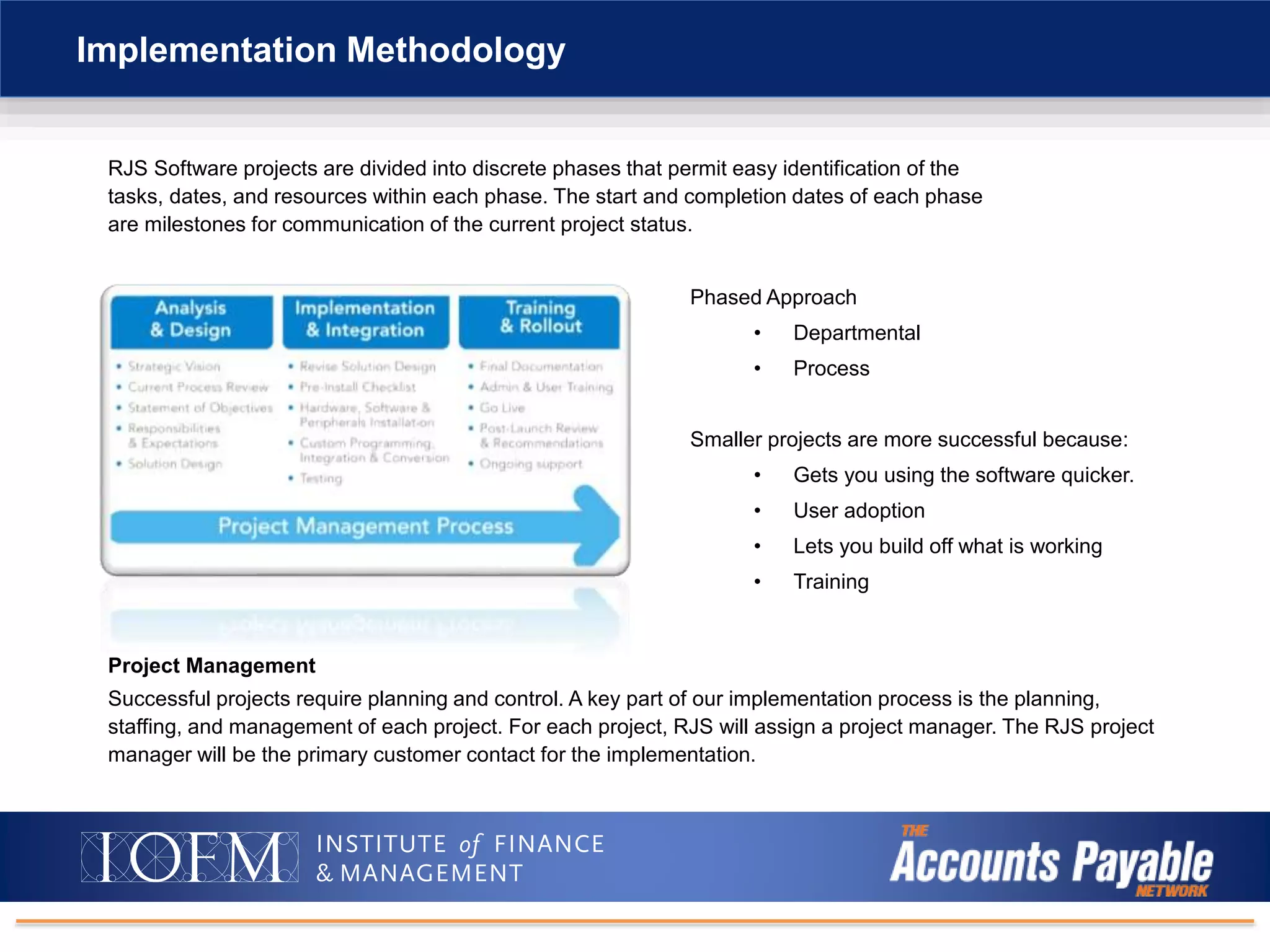
Implementation Methodology
“The Phased Approach”
RJS Software projects are divided into discrete phases that permit easy identification of the
tasks, dates, and resources within each phase. The start and completion dates of each phase
are milestones for communication of the current project status.
Implementation Methodology
Project Management
Successful projects require planning and control. A key part of our implementation process is the planning,
staffing, and management of each project. For each project, RJS will assign a project manager. The RJS project
manager will be the primary customer contact for the implementation.
Phased Approach
• Departmental
• Process
Smaller projects are more successful because:
• Gets you using the software quicker.
• User adoption
• Lets you build off what is working
• Training
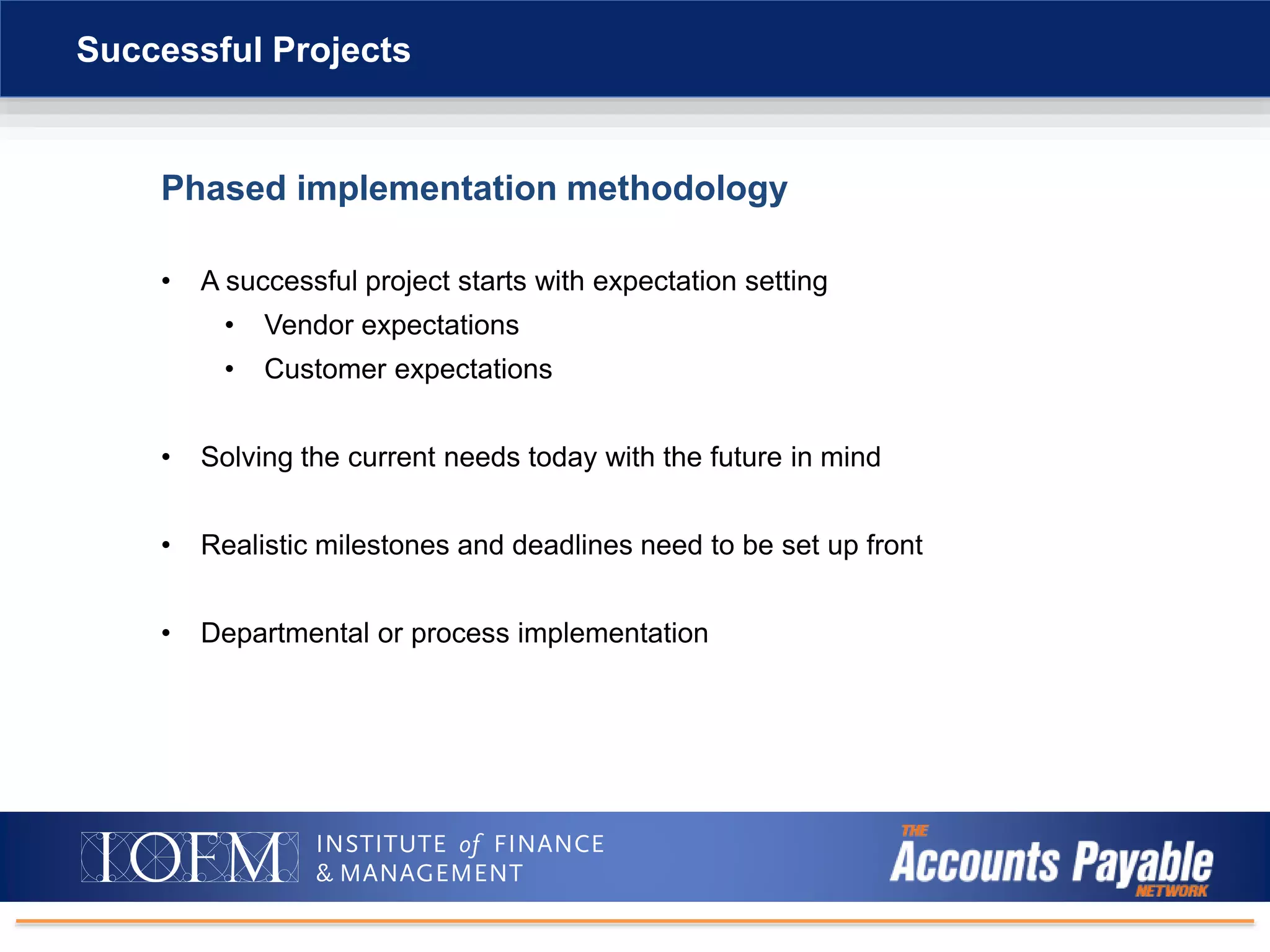
Phased implementation methodology
• A successful project starts with expectation setting
• Vendor expectations
• Customer expectations
• Solving the current needs today with the future in mind
• Realistic milestones and deadlines need to be set up front
• Departmental or process implementation
Successful Projects
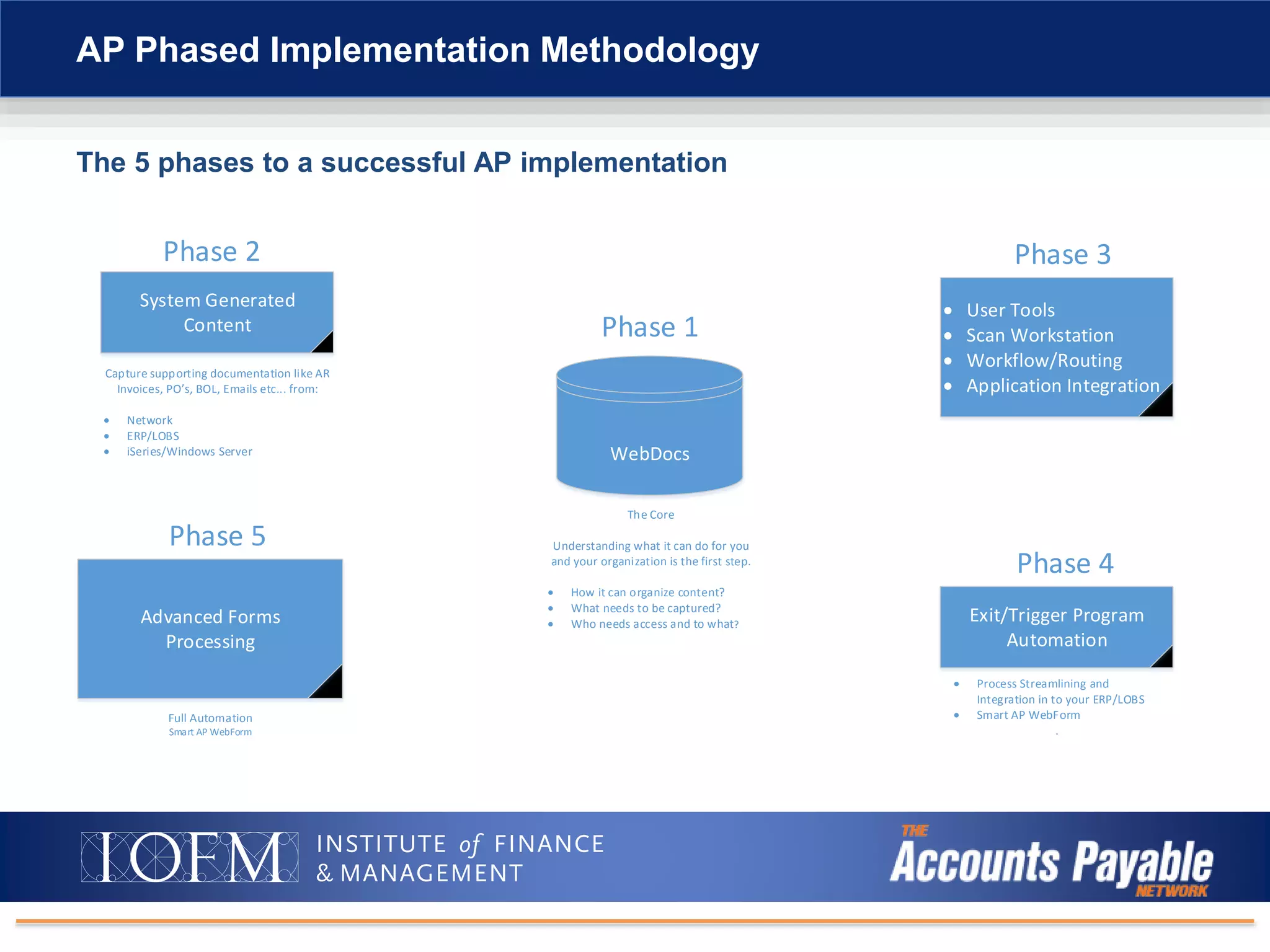
AP Phased Implementation Methodology
WebDocs
Phase 1
The Core
Understanding what it can do for you
and your organization is the first step.
 How it can organize content?
 What needs to be captured?
 Who needs access and to what?
System Generated
Content
Phase 2
Capture supporting documentation like AR
Invoices, PO s, BOL, Emails etc... from:
 Network
 ERP/LOBS
 iSeries/Windows Server
 User Tools
 Scan Workstation
 Workflow/Routing
 Application Integration
Phase 3
Advanced Forms
Processing
Phase 5
Full Automation
Smart AP WebForm
Exit/Trigger Program
Automation
Phase 4
 Process Streamlining and
Integration in to your ERP/LOBS
 Smart AP WebForm
.
The 5 phases to a successful AP implementation
Intro to Digital Document Management/AP Automation
Question and Answer Time
One-on-one demo/follow-up call
• Schedule live demo
• Deep-dive look at available solutions
• Answer specific questions about options and how it may
fit your situation
Next Steps
Contact:
Bill Whalen
RJS Software
bill.whalen@helpsystems.com
or
sales@rjssoftware.com
+1 888-757-7638
Learn More
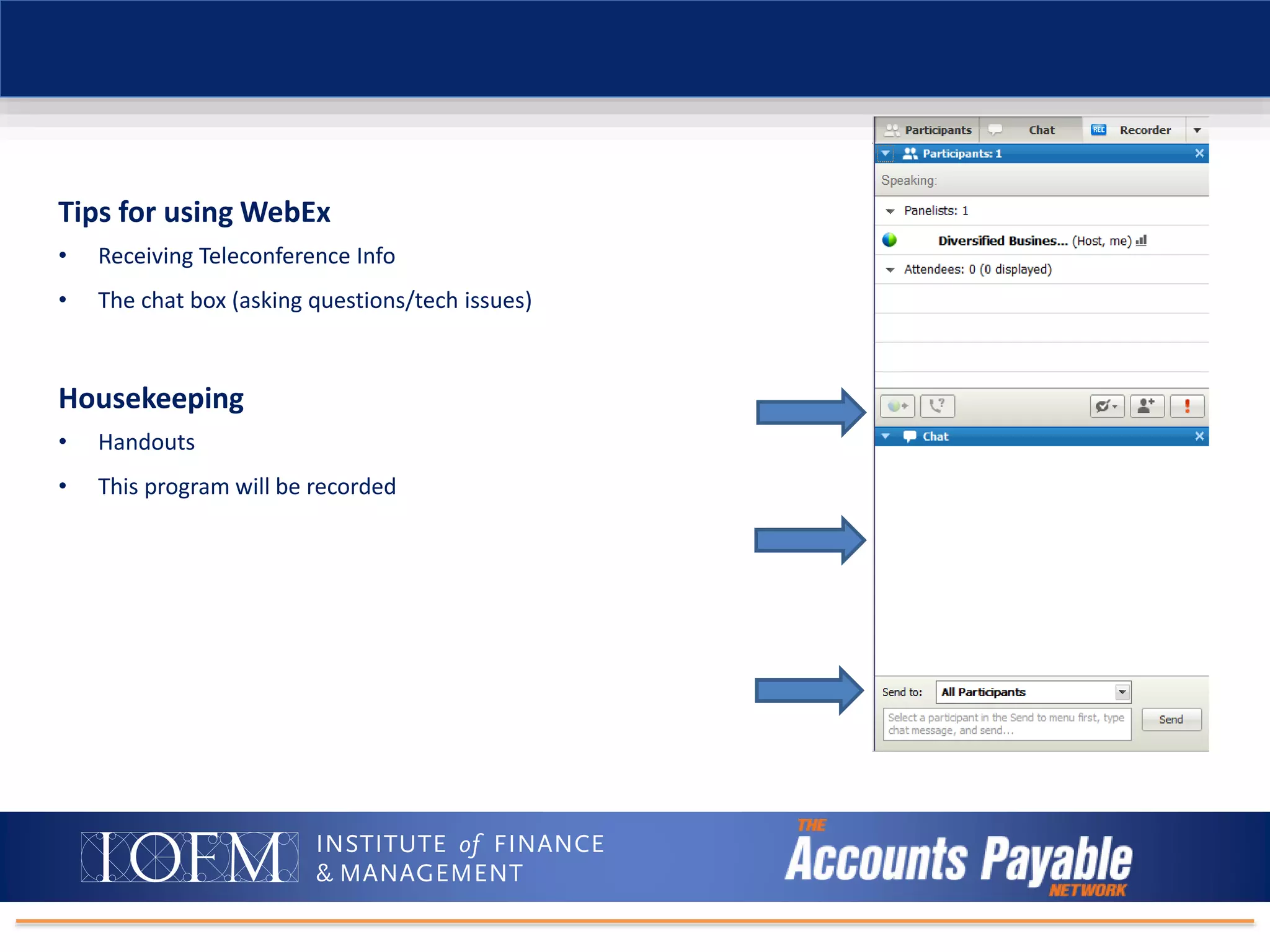
Tips for using WebEx
• Receiving Teleconference Info
• The chat box (asking questions/tech issues)
Housekeeping
• Handouts
• This program will be recorded
Thank You!
Questions after the event? Email webinars@iofm.com
We hope to see you at a future AP Network event! For upcoming events please visit www.tapn.com.

The Three Levels of AP Automation

  • 1.
    The webinar willbegin shortly. You will hear silence until the webinar begins. Audio is provided through your computer speakers only. If you are unable to hear the audio through your computer speakers, simply click on the “request phone” button on the top right hand side of your screen for teleconference information. Technical Support Problems for this Webinar: Email: webinars@iofm.com The Three Levels of AP Automation Learn Which Option Is Best For You Presented by: Bill Whalen, Account Manager at RJS Software
  • 2.
    • About RJSSoftware • Business challenges • The three levels of AP automation • Implementation methodology • Q&A Agenda
  • 3.
    • Software developer •Founded in 1990 in Minneapolis • Acquired by HelpSystems in July of 2014 • Product focus: About RJS Software
  • 4.
    Paper-intensive, inefficient businessprocesses • Need automated workflow functionality for AP and other processes • Gain new levels of efficiency without adding staff • Eliminate paper processing and reallocate staff to value-added work • Solve issue of processing and distributing paperwork across departments and locations • Streamline audit preparation and response time • Fully utilize and extend existing IT investments across the company Business Challenges
  • 5.
    ERP and otherbusiness systems are not user-friendly • Paper forms and paper documents require data that has to be re-keyed into business systems • Manual data entry is prone to error • Slows down workflow and decision making • Difficult to process paperwork across multiple offices and between remote workers • Reduces employee productivity • Negatively impacts customer service Business Challenges IT department doesn’t or can’t modify ERP screens • Document imaging not integrated to ERP
  • 6.
    AP Department Challenges PO request process cumbersome and paper based  On average, 3.6% of invoices handled by A/P have errors  Cost of manually handling, checking, and processing a paper invoice and cutting a paper check: $8 to $12  Taking advantage of vendor discount offers due to processing time  Matching of receivers and invoices major issue  Cost to reproduce documents for audits or customer research  Lack of control during approval process  Visibility of status of invoice process a big need  Increased cost of postage for mailing purchase orders and checks  Average days in payables is too high
  • 7.
  • 8.
    Intro to DigitalDocument Management/AP Automation • Invoices • Purchase orders • Bills of lading • Proof of delivery • Statements • Acknowledgements, etc. Documents are scanned Images are indexed Images are stored in ECM system or network drive
  • 9.
    Intro to DigitalDocument Management/AP Automation Three Levels of Invoice Automation
  • 10.
    1. OCR/barcode 2. Applicationintegration 3. Advanced forms processing Three Levels of Invoice Automation Invoice
  • 11.
    The level ofautomation is usually dependent on the following: • Invoice volume • Vendors • Number of AP processers • Percentage of paper to electronic Three Levels of Invoice Automation Invoice
  • 12.
    Intro to DigitalDocument Management/AP Automation OCRBarcoding
  • 13.
    • Statistics aboutOCR (Optical Character Recognition) • Accuracy is not actually 95%+ as people advertise • This means that a OCR engine will read 95% of the indexed CHARACTERS, not documents • A OCR Engine rated at 95% accurate is being used on a 9-digit field. The true accuracy is 69.8% because the engine is reading 95% to the 9th power • OCR is only as good as print and scan quality • DPI is increased, increasing your storage size The Challenge of AP Scanning: Template-Based OCR vs. Integrated Scanning
  • 14.
    Intro to DigitalDocument Management/AP Automation OCRBarcoding
  • 15.
  • 16.
    Intro to DigitalDocument Management/AP Automation Application Integration
  • 17.
    1. Windows applicationprocessing 2. iSeries (green screen) processing Application Integration
  • 18.
    • What isit? Application integration is a multi-purpose way to integrate into a business application without modifying our customer’s applications. • When is it deployed? Typically deployed when we can make an operation that would require a user to perform multiple steps into a single button push. Examples: • I have a document and I want to index it into WebDocs. Windows Integrator can pass index information from your application screen to Scan Workstation. • I have a document I want to find. Windows Integrator can be set up to read your application screens and perform launched searches into WebDocs. Application Integration (Screen Processing)
  • 19.
    Windows Application Indexing Indexesare retrieved for the Windows application and mapped into the index values in the Scan WorkStation with a press of a button on the Windows Integrator Toolbar.
  • 20.
    Green-Screen Application Indexing Indexesare retrieved for the green screen and mapped into the index values in the Scan WorkStation with a press of a function key.
  • 21.
    Intro to DigitalDocument Management/AP Automation Advanced Forms Processing
  • 22.
    What is it? •Document processing and forms automation system Features: • Captures documents from various sources – scanners, PC files, systems, email, inbound fax • Extracts data from semi-structured documents • Ability to extract handwritten content • Analyzes OCR extraction confidence and business rules with each document and batch processed • Users verify documents flagged for exception handling (quality assurance) • External systems are typically integrated to verify and automate indexing further and other feed data business processes • Integrates with WebDocs Solution: Advanced Forms Processing
  • 23.
    Advanced Forms Processing(OCR) • Capturing paper documents with forms-processing technology • The difference from standard OCR – Fingerprints and Business Rules Advanced Forms Processing (OCR) Invoices are scanned Data verification and validation Release to WebDocs Image clean-up, data extraction Invoice 1. 2. 3. 4.
  • 24.
    Applying the rightlevel of automation to advanced capture • Basic capture • 1st level of automation and least expensive • Zonal OCR, Click-Capture Technology • Self-learning • 2nd level of automation used WITH 1st level • Advanced self-learning based on operator input • Advanced capture • 3rd level of automation used WITH 1st and also 2nd levels • Classification, Splitting, Advanced Extraction, Rules Based Validation Advanced Forms Processing
  • 25.
  • 26.
  • 27.
  • 28.
  • 29.
  • 30.
    Line Item DetailExtraction
  • 31.
    Automated: end-to-end solution •PO request process with audit trail • Auto capture info: Extract information from invoice form without keying • Automated matching of documents: Match PO, receivers, invoices, and even checks • Workflow for exceptions Reducing the paper shuffle • Less paper and storage: Copies kept in multiple locations can be eliminated. This reduces cost for storage and personnel while mitigating risk. Users will also be able to email, fax, view or print without creating multiple copies in multiple locations. Advanced AP Automation Benefits
  • 32.
    Processing efficiency • YourERP is the core: Your keystrokes within your ERP system feed the document management database. This standardizes data entry, eliminates redundant data entry, and allows for easy retrieval of data and documents from system. • Immediate access: Get direct access to documents from ERP or other systems from anywhere, anytime. • No printing: Electronic documents digitally move through processes and are instantly available from authorized users’ desktops. Quicker resolution • Manage reviews and approvals: Automated workflow will allow users to electronically route, review, and approve documents in-process without ever moving a physical document. Advanced AP Automation Benefits (continued)
  • 33.
    Choose the levelof document management/automation that best fits your needs! • OCR and barcode for lower costs, simple document management. Template-based process for each vendor. • Application integration automate directly from your ERP or line of business application. • Advanced forms processing to completely streamline the process and cover Non-PO and other exceptions. Recap
  • 34.
    Intro to DigitalDocument Management/AP Automation Implementation Methodology “The Phased Approach”
  • 35.
    RJS Software projectsare divided into discrete phases that permit easy identification of the tasks, dates, and resources within each phase. The start and completion dates of each phase are milestones for communication of the current project status. Implementation Methodology Project Management Successful projects require planning and control. A key part of our implementation process is the planning, staffing, and management of each project. For each project, RJS will assign a project manager. The RJS project manager will be the primary customer contact for the implementation. Phased Approach • Departmental • Process Smaller projects are more successful because: • Gets you using the software quicker. • User adoption • Lets you build off what is working • Training
  • 36.
    Phased implementation methodology •A successful project starts with expectation setting • Vendor expectations • Customer expectations • Solving the current needs today with the future in mind • Realistic milestones and deadlines need to be set up front • Departmental or process implementation Successful Projects
  • 37.
    AP Phased ImplementationMethodology WebDocs Phase 1 The Core Understanding what it can do for you and your organization is the first step.  How it can organize content?  What needs to be captured?  Who needs access and to what? System Generated Content Phase 2 Capture supporting documentation like AR Invoices, PO s, BOL, Emails etc... from:  Network  ERP/LOBS  iSeries/Windows Server  User Tools  Scan Workstation  Workflow/Routing  Application Integration Phase 3 Advanced Forms Processing Phase 5 Full Automation Smart AP WebForm Exit/Trigger Program Automation Phase 4  Process Streamlining and Integration in to your ERP/LOBS  Smart AP WebForm . The 5 phases to a successful AP implementation
  • 38.
    Intro to DigitalDocument Management/AP Automation Question and Answer Time
  • 39.
    One-on-one demo/follow-up call •Schedule live demo • Deep-dive look at available solutions • Answer specific questions about options and how it may fit your situation Next Steps
  • 40.
  • 41.
    Tips for usingWebEx • Receiving Teleconference Info • The chat box (asking questions/tech issues) Housekeeping • Handouts • This program will be recorded
  • 42.
    Thank You! Questions afterthe event? Email webinars@iofm.com We hope to see you at a future AP Network event! For upcoming events please visit www.tapn.com.

Editor's Notes

  • #34 Average document is captured 14 times. Costly. Processing efficiency – IT department doesn’t like things….going to change the ERP. Leverage IT and systems that exist. Rather than change ERP, leverage ERP and it’s data. Be able to find the information about a invoice immediately. Eleiminate