Web Authoring

   Topic 23 –
 Web Accessibility
Objectives
Students should able to:

1. Explain web accessibility.

2. List the principles of accessible design.
Web Accessibility
What is Web Accessibility?
Web accessibility means that people with
disabilities can use the Web.

More specifically, Web accessibility means
that people with disabilities can perceive,
understand, navigate, and interact with the
Web.
Web Accessibility
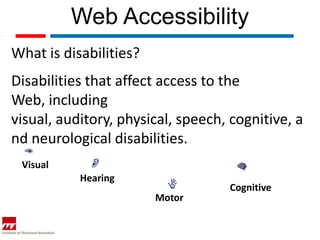
What is disabilities?
Disabilities that affect access to the
Web, including
visual, auditory, physical, speech, cognitive, a
nd neurological disabilities.
 Visual
           Hearing
                                   Cognitive
                        Motor
Web Accessibility
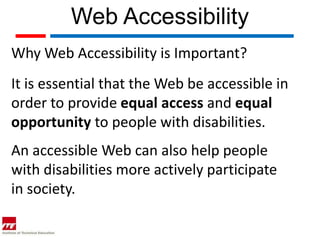
Why Web Accessibility is Important?
It is essential that the Web be accessible in
order to provide equal access and equal
opportunity to people with disabilities.
An accessible Web can also help people
with disabilities more actively participate
in society.
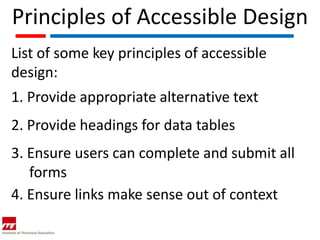
Principles of Accessible Design
List of some key principles of accessible
design:
1. Provide appropriate alternative text
2. Provide headings for data tables
3. Ensure users can complete and submit all
   forms
4. Ensure links make sense out of context
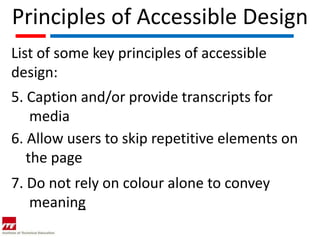
Principles of Accessible Design
List of some key principles of accessible
design:
5. Caption and/or provide transcripts for
    media
6. Allow users to skip repetitive elements on
   the page
7. Do not rely on colour alone to convey
   meaning
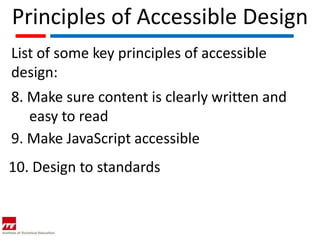
Principles of Accessible Design
List of some key principles of accessible
design:
8. Make sure content is clearly written and
   easy to read
9. Make JavaScript accessible
10. Design to standards
Making Accessible Web Site
Making a Web site accessible can be simple
or complex, depending on many factors such
as the type of content, the size and
complexity of the site, and the development
tools and environment.
Many accessibility features are easily
implemented if they are planned from the
beginning of Web site development or
redesign             http://www.w3.org/WAI/impl/
Accessibility of a Web Site
When developing or redesigning a
site, evaluating accessibility early and
throughout the development process can
identify accessibility problems early when it is
easier to address them.
Accessibility of a Web Site
There are evaluation tools that help with
evaluation.

However, no tool alone can determine if a
site meets accessibility guidelines.

Knowledgeable human evaluation is
required to determine if a site is accessible.
              http://www.w3.org/WAI/eval/conformance

Web topic 23 web accessibility

  • 1.
    Web Authoring Topic 23 – Web Accessibility
  • 2.
    Objectives Students should ableto: 1. Explain web accessibility. 2. List the principles of accessible design.
  • 3.
    Web Accessibility What isWeb Accessibility? Web accessibility means that people with disabilities can use the Web. More specifically, Web accessibility means that people with disabilities can perceive, understand, navigate, and interact with the Web.
  • 4.
    Web Accessibility What isdisabilities? Disabilities that affect access to the Web, including visual, auditory, physical, speech, cognitive, a nd neurological disabilities. Visual Hearing Cognitive Motor
  • 5.
    Web Accessibility Why WebAccessibility is Important? It is essential that the Web be accessible in order to provide equal access and equal opportunity to people with disabilities. An accessible Web can also help people with disabilities more actively participate in society.
  • 6.
    Principles of AccessibleDesign List of some key principles of accessible design: 1. Provide appropriate alternative text 2. Provide headings for data tables 3. Ensure users can complete and submit all forms 4. Ensure links make sense out of context
  • 7.
    Principles of AccessibleDesign List of some key principles of accessible design: 5. Caption and/or provide transcripts for media 6. Allow users to skip repetitive elements on the page 7. Do not rely on colour alone to convey meaning
  • 8.
    Principles of AccessibleDesign List of some key principles of accessible design: 8. Make sure content is clearly written and easy to read 9. Make JavaScript accessible 10. Design to standards
  • 9.
    Making Accessible WebSite Making a Web site accessible can be simple or complex, depending on many factors such as the type of content, the size and complexity of the site, and the development tools and environment. Many accessibility features are easily implemented if they are planned from the beginning of Web site development or redesign http://www.w3.org/WAI/impl/
  • 10.
    Accessibility of aWeb Site When developing or redesigning a site, evaluating accessibility early and throughout the development process can identify accessibility problems early when it is easier to address them.
  • 11.
    Accessibility of aWeb Site There are evaluation tools that help with evaluation. However, no tool alone can determine if a site meets accessibility guidelines. Knowledgeable human evaluation is required to determine if a site is accessible. http://www.w3.org/WAI/eval/conformance