Web Authoring

            Topic 21 –
Passing Information via Javascript
Objectives
Students should able to:
1 Pass information via web forms using
the submit button.
2. Identify and use the various JavaScript
     features:
      • Variables.
      • Custom and Build-in Functions
      • alert()
      • prompt()
What is Javascript?
JavaScript is a Web based programming
language. It can be used to create
dynamic Web pages.

A dynamic Web page changes its
appearance or the content depending on
the user input or the time.
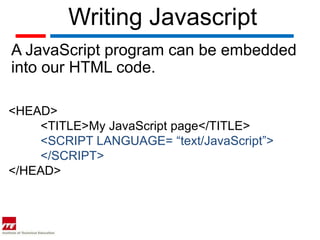
Writing Javascript
A JavaScript program can be embedded
into our HTML code.

<HEAD>
    <TITLE>My JavaScript page</TITLE>
    <SCRIPT LANGUAGE= “text/JavaScript”>
    </SCRIPT>
</HEAD>
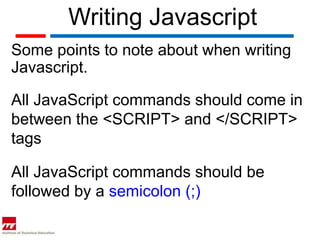
Writing Javascript
Some points to note about when writing
Javascript.

All JavaScript commands should come in
between the <SCRIPT> and </SCRIPT>
tags

All JavaScript commands should be
followed by a semicolon (;)
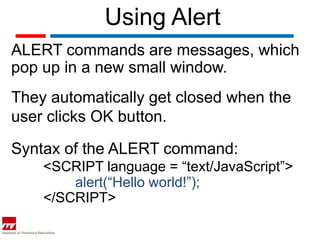
Using Alert
ALERT commands are messages, which
pop up in a new small window.
They automatically get closed when the
user clicks OK button.

Syntax of the ALERT command:
    <SCRIPT language = “text/JavaScript”>
        alert(“Hello world!”);
    </SCRIPT>
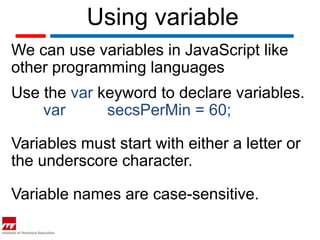
Using variable
We can use variables in JavaScript like
other programming languages
Use the var keyword to declare variables.
    var      secsPerMin = 60;

Variables must start with either a letter or
the underscore character.

Variable names are case-sensitive.
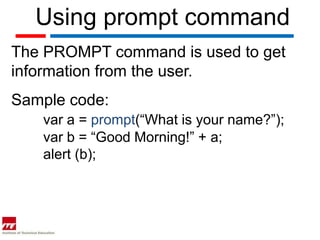
Using prompt command
The PROMPT command is used to get
information from the user.
Sample code:
   var a = prompt(“What is your name?”);
   var b = “Good Morning!” + a;
   alert (b);
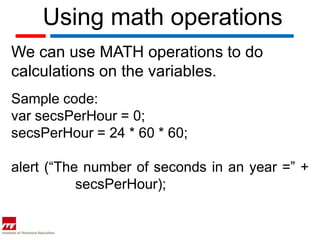
Using math operations
We can use MATH operations to do
calculations on the variables.
Sample code:
var secsPerHour = 0;
secsPerHour = 24 * 60 * 60;

alert (“The number of seconds in an year =” +
           secsPerHour);
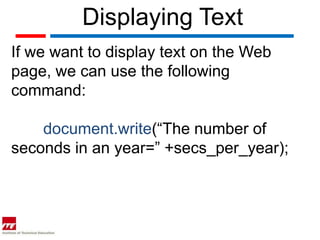
Displaying Text
If we want to display text on the Web
page, we can use the following
command:

    document.write(“The number of
seconds in an year=” +secs_per_year);
Date object
<SCRIPT LANGUAGE=”JavaScript”>
    var todayDate = new Date();
    document.write("Today's Date is ")
    document.write(todayDate.getDate());
    document.write(todayDate.getMonth());
    document.write(todayDate.getYear());
</SCRIPT>
Swapping Images
Using JavaScript you can change the
images when you place the mouse over
it.

This feature can be used to change
button images, decorate images and to
highlight the links.

Web topic 21 pass info via javascript

  • 1.
    Web Authoring Topic 21 – Passing Information via Javascript
  • 2.
    Objectives Students should ableto: 1 Pass information via web forms using the submit button. 2. Identify and use the various JavaScript features: • Variables. • Custom and Build-in Functions • alert() • prompt()
  • 3.
    What is Javascript? JavaScriptis a Web based programming language. It can be used to create dynamic Web pages. A dynamic Web page changes its appearance or the content depending on the user input or the time.
  • 4.
    Writing Javascript A JavaScriptprogram can be embedded into our HTML code. <HEAD> <TITLE>My JavaScript page</TITLE> <SCRIPT LANGUAGE= “text/JavaScript”> </SCRIPT> </HEAD>
  • 5.
    Writing Javascript Some pointsto note about when writing Javascript. All JavaScript commands should come in between the <SCRIPT> and </SCRIPT> tags All JavaScript commands should be followed by a semicolon (;)
  • 6.
    Using Alert ALERT commandsare messages, which pop up in a new small window. They automatically get closed when the user clicks OK button. Syntax of the ALERT command: <SCRIPT language = “text/JavaScript”> alert(“Hello world!”); </SCRIPT>
  • 7.
    Using variable We canuse variables in JavaScript like other programming languages Use the var keyword to declare variables. var secsPerMin = 60; Variables must start with either a letter or the underscore character. Variable names are case-sensitive.
  • 8.
    Using prompt command ThePROMPT command is used to get information from the user. Sample code: var a = prompt(“What is your name?”); var b = “Good Morning!” + a; alert (b);
  • 9.
    Using math operations Wecan use MATH operations to do calculations on the variables. Sample code: var secsPerHour = 0; secsPerHour = 24 * 60 * 60; alert (“The number of seconds in an year =” + secsPerHour);
  • 10.
    Displaying Text If wewant to display text on the Web page, we can use the following command: document.write(“The number of seconds in an year=” +secs_per_year);
  • 11.
    Date object <SCRIPT LANGUAGE=”JavaScript”> var todayDate = new Date(); document.write("Today's Date is ") document.write(todayDate.getDate()); document.write(todayDate.getMonth()); document.write(todayDate.getYear()); </SCRIPT>
  • 12.
    Swapping Images Using JavaScriptyou can change the images when you place the mouse over it. This feature can be used to change button images, decorate images and to highlight the links.