WEB OPERATING SYSTEM
By
Madhubala . R
Overview
 Introduction
 History
 What is WOS
 Why WOS
 Difference b/w WOS & Traditional OS
 Advantages
 Disadvantages
 Various WebOSs
 Conclusion
Introduction
 An Operating System that runs in a server on
the Web.
 The environment is created in a user's
machine from an online application stored on
the Web and run through a Web browser.
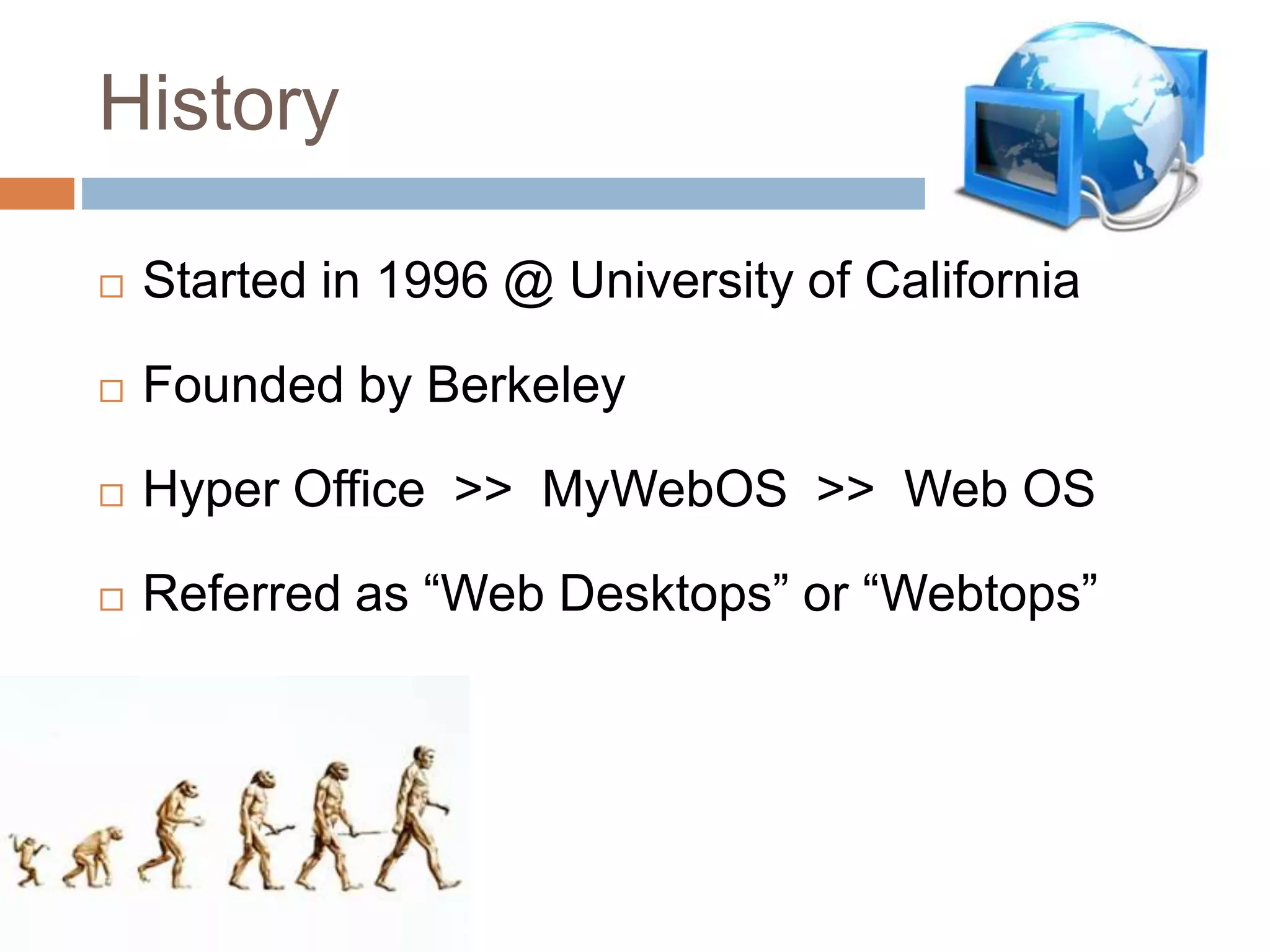
History
 Started in 1996 @ University of California
 Founded by Berkeley
 Hyper Office >> MyWebOS >> Web OS
 Referred as “Web Desktops” or “Webtops”
What is WOS
 It is an Internet Service through which a user
can access their computer data remotely from
anywhere in the world.
 All the data is being stored on the servers of
the Web OSOS provider.
Why WOS
 Provides single point access
 No hardware problems affects it
 Only need is Browser
and Internet connection
Differences
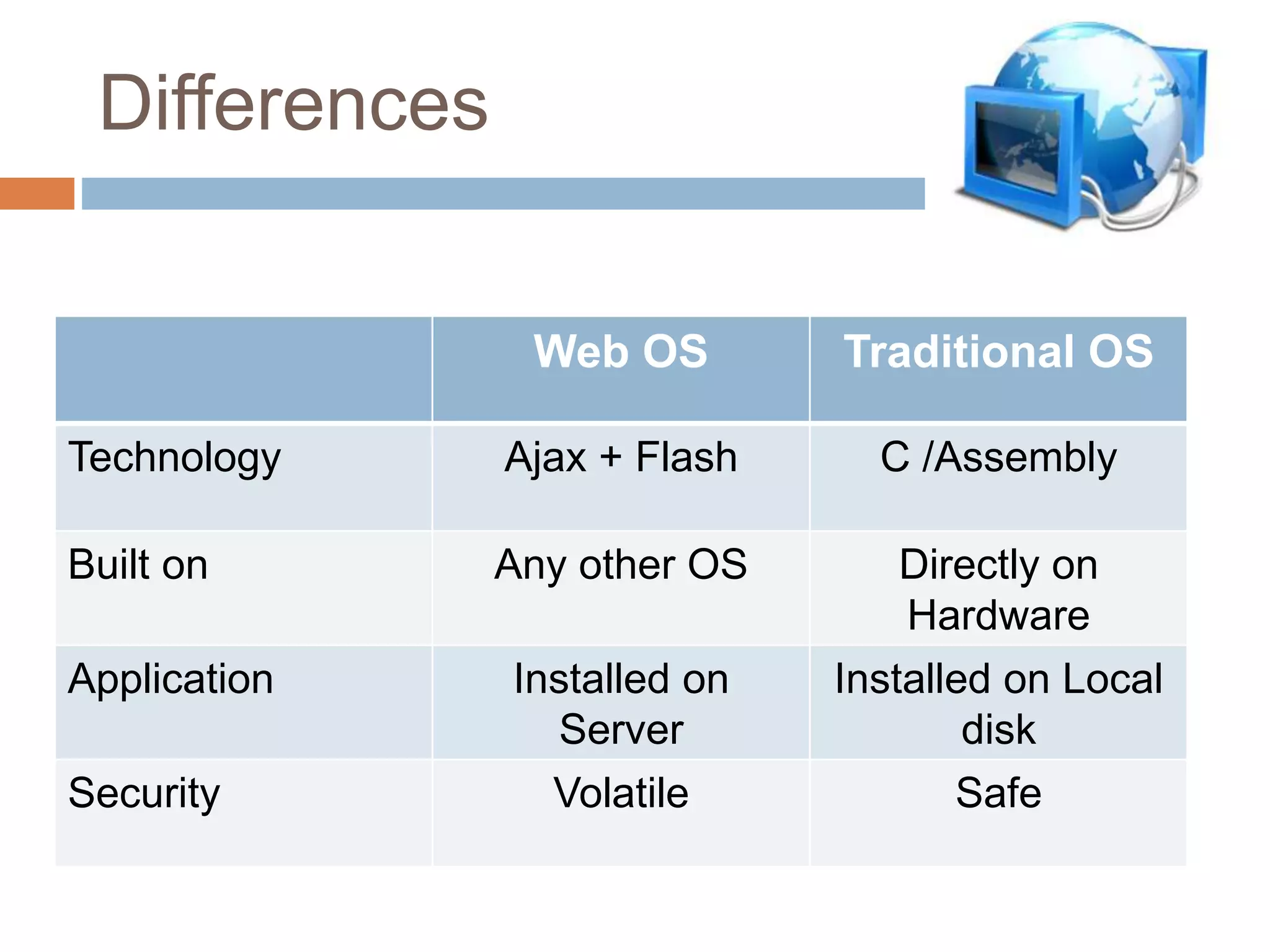
Web OS Traditional OS
Technology Ajax + Flash C /Assembly
Built on Any other OS Directly on
Hardware
Application Installed on
Server
Installed on Local
disk
Security Volatile Safe
Advantages
 Occupies little hard disk space
 Occupy small CPU resources
 Can be obtained at any OS with web
browser
 Empowers Non-PC owners
 Integrates Web services
Disadvantages
 Easy to be hacked
 Can not be obtained offline
 More bandwidth is needed for multiple
programs to run simultaneously
 Needs more fast and reliable
connection
Various WebOSs
 YouOS
 EyeOS
 BeDesk
 StartForce
 Nivio and etc.
Conclusion
 Web OS will take more and more important
role in the future at the same time Single PC
OS will not fade away ...
DESTROY WEB ON THE COMPUTER …
USE COMPUTER ON THE WEB …
Web Operating System Overview

Web Operating System Overview

  • 1.
  • 2.
    Overview  Introduction  History What is WOS  Why WOS  Difference b/w WOS & Traditional OS  Advantages  Disadvantages  Various WebOSs  Conclusion
  • 3.
    Introduction  An OperatingSystem that runs in a server on the Web.  The environment is created in a user's machine from an online application stored on the Web and run through a Web browser.
  • 4.
    History  Started in1996 @ University of California  Founded by Berkeley  Hyper Office >> MyWebOS >> Web OS  Referred as “Web Desktops” or “Webtops”
  • 5.
    What is WOS It is an Internet Service through which a user can access their computer data remotely from anywhere in the world.  All the data is being stored on the servers of the Web OSOS provider.
  • 6.
    Why WOS  Providessingle point access  No hardware problems affects it  Only need is Browser and Internet connection
  • 7.
    Differences Web OS TraditionalOS Technology Ajax + Flash C /Assembly Built on Any other OS Directly on Hardware Application Installed on Server Installed on Local disk Security Volatile Safe
  • 8.
    Advantages  Occupies littlehard disk space  Occupy small CPU resources  Can be obtained at any OS with web browser  Empowers Non-PC owners  Integrates Web services
  • 9.
    Disadvantages  Easy tobe hacked  Can not be obtained offline  More bandwidth is needed for multiple programs to run simultaneously  Needs more fast and reliable connection
  • 10.
    Various WebOSs  YouOS EyeOS  BeDesk  StartForce  Nivio and etc.
  • 11.
    Conclusion  Web OSwill take more and more important role in the future at the same time Single PC OS will not fade away ... DESTROY WEB ON THE COMPUTER … USE COMPUTER ON THE WEB …