OPERATING SYSTEM
Introduction To Computing
Presented By:
Talha Mahmood
Mahwish Kashif
Presentation
Assigned By Sir Rashid Ansari
Contents:
• What is operating system?
• Operations of OS
• Structure of OS
• Features of OS
• GUI
• Multiuser
• Multitasking
• Multiprocessing
• Multithreading
• Types of OS
• Advantages and Disadvantages
• Best OS of 2013
• Conclusion
What is operating system?
Definition:
• An operating system (OS) is a
collection of software that
manages computer hardware
resources .
Without a computer operating
system, a computer would be
useless
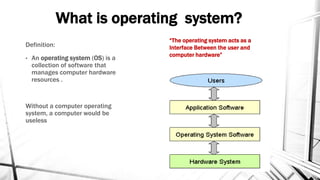
“The operating system acts as a
Interface Between the user and
computer hardware”
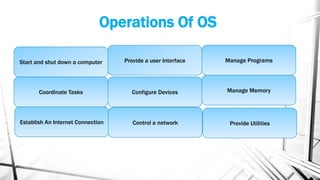
Operations Of OS
Start and shut down a computer
Coordinate Tasks
Establish An Internet Connection
Provide a user Interface
Configure Devices
Control a network
Manage Programs
Manage Memory
Provide Utilities
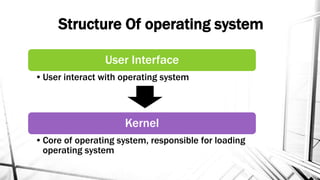
Structure Of operating system
User Interface
•User interact with operating system
Kernel
•Core of operating system, responsible for loading
operating system
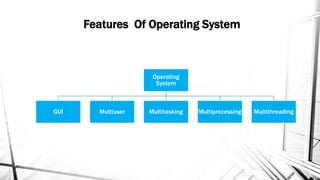
Features Of Operating System
Operating
System
GUI Multiuser Multitasking Multiprocessing Multithreading
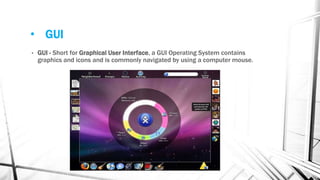
• GUI
• GUI - Short for Graphical User Interface, a GUI Operating System contains
graphics and icons and is commonly navigated by using a computer mouse.
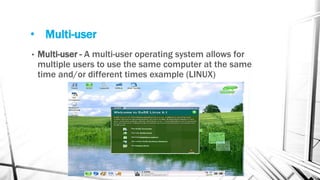
• Multi-user
• Multi-user - A multi-user operating system allows for
multiple users to use the same computer at the same
time and/or different times example (LINUX)
• Multi Tasking
• An operating system that is capable of allowing multiple software
processes to run at the same time.
Below are some examples of multitasking operating systems.
• Unix
• Windows XP
• Windows Vista
• Multi Processing
• An operating system capable of supporting and utilizing more than one
computer processor.
More than one CPUs that can be shared
Below are some examples of multiprocessing operating systems.
For Example
• Linux
• Unix
• Windows 2000
• Multi Threading
• Smaller parts of a program are loaded when needed by OS
• Operating systems that allow different parts of a software program to run
concurrently
Operating systems that would fall into this category are:
For example
• Linux
• Unix
• Windows 2000
Types of operating system
 Stand Alone operating system.
 Server operating system.
 Embedded operating system.
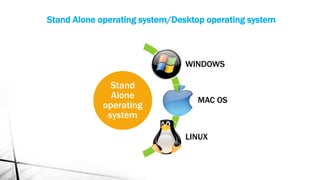
Stand
Alone
operating
system
WINDOWS
MAC OS
LINUX
Stand Alone operating system/Desktop operating system
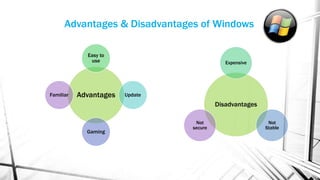
Advantages
Easy to
use
Update
Gaming
Familiar
Disadvantages
Expensive
Not
Stable
Not
secure
Advantages & Disadvantages of Windows
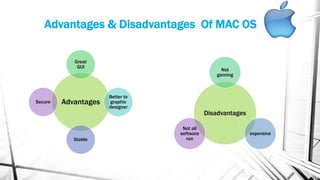
Advantages & Disadvantages Of MAC OS
Advantages
Great
GUI
Better to
graphic
designer
Stable
Secure
Disadvantages
Not
gaming
expensive
Not all
software
run
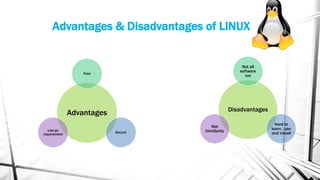
Advantages & Disadvantages of LINUX
Advantages
Free
Secure
Low pc
requirement
Disadvantages
Not all
software
run
Hard to
learn , use
and install
Not
familiarity
Server Operating system
Server operating systems are designed to provide platforms for multi-users , for
critical, network applications.
Their main purpose is to provide security, stability and collaboration. Most of them
come with a pack of dedicated software tools such as Web servers, e-mail agents
and terminal services The common applications for server OSes are:
 File and printer sharing
 Application services (including databases)
 Web site services
 E-mail, groupware and messaging
 Terminal services
 Caching
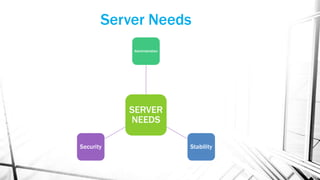
SERVER
NEEDS
Administration
StabilitySecurity
Server Needs
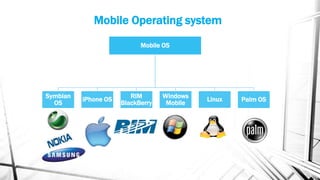
Mobile Operating system
Mobile OS
Symbian
OS
iPhone OS RIM
BlackBerry
Windows
Mobile
Linux Palm OS
BEST OPERATING SYSTEMS OF 2013
• UBUNTO 12.10
• WINDOWS 8
• MACINTOSH
• WINDOWS 7
• LINUX MINT
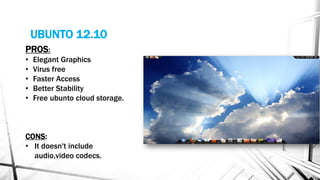
UBUNTO 12.10
PROS:
• Elegant Graphics
• Virus free
• Faster Access
• Better Stability
• Free ubunto cloud storage.
CONS:
• It doesn't include
audio,video codecs.
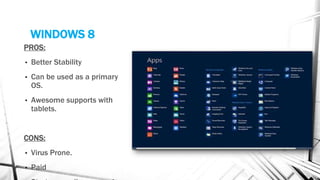
WINDOWS 8
PROS:
• Better Stability
• Can be used as a primary
OS.
• Awesome supports with
tablets.
CONS:
• Virus Prone.
• Paid
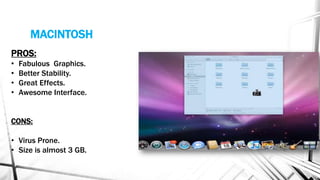
MACINTOSH
PROS:
• Fabulous Graphics.
• Better Stability.
• Great Effects.
• Awesome Interface.
CONS:
• Virus Prone.
• Size is almost 3 GB.
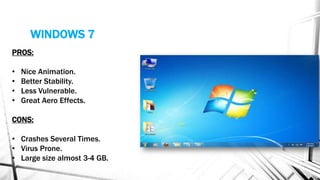
WINDOWS 7
PROS:
• Nice Animation.
• Better Stability.
• Less Vulnerable.
• Great Aero Effects.
CONS:
• Crashes Several Times.
• Virus Prone.
• Large size almost 3-4 GB.
LINUX MINT
PROS:
• Virus Free
• Faster
• Audio and Video pre included.
CONS:
• Low Graphical User Interface
Conclusion
• As Operating System controls
and coordinates the use of the
hardware among the various
applications programs for
various uses, we can say that it
plays a very important role in
computer system.

Operating system

  • 1.
    OPERATING SYSTEM Introduction ToComputing Presented By: Talha Mahmood Mahwish Kashif Presentation Assigned By Sir Rashid Ansari
  • 2.
    Contents: • What isoperating system? • Operations of OS • Structure of OS • Features of OS • GUI • Multiuser • Multitasking • Multiprocessing • Multithreading • Types of OS • Advantages and Disadvantages • Best OS of 2013 • Conclusion
  • 3.
    What is operatingsystem? Definition: • An operating system (OS) is a collection of software that manages computer hardware resources . Without a computer operating system, a computer would be useless “The operating system acts as a Interface Between the user and computer hardware”
  • 4.
    Operations Of OS Startand shut down a computer Coordinate Tasks Establish An Internet Connection Provide a user Interface Configure Devices Control a network Manage Programs Manage Memory Provide Utilities
  • 5.
    Structure Of operatingsystem User Interface •User interact with operating system Kernel •Core of operating system, responsible for loading operating system
  • 6.
    Features Of OperatingSystem Operating System GUI Multiuser Multitasking Multiprocessing Multithreading
  • 7.
    • GUI • GUI- Short for Graphical User Interface, a GUI Operating System contains graphics and icons and is commonly navigated by using a computer mouse.
  • 8.
    • Multi-user • Multi-user- A multi-user operating system allows for multiple users to use the same computer at the same time and/or different times example (LINUX)
  • 9.
    • Multi Tasking •An operating system that is capable of allowing multiple software processes to run at the same time. Below are some examples of multitasking operating systems. • Unix • Windows XP • Windows Vista
  • 10.
    • Multi Processing •An operating system capable of supporting and utilizing more than one computer processor. More than one CPUs that can be shared Below are some examples of multiprocessing operating systems. For Example • Linux • Unix • Windows 2000
  • 11.
    • Multi Threading •Smaller parts of a program are loaded when needed by OS • Operating systems that allow different parts of a software program to run concurrently Operating systems that would fall into this category are: For example • Linux • Unix • Windows 2000
  • 12.
    Types of operatingsystem  Stand Alone operating system.  Server operating system.  Embedded operating system.
  • 13.
    Stand Alone operating system WINDOWS MAC OS LINUX Stand Aloneoperating system/Desktop operating system
  • 14.
  • 15.
    Advantages & DisadvantagesOf MAC OS Advantages Great GUI Better to graphic designer Stable Secure Disadvantages Not gaming expensive Not all software run
  • 16.
    Advantages & Disadvantagesof LINUX Advantages Free Secure Low pc requirement Disadvantages Not all software run Hard to learn , use and install Not familiarity
  • 17.
    Server Operating system Serveroperating systems are designed to provide platforms for multi-users , for critical, network applications. Their main purpose is to provide security, stability and collaboration. Most of them come with a pack of dedicated software tools such as Web servers, e-mail agents and terminal services The common applications for server OSes are:  File and printer sharing  Application services (including databases)  Web site services  E-mail, groupware and messaging  Terminal services  Caching
  • 18.
  • 19.
    Mobile Operating system MobileOS Symbian OS iPhone OS RIM BlackBerry Windows Mobile Linux Palm OS
  • 20.
    BEST OPERATING SYSTEMSOF 2013 • UBUNTO 12.10 • WINDOWS 8 • MACINTOSH • WINDOWS 7 • LINUX MINT
  • 21.
    UBUNTO 12.10 PROS: • ElegantGraphics • Virus free • Faster Access • Better Stability • Free ubunto cloud storage. CONS: • It doesn't include audio,video codecs.
  • 22.
    WINDOWS 8 PROS: • BetterStability • Can be used as a primary OS. • Awesome supports with tablets. CONS: • Virus Prone. • Paid
  • 23.
    MACINTOSH PROS: • Fabulous Graphics. •Better Stability. • Great Effects. • Awesome Interface. CONS: • Virus Prone. • Size is almost 3 GB.
  • 24.
    WINDOWS 7 PROS: • NiceAnimation. • Better Stability. • Less Vulnerable. • Great Aero Effects. CONS: • Crashes Several Times. • Virus Prone. • Large size almost 3-4 GB.
  • 25.
    LINUX MINT PROS: • VirusFree • Faster • Audio and Video pre included. CONS: • Low Graphical User Interface
  • 26.
    Conclusion • As OperatingSystem controls and coordinates the use of the hardware among the various applications programs for various uses, we can say that it plays a very important role in computer system.