
TechSpan 2009 Chavez High School Marty Daniel Secondary Web 2.0 Toolbox
Agenda Cyber Safety Secondary Ed Tech wiki HISD Google Docs  Elementary Ning  Web 2.0 data tools Wordle and Graphic novel design tools for ELA Data and Graphing tools for Math, Science, SS Virtual algebra tiles Additional information on the wiki
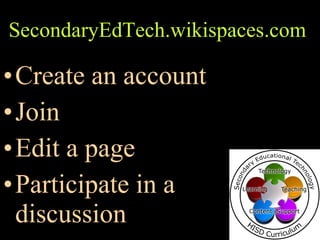
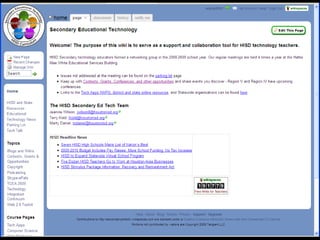
SecondaryEdTech.wikispaces.com   Create an account Join Edit a page Participate in a discussion
 
Make your own www.wikispaces.com/site/for/teachers Choose username, password, & enter email Make a Space? Yes Choose a wiki name Select visibility – Public or Private Certify space is educational Click Join
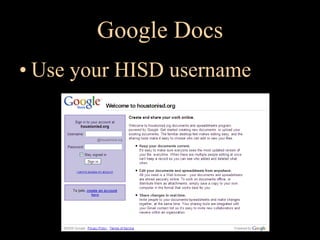
Google Docs Use your HISD username
Google Docs Documents, Spreadsheets, Forms, Presentations, & Calendar
Google Docs - Advantages Work from any computer Collaborate—multiple editors,  students can work together Changes/edits seen immediately  Automatic saves
Google Docs -  Advantages Revert to previous versions Collect Forms data quick & easy Students access class presentations  & rubrics from home No Google account needed to view  docs or send forms - only to edit
Google Docs - Examples Class or Cluster Newsletters Class or Cluster Calendars Project guidelines or rubrics Collaborative projects—organize, manage,  collaborate! Forms for gathering information On-line quizzes as forms
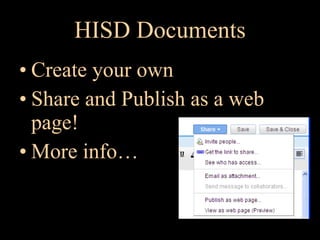
HISD Documents Create your own Share and Publish as a web page!  More info…
HISD Calendar Sharing Create your own HISD Dates Calendar -  http:// www.google.com/calendar/hosted/houstonisd.org/embed?src =houstonisd.org_leo12h8a54cnpluf9bltc0sd9o%40group.calendar.google.com&ctz=America/Chicago
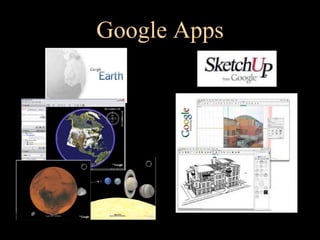
Google Apps
Data Representation Wordle and Graphic novel design tools for ELA Data and Graphing tools for Math, Science, SS Virtual algebra tiles
Web 2.0 Toolbox Appendix
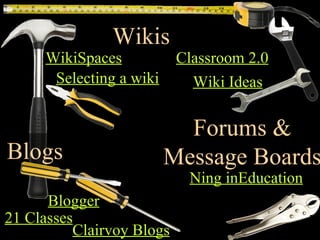
Classroom 2.0 Selecting a wiki Wiki Ideas Clairvoy  Blogs Blogger Forums & Message Boards Ning  inEducation WikiSpaces Wikis Blogs 21 Classes
Why blog? Use to post daily information – assignments, events, etc. Publish student work – podcasts, documents, slideshows. Put up a blog post on a specific issue and invite students to contribute comments.  Weekly newsletters for parents
Where to blog? Blogger WordPress Clairvoy  Blogs 21 Classes
21 Classes www.21classes.com Designed for classroom use Dual-Layer system Classroom (outer layer) area Collection of student blogs (inner layer) You can setup class layer as public for assignment notifications, but users must authenticate to see student blogs
Wikis Collaborate – you and students Knowledge sharing Interactive assignments History of revisions – archive Structure flexible Wikispaces for Teachers – Add free
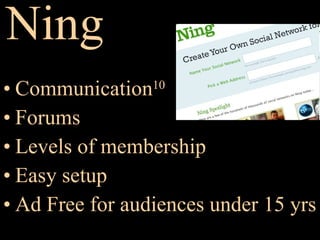
Ning Communication 10 Forums Levels of membership Easy setup Ad Free for audiences under 15 yrs
Create a Blog www.21classes.com Click Sign up for free
Create a Blog Fill out registration form Make your blog name simple msdaniel.21classes.com
Create a Blog Finish filling all the information , and click
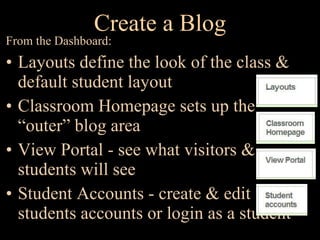
Create a Blog From the Dashboard: Layouts define the look of the class & default student layout Classroom Homepage sets up the “outer” blog area View Portal - see what visitors &  students will see Student Accounts - create & edit students accounts or login as a student
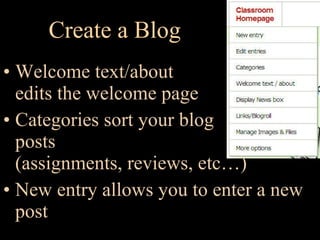
Create a Blog Welcome text/about edits the welcome page Categories sort your blog posts (assignments, reviews, etc…) New entry allows you to enter a new post
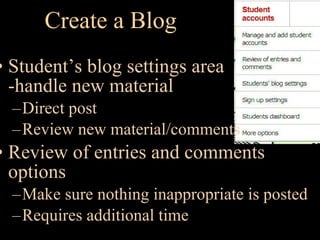
Create a Blog Student’s blog settings area -handle new material Direct post Review new material/comments Review of entries and comments options Make sure nothing inappropriate is posted Requires additional time
Create a Blog - Registration Allow students to self-register or teacher created accounts 21classes will allow you to filter to allow only from one domain Use “approve all new accounts” feature to prevent bogus accounts
Blog Ideas Student journaling Teacher creates a writing prompt on the main classroom page, and students respond to the comment. Good practice to have comments set to blog users only so you only have your students commenting.

Web 2.0 Toolbox

  • 1.
    TechSpan 2009 ChavezHigh School Marty Daniel Secondary Web 2.0 Toolbox
  • 2.
    Agenda Cyber SafetySecondary Ed Tech wiki HISD Google Docs Elementary Ning Web 2.0 data tools Wordle and Graphic novel design tools for ELA Data and Graphing tools for Math, Science, SS Virtual algebra tiles Additional information on the wiki
  • 3.
    SecondaryEdTech.wikispaces.com Create an account Join Edit a page Participate in a discussion
  • 4.
  • 5.
    Make your ownwww.wikispaces.com/site/for/teachers Choose username, password, & enter email Make a Space? Yes Choose a wiki name Select visibility – Public or Private Certify space is educational Click Join
  • 6.
    Google Docs Useyour HISD username
  • 7.
    Google Docs Documents,Spreadsheets, Forms, Presentations, & Calendar
  • 8.
    Google Docs -Advantages Work from any computer Collaborate—multiple editors, students can work together Changes/edits seen immediately Automatic saves
  • 9.
    Google Docs - Advantages Revert to previous versions Collect Forms data quick & easy Students access class presentations & rubrics from home No Google account needed to view docs or send forms - only to edit
  • 10.
    Google Docs -Examples Class or Cluster Newsletters Class or Cluster Calendars Project guidelines or rubrics Collaborative projects—organize, manage, collaborate! Forms for gathering information On-line quizzes as forms
  • 11.
    HISD Documents Createyour own Share and Publish as a web page! More info…
  • 12.
    HISD Calendar SharingCreate your own HISD Dates Calendar - http:// www.google.com/calendar/hosted/houstonisd.org/embed?src =houstonisd.org_leo12h8a54cnpluf9bltc0sd9o%40group.calendar.google.com&ctz=America/Chicago
  • 13.
  • 14.
    Data Representation Wordleand Graphic novel design tools for ELA Data and Graphing tools for Math, Science, SS Virtual algebra tiles
  • 15.
  • 16.
    Classroom 2.0 Selectinga wiki Wiki Ideas Clairvoy Blogs Blogger Forums & Message Boards Ning inEducation WikiSpaces Wikis Blogs 21 Classes
  • 17.
    Why blog? Useto post daily information – assignments, events, etc. Publish student work – podcasts, documents, slideshows. Put up a blog post on a specific issue and invite students to contribute comments. Weekly newsletters for parents
  • 18.
    Where to blog?Blogger WordPress Clairvoy Blogs 21 Classes
  • 19.
    21 Classes www.21classes.comDesigned for classroom use Dual-Layer system Classroom (outer layer) area Collection of student blogs (inner layer) You can setup class layer as public for assignment notifications, but users must authenticate to see student blogs
  • 20.
    Wikis Collaborate –you and students Knowledge sharing Interactive assignments History of revisions – archive Structure flexible Wikispaces for Teachers – Add free
  • 21.
    Ning Communication 10Forums Levels of membership Easy setup Ad Free for audiences under 15 yrs
  • 22.
    Create a Blogwww.21classes.com Click Sign up for free
  • 23.
    Create a BlogFill out registration form Make your blog name simple msdaniel.21classes.com
  • 24.
    Create a BlogFinish filling all the information , and click
  • 25.
    Create a BlogFrom the Dashboard: Layouts define the look of the class & default student layout Classroom Homepage sets up the “outer” blog area View Portal - see what visitors & students will see Student Accounts - create & edit students accounts or login as a student
  • 26.
    Create a BlogWelcome text/about edits the welcome page Categories sort your blog posts (assignments, reviews, etc…) New entry allows you to enter a new post
  • 27.
    Create a BlogStudent’s blog settings area -handle new material Direct post Review new material/comments Review of entries and comments options Make sure nothing inappropriate is posted Requires additional time
  • 28.
    Create a Blog- Registration Allow students to self-register or teacher created accounts 21classes will allow you to filter to allow only from one domain Use “approve all new accounts” feature to prevent bogus accounts
  • 29.
    Blog Ideas Studentjournaling Teacher creates a writing prompt on the main classroom page, and students respond to the comment. Good practice to have comments set to blog users only so you only have your students commenting.

Editor's Notes

  • #2 We will learn about web 2.0 tools specifically for the secondary classroom. We will explore the Secondary Ed Tech Wiki and learn how Google calendars and documents can be used for collaborative projects. We will also explore some dynamic web 2.0 resources for interactive and collaborative ELA, math, science, and social studies tools that will engage students and enhance learning.
  • #3 Look at the secondary wiki, create an account and learn about editing a page or participating in a discussion. ·     Log into HISD Google Docs and practice editing the joint calendar ·     Look at the elementary Ning as an alternative social website. ·     Explore web 2.0 data representation tools that integrate nicely with the different content areas o       Wordle and Graphic novel design tools for ELA o       Data and Graphing tools for Math, Science, SS o       Virtual algebra tiles Recap with referral for more information to the wiki.
  • #6 Public or Private status can be changed at a later time.
  • #7 Log into HISD Google Docs and practice editing the joint calendar
  • #16 We will learn about web 2.0 tools specifically for the secondary classroom. We will explore the Secondary Ed Tech Wiki and learn how Google calendars and documents can be used for collaborative projects. We will also explore some dynamic web 2.0 resources for interactive and collaborative ELA, math, science, and social studies tools that will engage students and enhance learning.