Chapter 12
Explore
WEB TOOLS AND RESOURCES
Build My Webpage
This activity will let the students experience how to create their own website using any of the
following websites:
Educatorpages.com
Weebly.com
Wordpress.com
Wix.com
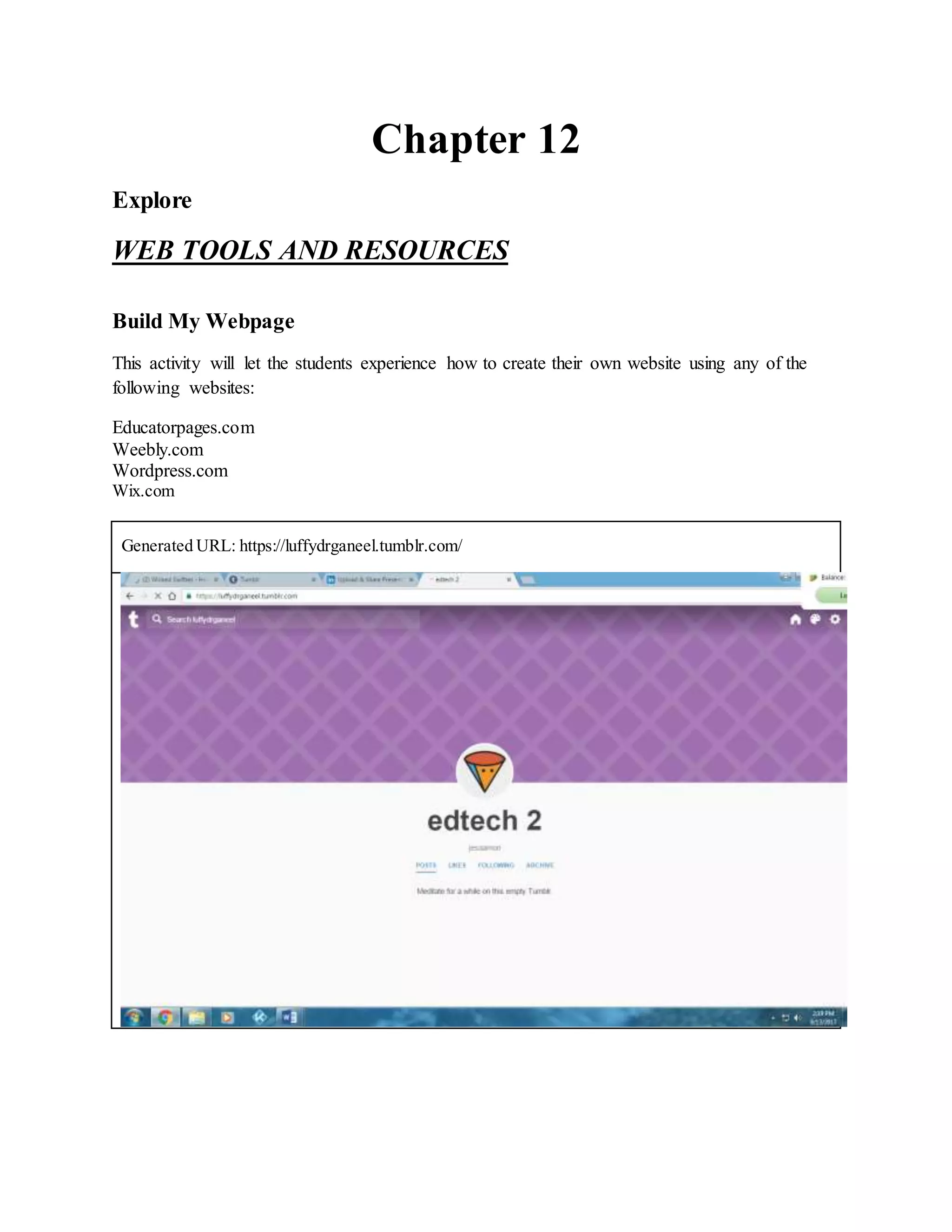
Generated URL: https://luffydrganeel.tumblr.com/
Web-BasedLessonPlan
From the list of tools presented under Web2.0, choose five tools that you can use in
creating your web-based lesson plan. Be able to present a lesson demonstration to the class.
Follow the template of the web-based lesson plan below.
Introduction: Write your web-based lesson.Write a short paragraph here to introduce the
activity or lesson to the students.
The lessonis all about the creation and fall. It is important to learn about the creation and
fall because we will know how the world was created and who created the earth. Where in
the lessons we will study the importance of taking care of all the creations.
Objective: Write one-to-three- key objectives or goals of the lesson.
 To know the creation and fall
 To understand the importance taking care of the creation.
 To apply on how we can take care of all the creation especially the other people.
Content: Write here the topics you will include in the lesson.
First, able to differentiate the two picture pertaining the creation and fall and then share
their insight about the picture.
Second, enhancing their understanding by asking what is the creation they love and why.
Third, being able to know how the first people commit the first fall.
Fourth, understanding that there is hope after fall.
Activities: Design web-based activities using the web tools.
A P P L Y
Using Kidblog, design a website filled with the entire topic on how the world was created.
Assessment: How are you going to evaluate the students? Use rubrics. You may also use
web tools.
 By using rubrics (Analytic or Holistic) through their performance task
presentation.
Summary: Summarize the accomplished activities.
Students able to do with their own understanding. Make own definition and strategies on
how to present their performance task.
Which one to Choose?
Using a web-based software office suite website like Google Sheets, apply the proper guidelines
in the selection and effective utilization of web tools and resources by creating a collaborative
list of classroom web tools and resources that you can use in your field of specialization. Be able
to give the description and uses of these tools and resources. Note: Use only one spreadsheet file
per field of specialization.
Field of specialization: Secondary (Mathematics)
Web Tools And Resources Description Of Web Tools
And Resources
How And When To Use
The Web Tools And
Resources
ASSESS
www.valueseducation.net/
https://www.olivetree.com/
It provides teaching ideas,
classroom activities,
lessons, articles, links and
resources for
Values/Character
Education.
Olive Tree is hands down
the most helpful Bible
software, Never before has
the Bible been so easily
accessible. Visit here over
and over again through the
day. It is the voice of God.
The resource is useful so
that students can have a
very useful information
that they need on their
studies. It has information
like teaching ideas,
activities, lessons and
articles. It also includes the
bible verses or the words
of God.

Chapter 12

  • 1.
    Chapter 12 Explore WEB TOOLSAND RESOURCES Build My Webpage This activity will let the students experience how to create their own website using any of the following websites: Educatorpages.com Weebly.com Wordpress.com Wix.com Generated URL: https://luffydrganeel.tumblr.com/
  • 2.
    Web-BasedLessonPlan From the listof tools presented under Web2.0, choose five tools that you can use in creating your web-based lesson plan. Be able to present a lesson demonstration to the class. Follow the template of the web-based lesson plan below. Introduction: Write your web-based lesson.Write a short paragraph here to introduce the activity or lesson to the students. The lessonis all about the creation and fall. It is important to learn about the creation and fall because we will know how the world was created and who created the earth. Where in the lessons we will study the importance of taking care of all the creations. Objective: Write one-to-three- key objectives or goals of the lesson.  To know the creation and fall  To understand the importance taking care of the creation.  To apply on how we can take care of all the creation especially the other people. Content: Write here the topics you will include in the lesson. First, able to differentiate the two picture pertaining the creation and fall and then share their insight about the picture. Second, enhancing their understanding by asking what is the creation they love and why. Third, being able to know how the first people commit the first fall. Fourth, understanding that there is hope after fall. Activities: Design web-based activities using the web tools. A P P L Y
  • 3.
    Using Kidblog, designa website filled with the entire topic on how the world was created. Assessment: How are you going to evaluate the students? Use rubrics. You may also use web tools.  By using rubrics (Analytic or Holistic) through their performance task presentation. Summary: Summarize the accomplished activities. Students able to do with their own understanding. Make own definition and strategies on how to present their performance task. Which one to Choose? Using a web-based software office suite website like Google Sheets, apply the proper guidelines in the selection and effective utilization of web tools and resources by creating a collaborative list of classroom web tools and resources that you can use in your field of specialization. Be able to give the description and uses of these tools and resources. Note: Use only one spreadsheet file per field of specialization. Field of specialization: Secondary (Mathematics) Web Tools And Resources Description Of Web Tools And Resources How And When To Use The Web Tools And Resources ASSESS
  • 4.
    www.valueseducation.net/ https://www.olivetree.com/ It provides teachingideas, classroom activities, lessons, articles, links and resources for Values/Character Education. Olive Tree is hands down the most helpful Bible software, Never before has the Bible been so easily accessible. Visit here over and over again through the day. It is the voice of God. The resource is useful so that students can have a very useful information that they need on their studies. It has information like teaching ideas, activities, lessons and articles. It also includes the bible verses or the words of God.