1. Introduction
2. How To Use
3. Applications
4. Syntax
5. Versions of VRML
6. Classes
7. Benefits
 VRML stands for Virtual Reality Modelling
Language and is pronounced ‘vermil’.
 It is a standard for delivering 3D picture on
the net, just like HTML is a standard for web
pages.
 VRML is a subset of the Open Inventor
standard developed by SGI for their graphics
workstation.
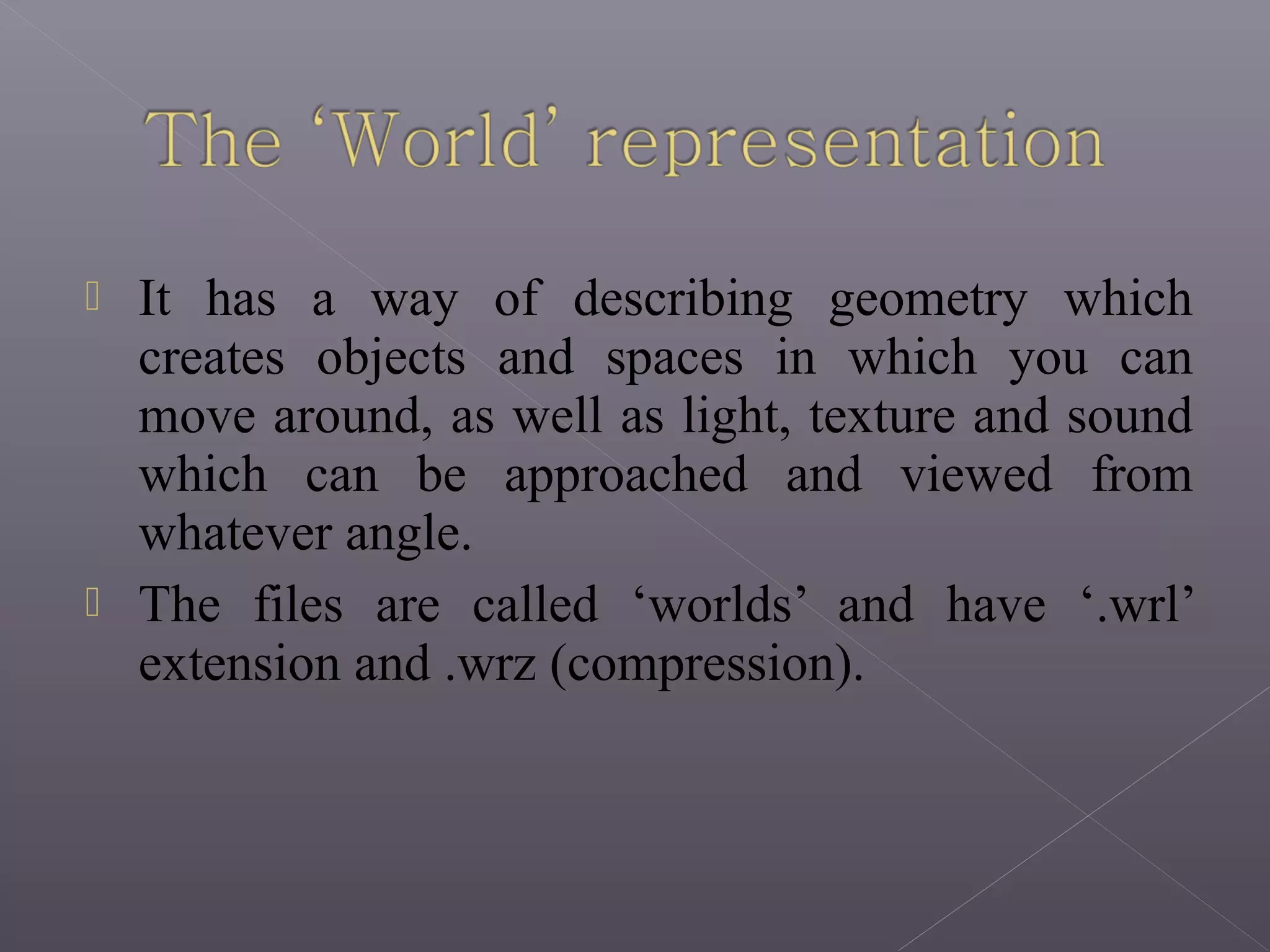
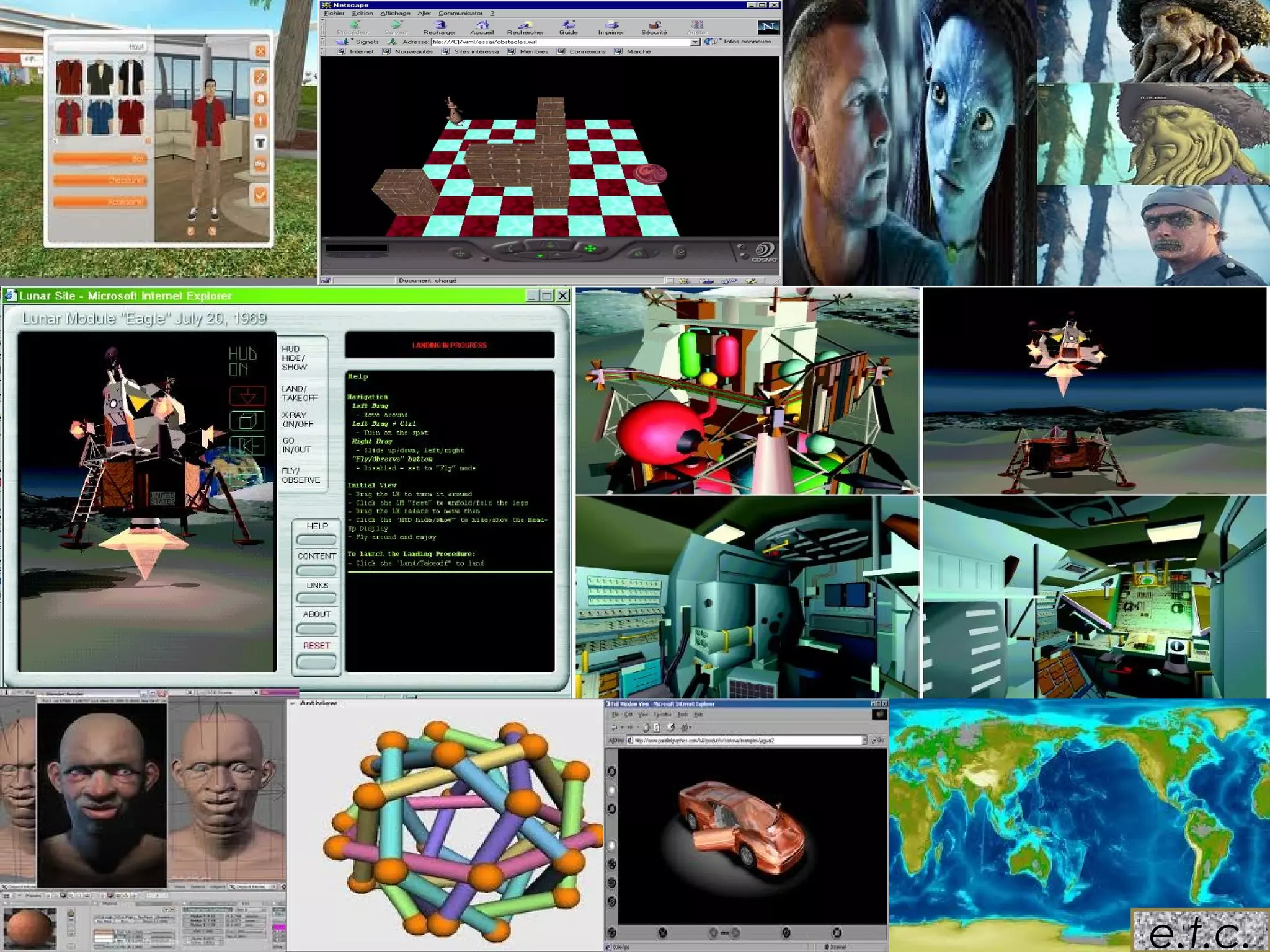
 It has a way of describing geometry which
creates objects and spaces in which you can
move around, as well as light, texture and sound
which can be approached and viewed from
whatever angle.
 The files are called ‘worlds’ and have ‘.wrl’
extension and .wrz (compression).
 In order to see VRML worlds, we need to
install a VRML browser (or player).
 Internet Explorer comes with a default VRML
browser, and almost all other internet
browsers can install one.
 Architecture
 Training
 Medicine
 Engineering and Design
 E-Commerce
 Entertainment
 Manufacturing
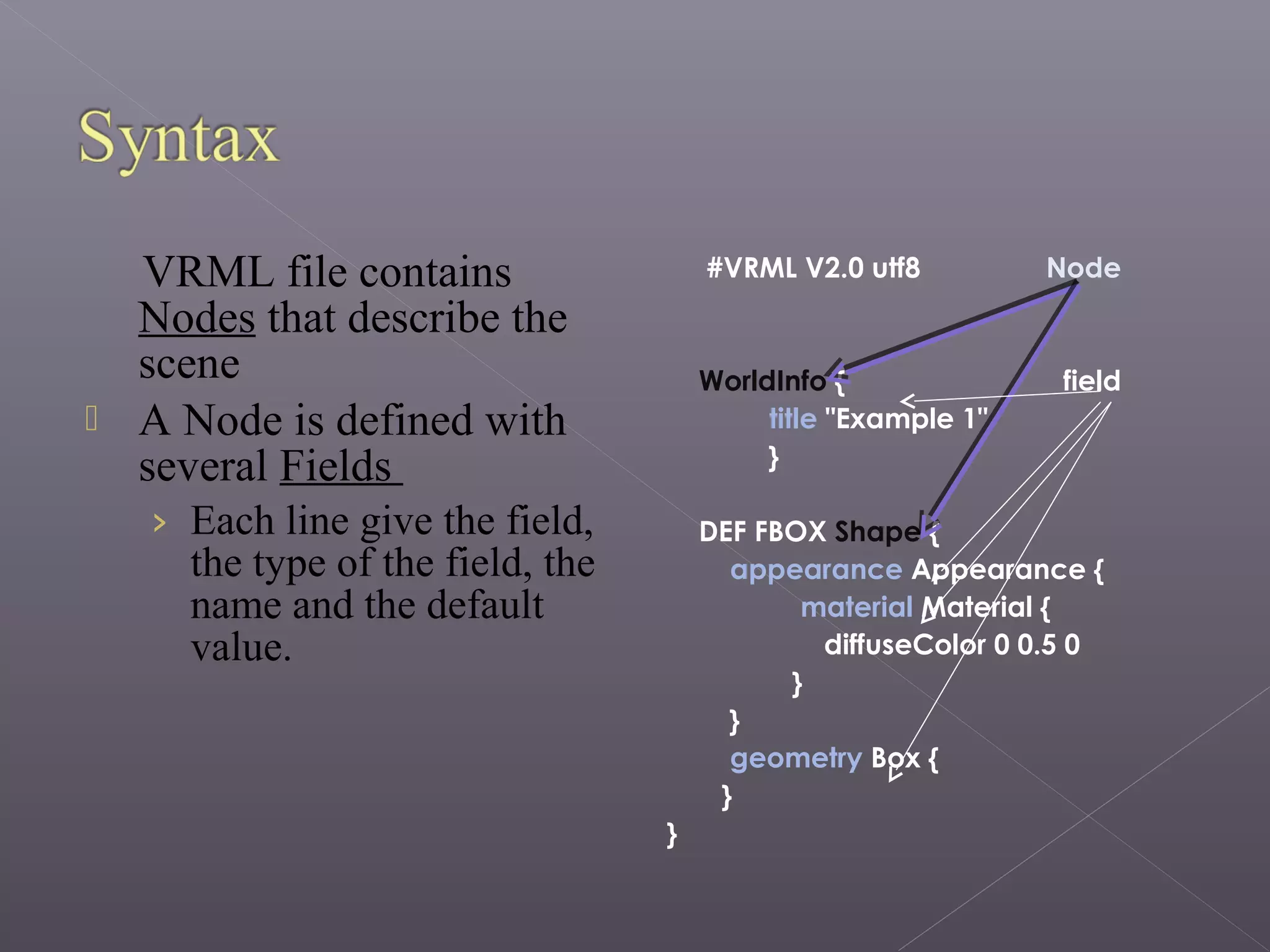
VRML file contains
Nodes that describe the
scene
 A Node is defined with
several Fields
› Each line give the field,
the type of the field, the
name and the default
value.
#VRML V2.0 utf8 Node
WorldInfo { field
title "Example 1"
}
DEF FBOX Shape {
appearance Appearance {
material Material {
diffuseColor 0 0.5 0
}
}
geometry Box {
}
}
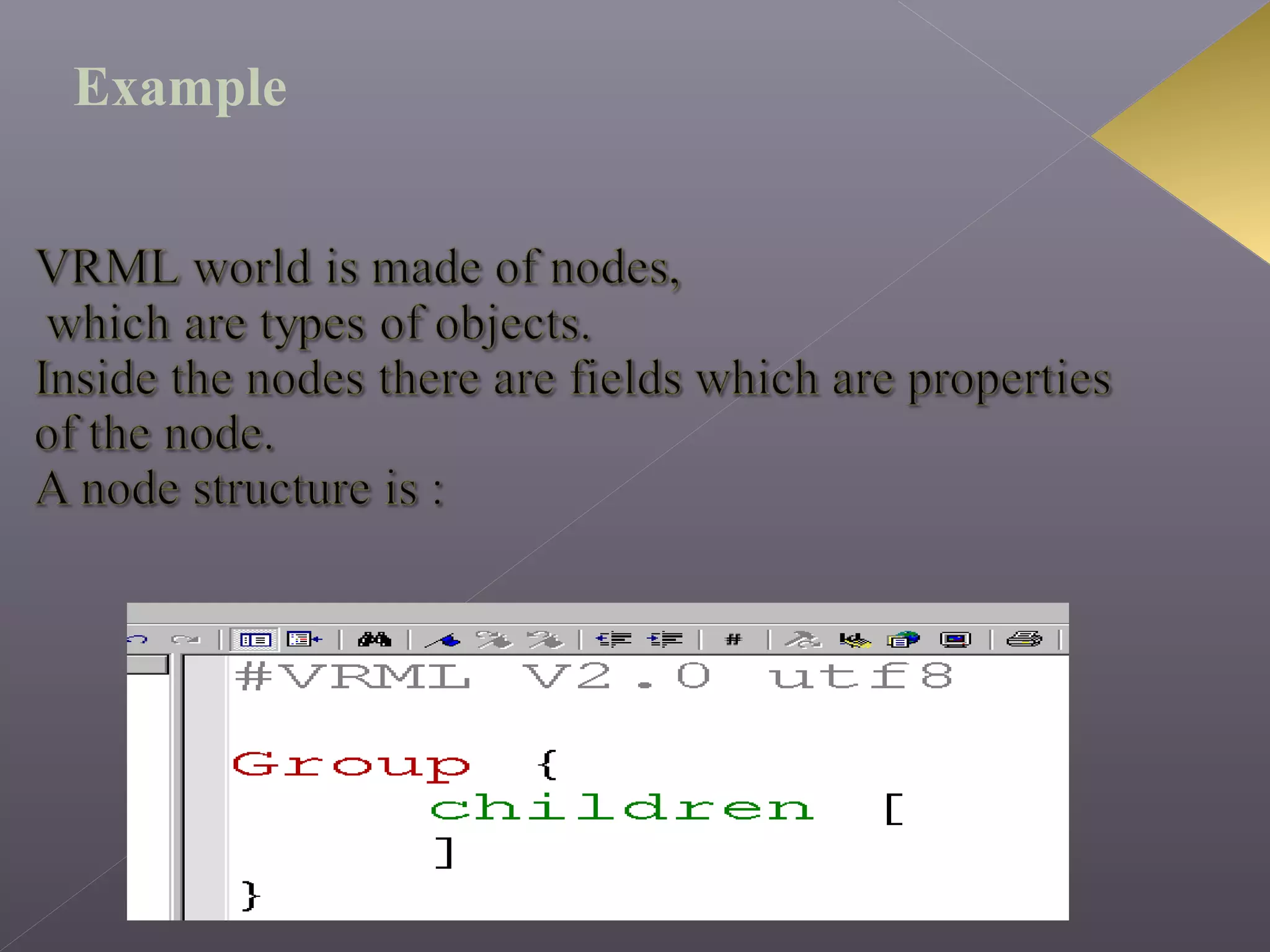
Example
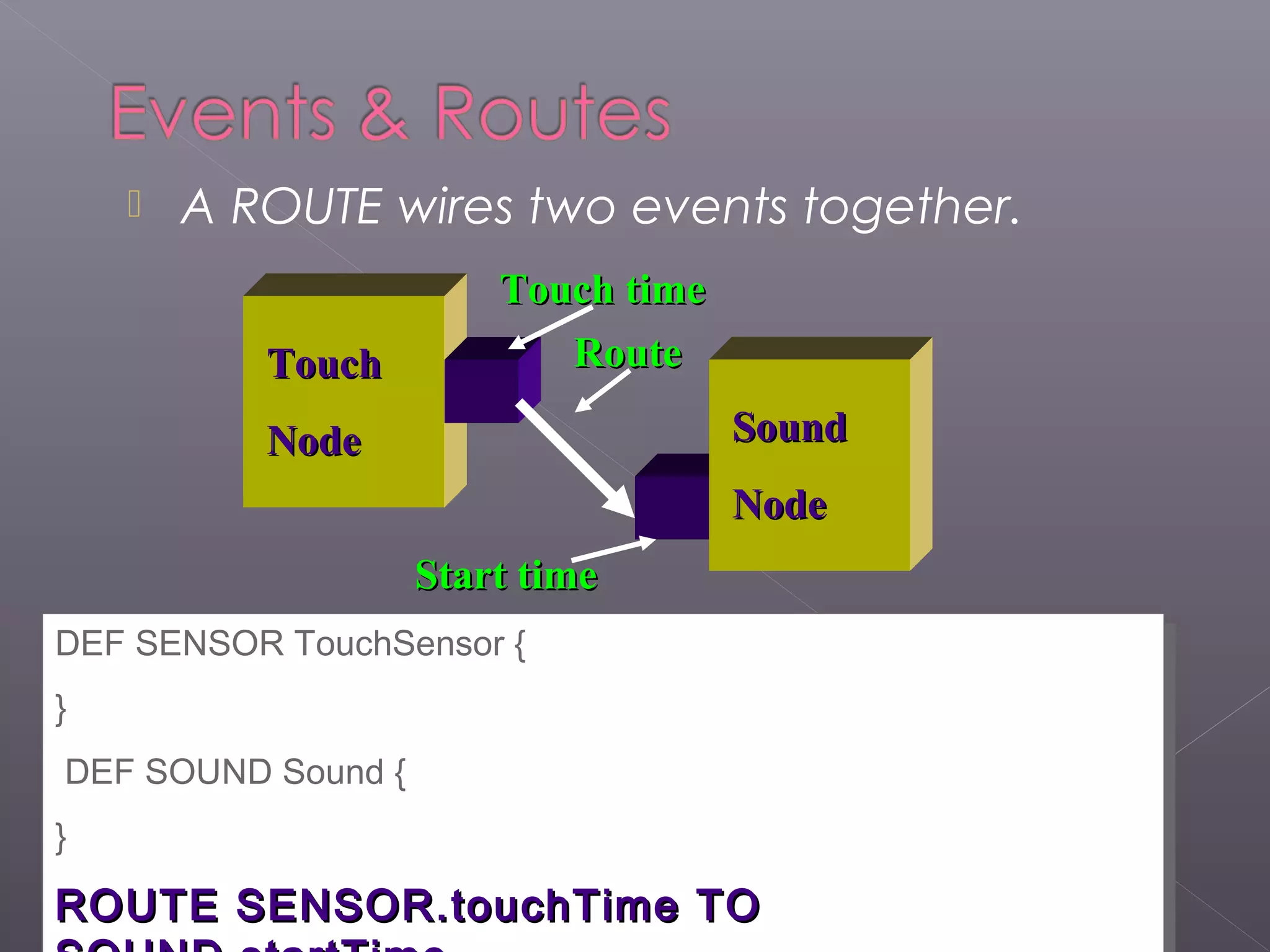
 A ROUTE wires two events together.
TouchTouch
NodeNode SoundSound
NodeNode
Touch timeTouch time
Start timeStart time
DEF SENSOR TouchSensor {
}
DEF SOUND Sound {
}
ROUTE SENSOR.touchTime TOROUTE SENSOR.touchTime TO
DEF SENSOR TouchSensor {
}
DEF SOUND Sound {
}
ROUTE SENSOR.touchTime TOROUTE SENSOR.touchTime TO
RouteRoute
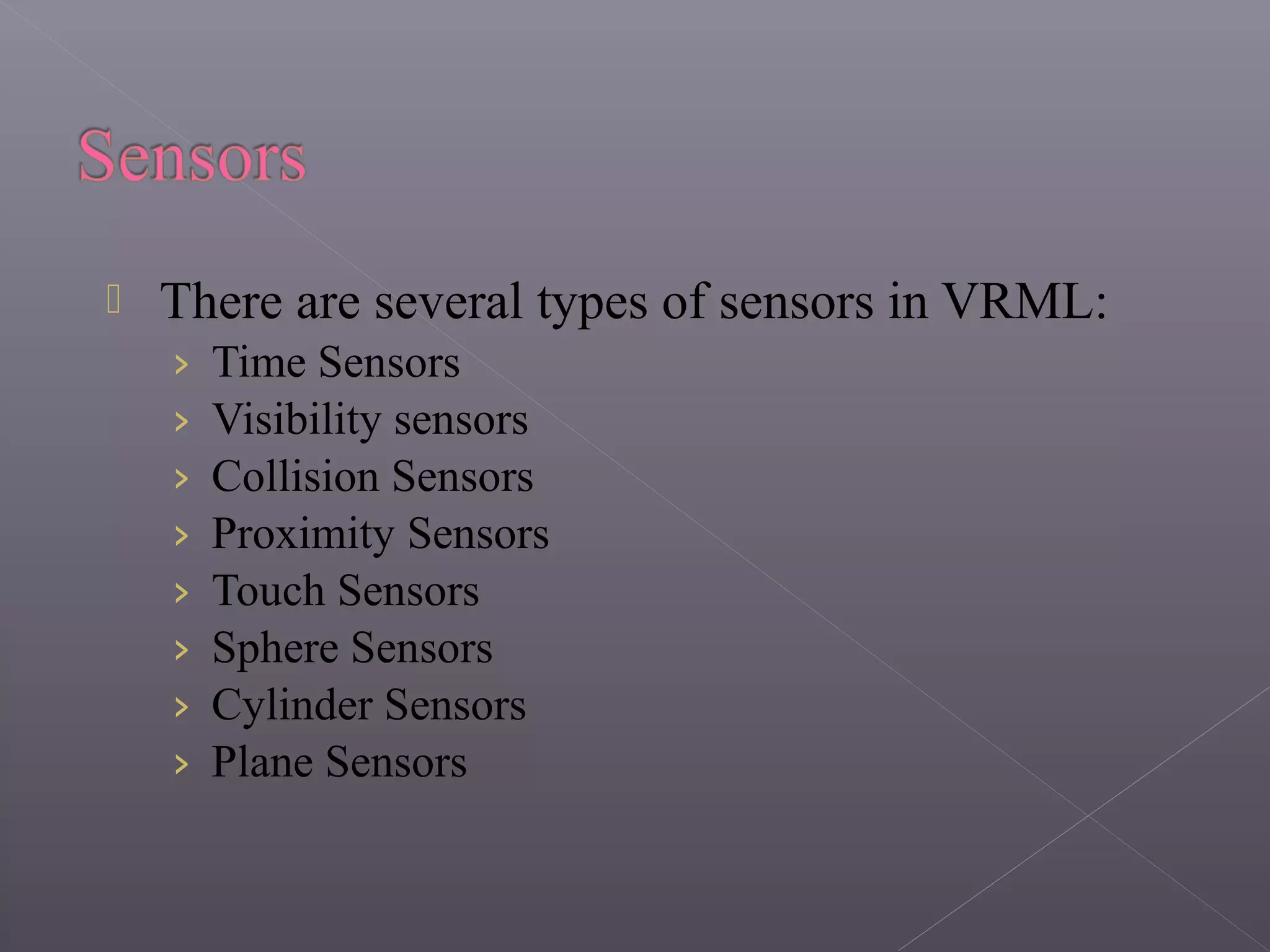
 There are several types of sensors in VRML:
› Time Sensors
› Visibility sensors
› Collision Sensors
› Proximity Sensors
› Touch Sensors
› Sphere Sensors
› Cylinder Sensors
› Plane Sensors
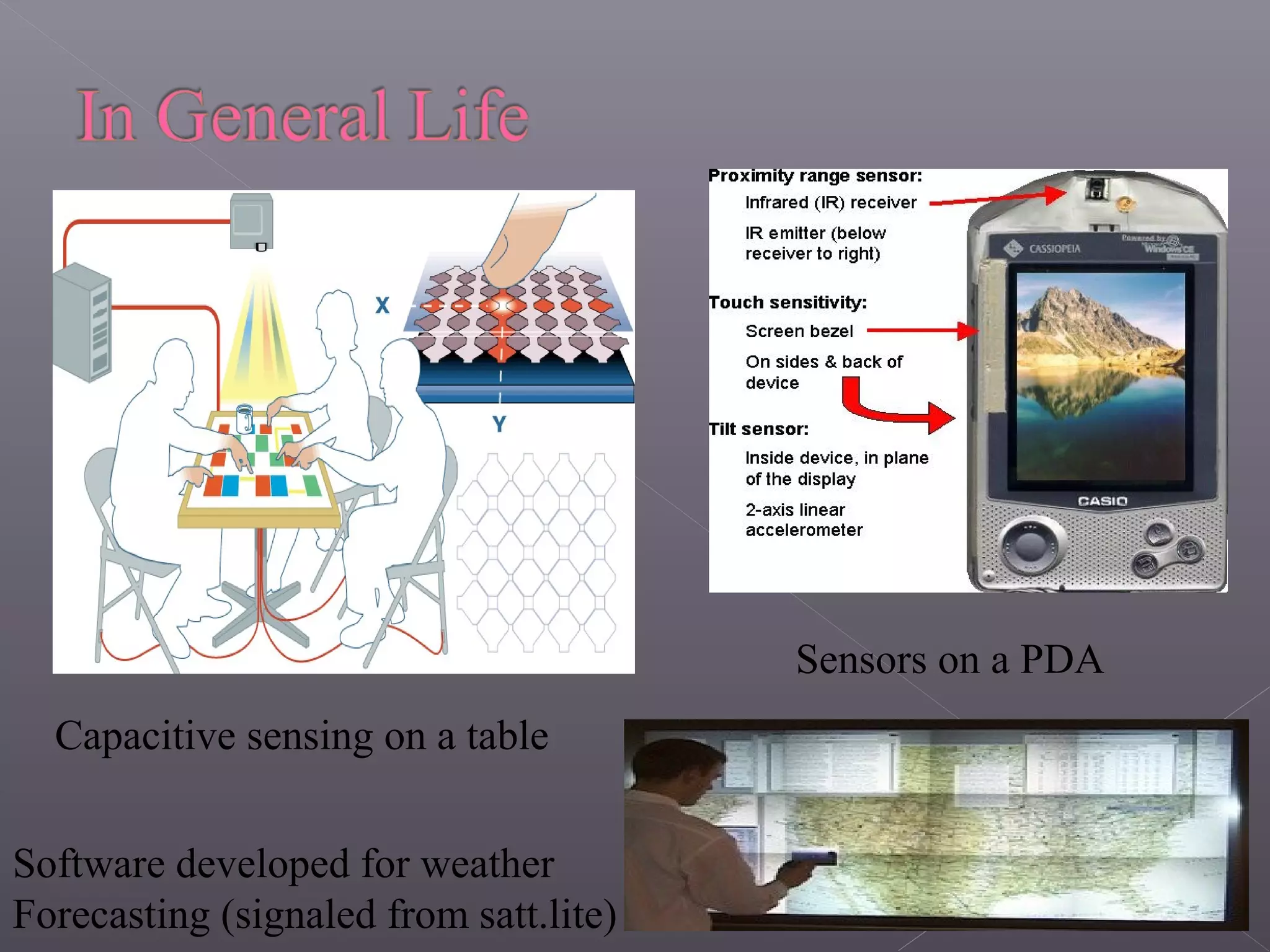
Capacitive sensing on a table
Sensors on a PDA
Software developed for weather
Forecasting (signaled from satt.lite)
 In the beginning there was VRML 1.0.
› It was the first attempt at an internet 3D language.
 VRML 2.0 replaced VRML 1.0 and add many
features (animation).
 Version 2.0 was submitted to ISO for
standardization, the outcome was VRML97
which is almost identical to VRML 2.0.
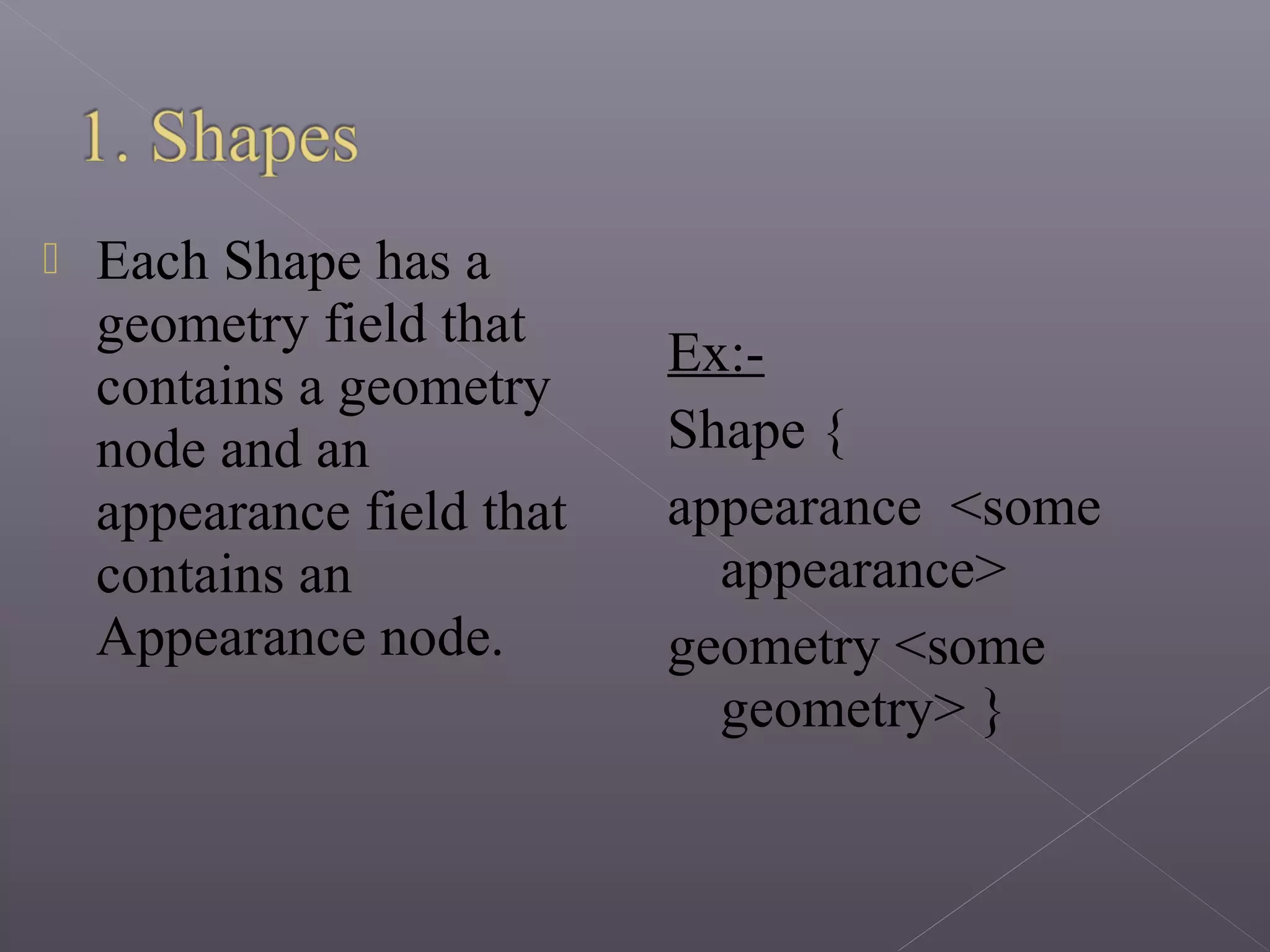
1.Shapes
› Geometry
› Appearance
2.Transformations
3.Lights
4.Groups
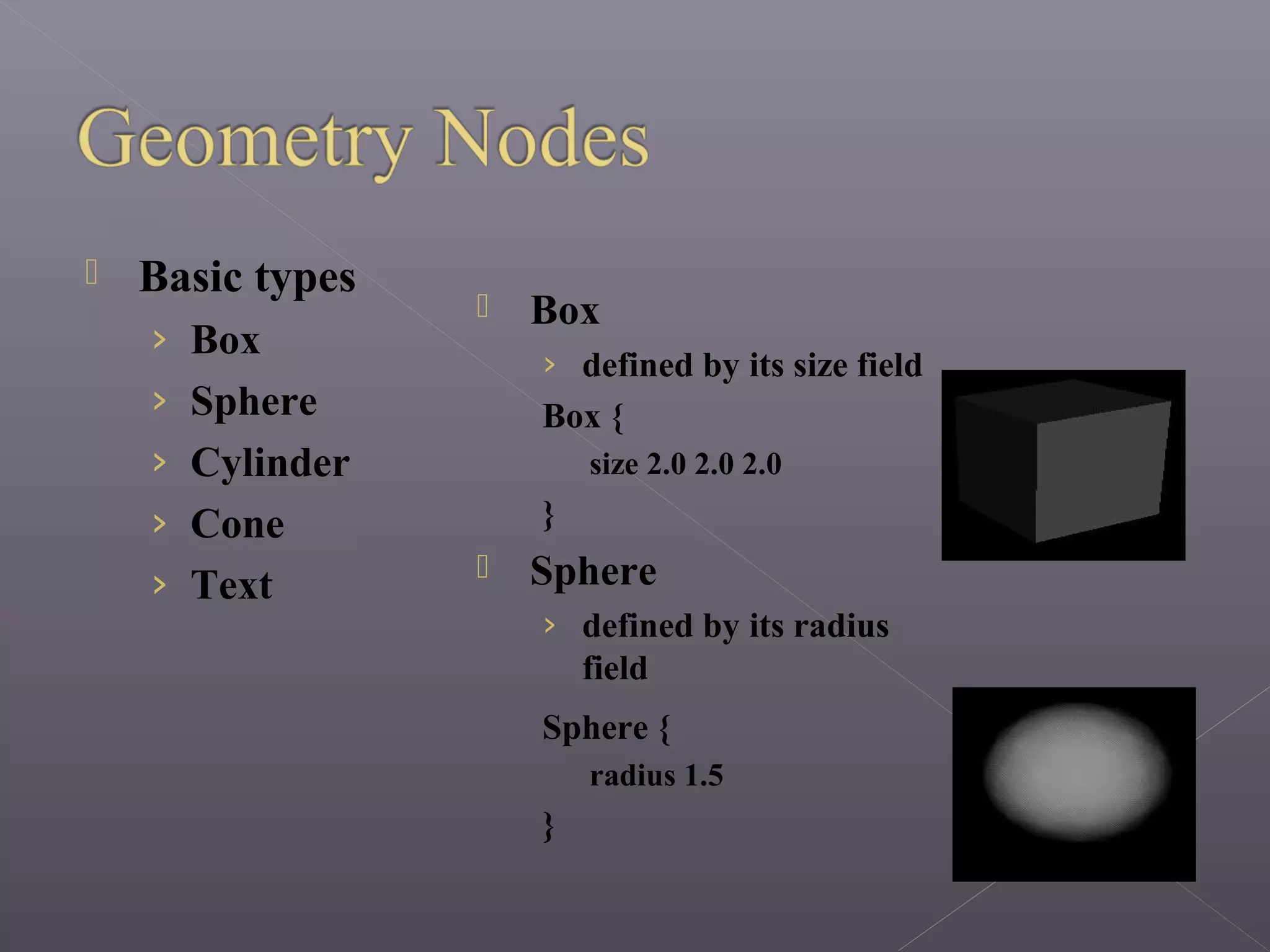
 Each Shape has a
geometry field that
contains a geometry
node and an
appearance field that
contains an
Appearance node.
Ex:-
Shape {
appearance <some
appearance>
geometry <some
geometry> }
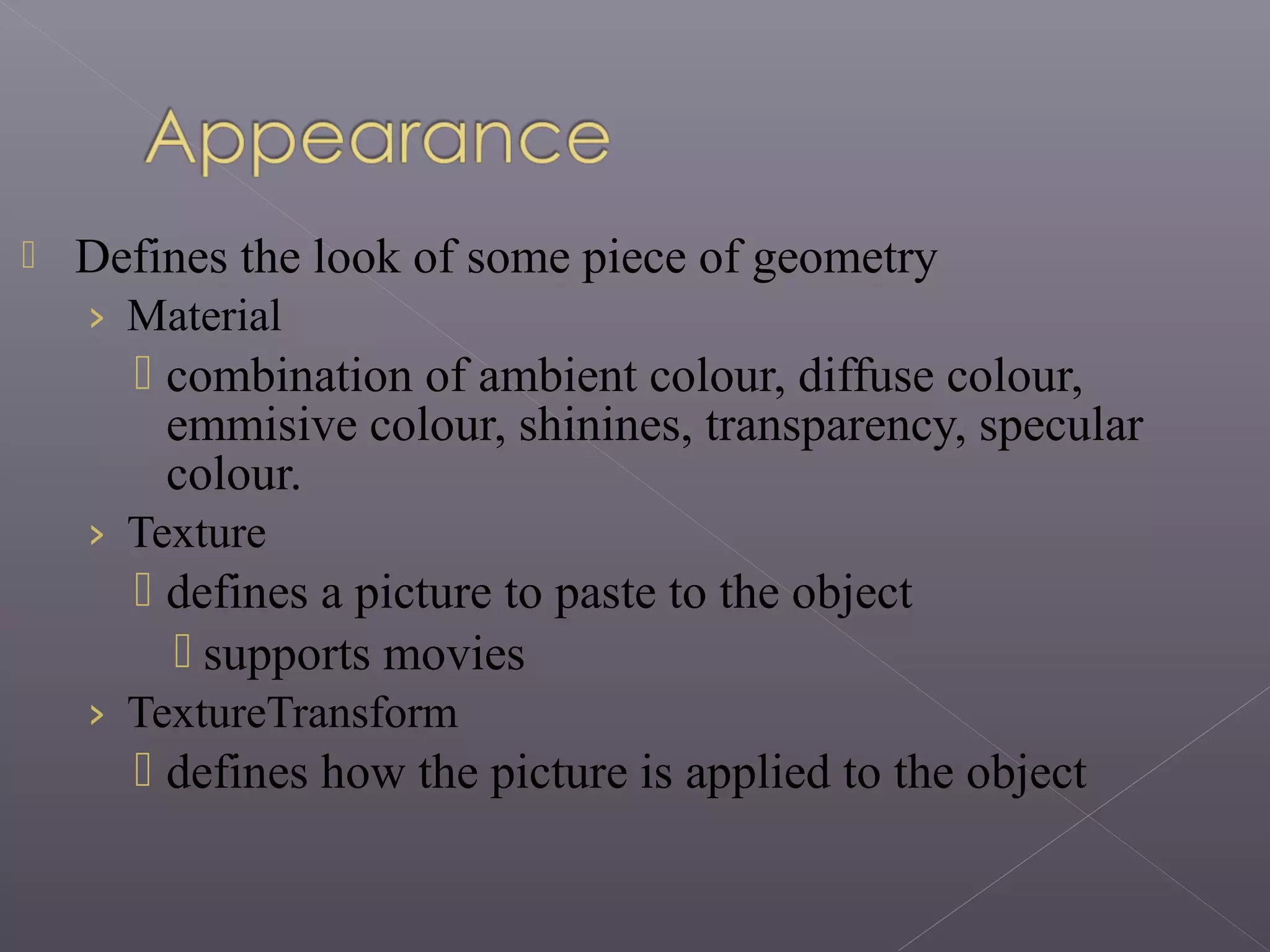
 Basic types
› Box
› Sphere
› Cylinder
› Cone
› Text
 Box
› defined by its size field
Box {
size 2.0 2.0 2.0
}
 Sphere
› defined by its radius
field
Sphere {
radius 1.5
}
 Cylinder
› defined by its height and
radius fields
Cylinder {
height 2.0
radius 1.0
}
 Cone
› defined by its height and
radius fields
Cone {
radius 1.3
height 1.8
}
 Text
› defined by the
string and the font
geometry Text {
string ["Hi!"]
fontStyle FontStyle {
family "TYPEWRITER"
style "ITALIC"
}
}
 Defines the look of some piece of geometry
› Material
 combination of ambient colour, diffuse colour,
emmisive colour, shinines, transparency, specular
colour.
› Texture
 defines a picture to paste to the object
 supports movies
› TextureTransform
 defines how the picture is applied to the object
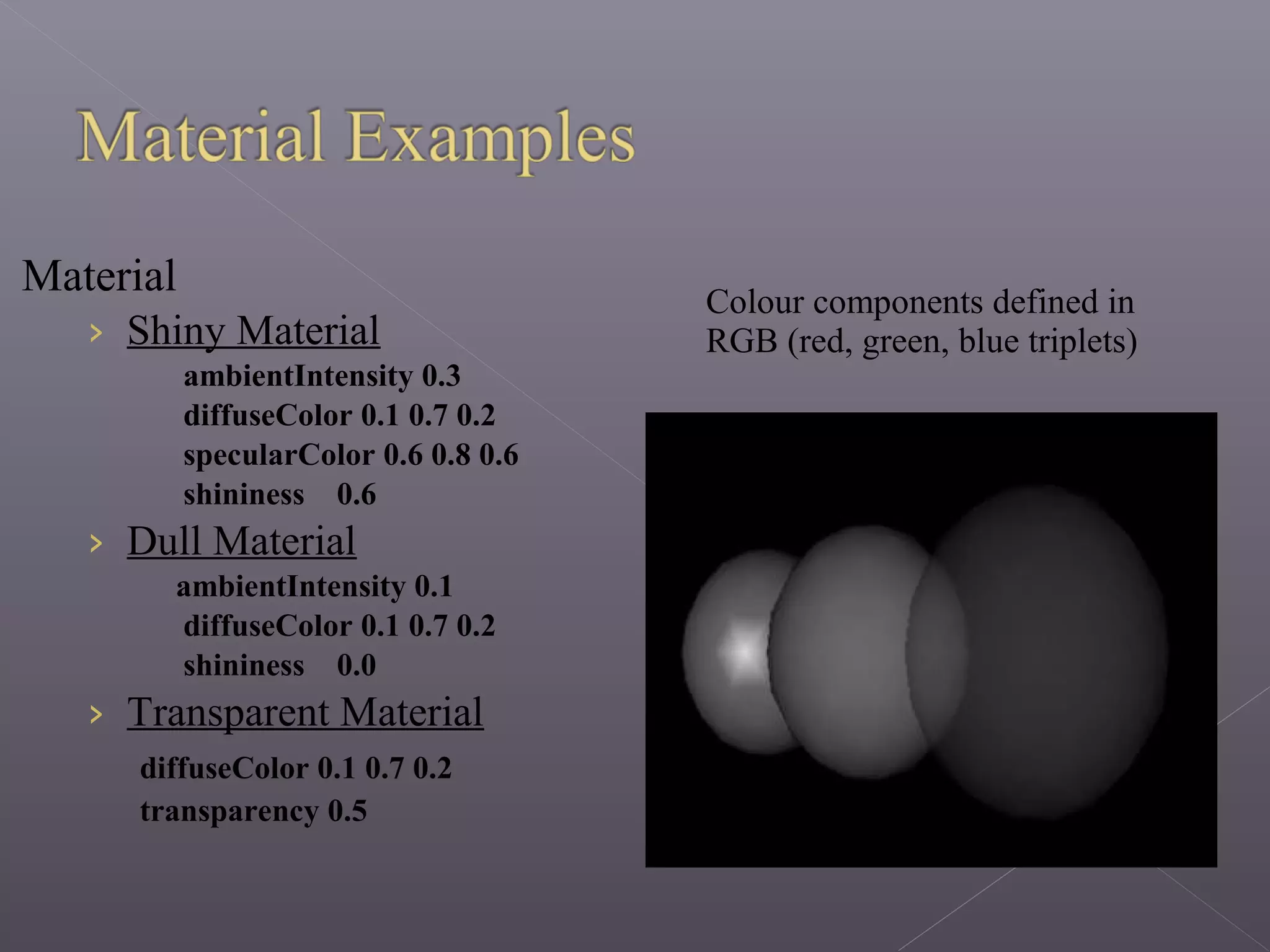
Material
› Shiny Material
ambientIntensity 0.3
diffuseColor 0.1 0.7 0.2
specularColor 0.6 0.8 0.6
shininess 0.6
› Dull Material
ambientIntensity 0.1
diffuseColor 0.1 0.7 0.2
shininess 0.0
› Transparent Material
diffuseColor 0.1 0.7 0.2
transparency 0.5
Colour components defined in
RGB (red, green, blue triplets)
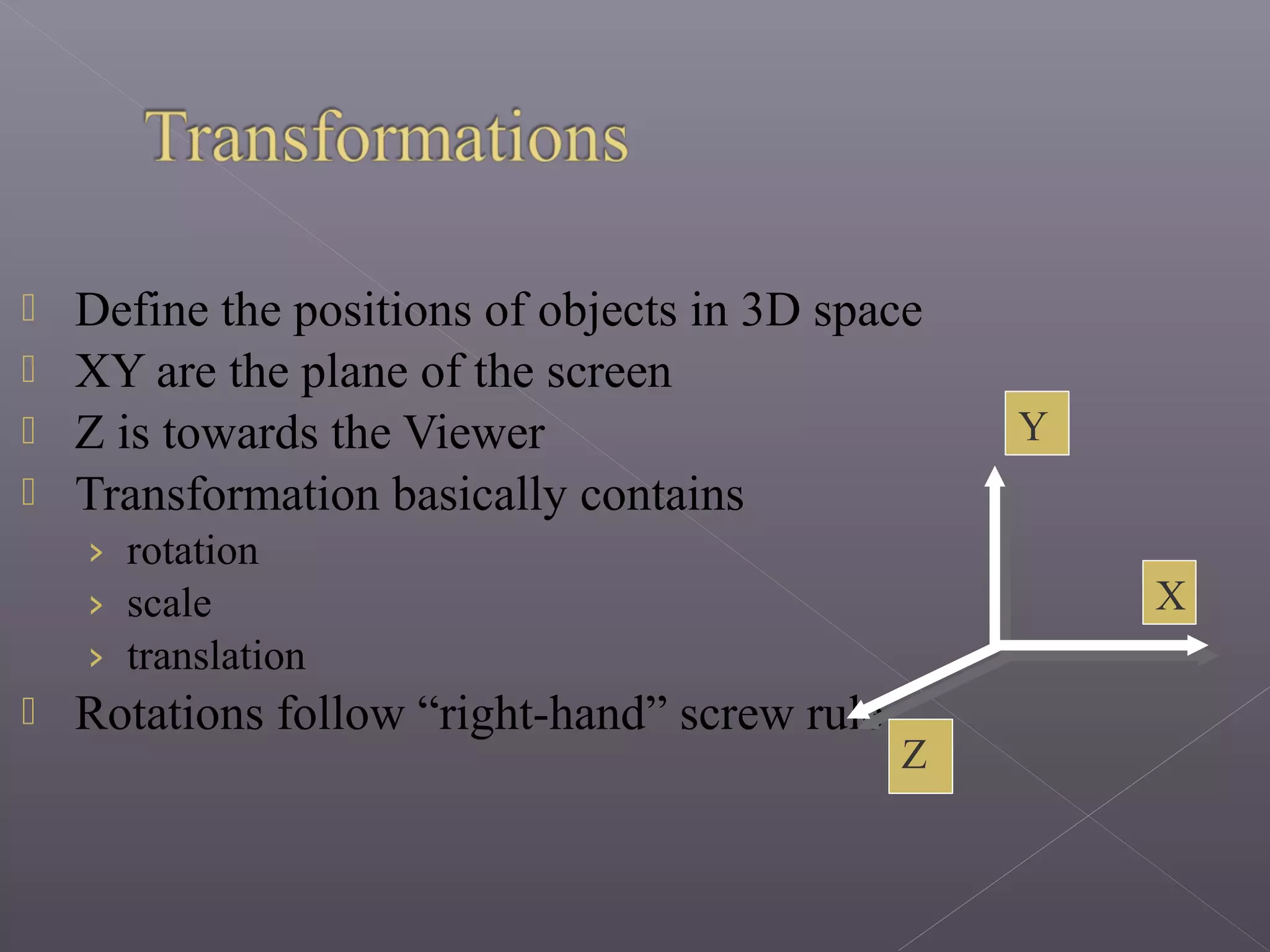
 Define the positions of objects in 3D space
 XY are the plane of the screen
 Z is towards the Viewer
 Transformation basically contains
› rotation
› scale
› translation
 Rotations follow “right-hand” screw rule
X
Y
Z
 Provide illumination in the scene
› DirectionalLight
› PointLight
› SpotLight
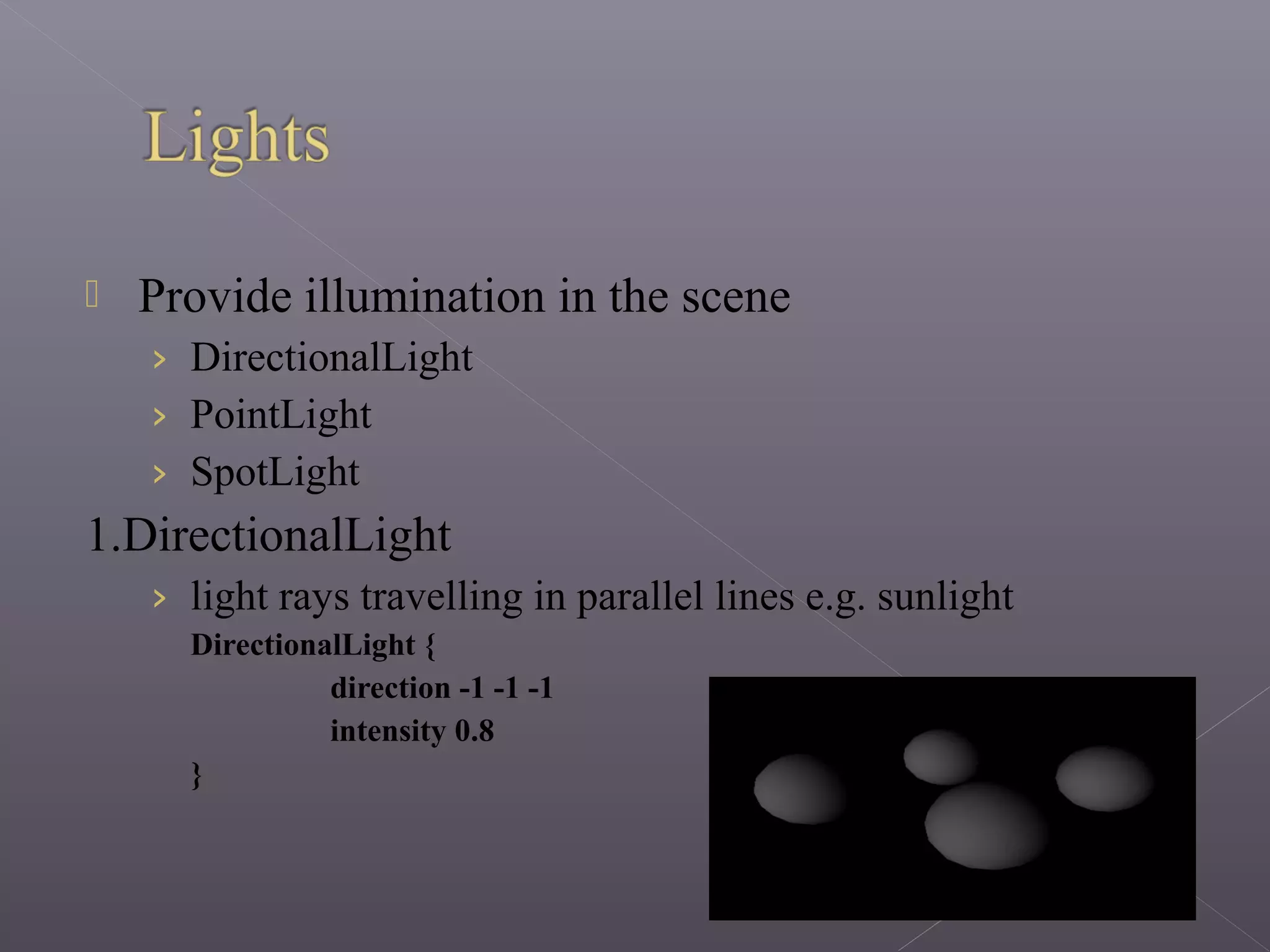
1.DirectionalLight
› light rays travelling in parallel lines e.g. sunlight
DirectionalLight {
direction -1 -1 -1
intensity 0.8
}
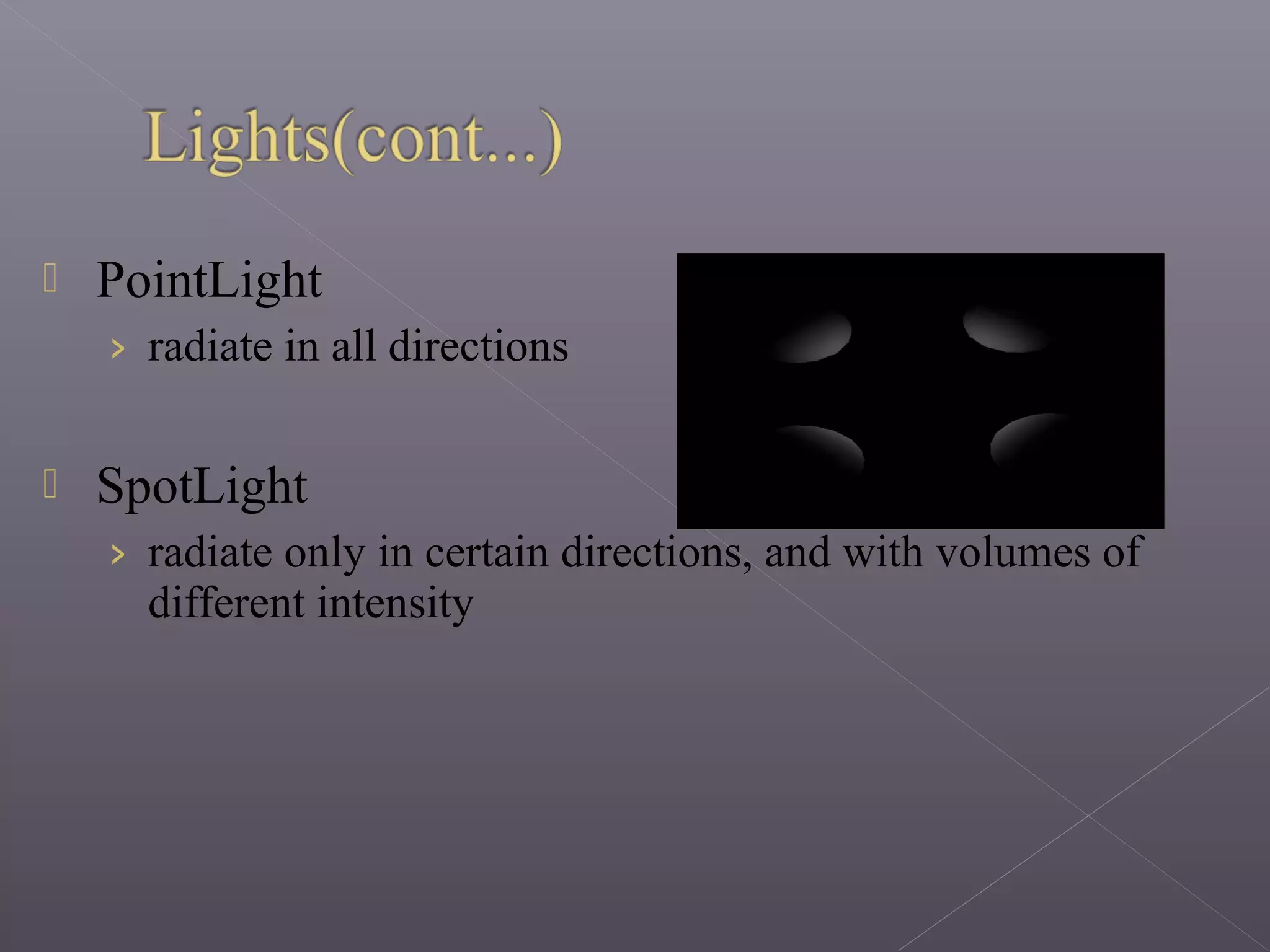
 PointLight
› radiate in all directions
 SpotLight
› radiate only in certain directions, and with volumes of
different intensity
 Real animation must include some sort of
programming.
 VRML accepts two kinds of programs:
› JAVA.
› JavaScript.
 The script node can receive and send events very
easily.
1. Platform Independence - the viewer is still
platform dependent, but the simulation will run on
all types of platforms, since it is an ASCII
language.
2. Extensibility - the first draft of the language runs
in concurrence with HTML, not over it.
3. Low bandwidth requirements - it runs as fast as
your machine will allow it.
4. Open Standard - refined be the collective wisdom
of expert user community
5. Widely supported - static file VRML file import and
export in most 3D packages and visualization tools.
6. ASCII encoding -> many possible developer interfaces
› GUI Editors
› Text Editors
› Translation programs (Java or Perl)
› combinations of the above
7. Motivating - 3D graphics, audio, media files,
immediate feedback, visual debugging.
8. Gradual exposure to programming - modeling ->
animation -> interaction -> scripting -> programming
9. Object-Oriented concepts - objects (nodes), fields,
input/output interfaces (routes), abstraction and
inheritence etc.
10.Other applied concepts - data structures (trees,
stacks, etc), 3D math, linear algebra, etc.
11. Lots of resources - content components, examples,
tutorials, and tools.
e.t.c.

Virtual Reality Modeling Language

  • 2.
    1. Introduction 2. HowTo Use 3. Applications 4. Syntax 5. Versions of VRML 6. Classes 7. Benefits
  • 3.
     VRML standsfor Virtual Reality Modelling Language and is pronounced ‘vermil’.  It is a standard for delivering 3D picture on the net, just like HTML is a standard for web pages.  VRML is a subset of the Open Inventor standard developed by SGI for their graphics workstation.
  • 4.
     It hasa way of describing geometry which creates objects and spaces in which you can move around, as well as light, texture and sound which can be approached and viewed from whatever angle.  The files are called ‘worlds’ and have ‘.wrl’ extension and .wrz (compression).
  • 5.
     In orderto see VRML worlds, we need to install a VRML browser (or player).  Internet Explorer comes with a default VRML browser, and almost all other internet browsers can install one.
  • 6.
     Architecture  Training Medicine  Engineering and Design  E-Commerce  Entertainment  Manufacturing
  • 7.
    VRML file contains Nodesthat describe the scene  A Node is defined with several Fields › Each line give the field, the type of the field, the name and the default value. #VRML V2.0 utf8 Node WorldInfo { field title "Example 1" } DEF FBOX Shape { appearance Appearance { material Material { diffuseColor 0 0.5 0 } } geometry Box { } }
  • 8.
  • 9.
     A ROUTEwires two events together. TouchTouch NodeNode SoundSound NodeNode Touch timeTouch time Start timeStart time DEF SENSOR TouchSensor { } DEF SOUND Sound { } ROUTE SENSOR.touchTime TOROUTE SENSOR.touchTime TO DEF SENSOR TouchSensor { } DEF SOUND Sound { } ROUTE SENSOR.touchTime TOROUTE SENSOR.touchTime TO RouteRoute
  • 10.
     There areseveral types of sensors in VRML: › Time Sensors › Visibility sensors › Collision Sensors › Proximity Sensors › Touch Sensors › Sphere Sensors › Cylinder Sensors › Plane Sensors
  • 11.
    Capacitive sensing ona table Sensors on a PDA Software developed for weather Forecasting (signaled from satt.lite)
  • 12.
     In thebeginning there was VRML 1.0. › It was the first attempt at an internet 3D language.  VRML 2.0 replaced VRML 1.0 and add many features (animation).  Version 2.0 was submitted to ISO for standardization, the outcome was VRML97 which is almost identical to VRML 2.0.
  • 13.
  • 14.
     Each Shapehas a geometry field that contains a geometry node and an appearance field that contains an Appearance node. Ex:- Shape { appearance <some appearance> geometry <some geometry> }
  • 15.
     Basic types ›Box › Sphere › Cylinder › Cone › Text  Box › defined by its size field Box { size 2.0 2.0 2.0 }  Sphere › defined by its radius field Sphere { radius 1.5 }
  • 16.
     Cylinder › definedby its height and radius fields Cylinder { height 2.0 radius 1.0 }  Cone › defined by its height and radius fields Cone { radius 1.3 height 1.8 }  Text › defined by the string and the font geometry Text { string ["Hi!"] fontStyle FontStyle { family "TYPEWRITER" style "ITALIC" } }
  • 17.
     Defines thelook of some piece of geometry › Material  combination of ambient colour, diffuse colour, emmisive colour, shinines, transparency, specular colour. › Texture  defines a picture to paste to the object  supports movies › TextureTransform  defines how the picture is applied to the object
  • 18.
    Material › Shiny Material ambientIntensity0.3 diffuseColor 0.1 0.7 0.2 specularColor 0.6 0.8 0.6 shininess 0.6 › Dull Material ambientIntensity 0.1 diffuseColor 0.1 0.7 0.2 shininess 0.0 › Transparent Material diffuseColor 0.1 0.7 0.2 transparency 0.5 Colour components defined in RGB (red, green, blue triplets)
  • 19.
     Define thepositions of objects in 3D space  XY are the plane of the screen  Z is towards the Viewer  Transformation basically contains › rotation › scale › translation  Rotations follow “right-hand” screw rule X Y Z
  • 20.
     Provide illuminationin the scene › DirectionalLight › PointLight › SpotLight 1.DirectionalLight › light rays travelling in parallel lines e.g. sunlight DirectionalLight { direction -1 -1 -1 intensity 0.8 }
  • 21.
     PointLight › radiatein all directions  SpotLight › radiate only in certain directions, and with volumes of different intensity
  • 22.
     Real animationmust include some sort of programming.  VRML accepts two kinds of programs: › JAVA. › JavaScript.  The script node can receive and send events very easily.
  • 23.
    1. Platform Independence- the viewer is still platform dependent, but the simulation will run on all types of platforms, since it is an ASCII language. 2. Extensibility - the first draft of the language runs in concurrence with HTML, not over it. 3. Low bandwidth requirements - it runs as fast as your machine will allow it. 4. Open Standard - refined be the collective wisdom of expert user community
  • 24.
    5. Widely supported- static file VRML file import and export in most 3D packages and visualization tools. 6. ASCII encoding -> many possible developer interfaces › GUI Editors › Text Editors › Translation programs (Java or Perl) › combinations of the above 7. Motivating - 3D graphics, audio, media files, immediate feedback, visual debugging. 8. Gradual exposure to programming - modeling -> animation -> interaction -> scripting -> programming
  • 25.
    9. Object-Oriented concepts- objects (nodes), fields, input/output interfaces (routes), abstraction and inheritence etc. 10.Other applied concepts - data structures (trees, stacks, etc), 3D math, linear algebra, etc. 11. Lots of resources - content components, examples, tutorials, and tools.
  • 26.