Unleashing Productivity in the New Mobile Era
Ben Goodman, VMware
Andrew Hawthorn, VMware
EUC5843
#EUC5843
2
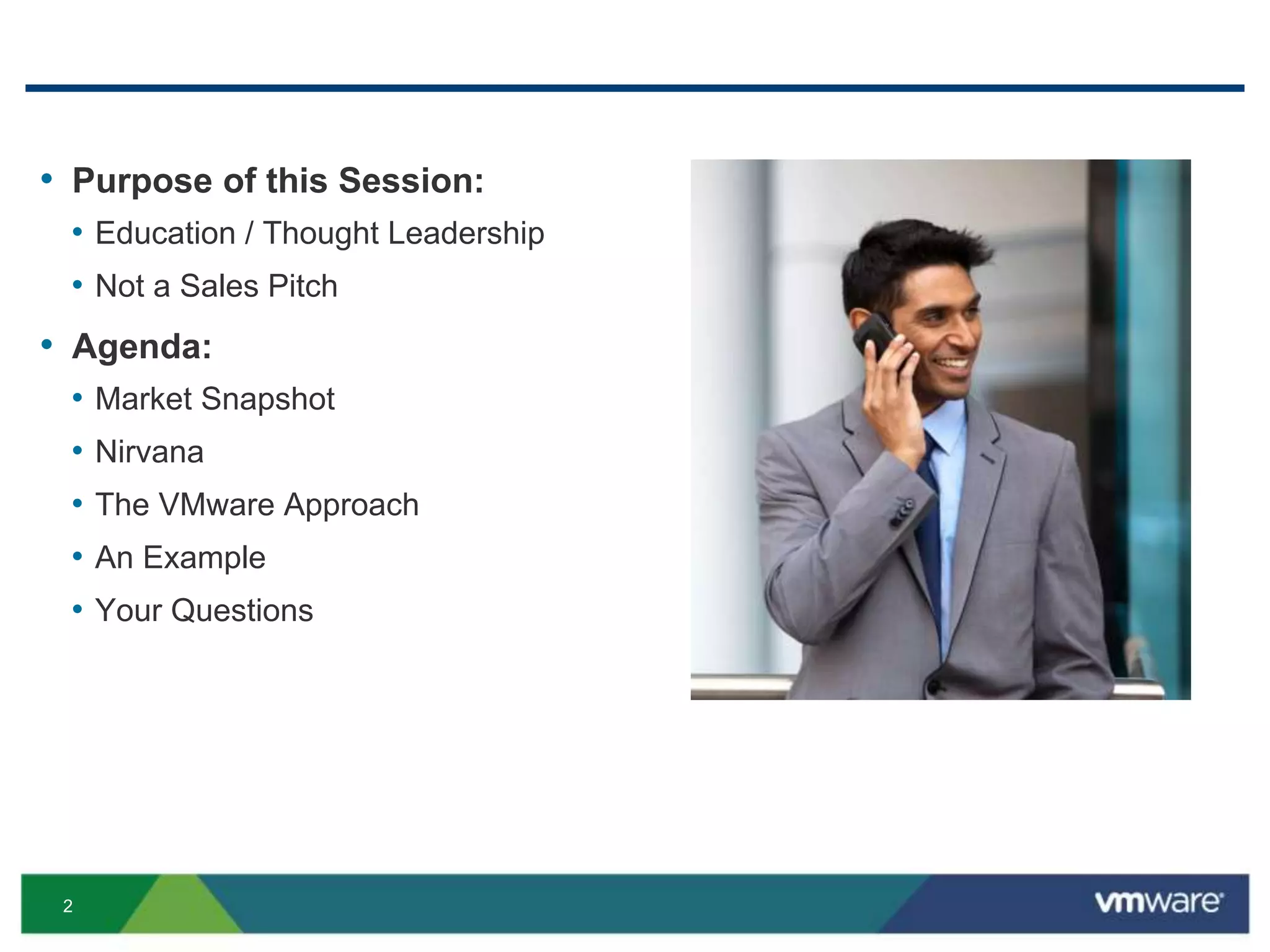
• Purpose of this Session:
• Education / Thought Leadership
• Not a Sales Pitch
• Agenda:
• Market Snapshot
• Nirvana
• The VMware Approach
• An Example
• Your Questions
3
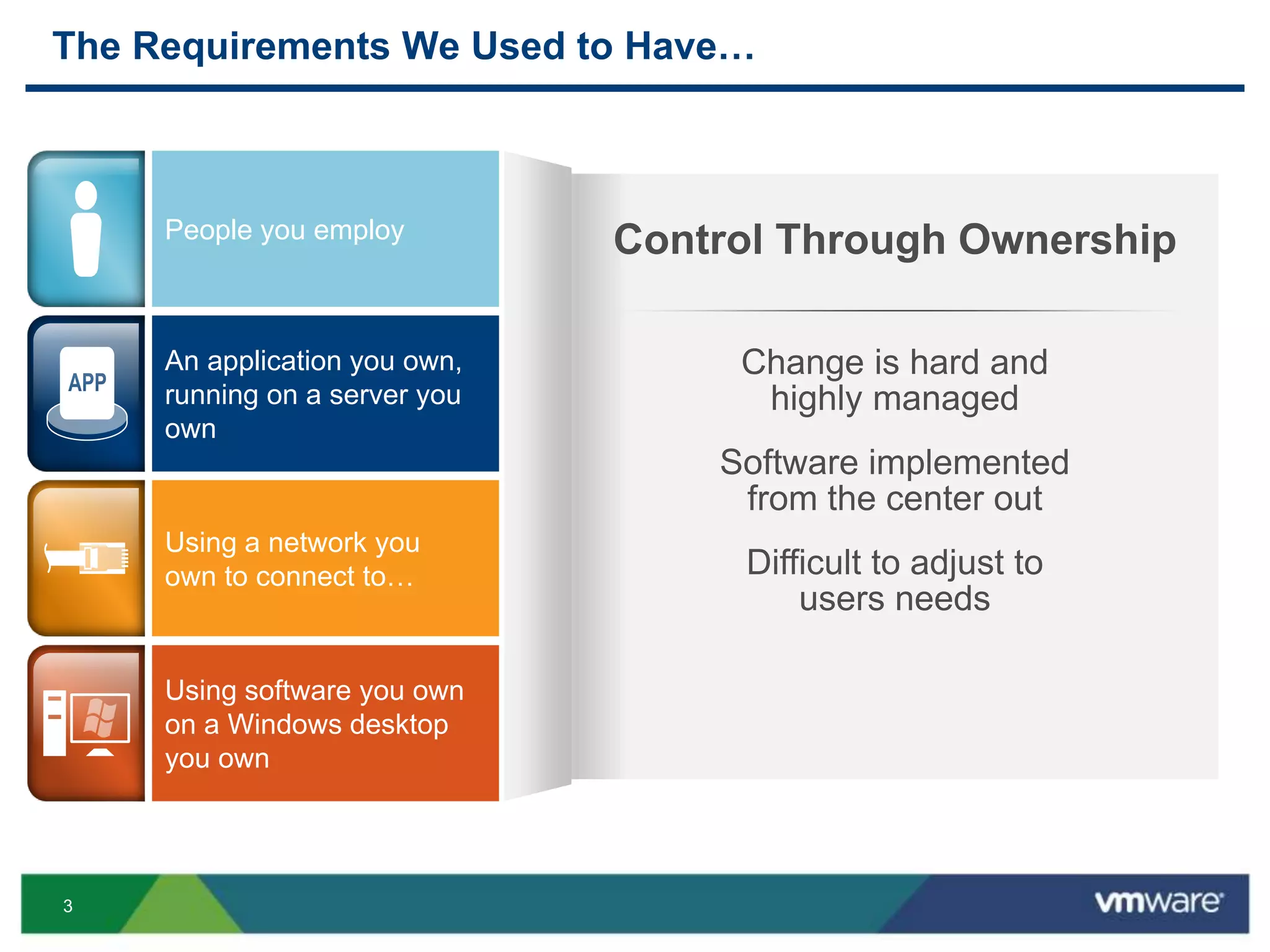
The Requirements We Used to Have…
Change is hard and
highly managed
Software implemented
from the center out
Difficult to adjust to
users needs
Control Through OwnershipPeople you employ
Using a network you
own to connect to…
Using software you own
on a Windows desktop
you own
An application you own,
running on a server you
own
4
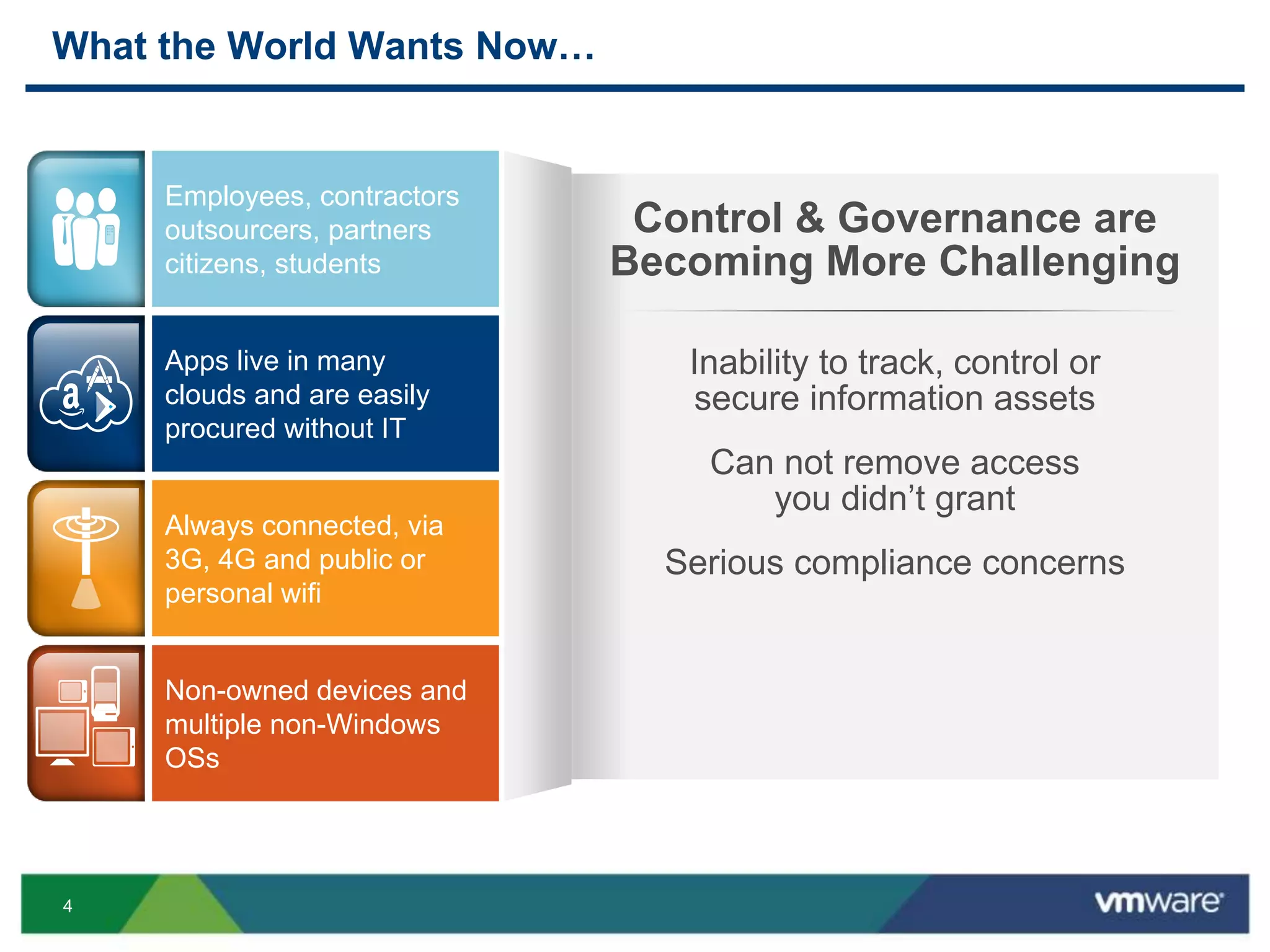
What the World Wants Now…
Control & Governance are
Becoming More Challenging
Inability to track, control or
secure information assets
Can not remove access
you didn’t grant
Serious compliance concerns
Apps live in many
clouds and are easily
procured without IT
Always connected, via
3G, 4G and public or
personal wifi
Non-owned devices and
multiple non-Windows
OSs
Employees, contractors
outsourcers, partners
citizens, students
5
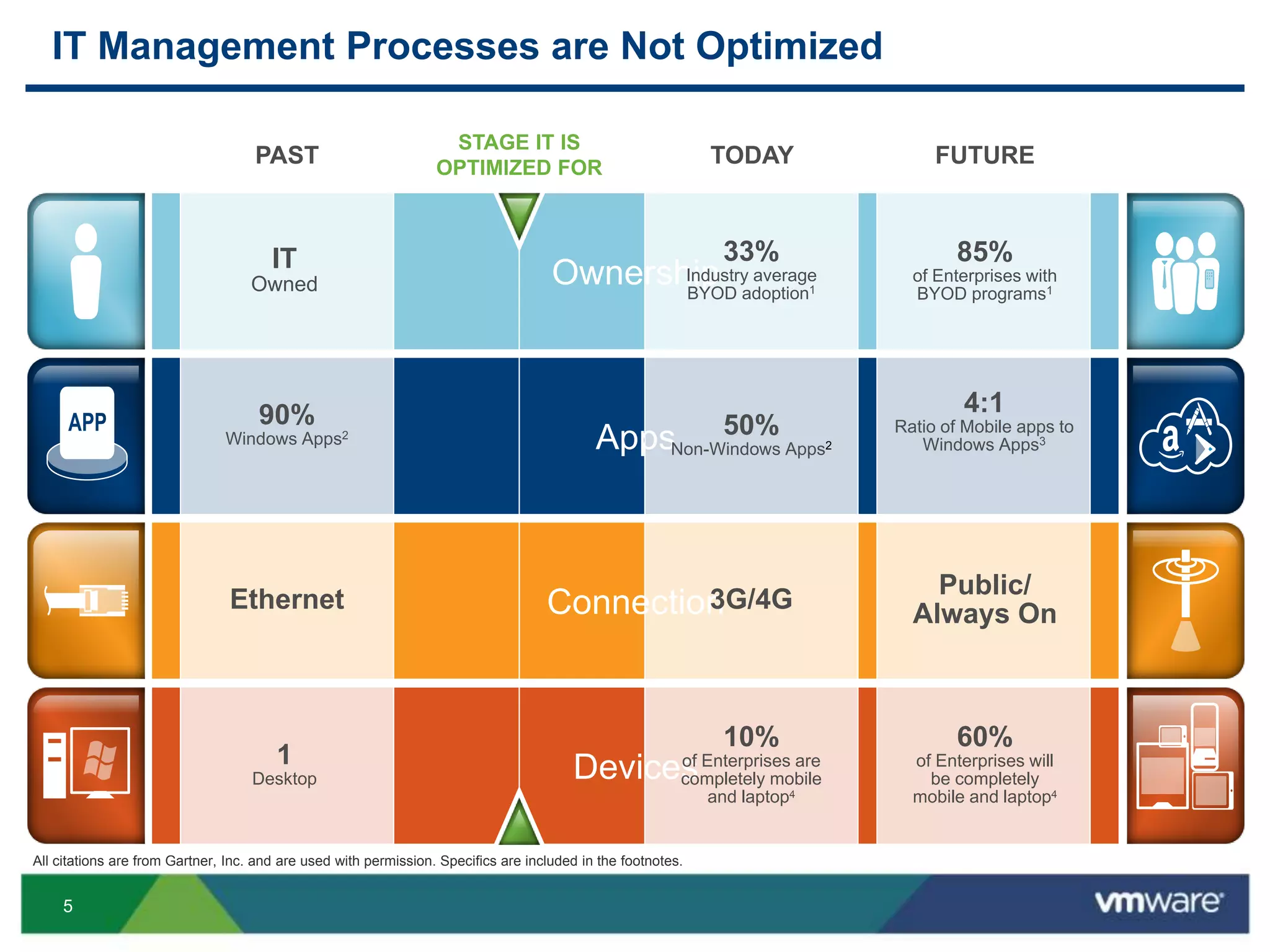
IT Management Processes are Not Optimized
Ownership
Devices
Connection
Apps
PAST
90%
Windows Apps2
Ethernet
IT
Owned
1
Desktop
TODAY
50%
Non-Windows Apps2
3G/4G
33%
Industry average
BYOD adoption1
10%
of Enterprises are
completely mobile
and laptop4
FUTURE
4:1
Ratio of Mobile apps to
Windows Apps3
Public/
Always On
60%
of Enterprises will
be completely
mobile and laptop4
85%
of Enterprises with
BYOD programs1
STAGE IT IS
OPTIMIZED FOR
All citations are from Gartner, Inc. and are used with permission. Specifics are included in the footnotes.
7
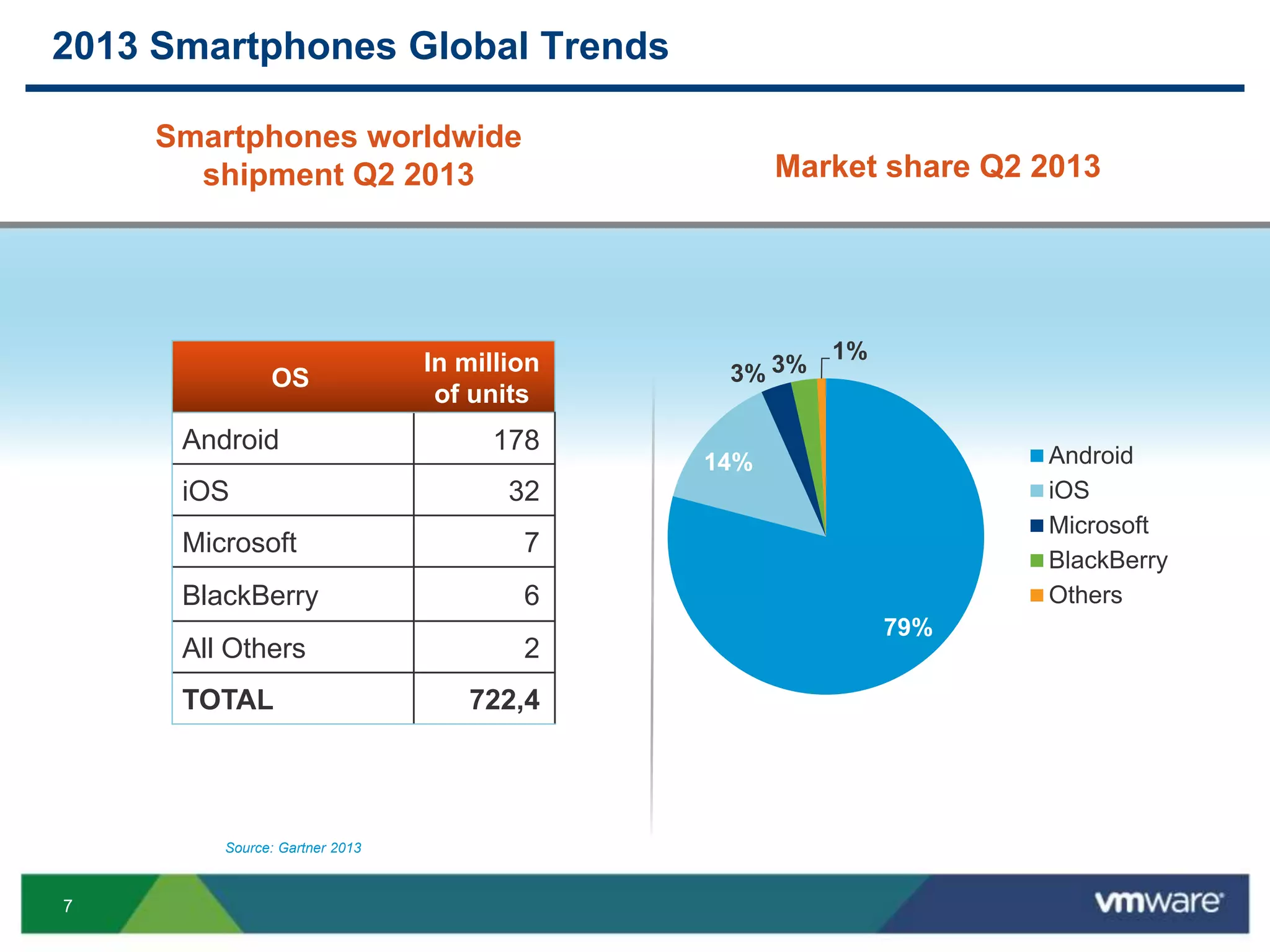
2013 Smartphones Global Trends
OS
In million
of units
Android 178
iOS 32
Microsoft 7
BlackBerry 6
All Others 2
TOTAL 722,4
79%
14%
3% 3%
1%
Android
iOS
Microsoft
BlackBerry
Others
Smartphones worldwide
shipment Q2 2013
Source: Gartner 2013
Market share Q2 2013
8
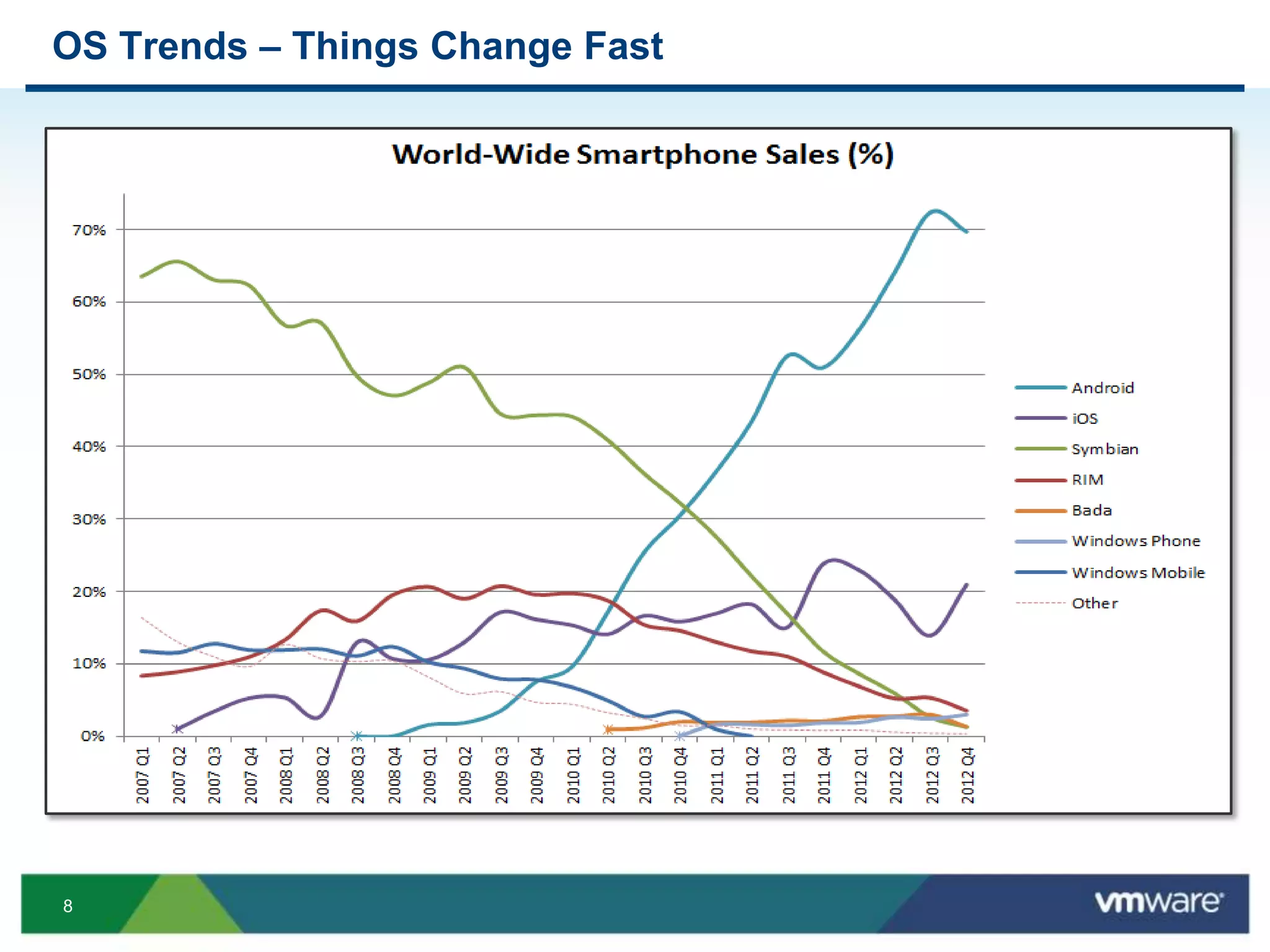
OS Trends – Things Change Fast
9
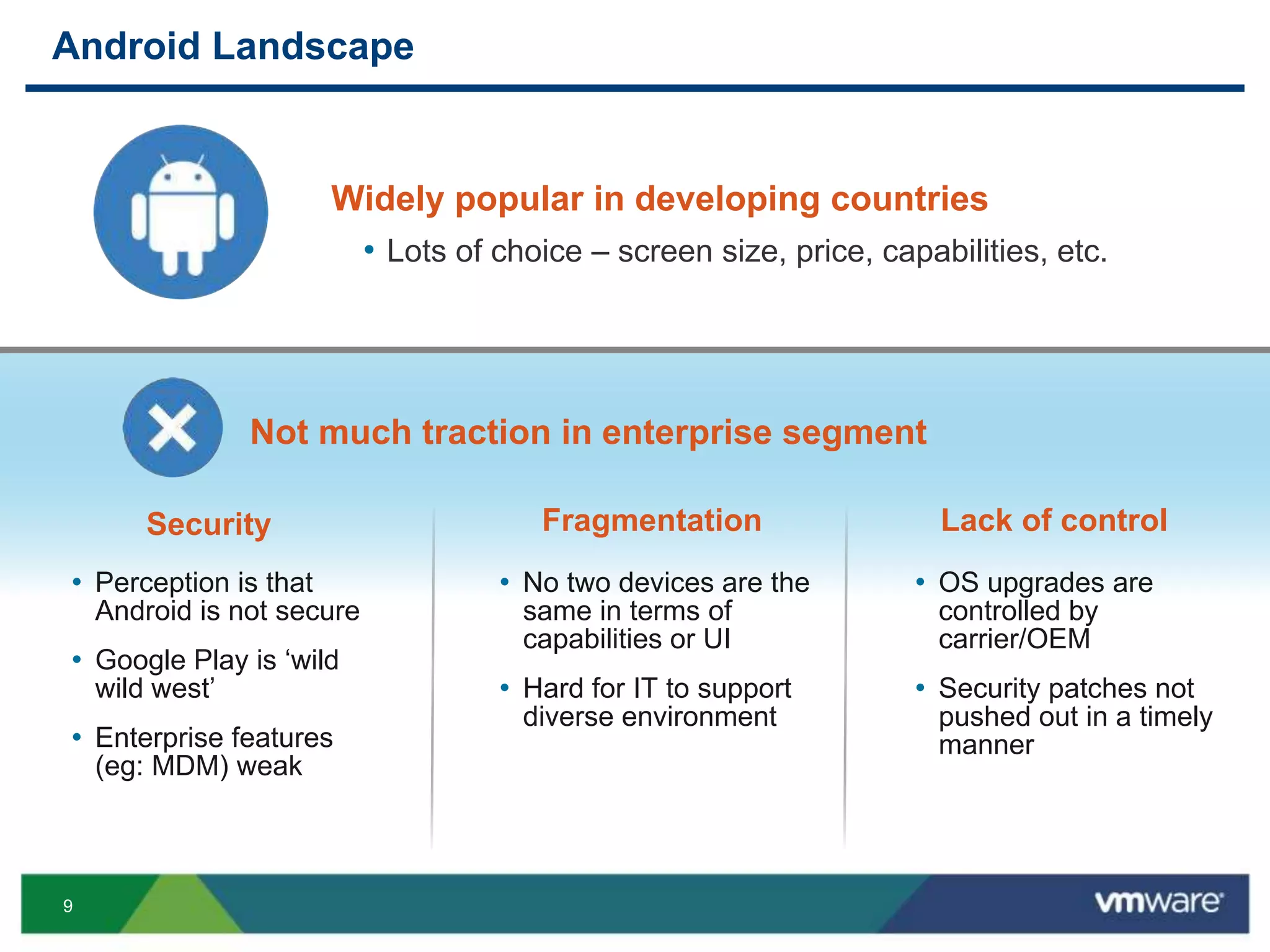
Android Landscape
Security
• Perception is that
Android is not secure
• Google Play is ‘wild
wild west’
• Enterprise features
(eg: MDM) weak
Fragmentation Lack of control
• No two devices are the
same in terms of
capabilities or UI
• Hard for IT to support
diverse environment
• OS upgrades are
controlled by
carrier/OEM
• Security patches not
pushed out in a timely
manner
Not much traction in enterprise segment
Widely popular in developing countries
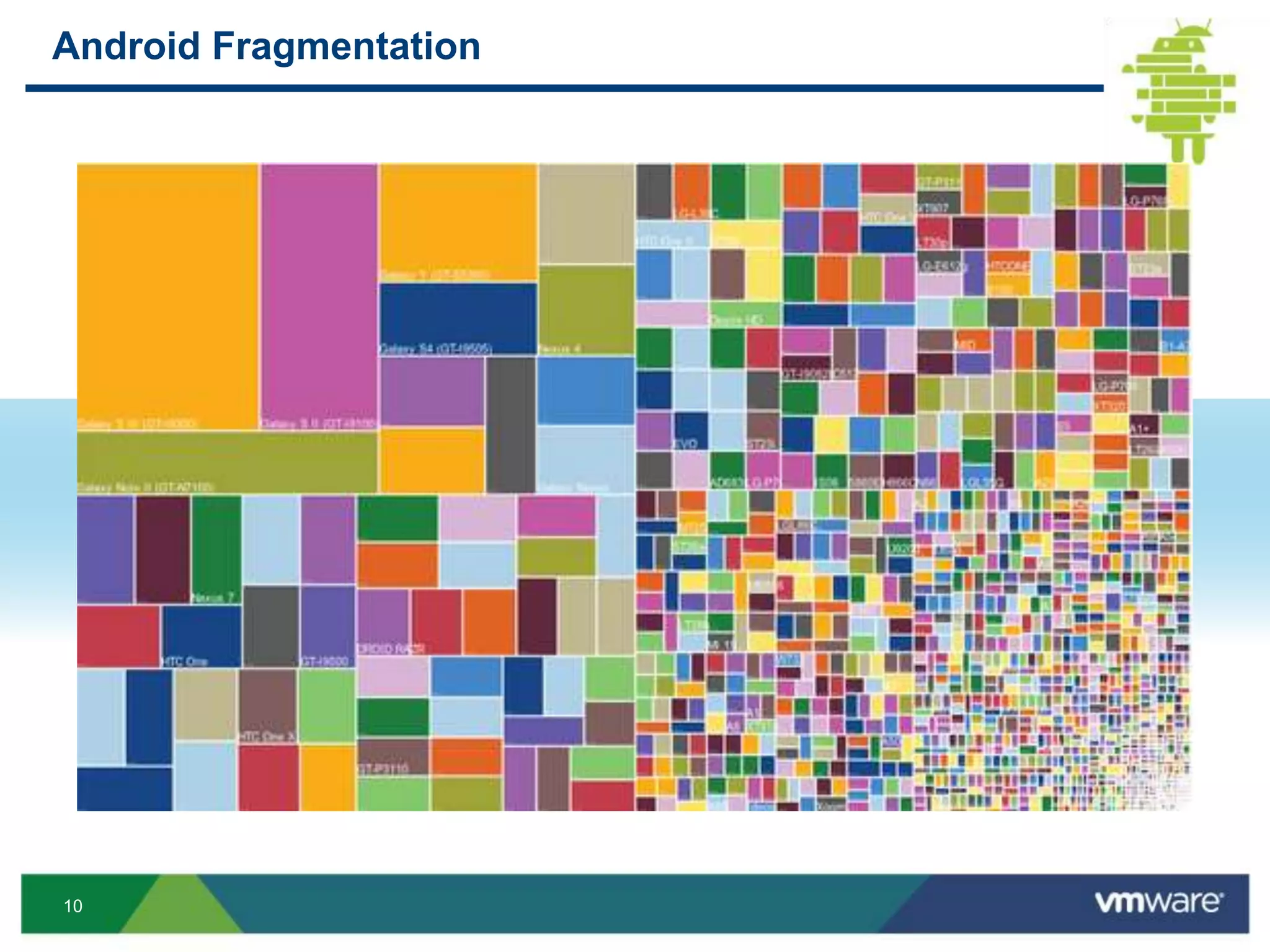
• Lots of choice – screen size, price, capabilities, etc.
10
Android Fragmentation
11
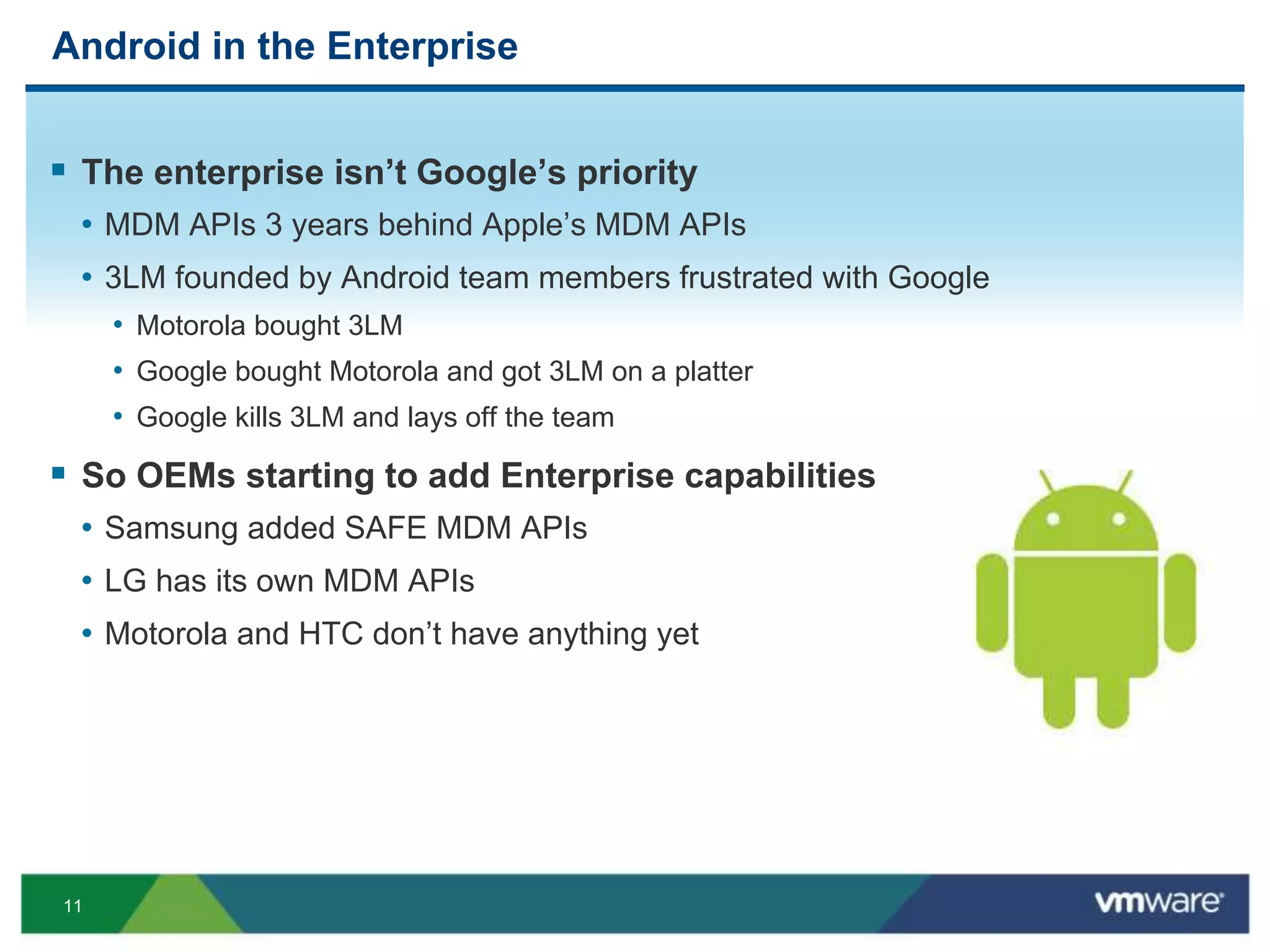
Android in the Enterprise
 The enterprise isn’t Google’s priority
• MDM APIs 3 years behind Apple’s MDM APIs
• 3LM founded by Android team members frustrated with Google
• Motorola bought 3LM
• Google bought Motorola and got 3LM on a platter
• Google kills 3LM and lays off the team
 So OEMs starting to add Enterprise capabilities
• Samsung added SAFE MDM APIs
• LG has its own MDM APIs
• Motorola and HTC don’t have anything yet
12
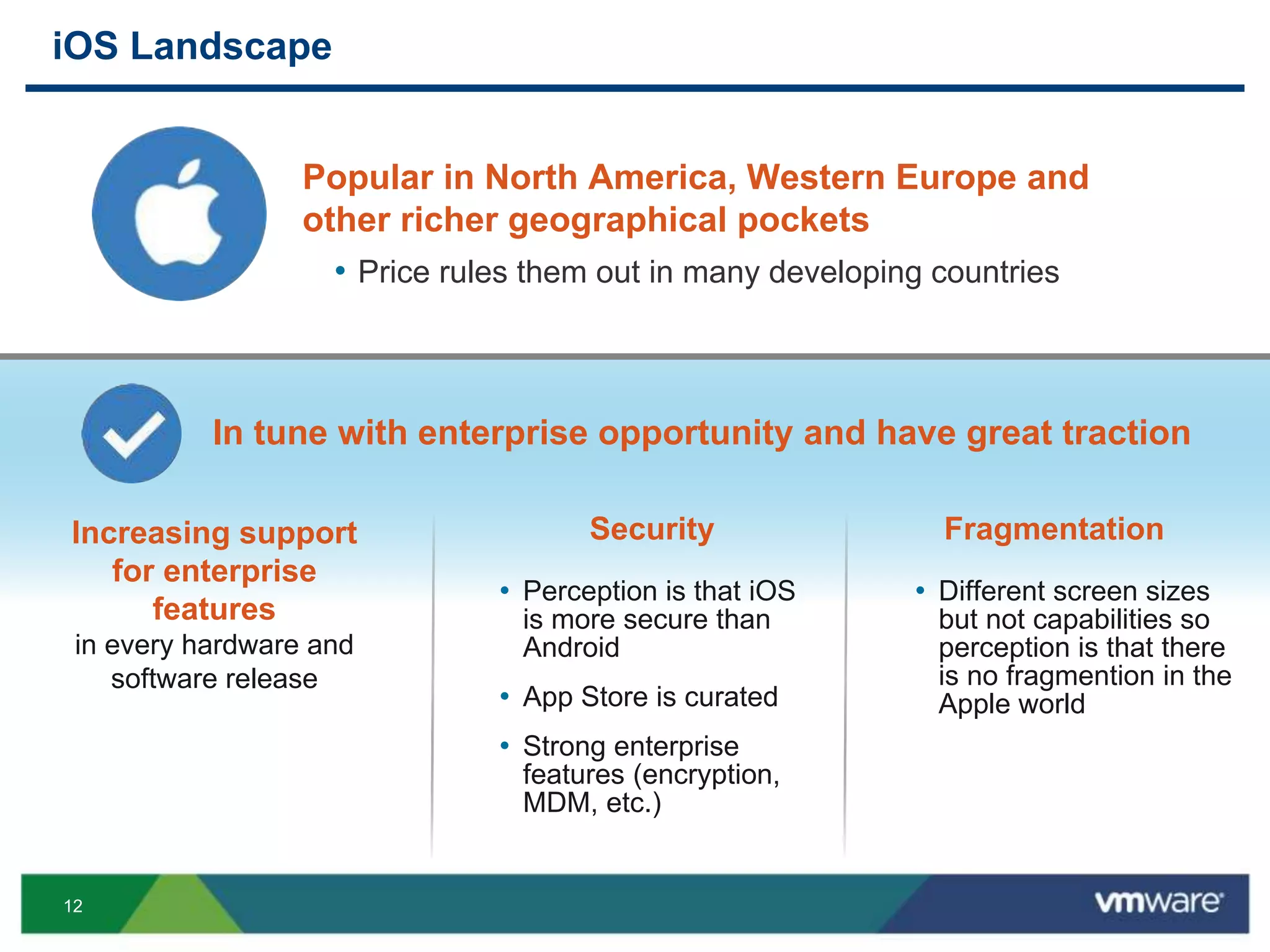
iOS Landscape
Increasing support
for enterprise
features
in every hardware and
software release
Security Fragmentation
• Perception is that iOS
is more secure than
Android
• App Store is curated
• Strong enterprise
features (encryption,
MDM, etc.)
• Different screen sizes
but not capabilities so
perception is that there
is no fragmention in the
Apple world
In tune with enterprise opportunity and have great traction
Popular in North America, Western Europe and
other richer geographical pockets
• Price rules them out in many developing countries
13
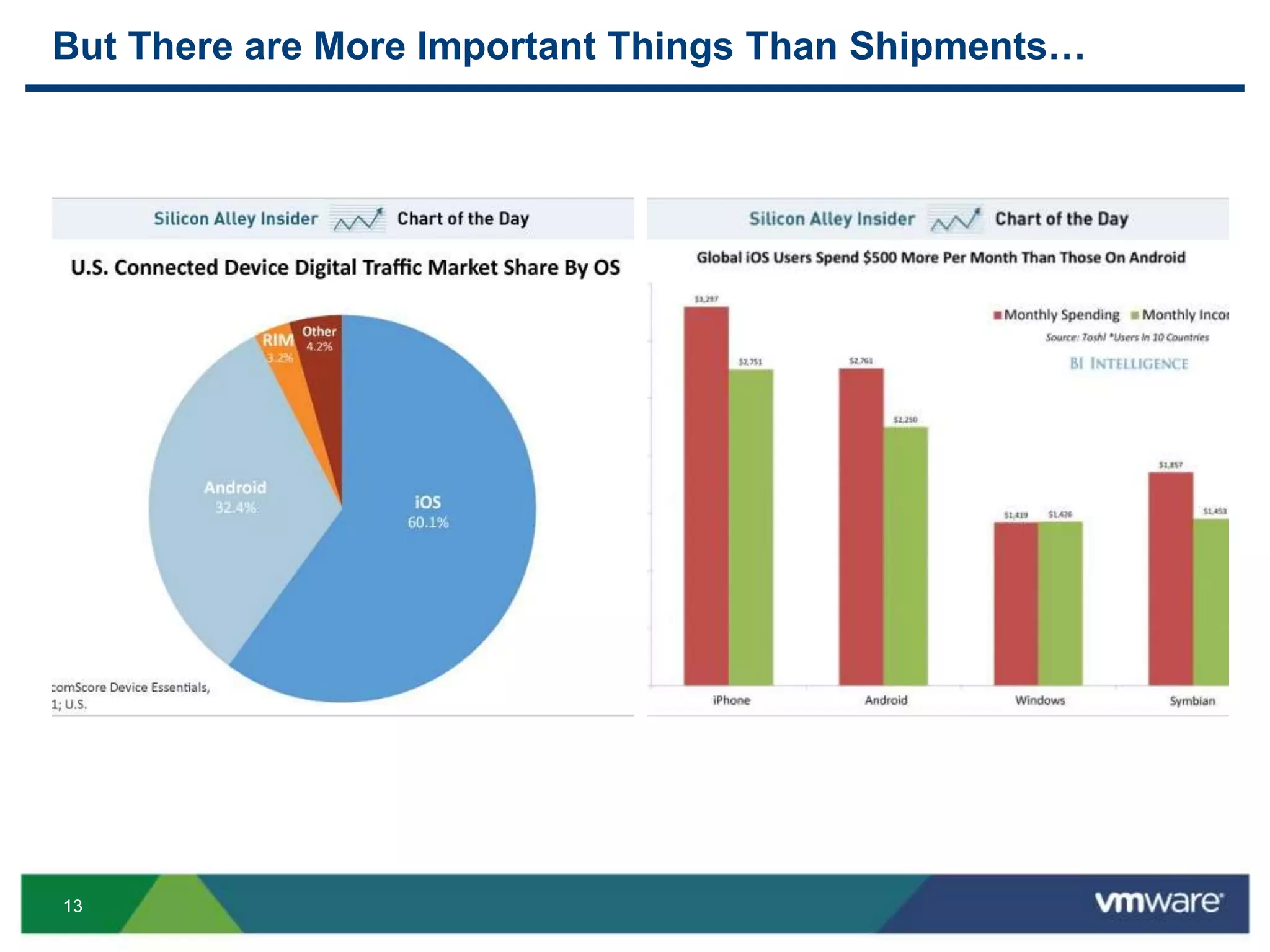
But There are More Important Things Than Shipments…
14
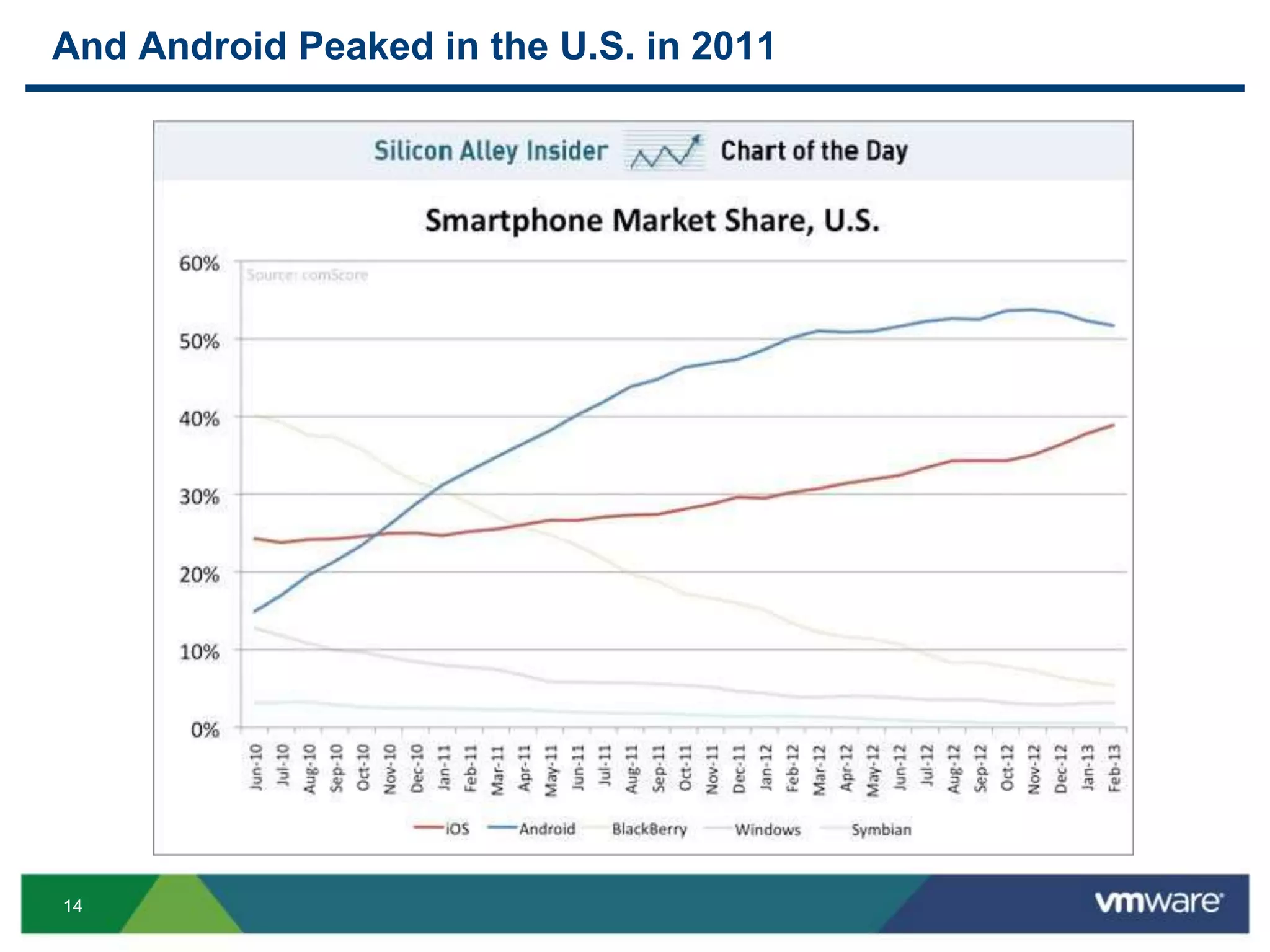
And Android Peaked in the U.S. in 2011
15
BlackBerry Landscape
 Was good standard in enterprise market
 Missed BYOD trend completely and lost traction
 BB 10 has new functionality
• BlackBerry Balance – built in dual persona solution
• Small market share and not growing
 Loyal BB shops that didn’t already switch will
likely stay with BB
 Most customers already started switching to a
more strategic platform
• Don’t view BB as strategic anymore
• Migrating to iOS or Android or both
16
Windows Landscape
 Windows Phone and Windows 8 are still early
• Windows Phone – more consumer oriented
• Windows Tablet seems to be more enterprise friendly
and will likely get more traction that Windows
phones in 2014
 MSFT has deep pockets and will likely become
the third dominant mobile platform
• Distant third….
17
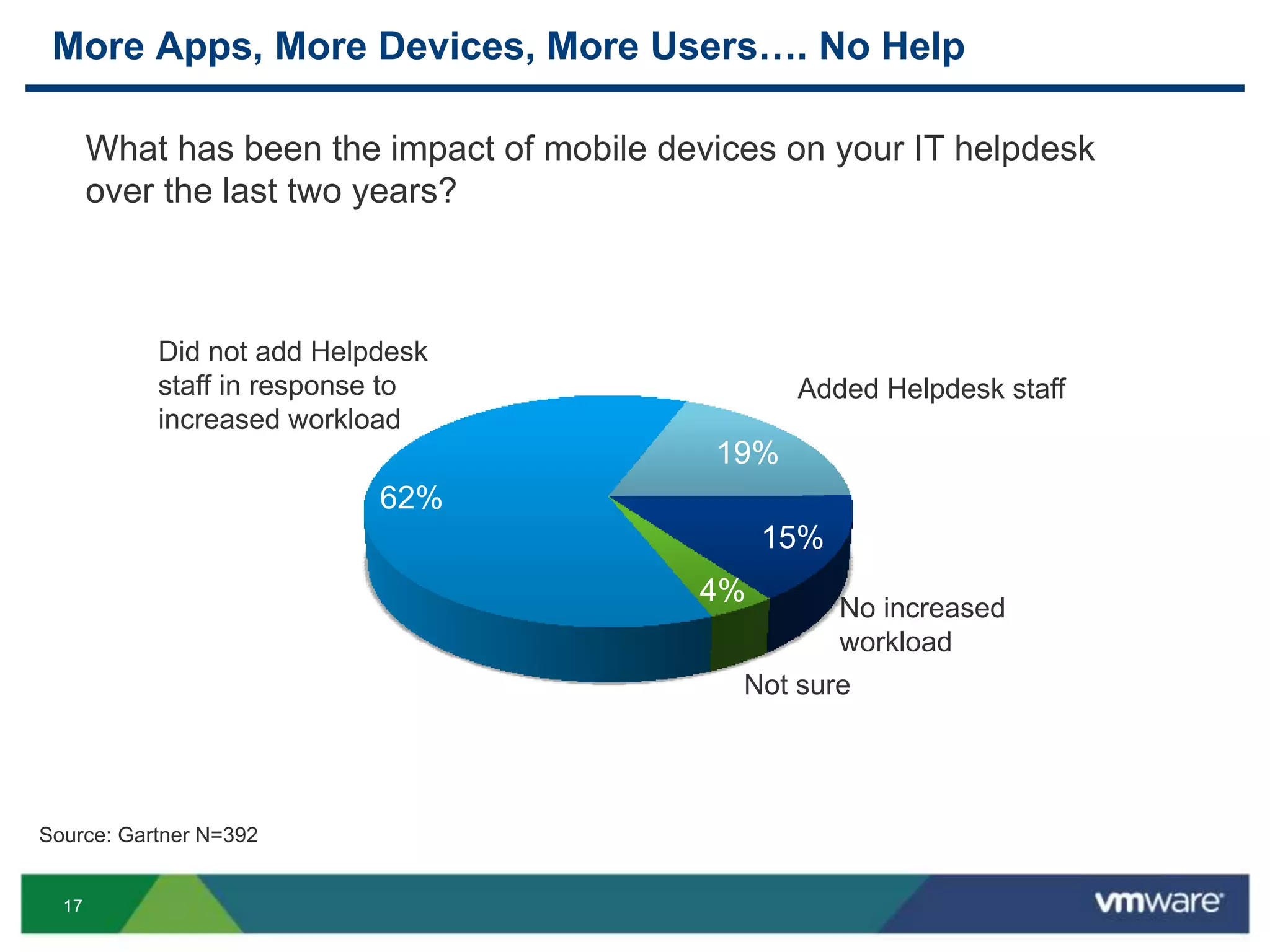
More Apps, More Devices, More Users…. No Help
What has been the impact of mobile devices on your IT helpdesk
over the last two years?
Did not add Helpdesk
staff in response to
increased workload
No increased
workload
Source: Gartner N=392
62%
19%
15%
4%
Added Helpdesk staff
Not sure
18
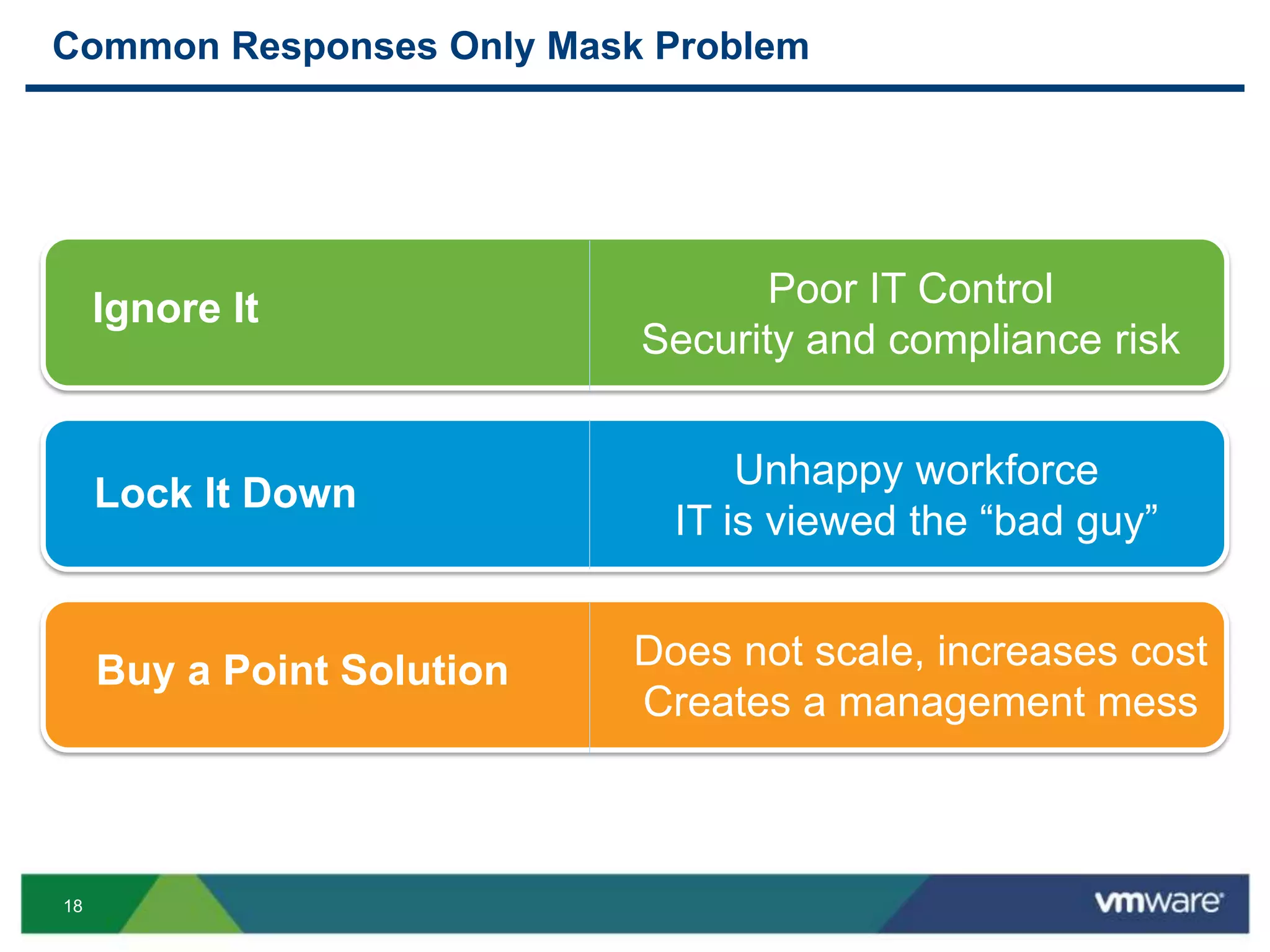
Common Responses Only Mask Problem
Buy a Point Solution Does not scale, increases cost
Creates a management mess
Lock It Down
Unhappy workforce
IT is viewed the “bad guy”
Ignore It Poor IT Control
Security and compliance risk
19
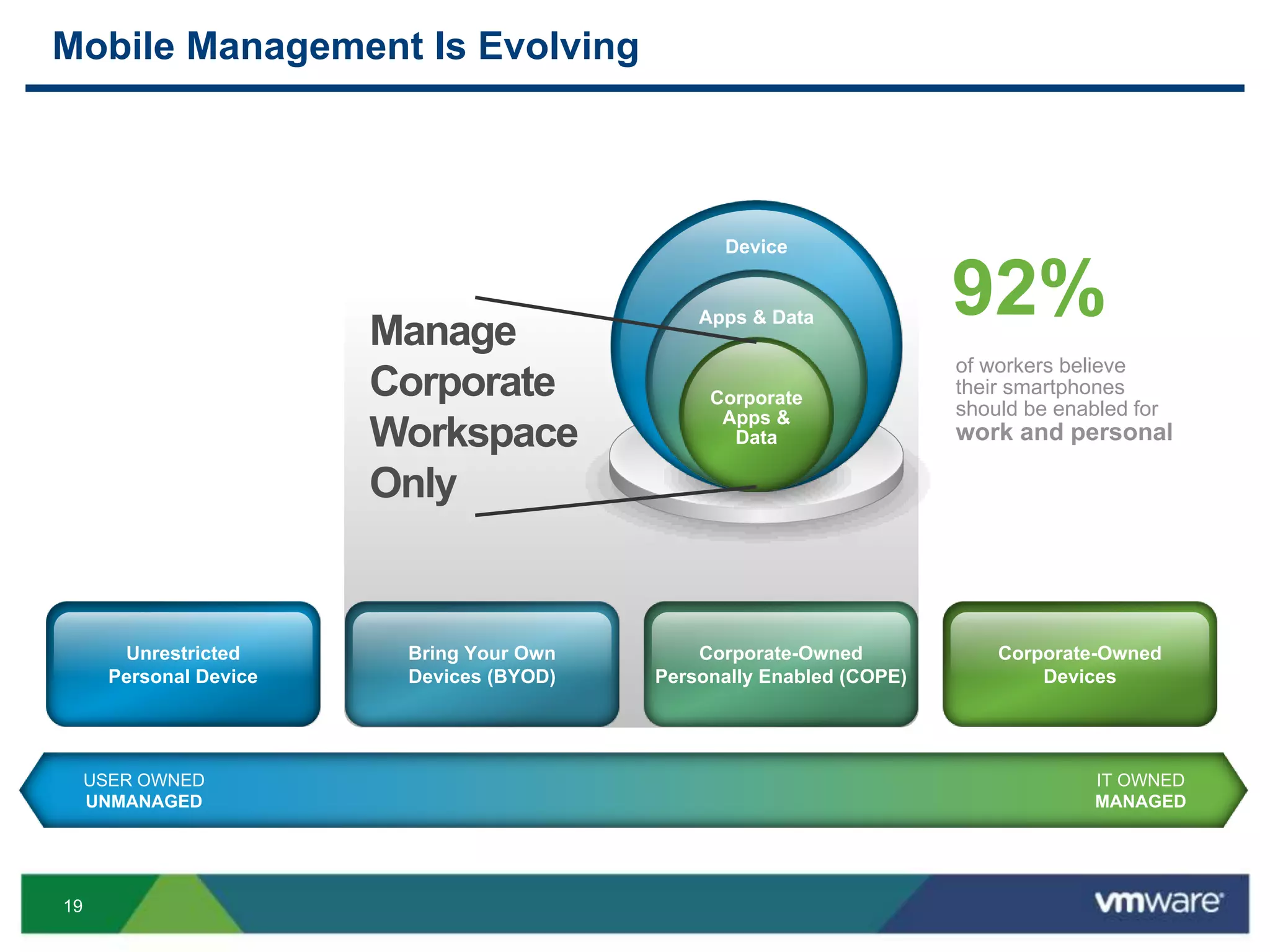
Mobile Management Is Evolving
USER OWNED
UNMANAGED
IT OWNED
MANAGED
Unrestricted
Personal Device
Corporate-Owned
Devices
Bring Your Own
Devices (BYOD)
Corporate-Owned
Personally Enabled (COPE)
of workers believe
their smartphones
should be enabled for
work and personal
92%Manage
Corporate
Workspace
Only
Device
Apps & Data
Corporate
Apps &
Data
20
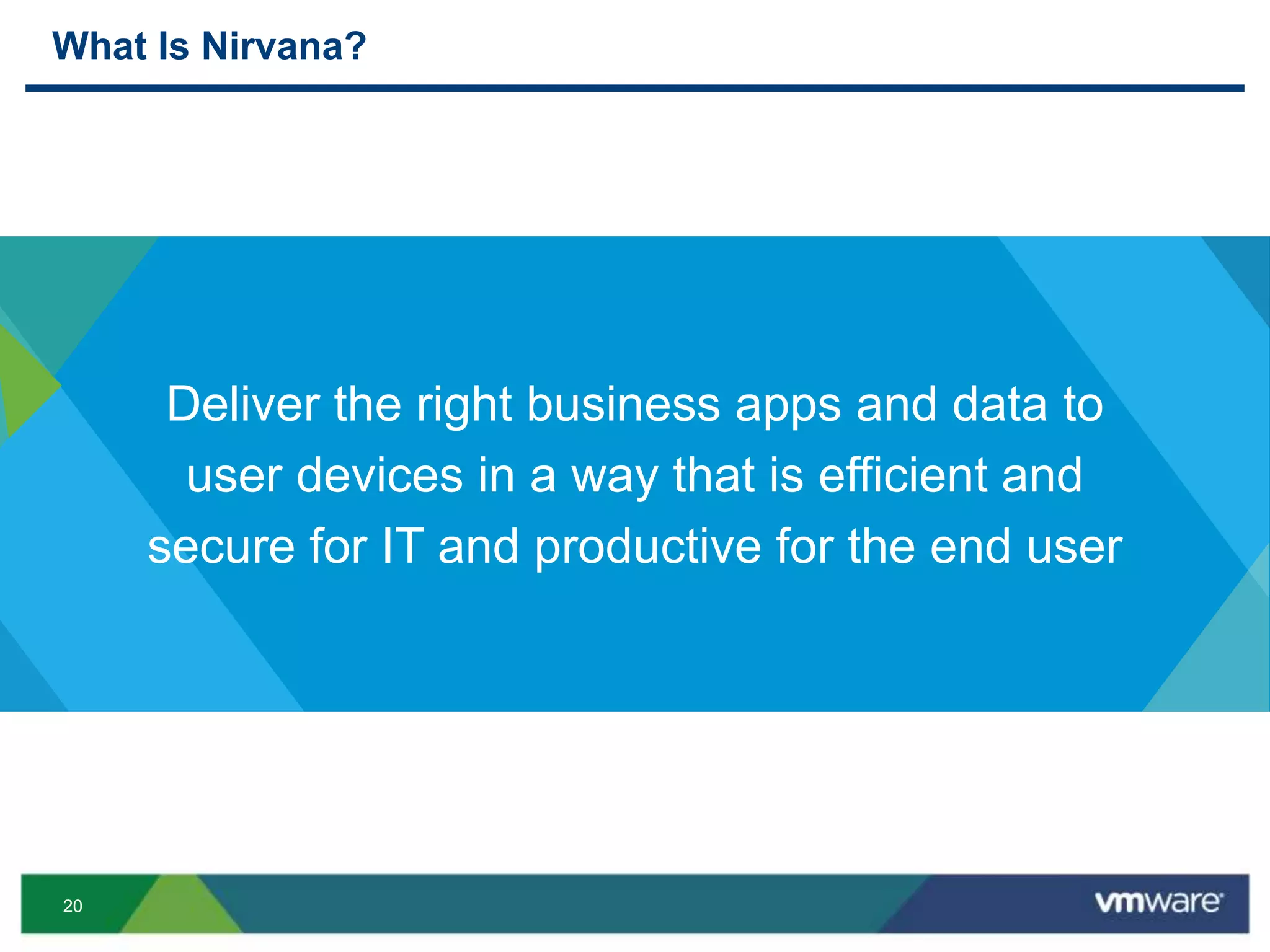
What Is Nirvana?
Deliver the right business apps and data to
user devices in a way that is efficient and
secure for IT and productive for the end user
21
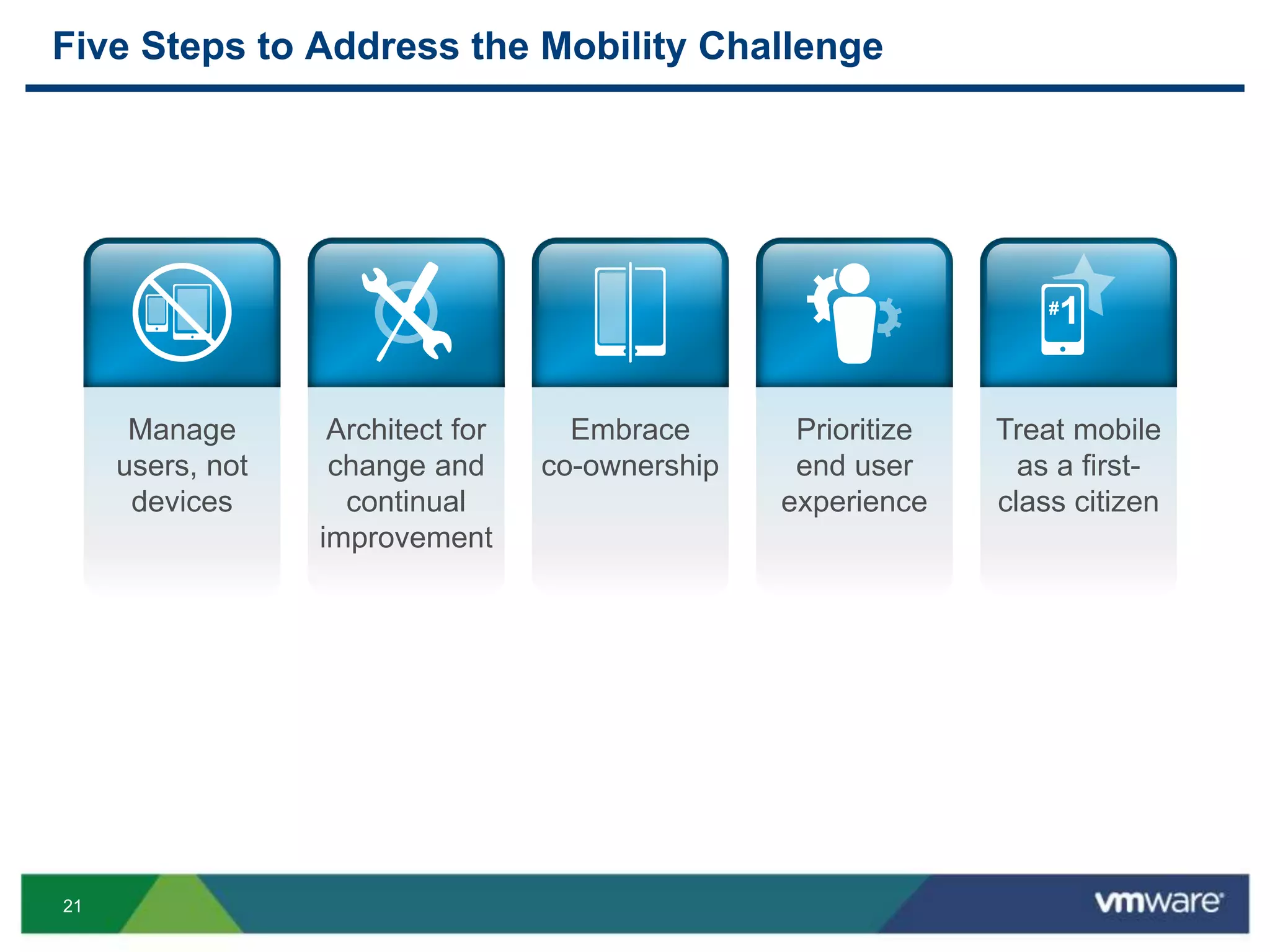
Five Steps to Address the Mobility Challenge
Manage
users, not
devices
Embrace
co-ownership
Architect for
change and
continual
improvement
Prioritize
end user
experience
Treat mobile
as a first-
class citizen
22
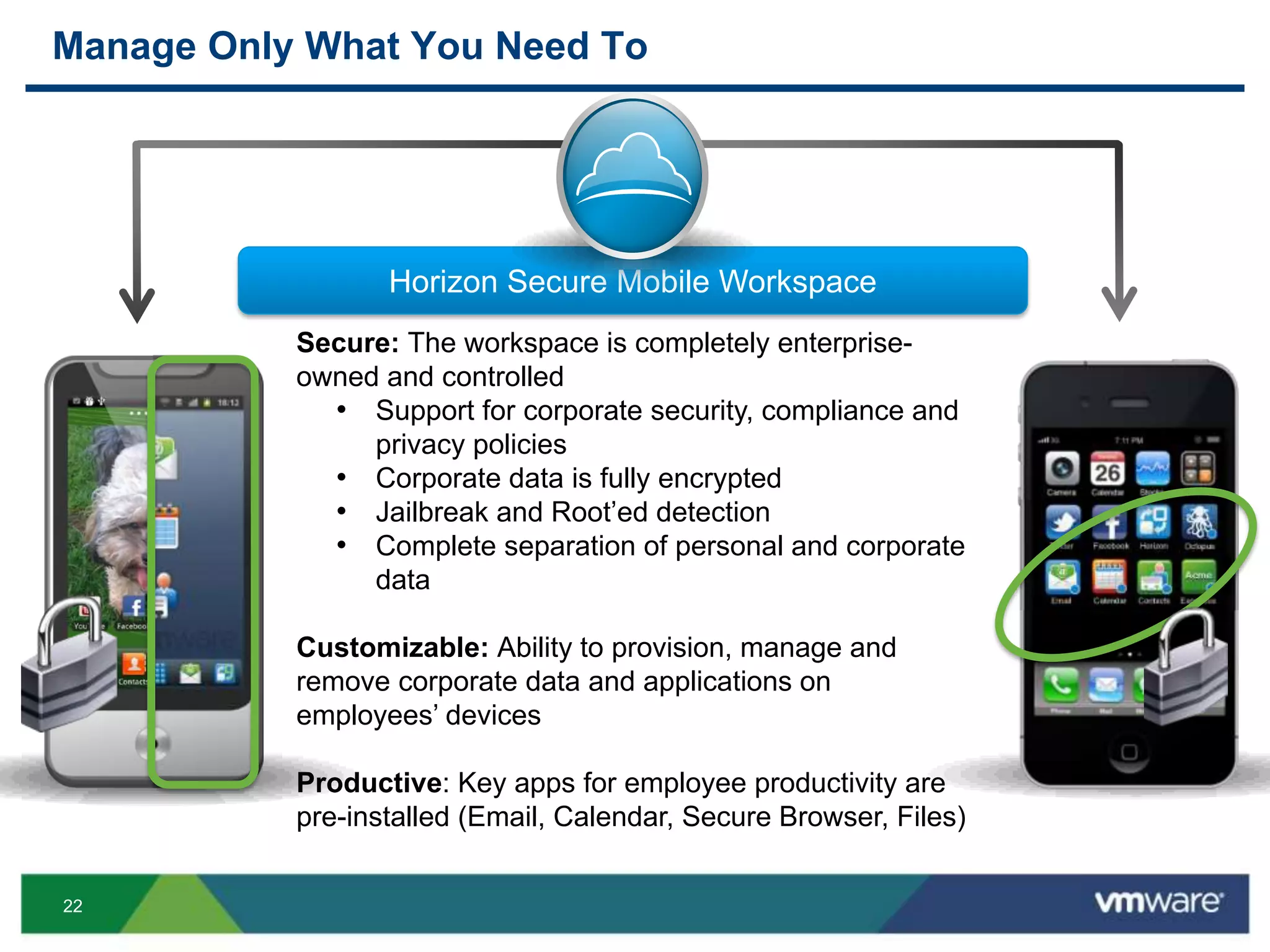
Manage Only What You Need To
Horizon
Secure: The workspace is completely enterprise-
owned and controlled
• Support for corporate security, compliance and
privacy policies
• Corporate data is fully encrypted
• Jailbreak and Root’ed detection
• Complete separation of personal and corporate
data
Customizable: Ability to provision, manage and
remove corporate data and applications on
employees’ devices
Productive: Key apps for employee productivity are
pre-installed (Email, Calendar, Secure Browser, Files)
Horizon Secure Mobile Workspace
23
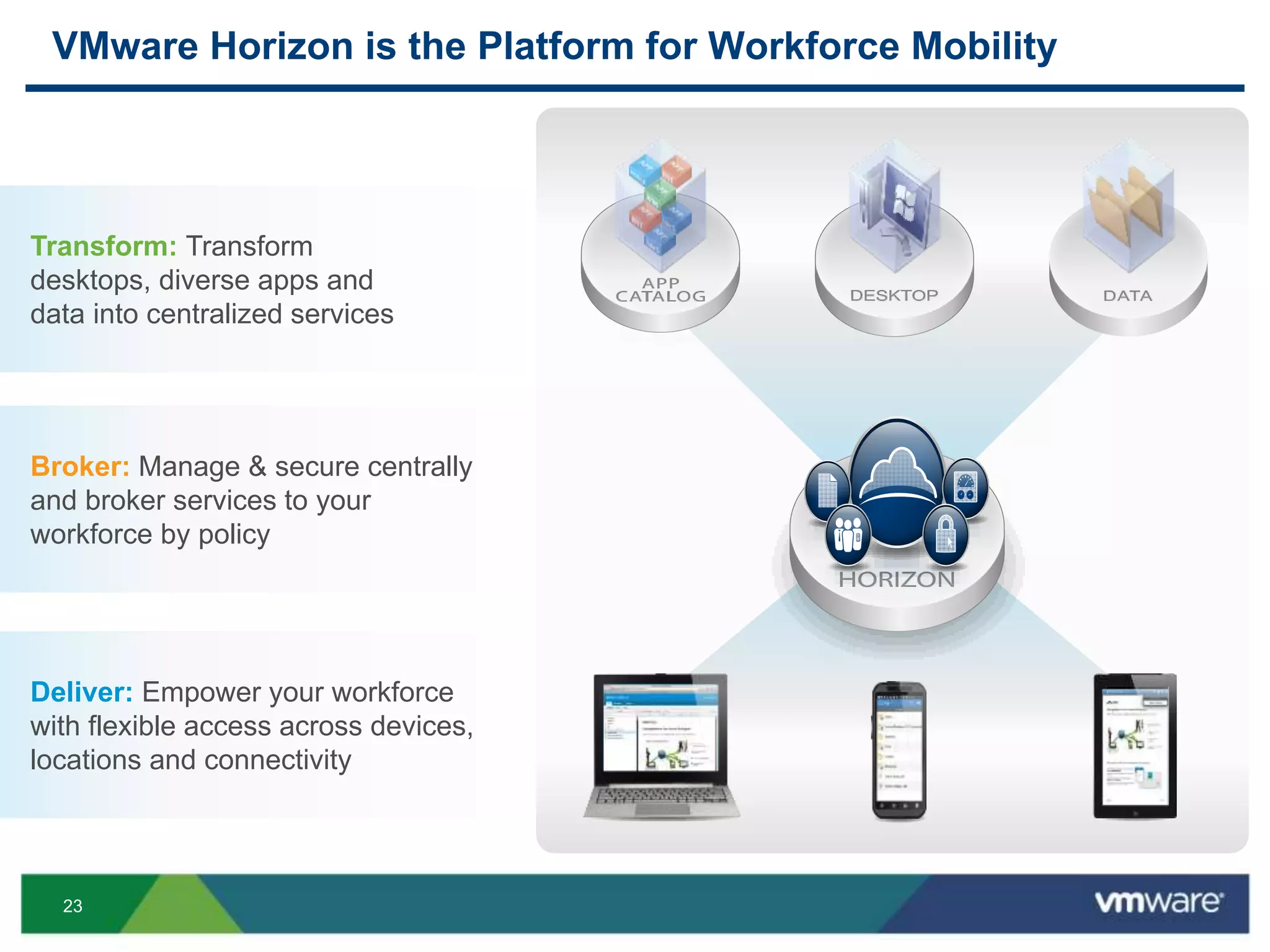
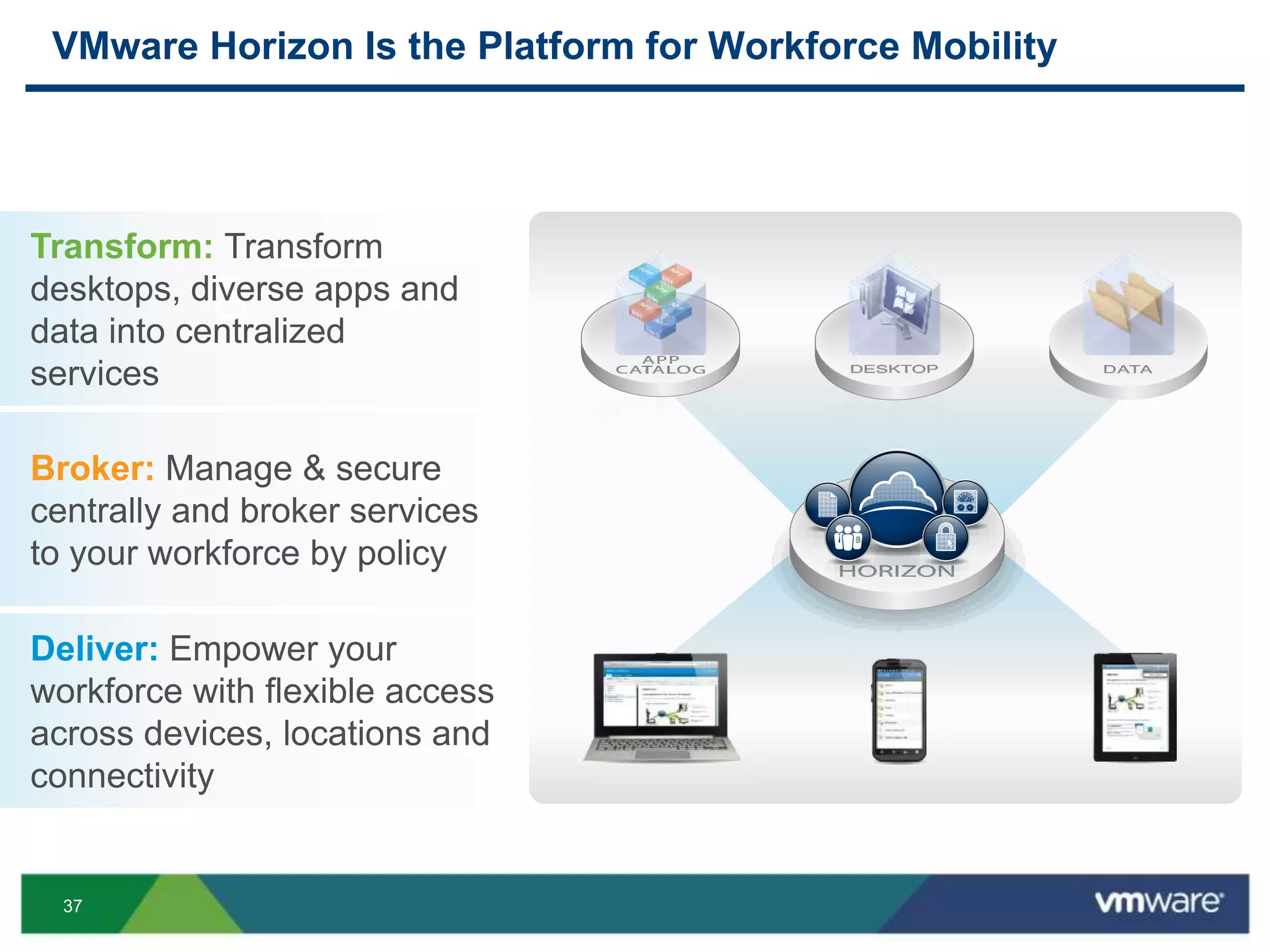
VMware Horizon is the Platform for Workforce Mobility
Broker: Manage & secure centrally
and broker services to your
workforce by policy
Transform: Transform
desktops, diverse apps and
data into centralized services
Deliver: Empower your workforce
with flexible access across devices,
locations and connectivity
24
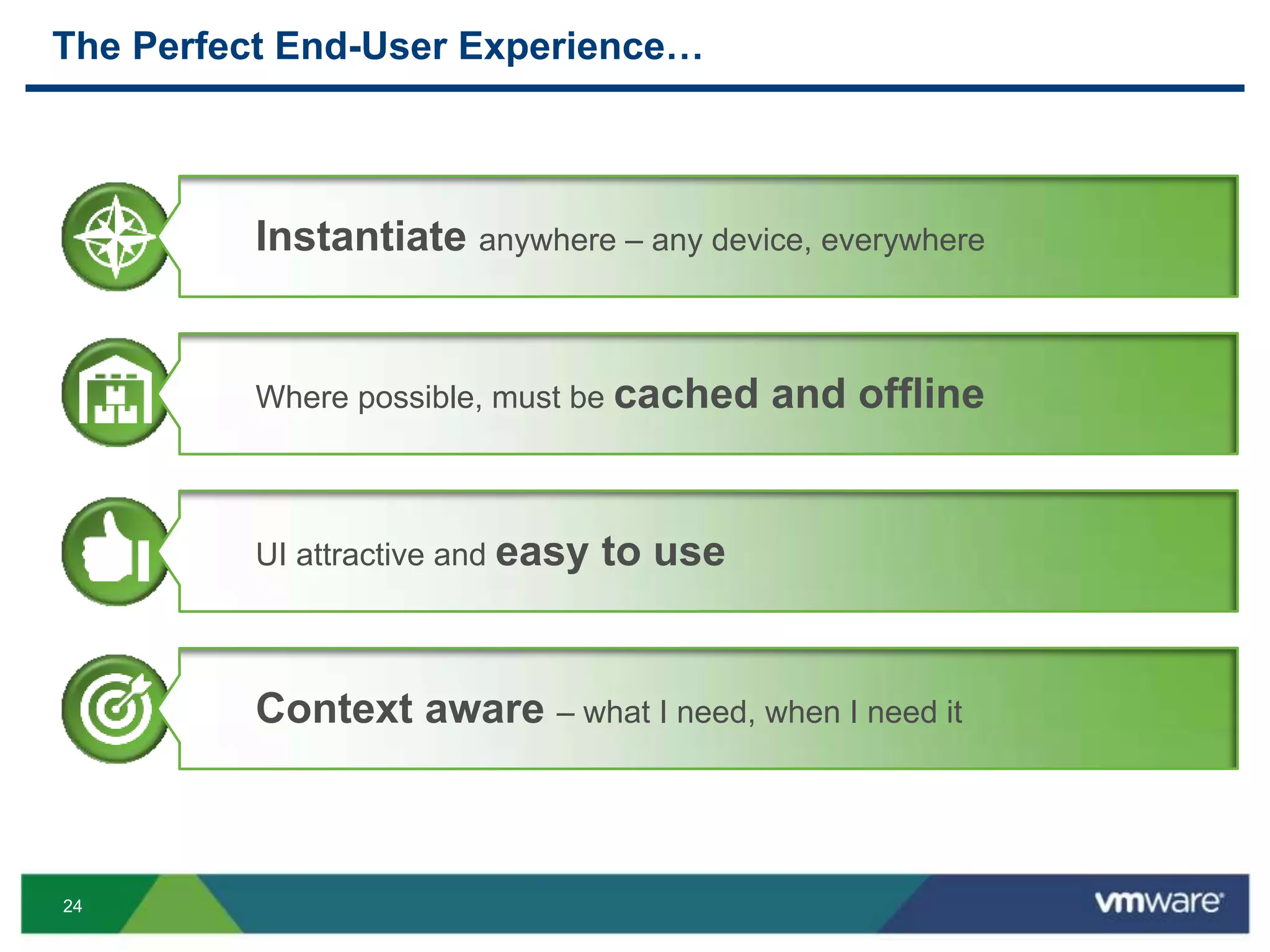
The Perfect End-User Experience…
Instantiate anywhere – any device, everywhere
Where possible, must be cached and offline
UI attractive and easy to use
Context aware – what I need, when I need it
25
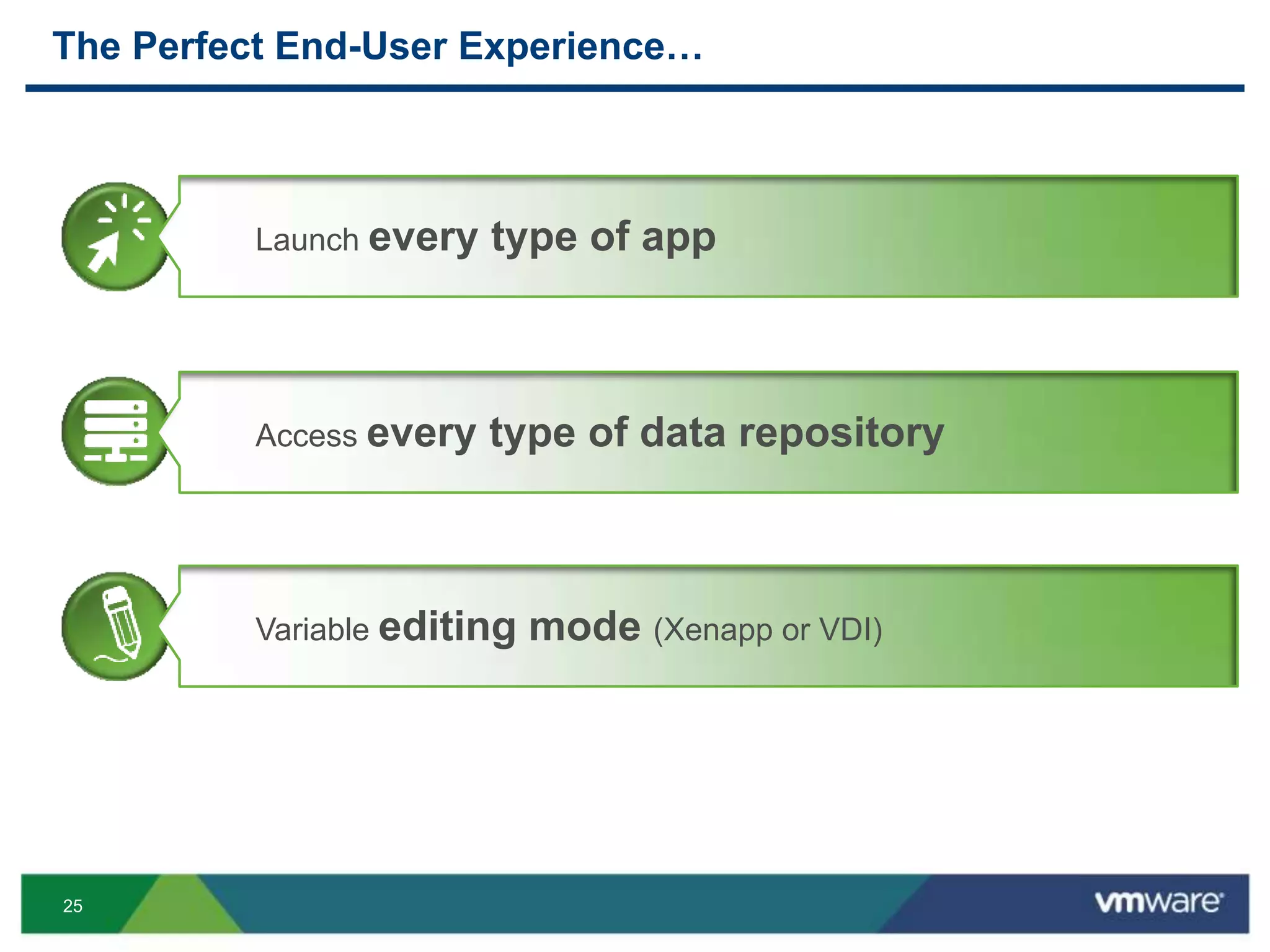
The Perfect End-User Experience…
Launch every type of app
Access every type of data repository
Variable editing mode (Xenapp or VDI)
26
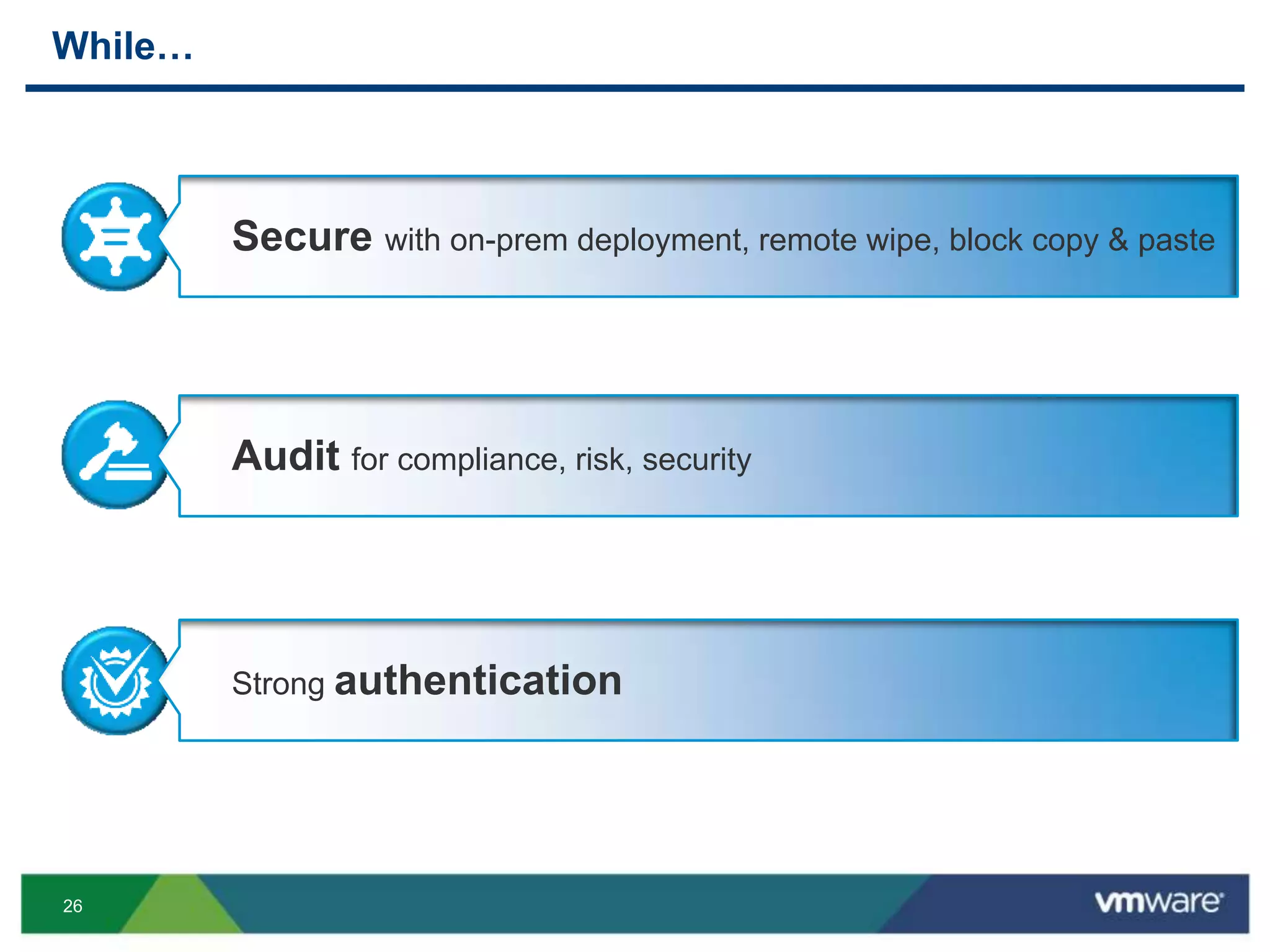
While…
Secure with on-prem deployment, remote wipe, block copy & paste
Audit for compliance, risk, security
Strong authentication
27
While…
Self-protecting – notices certain behavior, it can poison-pill itself
APIs for interconnectivity
Heavy reporting
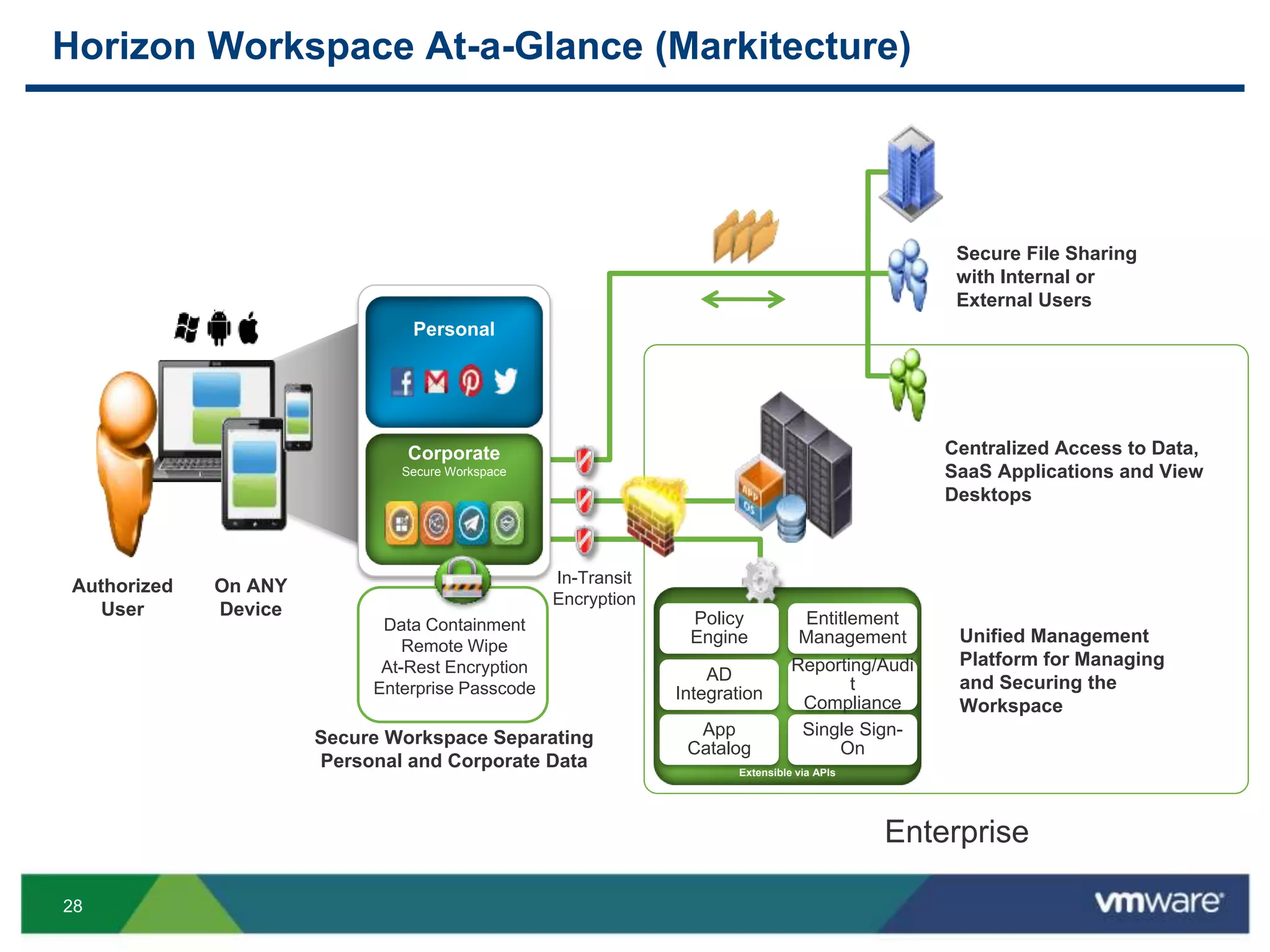
28
Secure File Sharing
with Internal or
External Users
Centralized Access to Data,
SaaS Applications and View
Desktops
Unified Management
Platform for Managing
and Securing the
Workspace
Extensible via APIs
Policy
Engine
Entitlement
Management
AD
Integration
Reporting/Audi
t
Compliance
App
Catalog
Single Sign-
On
Corporate
Secure Workspace
Personal
Horizon Workspace At-a-Glance (Markitecture)
On ANY
Device
Secure Workspace Separating
Personal and Corporate Data
Data Containment
Remote Wipe
At-Rest Encryption
Enterprise Passcode
In-Transit
Encryption
Enterprise
Authorized
User
29
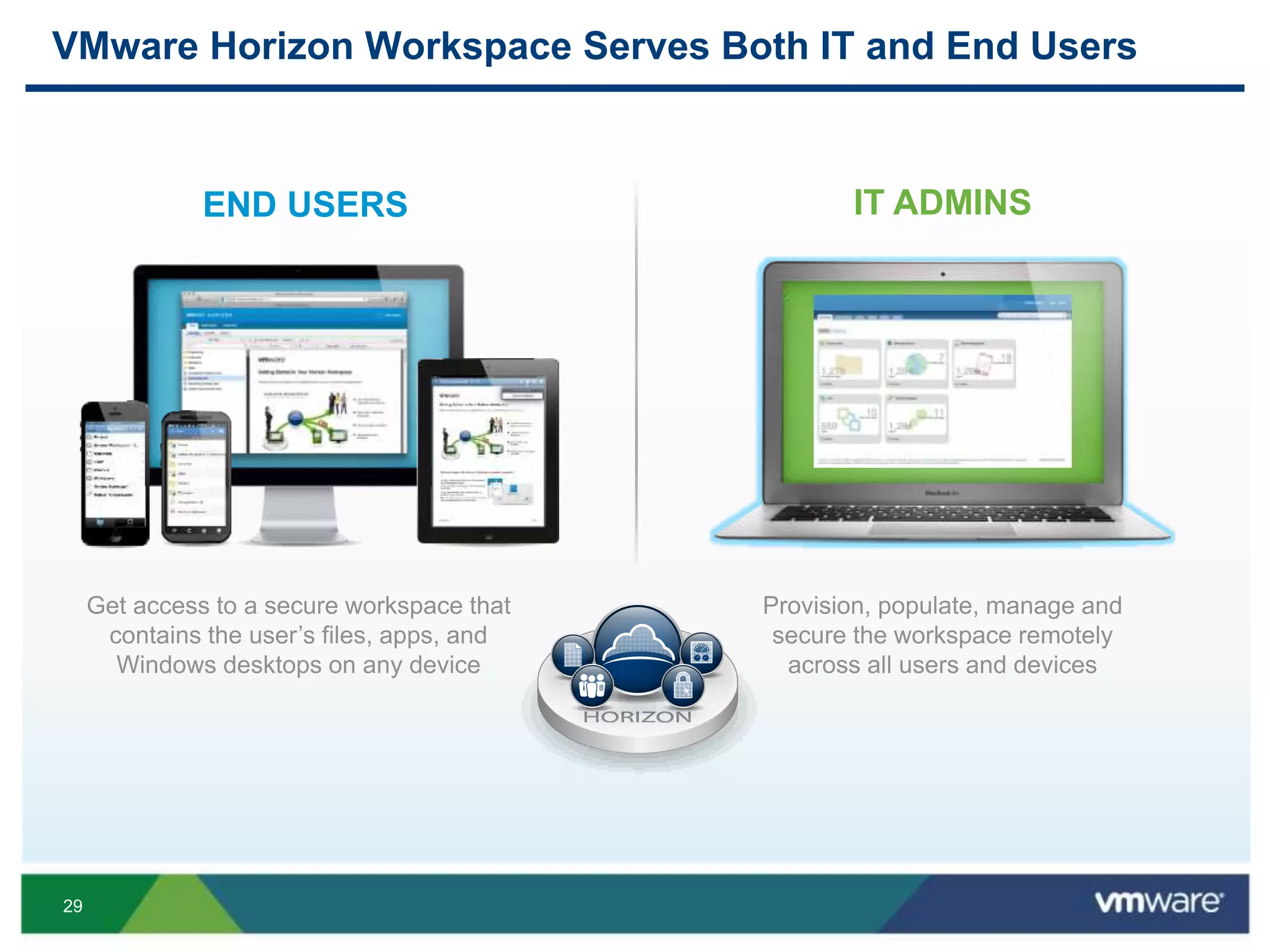
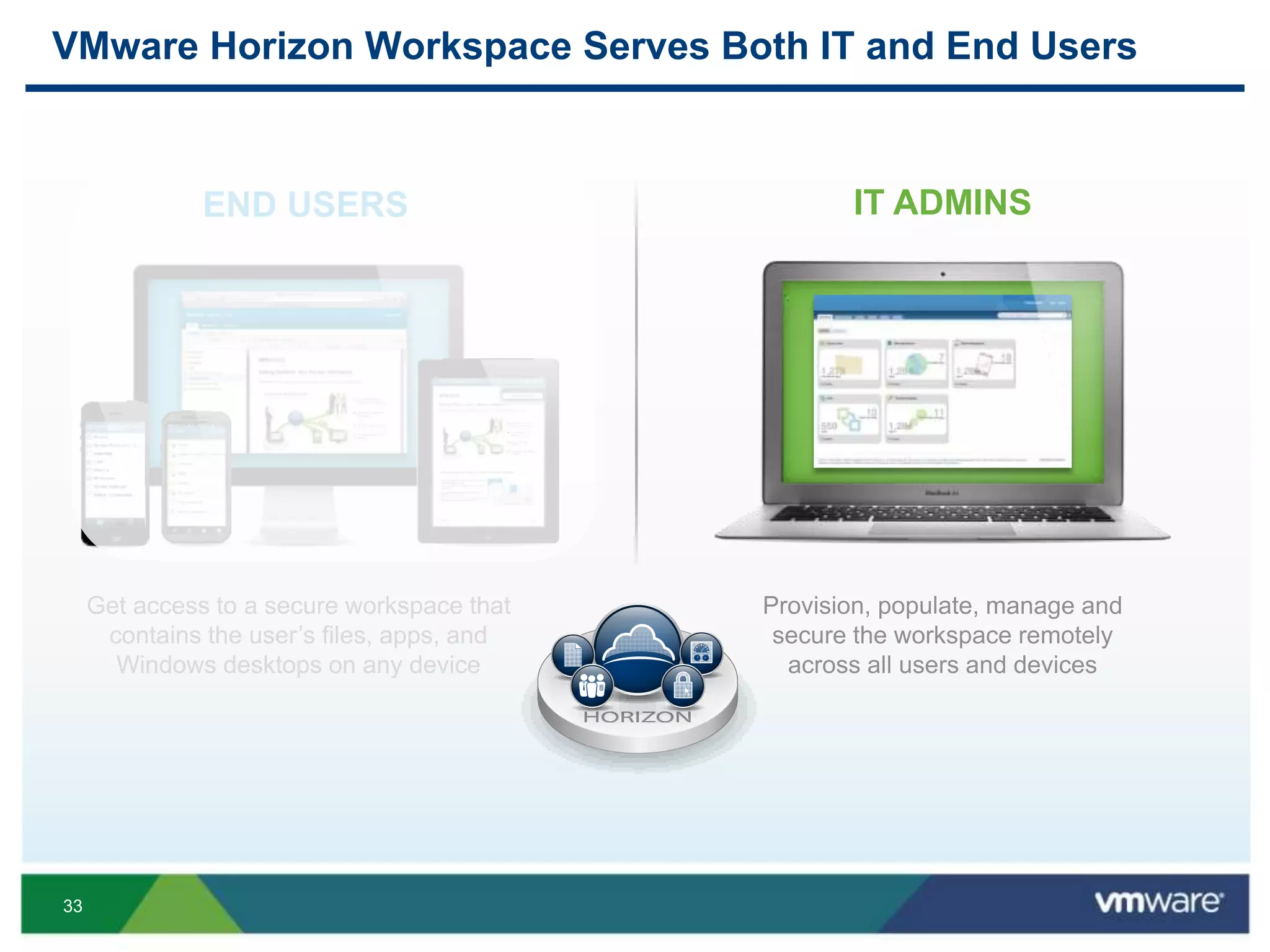
VMware Horizon Workspace Serves Both IT and End Users
Get access to a secure workspace that
contains the user’s files, apps, and
Windows desktops on any device
END USERS
Provision, populate, manage and
secure the workspace remotely
across all users and devices
IT ADMINS
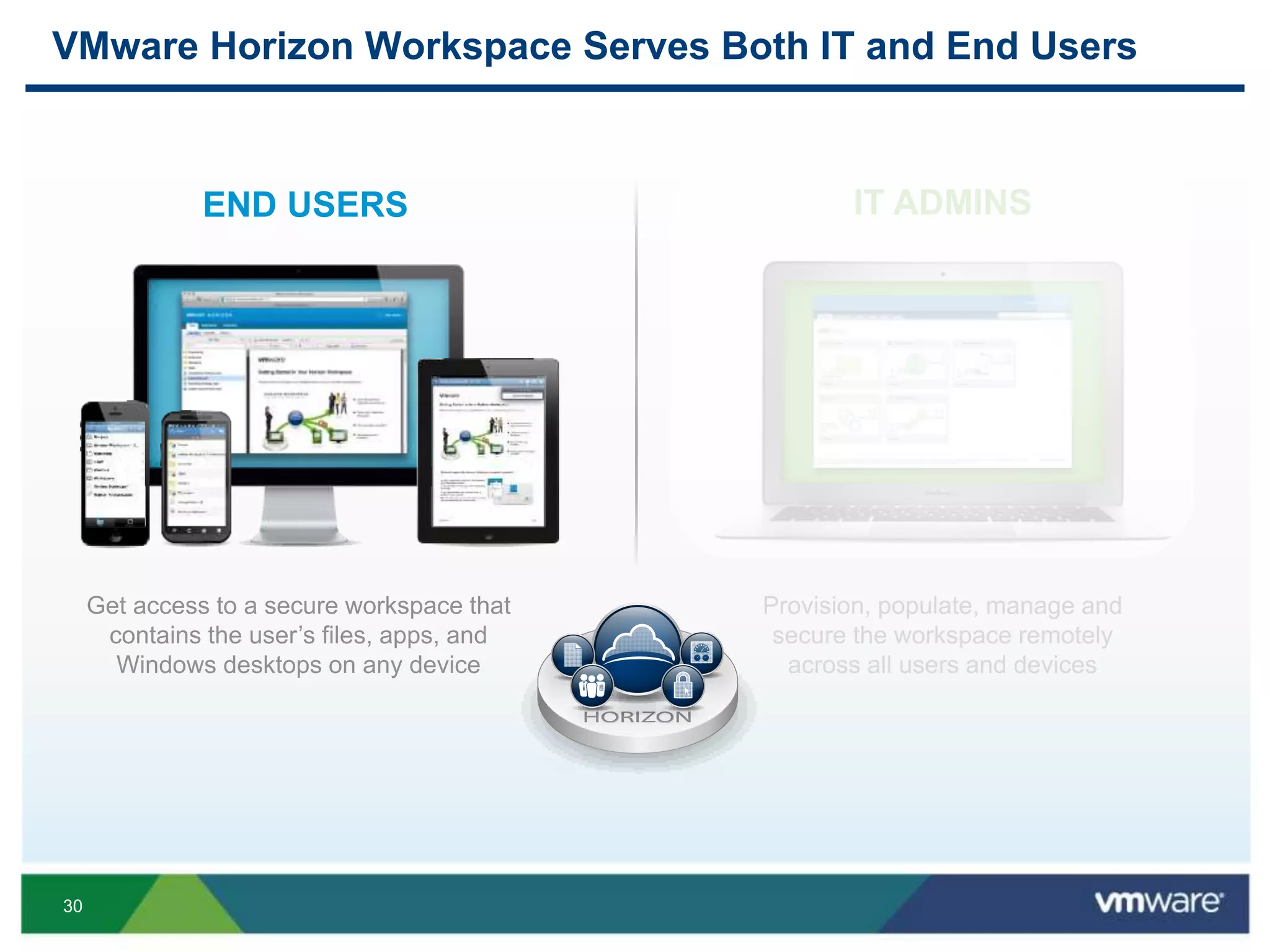
30
VMware Horizon Workspace Serves Both IT and End Users
Get access to a secure workspace that
contains the user’s files, apps, and
Windows desktops on any device
END USERS
Provision, populate, manage and
secure the workspace remotely
across all users and devices
IT ADMINS
31
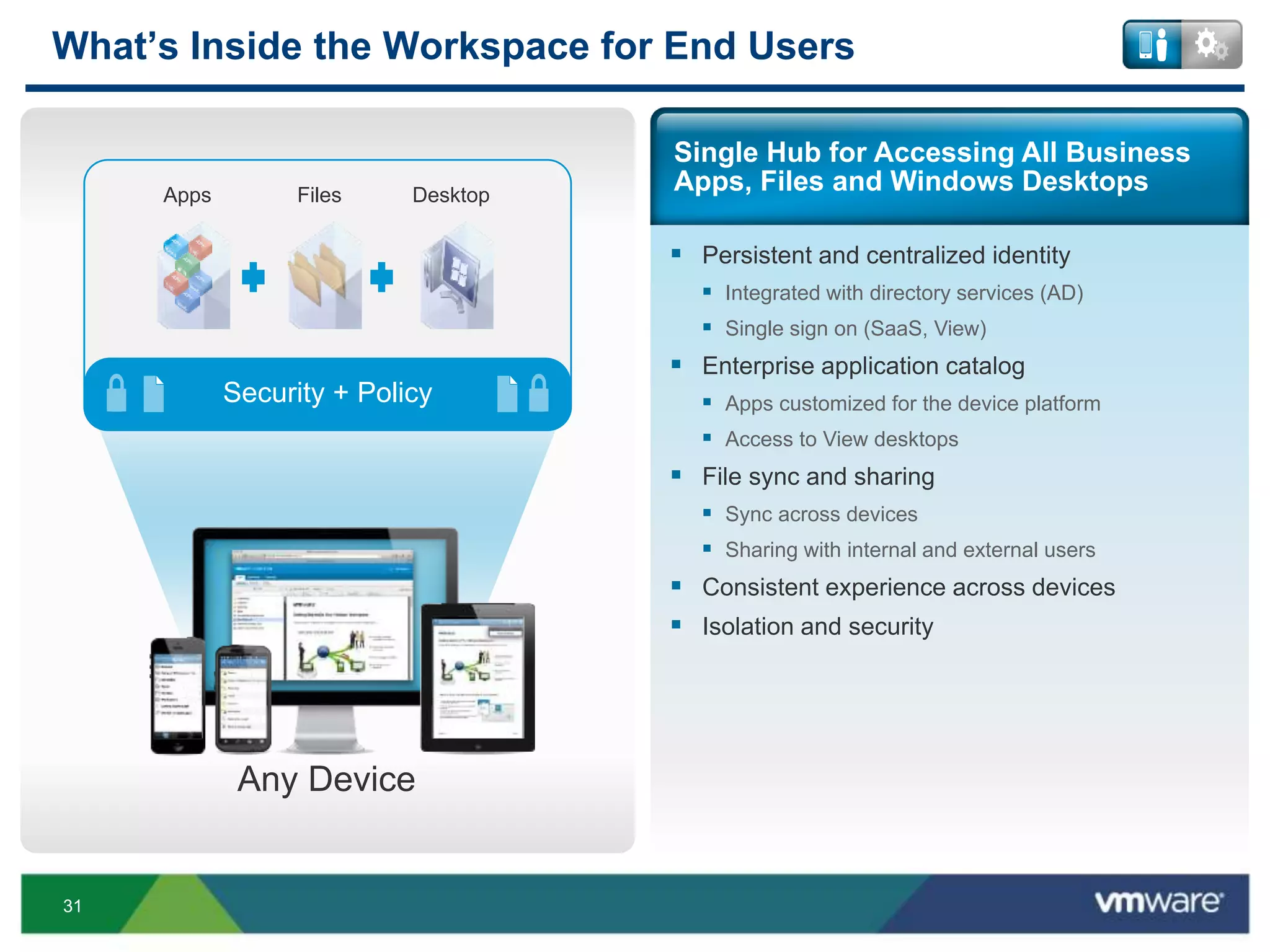
 Persistent and centralized identity
 Integrated with directory services (AD)
 Single sign on (SaaS, View)
 Enterprise application catalog
 Apps customized for the device platform
 Access to View desktops
 File sync and sharing
 Sync across devices
 Sharing with internal and external users
 Consistent experience across devices
 Isolation and security
What’s Inside the Workspace for End Users
Single Hub for Accessing All Business
Apps, Files and Windows Desktops
Any Device
FilesApps Desktop
Security + Policy
32
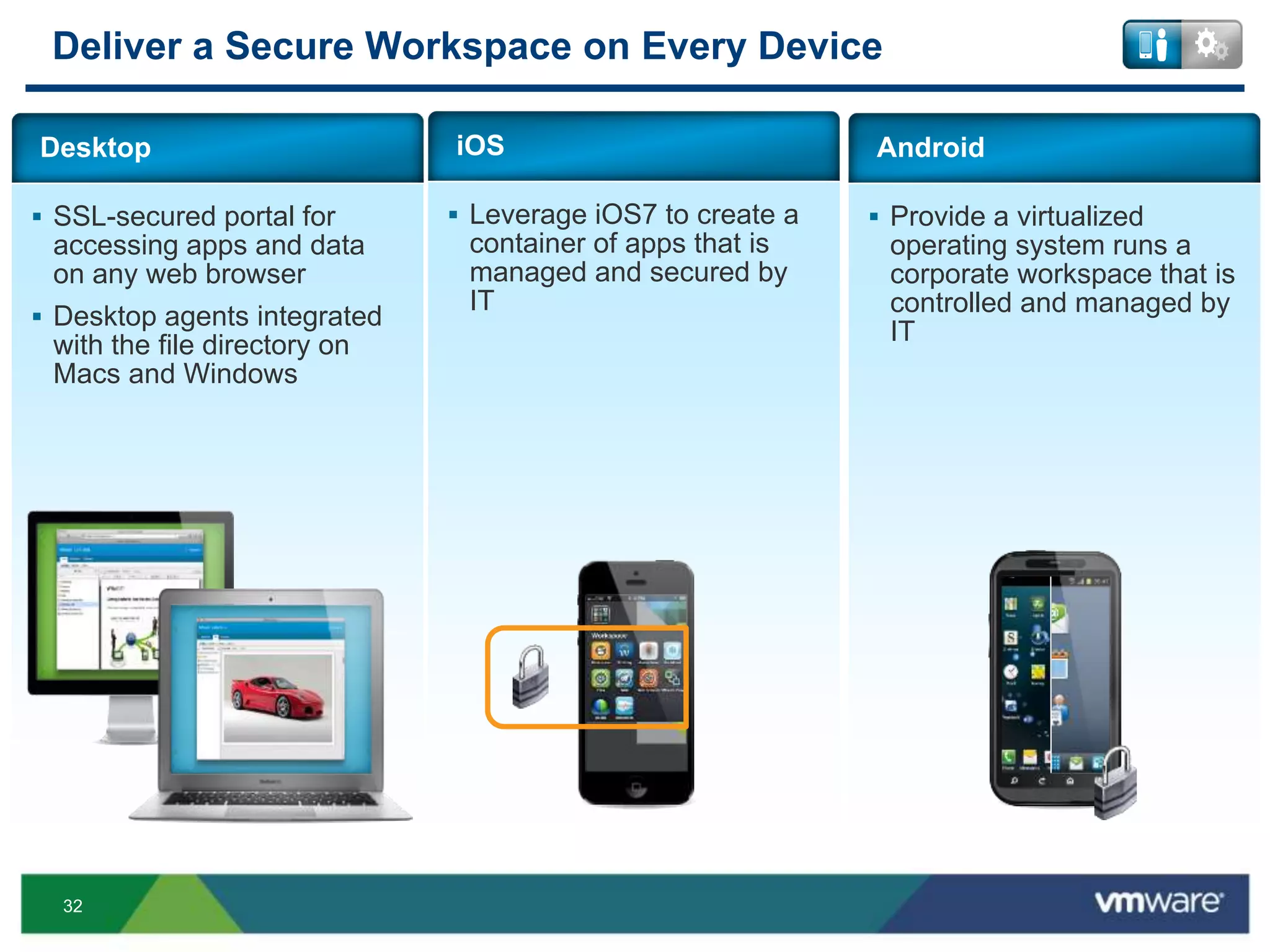
 SSL-secured portal for
accessing apps and data
on any web browser
 Desktop agents integrated
with the file directory on
Macs and Windows
Desktop
 Provide a virtualized
operating system runs a
corporate workspace that is
controlled and managed by
IT
Android
 Leverage iOS7 to create a
container of apps that is
managed and secured by
IT
iOS
Deliver a Secure Workspace on Every Device
33
VMware Horizon Workspace Serves Both IT and End Users
Get access to a secure workspace that
contains the user’s files, apps, and
Windows desktops on any device
END USERS
Provision, populate, manage and
secure the workspace remotely
across all users and devices
IT ADMINS
34
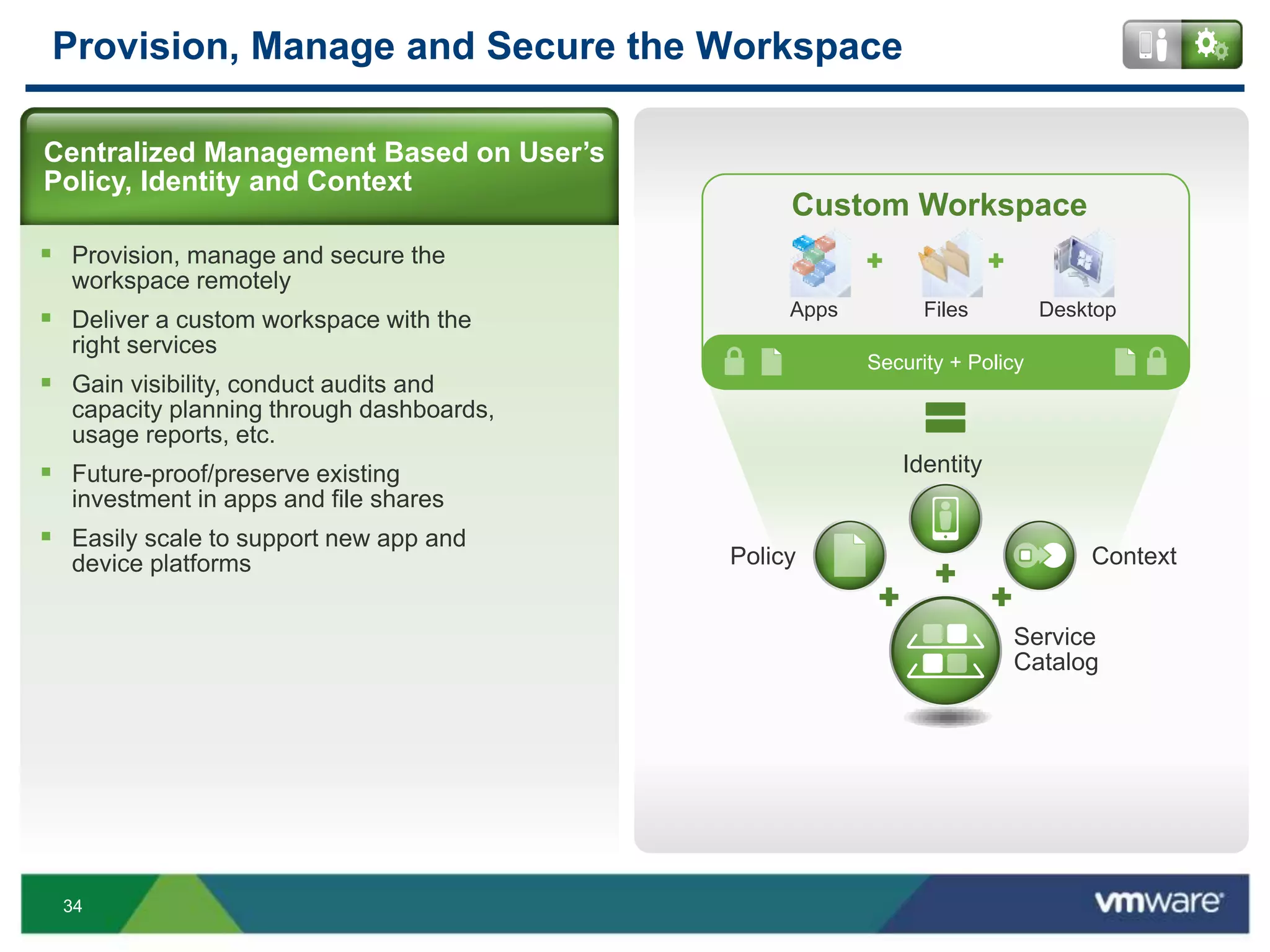
Provision, Manage and Secure the Workspace
 Provision, manage and secure the
workspace remotely
 Deliver a custom workspace with the
right services
 Gain visibility, conduct audits and
capacity planning through dashboards,
usage reports, etc.
 Future-proof/preserve existing
investment in apps and file shares
 Easily scale to support new app and
device platforms
Centralized Management Based on User’s
Policy, Identity and Context
Security + Policy
=
Service
Catalog
Policy Context
Identity
Custom Workspace
FilesApps Desktop
35
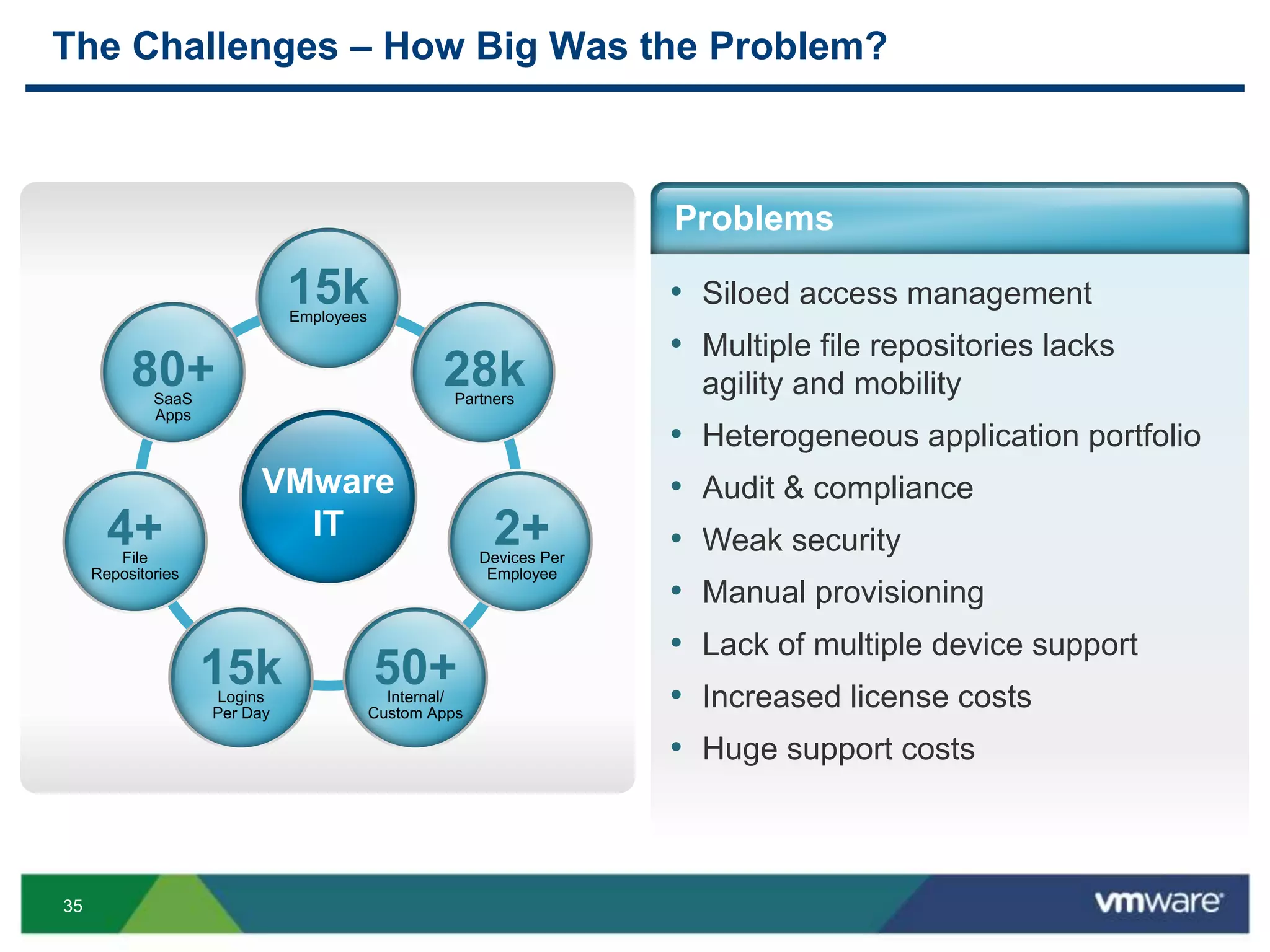
The Challenges – How Big Was the Problem?
VMware
IT
15kEmployees
28kPartners
2+Devices Per
Employee
50+Internal/
Custom Apps
15kLogins
Per Day
4+File
Repositories
80+SaaS
Apps
• Siloed access management
• Multiple file repositories lacks
agility and mobility
• Heterogeneous application portfolio
• Audit & compliance
• Weak security
• Manual provisioning
• Lack of multiple device support
• Increased license costs
• Huge support costs
Problems
36
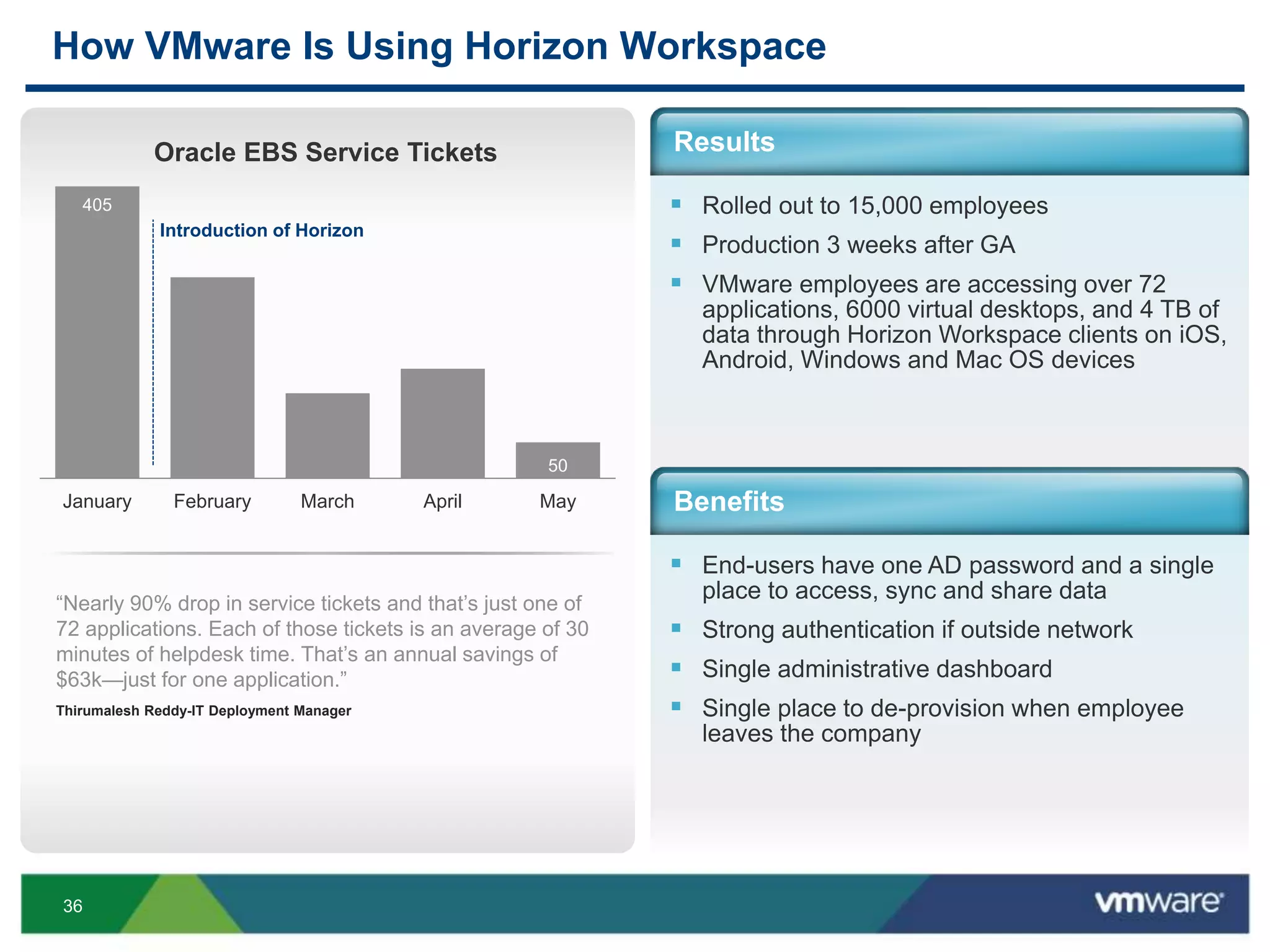
How VMware Is Using Horizon Workspace
 Rolled out to 15,000 employees
 Production 3 weeks after GA
 VMware employees are accessing over 72
applications, 6000 virtual desktops, and 4 TB of
data through Horizon Workspace clients on iOS,
Android, Windows and Mac OS devices
Results
Benefits
 End-users have one AD password and a single
place to access, sync and share data
 Strong authentication if outside network
 Single administrative dashboard
 Single place to de-provision when employee
leaves the company
405
50
January February March April May
Oracle EBS Service Tickets
Introduction of Horizon
“Nearly 90% drop in service tickets and that’s just one of
72 applications. Each of those tickets is an average of 30
minutes of helpdesk time. That’s an annual savings of
$63k—just for one application.”
Thirumalesh Reddy-IT Deployment Manager
37
VMware Horizon Is the Platform for Workforce Mobility
Broker: Manage & secure
centrally and broker services
to your workforce by policy
300Transform: Transform
desktops, diverse apps and
data into centralized
services
Deliver: Empower your
workforce with flexible access
across devices, locations and
connectivity
38
Q&A
39
Other VMware Activities Related to This Session
 Additional Sessions:
EUC5004
Horizon Workspace at Scale
• Wednesday 11:30 Moscone West 2006
• Thursday 10:30 Moscone West 2014
 HOL:
HOL-MBL-1304
Horizon Workspace - Explore and Deploy
 Group Discussions:
EUC1005-GD
Workspace with Rasmus Jensen
THANK YOU
Unleashing Productivity in the New Mobile Era
Ben Goodman, VMware
Andrew Hawthorn, VMware
EUC5843
#EUC5843

VMworld 2013: Unleashing Productivity in the New Mobile Era

  • 1.
    Unleashing Productivity inthe New Mobile Era Ben Goodman, VMware Andrew Hawthorn, VMware EUC5843 #EUC5843
  • 2.
    2 • Purpose ofthis Session: • Education / Thought Leadership • Not a Sales Pitch • Agenda: • Market Snapshot • Nirvana • The VMware Approach • An Example • Your Questions
  • 3.
    3 The Requirements WeUsed to Have… Change is hard and highly managed Software implemented from the center out Difficult to adjust to users needs Control Through OwnershipPeople you employ Using a network you own to connect to… Using software you own on a Windows desktop you own An application you own, running on a server you own
  • 4.
    4 What the WorldWants Now… Control & Governance are Becoming More Challenging Inability to track, control or secure information assets Can not remove access you didn’t grant Serious compliance concerns Apps live in many clouds and are easily procured without IT Always connected, via 3G, 4G and public or personal wifi Non-owned devices and multiple non-Windows OSs Employees, contractors outsourcers, partners citizens, students
  • 5.
    5 IT Management Processesare Not Optimized Ownership Devices Connection Apps PAST 90% Windows Apps2 Ethernet IT Owned 1 Desktop TODAY 50% Non-Windows Apps2 3G/4G 33% Industry average BYOD adoption1 10% of Enterprises are completely mobile and laptop4 FUTURE 4:1 Ratio of Mobile apps to Windows Apps3 Public/ Always On 60% of Enterprises will be completely mobile and laptop4 85% of Enterprises with BYOD programs1 STAGE IT IS OPTIMIZED FOR All citations are from Gartner, Inc. and are used with permission. Specifics are included in the footnotes.
  • 6.
    7 2013 Smartphones GlobalTrends OS In million of units Android 178 iOS 32 Microsoft 7 BlackBerry 6 All Others 2 TOTAL 722,4 79% 14% 3% 3% 1% Android iOS Microsoft BlackBerry Others Smartphones worldwide shipment Q2 2013 Source: Gartner 2013 Market share Q2 2013
  • 7.
    8 OS Trends –Things Change Fast
  • 8.
    9 Android Landscape Security • Perceptionis that Android is not secure • Google Play is ‘wild wild west’ • Enterprise features (eg: MDM) weak Fragmentation Lack of control • No two devices are the same in terms of capabilities or UI • Hard for IT to support diverse environment • OS upgrades are controlled by carrier/OEM • Security patches not pushed out in a timely manner Not much traction in enterprise segment Widely popular in developing countries • Lots of choice – screen size, price, capabilities, etc.
  • 9.
  • 10.
    11 Android in theEnterprise  The enterprise isn’t Google’s priority • MDM APIs 3 years behind Apple’s MDM APIs • 3LM founded by Android team members frustrated with Google • Motorola bought 3LM • Google bought Motorola and got 3LM on a platter • Google kills 3LM and lays off the team  So OEMs starting to add Enterprise capabilities • Samsung added SAFE MDM APIs • LG has its own MDM APIs • Motorola and HTC don’t have anything yet
  • 11.
    12 iOS Landscape Increasing support forenterprise features in every hardware and software release Security Fragmentation • Perception is that iOS is more secure than Android • App Store is curated • Strong enterprise features (encryption, MDM, etc.) • Different screen sizes but not capabilities so perception is that there is no fragmention in the Apple world In tune with enterprise opportunity and have great traction Popular in North America, Western Europe and other richer geographical pockets • Price rules them out in many developing countries
  • 12.
    13 But There areMore Important Things Than Shipments…
  • 13.
    14 And Android Peakedin the U.S. in 2011
  • 14.
    15 BlackBerry Landscape  Wasgood standard in enterprise market  Missed BYOD trend completely and lost traction  BB 10 has new functionality • BlackBerry Balance – built in dual persona solution • Small market share and not growing  Loyal BB shops that didn’t already switch will likely stay with BB  Most customers already started switching to a more strategic platform • Don’t view BB as strategic anymore • Migrating to iOS or Android or both
  • 15.
    16 Windows Landscape  WindowsPhone and Windows 8 are still early • Windows Phone – more consumer oriented • Windows Tablet seems to be more enterprise friendly and will likely get more traction that Windows phones in 2014  MSFT has deep pockets and will likely become the third dominant mobile platform • Distant third….
  • 16.
    17 More Apps, MoreDevices, More Users…. No Help What has been the impact of mobile devices on your IT helpdesk over the last two years? Did not add Helpdesk staff in response to increased workload No increased workload Source: Gartner N=392 62% 19% 15% 4% Added Helpdesk staff Not sure
  • 17.
    18 Common Responses OnlyMask Problem Buy a Point Solution Does not scale, increases cost Creates a management mess Lock It Down Unhappy workforce IT is viewed the “bad guy” Ignore It Poor IT Control Security and compliance risk
  • 18.
    19 Mobile Management IsEvolving USER OWNED UNMANAGED IT OWNED MANAGED Unrestricted Personal Device Corporate-Owned Devices Bring Your Own Devices (BYOD) Corporate-Owned Personally Enabled (COPE) of workers believe their smartphones should be enabled for work and personal 92%Manage Corporate Workspace Only Device Apps & Data Corporate Apps & Data
  • 19.
    20 What Is Nirvana? Deliverthe right business apps and data to user devices in a way that is efficient and secure for IT and productive for the end user
  • 20.
    21 Five Steps toAddress the Mobility Challenge Manage users, not devices Embrace co-ownership Architect for change and continual improvement Prioritize end user experience Treat mobile as a first- class citizen
  • 21.
    22 Manage Only WhatYou Need To Horizon Secure: The workspace is completely enterprise- owned and controlled • Support for corporate security, compliance and privacy policies • Corporate data is fully encrypted • Jailbreak and Root’ed detection • Complete separation of personal and corporate data Customizable: Ability to provision, manage and remove corporate data and applications on employees’ devices Productive: Key apps for employee productivity are pre-installed (Email, Calendar, Secure Browser, Files) Horizon Secure Mobile Workspace
  • 22.
    23 VMware Horizon isthe Platform for Workforce Mobility Broker: Manage & secure centrally and broker services to your workforce by policy Transform: Transform desktops, diverse apps and data into centralized services Deliver: Empower your workforce with flexible access across devices, locations and connectivity
  • 23.
    24 The Perfect End-UserExperience… Instantiate anywhere – any device, everywhere Where possible, must be cached and offline UI attractive and easy to use Context aware – what I need, when I need it
  • 24.
    25 The Perfect End-UserExperience… Launch every type of app Access every type of data repository Variable editing mode (Xenapp or VDI)
  • 25.
    26 While… Secure with on-premdeployment, remote wipe, block copy & paste Audit for compliance, risk, security Strong authentication
  • 26.
    27 While… Self-protecting – noticescertain behavior, it can poison-pill itself APIs for interconnectivity Heavy reporting
  • 27.
    28 Secure File Sharing withInternal or External Users Centralized Access to Data, SaaS Applications and View Desktops Unified Management Platform for Managing and Securing the Workspace Extensible via APIs Policy Engine Entitlement Management AD Integration Reporting/Audi t Compliance App Catalog Single Sign- On Corporate Secure Workspace Personal Horizon Workspace At-a-Glance (Markitecture) On ANY Device Secure Workspace Separating Personal and Corporate Data Data Containment Remote Wipe At-Rest Encryption Enterprise Passcode In-Transit Encryption Enterprise Authorized User
  • 28.
    29 VMware Horizon WorkspaceServes Both IT and End Users Get access to a secure workspace that contains the user’s files, apps, and Windows desktops on any device END USERS Provision, populate, manage and secure the workspace remotely across all users and devices IT ADMINS
  • 29.
    30 VMware Horizon WorkspaceServes Both IT and End Users Get access to a secure workspace that contains the user’s files, apps, and Windows desktops on any device END USERS Provision, populate, manage and secure the workspace remotely across all users and devices IT ADMINS
  • 30.
    31  Persistent andcentralized identity  Integrated with directory services (AD)  Single sign on (SaaS, View)  Enterprise application catalog  Apps customized for the device platform  Access to View desktops  File sync and sharing  Sync across devices  Sharing with internal and external users  Consistent experience across devices  Isolation and security What’s Inside the Workspace for End Users Single Hub for Accessing All Business Apps, Files and Windows Desktops Any Device FilesApps Desktop Security + Policy
  • 31.
    32  SSL-secured portalfor accessing apps and data on any web browser  Desktop agents integrated with the file directory on Macs and Windows Desktop  Provide a virtualized operating system runs a corporate workspace that is controlled and managed by IT Android  Leverage iOS7 to create a container of apps that is managed and secured by IT iOS Deliver a Secure Workspace on Every Device
  • 32.
    33 VMware Horizon WorkspaceServes Both IT and End Users Get access to a secure workspace that contains the user’s files, apps, and Windows desktops on any device END USERS Provision, populate, manage and secure the workspace remotely across all users and devices IT ADMINS
  • 33.
    34 Provision, Manage andSecure the Workspace  Provision, manage and secure the workspace remotely  Deliver a custom workspace with the right services  Gain visibility, conduct audits and capacity planning through dashboards, usage reports, etc.  Future-proof/preserve existing investment in apps and file shares  Easily scale to support new app and device platforms Centralized Management Based on User’s Policy, Identity and Context Security + Policy = Service Catalog Policy Context Identity Custom Workspace FilesApps Desktop
  • 34.
    35 The Challenges –How Big Was the Problem? VMware IT 15kEmployees 28kPartners 2+Devices Per Employee 50+Internal/ Custom Apps 15kLogins Per Day 4+File Repositories 80+SaaS Apps • Siloed access management • Multiple file repositories lacks agility and mobility • Heterogeneous application portfolio • Audit & compliance • Weak security • Manual provisioning • Lack of multiple device support • Increased license costs • Huge support costs Problems
  • 35.
    36 How VMware IsUsing Horizon Workspace  Rolled out to 15,000 employees  Production 3 weeks after GA  VMware employees are accessing over 72 applications, 6000 virtual desktops, and 4 TB of data through Horizon Workspace clients on iOS, Android, Windows and Mac OS devices Results Benefits  End-users have one AD password and a single place to access, sync and share data  Strong authentication if outside network  Single administrative dashboard  Single place to de-provision when employee leaves the company 405 50 January February March April May Oracle EBS Service Tickets Introduction of Horizon “Nearly 90% drop in service tickets and that’s just one of 72 applications. Each of those tickets is an average of 30 minutes of helpdesk time. That’s an annual savings of $63k—just for one application.” Thirumalesh Reddy-IT Deployment Manager
  • 36.
    37 VMware Horizon Isthe Platform for Workforce Mobility Broker: Manage & secure centrally and broker services to your workforce by policy 300Transform: Transform desktops, diverse apps and data into centralized services Deliver: Empower your workforce with flexible access across devices, locations and connectivity
  • 37.
  • 38.
    39 Other VMware ActivitiesRelated to This Session  Additional Sessions: EUC5004 Horizon Workspace at Scale • Wednesday 11:30 Moscone West 2006 • Thursday 10:30 Moscone West 2014  HOL: HOL-MBL-1304 Horizon Workspace - Explore and Deploy  Group Discussions: EUC1005-GD Workspace with Rasmus Jensen
  • 39.
  • 41.
    Unleashing Productivity inthe New Mobile Era Ben Goodman, VMware Andrew Hawthorn, VMware EUC5843 #EUC5843