Site Recovery Manager and Policy Based DR:
Deep dive with Engineering
GS Khalsa, VMware, Inc
Aleksey Pershin, VMware, Inc
STO6137
#STO6137
• This presentation may contain product features that are currently under development.
• This overview of new technology represents no commitment from VMware to deliver these
features in any generally available product.
• Features are subject to change, and must not be included in contracts, purchase orders, or
sales agreements of any kind.
• Technical feasibility and market demand will affect final delivery.
• Pricing and packaging for any new technologies or features discussed or presented have not
been determined.
Disclaimer
CONFIDENTIAL 2
Agenda
CONFIDENTIAL 3
1 Why SPPGs? What are they?
2 Deep Dive and Demos
3 Recap
4 Q&A
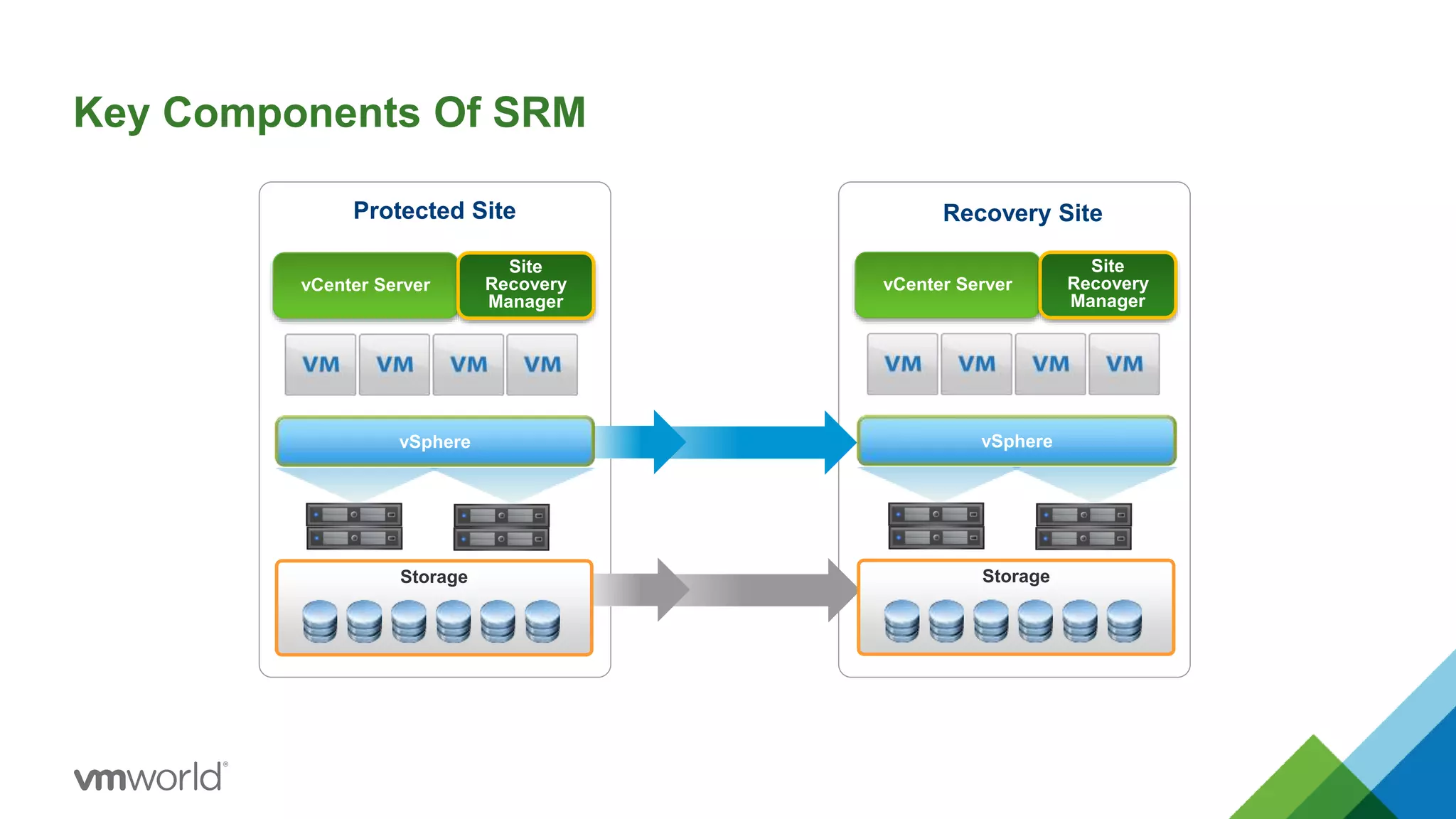
Key Components Of SRM
vCenter Server
Site
Recovery
Manager
Protected Site Recovery Site
Storage
vCenter Server
Site
Recovery
Manager
vSpherevSphere
Storage
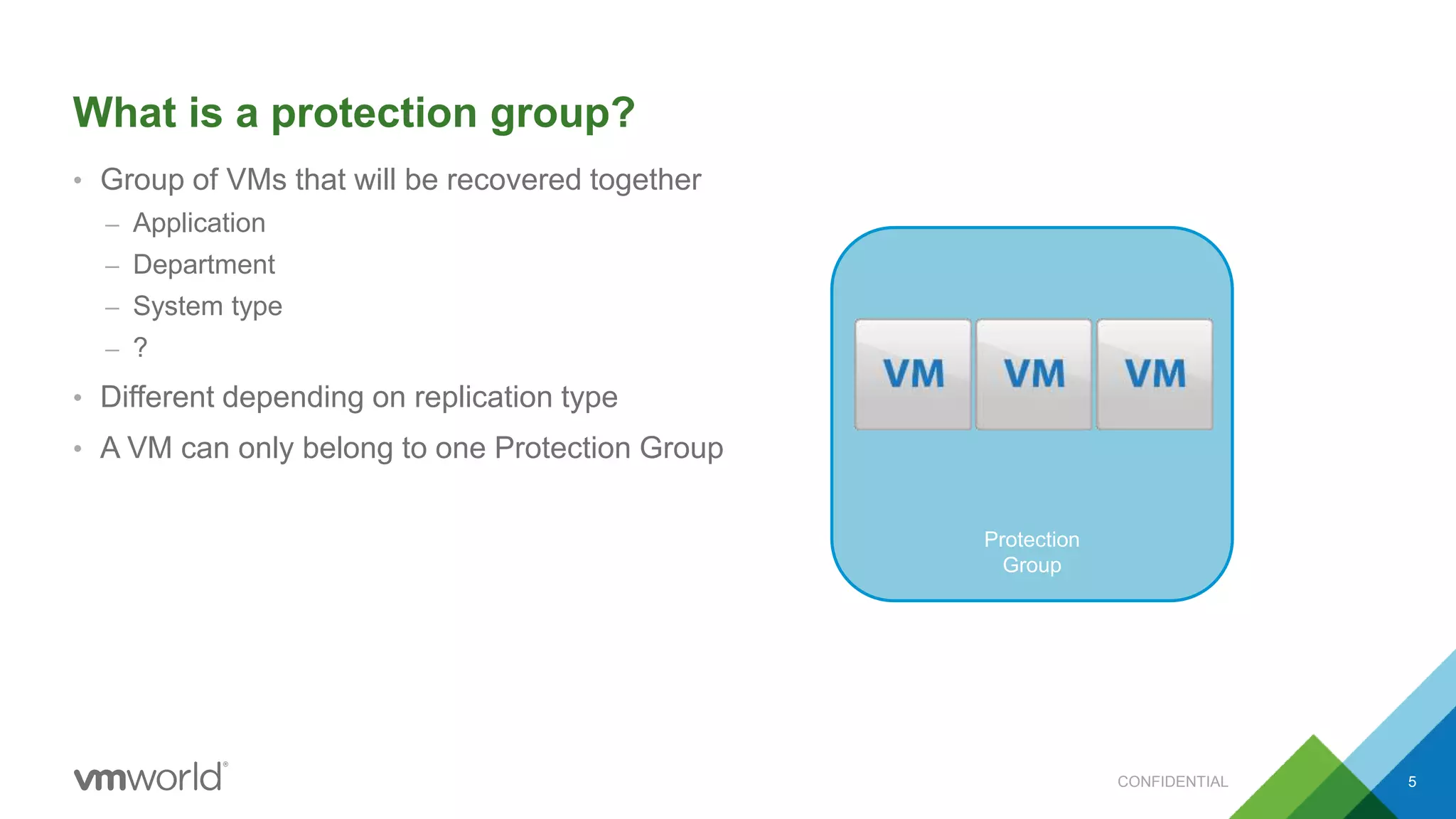
What is a protection group?
• Group of VMs that will be recovered together
– Application
– Department
– System type
– ?
• Different depending on replication type
• A VM can only belong to one Protection Group
CONFIDENTIAL 5
Protection
Group
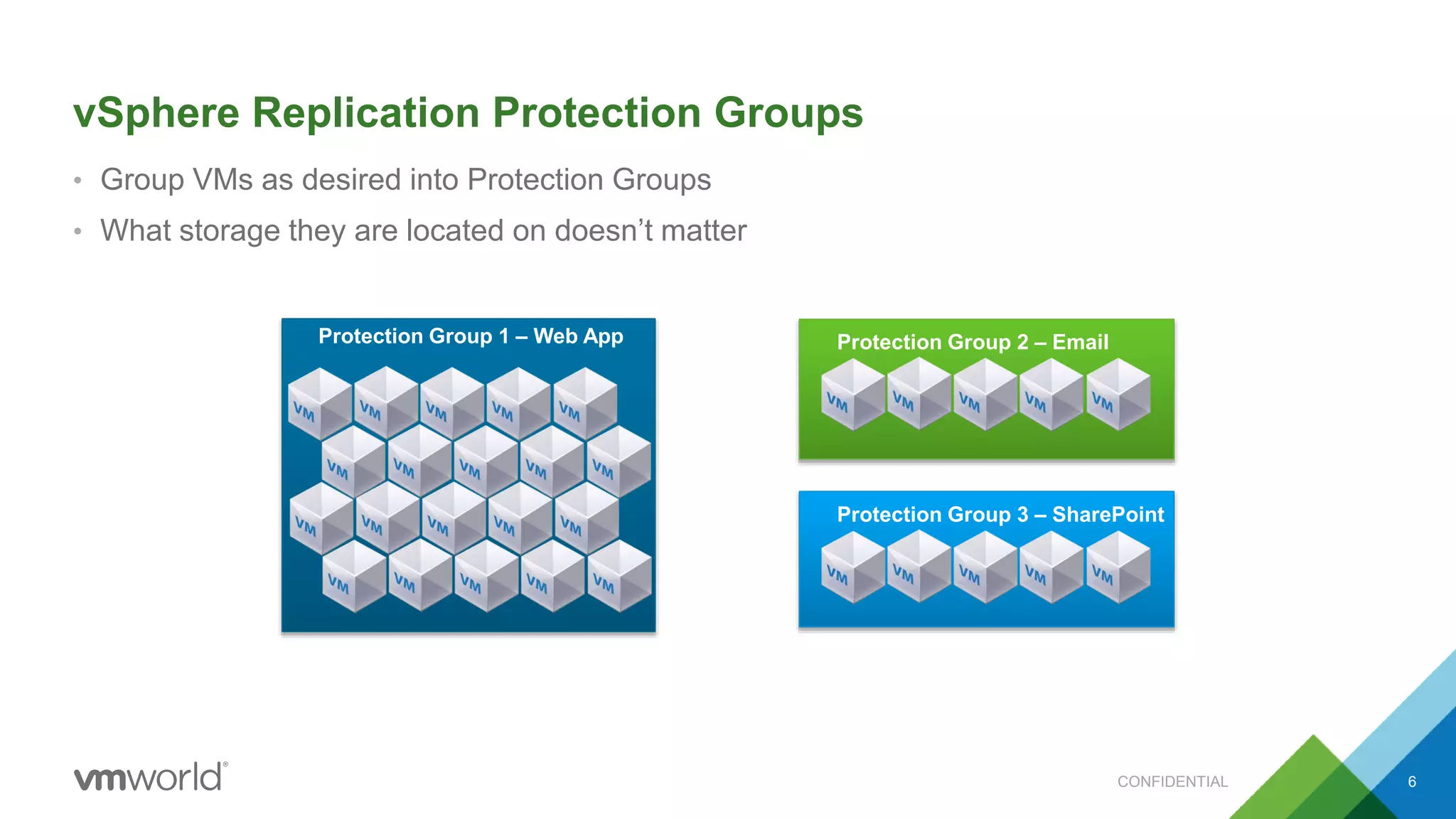
vSphere Replication Protection Groups
• Group VMs as desired into Protection Groups
• What storage they are located on doesn’t matter
CONFIDENTIAL 6
Protection Group 1 – Web App Protection Group 2 – Email
Protection Group 3 – SharePoint
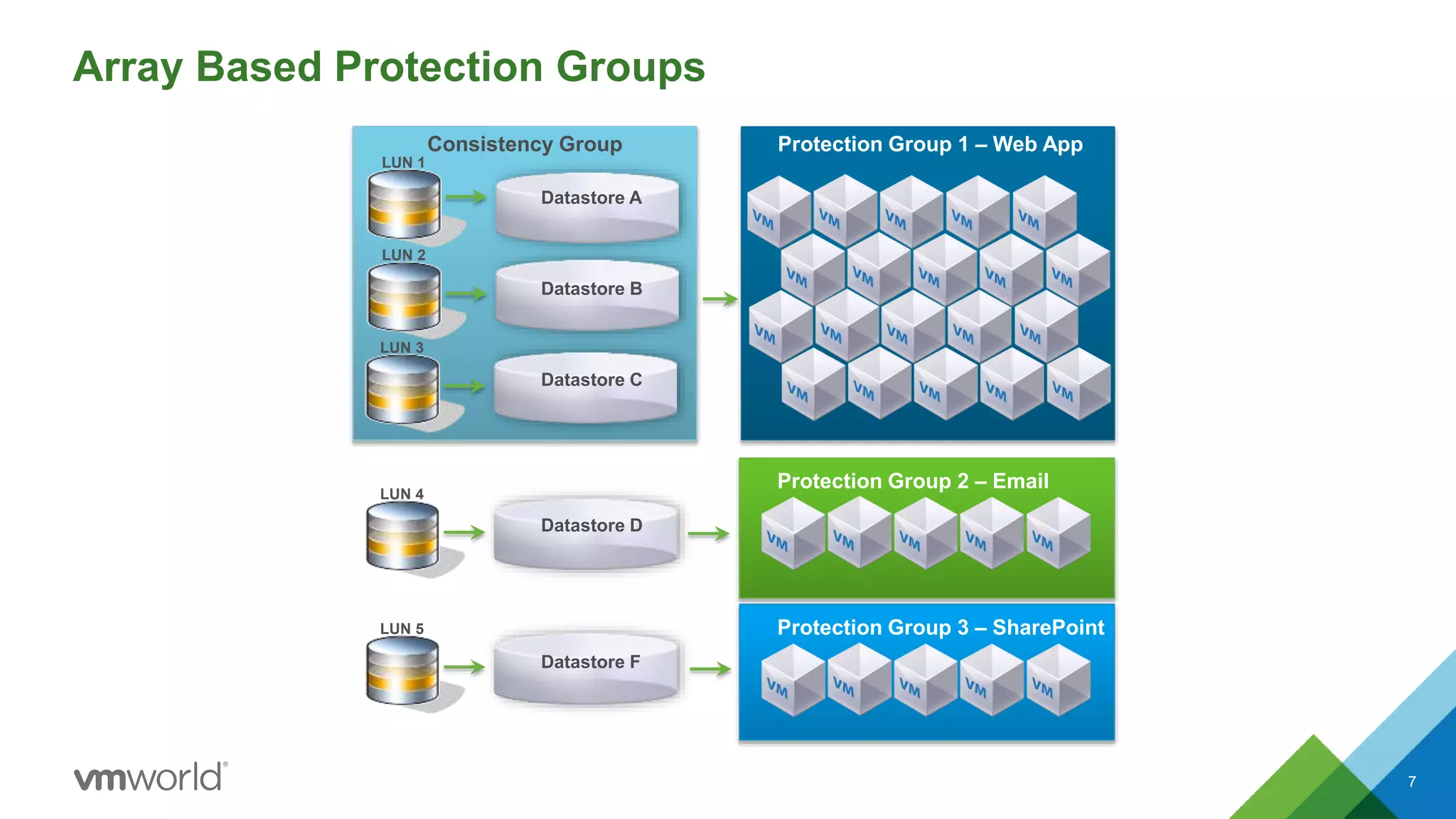
Array Based Protection Groups
7
Consistency Group Protection Group 1 – Web App
LUN 1
Protection Group 2 – Email
Protection Group 3 – SharePoint
Datastore A
LUN 2
Datastore B
LUN 3
Datastore C
LUN 4
Datastore D
LUN 5
Datastore F
Challenges
• Requires explicit management
– Primarily via UI/Limited API
• Operational overhead/complex orchestration to:
– Protect/Unprotect VMs
– Add/Remove datastores from Protection Groups
CONFIDENTIAL 8
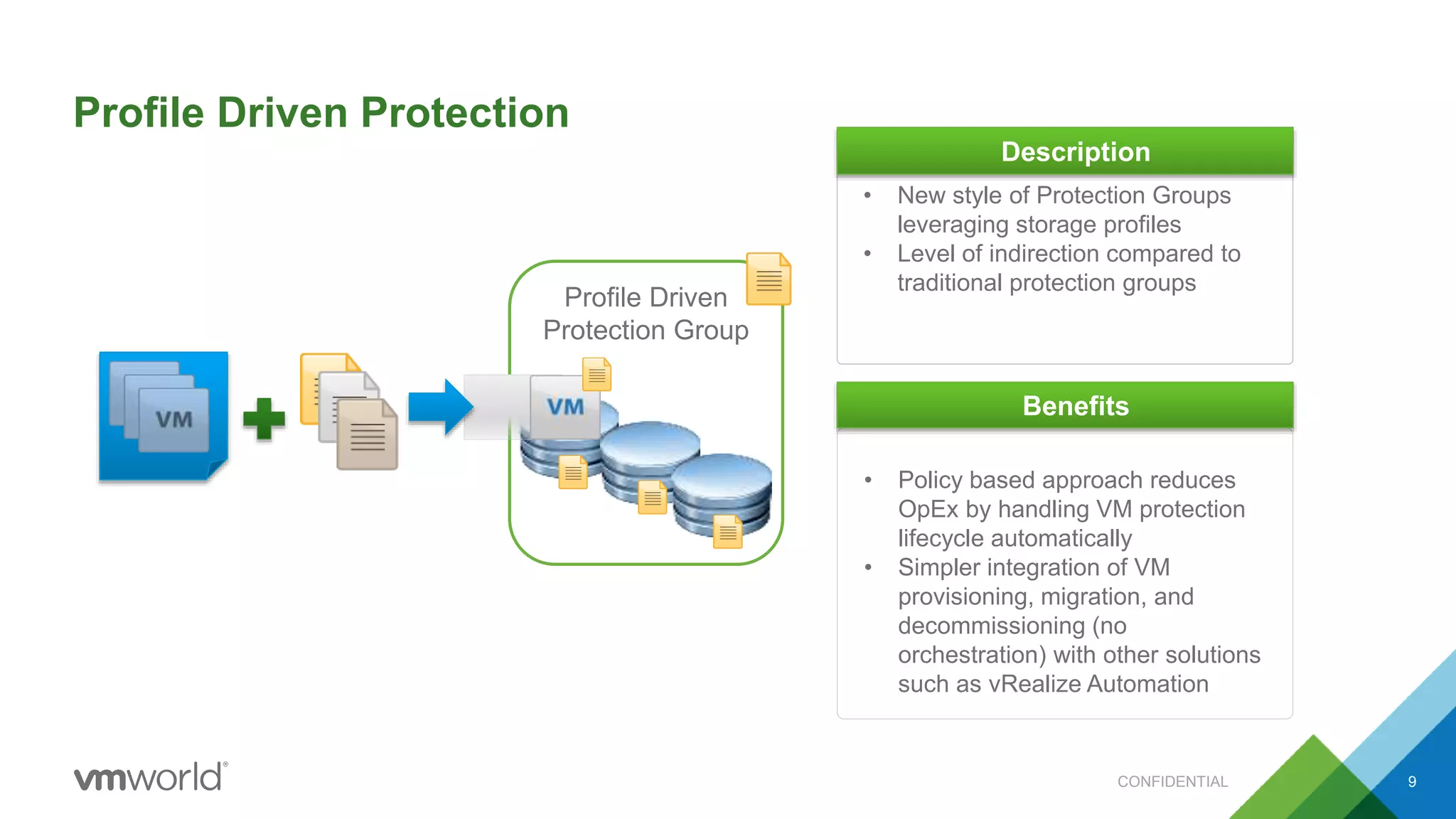
Profile Driven
Protection Group
Profile Driven Protection
CONFIDENTIAL
• New style of Protection Groups
leveraging storage profiles
• Level of indirection compared to
traditional protection groups
Description
• Policy based approach reduces
OpEx by handling VM protection
lifecycle automatically
• Simpler integration of VM
provisioning, migration, and
decommissioning (no
orchestration) with other solutions
such as vRealize Automation
Benefits
9
What else is new in SRM 6.1?
• Stretched Storage Support
– STO6047 “Zero Downtime Application Mobility with Site Recovery Manager”
– Wednesday, 2:00-3:00
• NSX Integration
– STO6328 “What’s New in Disaster Recovery with VMware Site Recovery Manager and VMware NSX”
– Tuesday, 2:30-3:30
• A whole bunch of small improvements
– STO5605 “What’s New in Site Recovery Manager”
– Wednesday, 11:00-12:00
• DR automation for vCloud Air – using vCloud Air as a recovery site
– STO6089 “Automation for vCloud Air Disaster Recovery - VMware Technical Preview”
– Thursday, 12:00-1:00
CONFIDENTIAL 10
Deep Dive and Demo
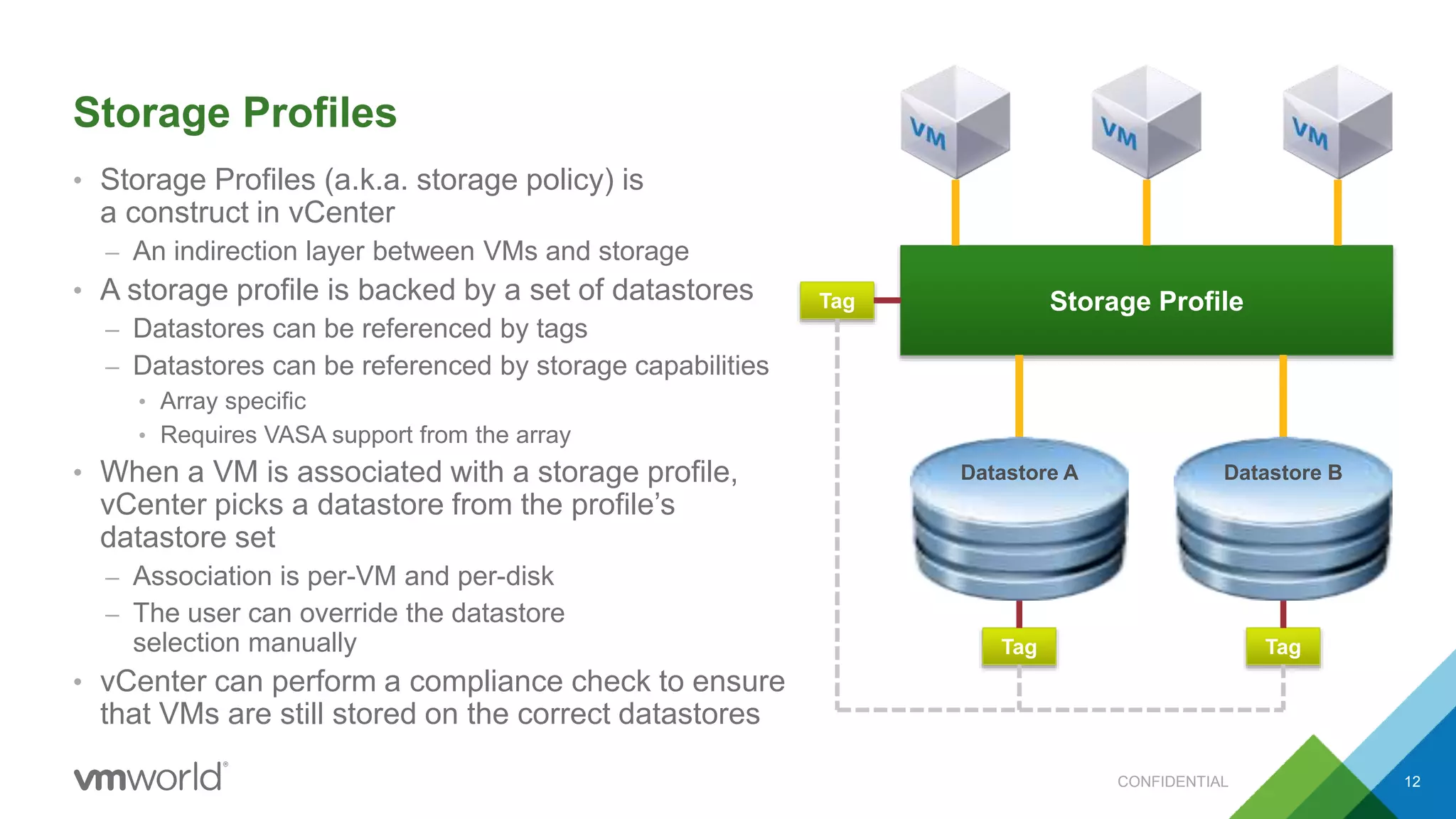
Storage Profiles
• Storage Profiles (a.k.a. storage policy) is
a construct in vCenter
– An indirection layer between VMs and storage
• A storage profile is backed by a set of datastores
– Datastores can be referenced by tags
– Datastores can be referenced by storage capabilities
• Array specific
• Requires VASA support from the array
• When a VM is associated with a storage profile,
vCenter picks a datastore from the profile’s
datastore set
– Association is per-VM and per-disk
– The user can override the datastore
selection manually
• vCenter can perform a compliance check to ensure
that VMs are still stored on the correct datastores
CONFIDENTIAL 12
Storage Profile
Datastore A Datastore B
Tag
Tag Tag
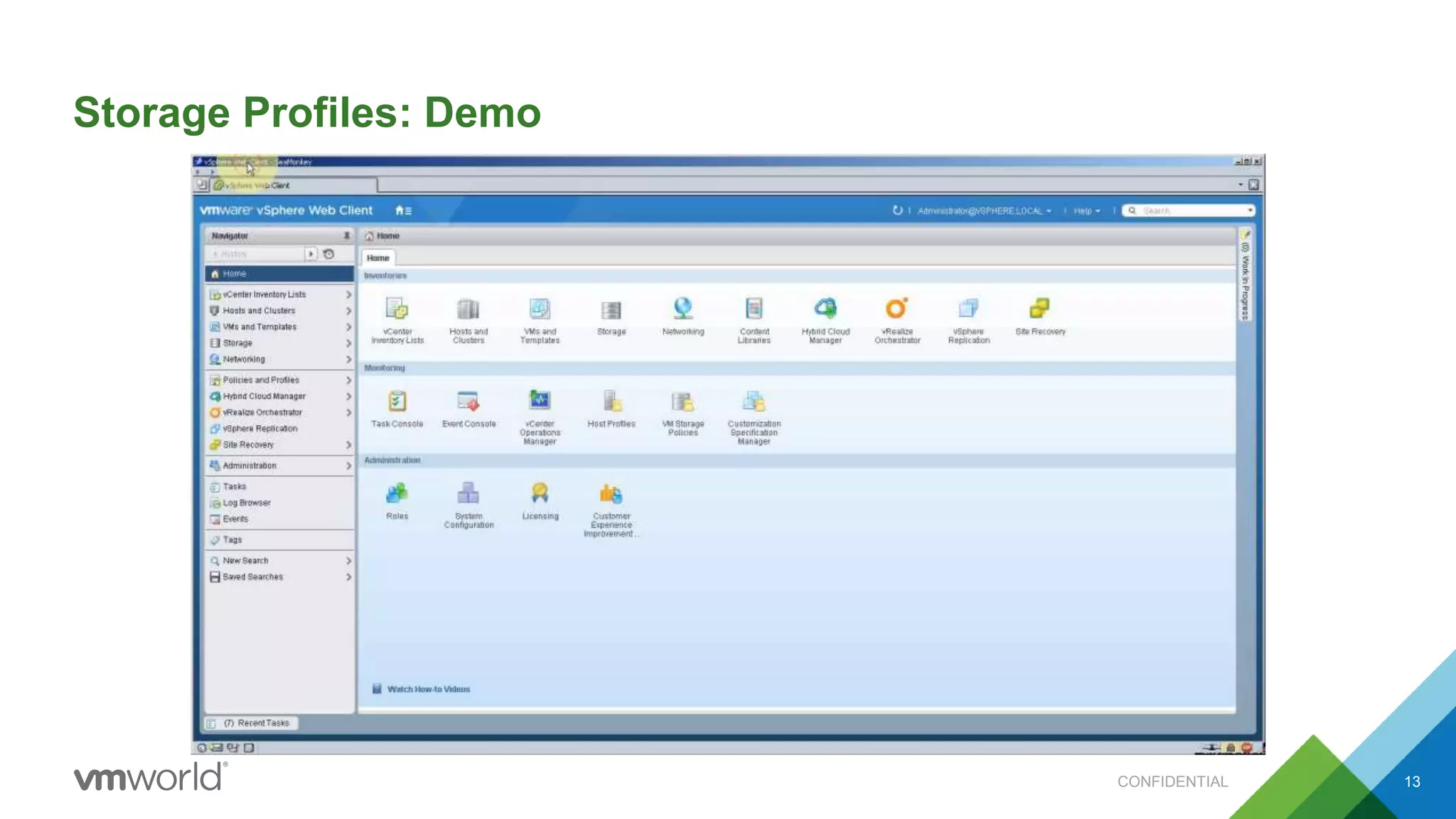
Storage Profiles: Demo
CONFIDENTIAL 13
Storage Profile Protection Groups (SPPGs)
• A new type of protection groups in SRM 6.1
– Legacy VM-based protection groups are fully supported
• When creating an SPPG, the user specifies a set of storage profiles
• SRM will automatically discover and protect all corresponding datastores
• SRM will automatically discover and protect all associated VMs
• SPPGs support only array based replication
– vSphere Replication is supported only through legacy VM-based protection groups
CONFIDENTIAL 14
Inventory Mappings
• Inventory mappings is a way to map vCenter inventory between sites
• Network, resource pool, folder mappings should be configured before creating SPPGs
– These mappings are the same as in SRM today and are shared with VM protection groups
– The UI can automatically configure mappings using name matching
– The UI can automatically configure mappings in the reverse direction
– Name matching and reverse mappings are not updated dynamically
• Storage profile mappings should be configured before creating SPPGs
– These mappings are used only for SPPGs
• SRM has a way to deal with missing mappings detected during a failover
– The failover will fail and the mapping UI will show missing mapping “placeholders”
– The user needs to configure the missing mappings and rerun the failover
– This can be done even if the protected site is not available!
• Network mappings can be configured to change IP addresses based on subnet masks
CONFIDENTIAL 15
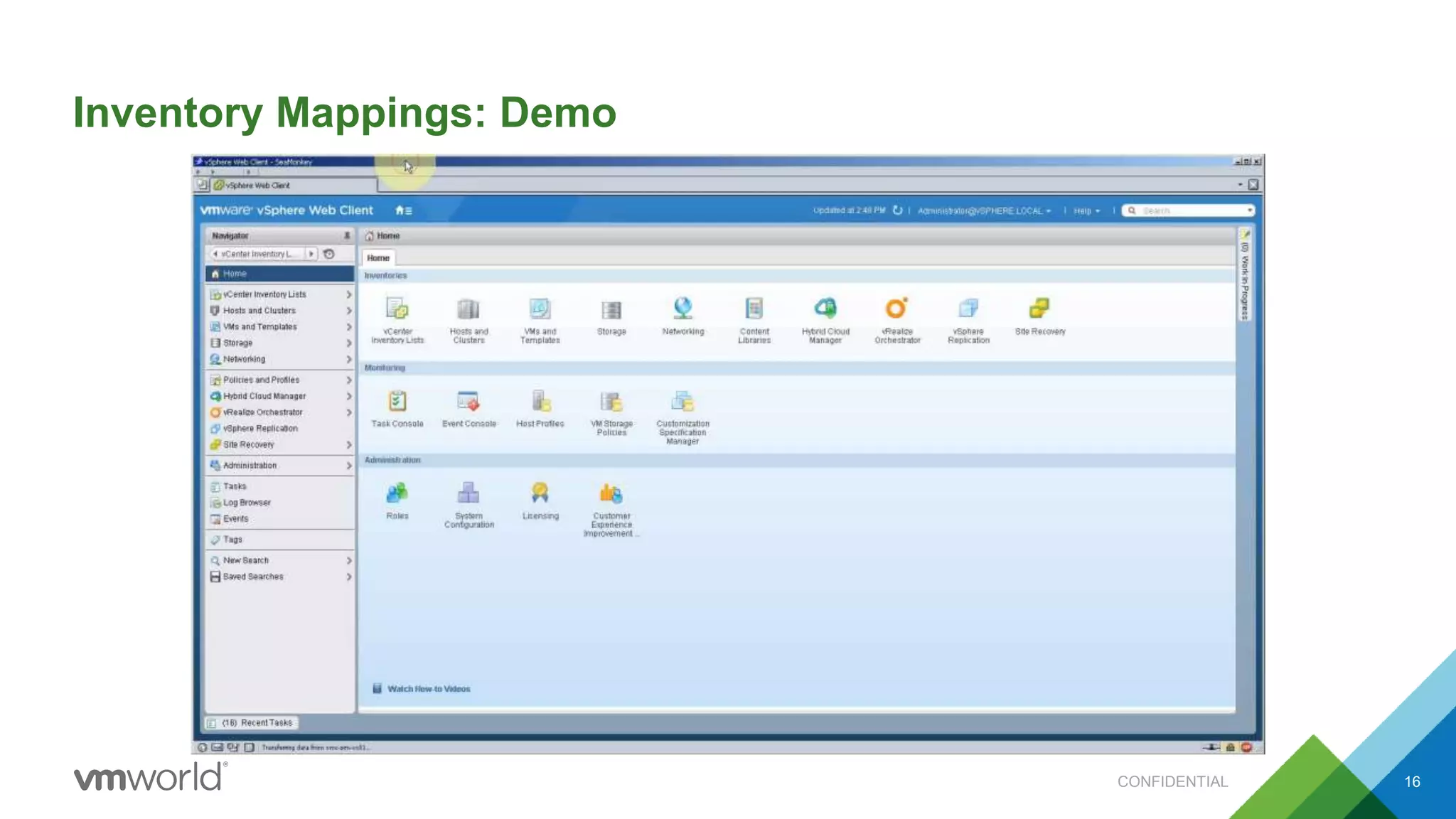
Inventory Mappings: Demo
CONFIDENTIAL 16
Storage Profile Protection Groups: Demo
CONFIDENTIAL 17
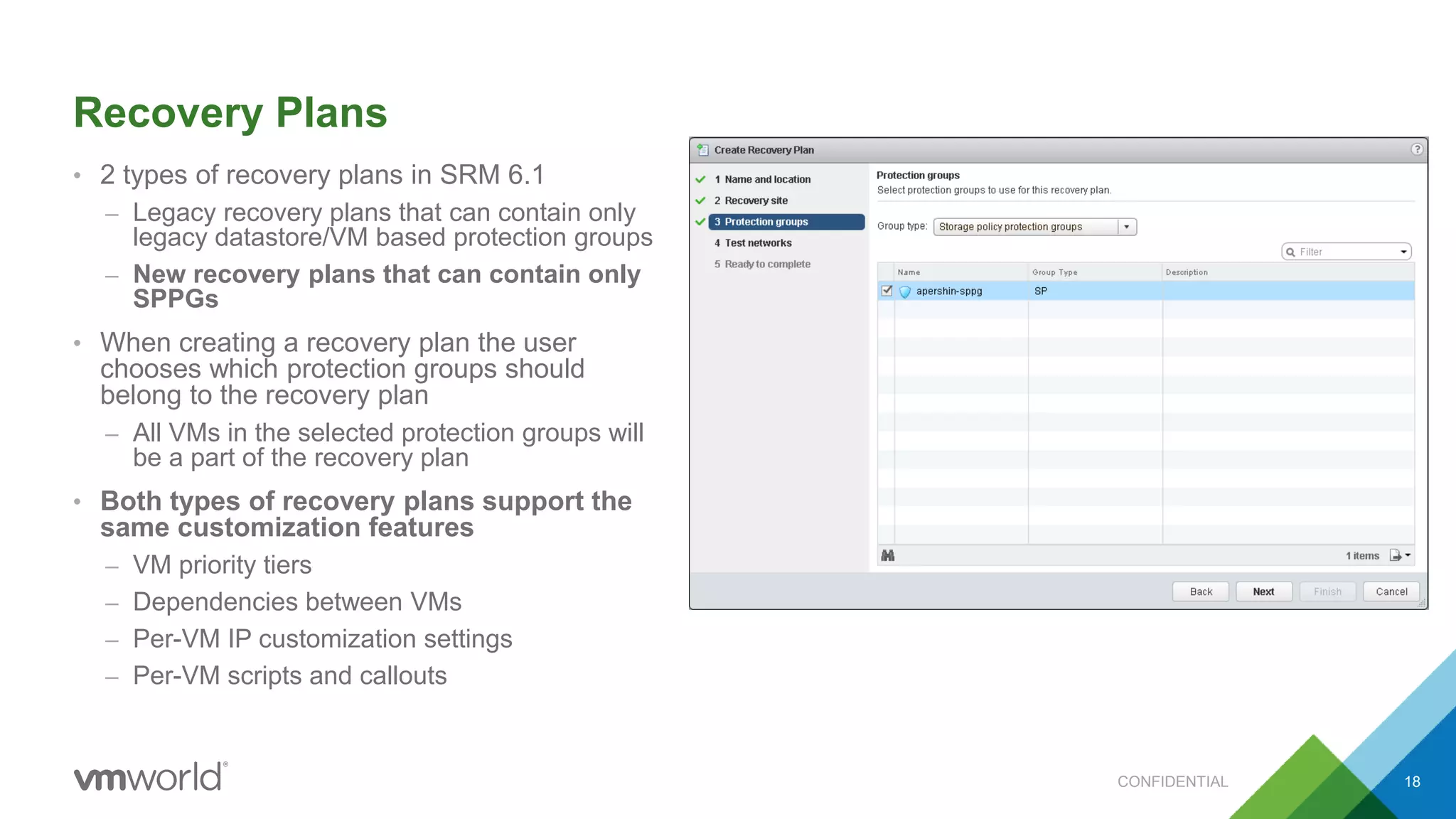
Recovery Plans
• 2 types of recovery plans in SRM 6.1
– Legacy recovery plans that can contain only
legacy datastore/VM based protection groups
– New recovery plans that can contain only
SPPGs
• When creating a recovery plan the user
chooses which protection groups should
belong to the recovery plan
– All VMs in the selected protection groups will
be a part of the recovery plan
• Both types of recovery plans support the
same customization features
– VM priority tiers
– Dependencies between VMs
– Per-VM IP customization settings
– Per-VM scripts and callouts
CONFIDENTIAL 18
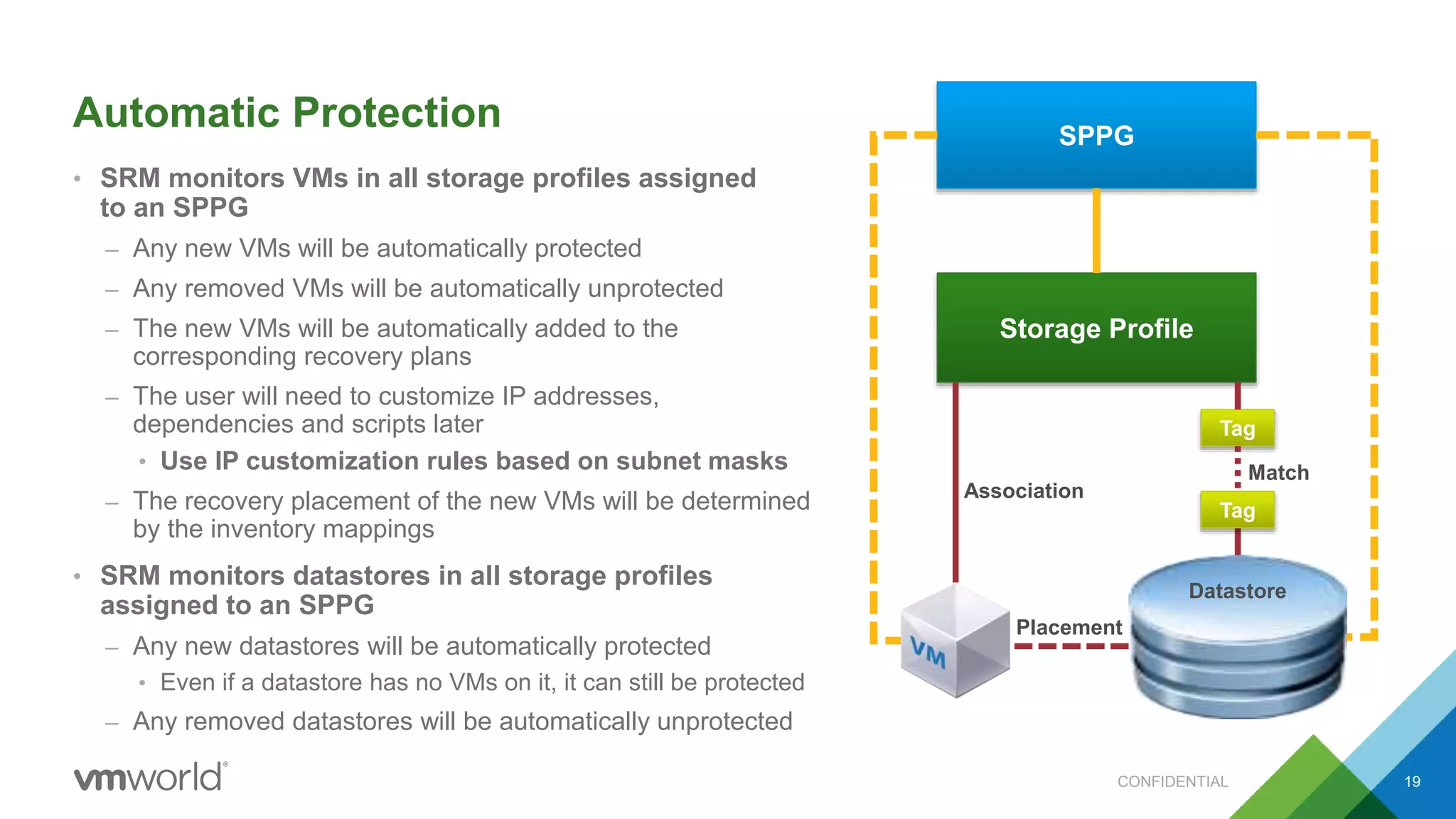
Automatic Protection
• SRM monitors VMs in all storage profiles assigned
to an SPPG
– Any new VMs will be automatically protected
– Any removed VMs will be automatically unprotected
– The new VMs will be automatically added to the
corresponding recovery plans
– The user will need to customize IP addresses,
dependencies and scripts later
• Use IP customization rules based on subnet masks
– The recovery placement of the new VMs will be determined
by the inventory mappings
• SRM monitors datastores in all storage profiles
assigned to an SPPG
– Any new datastores will be automatically protected
• Even if a datastore has no VMs on it, it can still be protected
– Any removed datastores will be automatically unprotected
CONFIDENTIAL 19
SPPG
Storage Profile
Datastore
Tag
Placement
Association
Tag
Match
Automatic Protection: Demo
CONFIDENTIAL 20
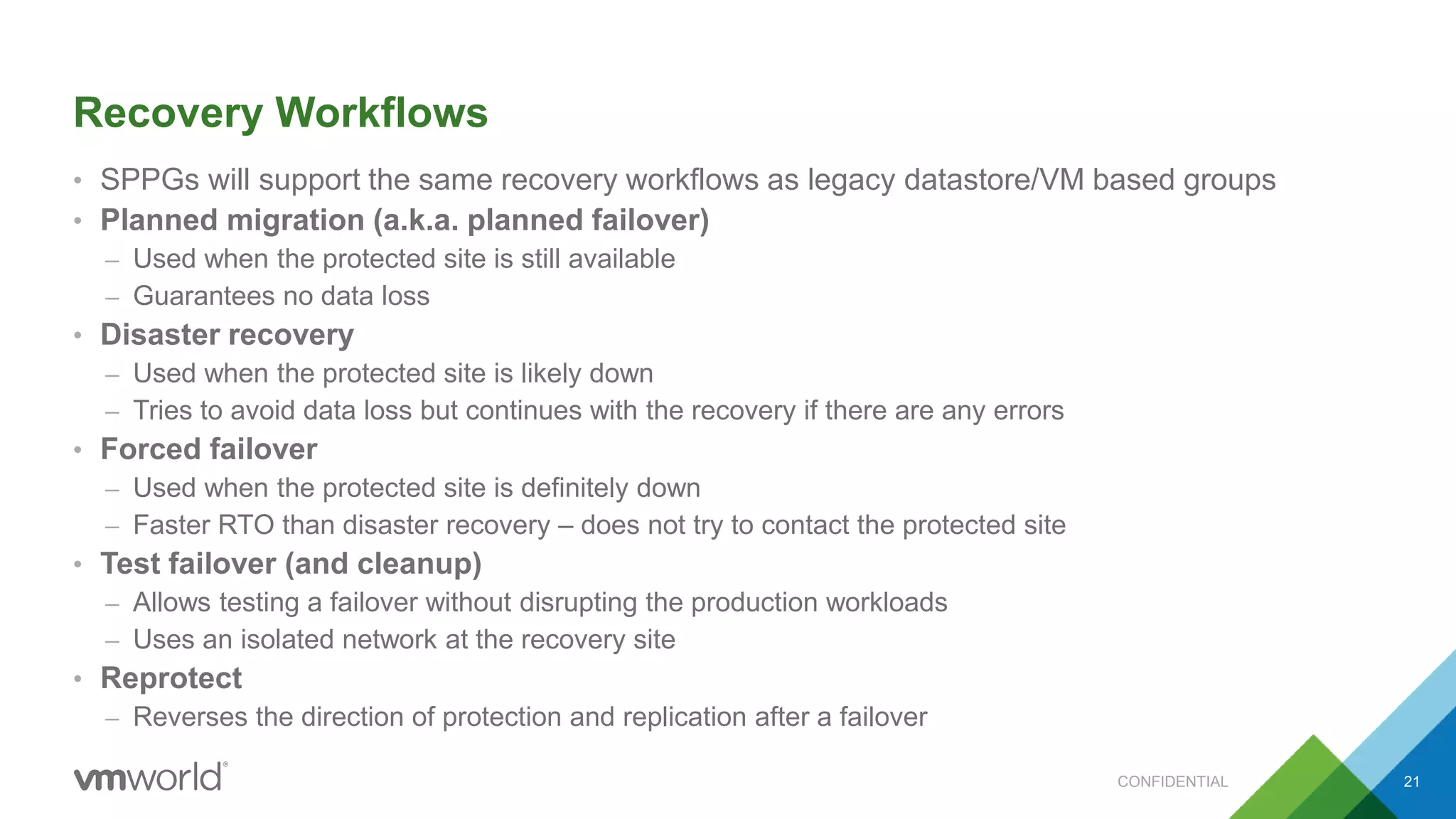
Recovery Workflows
• SPPGs will support the same recovery workflows as legacy datastore/VM based groups
• Planned migration (a.k.a. planned failover)
– Used when the protected site is still available
– Guarantees no data loss
• Disaster recovery
– Used when the protected site is likely down
– Tries to avoid data loss but continues with the recovery if there are any errors
• Forced failover
– Used when the protected site is definitely down
– Faster RTO than disaster recovery – does not try to contact the protected site
• Test failover (and cleanup)
– Allows testing a failover without disrupting the production workloads
– Uses an isolated network at the recovery site
• Reprotect
– Reverses the direction of protection and replication after a failover
CONFIDENTIAL 21
Test Failover: Demo
CONFIDENTIAL 22
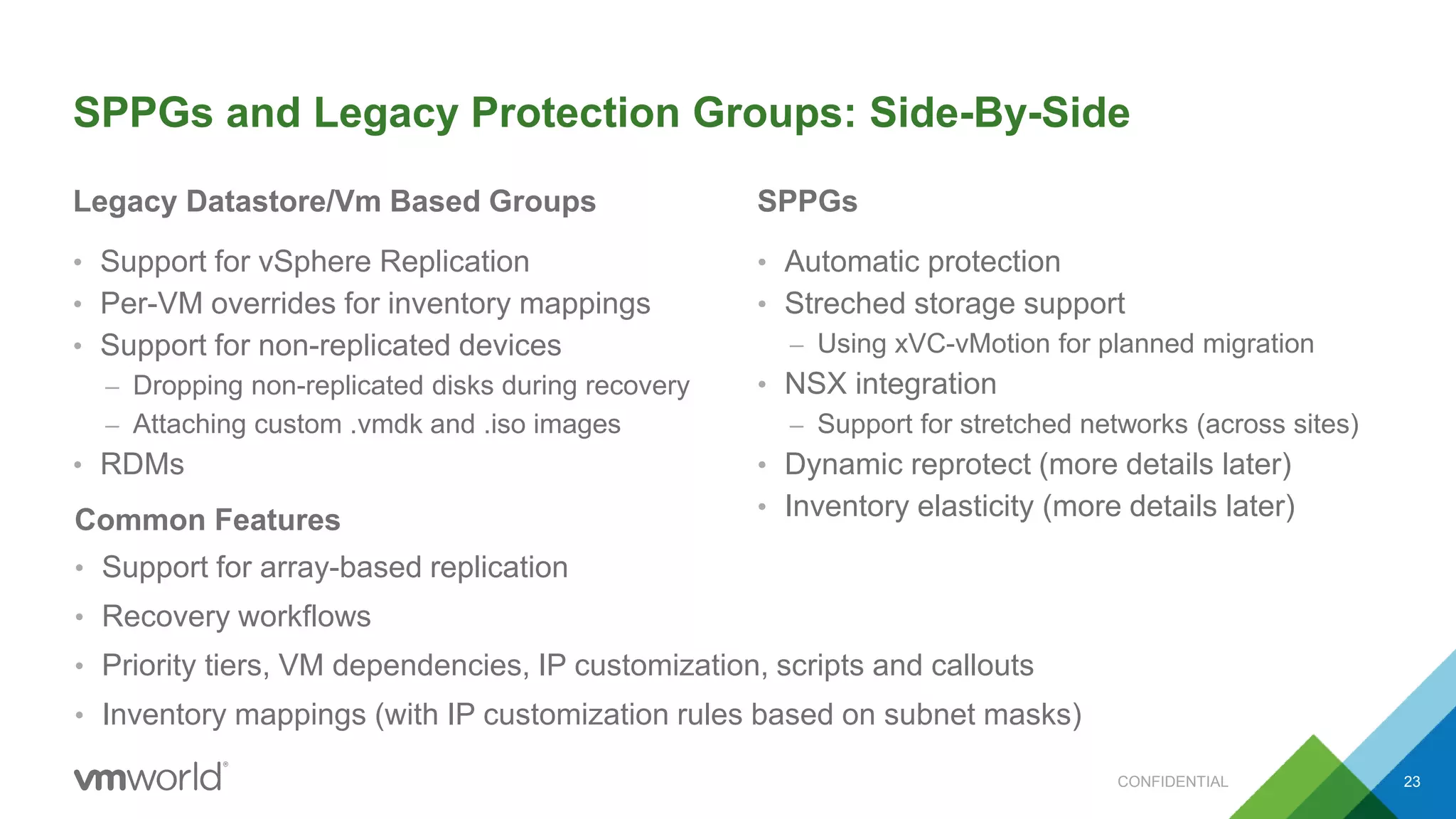
SPPGs and Legacy Protection Groups: Side-By-Side
Legacy Datastore/Vm Based Groups
• Support for vSphere Replication
• Per-VM overrides for inventory mappings
• Support for non-replicated devices
– Dropping non-replicated disks during recovery
– Attaching custom .vmdk and .iso images
• RDMs
SPPGs
• Automatic protection
• Streched storage support
– Using xVC-vMotion for planned migration
• NSX integration
– Support for stretched networks (across sites)
• Dynamic reprotect (more details later)
• Inventory elasticity (more details later)
CONFIDENTIAL 23
Common Features
• Support for array-based replication
• Recovery workflows
• Priority tiers, VM dependencies, IP customization, scripts and callouts
• Inventory mappings (with IP customization rules based on subnet masks)
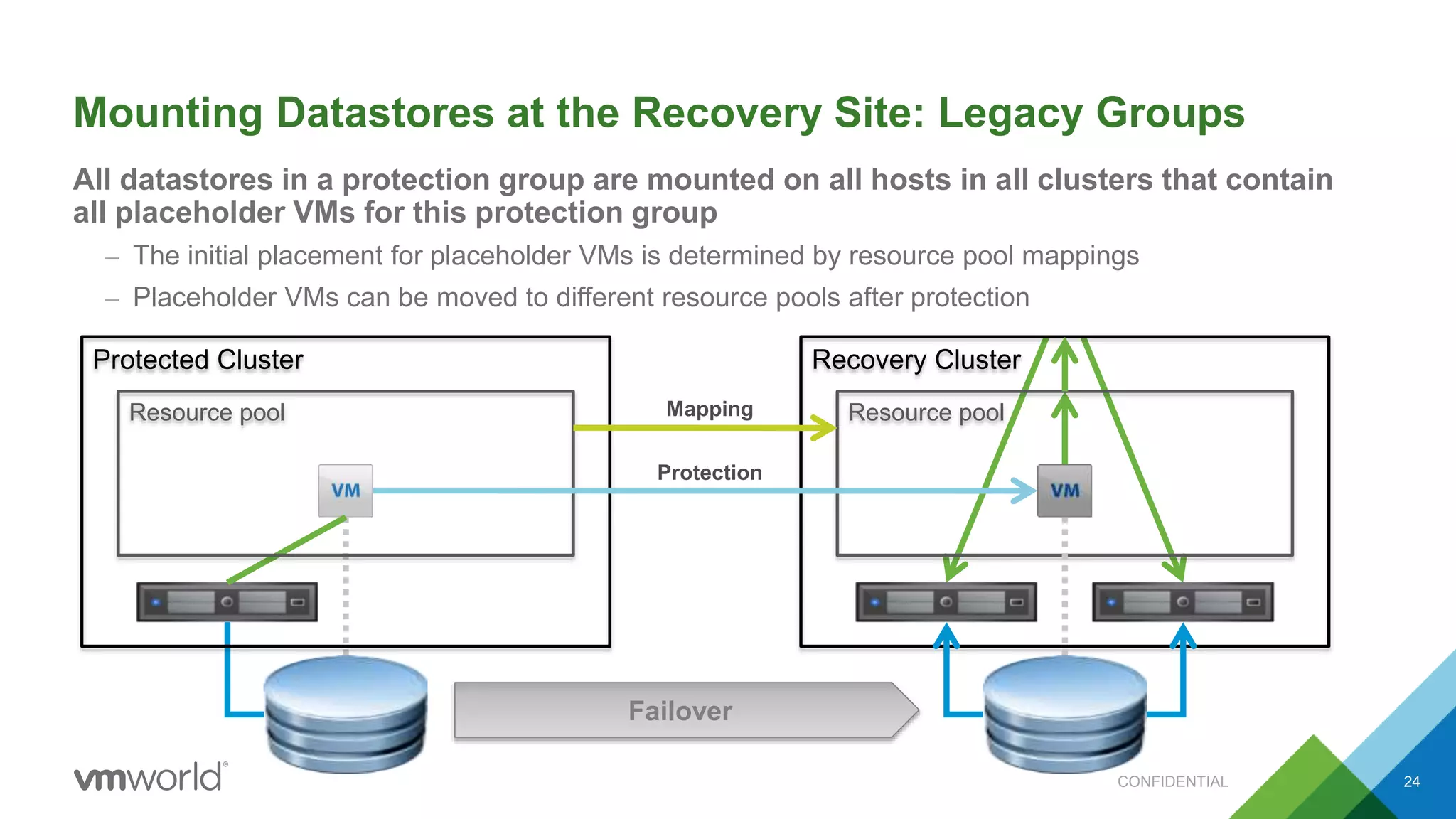
Mounting Datastores at the Recovery Site: Legacy Groups
All datastores in a protection group are mounted on all hosts in all clusters that contain
all placeholder VMs for this protection group
– The initial placement for placeholder VMs is determined by resource pool mappings
– Placeholder VMs can be moved to different resource pools after protection
CONFIDENTIAL 24
Resource pool
Protected Cluster Recovery Cluster
Resource poolMapping
Protection
Failover
Mounting Datastores at the Recovery Site: SPPGs
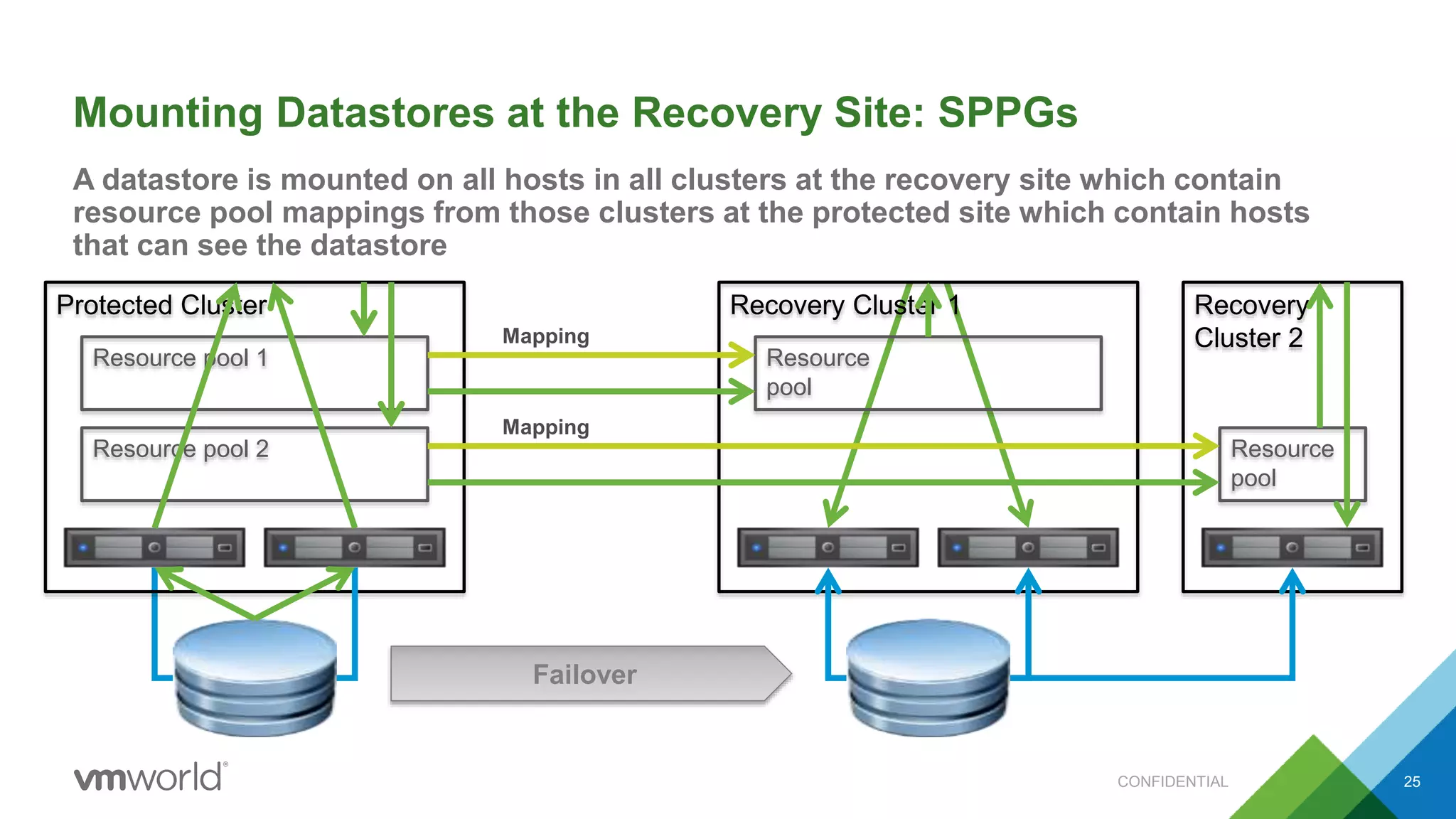
A datastore is mounted on all hosts in all clusters at the recovery site which contain
resource pool mappings from those clusters at the protected site which contain hosts
that can see the datastore
CONFIDENTIAL 25
Resource pool 1
Protected Cluster Recovery Cluster 1
Resource
pool
Mapping
Resource pool 2
Recovery
Cluster 2
Resource
pool
Mapping
Failover
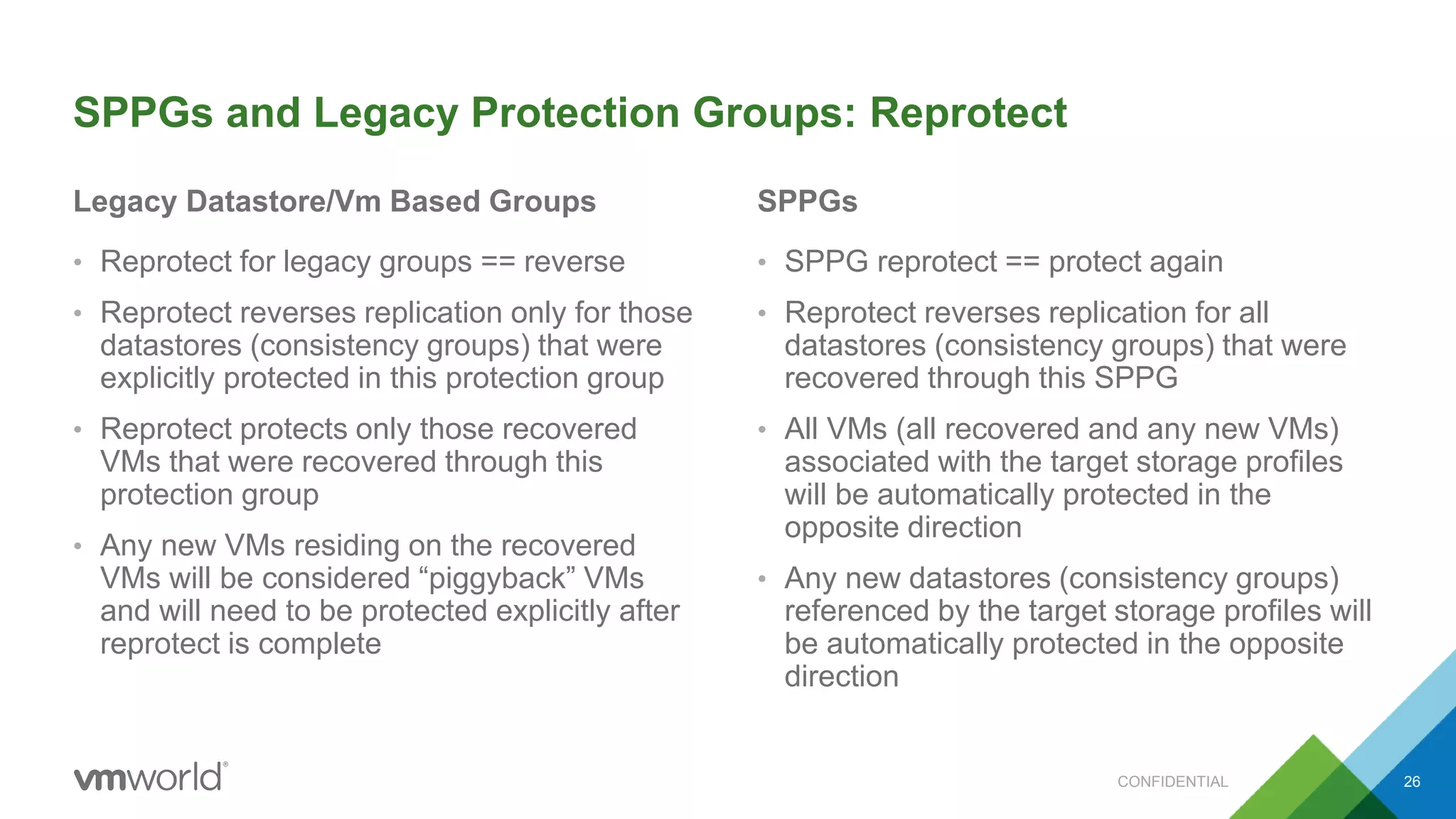
SPPGs and Legacy Protection Groups: Reprotect
Legacy Datastore/Vm Based Groups
• Reprotect for legacy groups == reverse
• Reprotect reverses replication only for those
datastores (consistency groups) that were
explicitly protected in this protection group
• Reprotect protects only those recovered
VMs that were recovered through this
protection group
• Any new VMs residing on the recovered
VMs will be considered “piggyback” VMs
and will need to be protected explicitly after
reprotect is complete
SPPGs
• SPPG reprotect == protect again
• Reprotect reverses replication for all
datastores (consistency groups) that were
recovered through this SPPG
• All VMs (all recovered and any new VMs)
associated with the target storage profiles
will be automatically protected in the
opposite direction
• Any new datastores (consistency groups)
referenced by the target storage profiles will
be automatically protected in the opposite
direction
CONFIDENTIAL 26
Tag Management
• SRM will capture all tags assigned to datastores at the protected site
• SRM will assign the same tags to the recovered datastores at the recovery site
• The user must create the same tags and categories at both sites (by names)
– If the sites are federated, the tags and categories will be automatically transferred
• SPPGs will assume that target storage profiles use the same tags to reference datastores
• SRM will automatically associate recovered VMs with the target storage profiles
• SRM will verify that the recovered datastores are referenced by the target storage profiles
– If not, the failover workflow will fail
CONFIDENTIAL 27
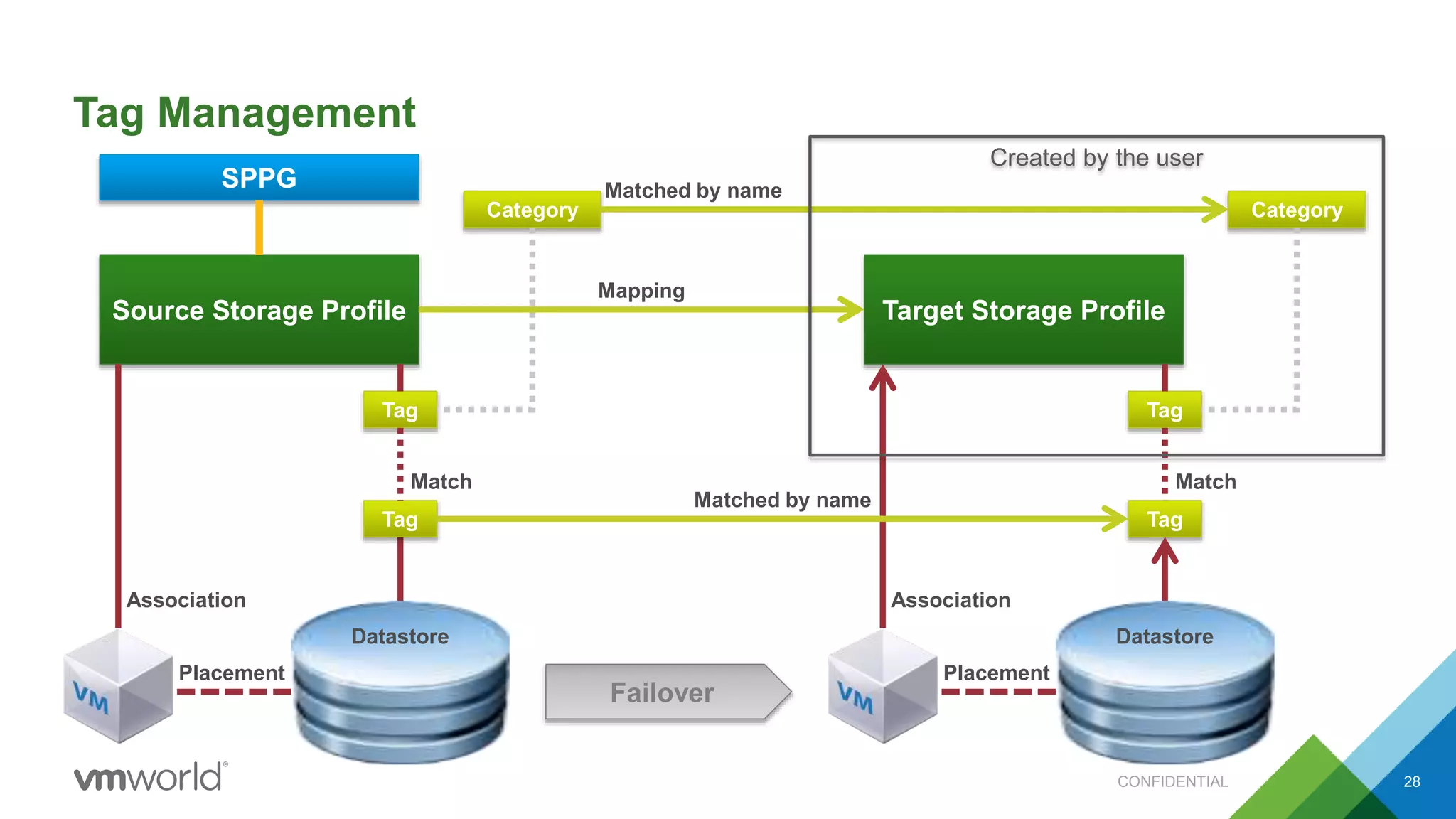
Tag Management
CONFIDENTIAL 28
Source Storage Profile
Datastore
Tag
Placement
Association
Tag
Match
Category
Target Storage Profile
Tag
Category
Mapping
Match
Tag
Datastore
Placement
Association
Matched by name
Matched by name
Created by the user
SPPG
Failover
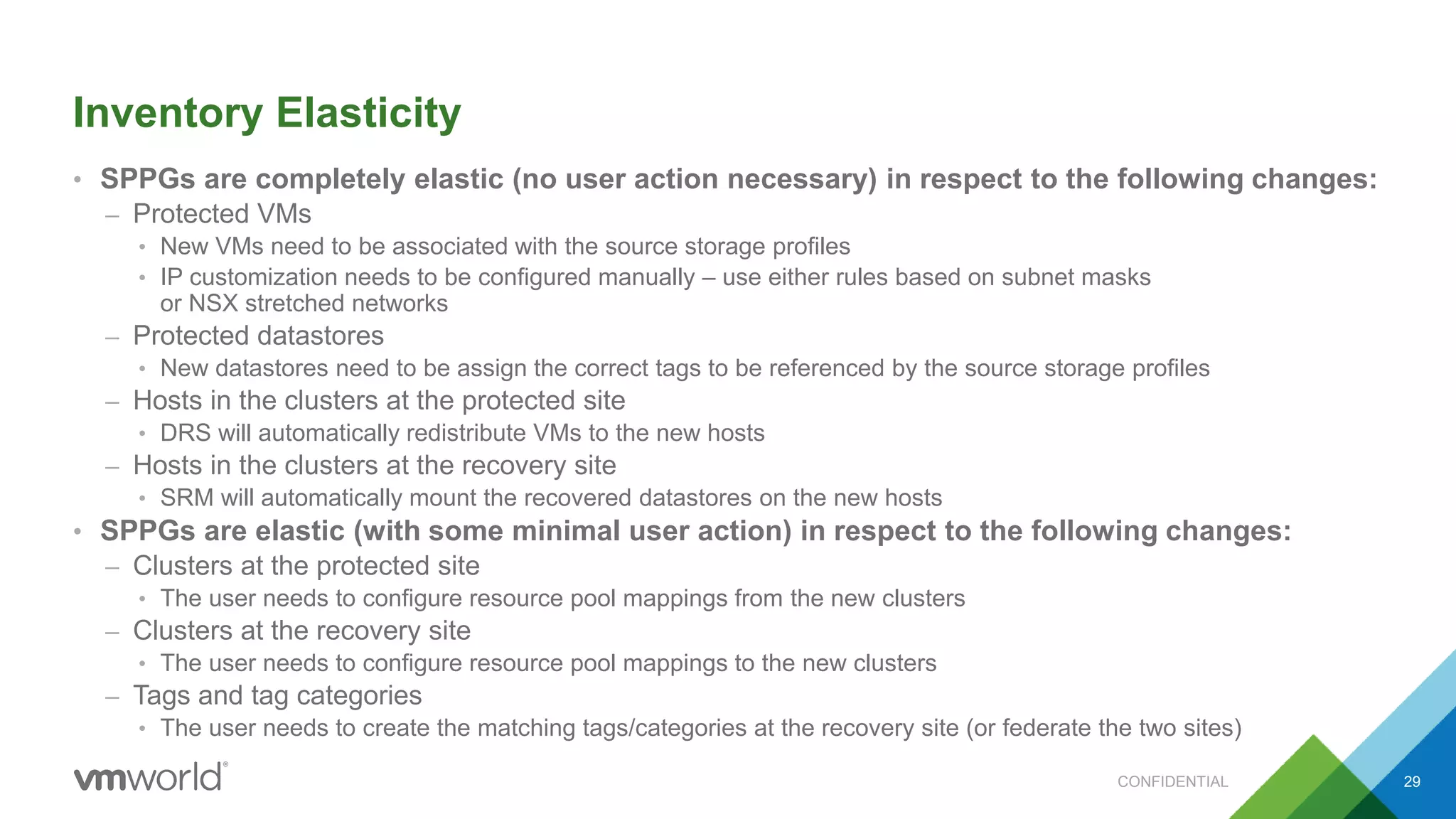
Inventory Elasticity
• SPPGs are completely elastic (no user action necessary) in respect to the following changes:
– Protected VMs
• New VMs need to be associated with the source storage profiles
• IP customization needs to be configured manually – use either rules based on subnet masks
or NSX stretched networks
– Protected datastores
• New datastores need to be assign the correct tags to be referenced by the source storage profiles
– Hosts in the clusters at the protected site
• DRS will automatically redistribute VMs to the new hosts
– Hosts in the clusters at the recovery site
• SRM will automatically mount the recovered datastores on the new hosts
• SPPGs are elastic (with some minimal user action) in respect to the following changes:
– Clusters at the protected site
• The user needs to configure resource pool mappings from the new clusters
– Clusters at the recovery site
• The user needs to configure resource pool mappings to the new clusters
– Tags and tag categories
• The user needs to create the matching tags/categories at the recovery site (or federate the two sites)
CONFIDENTIAL 29
Recap
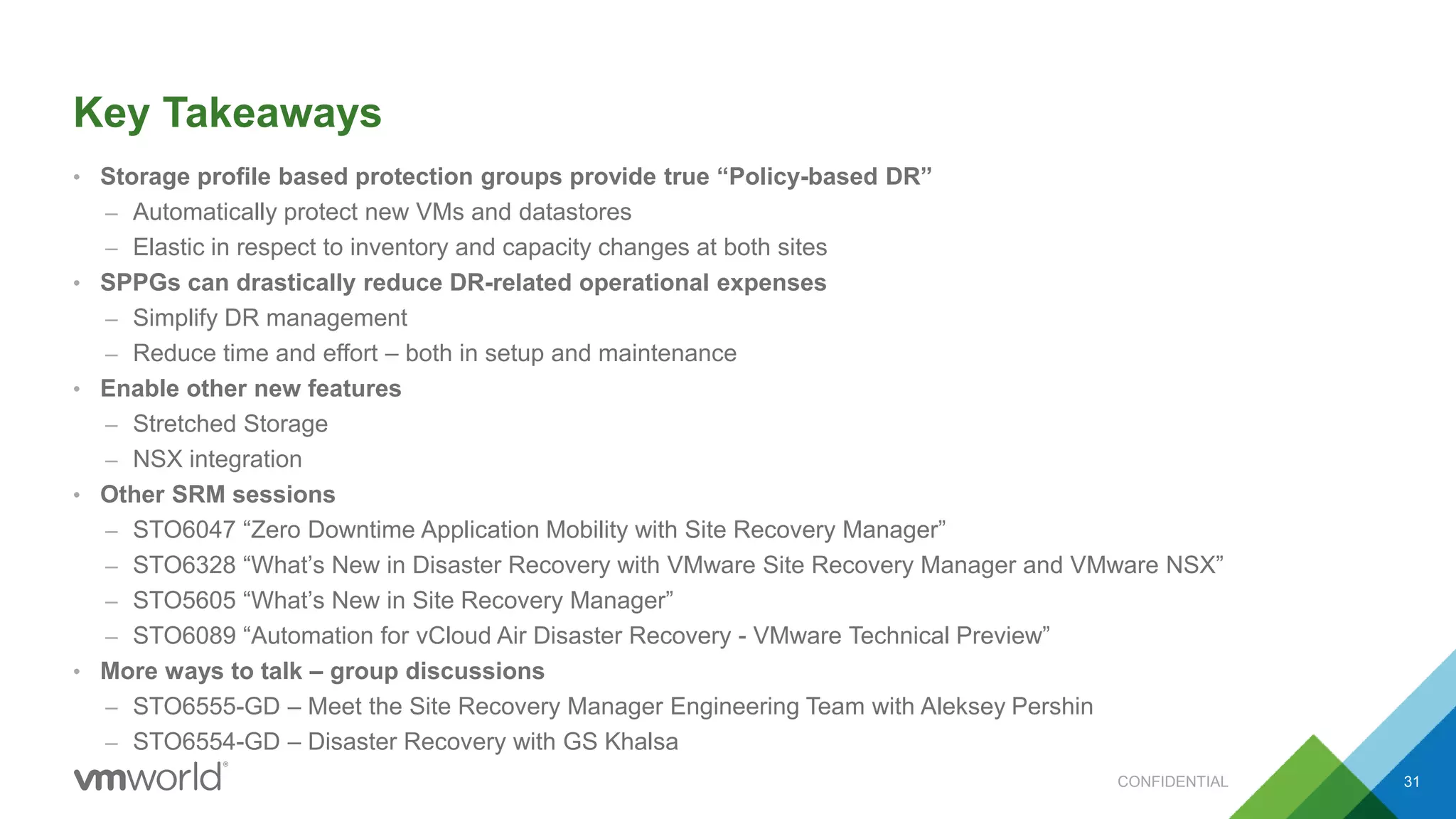
Key Takeaways
• Storage profile based protection groups provide true “Policy-based DR”
– Automatically protect new VMs and datastores
– Elastic in respect to inventory and capacity changes at both sites
• SPPGs can drastically reduce DR-related operational expenses
– Simplify DR management
– Reduce time and effort – both in setup and maintenance
• Enable other new features
– Stretched Storage
– NSX integration
• Other SRM sessions
– STO6047 “Zero Downtime Application Mobility with Site Recovery Manager”
– STO6328 “What’s New in Disaster Recovery with VMware Site Recovery Manager and VMware NSX”
– STO5605 “What’s New in Site Recovery Manager”
– STO6089 “Automation for vCloud Air Disaster Recovery - VMware Technical Preview”
• More ways to talk – group discussions
– STO6555-GD – Meet the Site Recovery Manager Engineering Team with Aleksey Pershin
– STO6554-GD – Disaster Recovery with GS Khalsa
CONFIDENTIAL 31
CONFIDENTIAL32
Questions
CONFIDENTIAL33
CONFIDENTIAL34
Site Recovery Manager and Policy Based DR:
Deep dive with Engineering
GS Khalsa, VMware, Inc
Aleksey Pershin, VMware, Inc
STO6137
#STO6137

VMworld 2015: Site Recovery Manager and Policy Based DR Deep Dive with Engineering

  • 1.
    Site Recovery Managerand Policy Based DR: Deep dive with Engineering GS Khalsa, VMware, Inc Aleksey Pershin, VMware, Inc STO6137 #STO6137
  • 2.
    • This presentationmay contain product features that are currently under development. • This overview of new technology represents no commitment from VMware to deliver these features in any generally available product. • Features are subject to change, and must not be included in contracts, purchase orders, or sales agreements of any kind. • Technical feasibility and market demand will affect final delivery. • Pricing and packaging for any new technologies or features discussed or presented have not been determined. Disclaimer CONFIDENTIAL 2
  • 3.
    Agenda CONFIDENTIAL 3 1 WhySPPGs? What are they? 2 Deep Dive and Demos 3 Recap 4 Q&A
  • 4.
    Key Components OfSRM vCenter Server Site Recovery Manager Protected Site Recovery Site Storage vCenter Server Site Recovery Manager vSpherevSphere Storage
  • 5.
    What is aprotection group? • Group of VMs that will be recovered together – Application – Department – System type – ? • Different depending on replication type • A VM can only belong to one Protection Group CONFIDENTIAL 5 Protection Group
  • 6.
    vSphere Replication ProtectionGroups • Group VMs as desired into Protection Groups • What storage they are located on doesn’t matter CONFIDENTIAL 6 Protection Group 1 – Web App Protection Group 2 – Email Protection Group 3 – SharePoint
  • 7.
    Array Based ProtectionGroups 7 Consistency Group Protection Group 1 – Web App LUN 1 Protection Group 2 – Email Protection Group 3 – SharePoint Datastore A LUN 2 Datastore B LUN 3 Datastore C LUN 4 Datastore D LUN 5 Datastore F
  • 8.
    Challenges • Requires explicitmanagement – Primarily via UI/Limited API • Operational overhead/complex orchestration to: – Protect/Unprotect VMs – Add/Remove datastores from Protection Groups CONFIDENTIAL 8
  • 9.
    Profile Driven Protection Group ProfileDriven Protection CONFIDENTIAL • New style of Protection Groups leveraging storage profiles • Level of indirection compared to traditional protection groups Description • Policy based approach reduces OpEx by handling VM protection lifecycle automatically • Simpler integration of VM provisioning, migration, and decommissioning (no orchestration) with other solutions such as vRealize Automation Benefits 9
  • 10.
    What else isnew in SRM 6.1? • Stretched Storage Support – STO6047 “Zero Downtime Application Mobility with Site Recovery Manager” – Wednesday, 2:00-3:00 • NSX Integration – STO6328 “What’s New in Disaster Recovery with VMware Site Recovery Manager and VMware NSX” – Tuesday, 2:30-3:30 • A whole bunch of small improvements – STO5605 “What’s New in Site Recovery Manager” – Wednesday, 11:00-12:00 • DR automation for vCloud Air – using vCloud Air as a recovery site – STO6089 “Automation for vCloud Air Disaster Recovery - VMware Technical Preview” – Thursday, 12:00-1:00 CONFIDENTIAL 10
  • 11.
  • 12.
    Storage Profiles • StorageProfiles (a.k.a. storage policy) is a construct in vCenter – An indirection layer between VMs and storage • A storage profile is backed by a set of datastores – Datastores can be referenced by tags – Datastores can be referenced by storage capabilities • Array specific • Requires VASA support from the array • When a VM is associated with a storage profile, vCenter picks a datastore from the profile’s datastore set – Association is per-VM and per-disk – The user can override the datastore selection manually • vCenter can perform a compliance check to ensure that VMs are still stored on the correct datastores CONFIDENTIAL 12 Storage Profile Datastore A Datastore B Tag Tag Tag
  • 13.
  • 14.
    Storage Profile ProtectionGroups (SPPGs) • A new type of protection groups in SRM 6.1 – Legacy VM-based protection groups are fully supported • When creating an SPPG, the user specifies a set of storage profiles • SRM will automatically discover and protect all corresponding datastores • SRM will automatically discover and protect all associated VMs • SPPGs support only array based replication – vSphere Replication is supported only through legacy VM-based protection groups CONFIDENTIAL 14
  • 15.
    Inventory Mappings • Inventorymappings is a way to map vCenter inventory between sites • Network, resource pool, folder mappings should be configured before creating SPPGs – These mappings are the same as in SRM today and are shared with VM protection groups – The UI can automatically configure mappings using name matching – The UI can automatically configure mappings in the reverse direction – Name matching and reverse mappings are not updated dynamically • Storage profile mappings should be configured before creating SPPGs – These mappings are used only for SPPGs • SRM has a way to deal with missing mappings detected during a failover – The failover will fail and the mapping UI will show missing mapping “placeholders” – The user needs to configure the missing mappings and rerun the failover – This can be done even if the protected site is not available! • Network mappings can be configured to change IP addresses based on subnet masks CONFIDENTIAL 15
  • 16.
  • 17.
    Storage Profile ProtectionGroups: Demo CONFIDENTIAL 17
  • 18.
    Recovery Plans • 2types of recovery plans in SRM 6.1 – Legacy recovery plans that can contain only legacy datastore/VM based protection groups – New recovery plans that can contain only SPPGs • When creating a recovery plan the user chooses which protection groups should belong to the recovery plan – All VMs in the selected protection groups will be a part of the recovery plan • Both types of recovery plans support the same customization features – VM priority tiers – Dependencies between VMs – Per-VM IP customization settings – Per-VM scripts and callouts CONFIDENTIAL 18
  • 19.
    Automatic Protection • SRMmonitors VMs in all storage profiles assigned to an SPPG – Any new VMs will be automatically protected – Any removed VMs will be automatically unprotected – The new VMs will be automatically added to the corresponding recovery plans – The user will need to customize IP addresses, dependencies and scripts later • Use IP customization rules based on subnet masks – The recovery placement of the new VMs will be determined by the inventory mappings • SRM monitors datastores in all storage profiles assigned to an SPPG – Any new datastores will be automatically protected • Even if a datastore has no VMs on it, it can still be protected – Any removed datastores will be automatically unprotected CONFIDENTIAL 19 SPPG Storage Profile Datastore Tag Placement Association Tag Match
  • 20.
  • 21.
    Recovery Workflows • SPPGswill support the same recovery workflows as legacy datastore/VM based groups • Planned migration (a.k.a. planned failover) – Used when the protected site is still available – Guarantees no data loss • Disaster recovery – Used when the protected site is likely down – Tries to avoid data loss but continues with the recovery if there are any errors • Forced failover – Used when the protected site is definitely down – Faster RTO than disaster recovery – does not try to contact the protected site • Test failover (and cleanup) – Allows testing a failover without disrupting the production workloads – Uses an isolated network at the recovery site • Reprotect – Reverses the direction of protection and replication after a failover CONFIDENTIAL 21
  • 22.
  • 23.
    SPPGs and LegacyProtection Groups: Side-By-Side Legacy Datastore/Vm Based Groups • Support for vSphere Replication • Per-VM overrides for inventory mappings • Support for non-replicated devices – Dropping non-replicated disks during recovery – Attaching custom .vmdk and .iso images • RDMs SPPGs • Automatic protection • Streched storage support – Using xVC-vMotion for planned migration • NSX integration – Support for stretched networks (across sites) • Dynamic reprotect (more details later) • Inventory elasticity (more details later) CONFIDENTIAL 23 Common Features • Support for array-based replication • Recovery workflows • Priority tiers, VM dependencies, IP customization, scripts and callouts • Inventory mappings (with IP customization rules based on subnet masks)
  • 24.
    Mounting Datastores atthe Recovery Site: Legacy Groups All datastores in a protection group are mounted on all hosts in all clusters that contain all placeholder VMs for this protection group – The initial placement for placeholder VMs is determined by resource pool mappings – Placeholder VMs can be moved to different resource pools after protection CONFIDENTIAL 24 Resource pool Protected Cluster Recovery Cluster Resource poolMapping Protection Failover
  • 25.
    Mounting Datastores atthe Recovery Site: SPPGs A datastore is mounted on all hosts in all clusters at the recovery site which contain resource pool mappings from those clusters at the protected site which contain hosts that can see the datastore CONFIDENTIAL 25 Resource pool 1 Protected Cluster Recovery Cluster 1 Resource pool Mapping Resource pool 2 Recovery Cluster 2 Resource pool Mapping Failover
  • 26.
    SPPGs and LegacyProtection Groups: Reprotect Legacy Datastore/Vm Based Groups • Reprotect for legacy groups == reverse • Reprotect reverses replication only for those datastores (consistency groups) that were explicitly protected in this protection group • Reprotect protects only those recovered VMs that were recovered through this protection group • Any new VMs residing on the recovered VMs will be considered “piggyback” VMs and will need to be protected explicitly after reprotect is complete SPPGs • SPPG reprotect == protect again • Reprotect reverses replication for all datastores (consistency groups) that were recovered through this SPPG • All VMs (all recovered and any new VMs) associated with the target storage profiles will be automatically protected in the opposite direction • Any new datastores (consistency groups) referenced by the target storage profiles will be automatically protected in the opposite direction CONFIDENTIAL 26
  • 27.
    Tag Management • SRMwill capture all tags assigned to datastores at the protected site • SRM will assign the same tags to the recovered datastores at the recovery site • The user must create the same tags and categories at both sites (by names) – If the sites are federated, the tags and categories will be automatically transferred • SPPGs will assume that target storage profiles use the same tags to reference datastores • SRM will automatically associate recovered VMs with the target storage profiles • SRM will verify that the recovered datastores are referenced by the target storage profiles – If not, the failover workflow will fail CONFIDENTIAL 27
  • 28.
    Tag Management CONFIDENTIAL 28 SourceStorage Profile Datastore Tag Placement Association Tag Match Category Target Storage Profile Tag Category Mapping Match Tag Datastore Placement Association Matched by name Matched by name Created by the user SPPG Failover
  • 29.
    Inventory Elasticity • SPPGsare completely elastic (no user action necessary) in respect to the following changes: – Protected VMs • New VMs need to be associated with the source storage profiles • IP customization needs to be configured manually – use either rules based on subnet masks or NSX stretched networks – Protected datastores • New datastores need to be assign the correct tags to be referenced by the source storage profiles – Hosts in the clusters at the protected site • DRS will automatically redistribute VMs to the new hosts – Hosts in the clusters at the recovery site • SRM will automatically mount the recovered datastores on the new hosts • SPPGs are elastic (with some minimal user action) in respect to the following changes: – Clusters at the protected site • The user needs to configure resource pool mappings from the new clusters – Clusters at the recovery site • The user needs to configure resource pool mappings to the new clusters – Tags and tag categories • The user needs to create the matching tags/categories at the recovery site (or federate the two sites) CONFIDENTIAL 29
  • 30.
  • 31.
    Key Takeaways • Storageprofile based protection groups provide true “Policy-based DR” – Automatically protect new VMs and datastores – Elastic in respect to inventory and capacity changes at both sites • SPPGs can drastically reduce DR-related operational expenses – Simplify DR management – Reduce time and effort – both in setup and maintenance • Enable other new features – Stretched Storage – NSX integration • Other SRM sessions – STO6047 “Zero Downtime Application Mobility with Site Recovery Manager” – STO6328 “What’s New in Disaster Recovery with VMware Site Recovery Manager and VMware NSX” – STO5605 “What’s New in Site Recovery Manager” – STO6089 “Automation for vCloud Air Disaster Recovery - VMware Technical Preview” • More ways to talk – group discussions – STO6555-GD – Meet the Site Recovery Manager Engineering Team with Aleksey Pershin – STO6554-GD – Disaster Recovery with GS Khalsa CONFIDENTIAL 31
  • 32.
  • 33.
  • 34.
  • 35.
    Site Recovery Managerand Policy Based DR: Deep dive with Engineering GS Khalsa, VMware, Inc Aleksey Pershin, VMware, Inc STO6137 #STO6137

Editor's Notes

  • #4 1 – SRM & PGs 2 – Challenges with PGs
  • #5 4
  • #9 Requires explicit management of contents of Protected Resources, including datastores and VMs The existing operational overhead increases the cost to protect a VM.
  • #10 Leveraging Storage Profiles to identify protected resources reduces costs by removing the SRM operations required to: Protect/Unprotect VMs Add/Remove datastores from protection groups
  • #32 How protection groups work now – challenges with them Introduced you to the idea of storage policies and SPPGs – Policy based protection What’s new in SRM 6.1 Automatic protection Similarities and differences between VMPGs and SPPGs Tag management Elastic inventory