Visual Principles     Robert Heinich
Goals of Visual Design1. Ensure legibility 2. Reduce effort (cognitive load) 3. Increase active engagement 4. Focus attention Example:  http://www.kidsknowit.com/ Example:  http://pbskids.org/
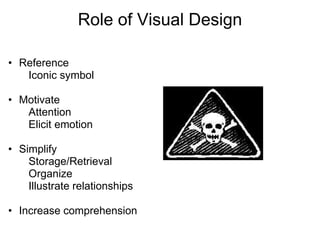
Role of Visual Design  Reference        Iconic symbol                 Motivate        Attention        Elicit emotion Simplify        Storage/Retrieval        Organize        Illustrate relationships  Increase comprehension Audience ConsiderationsVisual Literacy level
Age/Development (section vs. whole)
Culture
Socioeconomic background
Preference     Effectiveness  Practice time        Decode:            View                                                        Critique            Analyze                Encode:            Create            Produce            Sequence
Visual Design Processes Procedures Elements        What visual and verbal components will enhance the display? Patterns        What underlying pattern(s) will you choose for the elements? Arrangement        How will you arrange the elements within the pattern?         
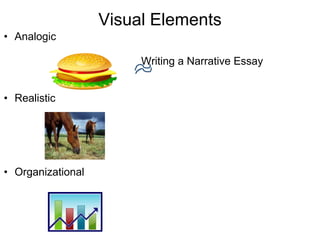
Visual ElementsAnalogic                                                 Writing a Narrative Essay  Realistic     Organizational    
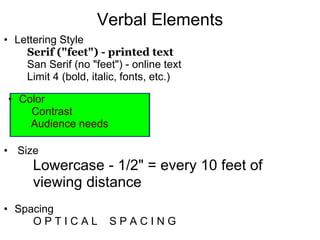
Verbal ElementsLettering Style          Serif ("feet") - printed text         San Serif (no "feet") - online text         Limit 4 (bold, italic, fonts, etc.)      Size        Lowercase - 1/2" = every 10 feet of            viewing distance Spacing           O P T I C A L    S P A C I N G   Color         Contrast          Audience needs
Visual AppealSurprise!      Texture   Interaction 
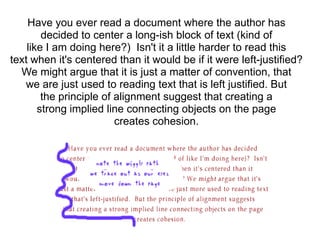
Have you ever read a document where the author hasdecided to center a long-ish block of text (kind oflike I am doing here?)  Isn't it a little harder to read thistext when it's centered than it would be if it were left-justified?We might argue that it is just a matter of convention, thatwe are just used to reading text that is left justified. Butthe principle of alignment suggest that creating astrong implied line connecting objects on the pagecreates cohesion. 
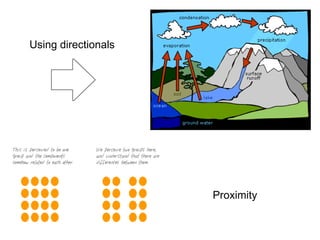
 Pattern  Establish an underlying pattern to decide how the viewer's eye will flow across your display. Major factors that affect the overall look: alignment of elements
shape
balance
style
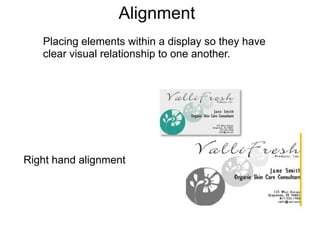
color scheme and appealAlignment   Placing elements within a display so they have clear visual relationship to one another.Right hand alignment
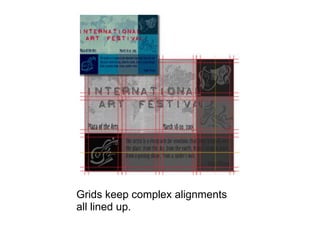
 Grids keep complex alignments all lined up.
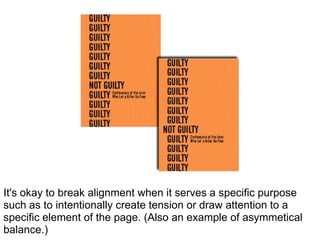
 It's okay to break alignment when it serves a specific purpose such as to intentionally create tension or draw attention to a specific element of the page. (Also an example of asymmetical balance.)
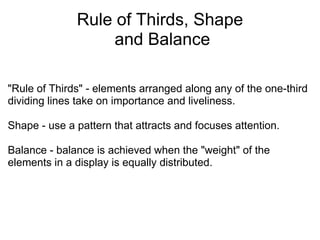
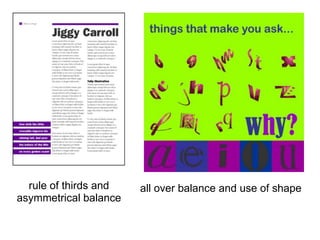
Rule of Thirds, Shape and Balance  "Rule of Thirds" - elements arranged along any of the one-third dividing lines take on importance and liveliness. Shape - use a pattern that attracts and focuses attention. Balance - balance is achieved when the "weight" of the elements in a display is equally distributed.
 all over balance  rule of thirds and asymmetrical balance
  use of shape
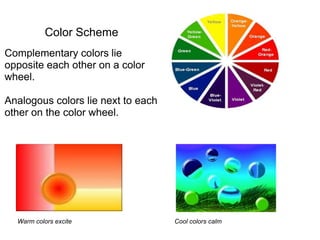
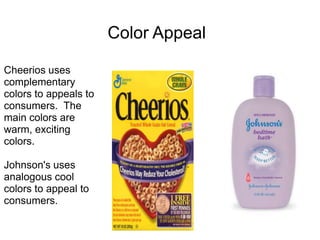
Color Scheme Complementary colors lie opposite each other on a color wheel. Analogous colors lie next to each other on the color wheel.Warm colors exciteCool colors calm
 Color Appeal     Cheerios uses complementary colors to appeals to consumers.  The main colors are warm, exciting colors. Johnson's uses analogous cool colors to appeal to consumers.

Visual Principles