VISUAL INFORMATION
AND MEDIA
Objectives:
1. Identify the different types of
visual content.
2. Describe the purposes of visual
media and information.
3. Analyze the design principles
and elements used in a given
visual media.
4. Critique the effectiveness of
visual information.
Visual
Media and
Information
• materials, programs,
applications and the like
that teachers and students
use to formulate new
information to aid learning
through the use, analysis,
evaluation and production
of visual images
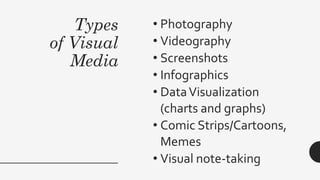
Types
of Visual
Media
• Photography
• Videography
• Screenshots
• Infographics
• DataVisualization
(charts and graphs)
• Comic Strips/Cartoons,
Memes
• Visual note-taking
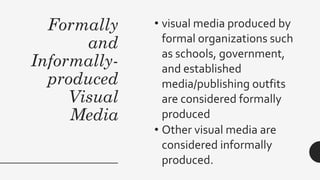
Formally
and
Informally-
produced
Visual
Media
• visual media produced by
formal organizations such
as schools, government,
and established
media/publishing outfits
are considered formally
produced
• Other visual media are
considered informally
produced.
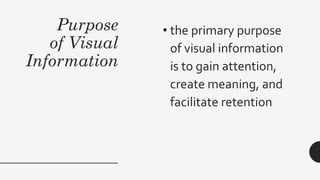
Purpose
of Visual
Information
• the primary purpose
of visual information
is to gain attention,
create meaning, and
facilitate retention
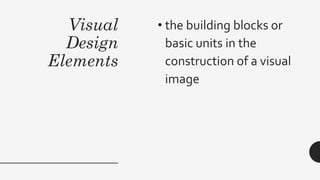
Visual
Design
Elements
• the building blocks or
basic units in the
construction of a visual
image
Visual
Design
Elements:
Line
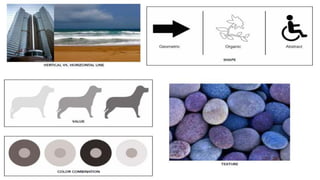
• describes a shape or
outline
• It can create texture and
can be thick or thin.
• Lines may be actual,
implied, vertical,
horizontal, diagonal, or
contour lines
Visual
Design
Elements:
Shape
• usually a geometric area
that stands out from the
space next to or around it,
or because of differences
in value, color, or texture
• Shape may also be
organic.
Visual
Design
Elements:
Value
• the degree of light and dark
in a design
• It is the contrast between
black and white and all the
tones in between values.
• Value can be used with
color as well as black and
white.
• Contrast is the extreme
changes between values.
Visual
Design
Elements:
Texture
• the way a surface feels or is
perceived to feel
• Texture can be added to
attract or repel interest to a
visual element.
• Visual texture is the illusion
of the surfaces peaks and
valleys, resulting in a feeling
of smoothness or roughness
in objects.
Visual
Design
Elements:
Color
• determined by its hue
(name of color), intensity
(purity of the hue), and
value (lightness or darkness
of hue).
• Color and color
combination can play a
large role in the design.
• Color may be used for
emphasis, or may elicit
emotions from viewers.
Visual
Design
Elements:
Color
• Color maybe warm, cool, or
neutral.
• It plays a major role in our
visual perception, as it
influences our reactions
about the world around us.
• It is therefore important to
create color palettes that
evoke the appropriate
audience reactions.
Visual
Design
Elements:
Form
• a figure having volume
and thickness
• An illusion of a three-
dimensional object can be
implied with the use of
light and shading.
• Form can be viewed from
many angles.
Visual
Design
Principles
Consistency of margins,
typeface, typestyle, and
colors is necessary,
especially in slide
presentations or
documents that are more
than one page.
Visual
Design
Principles
Center of Interest
• an area that first attracts
attention in a composition.
• This area is more important
when compared to the other
objects or elements in a
composition.
• This can be by contrast of
values, more colors, and
placement in the format.
Visual
Design
Principles
Balance
• a feeling of visual equality in
shape, form, value, color, etc.
• Balance can be symmetrical and
evenly balanced, or
asymmetrical and unevenly
balanced.
• Objects, values, colors, textures,
shapes, forms, etc. can be used
in creating balance in a
composition.
Visual
Design
Principles
Harmony
• brings together a
composition with similar
units
• If for example your
composition was using wavy
lines and organic shapes, you
would stay with those types
of lines and not put in just
one geometric shape.
Visual
Design
Principles
Contrast
• offers some change in value
creating a visual discord in a
composition
• Contrast shows the
difference between shapes
and can be used as a
background to bring objects
out and forward in a design.
• It can also be used to create
an area of emphasis.
Visual
Design
Principles
Directional Movement
• a visual flow through the
composition.
• It can be the suggestion of
motion in a design as you move
from object to object by way of
placement and position.
• Directional movement can be
created with a value pattern.
• It is with the placement of dark
and light areas that you can
move your attention through
the format.
Visual
Design
Principles
Rhythm
• a movement in which some
elements recur regularly
• Like a dance it will have a
flow of objects that will
seem to be like the beat of
music.
Visual
Design
Principles
Perspective
• created through the
arrangement of objects in
two-dimensional space to look
like they appear in real life
• Perspective is a learned
meaning of the relationship
between different objects
seen in space.

Hsiajvndjsj

  • 1.
  • 2.
    Objectives: 1. Identify thedifferent types of visual content. 2. Describe the purposes of visual media and information. 3. Analyze the design principles and elements used in a given visual media. 4. Critique the effectiveness of visual information.
  • 4.
    Visual Media and Information • materials,programs, applications and the like that teachers and students use to formulate new information to aid learning through the use, analysis, evaluation and production of visual images
  • 5.
    Types of Visual Media • Photography •Videography • Screenshots • Infographics • DataVisualization (charts and graphs) • Comic Strips/Cartoons, Memes • Visual note-taking
  • 6.
    Formally and Informally- produced Visual Media • visual mediaproduced by formal organizations such as schools, government, and established media/publishing outfits are considered formally produced • Other visual media are considered informally produced.
  • 7.
    Purpose of Visual Information • theprimary purpose of visual information is to gain attention, create meaning, and facilitate retention
  • 8.
    Visual Design Elements • the buildingblocks or basic units in the construction of a visual image
  • 9.
    Visual Design Elements: Line • describes ashape or outline • It can create texture and can be thick or thin. • Lines may be actual, implied, vertical, horizontal, diagonal, or contour lines
  • 10.
    Visual Design Elements: Shape • usually ageometric area that stands out from the space next to or around it, or because of differences in value, color, or texture • Shape may also be organic.
  • 11.
    Visual Design Elements: Value • the degreeof light and dark in a design • It is the contrast between black and white and all the tones in between values. • Value can be used with color as well as black and white. • Contrast is the extreme changes between values.
  • 12.
    Visual Design Elements: Texture • the waya surface feels or is perceived to feel • Texture can be added to attract or repel interest to a visual element. • Visual texture is the illusion of the surfaces peaks and valleys, resulting in a feeling of smoothness or roughness in objects.
  • 14.
    Visual Design Elements: Color • determined byits hue (name of color), intensity (purity of the hue), and value (lightness or darkness of hue). • Color and color combination can play a large role in the design. • Color may be used for emphasis, or may elicit emotions from viewers.
  • 15.
    Visual Design Elements: Color • Color maybewarm, cool, or neutral. • It plays a major role in our visual perception, as it influences our reactions about the world around us. • It is therefore important to create color palettes that evoke the appropriate audience reactions.
  • 16.
    Visual Design Elements: Form • a figurehaving volume and thickness • An illusion of a three- dimensional object can be implied with the use of light and shading. • Form can be viewed from many angles.
  • 18.
    Visual Design Principles Consistency of margins, typeface,typestyle, and colors is necessary, especially in slide presentations or documents that are more than one page.
  • 19.
    Visual Design Principles Center of Interest •an area that first attracts attention in a composition. • This area is more important when compared to the other objects or elements in a composition. • This can be by contrast of values, more colors, and placement in the format.
  • 20.
    Visual Design Principles Balance • a feelingof visual equality in shape, form, value, color, etc. • Balance can be symmetrical and evenly balanced, or asymmetrical and unevenly balanced. • Objects, values, colors, textures, shapes, forms, etc. can be used in creating balance in a composition.
  • 21.
    Visual Design Principles Harmony • brings togethera composition with similar units • If for example your composition was using wavy lines and organic shapes, you would stay with those types of lines and not put in just one geometric shape.
  • 22.
    Visual Design Principles Contrast • offers somechange in value creating a visual discord in a composition • Contrast shows the difference between shapes and can be used as a background to bring objects out and forward in a design. • It can also be used to create an area of emphasis.
  • 23.
    Visual Design Principles Directional Movement • avisual flow through the composition. • It can be the suggestion of motion in a design as you move from object to object by way of placement and position. • Directional movement can be created with a value pattern. • It is with the placement of dark and light areas that you can move your attention through the format.
  • 24.
    Visual Design Principles Rhythm • a movementin which some elements recur regularly • Like a dance it will have a flow of objects that will seem to be like the beat of music.
  • 25.
    Visual Design Principles Perspective • created throughthe arrangement of objects in two-dimensional space to look like they appear in real life • Perspective is a learned meaning of the relationship between different objects seen in space.