VISUAL IN INSTRUCTION
Roles of Visual in Instruction
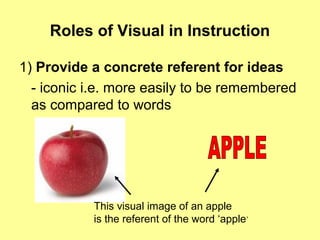
1) Provide a concrete referent for ideas
- iconic i.e. more easily to be remembered
as compared to words
This visual image of an apple
is the referent of the word ‘apple’
Roles of Visual in Instruction
2) Motivate learners
- by attracting learners’ attention and
generating emotional responses
Roles of Visual in Instruction
3) Simplify information that is difficult to
understand
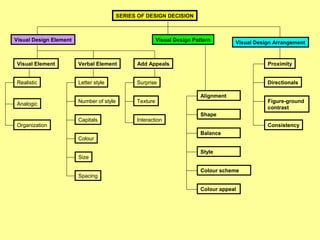
SERIES OF DESIGN DECISION
Visual Design Element Visual Design Pattern
Visual Design Arrangement
Visual Element Verbal Element
Realistic
Analogic
Organization
Letter style
Colour
Capitals
Number of style
Size
Spacing
Alignment
Style
Balance
Shape
Colour scheme
Colour appeal
Add Appeals
Surprise
Texture
Interaction
Proximity
Directionals
Figure-ground
contrast
Consistency
Roles of Visual in Instruction
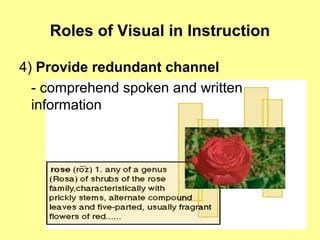
4) Provide redundant channel
- comprehend spoken and written
information
Function of Visual Instruction
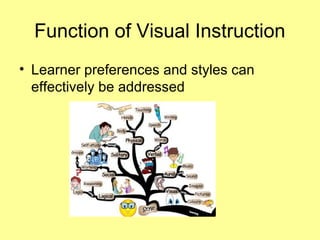
• Learner preferences and styles can
effectively be addressed
Function of Visual Instruction
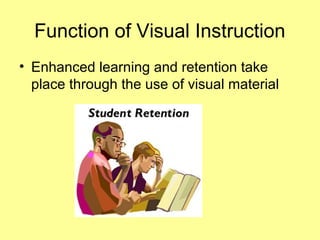
• Enhanced learning and retention take
place through the use of visual material
Function of Visual Instruction
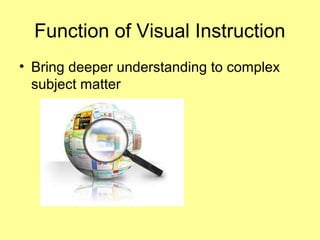
• Bring deeper understanding to complex
subject matter
Function of Visual Instruction
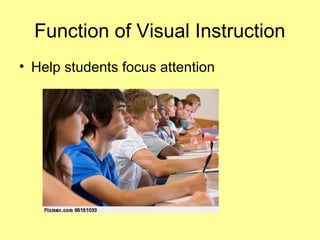
• Help students focus attention
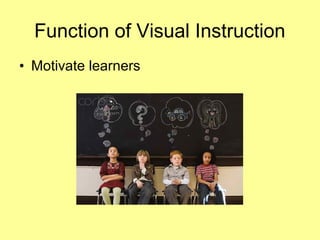
• Motivate learners
Function of Visual Instruction
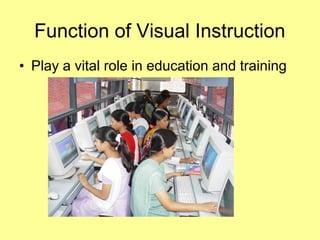
• Play a vital role in education and training
Function of Visual Instruction
• In teaching, teachers have to be
innovative in presenting lessons to
students so that they will be clearly
understood
Function of Visual Instruction
• In this regard, the use of visual as delivers
aide in teaching help teachers delivers
their lessons to the students in a more
creative and innovative way.
Function of Visual Instruction
Goals of Visual Design
Ensure legibility
Goals of Visual Design
Reduce effort ( cognitive load)
Goals of Visual Design
Focus attention
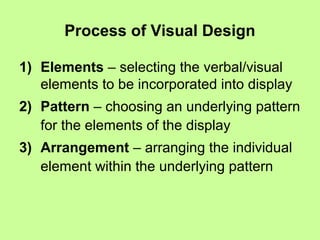
Process of Visual Design
1) Elements – selecting the verbal/visual
elements to be incorporated into display
2) Pattern – choosing an underlying pattern
for the elements of the display
3) Arrangement – arranging the individual
element within the underlying pattern
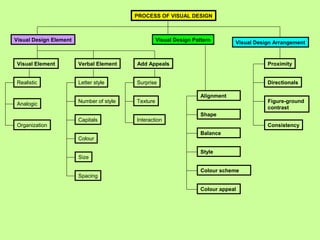
PROCESS OF VISUAL DESIGN
Visual Design Element Visual Design Pattern
Visual Design Arrangement
Visual Element Verbal Element
Realistic
Analogic
Organization
Letter style
Colour
Capitals
Number of style
Size
Spacing
Alignment
Style
Balance
Shape
Colour scheme
Colour appeal
Add Appeals
Surprise
Texture
Interaction
Proximity
Directionals
Figure-ground
contrast
Consistency
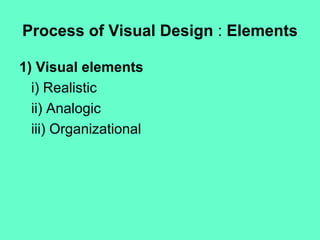
Process of Visual Design : Elements
1) Visual elements
i) Realistic
ii) Analogic
iii) Organizational
Elements : Visual Elements
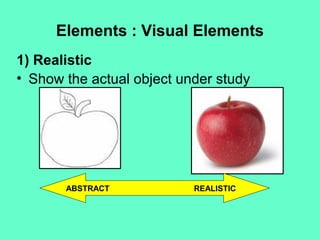
1) Realistic
• Show the actual object under study
ABSTRACT REALISTIC
Elements : Visual Elements
1) Realistic visuals
• The more realistic a visual is, the closer it
is to the original
Elements : Visual Elements
2) Analogic visuals
• Convey topic by showing something else
and implying a similarity
• E.g. the function of human memory with
the function of computer memory
Elements : Visual Elements
3) Organizational visuals
• Such as flowcharts, graphs, maps,
classification charts
Elements : Verbal Elements
1) Letter style
• It should be consistent and harmonize with
the other visual elements
• Straightforward and plain style
Example: Arial Arial Arial Arial
Elements : Verbal Elements
2) Number of lettering styles
• Not more than 2 different type styles
• Limit variations (bold, italic, underline, size
changes) to four
Elements : Verbal Elements
3) Capitals
• Use lowercase letters
• Adding capitals when it is necessary
• Headlines can be in capitals but not more
than 3 words
Elements : Verbal Elements
4) Colour of lettering
• The lettering colour should contrast with
the background colour
• Think about your audience..
Elements : Verbal Elements
5) Size of lettering
• Rule of thumb: make lower case letters ½
inch high for each 10 feet of viewer
distance
Elements : Verbal Elements
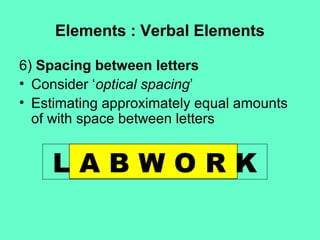
6) Spacing between letters
• Consider ‘optical spacing’
• Estimating approximately equal amounts
of with space between letters
L A B W O R K
Elements : Verbal Elements
7) Spacing between lines
• Letters should be not too cramped or too
widely separate
• Text is most legible when separation is
11/2 times average letter height
Elements :
Elements that add appeals
1) Surprise
• Think unusual metaphor, a dramatic
change of size
2) Texture
• Use 3 dimensional visuals (if possible)
• It can convey clearer idea
Elements :
Elements that add appeals
3) Interaction
• R of the ASSURE MODEL
• Ask learners to respond visual displays by
manipulating materials on the display
Process of Visual Design : Pattern
1) Alignment
2) Shape
3) Balance
4) Style
5) Colour scheme
6) Colour appeal
Process of Visual Design : Pattern
1) Alignment
• Balance alignment
• Same imaginary horizontal and vertical
line
• Viewer expend little effort making sense
out of what they are seeing
Process of Visual Design : Pattern
2) Shape
• Put and arrange visual into shape that
familiar to learner
• Simple geometric figure – circle, rectangle
• Consider of the ‘Rule Of Thirds’
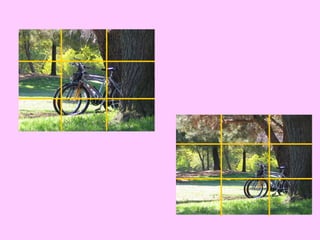
Rule of Thirds
• Place your important elements where these lines
intersect
• Good places to put things; third of the way up, third of
the way in from the left
• Duff places to put things; right in the middle, right at the
top, right at the bottom, away in the corner
Process of Visual Design : Pattern
3) Balance
• The ‘weight’ of the elements in a display is
equally distributed either horizontally or
vertically
Process of Visual Design : Pattern
4) Style
• Simple, uncluttered
• Primary colour for children
• Realistic colour for adult
Process of Visual Design : Pattern
5) Colour scheme
• Consider the harmoniousness of the
colour – color wheel
6) Colour appeal
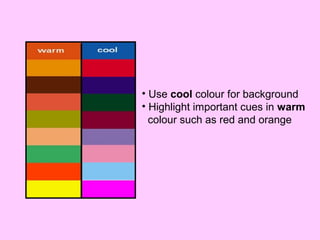
• Consider ‘warm’ and ‘cool’ colour
• Warm colour – active learner, children
• Cool colour – thoughtful learner, adult
• Consider cultural basis
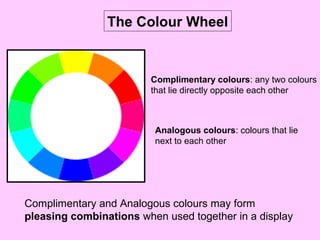
Complimentary colours: any two colours
that lie directly opposite each other
Analogous colours: colours that lie
next to each other
Complimentary and Analogous colours may form
pleasing combinations when used together in a display
The Colour Wheel
• Use cool colour for background
• Highlight important cues in warm
colour such as red and orange
Process of Visual Design :
Arrangement
1) Proximity
• Element that close to each other are
related and vice versa
2) Directionals
• Can be used to direct attention
• Eye movement pattern
• E.g. arrow, bold, ‘bullet’
Process of Visual Design :
Arrangement
3) Figure-ground contrast
• Wording should contrast to the
background
4) Consistency
• Consistent in the arrangement of the
elements
• Place similar element in similar location
• Use same text for headlines
Visual in Instruction

Visual in Instruction

  • 1.
  • 3.
    Roles of Visualin Instruction 1) Provide a concrete referent for ideas - iconic i.e. more easily to be remembered as compared to words This visual image of an apple is the referent of the word ‘apple’
  • 4.
    Roles of Visualin Instruction 2) Motivate learners - by attracting learners’ attention and generating emotional responses
  • 5.
    Roles of Visualin Instruction 3) Simplify information that is difficult to understand
  • 6.
    SERIES OF DESIGNDECISION Visual Design Element Visual Design Pattern Visual Design Arrangement Visual Element Verbal Element Realistic Analogic Organization Letter style Colour Capitals Number of style Size Spacing Alignment Style Balance Shape Colour scheme Colour appeal Add Appeals Surprise Texture Interaction Proximity Directionals Figure-ground contrast Consistency
  • 7.
    Roles of Visualin Instruction 4) Provide redundant channel - comprehend spoken and written information
  • 8.
    Function of VisualInstruction • Learner preferences and styles can effectively be addressed
  • 9.
    Function of VisualInstruction • Enhanced learning and retention take place through the use of visual material
  • 10.
    Function of VisualInstruction • Bring deeper understanding to complex subject matter
  • 11.
    Function of VisualInstruction • Help students focus attention
  • 12.
    • Motivate learners Functionof Visual Instruction
  • 13.
    • Play avital role in education and training Function of Visual Instruction
  • 14.
    • In teaching,teachers have to be innovative in presenting lessons to students so that they will be clearly understood Function of Visual Instruction
  • 15.
    • In thisregard, the use of visual as delivers aide in teaching help teachers delivers their lessons to the students in a more creative and innovative way. Function of Visual Instruction
  • 16.
    Goals of VisualDesign Ensure legibility
  • 17.
    Goals of VisualDesign Reduce effort ( cognitive load)
  • 18.
    Goals of VisualDesign Focus attention
  • 19.
    Process of VisualDesign 1) Elements – selecting the verbal/visual elements to be incorporated into display 2) Pattern – choosing an underlying pattern for the elements of the display 3) Arrangement – arranging the individual element within the underlying pattern
  • 20.
    PROCESS OF VISUALDESIGN Visual Design Element Visual Design Pattern Visual Design Arrangement Visual Element Verbal Element Realistic Analogic Organization Letter style Colour Capitals Number of style Size Spacing Alignment Style Balance Shape Colour scheme Colour appeal Add Appeals Surprise Texture Interaction Proximity Directionals Figure-ground contrast Consistency
  • 21.
    Process of VisualDesign : Elements 1) Visual elements i) Realistic ii) Analogic iii) Organizational
  • 22.
    Elements : VisualElements 1) Realistic • Show the actual object under study ABSTRACT REALISTIC
  • 23.
    Elements : VisualElements 1) Realistic visuals • The more realistic a visual is, the closer it is to the original
  • 24.
    Elements : VisualElements 2) Analogic visuals • Convey topic by showing something else and implying a similarity • E.g. the function of human memory with the function of computer memory
  • 25.
    Elements : VisualElements 3) Organizational visuals • Such as flowcharts, graphs, maps, classification charts
  • 26.
    Elements : VerbalElements 1) Letter style • It should be consistent and harmonize with the other visual elements • Straightforward and plain style Example: Arial Arial Arial Arial
  • 27.
    Elements : VerbalElements 2) Number of lettering styles • Not more than 2 different type styles • Limit variations (bold, italic, underline, size changes) to four
  • 28.
    Elements : VerbalElements 3) Capitals • Use lowercase letters • Adding capitals when it is necessary • Headlines can be in capitals but not more than 3 words
  • 29.
    Elements : VerbalElements 4) Colour of lettering • The lettering colour should contrast with the background colour • Think about your audience..
  • 30.
    Elements : VerbalElements 5) Size of lettering • Rule of thumb: make lower case letters ½ inch high for each 10 feet of viewer distance
  • 31.
    Elements : VerbalElements 6) Spacing between letters • Consider ‘optical spacing’ • Estimating approximately equal amounts of with space between letters L A B W O R K
  • 32.
    Elements : VerbalElements 7) Spacing between lines • Letters should be not too cramped or too widely separate • Text is most legible when separation is 11/2 times average letter height
  • 33.
    Elements : Elements thatadd appeals 1) Surprise • Think unusual metaphor, a dramatic change of size 2) Texture • Use 3 dimensional visuals (if possible) • It can convey clearer idea
  • 34.
    Elements : Elements thatadd appeals 3) Interaction • R of the ASSURE MODEL • Ask learners to respond visual displays by manipulating materials on the display
  • 35.
    Process of VisualDesign : Pattern 1) Alignment 2) Shape 3) Balance 4) Style 5) Colour scheme 6) Colour appeal
  • 36.
    Process of VisualDesign : Pattern 1) Alignment • Balance alignment • Same imaginary horizontal and vertical line • Viewer expend little effort making sense out of what they are seeing
  • 37.
    Process of VisualDesign : Pattern 2) Shape • Put and arrange visual into shape that familiar to learner • Simple geometric figure – circle, rectangle • Consider of the ‘Rule Of Thirds’
  • 38.
    Rule of Thirds •Place your important elements where these lines intersect • Good places to put things; third of the way up, third of the way in from the left • Duff places to put things; right in the middle, right at the top, right at the bottom, away in the corner
  • 41.
    Process of VisualDesign : Pattern 3) Balance • The ‘weight’ of the elements in a display is equally distributed either horizontally or vertically
  • 42.
    Process of VisualDesign : Pattern 4) Style • Simple, uncluttered • Primary colour for children • Realistic colour for adult
  • 43.
    Process of VisualDesign : Pattern 5) Colour scheme • Consider the harmoniousness of the colour – color wheel 6) Colour appeal • Consider ‘warm’ and ‘cool’ colour • Warm colour – active learner, children • Cool colour – thoughtful learner, adult • Consider cultural basis
  • 44.
    Complimentary colours: anytwo colours that lie directly opposite each other Analogous colours: colours that lie next to each other Complimentary and Analogous colours may form pleasing combinations when used together in a display The Colour Wheel
  • 45.
    • Use coolcolour for background • Highlight important cues in warm colour such as red and orange
  • 46.
    Process of VisualDesign : Arrangement 1) Proximity • Element that close to each other are related and vice versa 2) Directionals • Can be used to direct attention • Eye movement pattern • E.g. arrow, bold, ‘bullet’
  • 47.
    Process of VisualDesign : Arrangement 3) Figure-ground contrast • Wording should contrast to the background 4) Consistency • Consistent in the arrangement of the elements • Place similar element in similar location • Use same text for headlines