MEETING THE NEEDS OF
    VISUAL
IMPAIRMENT
VISUAL IMPAIRMENT
 DEFINITION     : IS A DISABILITY WHICH
    AFFECTS VISION OR SIGHT.

   The eye is the organ of sight and therefore visual
    impairment affects the eye to a lesser or greater degree.


   This workshop is to sensitized as to how technology has
    created adaptive devices to assist the visually impaired.
MANY PEOPLE HAVE SOME TYPE OF VISUAL
    PROBLEM AT SOME POINT IN THEIR LIVES

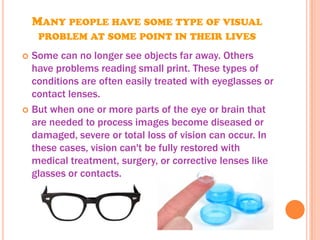
 Some can no longer see objects far away. Others
  have problems reading small print. These types of
  conditions are often easily treated with eyeglasses or
  contact lenses.
 But when one or more parts of the eye or brain that
  are needed to process images become diseased or
  damaged, severe or total loss of vision can occur. In
  these cases, vision can't be fully restored with
  medical treatment, surgery, or corrective lenses like
  glasses or contacts.
MODERN TECHNOLOGIES USED TO
 AID THE VISUALLY IMPAIRED
 Some of these are:
 Screen    reading and talking browsers
 Voice   recognition software
 CCTV    – close circuit television
 Braille   keyboard and printer
 Smart     Cane
 OCR-   optical character recognition.
 Screen    magnifiers
SCREEN READING AND TALKING BROWSERS
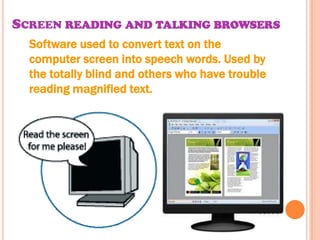
  Software used to convert text on the
  computer screen into speech words. Used by
  the totally blind and others who have trouble
  reading magnified text.
VOICE RECOGNITION SOFTWARE
This allows a user to use
one voice as an input
device. Voice recognition
may be used to dictate text
into the computer or to
give commands to the
computer such as opening
application programs,
pulling down menus, or
saving work.
CCTV – CLOSE CIRCUIT TELEVISION

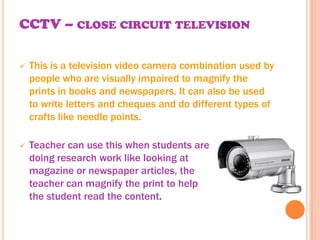
   This is a television video camera combination used by
    people who are visually impaired to magnify the
    prints in books and newspapers. It can also be used
    to write letters and cheques and do different types of
    crafts like needle points.

   Teacher can use this when students are
    doing research work like looking at
    magazine or newspaper articles, the
    teacher can magnify the print to help
    the student read the content.
BRAILLE KEYBOARD AND PRINTER
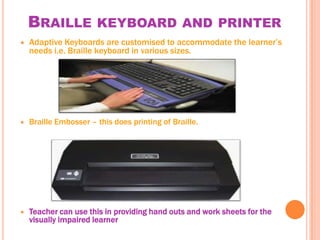
   Adaptive Keyboards are customised to accommodate the learner’s
    needs i.e. Braille keyboard in various sizes.


   Braille Embosser – this does printing of Braille.


   Teacher can use this in providing hand outs and work sheets for the
    visually impaired learner
SMART CANE
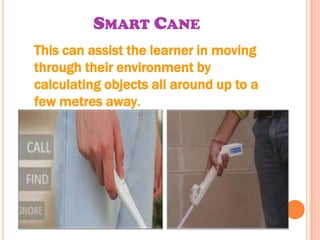
This can assist the learner in moving
through their environment by
calculating objects all around up to a
few metres away.
OCR- OPTICAL CHARACTER RECOGNITION.

☻ This is software used to convert scanned texted
 from books or other documents into information
 that the computer recognises.


☻ Teacher  can scan and print
 official forms (passport,
 driver’s permit forms) and
 use in form filling exercises.
SCREEN MAGNIFIERS
The software enlarges the information on the screen
by pre-determined incremental factor.

                                   Most screen
                          magnification software has
                          the flexibility to magnify the
                            full screen, parts of the
                               screen or provide a
                          magnifying glass view of the
                           area around the cursor or
                                      pointer.

Visual impairment

  • 1.
    MEETING THE NEEDSOF VISUAL IMPAIRMENT
  • 2.
    VISUAL IMPAIRMENT  DEFINITION : IS A DISABILITY WHICH AFFECTS VISION OR SIGHT.  The eye is the organ of sight and therefore visual impairment affects the eye to a lesser or greater degree.  This workshop is to sensitized as to how technology has created adaptive devices to assist the visually impaired.
  • 3.
    MANY PEOPLE HAVESOME TYPE OF VISUAL PROBLEM AT SOME POINT IN THEIR LIVES  Some can no longer see objects far away. Others have problems reading small print. These types of conditions are often easily treated with eyeglasses or contact lenses.  But when one or more parts of the eye or brain that are needed to process images become diseased or damaged, severe or total loss of vision can occur. In these cases, vision can't be fully restored with medical treatment, surgery, or corrective lenses like glasses or contacts.
  • 4.
    MODERN TECHNOLOGIES USEDTO AID THE VISUALLY IMPAIRED Some of these are:  Screen reading and talking browsers  Voice recognition software  CCTV – close circuit television  Braille keyboard and printer  Smart Cane  OCR- optical character recognition.  Screen magnifiers
  • 5.
    SCREEN READING ANDTALKING BROWSERS Software used to convert text on the computer screen into speech words. Used by the totally blind and others who have trouble reading magnified text.
  • 6.
    VOICE RECOGNITION SOFTWARE Thisallows a user to use one voice as an input device. Voice recognition may be used to dictate text into the computer or to give commands to the computer such as opening application programs, pulling down menus, or saving work.
  • 7.
    CCTV – CLOSECIRCUIT TELEVISION  This is a television video camera combination used by people who are visually impaired to magnify the prints in books and newspapers. It can also be used to write letters and cheques and do different types of crafts like needle points.  Teacher can use this when students are doing research work like looking at magazine or newspaper articles, the teacher can magnify the print to help the student read the content.
  • 8.
    BRAILLE KEYBOARD ANDPRINTER  Adaptive Keyboards are customised to accommodate the learner’s needs i.e. Braille keyboard in various sizes.  Braille Embosser – this does printing of Braille.  Teacher can use this in providing hand outs and work sheets for the visually impaired learner
  • 9.
    SMART CANE This canassist the learner in moving through their environment by calculating objects all around up to a few metres away.
  • 10.
    OCR- OPTICAL CHARACTERRECOGNITION. ☻ This is software used to convert scanned texted from books or other documents into information that the computer recognises. ☻ Teacher can scan and print official forms (passport, driver’s permit forms) and use in form filling exercises.
  • 11.
    SCREEN MAGNIFIERS The softwareenlarges the information on the screen by pre-determined incremental factor. Most screen magnification software has the flexibility to magnify the full screen, parts of the screen or provide a magnifying glass view of the area around the cursor or pointer.