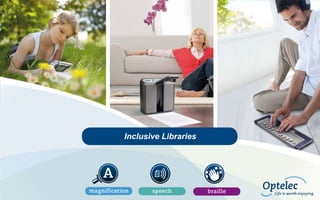
Inclusive Libraries
Inclusive Libraries

How technology can make a difference for
Visually impaired
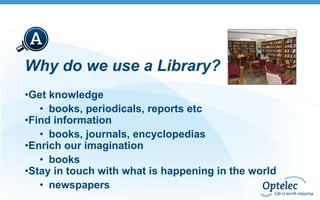
Why do we use a Library?
•Get knowledge
• books, periodicals, reports etc
•Find information
• books, journals, encyclopedias
•Enrich our imagination
• books
•Stay in touch with what is happening in the world
• newspapers
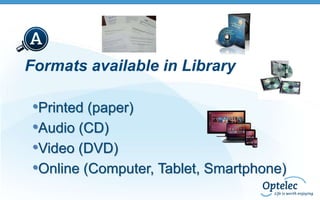
Formats available in Library

•Printed (paper)
•Audio (CD)
•Video (DVD)
•Online (Computer, Tablet, Smartphone)
Where do we find libraries
• In Schools
• In colleges
• In universities
They can be public or private
Why inclusive libraries
Visually impaired people have the same needs as well
sighted people.
They also have the same right to access

• Knowledge
• Education
• Information
How to access the resources
• Printed Material
– Provide Magnification
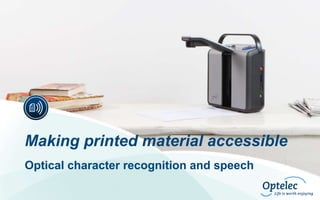
– Provide optical character recognition and speech

• Online Content, Videos, CD’s, DVD’s, etc
– Provide Screen Reading & Magnification
– Alternative Input Devices

• Digital Library
– Develop Accessible Website
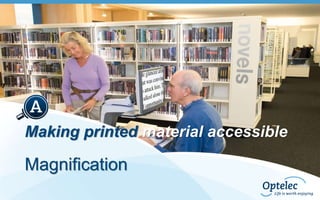
Making printed material accessible

Magnification
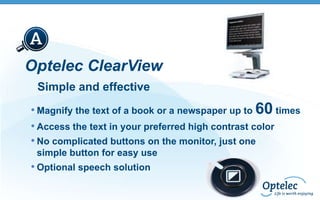
Optelec ClearView
Simple and effective
• Magnify the text of a book or a newspaper up to 60 times
• Access the text in your preferred high contrast color
• No complicated buttons on the monitor, just one
simple button for easy use

• Optional speech solution
Making printed material accessible
Optical character recognition and speech
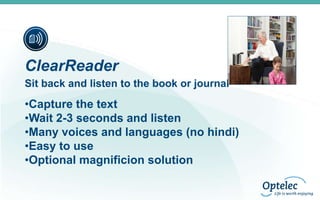
ClearReader
Sit back and listen to the book or journal

•Capture the text
•Wait 2-3 seconds and listen
•Many voices and languages (no hindi)
•Easy to use
•Optional magnificion solution
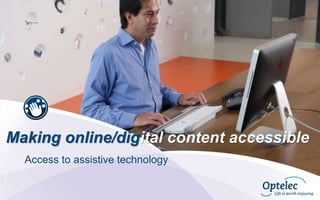
Making online/digital content accessible
Access to assistive technology
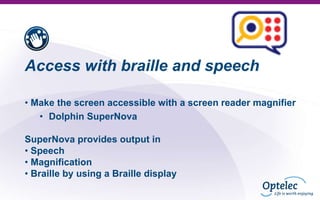
Access with braille and speech
• Make the screen accessible with a screen reader magnifier
• Dolphin SuperNova
SuperNova provides output in
• Speech
• Magnification
• Braille by using a Braille display
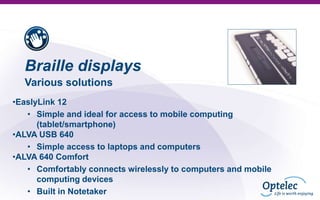
Braille displays
Various solutions
•EaslyLink 12
• Simple and ideal for access to mobile computing
(tablet/smartphone)
•ALVA USB 640
• Simple access to laptops and computers
•ALVA 640 Comfort
• Comfortably connects wirelessly to computers and mobile
computing devices
• Built in Notetaker
Other disabilties
Much more is possible

• Printing in alternative formats
• Use adaptive keyboard, mouse or switches
• Sign language
Contact Barrier Break for more information
Thank you for your attention

And a big thank you for the
Barrier Break team

Inclusive Libraries_Techshare India 2014

  • 1.
  • 2.
    Inclusive Libraries How technologycan make a difference for Visually impaired
  • 3.
    Why do weuse a Library? •Get knowledge • books, periodicals, reports etc •Find information • books, journals, encyclopedias •Enrich our imagination • books •Stay in touch with what is happening in the world • newspapers
  • 4.
    Formats available inLibrary •Printed (paper) •Audio (CD) •Video (DVD) •Online (Computer, Tablet, Smartphone)
  • 5.
    Where do wefind libraries • In Schools • In colleges • In universities They can be public or private
  • 6.
    Why inclusive libraries Visuallyimpaired people have the same needs as well sighted people. They also have the same right to access • Knowledge • Education • Information
  • 7.
    How to accessthe resources • Printed Material – Provide Magnification – Provide optical character recognition and speech • Online Content, Videos, CD’s, DVD’s, etc – Provide Screen Reading & Magnification – Alternative Input Devices • Digital Library – Develop Accessible Website
  • 8.
    Making printed materialaccessible Magnification
  • 9.
    Optelec ClearView Simple andeffective • Magnify the text of a book or a newspaper up to 60 times • Access the text in your preferred high contrast color • No complicated buttons on the monitor, just one simple button for easy use • Optional speech solution
  • 10.
    Making printed materialaccessible Optical character recognition and speech
  • 11.
    ClearReader Sit back andlisten to the book or journal •Capture the text •Wait 2-3 seconds and listen •Many voices and languages (no hindi) •Easy to use •Optional magnificion solution
  • 12.
    Making online/digital contentaccessible Access to assistive technology
  • 13.
    Access with brailleand speech • Make the screen accessible with a screen reader magnifier • Dolphin SuperNova SuperNova provides output in • Speech • Magnification • Braille by using a Braille display
  • 14.
    Braille displays Various solutions •EaslyLink12 • Simple and ideal for access to mobile computing (tablet/smartphone) •ALVA USB 640 • Simple access to laptops and computers •ALVA 640 Comfort • Comfortably connects wirelessly to computers and mobile computing devices • Built in Notetaker
  • 15.
    Other disabilties Much moreis possible • Printing in alternative formats • Use adaptive keyboard, mouse or switches • Sign language Contact Barrier Break for more information
  • 16.
    Thank you foryour attention And a big thank you for the Barrier Break team