Introduction to VirtualizationBasics of Virtualization technologyRahul R Verma: HP Enterprise Business, TSDO E-Solutions. IPG
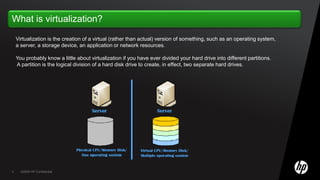
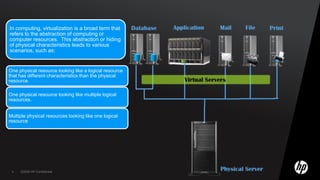
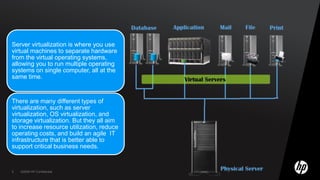
Virtualization is the creation of a virtual (rather than actual) version of something, such as an operating system, a server, a storage device, an application or network resources.You probably know a little about virtualization if you have ever divided your hard drive into different partitions. A partition is the logical division of a hard disk drive to create, in effect, two separate hard drives.
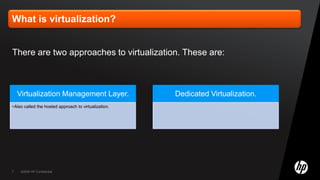
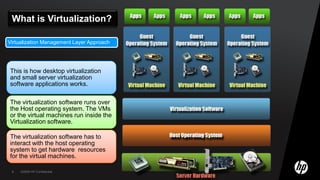
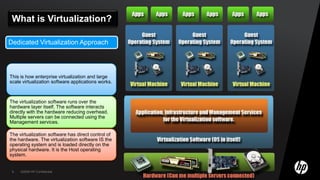
There are two approaches to virtualization. These are:
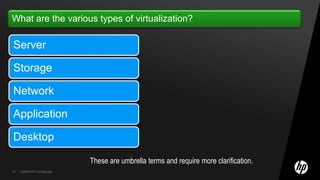
These are umbrella terms and require more clarification.
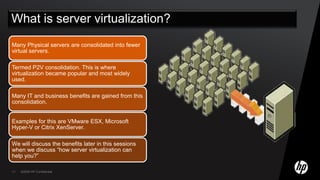
What is server virtualization?
Internal network VirtualizationProvides network functionality inside the virtualization software.Examples: VMware ESX server and Microsoft Hyper-V virtual networks.External network VirtualizationProvides multiple network functions in external physical network equipment.Examples: Switches with VLAN capabilities.It is a your area of virtualization and is yet to grow to its full potential.
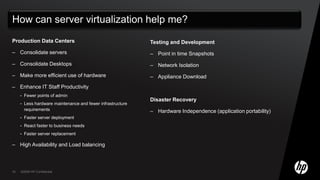
Production Data CentersConsolidate serversConsolidate DesktopsMake more efficient use of hardwareEnhance IT Staff ProductivityFewer points of adminLess hardware maintenance and fewer infrastructure requirementsFaster server deploymentReact faster to business needsFaster server replacementHigh Availability and Load balancingTesting and DevelopmentPoint in time Snapshots
Network Isolation
Appliance DownloadDisaster RecoveryHardware Independence (application portability)Q&A

Virtualization

  • 1.
    Introduction to VirtualizationBasicsof Virtualization technologyRahul R Verma: HP Enterprise Business, TSDO E-Solutions. IPG
  • 3.
    Virtualization is thecreation of a virtual (rather than actual) version of something, such as an operating system, a server, a storage device, an application or network resources.You probably know a little about virtualization if you have ever divided your hard drive into different partitions. A partition is the logical division of a hard disk drive to create, in effect, two separate hard drives.
  • 7.
    There are twoapproaches to virtualization. These are:
  • 10.
    These are umbrellaterms and require more clarification.
  • 11.
    What is servervirtualization?
  • 13.
    Internal network VirtualizationProvidesnetwork functionality inside the virtualization software.Examples: VMware ESX server and Microsoft Hyper-V virtual networks.External network VirtualizationProvides multiple network functions in external physical network equipment.Examples: Switches with VLAN capabilities.It is a your area of virtualization and is yet to grow to its full potential.
  • 18.
    Production Data CentersConsolidateserversConsolidate DesktopsMake more efficient use of hardwareEnhance IT Staff ProductivityFewer points of adminLess hardware maintenance and fewer infrastructure requirementsFaster server deploymentReact faster to business needsFaster server replacementHigh Availability and Load balancingTesting and DevelopmentPoint in time Snapshots
  • 19.
  • 20.
    Appliance DownloadDisaster RecoveryHardwareIndependence (application portability)Q&A