Designing Your Virtual Infrastructure & Hypervisor Deep Dive Don Jones ConcentratedTech.com Pre-requisites for this presentation:  1) Strong understanding of basic virtualization concepts Level:  Intermediate
This slide deck was used in one of our many conference presentations. We hope you enjoy it, and invite you to use it within your own organization however you like. For more information on our company, including information on private classes and upcoming conference appearances, please visit our Web site,  www.ConcentratedTech.com .  For links to newly-posted decks, follow us on Twitter: @concentrateddon or @concentratdgreg This work is copyright ©Concentrated Technology, LLC
About the Instructor Don Jones Contributing Editor,  technetmagazine.com IT author, consultant, and speaker Co-founder of Concentrated Technology Seven-time recipient of Microsoft ’s Most Valuable Professional (MVP) Award Author and Editor-in-Chief for Realtime Publishers Trainer for www.CBTNuggets.com
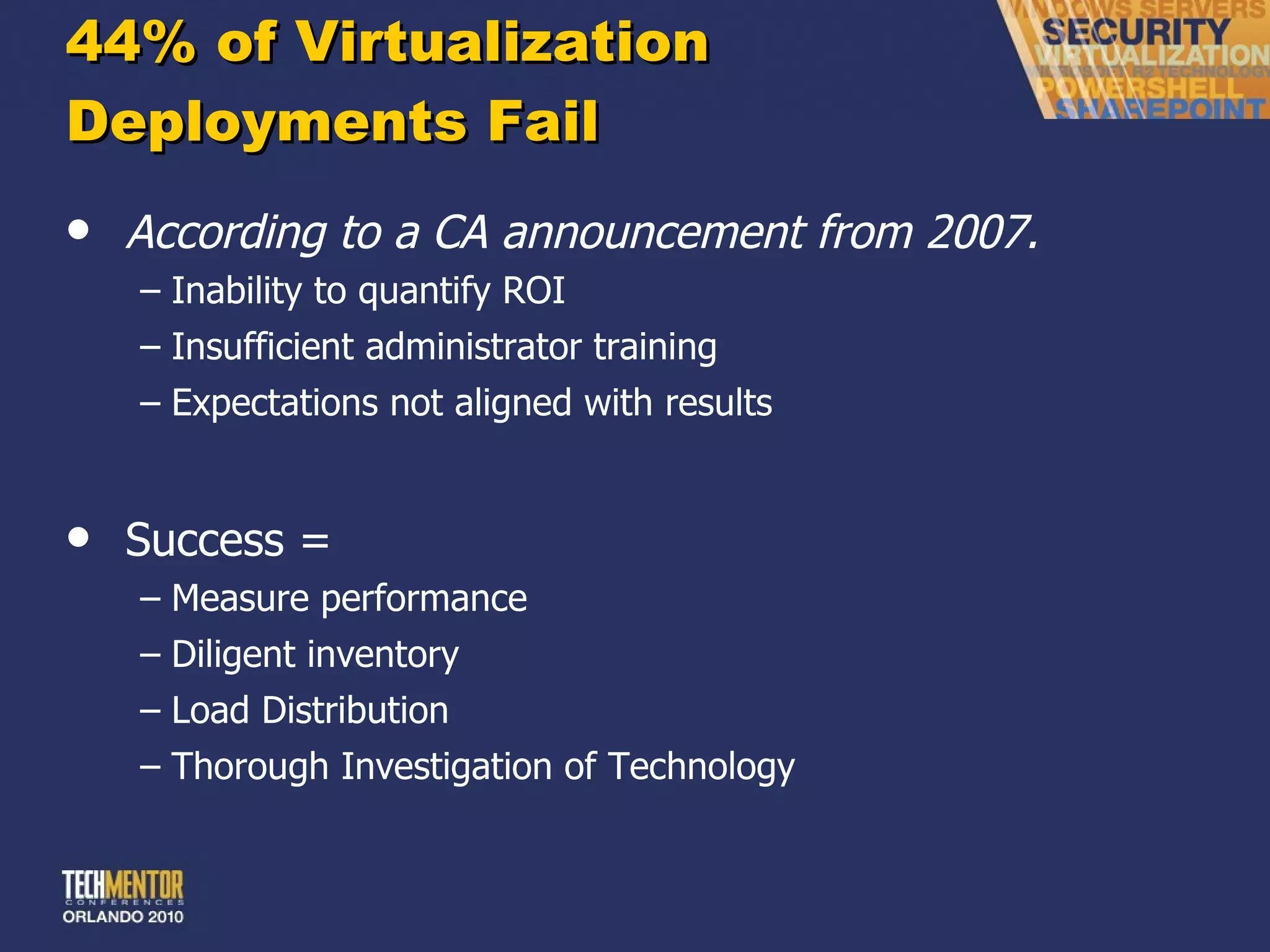
44% of Virtualization Deployments Fail According to a CA announcement from 2007. Inability to quantify ROI Insufficient administrator training Expectations not aligned with results Success = Measure performance Diligent inventory Load Distribution Thorough Investigation of Technology
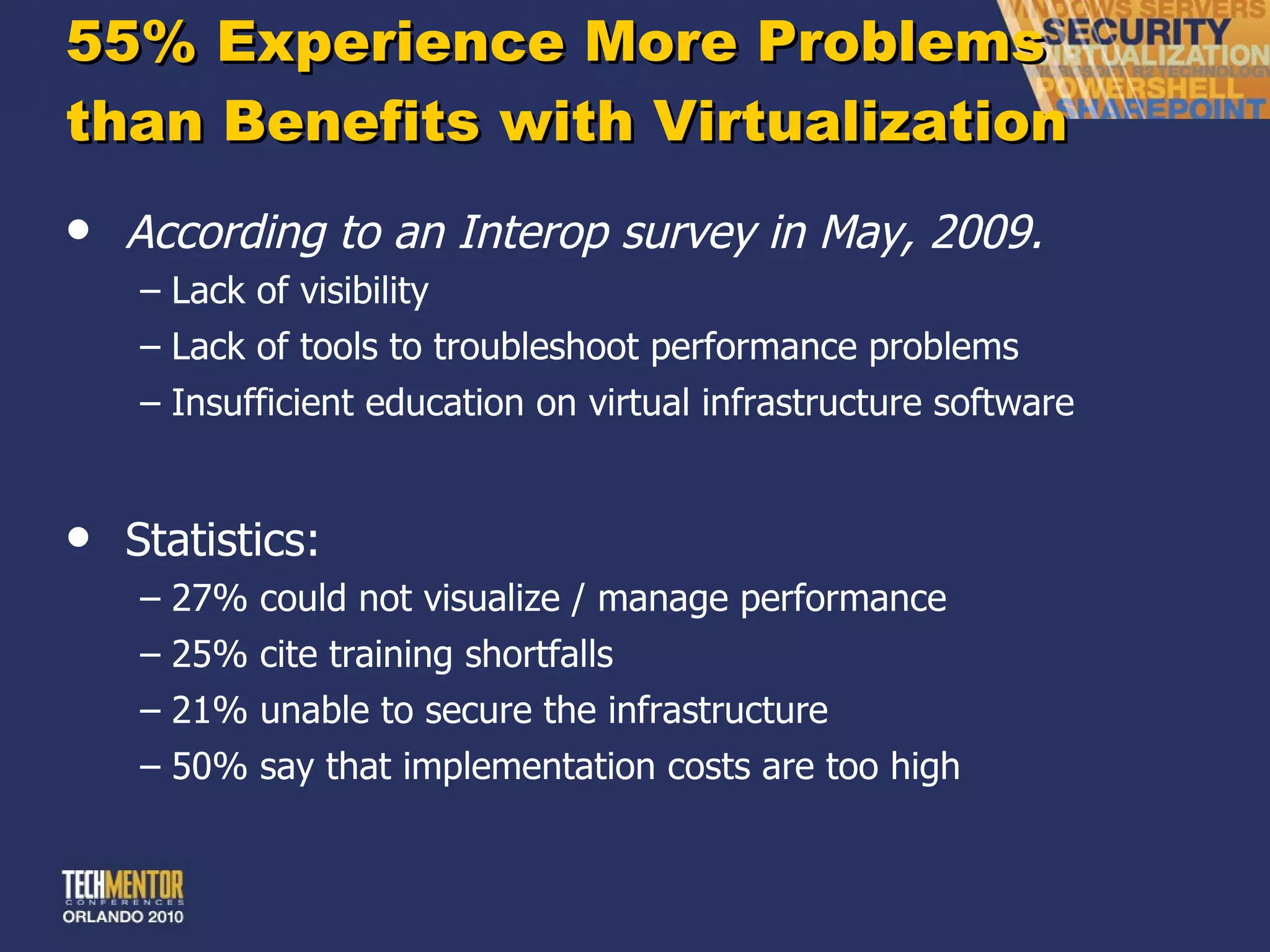
55% Experience More Problems  than Benefits with Virtualization According to an Interop survey in May, 2009. Lack of visibility Lack of tools to troubleshoot performance problems Insufficient education on virtual infrastructure software Statistics: 27% could not visualize / manage performance 25% cite training shortfalls 21% unable to secure the infrastructure 50% say that implementation costs are too high
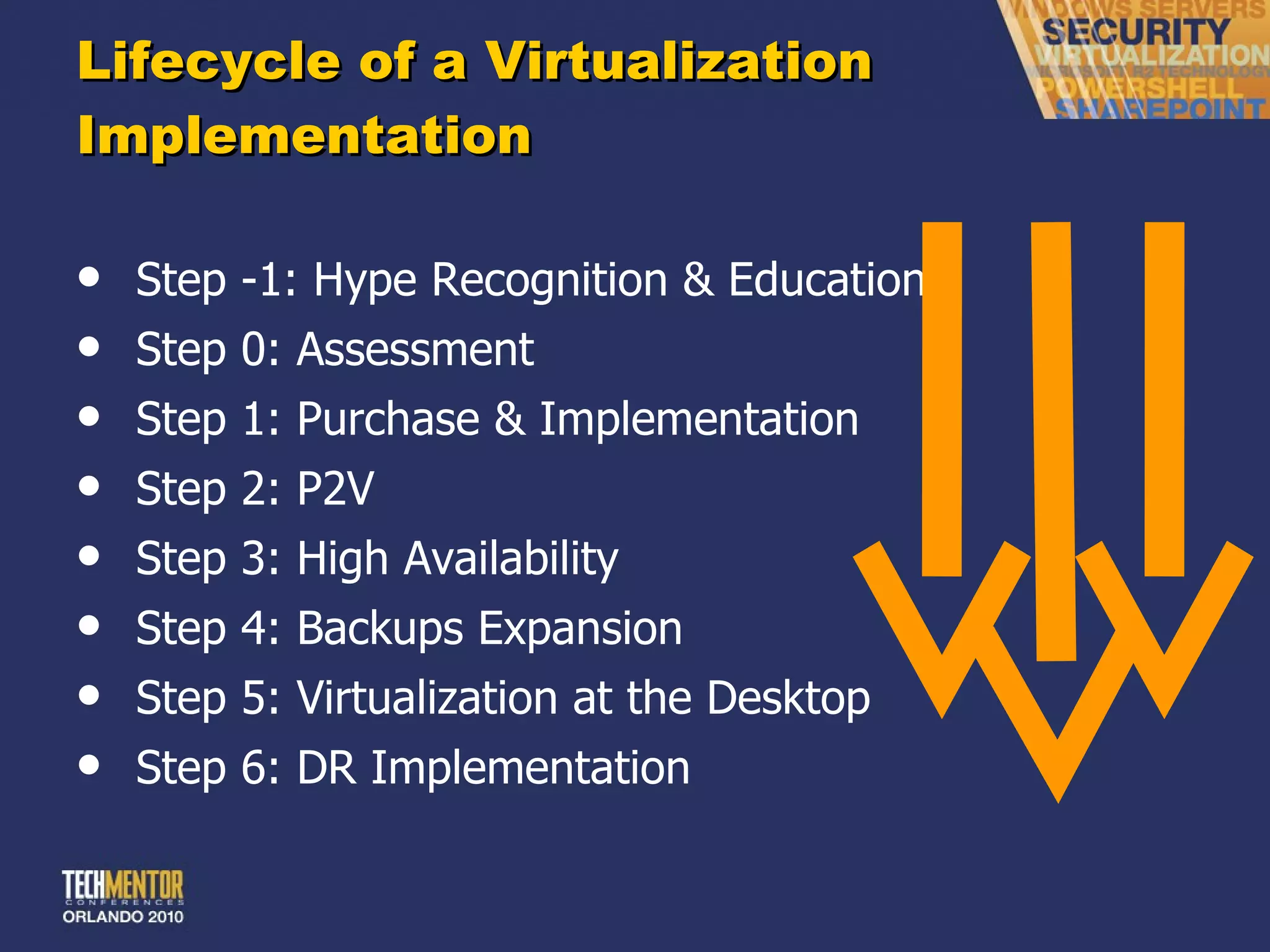
Lifecycle of a Virtualization Implementation Step -1: Hype Recognition & Education Step 0: Assessment Step 1: Purchase & Implementation Step 2: P2V Step 3: High Availability Step 4: Backups Expansion Step 5: Virtualization at the Desktop Step 6: DR Implementation
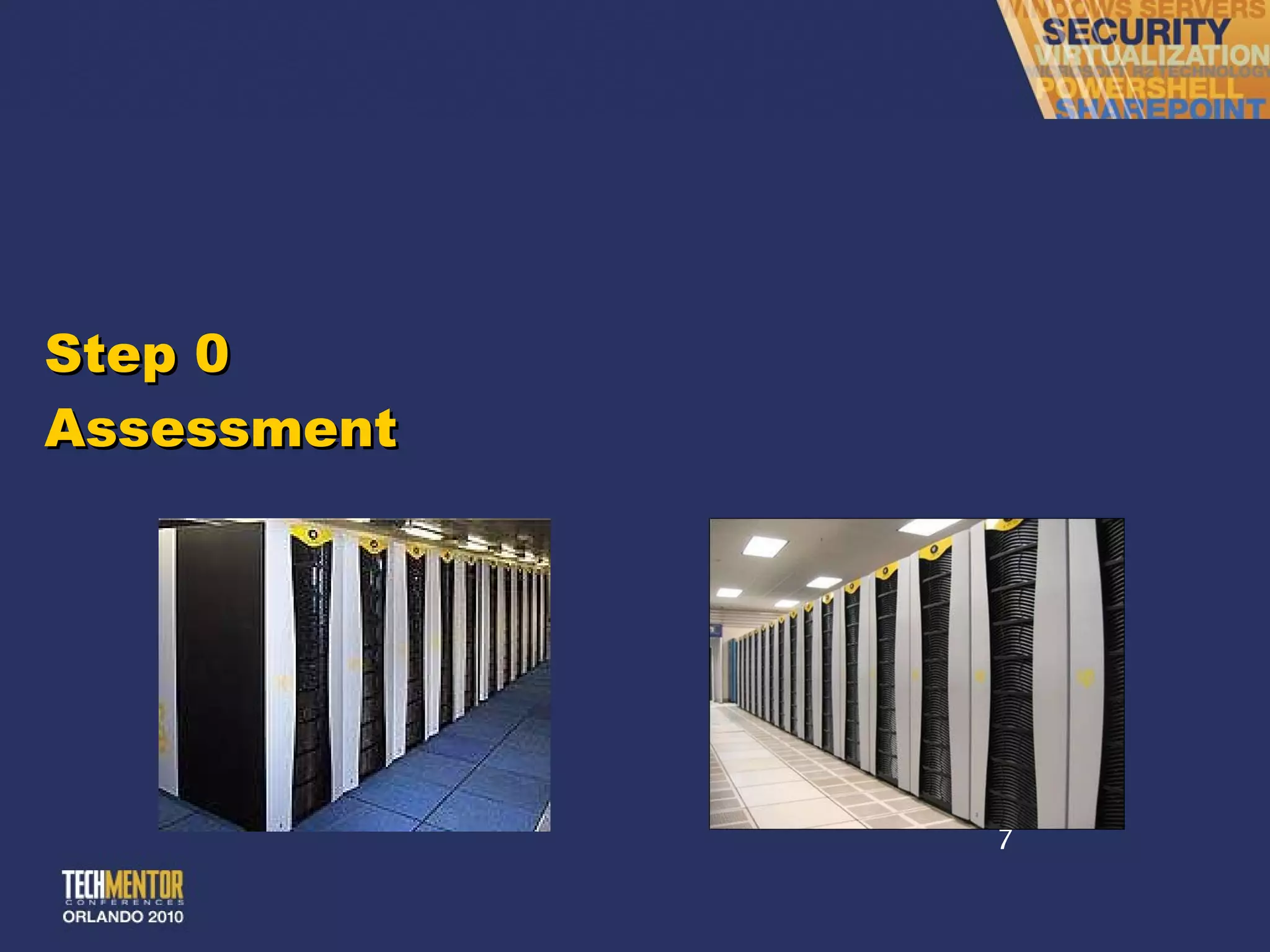
Step 0 Assessment
The Virtualization Assessment Successful rollouts need a virtualization assessment. You must analyze your environment before you act. Virtualization assessment should include: Inventory of servers Inventory of attached peripherals Performance characteristics of servers Analysis of performance characteristics Analysis of hardware needs to support virtualized servers Backups Analysis Disaster Recovery Analysis (Hot vs. warm vs. cold) Initial virtual resource assignment suggestions
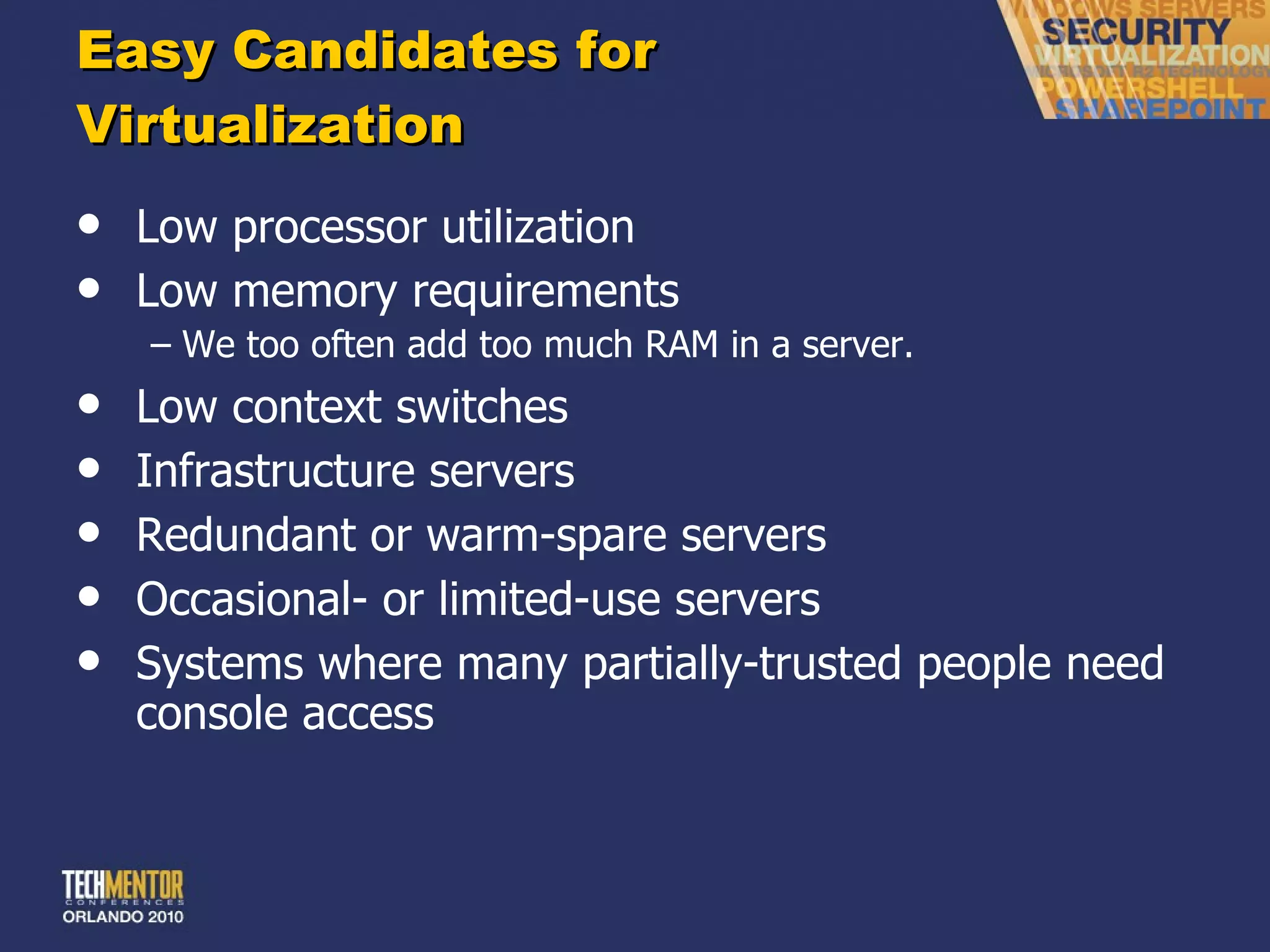
Easy Candidates for  Virtualization Low processor utilization Low memory requirements We too often add too much RAM in a server. Low context switches Infrastructure servers Redundant or warm-spare servers Occasional- or limited-use servers Systems where many partially-trusted people need console access
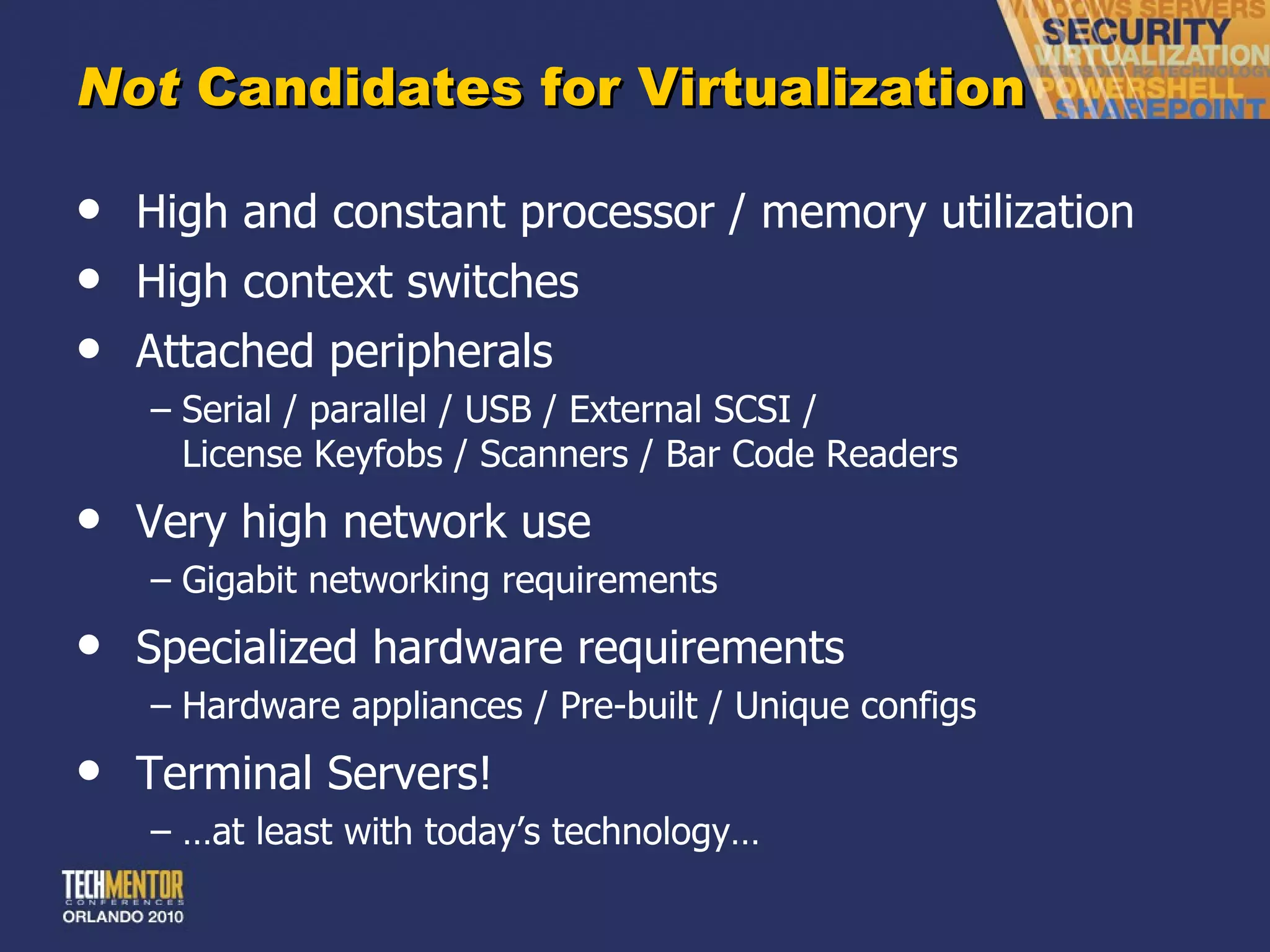
Not  Candidates for Virtualization High and constant processor / memory utilization High context switches Attached peripherals Serial / parallel / USB / External SCSI / License Keyfobs / Scanners / Bar Code Readers Very high network use Gigabit networking requirements Specialized hardware requirements Hardware appliances / Pre-built / Unique configs Terminal Servers! … at least with today ’s technology…
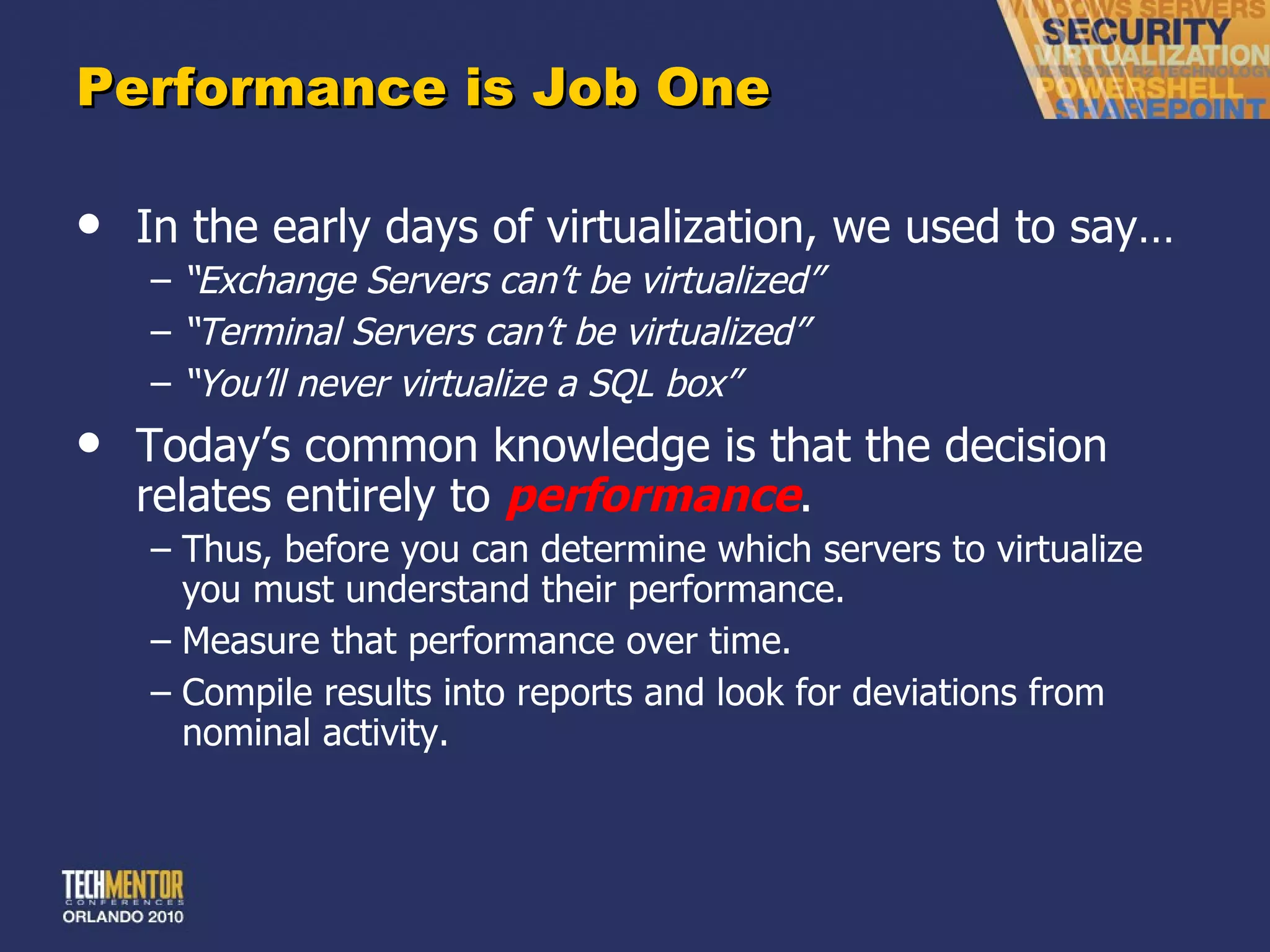
Performance is Job One In the early days of virtualization, we used to say… “ Exchange Servers can’t be virtualized” “ Terminal Servers can’t be virtualized” “ You’ll never virtualize a SQL box” Today ’s common knowledge is that the decision relates entirely to  performance . Thus, before you can determine which servers to virtualize you must understand their performance. Measure that performance over time. Compile results into reports and look for deviations from nominal activity.
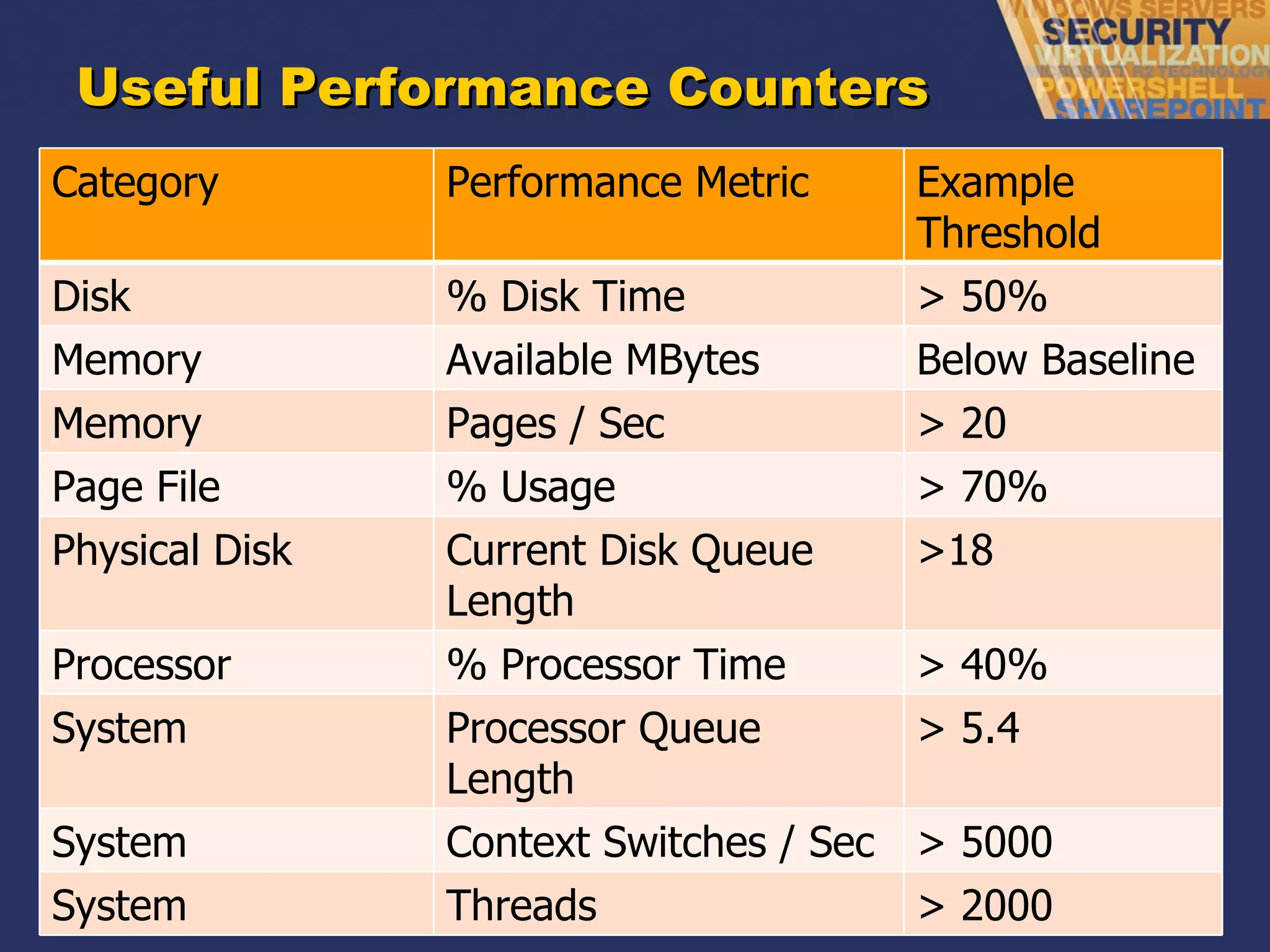
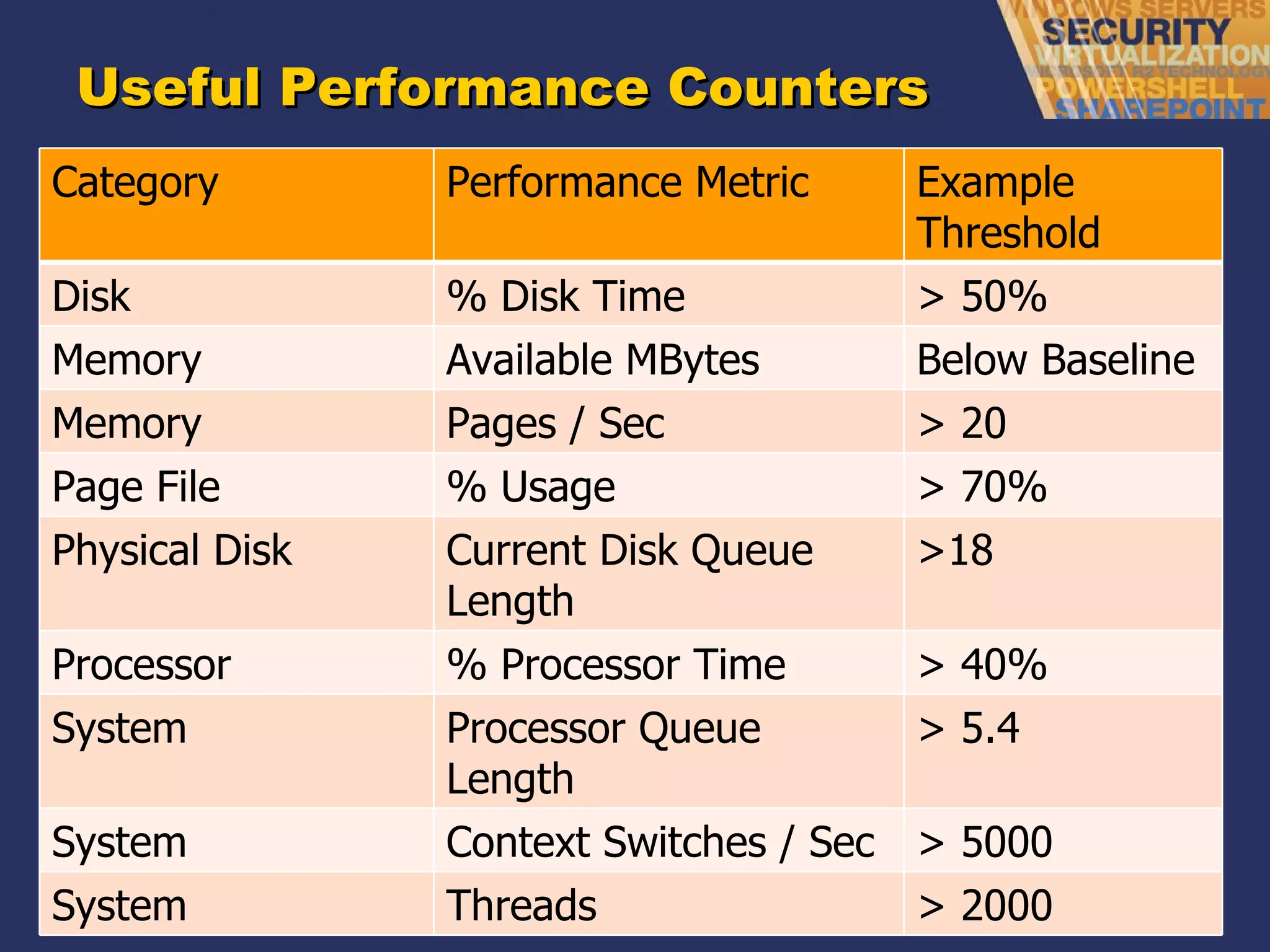
Useful Performance Counters Category Performance Metric Example Threshold Disk % Disk Time > 50% Memory Available MBytes Below Baseline Memory Pages / Sec > 20  Page File % Usage > 70% Physical Disk Current Disk Queue Length >18 Processor % Processor Time > 40% System Processor Queue Length > 5.4 System Context Switches / Sec > 5000 System Threads > 2000
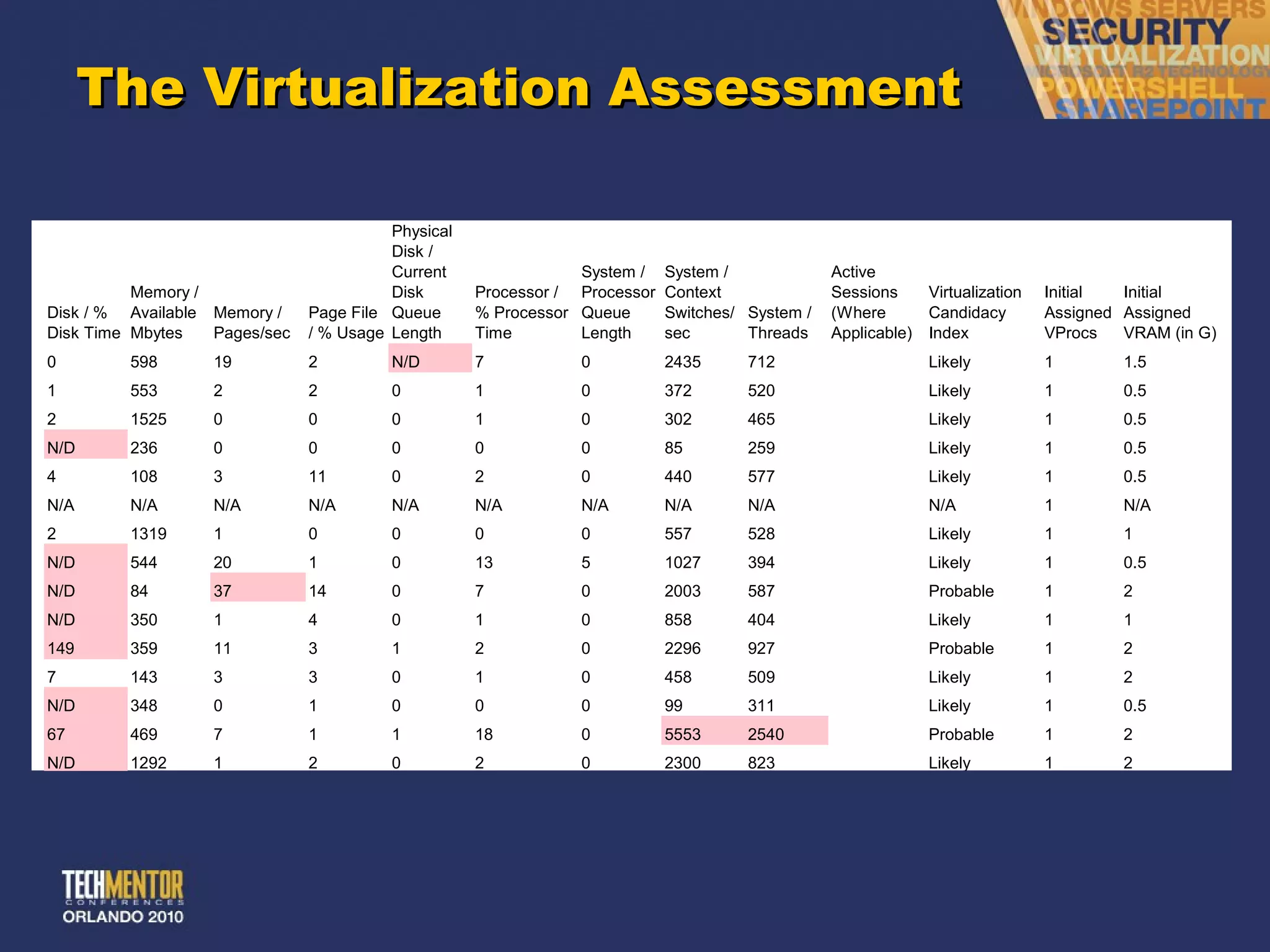
The Virtualization Assessment
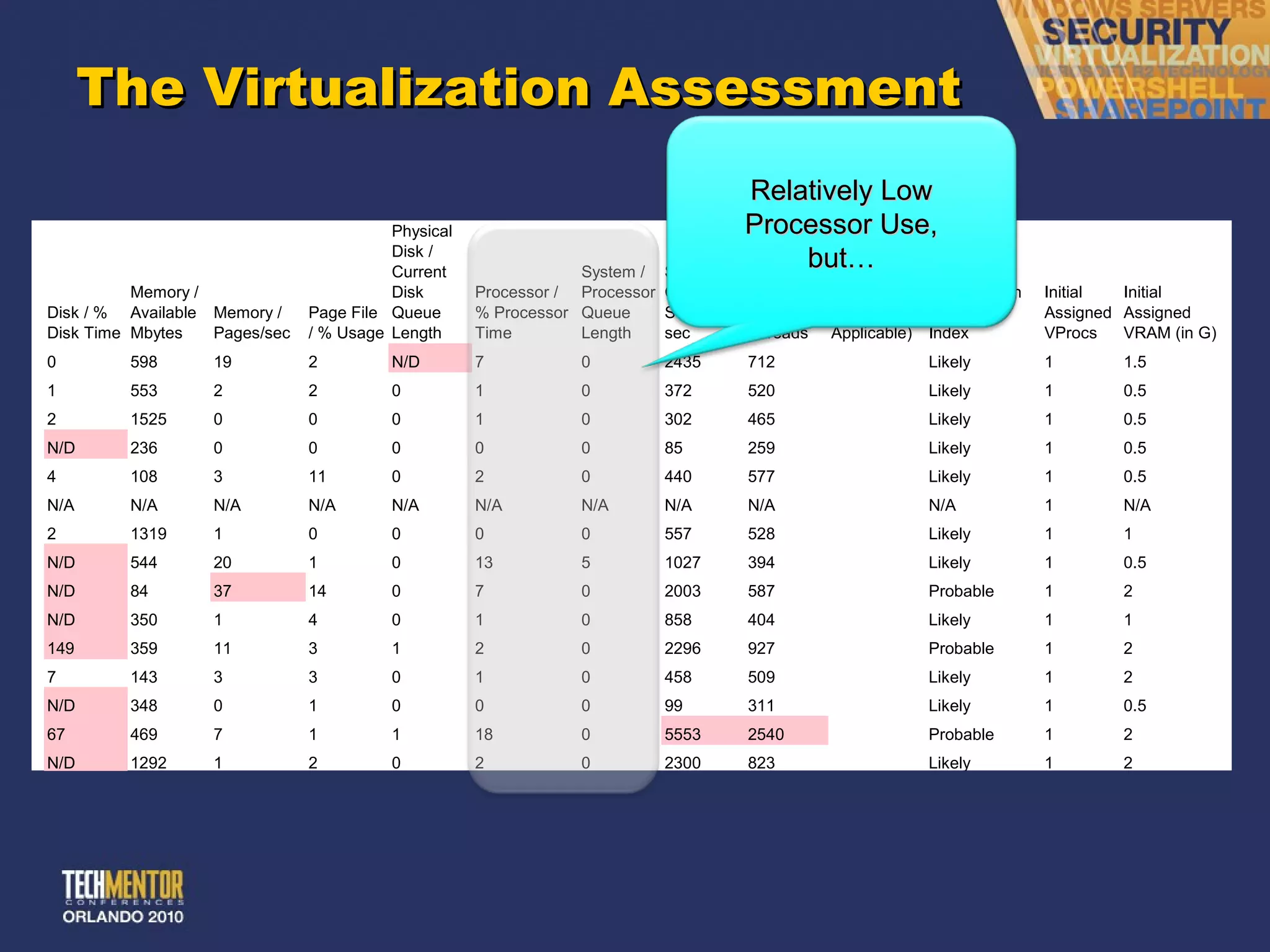
The Virtualization Assessment Relatively Low Processor Use, but…
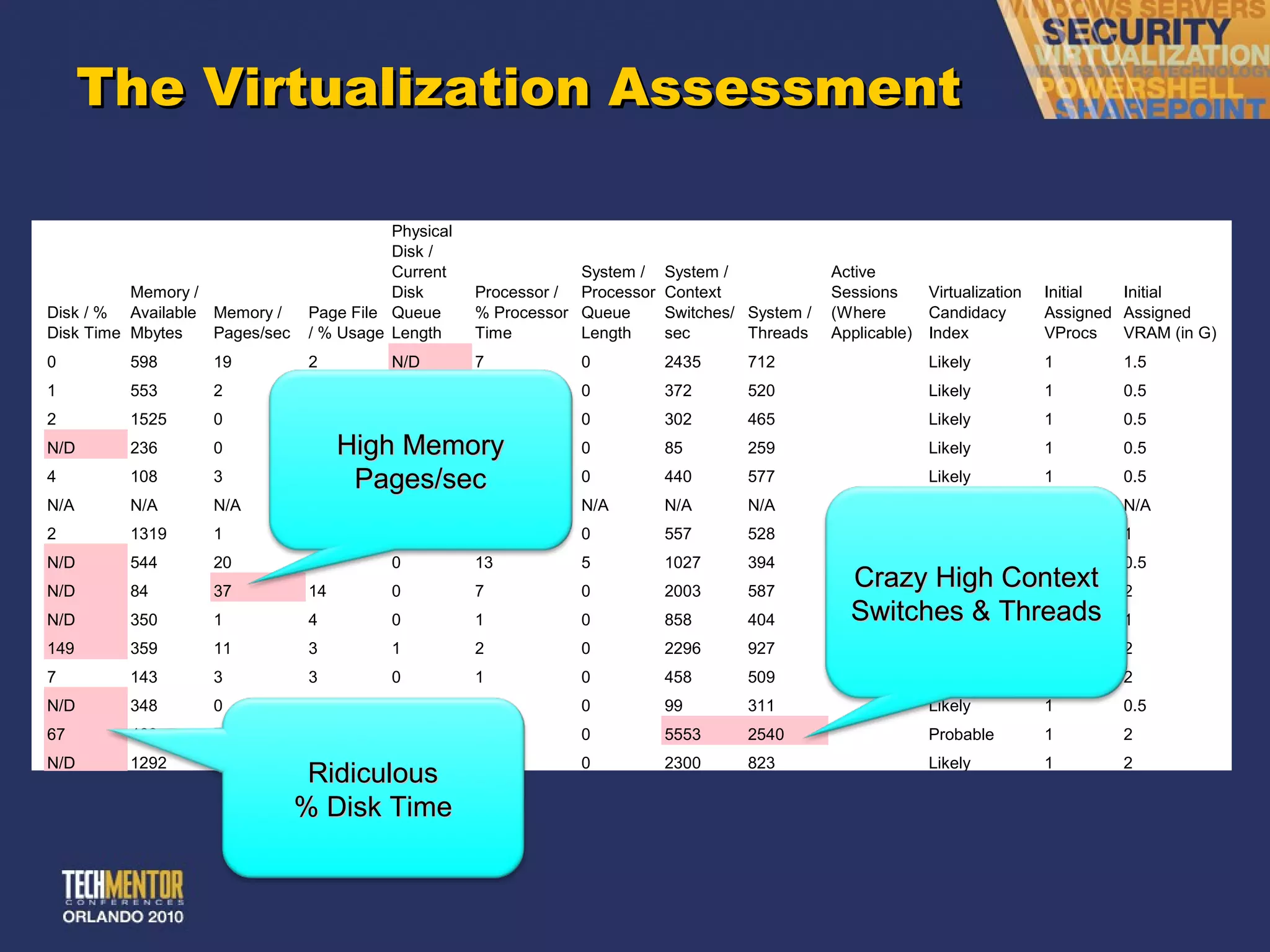
The Virtualization Assessment High Memory Pages/sec Ridiculous % Disk Time Crazy High Context Switches & Threads
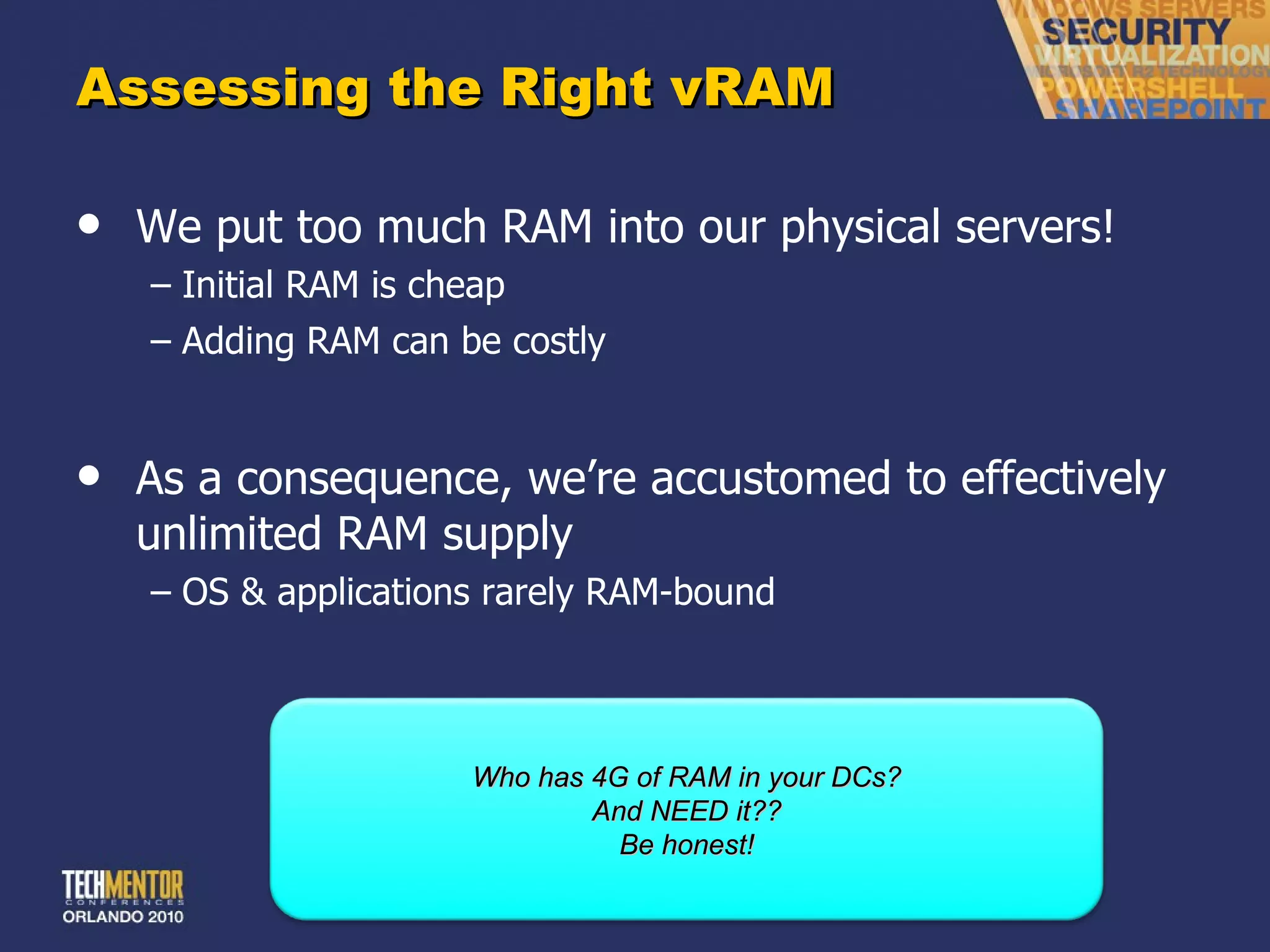
Assessing the Right vRAM We put too much RAM into our physical servers! Initial RAM is cheap Adding RAM can be costly As a consequence, we ’re accustomed to effectively unlimited RAM supply OS & applications rarely RAM-bound Who has 4G of RAM in your DCs? And NEED it?? Be honest!
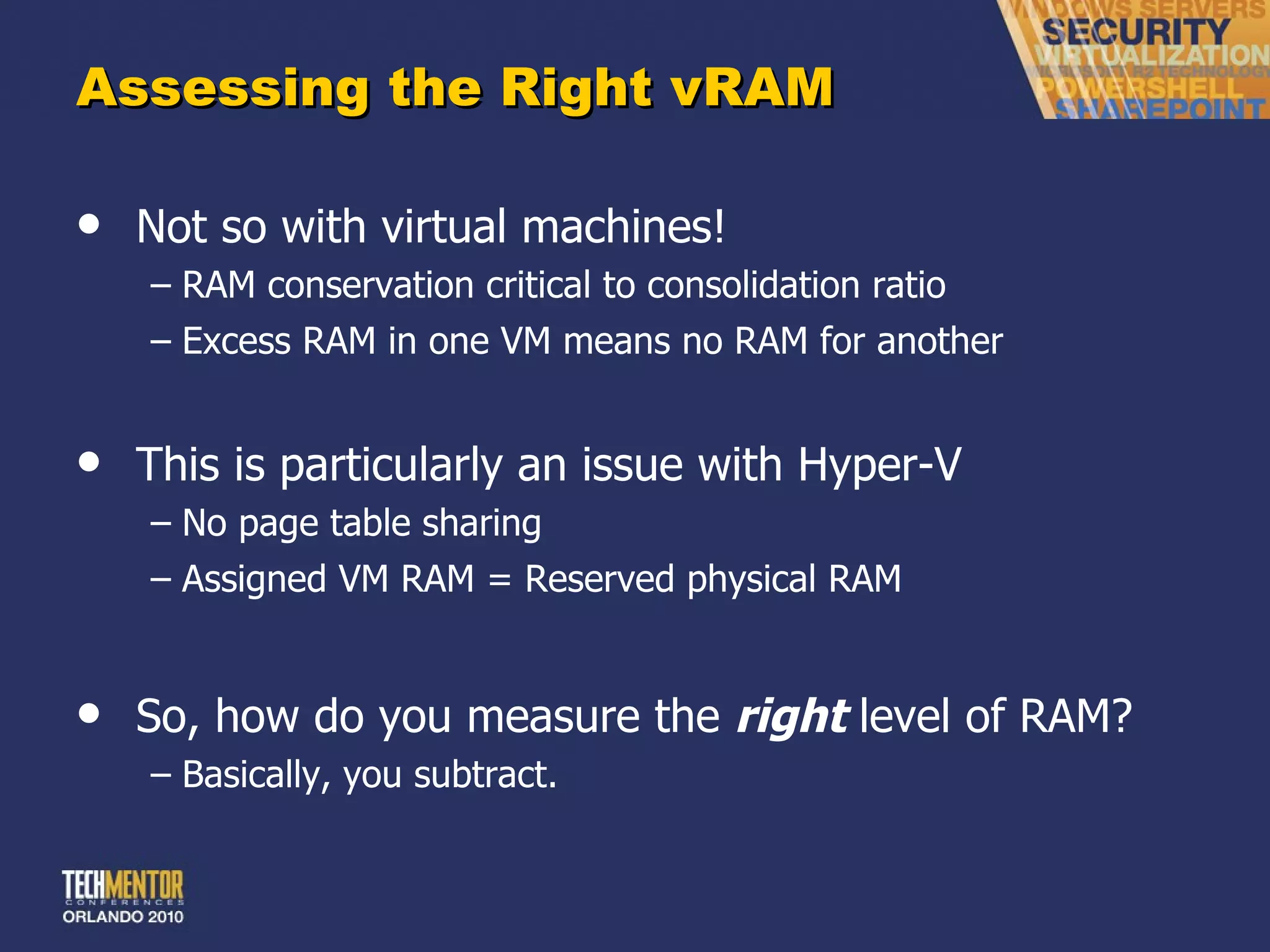
Assessing the Right vRAM Not so with virtual machines! RAM conservation critical to consolidation ratio Excess RAM in one VM means no RAM for another This is particularly an issue with Hyper-V No page table sharing Assigned VM RAM = Reserved physical RAM So, how do you measure the  right  level of RAM? Basically, you subtract.
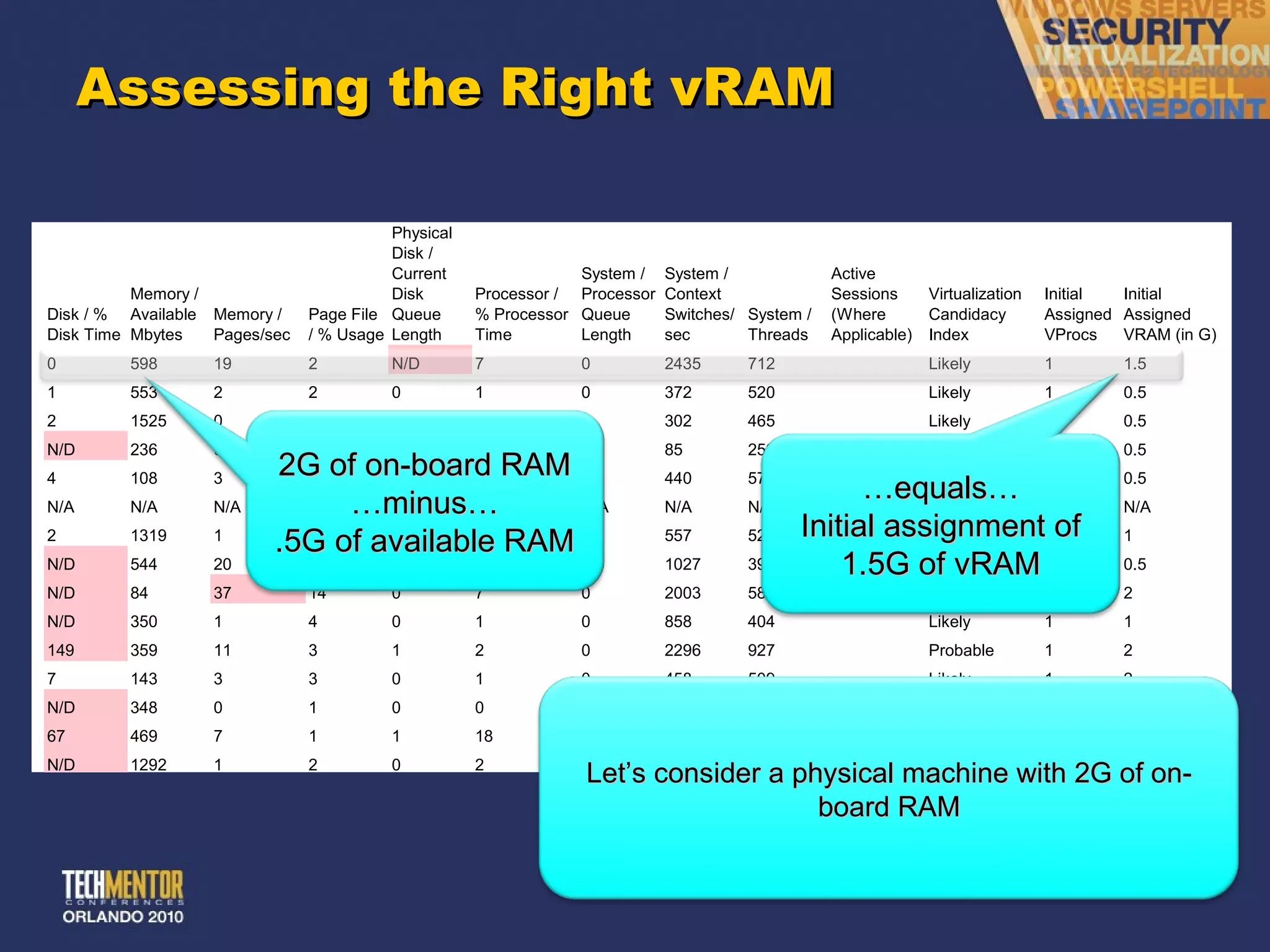
Assessing the Right vRAM 2G of on-board RAM … minus… .5G of available RAM Let ’s consider a physical machine with 2G of on-board RAM … equals… Initial assignment of 1.5G of vRAM
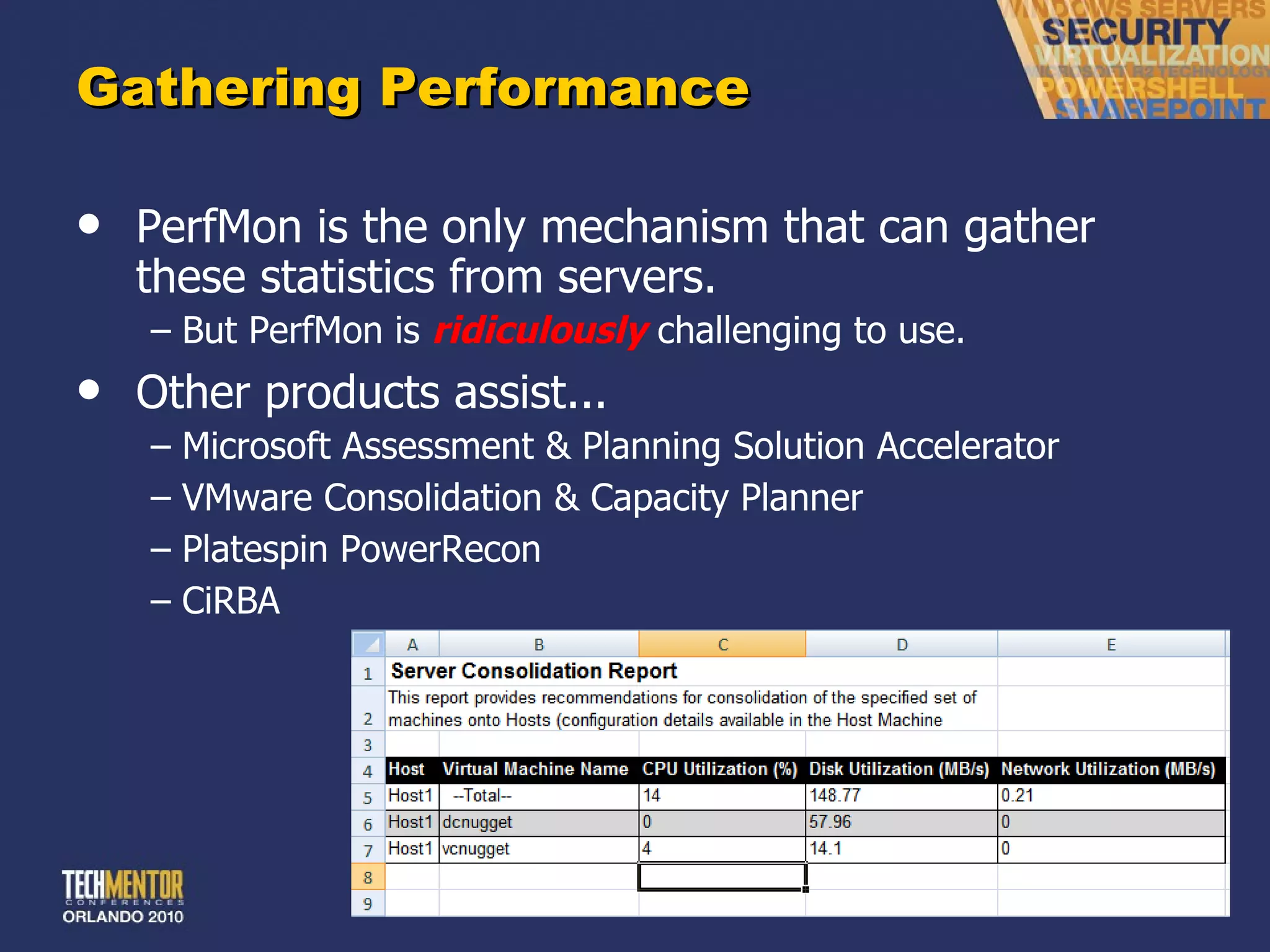
Gathering Performance PerfMon is the only mechanism that can gather these statistics from servers. But PerfMon is  ridiculously   challenging to use. Other products assist... Microsoft Assessment & Planning Solution Accelerator VMware Consolidation & Capacity Planner Platespin PowerRecon CiRBA
Step 1 Purchase & Implementation
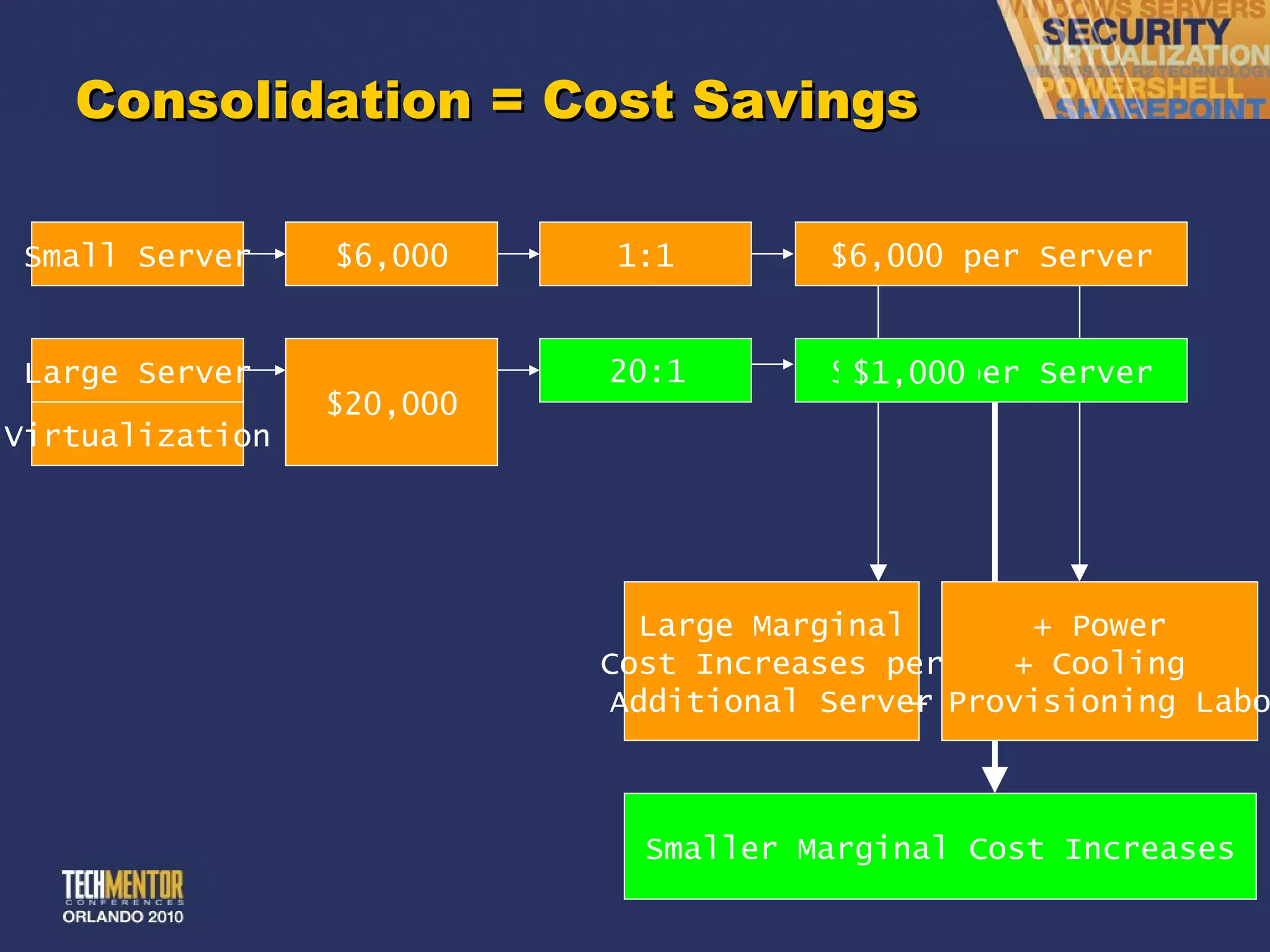
Consolidation = Cost Savings 8:1 15:1 20:1 Small Server $6,000 1:1 $6,000 per Server Large Server $15,000 Virtualization $5,000 $20,000 Large Marginal Cost Increases per Additional Server $2,500 per Server Smaller Marginal Cost Increases + Power + Cooling + Provisioning Labor $1,333 $1,000
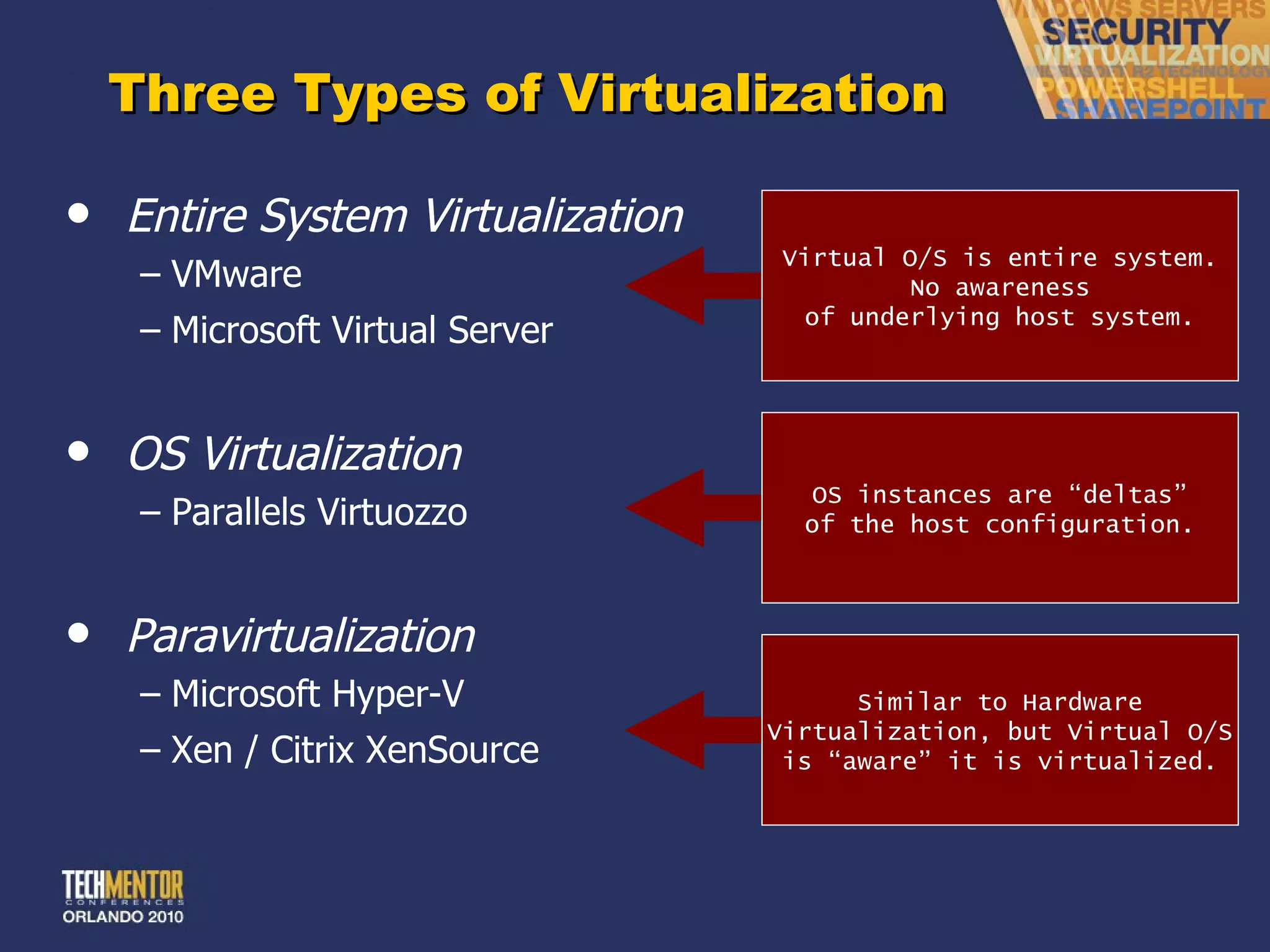
Three Types of Virtualization Entire System Virtualization VMware Microsoft Virtual Server OS Virtualization Parallels Virtuozzo Paravirtualization Microsoft Hyper-V Xen / Citrix XenSource Virtual O/S is entire system. No awareness of underlying host system. OS instances are  “deltas” of the host configuration. Similar to Hardware Virtualization, but Virtual O/S is  “aware” it is virtualized.
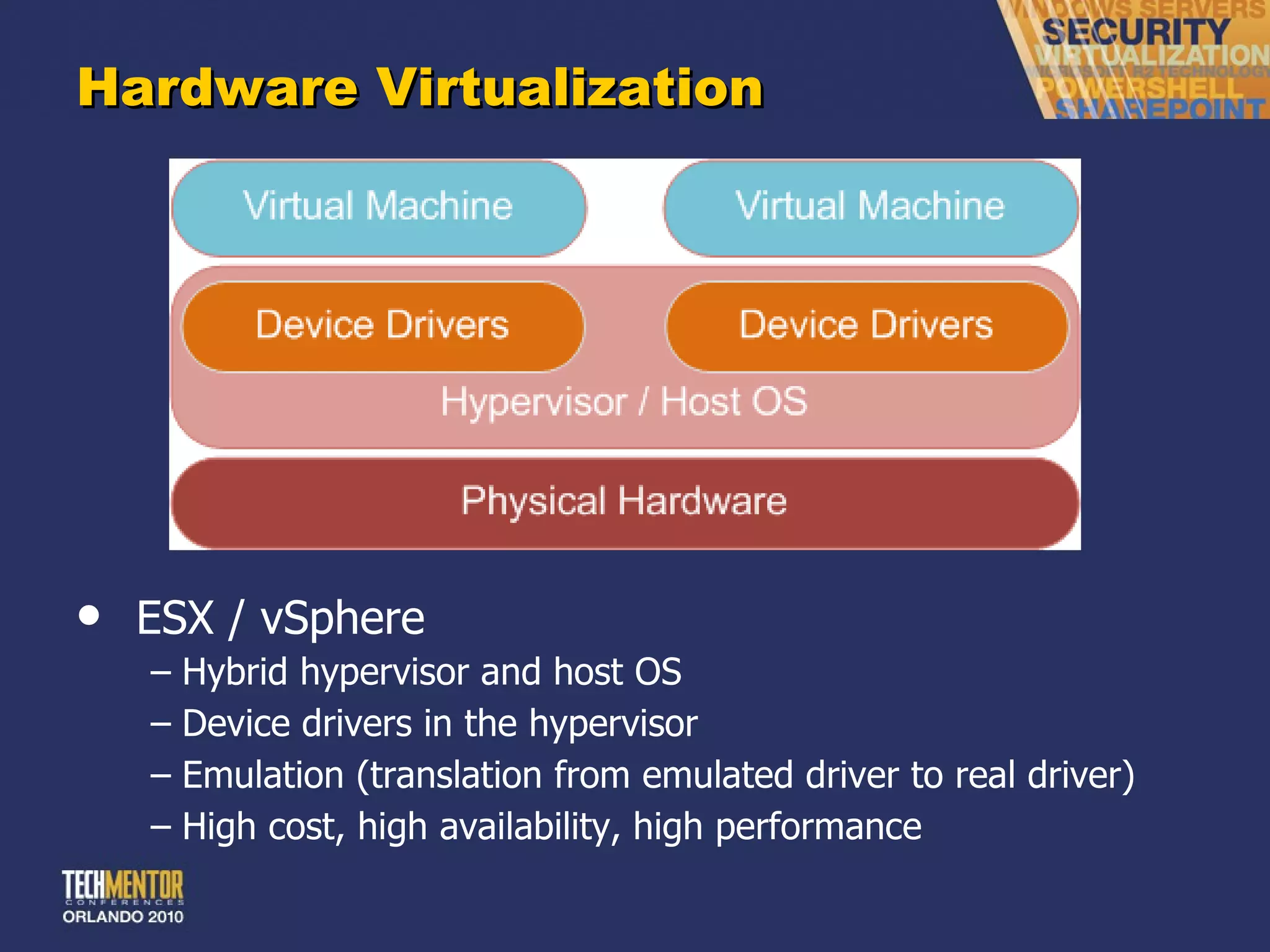
Hardware Virtualization ESX / vSphere Hybrid hypervisor and host OS Device drivers in the hypervisor Emulation (translation from emulated driver to real driver) High cost, high availability, high performance
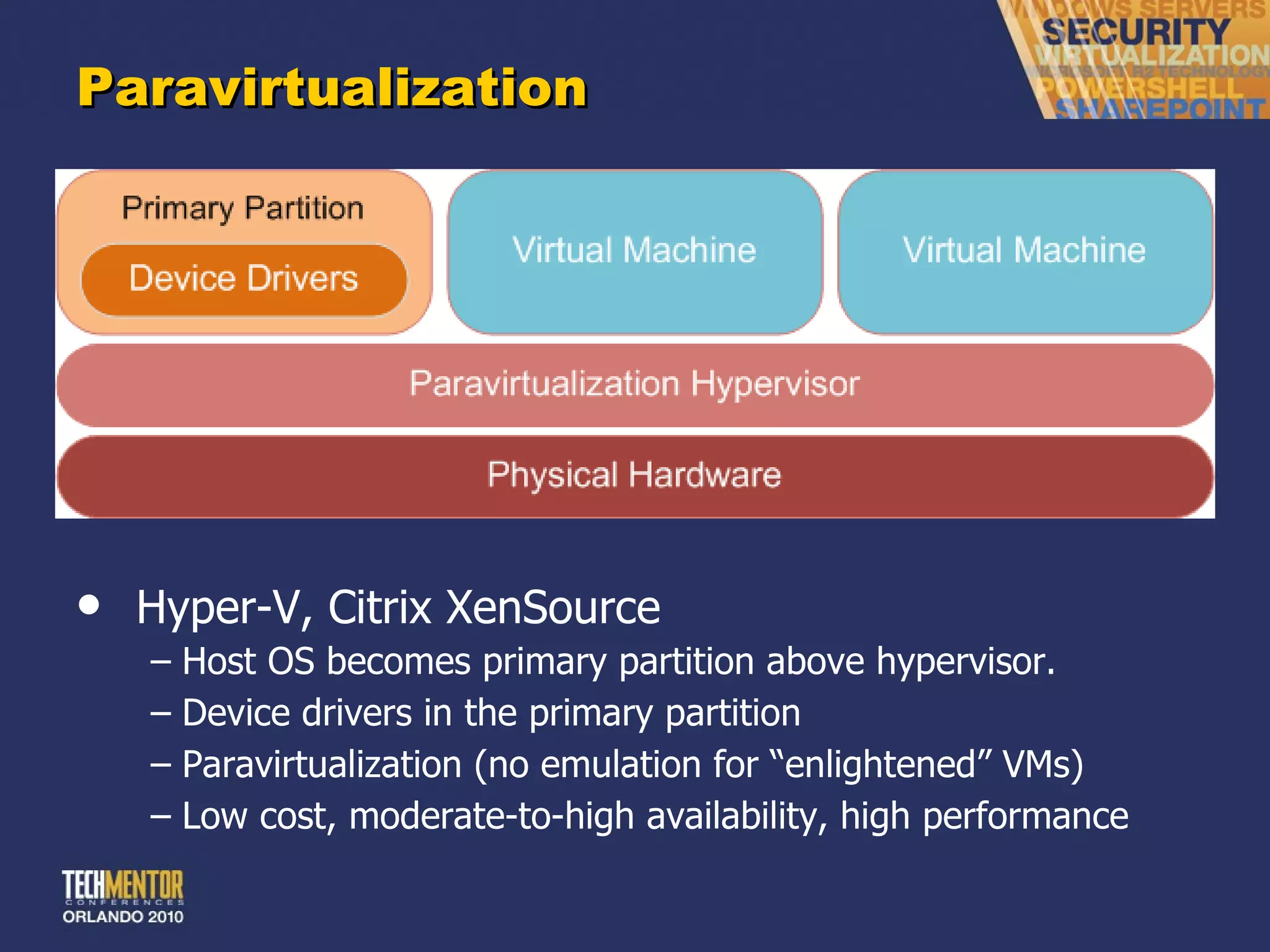
Paravirtualization Hyper-V, Citrix XenSource Host OS becomes primary partition above hypervisor. Device drivers in the primary partition Paravirtualization (no emulation for  “enlightened” VMs) Low cost, moderate-to-high availability, high performance
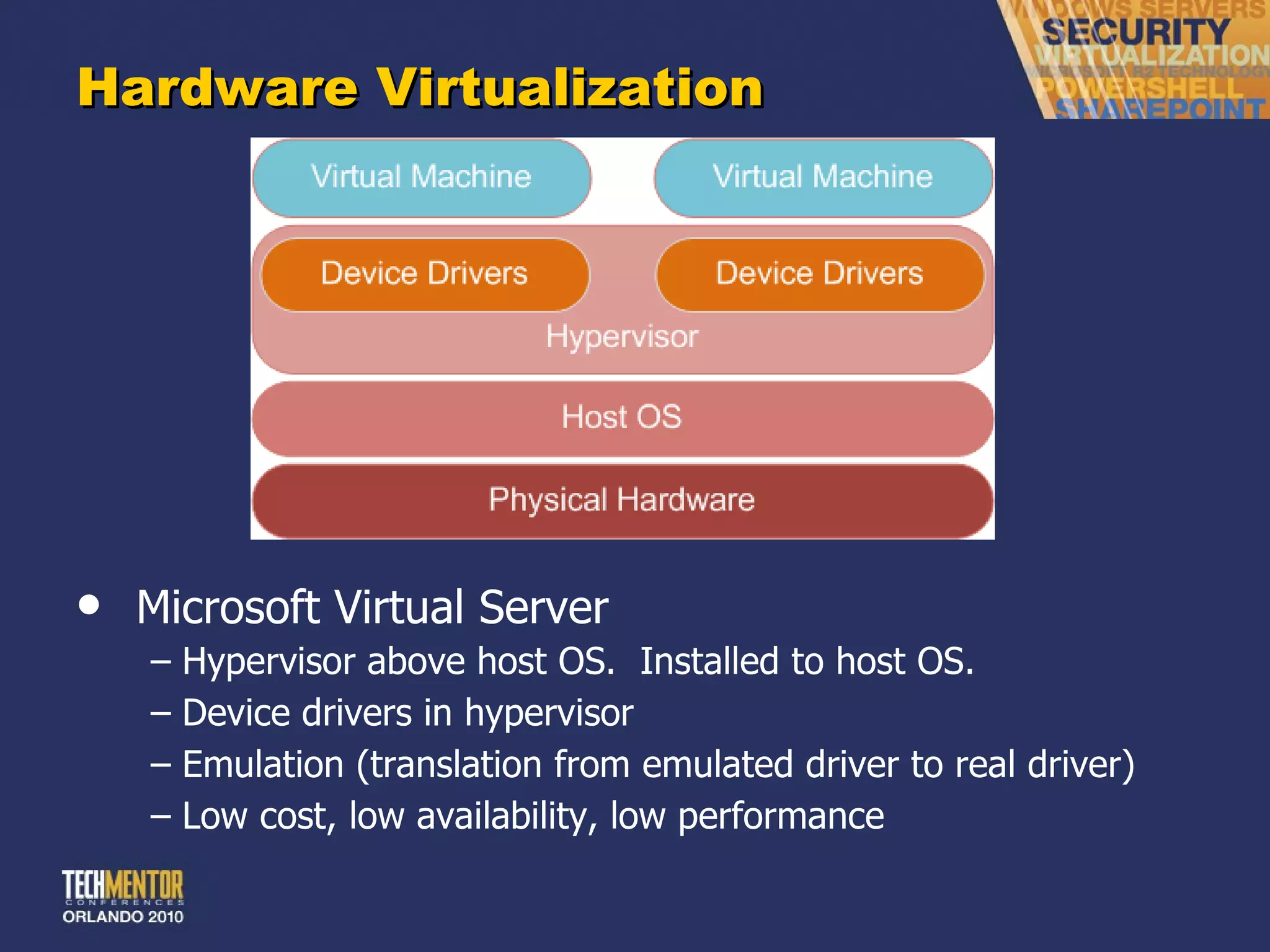
Hardware Virtualization Microsoft Virtual Server Hypervisor above host OS.  Installed to host OS. Device drivers in hypervisor Emulation (translation from emulated driver to real driver) Low cost, low availability, low performance
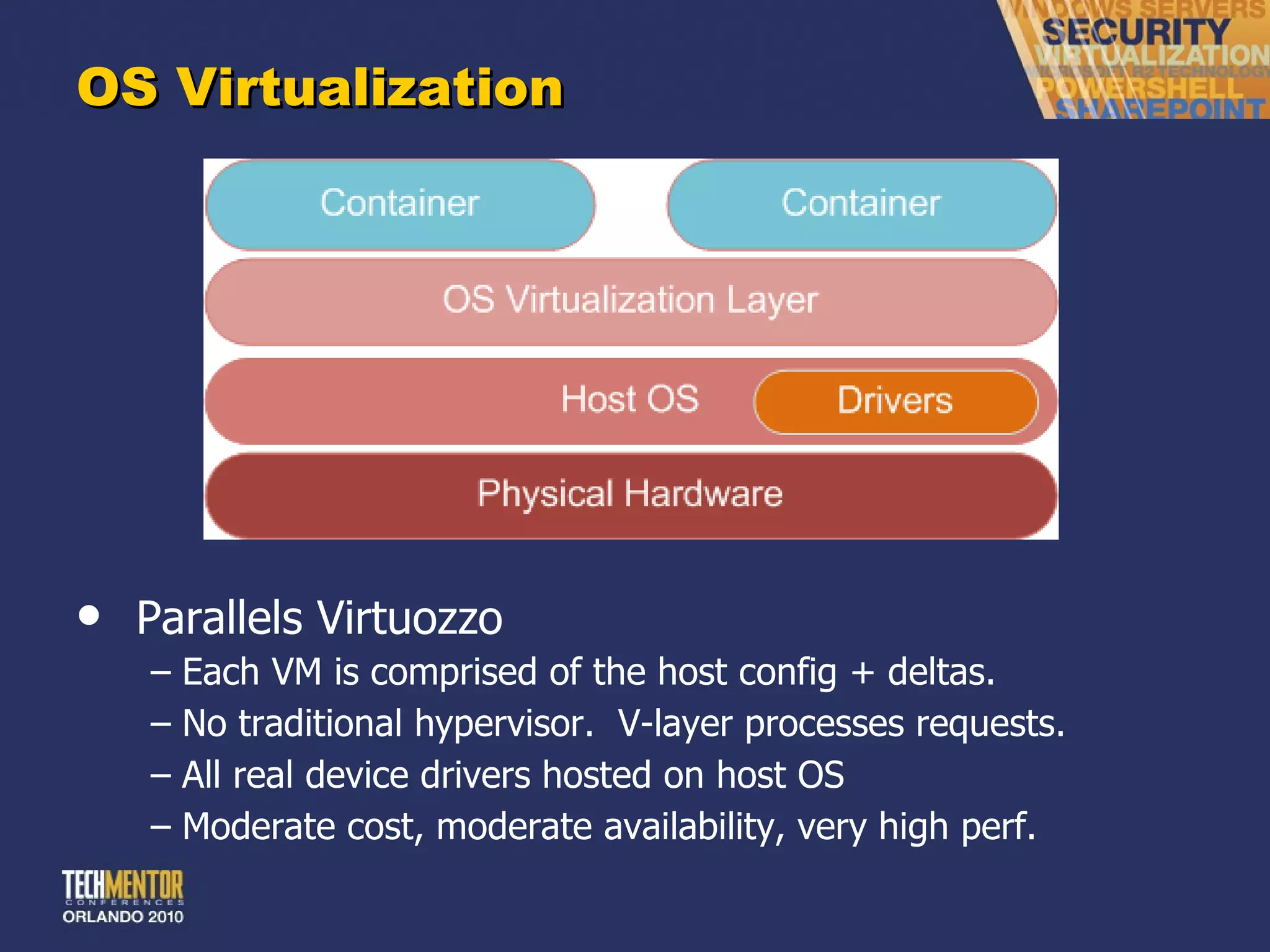
OS Virtualization Parallels Virtuozzo Each VM is comprised of the host config + deltas. No traditional hypervisor.  V-layer processes requests. All real device drivers hosted on host OS Moderate cost, moderate availability, very high perf.
CAUTION! Differences between major hypervisors (vSphere, Hyper-V, Xen) are  vastly overrated Everything one vendor says is an  “advantage” is what the competitors trash as “bad design.” Either (a) get all the facts or (b) buy mainly on price This is no place for a religious jihad – focus on business needs, not technical minutae
Example VMWare ’s constant harping on “smaller footprint” – which is flawed and frankly ridiculous. Is anyone hurting for OS disk space out there? Also, numerous myths and overstatements about specific hypervisor implementations, etc. Most of these products are basically the same  in terms of business-level performance and features. Main difference is cost.
Step 2 P2V
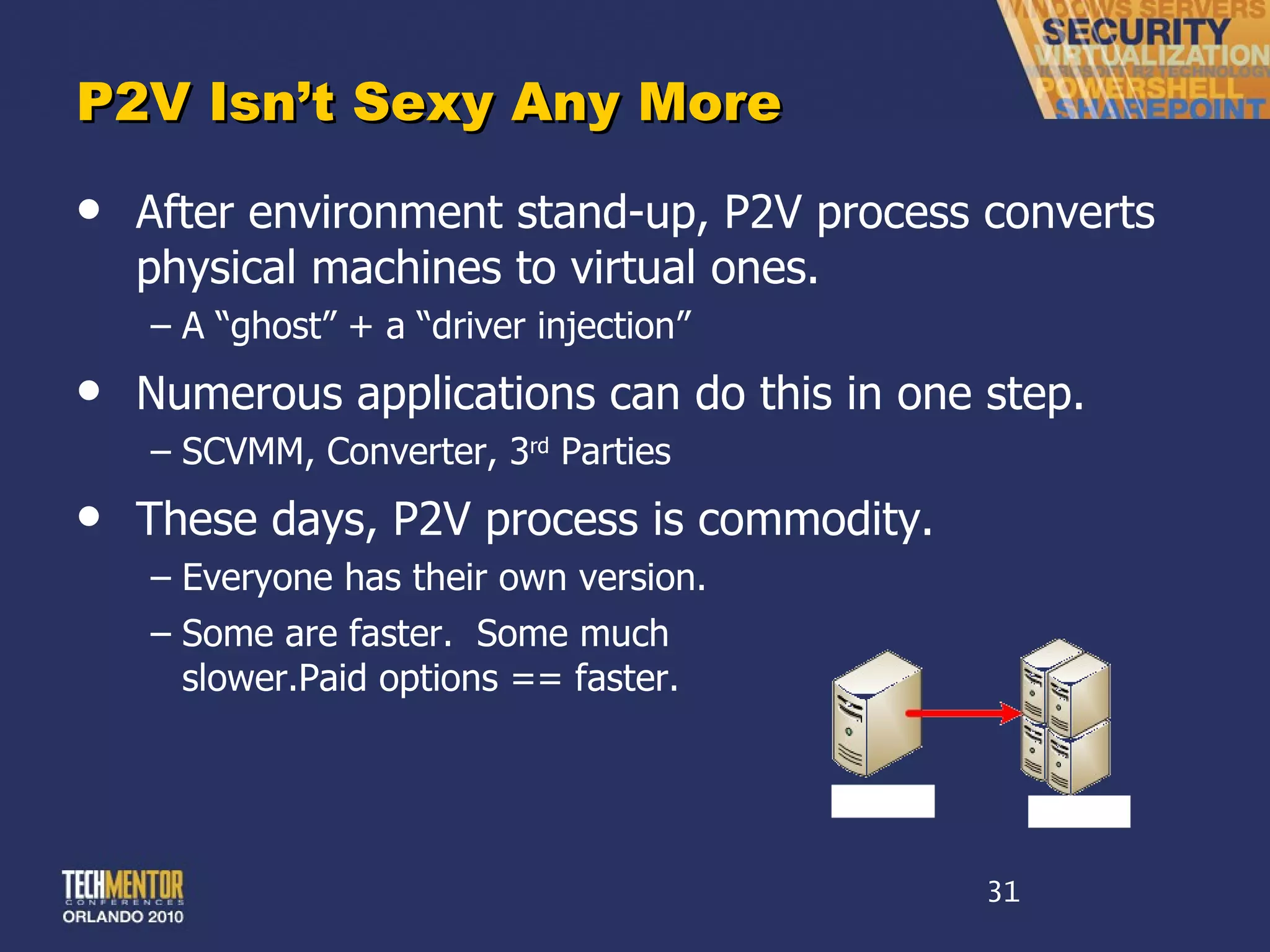
P2V Isn ’t Sexy Any More After environment stand-up, P2V process converts physical machines to virtual ones. A  “ghost” + a “driver injection” Numerous applications can do this in one step. SCVMM, Converter, 3 rd  Parties These days, P2V process is commodity. Everyone has their own version. Some are faster.  Some much slower.Paid options == faster.
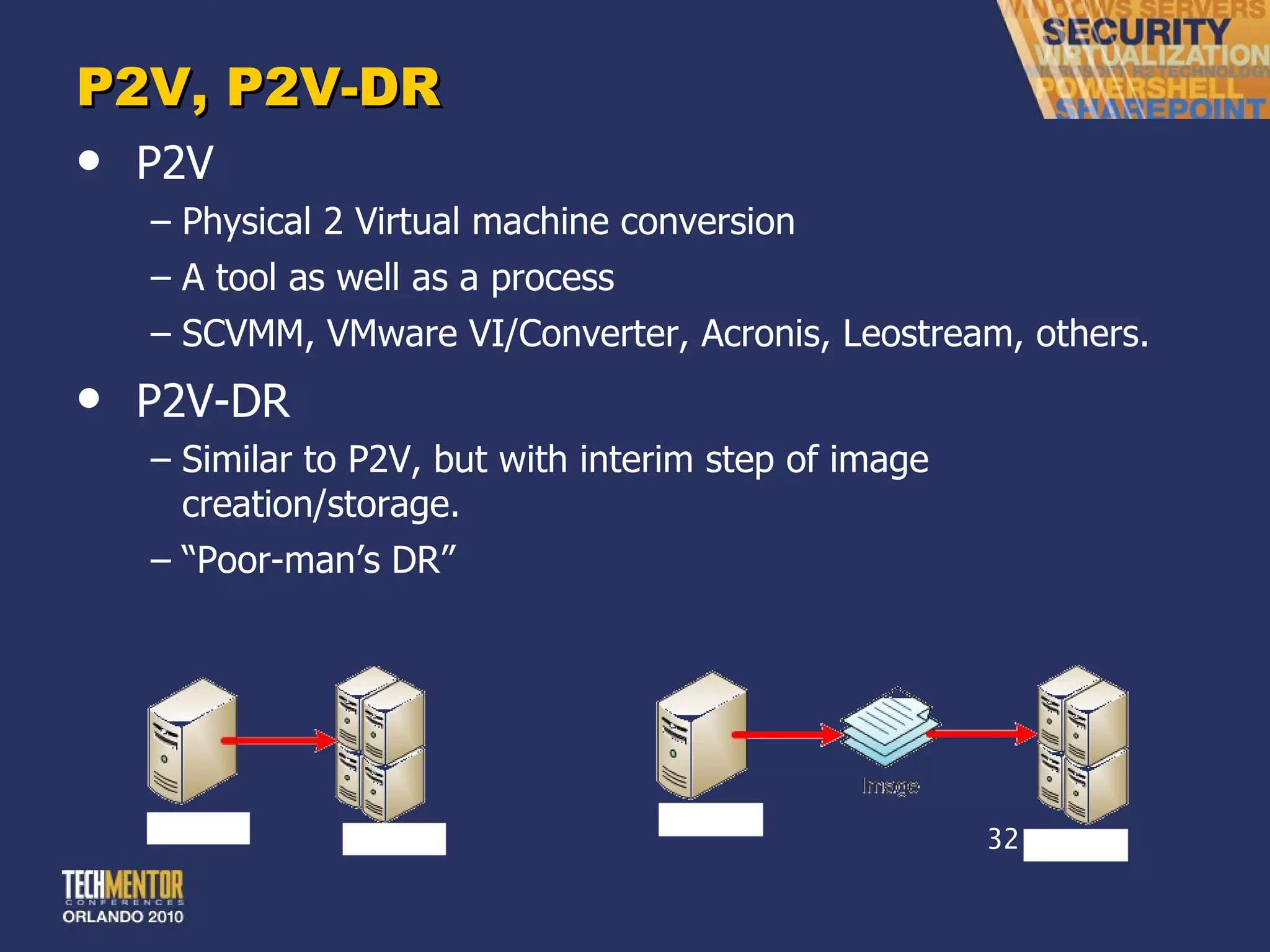
P2V, P2V-DR P2V Physical 2 Virtual machine conversion A tool as well as a process SCVMM, VMware VI/Converter, Acronis, Leostream, others. P2V-DR Similar to P2V, but with interim step of image creation/storage. “ Poor-man’s DR”
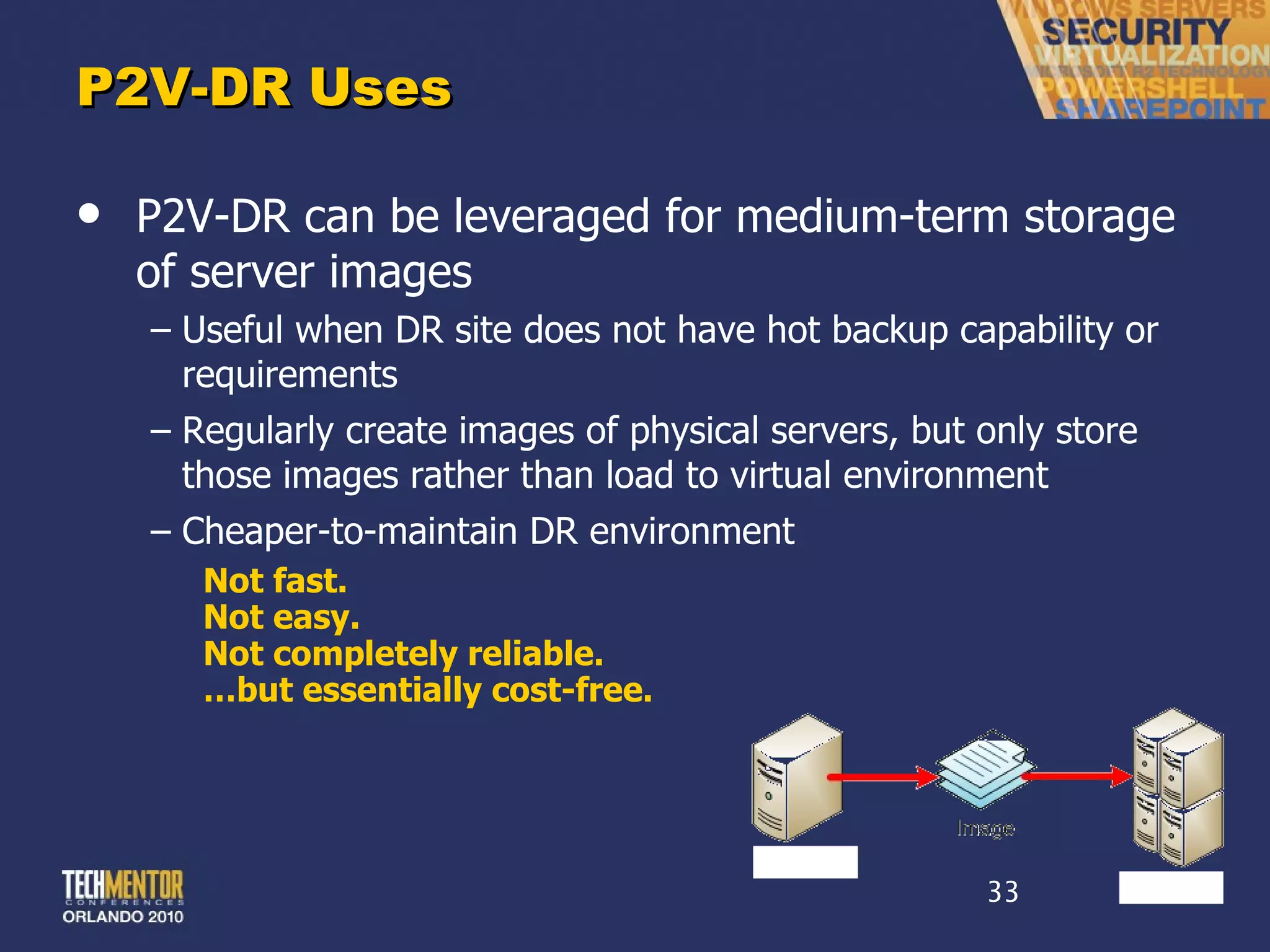
P2V-DR Uses P2V-DR can be leveraged for medium-term storage of server images Useful when DR site does not have hot backup capability or requirements Regularly create images of physical servers, but only store those images rather than load to virtual environment Cheaper-to-maintain DR environment Not fast. Not easy. Not completely reliable. … but essentially cost-free.
Step 3 High Availability
Costs vs. Benefits High-availability adds dramatically greater uptime for virtual machines. Protection against host failures Protection against resource overuse Protection against scheduled/unscheduled downtime High-availability also adds much greater cost… Shared storage between hosts Connectivity Higher (and more expensive) software editions Not every environment needs HA!
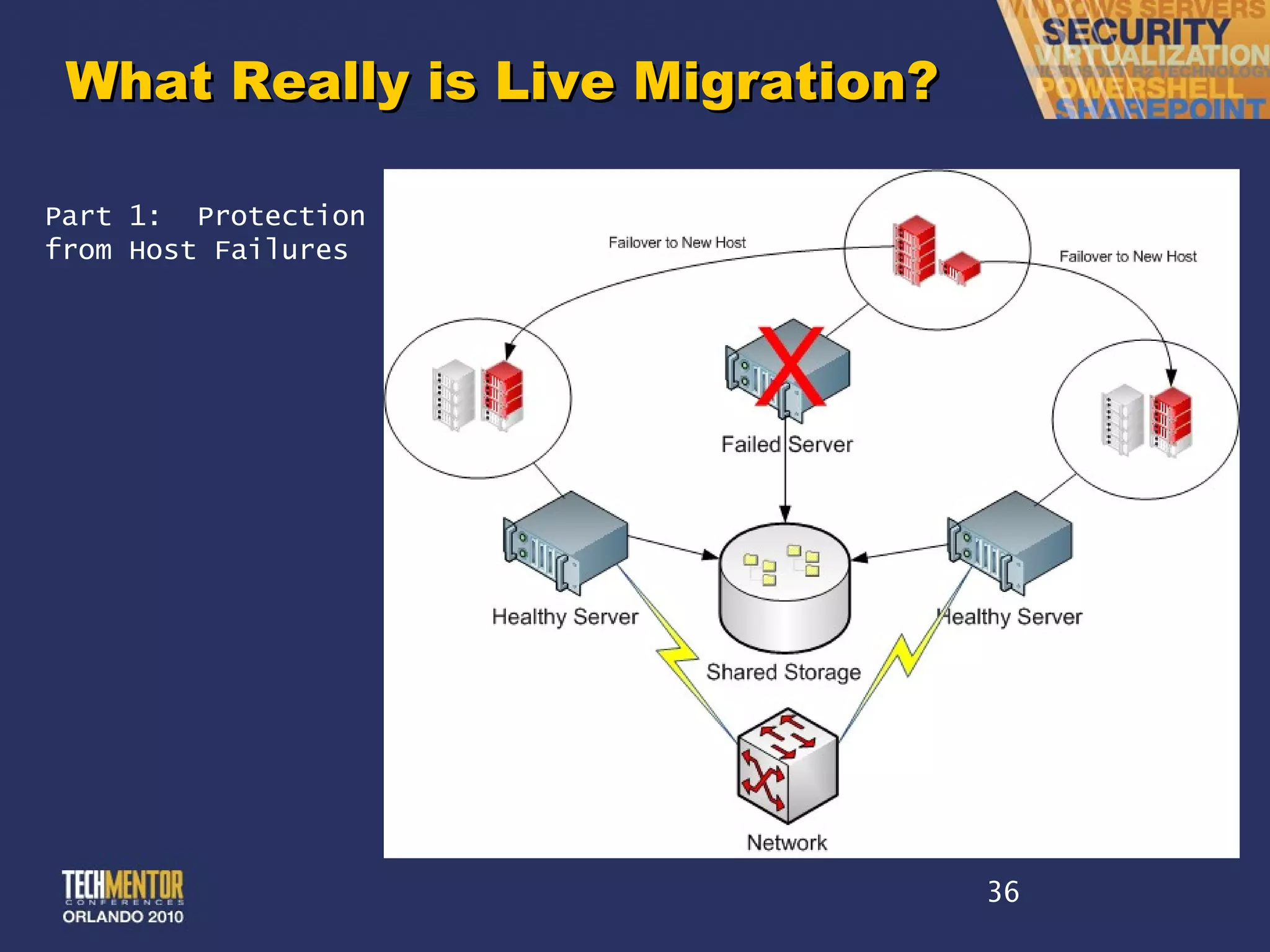
What Really is Live Migration? Part 1:  Protection from Host Failures
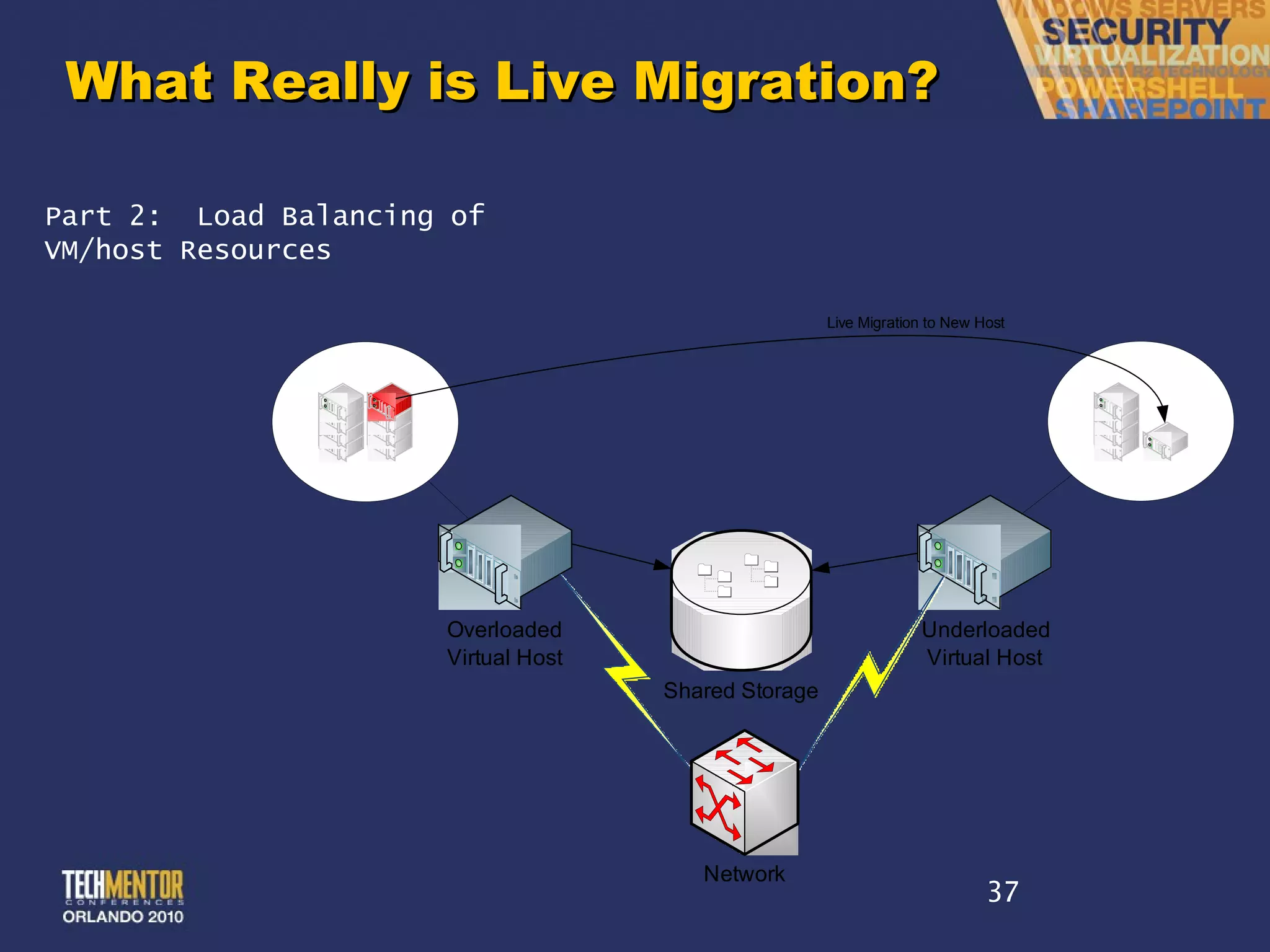
What Really is Live Migration? Part 2:  Load Balancing of VM/host Resources
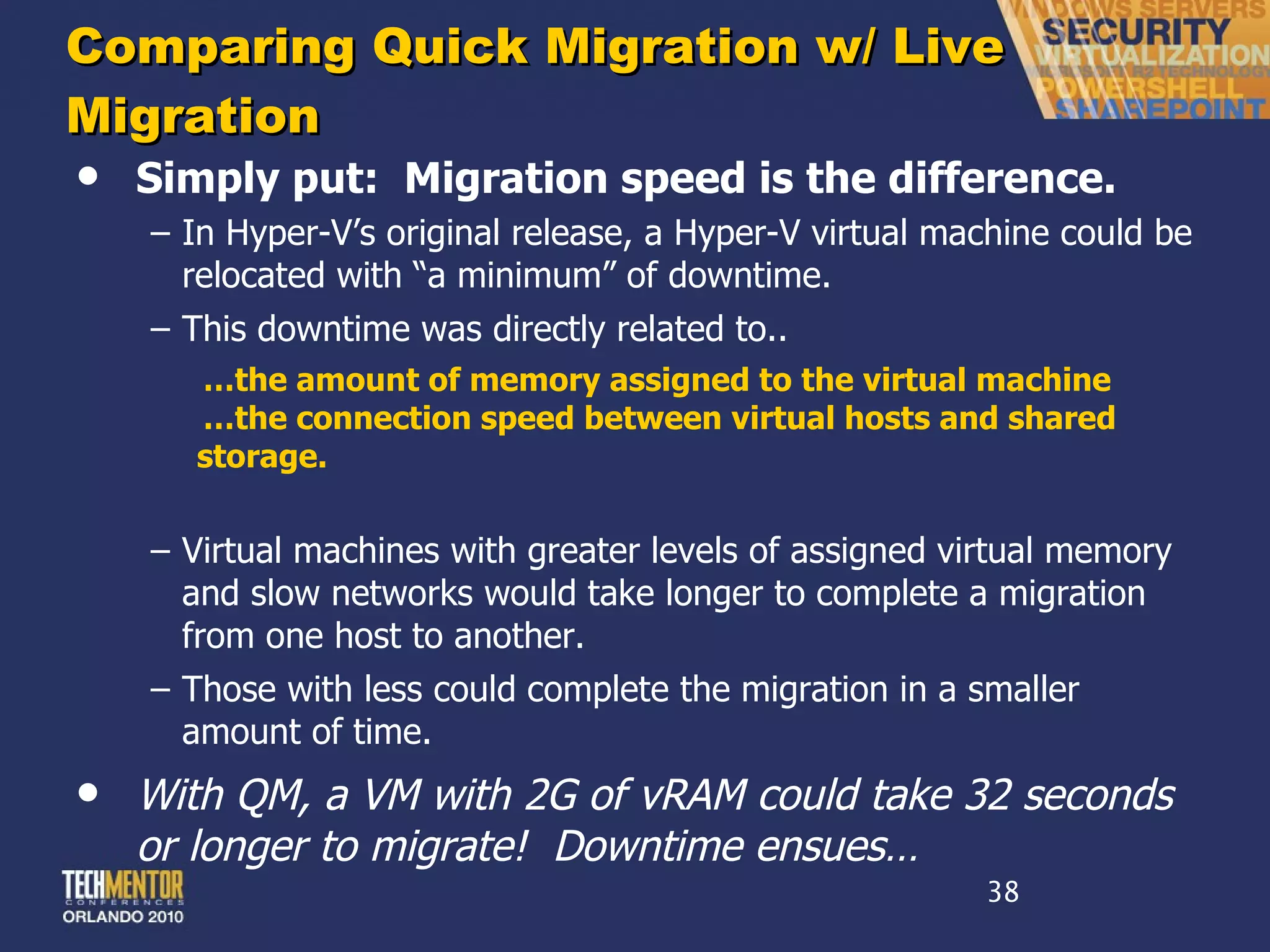
Comparing Quick Migration w/ Live Migration Simply put:  Migration speed is the difference. In Hyper-V ’s original release, a Hyper-V virtual machine could be relocated with “a minimum” of downtime. This downtime was directly related to.. … the amount of memory assigned to the virtual machine … the connection speed between virtual hosts and shared storage. Virtual machines with greater levels of assigned virtual memory and slow networks would take longer to complete a migration from one host to another. Those with less could complete the migration in a smaller amount of time. With QM, a VM with 2G of vRAM could take 32 seconds or longer to migrate!  Downtime ensues…
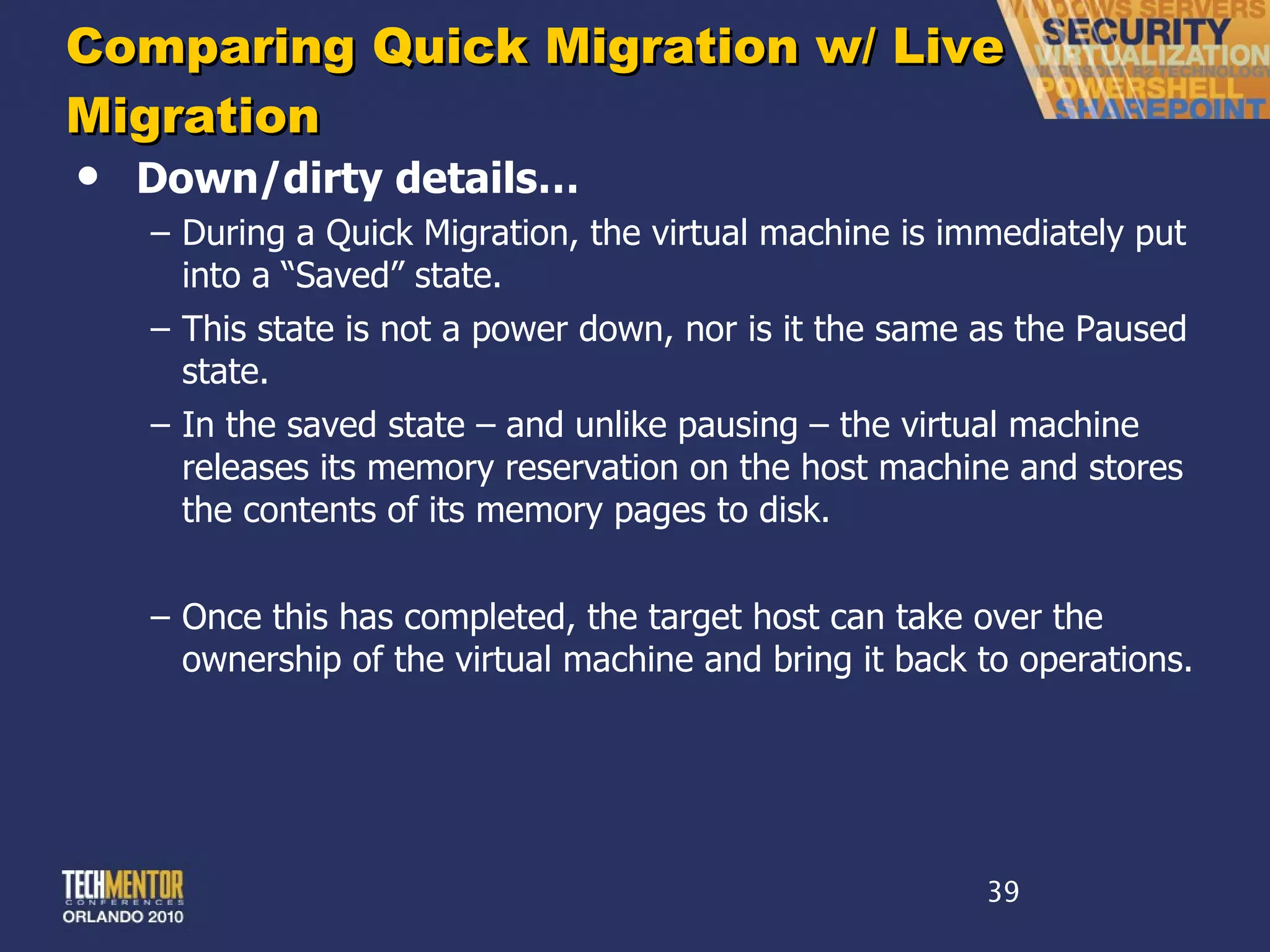
Comparing Quick Migration w/ Live Migration Down/dirty details… During a Quick Migration, the virtual machine is immediately put into a  “Saved” state. This state is not a power down, nor is it the same as the Paused state. In the saved state – and unlike pausing – the virtual machine releases its memory reservation on the host machine and stores the contents of its memory pages to disk. Once this has completed, the target host can take over the ownership of the virtual machine and bring it back to operations.
Comparing Quick Migration w/ Live Migration Down/dirty details… This saving of virtual machine state consumes most of the time involved with a Quick Migration. Needed to reduce this time delay was a mechanism to  pre-copy  the virtual machine ’s memory from source to target host. At the same moment the pre-copy would to log changes to memory pages that occur during the period of the copy. These changes tend to be relatively small in quantity, making the delta copy significantly smaller and faster than the original copy. Once the initial copy has completed, Live Migration then… … pauses the virtual machine … copies the memory deltas … transfers ownership to the target host. Much faster.  Effectively  “zero” downtime.
Common Features in High-End Platforms Live migration  enables running virtual machines to be moved to an alternate host before a host failure. Automated relocation  to new hardware and restart of virtual machines immediately upon a host failure. Load balancing  calculations that manually or automatically re-balance running virtual machines across hosts to prevent resource contention. Disk storage migration  that enables the zero-impact relocation of virtual machine disk files to alternate storage. Automated replication  features that copy backed up virtual machines to alternate locations for disaster recovery purposes.
Step 4 Backups Expansion
Backup Terminology File-Level Backup Backup Agent in the Virtual Machine Block-Level Backup Backup Agent on the Virtual Host Quiescing Quieting the file system to prep for a backup O/S Crash Consistency Capability for post-restore O/S functionality Application Crash Consistency Capability for post-restore application functionality
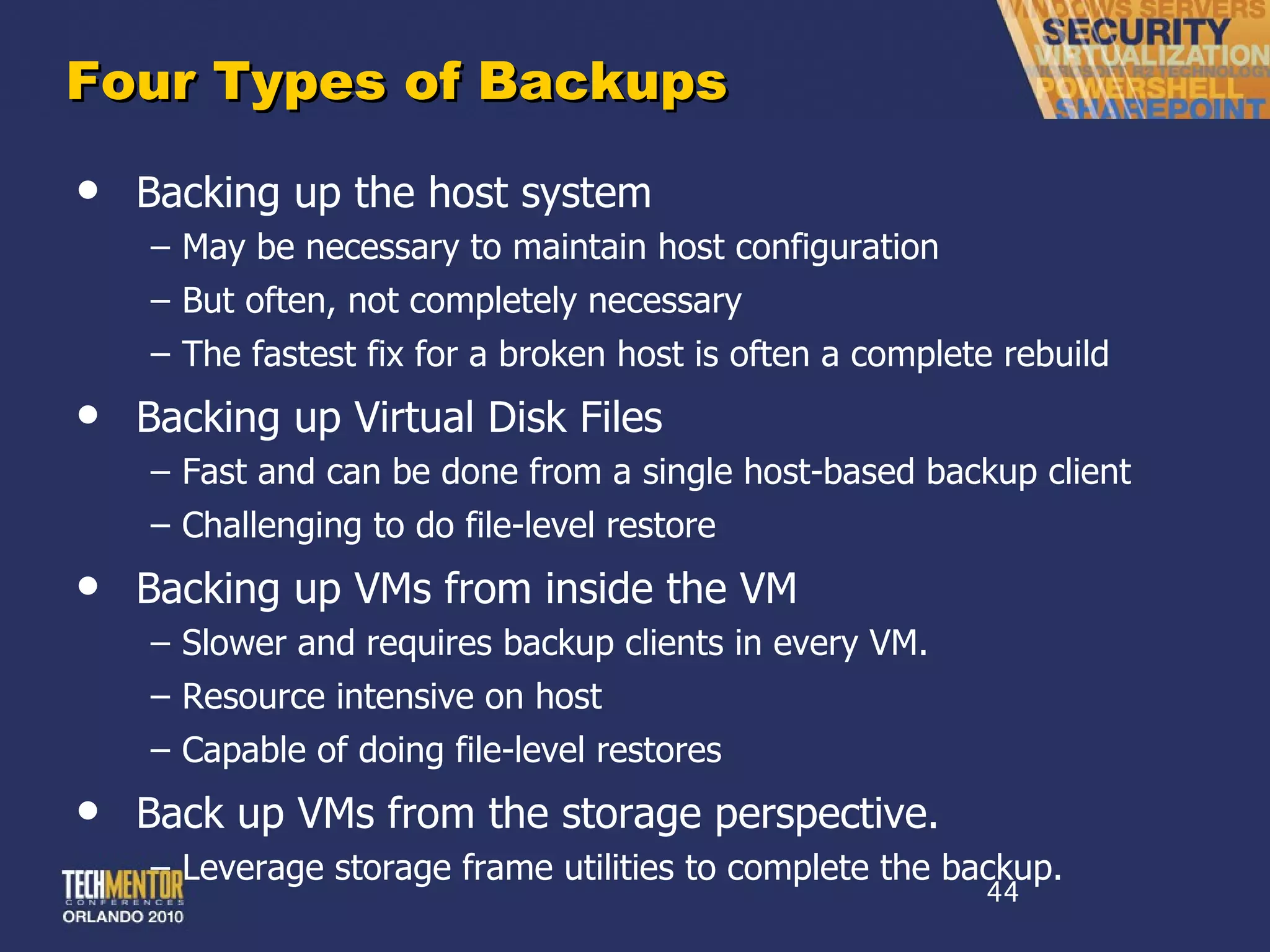
Four Types of Backups Backing up the host system May be necessary to maintain host configuration But often, not completely necessary The fastest fix for a broken host is often a complete rebuild Backing up Virtual Disk Files Fast and can be done from a single host-based backup client Challenging to do file-level restore Backing up VMs from inside the VM Slower and requires backup clients in every VM. Resource intensive on host Capable of doing file-level restores Back up VMs from the storage perspective. Leverage storage frame utilities to complete the backup.
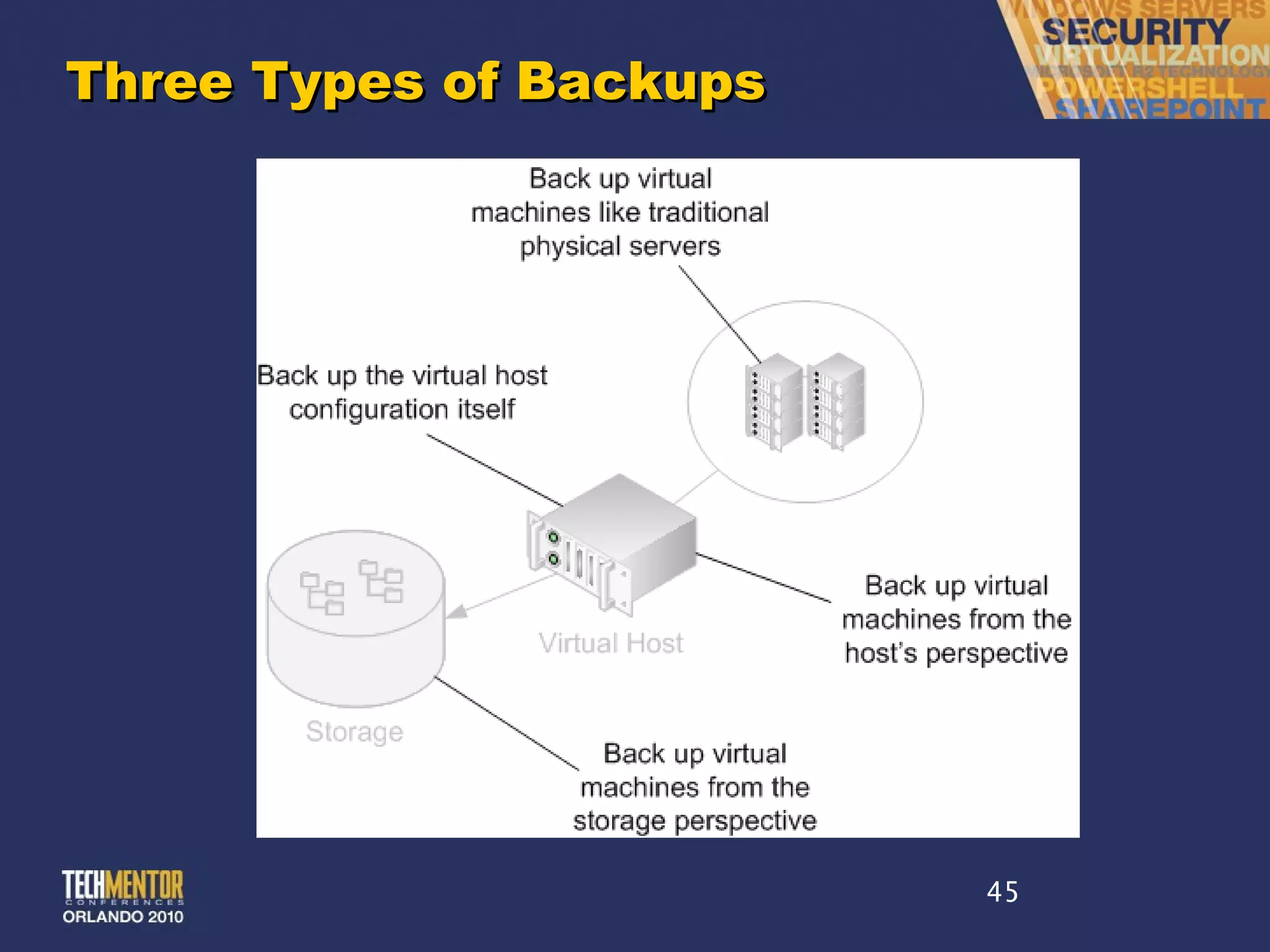
Three Types of Backups
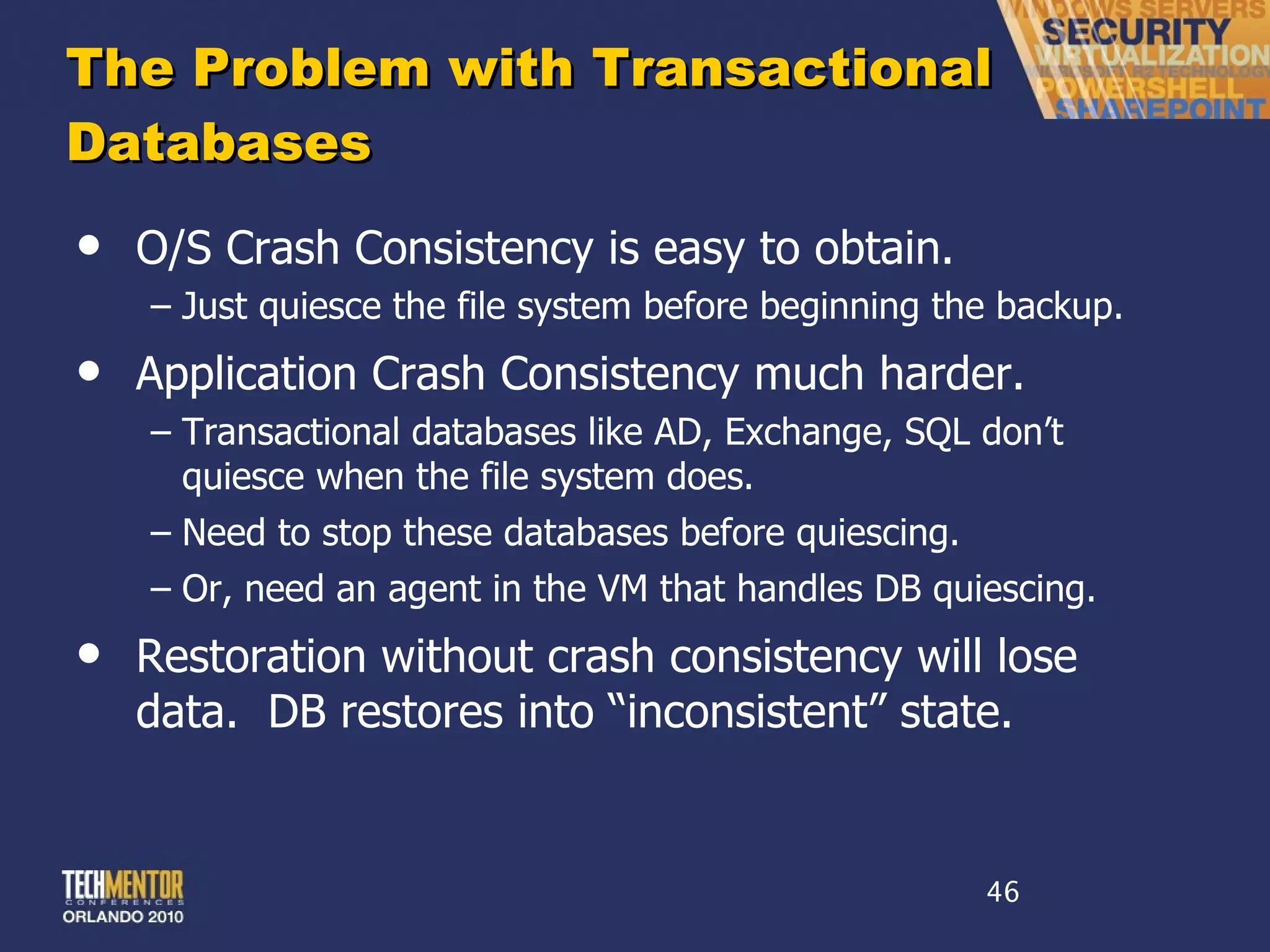
The Problem with Transactional Databases O/S Crash Consistency is easy to obtain. Just quiesce the file system before beginning the backup. Application Crash Consistency much harder. Transactional databases like AD, Exchange, SQL don ’t quiesce when the file system does. Need to stop these databases before quiescing. Or, need an agent in the VM that handles DB quiescing. Restoration without crash consistency will lose data.  DB restores into  “inconsistent” state.
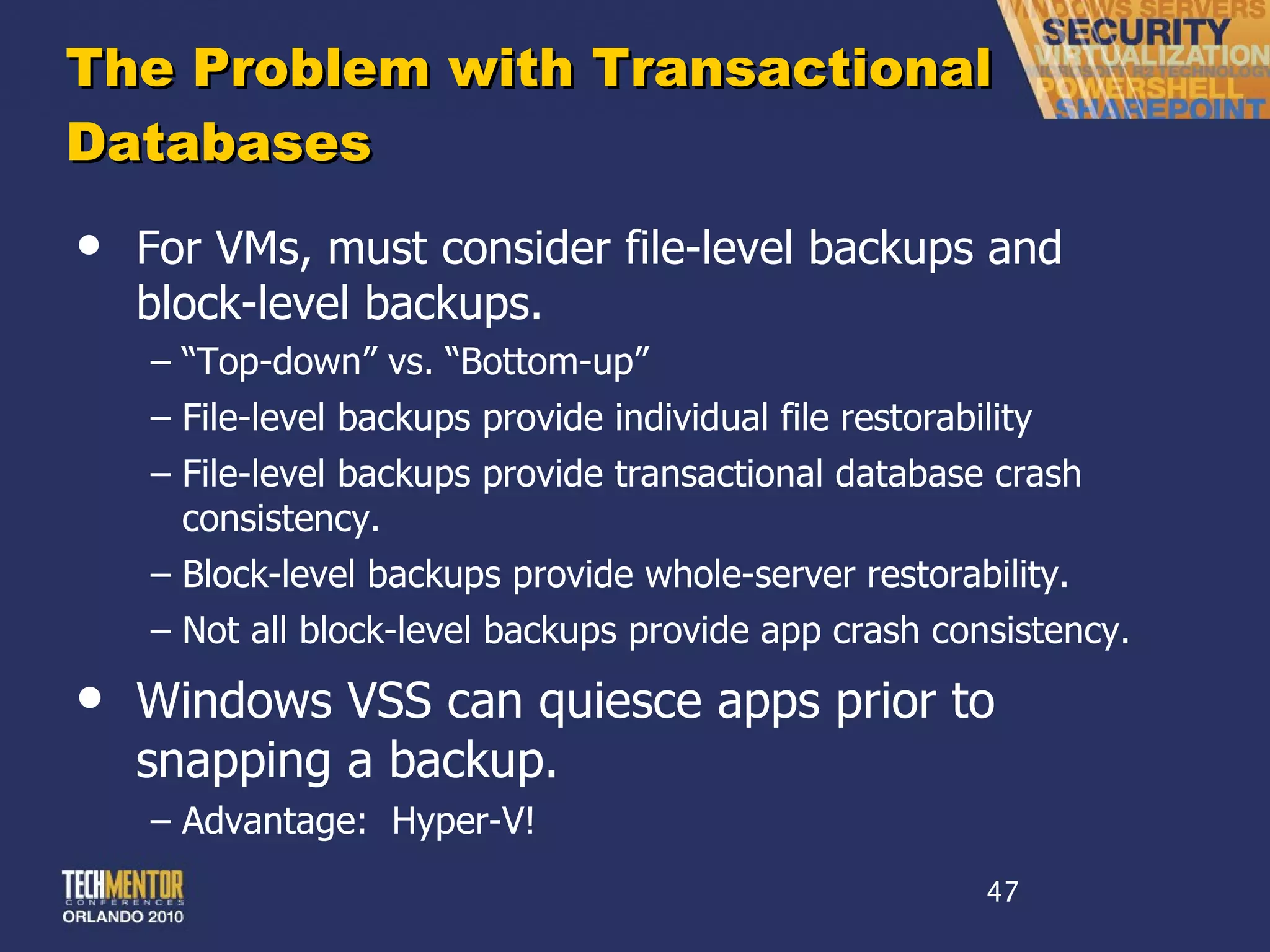
The Problem with Transactional Databases For VMs, must consider file-level backups and block-level backups. “ Top-down” vs. “Bottom-up” File-level backups provide individual file restorability File-level backups provide transactional database crash consistency. Block-level backups provide whole-server restorability. Not all block-level backups provide app crash consistency. Windows VSS can quiesce apps prior to snapping a backup. Advantage:  Hyper-V!
Step 5 Virtualization at the Desktop
Desktop Virtualization = VDI = Hosted Desktops Once you fully embrace virtualization for your servers, desktop are a next common focus. VDI is  all about the apps. HOWEVER, BEWARE VDI! VDI is a much more complex beast than Terminal Services, Citrix XenApp, or other presentation virtualization platforms. It is also dramatically more expensive. VDI ’s Use Cases (and there are only two) Applications that simply don ’t work atop TS/Citrix High-utilization apps that require remote access
Step 6 DR Implementation
Disaster Recovery Don ’t forget that your DR infrastructure will have to change drastically Big, complex topic – suitable for a whole session all by itself!
Thank You! Please feel free to pick up a card if you ’d like copies of my session materials I ’ll be happy to take any last questions while I pack up Please complete and submit an evaluation form for this and every session you attend!
 
This slide deck was used in one of our many conference presentations. We hope you enjoy it, and invite you to use it within your own organization however you like. For more information on our company, including information on private classes and upcoming conference appearances, please visit our Web site,  www.ConcentratedTech.com .  For links to newly-posted decks, follow us on Twitter: @concentrateddon or @concentratdgreg This work is copyright ©Concentrated Technology, LLC

Designing virtual infrastructure

  • 1.
    Designing Your VirtualInfrastructure & Hypervisor Deep Dive Don Jones ConcentratedTech.com Pre-requisites for this presentation: 1) Strong understanding of basic virtualization concepts Level: Intermediate
  • 2.
    This slide deckwas used in one of our many conference presentations. We hope you enjoy it, and invite you to use it within your own organization however you like. For more information on our company, including information on private classes and upcoming conference appearances, please visit our Web site, www.ConcentratedTech.com . For links to newly-posted decks, follow us on Twitter: @concentrateddon or @concentratdgreg This work is copyright ©Concentrated Technology, LLC
  • 3.
    About the InstructorDon Jones Contributing Editor, technetmagazine.com IT author, consultant, and speaker Co-founder of Concentrated Technology Seven-time recipient of Microsoft ’s Most Valuable Professional (MVP) Award Author and Editor-in-Chief for Realtime Publishers Trainer for www.CBTNuggets.com
  • 4.
    44% of VirtualizationDeployments Fail According to a CA announcement from 2007. Inability to quantify ROI Insufficient administrator training Expectations not aligned with results Success = Measure performance Diligent inventory Load Distribution Thorough Investigation of Technology
  • 5.
    55% Experience MoreProblems than Benefits with Virtualization According to an Interop survey in May, 2009. Lack of visibility Lack of tools to troubleshoot performance problems Insufficient education on virtual infrastructure software Statistics: 27% could not visualize / manage performance 25% cite training shortfalls 21% unable to secure the infrastructure 50% say that implementation costs are too high
  • 6.
    Lifecycle of aVirtualization Implementation Step -1: Hype Recognition & Education Step 0: Assessment Step 1: Purchase & Implementation Step 2: P2V Step 3: High Availability Step 4: Backups Expansion Step 5: Virtualization at the Desktop Step 6: DR Implementation
  • 7.
  • 8.
    The Virtualization AssessmentSuccessful rollouts need a virtualization assessment. You must analyze your environment before you act. Virtualization assessment should include: Inventory of servers Inventory of attached peripherals Performance characteristics of servers Analysis of performance characteristics Analysis of hardware needs to support virtualized servers Backups Analysis Disaster Recovery Analysis (Hot vs. warm vs. cold) Initial virtual resource assignment suggestions
  • 9.
    Easy Candidates for Virtualization Low processor utilization Low memory requirements We too often add too much RAM in a server. Low context switches Infrastructure servers Redundant or warm-spare servers Occasional- or limited-use servers Systems where many partially-trusted people need console access
  • 10.
    Not Candidatesfor Virtualization High and constant processor / memory utilization High context switches Attached peripherals Serial / parallel / USB / External SCSI / License Keyfobs / Scanners / Bar Code Readers Very high network use Gigabit networking requirements Specialized hardware requirements Hardware appliances / Pre-built / Unique configs Terminal Servers! … at least with today ’s technology…
  • 11.
    Performance is JobOne In the early days of virtualization, we used to say… “ Exchange Servers can’t be virtualized” “ Terminal Servers can’t be virtualized” “ You’ll never virtualize a SQL box” Today ’s common knowledge is that the decision relates entirely to performance . Thus, before you can determine which servers to virtualize you must understand their performance. Measure that performance over time. Compile results into reports and look for deviations from nominal activity.
  • 12.
    Useful Performance CountersCategory Performance Metric Example Threshold Disk % Disk Time > 50% Memory Available MBytes Below Baseline Memory Pages / Sec > 20 Page File % Usage > 70% Physical Disk Current Disk Queue Length >18 Processor % Processor Time > 40% System Processor Queue Length > 5.4 System Context Switches / Sec > 5000 System Threads > 2000
  • 13.
    Useful Performance CountersCategory Performance Metric Example Threshold Disk % Disk Time > 50% Memory Available MBytes Below Baseline Memory Pages / Sec > 20 Page File % Usage > 70% Physical Disk Current Disk Queue Length >18 Processor % Processor Time > 40% System Processor Queue Length > 5.4 System Context Switches / Sec > 5000 System Threads > 2000
  • 14.
  • 15.
    The Virtualization AssessmentRelatively Low Processor Use, but…
  • 16.
    The Virtualization AssessmentHigh Memory Pages/sec Ridiculous % Disk Time Crazy High Context Switches & Threads
  • 17.
    Assessing the RightvRAM We put too much RAM into our physical servers! Initial RAM is cheap Adding RAM can be costly As a consequence, we ’re accustomed to effectively unlimited RAM supply OS & applications rarely RAM-bound Who has 4G of RAM in your DCs? And NEED it?? Be honest!
  • 18.
    Assessing the RightvRAM Not so with virtual machines! RAM conservation critical to consolidation ratio Excess RAM in one VM means no RAM for another This is particularly an issue with Hyper-V No page table sharing Assigned VM RAM = Reserved physical RAM So, how do you measure the right level of RAM? Basically, you subtract.
  • 19.
    Assessing the RightvRAM 2G of on-board RAM … minus… .5G of available RAM Let ’s consider a physical machine with 2G of on-board RAM … equals… Initial assignment of 1.5G of vRAM
  • 20.
    Gathering Performance PerfMonis the only mechanism that can gather these statistics from servers. But PerfMon is ridiculously challenging to use. Other products assist... Microsoft Assessment & Planning Solution Accelerator VMware Consolidation & Capacity Planner Platespin PowerRecon CiRBA
  • 21.
    Step 1 Purchase& Implementation
  • 22.
    Consolidation = CostSavings 8:1 15:1 20:1 Small Server $6,000 1:1 $6,000 per Server Large Server $15,000 Virtualization $5,000 $20,000 Large Marginal Cost Increases per Additional Server $2,500 per Server Smaller Marginal Cost Increases + Power + Cooling + Provisioning Labor $1,333 $1,000
  • 23.
    Three Types ofVirtualization Entire System Virtualization VMware Microsoft Virtual Server OS Virtualization Parallels Virtuozzo Paravirtualization Microsoft Hyper-V Xen / Citrix XenSource Virtual O/S is entire system. No awareness of underlying host system. OS instances are “deltas” of the host configuration. Similar to Hardware Virtualization, but Virtual O/S is “aware” it is virtualized.
  • 24.
    Hardware Virtualization ESX/ vSphere Hybrid hypervisor and host OS Device drivers in the hypervisor Emulation (translation from emulated driver to real driver) High cost, high availability, high performance
  • 25.
    Paravirtualization Hyper-V, CitrixXenSource Host OS becomes primary partition above hypervisor. Device drivers in the primary partition Paravirtualization (no emulation for “enlightened” VMs) Low cost, moderate-to-high availability, high performance
  • 26.
    Hardware Virtualization MicrosoftVirtual Server Hypervisor above host OS. Installed to host OS. Device drivers in hypervisor Emulation (translation from emulated driver to real driver) Low cost, low availability, low performance
  • 27.
    OS Virtualization ParallelsVirtuozzo Each VM is comprised of the host config + deltas. No traditional hypervisor. V-layer processes requests. All real device drivers hosted on host OS Moderate cost, moderate availability, very high perf.
  • 28.
    CAUTION! Differences betweenmajor hypervisors (vSphere, Hyper-V, Xen) are vastly overrated Everything one vendor says is an “advantage” is what the competitors trash as “bad design.” Either (a) get all the facts or (b) buy mainly on price This is no place for a religious jihad – focus on business needs, not technical minutae
  • 29.
    Example VMWare ’sconstant harping on “smaller footprint” – which is flawed and frankly ridiculous. Is anyone hurting for OS disk space out there? Also, numerous myths and overstatements about specific hypervisor implementations, etc. Most of these products are basically the same in terms of business-level performance and features. Main difference is cost.
  • 30.
  • 31.
    P2V Isn ’tSexy Any More After environment stand-up, P2V process converts physical machines to virtual ones. A “ghost” + a “driver injection” Numerous applications can do this in one step. SCVMM, Converter, 3 rd Parties These days, P2V process is commodity. Everyone has their own version. Some are faster. Some much slower.Paid options == faster.
  • 32.
    P2V, P2V-DR P2VPhysical 2 Virtual machine conversion A tool as well as a process SCVMM, VMware VI/Converter, Acronis, Leostream, others. P2V-DR Similar to P2V, but with interim step of image creation/storage. “ Poor-man’s DR”
  • 33.
    P2V-DR Uses P2V-DRcan be leveraged for medium-term storage of server images Useful when DR site does not have hot backup capability or requirements Regularly create images of physical servers, but only store those images rather than load to virtual environment Cheaper-to-maintain DR environment Not fast. Not easy. Not completely reliable. … but essentially cost-free.
  • 34.
    Step 3 HighAvailability
  • 35.
    Costs vs. BenefitsHigh-availability adds dramatically greater uptime for virtual machines. Protection against host failures Protection against resource overuse Protection against scheduled/unscheduled downtime High-availability also adds much greater cost… Shared storage between hosts Connectivity Higher (and more expensive) software editions Not every environment needs HA!
  • 36.
    What Really isLive Migration? Part 1: Protection from Host Failures
  • 37.
    What Really isLive Migration? Part 2: Load Balancing of VM/host Resources
  • 38.
    Comparing Quick Migrationw/ Live Migration Simply put: Migration speed is the difference. In Hyper-V ’s original release, a Hyper-V virtual machine could be relocated with “a minimum” of downtime. This downtime was directly related to.. … the amount of memory assigned to the virtual machine … the connection speed between virtual hosts and shared storage. Virtual machines with greater levels of assigned virtual memory and slow networks would take longer to complete a migration from one host to another. Those with less could complete the migration in a smaller amount of time. With QM, a VM with 2G of vRAM could take 32 seconds or longer to migrate! Downtime ensues…
  • 39.
    Comparing Quick Migrationw/ Live Migration Down/dirty details… During a Quick Migration, the virtual machine is immediately put into a “Saved” state. This state is not a power down, nor is it the same as the Paused state. In the saved state – and unlike pausing – the virtual machine releases its memory reservation on the host machine and stores the contents of its memory pages to disk. Once this has completed, the target host can take over the ownership of the virtual machine and bring it back to operations.
  • 40.
    Comparing Quick Migrationw/ Live Migration Down/dirty details… This saving of virtual machine state consumes most of the time involved with a Quick Migration. Needed to reduce this time delay was a mechanism to pre-copy the virtual machine ’s memory from source to target host. At the same moment the pre-copy would to log changes to memory pages that occur during the period of the copy. These changes tend to be relatively small in quantity, making the delta copy significantly smaller and faster than the original copy. Once the initial copy has completed, Live Migration then… … pauses the virtual machine … copies the memory deltas … transfers ownership to the target host. Much faster. Effectively “zero” downtime.
  • 41.
    Common Features inHigh-End Platforms Live migration enables running virtual machines to be moved to an alternate host before a host failure. Automated relocation to new hardware and restart of virtual machines immediately upon a host failure. Load balancing calculations that manually or automatically re-balance running virtual machines across hosts to prevent resource contention. Disk storage migration that enables the zero-impact relocation of virtual machine disk files to alternate storage. Automated replication features that copy backed up virtual machines to alternate locations for disaster recovery purposes.
  • 42.
    Step 4 BackupsExpansion
  • 43.
    Backup Terminology File-LevelBackup Backup Agent in the Virtual Machine Block-Level Backup Backup Agent on the Virtual Host Quiescing Quieting the file system to prep for a backup O/S Crash Consistency Capability for post-restore O/S functionality Application Crash Consistency Capability for post-restore application functionality
  • 44.
    Four Types ofBackups Backing up the host system May be necessary to maintain host configuration But often, not completely necessary The fastest fix for a broken host is often a complete rebuild Backing up Virtual Disk Files Fast and can be done from a single host-based backup client Challenging to do file-level restore Backing up VMs from inside the VM Slower and requires backup clients in every VM. Resource intensive on host Capable of doing file-level restores Back up VMs from the storage perspective. Leverage storage frame utilities to complete the backup.
  • 45.
  • 46.
    The Problem withTransactional Databases O/S Crash Consistency is easy to obtain. Just quiesce the file system before beginning the backup. Application Crash Consistency much harder. Transactional databases like AD, Exchange, SQL don ’t quiesce when the file system does. Need to stop these databases before quiescing. Or, need an agent in the VM that handles DB quiescing. Restoration without crash consistency will lose data. DB restores into “inconsistent” state.
  • 47.
    The Problem withTransactional Databases For VMs, must consider file-level backups and block-level backups. “ Top-down” vs. “Bottom-up” File-level backups provide individual file restorability File-level backups provide transactional database crash consistency. Block-level backups provide whole-server restorability. Not all block-level backups provide app crash consistency. Windows VSS can quiesce apps prior to snapping a backup. Advantage: Hyper-V!
  • 48.
    Step 5 Virtualizationat the Desktop
  • 49.
    Desktop Virtualization =VDI = Hosted Desktops Once you fully embrace virtualization for your servers, desktop are a next common focus. VDI is all about the apps. HOWEVER, BEWARE VDI! VDI is a much more complex beast than Terminal Services, Citrix XenApp, or other presentation virtualization platforms. It is also dramatically more expensive. VDI ’s Use Cases (and there are only two) Applications that simply don ’t work atop TS/Citrix High-utilization apps that require remote access
  • 50.
    Step 6 DRImplementation
  • 51.
    Disaster Recovery Don’t forget that your DR infrastructure will have to change drastically Big, complex topic – suitable for a whole session all by itself!
  • 52.
    Thank You! Pleasefeel free to pick up a card if you ’d like copies of my session materials I ’ll be happy to take any last questions while I pack up Please complete and submit an evaluation form for this and every session you attend!
  • 53.
  • 54.
    This slide deckwas used in one of our many conference presentations. We hope you enjoy it, and invite you to use it within your own organization however you like. For more information on our company, including information on private classes and upcoming conference appearances, please visit our Web site, www.ConcentratedTech.com . For links to newly-posted decks, follow us on Twitter: @concentrateddon or @concentratdgreg This work is copyright ©Concentrated Technology, LLC

Editor's Notes

  • #2 MGB 2003 © 2003 Microsoft Corporation. All rights reserved. This presentation is for informational purposes only. Microsoft makes no warranties, express or implied, in this summary.
  • #5 Source: http://www.virtualization.info/2007/03/44-of-companies-unable-to-declare-their.html
  • #6 http://www.infoworld.com/d/virtualization/virtualization-cost-savings-hard-come-interop-survey-finds-196?source=IFWNLE_nlt_wrapup_2009-05-20
  • #8 Greg Shields
  • #22 Greg Shields
  • #31 Greg Shields
  • #32 Greg Shields
  • #33 Greg Shields
  • #34 Greg Shields
  • #35 Greg Shields
  • #36 Greg Shields
  • #37 Greg Shields
  • #38 Greg Shields
  • #39 Greg Shields
  • #40 Greg Shields
  • #41 Greg Shields
  • #42 Greg Shields
  • #43 Greg Shields
  • #44 Greg Shields
  • #45 Greg Shields
  • #46 Greg Shields
  • #47 Greg Shields
  • #48 Greg Shields
  • #49 Greg Shields
  • #50 Greg Shields
  • #51 Greg Shields
  • #52 Greg Shields
  • #53 MGB 2003 © 2003 Microsoft Corporation. All rights reserved. This presentation is for informational purposes only. Microsoft makes no warranties, express or implied, in this summary.