User VirtualizationGuy Leech, Systems Architect
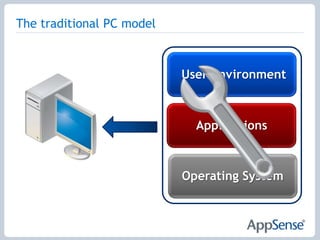
The traditional PC modelUser EnvironmentApplicationsOperating System
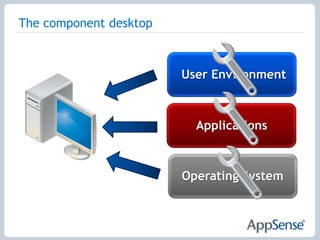
The component desktopUser EnvironmentApplicationsOperating System
Why Implement Desktop Virtualization?To Reduce Desktop TCO?To Centralize Desktop Management?To Improve Security?To Increase Agility?Why Standardize Virtualized Components??To operate at lowest possible desktop TCO
To decrease desktop administration
To enable greater agility and flexibility??
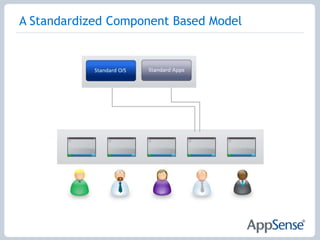
A Standardized Component Based Model
Why Personalize The Desktop?Desktop Virtualization targets the Knowledge/Power user - working historically on physical devices – otherwise SBC such as Citrix XenApp for task based usersUsers are ever more demanding, expecting fully personal environments - acceptance is key to adoptionWithout Personalization, users will experience a default, sterile environmentPersonalization is a major part of DVManage it correctly and reduce risks in DV adoption
Technical Challenges for migration (1)The “.v2” profile issueDifferent profile folder structuresDifferent installation pathsDifferent methods of personalisation, e.g. App-VDifferent data types, e.g. WallpapersPermissionsOne time/one way or bidirectional?
Other Technical ConsiderationsPerformance – hypervisor has no insight into OSApplication provisioningLocal administrators?Application access– licensing, LOB only“Instantly” usable & familiar environmentLock down
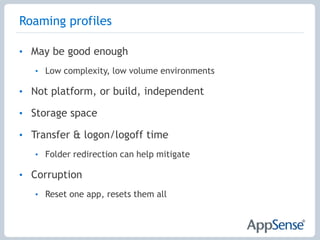
Roaming profilesMay be good enoughLow complexity, low volume environmentsNot platform, or build, independentStorage spaceTransfer & logon/logoff timeFolder redirection can help mitigateCorruptionReset one app, resets them all
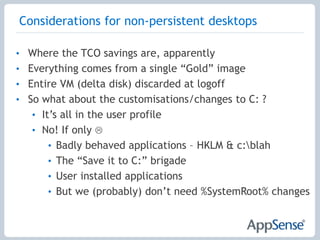
Considerations for non-persistent desktopsWhere the TCO savings are, apparentlyEverything comes from a single “Gold” imageEntire VM (delta disk) discarded at logoffSo what about the customisations/changes to C: ?It’s all in the user profileNo! If only Badly behaved applications – HKLM & c:\blahThe “Save it to C:” brigadeUser installed applicationsBut we (probably) don’t need %SystemRoot% changes
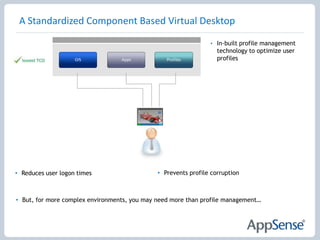
In-built profile management technology to optimize user profiles
Prevents profile corruption
Reduces user logon times
But, for more complex environments, you may need more than profile management…A Standardized Component Based Virtual Desktop
Does Profile Management enable Lowest Cost DV?Can reduce cost related to profile management issues, such as support deskDoesn’t enable complete configuration and personalization of complex DV environmentsMeaning it does not make the Single OS & App image possibleProfile Management is not the means to Lowest Cost DV….    So what is?
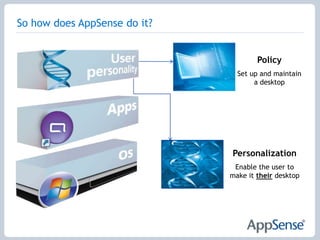
So how does AppSense do it?PolicySet up and maintain a desktopPersonalizationEnable the user to make it their desktop
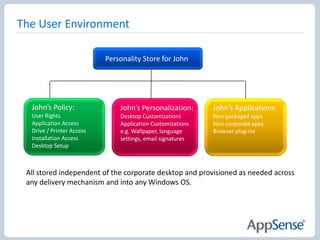
The User EnvironmentPersonality Store for JohnJohn’s Policy:User RightsApplication AccessDrive / Printer AccessInstallation AccessDesktop SetupJohn’s Personalization:Desktop CustomizationsApplication Customizationse.g. Wallpaper, language settings, email signaturesJohn’s Applications:Non-packaged appsNon-corporate appsBrowser plug-insAll stored independent of the corporate desktop and provisioned as needed across any delivery mechanism and into any Windows OS.
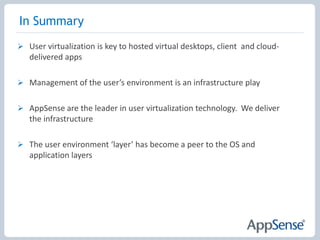
User VirtualizationCross-platform, cross-delivery environment – the component desktopThe  new desktop estate will be a combination of delivery technologies
The desktop is moving towards a component model
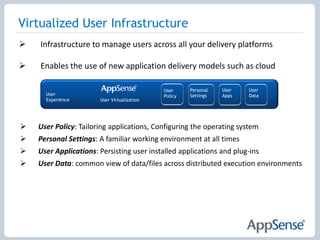
The user is one of those componentsVirtualized User InfrastructureIn the same way the OS and applications are managed through a corporate infrastructure, the user now has to be treated the same way
Enterprise-scalable user management infrastructure
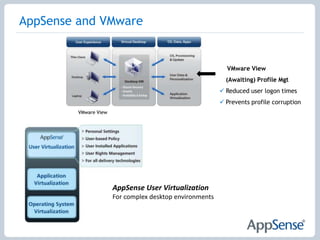
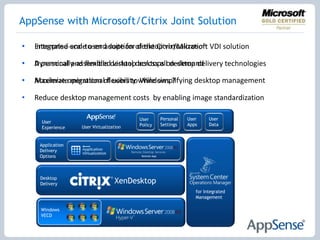
Based on user virtualization technologyAppSense and VMware    VMware View (Awaiting) Profile MgtReduced user logon times

User Virtualization with AppSense

Editor's Notes

  • #4 Doesn’t have to be virtualised
  • #5 What benefits if persistent, one to one virtual desktops?A lot of expensive centralised storage
  • #6 Standardized means everyone gets the same – is this what is desired?Log on as each user – scalability!Make users do it – can they do it? Do they want to do it? Satisfaction
  • #8 CSIDL (constant special item ID list).pkg files for App-V HKCU
  • #11 You can’t have every user app in the gold build or packaged – long tail
  • #12 Citrix XenDesktopUsing Citrix XenDesktop to deliver a componentized model of standardized OS and Application images reduces Desktop TCO to its minimum, and also enables great flexibility and agility – components can be swapped out or upgraded in minimum time, as only one image requires updating. However – let’s look at what is being delivered to our user here. A standardized desktop, a desktop lacking any personalization. This does not provide a positive user experience and can become a barrier to the adoption of the low cost, flexible, Citrix XenDesktop componentized model.CLICKCitrix has inbuilt Profile Management technology to provide, manage and optimize user personalization of componentized desktops. This ensures a positive user experience and familiar environment, ensuring high user acceptance. CLICKHowever, Profile Management has it’s limitations, and in complex environments, you may require more than basic profile management..
  • #15 Leadership positionExperience in virtualization technology