Application Virtualization Best Practices: Notes From the Field Ment van der PlasIT ArchitectLogin Consultantswww.softgridblog.com@mentvanderplasBC34
A Quick AssumptionYou are familiar with technical App-V terminology
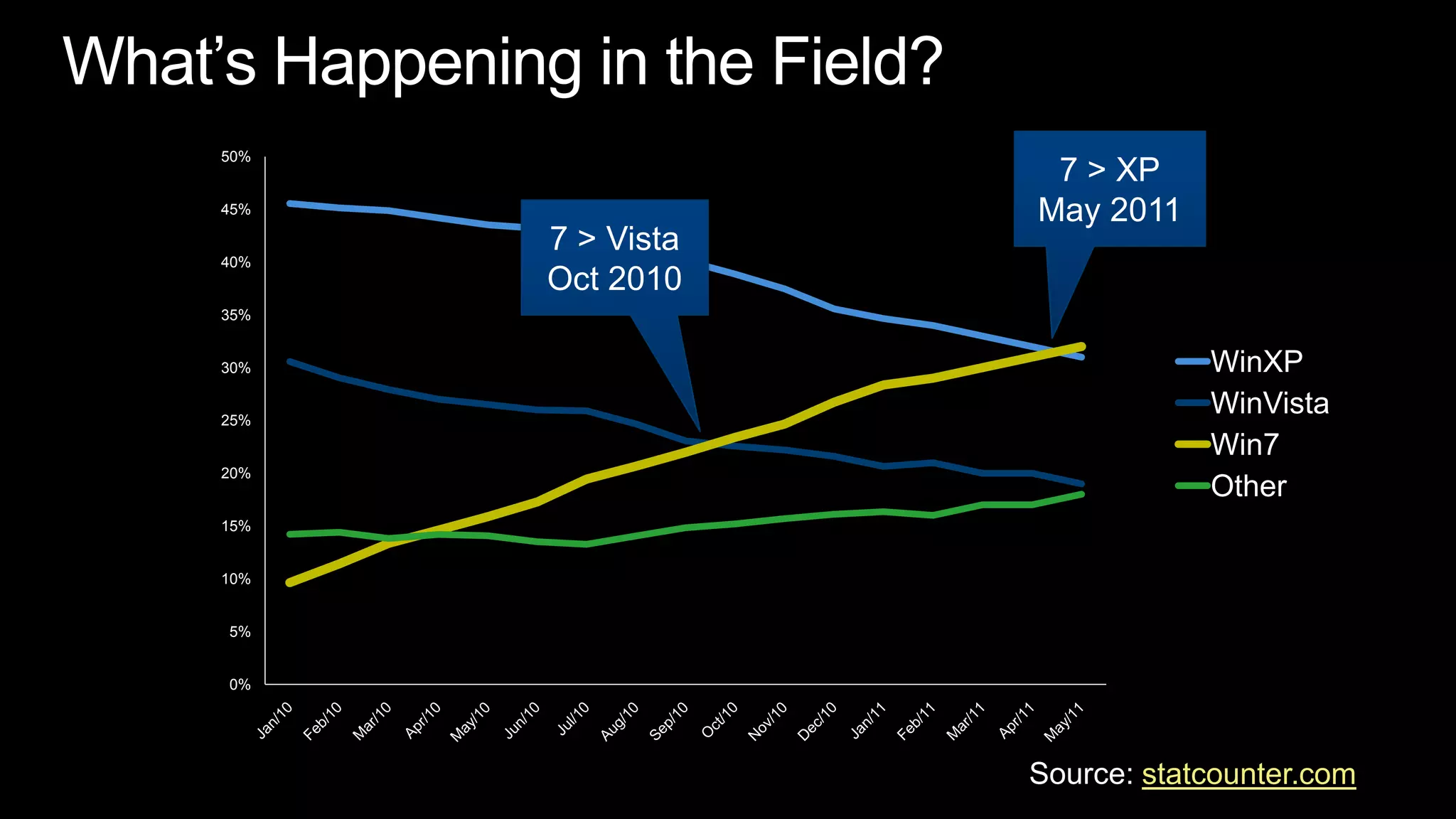
What’s Happening in the Field?7 > XPMay 20117 > Vista Oct 2010Source: statcounter.com
Session Objectives and TakeawaysGive additional insight on App-V infrastructure myths and factsLearn about App-V client configuration best-practisesShare sequencing challenges and solutions from the field
Infrastructure
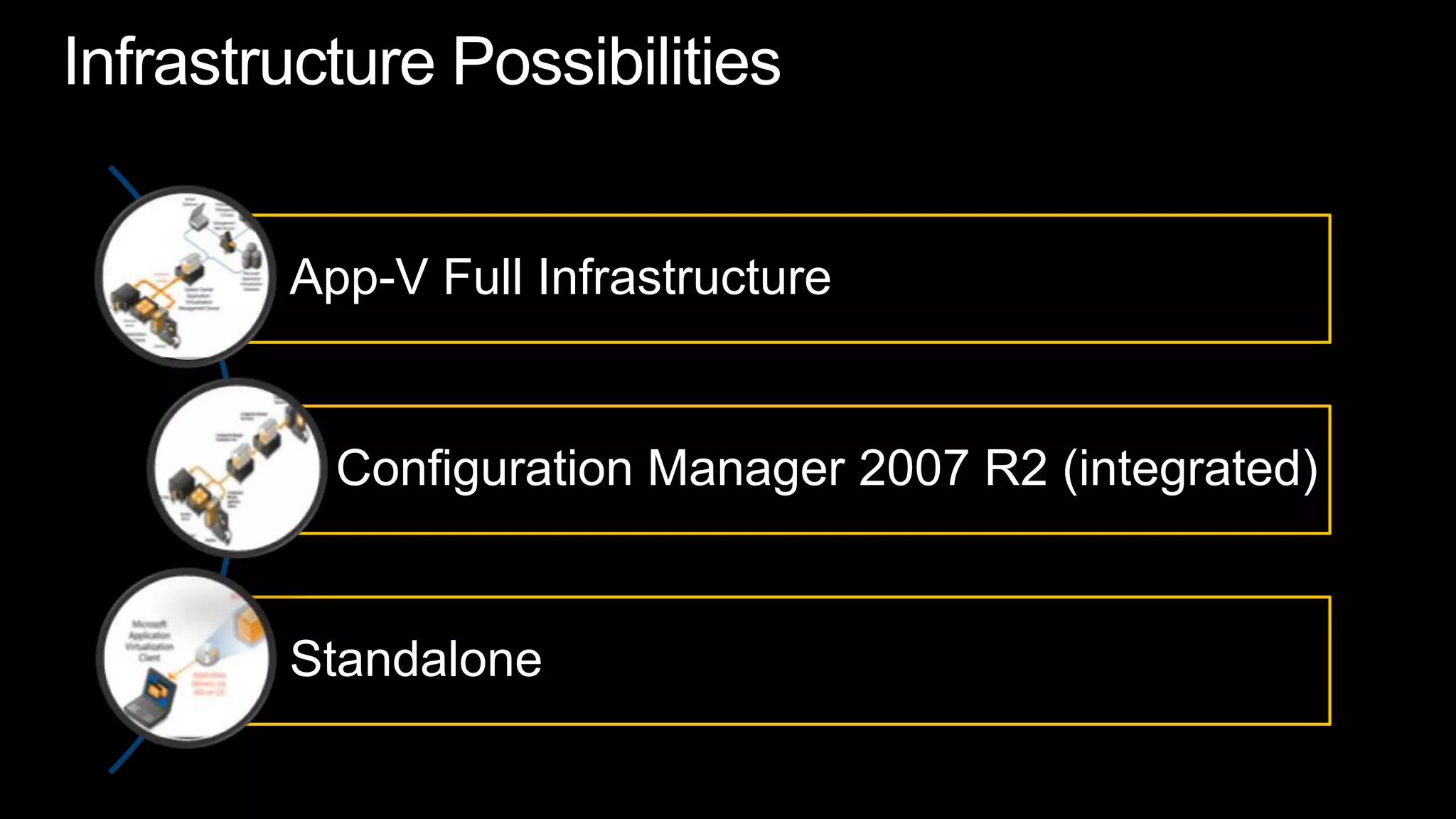
Infrastructure Possibilities
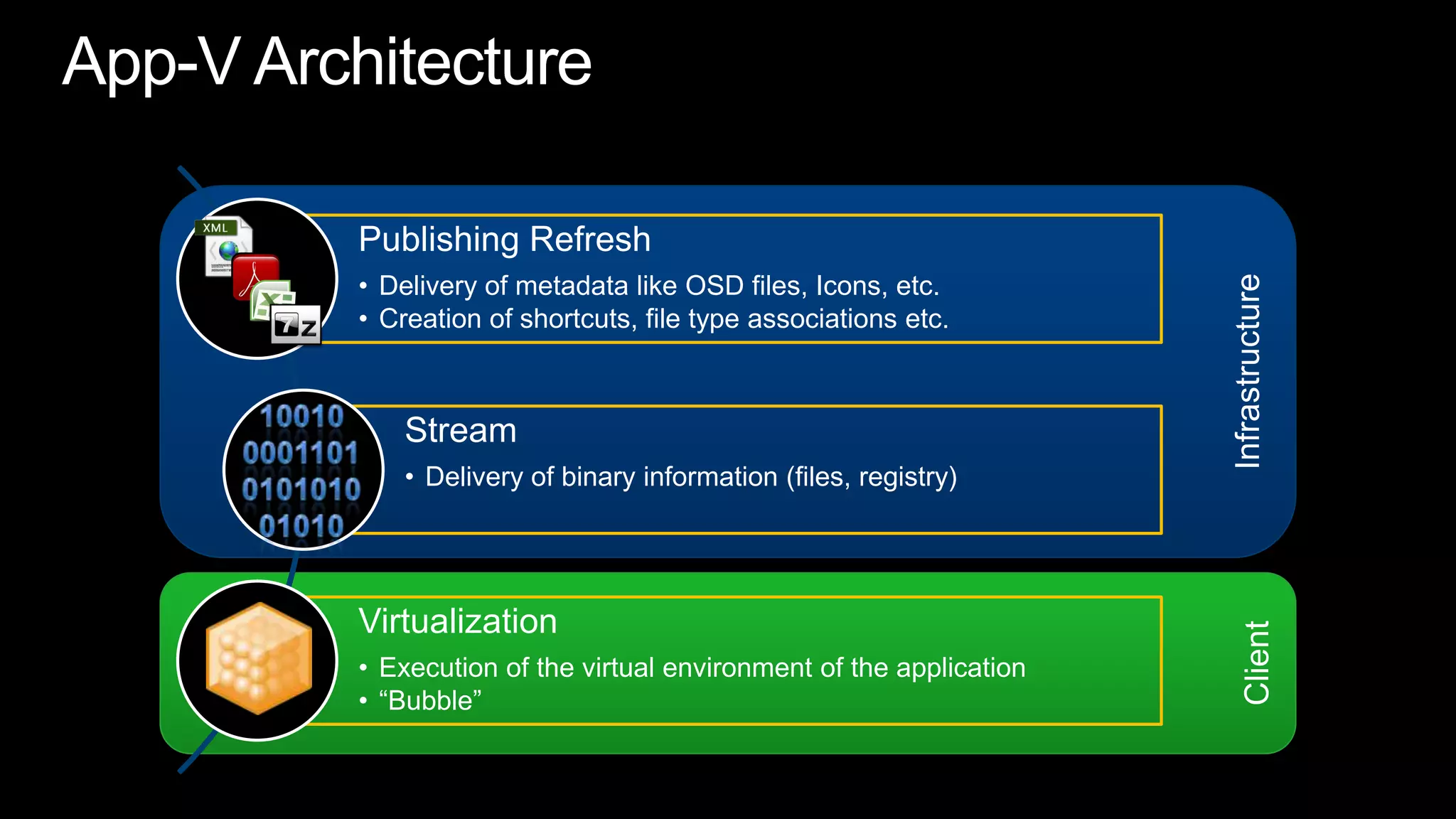
InfrastructureClientApp-V Architecture10010 0001101010101001010
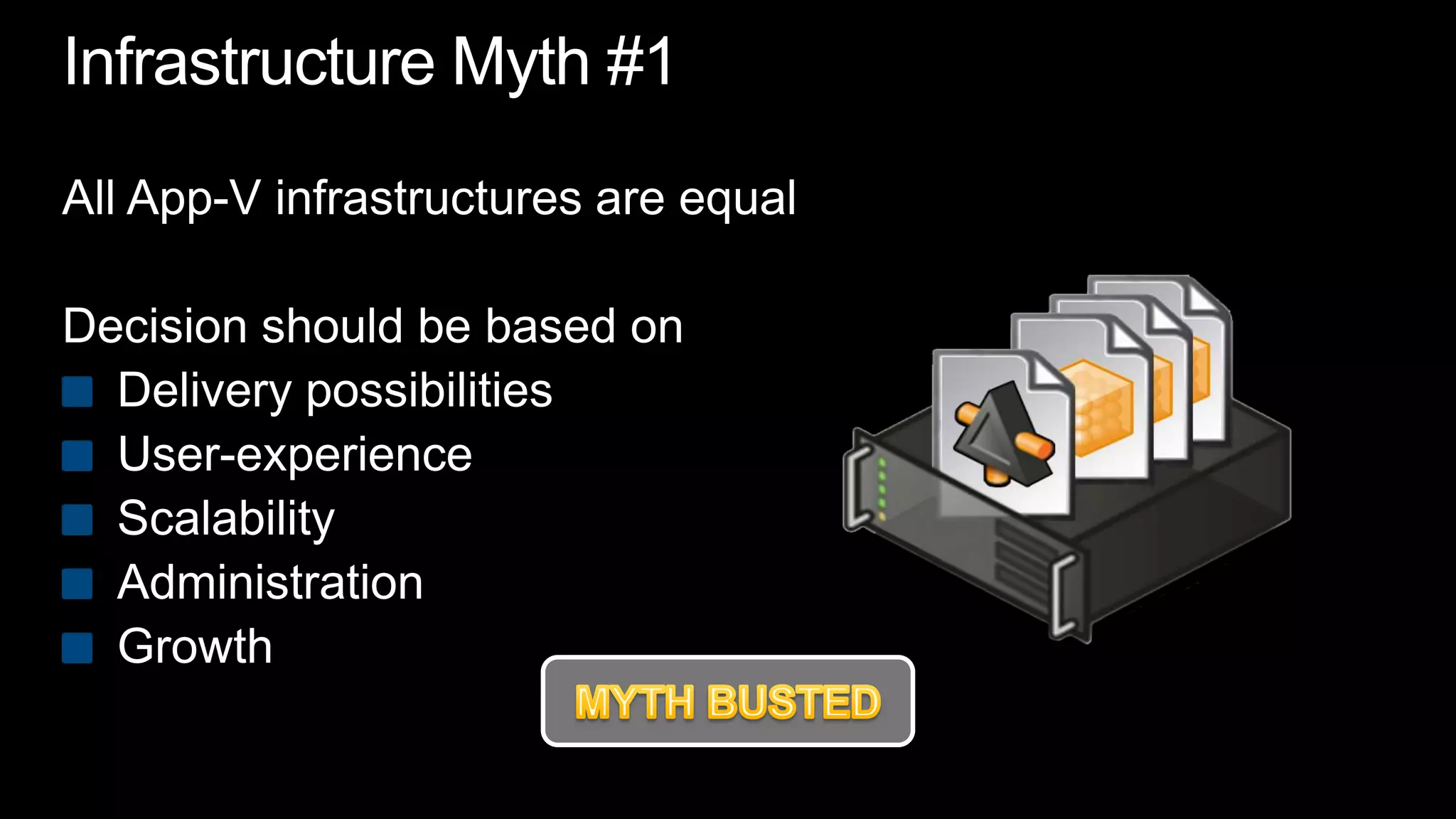
Infrastructure Myth #1All App-V infrastructures are equalDecision should be based onDelivery possibilitiesUser-experienceScalabilityAdministrationGrowthMYTH BUSTED
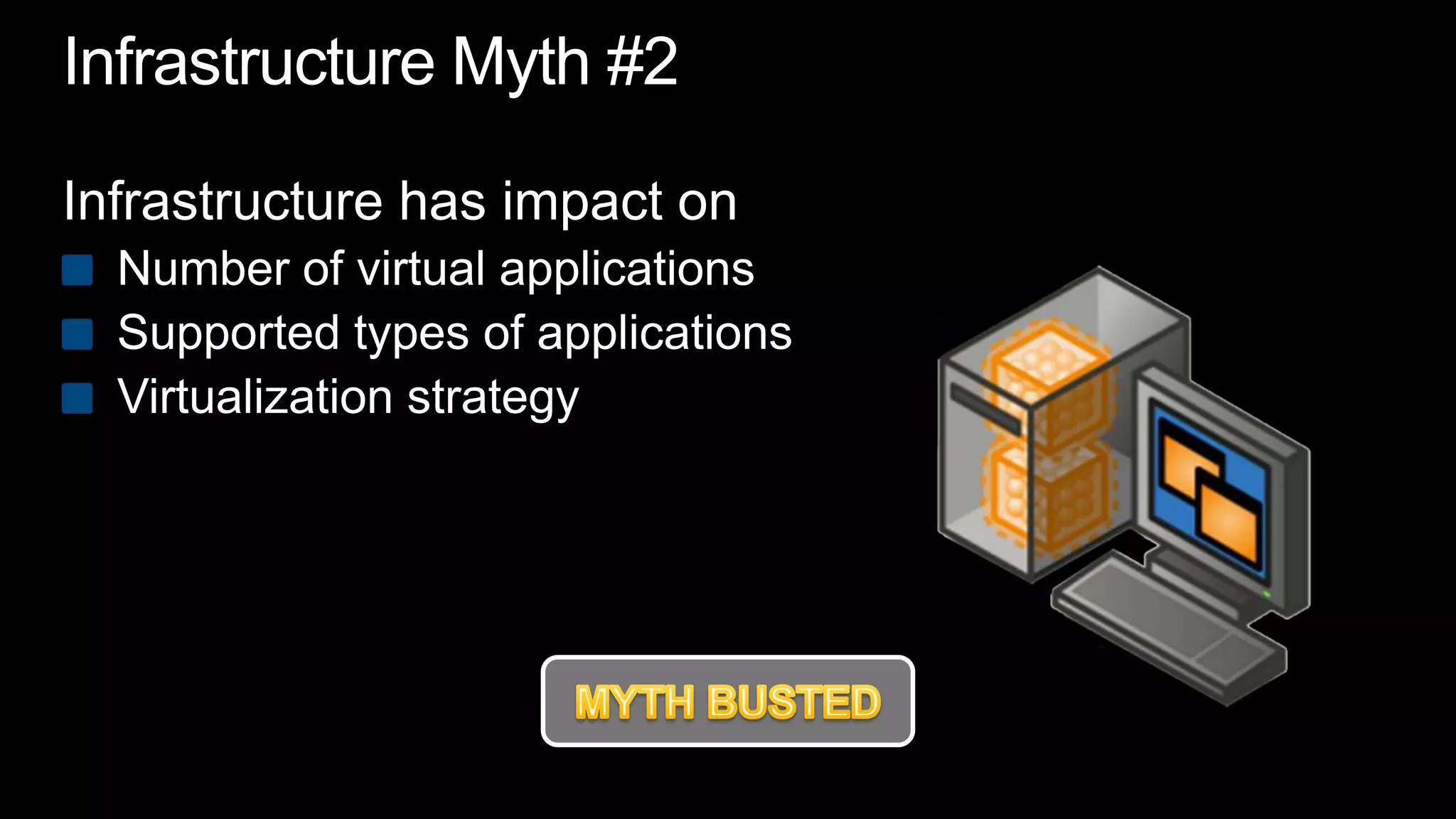
Infrastructure Myth #2Infrastructure has impact onNumber of virtual applicationsSupported types of applicationsVirtualization strategyMYTH BUSTED
Infrastructure DifferencesLearn morewww.loginconsultants.com/downloadDownload free whitepaperChoosing the right App-V Delivery Model
demo
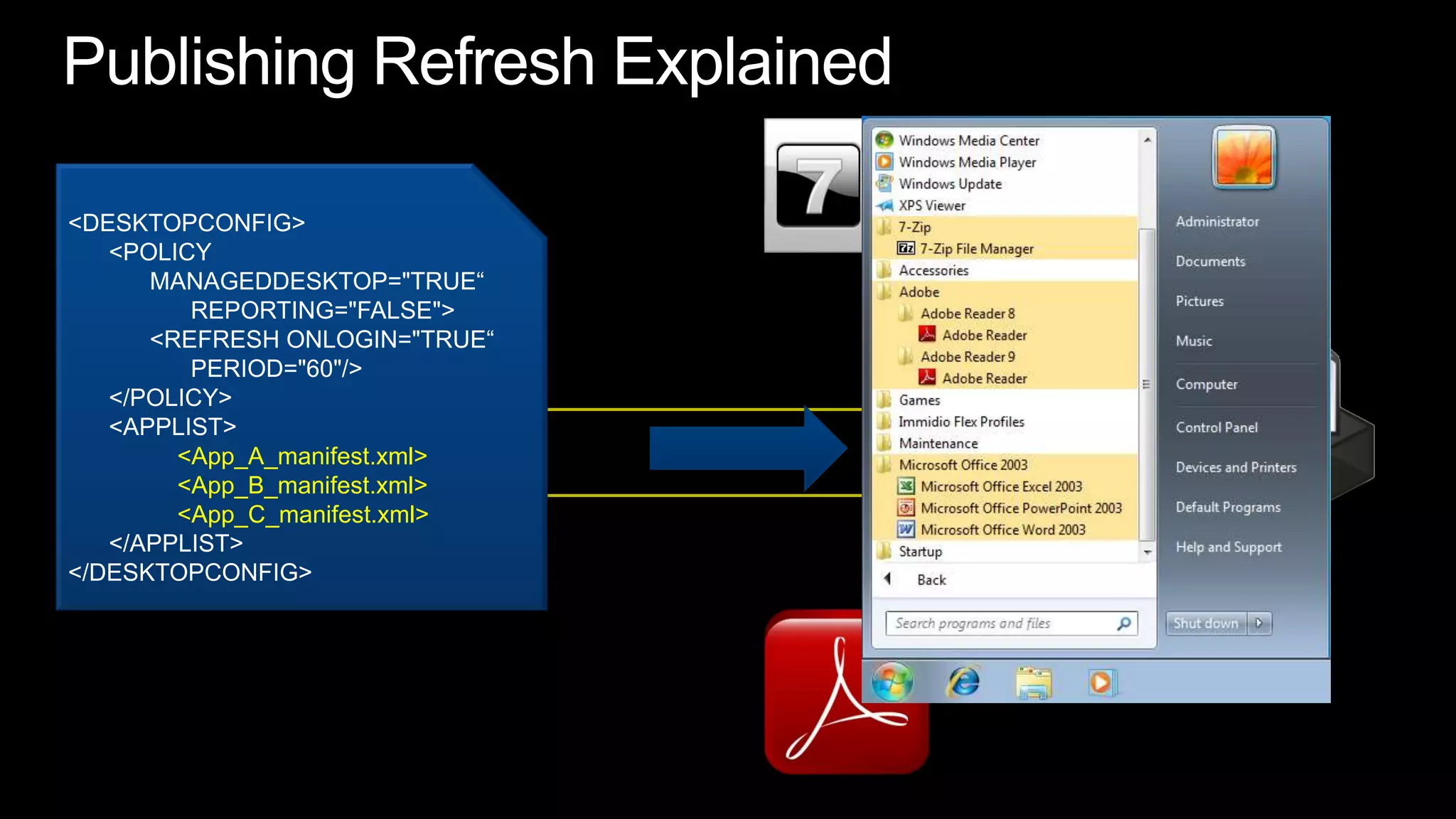
Publishing Refresh Explained<DESKTOPCONFIG>      <POLICY           MANAGEDDESKTOP="TRUE“                 REPORTING="FALSE">           <REFRESH ONLOGIN="TRUE“                 PERIOD="60"/>       </POLICY>      <APPLIST><App_A_manifest.xml> 	<App_B_manifest.xml><App_C_manifest.xml>      </APPLIST> </DESKTOPCONFIG>
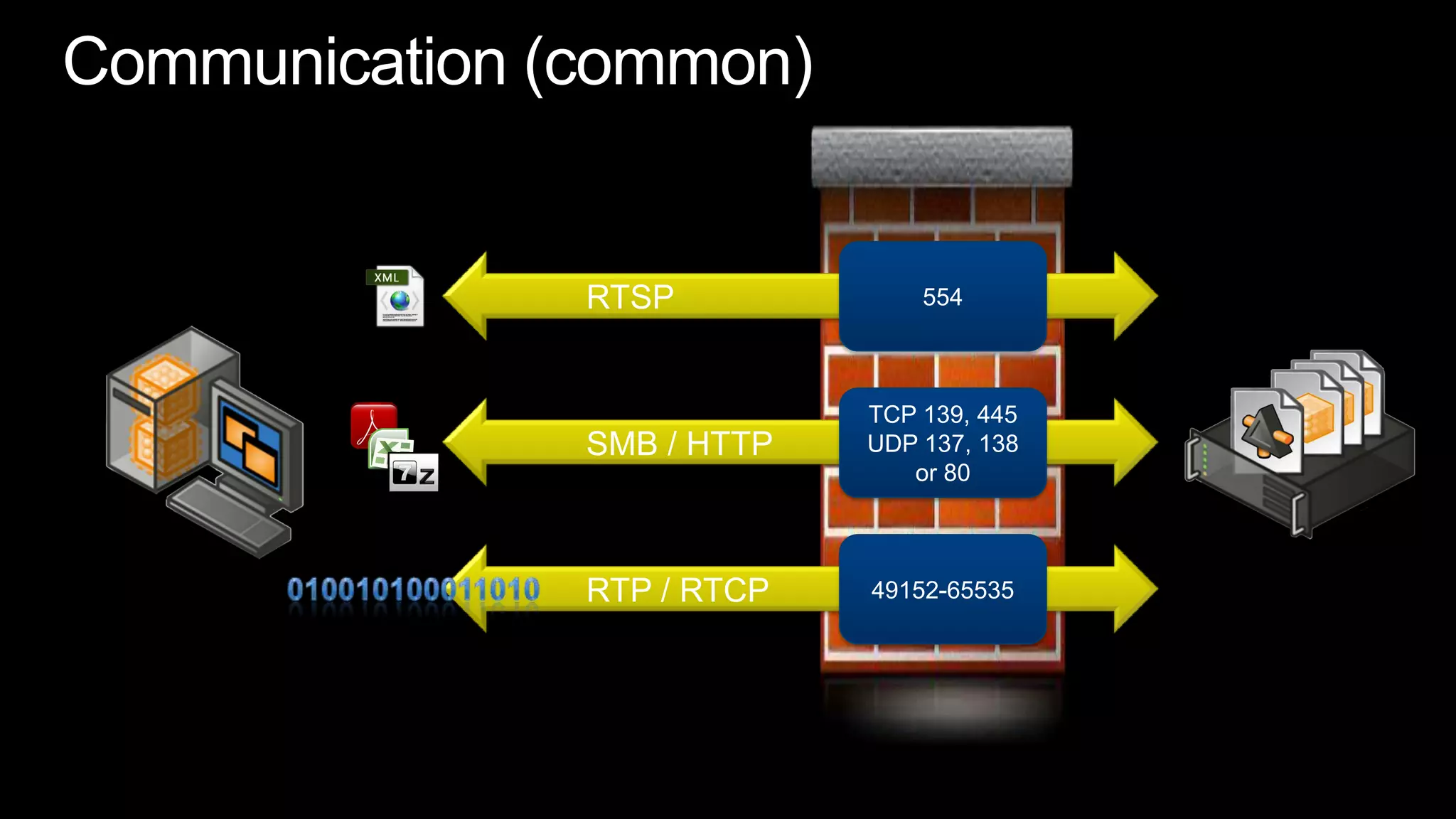
Communication (common)554	RTSPTCP 139, 445UDP 137, 138or 80	SMB / HTTP49152-65535	RTP / RTCP010010100011010
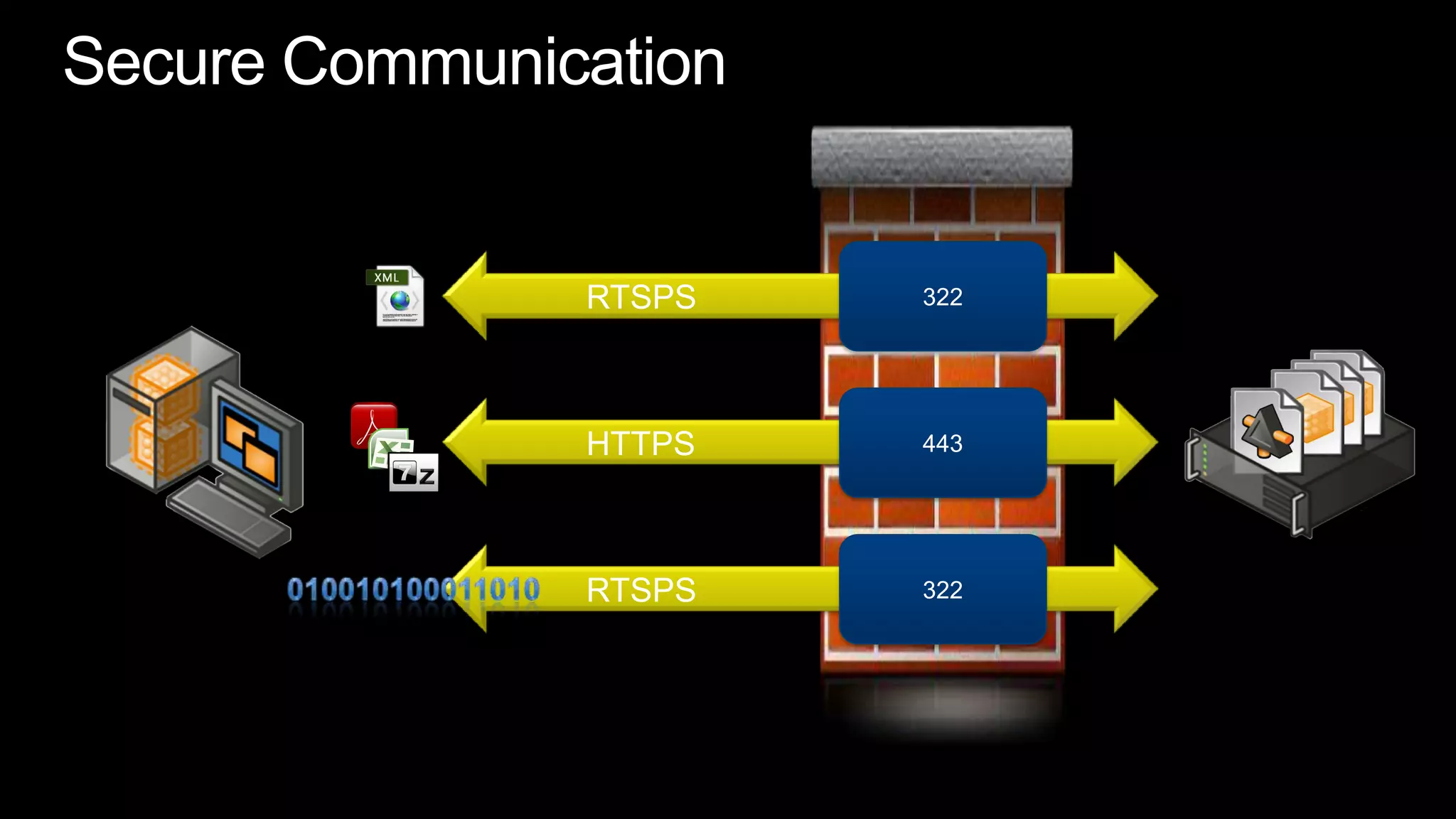
Secure Communication322	RTSPS443	HTTPS322	RTSPS010010100011010
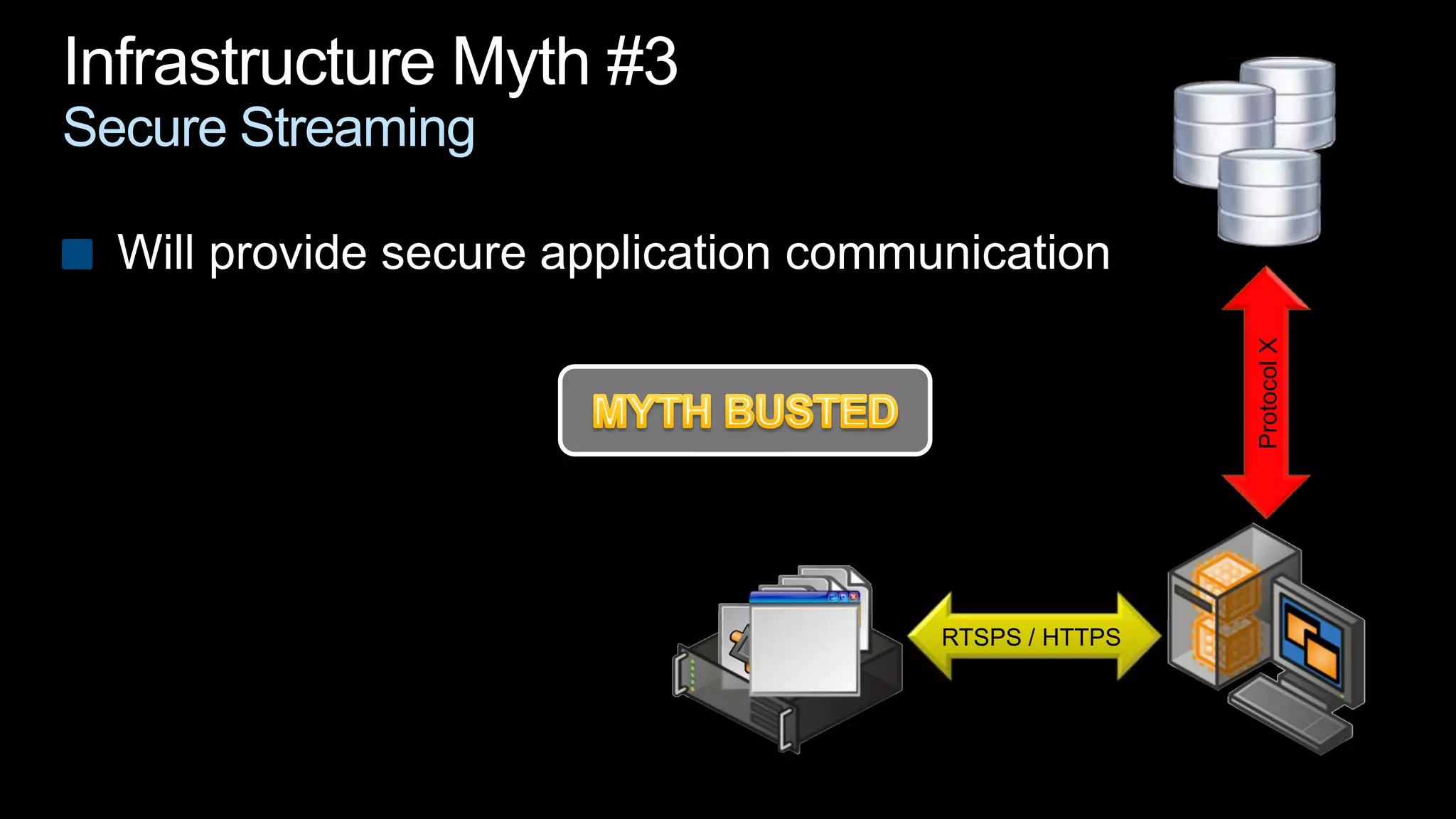
Infrastructure Myth #3Secure StreamingWill provide secure application communicationProtocol XMYTH BUSTEDRTSPS / HTTPS
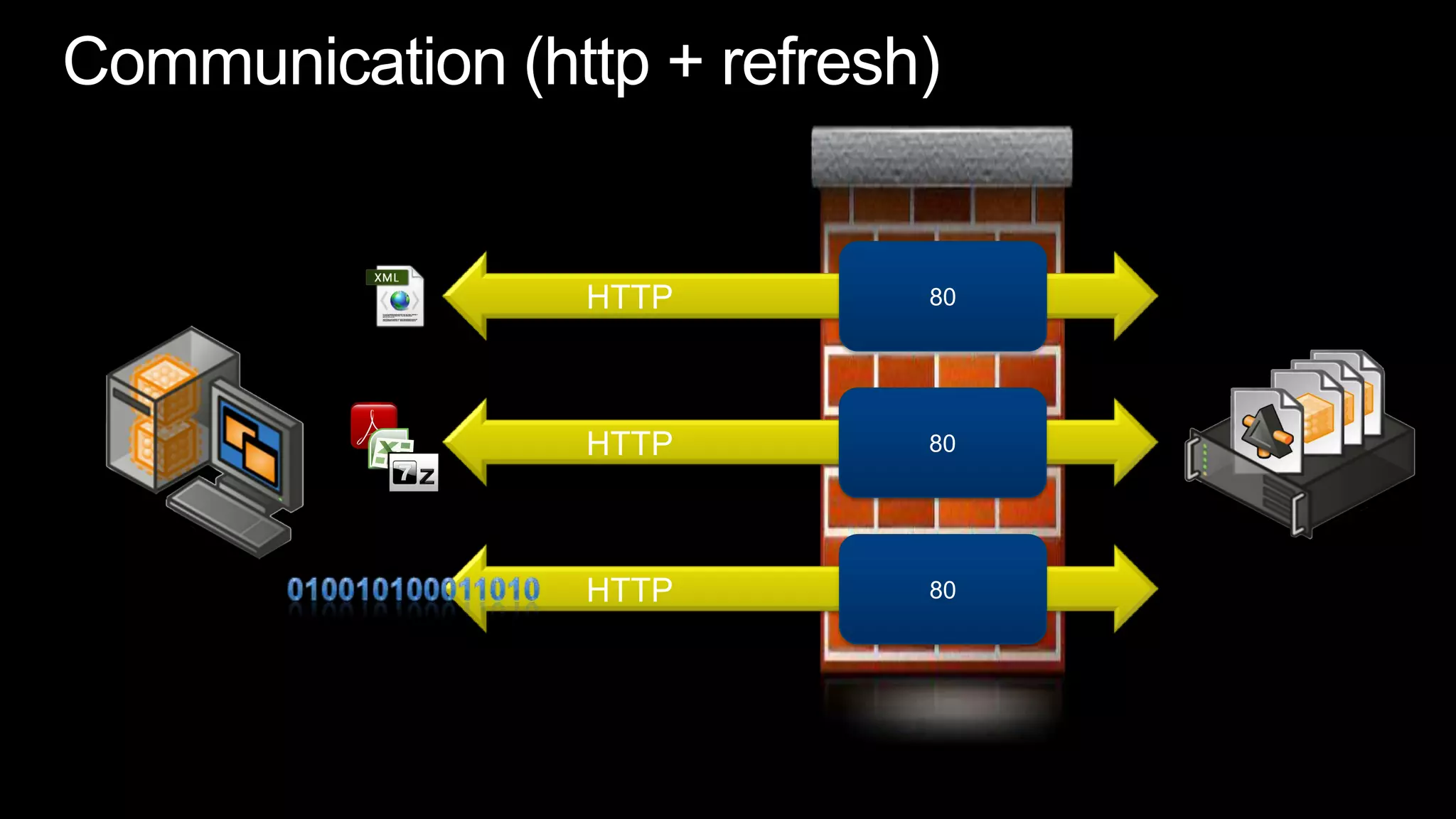
Communication (http + refresh)80	HTTP80	HTTP80	HTTP010010100011010
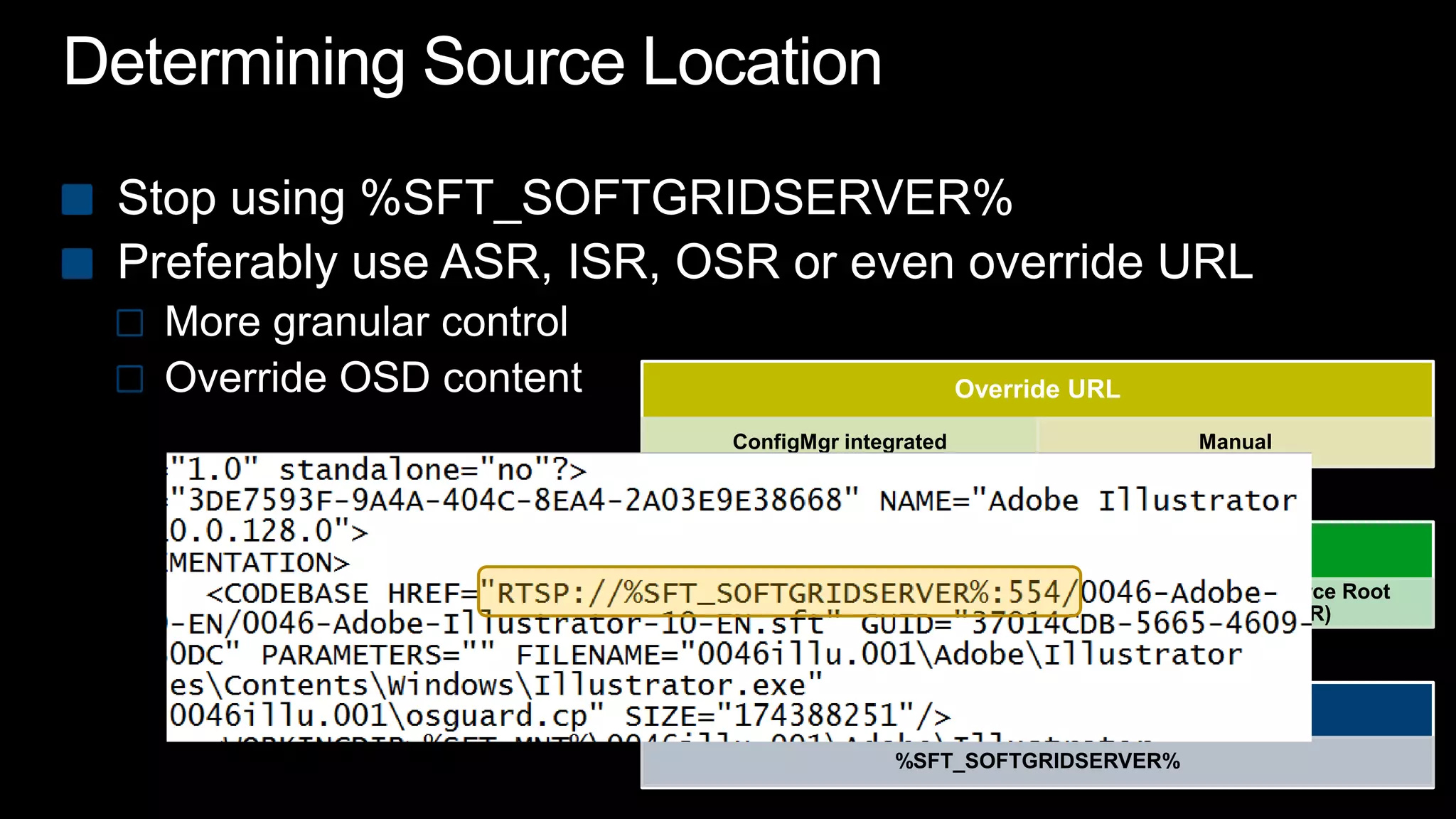
Determining Source LocationStop using %SFT_SOFTGRIDSERVER%Preferably use ASR, ISR, OSR or even override URLMore granular control Override OSD content
demo
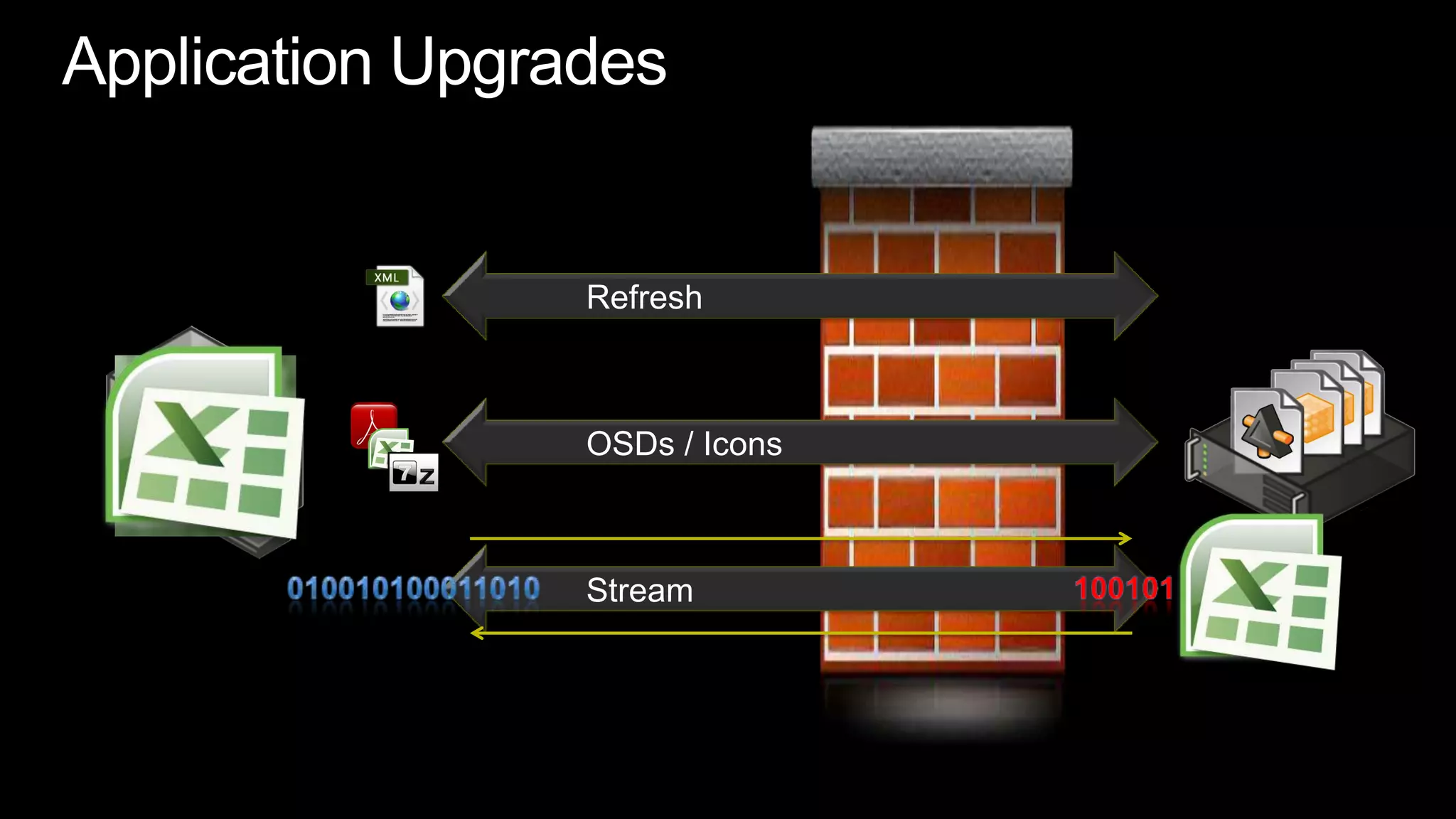
Application Upgrades	Refresh	OSDs / Icons	Stream010010100011010100101
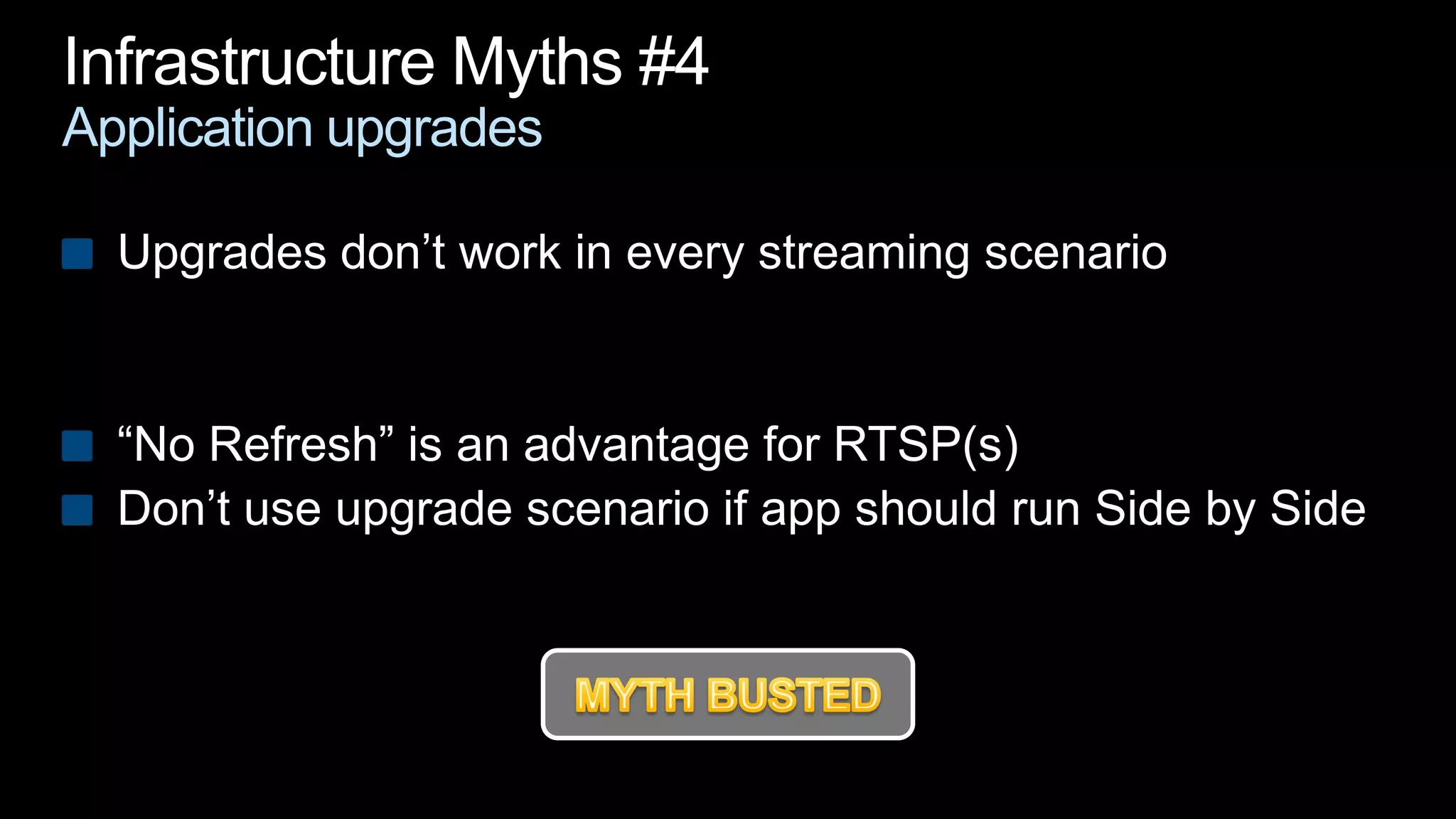
Infrastructure Myths #4Application upgradesUpgrades don’t work in every streaming scenario“No Refresh” is an advantage for RTSP(s)Don’t use upgrade scenario if app should run Side by Side MYTH BUSTED
Infrastructure Decisions and Thoughts You choose your infrastructure only onceImportant questionsSingle console administration or broad application delivery methods?Second infrastructure for virtual applications?Is your network distributed? How about growth and scalability?How are you going to deploy your MSI’s?Like the App-V Client?
Client
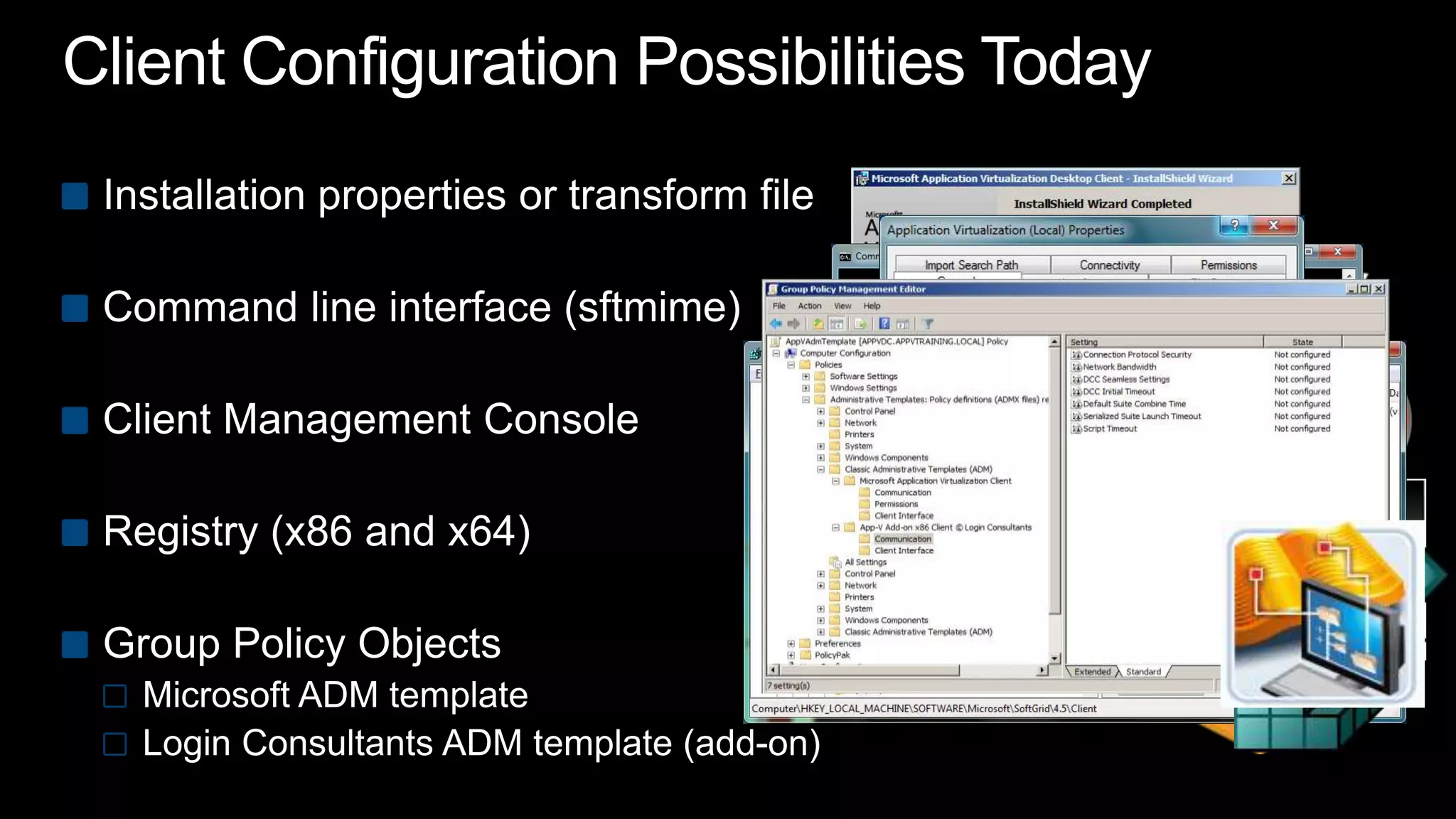
Client Configuration Possibilities TodayInstallation properties or transform fileCommand line interface (sftmime)Client Management ConsoleRegistry (x86 and x64)Group Policy ObjectsMicrosoft ADM templateLogin Consultants ADM template (add-on)MSIMST
Announcing
Two Additional Configuration OptionsApp-V Client PackADMX template
Login Consultants ADMX Template BenefitsADMX files are not stored in individual GPOs like ADMBut provided through Central Store; No “SYSVOL bloat”ADMX files support multi languageThrough optional ADML filesIt’s one template again Full options; no add-on
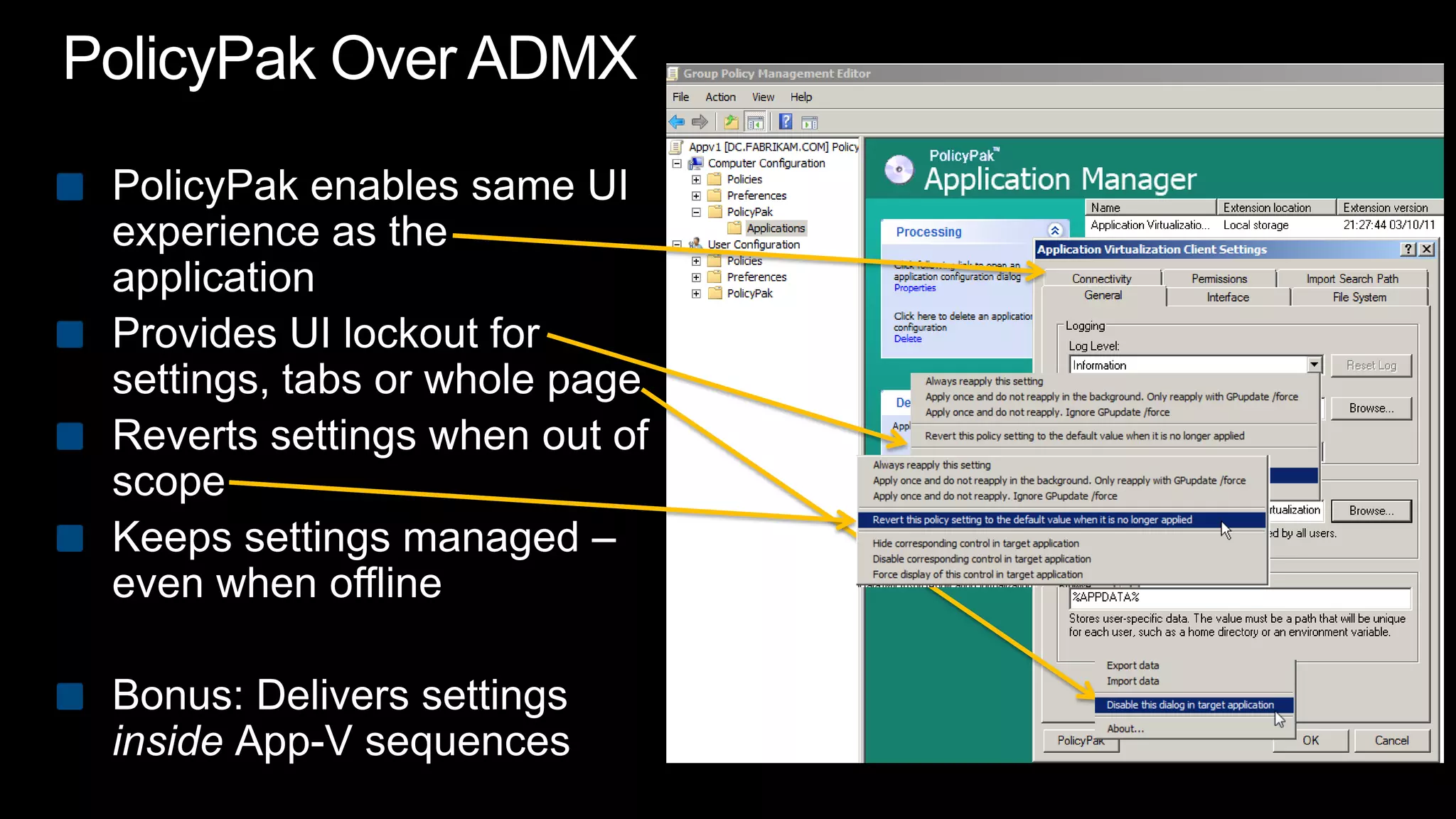
PolicyPak Over ADMXPolicyPak enables same UI experience as the applicationProvides UI lockout for settings, tabs or whole pageReverts settings when out of scopeKeeps settings managed – even when offlineBonus: Delivers settings inside App-V sequences
demo
How Do I Get My Hands on This?Learn more www.loginconsultants.com/downloadswww.PolicyPak.com/AppVGood news100% free ADMX template100% free PolicyPakApp-V Pack for your useMore details on the website including invite-only to PolicyPak 3.0 betaLead by Jeremy Moskowitz, Group Policy MVP
Client Installation and/or UpgradeDistinguish static settings from dynamic settingsKEEPCURRENTSETTINGS parameterPrevents override locally applied registry Some commandline parameters are ignoredUpgrades can’t be done when applications are running
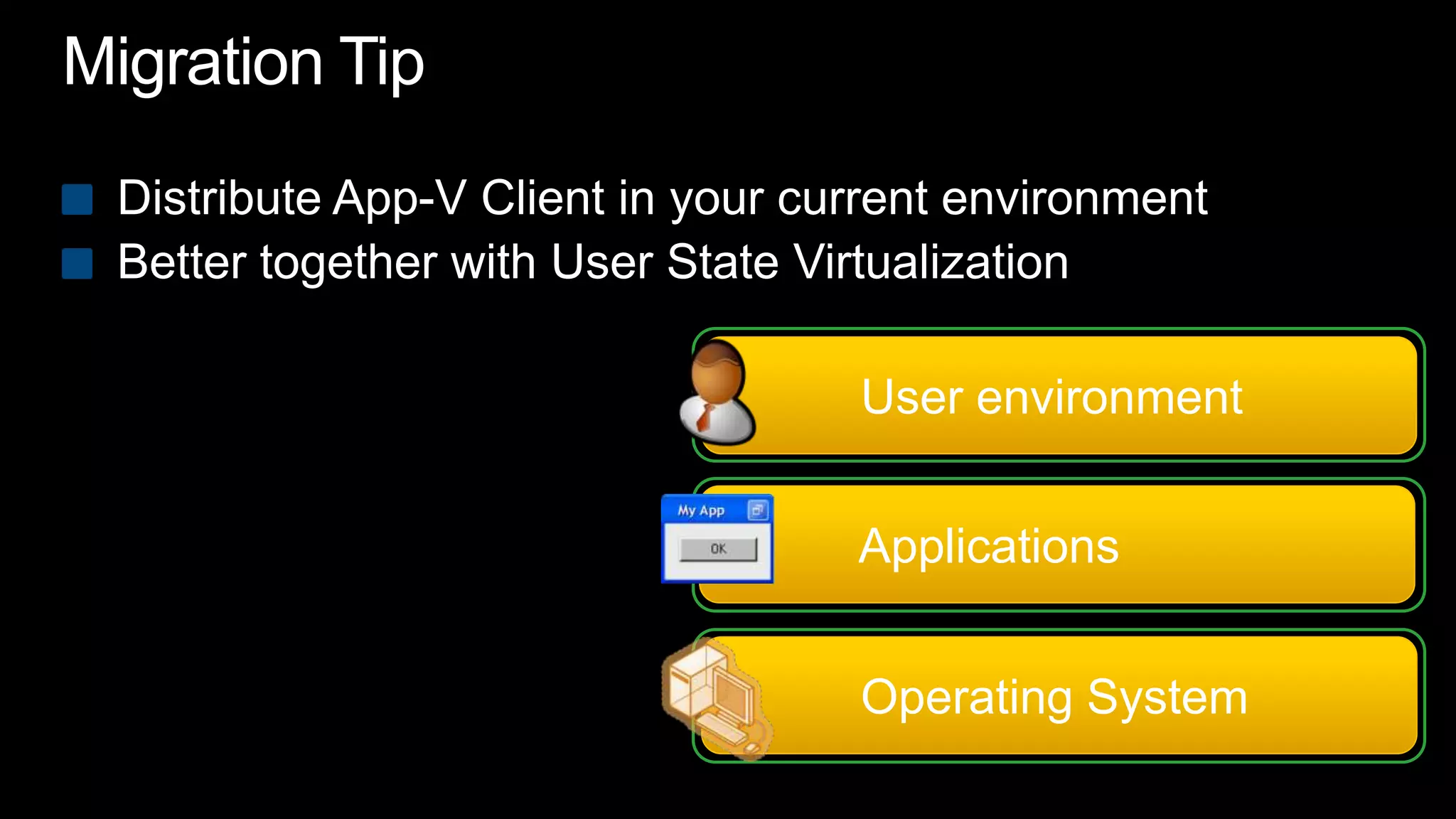
Migration TipDistribute App-V Client in your current environmentBetter together with User State Virtualization	User environment	Applications	Operating System
demo
Migration Best PracticesDeploy App-V in your current environmentApp-V for Remote Desktop Services is included in RDS CALConsider User State VirtualizationStatic, time critical settings  command line / transformDynamic configuration  ADM(x) or PolicyPakThink about your App-V client update strategy
Sequencer
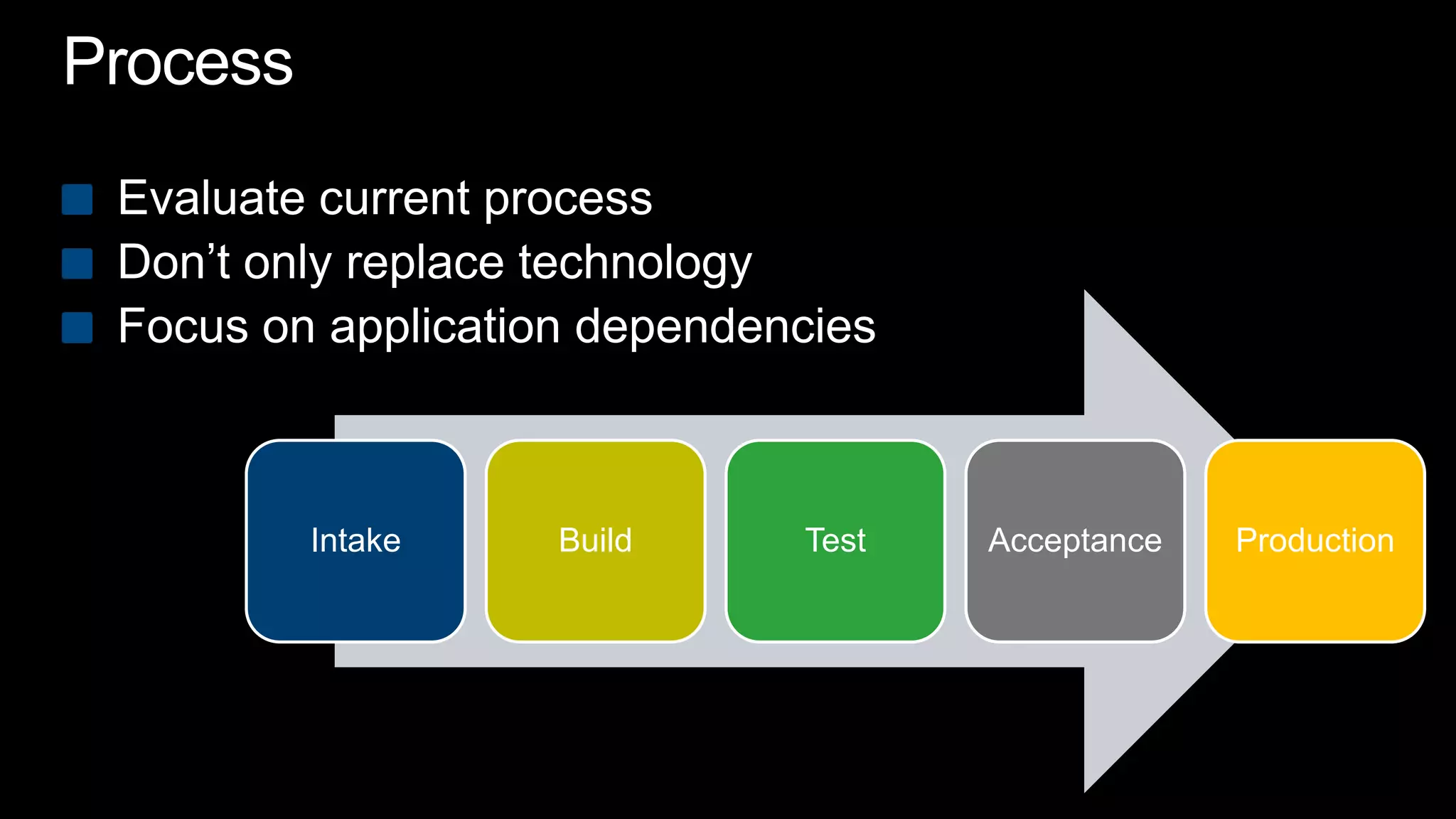
ProcessEvaluate current processDon’t only replace technologyFocus on application dependencies
Common QuestionsVirtualize middleware?Apply Automatic Updates?Build best for cross OS?Build best for cross platform?Use Dynamic Suiting Composition?Clean up the sequence?What are your best practices?
Virtualize Middleware; Yes or No?Direction of app-to-app communication? What should be the user experience? (Office, IE plugins)What’s the application update cycle?Who or what is initiating the application update?
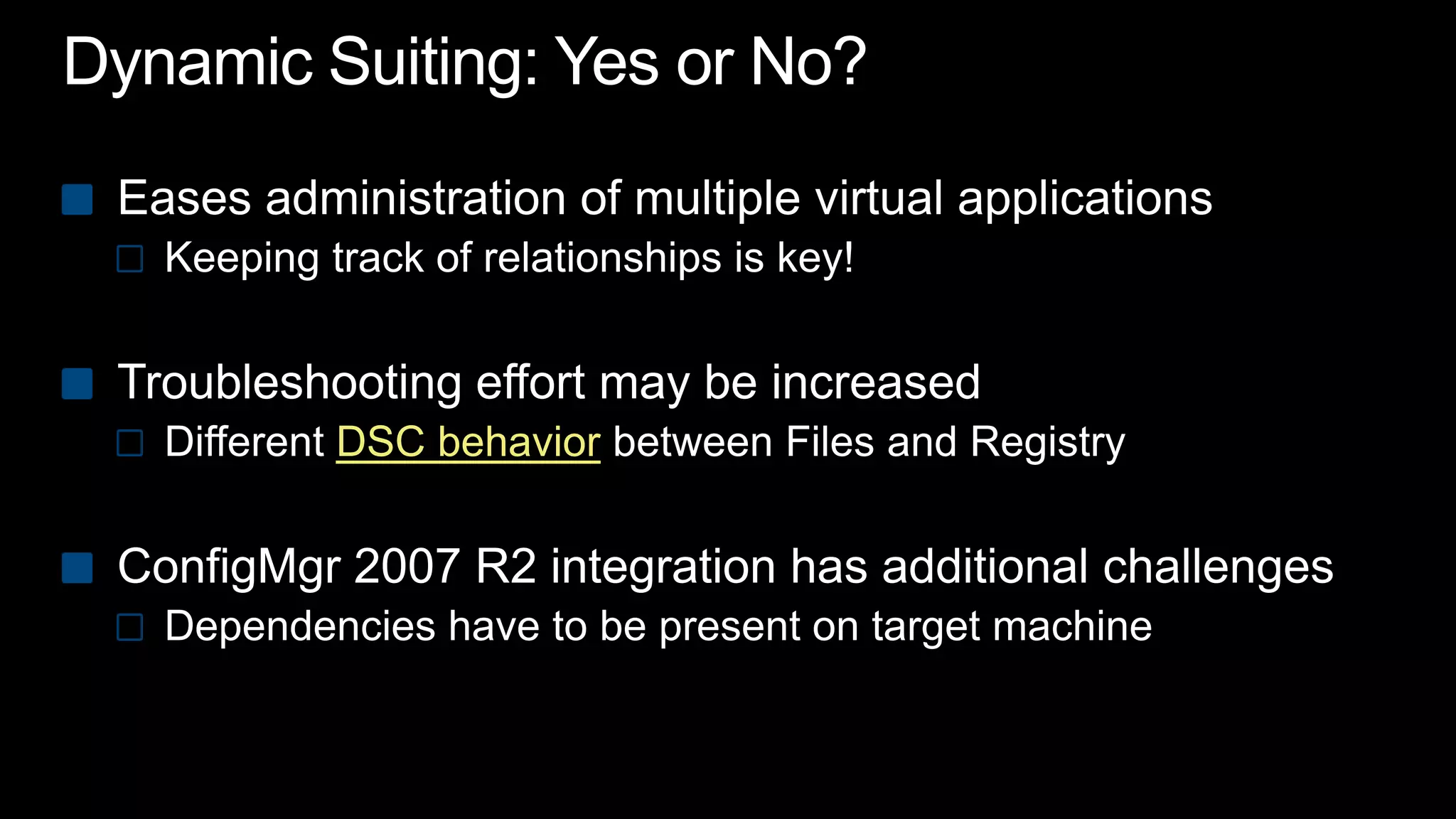
Dynamic Suiting: Yes or No?Eases administration of multiple virtual applicationsKeeping track of relationships is key!Troubleshooting effort may be increasedDifferent DSC behaviorbetween Files and RegistryConfigMgr 2007 R2 integration has additional challenges Dependencies have to be present on target machine
demo
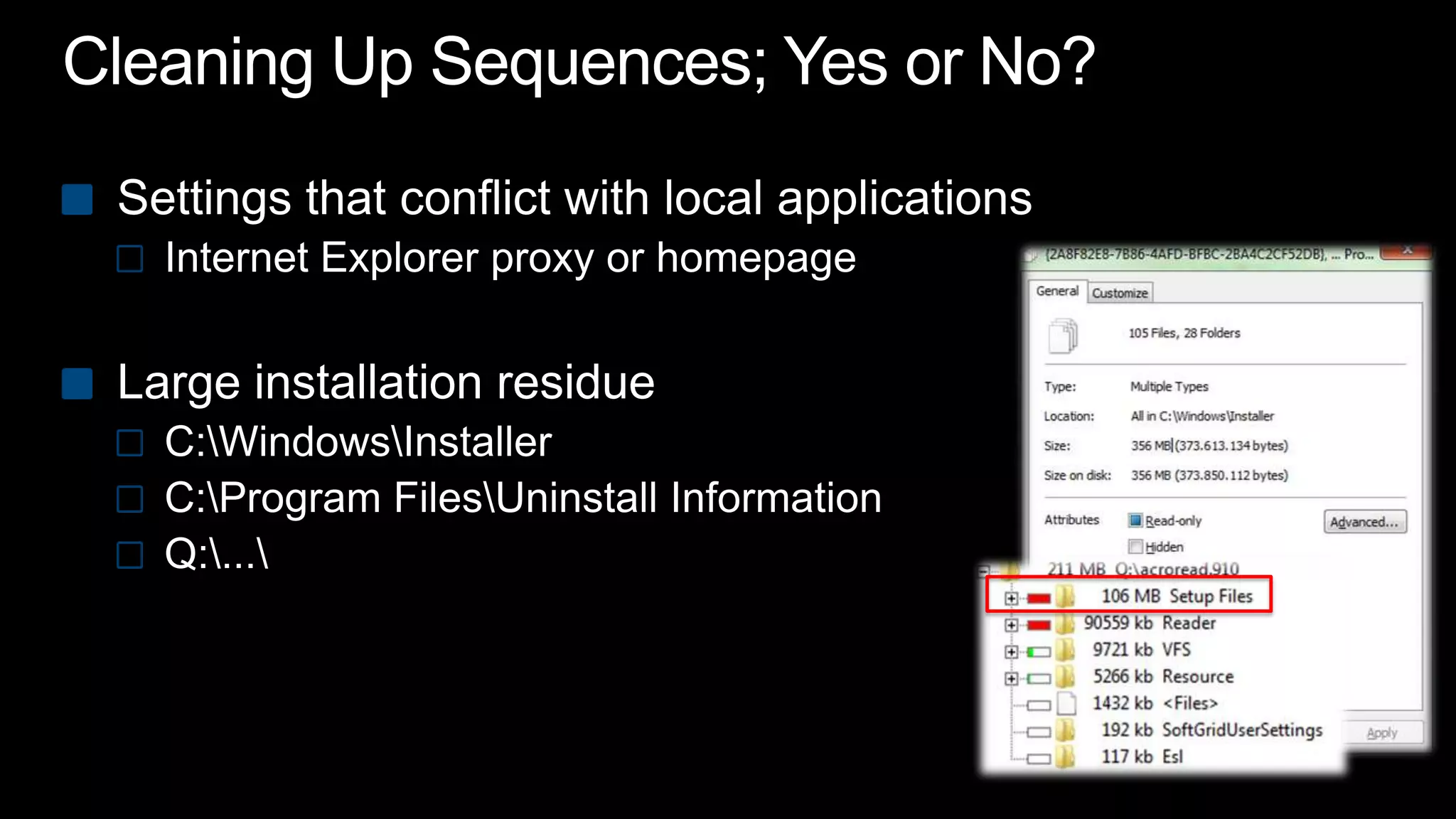
Cleaning Up Sequences; Yes or No?Settings that conflict with local applications Internet Explorer proxy or homepage Large installation residueC:\Windows\InstallerC:\Program Files\Uninstall InformationQ:\...\
Parsing ItemsParsing happensin the (virtual) registryIn the (virtual) filesystemNot inside files (xml/txt etc.)Could hold some key elements to your application
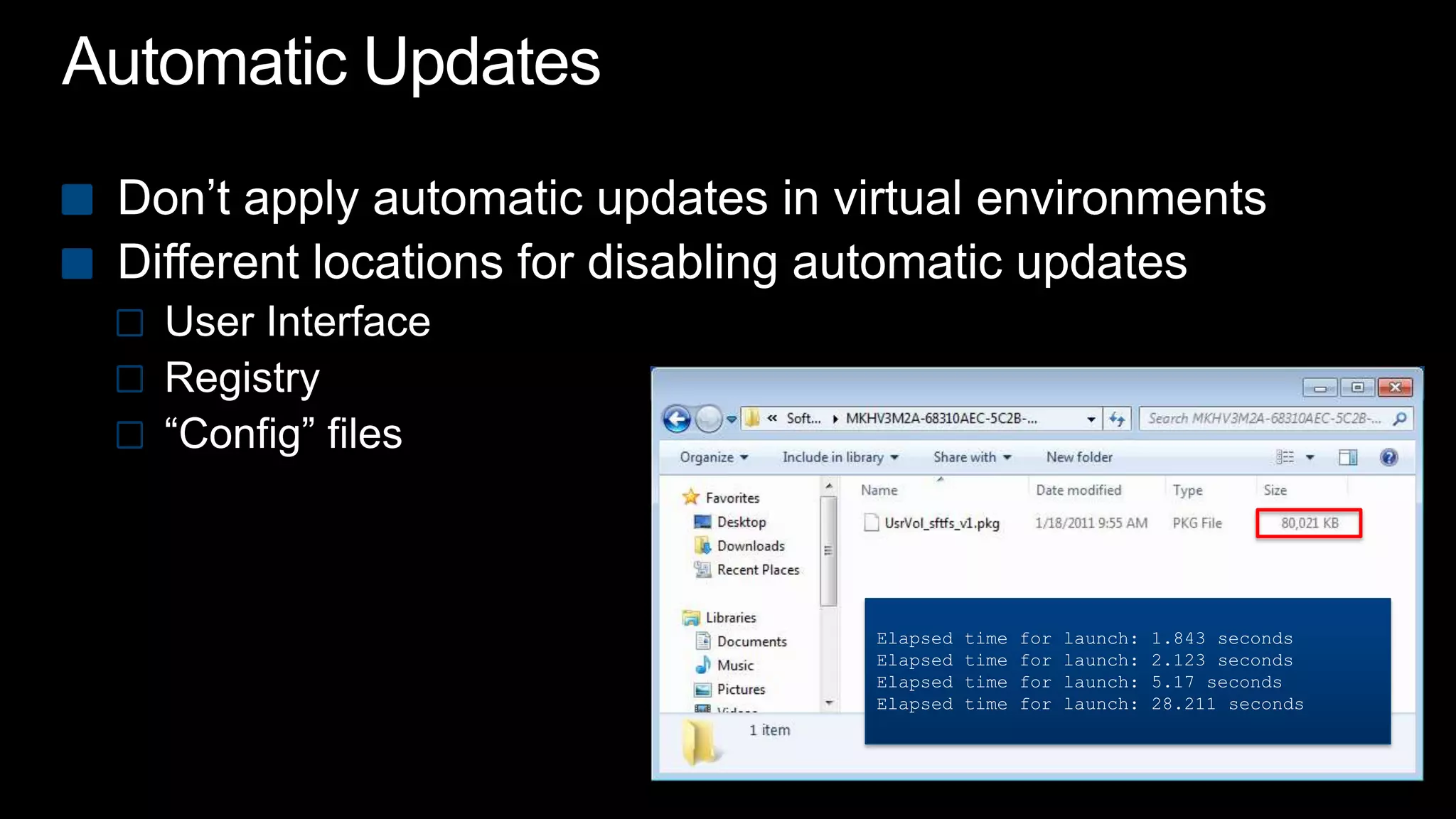
Automatic UpdatesDon’t apply automatic updates in virtual environmentsDifferent locations for disabling automatic updatesUser InterfaceRegistry“Config” filesElapsed time for launch: 1.843 secondsElapsed time for launch: 2.123 secondsElapsed time for launch: 5.17 secondsElapsed time for launch: 28.211 seconds
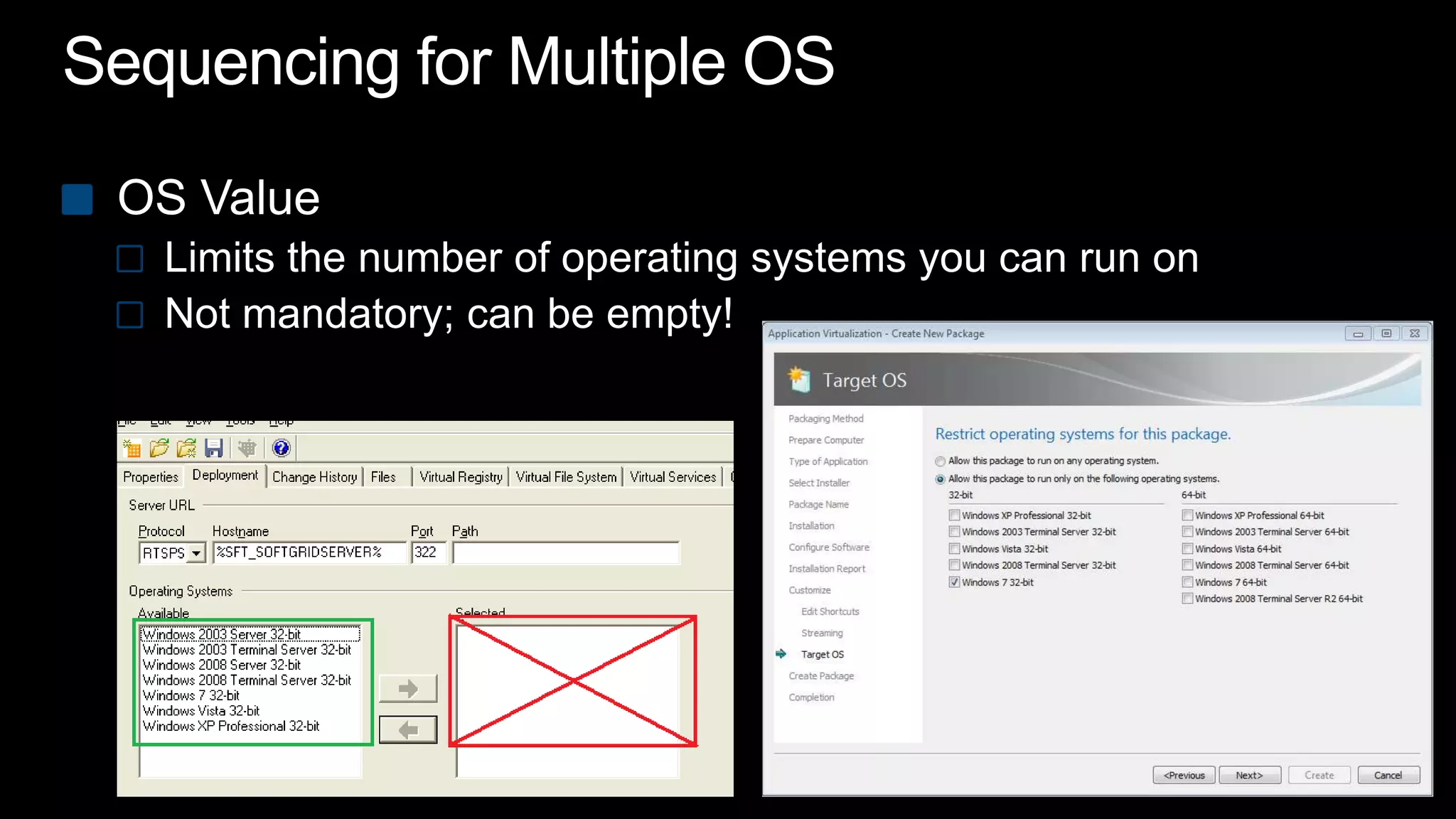
Sequencing for Multiple OSOS ValueLimits the number of operating systems you can run onNot mandatory; can be empty!
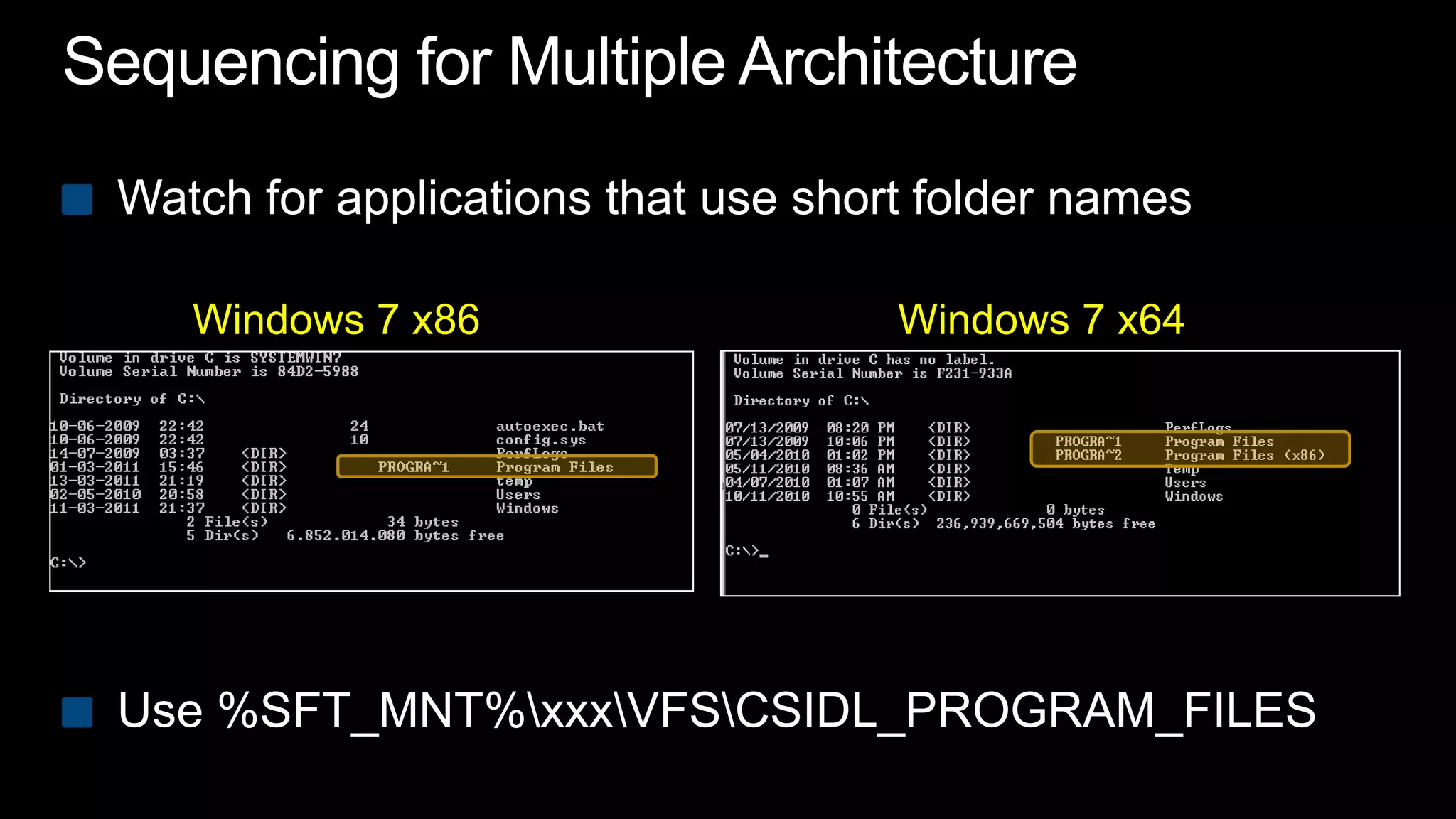
Sequencing for Multiple ArchitectureWatch for applications that use short folder namesUse %SFT_MNT%\xxx\VFS\CSIDL_PROGRAM_FILESWindows 7 x86Windows 7 x64
demo
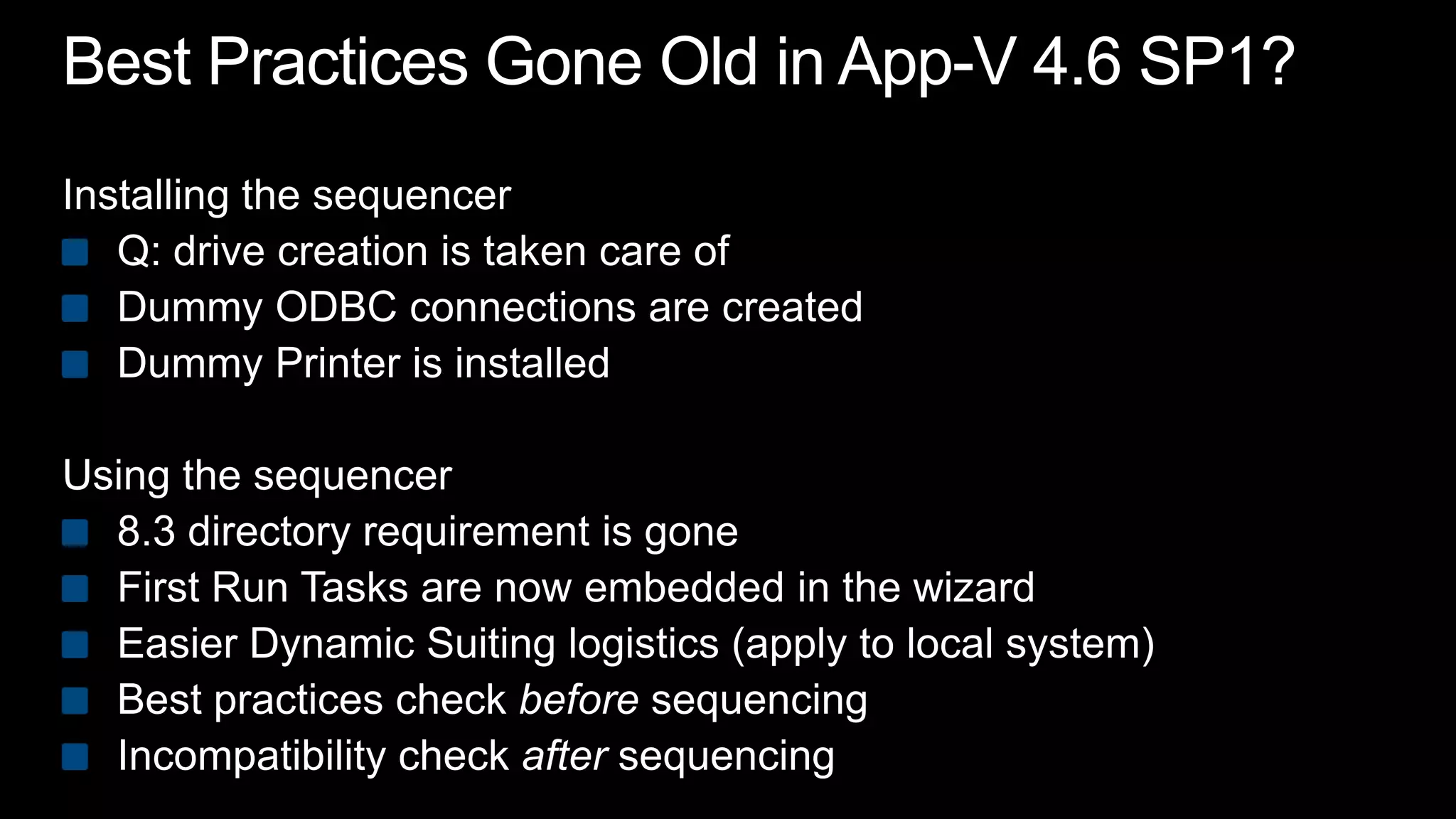
Best Practices Gone Old in App-V 4.6 SP1?Installing the sequencerQ: drive creation is taken care ofDummy ODBC connections are createdDummy Printer is installedUsing the sequencer8.3 directory requirement is goneFirst Run Tasks are now embedded in the wizardEasier Dynamic Suiting logistics (apply to local system)Best practices check before sequencingIncompatibility check after sequencing
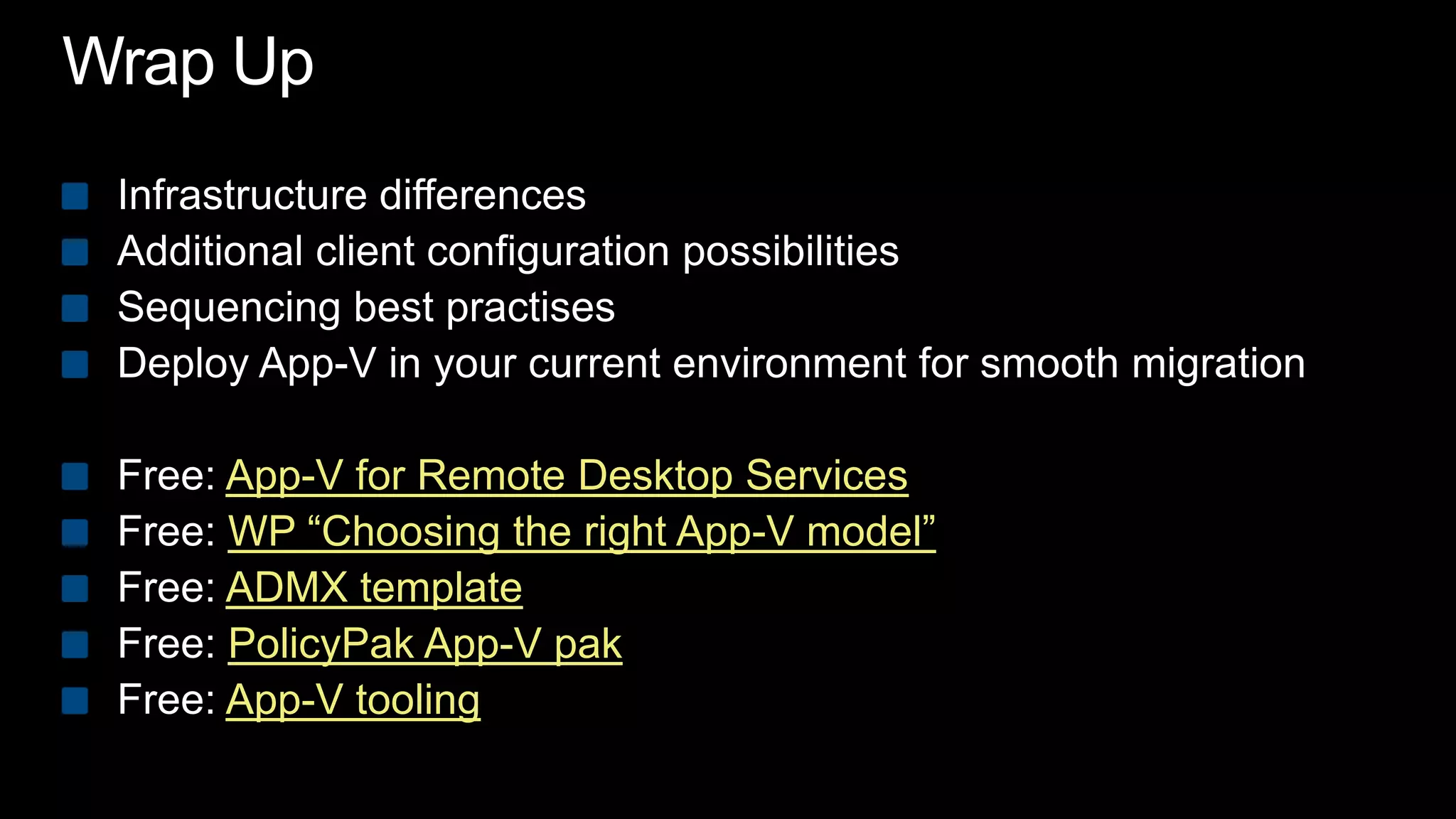
Wrap UpInfrastructure differencesAdditional client configuration possibilitiesSequencing best practisesDeploy App-V in your current environment for smooth migrationFree: App-V for Remote Desktop ServicesFree: WP “Choosing the right App-V model”Free: ADMX templateFree: PolicyPak App-V pakFree: App-V tooling
Thank you
© 2010 Microsoft Corporation. All rights reserved. Microsoft, Windows, Windows Vista and other product names are or may be registered trademarks and/or trademarks in the U.S. and/or other countries.The information herein is for informational purposes only and represents the current view of Microsoft Corporation as of the date of this presentation.  Because Microsoft must respond to changing market conditions, it should not be interpreted to be a commitment on the part of Microsoft, and Microsoft cannot guarantee the accuracy of any information provided after the date of this presentation.  MICROSOFT MAKES NO WARRANTIES, EXPRESS, IMPLIED OR STATUTORY, AS TO THE INFORMATION IN THIS PRESENTATION.
MMS2011_BC34_Plas_Final

MMS2011_BC34_Plas_Final

  • 1.
    Application Virtualization BestPractices: Notes From the Field Ment van der PlasIT ArchitectLogin Consultantswww.softgridblog.com@mentvanderplasBC34
  • 2.
    A Quick AssumptionYouare familiar with technical App-V terminology
  • 3.
    What’s Happening inthe Field?7 > XPMay 20117 > Vista Oct 2010Source: statcounter.com
  • 4.
    Session Objectives andTakeawaysGive additional insight on App-V infrastructure myths and factsLearn about App-V client configuration best-practisesShare sequencing challenges and solutions from the field
  • 5.
  • 6.
  • 7.
  • 8.
    Infrastructure Myth #1AllApp-V infrastructures are equalDecision should be based onDelivery possibilitiesUser-experienceScalabilityAdministrationGrowthMYTH BUSTED
  • 9.
    Infrastructure Myth #2Infrastructurehas impact onNumber of virtual applicationsSupported types of applicationsVirtualization strategyMYTH BUSTED
  • 10.
    Infrastructure DifferencesLearn morewww.loginconsultants.com/downloadDownloadfree whitepaperChoosing the right App-V Delivery Model
  • 11.
  • 12.
    Publishing Refresh Explained<DESKTOPCONFIG> <POLICY MANAGEDDESKTOP="TRUE“ REPORTING="FALSE"> <REFRESH ONLOGIN="TRUE“ PERIOD="60"/> </POLICY> <APPLIST><App_A_manifest.xml> <App_B_manifest.xml><App_C_manifest.xml> </APPLIST> </DESKTOPCONFIG>
  • 13.
    Communication (common)554 RTSPTCP 139,445UDP 137, 138or 80 SMB / HTTP49152-65535 RTP / RTCP010010100011010
  • 14.
  • 15.
    Infrastructure Myth #3SecureStreamingWill provide secure application communicationProtocol XMYTH BUSTEDRTSPS / HTTPS
  • 16.
    Communication (http +refresh)80 HTTP80 HTTP80 HTTP010010100011010
  • 17.
    Determining Source LocationStopusing %SFT_SOFTGRIDSERVER%Preferably use ASR, ISR, OSR or even override URLMore granular control Override OSD content
  • 18.
  • 19.
    Application Upgrades Refresh OSDs /Icons Stream010010100011010100101
  • 20.
    Infrastructure Myths #4ApplicationupgradesUpgrades don’t work in every streaming scenario“No Refresh” is an advantage for RTSP(s)Don’t use upgrade scenario if app should run Side by Side MYTH BUSTED
  • 21.
    Infrastructure Decisions andThoughts You choose your infrastructure only onceImportant questionsSingle console administration or broad application delivery methods?Second infrastructure for virtual applications?Is your network distributed? How about growth and scalability?How are you going to deploy your MSI’s?Like the App-V Client?
  • 22.
  • 23.
    Client Configuration PossibilitiesTodayInstallation properties or transform fileCommand line interface (sftmime)Client Management ConsoleRegistry (x86 and x64)Group Policy ObjectsMicrosoft ADM templateLogin Consultants ADM template (add-on)MSIMST
  • 24.
  • 25.
    Two Additional ConfigurationOptionsApp-V Client PackADMX template
  • 26.
    Login Consultants ADMXTemplate BenefitsADMX files are not stored in individual GPOs like ADMBut provided through Central Store; No “SYSVOL bloat”ADMX files support multi languageThrough optional ADML filesIt’s one template again Full options; no add-on
  • 27.
    PolicyPak Over ADMXPolicyPakenables same UI experience as the applicationProvides UI lockout for settings, tabs or whole pageReverts settings when out of scopeKeeps settings managed – even when offlineBonus: Delivers settings inside App-V sequences
  • 28.
  • 29.
    How Do IGet My Hands on This?Learn more www.loginconsultants.com/downloadswww.PolicyPak.com/AppVGood news100% free ADMX template100% free PolicyPakApp-V Pack for your useMore details on the website including invite-only to PolicyPak 3.0 betaLead by Jeremy Moskowitz, Group Policy MVP
  • 30.
    Client Installation and/orUpgradeDistinguish static settings from dynamic settingsKEEPCURRENTSETTINGS parameterPrevents override locally applied registry Some commandline parameters are ignoredUpgrades can’t be done when applications are running
  • 31.
    Migration TipDistribute App-VClient in your current environmentBetter together with User State Virtualization User environment Applications Operating System
  • 32.
  • 33.
    Migration Best PracticesDeployApp-V in your current environmentApp-V for Remote Desktop Services is included in RDS CALConsider User State VirtualizationStatic, time critical settings  command line / transformDynamic configuration  ADM(x) or PolicyPakThink about your App-V client update strategy
  • 34.
  • 35.
    ProcessEvaluate current processDon’tonly replace technologyFocus on application dependencies
  • 36.
    Common QuestionsVirtualize middleware?ApplyAutomatic Updates?Build best for cross OS?Build best for cross platform?Use Dynamic Suiting Composition?Clean up the sequence?What are your best practices?
  • 37.
    Virtualize Middleware; Yesor No?Direction of app-to-app communication? What should be the user experience? (Office, IE plugins)What’s the application update cycle?Who or what is initiating the application update?
  • 38.
    Dynamic Suiting: Yesor No?Eases administration of multiple virtual applicationsKeeping track of relationships is key!Troubleshooting effort may be increasedDifferent DSC behaviorbetween Files and RegistryConfigMgr 2007 R2 integration has additional challenges Dependencies have to be present on target machine
  • 39.
  • 40.
    Cleaning Up Sequences;Yes or No?Settings that conflict with local applications Internet Explorer proxy or homepage Large installation residueC:\Windows\InstallerC:\Program Files\Uninstall InformationQ:\...\
  • 41.
    Parsing ItemsParsing happensinthe (virtual) registryIn the (virtual) filesystemNot inside files (xml/txt etc.)Could hold some key elements to your application
  • 42.
    Automatic UpdatesDon’t applyautomatic updates in virtual environmentsDifferent locations for disabling automatic updatesUser InterfaceRegistry“Config” filesElapsed time for launch: 1.843 secondsElapsed time for launch: 2.123 secondsElapsed time for launch: 5.17 secondsElapsed time for launch: 28.211 seconds
  • 43.
    Sequencing for MultipleOSOS ValueLimits the number of operating systems you can run onNot mandatory; can be empty!
  • 44.
    Sequencing for MultipleArchitectureWatch for applications that use short folder namesUse %SFT_MNT%\xxx\VFS\CSIDL_PROGRAM_FILESWindows 7 x86Windows 7 x64
  • 45.
  • 46.
    Best Practices GoneOld in App-V 4.6 SP1?Installing the sequencerQ: drive creation is taken care ofDummy ODBC connections are createdDummy Printer is installedUsing the sequencer8.3 directory requirement is goneFirst Run Tasks are now embedded in the wizardEasier Dynamic Suiting logistics (apply to local system)Best practices check before sequencingIncompatibility check after sequencing
  • 47.
    Wrap UpInfrastructure differencesAdditionalclient configuration possibilitiesSequencing best practisesDeploy App-V in your current environment for smooth migrationFree: App-V for Remote Desktop ServicesFree: WP “Choosing the right App-V model”Free: ADMX templateFree: PolicyPak App-V pakFree: App-V tooling
  • 48.
  • 50.
    © 2010 MicrosoftCorporation. All rights reserved. Microsoft, Windows, Windows Vista and other product names are or may be registered trademarks and/or trademarks in the U.S. and/or other countries.The information herein is for informational purposes only and represents the current view of Microsoft Corporation as of the date of this presentation. Because Microsoft must respond to changing market conditions, it should not be interpreted to be a commitment on the part of Microsoft, and Microsoft cannot guarantee the accuracy of any information provided after the date of this presentation. MICROSOFT MAKES NO WARRANTIES, EXPRESS, IMPLIED OR STATUTORY, AS TO THE INFORMATION IN THIS PRESENTATION.