Next Generation Desktop
Delivery
Citrix Systems
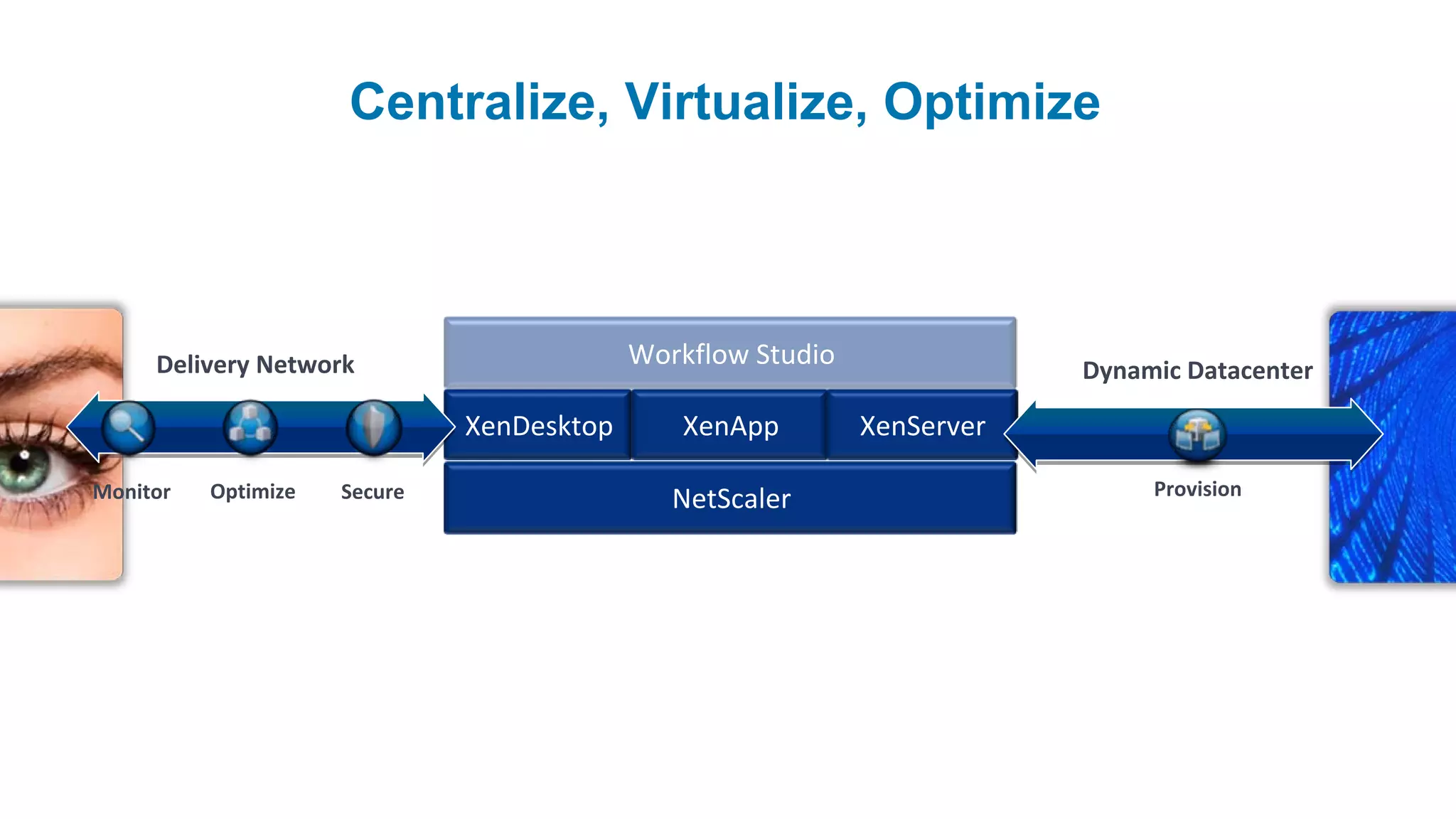
Centralize, Virtualize, Optimize


     Delivery Network                      Workflow Studio               Dynamic Datacenter

                              XenDesktop      XenApp         XenServer

Monitor   Optimize   Secure                                                   Provision
                                              NetScaler
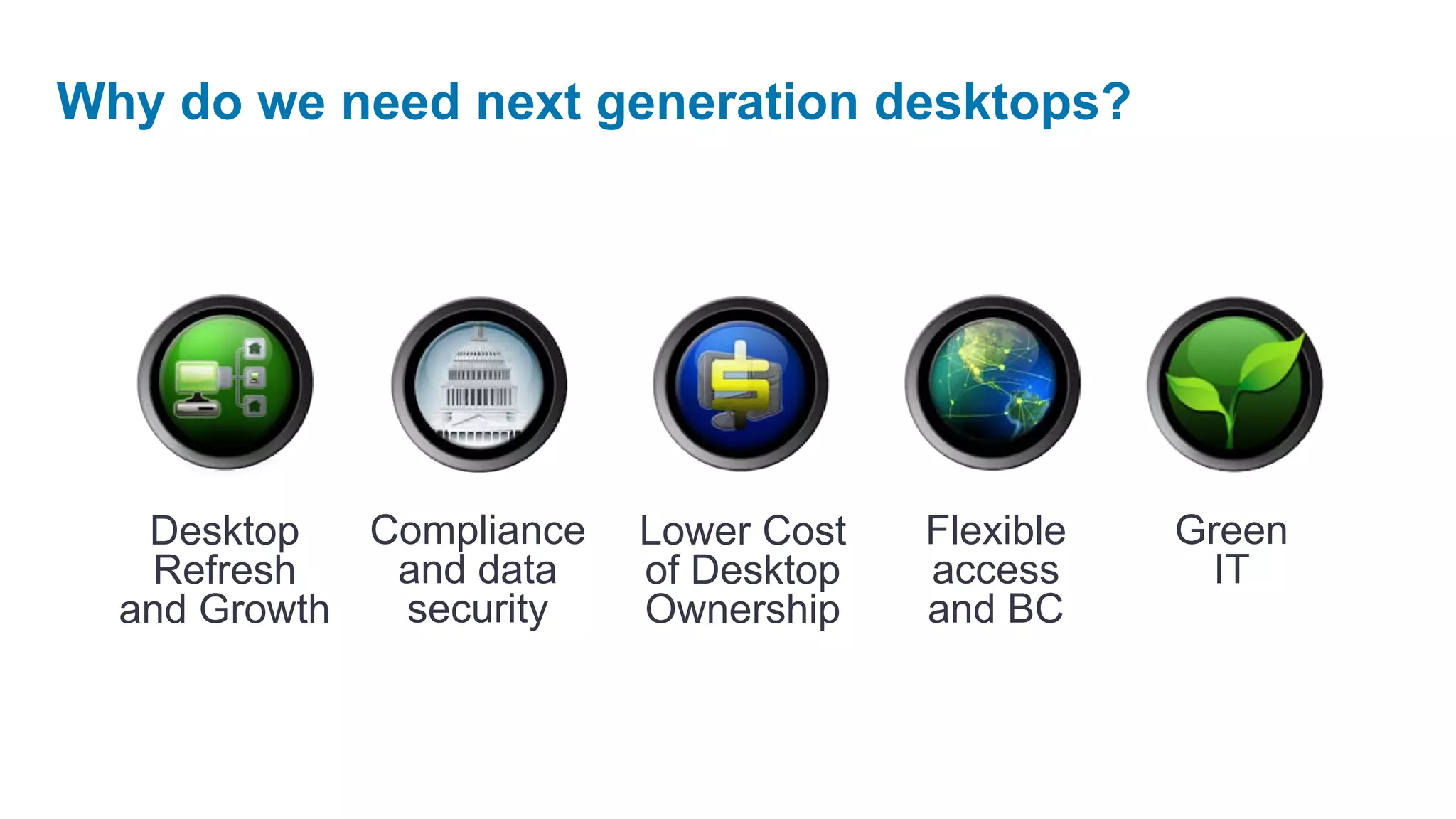
Why do we need next generation desktops?


   Desktop   Compliance   Lower Cost   Flexible   Green
   Refresh    and data    of Desktop   access       IT
  and Growth  security    Ownership    and BC
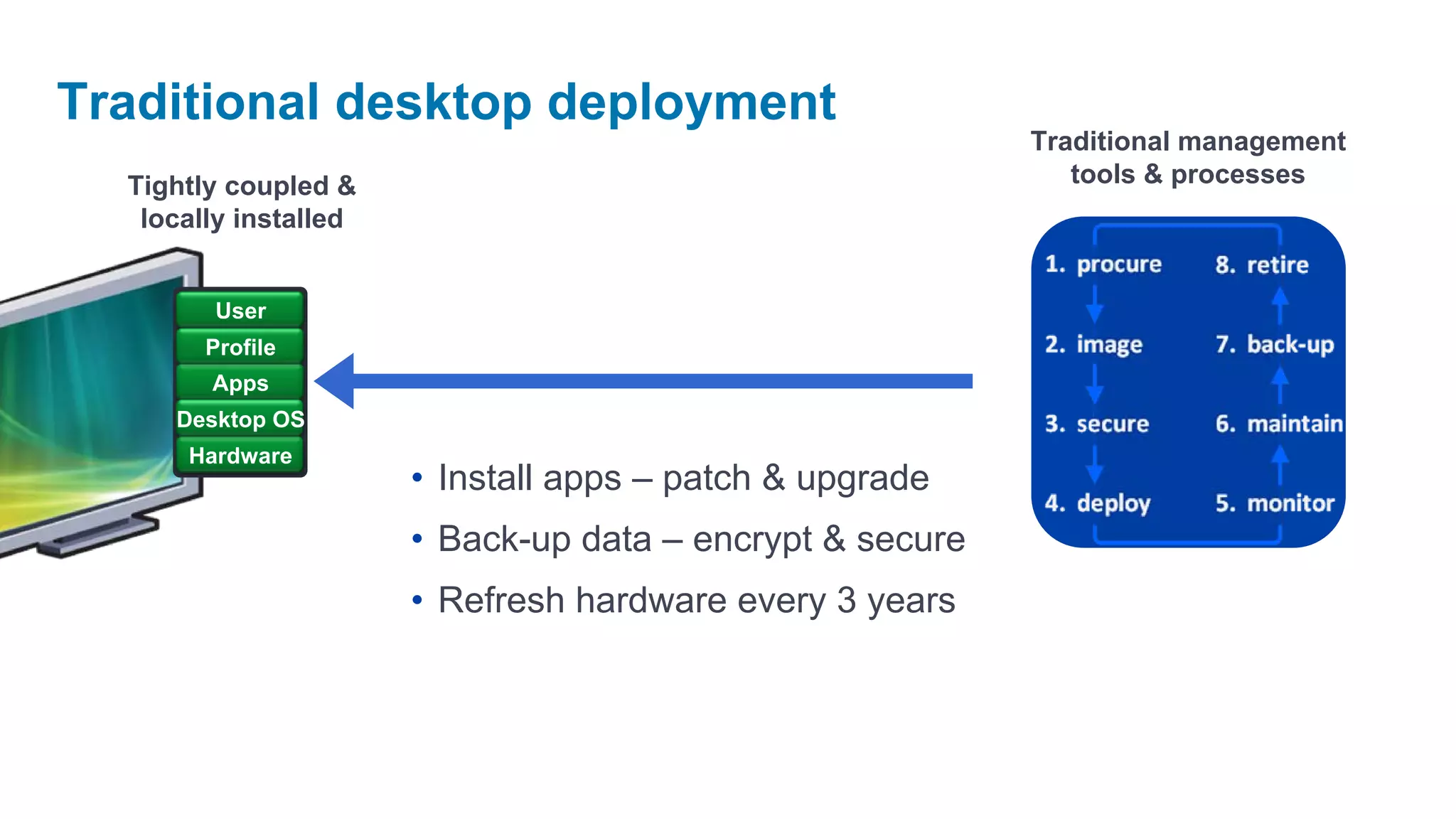
Traditional desktop deployment
                                                           Traditional management
  Tightly coupled &                                           tools & processes
   locally installed


        User
        Profile
        Apps
     Desktop OS
      Hardware
                       • Install apps – patch & upgrade
                       • Back-up data – encrypt & secure
                       • Refresh hardware every 3 years
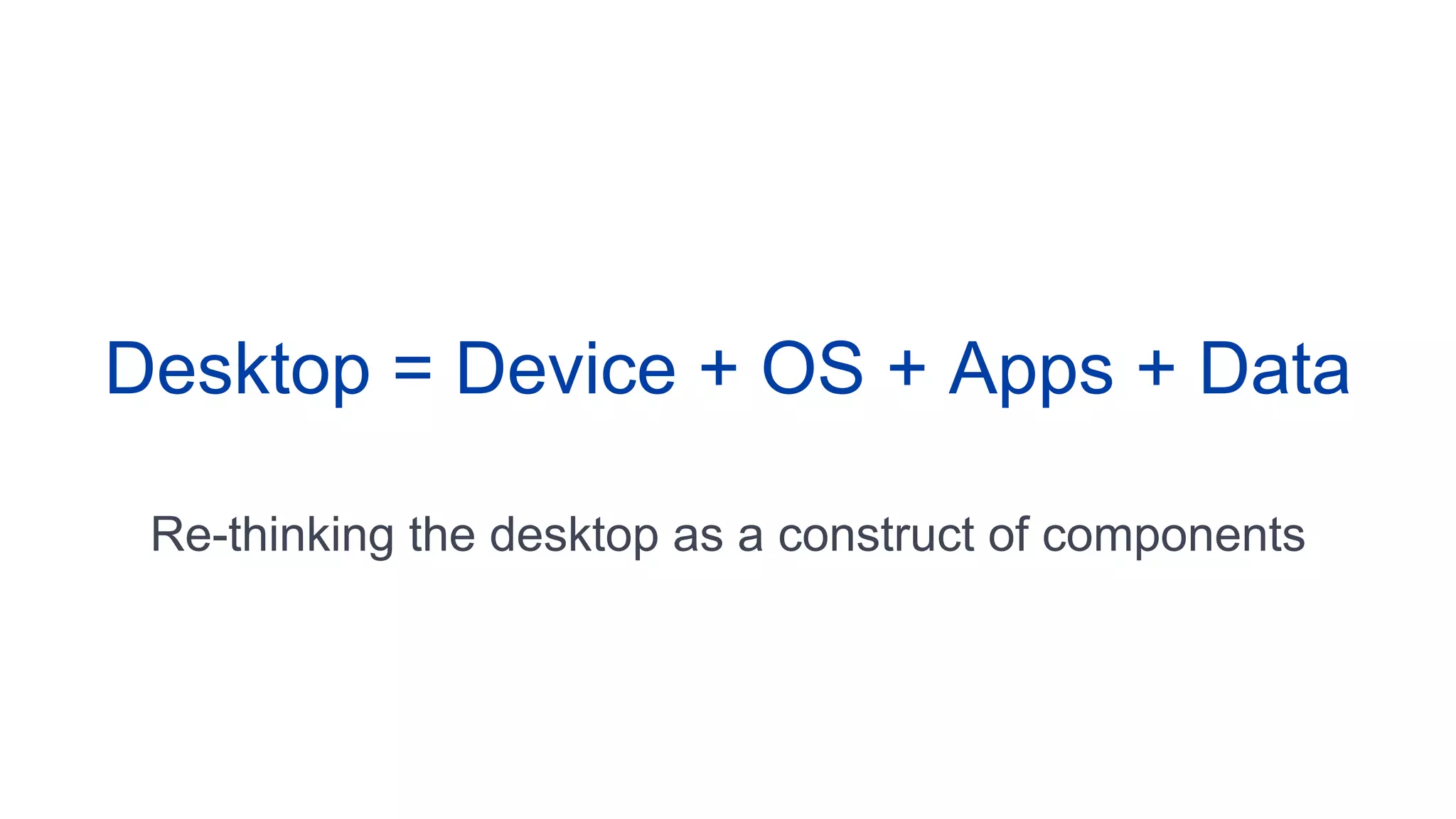
Desktop = Device + OS + Apps + Data

 Re-thinking the desktop as a construct of components
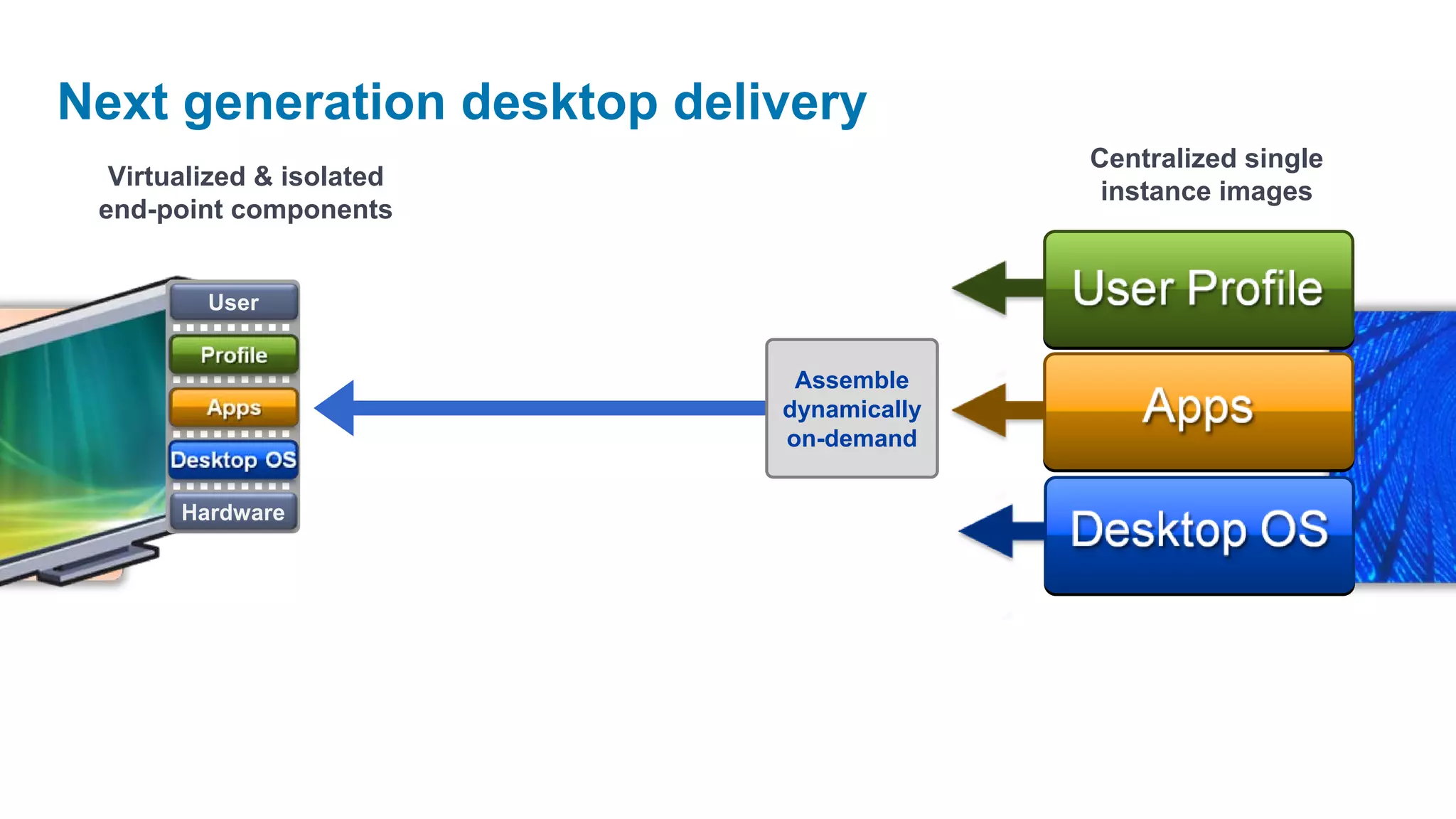
Next generation desktop delivery
                                          Centralized single
  Virtualized & isolated
                                           instance images
 end-point components


         User

        Profile
                             Assemble
         Apps               dynamically
                            on-demand
      Desktop OS

       Hardware
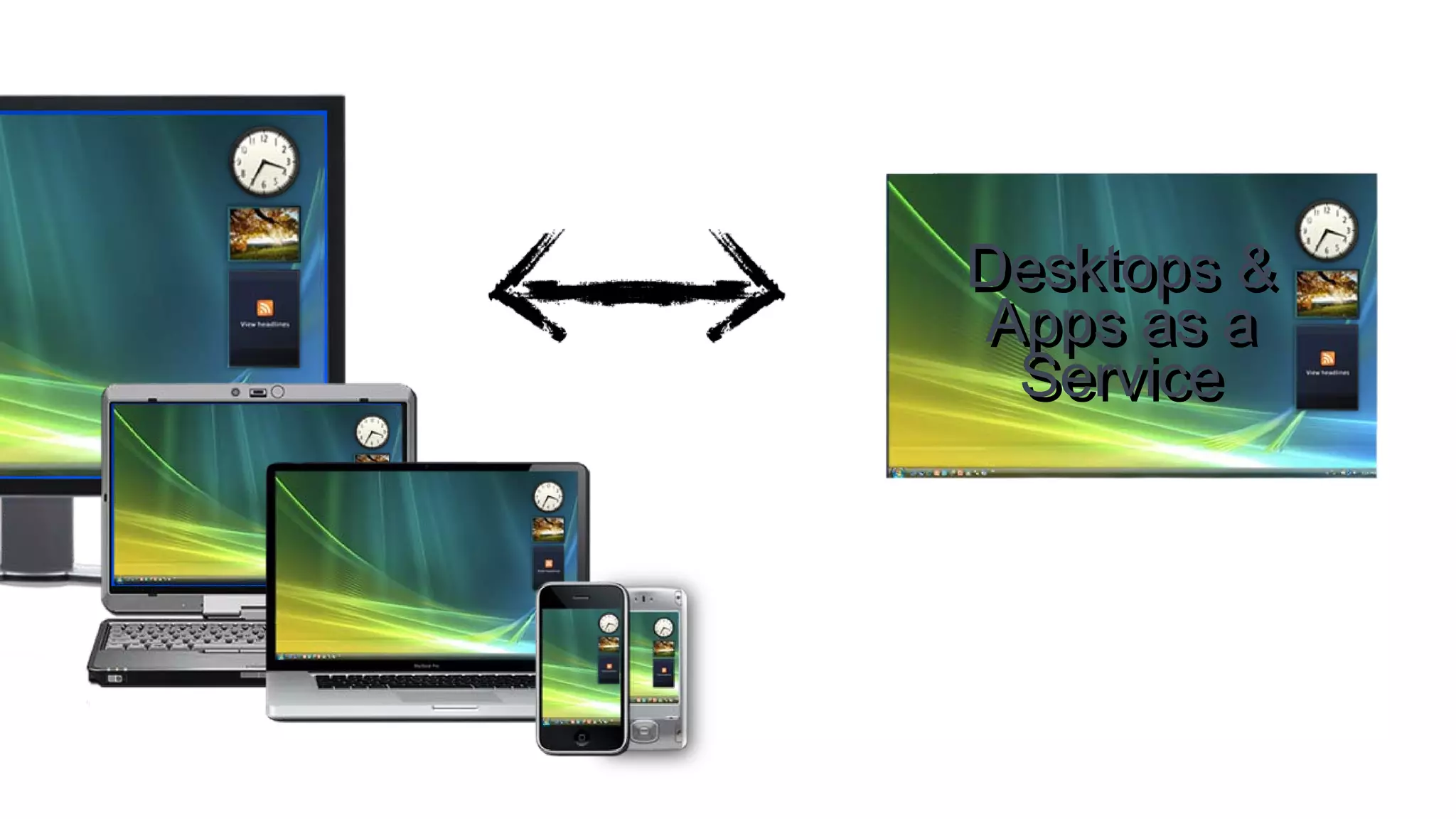
Desktops &
Apps as a
 Service
Why Citrix?
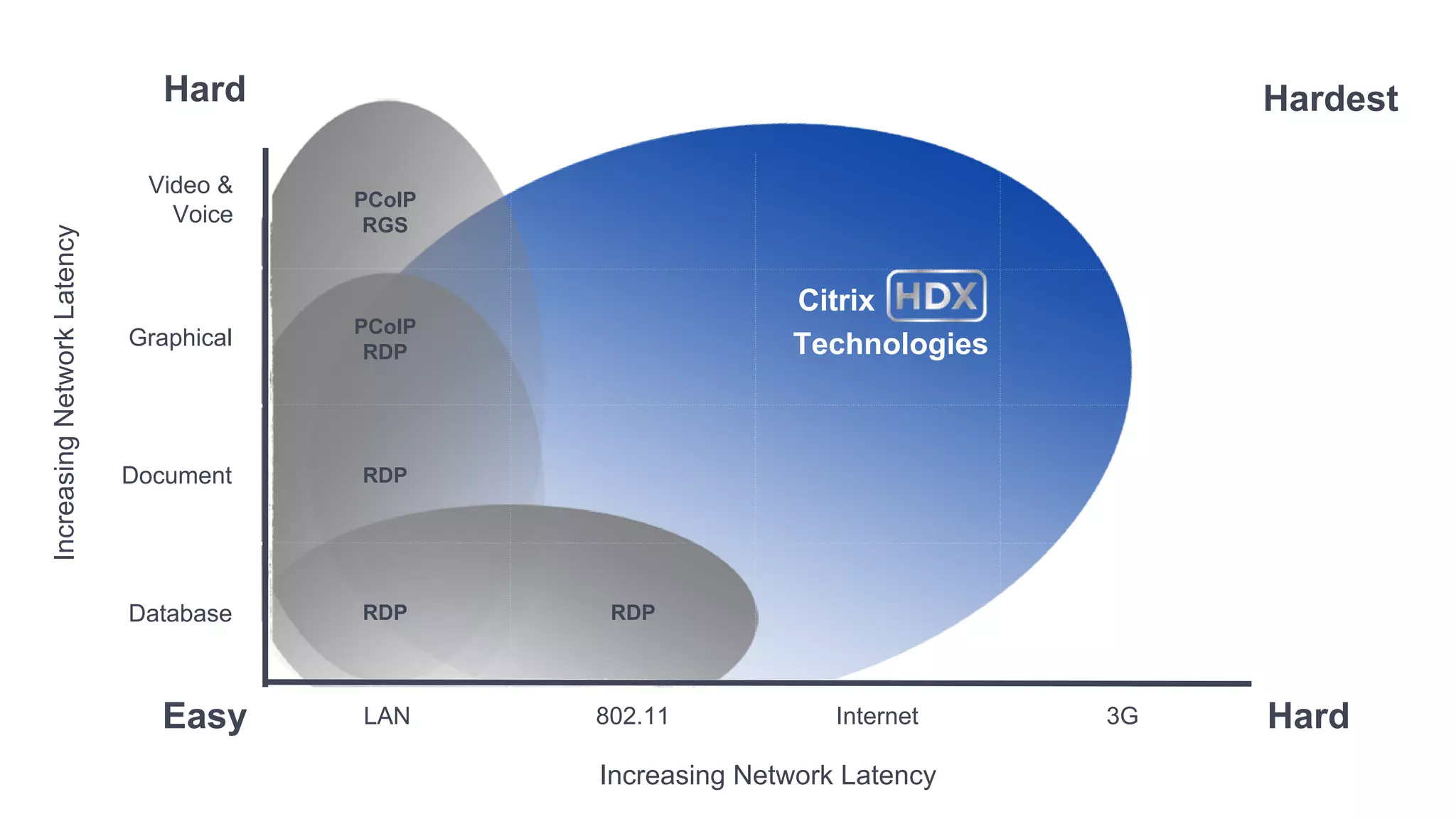
Hard                                               Hardest

                              Video &
                                         PCoIP
                                Voice     RGS
Increasing Network Latency


                                                               Citrix
                                         PCoIP
                             Graphical                         Technologies
                                          RDP


                             Document    RDP


                             Database    RDP      RDP


                               Easy      LAN     802.11            Internet   3G   Hard
                                                 Increasing Network Latency
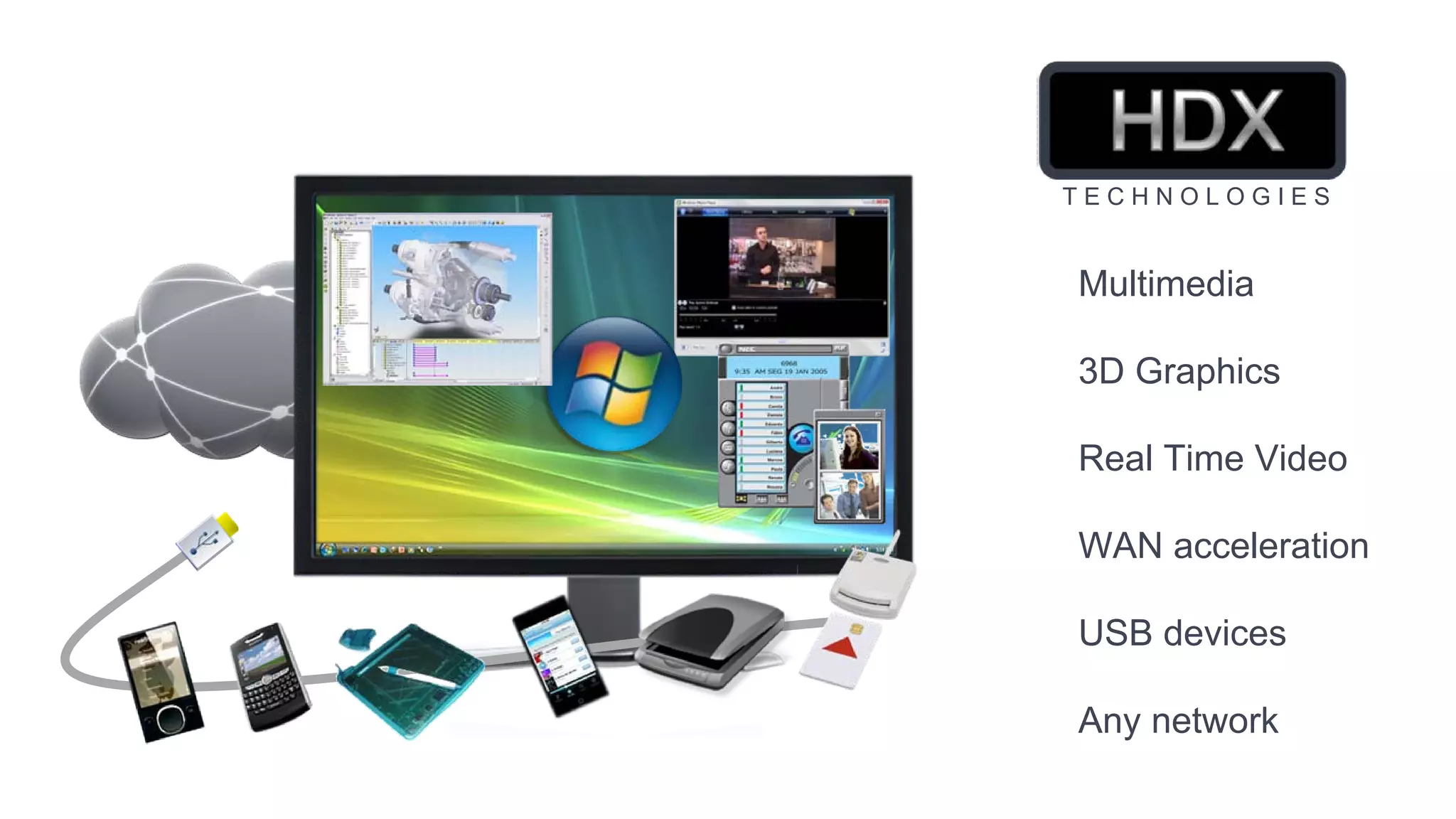
TECHNOLOGIES


Multimedia

3D Graphics

Real Time Video

WAN acceleration

USB devices

Any network
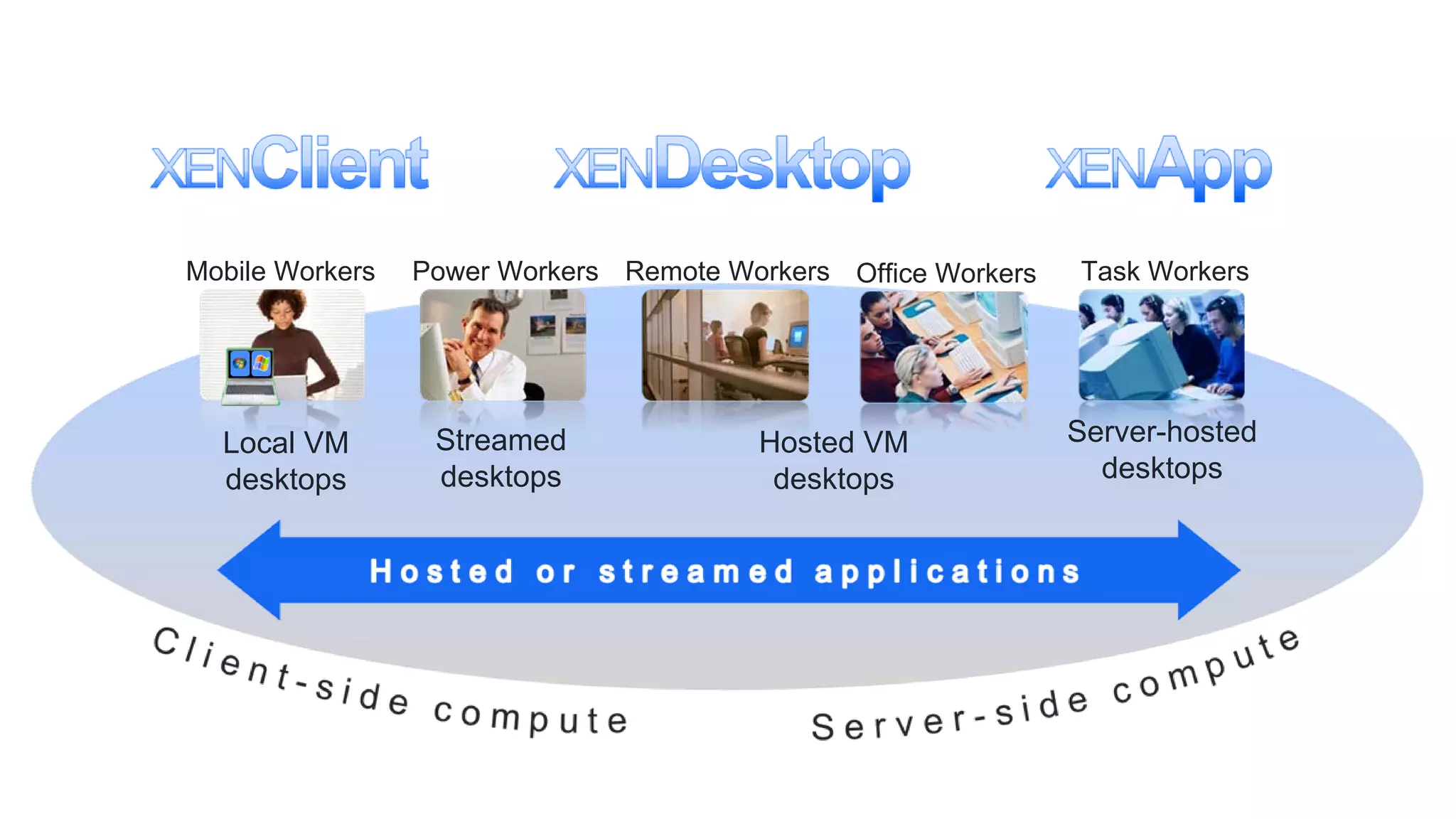
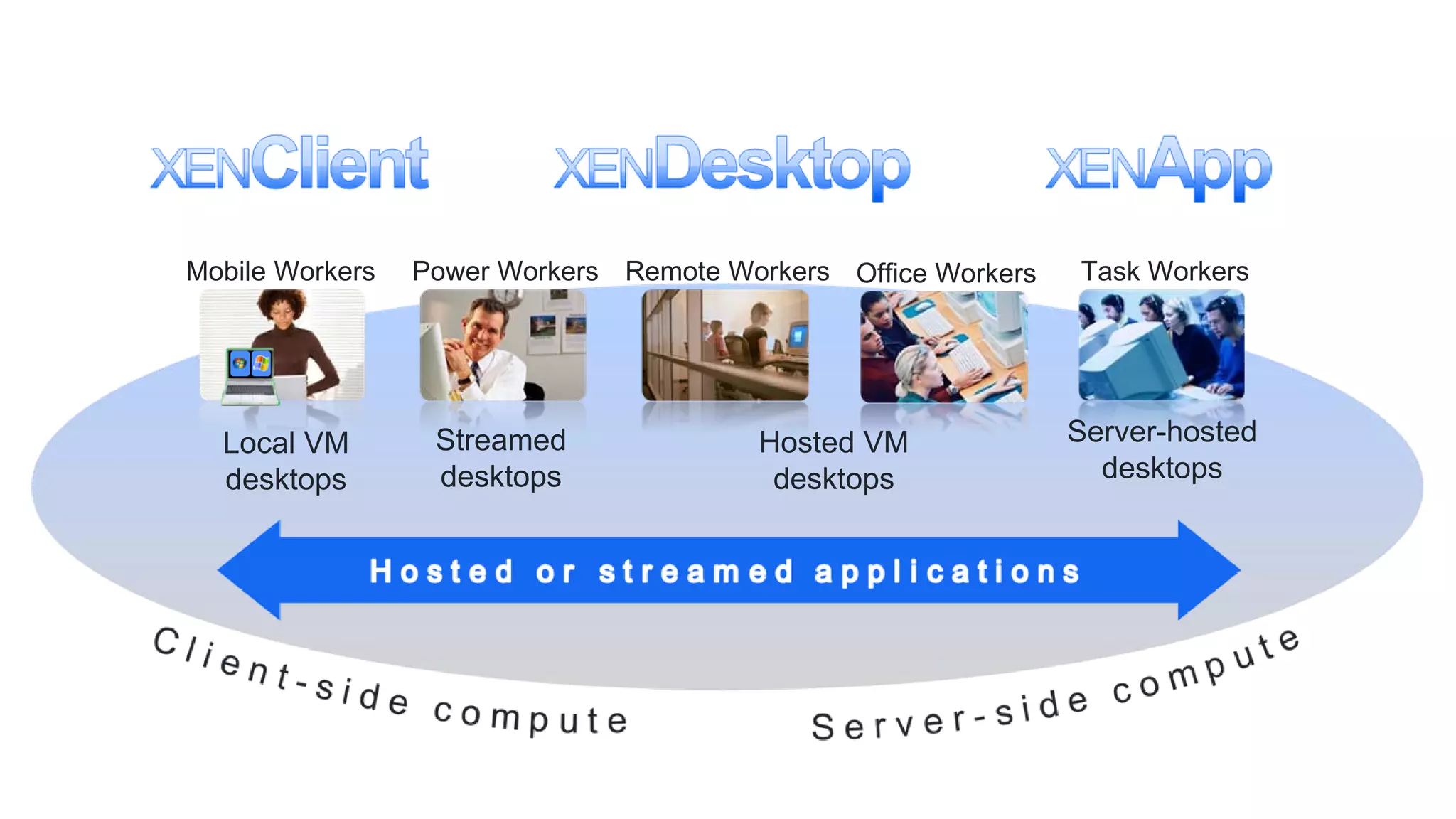
Mobile Workers   Power Workers Remote Workers Office Workers   Task Workers


  Local VM        Streamed              Hosted VM              Server-hosted
  desktops        desktops               desktops                desktops
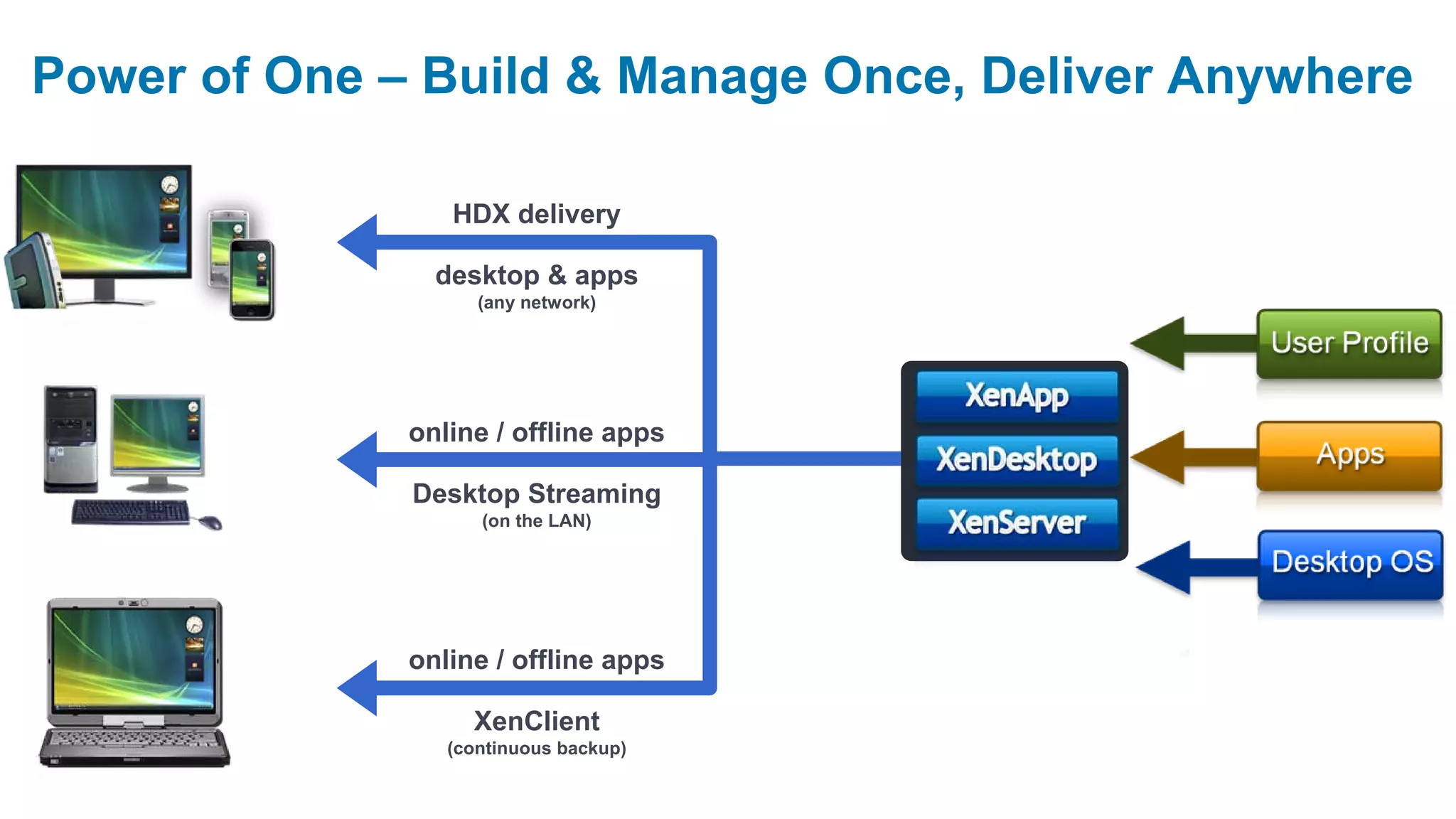
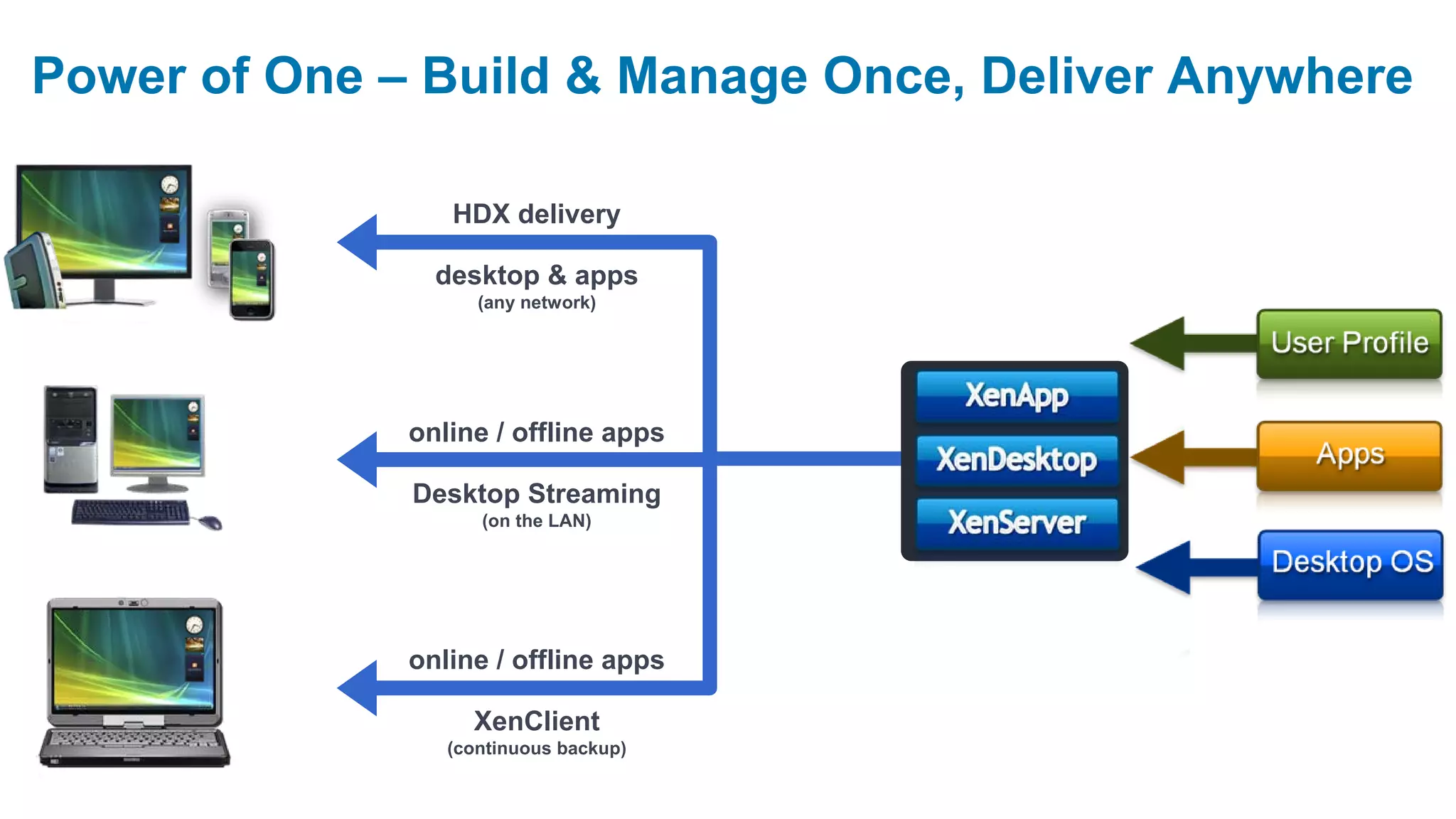
Power of One – Build & Manage Once, Deliver Anywhere

                 HDX delivery

                desktop & apps
                    (any network)


              online / offline apps

              Desktop Streaming
                    (on the LAN)


              online / offline apps

                   XenClient
                 (continuous backup)
Operational savings and benefits
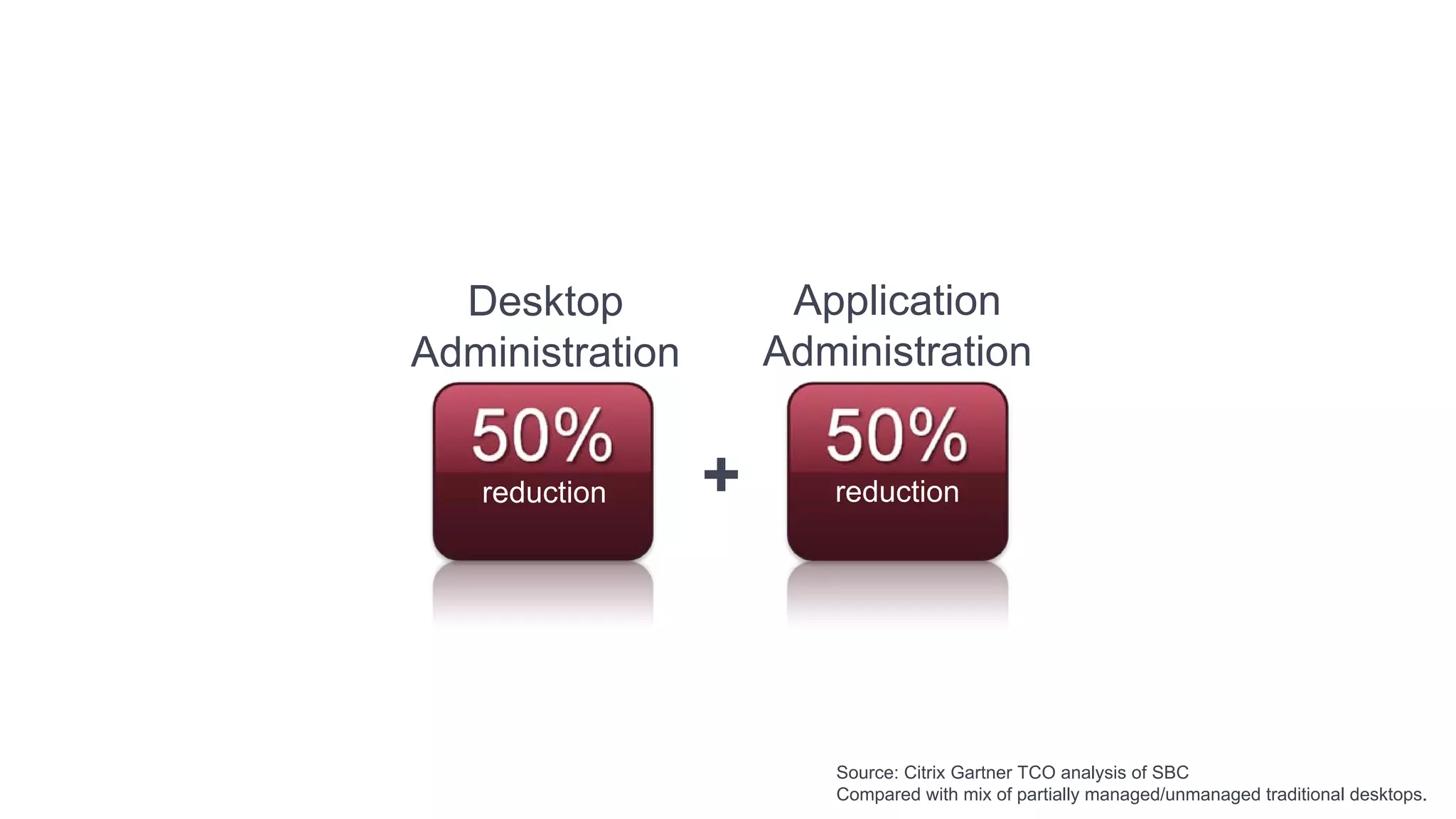
Desktop             Application
Administration       Administration


   reduction     +      reduction


                        Source: Citrix Gartner TCO analysis of SBC
                        Compared with mix of partially managed/unmanaged traditional desktops.
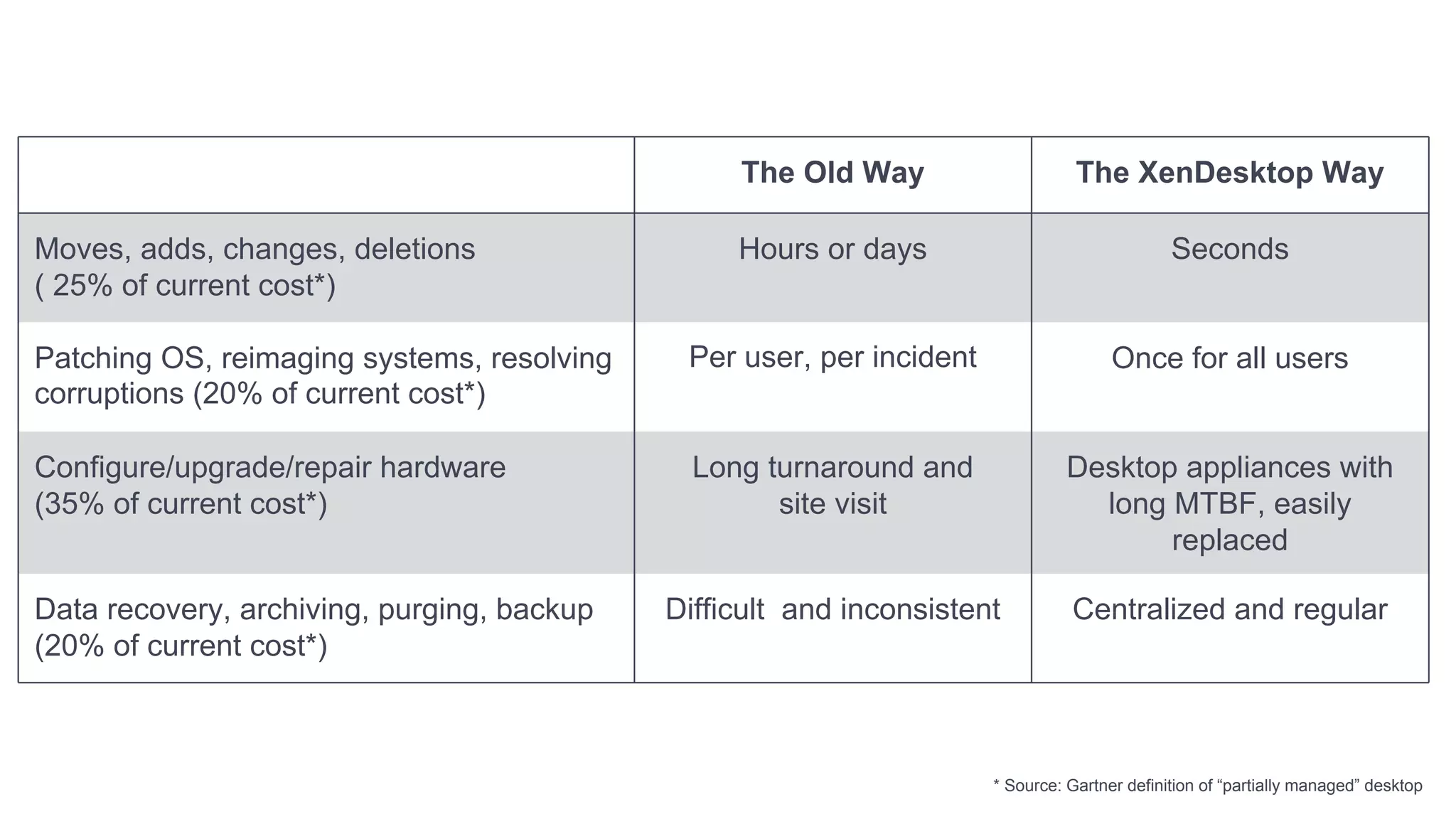
Desktop Management Savings                       The Old Way                     The XenDesktop Way

Moves, adds, changes, deletions                  Hours or days                                Seconds
( 25% of current cost*)

Patching OS, reimaging systems, resolving    Per user, per incident                   Once for all users
corruptions (20% of current cost*)

Configure/upgrade/repair hardware             Long turnaround and               Desktop appliances with
(35% of current cost*)                              site visit                    long MTBF, easily
                                                                                       replaced

Data recovery, archiving, purging, backup   Difficult and inconsistent          Centralized and regular
(20% of current cost*)


                                                                      * Source: Gartner definition of “partially managed” desktop
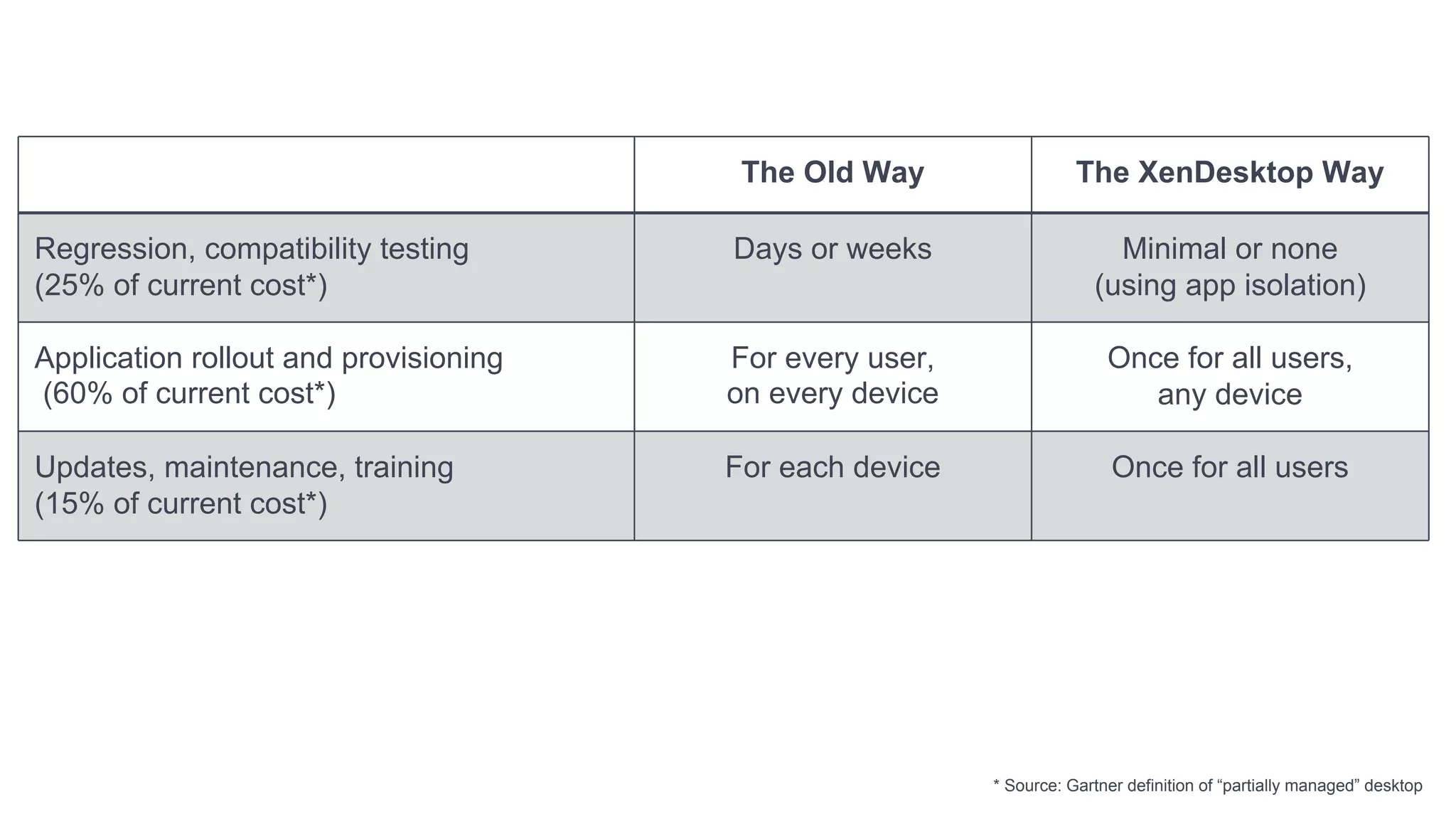
App Management Savings                  The Old Way                 The XenDesktop Way

Regression, compatibility testing      Days or weeks                    Minimal or none
(25% of current cost*)                                                (using app isolation)

Application rollout and provisioning   For every user,                  Once for all users,
(60% of current cost*)                 on every device                     any device

Updates, maintenance, training         For each device                   Once for all users
(15% of current cost*)


                                                         * Source: Gartner definition of “partially managed” desktop
How do you get there?
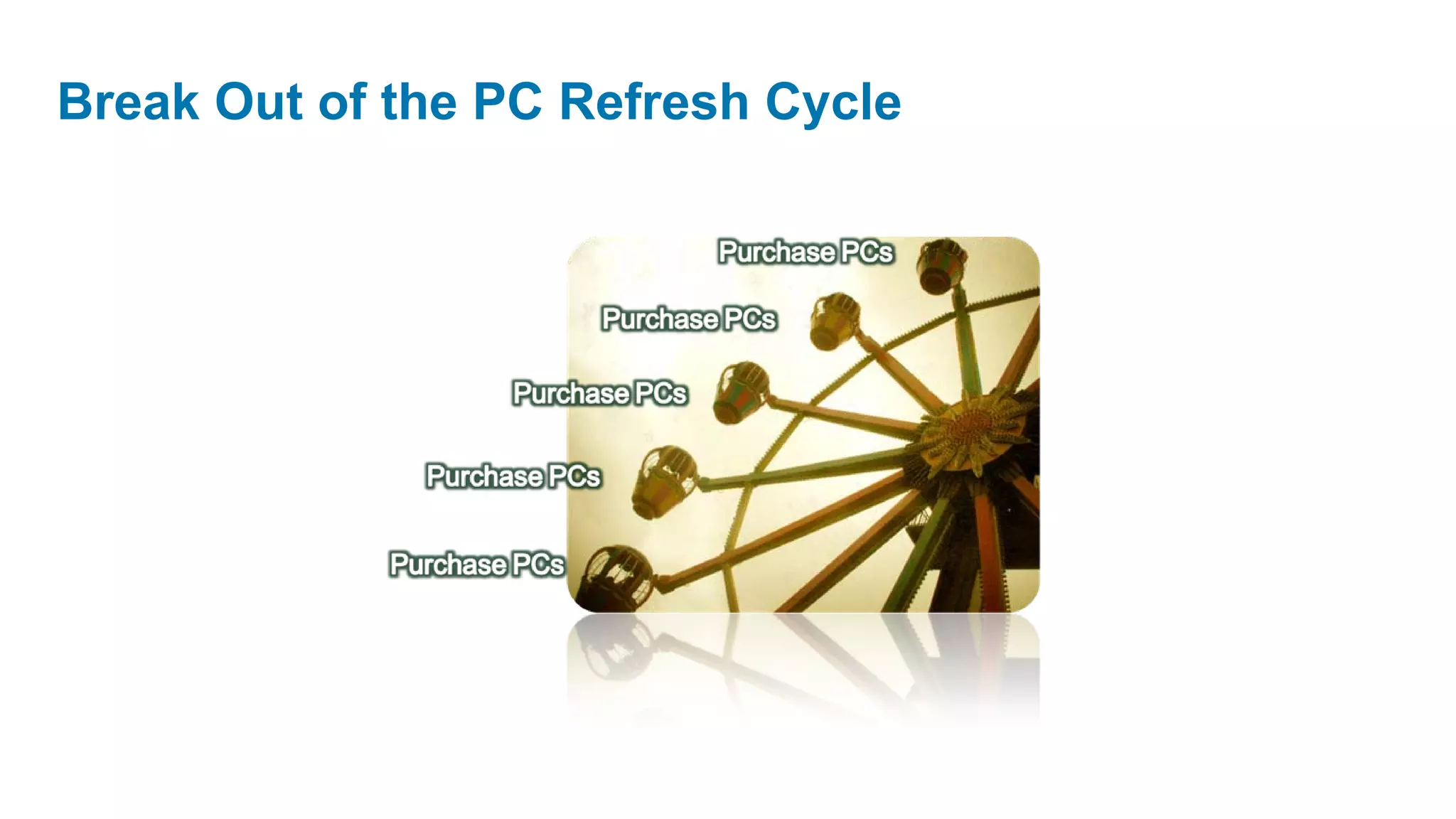
Break Out of the PC Refresh Cycle


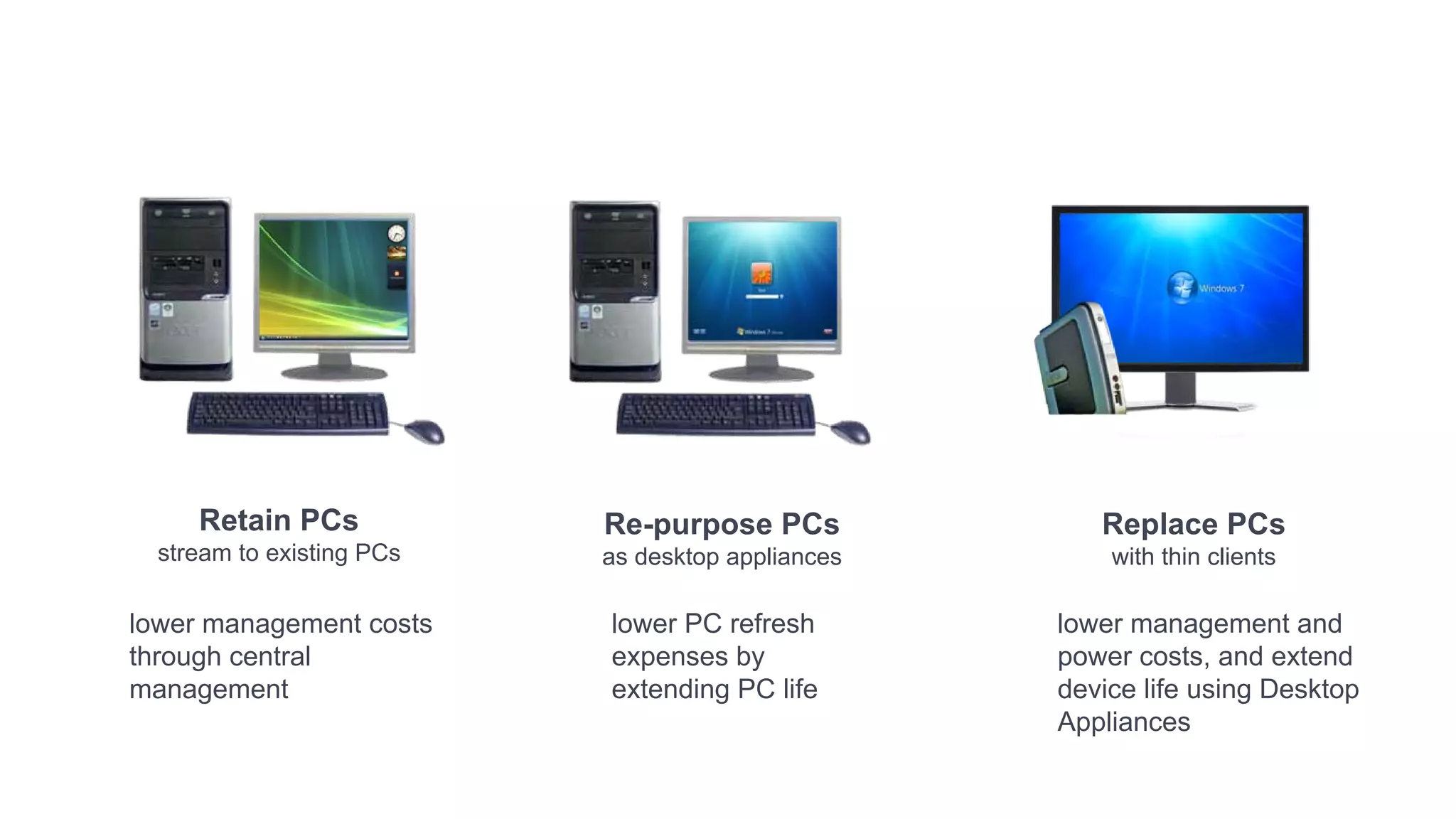
         Retain PCs            Re-purpose PCs             Replace PCs
      stream to existing PCs   as desktop appliances       with thin clients

    lower management costs     lower PC refresh        lower management and
    through central            expenses by             power costs, and extend
    management                 extending PC life       device life using Desktop
                                                       Appliances
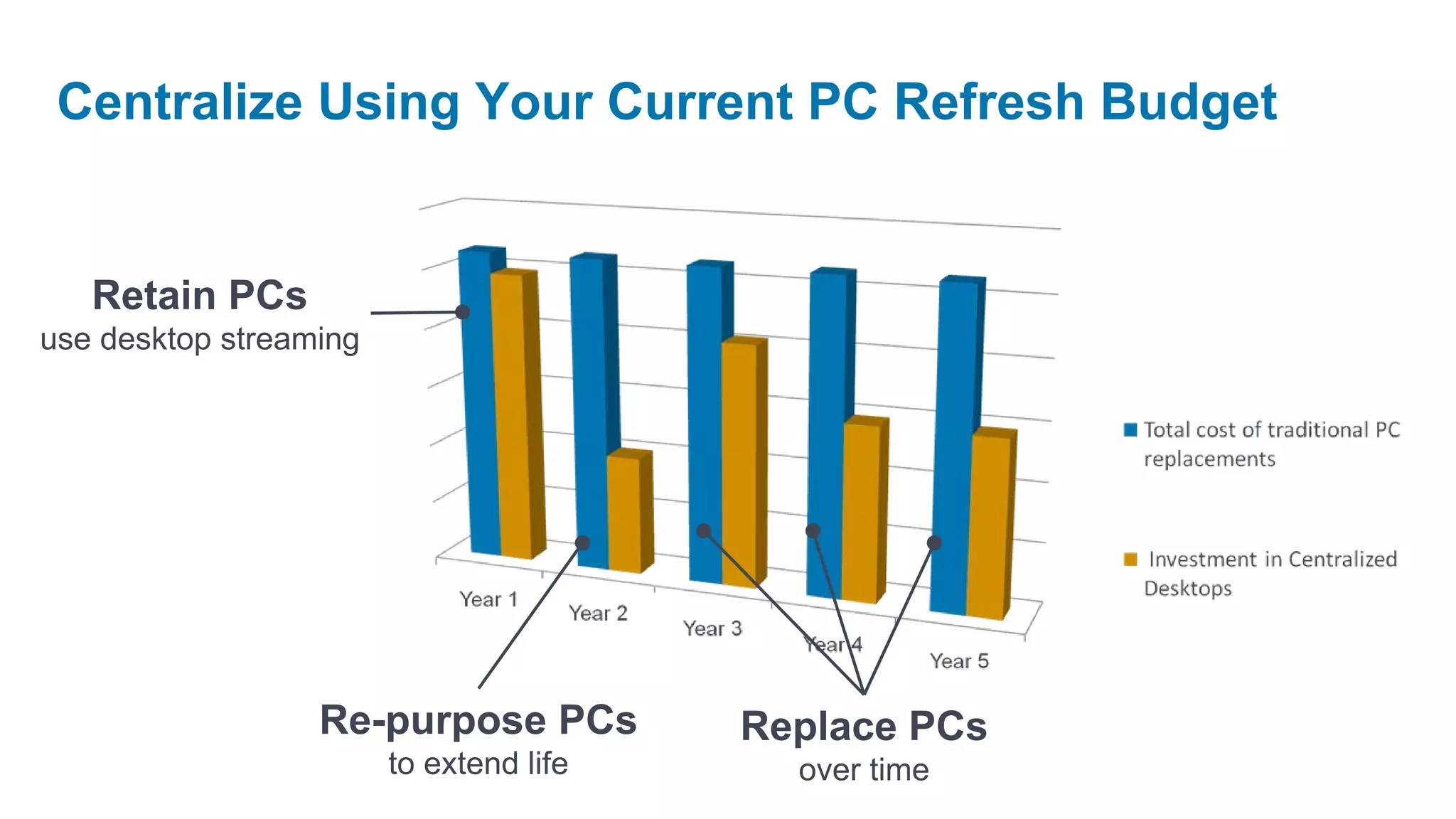
Centralize Using Your Current PC Refresh Budget


   Retain PCs
use desktop streaming


                  Re-purpose PCs         Replace PCs
                        to extend life     over time
Best solution for all desktop needs
    One delivery infrastructure
      Best user experience
    Proven app management
            Best value
Next Generation Desktop
Delivery
Fraser Kyne, Citrix Systems
Why isn’t it easy?
Mobile Workers   Power Workers Remote Workers Office Workers   Task Workers


  Local VM        Streamed              Hosted VM              Server-hosted
  desktops        desktops               desktops                desktops
Power of One – Build & Manage Once, Deliver Anywhere

                 HDX delivery

                desktop & apps
                    (any network)


              online / offline apps

              Desktop Streaming
                    (on the LAN)


              online / offline apps

                   XenClient
                 (continuous backup)
Citrix - Next Generation Desktop Delivery

Citrix - Next Generation Desktop Delivery

  • 1.
  • 2.
    Centralize, Virtualize, Optimize Delivery Network Workflow Studio Dynamic Datacenter XenDesktop XenApp XenServer Monitor Optimize Secure Provision NetScaler
  • 3.
    Why do weneed next generation desktops? Desktop Compliance Lower Cost Flexible Green Refresh and data of Desktop access IT and Growth security Ownership and BC
  • 4.
    Traditional desktop deployment Traditional management Tightly coupled & tools & processes locally installed User Profile Apps Desktop OS Hardware • Install apps – patch & upgrade • Back-up data – encrypt & secure • Refresh hardware every 3 years
  • 5.
    Desktop = Device+ OS + Apps + Data Re-thinking the desktop as a construct of components
  • 6.
    Next generation desktopdelivery Centralized single Virtualized & isolated instance images end-point components User Profile Assemble Apps dynamically on-demand Desktop OS Hardware
  • 7.
  • 8.
  • 9.
    Hard Hardest Video & PCoIP Voice RGS Increasing Network Latency Citrix PCoIP Graphical Technologies RDP Document RDP Database RDP RDP Easy LAN 802.11 Internet 3G Hard Increasing Network Latency
  • 10.
    TECHNOLOGIES Multimedia 3D Graphics Real TimeVideo WAN acceleration USB devices Any network
  • 11.
    Mobile Workers Power Workers Remote Workers Office Workers Task Workers Local VM Streamed Hosted VM Server-hosted desktops desktops desktops desktops
  • 12.
    Power of One– Build & Manage Once, Deliver Anywhere HDX delivery desktop & apps (any network) online / offline apps Desktop Streaming (on the LAN) online / offline apps XenClient (continuous backup)
  • 13.
  • 14.
    Desktop Application Administration Administration reduction + reduction Source: Citrix Gartner TCO analysis of SBC Compared with mix of partially managed/unmanaged traditional desktops.
  • 15.
    Desktop Management Savings The Old Way The XenDesktop Way Moves, adds, changes, deletions Hours or days Seconds ( 25% of current cost*) Patching OS, reimaging systems, resolving Per user, per incident Once for all users corruptions (20% of current cost*) Configure/upgrade/repair hardware Long turnaround and Desktop appliances with (35% of current cost*) site visit long MTBF, easily replaced Data recovery, archiving, purging, backup Difficult and inconsistent Centralized and regular (20% of current cost*) * Source: Gartner definition of “partially managed” desktop
  • 16.
    App Management Savings The Old Way The XenDesktop Way Regression, compatibility testing Days or weeks Minimal or none (25% of current cost*) (using app isolation) Application rollout and provisioning For every user, Once for all users, (60% of current cost*) on every device any device Updates, maintenance, training For each device Once for all users (15% of current cost*) * Source: Gartner definition of “partially managed” desktop
  • 17.
    How do youget there?
  • 18.
    Break Out ofthe PC Refresh Cycle
  • 19.
    Break Out ofthe PC Refresh Cycle Retain PCs Re-purpose PCs Replace PCs stream to existing PCs as desktop appliances with thin clients lower management costs lower PC refresh lower management and through central expenses by power costs, and extend management extending PC life device life using Desktop Appliances
  • 20.
    Centralize Using YourCurrent PC Refresh Budget Retain PCs use desktop streaming Re-purpose PCs Replace PCs to extend life over time
  • 21.
    Best solution forall desktop needs One delivery infrastructure Best user experience Proven app management Best value
  • 23.
  • 25.
  • 29.
    Mobile Workers Power Workers Remote Workers Office Workers Task Workers Local VM Streamed Hosted VM Server-hosted desktops desktops desktops desktops
  • 30.
    Power of One– Build & Manage Once, Deliver Anywhere HDX delivery desktop & apps (any network) online / offline apps Desktop Streaming (on the LAN) online / offline apps XenClient (continuous backup)