MDOP: Planning the Deployment of Microsoft Application Virtualization 4.5Bill MoreinLead Program ManagerMicrosoft CorporationSession Code: CLI319
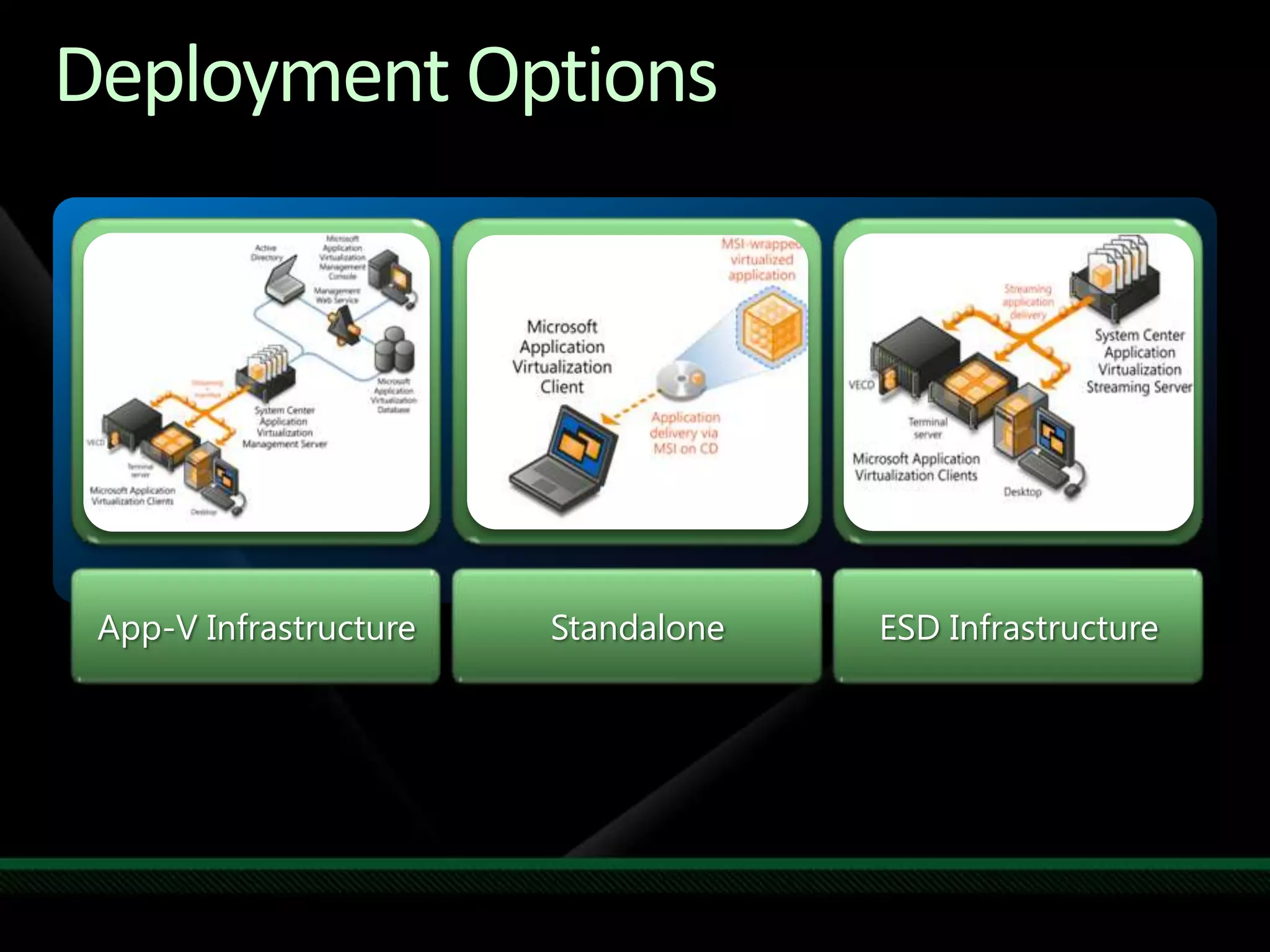
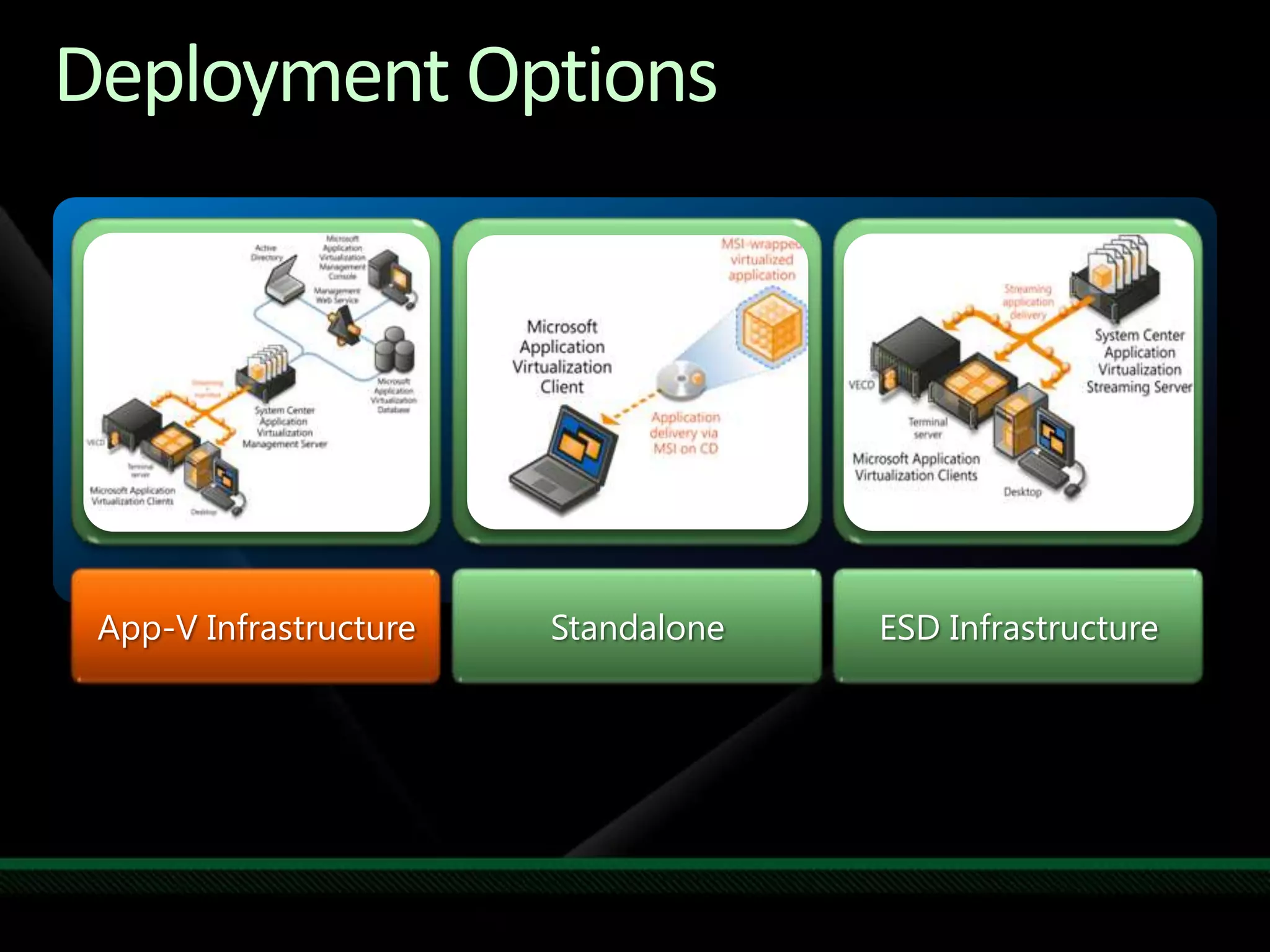
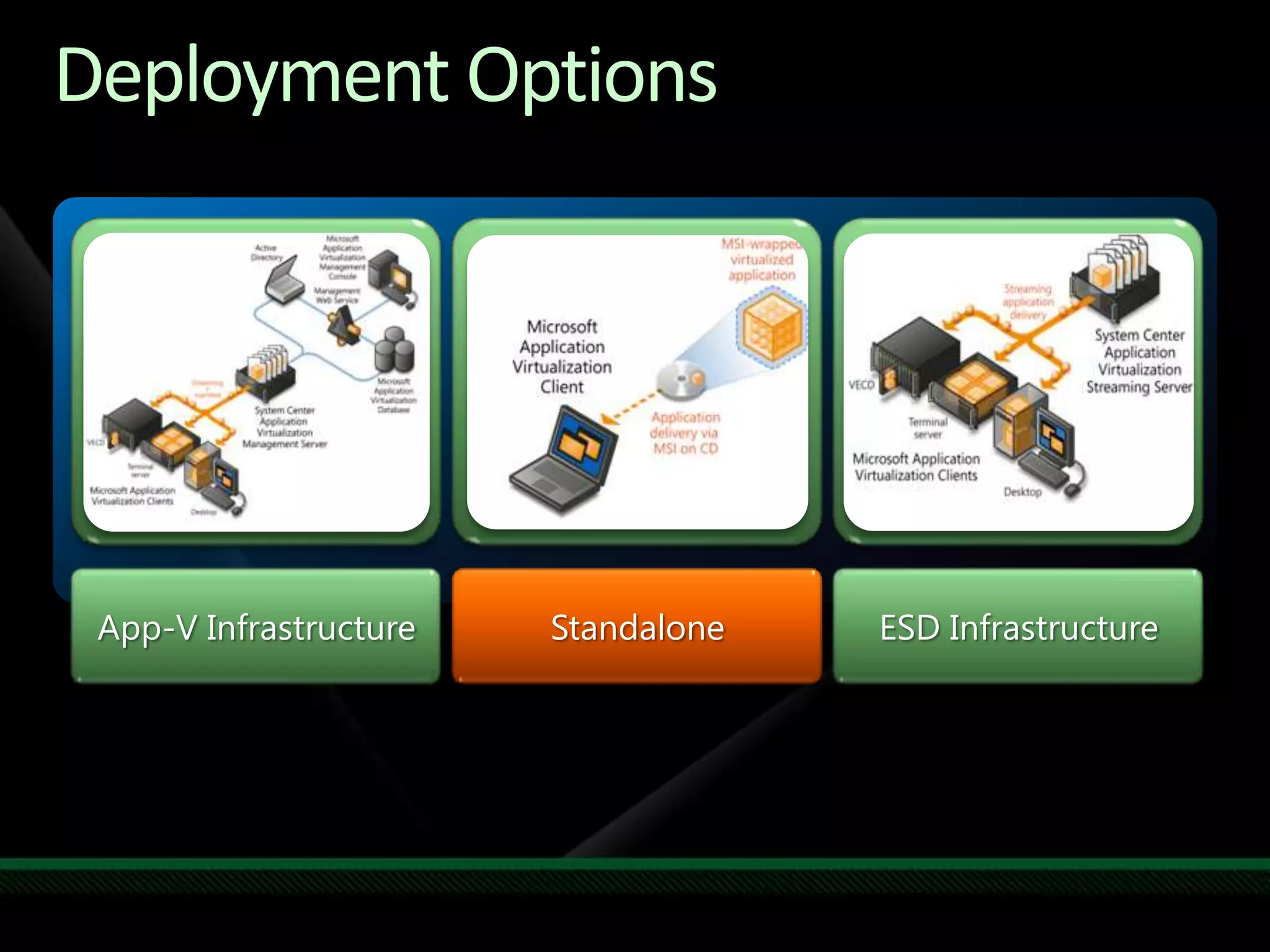
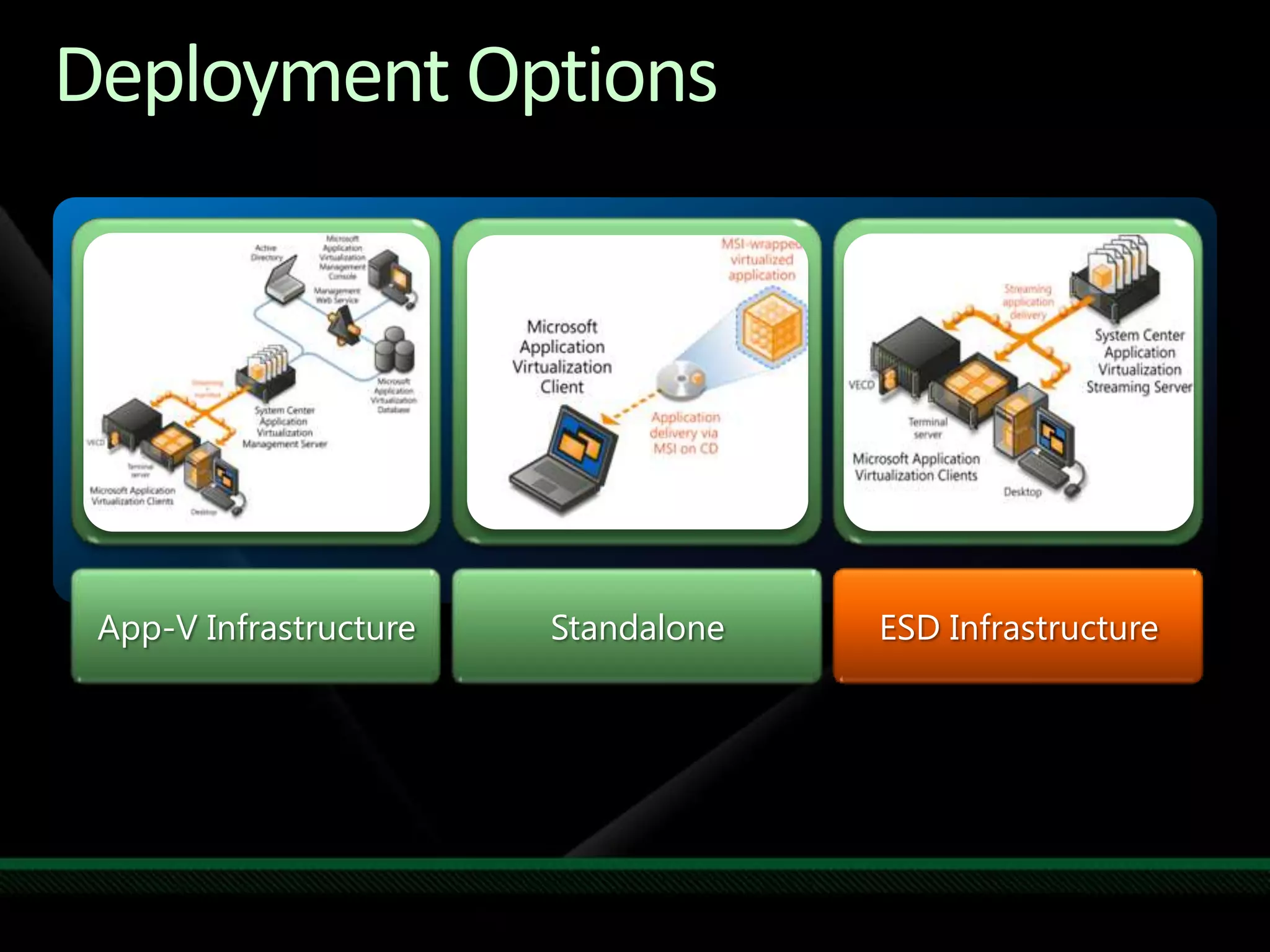
Deployment OptionsStandaloneESD InfrastructureApp-V Infrastructure
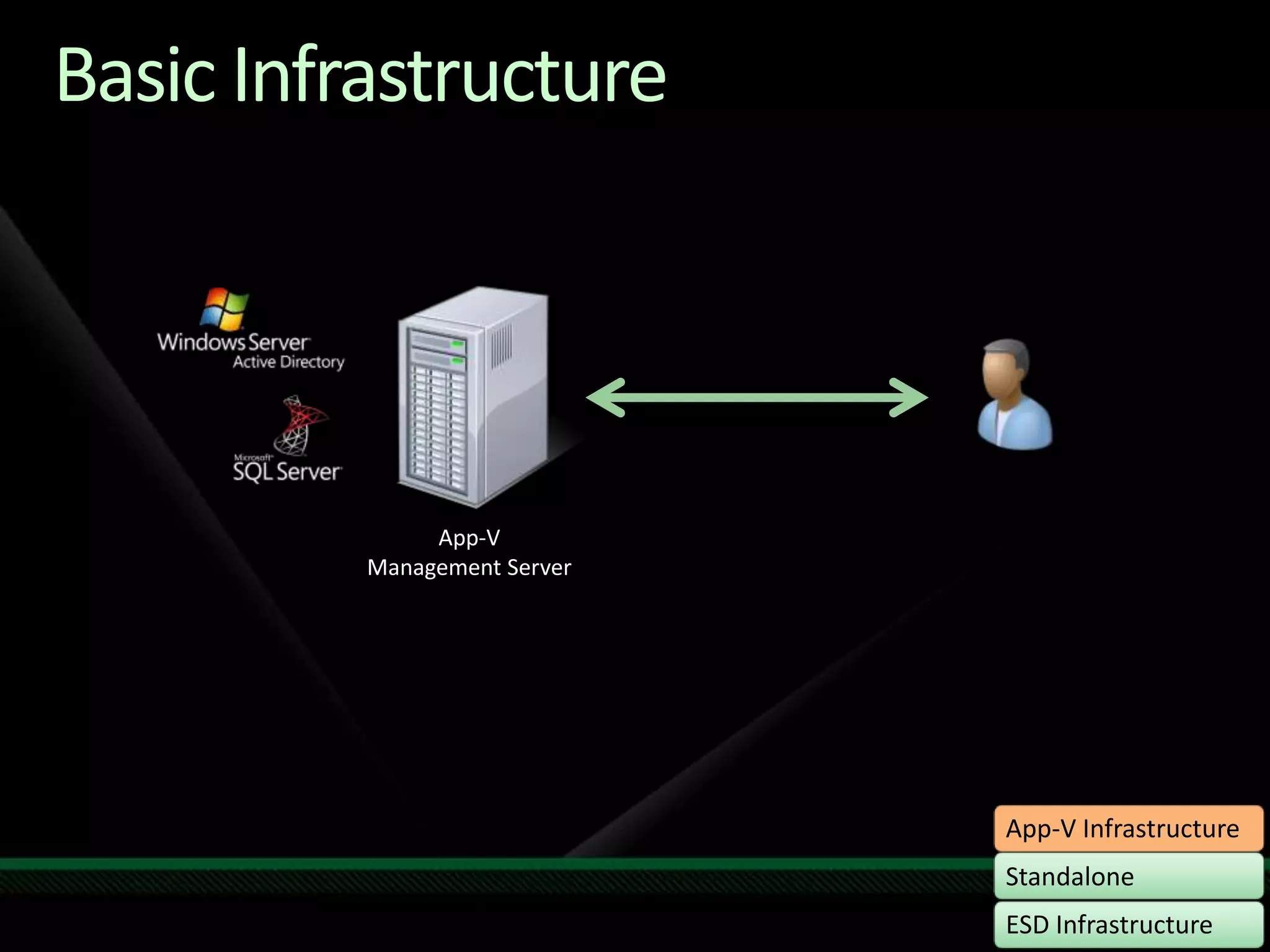
Basic InfrastructureApp-VManagement Server
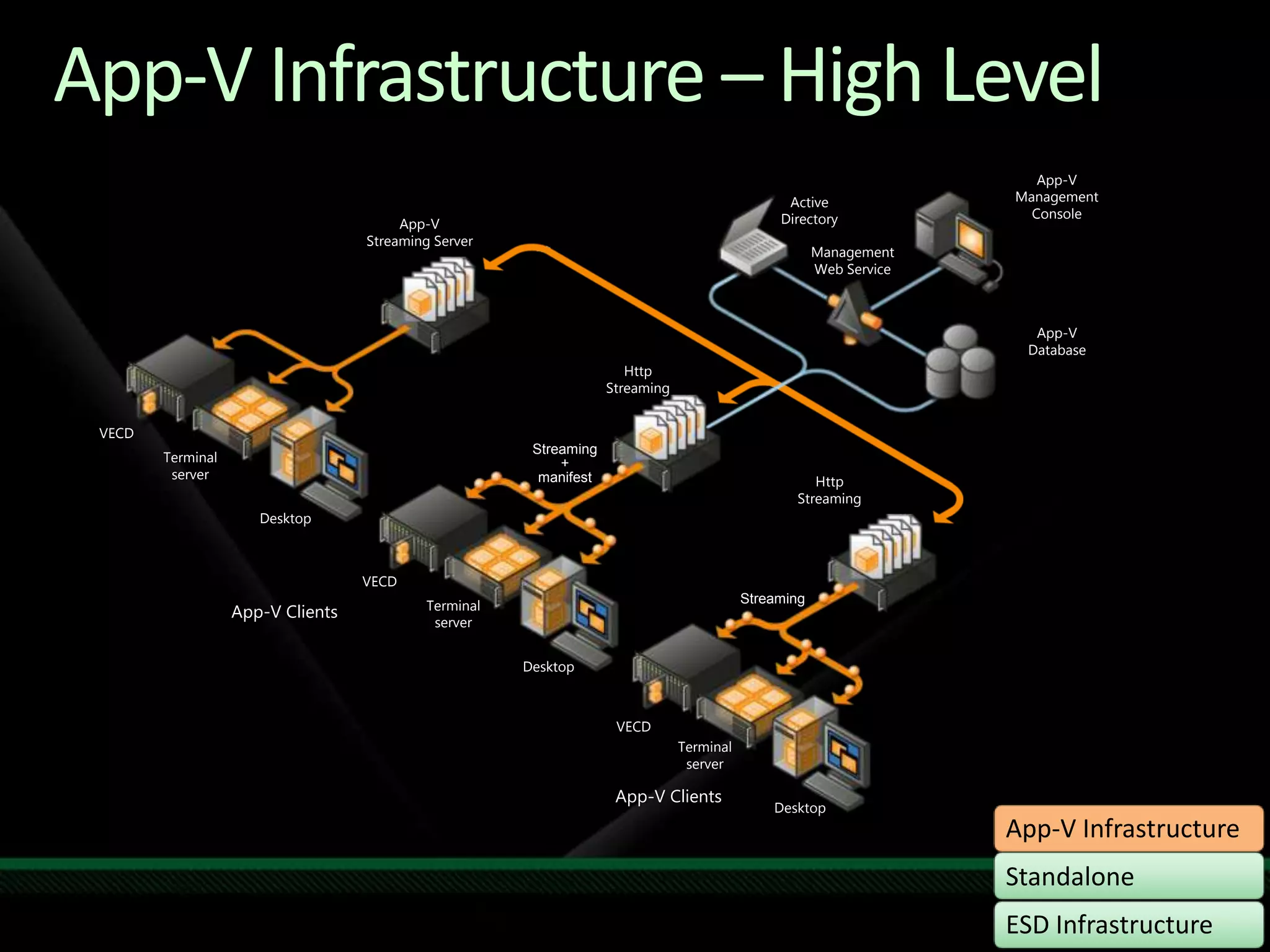
App-V Infrastructure – High LevelApp-V Management ConsoleActive DirectoryApp-V Streaming ServerManagement Web ServiceApp-VDatabaseHttp StreamingVECDStreaming+manifestTerminalserverHttp StreamingDesktopVECDStreamingTerminalserverApp-V ClientsDesktopVECDTerminalserverApp-V ClientsDesktop
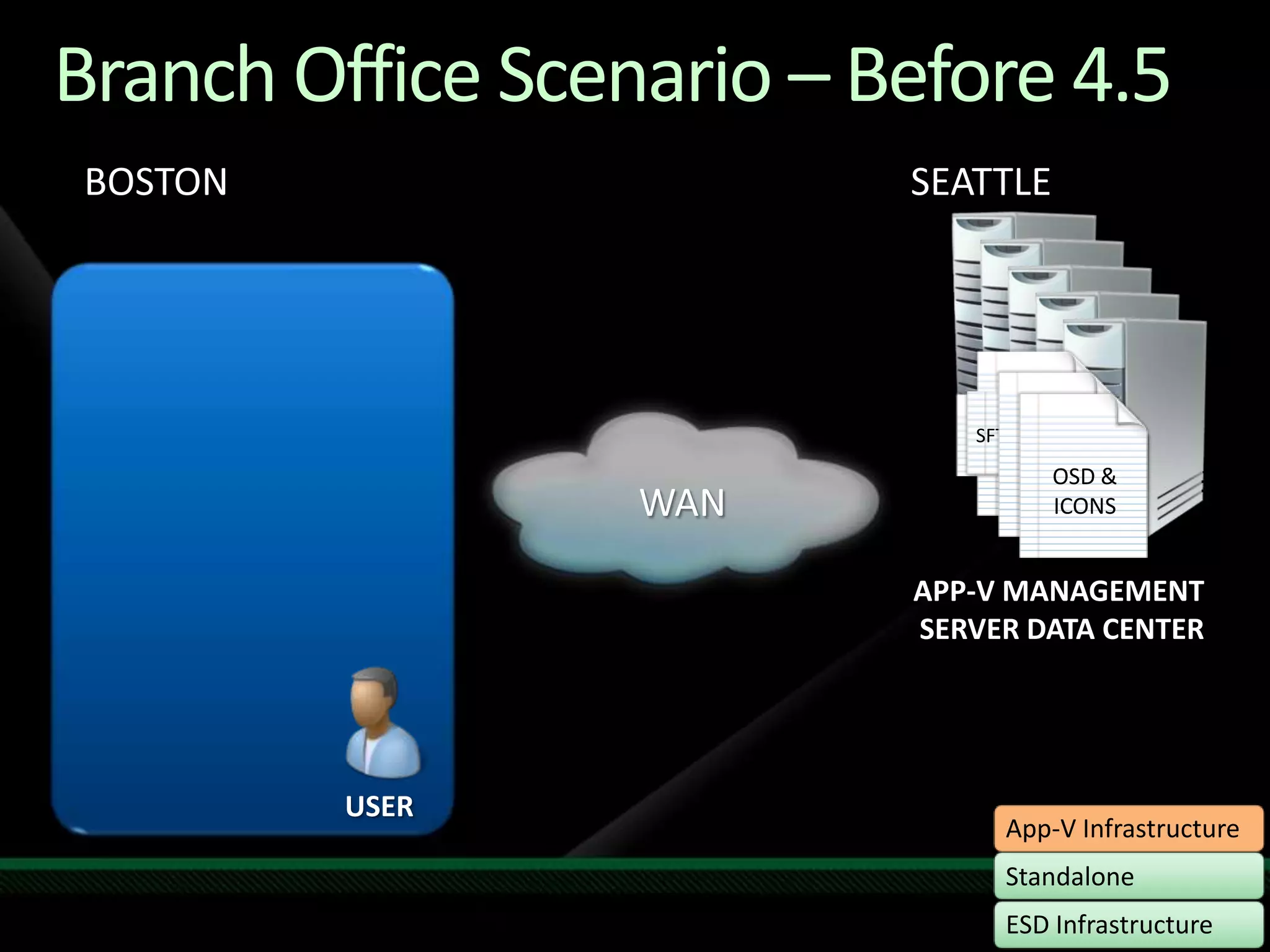
BOSTONBranch Office Scenario – Before 4.5SEATTLESFTSFTSFTSFTOSD & ICONSOSD & ICONSOSD & ICONSApplist.xmlWANAPP-V MANAGEMENT SERVER DATA CENTERUSER
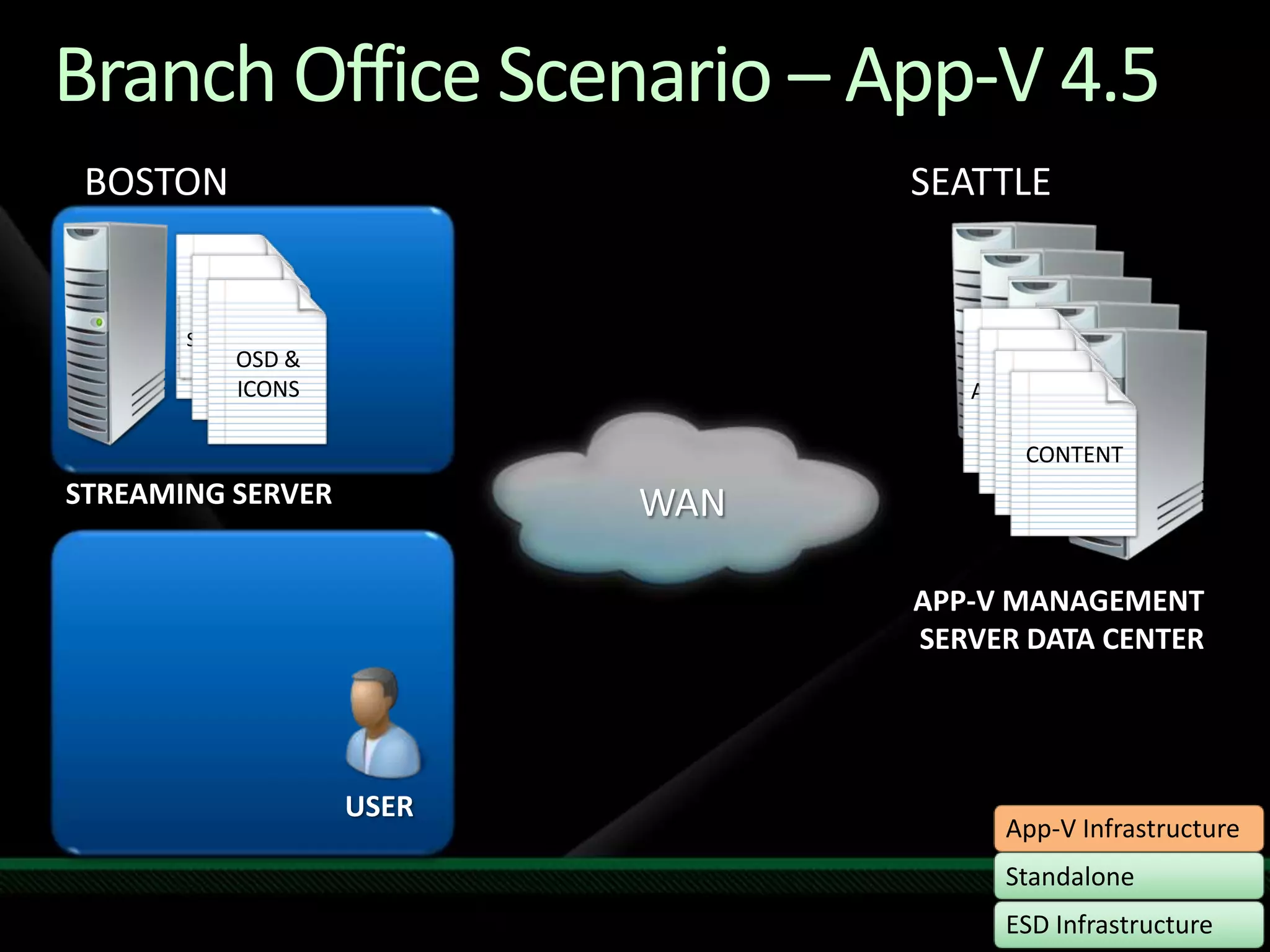
Branch Office Scenario – App-V 4.5BOSTONSEATTLESFTSFTSFTSFTOSD & ICONSOSD & ICONSOSD & ICONSApplist.xmlCONTENTCONTENTCONTENTSTREAMING SERVERWANAPP-V MANAGEMENT SERVER DATA CENTERUSER
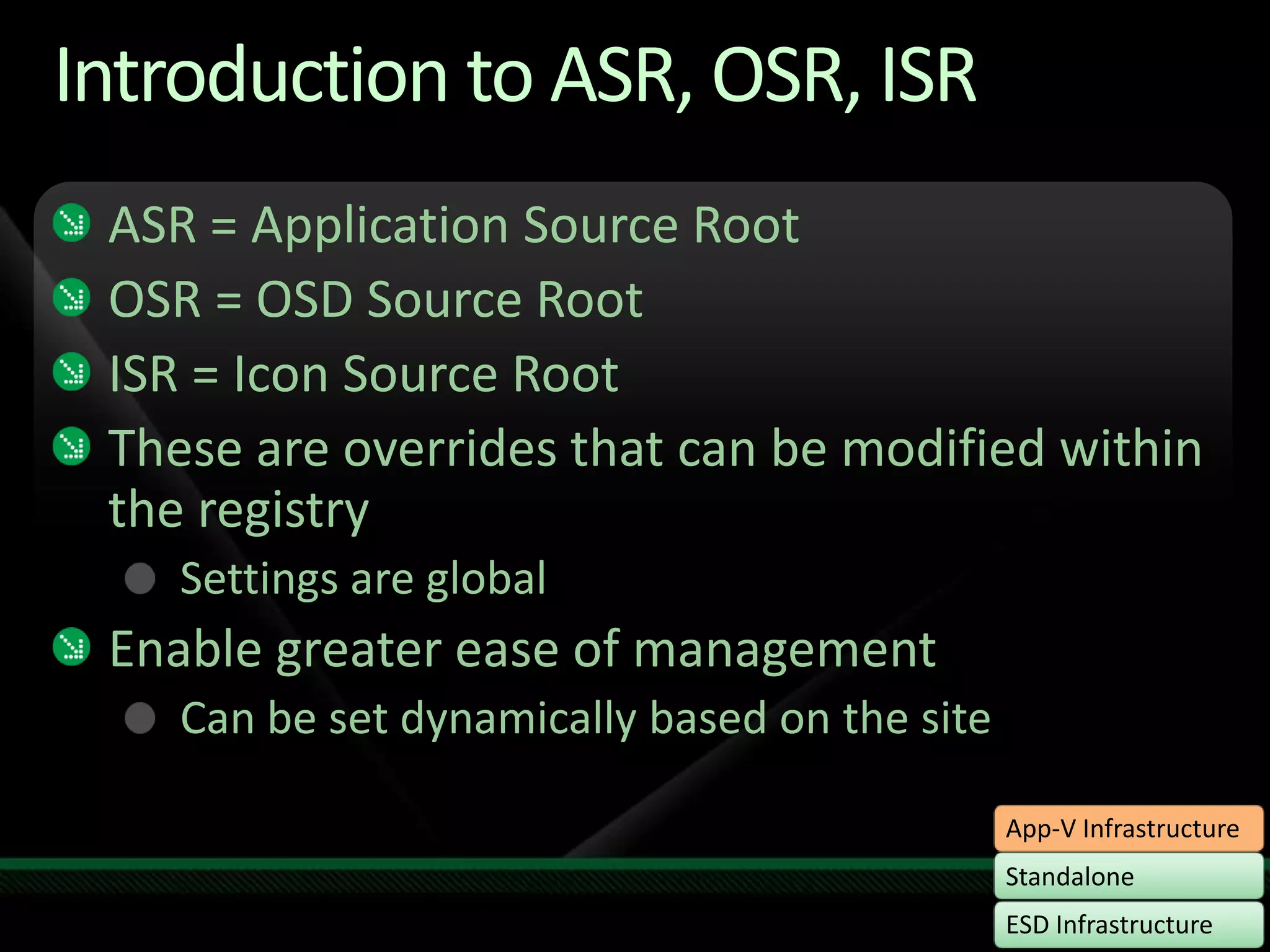
Introduction to ASR, OSR, ISRASR = Application Source Root  OSR = OSD Source RootISR = Icon Source RootThese are overrides that can be modified within the registrySettings are globalEnable greater ease of managementCan be set dynamically based on the site
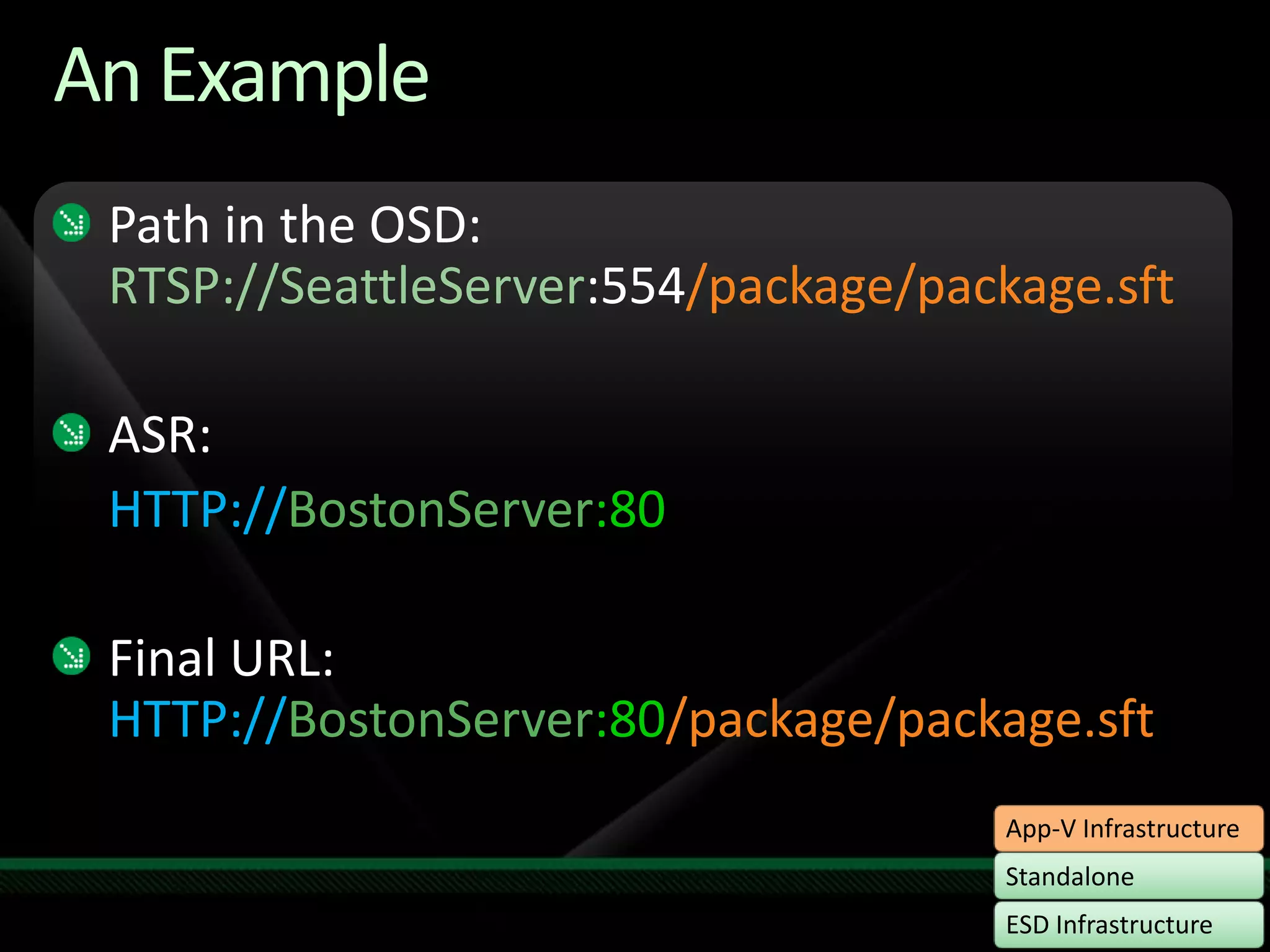
An ExamplePath in the OSD: RTSP://SeattleServer:554/package/package.sftASR: HTTP://BostonServer:80Final URL: HTTP://BostonServer:80/package/package.sft
ASR, OSR, ISRdemo
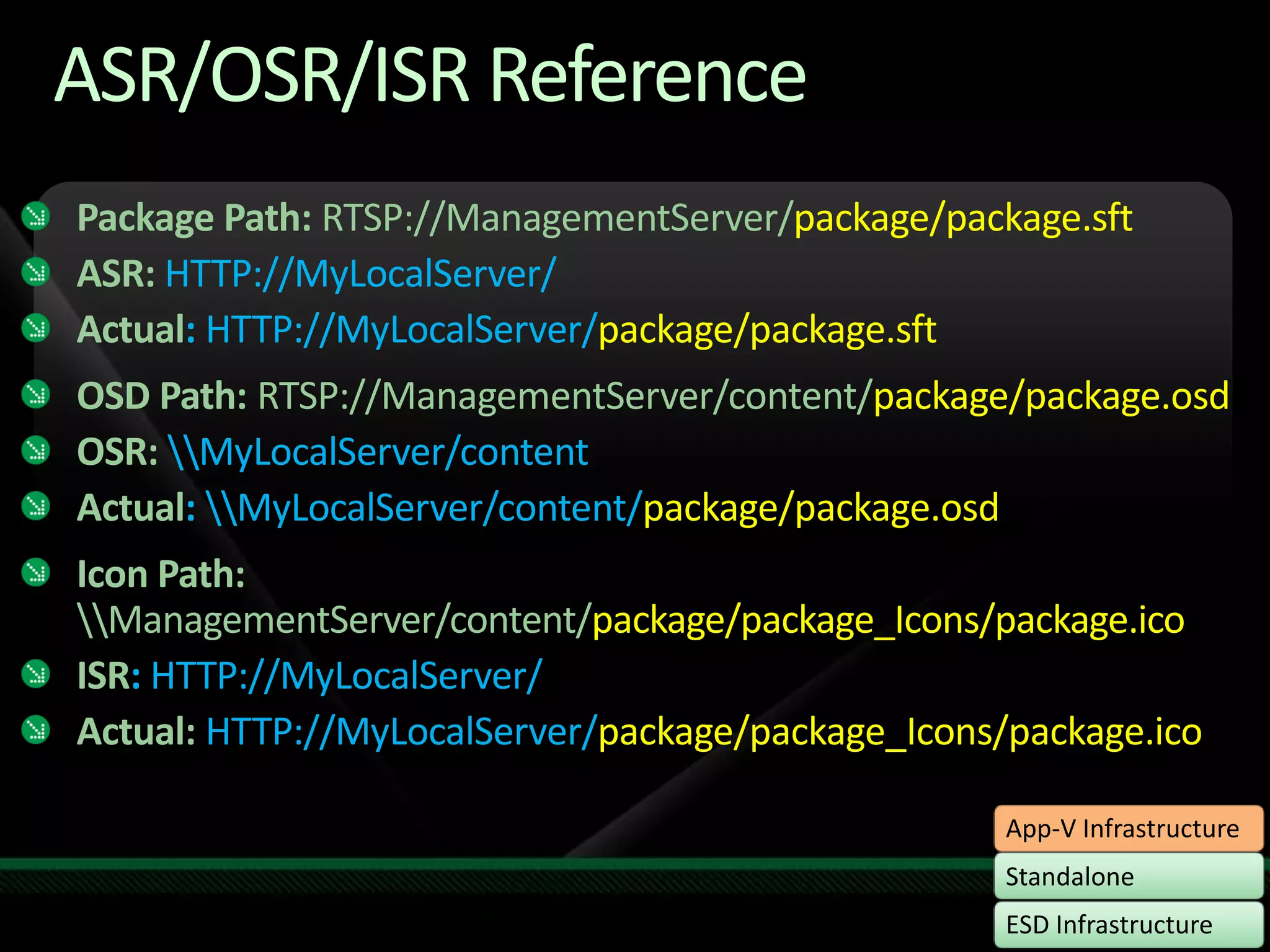
ASR/OSR/ISR ReferencePackage Path: RTSP://ManagementServer/package/package.sftASR:HTTP://MyLocalServer/Actual: HTTP://MyLocalServer/package/package.sftOSD Path:RTSP://ManagementServer/content/package/package.osdOSR: \\MyLocalServer/contentActual: \\MyLocalServer/content/package/package.osdIcon Path: \\ManagementServer/content/package/package_Icons/package.icoISR: HTTP://MyLocalServer/Actual: HTTP://MyLocalServer/package/package_Icons/package.ico
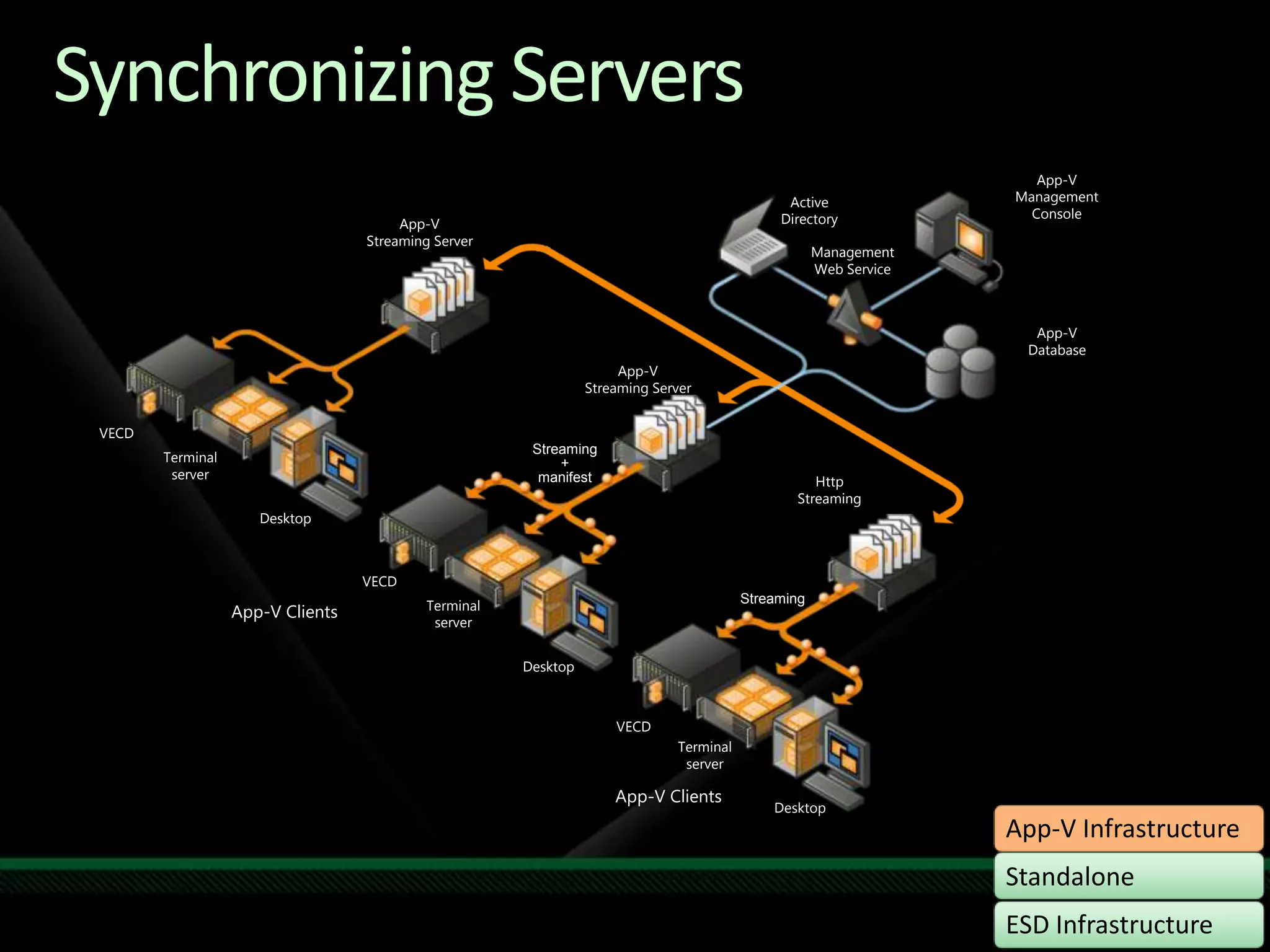
Synchronizing ServersApp-V Management ConsoleActive DirectoryApp-V Streaming ServerManagement Web ServiceApp-VDatabaseApp-V Streaming ServerVECDStreaming+manifestTerminalserverHttp StreamingDesktopVECDStreamingTerminalserverApp-V ClientsDesktopVECDTerminalserverApp-V ClientsDesktop
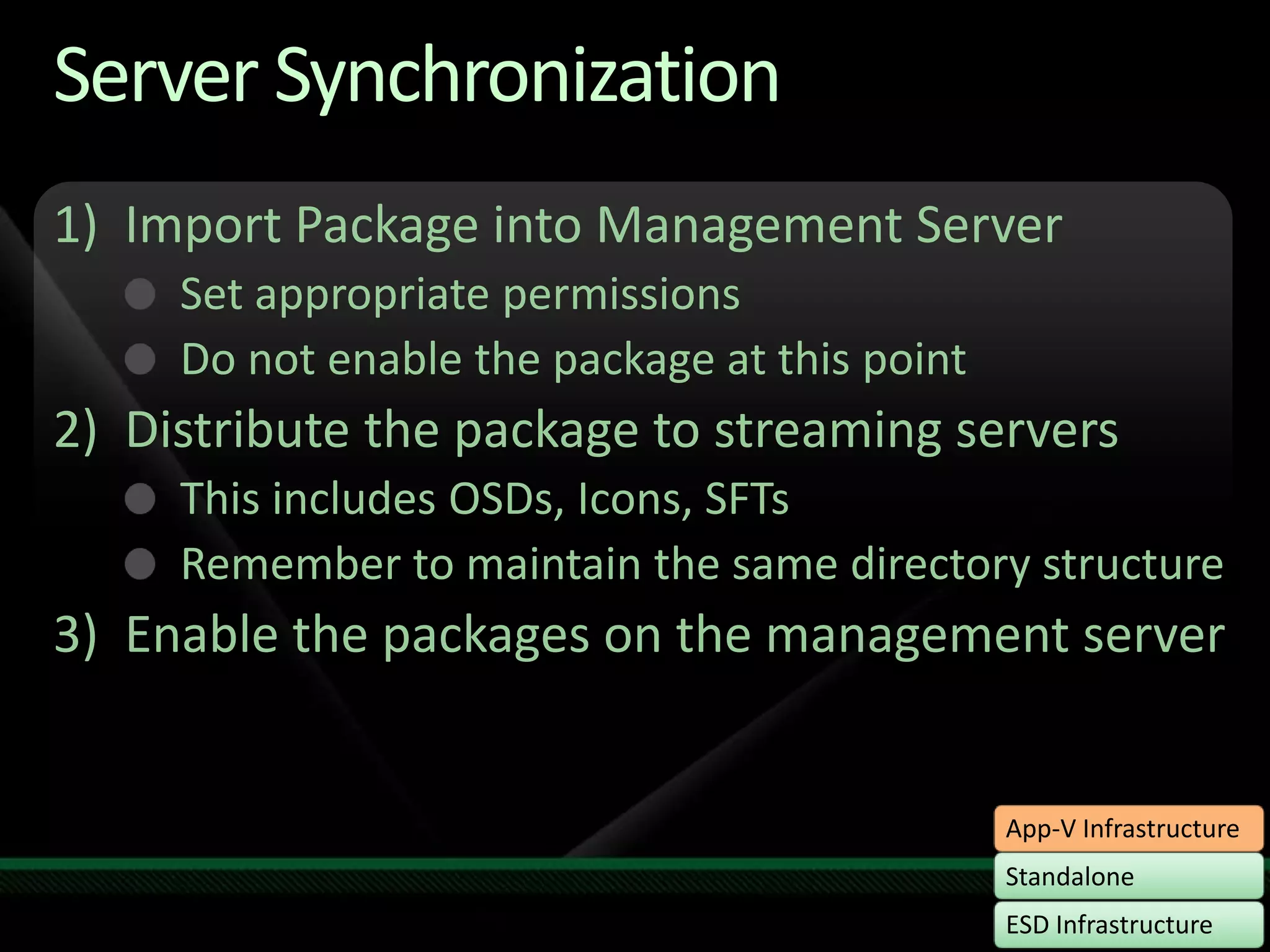
Server SynchronizationImport Package into Management ServerSet appropriate permissionsDo not enable the package at this pointDistribute the package to streaming serversThis includes OSDs, Icons, SFTsRemember to maintain the same directory structureEnable the packages on the management server
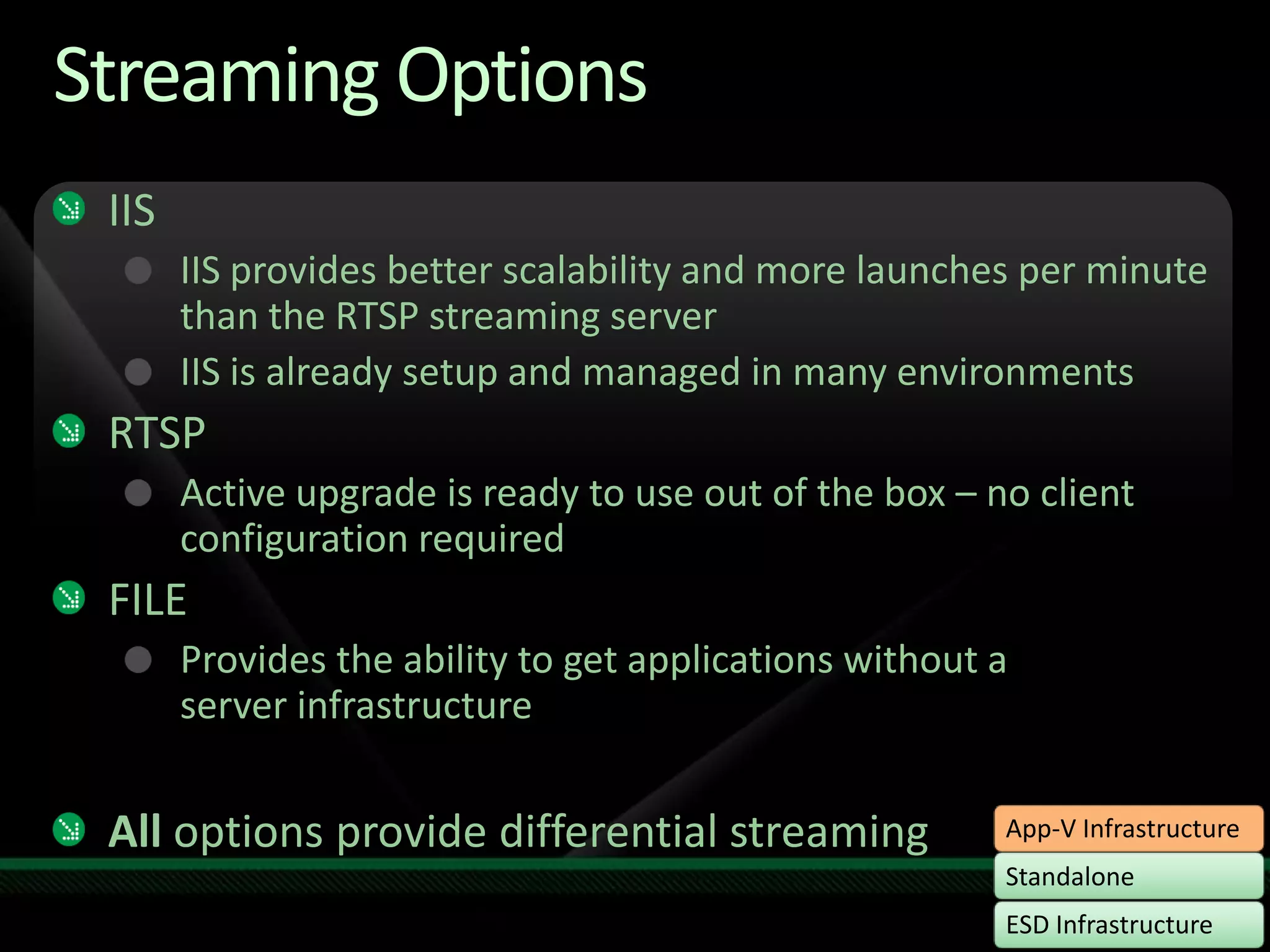
Streaming OptionsIISIIS provides better scalability and more launches per minute than the RTSP streaming serverIIS is already setup and managed in many environmentsRTSPActive upgrade is ready to use out of the box – no client configuration requiredFILEProvides the ability to get applications without a server infrastructureAll options provide differential streaming
Package Upgradedemo
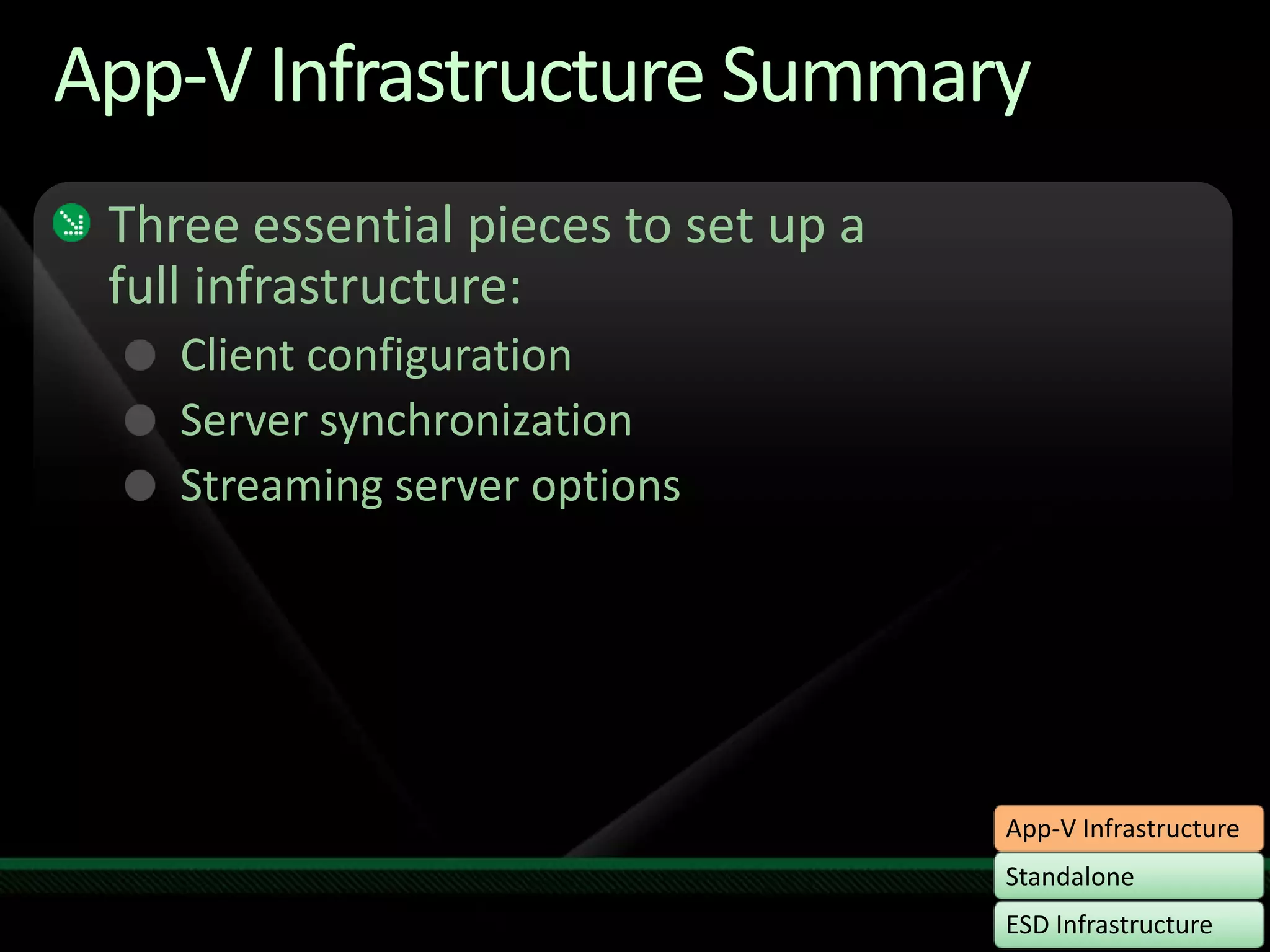
App-V Infrastructure SummaryThree essential pieces to set up a full infrastructure:Client configurationServer synchronizationStreaming server options
Deployment OptionsStandaloneESD InfrastructureApp-V Infrastructure
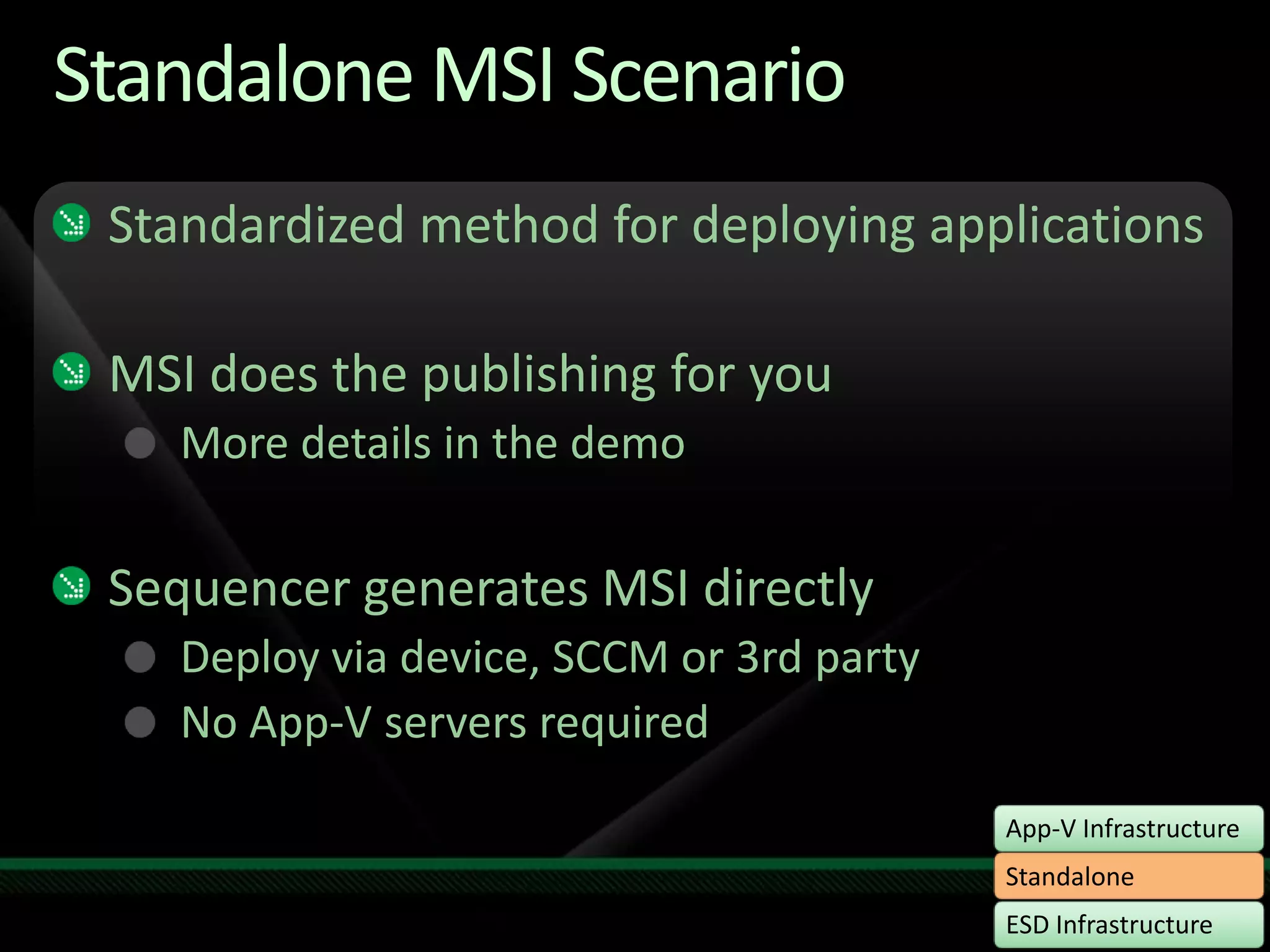
Standalone MSI ScenarioStandardized method for deploying applicationsMSI does the publishing for youMore details in the demoSequencer generates MSI directlyDeploy via device, SCCM or 3rd partyNo App-V servers required
Standalone MSIdemo
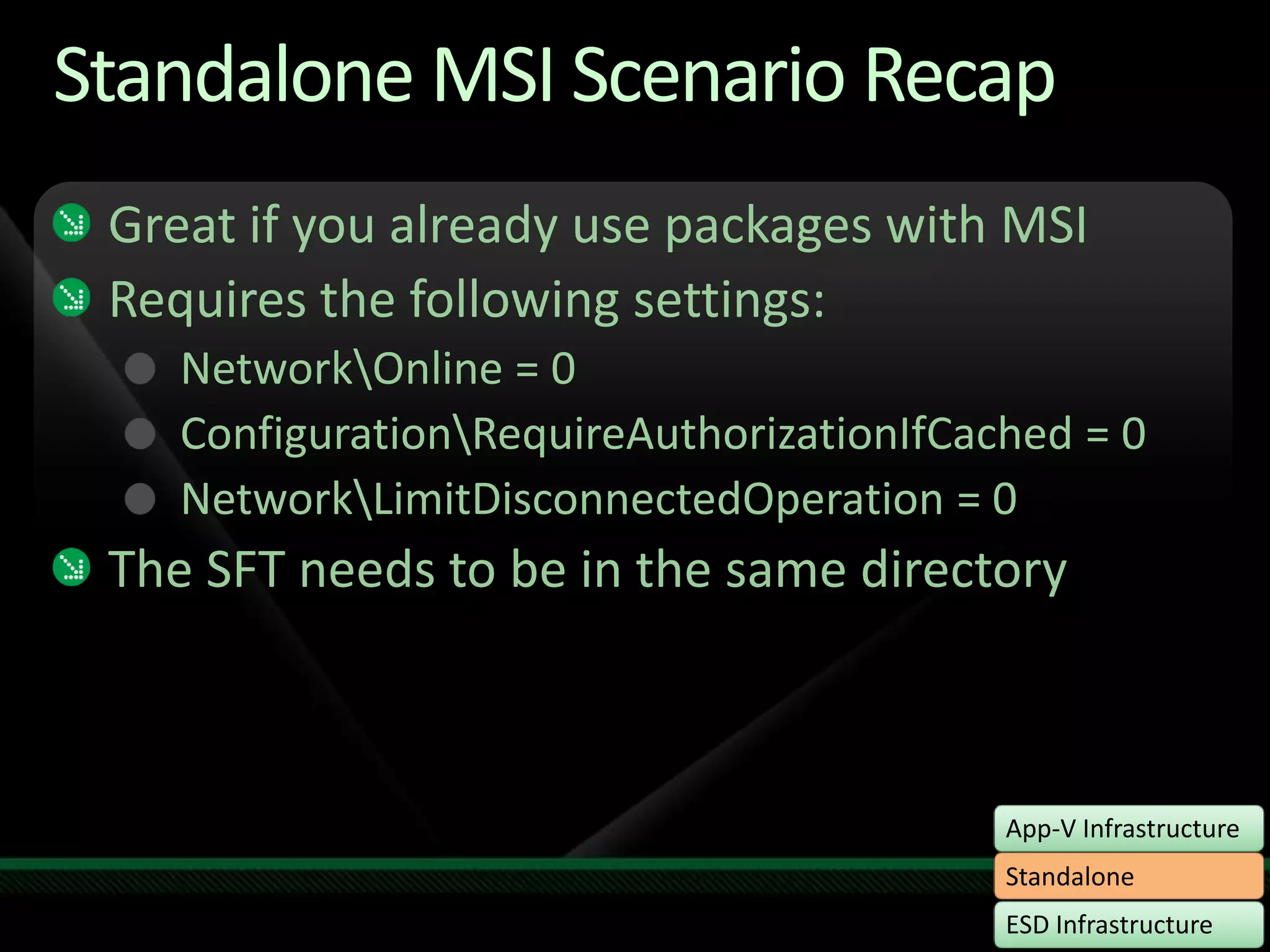
Standalone MSI Scenario RecapGreat if you already use packages with MSIRequires the following settings:Network\Online = 0Configuration\RequireAuthorizationIfCached = 0Network\LimitDisconnectedOperation = 0 The SFT needs to be in the same directory
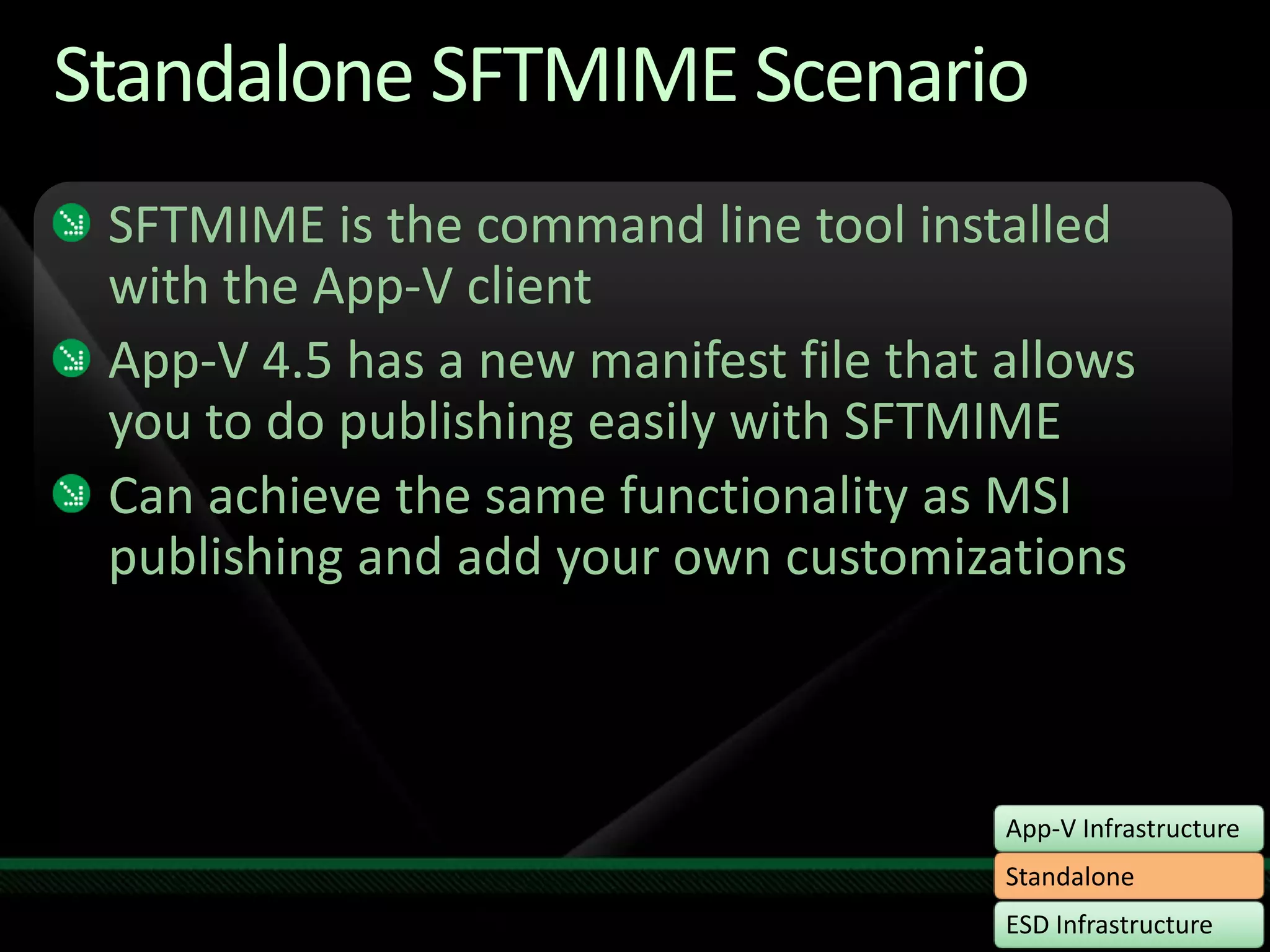
Standalone SFTMIME ScenarioSFTMIME is the command line tool installed with the App-V clientApp-V 4.5 has a new manifest file that allows you to do publishing easily with SFTMIMECan achieve the same functionality as MSI publishing and add your own customizations
Standalone without MSIdemo
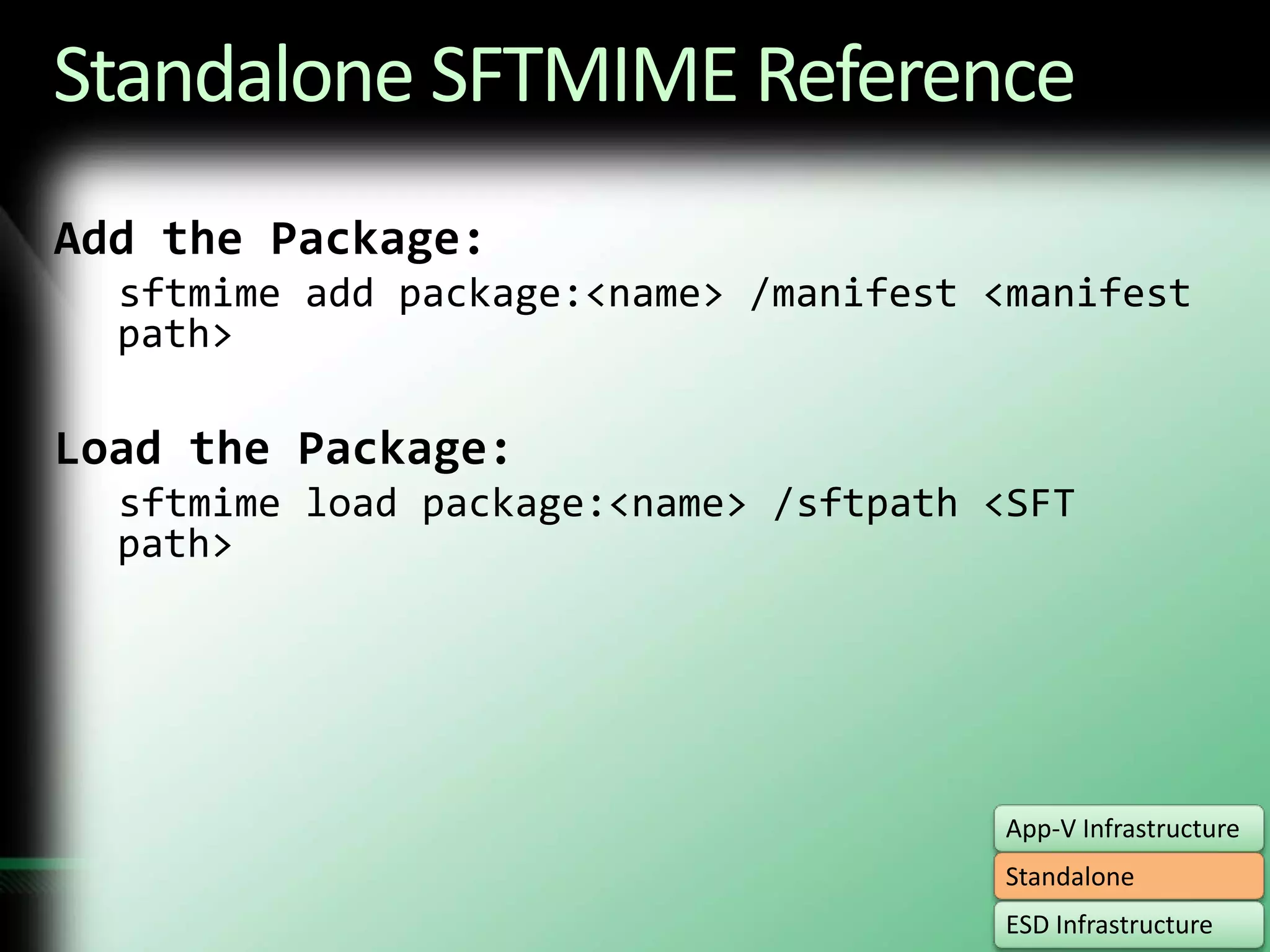
Standalone SFTMIME ReferenceAdd the Package:sftmime add package:<name> /manifest <manifest path>Load the Package:sftmime load package:<name> /sftpath <SFT path>
Standalone SFTMIME ReferenceThere are a lot of options:sftmime /help verb:<option>Some common options: Configure Delete Unload
Standalone SummaryThere are many ways to get apps to clientsMSI is the simplestSFTMIME is the most configurableAlways good to know for testing and troubleshooting
Deployment OptionsStandaloneESD InfrastructureApp-V Infrastructure
Application Virtualization in Configuration Manager R2Integrate Application Virtualization into System Center Configuration Manager 2007 R2New in ConfigMgr 2007 R2:Enables customers using ConfigMgr  to manage and deploy virtual applicationsClient roaming is supported so the client is always going to the “closest” serverMaintain the dynamic nature of Application virtualizationVersion checking, user-based targeting, streaming
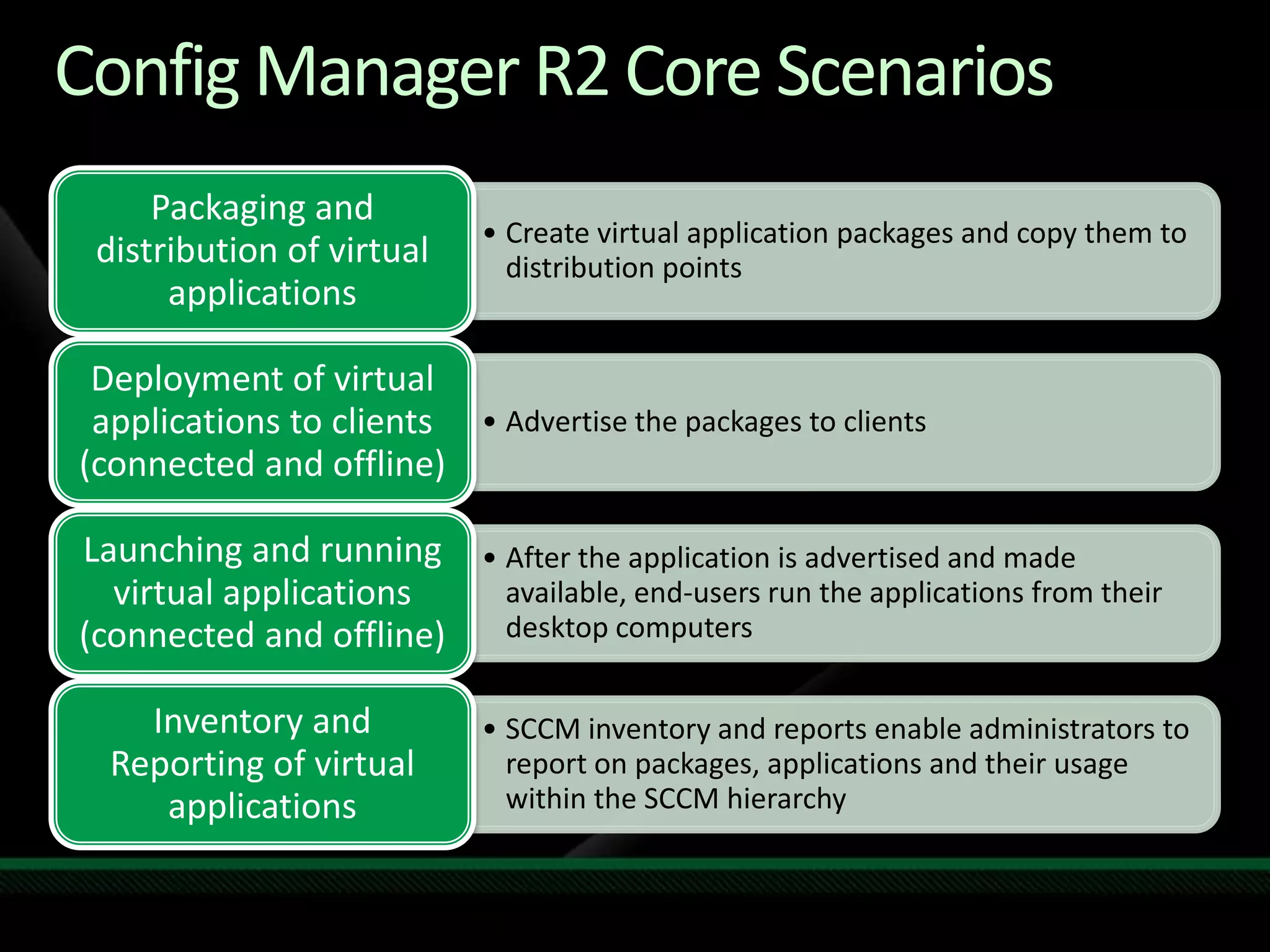
Config Manager R2 Core Scenarios
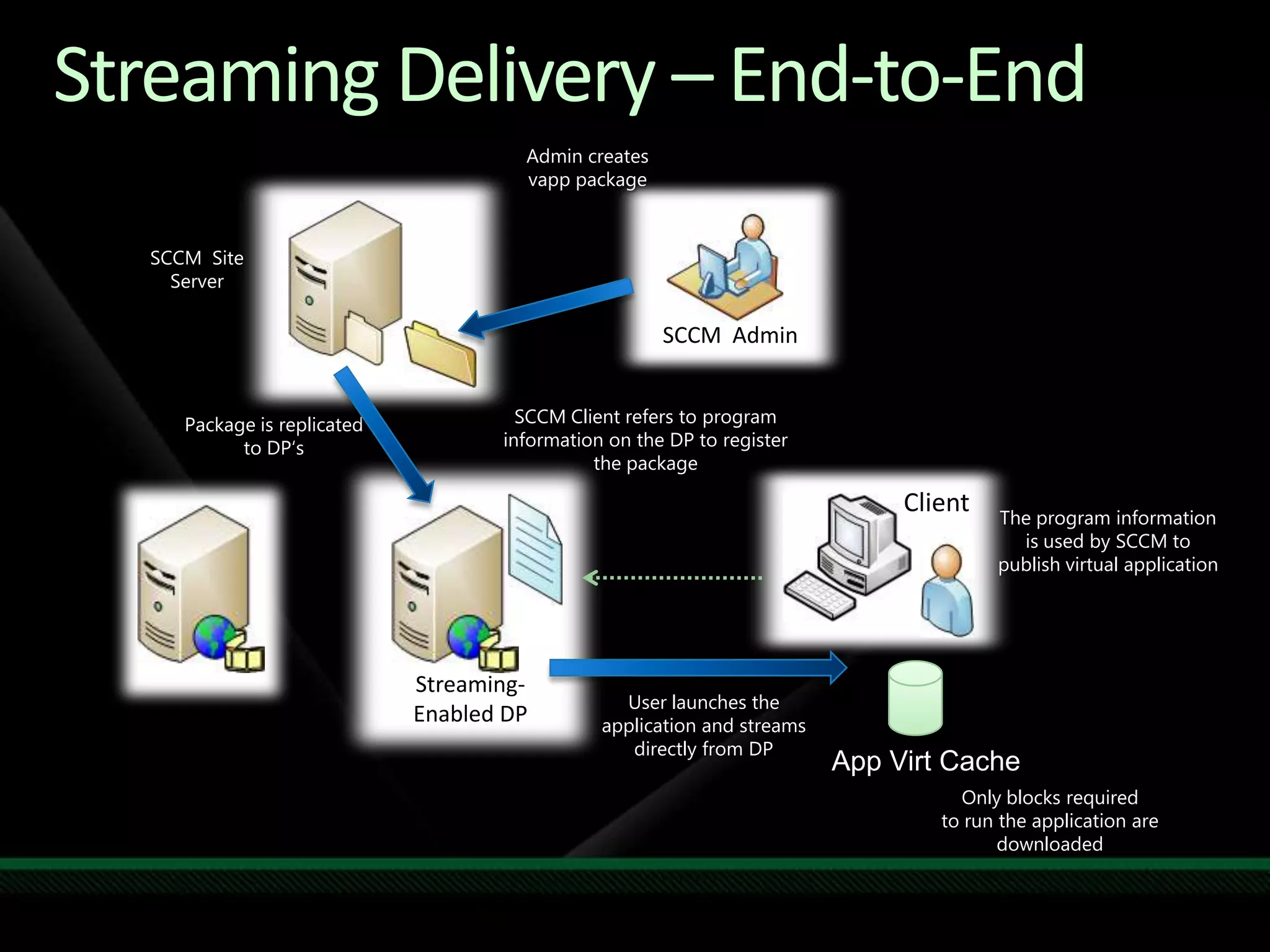
Streaming Delivery – End-to-EndAdmin creates vapp packageSCCM  Site ServerSCCM  AdminSCCM Client refers to program information on the DP to register the packagePackage is replicated to DP‘sClientThe program information is used by SCCM to publish virtual applicationStreaming-Enabled DPUser launches the application and streams directly from DPApp Virt CacheOnly blocks required to run the application are downloaded
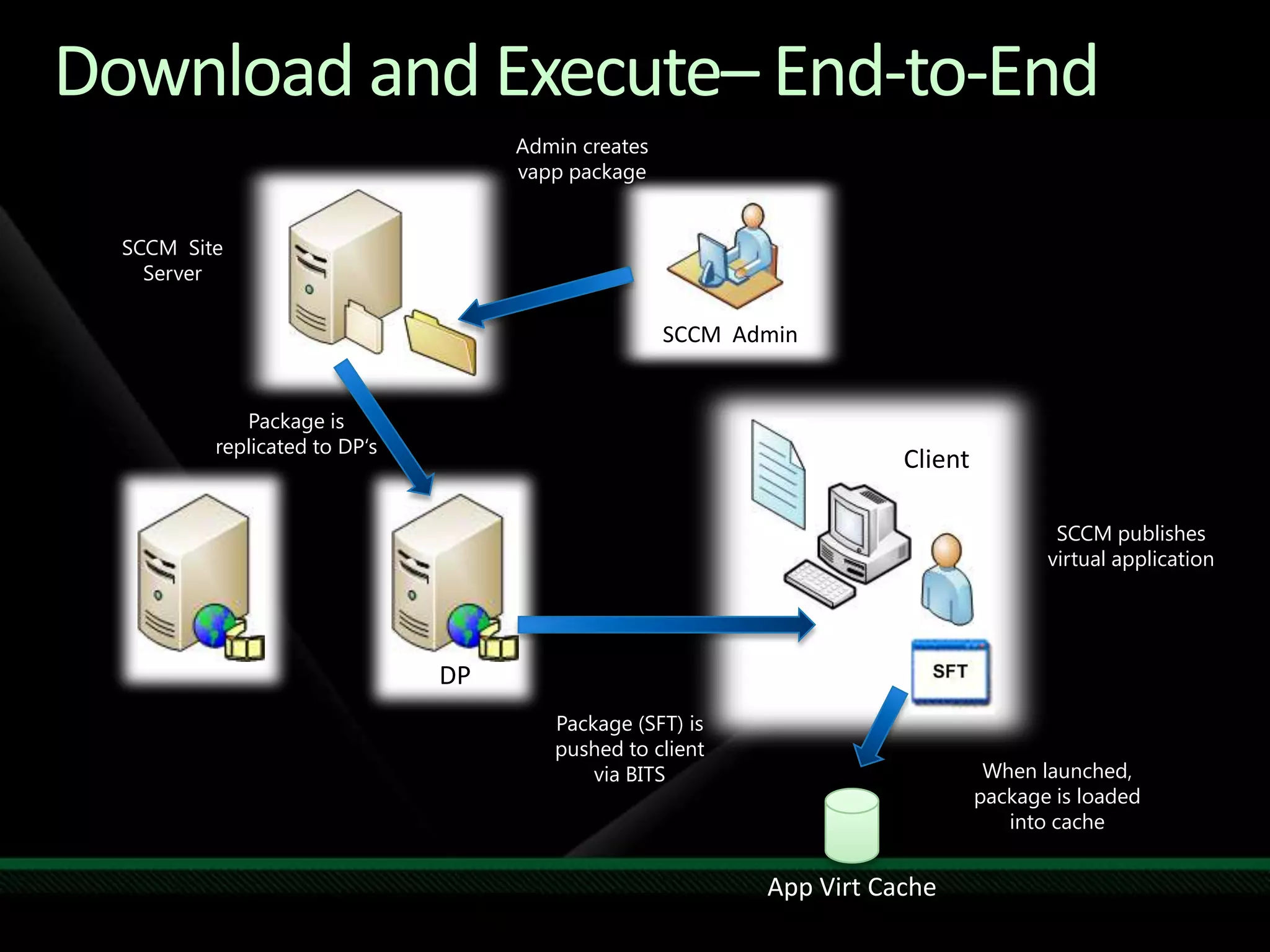
Download and Execute– End-to-EndAdmin creates vapp packageSCCM  Site ServerSCCM  AdminPackage is replicated to DP‘sClientSCCM publishes virtual applicationDPPackage (SFT) is pushed to client via BITSWhen launched, package is loaded into cacheApp Virt Cache
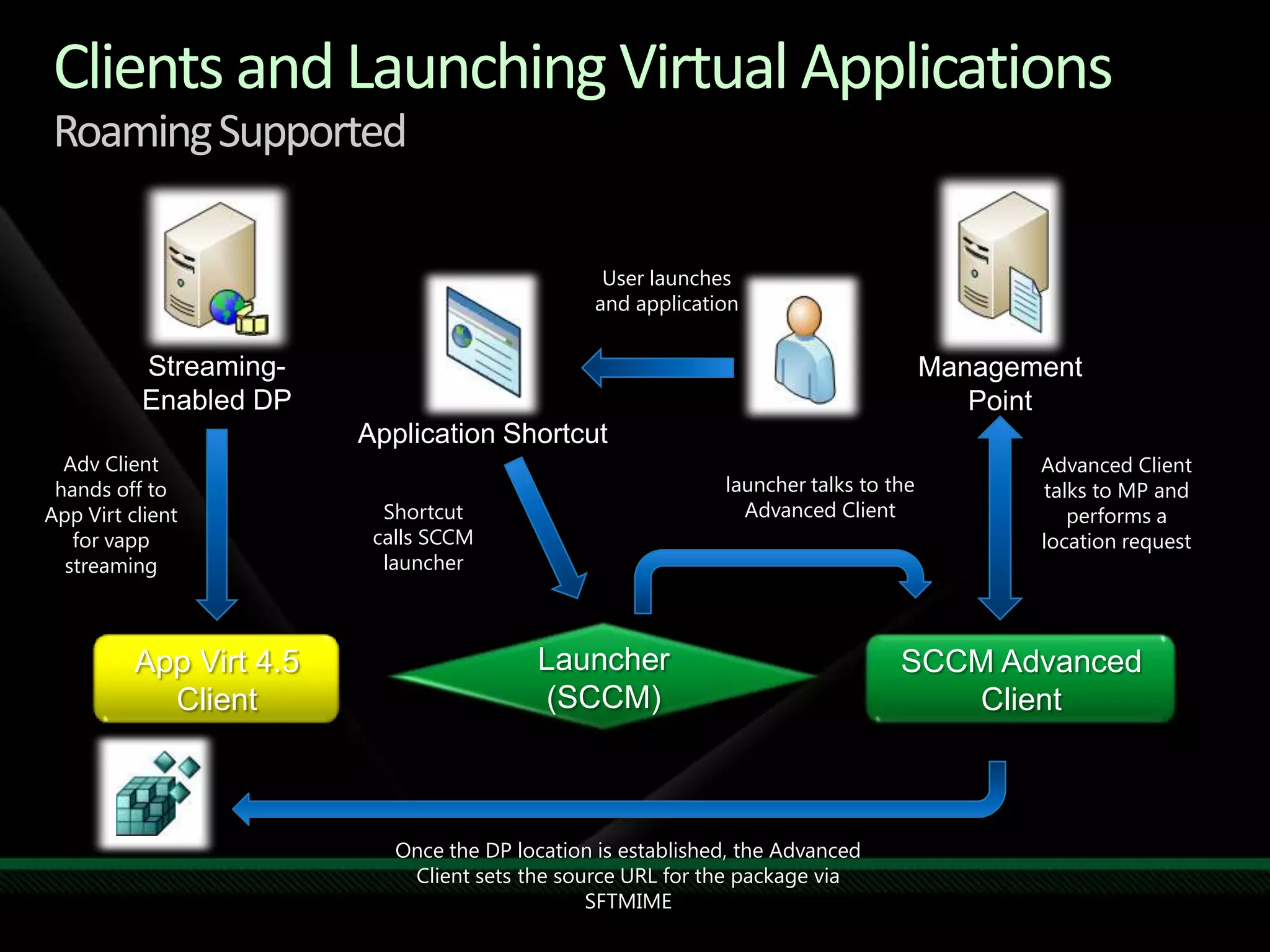
Clients and Launching Virtual ApplicationsRoaming SupportedUser launches and applicationStreaming-Enabled DPManagement PointApplication ShortcutAdv Client hands off to App Virt client for vapp streamingAdvanced Client talks to MP and performs a location requestlauncher talks to the Advanced ClientShortcut calls SCCM launcherLauncher  (SCCM)App Virt 4.5 ClientSCCM Advanced ClientOnce the DP location is established, the Advanced Client sets the source URL for the package via SFTMIME
Where to Find More InformationDocumentation for App-V 4.5 on Technethttp://technet.microsoft.com/en-us/library/cc843848.aspxWhite Papershttp://technet.microsoft.com/en-us/appvirtualization/cc843994.aspxDocumentation feedbackPublic email alias (appvdocs@microsoft.com ) App-V Forums on Technethttp://social.technet.microsoft.com/Forums/en-US/category/appvirtualization
question & answer
Required SlideSpeakers, TechEd 2009 is not producing a DVD. Please announce that attendees can access session recordings at TechEd Online. www.microsoft.com/techedSessions On-Demand & Communitywww.microsoft.com/learningMicrosoft Certification & Training Resourceshttp://microsoft.com/technetResources for IT Professionalshttp://microsoft.com/msdnResources for DevelopersResources
Related ContentToday from 12:20 – 1300	CLI02-DEMO:  Windows Optimized Desktop Solutions DemoTomorrow from 9:00 – 10:15CLI03-IS: Microsoft Application Virtualization DiscussionTomorrow from 12:20 – 13:30CLI04-DEMO: Application Virtualization: The Future of Application 	Management and DeploymentFriday from 10:45 – 1200CLI403: Microsoft Desktop Optimization Pack: Microsoft Application 	Virtualization 4.5 Sequencing Deep DiveRequired SlideSpeakers, please list the Breakout Sessions, TLC Interactive Theaters and Labs that are related to your session.
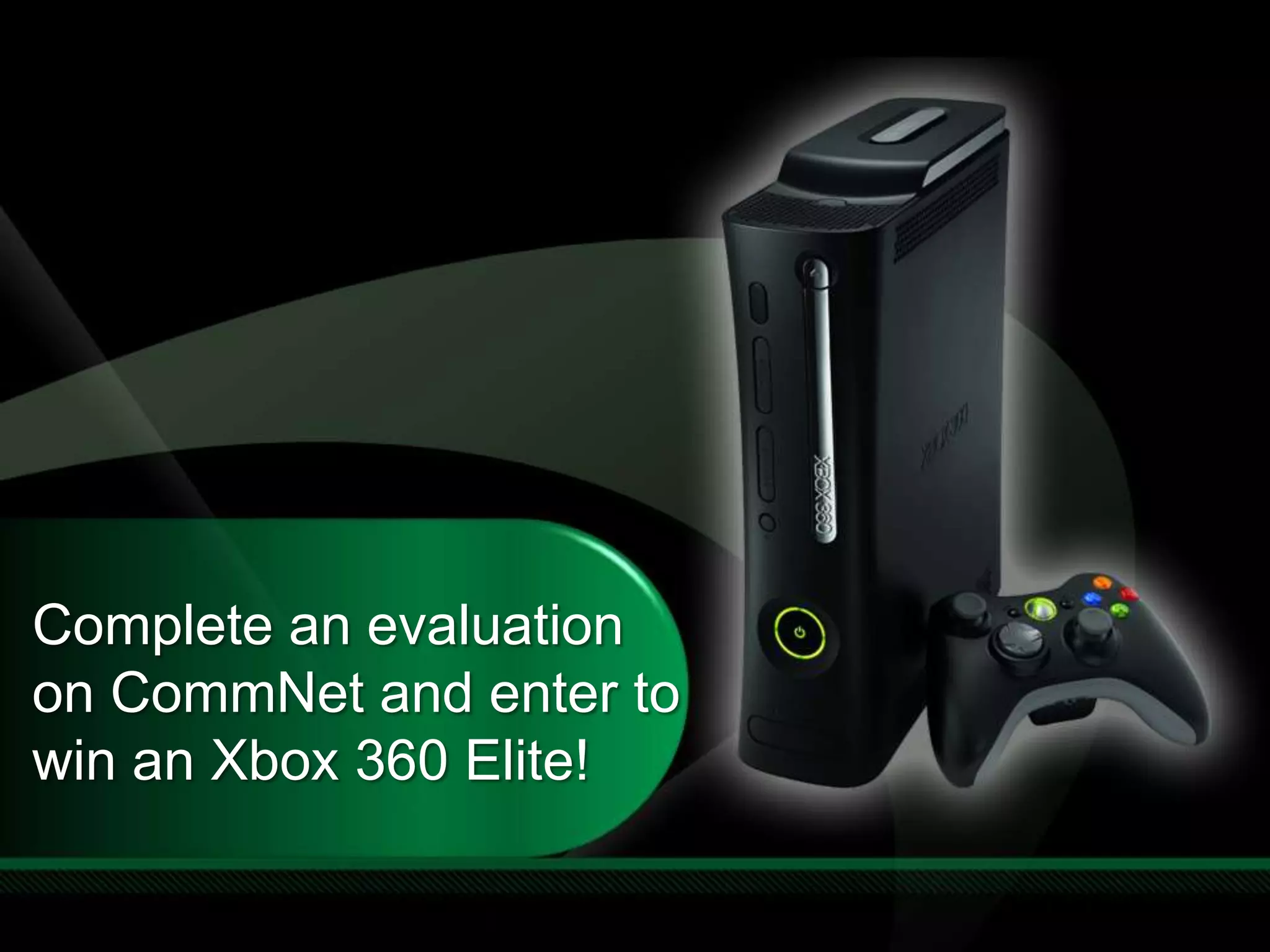
Complete an evaluation on CommNet and enter to win an Xbox 360 Elite!
Required Slide© 2009 Microsoft Corporation. All rights reserved. Microsoft, Windows, Windows Vista and other product names are or may be registered trademarks and/or trademarks in the U.S. and/or other countries.The information herein is for informational purposes only and represents the current view of Microsoft Corporation as of the date of this presentation.  Because Microsoft must respond to changing market conditions, it should not be interpreted to be a commitment on the part of Microsoft, and Microsoft cannot guarantee the accuracy of any information provided after the date of this presentation.  MICROSOFT MAKES NO WARRANTIES, EXPRESS, IMPLIED OR STATUTORY, AS TO THE INFORMATION IN THIS PRESENTATION.

CLI319 Microsoft Desktop Optimization Pack: Planning the Deployment of Microsoft Application Virtualization 4.5

  • 2.
    MDOP: Planning theDeployment of Microsoft Application Virtualization 4.5Bill MoreinLead Program ManagerMicrosoft CorporationSession Code: CLI319
  • 3.
  • 4.
  • 5.
  • 6.
    App-V Infrastructure –High LevelApp-V Management ConsoleActive DirectoryApp-V Streaming ServerManagement Web ServiceApp-VDatabaseHttp StreamingVECDStreaming+manifestTerminalserverHttp StreamingDesktopVECDStreamingTerminalserverApp-V ClientsDesktopVECDTerminalserverApp-V ClientsDesktop
  • 7.
    BOSTONBranch Office Scenario– Before 4.5SEATTLESFTSFTSFTSFTOSD & ICONSOSD & ICONSOSD & ICONSApplist.xmlWANAPP-V MANAGEMENT SERVER DATA CENTERUSER
  • 8.
    Branch Office Scenario– App-V 4.5BOSTONSEATTLESFTSFTSFTSFTOSD & ICONSOSD & ICONSOSD & ICONSApplist.xmlCONTENTCONTENTCONTENTSTREAMING SERVERWANAPP-V MANAGEMENT SERVER DATA CENTERUSER
  • 9.
    Introduction to ASR,OSR, ISRASR = Application Source Root OSR = OSD Source RootISR = Icon Source RootThese are overrides that can be modified within the registrySettings are globalEnable greater ease of managementCan be set dynamically based on the site
  • 10.
    An ExamplePath inthe OSD: RTSP://SeattleServer:554/package/package.sftASR: HTTP://BostonServer:80Final URL: HTTP://BostonServer:80/package/package.sft
  • 11.
  • 12.
    ASR/OSR/ISR ReferencePackage Path:RTSP://ManagementServer/package/package.sftASR:HTTP://MyLocalServer/Actual: HTTP://MyLocalServer/package/package.sftOSD Path:RTSP://ManagementServer/content/package/package.osdOSR: \\MyLocalServer/contentActual: \\MyLocalServer/content/package/package.osdIcon Path: \\ManagementServer/content/package/package_Icons/package.icoISR: HTTP://MyLocalServer/Actual: HTTP://MyLocalServer/package/package_Icons/package.ico
  • 13.
    Synchronizing ServersApp-V ManagementConsoleActive DirectoryApp-V Streaming ServerManagement Web ServiceApp-VDatabaseApp-V Streaming ServerVECDStreaming+manifestTerminalserverHttp StreamingDesktopVECDStreamingTerminalserverApp-V ClientsDesktopVECDTerminalserverApp-V ClientsDesktop
  • 14.
    Server SynchronizationImport Packageinto Management ServerSet appropriate permissionsDo not enable the package at this pointDistribute the package to streaming serversThis includes OSDs, Icons, SFTsRemember to maintain the same directory structureEnable the packages on the management server
  • 15.
    Streaming OptionsIISIIS providesbetter scalability and more launches per minute than the RTSP streaming serverIIS is already setup and managed in many environmentsRTSPActive upgrade is ready to use out of the box – no client configuration requiredFILEProvides the ability to get applications without a server infrastructureAll options provide differential streaming
  • 16.
  • 17.
    App-V Infrastructure SummaryThreeessential pieces to set up a full infrastructure:Client configurationServer synchronizationStreaming server options
  • 18.
  • 19.
    Standalone MSI ScenarioStandardizedmethod for deploying applicationsMSI does the publishing for youMore details in the demoSequencer generates MSI directlyDeploy via device, SCCM or 3rd partyNo App-V servers required
  • 20.
  • 21.
    Standalone MSI ScenarioRecapGreat if you already use packages with MSIRequires the following settings:Network\Online = 0Configuration\RequireAuthorizationIfCached = 0Network\LimitDisconnectedOperation = 0 The SFT needs to be in the same directory
  • 22.
    Standalone SFTMIME ScenarioSFTMIMEis the command line tool installed with the App-V clientApp-V 4.5 has a new manifest file that allows you to do publishing easily with SFTMIMECan achieve the same functionality as MSI publishing and add your own customizations
  • 23.
  • 24.
    Standalone SFTMIME ReferenceAddthe Package:sftmime add package:<name> /manifest <manifest path>Load the Package:sftmime load package:<name> /sftpath <SFT path>
  • 25.
    Standalone SFTMIME ReferenceThereare a lot of options:sftmime /help verb:<option>Some common options: Configure Delete Unload
  • 26.
    Standalone SummaryThere aremany ways to get apps to clientsMSI is the simplestSFTMIME is the most configurableAlways good to know for testing and troubleshooting
  • 27.
  • 28.
    Application Virtualization inConfiguration Manager R2Integrate Application Virtualization into System Center Configuration Manager 2007 R2New in ConfigMgr 2007 R2:Enables customers using ConfigMgr to manage and deploy virtual applicationsClient roaming is supported so the client is always going to the “closest” serverMaintain the dynamic nature of Application virtualizationVersion checking, user-based targeting, streaming
  • 29.
    Config Manager R2Core Scenarios
  • 30.
    Streaming Delivery –End-to-EndAdmin creates vapp packageSCCM Site ServerSCCM AdminSCCM Client refers to program information on the DP to register the packagePackage is replicated to DP‘sClientThe program information is used by SCCM to publish virtual applicationStreaming-Enabled DPUser launches the application and streams directly from DPApp Virt CacheOnly blocks required to run the application are downloaded
  • 31.
    Download and Execute–End-to-EndAdmin creates vapp packageSCCM Site ServerSCCM AdminPackage is replicated to DP‘sClientSCCM publishes virtual applicationDPPackage (SFT) is pushed to client via BITSWhen launched, package is loaded into cacheApp Virt Cache
  • 32.
    Clients and LaunchingVirtual ApplicationsRoaming SupportedUser launches and applicationStreaming-Enabled DPManagement PointApplication ShortcutAdv Client hands off to App Virt client for vapp streamingAdvanced Client talks to MP and performs a location requestlauncher talks to the Advanced ClientShortcut calls SCCM launcherLauncher (SCCM)App Virt 4.5 ClientSCCM Advanced ClientOnce the DP location is established, the Advanced Client sets the source URL for the package via SFTMIME
  • 33.
    Where to FindMore InformationDocumentation for App-V 4.5 on Technethttp://technet.microsoft.com/en-us/library/cc843848.aspxWhite Papershttp://technet.microsoft.com/en-us/appvirtualization/cc843994.aspxDocumentation feedbackPublic email alias (appvdocs@microsoft.com ) App-V Forums on Technethttp://social.technet.microsoft.com/Forums/en-US/category/appvirtualization
  • 34.
  • 35.
    Required SlideSpeakers, TechEd2009 is not producing a DVD. Please announce that attendees can access session recordings at TechEd Online. www.microsoft.com/techedSessions On-Demand & Communitywww.microsoft.com/learningMicrosoft Certification & Training Resourceshttp://microsoft.com/technetResources for IT Professionalshttp://microsoft.com/msdnResources for DevelopersResources
  • 36.
    Related ContentToday from12:20 – 1300 CLI02-DEMO:  Windows Optimized Desktop Solutions DemoTomorrow from 9:00 – 10:15CLI03-IS: Microsoft Application Virtualization DiscussionTomorrow from 12:20 – 13:30CLI04-DEMO: Application Virtualization: The Future of Application Management and DeploymentFriday from 10:45 – 1200CLI403: Microsoft Desktop Optimization Pack: Microsoft Application Virtualization 4.5 Sequencing Deep DiveRequired SlideSpeakers, please list the Breakout Sessions, TLC Interactive Theaters and Labs that are related to your session.
  • 37.
    Complete an evaluationon CommNet and enter to win an Xbox 360 Elite!
  • 38.
    Required Slide© 2009Microsoft Corporation. All rights reserved. Microsoft, Windows, Windows Vista and other product names are or may be registered trademarks and/or trademarks in the U.S. and/or other countries.The information herein is for informational purposes only and represents the current view of Microsoft Corporation as of the date of this presentation. Because Microsoft must respond to changing market conditions, it should not be interpreted to be a commitment on the part of Microsoft, and Microsoft cannot guarantee the accuracy of any information provided after the date of this presentation. MICROSOFT MAKES NO WARRANTIES, EXPRESS, IMPLIED OR STATUTORY, AS TO THE INFORMATION IN THIS PRESENTATION.