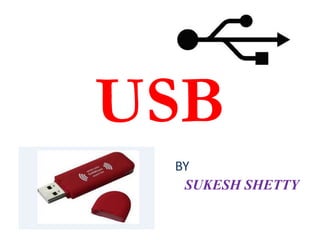
USB 
BY 
SUKESH SHETTY
Universal serial bus 
 Wired high speed serial bus for data communication 
 follows star topology 
 Supports connection up to 127 
 USB is a n/w of attachments connected to host which 
comes in 2 types namely “functions”& “hubs” 
 USB host contains host controller responsible for 
controlling data communication 
 Different std. to implement USB host control 
interface are open host control interface (OHCI) & 
Universal host control interface(UHCI).
Transmits data in packet form having standard 
format 
Each USB data transfer consists of 
- Token packet (header defining what it wants 
to follow) 
- Optional data packet (contains the payload) 
- Status packet (used to acknowledge 
communication & provides a mean for error 
correction) 
USB cable connects peripheral device & master 
device
USB std uses two types of connector for 
connecting peripheral device & host device 
- Type A 
- Type B 
Both these connectors have 4 pins for 
communication 
Each USB device has Product ID (PID) & 
Vendor ID (VID) 
PID & VID are essential for loading the 
drivers corresponding to a USB device
• USB supports 4 types of data transfers 
• 1. Control 
2. Isochronous 
3. Bulk 
4. Interrupt 
• Control transfers exchange configuration, setup and command information 
between the device and the host. The host can also send commands or 
query parameters with control packets. 
• Isochronous transfer is used by time critical, streaming device such as 
speakers and video cameras. It is time sensitive information so, within 
limitations, it has guaranteed access to the USB bus. Data streams between 
the device and the host in real-time, and so there will not be any error 
correction. 
• Bulk transfer is used by device like printers & scanners, which receives 
data in one big packet. Here the timely delivery is not critical. Bulk 
transfers are fillers, claiming unused USB bandwidth when nothing more 
important is going on. The error correction protects these packets. 
• Interrupt transfers is used by peripherals exchanging small amounts of 
data that need immediate attention. It is used by devices to request 
servicing from the PC/host. Devices like a mouse or a keyboard comes in 
this category. Error checking validates the data.
USB supports 4 different rates 
- Low speed (1.5Mbps) 
- Full speed (12Mbps) 
- High speed (480Mbps) 
- Super speed (4.8Gbps) 
Low speed & Full speed are defined by USB1.0 
High speed is defined by USB 2.0 
Super speed is defined by USB 3.0
• USB Features 
• The Universal Serial Bus has the following features: 
• The computer acts as the host. 
• Up to 127 devices can connect to the host, either directly or by way of USB hubs. 
• Individual USB cables can run as long as 5 meters; with hubs, devices can be up to 30 meters 
(six cables' worth) away from the host. 
• With USB 2.0,the bus has a maximum data rate of 480 megabits per second (10 times the 
speed of USB 1.0). 
• A USB 2.0 cable has two wires for power (+5 volts and ground) and a twisted pair of wires to 
carry the data. The USB 3.0 standard adds four more wires for data transmission. While USB 
2.0 can only send data in one direction at a time (downstream or upstream), USB 3.0 can 
transmit data in both directions simultaneously. 
• On the power wires, the computer can supply up to 500 milliamps of power at 5 volts. A USB 
3.0 cable can supply up to 900 milliamps of power. 
• Low-power devices (such as mice) can draw their power directly from the bus. High-power 
devices (such as printers) have their own power supplies and draw minimal power from the 
bus. Hubs can have their own power supplies to provide power to devices connected to the 
hub. 
• USB devices are hot-swappable, meaning you can plug them into the bus and unplug them 
any time. A USB 3.0 cable is compatible with USB 2.0 ports -- you won't get the same data 
transfer speed as with a USB 3.0 port but data and power will still transfer through the cable. 
• Many USB devices can be put to sleep by the host computer when the computer enters a 
power-saving mode. 
• The devices connected to a USB port rely on the cable to carry power and data.
THANK YOU…

Usb

  • 1.
  • 2.
    Universal serial bus  Wired high speed serial bus for data communication  follows star topology  Supports connection up to 127  USB is a n/w of attachments connected to host which comes in 2 types namely “functions”& “hubs”  USB host contains host controller responsible for controlling data communication  Different std. to implement USB host control interface are open host control interface (OHCI) & Universal host control interface(UHCI).
  • 6.
    Transmits data inpacket form having standard format Each USB data transfer consists of - Token packet (header defining what it wants to follow) - Optional data packet (contains the payload) - Status packet (used to acknowledge communication & provides a mean for error correction) USB cable connects peripheral device & master device
  • 7.
    USB std usestwo types of connector for connecting peripheral device & host device - Type A - Type B Both these connectors have 4 pins for communication Each USB device has Product ID (PID) & Vendor ID (VID) PID & VID are essential for loading the drivers corresponding to a USB device
  • 10.
    • USB supports4 types of data transfers • 1. Control 2. Isochronous 3. Bulk 4. Interrupt • Control transfers exchange configuration, setup and command information between the device and the host. The host can also send commands or query parameters with control packets. • Isochronous transfer is used by time critical, streaming device such as speakers and video cameras. It is time sensitive information so, within limitations, it has guaranteed access to the USB bus. Data streams between the device and the host in real-time, and so there will not be any error correction. • Bulk transfer is used by device like printers & scanners, which receives data in one big packet. Here the timely delivery is not critical. Bulk transfers are fillers, claiming unused USB bandwidth when nothing more important is going on. The error correction protects these packets. • Interrupt transfers is used by peripherals exchanging small amounts of data that need immediate attention. It is used by devices to request servicing from the PC/host. Devices like a mouse or a keyboard comes in this category. Error checking validates the data.
  • 11.
    USB supports 4different rates - Low speed (1.5Mbps) - Full speed (12Mbps) - High speed (480Mbps) - Super speed (4.8Gbps) Low speed & Full speed are defined by USB1.0 High speed is defined by USB 2.0 Super speed is defined by USB 3.0
  • 12.
    • USB Features • The Universal Serial Bus has the following features: • The computer acts as the host. • Up to 127 devices can connect to the host, either directly or by way of USB hubs. • Individual USB cables can run as long as 5 meters; with hubs, devices can be up to 30 meters (six cables' worth) away from the host. • With USB 2.0,the bus has a maximum data rate of 480 megabits per second (10 times the speed of USB 1.0). • A USB 2.0 cable has two wires for power (+5 volts and ground) and a twisted pair of wires to carry the data. The USB 3.0 standard adds four more wires for data transmission. While USB 2.0 can only send data in one direction at a time (downstream or upstream), USB 3.0 can transmit data in both directions simultaneously. • On the power wires, the computer can supply up to 500 milliamps of power at 5 volts. A USB 3.0 cable can supply up to 900 milliamps of power. • Low-power devices (such as mice) can draw their power directly from the bus. High-power devices (such as printers) have their own power supplies and draw minimal power from the bus. Hubs can have their own power supplies to provide power to devices connected to the hub. • USB devices are hot-swappable, meaning you can plug them into the bus and unplug them any time. A USB 3.0 cable is compatible with USB 2.0 ports -- you won't get the same data transfer speed as with a USB 3.0 port but data and power will still transfer through the cable. • Many USB devices can be put to sleep by the host computer when the computer enters a power-saving mode. • The devices connected to a USB port rely on the cable to carry power and data.
  • 13.