WHAT IS USB CONNECTOR?
• A universal serial bus (USB) connector is a connector between a computer and
a peripheral device such as a printer, monitor, scanner, mouse or keyboard.
• The USB connector was developed to simplify the connection between
computers and peripheral devices.
• Prior to the USB interface, peripheral devices had a multitude of connectors.
The USB interface provides various benefits.
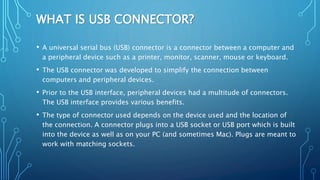
• The type of connector used depends on the device used and the location of
the connection. A connector plugs into a USB socket or USB port which is built
into the device as well as on your PC (and sometimes Mac). Plugs are meant to
work with matching sockets.
ADVANTAGES
• plug-and-play
• Single Interface for multiple devices
• Auto-configuration
• Addressing usability issues with existing interfaces
• Compact Size
• Increased data transfer rate (DTR)
• Reduced number of connectors
• Low cost
• Low power consumption
APPLICATIONS
• Keyboards / mice
• Desktop and laptop computers
• Joysticks / game ports
• Printers / scanners
• Digital audio
• Modems
• Portable storage devices
• Mobile phones
• GPS devices
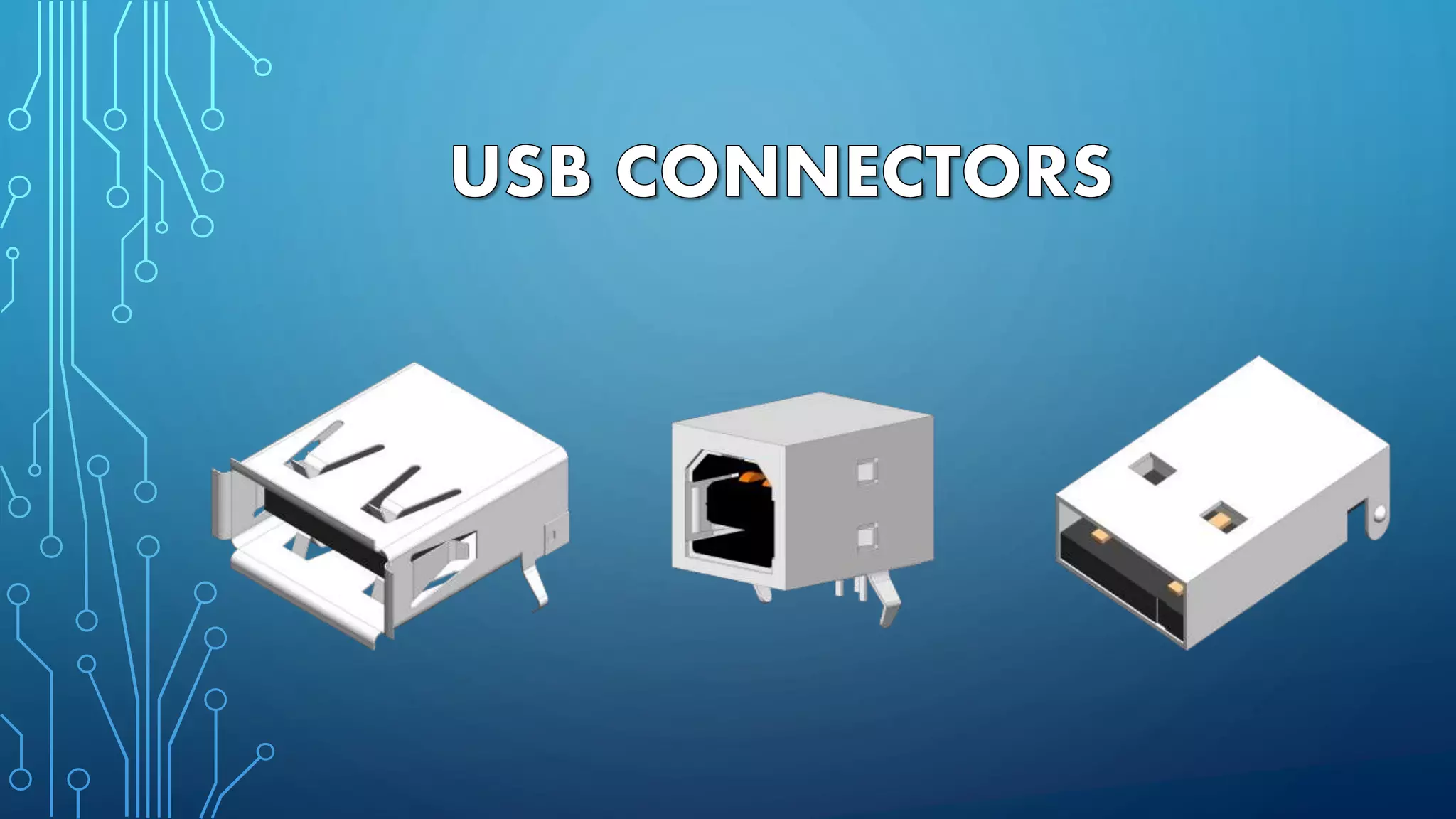
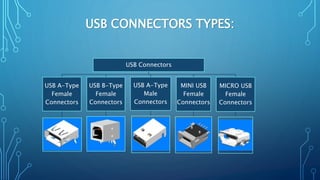
USB CONNECTORS TYPES:
USB Connectors
USB A-Type
Female
Connectors
USB B-Type
Female
Connectors
USB A-Type
Male
Connectors
MINI USB
Female
Connectors
MICRO USB
Female
Connectors
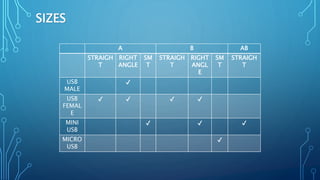
SIZES
A B AB
STRAIGH
T
RIGHT
ANGLE
SM
T
STRAIGH
T
RIGHT
ANGL
E
SM
T
STRAIGH
T
USB
MALE
✔
USB
FEMAL
E
✔ ✔ ✔ ✔
MINI
USB
✔ ✔ ✔
MICRO
USB
✔
FEATURES
• Allows for charging.
• Broad family of board mount receptacles, in various orientations and PCB
mounting styles.
• Compatible with asynchronous and isochronous data transfer methods.
• Consolidates serial parallel, keyboards, mice, and game ports.
• Author Nalin P. Sheth, MBA Harvard, is Managing Director of
Champion Electronics Pvt. Ltd., Pune, India.
• Champion Electronics is serving electronics industry all over the
world from 1975.
• Contact Details :
• Email : sales@champelec.com
• Ph: +91-8928502180.
• Website :www.champelec.com

Usb connector

  • 2.
    WHAT IS USBCONNECTOR? • A universal serial bus (USB) connector is a connector between a computer and a peripheral device such as a printer, monitor, scanner, mouse or keyboard. • The USB connector was developed to simplify the connection between computers and peripheral devices. • Prior to the USB interface, peripheral devices had a multitude of connectors. The USB interface provides various benefits. • The type of connector used depends on the device used and the location of the connection. A connector plugs into a USB socket or USB port which is built into the device as well as on your PC (and sometimes Mac). Plugs are meant to work with matching sockets.
  • 3.
    ADVANTAGES • plug-and-play • SingleInterface for multiple devices • Auto-configuration • Addressing usability issues with existing interfaces • Compact Size • Increased data transfer rate (DTR) • Reduced number of connectors • Low cost • Low power consumption
  • 4.
    APPLICATIONS • Keyboards /mice • Desktop and laptop computers • Joysticks / game ports • Printers / scanners • Digital audio • Modems • Portable storage devices • Mobile phones • GPS devices
  • 5.
    USB CONNECTORS TYPES: USBConnectors USB A-Type Female Connectors USB B-Type Female Connectors USB A-Type Male Connectors MINI USB Female Connectors MICRO USB Female Connectors
  • 6.
  • 7.
    FEATURES • Allows forcharging. • Broad family of board mount receptacles, in various orientations and PCB mounting styles. • Compatible with asynchronous and isochronous data transfer methods. • Consolidates serial parallel, keyboards, mice, and game ports.
  • 8.
    • Author NalinP. Sheth, MBA Harvard, is Managing Director of Champion Electronics Pvt. Ltd., Pune, India. • Champion Electronics is serving electronics industry all over the world from 1975. • Contact Details : • Email : sales@champelec.com • Ph: +91-8928502180. • Website :www.champelec.com