(IN LINUX-KERNAL)
DEVICE DRIVER’S
Linux is, in simplest terms, an operating system
Linux is very similar to other operating
systems, such as windows, android and OS
x(mac).
Free and open-source software
Android uses the Linux kernel under the hood.
Because Linux is open-source, Google's
android developers could modify the Linux
kernel to fit their needs.
Linux gives the android developers a pre-built,
already maintained operating system kernel to
start with so they don’t have to write their own
kernel.
WHAT IS LINUX??
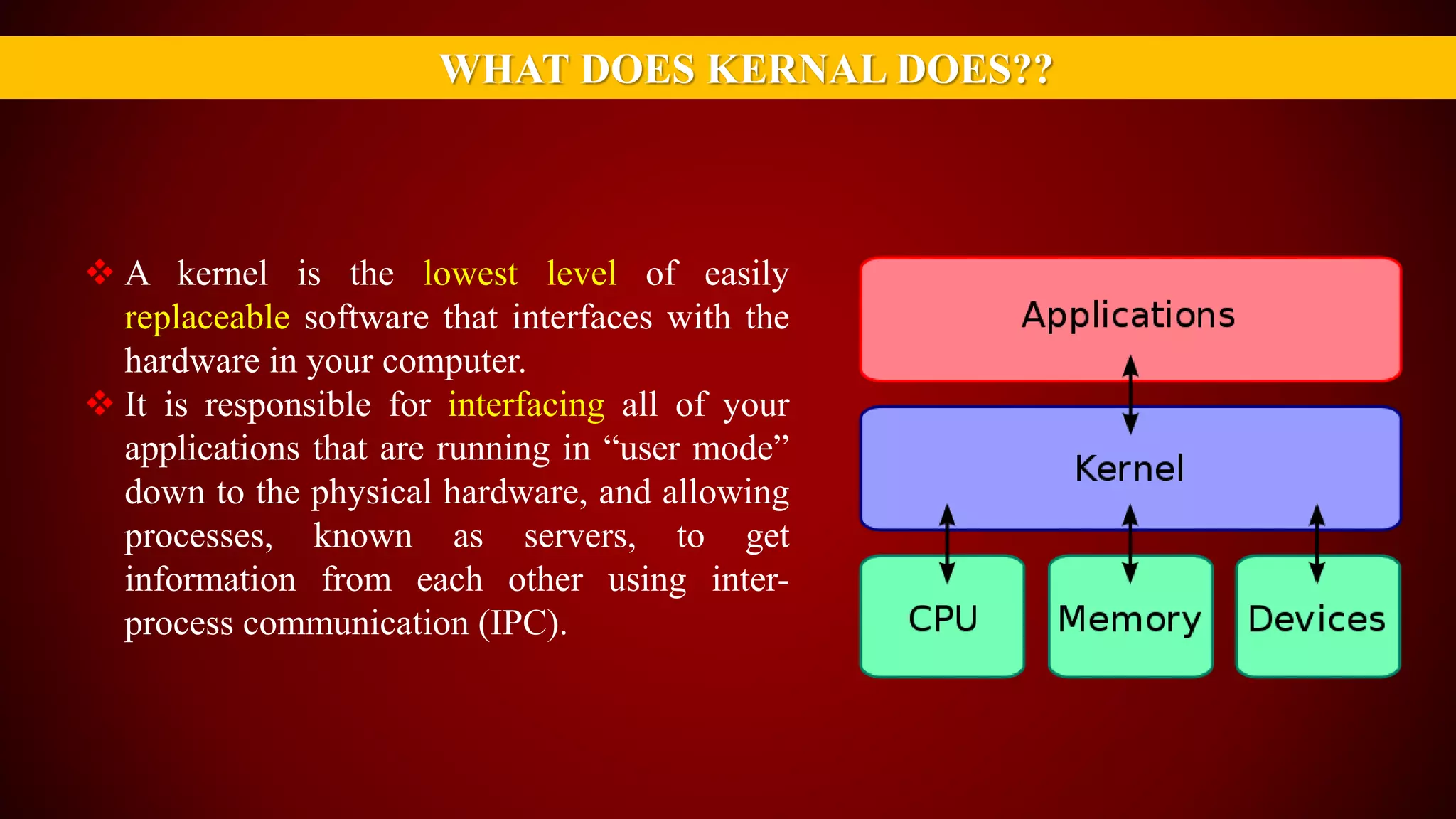
 A kernel is the lowest level of easily
replaceable software that interfaces with the
hardware in your computer.
 It is responsible for interfacing all of your
applications that are running in “user mode”
down to the physical hardware, and allowing
processes, known as servers, to get
information from each other using inter-
process communication (IPC).
WHAT DOES KERNAL DOES??
HERE COMES A DEVICE DRIVER
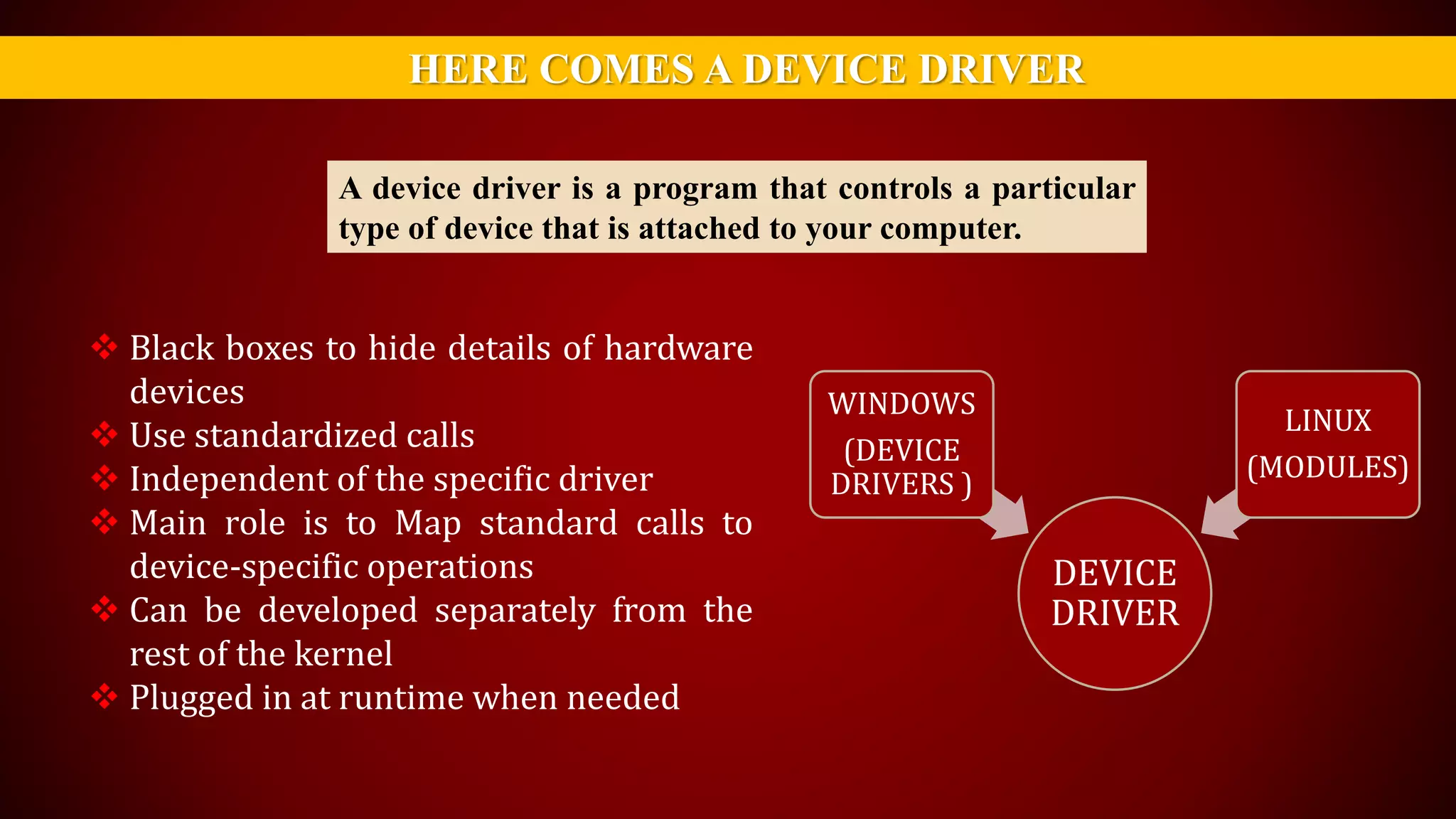
A device driver is a program that controls a particular
type of device that is attached to your computer.
 Black boxes to hide details of hardware
devices
 Use standardized calls
 Independent of the specific driver
 Main role is to Map standard calls to
device-specific operations
 Can be developed separately from the
rest of the kernel
 Plugged in at runtime when needed
DEVICE
DRIVER
WINDOWS
(DEVICE
DRIVERS )
LINUX
(MODULES)
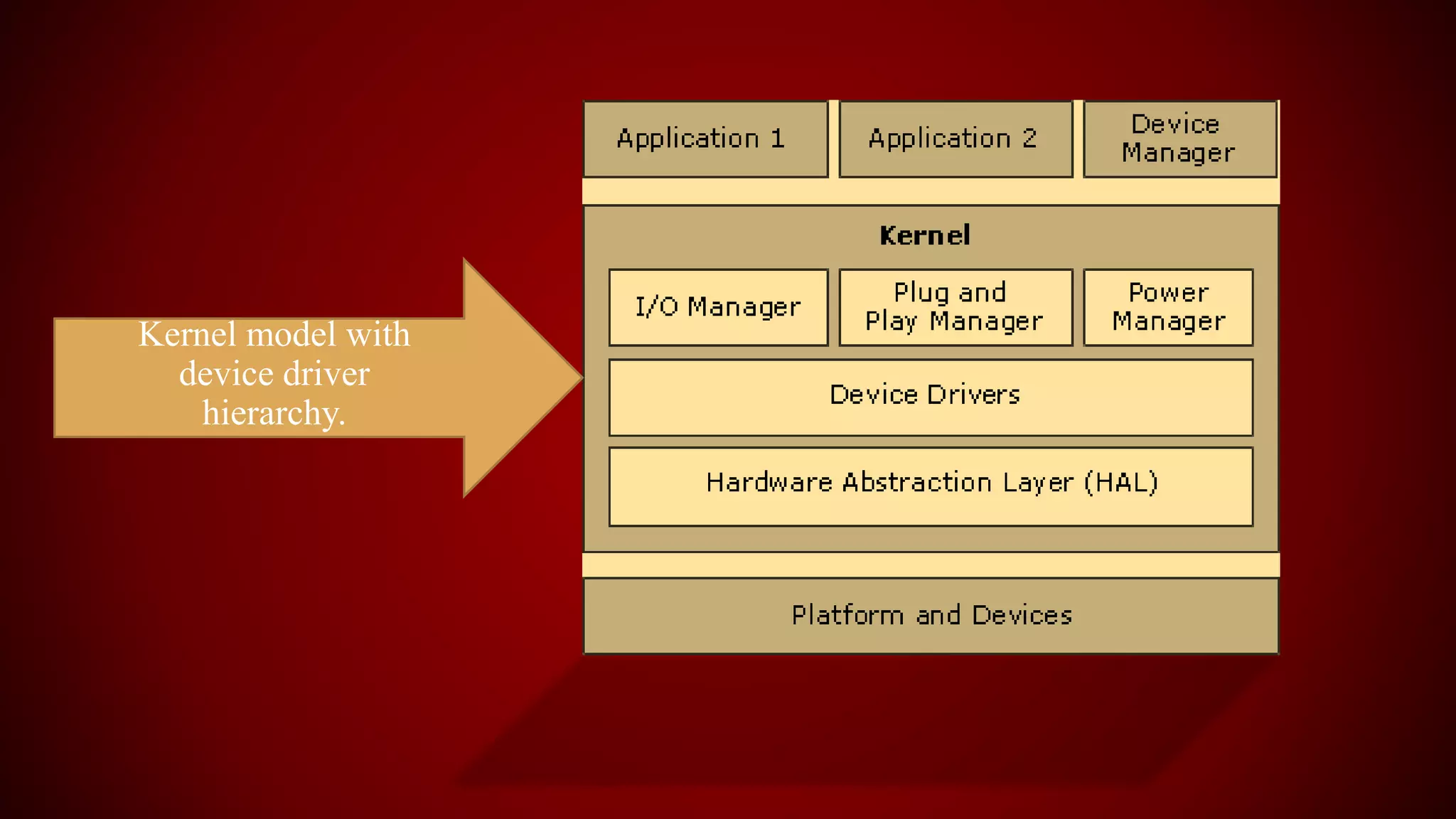
Kernel model with
device driver
hierarchy.
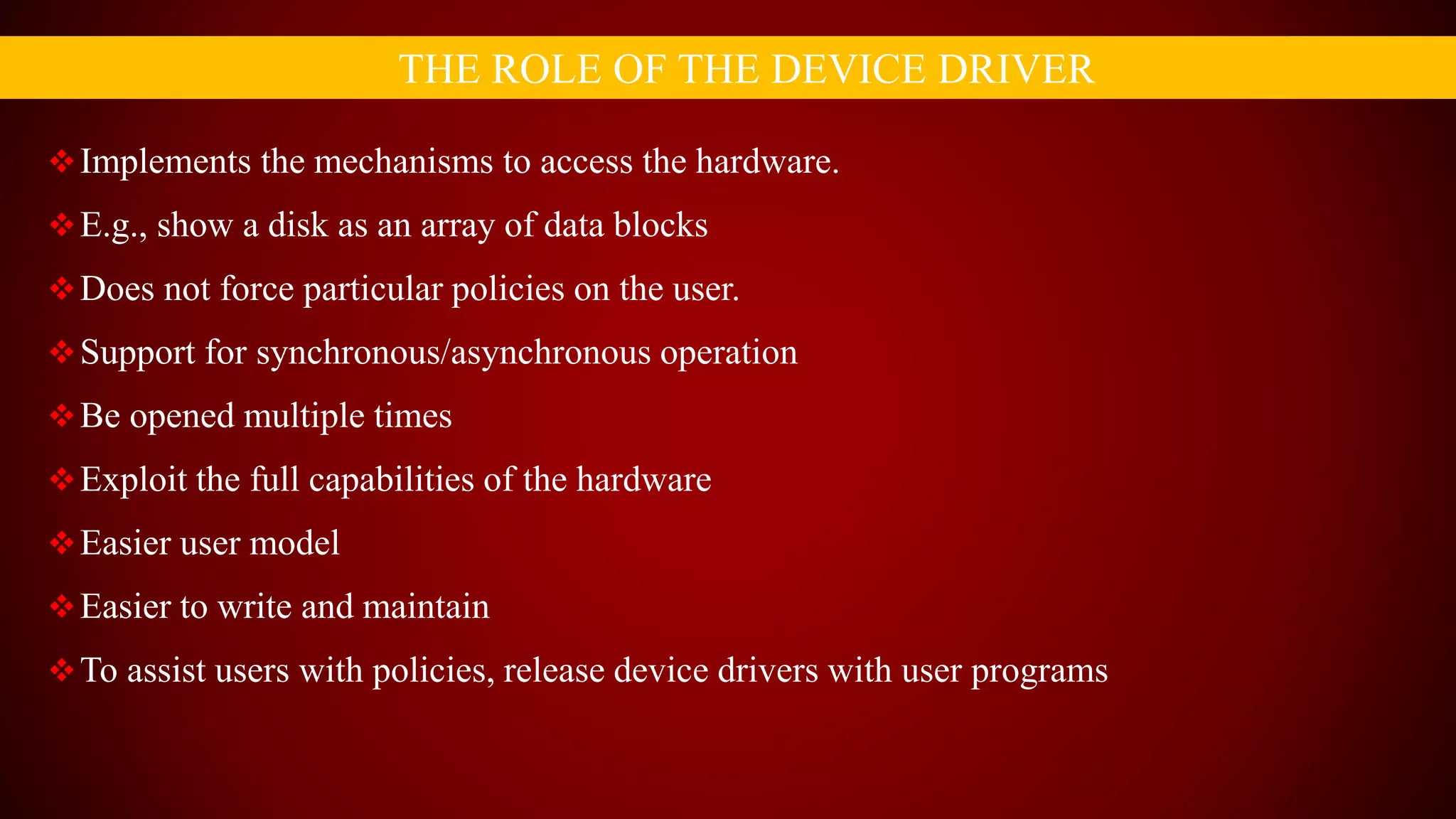
Implements the mechanisms to access the hardware.
E.g., show a disk as an array of data blocks
Does not force particular policies on the user.
Support for synchronous/asynchronous operation
Be opened multiple times
Exploit the full capabilities of the hardware
Easier user model
Easier to write and maintain
To assist users with policies, release device drivers with user programs
THE ROLE OF THE DEVICE DRIVER
THAT’S ALL FOR TODAY….
ANY QUESTION??
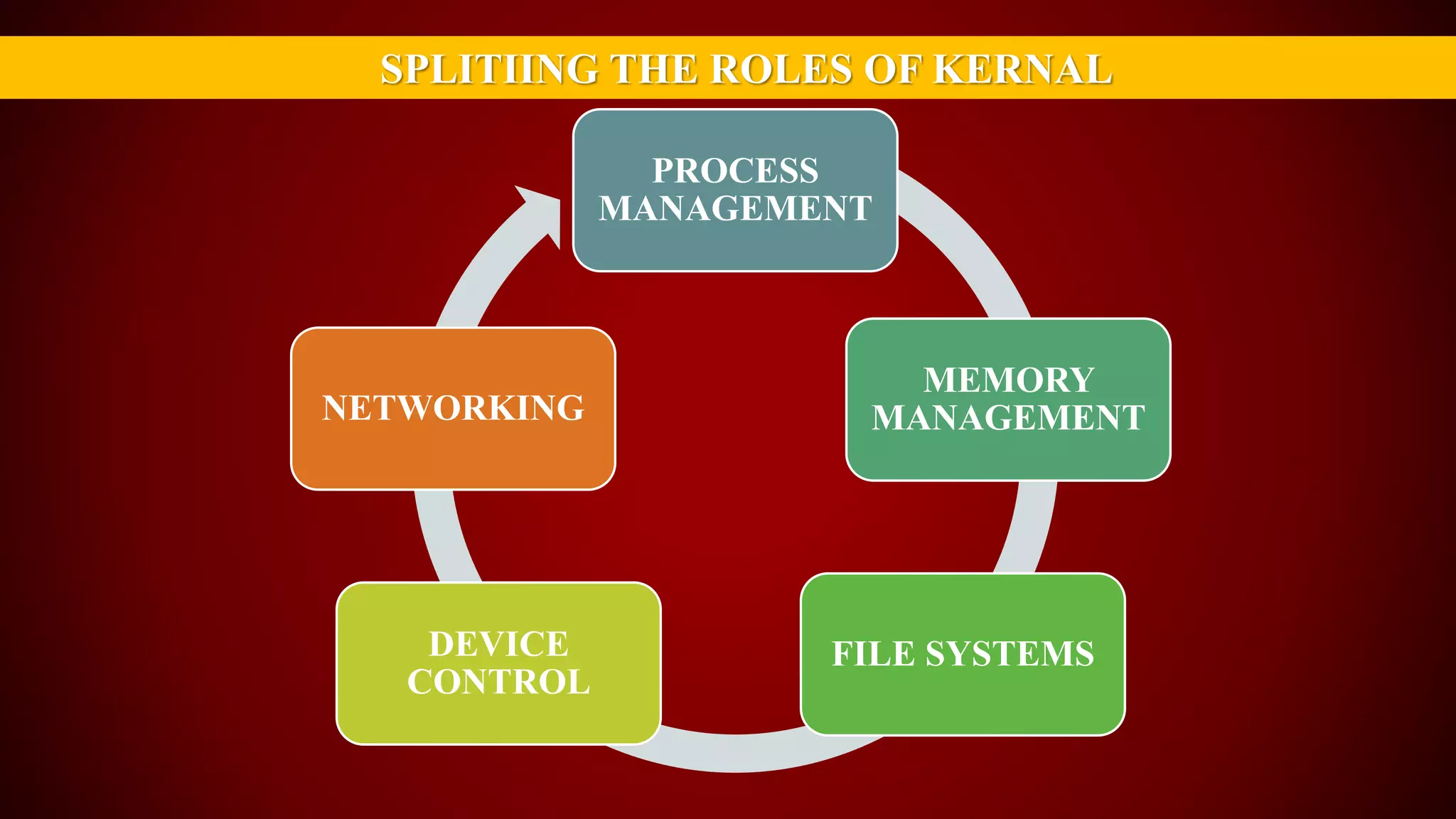
SPLITIING THE ROLES OF KERNAL
PROCESS
MANAGEMENT
MEMORY
MANAGEMENT
FILE SYSTEMSDEVICE
CONTROL
NETWORKING
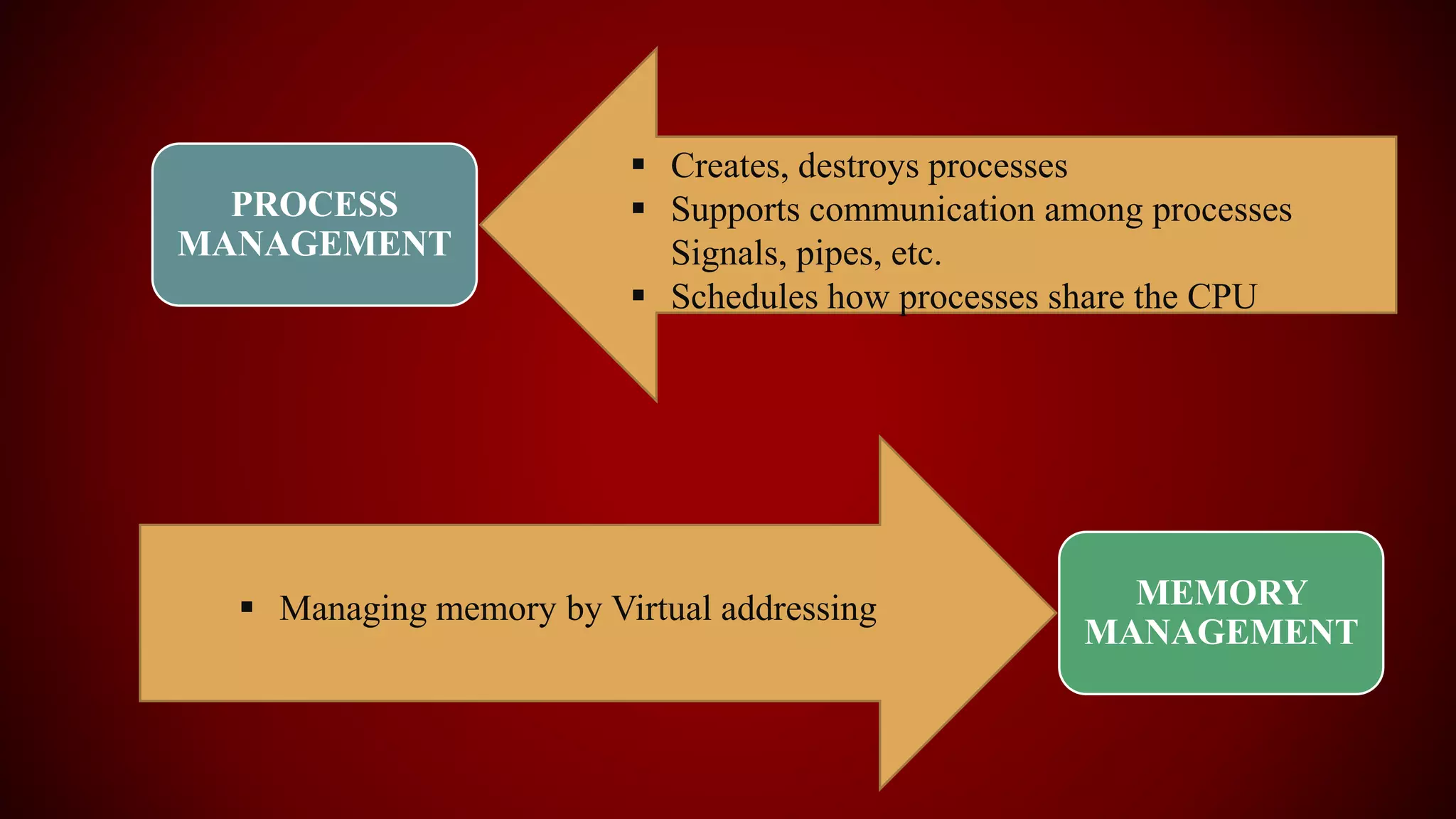
PROCESS
MANAGEMENT
 Creates, destroys processes
 Supports communication among processes
Signals, pipes, etc.
 Schedules how processes share the CPU
MEMORY
MANAGEMENT
 Managing memory by Virtual addressing
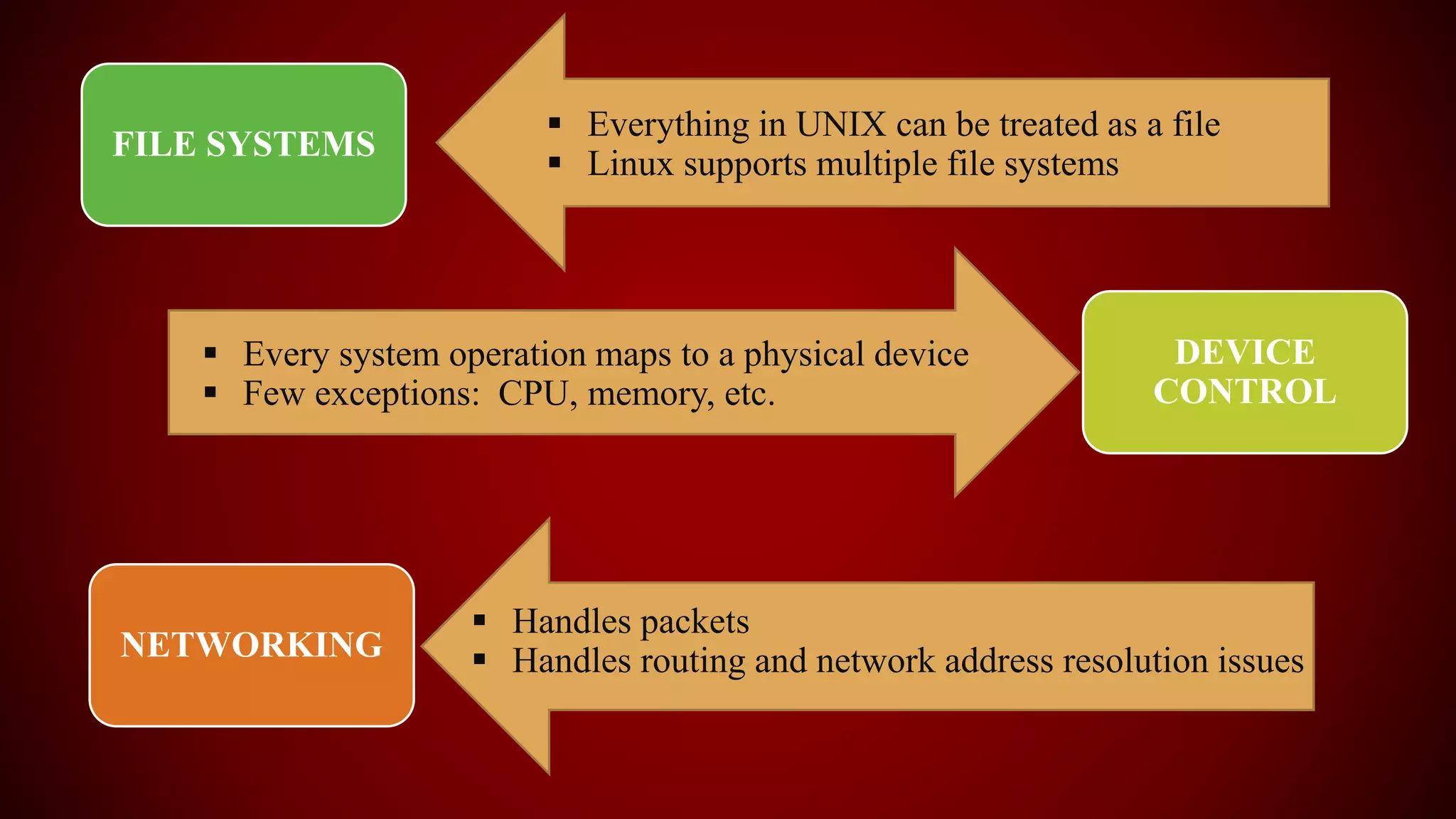
FILE SYSTEMS
DEVICE
CONTROL
NETWORKING
 Everything in UNIX can be treated as a file
 Linux supports multiple file systems
 Every system operation maps to a physical device
 Few exceptions: CPU, memory, etc.
 Handles packets
 Handles routing and network address resolution issues
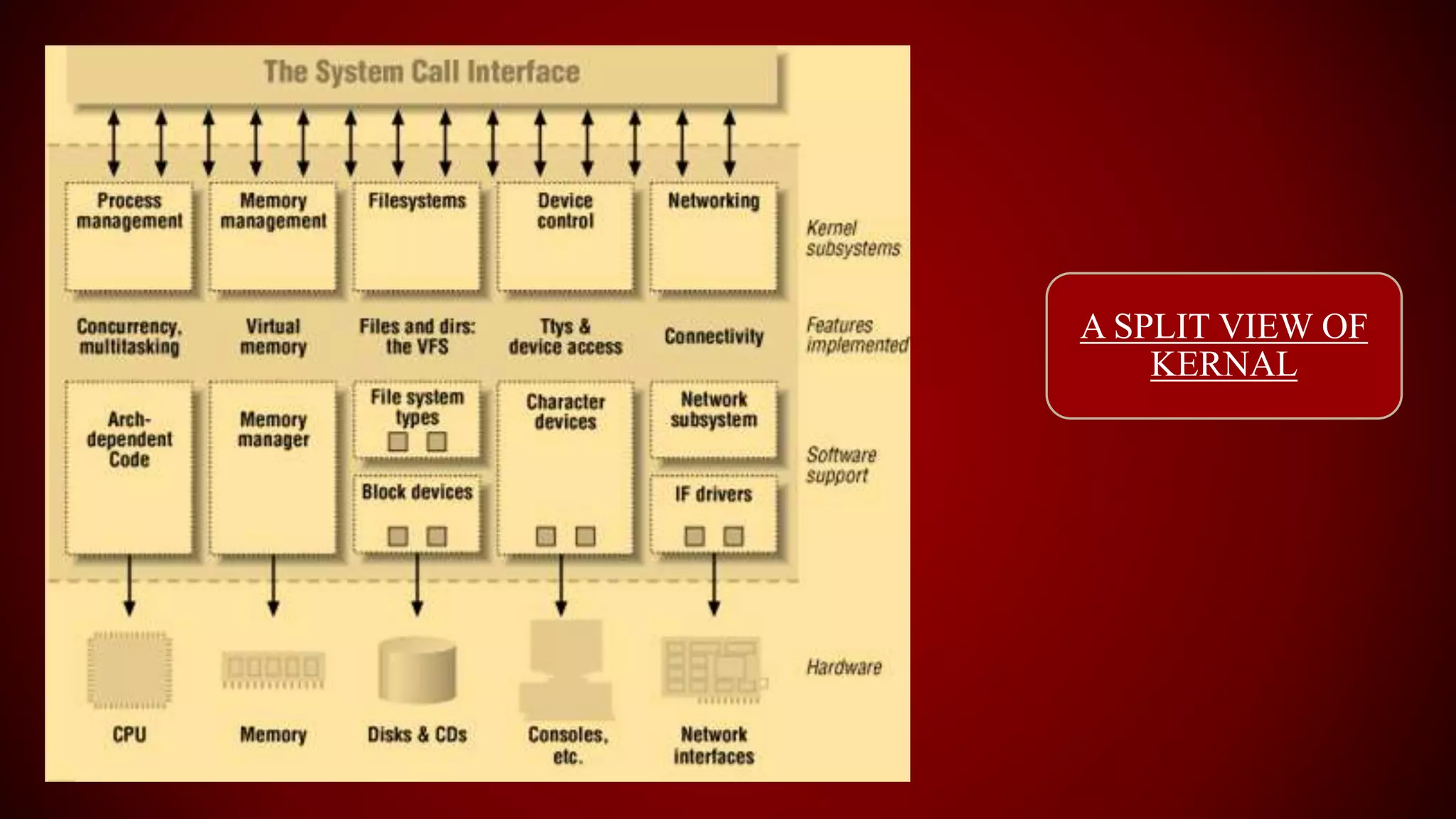
A SPLIT VIEW OF
KERNAL
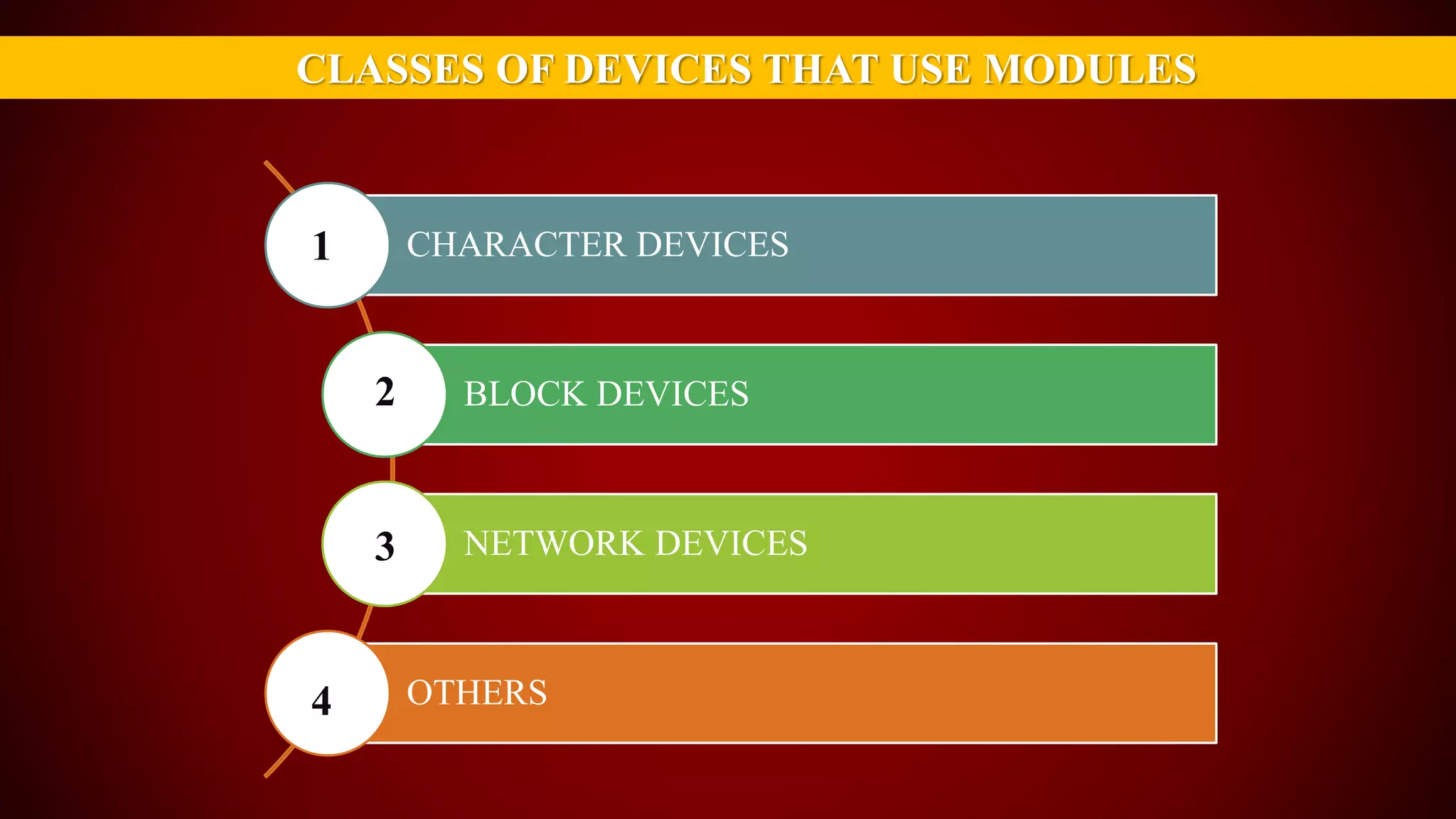
CLASSES OF DEVICES THAT USE MODULES
CHARACTER DEVICES
BLOCK DEVICES
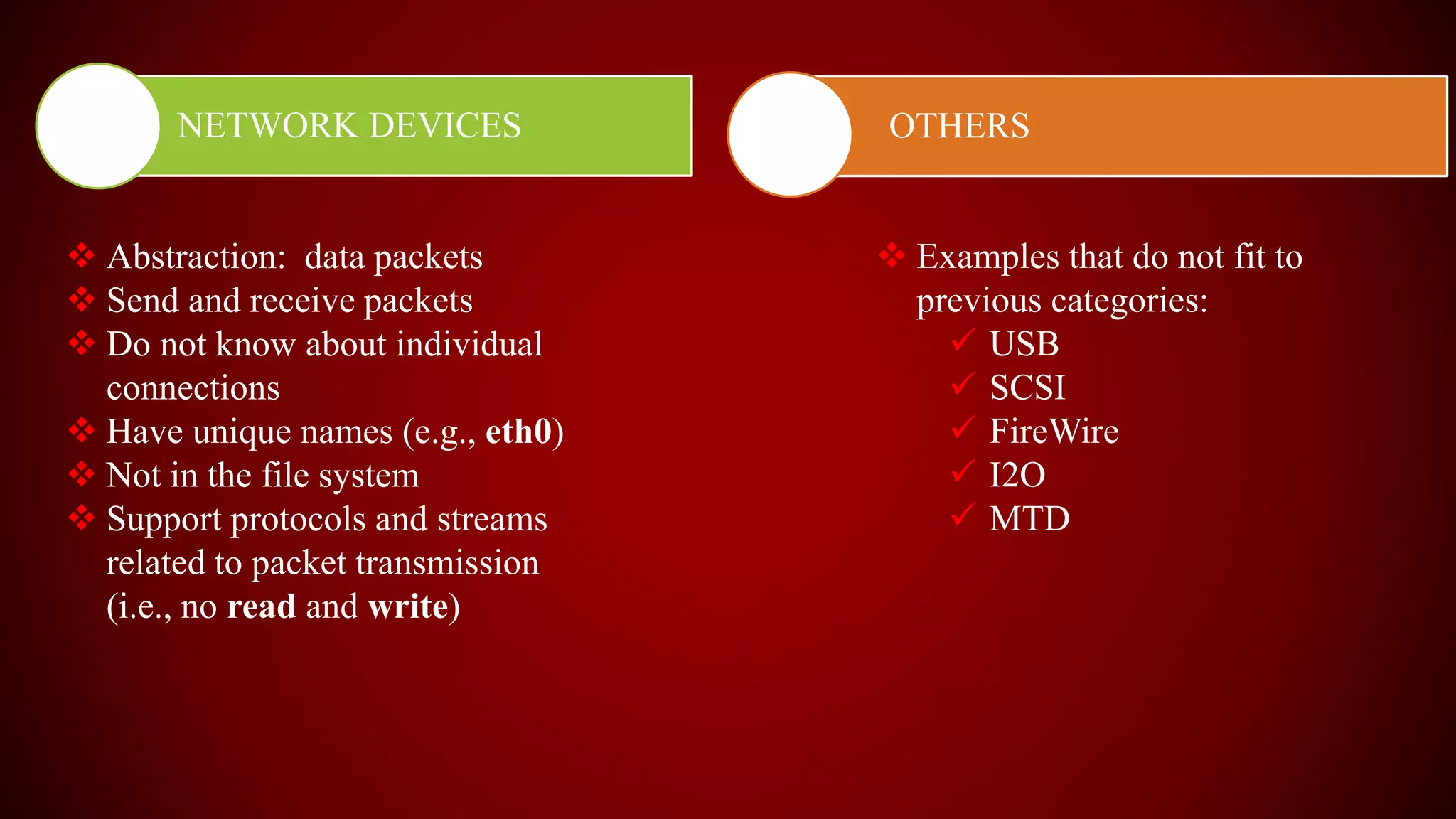
NETWORK DEVICES
OTHERS
1
2
3
4
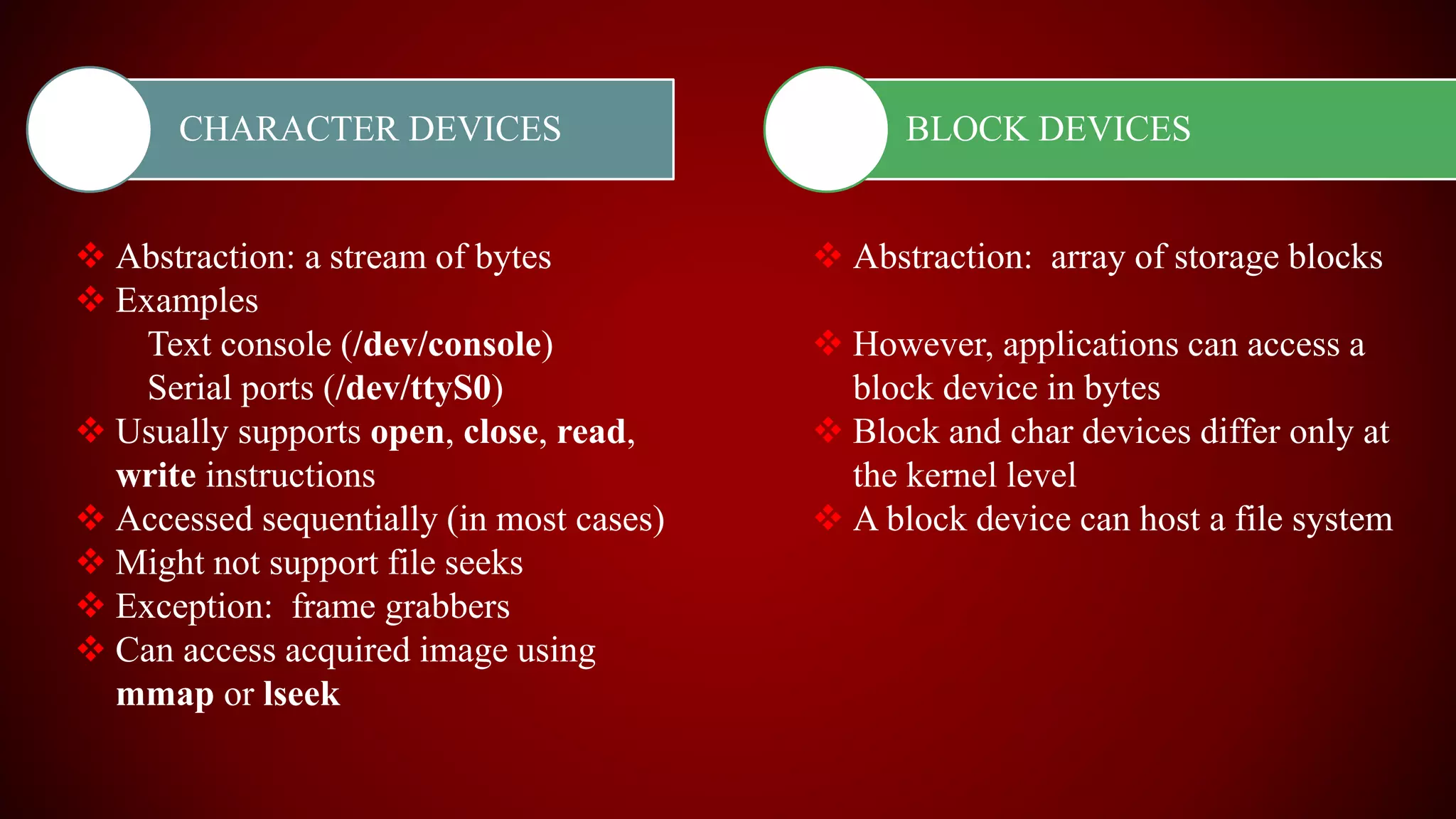
CHARACTER DEVICES
 Abstraction: a stream of bytes
 Examples
Text console (/dev/console)
Serial ports (/dev/ttyS0)
 Usually supports open, close, read,
write instructions
 Accessed sequentially (in most cases)
 Might not support file seeks
 Exception: frame grabbers
 Can access acquired image using
mmap or lseek
BLOCK DEVICES
 Abstraction: array of storage blocks
 However, applications can access a
block device in bytes
 Block and char devices differ only at
the kernel level
 A block device can host a file system
NETWORK DEVICES OTHERS
 Abstraction: data packets
 Send and receive packets
 Do not know about individual
connections
 Have unique names (e.g., eth0)
 Not in the file system
 Support protocols and streams
related to packet transmission
(i.e., no read and write)
 Examples that do not fit to
previous categories:
 USB
 SCSI
 FireWire
 I2O
 MTD
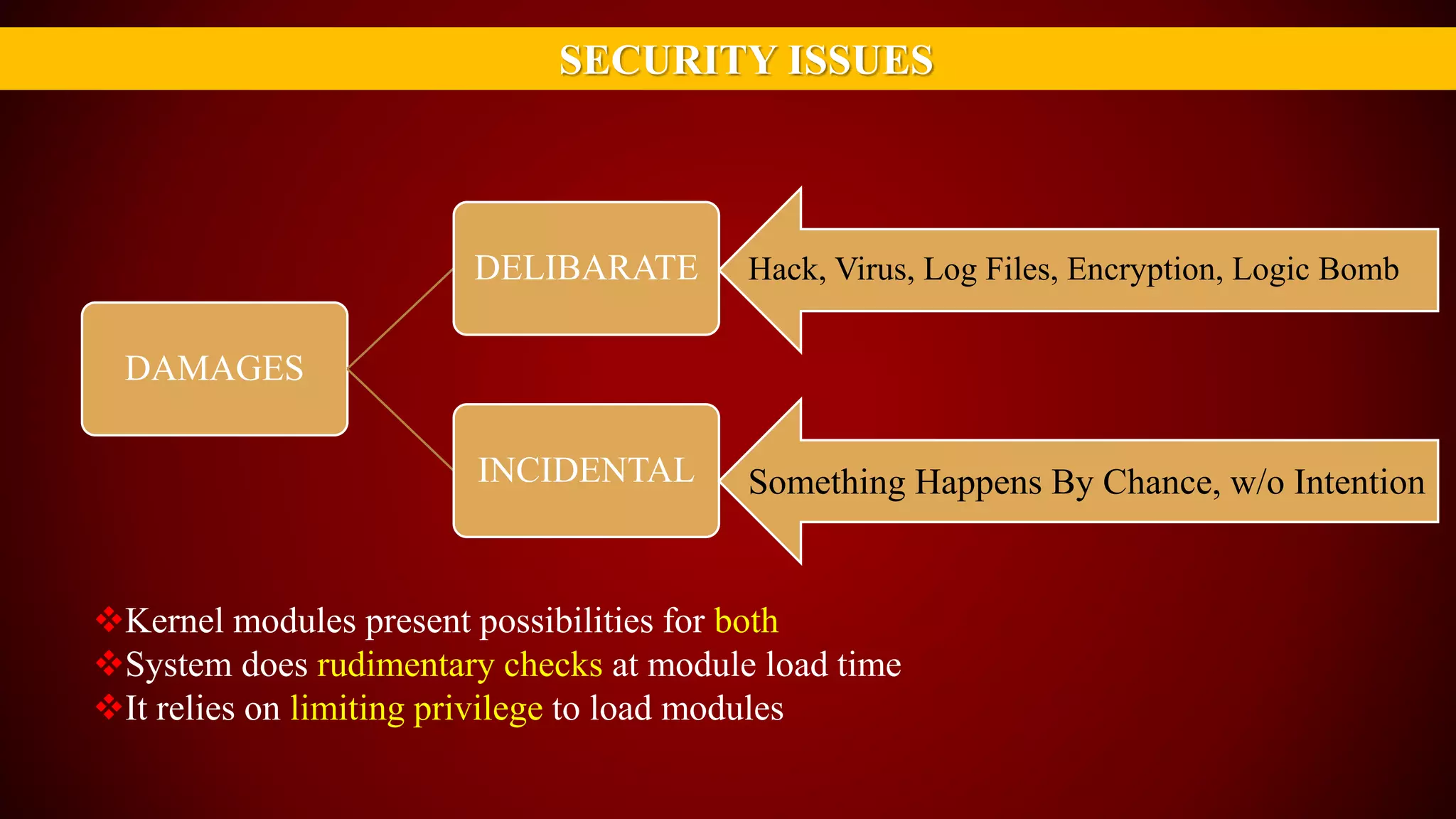
SECURITY ISSUES
Kernel modules present possibilities for both
System does rudimentary checks at module load time
It relies on limiting privilege to load modules
DAMAGES
DELIBARATE
INCIDENTAL
Hack, Virus, Log Files, Encryption, Logic Bomb
Something Happens By Chance, w/o Intention
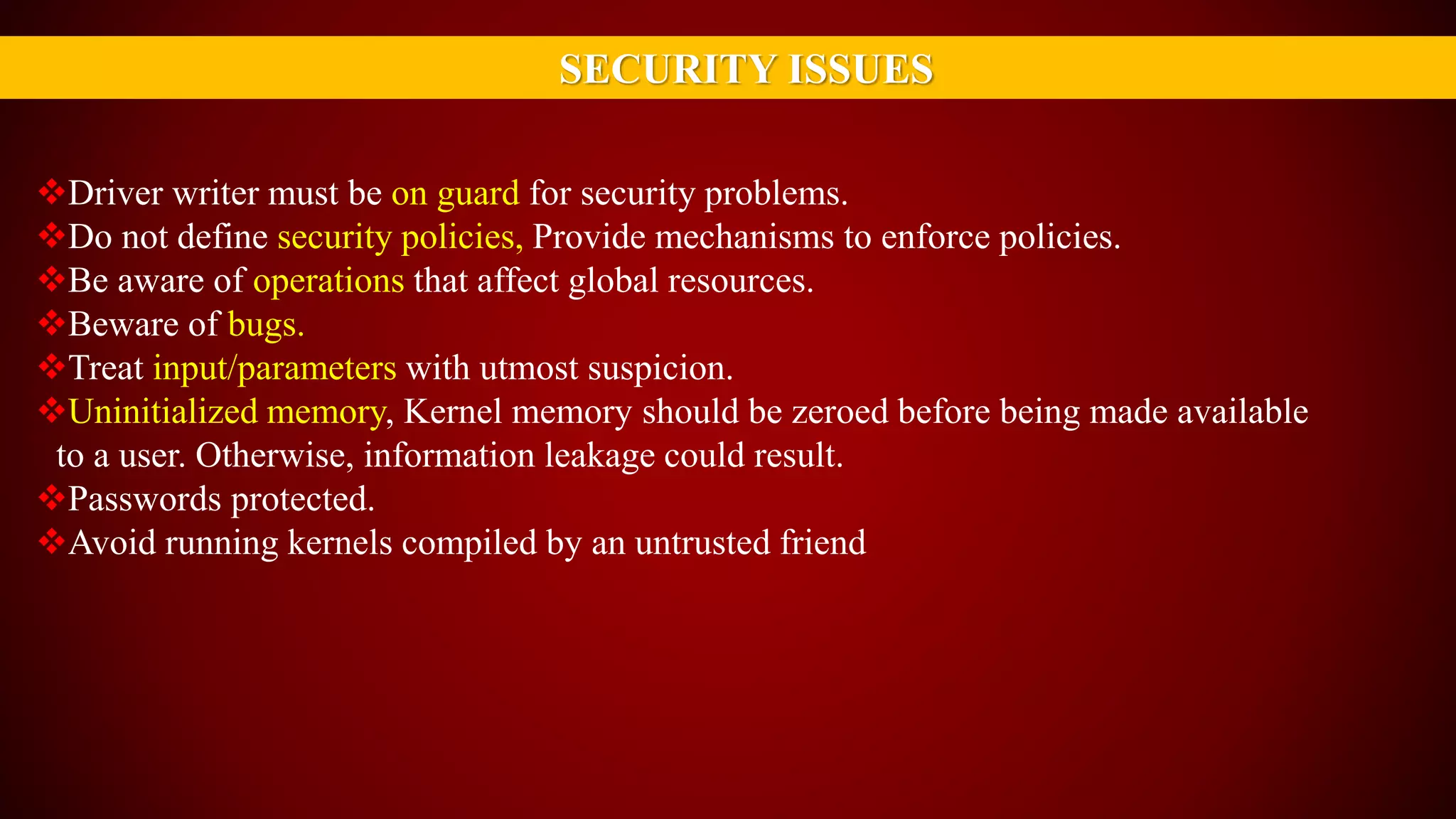
SECURITY ISSUES
Driver writer must be on guard for security problems.
Do not define security policies, Provide mechanisms to enforce policies.
Be aware of operations that affect global resources.
Beware of bugs.
Treat input/parameters with utmost suspicion.
Uninitialized memory, Kernel memory should be zeroed before being made available
to a user. Otherwise, information leakage could result.
Passwords protected.
Avoid running kernels compiled by an untrusted friend
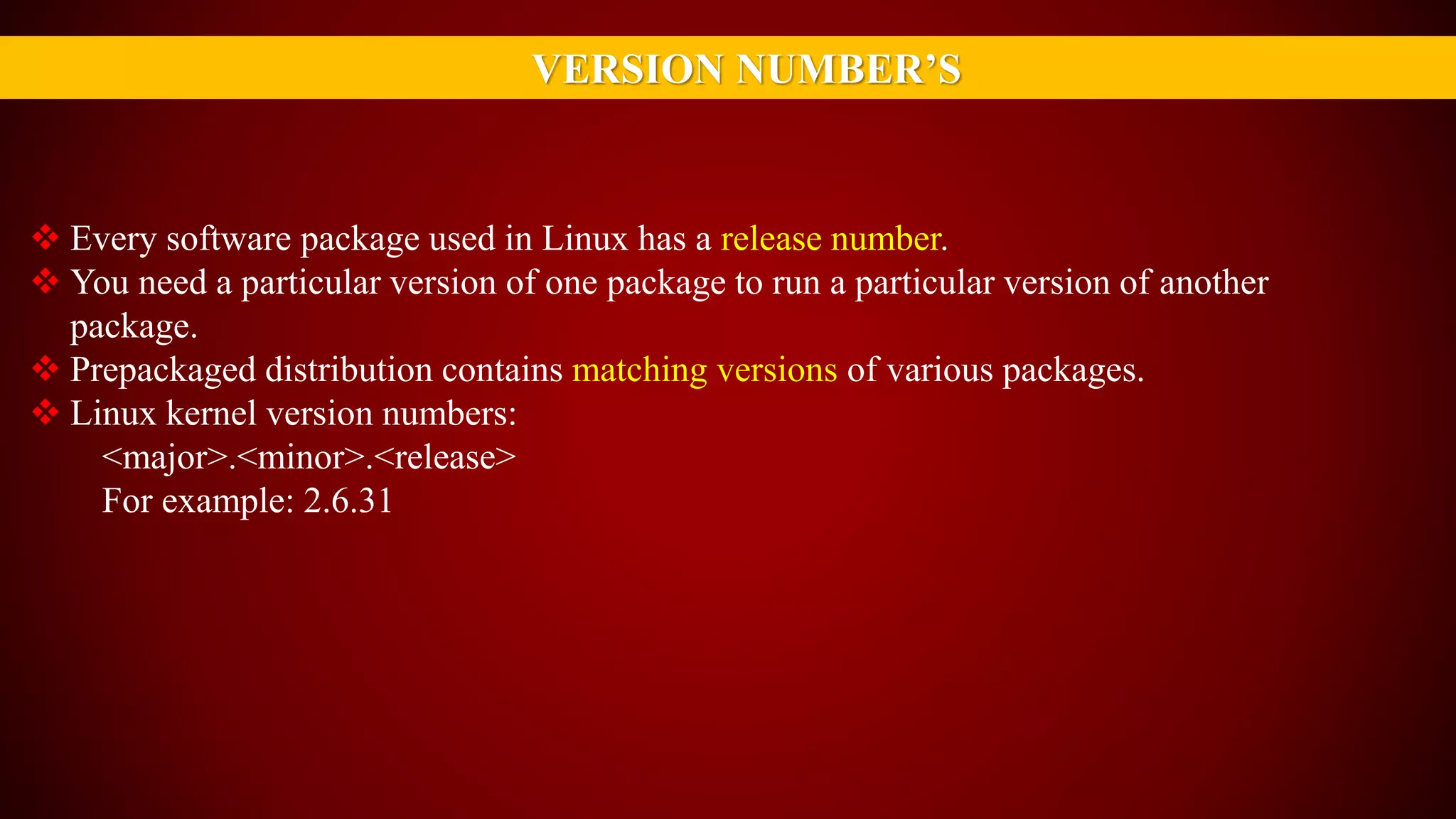
VERSION NUMBER’S
 Every software package used in Linux has a release number.
 You need a particular version of one package to run a particular version of another
package.
 Prepackaged distribution contains matching versions of various packages.
 Linux kernel version numbers:
<major>.<minor>.<release>
For example: 2.6.31
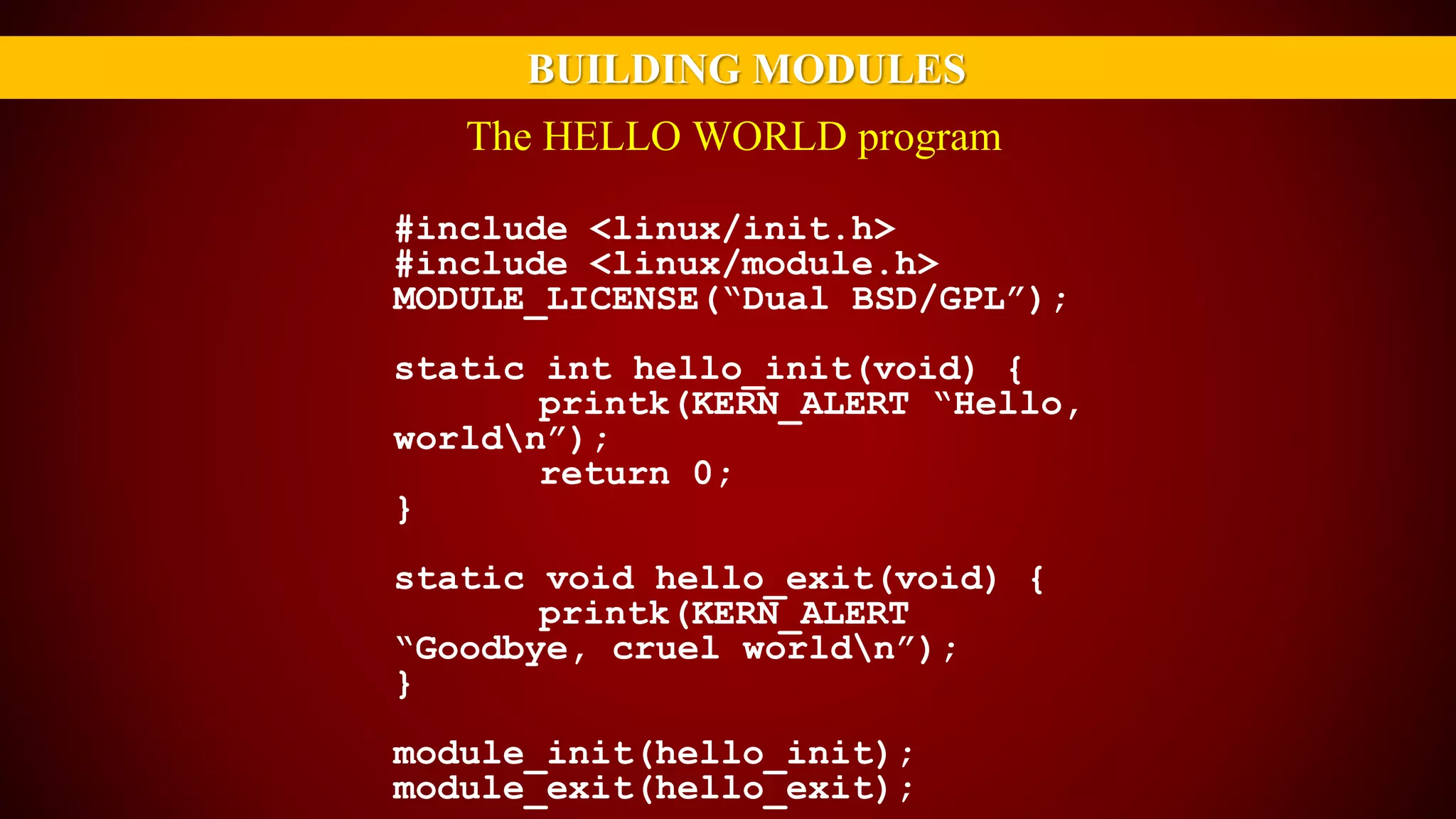
BUILDING MODULES
#include <linux/init.h>
#include <linux/module.h>
MODULE_LICENSE(“Dual BSD/GPL”);
static int hello_init(void) {
printk(KERN_ALERT “Hello,
worldn”);
return 0;
}
static void hello_exit(void) {
printk(KERN_ALERT
“Goodbye, cruel worldn”);
}
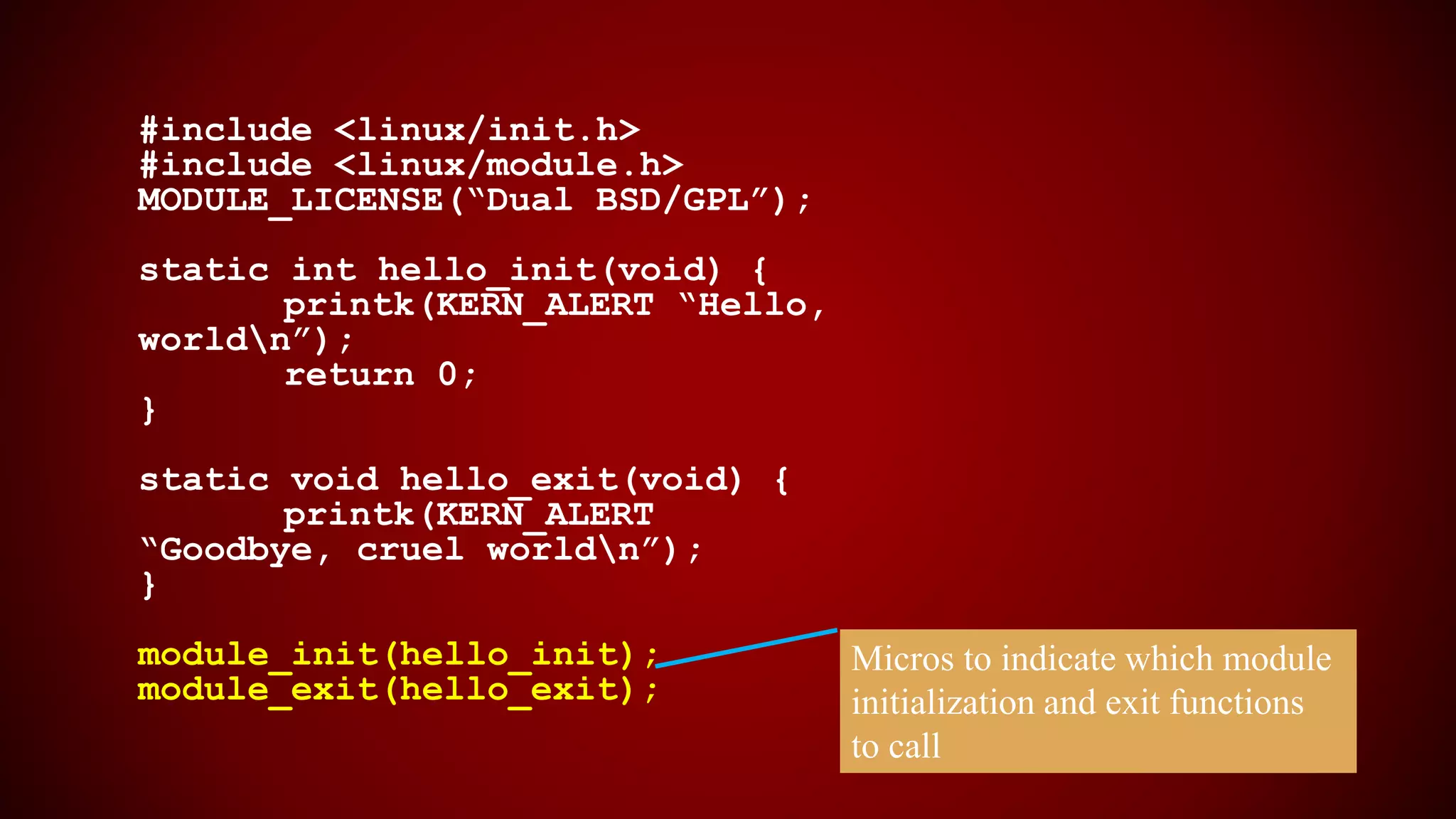
module_init(hello_init);
module_exit(hello_exit);
The HELLO WORLD program
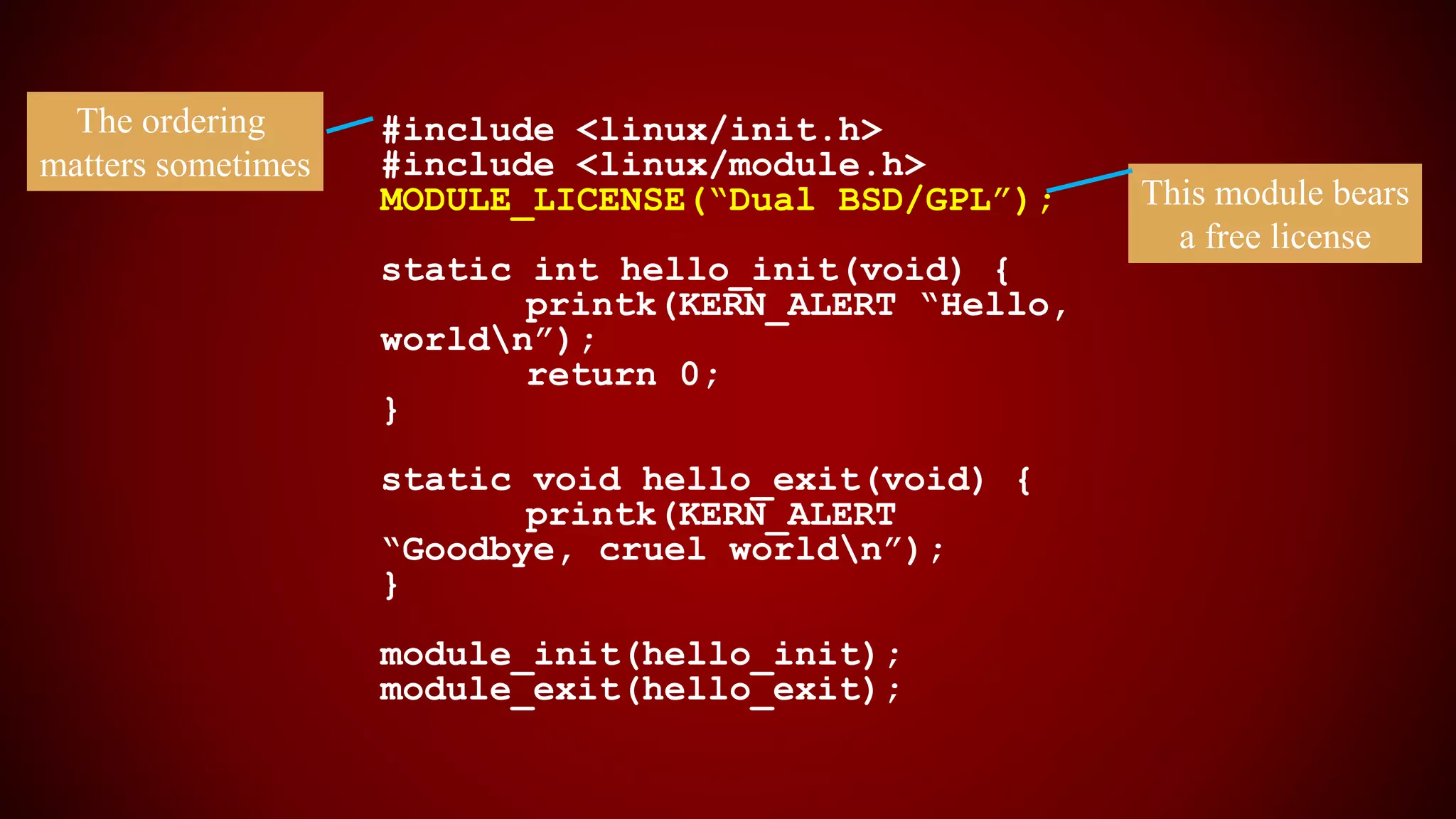
#include <linux/init.h>
#include <linux/module.h>
MODULE_LICENSE(“Dual BSD/GPL”);
static int hello_init(void) {
printk(KERN_ALERT “Hello,
worldn”);
return 0;
}
static void hello_exit(void) {
printk(KERN_ALERT
“Goodbye, cruel worldn”);
}
module_init(hello_init);
module_exit(hello_exit);
This module bears
a free license
The ordering
matters sometimes
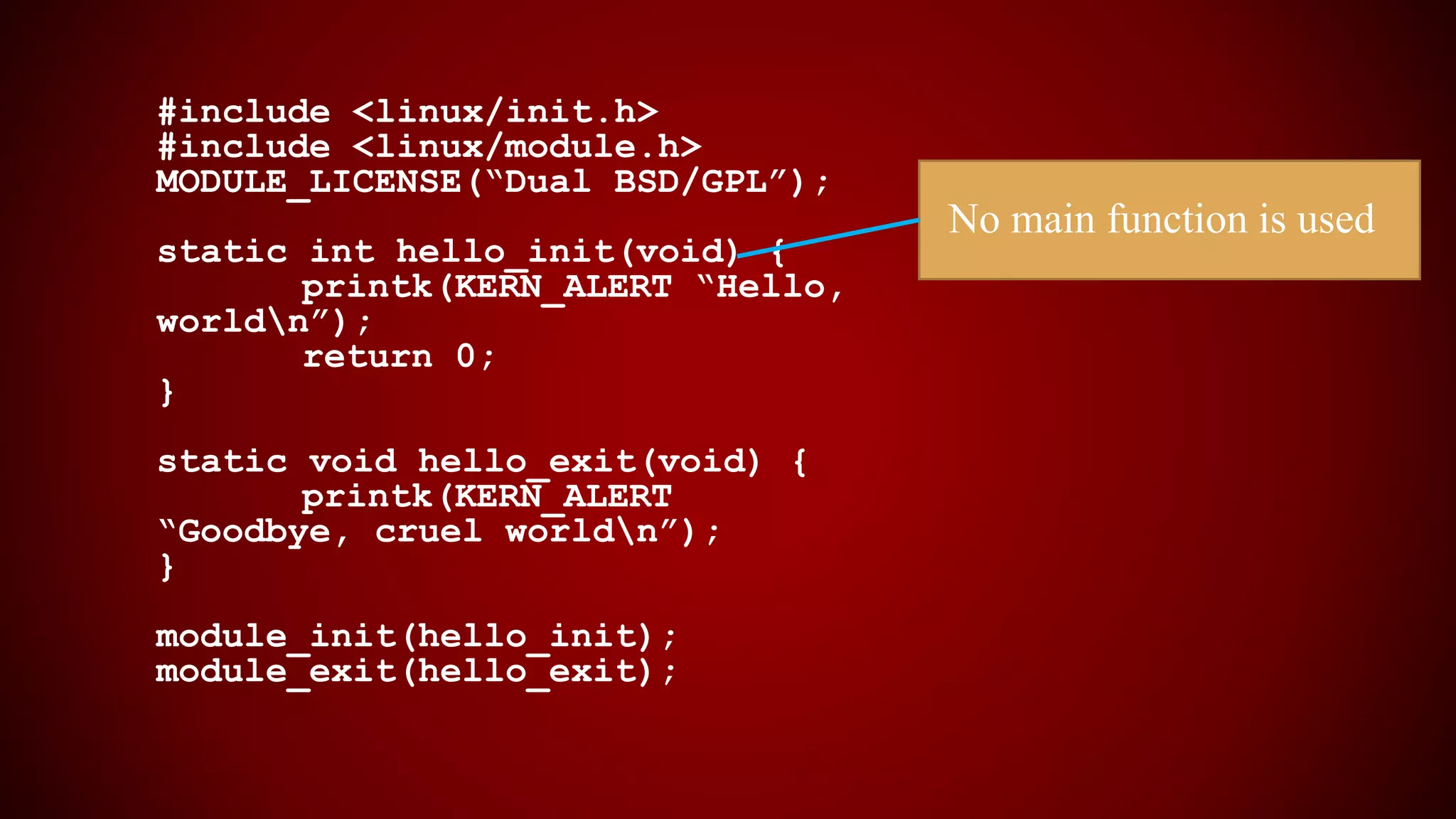
#include <linux/init.h>
#include <linux/module.h>
MODULE_LICENSE(“Dual BSD/GPL”);
static int hello_init(void) {
printk(KERN_ALERT “Hello,
worldn”);
return 0;
}
static void hello_exit(void) {
printk(KERN_ALERT
“Goodbye, cruel worldn”);
}
module_init(hello_init);
module_exit(hello_exit);
No main function is used
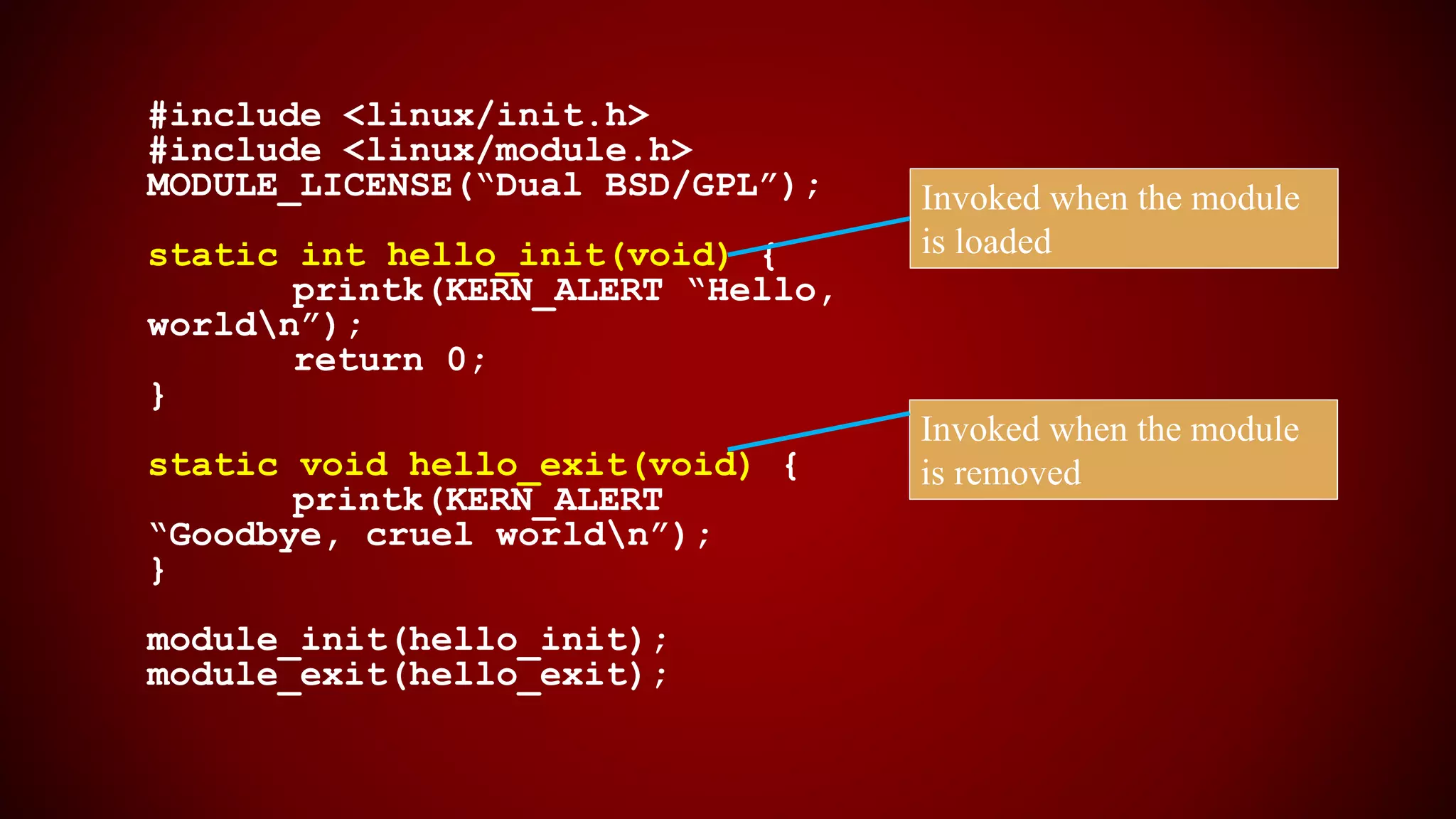
#include <linux/init.h>
#include <linux/module.h>
MODULE_LICENSE(“Dual BSD/GPL”);
static int hello_init(void) {
printk(KERN_ALERT “Hello,
worldn”);
return 0;
}
static void hello_exit(void) {
printk(KERN_ALERT
“Goodbye, cruel worldn”);
}
module_init(hello_init);
module_exit(hello_exit);
Invoked when the module
is loaded
Invoked when the module
is removed
#include <linux/init.h>
#include <linux/module.h>
MODULE_LICENSE(“Dual BSD/GPL”);
static int hello_init(void) {
printk(KERN_ALERT “Hello,
worldn”);
return 0;
}
static void hello_exit(void) {
printk(KERN_ALERT
“Goodbye, cruel worldn”);
}
module_init(hello_init);
module_exit(hello_exit);
Micros to indicate which module
initialization and exit functions
to call
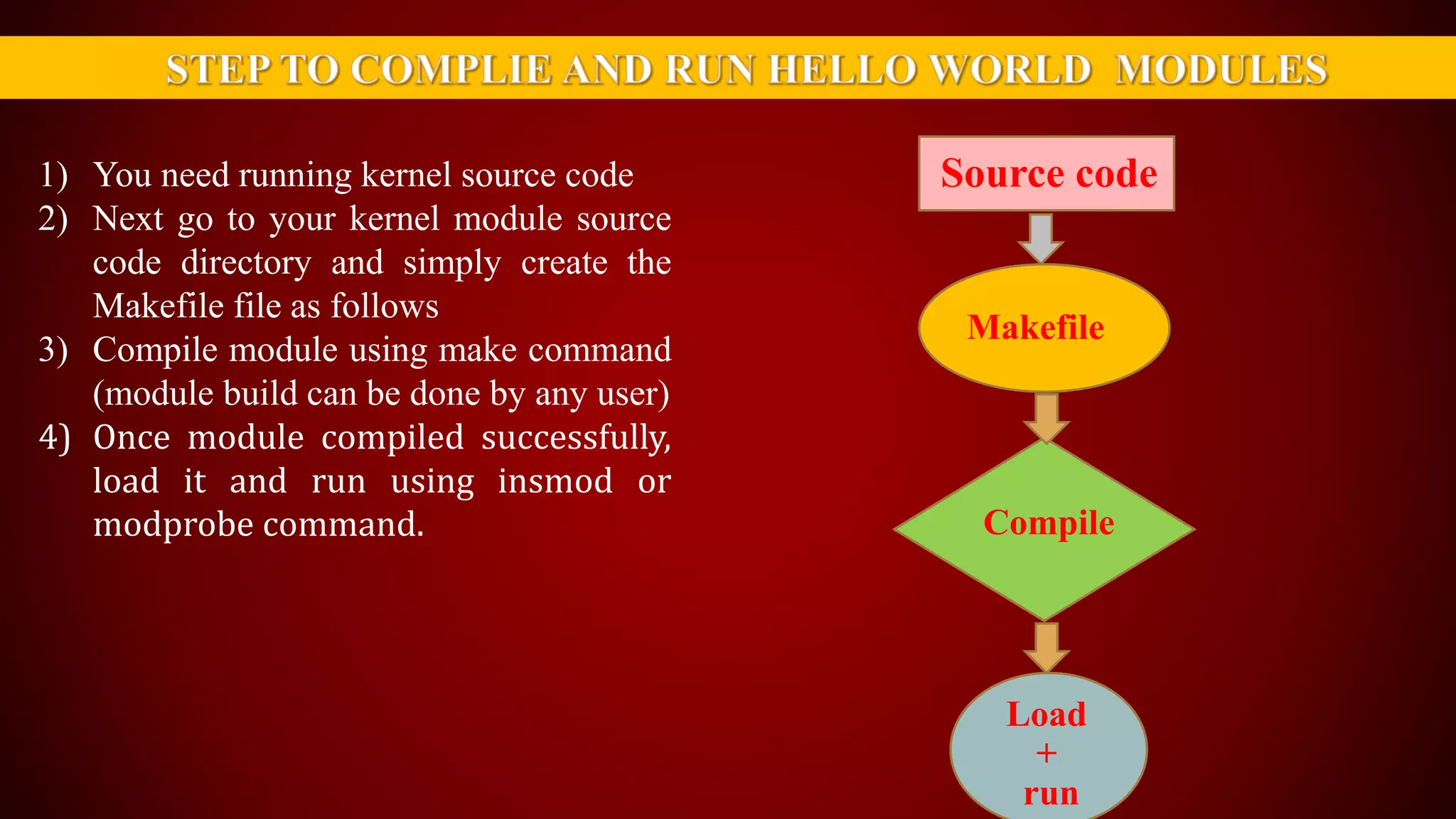
1) You need running kernel source code
2) Next go to your kernel module source
code directory and simply create the
Makefile file as follows
3) Compile module using make command
(module build can be done by any user)
4) Once module compiled successfully,
load it and run using insmod or
modprobe command.
Source code
Makefile
Compile
Load
+
run
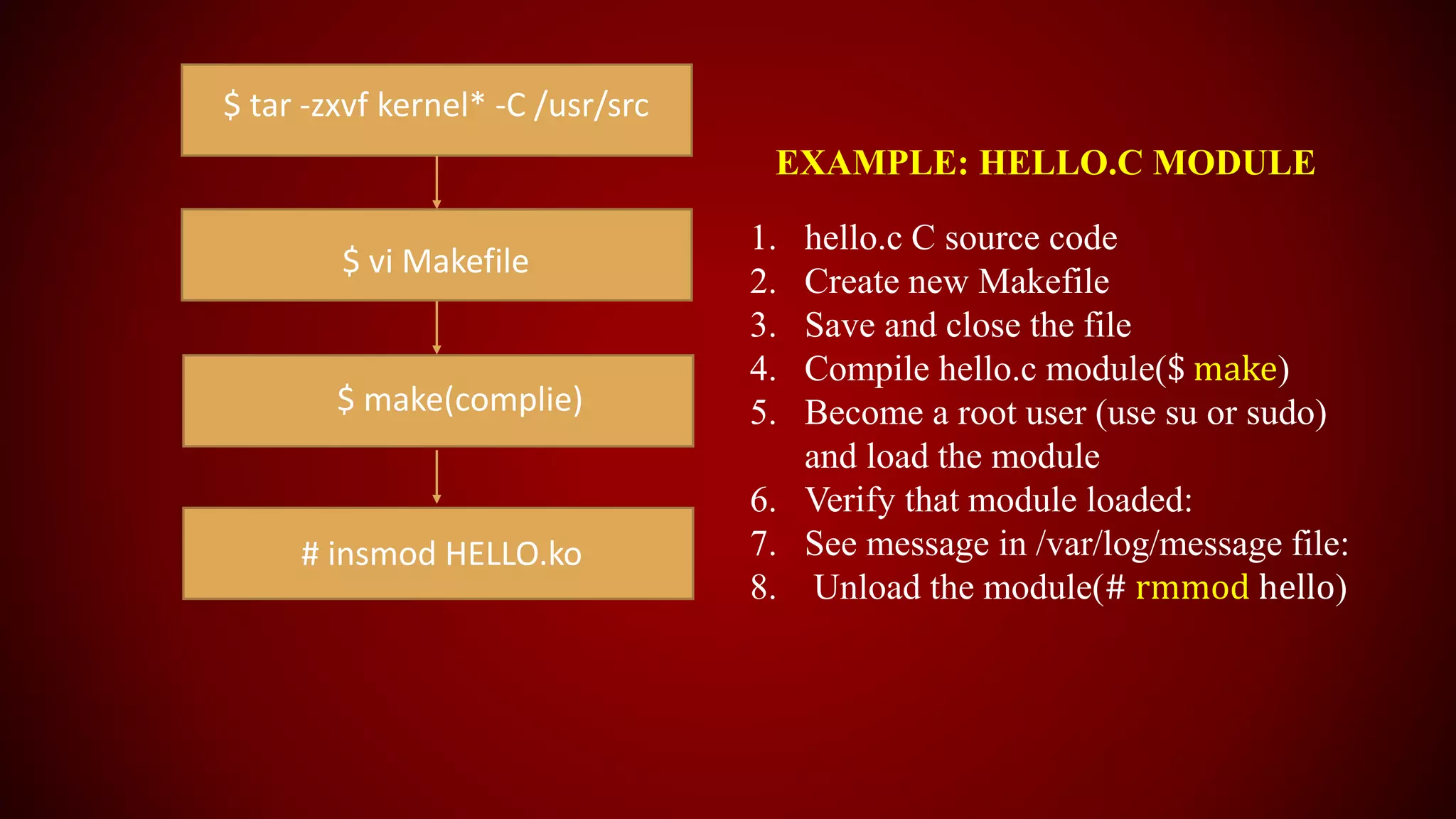
$ tar -zxvf kernel* -C /usr/src
$ vi Makefile
$ make(complie)
# insmod HELLO.ko
EXAMPLE: HELLO.C MODULE
1. hello.c C source code
2. Create new Makefile
3. Save and close the file
4. Compile hello.c module($ make)
5. Become a root user (use su or sudo)
and load the module
6. Verify that module loaded:
7. See message in /var/log/message file:
8. Unload the module(# rmmod hello)
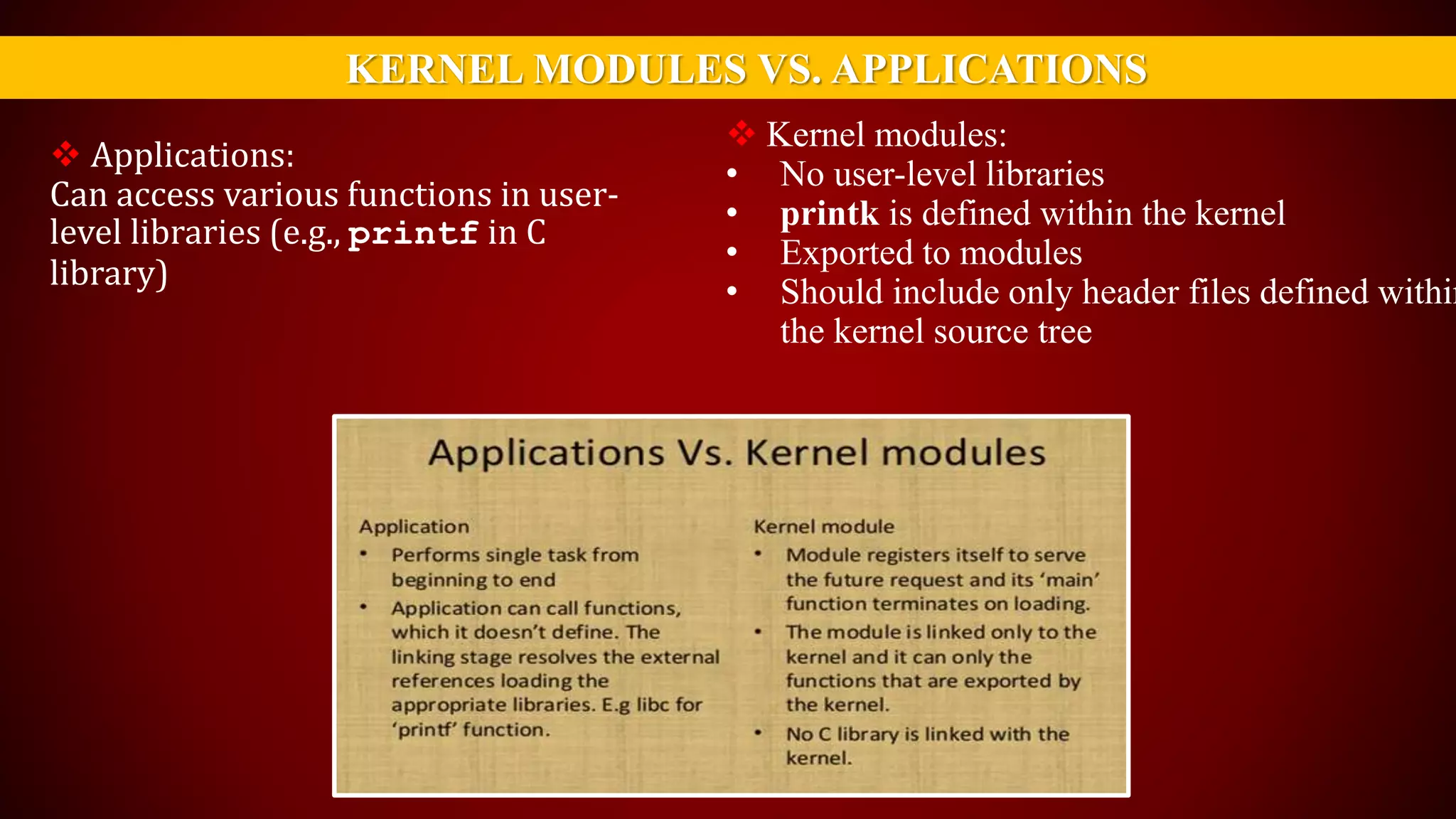
KERNEL MODULES VS. APPLICATIONS
 Applications:
Can access various functions in user-
level libraries (e.g., printf in C
library)
 Kernel modules:
• No user-level libraries
• printk is defined within the kernel
• Exported to modules
• Should include only header files defined within
the kernel source tree
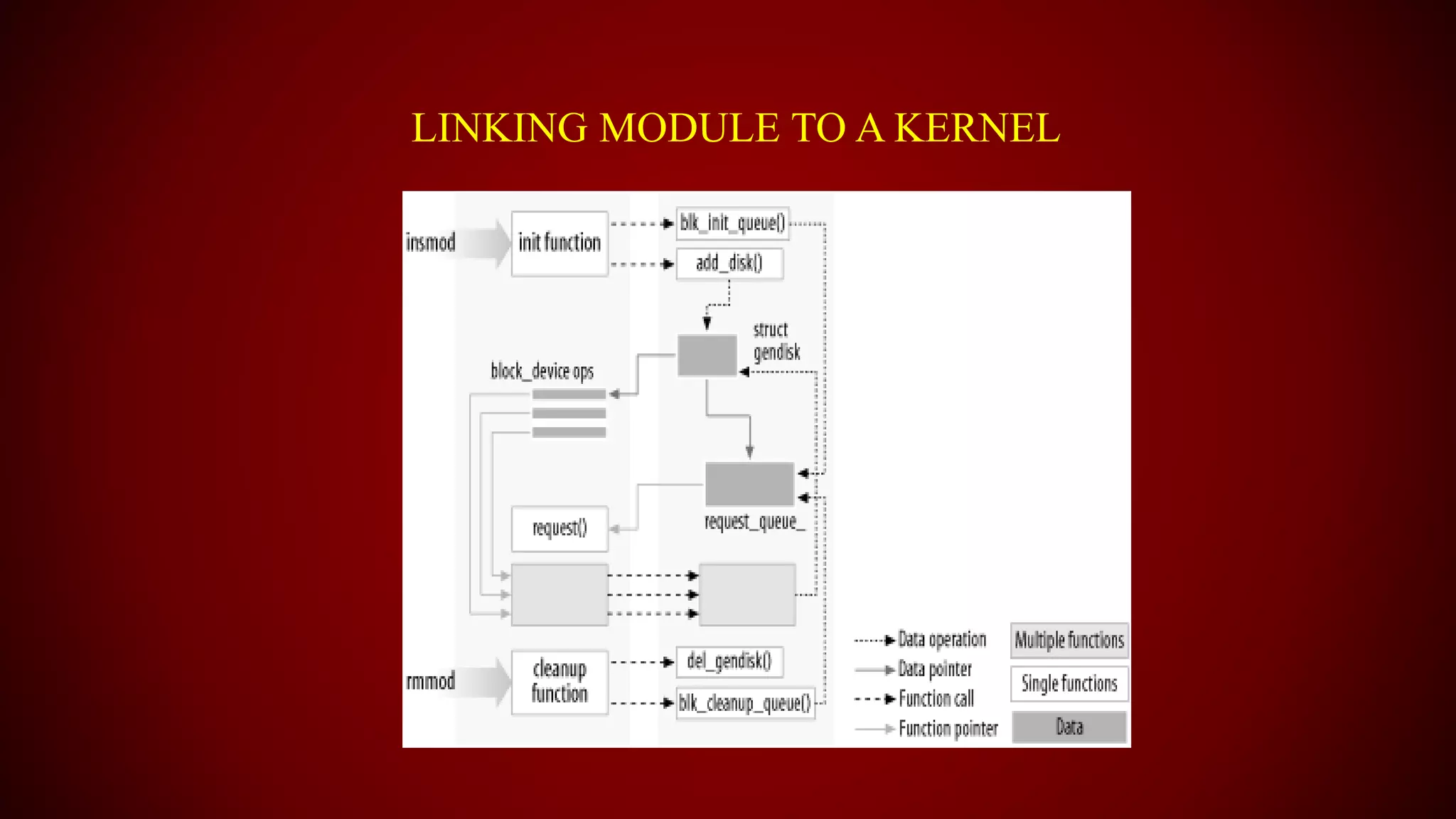
LINKING MODULE TO A KERNEL
END OF CLASS..
ANY
QUESTION??
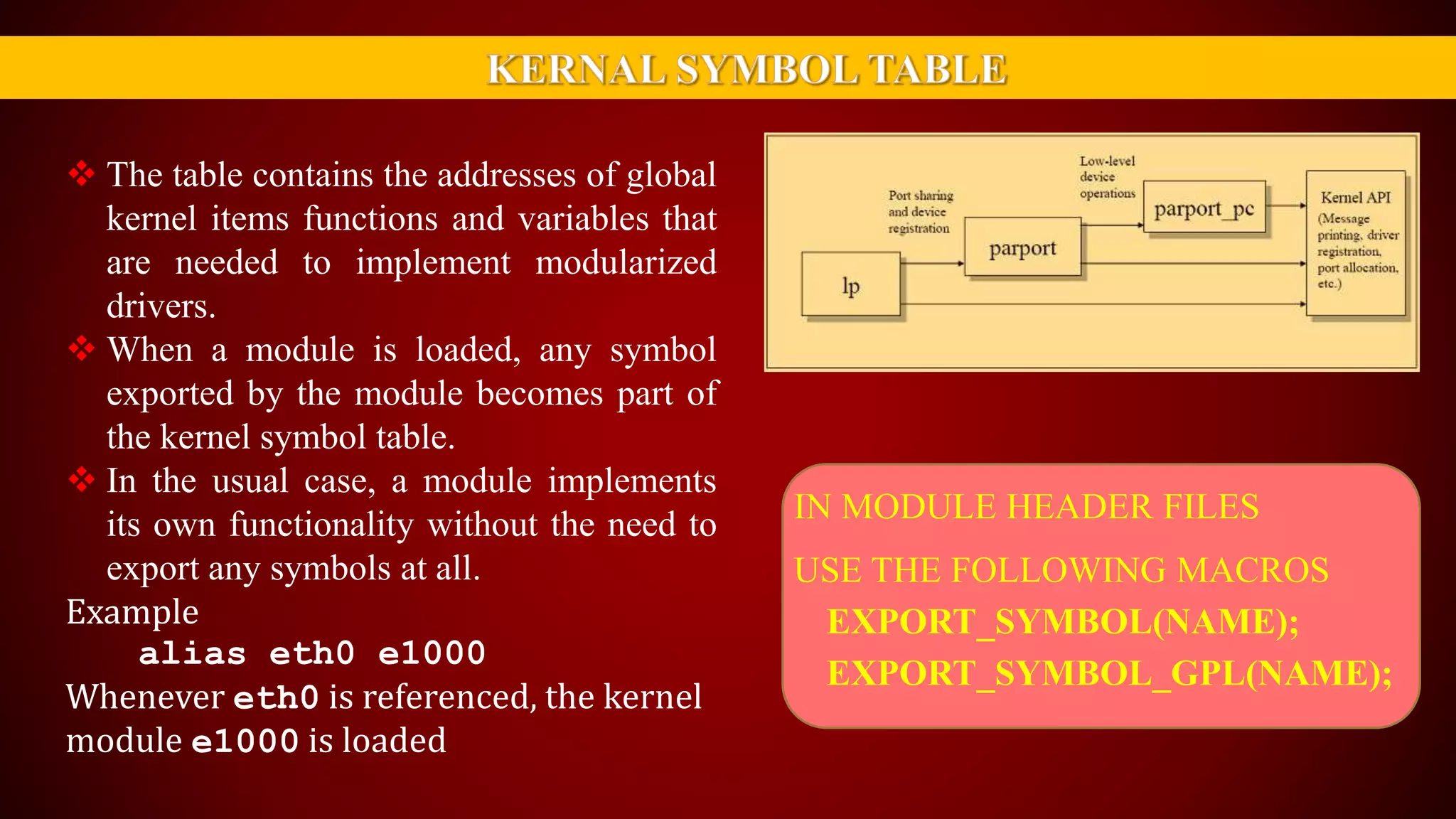
 The table contains the addresses of global
kernel items functions and variables that
are needed to implement modularized
drivers.
 When a module is loaded, any symbol
exported by the module becomes part of
the kernel symbol table.
 In the usual case, a module implements
its own functionality without the need to
export any symbols at all.
Example
alias eth0 e1000
Whenever eth0 is referenced, the kernel
module e1000 is loaded
IN MODULE HEADER FILES
USE THE FOLLOWING MACROS
EXPORT_SYMBOL(NAME);
EXPORT_SYMBOL_GPL(NAME);
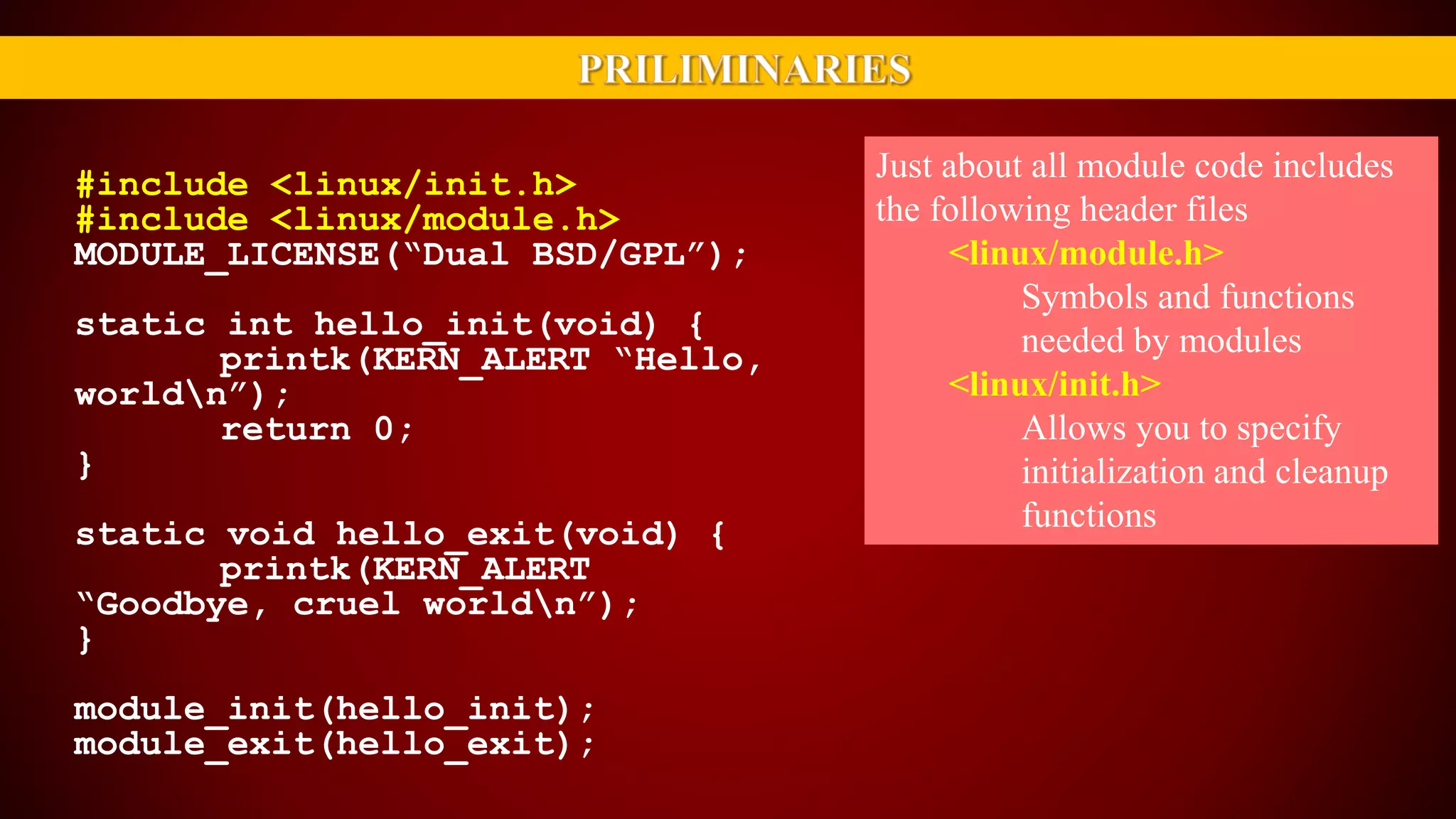
Just about all module code includes
the following header files
<linux/module.h>
Symbols and functions
needed by modules
<linux/init.h>
Allows you to specify
initialization and cleanup
functions
#include <linux/init.h>
#include <linux/module.h>
MODULE_LICENSE(“Dual BSD/GPL”);
static int hello_init(void) {
printk(KERN_ALERT “Hello,
worldn”);
return 0;
}
static void hello_exit(void) {
printk(KERN_ALERT
“Goodbye, cruel worldn”);
}
module_init(hello_init);
module_exit(hello_exit);
#include <linux/init.h>
#include <linux/module.h>
MODULE_LICENSE(“Dual
BSD/GPL”);
static int hello_init(void) {
printk(KERN_ALERT
“Hello, worldn”);
return 0;
}
static void hello_exit(void)
{
printk(KERN_ALERT
“Goodbye, cruel worldn”);
}
module_init(hello_init);
module_exit(hello_exit);
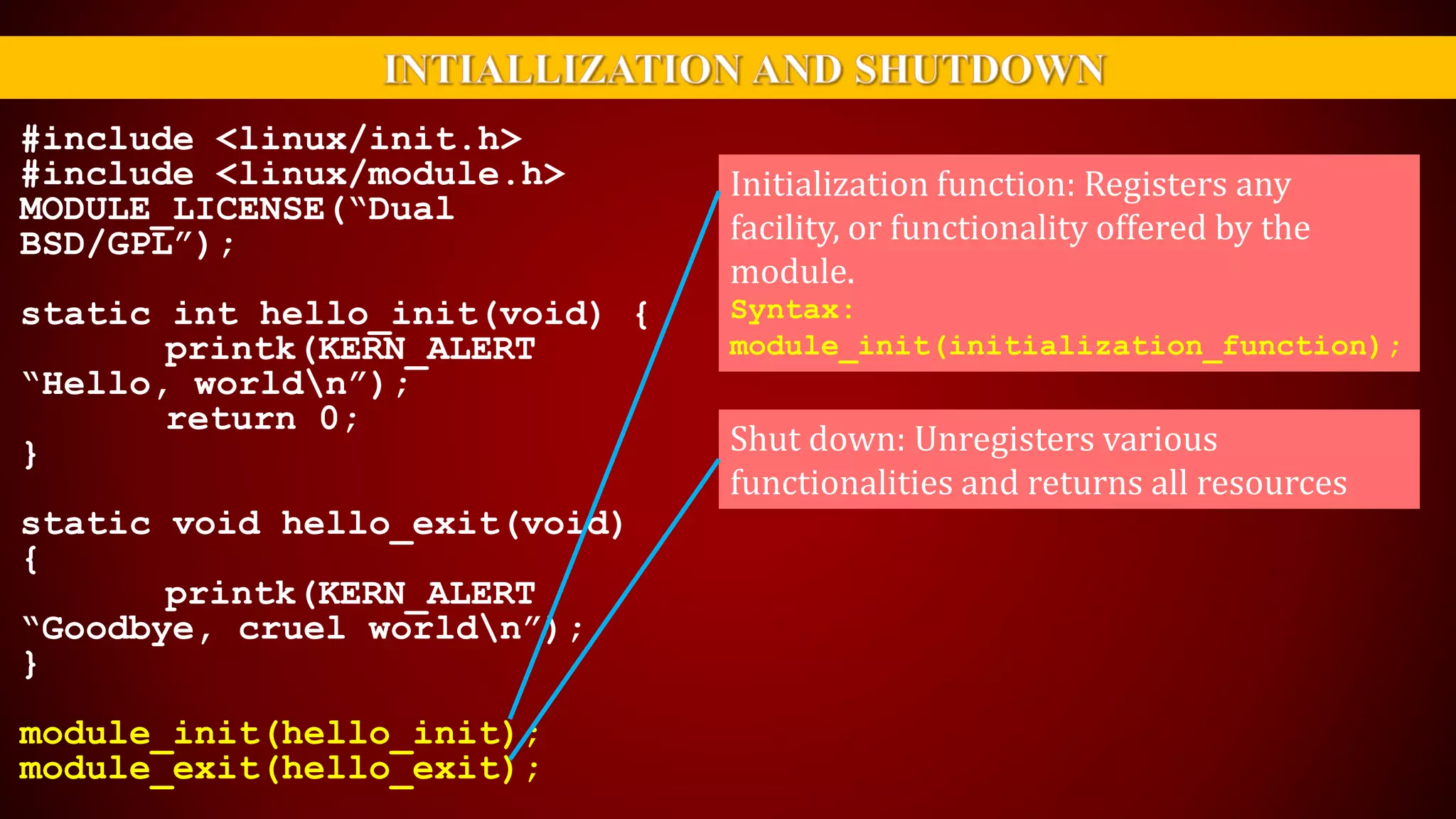
Initialization function: Registers any
facility, or functionality offered by the
module.
Syntax:
module_init(initialization_function);
Shut down: Unregisters various
functionalities and returns all resources
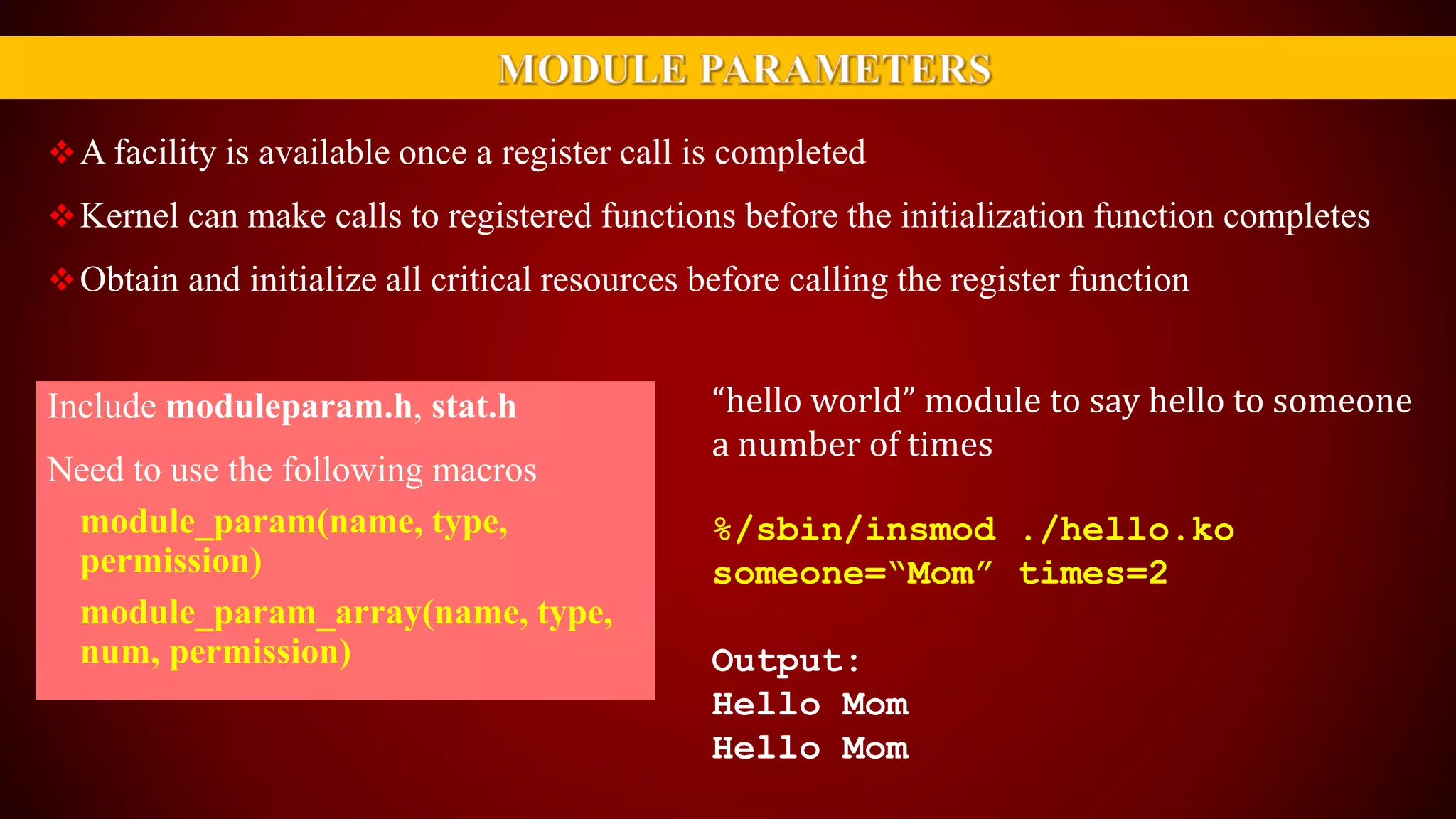
A facility is available once a register call is completed
Kernel can make calls to registered functions before the initialization function completes
Obtain and initialize all critical resources before calling the register function
Include moduleparam.h, stat.h
Need to use the following macros
module_param(name, type,
permission)
module_param_array(name, type,
num, permission)
“hello world” module to say hello to someone
a number of times
%/sbin/insmod ./hello.ko
someone=“Mom” times=2
Output:
Hello Mom
Hello Mom
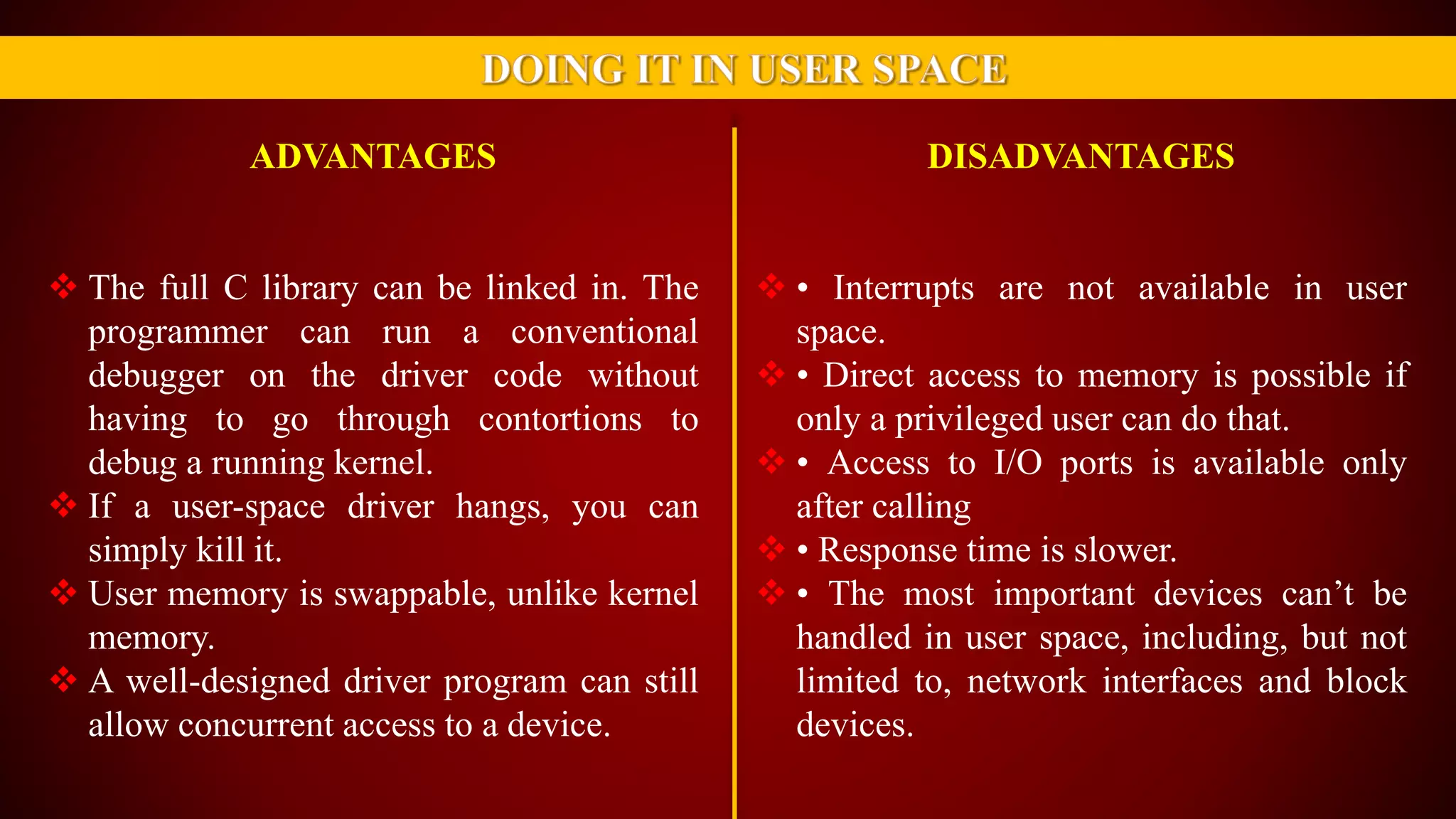
ADVANTAGES
 The full C library can be linked in. The
programmer can run a conventional
debugger on the driver code without
having to go through contortions to
debug a running kernel.
 If a user-space driver hangs, you can
simply kill it.
 User memory is swappable, unlike kernel
memory.
 A well-designed driver program can still
allow concurrent access to a device.
DISADVANTAGES
 • Interrupts are not available in user
space.
 • Direct access to memory is possible if
only a privileged user can do that.
 • Access to I/O ports is available only
after calling
 • Response time is slower.
 • The most important devices can’t be
handled in user space, including, but not
limited to, network interfaces and block
devices.
Linux Device Driver’s

Linux Device Driver’s

  • 1.
  • 2.
    Linux is, insimplest terms, an operating system Linux is very similar to other operating systems, such as windows, android and OS x(mac). Free and open-source software Android uses the Linux kernel under the hood. Because Linux is open-source, Google's android developers could modify the Linux kernel to fit their needs. Linux gives the android developers a pre-built, already maintained operating system kernel to start with so they don’t have to write their own kernel. WHAT IS LINUX??
  • 3.
     A kernelis the lowest level of easily replaceable software that interfaces with the hardware in your computer.  It is responsible for interfacing all of your applications that are running in “user mode” down to the physical hardware, and allowing processes, known as servers, to get information from each other using inter- process communication (IPC). WHAT DOES KERNAL DOES??
  • 4.
    HERE COMES ADEVICE DRIVER A device driver is a program that controls a particular type of device that is attached to your computer.  Black boxes to hide details of hardware devices  Use standardized calls  Independent of the specific driver  Main role is to Map standard calls to device-specific operations  Can be developed separately from the rest of the kernel  Plugged in at runtime when needed DEVICE DRIVER WINDOWS (DEVICE DRIVERS ) LINUX (MODULES)
  • 5.
    Kernel model with devicedriver hierarchy.
  • 6.
    Implements the mechanismsto access the hardware. E.g., show a disk as an array of data blocks Does not force particular policies on the user. Support for synchronous/asynchronous operation Be opened multiple times Exploit the full capabilities of the hardware Easier user model Easier to write and maintain To assist users with policies, release device drivers with user programs THE ROLE OF THE DEVICE DRIVER
  • 7.
    THAT’S ALL FORTODAY…. ANY QUESTION??
  • 8.
    SPLITIING THE ROLESOF KERNAL PROCESS MANAGEMENT MEMORY MANAGEMENT FILE SYSTEMSDEVICE CONTROL NETWORKING
  • 9.
    PROCESS MANAGEMENT  Creates, destroysprocesses  Supports communication among processes Signals, pipes, etc.  Schedules how processes share the CPU MEMORY MANAGEMENT  Managing memory by Virtual addressing
  • 10.
    FILE SYSTEMS DEVICE CONTROL NETWORKING  Everythingin UNIX can be treated as a file  Linux supports multiple file systems  Every system operation maps to a physical device  Few exceptions: CPU, memory, etc.  Handles packets  Handles routing and network address resolution issues
  • 11.
    A SPLIT VIEWOF KERNAL
  • 12.
    CLASSES OF DEVICESTHAT USE MODULES CHARACTER DEVICES BLOCK DEVICES NETWORK DEVICES OTHERS 1 2 3 4
  • 13.
    CHARACTER DEVICES  Abstraction:a stream of bytes  Examples Text console (/dev/console) Serial ports (/dev/ttyS0)  Usually supports open, close, read, write instructions  Accessed sequentially (in most cases)  Might not support file seeks  Exception: frame grabbers  Can access acquired image using mmap or lseek BLOCK DEVICES  Abstraction: array of storage blocks  However, applications can access a block device in bytes  Block and char devices differ only at the kernel level  A block device can host a file system
  • 14.
    NETWORK DEVICES OTHERS Abstraction: data packets  Send and receive packets  Do not know about individual connections  Have unique names (e.g., eth0)  Not in the file system  Support protocols and streams related to packet transmission (i.e., no read and write)  Examples that do not fit to previous categories:  USB  SCSI  FireWire  I2O  MTD
  • 15.
    SECURITY ISSUES Kernel modulespresent possibilities for both System does rudimentary checks at module load time It relies on limiting privilege to load modules DAMAGES DELIBARATE INCIDENTAL Hack, Virus, Log Files, Encryption, Logic Bomb Something Happens By Chance, w/o Intention
  • 16.
    SECURITY ISSUES Driver writermust be on guard for security problems. Do not define security policies, Provide mechanisms to enforce policies. Be aware of operations that affect global resources. Beware of bugs. Treat input/parameters with utmost suspicion. Uninitialized memory, Kernel memory should be zeroed before being made available to a user. Otherwise, information leakage could result. Passwords protected. Avoid running kernels compiled by an untrusted friend
  • 17.
    VERSION NUMBER’S  Everysoftware package used in Linux has a release number.  You need a particular version of one package to run a particular version of another package.  Prepackaged distribution contains matching versions of various packages.  Linux kernel version numbers: <major>.<minor>.<release> For example: 2.6.31
  • 19.
    BUILDING MODULES #include <linux/init.h> #include<linux/module.h> MODULE_LICENSE(“Dual BSD/GPL”); static int hello_init(void) { printk(KERN_ALERT “Hello, worldn”); return 0; } static void hello_exit(void) { printk(KERN_ALERT “Goodbye, cruel worldn”); } module_init(hello_init); module_exit(hello_exit); The HELLO WORLD program
  • 20.
    #include <linux/init.h> #include <linux/module.h> MODULE_LICENSE(“DualBSD/GPL”); static int hello_init(void) { printk(KERN_ALERT “Hello, worldn”); return 0; } static void hello_exit(void) { printk(KERN_ALERT “Goodbye, cruel worldn”); } module_init(hello_init); module_exit(hello_exit); This module bears a free license The ordering matters sometimes
  • 21.
    #include <linux/init.h> #include <linux/module.h> MODULE_LICENSE(“DualBSD/GPL”); static int hello_init(void) { printk(KERN_ALERT “Hello, worldn”); return 0; } static void hello_exit(void) { printk(KERN_ALERT “Goodbye, cruel worldn”); } module_init(hello_init); module_exit(hello_exit); No main function is used
  • 22.
    #include <linux/init.h> #include <linux/module.h> MODULE_LICENSE(“DualBSD/GPL”); static int hello_init(void) { printk(KERN_ALERT “Hello, worldn”); return 0; } static void hello_exit(void) { printk(KERN_ALERT “Goodbye, cruel worldn”); } module_init(hello_init); module_exit(hello_exit); Invoked when the module is loaded Invoked when the module is removed
  • 23.
    #include <linux/init.h> #include <linux/module.h> MODULE_LICENSE(“DualBSD/GPL”); static int hello_init(void) { printk(KERN_ALERT “Hello, worldn”); return 0; } static void hello_exit(void) { printk(KERN_ALERT “Goodbye, cruel worldn”); } module_init(hello_init); module_exit(hello_exit); Micros to indicate which module initialization and exit functions to call
  • 24.
    1) You needrunning kernel source code 2) Next go to your kernel module source code directory and simply create the Makefile file as follows 3) Compile module using make command (module build can be done by any user) 4) Once module compiled successfully, load it and run using insmod or modprobe command. Source code Makefile Compile Load + run
  • 25.
    $ tar -zxvfkernel* -C /usr/src $ vi Makefile $ make(complie) # insmod HELLO.ko EXAMPLE: HELLO.C MODULE 1. hello.c C source code 2. Create new Makefile 3. Save and close the file 4. Compile hello.c module($ make) 5. Become a root user (use su or sudo) and load the module 6. Verify that module loaded: 7. See message in /var/log/message file: 8. Unload the module(# rmmod hello)
  • 26.
    KERNEL MODULES VS.APPLICATIONS  Applications: Can access various functions in user- level libraries (e.g., printf in C library)  Kernel modules: • No user-level libraries • printk is defined within the kernel • Exported to modules • Should include only header files defined within the kernel source tree
  • 27.
  • 28.
  • 29.
     The tablecontains the addresses of global kernel items functions and variables that are needed to implement modularized drivers.  When a module is loaded, any symbol exported by the module becomes part of the kernel symbol table.  In the usual case, a module implements its own functionality without the need to export any symbols at all. Example alias eth0 e1000 Whenever eth0 is referenced, the kernel module e1000 is loaded IN MODULE HEADER FILES USE THE FOLLOWING MACROS EXPORT_SYMBOL(NAME); EXPORT_SYMBOL_GPL(NAME);
  • 30.
    Just about allmodule code includes the following header files <linux/module.h> Symbols and functions needed by modules <linux/init.h> Allows you to specify initialization and cleanup functions #include <linux/init.h> #include <linux/module.h> MODULE_LICENSE(“Dual BSD/GPL”); static int hello_init(void) { printk(KERN_ALERT “Hello, worldn”); return 0; } static void hello_exit(void) { printk(KERN_ALERT “Goodbye, cruel worldn”); } module_init(hello_init); module_exit(hello_exit);
  • 31.
    #include <linux/init.h> #include <linux/module.h> MODULE_LICENSE(“Dual BSD/GPL”); staticint hello_init(void) { printk(KERN_ALERT “Hello, worldn”); return 0; } static void hello_exit(void) { printk(KERN_ALERT “Goodbye, cruel worldn”); } module_init(hello_init); module_exit(hello_exit); Initialization function: Registers any facility, or functionality offered by the module. Syntax: module_init(initialization_function); Shut down: Unregisters various functionalities and returns all resources
  • 32.
    A facility isavailable once a register call is completed Kernel can make calls to registered functions before the initialization function completes Obtain and initialize all critical resources before calling the register function Include moduleparam.h, stat.h Need to use the following macros module_param(name, type, permission) module_param_array(name, type, num, permission) “hello world” module to say hello to someone a number of times %/sbin/insmod ./hello.ko someone=“Mom” times=2 Output: Hello Mom Hello Mom
  • 34.
    ADVANTAGES  The fullC library can be linked in. The programmer can run a conventional debugger on the driver code without having to go through contortions to debug a running kernel.  If a user-space driver hangs, you can simply kill it.  User memory is swappable, unlike kernel memory.  A well-designed driver program can still allow concurrent access to a device. DISADVANTAGES  • Interrupts are not available in user space.  • Direct access to memory is possible if only a privileged user can do that.  • Access to I/O ports is available only after calling  • Response time is slower.  • The most important devices can’t be handled in user space, including, but not limited to, network interfaces and block devices.