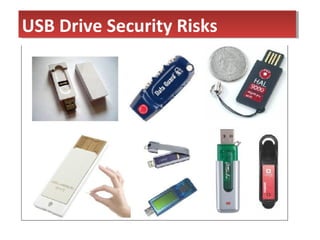
USB Drive Security RisksUSB Drive Security Risks
Preview
• USB drive trend
• Risks of storing data in USB drive
• What we need to do
• How to do it
• Why we should do it now
• conclusion
• USB thumb drive
• USB memory stick
• USB jump drive
• First sold in year 2000
• weigh less than 2 ounces
• Intended to make life easier for users
HistoryHistory
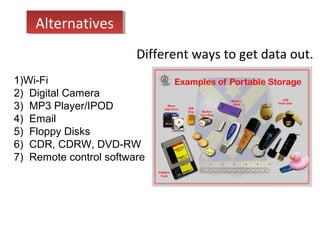
1)Wi-Fi
2) Digital Camera
3) MP3 Player/IPOD
4) Email
5) Floppy Disks
6) CDR, CDRW, DVD-RW
7) Remote control software
Different ways to get data out.
AlternativesAlternatives
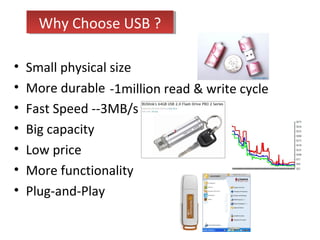
• Small physical size
• More durable
• Fast Speed --3MB/s
• Big capacity
• Low price
• More functionality
• Plug-and-Play
-1million read & write cycle
Why Choose USB ?Why Choose USB ?
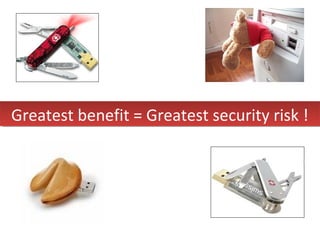
Greatest benefit = Greatest security risk !Greatest benefit = Greatest security risk !
85million units sold in 2007
Only few buyers thought about the
drives’ security implications.
-Gartner
According to security firm Vontu
• >50% of 480 surveyed tech-
professionals’ USB drives contain
unprotected confidential information
• 1 USB drive is lost at work each month
– Unlike laptop, storage devices are small and
cheap. Many employees do not report them
missing as they would a laptop.
• Corruption of data
• Virus Transmissions
• Loss of media
• Loss of confidentiality
RisksRisks
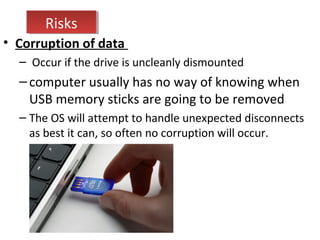
• Corruption of data
– Occur if the drive is uncleanly dismounted
–computer usually has no way of knowing when
USB memory sticks are going to be removed
– The OS will attempt to handle unexpected disconnects
as best it can, so often no corruption will occur.
RisksRisks
• Corruption of data
• Virus Transmissions
Whenever files are transferred between two machines there is a risk
that viral code or some other malware will be transmitted, and USB
memory sticks are no exception.
• April 2008, a batch of HP USB flash drives were shipped with a virus.
• November 2007, Maxtor USB Hard Drives Ship Virus Infected
RisksRisks
• Corruption of data
• Virus Transmissions
• Loss of Media
– A drawback to the small size is that they are easily
misplaced, left behind, or otherwise lost.
– All data is lost too
RisksRisks
• Corruption of data
• Virus Transmissions
• Loss of Media
• Loss of Confidentiality
– If the stick then finds its way into the hands of a
competitor, then the company has suffered a much
greater loss than simply the replacement cost of the
drive.
– A $25 thumb drive can contain $25 million worth of
information on it
RisksRisks
• The personal information of 6,500 current and former
University of Kentucky students was reported stolen May 26
after the theft of a professor's flash drive. The drive has not
been recovered.
• April 2006, Flash drives holding sensitive and classified
military information turned up for sale at a bazaar near
Afghanistan. Investigators recovered many drives, but an
unknown number are still missing.
• In October, Wilcox Memorial Hospital in Hawaii, informed
120,000 current and former patients that a flash drive
containing their personal information — names, addresses,
Social Security numbers and identifying medical record
numbers — was lost. It has yet to be recovered.
Recent IncidentsRecent Incidents
4 easy steps
SolutionsSolutions
Corruption of Data
• dismount the device according to the OS
documentation.
Virus Transmission
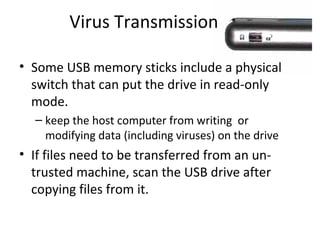
• Some USB memory sticks include a physical
switch that can put the drive in read-only
mode.
– keep the host computer from writing or
modifying data (including viruses) on the drive
• If files need to be transferred from an un-
trusted machine, scan the USB drive after
copying files from it.
Loss of Media
• attaching flash drives to keychains, necklaces
and lanyards.
Loss of Confidentiality
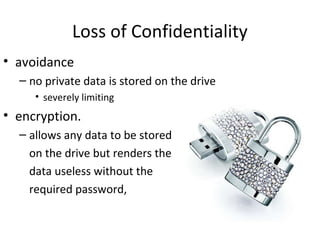
• avoidance
– no private data is stored on the drive
• severely limiting
• encryption.
– allows any data to be stored
on the drive but renders the
data useless without the
required password,
Encryption
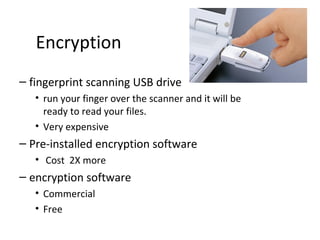
– fingerprint scanning USB drive
• run your finger over the scanner and it will be
ready to read your files.
• Very expensive
– Pre-installed encryption software
• Cost 2X more
– encryption software
• Commercial
• Free
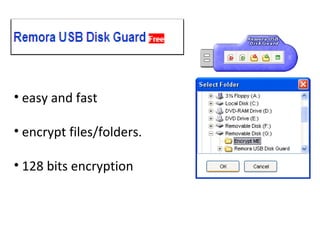
• easy and fast
• encrypt files/folders.
• 128 bits encryption
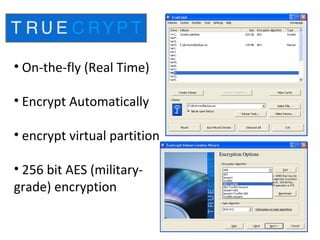
• On-the-fly (Real Time)
• Encrypt Automatically
• encrypt virtual partition
• 256 bit AES (military-
grade) encryption
• Can’t completely eliminate all the risk
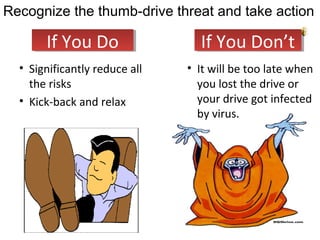
• Significantly reduce all
the risks
• Kick-back and relax
If You DoIf You Do
• It will be too late when
you lost the drive or
your drive got infected
by virus.
Recognize the thumb-drive threat and take action
If You Don’tIf You Don’t
• USB drive will become more popular and
security incidents will occur more often
• 4 steps to reduce
– Data corruption
– Virus transmissions
– Loss of media
– Loss of confidentiality
ConclusionConclusion
USB flash drive security

USB flash drive security

  • 2.
    USB Drive SecurityRisksUSB Drive Security Risks
  • 3.
    Preview • USB drivetrend • Risks of storing data in USB drive • What we need to do • How to do it • Why we should do it now • conclusion
  • 4.
    • USB thumbdrive • USB memory stick • USB jump drive • First sold in year 2000 • weigh less than 2 ounces • Intended to make life easier for users HistoryHistory
  • 5.
    1)Wi-Fi 2) Digital Camera 3)MP3 Player/IPOD 4) Email 5) Floppy Disks 6) CDR, CDRW, DVD-RW 7) Remote control software Different ways to get data out. AlternativesAlternatives
  • 6.
    • Small physicalsize • More durable • Fast Speed --3MB/s • Big capacity • Low price • More functionality • Plug-and-Play -1million read & write cycle Why Choose USB ?Why Choose USB ?
  • 7.
    Greatest benefit =Greatest security risk !Greatest benefit = Greatest security risk !
  • 8.
    85million units soldin 2007 Only few buyers thought about the drives’ security implications. -Gartner
  • 9.
    According to securityfirm Vontu • >50% of 480 surveyed tech- professionals’ USB drives contain unprotected confidential information • 1 USB drive is lost at work each month – Unlike laptop, storage devices are small and cheap. Many employees do not report them missing as they would a laptop.
  • 11.
    • Corruption ofdata • Virus Transmissions • Loss of media • Loss of confidentiality RisksRisks
  • 12.
    • Corruption ofdata – Occur if the drive is uncleanly dismounted –computer usually has no way of knowing when USB memory sticks are going to be removed – The OS will attempt to handle unexpected disconnects as best it can, so often no corruption will occur. RisksRisks
  • 13.
    • Corruption ofdata • Virus Transmissions Whenever files are transferred between two machines there is a risk that viral code or some other malware will be transmitted, and USB memory sticks are no exception. • April 2008, a batch of HP USB flash drives were shipped with a virus. • November 2007, Maxtor USB Hard Drives Ship Virus Infected RisksRisks
  • 14.
    • Corruption ofdata • Virus Transmissions • Loss of Media – A drawback to the small size is that they are easily misplaced, left behind, or otherwise lost. – All data is lost too RisksRisks
  • 15.
    • Corruption ofdata • Virus Transmissions • Loss of Media • Loss of Confidentiality – If the stick then finds its way into the hands of a competitor, then the company has suffered a much greater loss than simply the replacement cost of the drive. – A $25 thumb drive can contain $25 million worth of information on it RisksRisks
  • 16.
    • The personalinformation of 6,500 current and former University of Kentucky students was reported stolen May 26 after the theft of a professor's flash drive. The drive has not been recovered. • April 2006, Flash drives holding sensitive and classified military information turned up for sale at a bazaar near Afghanistan. Investigators recovered many drives, but an unknown number are still missing. • In October, Wilcox Memorial Hospital in Hawaii, informed 120,000 current and former patients that a flash drive containing their personal information — names, addresses, Social Security numbers and identifying medical record numbers — was lost. It has yet to be recovered. Recent IncidentsRecent Incidents
  • 17.
  • 18.
    Corruption of Data •dismount the device according to the OS documentation.
  • 19.
    Virus Transmission • SomeUSB memory sticks include a physical switch that can put the drive in read-only mode. – keep the host computer from writing or modifying data (including viruses) on the drive • If files need to be transferred from an un- trusted machine, scan the USB drive after copying files from it.
  • 20.
    Loss of Media •attaching flash drives to keychains, necklaces and lanyards.
  • 21.
    Loss of Confidentiality •avoidance – no private data is stored on the drive • severely limiting • encryption. – allows any data to be stored on the drive but renders the data useless without the required password,
  • 22.
    Encryption – fingerprint scanningUSB drive • run your finger over the scanner and it will be ready to read your files. • Very expensive – Pre-installed encryption software • Cost 2X more – encryption software • Commercial • Free
  • 23.
    • easy andfast • encrypt files/folders. • 128 bits encryption
  • 24.
    • On-the-fly (RealTime) • Encrypt Automatically • encrypt virtual partition • 256 bit AES (military- grade) encryption
  • 25.
    • Can’t completelyeliminate all the risk
  • 26.
    • Significantly reduceall the risks • Kick-back and relax If You DoIf You Do • It will be too late when you lost the drive or your drive got infected by virus. Recognize the thumb-drive threat and take action If You Don’tIf You Don’t
  • 27.
    • USB drivewill become more popular and security incidents will occur more often • 4 steps to reduce – Data corruption – Virus transmissions – Loss of media – Loss of confidentiality ConclusionConclusion

Editor's Notes

  • #13 USB memory sticks differ from other types of removable media, such as CD and DVD-ROMs because the . Users of USB memory sticks usually need to alert the computer that they intend to remove the device, otherwise the computer will be unable to perform the necessary clean-up functions required to disconnect the device,