Universal Design for
      Learning
    Amanda L. Darlington
         EDUC 7109
The idea...

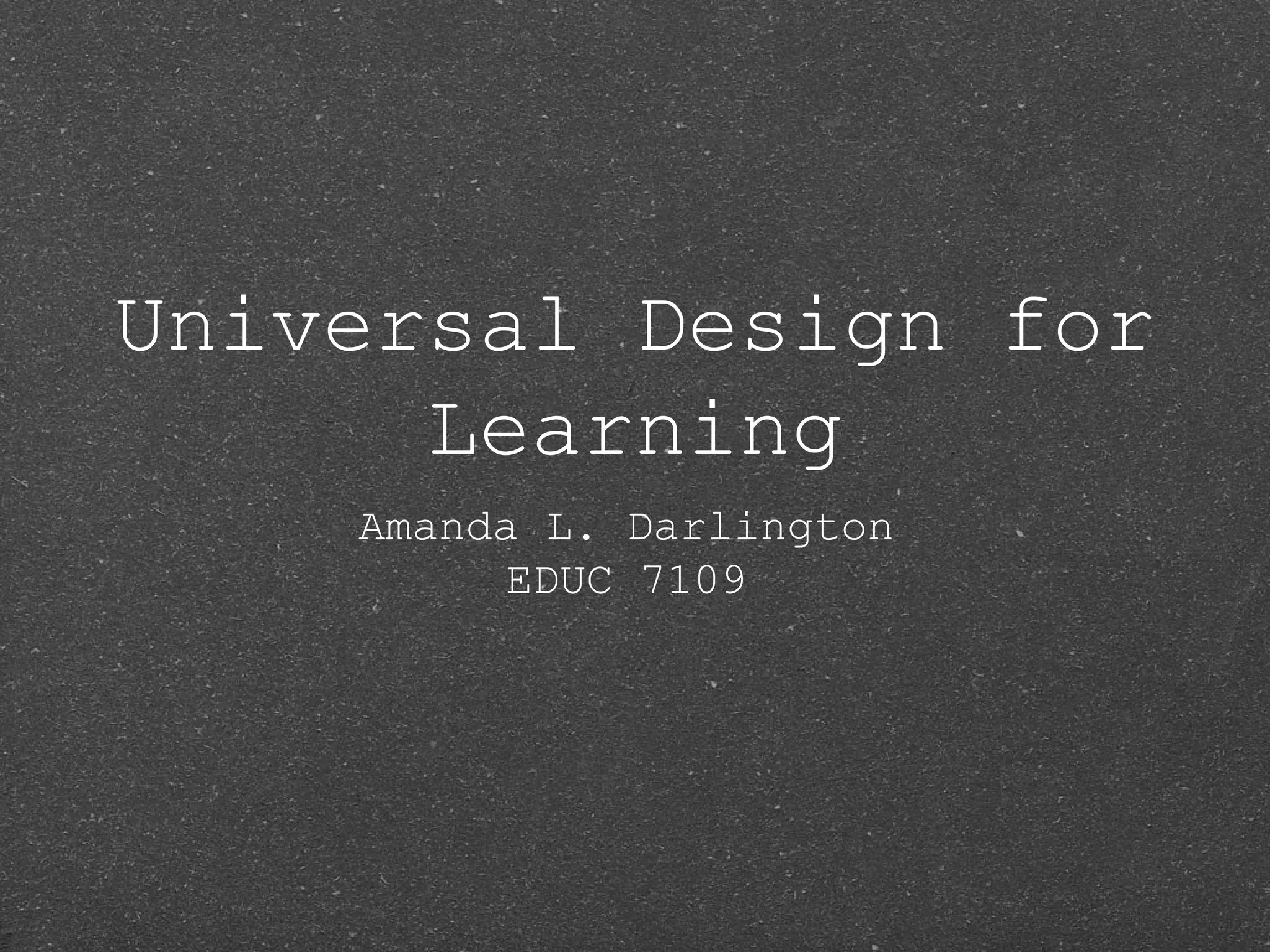
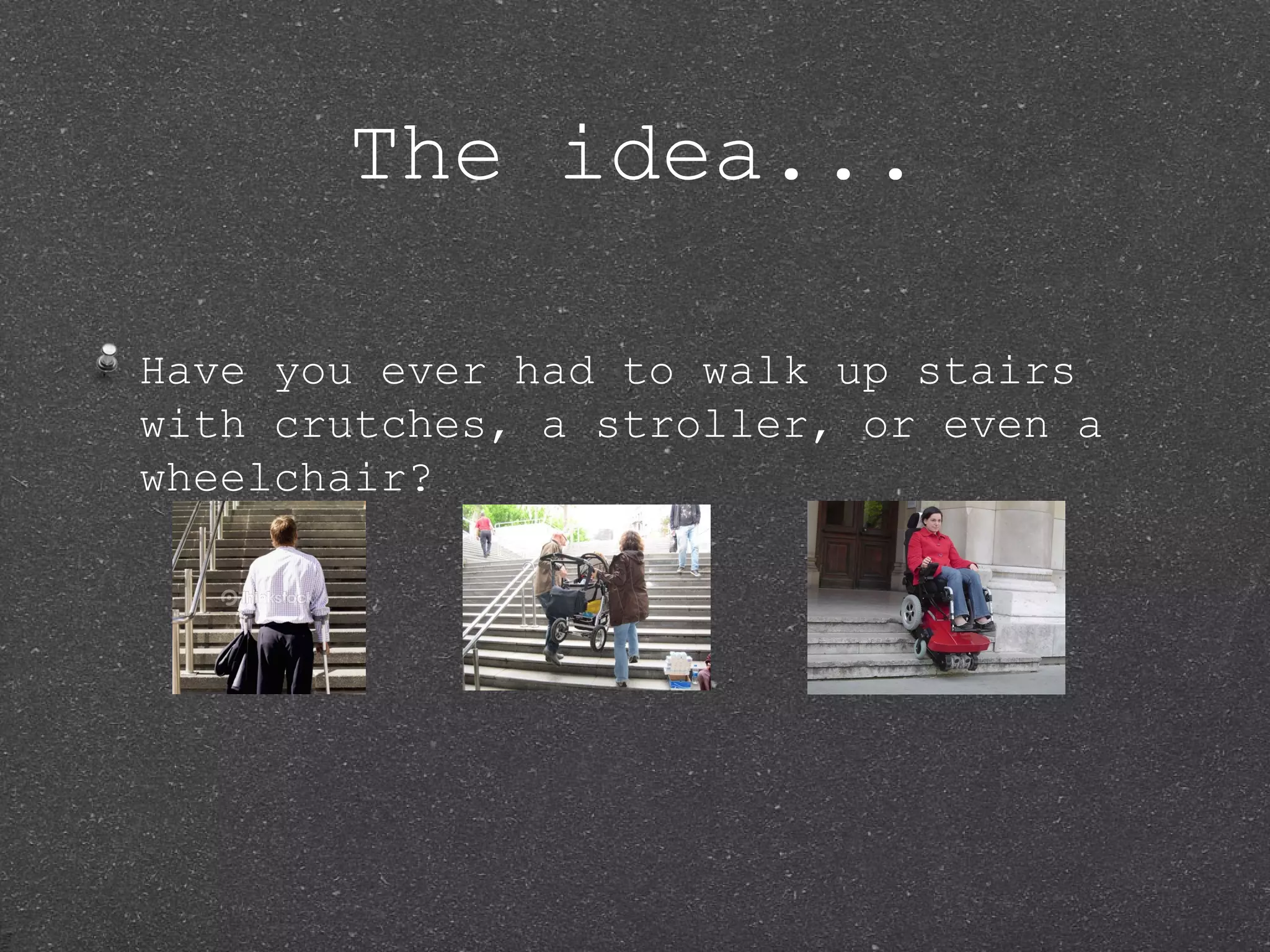
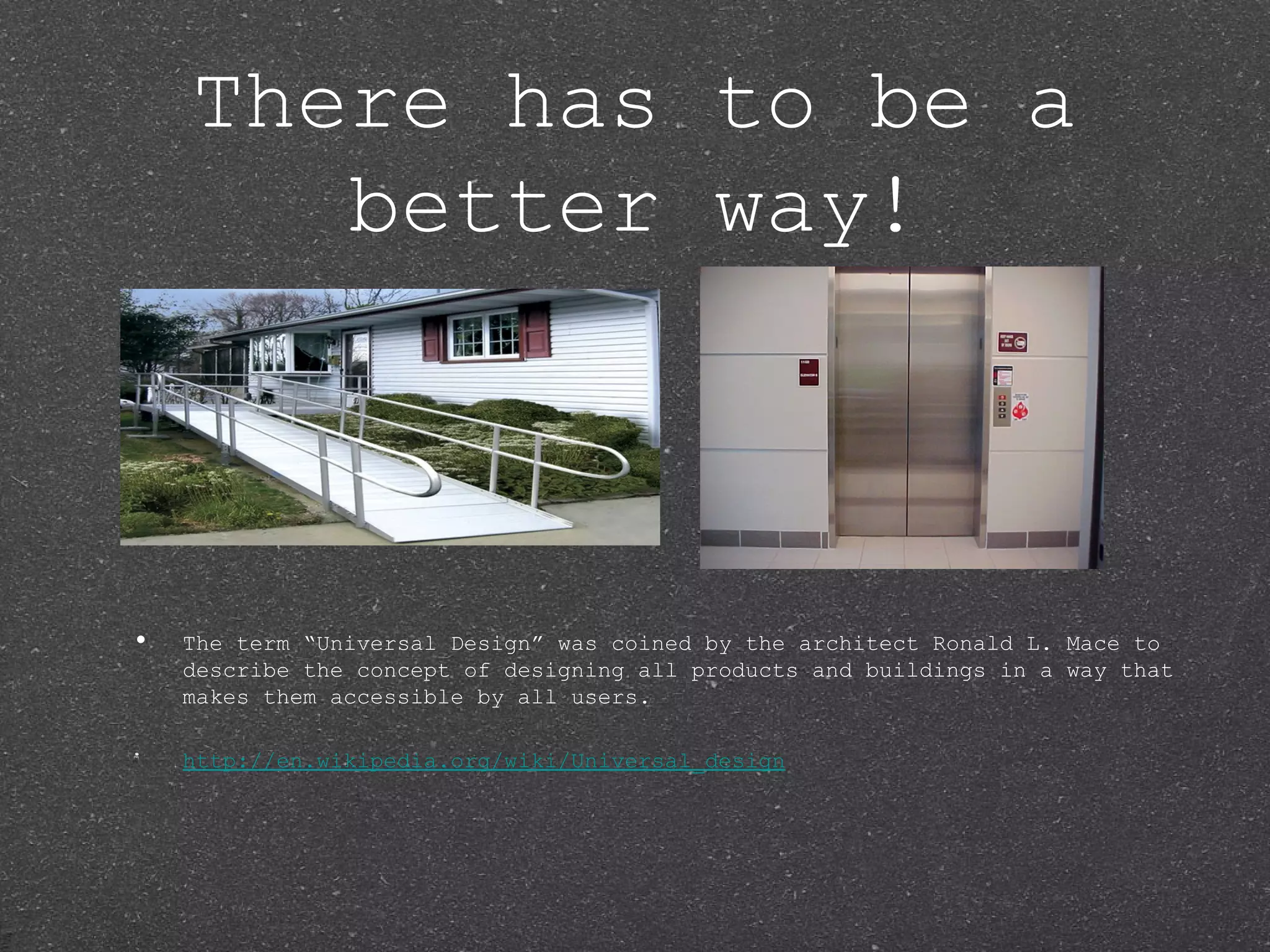
Have you ever had to walk up stairs
with crutches, a stroller, or even a
wheelchair?
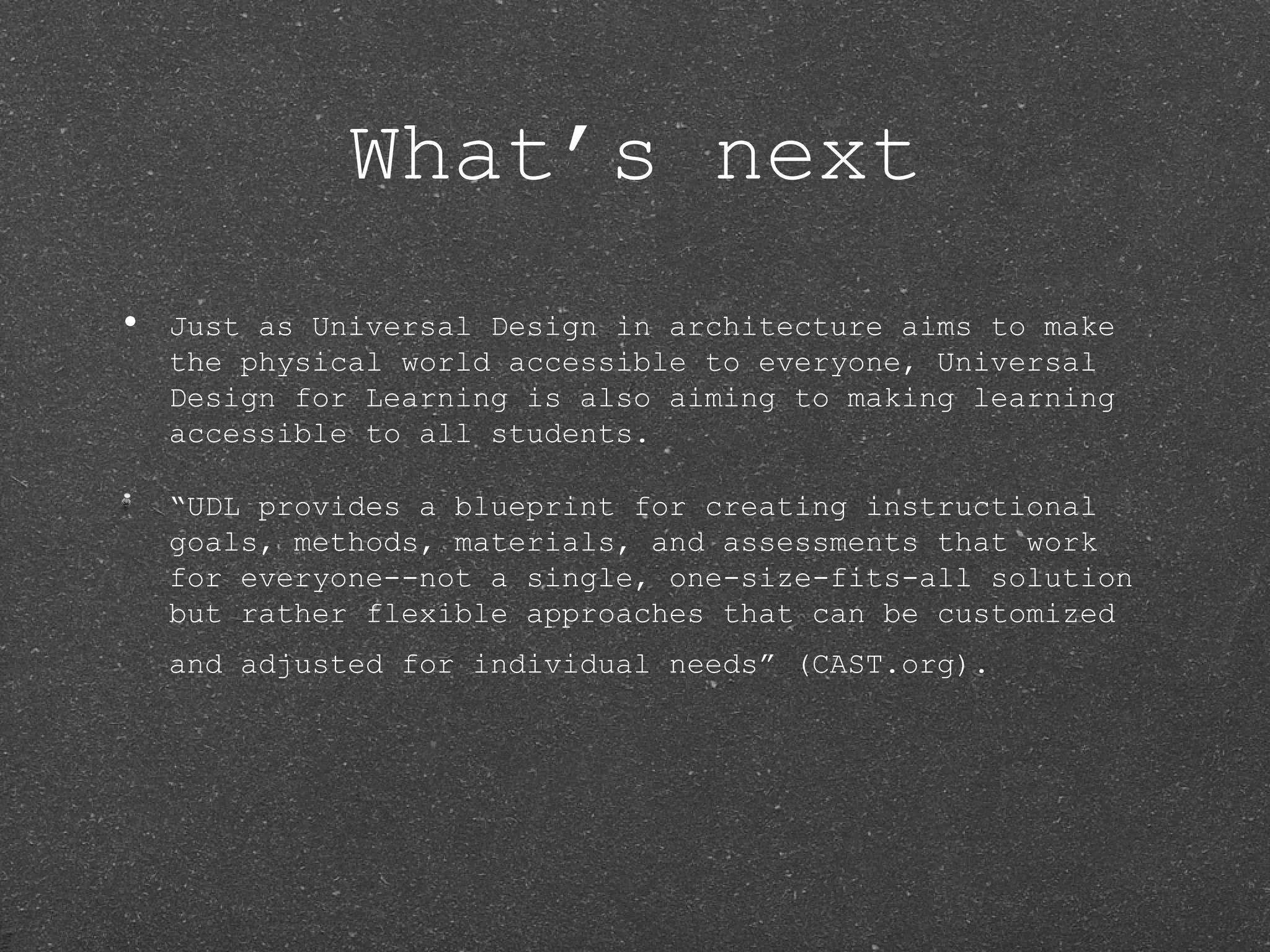
There has to be a
       better way!


•   The term “Universal Design” was coined by the architect Ronald L. Mace to
    describe the concept of designing all products and buildings in a way that
    makes them accessible by all users.

    http://en.wikipedia.org/wiki/Universal_design
What’s next
•   Just as Universal Design in architecture aims to make
    the physical world accessible to everyone, Universal
    Design for Learning is also aiming to making learning
    accessible to all students.

    “UDL provides a blueprint for creating instructional
    goals, methods, materials, and assessments that work
    for everyone--not a single, one-size-fits-all solution
    but rather flexible approaches that can be customized
    and adjusted for individual needs” (CAST.org).
How does UDL Support
              Diversity?
•   “From pre-kindergarten to graduate school, classrooms
    usually include learners with diverse abilities and
    backgrounds, including students with physical, sensory,
    and learning disabilities, differing cultural and
    linguistic backgrounds, varied preferences and
    motivations for learning, students who are unusually
    gifted, and many others... A universally designed
    curriculum is designed from the outset to meet the
    needs of the greatest numbers of users, making costly,
    time-consuming, and after-the-fact changes to the
    curriculum unnecessary” (
    http://www.cast.org/udl/faq/index.html).
Three Principles of
        UDL

• Multiple   means of representation

 Multiple means of action and
 expression

• Multiple   means of engagement
Multiple Means of
      Representation
•   Students have the opportunity to gain information
    through different forms of representation.

       Examples:

       •   Audio/video lessons

       •   Multimedia/photo presentations

       •   Computer Software
Multiple Means of
Action and Expression
    ExExpExpression
• Studentshave the opportunity to
 present their knowledge of material
 using various methods.
    Examples:

    •   Student presentations using multimedia software

    •   Simulations

    •   Graphic Organizers
Multiple Means of
      Engagement
• Studentshave the opportunity to
 participate in activities that engage
 them and are interesting to them.
    Examples:

    •   Guest speakers

    •   Simulations

        Relation of material to pop culture

    •   Making the material relevant to the students’ lives
Technology in UDL

• Technologyallows UDL to be
 implemented in a plethora of ways
 with a variety of sources.

• Technologytools help to support the
 individualization necessary to engage
 all types of learners (
 http://www.cast.org/research/udl/index.ht
 )
Impact of UDL

• Willhelp us to address our diverse
 populations

 Will make our lessons more relevant
 to students

• Willgive students more options to
 learn and display their depth of
 knowledge.
Brain Research on
         UDL

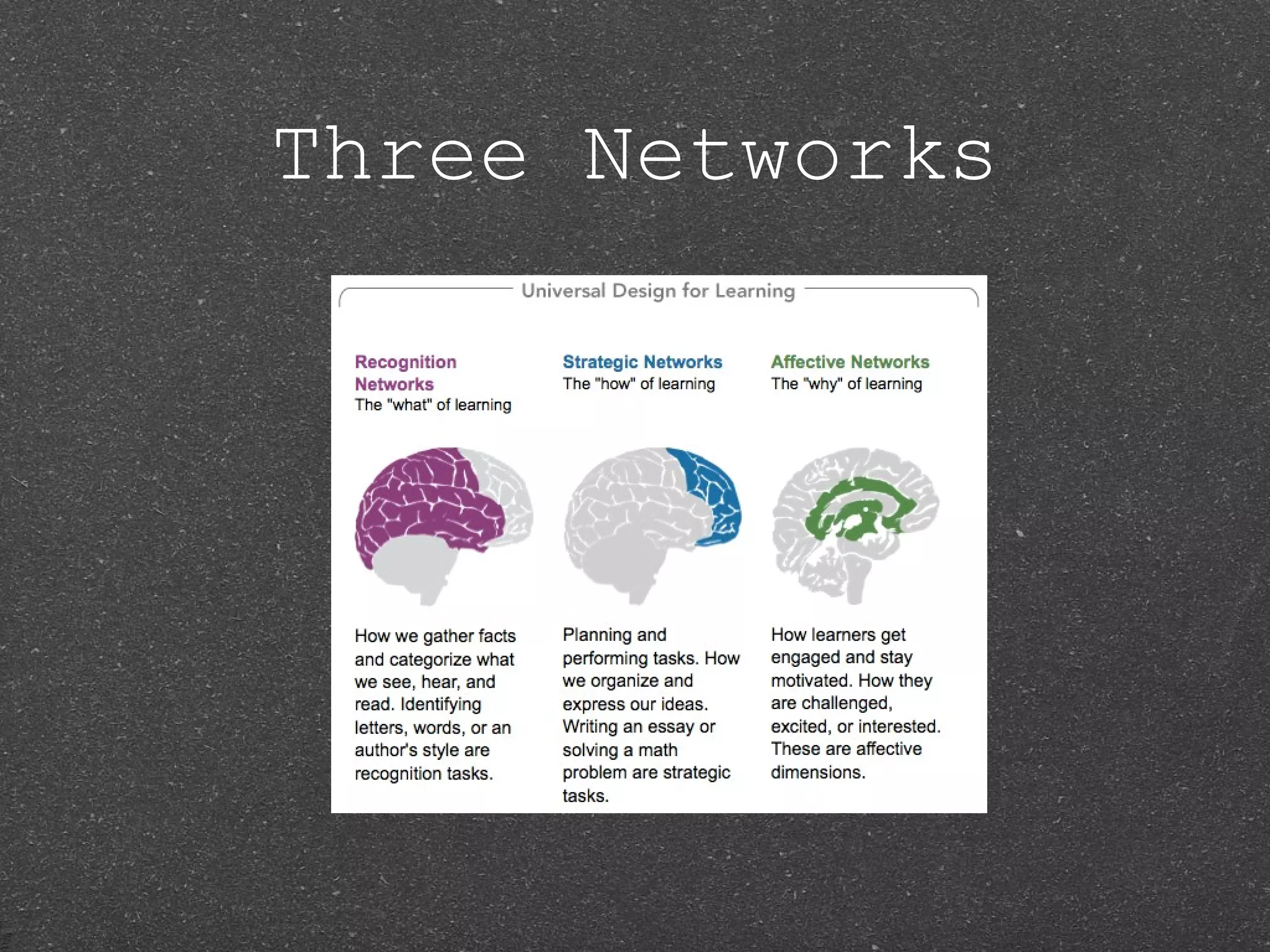
• Thebrain is broken up into three
 different networks:

    Recognition Networks

  • Strategic   Networks

    Affective Networks
Three Networks
Recognition Networks


 This network identifies information
 or recognizes it and can use it
 later(Rose, D., & Meyer, A.,2002).
Strategic Networks


This network plans, executes, and
monitors what is important (Rose, D.,
& Meyer, A., 2002).
Affective Networks


This network evaluates and set
priorities of the learning process
(Rose, D., & Meyer, A., 2002).
Cast Resources


• UDL   Book Builder

 UDL Curriculum Self Check

• UDL   Tech Toolkit
UDL Book Builder

• Helpsteachers create digital books
 to support reading and literacy
 instruction/learning.

 Will help our school with below grade
 level readers.

• http://lessonbuilder.cast.org/
UDL Curriculum Self
       Check
• Helpsteachers add flexibility into
 their lessons so they can reach and
 engage all students.

 Provides a guideline to check lessons
 and see where you stand as an
 educator using UDL.

• http://udlselfcheck.cast.org/
UDL Tech Toolkit

• Thissite gives several resources
 that teachers can use in their
 classrooms such as graphic organizers
 and math, literacy, and writing
 tools.

 http://udltechtoolkit.wikispaces.com/
Resources

• Centerfor Applied Special Technology
 (CAST),(2010) Universal Design for
 Learning.

 Rose, D., & Meyer, A. (2002).
 Teaching every student in the digital
 age: Universal design for learning.
 Retrieved from
 http://www.cast.org/teachingeverystudent/

Universal Design for Learning

  • 1.
    Universal Design for Learning Amanda L. Darlington EDUC 7109
  • 2.
    The idea... Have youever had to walk up stairs with crutches, a stroller, or even a wheelchair?
  • 3.
    There has tobe a better way! • The term “Universal Design” was coined by the architect Ronald L. Mace to describe the concept of designing all products and buildings in a way that makes them accessible by all users. http://en.wikipedia.org/wiki/Universal_design
  • 4.
    What’s next • Just as Universal Design in architecture aims to make the physical world accessible to everyone, Universal Design for Learning is also aiming to making learning accessible to all students. “UDL provides a blueprint for creating instructional goals, methods, materials, and assessments that work for everyone--not a single, one-size-fits-all solution but rather flexible approaches that can be customized and adjusted for individual needs” (CAST.org).
  • 5.
    How does UDLSupport Diversity? • “From pre-kindergarten to graduate school, classrooms usually include learners with diverse abilities and backgrounds, including students with physical, sensory, and learning disabilities, differing cultural and linguistic backgrounds, varied preferences and motivations for learning, students who are unusually gifted, and many others... A universally designed curriculum is designed from the outset to meet the needs of the greatest numbers of users, making costly, time-consuming, and after-the-fact changes to the curriculum unnecessary” ( http://www.cast.org/udl/faq/index.html).
  • 6.
    Three Principles of UDL • Multiple means of representation Multiple means of action and expression • Multiple means of engagement
  • 7.
    Multiple Means of Representation • Students have the opportunity to gain information through different forms of representation. Examples: • Audio/video lessons • Multimedia/photo presentations • Computer Software
  • 8.
    Multiple Means of Actionand Expression ExExpExpression • Studentshave the opportunity to present their knowledge of material using various methods. Examples: • Student presentations using multimedia software • Simulations • Graphic Organizers
  • 9.
    Multiple Means of Engagement • Studentshave the opportunity to participate in activities that engage them and are interesting to them. Examples: • Guest speakers • Simulations Relation of material to pop culture • Making the material relevant to the students’ lives
  • 10.
    Technology in UDL •Technologyallows UDL to be implemented in a plethora of ways with a variety of sources. • Technologytools help to support the individualization necessary to engage all types of learners ( http://www.cast.org/research/udl/index.ht )
  • 11.
    Impact of UDL •Willhelp us to address our diverse populations Will make our lessons more relevant to students • Willgive students more options to learn and display their depth of knowledge.
  • 12.
    Brain Research on UDL • Thebrain is broken up into three different networks: Recognition Networks • Strategic Networks Affective Networks
  • 13.
  • 14.
    Recognition Networks Thisnetwork identifies information or recognizes it and can use it later(Rose, D., & Meyer, A.,2002).
  • 15.
    Strategic Networks This networkplans, executes, and monitors what is important (Rose, D., & Meyer, A., 2002).
  • 16.
    Affective Networks This networkevaluates and set priorities of the learning process (Rose, D., & Meyer, A., 2002).
  • 17.
    Cast Resources • UDL Book Builder UDL Curriculum Self Check • UDL Tech Toolkit
  • 18.
    UDL Book Builder •Helpsteachers create digital books to support reading and literacy instruction/learning. Will help our school with below grade level readers. • http://lessonbuilder.cast.org/
  • 19.
    UDL Curriculum Self Check • Helpsteachers add flexibility into their lessons so they can reach and engage all students. Provides a guideline to check lessons and see where you stand as an educator using UDL. • http://udlselfcheck.cast.org/
  • 20.
    UDL Tech Toolkit •Thissite gives several resources that teachers can use in their classrooms such as graphic organizers and math, literacy, and writing tools. http://udltechtoolkit.wikispaces.com/
  • 21.
    Resources • Centerfor AppliedSpecial Technology (CAST),(2010) Universal Design for Learning. Rose, D., & Meyer, A. (2002). Teaching every student in the digital age: Universal design for learning. Retrieved from http://www.cast.org/teachingeverystudent/