Listen. Share. Connect.
What is Twitter? Free micro-blogging platform. Updates of 140 characters or less The sharing of content, ideas and data.
Why should you use Twitter? Build business  connections .  Increase your  brand awareness . Further relationships  with existing and potential customers. Voice  opinions, thoughts, recommendations . Find and answer questions in r eal time . Breaking news happens on Twitter!
Twitter Beginnings Create your profile at  http://www.twitter.com Username should align with your business or other social networks. Create a memorable, informative bio that contains relevant key words. Upload a photo of yourself, or your business logo. Create a branded, customized Twitter landing page.  Next…find people to follow!
Follow others There are many ways to find others  to follow on Twitter. Tools: twitter.search.com is easy to use. So are twellow & tweepz. Search by interest, name, location, key words. Follow competitors to see what they’re doing & saying! If you find someone interesting, see who THEY are following. This is a great way to build a network of people.
What is a Tweet?! Tweets are updates of 140 characters or less that answer the question:  “ What’s happening?”
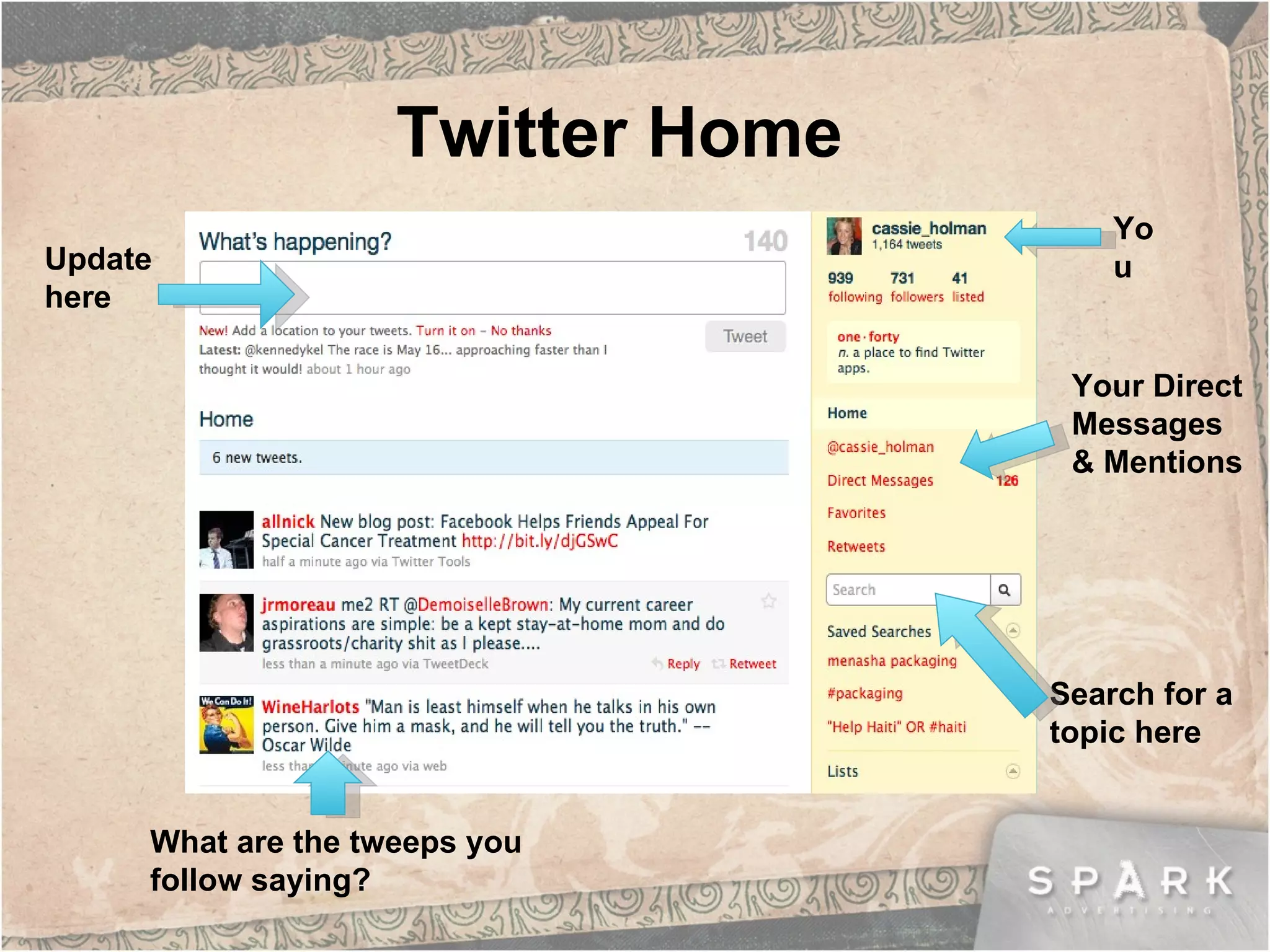
Twitter Home What are the tweeps you follow saying? Update here Search for a topic here You Your Direct Messages & Mentions
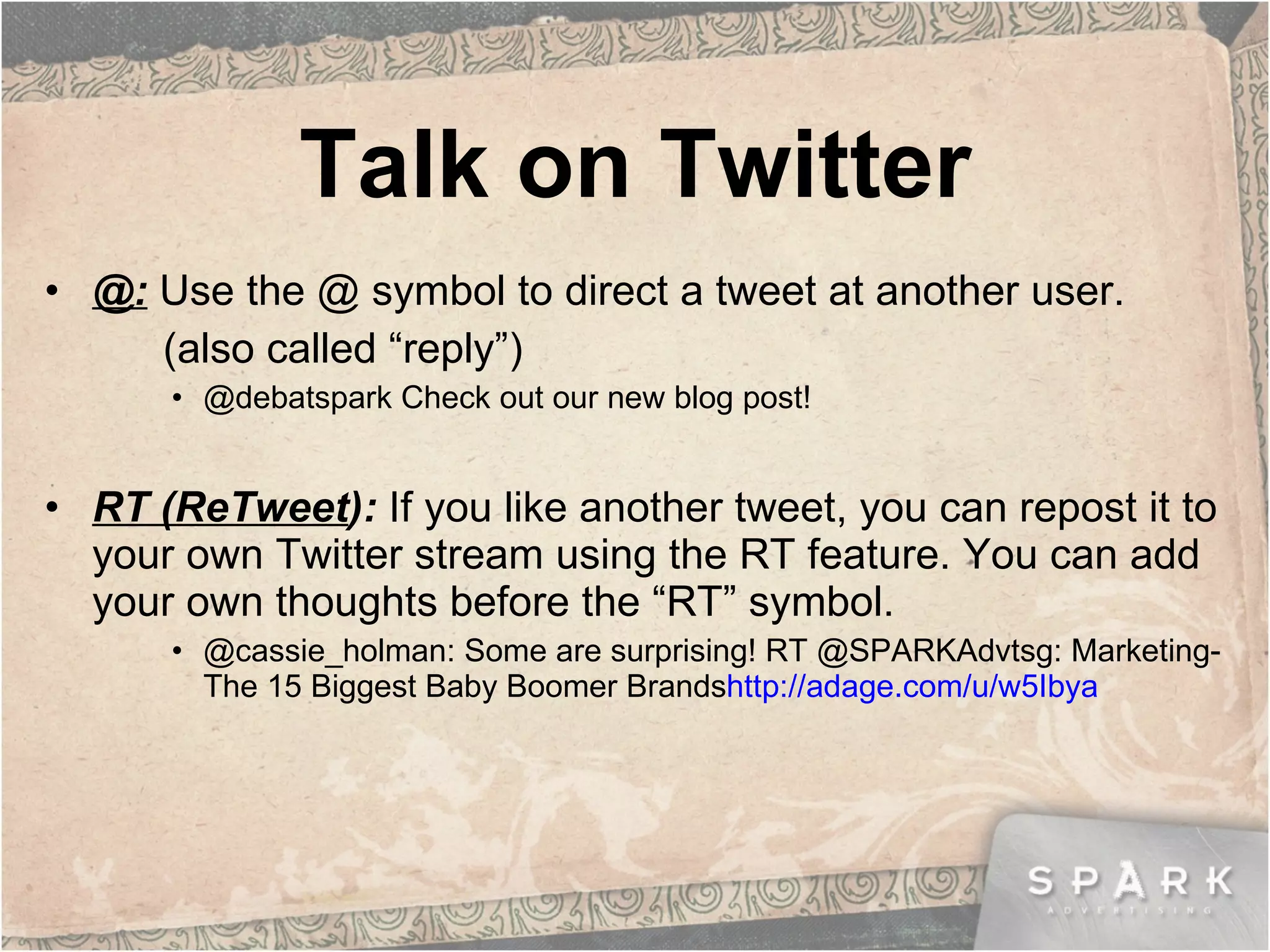
Talk on Twitter @:   Use the @ symbol to direct a tweet at another user.  (also called “reply”) @debatspark Check out our new blog post! RT (ReTweet ):  If you like another tweet, you can repost it to your own Twitter stream using the RT feature. You can add your own thoughts before the “RT” symbol. @cassie_holman: Some are surprising! RT @SPARKAdvtsg: Marketing-The 15 Biggest Baby Boomer Brands http://adage.com/u/w5Ibya
If you mouse over a tweet in your home Twitter stream, you will see options to  “ReTweet ” and “ Reply”  [@]. Other platforms, such as Hootsuite or Tweetdeck, have a similar option.  “ I like this tweet! I  want to ReTweet it!”
Talk on Twitter  (cont.) DM (direct message ):  Private messages you can send to other Twitter users. Type “D”, followed by their Twitter name.  # :  Use hashtags to identify a trending topic or “mark” your tweet. This is great for searchability. Ex: Follow @schubbechiro for the latest #chiropractic news.
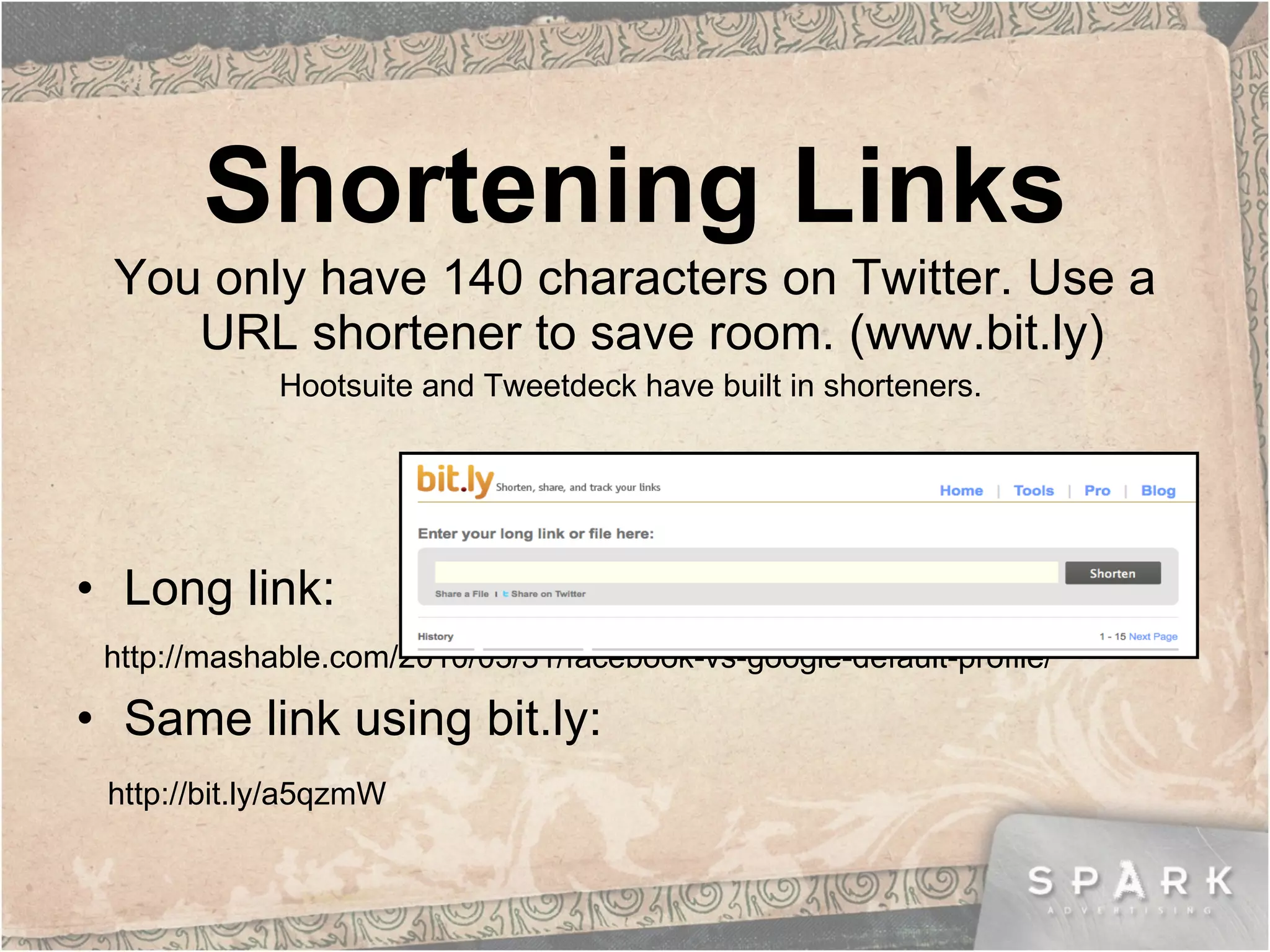
Shortening Links You only have 140 characters on Twitter. Use a URL shortener to save room. (www.bit.ly)  Hootsuite and Tweetdeck have built in shorteners.  Long link:  http://mashable.com/2010/03/31/facebook-vs-google-default-profile/ Same link using bit.ly: http://bit.ly/a5qzmW
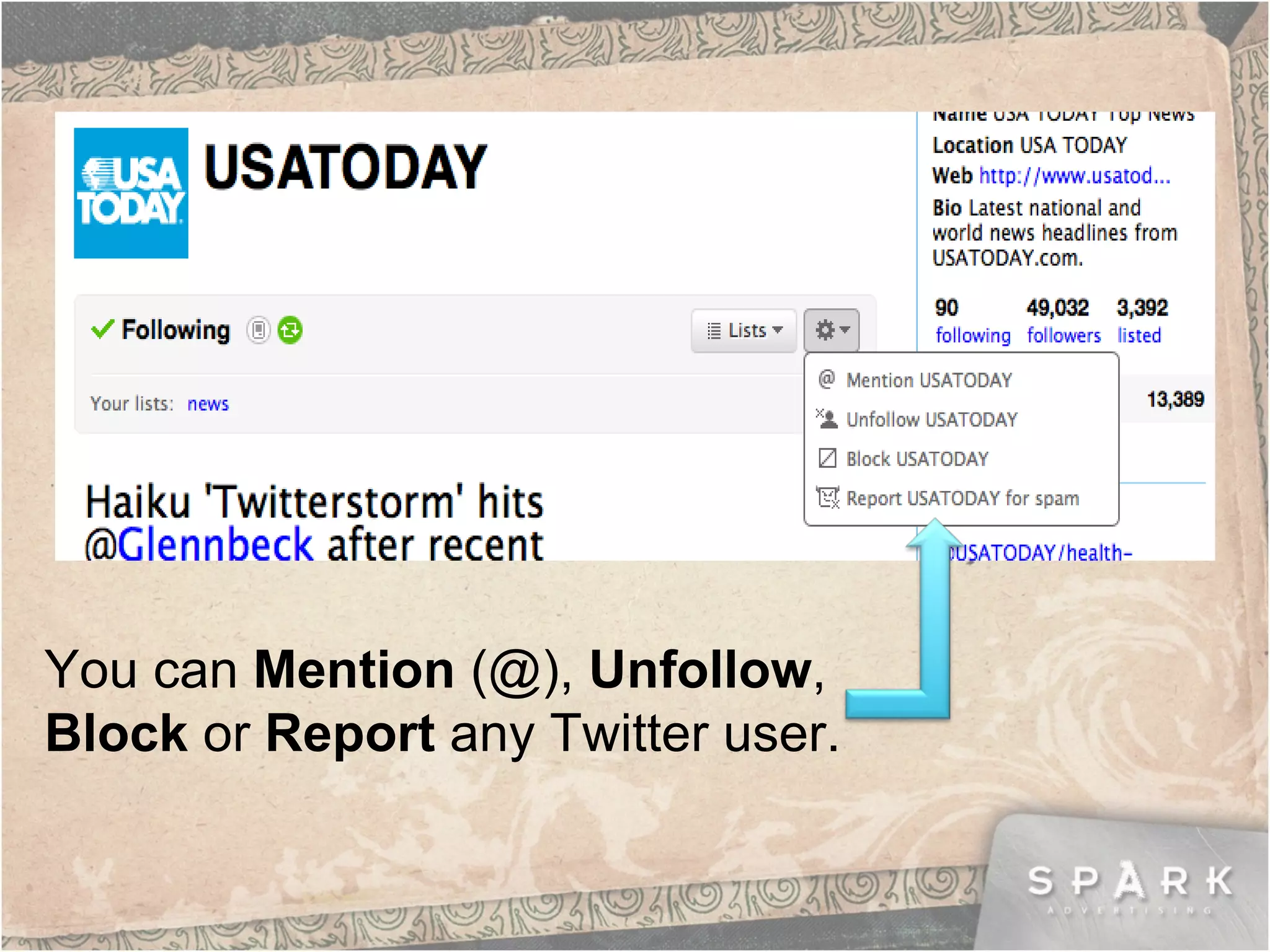
You can  Mention  (@),  Unfollow ,  Block  or  Report  any Twitter user.
Twitter Apps FIND PEOPLE Twellow : the “yellow pages” of Twitter. Tweepz : search for other users by location, bio or name. UPDATE Tweetdeck :  create lists/columns, update Facebook and Twitter simultaneously. Hootsuite : column functionality, statistics tracking, synch all social networks. Ping.fm :  Update all your social networks at once. MONITOR Tweetbeep : Get Twitter alerts by email.
Remember… Use a memorable username and bio. Maintain an  active  account. Share links.  Use a url shortener. Give credit when it is due.  Use the @ symbol to recognize other Twitter users’ content, blog posts, ideas, etc. Keep your updates shorter than 140 characters  if you want people to RT (retweet) them.  Engage.  Respond to people’s questions, send @replies and comment on other people’s thoughts. Listen, respond.
Follow the SPARK team! Mark Elliott: @SPARKAdvtsg Deb Fiebig: @debatspark Cassie Holman: @cassie_holman

Twitter Basics

  • 1.
  • 2.
    What is Twitter?Free micro-blogging platform. Updates of 140 characters or less The sharing of content, ideas and data.
  • 3.
    Why should youuse Twitter? Build business connections . Increase your brand awareness . Further relationships with existing and potential customers. Voice opinions, thoughts, recommendations . Find and answer questions in r eal time . Breaking news happens on Twitter!
  • 4.
    Twitter Beginnings Createyour profile at http://www.twitter.com Username should align with your business or other social networks. Create a memorable, informative bio that contains relevant key words. Upload a photo of yourself, or your business logo. Create a branded, customized Twitter landing page. Next…find people to follow!
  • 5.
    Follow others Thereare many ways to find others to follow on Twitter. Tools: twitter.search.com is easy to use. So are twellow & tweepz. Search by interest, name, location, key words. Follow competitors to see what they’re doing & saying! If you find someone interesting, see who THEY are following. This is a great way to build a network of people.
  • 6.
    What is aTweet?! Tweets are updates of 140 characters or less that answer the question: “ What’s happening?”
  • 7.
    Twitter Home Whatare the tweeps you follow saying? Update here Search for a topic here You Your Direct Messages & Mentions
  • 8.
    Talk on Twitter@: Use the @ symbol to direct a tweet at another user. (also called “reply”) @debatspark Check out our new blog post! RT (ReTweet ): If you like another tweet, you can repost it to your own Twitter stream using the RT feature. You can add your own thoughts before the “RT” symbol. @cassie_holman: Some are surprising! RT @SPARKAdvtsg: Marketing-The 15 Biggest Baby Boomer Brands http://adage.com/u/w5Ibya
  • 9.
    If you mouseover a tweet in your home Twitter stream, you will see options to “ReTweet ” and “ Reply” [@]. Other platforms, such as Hootsuite or Tweetdeck, have a similar option. “ I like this tweet! I want to ReTweet it!”
  • 10.
    Talk on Twitter (cont.) DM (direct message ): Private messages you can send to other Twitter users. Type “D”, followed by their Twitter name. # : Use hashtags to identify a trending topic or “mark” your tweet. This is great for searchability. Ex: Follow @schubbechiro for the latest #chiropractic news.
  • 11.
    Shortening Links Youonly have 140 characters on Twitter. Use a URL shortener to save room. (www.bit.ly) Hootsuite and Tweetdeck have built in shorteners. Long link: http://mashable.com/2010/03/31/facebook-vs-google-default-profile/ Same link using bit.ly: http://bit.ly/a5qzmW
  • 12.
    You can Mention (@), Unfollow , Block or Report any Twitter user.
  • 13.
    Twitter Apps FINDPEOPLE Twellow : the “yellow pages” of Twitter. Tweepz : search for other users by location, bio or name. UPDATE Tweetdeck : create lists/columns, update Facebook and Twitter simultaneously. Hootsuite : column functionality, statistics tracking, synch all social networks. Ping.fm : Update all your social networks at once. MONITOR Tweetbeep : Get Twitter alerts by email.
  • 14.
    Remember… Use amemorable username and bio. Maintain an active account. Share links. Use a url shortener. Give credit when it is due. Use the @ symbol to recognize other Twitter users’ content, blog posts, ideas, etc. Keep your updates shorter than 140 characters if you want people to RT (retweet) them. Engage. Respond to people’s questions, send @replies and comment on other people’s thoughts. Listen, respond.
  • 15.
    Follow the SPARKteam! Mark Elliott: @SPARKAdvtsg Deb Fiebig: @debatspark Cassie Holman: @cassie_holman