Introduction to
Twitter
Why Use
Twitter?
Why Use Twitter?
Some Twitter
Stories
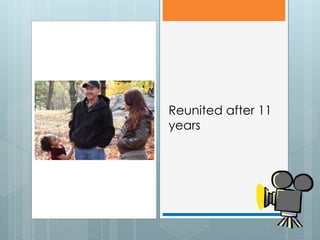
Reunited after 11
years
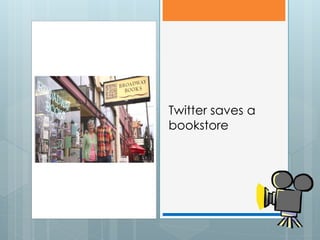
Twitter saves a
bookstore
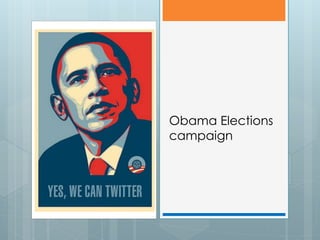
Obama Elections
campaign
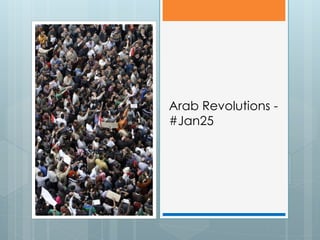
Arab Revolutions -
#Jan25
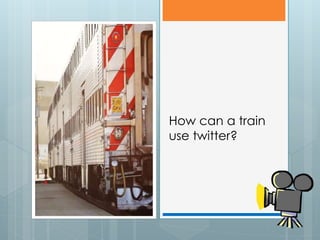
How can a train
use twitter?
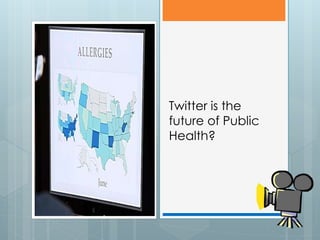
Twitter is the
future of Public
Health?
So what is
Twitter?
Twitter in Plain English
Twitter Improves
Your Writing
Forces you to be concise. Write
tight!
Forces you to exercise
vocabulary
Improve your editing skills
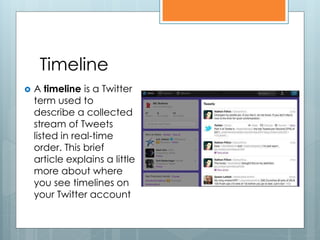
Timeline
   A timeline is a Twitter
    term used to
    describe a collected
    stream of Tweets
    listed in real-time
    order. This brief
    article explains a little
    more about where
    you see timelines on
    your Twitter account
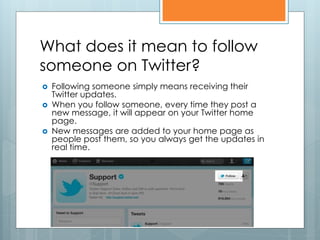
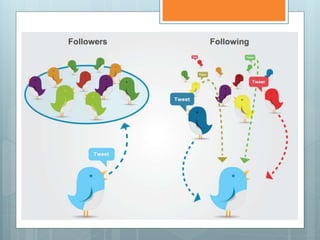
What does it mean to follow
someone on Twitter?
   Following someone simply means receiving their
    Twitter updates.
   When you follow someone, every time they post a
    new message, it will appear on your Twitter home
    page.
   New messages are added to your home page as
    people post them, so you always get the updates in
    real time.
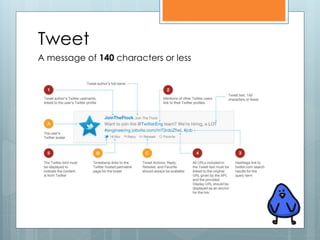
Tweet
A message of 140 characters or less
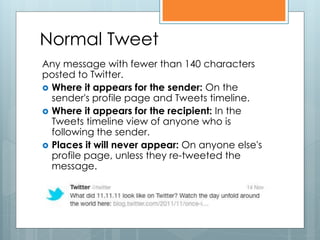
Normal Tweet
Any message with fewer than 140 characters
posted to Twitter.
 Where it appears for the sender: On the
  sender's profile page and Tweets timeline.
 Where it appears for the recipient: In the
  Tweets timeline view of anyone who is
  following the sender.
 Places it will never appear: On anyone else's
  profile page, unless they re-tweeted the
  message.
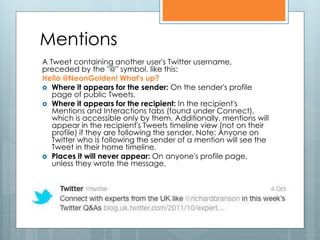
Mentions
A Tweet containing another user's Twitter username,
preceded by the "@" symbol, like this:
Hello @NeonGolden! What's up?
 Where it appears for the sender: On the sender's profile
   page of public Tweets.
 Where it appears for the recipient: In the recipient's
   Mentions and Interactions tabs (found under Connect),
   which is accessible only by them. Additionally, mentions will
   appear in the recipient's Tweets timeline view (not on their
   profile) if they are following the sender. Note: Anyone on
   Twitter who is following the sender of a mention will see the
   Tweet in their home timeline.
 Places it will never appear: On anyone's profile page,
   unless they wrote the message.
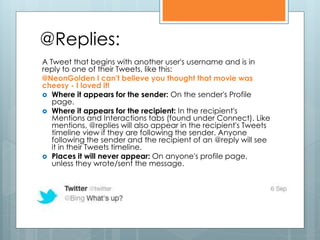
@Replies:
A Tweet that begins with another user's username and is in
reply to one of their Tweets, like this:
@NeonGolden I can't believe you thought that movie was
cheesy - I loved it!
 Where it appears for the sender: On the sender's Profile
   page.
 Where it appears for the recipient: In the recipient's
   Mentions and Interactions tabs (found under Connect). Like
   mentions, @replies will also appear in the recipient's Tweets
   timeline view if they are following the sender. Anyone
   following the sender and the recipient of an @reply will see
   it in their Tweets timeline.
 Places it will never appear: On anyone's profile page,
   unless they wrote/sent the message.
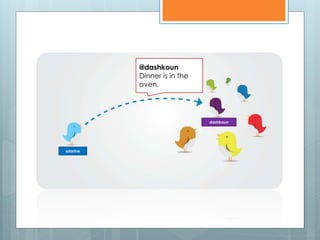
@dashkoun
          Dinner is in the
          oven.


                             dashkoun


sdarine
Where do people's @replies
appear for other users?
 Ifyou're not the sender or recipient of an
  @reply, will you ever see the message on
  Twitter?
The answer is YES! Users will see @replies in
their Tweets timeline if they are following
both the sender and recipient of the
update.
Otherwise, they won't see the @reply unless
you visit the sender's Profile page.
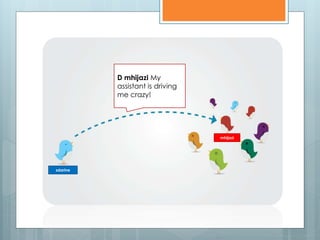
Direct messages
A personal message sent directly to someone who
follows you.
 Where it appears for the sender: In the sender's
   Direct messages (accessible by clicking on the
   person icon). A DM (direct message) will
   disappear if the recipient deletes it.
 Where it appears for the recipient: In the recipient's
   Direct messages. Will disappear if the sender
   deletes it.
 Places it will never appear: In any public timeline
   or public search even if hashtags or mentions are
   used.
D mhijazi My
          assistant is driving
          me crazy!


                                 mhijazi


sdarine
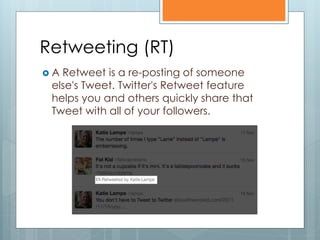
Retweeting (RT)
A Retweet is a re-posting of someone
 else's Tweet. Twitter's Retweet feature
 helps you and others quickly share that
 Tweet with all of your followers.
Retweeting (RT)
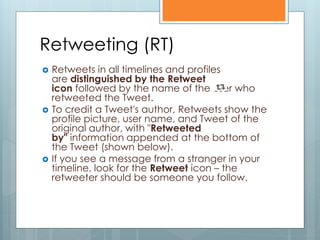
   Retweets in all timelines and profiles
    are distinguished by the Retweet
    icon followed by the name of the user who
    retweeted the Tweet.
   To credit a Tweet's author, Retweets show the
    profile picture, user name, and Tweet of the
    original author, with "Retweeted
    by" information appended at the bottom of
    the Tweet (shown below).
   If you see a message from a stranger in your
    timeline, look for the Retweet icon – the
    retweeter should be someone you follow.
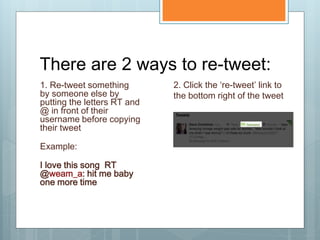
There are 2 ways to re-tweet:
1. Re-tweet something        2. Click the ‘re-tweet’ link to
by someone else by           the bottom right of the tweet
putting the letters RT and
@ in front of their
username before copying
their tweet

Example:

I love this song RT
@weam_a: hit me baby
one more time
Retweeting (RT)
 If
   you or someone you follow has
  protected their Tweets, other users will not
  be able to retweet them.
Favorite Tweets
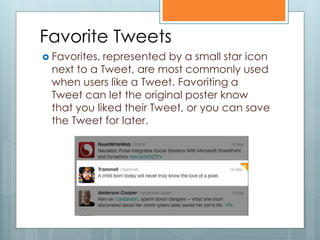
 Favorites,represented by a small star icon
 next to a Tweet, are most commonly used
 when users like a Tweet. Favoriting a
 Tweet can let the original poster know
 that you liked their Tweet, or you can save
 the Tweet for later.
Where can I see my Favorite
Tweets?
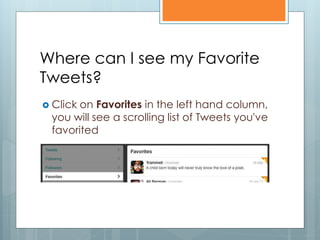
 Clickon Favorites in the left hand column,
 you will see a scrolling list of Tweets you've
 favorited
Interactions Tab
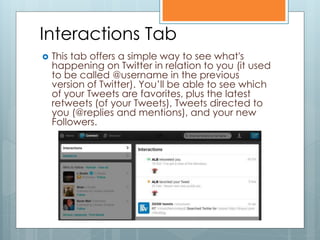
   This tab offers a simple way to see what's
    happening on Twitter in relation to you (it used
    to be called @username in the previous
    version of Twitter). You’ll be able to see which
    of your Tweets are favorites, plus the latest
    retweets (of your Tweets), Tweets directed to
    you (@replies and mentions), and your new
    Followers.
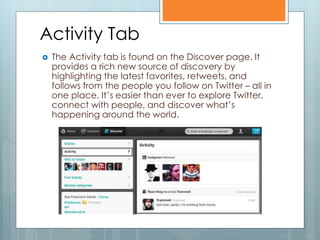
Activity Tab
   The Activity tab is found on the Discover page. It
    provides a rich new source of discovery by
    highlighting the latest favorites, retweets, and
    follows from the people you follow on Twitter – all in
    one place. It’s easier than ever to explore Twitter,
    connect with people, and discover what’s
    happening around the world.
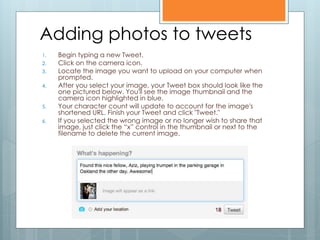
Adding photos to tweets
1.   Begin typing a new Tweet.
2.   Click on the camera icon.
3.   Locate the image you want to upload on your computer when
     prompted.
4.   After you select your image, your Tweet box should look like the
     one pictured below. You'll see the image thumbnail and the
     camera icon highlighted in blue.
5.   Your character count will update to account for the image's
     shortened URL. Finish your Tweet and click "Tweet."
6.   If you selected the wrong image or no longer wish to share that
     image, just click the “x” control in the thumbnail or next to the
     filename to delete the current image.
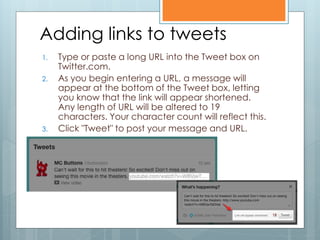
Adding links to tweets
1.   Type or paste a long URL into the Tweet box on
     Twitter.com.
2.   As you begin entering a URL, a message will
     appear at the bottom of the Tweet box, letting
     you know that the link will appear shortened.
     Any length of URL will be altered to 19
     characters. Your character count will reflect this.
3.   Click "Tweet" to post your message and URL.
Hashtags
It’s not that confusing
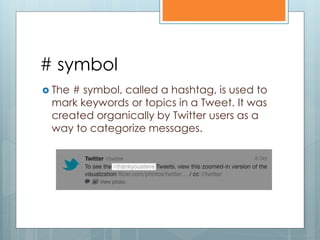
# symbol
 The# symbol, called a hashtag, is used to
 mark keywords or topics in a Tweet. It was
 created organically by Twitter users as a
 way to categorize messages.
Hashtags: Helping you find
interesting Tweets
   People use the hashtag symbol # before
    relevant keywords in their Tweet to categorize
    those Tweets to show more easily in Twitter
    Search
   Clicking on a hashtagged word in any
    message shows you all other Tweets in that
    category
   Hashtags can occur anywhere in the Tweet
   Hashtagged words that become very popular
    are often Trending Topics
Using hashtags

 Ifyou Tweet with a hashtag on a public
  account, anyone who does a search for
  that hashtag may find your Tweet
 Don't #spam #with #hashtags. Don't over-
  tag a single Tweet. (Best
  practices recommend using no more
  than 3 hashtags per Tweet.)
 Use hashtags only on Tweets relevant to
  the topic
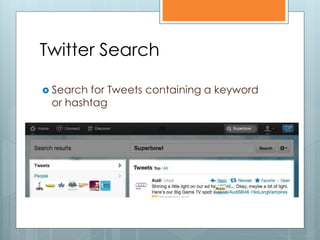
Twitter Search

 Searchfor Tweets containing a keyword
 or hashtag
New Twitter
Layout
Some Stuff You
Should Know
What is #FF?
   #FF is a hashtag for “Follow Friday” and is a twitter tradition
    whereby every Friday, tweeps recommend others that are
    interesting for their followers to check out. It’s a good way
    to get introduced to other tweeps and to also share your
    appreciation for the people you follow. Here is an example:

Example:

#FF @pearlowa because she’s makes awesome scrambled
eggs!

#FF @mhijazi @sdarine @dashkoun @reemitani @mishoricha
@AUB_OC @yasminehajjar @abaretruth
What is +1?
 Sometimes   tweeps retweet something
  with a +1 (or + whatever digit) before it to
  show their approval of what is being said.

Example:

+100 RT @mhijazi Smoking should be banned
in all public places in #Lebanon!
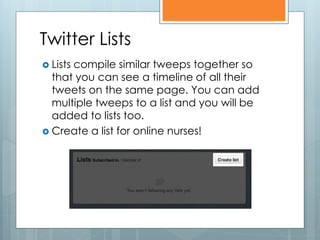
Twitter Lists
 Lists
      compile similar tweeps together so
  that you can see a timeline of all their
  tweets on the same page. You can add
  multiple tweeps to a list and you will be
  added to lists too.
 Create a list for online nurses!
Protected Tweets
 Ifyou’re worried about your tweets being
  exposed publicly, you can opt for privacy
  (protected tweets) in your settings. That
  way people need to request to follow you
  before they can see your profile and
  tweets.
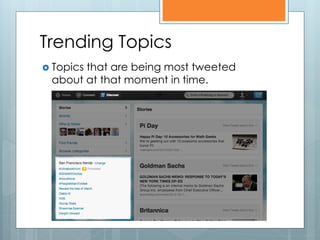
Trending Topics
 Topics
       that are being most tweeted
 about at that moment in time.
How many Lebanese are on
twitter?
 I’mnot sure. There are many who live here
 and many who are abroad. I would
 estimate at least 5,000 active tweeps and
 maybe a 10-12 thousand if you include
 the ones who are rarely active. But the
 community’s growing every day.
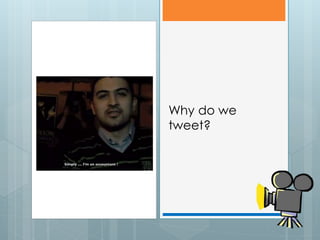
Why do we
tweet?
Is everyone friendly on twitter?
 No,just like in your offline life. Most people
 are very polite and friendly, but you will
 bump into a few bullies. Unfollow people
 who annoy you and if it gets to a point of
 harassment, you can block them from
 accessing your profile.
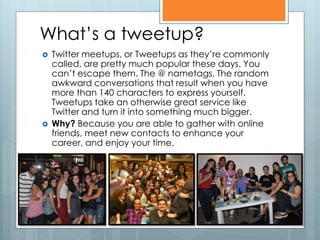
What’s a tweetup?
   Twitter meetups, or Tweetups as they’re commonly
    called, are pretty much popular these days. You
    can’t escape them. The @ nametags. The random
    awkward conversations that result when you have
    more than 140 characters to express yourself.
    Tweetups take an otherwise great service like
    Twitter and turn it into something much bigger.
   Why? Because you are able to gather with online
    friends, meet new contacts to enhance your
    career, and enjoy your time.
Choose Your Tools
Pick your tools – you can tweet from
the web, your phone, or from any
number of Twitter apps
- Twitter for iPad
- TweetDeck http://tweetdeck.com
- Hootsuite http://hootsuite.com/
Questions?

Introduction to Twitter (HUOC SM101 Spring 2012)

  • 1.
  • 3.
  • 4.
  • 10.
  • 11.
  • 12.
  • 16.
  • 19.
  • 20.
    How can atrain use twitter?
  • 21.
    Twitter is the futureof Public Health?
  • 22.
  • 23.
    Twitter Improves Your Writing Forcesyou to be concise. Write tight! Forces you to exercise vocabulary Improve your editing skills
  • 24.
    Timeline  A timeline is a Twitter term used to describe a collected stream of Tweets listed in real-time order. This brief article explains a little more about where you see timelines on your Twitter account
  • 25.
    What does itmean to follow someone on Twitter?  Following someone simply means receiving their Twitter updates.  When you follow someone, every time they post a new message, it will appear on your Twitter home page.  New messages are added to your home page as people post them, so you always get the updates in real time.
  • 27.
    Tweet A message of140 characters or less
  • 28.
    Normal Tweet Any messagewith fewer than 140 characters posted to Twitter.  Where it appears for the sender: On the sender's profile page and Tweets timeline.  Where it appears for the recipient: In the Tweets timeline view of anyone who is following the sender.  Places it will never appear: On anyone else's profile page, unless they re-tweeted the message.
  • 29.
    Mentions A Tweet containinganother user's Twitter username, preceded by the "@" symbol, like this: Hello @NeonGolden! What's up?  Where it appears for the sender: On the sender's profile page of public Tweets.  Where it appears for the recipient: In the recipient's Mentions and Interactions tabs (found under Connect), which is accessible only by them. Additionally, mentions will appear in the recipient's Tweets timeline view (not on their profile) if they are following the sender. Note: Anyone on Twitter who is following the sender of a mention will see the Tweet in their home timeline.  Places it will never appear: On anyone's profile page, unless they wrote the message.
  • 30.
    @Replies: A Tweet thatbegins with another user's username and is in reply to one of their Tweets, like this: @NeonGolden I can't believe you thought that movie was cheesy - I loved it!  Where it appears for the sender: On the sender's Profile page.  Where it appears for the recipient: In the recipient's Mentions and Interactions tabs (found under Connect). Like mentions, @replies will also appear in the recipient's Tweets timeline view if they are following the sender. Anyone following the sender and the recipient of an @reply will see it in their Tweets timeline.  Places it will never appear: On anyone's profile page, unless they wrote/sent the message.
  • 31.
    @dashkoun Dinner is in the oven. dashkoun sdarine
  • 32.
    Where do people's@replies appear for other users?  Ifyou're not the sender or recipient of an @reply, will you ever see the message on Twitter? The answer is YES! Users will see @replies in their Tweets timeline if they are following both the sender and recipient of the update. Otherwise, they won't see the @reply unless you visit the sender's Profile page.
  • 33.
    Direct messages A personalmessage sent directly to someone who follows you.  Where it appears for the sender: In the sender's Direct messages (accessible by clicking on the person icon). A DM (direct message) will disappear if the recipient deletes it.  Where it appears for the recipient: In the recipient's Direct messages. Will disappear if the sender deletes it.  Places it will never appear: In any public timeline or public search even if hashtags or mentions are used.
  • 34.
    D mhijazi My assistant is driving me crazy! mhijazi sdarine
  • 35.
    Retweeting (RT) A Retweetis a re-posting of someone else's Tweet. Twitter's Retweet feature helps you and others quickly share that Tweet with all of your followers.
  • 36.
    Retweeting (RT)  Retweets in all timelines and profiles are distinguished by the Retweet icon followed by the name of the user who retweeted the Tweet.  To credit a Tweet's author, Retweets show the profile picture, user name, and Tweet of the original author, with "Retweeted by" information appended at the bottom of the Tweet (shown below).  If you see a message from a stranger in your timeline, look for the Retweet icon – the retweeter should be someone you follow.
  • 37.
    There are 2ways to re-tweet: 1. Re-tweet something 2. Click the ‘re-tweet’ link to by someone else by the bottom right of the tweet putting the letters RT and @ in front of their username before copying their tweet Example: I love this song RT @weam_a: hit me baby one more time
  • 38.
    Retweeting (RT)  If you or someone you follow has protected their Tweets, other users will not be able to retweet them.
  • 39.
    Favorite Tweets  Favorites,representedby a small star icon next to a Tweet, are most commonly used when users like a Tweet. Favoriting a Tweet can let the original poster know that you liked their Tweet, or you can save the Tweet for later.
  • 40.
    Where can Isee my Favorite Tweets?  Clickon Favorites in the left hand column, you will see a scrolling list of Tweets you've favorited
  • 41.
    Interactions Tab  This tab offers a simple way to see what's happening on Twitter in relation to you (it used to be called @username in the previous version of Twitter). You’ll be able to see which of your Tweets are favorites, plus the latest retweets (of your Tweets), Tweets directed to you (@replies and mentions), and your new Followers.
  • 42.
    Activity Tab  The Activity tab is found on the Discover page. It provides a rich new source of discovery by highlighting the latest favorites, retweets, and follows from the people you follow on Twitter – all in one place. It’s easier than ever to explore Twitter, connect with people, and discover what’s happening around the world.
  • 43.
    Adding photos totweets 1. Begin typing a new Tweet. 2. Click on the camera icon. 3. Locate the image you want to upload on your computer when prompted. 4. After you select your image, your Tweet box should look like the one pictured below. You'll see the image thumbnail and the camera icon highlighted in blue. 5. Your character count will update to account for the image's shortened URL. Finish your Tweet and click "Tweet." 6. If you selected the wrong image or no longer wish to share that image, just click the “x” control in the thumbnail or next to the filename to delete the current image.
  • 44.
    Adding links totweets 1. Type or paste a long URL into the Tweet box on Twitter.com. 2. As you begin entering a URL, a message will appear at the bottom of the Tweet box, letting you know that the link will appear shortened. Any length of URL will be altered to 19 characters. Your character count will reflect this. 3. Click "Tweet" to post your message and URL.
  • 45.
  • 46.
    # symbol  The#symbol, called a hashtag, is used to mark keywords or topics in a Tweet. It was created organically by Twitter users as a way to categorize messages.
  • 47.
    Hashtags: Helping youfind interesting Tweets  People use the hashtag symbol # before relevant keywords in their Tweet to categorize those Tweets to show more easily in Twitter Search  Clicking on a hashtagged word in any message shows you all other Tweets in that category  Hashtags can occur anywhere in the Tweet  Hashtagged words that become very popular are often Trending Topics
  • 48.
    Using hashtags  IfyouTweet with a hashtag on a public account, anyone who does a search for that hashtag may find your Tweet  Don't #spam #with #hashtags. Don't over- tag a single Tweet. (Best practices recommend using no more than 3 hashtags per Tweet.)  Use hashtags only on Tweets relevant to the topic
  • 49.
    Twitter Search  SearchforTweets containing a keyword or hashtag
  • 50.
  • 51.
  • 52.
    What is #FF?  #FF is a hashtag for “Follow Friday” and is a twitter tradition whereby every Friday, tweeps recommend others that are interesting for their followers to check out. It’s a good way to get introduced to other tweeps and to also share your appreciation for the people you follow. Here is an example: Example: #FF @pearlowa because she’s makes awesome scrambled eggs! #FF @mhijazi @sdarine @dashkoun @reemitani @mishoricha @AUB_OC @yasminehajjar @abaretruth
  • 53.
    What is +1? Sometimes tweeps retweet something with a +1 (or + whatever digit) before it to show their approval of what is being said. Example: +100 RT @mhijazi Smoking should be banned in all public places in #Lebanon!
  • 54.
    Twitter Lists  Lists compile similar tweeps together so that you can see a timeline of all their tweets on the same page. You can add multiple tweeps to a list and you will be added to lists too.  Create a list for online nurses!
  • 55.
    Protected Tweets  Ifyou’reworried about your tweets being exposed publicly, you can opt for privacy (protected tweets) in your settings. That way people need to request to follow you before they can see your profile and tweets.
  • 56.
    Trending Topics  Topics that are being most tweeted about at that moment in time.
  • 57.
    How many Lebaneseare on twitter?  I’mnot sure. There are many who live here and many who are abroad. I would estimate at least 5,000 active tweeps and maybe a 10-12 thousand if you include the ones who are rarely active. But the community’s growing every day.
  • 58.
  • 59.
    Is everyone friendlyon twitter?  No,just like in your offline life. Most people are very polite and friendly, but you will bump into a few bullies. Unfollow people who annoy you and if it gets to a point of harassment, you can block them from accessing your profile.
  • 60.
    What’s a tweetup?  Twitter meetups, or Tweetups as they’re commonly called, are pretty much popular these days. You can’t escape them. The @ nametags. The random awkward conversations that result when you have more than 140 characters to express yourself. Tweetups take an otherwise great service like Twitter and turn it into something much bigger.  Why? Because you are able to gather with online friends, meet new contacts to enhance your career, and enjoy your time.
  • 61.
    Choose Your Tools Pickyour tools – you can tweet from the web, your phone, or from any number of Twitter apps - Twitter for iPad - TweetDeck http://tweetdeck.com - Hootsuite http://hootsuite.com/
  • 62.