Presentation Skills Design and Delivery
Objectives  Bring out the Best Presenter in YOU! How to design a Presentation Know the Elements of an Effective Presentation  How to Deliver a presentation How to handle the crowd  How to handle questions
What is a presentation for you?
Why are we here? We are here to see how to give presentations in Professional life!
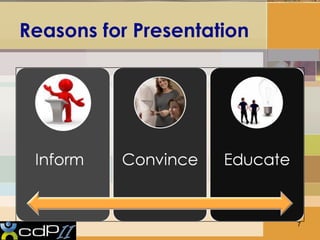
Reasons for Presentation
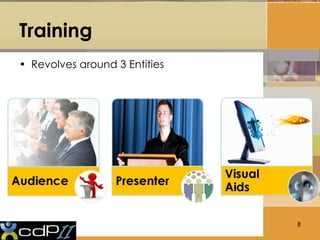
Training Revolves around 3 Entities
Know Your Audience  Assess Your Audience Size Knowledge Level Comprehension Level “ Success depends on your ability to reach your audience”
Clearly define the objectives  Confused Audience  Doesn’t listen Confused Audience  doesn’t Decide  Confused Audience  doesn’t bring desired results!
Presenter   Presenter
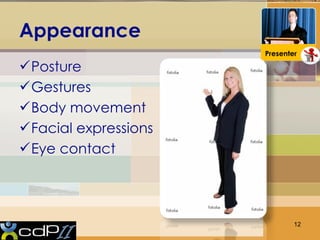
Appearance  Posture Gestures Body movement Facial expressions Eye contact Presenter
Presentation Styles  Humor Short Story telling Examples Starling Statistic Practical exercises  Presenter
Use of Voice & Space Vocal Techniques Loudness Pitch Rate Pause Use of Space Can Everyone see you? Movement Presenter
5 Presentation Tips Smile Breathe Water Notes Finish On time Presenter
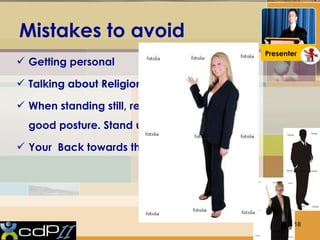
Mistakes to avoid  Getting personal Talking about Religion and Politics When standing still, remember to maintain good posture. Stand up straight Your  Back towards the audience Presenter
Mistakes to avoid  Answer questions just for the sake of it, it’s ok if you don’t know the answer  Personal comment Proving others wrong while answering questions No attention while answering the question  Presenter
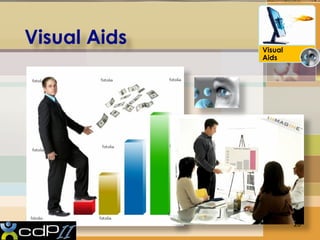
Visual Aids  Visual Aids
Why Visual Aids? Enhance Understanding Add Variety Support Claims Lasting Impact Visual Aids
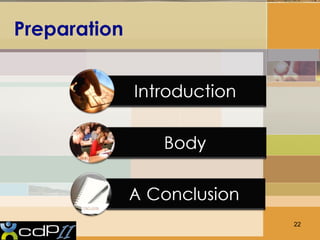
Preparation
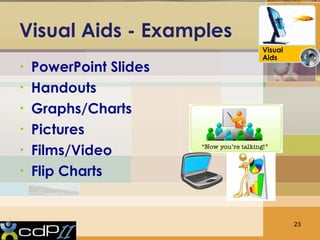
Visual Aids - Examples PowerPoint Slides Handouts  Graphs/Charts Pictures Films/Video Flip Charts Visual Aids
Visual Aids Should… Have Outline of main points Serve audience’s needs, not speaker’s Simple and clear Visual Aids
Visual Aids Improve comprehension Add variety Illustrate complex ideas Visual Aids
Be Visible Titles should be 38-44 pt. font size or more Text should be 28 pt font size or more Use color wisely Visual Aids
 Happy Learning Amnaeem@live.com

Training Module Development Basic

  • 1.
  • 2.
    Objectives Bringout the Best Presenter in YOU! How to design a Presentation Know the Elements of an Effective Presentation How to Deliver a presentation How to handle the crowd How to handle questions
  • 3.
    What is apresentation for you?
  • 6.
    Why are wehere? We are here to see how to give presentations in Professional life!
  • 7.
  • 8.
  • 9.
    Know Your Audience Assess Your Audience Size Knowledge Level Comprehension Level “ Success depends on your ability to reach your audience”
  • 10.
    Clearly define theobjectives Confused Audience Doesn’t listen Confused Audience doesn’t Decide Confused Audience doesn’t bring desired results!
  • 11.
    Presenter Presenter
  • 12.
    Appearance PostureGestures Body movement Facial expressions Eye contact Presenter
  • 13.
    Presentation Styles Humor Short Story telling Examples Starling Statistic Practical exercises Presenter
  • 15.
    Use of Voice& Space Vocal Techniques Loudness Pitch Rate Pause Use of Space Can Everyone see you? Movement Presenter
  • 16.
    5 Presentation TipsSmile Breathe Water Notes Finish On time Presenter
  • 18.
    Mistakes to avoid Getting personal Talking about Religion and Politics When standing still, remember to maintain good posture. Stand up straight Your Back towards the audience Presenter
  • 19.
    Mistakes to avoid Answer questions just for the sake of it, it’s ok if you don’t know the answer Personal comment Proving others wrong while answering questions No attention while answering the question Presenter
  • 20.
    Visual Aids Visual Aids
  • 21.
    Why Visual Aids?Enhance Understanding Add Variety Support Claims Lasting Impact Visual Aids
  • 22.
  • 23.
    Visual Aids -Examples PowerPoint Slides Handouts Graphs/Charts Pictures Films/Video Flip Charts Visual Aids
  • 24.
    Visual Aids Should…Have Outline of main points Serve audience’s needs, not speaker’s Simple and clear Visual Aids
  • 25.
    Visual Aids Improvecomprehension Add variety Illustrate complex ideas Visual Aids
  • 26.
    Be Visible Titlesshould be 38-44 pt. font size or more Text should be 28 pt font size or more Use color wisely Visual Aids
  • 27.
     Happy LearningAmnaeem@live.com

Editor's Notes

  • #27 Signatures .. Using colours Professional colours according to the audience