Effective Presentations Skills Employee Development Center June 26, 2003 Chris Carter
Agenda  Introduction Planning Your Presentation The Presentation Sequence Creating Effective Visual Aids resentation Techniques Practice
“ Great speakers aren’t born, they are trained.” Presenting is a Skill… Developed through experience and training. Source:  http://www.hplearningcenter.com
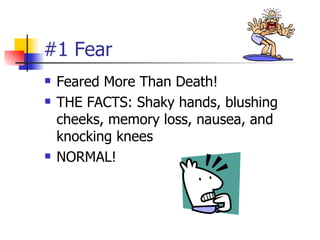
#1 Fear Feared More Than Death! THE FACTS: Shaky hands, blushing cheeks, memory loss, nausea, and knocking knees NORMAL!
Causes of the Anxiety Fear of the Unknown OR Loss of Control Fight or Flight Mode No Backup Plan No Enthusiasm For Subject Focus of Attention
Definitions  Presentation “ Something set forth to an audience for the attention of the mind “ Effective “… producing a desired result” Source:  http://www.merriam-webster.com
Effective Presentations Control Anxiety – Don’t Fight It Audience Centered Accomplishes Objective Fun For Audience Fun For You Conducted Within Time Frame
Why Give A Presentation? Two Main Purposes Inform Persuade Educate
Part 2: Planning Your Presentation
Planning Your Presentation Determine Purpose Assess Your Audience “Success depends on your ability to reach your audience.” Size Demographics Knowledge Level Motivation
Planning A Presentation Plan Space Number of Seats Seating Arrangement Audio/Visual Equipment Distracters What Day and Time? Any Day! Morning
More Planning  Organization Determine Main Points (2-5) Evidence Transitions Prepare Outline
Organizing Your Presentation Organizational Patterns Topical Chronological  Problem/Solution Cause/Effect
Presentation Outline Keyword Reminders Conversational Flow Flexibility  More Responsive to Audience
Part 3: The Presentation Sequence
#1: Build Rapport … relation marked by harmony or affinity   Audience members who trust you and feel that you care Start Before You Begin Mingle; Learn Names Opportunity to reinforce or correct audience assessment Good First Impression People Listen To People They Like
#2: Opening Your Presentation  Introduce Yourself – Why Should They Listen Get Attention, Build More Rapport, Introduce Topic Humor Short Story Starling Statistic Make Audience Think Invite Participation Get Audience Response
#2…Completing the Opening  Clearly Defining Topic If Informative… Clear parameters for content within time If Persuasive… What’s the problem Who cares What’s the solution Overview
#3:  Presenting Main Points (Solution)  Main Point-Transition-Main Point-Transition-MainPoint….. Supporting Evidence Examples Feedback & Questions From Audience Attention to, and Focus on, Audience (Listening)
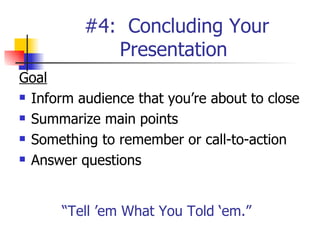
#4:  Concluding Your Presentation  Goal Inform audience that you’re about to close Summarize main points Something to remember or call-to-action Answer questions “ Tell ’em What You Told ‘em.”
Part 4: Effective Presentation Techniques
Presentation Style 3 Elements Vocal Techniques Loudness Pitch Rate Pause Deviations From the Norm for Emphasis
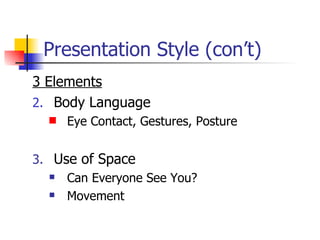
Presentation Style (con’t) 3 Elements Body Language  Eye Contact, Gestures, Posture Use of Space Can Everyone See You? Movement
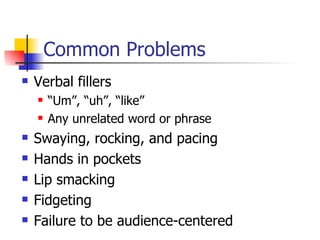
Common Problems Verbal fillers “Um”, “uh”, “like” Any unrelated word or phrase Swaying, rocking, and pacing Hands in pockets Lip smacking Fidgeting Failure to be audience-centered
5 Presentation Tips Smile Breathe Water Notes Finish On Or Under Time
Part 5: Creating Effective Visual Aids
Visual Aids Enhance Understanding Add Variety Support Claims Lasting Impact Used Poorly…A Distraction…Ineffective Presentation
Visual Aids - Examples PowerPoint Slides Overhead Trans Graphs/Charts Pictures Films/Video Flip Charts Sketches
Visual Aids Should… Supplement presentation Outline of main points Serve audience’s needs, not speaker’s Simple and clear
Main Point 1:  The Purpose of Using Visual Aids Visual aids support your ideas and improve audience comprehension of your presentation Visual aids add variety to your presentation by giving the audience a break from listening and letting the see something Visual aids help illustrate complex ideas or concepts and are helpful in reinforcing your ideas
Visual Aids Improve comprehension Add variety Illustrate complex ideas
Be Visible Titles should be 38-44 pt. font size Text should be 28 pt font size Use color wisely Contrasting colors

Effective Presentations Skills

  • 1.
    Effective Presentations SkillsEmployee Development Center June 26, 2003 Chris Carter
  • 2.
    Agenda IntroductionPlanning Your Presentation The Presentation Sequence Creating Effective Visual Aids resentation Techniques Practice
  • 3.
    “ Great speakersaren’t born, they are trained.” Presenting is a Skill… Developed through experience and training. Source: http://www.hplearningcenter.com
  • 4.
    #1 Fear FearedMore Than Death! THE FACTS: Shaky hands, blushing cheeks, memory loss, nausea, and knocking knees NORMAL!
  • 5.
    Causes of theAnxiety Fear of the Unknown OR Loss of Control Fight or Flight Mode No Backup Plan No Enthusiasm For Subject Focus of Attention
  • 6.
    Definitions Presentation“ Something set forth to an audience for the attention of the mind “ Effective “… producing a desired result” Source: http://www.merriam-webster.com
  • 7.
    Effective Presentations ControlAnxiety – Don’t Fight It Audience Centered Accomplishes Objective Fun For Audience Fun For You Conducted Within Time Frame
  • 8.
    Why Give APresentation? Two Main Purposes Inform Persuade Educate
  • 9.
    Part 2: PlanningYour Presentation
  • 10.
    Planning Your PresentationDetermine Purpose Assess Your Audience “Success depends on your ability to reach your audience.” Size Demographics Knowledge Level Motivation
  • 11.
    Planning A PresentationPlan Space Number of Seats Seating Arrangement Audio/Visual Equipment Distracters What Day and Time? Any Day! Morning
  • 12.
    More Planning Organization Determine Main Points (2-5) Evidence Transitions Prepare Outline
  • 13.
    Organizing Your PresentationOrganizational Patterns Topical Chronological Problem/Solution Cause/Effect
  • 14.
    Presentation Outline KeywordReminders Conversational Flow Flexibility More Responsive to Audience
  • 15.
    Part 3: ThePresentation Sequence
  • 16.
    #1: Build Rapport… relation marked by harmony or affinity Audience members who trust you and feel that you care Start Before You Begin Mingle; Learn Names Opportunity to reinforce or correct audience assessment Good First Impression People Listen To People They Like
  • 17.
    #2: Opening YourPresentation Introduce Yourself – Why Should They Listen Get Attention, Build More Rapport, Introduce Topic Humor Short Story Starling Statistic Make Audience Think Invite Participation Get Audience Response
  • 18.
    #2…Completing the Opening Clearly Defining Topic If Informative… Clear parameters for content within time If Persuasive… What’s the problem Who cares What’s the solution Overview
  • 19.
    #3: PresentingMain Points (Solution) Main Point-Transition-Main Point-Transition-MainPoint….. Supporting Evidence Examples Feedback & Questions From Audience Attention to, and Focus on, Audience (Listening)
  • 20.
    #4: ConcludingYour Presentation Goal Inform audience that you’re about to close Summarize main points Something to remember or call-to-action Answer questions “ Tell ’em What You Told ‘em.”
  • 21.
    Part 4: EffectivePresentation Techniques
  • 22.
    Presentation Style 3Elements Vocal Techniques Loudness Pitch Rate Pause Deviations From the Norm for Emphasis
  • 23.
    Presentation Style (con’t)3 Elements Body Language Eye Contact, Gestures, Posture Use of Space Can Everyone See You? Movement
  • 24.
    Common Problems Verbalfillers “Um”, “uh”, “like” Any unrelated word or phrase Swaying, rocking, and pacing Hands in pockets Lip smacking Fidgeting Failure to be audience-centered
  • 25.
    5 Presentation TipsSmile Breathe Water Notes Finish On Or Under Time
  • 26.
    Part 5: CreatingEffective Visual Aids
  • 27.
    Visual Aids EnhanceUnderstanding Add Variety Support Claims Lasting Impact Used Poorly…A Distraction…Ineffective Presentation
  • 28.
    Visual Aids -Examples PowerPoint Slides Overhead Trans Graphs/Charts Pictures Films/Video Flip Charts Sketches
  • 29.
    Visual Aids Should…Supplement presentation Outline of main points Serve audience’s needs, not speaker’s Simple and clear
  • 30.
    Main Point 1: The Purpose of Using Visual Aids Visual aids support your ideas and improve audience comprehension of your presentation Visual aids add variety to your presentation by giving the audience a break from listening and letting the see something Visual aids help illustrate complex ideas or concepts and are helpful in reinforcing your ideas
  • 31.
    Visual Aids Improvecomprehension Add variety Illustrate complex ideas
  • 32.
    Be Visible Titlesshould be 38-44 pt. font size Text should be 28 pt font size Use color wisely Contrasting colors