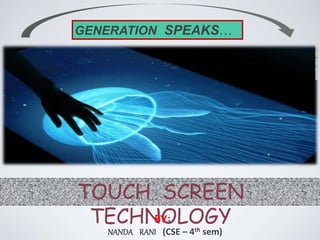
GENERATION SPEAKS…
TOUCH SCREEN
TECHNOLOGYBY:
NANDA RANI (CSE – 4th sem)
Touch screen
Technology of touch screen & its type
Application & characteristics of touch screen
Recent development
Advantages & Disadvantages
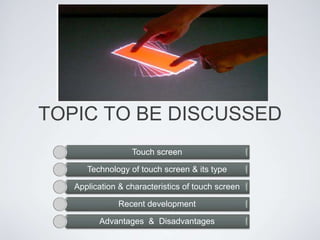
TOPIC TO BE DISCUSSED
What is a touch screen?
• An electronic visual
display that locates
the coordinates of a
users touch within
display area
• Works independently
of what is being
displayed on screen[7]
When is it Applicable?
• It allows users to interact
directly with what is being
displayed, rather than indirectly
using a mouse or keyboard
• Can be used without any
intermediate device
• Found in modern
smartphones, video games,
kiosks, navigation systems,
etc. . .
[1]
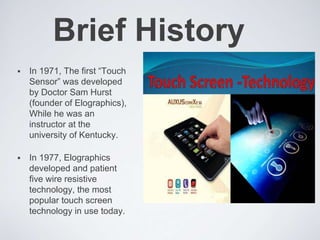
Brief History
 In 1971, The first “Touch
Sensor” was developed
by Doctor Sam Hurst
(founder of Elographics),
While he was an
instructor at the
university of Kentucky.
 In 1977, Elographics
developed and patient
five wire resistive
technology, the most
popular touch screen
technology in use today.
RECENT DEVELOPMENTS
• Microsoft Surface - a computer that uses the tabletop
as its high-resolution display, recognizes objects
placed on the surface and skips the traditional
keyboard and mouse in favor of fingers on the screen.
• Extreme Touch - Extreme Touch is newest touch
technology that can transform any transparent surface
into a functioning touch screen, giving the designer the
flexibility to choose any first surface material, including
a window store front, table top, or bullet proof glass.
APPLICATION &
CHARACTERISTICS
• CHARACTERISTICS Touch Resolution Image Quality
Cost Durability Power Consumption.
• APPLICATIONS Public Information Displays Retail
and Restaurant Systems Customer Self-Service
Assistive Technology And many more uses...
Touch Screen Technology
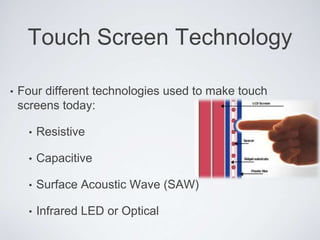
• Four different technologies used to make touch
screens today:
• Resistive
• Capacitive
• Surface Acoustic Wave (SAW)
• Infrared LED or Optical
Resistive Touch Screens
• Two layers of conductive
material
• Touch creates contact
between resistive layers
completing circuit
[2]
Resistive Touch Screens
• Voltage in circuit changes
based on position
• Controller determines
location based on
voltages
• Any material can trigger
sensors
[2]
Why Resistive?
• Advantages:
• Cost-effective and low power Requirements
• Activated by any object
• Accurate
• Disadvantages:
• Polyester surface can be damaged
• Only 75% light transmission
• Lower endurance (~35 million touches)
Capacitive Touch Screens
• Glass panel with
conductive layer (Indium
Tin Oxide)
• Small amount of voltage
applied to four corners of
touch screen
[2]
Capacitive Touch Screens
• Touch draws minute
amount of current creating
voltage drop
• Coordinates of point of
contact calculated by
controller
[2]
Why Capacitive?
• Advantages:
• Durable surface material
• High endurance (~255 million touches)
• Very accurate
• Good optical quality
• Disadvantages:
• Triggered only by bare finger or active stylus
Surface Acoustic Wave
Touch Screens
• Surface consists of glass overlay with
transmitting and receiving transducers
[2]
Why SAW?
• Advantages:
• Best optical quality
• High surface durability and seal
• Activated by multiple sources
• Disadvantages:
• Expensive
• Contaminates on screen can cause false-
touches
• Uses infrared LEDs and matching
photodetectors
• Touching screen interrupts LEDs
Infrared/Optical
Touch Screens
[2]
Infrared/Optical
Touch Screens
• Cameras detect reflected LED caused by
touch
• Controller able to calculate coordinates from
camera data
[8]
Infrared/Optical
Touch Screens
• Advantages:
• High optical clarity
• Durable surface
• Supports multi-touch
• Can scale to large sizes
• Disadvantages:
• Expensive
• Cameras can get out of alignment
Type Examples Price (DigiKey) Tool for Input Multi-touch
Resistive
$10 (3.5”)
$60 (8”)
$150 (19”)
Any object No
Capacitive
$100 (8”)
$160 (19”)
$310 (32”)
Finger or
active stylus
Yes
SAW
$500 (15”)
$850 (19”)
*includes touch screen
and LCD monitor
Any object Yes
Infrared/
Optical
$130 (8”)
$250 (19”)
$320 (26”)
Any object Yes
[1]
[1]
[1]
[1]
ADVANTAGES &
DISADVANTGES
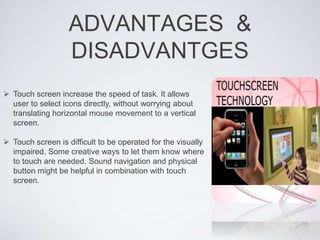
 Touch screen increase the speed of task. It allows
user to select icons directly, without worrying about
translating horizontal mouse movement to a vertical
screen.
 Touch screen is difficult to be operated for the visually
impaired. Some creative ways to let them know where
to touch are needed. Sound navigation and physical
button might be helpful in combination with touch
screen.
The End
THANK YOU

Touch Screen Technology

  • 1.
  • 2.
    Touch screen Technology oftouch screen & its type Application & characteristics of touch screen Recent development Advantages & Disadvantages TOPIC TO BE DISCUSSED
  • 3.
    What is atouch screen? • An electronic visual display that locates the coordinates of a users touch within display area • Works independently of what is being displayed on screen[7]
  • 4.
    When is itApplicable? • It allows users to interact directly with what is being displayed, rather than indirectly using a mouse or keyboard • Can be used without any intermediate device • Found in modern smartphones, video games, kiosks, navigation systems, etc. . . [1]
  • 5.
    Brief History  In1971, The first “Touch Sensor” was developed by Doctor Sam Hurst (founder of Elographics), While he was an instructor at the university of Kentucky.  In 1977, Elographics developed and patient five wire resistive technology, the most popular touch screen technology in use today.
  • 6.
    RECENT DEVELOPMENTS • MicrosoftSurface - a computer that uses the tabletop as its high-resolution display, recognizes objects placed on the surface and skips the traditional keyboard and mouse in favor of fingers on the screen. • Extreme Touch - Extreme Touch is newest touch technology that can transform any transparent surface into a functioning touch screen, giving the designer the flexibility to choose any first surface material, including a window store front, table top, or bullet proof glass.
  • 7.
    APPLICATION & CHARACTERISTICS • CHARACTERISTICSTouch Resolution Image Quality Cost Durability Power Consumption. • APPLICATIONS Public Information Displays Retail and Restaurant Systems Customer Self-Service Assistive Technology And many more uses...
  • 8.
    Touch Screen Technology •Four different technologies used to make touch screens today: • Resistive • Capacitive • Surface Acoustic Wave (SAW) • Infrared LED or Optical
  • 9.
    Resistive Touch Screens •Two layers of conductive material • Touch creates contact between resistive layers completing circuit [2]
  • 10.
    Resistive Touch Screens •Voltage in circuit changes based on position • Controller determines location based on voltages • Any material can trigger sensors [2]
  • 11.
    Why Resistive? • Advantages: •Cost-effective and low power Requirements • Activated by any object • Accurate • Disadvantages: • Polyester surface can be damaged • Only 75% light transmission • Lower endurance (~35 million touches)
  • 12.
    Capacitive Touch Screens •Glass panel with conductive layer (Indium Tin Oxide) • Small amount of voltage applied to four corners of touch screen [2]
  • 13.
    Capacitive Touch Screens •Touch draws minute amount of current creating voltage drop • Coordinates of point of contact calculated by controller [2]
  • 14.
    Why Capacitive? • Advantages: •Durable surface material • High endurance (~255 million touches) • Very accurate • Good optical quality • Disadvantages: • Triggered only by bare finger or active stylus
  • 15.
    Surface Acoustic Wave TouchScreens • Surface consists of glass overlay with transmitting and receiving transducers [2]
  • 16.
    Why SAW? • Advantages: •Best optical quality • High surface durability and seal • Activated by multiple sources • Disadvantages: • Expensive • Contaminates on screen can cause false- touches
  • 17.
    • Uses infraredLEDs and matching photodetectors • Touching screen interrupts LEDs Infrared/Optical Touch Screens [2]
  • 18.
    Infrared/Optical Touch Screens • Camerasdetect reflected LED caused by touch • Controller able to calculate coordinates from camera data [8]
  • 19.
    Infrared/Optical Touch Screens • Advantages: •High optical clarity • Durable surface • Supports multi-touch • Can scale to large sizes • Disadvantages: • Expensive • Cameras can get out of alignment
  • 20.
    Type Examples Price(DigiKey) Tool for Input Multi-touch Resistive $10 (3.5”) $60 (8”) $150 (19”) Any object No Capacitive $100 (8”) $160 (19”) $310 (32”) Finger or active stylus Yes SAW $500 (15”) $850 (19”) *includes touch screen and LCD monitor Any object Yes Infrared/ Optical $130 (8”) $250 (19”) $320 (26”) Any object Yes [1] [1] [1] [1]
  • 21.
    ADVANTAGES & DISADVANTGES  Touchscreen increase the speed of task. It allows user to select icons directly, without worrying about translating horizontal mouse movement to a vertical screen.  Touch screen is difficult to be operated for the visually impaired. Some creative ways to let them know where to touch are needed. Sound navigation and physical button might be helpful in combination with touch screen.
  • 22.