JOHN BABATUNDE LEE ,GSc.JOHN BABATUNDE LEE ,GSc.
THREATS TO DATA ANDTHREATS TO DATA AND
INFORMATIONINFORMATION
SECURITYSECURITY
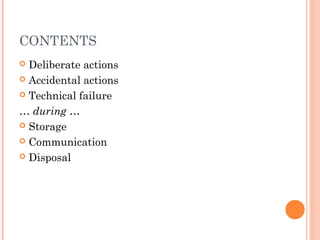
CONTENTS
 Deliberate actions
 Accidental actions
 Technical failure
… during …
 Storage
 Communication
 Disposal
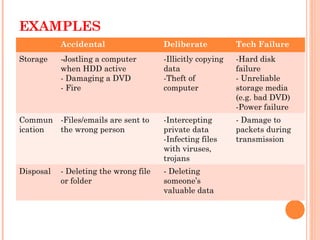
EXAMPLES
Accidental Deliberate Tech Failure
Storage -Jostling a computer
when HDD active
- Damaging a DVD
- Fire
-Illicitly copying
data
-Theft of
computer
-Hard disk
failure
- Unreliable
storage media
(e.g. bad DVD)
-Power failure
Commun
ication
-Files/emails are sent to
the wrong person
-Intercepting
private data
-Infecting files
with viruses,
trojans
- Damage to
packets during
transmission
Disposal - Deleting the wrong file
or folder
- Deleting
someone’s
valuable data
DELIBERATE ACTIONS
 Viruses / worms
 Trojans
 Rootkits
 Malware = Adware, spyware
 Theft of computers and data
 Espionage
 Hackers
 Disgruntled employees
 Denial of Service attacks
 Phishing
 Internet scams
VIRUSES / WORMS
 Viruses attach to EXE files – rare now
 Worms travel in email – self-contained.
Common now.
 Must have reliable antivirus scanner running
with up-to-date virus/worm definitions
 Free ones (Avira, AVG etc) often just as good as
the big-name ones.
MALWARE
 Malware = ‘Malicious software’ = Adware, spyware
 Adware – tracks internet use to target ads at users.
Not usually malicious, but often badly written and buggy:
slows computers down or crashes them.
 Spyware – deliberately, stealthily monitors users’ actions
and can redirect web surfing, change internet settings,
disable firewalls etc.
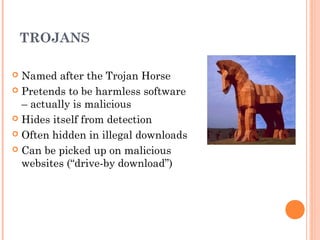
TROJANS
 Named after the Trojan Horse
 Pretends to be harmless software
– actually is malicious
 Hides itself from detection
 Often hidden in illegal downloads
 Can be picked up on malicious
websites (“drive-by download”)
TROJANS (CONTINUED)
 Trojan “Payload” can include:
 Keylogger – steals passwords, credit card #, bank
details
 Spam server – forces victim PC to send spam
 DDOS – becomes ‘zombie computer’ participating in
Distributed Denial of Service attack.
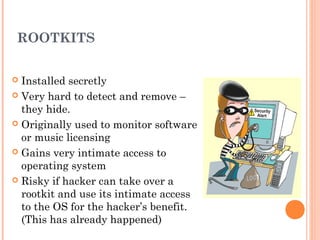
ROOTKITS
 Installed secretly
 Very hard to detect and remove –
they hide.
 Originally used to monitor software
or music licensing
 Gains very intimate access to
operating system
 Risky if hacker can take over a
rootkit and use its intimate access
to the OS for the hacker’s benefit.
(This has already happened)
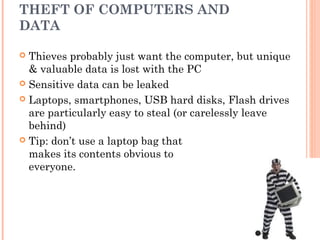
THEFT OF COMPUTERS AND
DATA
 Thieves probably just want the computer, but unique
& valuable data is lost with the PC
 Sensitive data can be leaked
 Laptops, smartphones, USB hard disks, Flash drives
are particularly easy to steal (or carelessly leave
behind)
 Tip: don’t use a laptop bag that
makes its contents obvious to
everyone.
PREVENTION
 Physical security
 fences
 locked doors
 bars on windows
 alarms
 video surveillance
 fire detectors
 fire extinguishers
 armed guards
 guard dogs
PREVENTION
 Physical security (continued)
 security cables or cradles to bolt down or tie computers to
furniture
 locks on computer cases so they can't be opened and hard
disks removed
 glue up USB ports to prevent portable mass-storage devices
being plugged in
 removal of floppy disk drives & optical drives from file
server to prevent the loading of hacking tools
 UPS (uninterruptible power supply)
 simple cable ties to lock mouse cable to a computer to
discourage theft
PREVENTION
Procedural security
 Not letting the public near computers
 Not letting the public see what’s on the screen
 Never logging in with an outsider watching
 Shredding all paper waste
PREVENTION
Procedural security
 Staff hand in keys before going on holiday
 Change passwords regularly
 Never give passwords over the phone or in email
 Never open unexpected attachments
 Monitor email to detect suspiciously large data exports
or sending of passwords
 Mandate the use of corporate procedures for backups,
filenaming etc.
PREVENTION
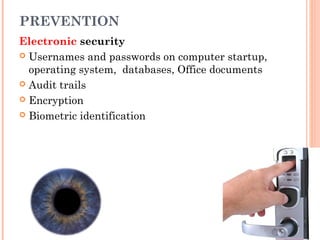
Electronic security
 Usernames and passwords on computer startup,
operating system, databases, Office documents
 Audit trails
 Encryption
 Biometric identification
BIOMETRIC IDENTIFICATION
 Keys and passwords only prove someone possesses the
key or password, not that they are entitled to use
them.
 Keys, passwords etc can be stolen, copied, lost,
forgotten – fingerprints, eyes cannot.
 Biometric ID ensures that a person requesting access
is actually the person who was granted access
BIOMETRIC IDENTIFICATION:
100% UNIQUE AND UNCHANGING
FEATURES*
 Fingerprints
 Retinal scans (blood vessels at the back of the eye)
 Iris scans (coloured part at the front of the eye)
 Hand vein pattern
*Yes – even between identical twins.
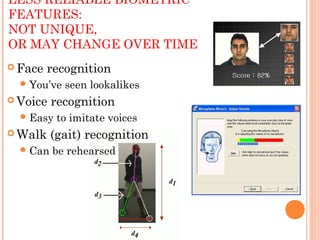
LESS RELIABLE BIOMETRIC
FEATURES:
NOT UNIQUE,
OR MAY CHANGE OVER TIME
 Face recognition
You’ve seen lookalikes
 Voice recognition
Easy to imitate voices
 Walk (gait) recognition
Can be rehearsed
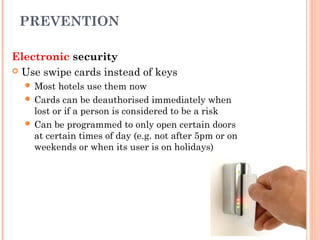
PREVENTION
Electronic security
 Use swipe cards instead of keys
 Most hotels use them now
 Cards can be deauthorised immediately when
lost or if a person is considered to be a risk
 Can be programmed to only open certain doors
at certain times of day (e.g. not after 5pm or on
weekends or when its user is on holidays)
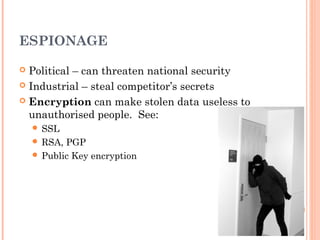
ESPIONAGE
 Political – can threaten national security
 Industrial – steal competitor’s secrets
 Encryption can make stolen data useless to
unauthorised people. See:
 SSL
 RSA, PGP
 Public Key encryption
HACKERS
• Motives used to be fame, achievement, kudos
• Usually now organised crime rings aiming to steal
money
HACKERS
• Hackers can control PCs compromised by
Trojans – steal bank account info, credit card
numbers, passwords etc
• Will sell the info or use it themselves
• Defence = firewall to prevent hacker activating
or being reported to by an installed Trojan
FIREWALLS
 Block most of the 65,535 communication ports that are
usually open and can be entered by hackers
 Make a computer invisible to port sniffing software
 Built into most home routers – good & easy protection
from incoming threats
FIREWALLS
 Software firewalls (e.g. Zone Alarm) also block
unauthorised outgoing traffic (e.g. a trojan mailing its
keylogger data back to a hacker)
 Software firewalls can need training to teach them what
programs are allowed to send data.
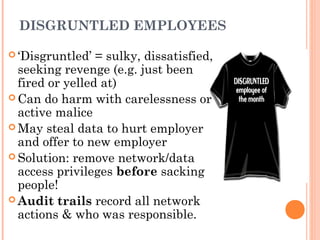
DISGRUNTLED EMPLOYEES
 ‘Disgruntled’ = sulky, dissatisfied,
seeking revenge (e.g. just been
fired or yelled at)
 Can do harm with carelessness or
active malice
 May steal data to hurt employer
and offer to new employer
 Solution: remove network/data
access privileges before sacking
people!
 Audit trails record all network
actions & who was responsible.
DISTRIBUTED DENIAL OF
SERVICE ATTACK
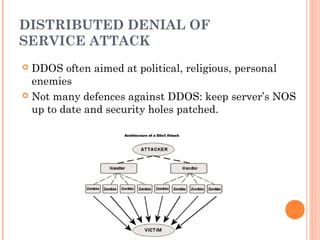
 Usually set up by hacker taking control of zombie PCs
infected by Trojan
 Hacker can direct many zombies to bombard server
with Pings or data requests to the point it can’t cope
and cannot work properly
DISTRIBUTED DENIAL OF
SERVICE ATTACK
 DDOS often aimed at political, religious, personal
enemies
 Not many defences against DDOS: keep server’s NOS
up to date and security holes patched.
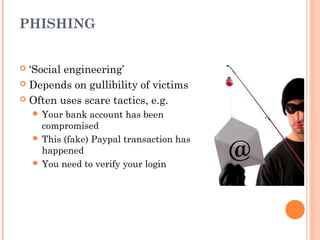
PHISHING
 ‘Social engineering’
 Depends on gullibility of victims
 Often uses scare tactics, e.g.
 Your bank account has been
compromised
 This (fake) Paypal transaction has
happened
 You need to verify your login
PHISHING
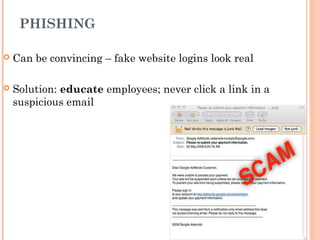
 Can be convincing – fake website logins look real
 Solution: educate employees; never click a link in a
suspicious email
INTERNET SCAMS
 Rely on victim’s humanity (e.g. fake charities) or greed
(e.g. Nigerian ‘419’ scam)
 People give bank account info or donate directly
 Can be physical risk if scammers lure victim to their
country and hold them hostage
 Solution: educate users; don’t
believe ‘too good to be true’
offers
ACCIDENTAL ACTIONS
 Incompetent employees
 "Misplaced" data
 Natural disasters
INCOMPETENT EMPLOYEES
 One of the most common threats to data
 Poorly-trained staff destroy more data than any
number of hackers
 Good intentions won’t bring back
deleted data
 Train users fully; give good documentation
INCOMPETENT EMPLOYEES
 Only give users enough access to data so they can
do their job (hierarchical data access) – limits the
damage they can do
 Use good software that makes mistakes harder to
make
"MISPLACED" DATA
 Poor file handling procedures can lead to files being
impossible to find without huge searches
 May not be destroyed, but data is equally inaccessible.
 Solution: properly planned and enforced file and
folder naming scheme
 Version control – to prevent overwriting recent
documents with old data.
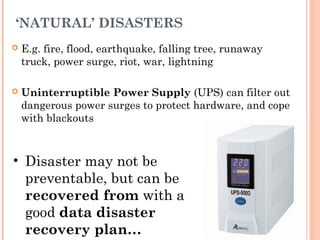
‘NATURAL’ DISASTERS
 E.g. fire, flood, earthquake, falling tree, runaway
truck, power surge, riot, war, lightning
 Uninterruptible Power Supply (UPS) can filter out
dangerous power surges to protect hardware, and cope
with blackouts
• Disaster may not be
preventable, but can be
recovered from with a
good data disaster
recovery plan…
DISASTER RECOVERY PLAN
 Relies on backups.
 Effective backups must be:
 Regular (incremental daily, full backup weekly)
 Tested (with sample data, not real data!)
 Stored offsite
 Key recovery info should also be stored offsite
 Insurance company, policy number etc
 Details of backup software and hardware to allow restore
 etc
DISASTER RECOVERY PLAN
 Any DDRP must be tested to find weaknesses or
omissions
 Perform test restores of backed up data
 Practice fire drills
 Ensure that the emergency administrator password
works
 Test smoke alarms, burglar alarms
 Ensure emergency contacts list is up to date
 etc
TECHNICAL FAILURE
 Hardware failure (e.g. hard disk crash, file server
failure)
 Operating system failure
 Software failure
HARDWARE FAILURE
 Typically: hard disk, power supplies (moving parts age
quickly)
 Also: circuit boards (solder joints dry out and break)
 Solution: redundant equipment (e.g. two power
supplies, NICs)
 Solution: good environment
 Air conditioned server room
 UPS to prevent power surges
SOFTWARE FAILURE
 OS crash or application failure can cause data
loss if work in progress has not been saved
recently
 Not likely to damage any hardware
 Can waste time and cause annoyance
 Solution: save frequently!
CONSEQUENCES OF IGNORING
SAFETY MEASURES
 Loss of valuable data that can’t be replaced at all,
or only with huge effort and cost
 Competitors finding out your secrets
 Damage to or loss of expensive equipment
 Financial loss through misuse of credit cards or
bank accounts
CONSEQUENCES
 Unwitting participation in illegal actions such as
spamming or DDOS attacks
 Loss of reputation through negligently letting
customer information go public
 Penalties by the tax office for not having proper
GST or tax records
 Prosecution under the Privacy Act if sensitive
information is not properly protected.
CONSEQUENCES
 Loss of income when unable to do business due to
system failure
 Total failure of the organisation after
catastrophic data loss
 Organisational death.
REMEMBER
 No system is 100% invulnerable
 If someone is sufficiently determined to get in, they
will
 No one protection measure is perfect
 A combination of simple measures is very powerful…
REMEMBER
 Implement protection against the most likely risks:
 Do good backups
 Lock doors
 Use strong passwords
 Run antivirus software
 Use a router and firewall
 Train staff against phishing and opening attachments
 Such simple measures will mean 99.99% protection
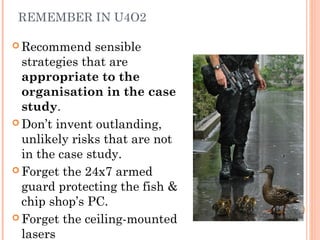
REMEMBER IN U4O2
 Recommend sensible
strategies that are
appropriate to the
organisation in the case
study.
 Don’t invent outlanding,
unlikely risks that are not
in the case study.
 Forget the 24x7 armed
guard protecting the fish &
chip shop’s PC.
 Forget the ceiling-mounted
lasers
Notes: RTQ (Read The Question)
criteria, not methods
evaluating, not testing
effectiveness, not efficiency
 How well the strategies protect data from being
deliberately or accidentally stolen, damaged or lost.
 How easily lost or damaged data can be restored.
Criteria for evaluating the effectiveness
of data security management strategies.
CRITERIA FOR EVALUATING THE
EFFECTIVENESS OF DATA SECURITY
MANAGEMENT STRATEGIES.
 How easy the strategies are to carry out.
 Accuracy of risk detection
 e.g. number of virus infections or hacking attempts that were
correctly detected and acted upon)
CRITERIA FOR EVALUATING THE
EFFECTIVENESS OF DATA SECURITY
MANAGEMENT STRATEGIES.
 Timeliness of reactions to threats
 Did a defence strategy operate in time to prevent a detected
threat
 e.g. did a UPS kick in quickly enough to stop a power surge or
loss of power?
 E.g. did a firewall block a port sniffing before a hacker could do
any harm?
THANK YOU
JOHN BABATUNDE LEE, GSc.JOHN BABATUNDE LEE, GSc.
CEO,CEO,
AFRIMERICA SECURITY GROUPAFRIMERICA SECURITY GROUP
Tel: + 233 54 6881061Tel: + 233 54 6881061
Email:Email: leejohnbabatunde@gmail.comleejohnbabatunde@gmail.com

Threats to data and information security

  • 1.
    JOHN BABATUNDE LEE,GSc.JOHN BABATUNDE LEE ,GSc. THREATS TO DATA ANDTHREATS TO DATA AND INFORMATIONINFORMATION SECURITYSECURITY
  • 2.
    CONTENTS  Deliberate actions Accidental actions  Technical failure … during …  Storage  Communication  Disposal
  • 3.
    EXAMPLES Accidental Deliberate TechFailure Storage -Jostling a computer when HDD active - Damaging a DVD - Fire -Illicitly copying data -Theft of computer -Hard disk failure - Unreliable storage media (e.g. bad DVD) -Power failure Commun ication -Files/emails are sent to the wrong person -Intercepting private data -Infecting files with viruses, trojans - Damage to packets during transmission Disposal - Deleting the wrong file or folder - Deleting someone’s valuable data
  • 4.
    DELIBERATE ACTIONS  Viruses/ worms  Trojans  Rootkits  Malware = Adware, spyware  Theft of computers and data  Espionage  Hackers  Disgruntled employees  Denial of Service attacks  Phishing  Internet scams
  • 5.
    VIRUSES / WORMS Viruses attach to EXE files – rare now  Worms travel in email – self-contained. Common now.  Must have reliable antivirus scanner running with up-to-date virus/worm definitions  Free ones (Avira, AVG etc) often just as good as the big-name ones.
  • 6.
    MALWARE  Malware =‘Malicious software’ = Adware, spyware  Adware – tracks internet use to target ads at users. Not usually malicious, but often badly written and buggy: slows computers down or crashes them.  Spyware – deliberately, stealthily monitors users’ actions and can redirect web surfing, change internet settings, disable firewalls etc.
  • 7.
    TROJANS  Named afterthe Trojan Horse  Pretends to be harmless software – actually is malicious  Hides itself from detection  Often hidden in illegal downloads  Can be picked up on malicious websites (“drive-by download”)
  • 8.
    TROJANS (CONTINUED)  Trojan“Payload” can include:  Keylogger – steals passwords, credit card #, bank details  Spam server – forces victim PC to send spam  DDOS – becomes ‘zombie computer’ participating in Distributed Denial of Service attack.
  • 9.
    ROOTKITS  Installed secretly Very hard to detect and remove – they hide.  Originally used to monitor software or music licensing  Gains very intimate access to operating system  Risky if hacker can take over a rootkit and use its intimate access to the OS for the hacker’s benefit. (This has already happened)
  • 10.
    THEFT OF COMPUTERSAND DATA  Thieves probably just want the computer, but unique & valuable data is lost with the PC  Sensitive data can be leaked  Laptops, smartphones, USB hard disks, Flash drives are particularly easy to steal (or carelessly leave behind)  Tip: don’t use a laptop bag that makes its contents obvious to everyone.
  • 11.
    PREVENTION  Physical security fences  locked doors  bars on windows  alarms  video surveillance  fire detectors  fire extinguishers  armed guards  guard dogs
  • 12.
    PREVENTION  Physical security(continued)  security cables or cradles to bolt down or tie computers to furniture  locks on computer cases so they can't be opened and hard disks removed  glue up USB ports to prevent portable mass-storage devices being plugged in  removal of floppy disk drives & optical drives from file server to prevent the loading of hacking tools  UPS (uninterruptible power supply)  simple cable ties to lock mouse cable to a computer to discourage theft
  • 13.
    PREVENTION Procedural security  Notletting the public near computers  Not letting the public see what’s on the screen  Never logging in with an outsider watching  Shredding all paper waste
  • 14.
    PREVENTION Procedural security  Staffhand in keys before going on holiday  Change passwords regularly  Never give passwords over the phone or in email  Never open unexpected attachments  Monitor email to detect suspiciously large data exports or sending of passwords  Mandate the use of corporate procedures for backups, filenaming etc.
  • 15.
    PREVENTION Electronic security  Usernamesand passwords on computer startup, operating system, databases, Office documents  Audit trails  Encryption  Biometric identification
  • 16.
    BIOMETRIC IDENTIFICATION  Keysand passwords only prove someone possesses the key or password, not that they are entitled to use them.  Keys, passwords etc can be stolen, copied, lost, forgotten – fingerprints, eyes cannot.  Biometric ID ensures that a person requesting access is actually the person who was granted access
  • 17.
    BIOMETRIC IDENTIFICATION: 100% UNIQUEAND UNCHANGING FEATURES*  Fingerprints  Retinal scans (blood vessels at the back of the eye)  Iris scans (coloured part at the front of the eye)  Hand vein pattern *Yes – even between identical twins.
  • 18.
    LESS RELIABLE BIOMETRIC FEATURES: NOTUNIQUE, OR MAY CHANGE OVER TIME  Face recognition You’ve seen lookalikes  Voice recognition Easy to imitate voices  Walk (gait) recognition Can be rehearsed
  • 19.
    PREVENTION Electronic security  Useswipe cards instead of keys  Most hotels use them now  Cards can be deauthorised immediately when lost or if a person is considered to be a risk  Can be programmed to only open certain doors at certain times of day (e.g. not after 5pm or on weekends or when its user is on holidays)
  • 20.
    ESPIONAGE  Political –can threaten national security  Industrial – steal competitor’s secrets  Encryption can make stolen data useless to unauthorised people. See:  SSL  RSA, PGP  Public Key encryption
  • 21.
    HACKERS • Motives usedto be fame, achievement, kudos • Usually now organised crime rings aiming to steal money
  • 22.
    HACKERS • Hackers cancontrol PCs compromised by Trojans – steal bank account info, credit card numbers, passwords etc • Will sell the info or use it themselves • Defence = firewall to prevent hacker activating or being reported to by an installed Trojan
  • 23.
    FIREWALLS  Block mostof the 65,535 communication ports that are usually open and can be entered by hackers  Make a computer invisible to port sniffing software  Built into most home routers – good & easy protection from incoming threats
  • 24.
    FIREWALLS  Software firewalls(e.g. Zone Alarm) also block unauthorised outgoing traffic (e.g. a trojan mailing its keylogger data back to a hacker)  Software firewalls can need training to teach them what programs are allowed to send data.
  • 25.
    DISGRUNTLED EMPLOYEES  ‘Disgruntled’= sulky, dissatisfied, seeking revenge (e.g. just been fired or yelled at)  Can do harm with carelessness or active malice  May steal data to hurt employer and offer to new employer  Solution: remove network/data access privileges before sacking people!  Audit trails record all network actions & who was responsible.
  • 26.
    DISTRIBUTED DENIAL OF SERVICEATTACK  Usually set up by hacker taking control of zombie PCs infected by Trojan  Hacker can direct many zombies to bombard server with Pings or data requests to the point it can’t cope and cannot work properly
  • 27.
    DISTRIBUTED DENIAL OF SERVICEATTACK  DDOS often aimed at political, religious, personal enemies  Not many defences against DDOS: keep server’s NOS up to date and security holes patched.
  • 28.
    PHISHING  ‘Social engineering’ Depends on gullibility of victims  Often uses scare tactics, e.g.  Your bank account has been compromised  This (fake) Paypal transaction has happened  You need to verify your login
  • 29.
    PHISHING  Can beconvincing – fake website logins look real  Solution: educate employees; never click a link in a suspicious email
  • 30.
    INTERNET SCAMS  Relyon victim’s humanity (e.g. fake charities) or greed (e.g. Nigerian ‘419’ scam)  People give bank account info or donate directly  Can be physical risk if scammers lure victim to their country and hold them hostage  Solution: educate users; don’t believe ‘too good to be true’ offers
  • 31.
    ACCIDENTAL ACTIONS  Incompetentemployees  "Misplaced" data  Natural disasters
  • 32.
    INCOMPETENT EMPLOYEES  Oneof the most common threats to data  Poorly-trained staff destroy more data than any number of hackers  Good intentions won’t bring back deleted data  Train users fully; give good documentation
  • 33.
    INCOMPETENT EMPLOYEES  Onlygive users enough access to data so they can do their job (hierarchical data access) – limits the damage they can do  Use good software that makes mistakes harder to make
  • 34.
    "MISPLACED" DATA  Poorfile handling procedures can lead to files being impossible to find without huge searches  May not be destroyed, but data is equally inaccessible.  Solution: properly planned and enforced file and folder naming scheme  Version control – to prevent overwriting recent documents with old data.
  • 35.
    ‘NATURAL’ DISASTERS  E.g.fire, flood, earthquake, falling tree, runaway truck, power surge, riot, war, lightning  Uninterruptible Power Supply (UPS) can filter out dangerous power surges to protect hardware, and cope with blackouts • Disaster may not be preventable, but can be recovered from with a good data disaster recovery plan…
  • 36.
    DISASTER RECOVERY PLAN Relies on backups.  Effective backups must be:  Regular (incremental daily, full backup weekly)  Tested (with sample data, not real data!)  Stored offsite  Key recovery info should also be stored offsite  Insurance company, policy number etc  Details of backup software and hardware to allow restore  etc
  • 37.
    DISASTER RECOVERY PLAN Any DDRP must be tested to find weaknesses or omissions  Perform test restores of backed up data  Practice fire drills  Ensure that the emergency administrator password works  Test smoke alarms, burglar alarms  Ensure emergency contacts list is up to date  etc
  • 38.
    TECHNICAL FAILURE  Hardwarefailure (e.g. hard disk crash, file server failure)  Operating system failure  Software failure
  • 39.
    HARDWARE FAILURE  Typically:hard disk, power supplies (moving parts age quickly)  Also: circuit boards (solder joints dry out and break)  Solution: redundant equipment (e.g. two power supplies, NICs)  Solution: good environment  Air conditioned server room  UPS to prevent power surges
  • 40.
    SOFTWARE FAILURE  OScrash or application failure can cause data loss if work in progress has not been saved recently  Not likely to damage any hardware  Can waste time and cause annoyance  Solution: save frequently!
  • 41.
    CONSEQUENCES OF IGNORING SAFETYMEASURES  Loss of valuable data that can’t be replaced at all, or only with huge effort and cost  Competitors finding out your secrets  Damage to or loss of expensive equipment  Financial loss through misuse of credit cards or bank accounts
  • 42.
    CONSEQUENCES  Unwitting participationin illegal actions such as spamming or DDOS attacks  Loss of reputation through negligently letting customer information go public  Penalties by the tax office for not having proper GST or tax records  Prosecution under the Privacy Act if sensitive information is not properly protected.
  • 43.
    CONSEQUENCES  Loss ofincome when unable to do business due to system failure  Total failure of the organisation after catastrophic data loss  Organisational death.
  • 44.
    REMEMBER  No systemis 100% invulnerable  If someone is sufficiently determined to get in, they will  No one protection measure is perfect  A combination of simple measures is very powerful…
  • 45.
    REMEMBER  Implement protectionagainst the most likely risks:  Do good backups  Lock doors  Use strong passwords  Run antivirus software  Use a router and firewall  Train staff against phishing and opening attachments  Such simple measures will mean 99.99% protection
  • 46.
    REMEMBER IN U4O2 Recommend sensible strategies that are appropriate to the organisation in the case study.  Don’t invent outlanding, unlikely risks that are not in the case study.  Forget the 24x7 armed guard protecting the fish & chip shop’s PC.  Forget the ceiling-mounted lasers
  • 47.
    Notes: RTQ (ReadThe Question) criteria, not methods evaluating, not testing effectiveness, not efficiency  How well the strategies protect data from being deliberately or accidentally stolen, damaged or lost.  How easily lost or damaged data can be restored. Criteria for evaluating the effectiveness of data security management strategies.
  • 48.
    CRITERIA FOR EVALUATINGTHE EFFECTIVENESS OF DATA SECURITY MANAGEMENT STRATEGIES.  How easy the strategies are to carry out.  Accuracy of risk detection  e.g. number of virus infections or hacking attempts that were correctly detected and acted upon)
  • 49.
    CRITERIA FOR EVALUATINGTHE EFFECTIVENESS OF DATA SECURITY MANAGEMENT STRATEGIES.  Timeliness of reactions to threats  Did a defence strategy operate in time to prevent a detected threat  e.g. did a UPS kick in quickly enough to stop a power surge or loss of power?  E.g. did a firewall block a port sniffing before a hacker could do any harm?
  • 50.
    THANK YOU JOHN BABATUNDELEE, GSc.JOHN BABATUNDE LEE, GSc. CEO,CEO, AFRIMERICA SECURITY GROUPAFRIMERICA SECURITY GROUP Tel: + 233 54 6881061Tel: + 233 54 6881061 Email:Email: leejohnbabatunde@gmail.comleejohnbabatunde@gmail.com