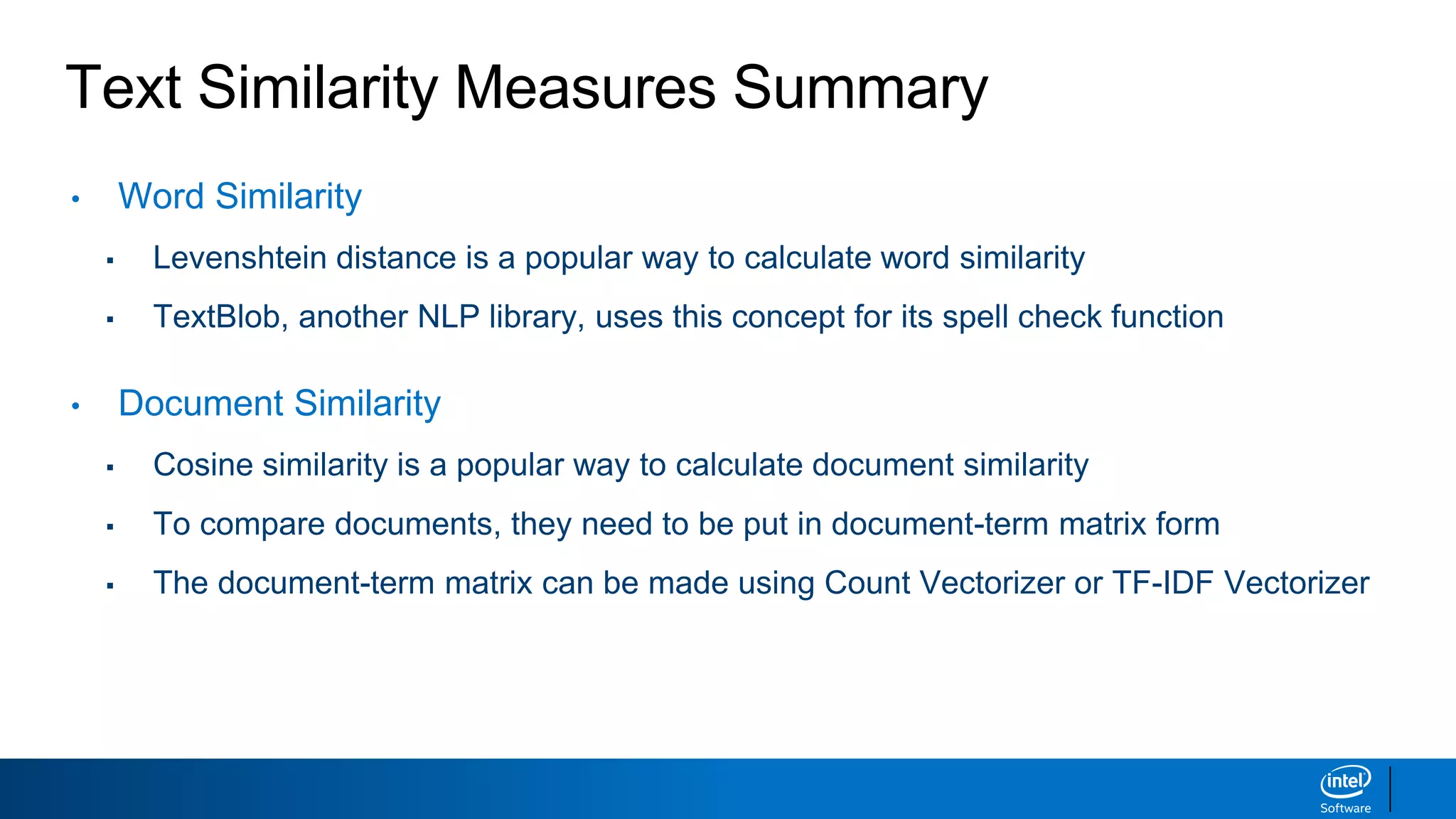
Text similarity measures are used to quantify the similarity between text strings and documents. Common text similarity measures include Levenshtein distance for word similarity and cosine similarity for document similarity. To apply cosine similarity, documents first need to be represented in a document-term matrix using techniques like count vectorization or TF-IDF. TF-IDF is often preferred as it assigns higher importance to rare terms compared to common terms.
Overview of Text Similarity Measures assessing similarity/distance between text strings for applications in document analysis.
Key methods for measuring similarity: Levenshtein distance for words, and Count vectorizer, Bag of Words, Cosine similarity, and TF-IDF for documents.
Word similarity impacts applications like spell check, speech recognition, and includes quantification via Levenshtein distance examples.
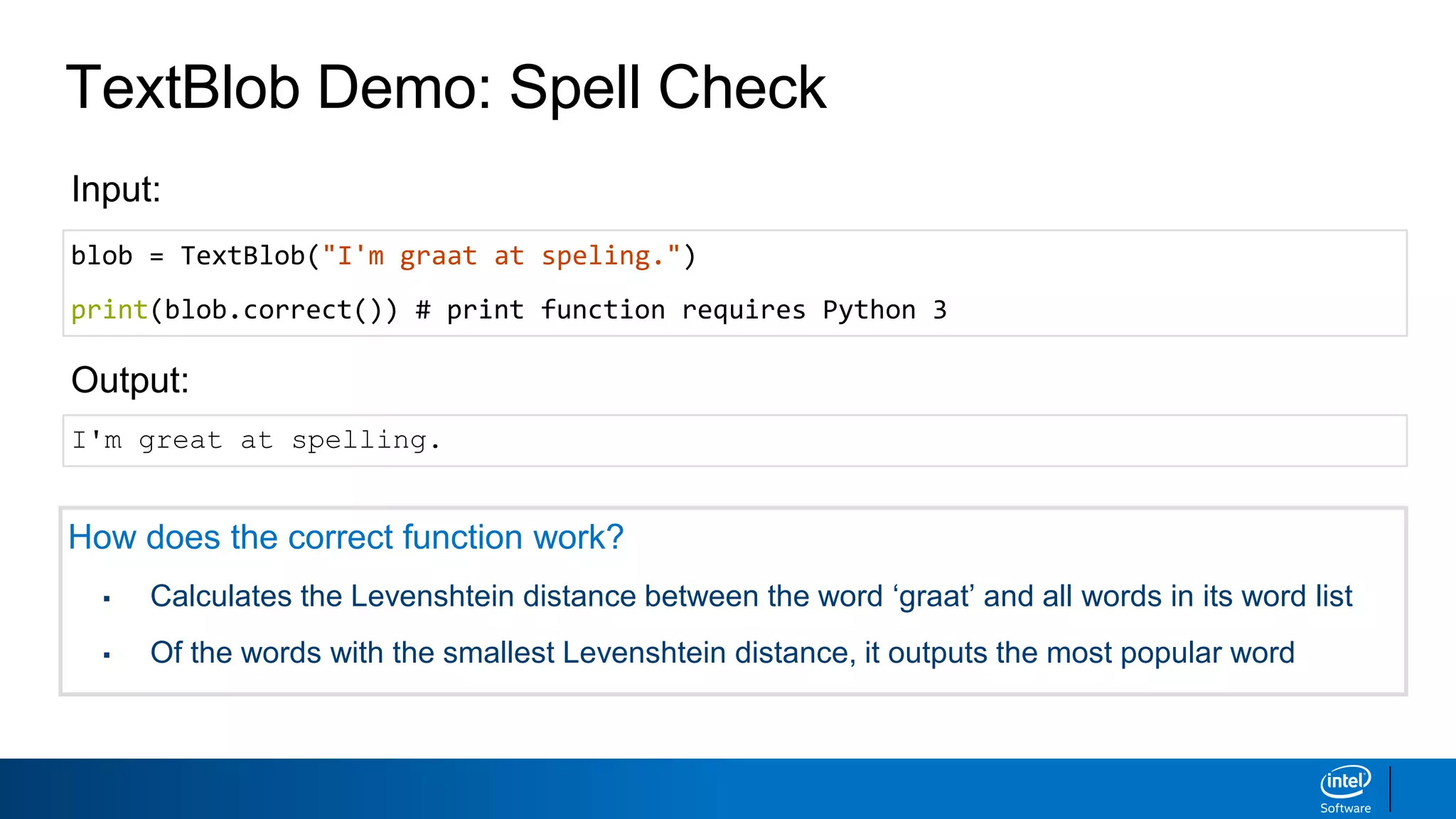
TextBlob simplifies NLP tasks like tokenization and spell check, employing Levenshtein distance for correcting words.
Recap of Word and Document similarity concepts including Levenshtein distance and measures like Count vectorizer, Bag of Words, Cosine similarity, TF-IDF.
Document similarity used for analyzing large text collections, emphasizing text formatting methods like tokenization and document-term matrix.
Building a Document-Term Matrix with Count Vectorizer to structure text data for similarity analysis.
Bag of Words model disallows grammar/word order consideration, focusing on word occurrence for document similarity.
Cosine similarity quantifies document similarity by analyzing the angle between document vectors for sensitivity.
Examples of document pairs analyzed for similarity through combinations, highlighting challenges with Count Vectorizer and introducing TF-IDF.
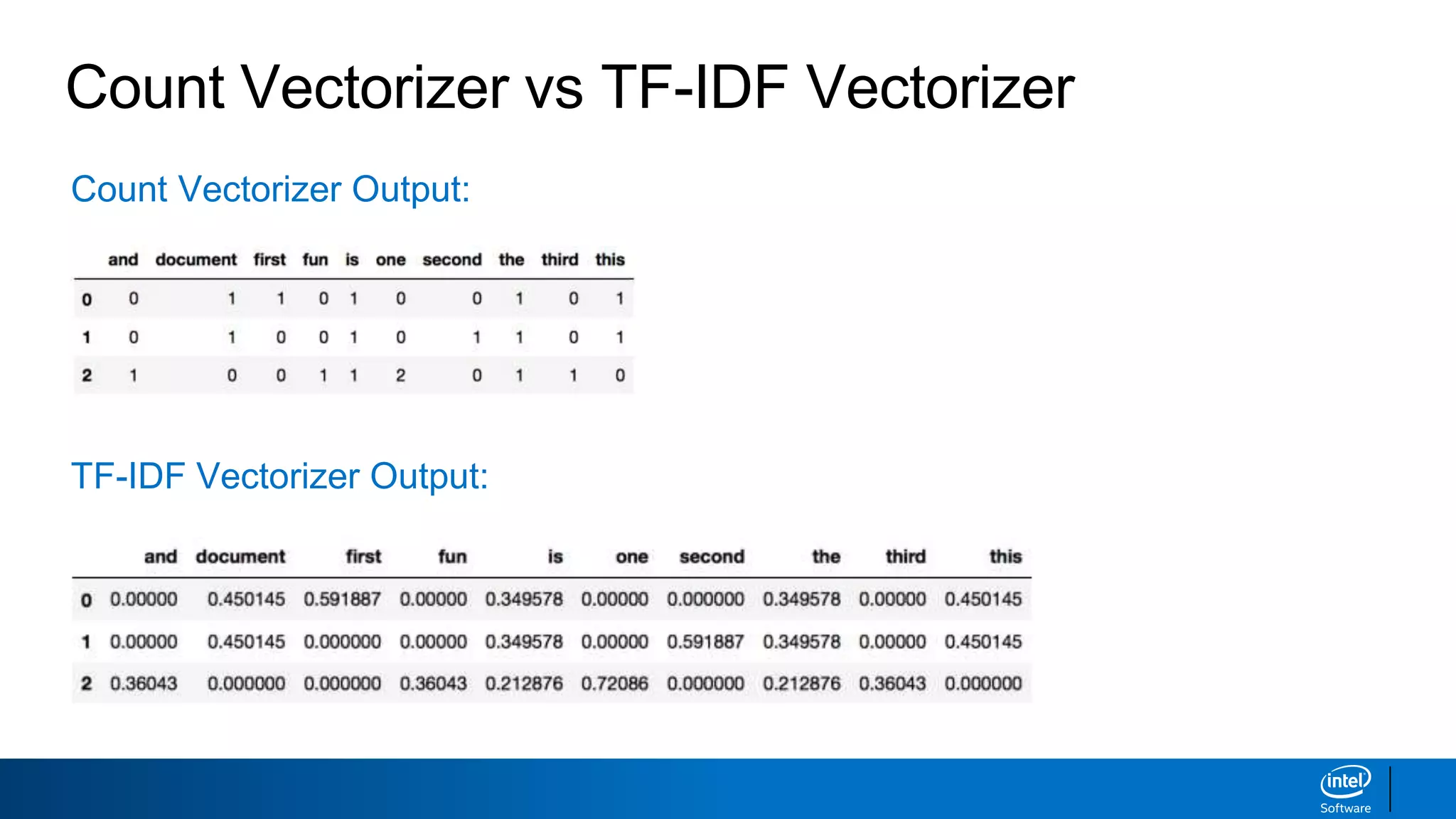
TF-IDF formula accounts for term frequency and document frequency to better weigh term importance, improving similarity detection.Shows differences between Count Vectorizer and TF-IDF Vectorizer outputs in creating document-term matrices.
Assessing document similarity using TF-IDF Vectorizer enhances weight for rare terms, addressing issues seen in Count Vectorizer.
Summary of important concepts in word similarity via Levenshtein distance and document similarity through Cosine and TF-IDF Vectorizers.
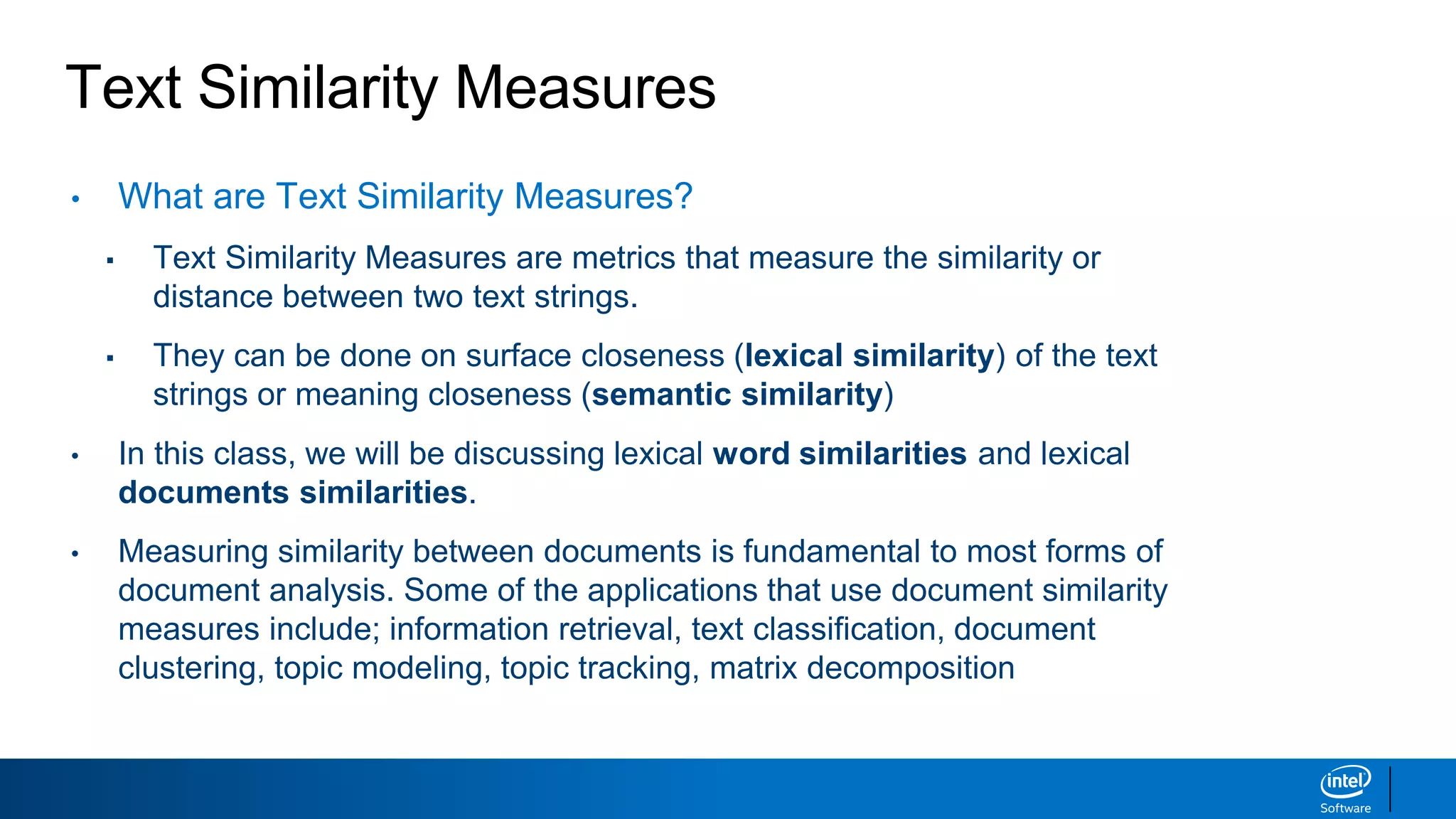
Text Similarity Measures
•What are Text Similarity Measures?
▪ Text Similarity Measures are metrics that measure the similarity or
distance between two text strings.
▪ They can be done on surface closeness (lexical similarity) of the text
strings or meaning closeness (semantic similarity)
• In this class, we will be discussing lexical word similarities and lexical
documents similarities.
• Measuring similarity between documents is fundamental to most forms of
document analysis. Some of the applications that use document similarity
measures include; information retrieval, text classification, document
clustering, topic modeling, topic tracking, matrix decomposition
3.
Text Similarity Measures
•Word Similarity
▪ Levenshtein distance
• Document Similarity
▪ Count vectorizer and the document-term matrix
▪ Bag of words
▪ Cosine similarity
▪ Term frequency-inverse document frequency (TF-IDF)
4.
Text Similarity Measures
•Word Similarity
▪ Levenshtein distance
• Document Similarity
▪ Count vectorizer and the document-term matrix
▪ Bag of words
▪ Cosine similarity
▪ Term frequency-inverse document frequency (TF-IDF)
5.
Word Similarity
Why isword similarity important? It can be used for the following:
▪ Spell check
▪ Speech recognition
▪ Plagiarism detection
What is a common way of quantifying word similarity?
▪ Levenshtein distance
▪ Also known as edit distance in computer science
Word Similarity
Levenshtein distance:Minimum number of operations to get from one
word to another. Levenshtein operations are:
▪ Deletions: Delete a character
▪ Insertions: Insert a character
▪ Mutations: Change a character
Example: kitten —> sitting
▪ kitten —> sitten (1 letter change)
▪ sitten —> sittin (1 letter change)
▪ sittin —> sitting (1 letter insertion)
Levenshtein distance = 3
8.
Word Similarity
How similarare the following pairs of words?
MATH MATH
MATH BATH
MATH BAT
MATH SMASH
Levenshtein distance = 0
Levenshtein distance = 1
Levenshtein distance = 2
Levenshtein distance = 2
9.
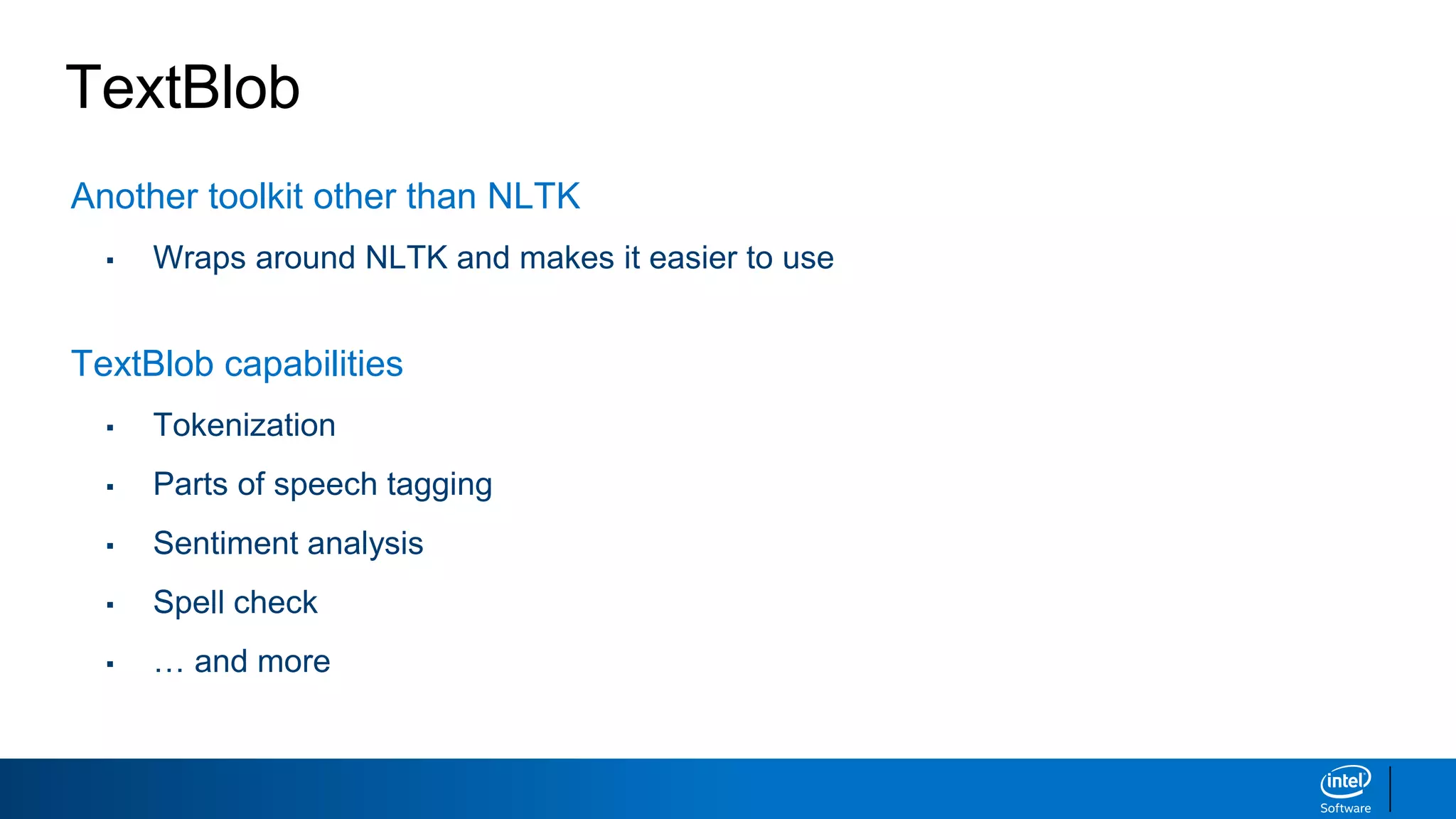
TextBlob
Another toolkit otherthan NLTK
▪ Wraps around NLTK and makes it easier to use
TextBlob capabilities
▪ Tokenization
▪ Parts of speech tagging
▪ Sentiment analysis
▪ Spell check
▪ … and more
10.
TextBlob Demo: Tokenization
#Command line: pip install textblob
from textblob import TextBlob
my_text = TextBlob("We're moving from NLTK to TextBlob. How fun!")
my_text.words
Input:
Output:
WordList(['We', "'re", 'moving', 'from', 'NLTK', 'to', 'TextBlob', 'How',
'fun'])
11.
TextBlob Demo: SpellCheck
blob = TextBlob("I'm graat at speling.")
print(blob.correct()) # print function requires Python 3
Input:
Output:
I'm great at spelling.
How does the correct function work?
▪ Calculates the Levenshtein distance between the word ‘graat’ and all words in its word list
▪ Of the words with the smallest Levenshtein distance, it outputs the most popular word
12.
Text Similarity MeasuresCheckpoint
• Word Similarity
▪ Levenshtein distance
• Document Similarity
▪ Count vectorizer and the document-term matrix
▪ Bag of words
▪ Cosine similarity
▪ Term frequency-inverse document frequency (TF-IDF)
13.
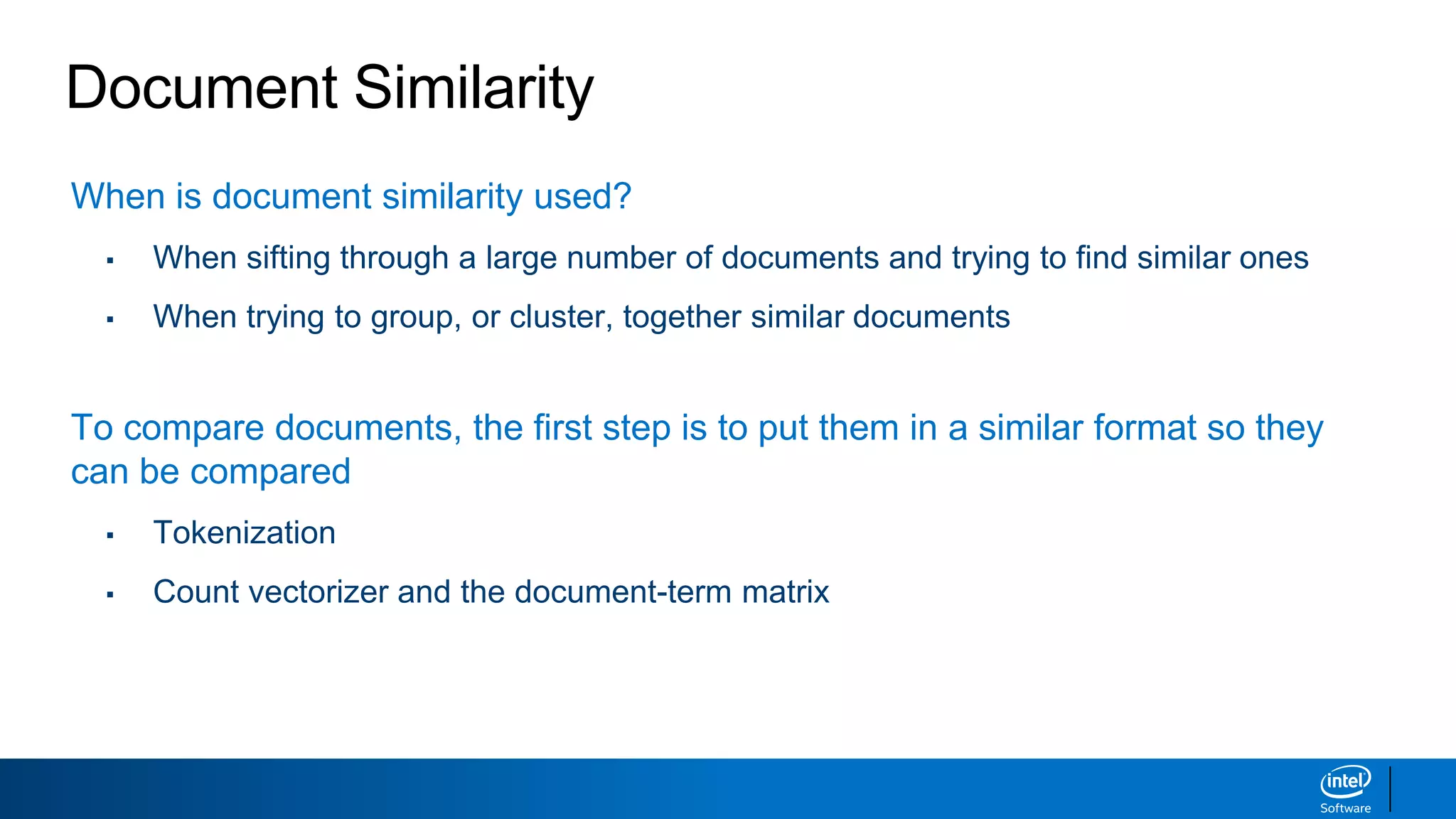
Document Similarity
When isdocument similarity used?
▪ When sifting through a large number of documents and trying to find similar ones
▪ When trying to group, or cluster, together similar documents
To compare documents, the first step is to put them in a similar format so they
can be compared
▪ Tokenization
▪ Count vectorizer and the document-term matrix
14.
Text Format forAnalysis
There are a few ways that text data can be put into a standard format for analysis
“This is an example”
Split Text Into Words
[‘This’,’is’,’an’,’example’]
One-Hot EncodingTokenization
Numerically Encode Words
This [1,0,0,0]
is [0,1,0,0]
an [0,0,1,0]
example [0,0,0,1]
This slide could make more sense
15.
Text Format forAnalysis: Count Vectorizer
import pandas as pd
from sklearn.feature_extraction.text import CountVectorizer
corpus = ['This is the first document.',
'This is the second document.',
'And the third one. One is fun.’]
cv = CountVectorizer()
X = cv.fit_transform(corpus)
pd.DataFrame(X.toarray(),columns=cv.get_feature_names())
Input:
Output:
A Corpus is a collection of texts
This is called a
Document-Term Matrix
16.
Text Format forAnalysis: Key Concepts
The Count Vectorizer helps us create a Document-Term Matrix
• Rows = documents
• Columns = terms
corpus = ['This is the first document.',
'This is the second document.',
'And the third one. One is fun.’]
17.
Text Format forAnalysis: Key Concepts
Bag of Words Model
• Simplified representation of text,
where each document is recognized
as a bag of its words
• Grammar and word order are
disregarded, but multiplicity is kept
18.
Document Similarity Checkpoint
Whatwas our original goal? Finding similar documents.
To compare documents, the first step is to put them in a similar format so they
can be compared
▪ Tokenization
▪ Count vectorizer and the document-term matrix
The big assumption that we’re making here is that each document is just a
Bag of Words
19.
Document Similarity: CosineSimilarity
Cosine Similarity is a way to quantify the similarity between documents
• Step 1: Put each document in vector format
• Step 2: Find the cosine of the angle between the documents
“I love you”
“I love NLP”
i love you nlp
Doc 1 1 1 1 0
Doc 2 1 1 0 1
a = [1, 1, 1, 0]
b = [1, 1, 0, 1]
= 0.667
Cosine similarity measures the similarity between two non-zero vectors with the cosine of the angle between them.
Document Similarity: Example
Hereare five documents. Which ones seem most similar to you?
“The weather is hot under the sun”
“I make my hot chocolate with milk”
“One hot encoding”
“I will have a chai latte with milk”
“There is a hot sale today”
Let’s see which ones are most similar from a mathematical approach.
22.
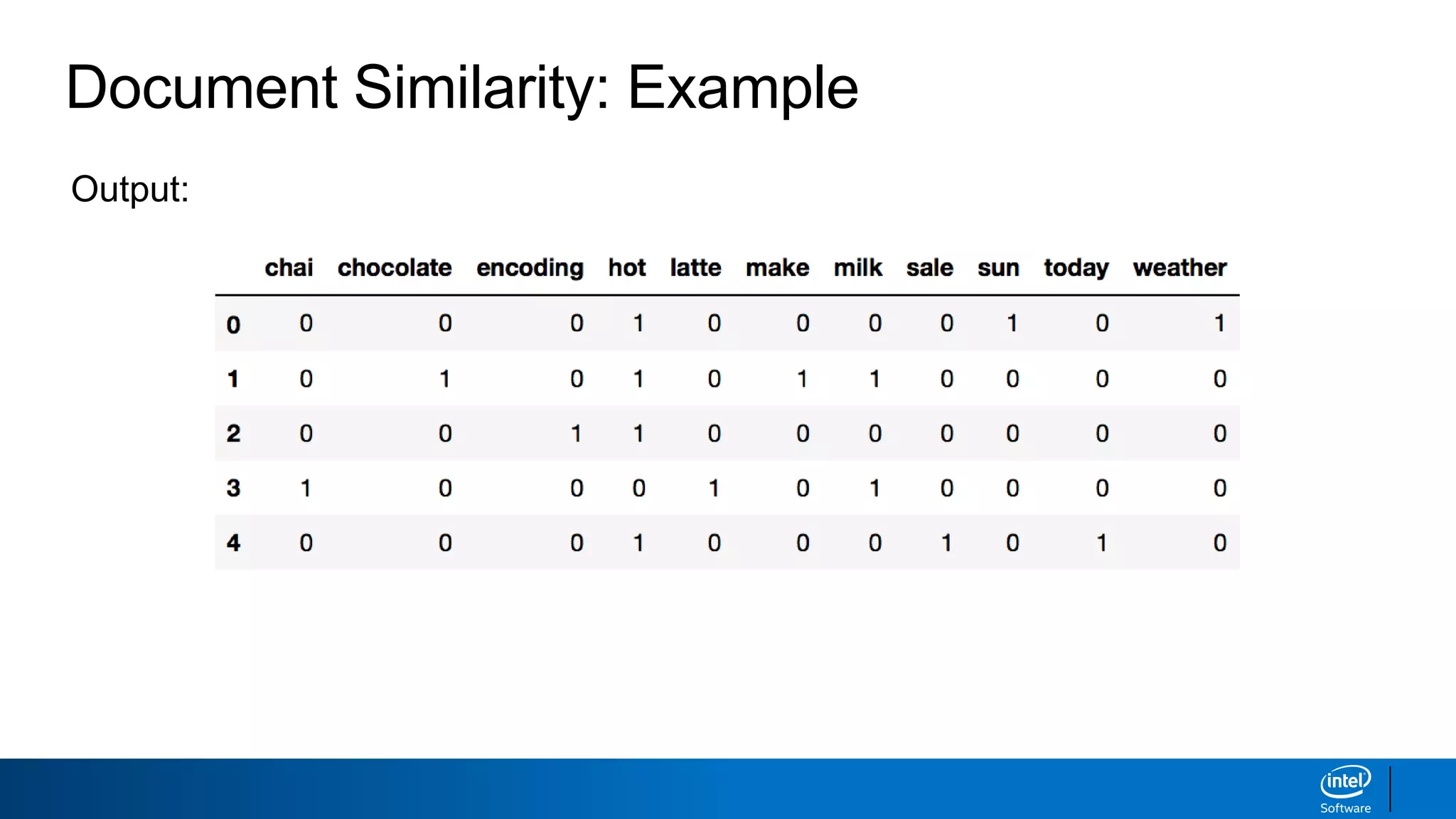
Document Similarity: Example
importpandas as pd
from sklearn.feature_extraction.text import CountVectorizer
corpus = ['The weather is hot under the sun',
'I make my hot chocolate with milk',
'One hot encoding',
'I will have a chai latte with milk',
'There is a hot sale today']
# create the document-term matrix with count vectorizer
cv = CountVectorizer(stop_words="english")
X = cv.fit_transform(corpus).toarray()
dt = pd.DataFrame(X, columns=cv.get_feature_names())
dt
Input:
Document Similarity: Example
#calculate the cosine similarity between all combinations of documents
from itertools import combinations
from sklearn.metrics.pairwise import cosine_similarity
# list all of the combinations of 5 take 2 as well as the pairs of phrases
pairs = list(combinations(range(len(corpus)),2))
combos = [(corpus[a_index], corpus[b_index]) for (a_index, b_index) in pairs]
# calculate the cosine similarity for all pairs of phrases and sort by most similar
results = [cosine_similarity([X[a_index]], [X[b_index]]) for (a_index, b_index) in
pairs]
sorted(zip(results, combos), reverse=True)
Input:
25.
Document Similarity: Example
[(0.40824829,('The weather is hot under the sun', 'One hot encoding')),
(0.40824829, ('One hot encoding', 'There is a hot sale today')),
(0.35355339, ('I make my hot chocolate with milk', 'One hot encoding')),
(0.33333333, ('The weather is hot under the sun', 'There is a hot sale today')),
(0.28867513, ('The weather is hot under the sun', 'I make my hot chocolate with milk')),
(0.28867513, ('I make my hot chocolate with milk', 'There is a hot sale today')),
(0.28867513, ('I make my hot chocolate with milk', 'I will have a chai latte with milk')),
(0.0, ('The weather is hot under the sun', 'I will have a chai latte with milk')),
(0.0, ('One hot encoding', 'I will have a chai latte with milk')),
(0.0, ('I will have a chai latte with milk', 'There is a hot sale today'))]
Output:
▪ These two documents are most similar, but it’s
just because the term “hot” is a popular word
▪ “Milk” seems to be a better differentiator, so how
we can mathematically highlight that?
26.
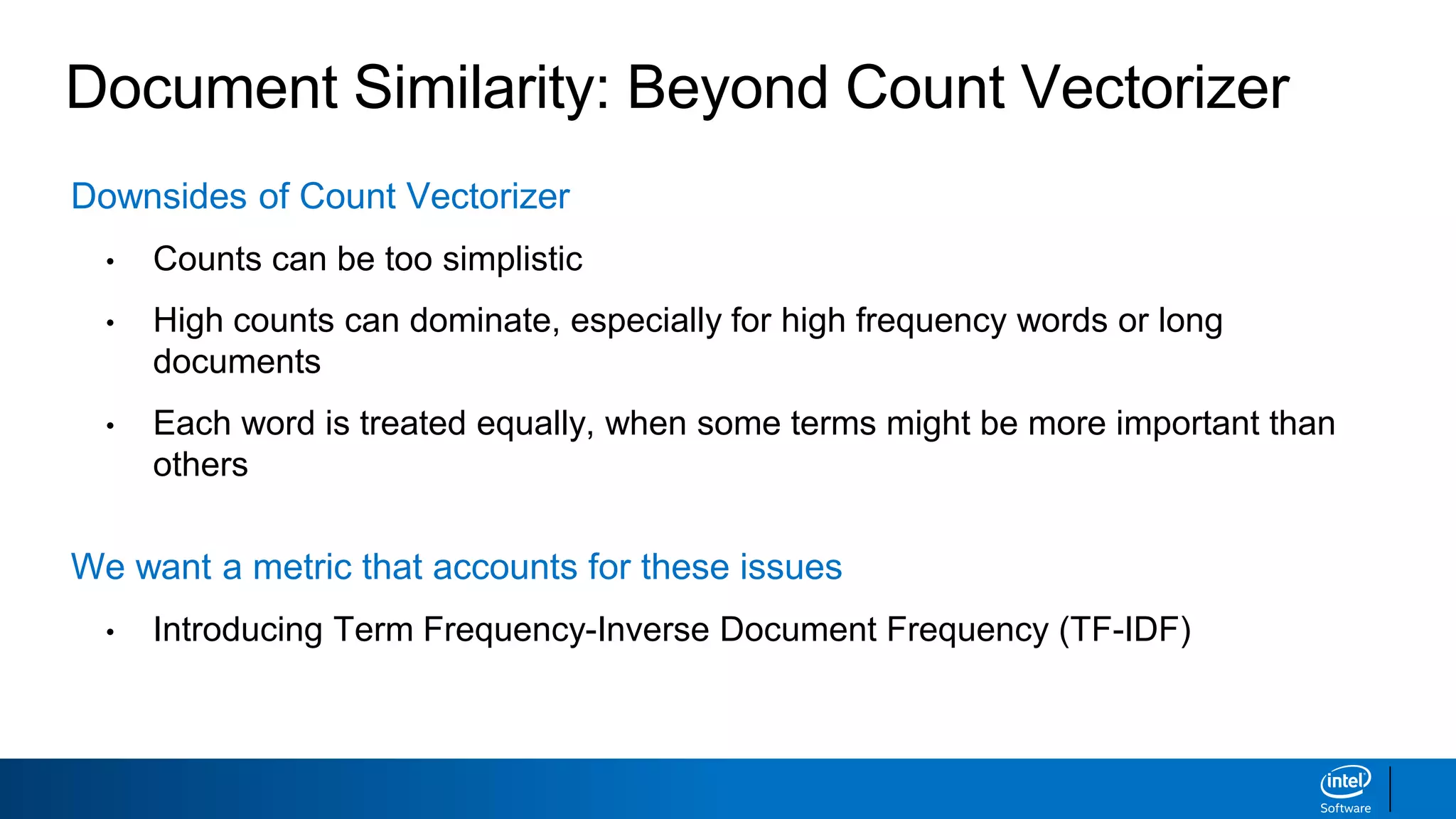
Document Similarity: BeyondCount Vectorizer
Downsides of Count Vectorizer
• Counts can be too simplistic
• High counts can dominate, especially for high frequency words or long
documents
• Each word is treated equally, when some terms might be more important than
others
We want a metric that accounts for these issues
• Introducing Term Frequency-Inverse Document Frequency (TF-IDF)
27.
Term Frequency-Inverse DocumentFrequency
TF-IDF = (Term Frequency) * (Inverse Document Frequency)
log( )
+1
+1
Different value
for every
document / term
combination
Term Count in
Document
Total Terms in
Document
Total Documents
Documents Containing
the Term
28.
Term Frequency-Inverse DocumentFrequency
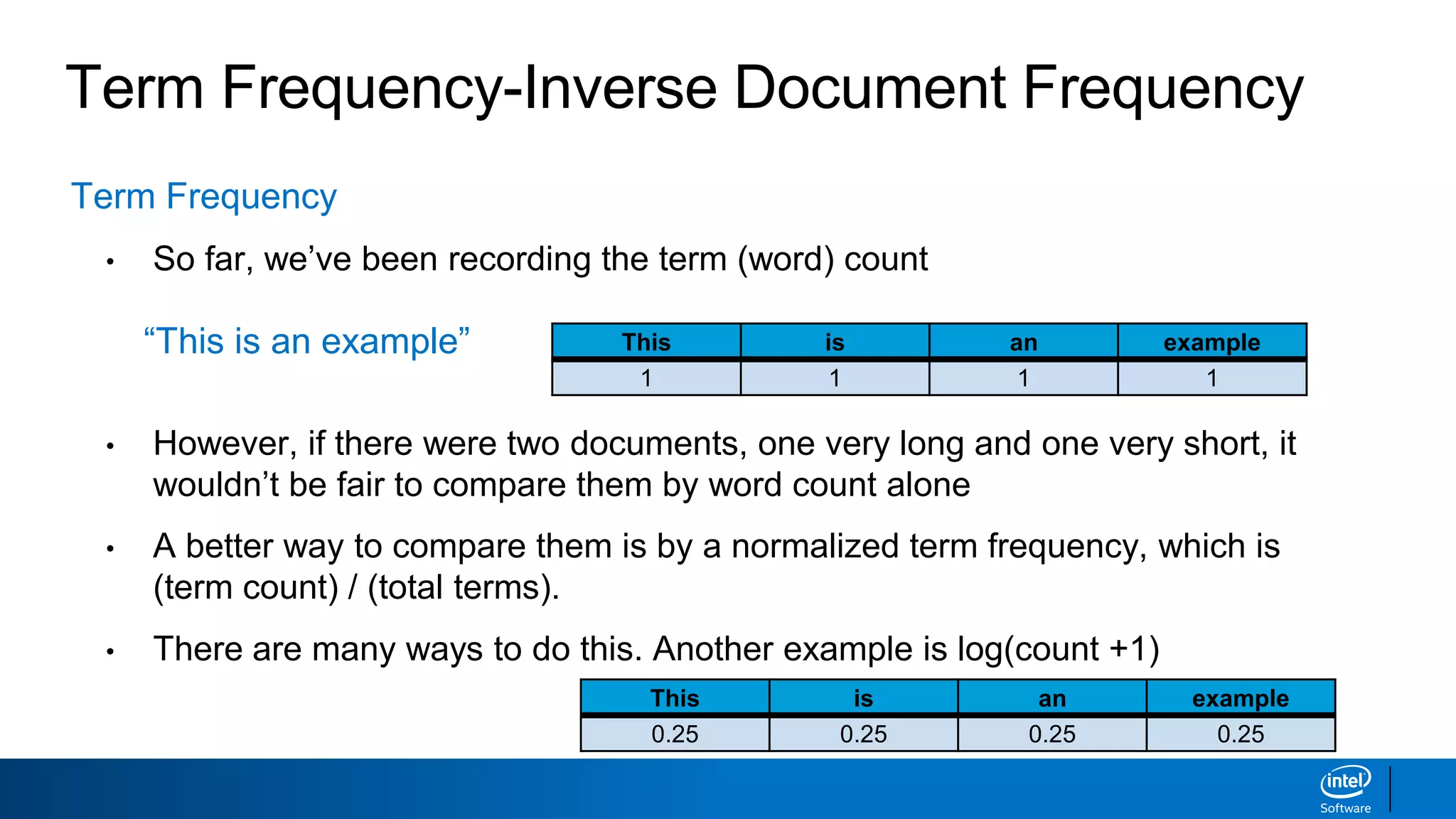
Term Frequency
• So far, we’ve been recording the term (word) count
“This is an example”
• However, if there were two documents, one very long and one very short, it
wouldn’t be fair to compare them by word count alone
• A better way to compare them is by a normalized term frequency, which is
(term count) / (total terms).
• There are many ways to do this. Another example is log(count +1)
This is an example
1 1 1 1
This is an example
0.25 0.25 0.25 0.25
29.
Term Frequency-Inverse DocumentFrequency
Inverse Document Frequency
• Besides term frequency, another thing to consider is how common a word is
among all the documents
• Rare words should get additional weight
Total Documents
Documents Containing
the Term +1
+1 Want to make
sure that the
denominator is
never 0
log( )
The log
dampens the
effect of IDF
30.
Term Frequency-Inverse DocumentFrequency
TF-IDF = (Term Frequency) * (Inverse Document Frequency)
log( )
+1
+1
Different value
for every
document / term
combination
Term Count in
Document
Total Terms in
Document
Total Documents
Documents Containing
the Term
31.
Term Frequency-Inverse DocumentFrequency
TF-IDF Intuition:
• TF-IDF assigns more weight to rare words and less weight to commonly
occurring words.
• Tells us how frequent a word is in a document relative to its frequency in
the entire corpus.
• Tells us that two documents are similar when they have more rare words
in common.
32.
Count Vectorizer vsTF-IDF Vectorizer
import pandas as pd
corpus = ['This is the first document.',
'This is the second document.',
'And the third one. One is fun.’]
# original Count Vectorizer
from sklearn.feature_extraction.text import CountVectorizer
cv = CountVectorizer()
X = cv.fit_transform(corpus).toarray()
pd.DataFrame(X, columns=cv.get_feature_names())
# new TF-IDF Vectorizer
from sklearn.feature_extraction.text import TfidfVectorizer
cv_tfidf = TfidfVectorizer()
X_tfidf = cv_tfidf.fit_transform(corpus).toarray()
pd.DataFrame(X_tfidf, columns=cv_tfidf.get_feature_names())
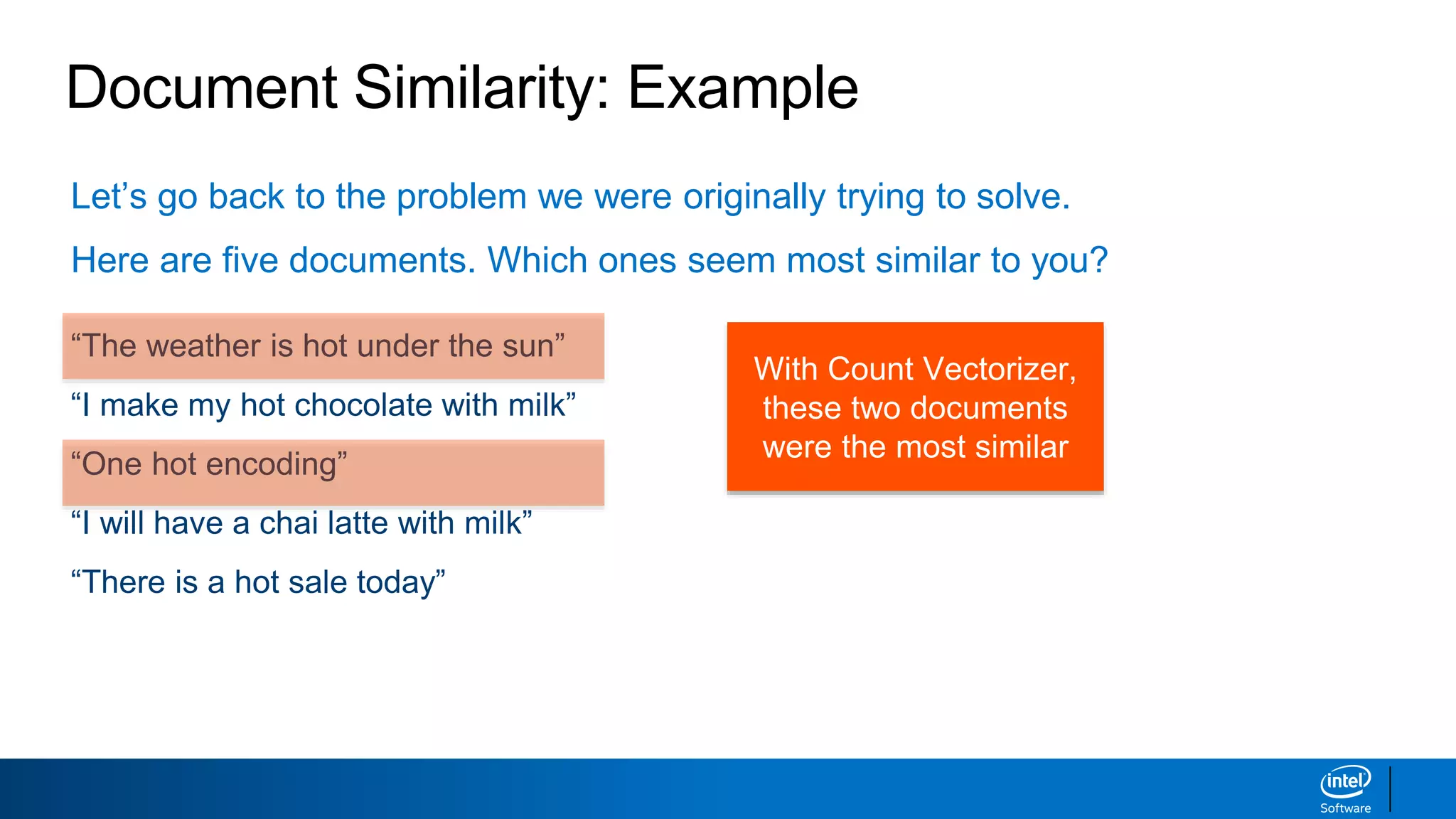
Document Similarity: Example
Let’sgo back to the problem we were originally trying to solve.
Here are five documents. Which ones seem most similar to you?
“The weather is hot under the sun”
“I make my hot chocolate with milk”
“One hot encoding”
“I will have a chai latte with milk”
“There is a hot sale today”
With Count Vectorizer,
these two documents
were the most similar
35.
Document Similarity: Examplewith TF-IDF
from sklearn.feature_extraction.text import TfidfVectorizer
# create the document-term matrix with TF-IDF vectorizer
cv_tfidf = TfidfVectorizer(stop_words="english")
X_tfidf = cv_tfidf.fit_transform(corpus).toarray()
dt_tfidf = pd.DataFrame(X_tfidf,columns=cv_tfidf.get_feature_names())
dt_tfidf
Input:
Output:
36.
Document Similarity: Examplewith TF-IDF
# calculate the cosine similarity for all pairs of phrases and sort by most similar
results_tfidf = [cosine_similarity(X_tfidf[a_index], X_tfidf[b_index])
for (a_index, b_index) in pairs]
sorted(zip(results_tfidf, combos), reverse=True)
[(0.23204485, (‘I make my hot chocolate with milk', 'I will have a chai latte with
milk')),
(0.18165505, ('The weather is hot under the sun', 'One hot encoding')),
(0.18165505, ('One hot encoding', 'There is a hot sale today')),
(0.16050660, ('I make my hot chocolate with milk', 'One hot encoding')),
(0.13696380, ('The weather is hot under the sun', 'There is a hot sale today')),
(0.12101835, ('The weather is hot under the sun', 'I make my hot chocolate with milk')),
(0.12101835, ('I make my hot chocolate with milk', 'There is a hot sale today')),
(0.0, (‘The weather is hot under the sun', 'I will have a chai latte with milk')),
(0.0, ('One hot encoding', 'I will have a chai latte with milk')),
(0.0, ('I will have a chai latte with milk', 'There is a hot sale today'))]
By weighting “milk” (rare) > “hot” (popular), we get a smarter similarity score
37.
Text Similarity MeasuresSummary
• Word Similarity
▪ Levenshtein distance is a popular way to calculate word similarity
▪ TextBlob, another NLP library, uses this concept for its spell check function
• Document Similarity
▪ Cosine similarity is a popular way to calculate document similarity
▪ To compare documents, they need to be put in document-term matrix form
▪ The document-term matrix can be made using Count Vectorizer or TF-IDF Vectorizer
Editor's Notes
#2 Welcome to Week 3! Today we’ll be reviewing some key terms in NLP.
13
#4 Today, we’ll be comparing how similar two pieces of text are. To do this, we’ll introduce the concepts of Levenshtein distance, document-term matrices and cosine similarity as ways of quantifying how ‘similar’ two pieces of text are.
In addition, we’ll go over what the ‘Bag of Words’ assumption in NLP is and how Count Vectorizers and Term frequency-inverse document frequency help us create document-term matrices.
#5 Before we start comparing two entire pieces of text, let’s start small, how do we even tell how ‘similar’ two individual words are?
#6 Word similarity has a host of applications in natural language processing.
<example?>
Today, we’ll be covering the Levenshtein distance, the standard word similarity measure in practice.
#7 This seems pretty easy at first. ‘MATH’ and ‘MATH’ are the same word, they’re 100% similar! ‘MATH’ and ‘BATH’ are only one letter apart, so they must be pretty similar too.
However, as you go further down the list, it’s a bit trickier to quantify. There is actually a standard way of measuring distance though called Levenshtein distance.
#8 As you can see, Levenshtein distance is pretty intuitive, there are only three operations and the computer finds the shortest way to edit one word into another.
It’s similar to a childhood game - what’s the minimum number of steps you can take to change a word to another word?
#9 Now, let’s reapply this to the example we showed earlier.
Can you find the operations used to edit one word into the other with ‘Levenshtein distance’ number of steps?
#10 Now, let’s go over TextBlob which is a toolkit which wraps around NLTK, making it easier to use. It has many of the same functions as NLTK, as long as a few new ones, which make it worth examining.
You may also want to note that spaCy is an up and coming NLP library in Python
It’s very powerful and like TextBlob, it’s easier to use than NLTK
#11 As you can see, TextBlob is able to tokenize our text pretty easily!
#12 As you can see, TextBlob is able to understand what we were trying to say! How does it do this? The Levenshtein distance we just introduced!
Here are some more details on how TextBlob’s spell check works: http://norvig.com/spell-correct.html
This is a very basic spell checker. It could definitely be smarter.
#13 Now we move into the meat of the similarity measures section. Often, you’ll want to be finding the similarity between documents instead of just words.
#14 Document similarity is used when you have a large amount of texts (a corpus) and you would like to perform some kind of analysis on them, without having to read them all in person.
Document similarity measures allow you to encode the texts in a similar format and utilizing some cool maths, we can find a ‘distance’ between the texts to rate their similarities.
To start though, we need to actually encode the documents. To do this, we’ll be leveraging the tokenization idea from last week and be introducing the idea of a ‘document-term’ matrix.
#15 First let’s start with encoding a simple sentence (a short text). Let’s say we wanted to split up the sentence above. If we first extracted the words in the sentence (via tokenization) and we had a dictionary of all possible words, we could encode these tokens as vectors. This is known as the ‘one-hot encoding’ because as you can see, there is a ‘1’ in the vector where the word is present and a ‘0’ in every other vector not present in that record/document.
#16 Now let’s move onto multiple texts! We’ll be using what’s known as a CountVectorizer to produce a document term matrix, which you can see at the bottom of the slide.
Instantiation is easy as you can see, and its easy to turn the corpus that we made into a document-term matrix.
Let’s analyze more closely. As you can see, our corpus has three texts, and our document-term matrix has three rows. In addition, our matrix has words along the top. Hopefully you can start to get an intuition for how our document-term matrix relates to our corpus from these insights.
#17 So if you guessed that each ‘row’ corresponded to a document and each column corresponded to the terms in all the documents, you’d be right!
What do the numbers mean? Well if we look at the top left entry, there’s a 0. That means that there are 0 occurences of the term ‘and’ in document 0. Doing a quick visual check, yep that seem’s right!
Now, let’s do another example, look at the bottom left entry, it has a 1, meaning that document 2 (or text #3 because the matrix rows are 0-indexed) has exactly one occurrence of the word ‘and’. That also seem’s right! Quickly check the other entries if you aren’t convinced!
#18 Now, this may seem like an overly simplistic encoding of a document to some of you.
Why? Because all the information in our document seems to be able to be held in a single vector. The fact is that the vector is able to hold some of complexity of the text but it misses out on a lot. All that is encoded in a document term matrices is 1) which terms appear in a document and 2) how many times they appeared.
If you had two documents [‘This is a text’, ‘Text this is a’], according to our encoding, they would be exactly the same! Basically, if you took the words in a text, put them in a bag and shook em around and looked at the output, to our encoding, it would be exactly the same.
Thus, grammar and word order is ignored in the Bag of Words model. Although this seems extremely simplistic, we are actually able to perform some pretty powerful analysis using this assumption.
#19 Let’s review what we’ve covered.
To start, we tokenize the text into words, then used the count vectorizer to encode the texts into a document-term matrix. This means that we are using a ‘Bag of Words’ assumption because our encoding only cares about which words appear and how many times they appear.
#20 How do we compare texts? We use cosine (yes the same formula from Linear Algebra).
Why does that make sense? Remember, we encoded our text into vectors so to compare these vectors, we compute the cosine as a measure of how far our vectors are in our ‘concept space’.
In our document-term matrix, the vector for document 1 would be the numbers in the row corresponding to document 1. This is true for every document, so we now have a vector for every document.
#21 To make a cosine function, we just reproduce the formula using numpy functions.
#22 Now, let’s try this on an example! Here are 5 texts that we want to compare. Let’s ask the question, which of these two texts seem the most similar?
While many of the documents have the word “hot” in it, the two documents with “milk” actually seem most similar.
Let’s see what our formula tells us.
#23 First, we encode our corpus into a document term matrix . The reason we use the parameter stop_words=“english” is that our CountVectorizer has an automatic feature to remove stop_words in certain languages. Less work for us!
Then, we convert this document-term matrix into a pandas DataFrame! Pandas is the premier data science library in python and if you aren’t familiar with it all, here’s a quick introduction to it included in the pandas documentation: https://pandas.pydata.org/pandas-docs/stable/10min.html
#25 We use itertools to find all list of all the numerical combinations of size 2 in the number range of the length of the corpus using the ‘combinations’ function
Next, we use those numerical combinations as indices and create a list of all the actual pairs of sentences.
Next, we perform cosine similarity on all these pairs and create a list using that
Finally, we sort them by their cosine similarity (in reverse so that the largest cosine similarity is presented first).
#26 It seems that our cosine similarity chose these two documents as being the most similar, but looking at them, they don’t seem terribly similar.
If we examine our document-term matrix by hand for these two documents, you can see that after removing stop words, these documents have very few differences.
However, the word ‘milk’ seems to be a better differentiator of documents. I wonder if there’s a way to capture that?
#27 As you just saw, the Count Vectorizer alone may be too simplistic for some purposes because every word is treated equally. A high frequency word that is not good for differentiation may be what’s dominating our similarity measure.
Thus, we introduce the Term Frequency-Inverse Document Frequency metric to combat this.
#28 Let’s break down this long and complicated name in the next two slides.
#29
Term Frequency: How many times a term appears in a document. However, we don’t want to simply deal with raw counts, we want to weight the counts given how many terms are in the document in total.
-----------------------------------------------------------
Want a sublinear transformation of the word count ?? <- what does this mean.
#30 Remember, how we said we wanted a better differentiation metric? This is where the magic happens, we divide the total documents by the the number of documents containing the term we’re looking at.
What happens as the number of documents containing the term grows towards the total number of documents?
The rarer the word, the higher the IDF because it appears in less documents.
#31 What does a TF-IDF score tell us about a word? What does it tell us about a document?
TF-IDF assigns more weight to rare words and less weight to commonly occurring words.
IDF is often written as log((D+1)/(d+1)) where:
D = total documents (a document could be a line, paragraph, page etc. that represents a record/row in the dataset)
d = documents contain the term
#32 Notice that TF-IDF produces a score for each term/document combo. Thus, this is what we will use in place of the ‘count’ from before. So, our document vector will now be its TF-IDF score for every term. Notice that the score will still be 0 if the term doesn’t appear at all in the document.
Our document similarity will now also be weighted towards rare words, and ‘similar’ documents will contain more ‘rare’ words in common.
#33 Thankfully, not much is different from a code standpoint except for the Vectorizer that you import!
#34 Our document-term matrix also looks very similar but instead of whole numbers as our counts, we now have TF-IDF scores which are floating point.
#35 Remember, these were the two documents chosen as most similar by the CountVectorizer.
#36 The code is same as before except for the TF-IDF vectorizer!
Note that the values in the matrix are now TF-IDF values instead of counts
#37 Now, let’s find the most similar documents!
The two documents containing the word milk were rated as most similar because the our TF-IDF encoding allowed us to weight the rarer words, so we got the metric we wanted!
#38 In summary, today we covered Levenshtein distance as a measure of word similarity and looked briefly at TextBlob.
For document similarity we introduced the ideas of a document-term matrix, which can be produced either through a Count Vectorizer or TF-IDF Vectorizer, which weights rarer words.
In addition, we looked at utilizing the cosine similarity between two document vectors to compare their similarity.
Don’t forget that when we’re using a document-term matrix that we are under the ‘Bag of Words’ assumption. Our encoding does not care about word order or grammar!



![TextBlob Demo: Tokenization
# Command line: pip install textblob
from textblob import TextBlob
my_text = TextBlob("We're moving from NLTK to TextBlob. How fun!")
my_text.words
Input:
Output:
WordList(['We', "'re", 'moving', 'from', 'NLTK', 'to', 'TextBlob', 'How',
'fun'])](https://image.slidesharecdn.com/textsimilaritymeasures-190218095551/75/Text-similarity-measures-10-2048.jpg)

![Text Format for Analysis
There are a few ways that text data can be put into a standard format for analysis
“This is an example”
Split Text Into Words
[‘This’,’is’,’an’,’example’]
One-Hot EncodingTokenization
Numerically Encode Words
This [1,0,0,0]
is [0,1,0,0]
an [0,0,1,0]
example [0,0,0,1]
This slide could make more sense](https://image.slidesharecdn.com/textsimilaritymeasures-190218095551/75/Text-similarity-measures-14-2048.jpg)
![Text Format for Analysis: Count Vectorizer
import pandas as pd
from sklearn.feature_extraction.text import CountVectorizer
corpus = ['This is the first document.',
'This is the second document.',
'And the third one. One is fun.’]
cv = CountVectorizer()
X = cv.fit_transform(corpus)
pd.DataFrame(X.toarray(),columns=cv.get_feature_names())
Input:
Output:
A Corpus is a collection of texts
This is called a
Document-Term Matrix](https://image.slidesharecdn.com/textsimilaritymeasures-190218095551/75/Text-similarity-measures-15-2048.jpg)
![Text Format for Analysis: Key Concepts
The Count Vectorizer helps us create a Document-Term Matrix
• Rows = documents
• Columns = terms
corpus = ['This is the first document.',
'This is the second document.',
'And the third one. One is fun.’]](https://image.slidesharecdn.com/textsimilaritymeasures-190218095551/75/Text-similarity-measures-16-2048.jpg)


![Document Similarity: Cosine Similarity
Cosine Similarity is a way to quantify the similarity between documents
• Step 1: Put each document in vector format
• Step 2: Find the cosine of the angle between the documents
“I love you”
“I love NLP”
i love you nlp
Doc 1 1 1 1 0
Doc 2 1 1 0 1
a = [1, 1, 1, 0]
b = [1, 1, 0, 1]
= 0.667
Cosine similarity measures the similarity between two non-zero vectors with the cosine of the angle between them.](https://image.slidesharecdn.com/textsimilaritymeasures-190218095551/75/Text-similarity-measures-19-2048.jpg)
![from numpy import dot
from numpy.linalg import norm
cosine = lambda v1, v2: dot(v1, v2) / (norm(v1) * norm(v2))
cosine([1, 1, 1, 0], [1, 1, 0, 1])
Document Similarity: Cosine Similarity
0.667](https://image.slidesharecdn.com/textsimilaritymeasures-190218095551/75/Text-similarity-measures-20-2048.jpg)

![Document Similarity: Example
import pandas as pd
from sklearn.feature_extraction.text import CountVectorizer
corpus = ['The weather is hot under the sun',
'I make my hot chocolate with milk',
'One hot encoding',
'I will have a chai latte with milk',
'There is a hot sale today']
# create the document-term matrix with count vectorizer
cv = CountVectorizer(stop_words="english")
X = cv.fit_transform(corpus).toarray()
dt = pd.DataFrame(X, columns=cv.get_feature_names())
dt
Input:](https://image.slidesharecdn.com/textsimilaritymeasures-190218095551/75/Text-similarity-measures-22-2048.jpg)
![Document Similarity: Example
# calculate the cosine similarity between all combinations of documents
from itertools import combinations
from sklearn.metrics.pairwise import cosine_similarity
# list all of the combinations of 5 take 2 as well as the pairs of phrases
pairs = list(combinations(range(len(corpus)),2))
combos = [(corpus[a_index], corpus[b_index]) for (a_index, b_index) in pairs]
# calculate the cosine similarity for all pairs of phrases and sort by most similar
results = [cosine_similarity([X[a_index]], [X[b_index]]) for (a_index, b_index) in
pairs]
sorted(zip(results, combos), reverse=True)
Input:](https://image.slidesharecdn.com/textsimilaritymeasures-190218095551/75/Text-similarity-measures-24-2048.jpg)
![Document Similarity: Example
[(0.40824829, ('The weather is hot under the sun', 'One hot encoding')),
(0.40824829, ('One hot encoding', 'There is a hot sale today')),
(0.35355339, ('I make my hot chocolate with milk', 'One hot encoding')),
(0.33333333, ('The weather is hot under the sun', 'There is a hot sale today')),
(0.28867513, ('The weather is hot under the sun', 'I make my hot chocolate with milk')),
(0.28867513, ('I make my hot chocolate with milk', 'There is a hot sale today')),
(0.28867513, ('I make my hot chocolate with milk', 'I will have a chai latte with milk')),
(0.0, ('The weather is hot under the sun', 'I will have a chai latte with milk')),
(0.0, ('One hot encoding', 'I will have a chai latte with milk')),
(0.0, ('I will have a chai latte with milk', 'There is a hot sale today'))]
Output:
▪ These two documents are most similar, but it’s
just because the term “hot” is a popular word
▪ “Milk” seems to be a better differentiator, so how
we can mathematically highlight that?](https://image.slidesharecdn.com/textsimilaritymeasures-190218095551/75/Text-similarity-measures-25-2048.jpg)



![Count Vectorizer vs TF-IDF Vectorizer
import pandas as pd
corpus = ['This is the first document.',
'This is the second document.',
'And the third one. One is fun.’]
# original Count Vectorizer
from sklearn.feature_extraction.text import CountVectorizer
cv = CountVectorizer()
X = cv.fit_transform(corpus).toarray()
pd.DataFrame(X, columns=cv.get_feature_names())
# new TF-IDF Vectorizer
from sklearn.feature_extraction.text import TfidfVectorizer
cv_tfidf = TfidfVectorizer()
X_tfidf = cv_tfidf.fit_transform(corpus).toarray()
pd.DataFrame(X_tfidf, columns=cv_tfidf.get_feature_names())](https://image.slidesharecdn.com/textsimilaritymeasures-190218095551/75/Text-similarity-measures-32-2048.jpg)

![Document Similarity: Example with TF-IDF
# calculate the cosine similarity for all pairs of phrases and sort by most similar
results_tfidf = [cosine_similarity(X_tfidf[a_index], X_tfidf[b_index])
for (a_index, b_index) in pairs]
sorted(zip(results_tfidf, combos), reverse=True)
[(0.23204485, (‘I make my hot chocolate with milk', 'I will have a chai latte with
milk')),
(0.18165505, ('The weather is hot under the sun', 'One hot encoding')),
(0.18165505, ('One hot encoding', 'There is a hot sale today')),
(0.16050660, ('I make my hot chocolate with milk', 'One hot encoding')),
(0.13696380, ('The weather is hot under the sun', 'There is a hot sale today')),
(0.12101835, ('The weather is hot under the sun', 'I make my hot chocolate with milk')),
(0.12101835, ('I make my hot chocolate with milk', 'There is a hot sale today')),
(0.0, (‘The weather is hot under the sun', 'I will have a chai latte with milk')),
(0.0, ('One hot encoding', 'I will have a chai latte with milk')),
(0.0, ('I will have a chai latte with milk', 'There is a hot sale today'))]
By weighting “milk” (rare) > “hot” (popular), we get a smarter similarity score](https://image.slidesharecdn.com/textsimilaritymeasures-190218095551/75/Text-similarity-measures-36-2048.jpg)