INSTRUCTIONAL SOFTWARE
For Middle School Math
INSTRUCTIONAL SOFTWARE:
WHAT & WHY?
   Roblyer and Doering (2013) define it as “computer
    programs designed specifically to deliver instruction
    or assist with the delivery of instruction on a topic.”

   The relative advantages of using instructional
    software include
     Increased motivation and engagement
     Instantaneous feedback
     Allows for more 1 on 1 interaction between student and
      teacher
     Self-paced learning environments
TYPES OF INSTRUCTIONAL SOFTWARE
   Drill and practice

   Tutorials

   Simulations

   Educational games

   Problem-solving software
DRILL AND PRACTICE SOFTWARE:
WHAT & WHY?
   Students work on example problems one at a time
    and are given feedback on their correctness. Some
    programs provide explanation of why answers are
    incorrect.

   Provides immediate feedback, helps develop
    automaticity, appeals to students more than
    worksheets, reduces consumable material waste,
    saves teacher time correcting students work

   Potential uses: Practice basic operation facts,
    review material before a test or quiz
DRILL AND PRACTICE EXAMPLES
   IXL Math
       Practice problems for each grade aligned to state
        standards


   Quizlet
       Virtual flashcards which can be either created by the
        teacher or students can search for sets already made
        by others to help review concepts and facts


   Mr. Myers Flash Cards
       Flash cards to practice basic operation facts
TUTORIAL SOFTWARE: WHAT & WHY?
   Tutorials provide instruction similar to what a
    teacher delivers. Students should be able to learn
    the concept(s) without any other help or materials.
    It does include drill and practice functions within the
    program.

   Provides immediate feedback and is self-paced.
    Intelligent tutoring systems can provide scaffolding
    for student learning.

   Potential uses: Instruction for students who were
    absent, sub lesson plans, can also provide advance
    instruction for gifted students
TUTORIAL EXAMPLES
   Khan Academy
       Video tutorials with accompanying practice problems for
        almost any math concept


   McDougal Littell @HomeTutor
       This is the online component of my Algebra 1 textbook.
        It also contains a video tutor option for struggling
        readers. It has a lesson for each section in the textbook.
SIMULATION SOFTWARE: WHAT & WHY?
   Computerized models help teach how a real or
    imaginary system works. These models can teach
    about or how to do something.

   Simulations allow students to see how different
    actions impact the whole system. They allow
    students to interact with things that are either too
    costly, too dangerous, or otherwise impossible to
    interact with otherwise.

   Potential uses: Manipulate parts of a function and
    see how it changes the graph, different experiments
    involving probability
SIMULATION EXAMPLES
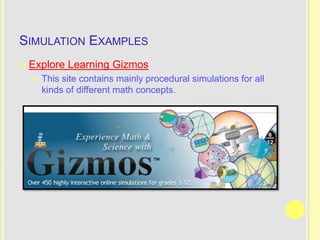
   Explore Learning Gizmos
       This site contains mainly procedural simulations for all
        kinds of different math concepts.
EDUCATIONAL GAME SOFTWARE:
WHAT & WHY?
   Learning activities are complemented with game-
    like rules and/or competition.

   Educational games appeal to students’ competitive
    nature. They also combine learning with playing.
    Students are willing to spend more time focused on
    the content.

   Potential uses: Similar uses as those for drill and
    practice and simulations
EDUCATIONAL GAME EXAMPLES
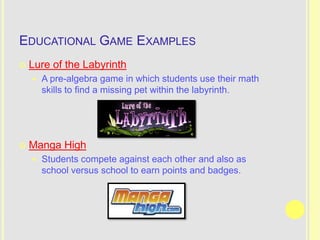
   Lure of the Labyrinth
       A pre-algebra game in which students use their math
        skills to find a missing pet within the labyrinth.


   Manga High
       Students compete against each other and also as
        school versus school to earn points and badges.
PROBLEM-SOLVING SOFTWARE: WHAT & WHY?
   Software focused on developing general problem
    solving skills or content-specific skills.

   Problem-solving software helps students visualize
    abstract concepts, increases interest and
    motivation, and helps students see how information
    learned in class applies to actual problems.

   Potential uses: Group problem solving, teaching
    problem-solving skills
PROBLEM-SOLVING SOFTWARE EXAMPLES
   The Futures Channel
       The site provides videos that introduce problems that
        require general problem solving and math and science
        skills to solve.
RESOURCES TO EVALUATE INSTRUCTIONAL
SOFTWARE
   Good instructional software can be hard to find and
    time consuming to evaluate. Here are a few places
    that are well-established educational technology
    resource sites that provide ideas and reviews.

   iLearn Technology

   Free Technology for Teachers

   Larry Ferlazzo’s Websites of the Day
REFERENCES
   Roblyer, M.D. & Doering, A.H. (2013). Integrating
    educational technology into teaching (6th ed.).
    Boston, MA: Pearson.

EdTech 541: Instructional Software

  • 1.
  • 2.
    INSTRUCTIONAL SOFTWARE: WHAT &WHY?  Roblyer and Doering (2013) define it as “computer programs designed specifically to deliver instruction or assist with the delivery of instruction on a topic.”  The relative advantages of using instructional software include  Increased motivation and engagement  Instantaneous feedback  Allows for more 1 on 1 interaction between student and teacher  Self-paced learning environments
  • 3.
    TYPES OF INSTRUCTIONALSOFTWARE  Drill and practice  Tutorials  Simulations  Educational games  Problem-solving software
  • 4.
    DRILL AND PRACTICESOFTWARE: WHAT & WHY?  Students work on example problems one at a time and are given feedback on their correctness. Some programs provide explanation of why answers are incorrect.  Provides immediate feedback, helps develop automaticity, appeals to students more than worksheets, reduces consumable material waste, saves teacher time correcting students work  Potential uses: Practice basic operation facts, review material before a test or quiz
  • 5.
    DRILL AND PRACTICEEXAMPLES  IXL Math  Practice problems for each grade aligned to state standards  Quizlet  Virtual flashcards which can be either created by the teacher or students can search for sets already made by others to help review concepts and facts  Mr. Myers Flash Cards  Flash cards to practice basic operation facts
  • 6.
    TUTORIAL SOFTWARE: WHAT& WHY?  Tutorials provide instruction similar to what a teacher delivers. Students should be able to learn the concept(s) without any other help or materials. It does include drill and practice functions within the program.  Provides immediate feedback and is self-paced. Intelligent tutoring systems can provide scaffolding for student learning.  Potential uses: Instruction for students who were absent, sub lesson plans, can also provide advance instruction for gifted students
  • 7.
    TUTORIAL EXAMPLES  Khan Academy  Video tutorials with accompanying practice problems for almost any math concept  McDougal Littell @HomeTutor  This is the online component of my Algebra 1 textbook. It also contains a video tutor option for struggling readers. It has a lesson for each section in the textbook.
  • 8.
    SIMULATION SOFTWARE: WHAT& WHY?  Computerized models help teach how a real or imaginary system works. These models can teach about or how to do something.  Simulations allow students to see how different actions impact the whole system. They allow students to interact with things that are either too costly, too dangerous, or otherwise impossible to interact with otherwise.  Potential uses: Manipulate parts of a function and see how it changes the graph, different experiments involving probability
  • 9.
    SIMULATION EXAMPLES  Explore Learning Gizmos  This site contains mainly procedural simulations for all kinds of different math concepts.
  • 10.
    EDUCATIONAL GAME SOFTWARE: WHAT& WHY?  Learning activities are complemented with game- like rules and/or competition.  Educational games appeal to students’ competitive nature. They also combine learning with playing. Students are willing to spend more time focused on the content.  Potential uses: Similar uses as those for drill and practice and simulations
  • 11.
    EDUCATIONAL GAME EXAMPLES  Lure of the Labyrinth  A pre-algebra game in which students use their math skills to find a missing pet within the labyrinth.  Manga High  Students compete against each other and also as school versus school to earn points and badges.
  • 12.
    PROBLEM-SOLVING SOFTWARE: WHAT& WHY?  Software focused on developing general problem solving skills or content-specific skills.  Problem-solving software helps students visualize abstract concepts, increases interest and motivation, and helps students see how information learned in class applies to actual problems.  Potential uses: Group problem solving, teaching problem-solving skills
  • 13.
    PROBLEM-SOLVING SOFTWARE EXAMPLES  The Futures Channel  The site provides videos that introduce problems that require general problem solving and math and science skills to solve.
  • 14.
    RESOURCES TO EVALUATEINSTRUCTIONAL SOFTWARE  Good instructional software can be hard to find and time consuming to evaluate. Here are a few places that are well-established educational technology resource sites that provide ideas and reviews.  iLearn Technology  Free Technology for Teachers  Larry Ferlazzo’s Websites of the Day
  • 15.
    REFERENCES  Roblyer, M.D. & Doering, A.H. (2013). Integrating educational technology into teaching (6th ed.). Boston, MA: Pearson.