Simple Technology Integration  in the Classroom: A Workshop Model That Works Bonnie N. Young & Wendy Homlish Assistive Technology Consultants Carbon Lehigh Intermediate Unit Schnecksville, PA
Why do it? Student Issues: Student doing the same thing day after day The “fun factor” Relate switch use to a functional activity Get students more involved in classroom activities Increase participation with peers
Why do it?…… Staff Issues: Use simple battery operated items in a novel way Get away from “Hit your switch!” Increase awareness and implementation of IEP goals and objectives Think “outside the box” Process vs. product
Who…… Teachers of the Multiple Disabilities Classes Elementary Secondary Regular Education Teachers Instructional Assistants Speech Language Pathologists OTs
How did we determine need? Poll teachers Classroom observations Research Web based Listserves
Materials-the beginning Determined what teachers already had in the classroom Put together a list of items for secondary & elementary levels Gathered ideas for activities from a variety of resources (internet, manufacturers, resource books)
Materials – the final product Battery operated (off the shelf): Cars/trucks Fans Bubble machines Zizzers Spin Art Manufacturer’s products: Switch adapted camera (AbleNet) Pourer (Enabling Devices) All-Turn-It spinner (AbleNet)
Disposable items… Specialty papers for spin art Window Cling Magnetic Paper Photo Paper Postcard/Business Cards Items for: “heavy/light” & “sink/float” activities Velcro *Battery Adapters AA & C *Notching tool *available from AbleNet
Workshop Set-up Five color coded groups Pre-set by presenters – why? Color coded  name tags Group picture schedules Five curriculum-based centers with task cards
Five Centers Math Reading/Literacy Leisure Art Science
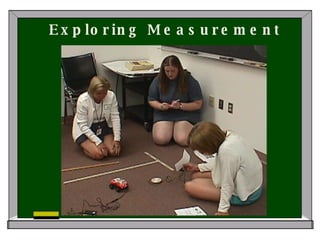
Math Center Activity “ Go the Distance Math” Materials Switches Masking tape Yardstick Adapted cars/trucks
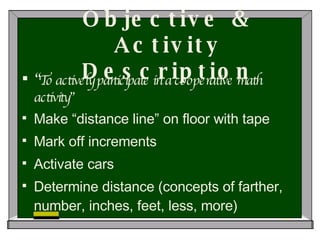
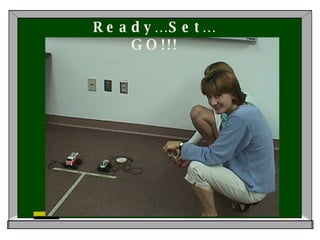
Objective & Activity Description “ To actively participate in a cooperative math activity” Make “distance line” on floor with tape Mark off increments Activate cars Determine distance (concepts of farther, number, inches, feet, less, more)
Exploring Measurement
Ready…Set…GO!!!
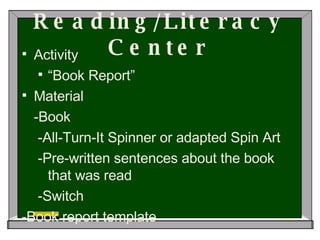
Reading/Literacy Center Activity “ Book Report” Material -Book -All-Turn-It Spinner or adapted Spin Art -Pre-written sentences about the book that was read -Switch -Book report template
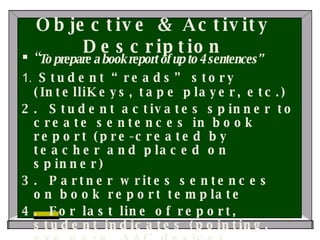
Objective & Activity Description “ To prepare a book report of up to 4 sentences” 1.  Student “reads” story (IntelliKeys, tape player, etc.) 2.  Student activates spinner to create sentences in book report (pre-created by teacher and placed on spinner) 3.  Partner writes sentences on book report template 4.  For last line of report, student indicates (pointing, eye gaze, AAC device) whether he/she liked or didn’t like this book
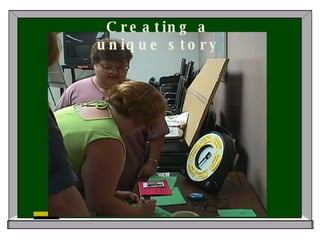
Creating a unique story
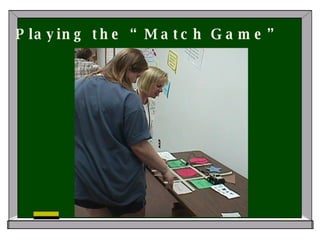
Playing the “Match Game”
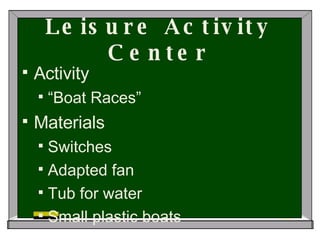
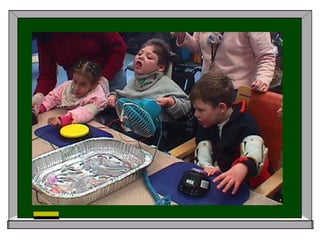
Leisure Activity Center Activity “ Boat Races” Materials Switches Adapted fan Tub for water Small plastic boats
Objective & Activity Description “ To actively participate in a leisure activity” 1.  Attach switch to fan 2.Fill tub with water 3. Place boats in water 4. Have student activate fan to blow boat across water 5. See who wins!
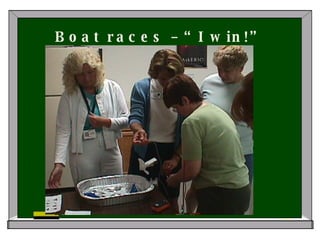
Boat races – “I win!”
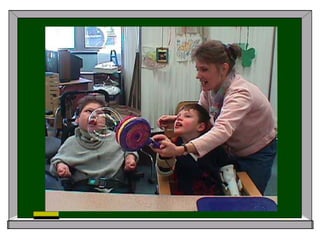
Art Center Activity “ Bubble Art” Materials Switches Adapted bubble machine Bubble solution Food coloring or pain Easel or kraft paper
Objective & Activity Description “ To design and create bulletin board background/wrapping paper/book covers, etc. Color bubble solution with powdered tempera or food coloring Tape paper to floor Activate bubble machine and create design Use templates for variation
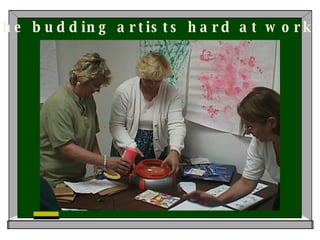
The budding artists hard at work…
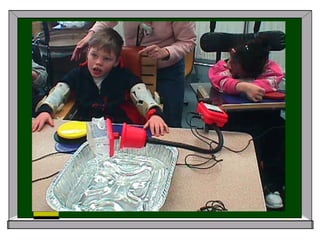
Science Center Activity “ Sink or Float” Materials 1. Switches 2. Pourer (Enabling Devices) 3. Small objects of varying weights 4.  Container for water
Objective & Activity Description “ To actively participate in a cooperative science activity” 1. Fill container with water 2. Assemble items of varying weights 3. Put items into pourer and have student dump each item into the water 4. Discuss which items sink and which items float
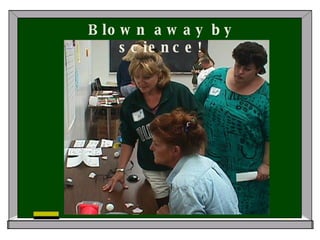
Blown away by science!
Task Card Example Activity:  (ART) Creating Bulletin Board Backgrounds ******************************************** Objective: To create bulletin board background paper for  Halloween  Materials: Adapted bubble machine Switches Bubble soap Paint or food coloring What you do: Attach switch to bubble machine Prepare bubble soap by adding paint or food coloring Place paper on floor Blow bubbles on paper to create design   Variations: Use shape templates (cut-out with adapted scissors) to create designs Either directly paint on the shapes placed on the easel paper (when removed, an unpainted area will remain Use paper from which the template was cut, and paint “through” the hole to create a design   Note:  Most Bubble Machines are also fans!  Since they’re already adapted, why not use it to dry your creation??!! **Have communication board/device available for student to choose colors, as well as comment on the project .            
Simple Tech Kits Elementary and Secondary levels Rotating basis Contents Ongoing development


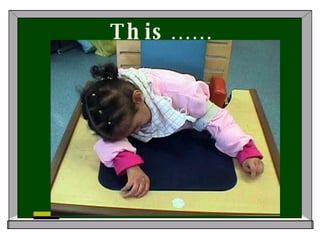
This……
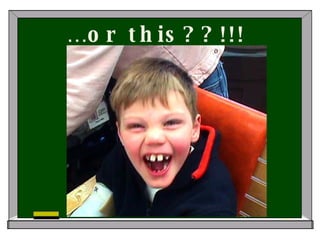
… or this??!!!
Resources AbleNet Resource Guide www.ablenetinc.com www.ataccess.org www.projectparticipate.org Breaking Barriers , Levin, Jackie, and Lynn Scherferenberg, (AbleNet) Book of Possibilities , AbleNet Childfun.com

Simple Technology Integration

  • 1.
    Simple Technology Integration in the Classroom: A Workshop Model That Works Bonnie N. Young & Wendy Homlish Assistive Technology Consultants Carbon Lehigh Intermediate Unit Schnecksville, PA
  • 2.
    Why do it?Student Issues: Student doing the same thing day after day The “fun factor” Relate switch use to a functional activity Get students more involved in classroom activities Increase participation with peers
  • 3.
    Why do it?……Staff Issues: Use simple battery operated items in a novel way Get away from “Hit your switch!” Increase awareness and implementation of IEP goals and objectives Think “outside the box” Process vs. product
  • 4.
    Who…… Teachers ofthe Multiple Disabilities Classes Elementary Secondary Regular Education Teachers Instructional Assistants Speech Language Pathologists OTs
  • 5.
    How did wedetermine need? Poll teachers Classroom observations Research Web based Listserves
  • 6.
    Materials-the beginning Determinedwhat teachers already had in the classroom Put together a list of items for secondary & elementary levels Gathered ideas for activities from a variety of resources (internet, manufacturers, resource books)
  • 7.
    Materials – thefinal product Battery operated (off the shelf): Cars/trucks Fans Bubble machines Zizzers Spin Art Manufacturer’s products: Switch adapted camera (AbleNet) Pourer (Enabling Devices) All-Turn-It spinner (AbleNet)
  • 8.
    Disposable items… Specialtypapers for spin art Window Cling Magnetic Paper Photo Paper Postcard/Business Cards Items for: “heavy/light” & “sink/float” activities Velcro *Battery Adapters AA & C *Notching tool *available from AbleNet
  • 9.
    Workshop Set-up Fivecolor coded groups Pre-set by presenters – why? Color coded name tags Group picture schedules Five curriculum-based centers with task cards
  • 10.
    Five Centers MathReading/Literacy Leisure Art Science
  • 11.
    Math Center Activity“ Go the Distance Math” Materials Switches Masking tape Yardstick Adapted cars/trucks
  • 12.
    Objective & ActivityDescription “ To actively participate in a cooperative math activity” Make “distance line” on floor with tape Mark off increments Activate cars Determine distance (concepts of farther, number, inches, feet, less, more)
  • 13.
  • 14.
  • 15.
    Reading/Literacy Center Activity“ Book Report” Material -Book -All-Turn-It Spinner or adapted Spin Art -Pre-written sentences about the book that was read -Switch -Book report template
  • 16.
    Objective & ActivityDescription “ To prepare a book report of up to 4 sentences” 1. Student “reads” story (IntelliKeys, tape player, etc.) 2. Student activates spinner to create sentences in book report (pre-created by teacher and placed on spinner) 3. Partner writes sentences on book report template 4. For last line of report, student indicates (pointing, eye gaze, AAC device) whether he/she liked or didn’t like this book
  • 17.
  • 18.
  • 19.
    Leisure Activity CenterActivity “ Boat Races” Materials Switches Adapted fan Tub for water Small plastic boats
  • 20.
    Objective & ActivityDescription “ To actively participate in a leisure activity” 1. Attach switch to fan 2.Fill tub with water 3. Place boats in water 4. Have student activate fan to blow boat across water 5. See who wins!
  • 21.
    Boat races –“I win!”
  • 22.
    Art Center Activity“ Bubble Art” Materials Switches Adapted bubble machine Bubble solution Food coloring or pain Easel or kraft paper
  • 23.
    Objective & ActivityDescription “ To design and create bulletin board background/wrapping paper/book covers, etc. Color bubble solution with powdered tempera or food coloring Tape paper to floor Activate bubble machine and create design Use templates for variation
  • 24.
    The budding artistshard at work…
  • 25.
    Science Center Activity“ Sink or Float” Materials 1. Switches 2. Pourer (Enabling Devices) 3. Small objects of varying weights 4. Container for water
  • 26.
    Objective & ActivityDescription “ To actively participate in a cooperative science activity” 1. Fill container with water 2. Assemble items of varying weights 3. Put items into pourer and have student dump each item into the water 4. Discuss which items sink and which items float
  • 27.
    Blown away byscience!
  • 28.
    Task Card ExampleActivity: (ART) Creating Bulletin Board Backgrounds ******************************************** Objective: To create bulletin board background paper for Halloween Materials: Adapted bubble machine Switches Bubble soap Paint or food coloring What you do: Attach switch to bubble machine Prepare bubble soap by adding paint or food coloring Place paper on floor Blow bubbles on paper to create design   Variations: Use shape templates (cut-out with adapted scissors) to create designs Either directly paint on the shapes placed on the easel paper (when removed, an unpainted area will remain Use paper from which the template was cut, and paint “through” the hole to create a design   Note: Most Bubble Machines are also fans! Since they’re already adapted, why not use it to dry your creation??!! **Have communication board/device available for student to choose colors, as well as comment on the project .            
  • 29.
    Simple Tech KitsElementary and Secondary levels Rotating basis Contents Ongoing development
  • 30.
  • 31.
  • 32.
  • 33.
  • 34.
  • 35.
    Resources AbleNet ResourceGuide www.ablenetinc.com www.ataccess.org www.projectparticipate.org Breaking Barriers , Levin, Jackie, and Lynn Scherferenberg, (AbleNet) Book of Possibilities , AbleNet Childfun.com