TEACHER
INFORMATION SYSTEM
&
STUDENT
INFORMATION SYSTEM
OBJECTIVES
1.To know how to enter the details of
teachers in teachers corner
2.To know how to apply for NOC
3.To know how to apply for Medical
reimbursement
4.To know about teachers information i.e
retiring teachers details etc
5.To know how to add a student to our
school
6.To know how to enter dropout/TC issued
students
7.To know how to update Aadhar details
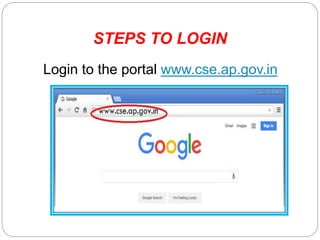
STEPS TO LOGIN
Login to the portal www.cse.ap.gov.in
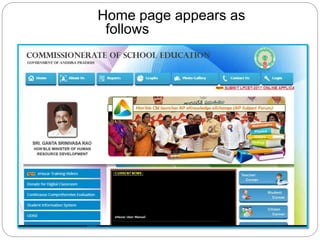
Home page appears as
follows
Home Page

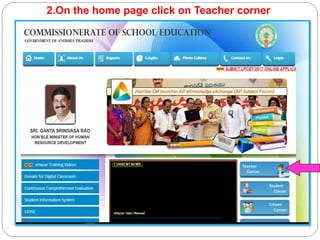
2.On the home page click on Teacher corner
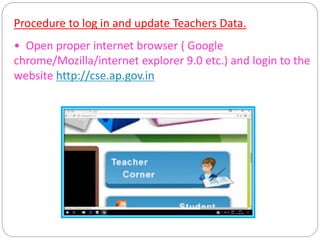
Procedure to log in and update Teachers Data.
• Open proper internet browser ( Google
chrome/Mozilla/internet explorer 9.0 etc.) and login to the
website http://cse.ap.gov.in
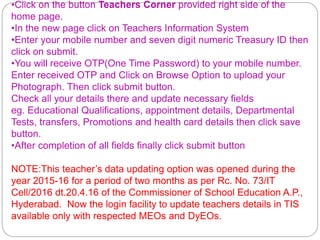
•Click on the button Teachers Corner provided right side of the
home page.
•In the new page click on Teachers Information System
•Enter your mobile number and seven digit numeric Treasury ID then
click on submit.
•You will receive OTP(One Time Password) to your mobile number.
Enter received OTP and Click on Browse Option to upload your
Photograph. Then click submit button.
Check all your details there and update necessary fields
eg. Educational Qualifications, appointment details, Departmental
Tests, transfers, Promotions and health card details then click save
button.
•After completion of all fields finally click submit button
NOTE:This teacher’s data updating option was opened during the
year 2015-16 for a period of two months as per Rc. No. 73/IT
Cell/2016 dt.20.4.16 of the Commissioner of School Education A.P.,
Hyderabad. Now the login facility to update teachers details in TIS
available only with respected MEOs and DyEOs.
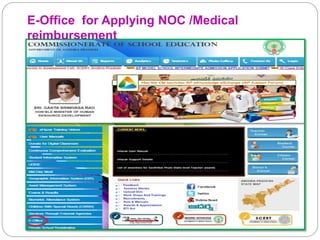
E-Office for Applying NOC /Medical
reimbursement
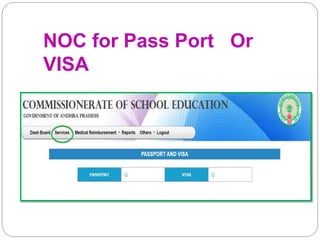
NOC for Pass Port Or
VISA
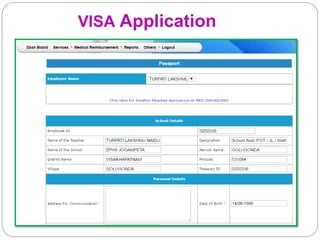
VISA Application
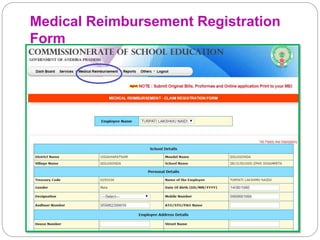
Medical Reimbursement Registration
Form
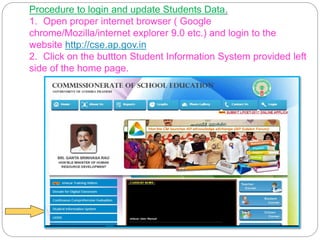
Procedure to login and update Students Data.
1. Open proper internet browser ( Google
chrome/Mozilla/internet explorer 9.0 etc.) and login to the
website http://cse.ap.gov.in
2. Click on the buttton Student Information System provided left
side of the home page.
3. Official login page will appear as follows.
Enter School UDISE code as user name and enter
Admin@ [first four digits of DISE code] as password
or enter the code provided to you by the department
as password – enter captcha code provided in the
given box – click on submit.
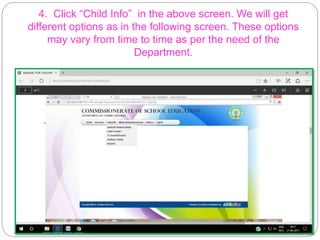
4. Click “Child Info” in the above screen. We will get
different options as in the following screen. These options
may vary from time to time as per the need of the
Department.
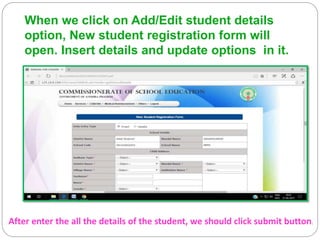
When we click on Add/Edit student details
option, New student registration form will
open. Insert details and update options in it.
After enter the all the details of the student, we should click submit button.
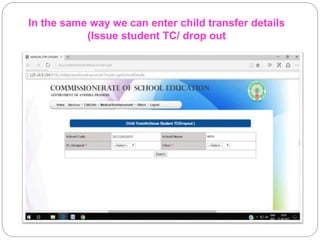
In the same way we can enter child transfer details
(Issue student TC/ drop out
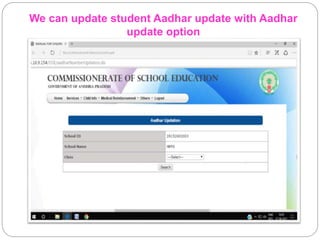
We can update student Aadhar update with Aadhar
update option
.
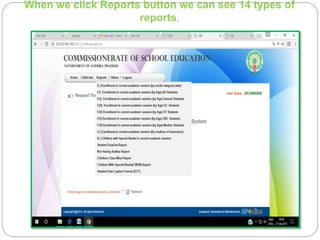
When we click Reports button we can see 14 types of
reports.
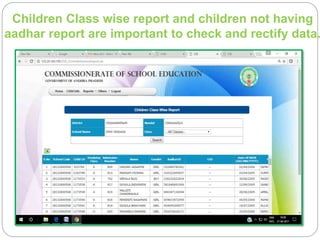
Children Class wise report and children not having
aadhar report are important to check and rectify data.
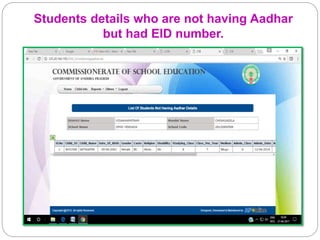
Students details who are not having Aadhar
but had EID number.
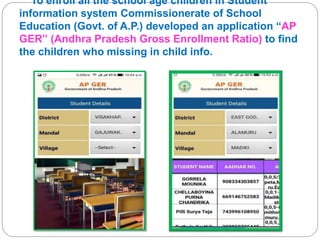
To enroll all the school age children in Student
information system Commissionerate of School
Education (Govt. of A.P.) developed an application “AP
GER” (Andhra Pradesh Gross Enrollment Ratio) to find
the children who missing in child info.
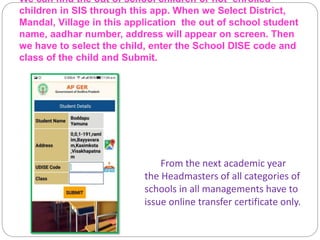
We can find the out of school children or not enrolled
children in SIS through this app. When we Select District,
Mandal, Village in this application the out of school student
name, aadhar number, address will appear on screen. Then
we have to select the child, enter the School DISE code and
class of the child and Submit.
From the next academic year
the Headmasters of all categories of
schools in all managements have to
issue online transfer certificate only.
Thank You…

Teacher & Student Information - System

  • 1.
  • 2.
    OBJECTIVES 1.To know howto enter the details of teachers in teachers corner 2.To know how to apply for NOC 3.To know how to apply for Medical reimbursement 4.To know about teachers information i.e retiring teachers details etc 5.To know how to add a student to our school 6.To know how to enter dropout/TC issued students 7.To know how to update Aadhar details
  • 3.
    STEPS TO LOGIN Loginto the portal www.cse.ap.gov.in
  • 4.
    Home page appearsas follows Home Page 
  • 5.
    2.On the homepage click on Teacher corner
  • 6.
    Procedure to login and update Teachers Data. • Open proper internet browser ( Google chrome/Mozilla/internet explorer 9.0 etc.) and login to the website http://cse.ap.gov.in
  • 7.
    •Click on thebutton Teachers Corner provided right side of the home page. •In the new page click on Teachers Information System •Enter your mobile number and seven digit numeric Treasury ID then click on submit. •You will receive OTP(One Time Password) to your mobile number. Enter received OTP and Click on Browse Option to upload your Photograph. Then click submit button. Check all your details there and update necessary fields eg. Educational Qualifications, appointment details, Departmental Tests, transfers, Promotions and health card details then click save button. •After completion of all fields finally click submit button NOTE:This teacher’s data updating option was opened during the year 2015-16 for a period of two months as per Rc. No. 73/IT Cell/2016 dt.20.4.16 of the Commissioner of School Education A.P., Hyderabad. Now the login facility to update teachers details in TIS available only with respected MEOs and DyEOs.
  • 8.
    E-Office for ApplyingNOC /Medical reimbursement
  • 9.
    NOC for PassPort Or VISA
  • 10.
  • 11.
  • 12.
    Procedure to loginand update Students Data. 1. Open proper internet browser ( Google chrome/Mozilla/internet explorer 9.0 etc.) and login to the website http://cse.ap.gov.in 2. Click on the buttton Student Information System provided left side of the home page.
  • 13.
    3. Official loginpage will appear as follows. Enter School UDISE code as user name and enter Admin@ [first four digits of DISE code] as password or enter the code provided to you by the department as password – enter captcha code provided in the given box – click on submit.
  • 14.
    4. Click “ChildInfo” in the above screen. We will get different options as in the following screen. These options may vary from time to time as per the need of the Department.
  • 15.
    When we clickon Add/Edit student details option, New student registration form will open. Insert details and update options in it. After enter the all the details of the student, we should click submit button.
  • 16.
    In the sameway we can enter child transfer details (Issue student TC/ drop out
  • 17.
    We can updatestudent Aadhar update with Aadhar update option .
  • 18.
    When we clickReports button we can see 14 types of reports.
  • 19.
    Children Class wisereport and children not having aadhar report are important to check and rectify data.
  • 20.
    Students details whoare not having Aadhar but had EID number.
  • 21.
    To enroll allthe school age children in Student information system Commissionerate of School Education (Govt. of A.P.) developed an application “AP GER” (Andhra Pradesh Gross Enrollment Ratio) to find the children who missing in child info.
  • 22.
    We can findthe out of school children or not enrolled children in SIS through this app. When we Select District, Mandal, Village in this application the out of school student name, aadhar number, address will appear on screen. Then we have to select the child, enter the School DISE code and class of the child and Submit. From the next academic year the Headmasters of all categories of schools in all managements have to issue online transfer certificate only.
  • 23.