






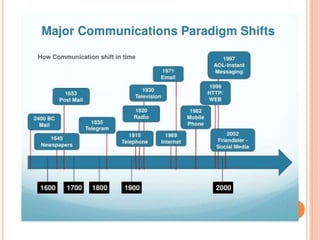

AND
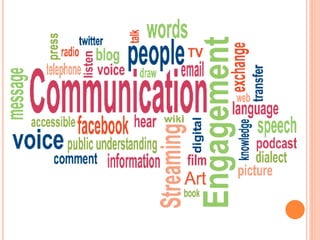
COMMUNICATION
S
TECHNOLOGY
2 Days Training Programme For Teachers
T.S.V.PRASADA RAO
HINDI PANDIT
ZP HIGH SCHOOL
THATITURU
BHEEMUNIPATNAM MANDAL
#9849413715 :: tsvprasadarao@gmail.com
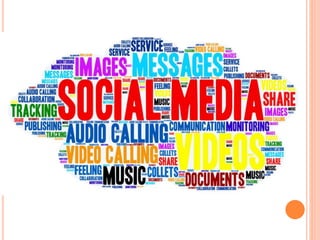
SOCIAL
MEDIA
ONLINE
SHOPPING
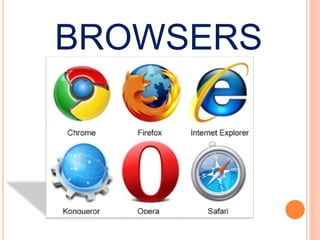
BROWSERS
SEARCH
ENGINES
Make
Our Lives
# EASY & HAPPY
#
NOW…
ICT
Enabled
Persons
You are all
declared …… as
NOW…
YOU HAVE TO TRANSFORM
…… AS..
ICT Enabled
TEACHER
AND
COMMUNICATION
S
TECHNOLOGY
2 Days Training Programme For Teachers
AIMS & OBJECTIVES
 To Promote the spirit of ICT among the Teachers
 To Develop the ICT Skills among the Teachers
 To Bring the awareness on different IT-Initiatives by CSE-AP
 To Understand various ICT Programs Conducted by CSE-AP
 To Give the first hand experience on various initiatives
 To Increase the utilization of e-Content in class room
transaction
 To Make our Students fit for 21st Century
Vision
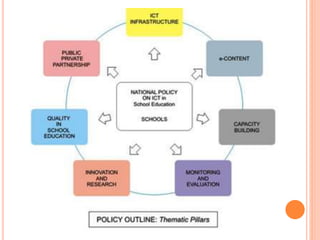
The ICT Policy in School Education aims at preparing youth to
participate creatively in the establishment, sustenance and growth
of a knowledge society leading to all round socioeconomic
development of the nation and
global competitiveness.
Mission
To devise, catalyze, support and sustain ICT and ICT enabled
activities and processes in order to improve access, quality and
efficiency in the school system
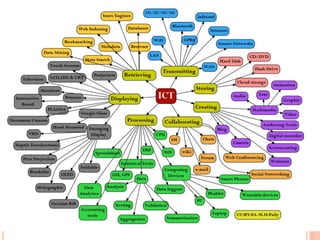
ICT
(Information and Communications
Technology) is an umbrella term that
includes any communication device or
application, encompassing: radio,
television, cellular phones, computer
and network hardware and software,
satellite systems and so on, as well as
the various services and applications
I stands for in ICT ….
Information
?
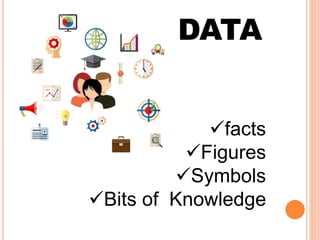
facts
Figures
Symbols
Bits of Knowledge
DATA
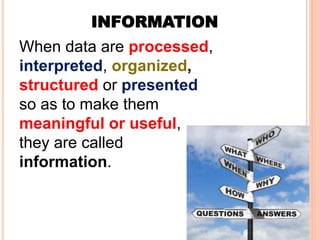
When data are processed,
interpreted, organized,
structured or presented
so as to make them
meaningful or useful,
they are called
information.
INFORMATION
C stands for in ICT ….
Communications
?
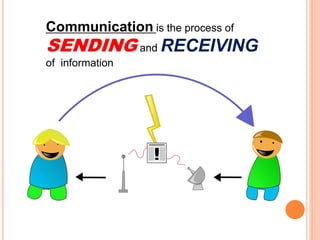
Communication is the process of
SENDING and RECEIVING
of information
T stands for in ICT ….
Technology
?
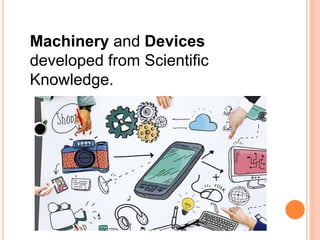
Machinery and Devices
developed from Scientific
Knowledge.
It is Time to
TRANSFORM
From
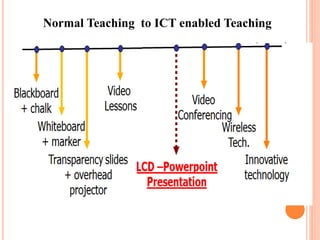
Normal Teaching to
ICT enabled Teaching
Normal Teaching to ICT enabled Teaching
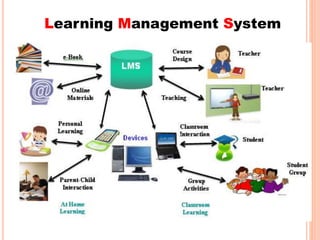
Learning Management System
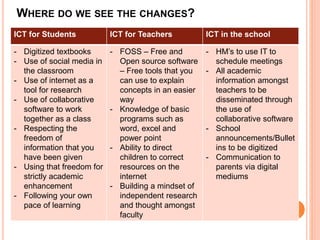
WHERE DO WE SEE THE CHANGES?
ICT for Students ICT for Teachers ICT in the school
- Digitized textbooks
- Use of social media in
the classroom
- Use of internet as a
tool for research
- Use of collaborative
software to work
together as a class
- Respecting the
freedom of
information that you
have been given
- Using that freedom for
strictly academic
enhancement
- Following your own
pace of learning
- FOSS – Free and
Open source software
– Free tools that you
can use to explain
concepts in an easier
way
- Knowledge of basic
programs such as
word, excel and
power point
- Ability to direct
children to correct
resources on the
internet
- Building a mindset of
independent research
and thought amongst
faculty
- HM’s to use IT to
schedule meetings
- All academic
information amongst
teachers to be
disseminated through
the use of
collaborative software
- School
announcements/Bullet
ins to be digitized
- Communication to
parents via digital
mediums
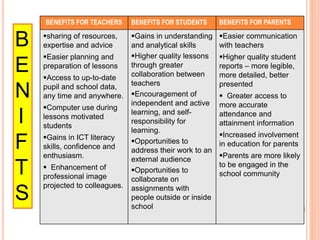
BENEFITS FOR TEACHERS BENEFITS FOR STUDENTS BENEFITS FOR PARENTS
sharing of resources,
expertise and advice
Easier planning and
preparation of lessons
Access to up-to-date
pupil and school data,
any time and anywhere.
Computer use during
lessons motivated
students
Gains in ICT literacy
skills, confidence and
enthusiasm.
 Enhancement of
professional image
projected to colleagues.
Gains in understanding
and analytical skills
Higher quality lessons
through greater
collaboration between
teachers
Encouragement of
independent and active
learning, and self-
responsibility for
learning.
Opportunities to
address their work to an
external audience
Opportunities to
collaborate on
assignments with
people outside or inside
school
Easier communication
with teachers
Higher quality student
reports – more legible,
more detailed, better
presented
 Greater access to
more accurate
attendance and
attainment information
Increased involvement
in education for parents
Parents are more likely
to be engaged in the
school community
B
E
N
I
F
T
S
NOW
WHERE ARE YOU IN………
ICT
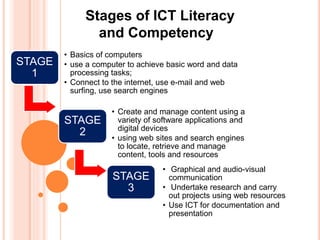
Stages of ICT Literacy
and Competency
STAGE
1
• Basics of computers
• use a computer to achieve basic word and data
processing tasks;
• Connect to the internet, use e-mail and web
surfing, use search engines
STAGE
2
• Create and manage content using a
variety of software applications and
digital devices
• using web sites and search engines
to locate, retrieve and manage
content, tools and resources
STAGE
3
• Graphical and audio-visual
communication
• Undertake research and carry
out projects using web resources
• Use ICT for documentation and
presentation
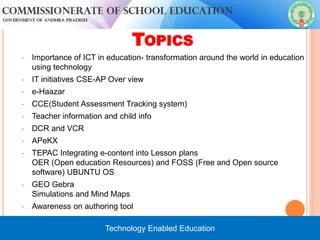
TOPICS
• Importance of ICT in education- transformation around the world in education
using technology
• IT initiatives CSE-AP Over view
• e-Haazar
• CCE(Student Assessment Tracking system)
• Teacher information and child info
• DCR and VCR
• APeKX
• TEPAC Integrating e-content into Lesson plans
OER (Open education Resources) and FOSS (Free and Open source
software) UBUNTU OS
• GEO Gebra
Simulations and Mind Maps
• Awareness on authoring tool


Technology Enabled Education
THANK YOU
For Listening Patiently

D 1 s 1 ict_importance_mkr

  • 1.
  • 2.
    T.S.V.PRASADA RAO HINDI PANDIT ZPHIGH SCHOOL THATITURU BHEEMUNIPATNAM MANDAL #9849413715 :: tsvprasadarao@gmail.com
  • 3.
  • 5.
  • 6.
  • 7.
  • 9.
  • 10.
  • 11.
  • 12.
    NOW… YOU HAVE TOTRANSFORM …… AS..
  • 13.
  • 14.
  • 15.
    AIMS & OBJECTIVES To Promote the spirit of ICT among the Teachers  To Develop the ICT Skills among the Teachers  To Bring the awareness on different IT-Initiatives by CSE-AP  To Understand various ICT Programs Conducted by CSE-AP  To Give the first hand experience on various initiatives  To Increase the utilization of e-Content in class room transaction  To Make our Students fit for 21st Century
  • 16.
    Vision The ICT Policyin School Education aims at preparing youth to participate creatively in the establishment, sustenance and growth of a knowledge society leading to all round socioeconomic development of the nation and global competitiveness. Mission To devise, catalyze, support and sustain ICT and ICT enabled activities and processes in order to improve access, quality and efficiency in the school system
  • 17.
    ICT (Information and Communications Technology)is an umbrella term that includes any communication device or application, encompassing: radio, television, cellular phones, computer and network hardware and software, satellite systems and so on, as well as the various services and applications
  • 18.
    I stands forin ICT …. Information ?
  • 19.
  • 20.
    When data areprocessed, interpreted, organized, structured or presented so as to make them meaningful or useful, they are called information. INFORMATION
  • 21.
    C stands forin ICT …. Communications ?
  • 24.
    Communication is theprocess of SENDING and RECEIVING of information
  • 26.
    T stands forin ICT …. Technology ?
  • 27.
    Machinery and Devices developedfrom Scientific Knowledge.
  • 30.
    It is Timeto TRANSFORM From Normal Teaching to ICT enabled Teaching
  • 31.
    Normal Teaching toICT enabled Teaching
  • 32.
  • 34.
    WHERE DO WESEE THE CHANGES? ICT for Students ICT for Teachers ICT in the school - Digitized textbooks - Use of social media in the classroom - Use of internet as a tool for research - Use of collaborative software to work together as a class - Respecting the freedom of information that you have been given - Using that freedom for strictly academic enhancement - Following your own pace of learning - FOSS – Free and Open source software – Free tools that you can use to explain concepts in an easier way - Knowledge of basic programs such as word, excel and power point - Ability to direct children to correct resources on the internet - Building a mindset of independent research and thought amongst faculty - HM’s to use IT to schedule meetings - All academic information amongst teachers to be disseminated through the use of collaborative software - School announcements/Bullet ins to be digitized - Communication to parents via digital mediums
  • 35.
    BENEFITS FOR TEACHERSBENEFITS FOR STUDENTS BENEFITS FOR PARENTS sharing of resources, expertise and advice Easier planning and preparation of lessons Access to up-to-date pupil and school data, any time and anywhere. Computer use during lessons motivated students Gains in ICT literacy skills, confidence and enthusiasm.  Enhancement of professional image projected to colleagues. Gains in understanding and analytical skills Higher quality lessons through greater collaboration between teachers Encouragement of independent and active learning, and self- responsibility for learning. Opportunities to address their work to an external audience Opportunities to collaborate on assignments with people outside or inside school Easier communication with teachers Higher quality student reports – more legible, more detailed, better presented  Greater access to more accurate attendance and attainment information Increased involvement in education for parents Parents are more likely to be engaged in the school community B E N I F T S
  • 36.
    NOW WHERE ARE YOUIN……… ICT
  • 37.
    Stages of ICTLiteracy and Competency STAGE 1 • Basics of computers • use a computer to achieve basic word and data processing tasks; • Connect to the internet, use e-mail and web surfing, use search engines STAGE 2 • Create and manage content using a variety of software applications and digital devices • using web sites and search engines to locate, retrieve and manage content, tools and resources STAGE 3 • Graphical and audio-visual communication • Undertake research and carry out projects using web resources • Use ICT for documentation and presentation
  • 38.
    TOPICS • Importance ofICT in education- transformation around the world in education using technology • IT initiatives CSE-AP Over view • e-Haazar • CCE(Student Assessment Tracking system) • Teacher information and child info • DCR and VCR • APeKX • TEPAC Integrating e-content into Lesson plans OER (Open education Resources) and FOSS (Free and Open source software) UBUNTU OS • GEO Gebra Simulations and Mind Maps • Awareness on authoring tool   Technology Enabled Education
  • 41.

Editor's Notes

  • #38 Where are you in your skills as DRP’s? Where do you think your school is? How will you improve upon this at your schools What help do you need ?